Introduction to Computer
Systems Servicing NC II
Agenda
Overview of Topics
Covered
1. Introduction to Computer Systems
2. Operating Systems
3. Installing Computer Systems
4. Configuring Computer Systems
5. Setting Up Computer Networks
6. Setting Up Servers
7. Maintaining Computer Systems
8. Repairing Computer Systems and
Networks
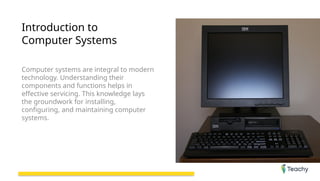
Introduction to
Computer Systems
Computer systems are integral to modern
technology. Understanding their
components and functions helps in
effective servicing. This knowledge lays
the groundwork for installing,
configuring, and maintaining computer
systems.
Definition of Computer Systems
A computer system is a combination of hardware and
software designed to perform specific tasks. It consists of
physical components like the CPU, RAM, hard drive, and
peripherals, as well as software that includes operating
systems and applications. Together, they enable users to
execute various operations effectively.
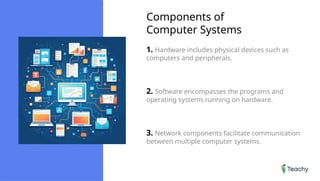
Components of
Computer Systems
1. Hardware includes physical devices such as
computers and peripherals.
2. Software encompasses the programs and
operating systems running on hardware.
3. Network components facilitate communication
between multiple computer systems.
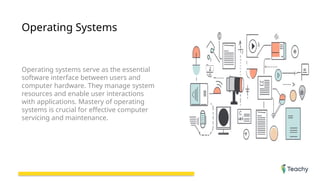
Operating Systems
Operating systems serve as the essential
software interface between users and
computer hardware. They manage system
resources and enable user interactions
with applications. Mastery of operating
systems is crucial for effective computer
servicing and maintenance.
What is an Operating System?
An operating system (OS) is software that manages computer
hardware and software resources. Examples of popular
operating systems include Microsoft Windows, macOS, and
Linux. Each of these systems offers unique features suited for
different user needs.
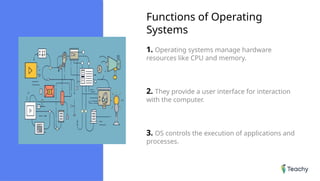
Functions of Operating
Systems
1. Operating systems manage hardware
resources like CPU and memory.
2. They provide a user interface for interaction
with the computer.
3. OS controls the execution of applications and
processes.
Installing Computer
Systems
The installation of computer systems is a
fundamental skill in computer servicing.
This process requires a systematic
approach to ensure successful setup and
functionality. Understanding the steps
involved is essential for any technician.
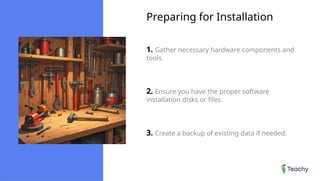
Preparing for Installation
1. Gather necessary hardware components and
tools.
2. Ensure you have the proper software
installation disks or files.
3. Create a backup of existing data if needed.
Installation Process
The installation process involves connecting the hardware
components first, including the motherboard, CPU, and RAM.
After assembling the physical parts, the next step is to install
the operating system via a USB or disk. Finally, configure the
system settings to personalize the setup according to user
preferences.
Configuring Computer
Systems
Configuring computer systems is crucial
for optimal performance and user
experience. This involves setting up both
hardware and software according to the
user's needs and preferences. Proper
configuration can significantly improve
system efficiency and usability.
Basic Configuration
Settings
1. Adjust system display settings for user
comfort.
2. Set up user accounts and security preferences.
3. Install essential software applications for daily
tasks.
Advanced Configuration
1. Modify system settings for performance
enhancement.
2. Set up network settings for secure connections.
3. Configure specialized software applications for
specific tasks.
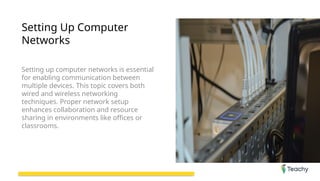
Setting Up Computer
Networks
Setting up computer networks is essential
for enabling communication between
multiple devices. This topic covers both
wired and wireless networking
techniques. Proper network setup
enhances collaboration and resource
sharing in environments like offices or
classrooms.
Types of Computer
Networks
1. Local Area Networks (LAN) connect devices
within a limited area.
2. Wide Area Networks (WAN) cover larger
geographical distances.
3. Wireless networks facilitate connectivity
without physical cables.
Network Setup Process
Setting up a network involves several steps starting with the
physical connection of devices. Next, configure the routers
and switches to manage data flow. Finally, secure the network
with passwords and firewalls to protect against unauthorized
access.
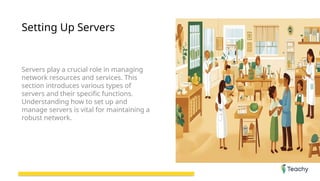
Setting Up Servers
Servers play a crucial role in managing
network resources and services. This
section introduces various types of
servers and their specific functions.
Understanding how to set up and
manage servers is vital for maintaining a
robust network.
What is a Server?
A server is a specialized computer designed to provide
services to other computers over a network. Common types
of servers include file servers, application servers, and web
servers, each catering to specific needs. Understanding
server functions is key to efficient network management.
Configuring a Server
1. Install the appropriate server operating
system.
2. Set up network settings and security protocols.
3. Configure server applications according to user
requirements.
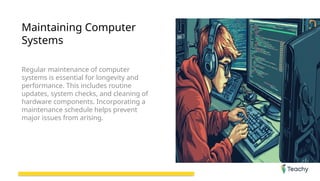
Maintaining Computer
Systems
Regular maintenance of computer
systems is essential for longevity and
performance. This includes routine
updates, system checks, and cleaning of
hardware components. Incorporating a
maintenance schedule helps prevent
major issues from arising.
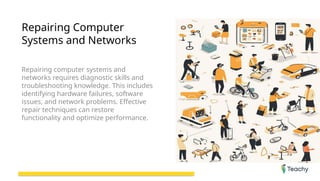
Repairing Computer
Systems and Networks
Repairing computer systems and
networks requires diagnostic skills and
troubleshooting knowledge. This includes
identifying hardware failures, software
issues, and network problems. Effective
repair techniques can restore
functionality and optimize performance.
Conclusion
Summary of Key
Points
1. Recap of Computer Systems and Their
Components
2. Importance of Operating Systems in
Computer Servicing
3. Steps to Install and Configure
Computer Systems
4. Networking Basics and Server Setup
5. Importance of Maintenance and
Troubleshooting
Slide_Introduction to Computer Systems Servicing NC II.pptx.pptx

  • 1.
  • 2.
    Agenda Overview of Topics Covered 1.Introduction to Computer Systems 2. Operating Systems 3. Installing Computer Systems 4. Configuring Computer Systems 5. Setting Up Computer Networks 6. Setting Up Servers 7. Maintaining Computer Systems 8. Repairing Computer Systems and Networks
  • 3.
    Introduction to Computer Systems Computersystems are integral to modern technology. Understanding their components and functions helps in effective servicing. This knowledge lays the groundwork for installing, configuring, and maintaining computer systems.
  • 4.
    Definition of ComputerSystems A computer system is a combination of hardware and software designed to perform specific tasks. It consists of physical components like the CPU, RAM, hard drive, and peripherals, as well as software that includes operating systems and applications. Together, they enable users to execute various operations effectively.
  • 5.
    Components of Computer Systems 1.Hardware includes physical devices such as computers and peripherals. 2. Software encompasses the programs and operating systems running on hardware. 3. Network components facilitate communication between multiple computer systems.
  • 6.
    Operating Systems Operating systemsserve as the essential software interface between users and computer hardware. They manage system resources and enable user interactions with applications. Mastery of operating systems is crucial for effective computer servicing and maintenance.
  • 7.
    What is anOperating System? An operating system (OS) is software that manages computer hardware and software resources. Examples of popular operating systems include Microsoft Windows, macOS, and Linux. Each of these systems offers unique features suited for different user needs.
  • 8.
    Functions of Operating Systems 1.Operating systems manage hardware resources like CPU and memory. 2. They provide a user interface for interaction with the computer. 3. OS controls the execution of applications and processes.
  • 9.
    Installing Computer Systems The installationof computer systems is a fundamental skill in computer servicing. This process requires a systematic approach to ensure successful setup and functionality. Understanding the steps involved is essential for any technician.
  • 10.
    Preparing for Installation 1.Gather necessary hardware components and tools. 2. Ensure you have the proper software installation disks or files. 3. Create a backup of existing data if needed.
  • 11.
    Installation Process The installationprocess involves connecting the hardware components first, including the motherboard, CPU, and RAM. After assembling the physical parts, the next step is to install the operating system via a USB or disk. Finally, configure the system settings to personalize the setup according to user preferences.
  • 12.
    Configuring Computer Systems Configuring computersystems is crucial for optimal performance and user experience. This involves setting up both hardware and software according to the user's needs and preferences. Proper configuration can significantly improve system efficiency and usability.
  • 13.
    Basic Configuration Settings 1. Adjustsystem display settings for user comfort. 2. Set up user accounts and security preferences. 3. Install essential software applications for daily tasks.
  • 14.
    Advanced Configuration 1. Modifysystem settings for performance enhancement. 2. Set up network settings for secure connections. 3. Configure specialized software applications for specific tasks.
  • 15.
    Setting Up Computer Networks Settingup computer networks is essential for enabling communication between multiple devices. This topic covers both wired and wireless networking techniques. Proper network setup enhances collaboration and resource sharing in environments like offices or classrooms.
  • 16.
    Types of Computer Networks 1.Local Area Networks (LAN) connect devices within a limited area. 2. Wide Area Networks (WAN) cover larger geographical distances. 3. Wireless networks facilitate connectivity without physical cables.
  • 17.
    Network Setup Process Settingup a network involves several steps starting with the physical connection of devices. Next, configure the routers and switches to manage data flow. Finally, secure the network with passwords and firewalls to protect against unauthorized access.
  • 18.
    Setting Up Servers Serversplay a crucial role in managing network resources and services. This section introduces various types of servers and their specific functions. Understanding how to set up and manage servers is vital for maintaining a robust network.
  • 19.
    What is aServer? A server is a specialized computer designed to provide services to other computers over a network. Common types of servers include file servers, application servers, and web servers, each catering to specific needs. Understanding server functions is key to efficient network management.
  • 20.
    Configuring a Server 1.Install the appropriate server operating system. 2. Set up network settings and security protocols. 3. Configure server applications according to user requirements.
  • 21.
    Maintaining Computer Systems Regular maintenanceof computer systems is essential for longevity and performance. This includes routine updates, system checks, and cleaning of hardware components. Incorporating a maintenance schedule helps prevent major issues from arising.
  • 22.
    Repairing Computer Systems andNetworks Repairing computer systems and networks requires diagnostic skills and troubleshooting knowledge. This includes identifying hardware failures, software issues, and network problems. Effective repair techniques can restore functionality and optimize performance.
  • 23.
    Conclusion Summary of Key Points 1.Recap of Computer Systems and Their Components 2. Importance of Operating Systems in Computer Servicing 3. Steps to Install and Configure Computer Systems 4. Networking Basics and Server Setup 5. Importance of Maintenance and Troubleshooting