Sierra vApp:
Browser Isolation
2
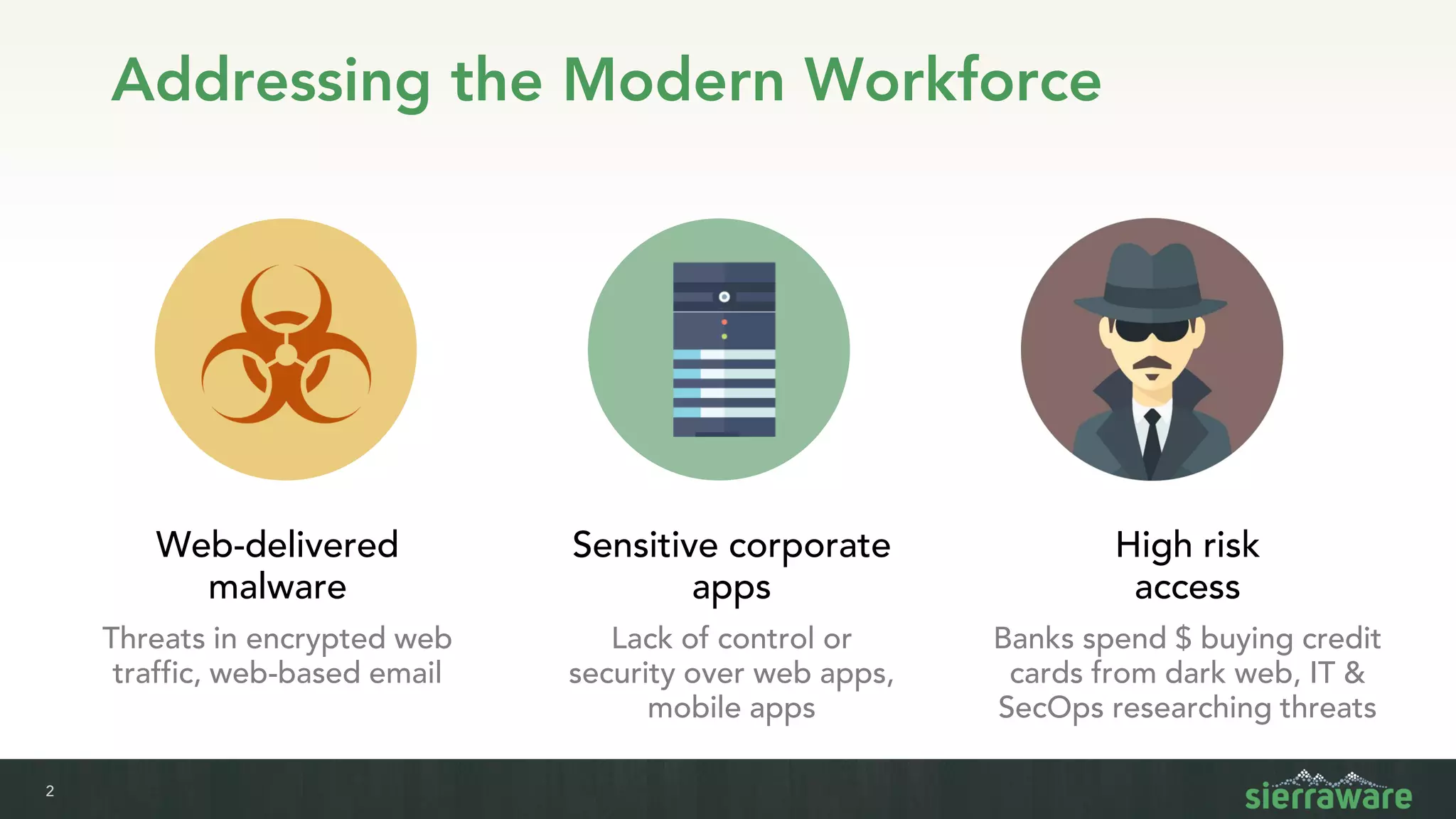
Addressing the Modern Workforce
Web-delivered
malware
Threats in encrypted web
traffic, web-based email
Sensitive corporate
apps
Lack of control or
security over web apps,
mobile apps
High risk
access
Banks spend $ buying credit
cards from dark web, IT &
SecOps researching threats
3
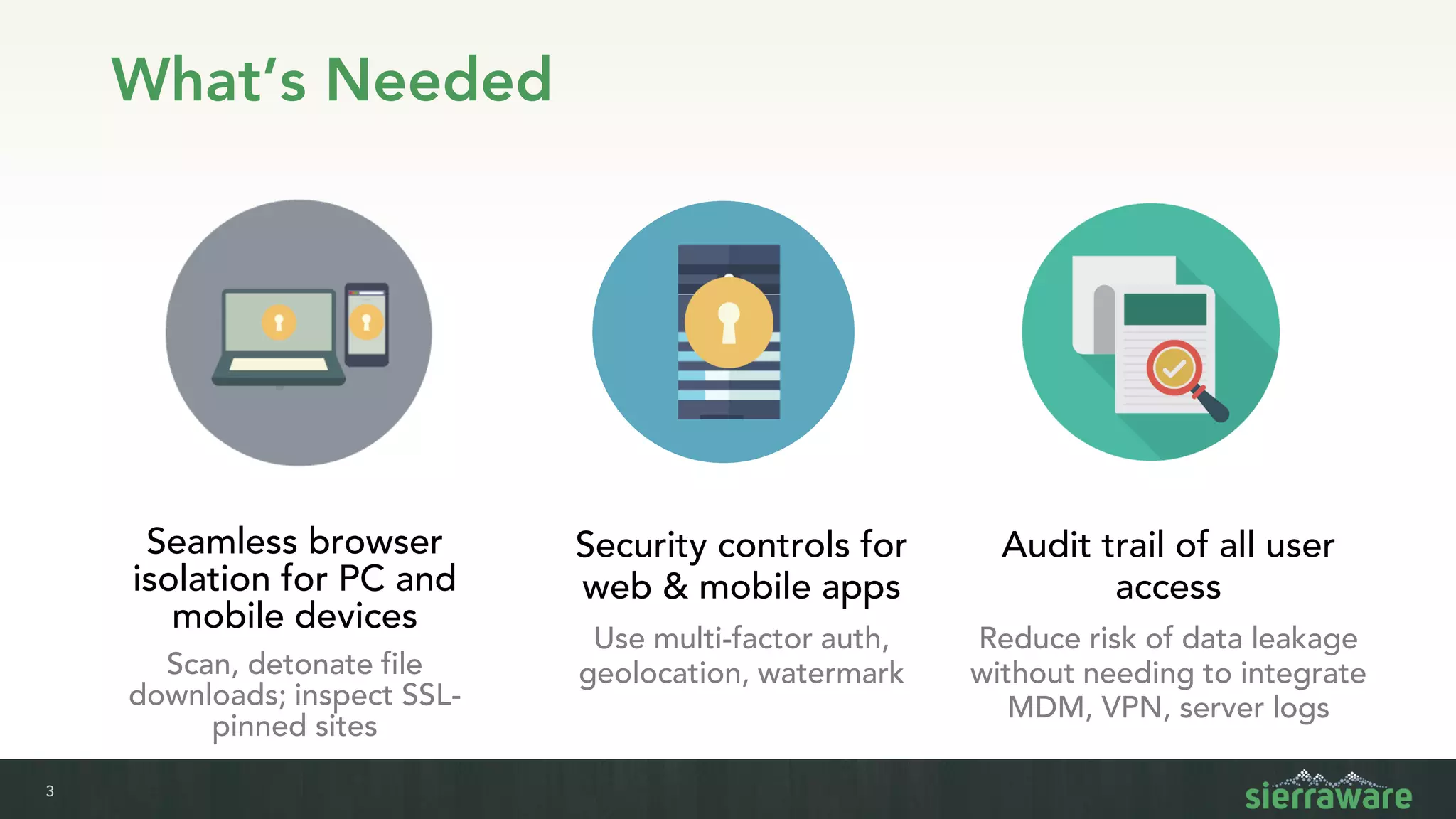
What’s Needed
Seamless browser
isolation for PC and
mobile devices
Scan, detonate file
downloads; inspect SSL-
pinned sites
Security controls for
web & mobile apps
Use multi-factor auth,
geolocation, watermark
Audit trail of all user
access
Reduce risk of data leakage
without needing to integrate
MDM, VPN, server logs
4
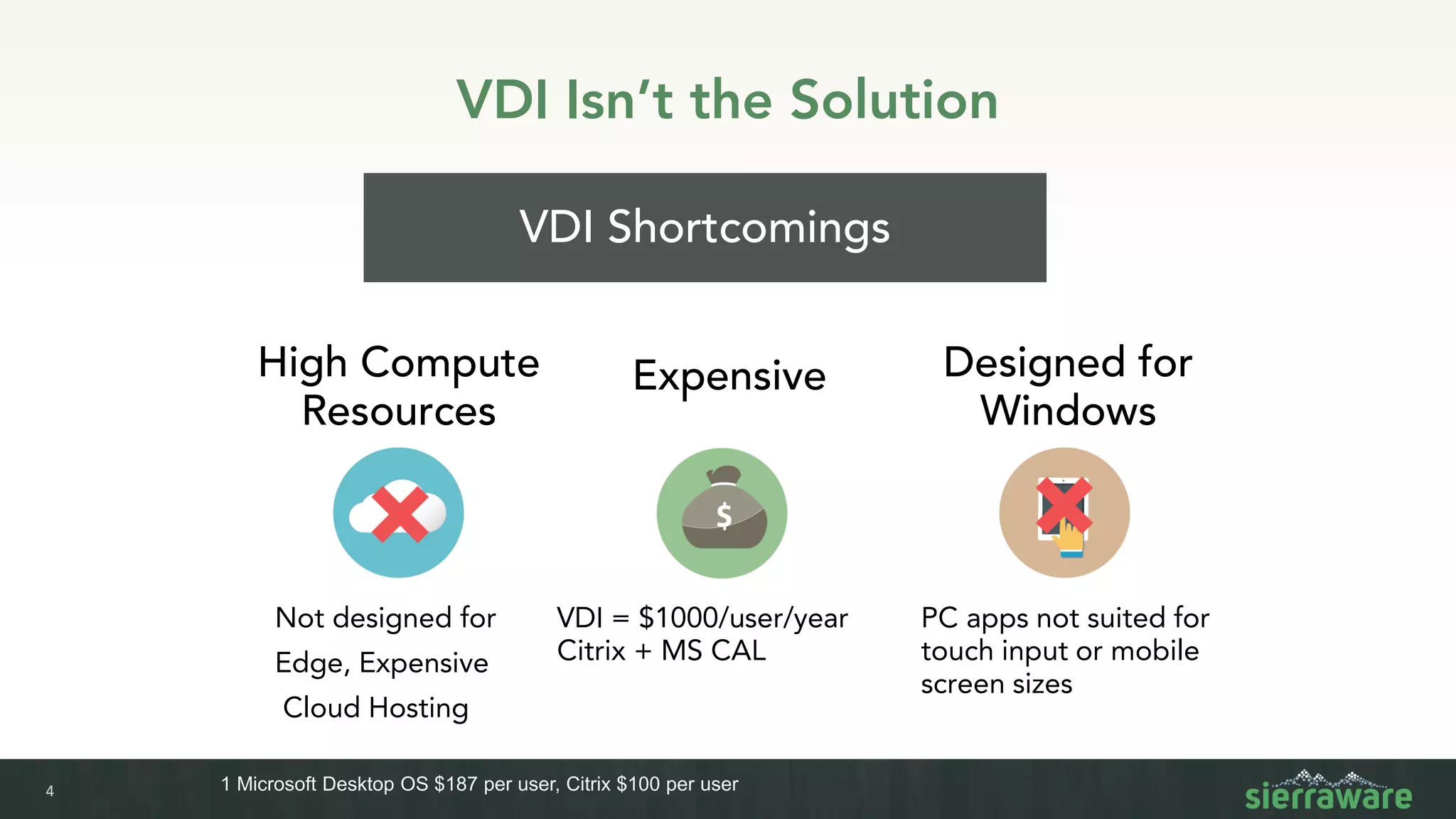
VDI Isn’t the Solution
Expensive
VDI Shortcomings
PC apps not suited for
touch input or mobile
screen sizes
VDI = $1000/user/year
Citrix + MS CAL
Not designed for
Edge, Expensive
Cloud Hosting
1 Microsoft Desktop OS $187 per user, Citrix $100 per user
High Compute
Resources
Designed for
Windows
5
vApp Browser
Isolation
There is a solution…
6
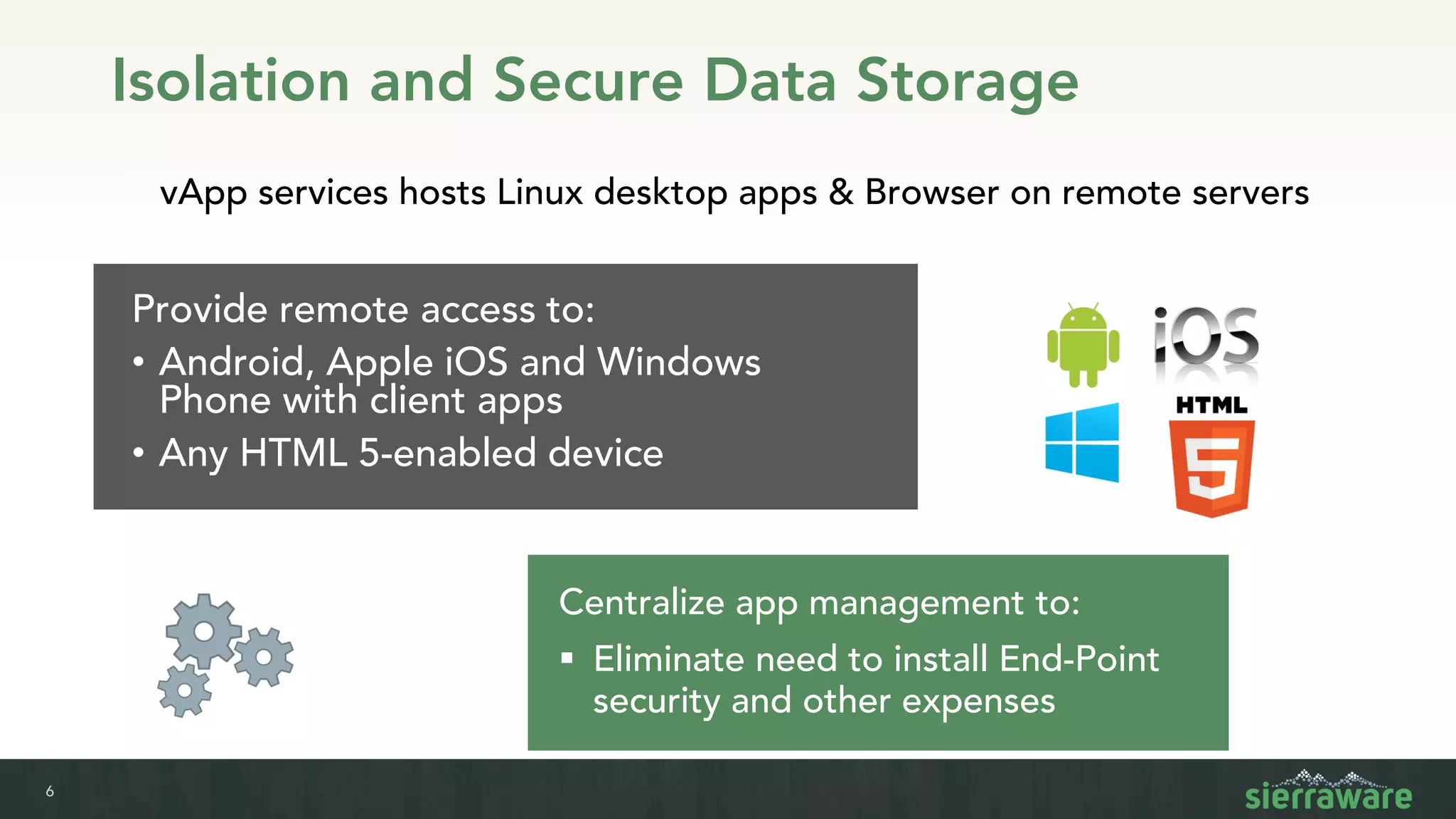
Provide remote access to:
• Android, Apple iOS and Windows
Phone with client apps
• Any HTML 5-enabled device
vApp services hosts Linux desktop apps & Browser on remote servers
Centralize app management to:
▪ Eliminate need to install End-Point
security and other expenses
Isolation and Secure Data Storage
7
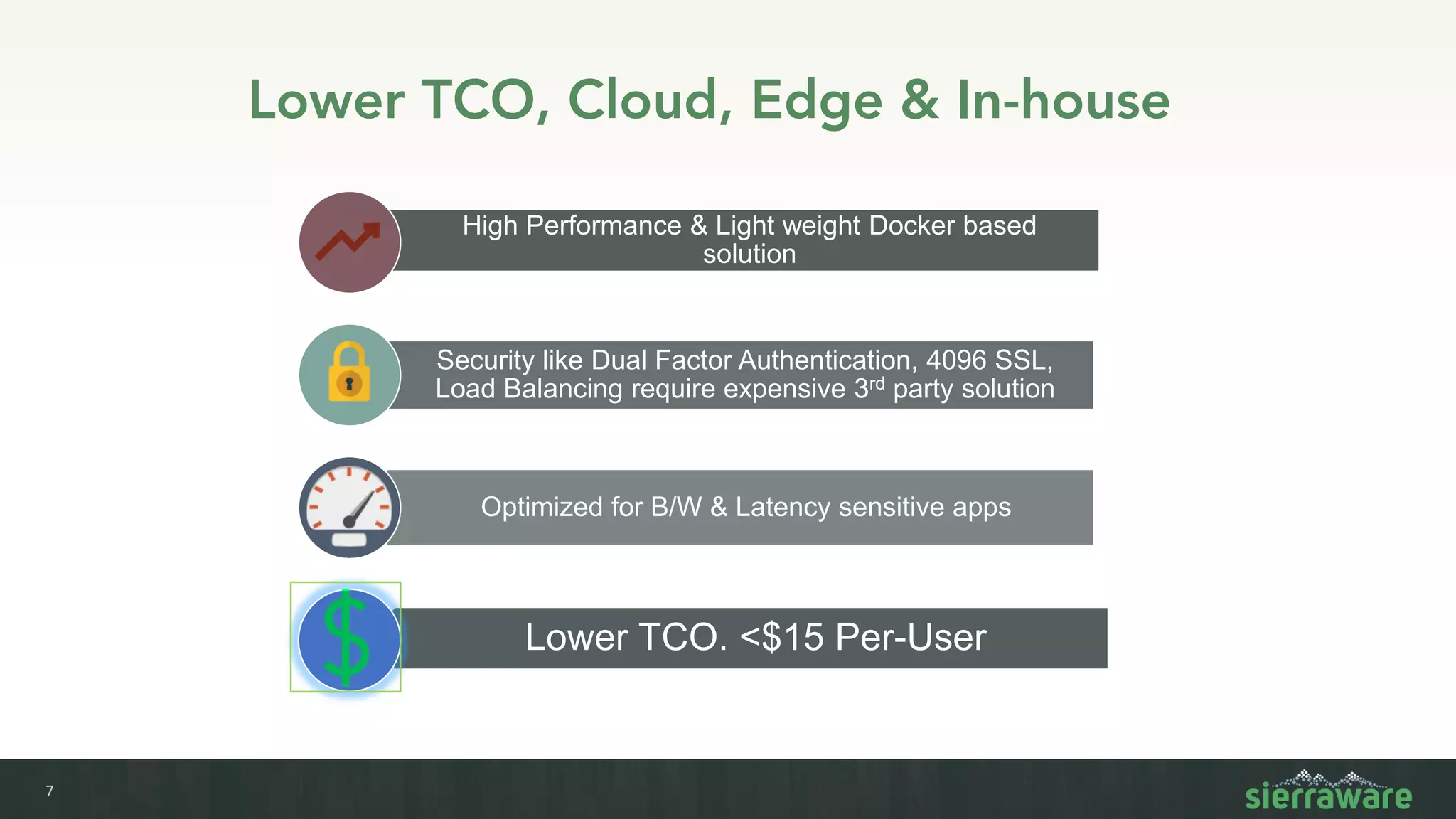
Lower TCO, Cloud, Edge & In-house
High Performance & Light weight Docker based
solution
Security like Dual Factor Authentication, 4096 SSL,
Load Balancing require expensive 3rd party solution
Optimized for B/W & Latency sensitive apps
Lower TCO. <$15 Per-User
8
Isolation and Secure Data Storage
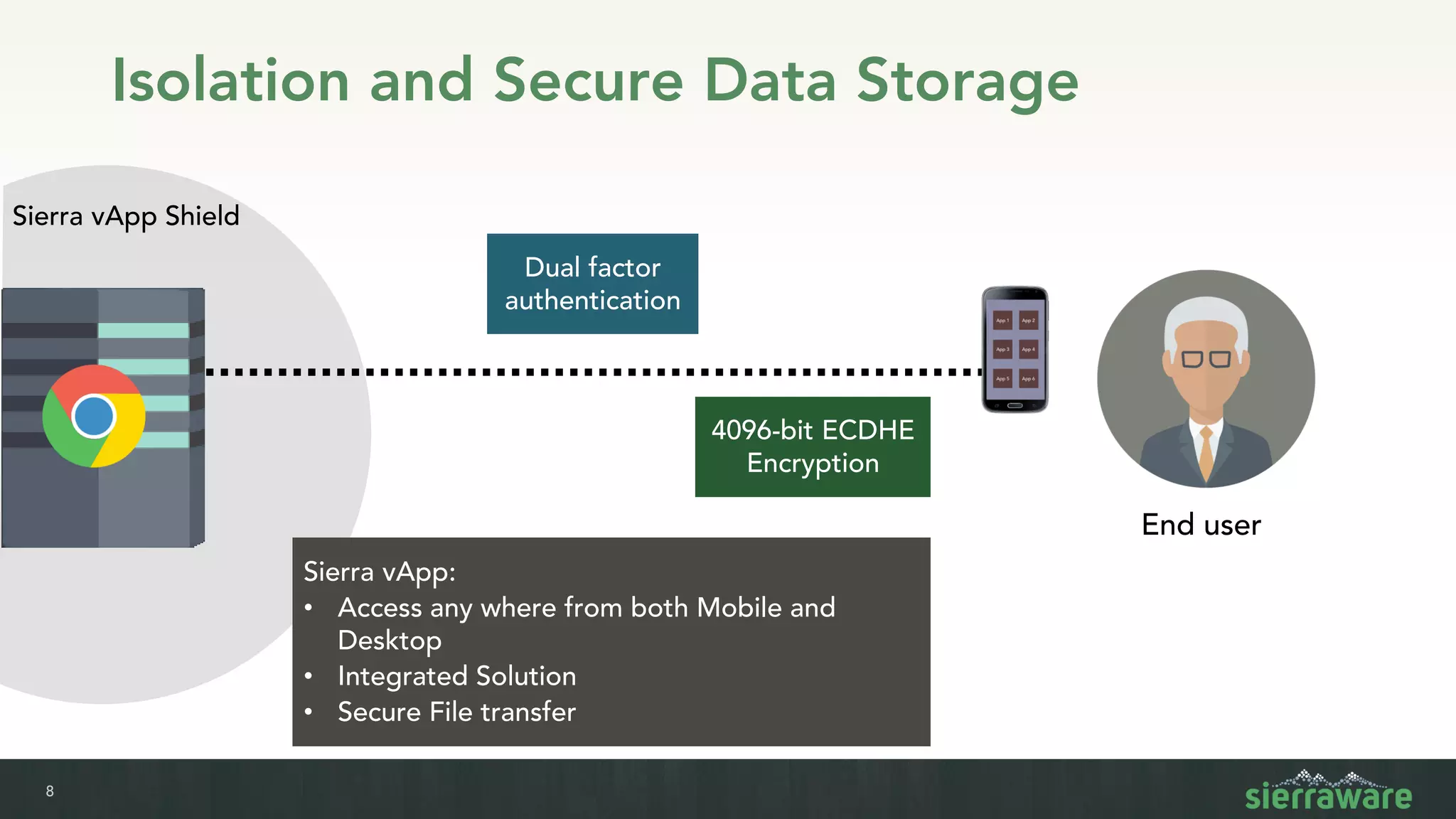
Sierra vApp Shield
4096-bit ECDHE
Encryption
Dual factor
authentication
Sierra vApp:
• Access any where from both Mobile and
Desktop
• Integrated Solution
• Secure File transfer
End user
9
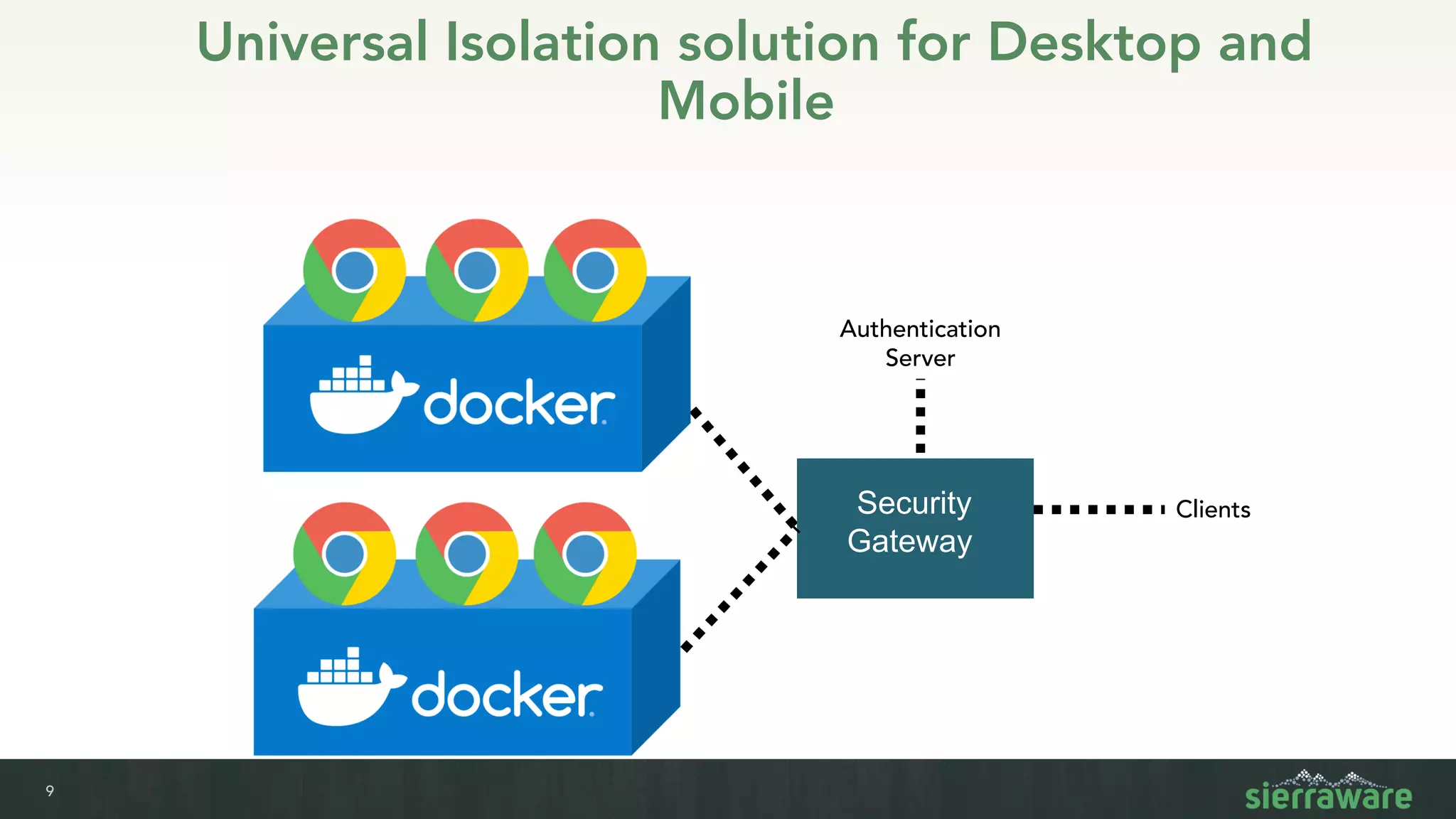
Universal Isolation solution for Desktop and
Mobile
Security
Gateway
Clients
Authentication
Server
10
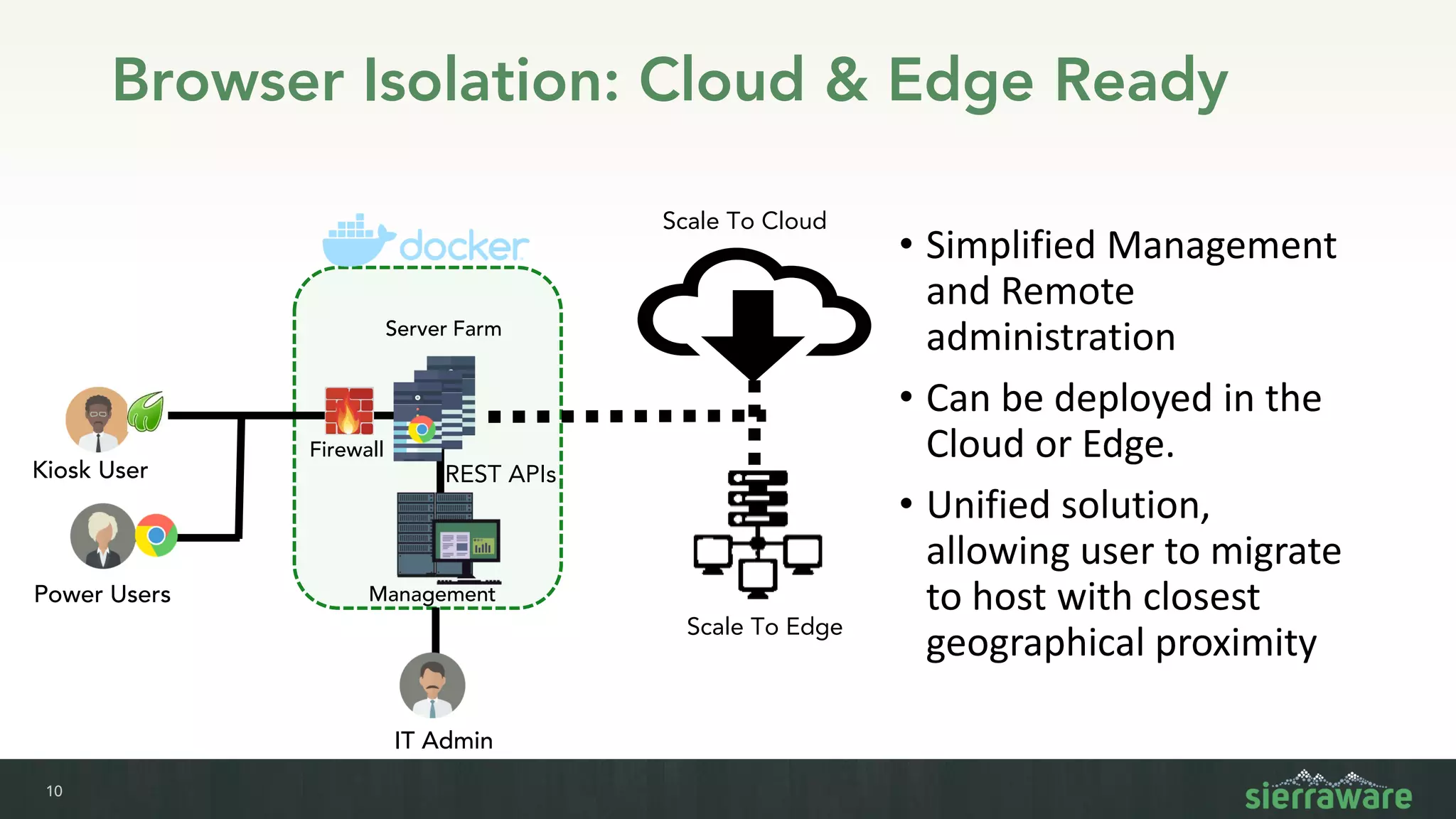
Browser Isolation: Cloud & Edge Ready
• Simplified Management
and Remote
administration
• Can be deployed in the
Cloud or Edge.
• Unified solution,
allowing user to migrate
to host with closest
geographical proximity
Firewall
Management
Server Farm
Power Users
IT Admin
Kiosk User
Scale To Cloud
REST APIs
Scale To Edge
11
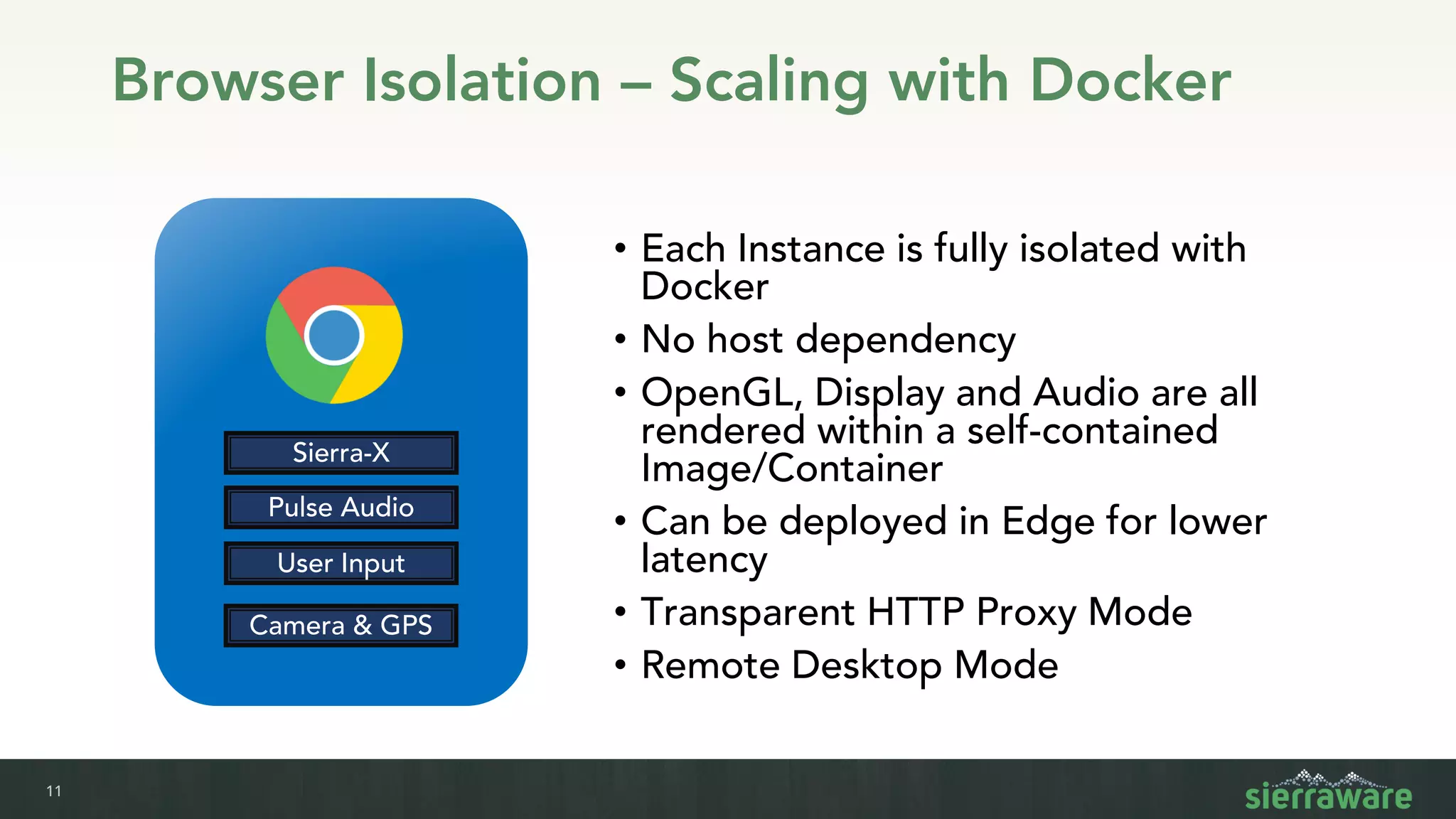
Browser Isolation – Scaling with Docker
• Each Instance is fully isolated with
Docker
• No host dependency
• OpenGL, Display and Audio are all
rendered within a self-contained
Image/Container
• Can be deployed in Edge for lower
latency
• Transparent HTTP Proxy Mode
• Remote Desktop Mode
Sierra-X
Pulse Audio
User Input
Camera & GPS
12
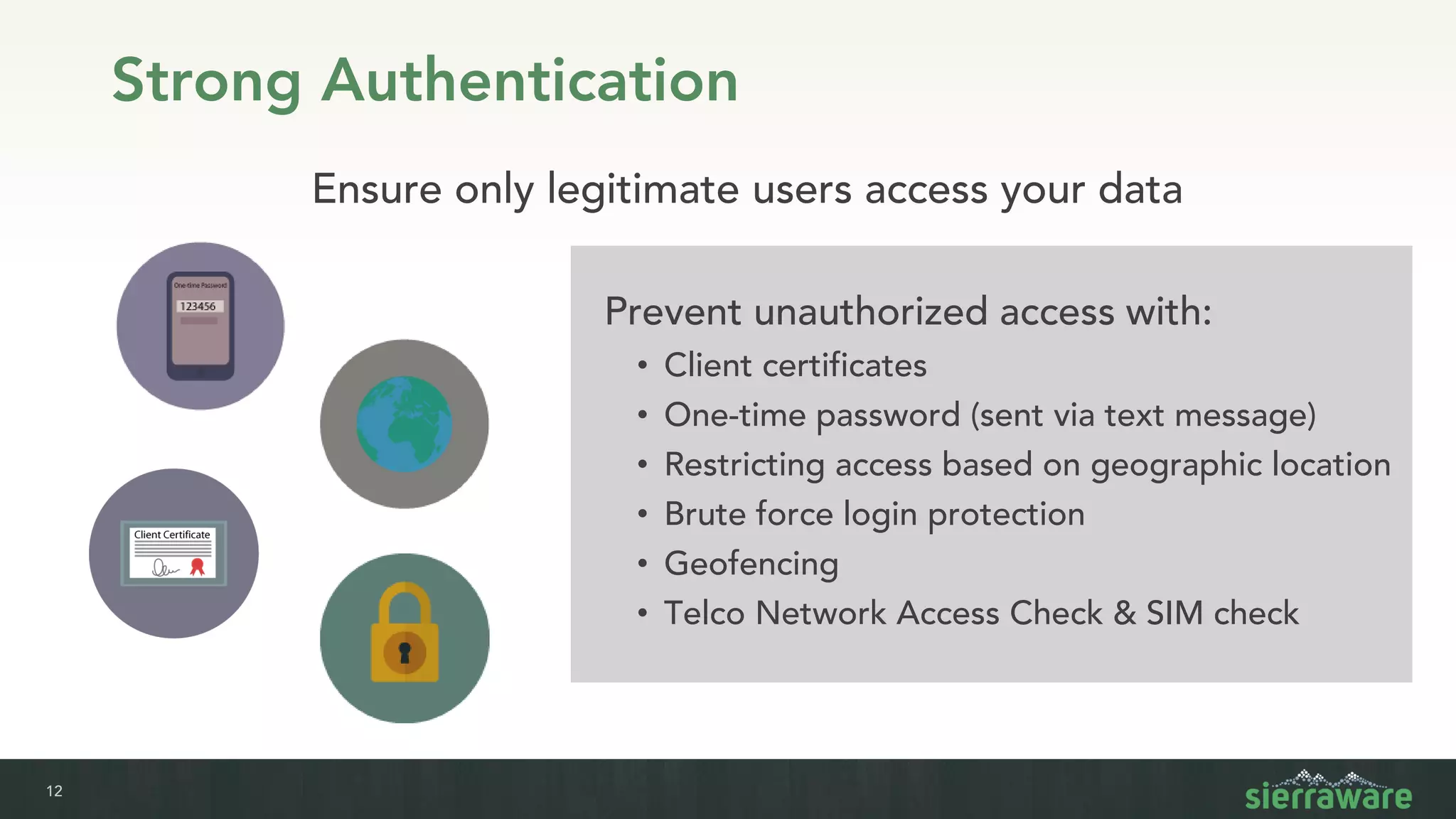
Strong Authentication
Prevent unauthorized access with:
• Client certificates
• One-time password (sent via text message)
• Restricting access based on geographic location
• Brute force login protection
• Geofencing
• Telco Network Access Check & SIM check
Ensure only legitimate users access your data
MMR, Low
Latency
And Other
Highlights
14
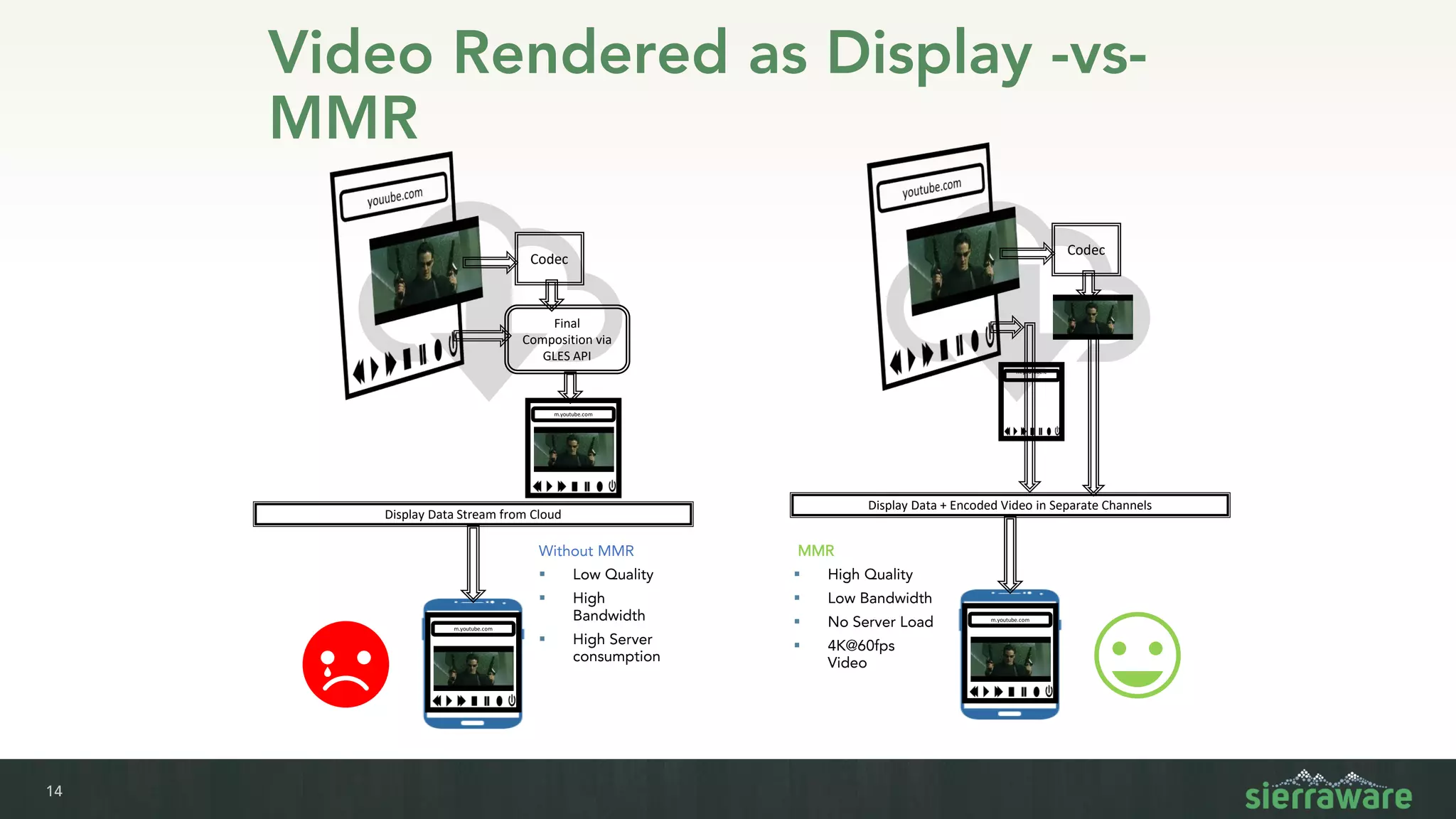
Video Rendered as Display -vs-
MMR
Codec
Final
Composition via
GLES API
m.youtube.com
Display Data Stream from Cloud
m.youtube.com
Codec
m.youtube.c
om
Display Data + Encoded Video in Separate Channels
m.youtube.com
Without MMR
▪ Low Quality
▪ High
Bandwidth
▪ High Server
consumption
MMR
▪ High Quality
▪ Low Bandwidth
▪ No Server Load
▪ 4K@60fps
Video
15
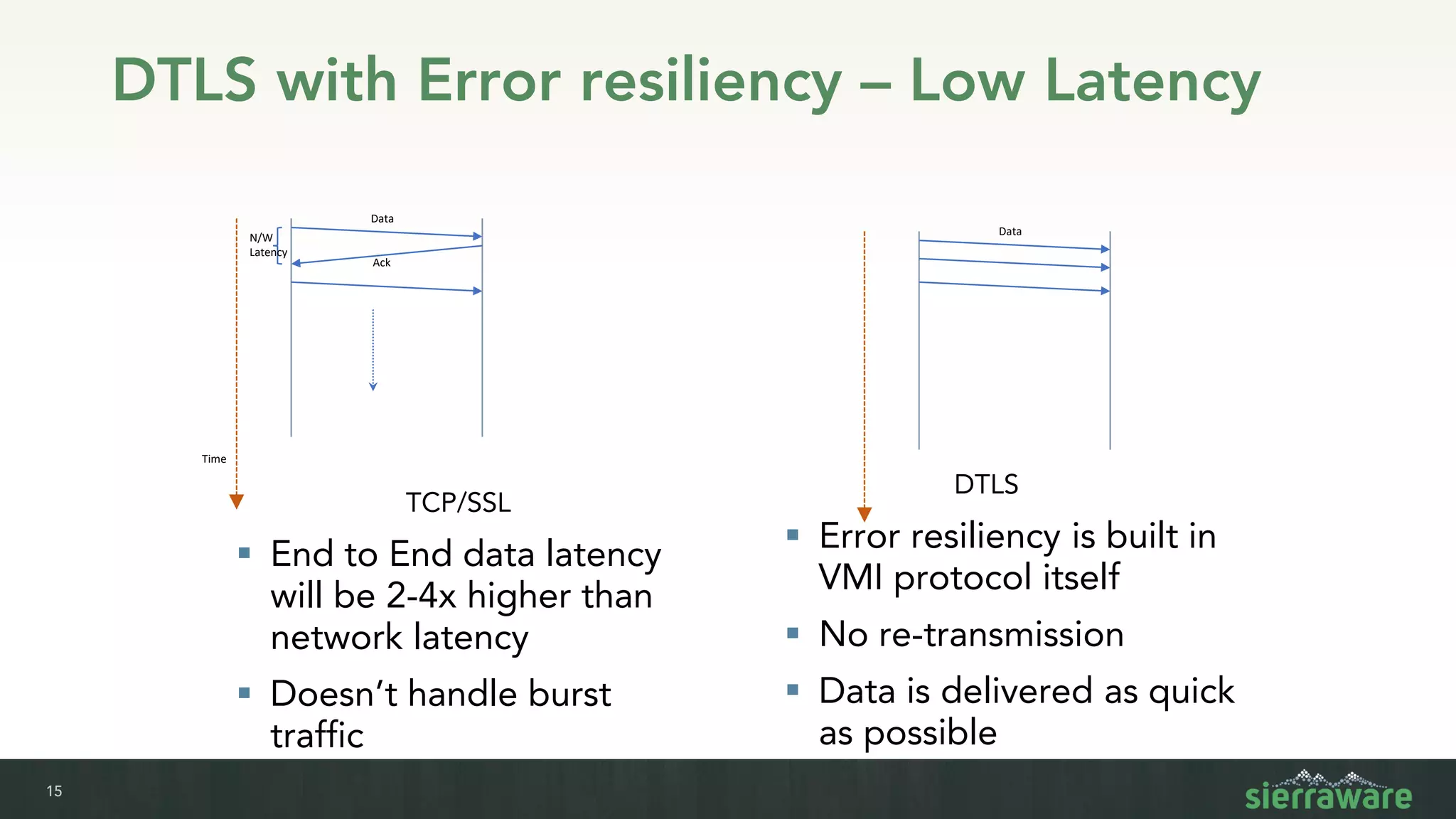
DTLS with Error resiliency – Low Latency
Data
Ack
N/W
Latency
Time
TCP/SSL
▪ End to End data latency
will be 2-4x higher than
network latency
▪ Doesn’t handle burst
traffic
Data
DTLS
▪ Error resiliency is built in
VMI protocol itself
▪ No re-transmission
▪ Data is delivered as quick
as possible
16
Edge Optimized
Security, Performance, Scalability
17
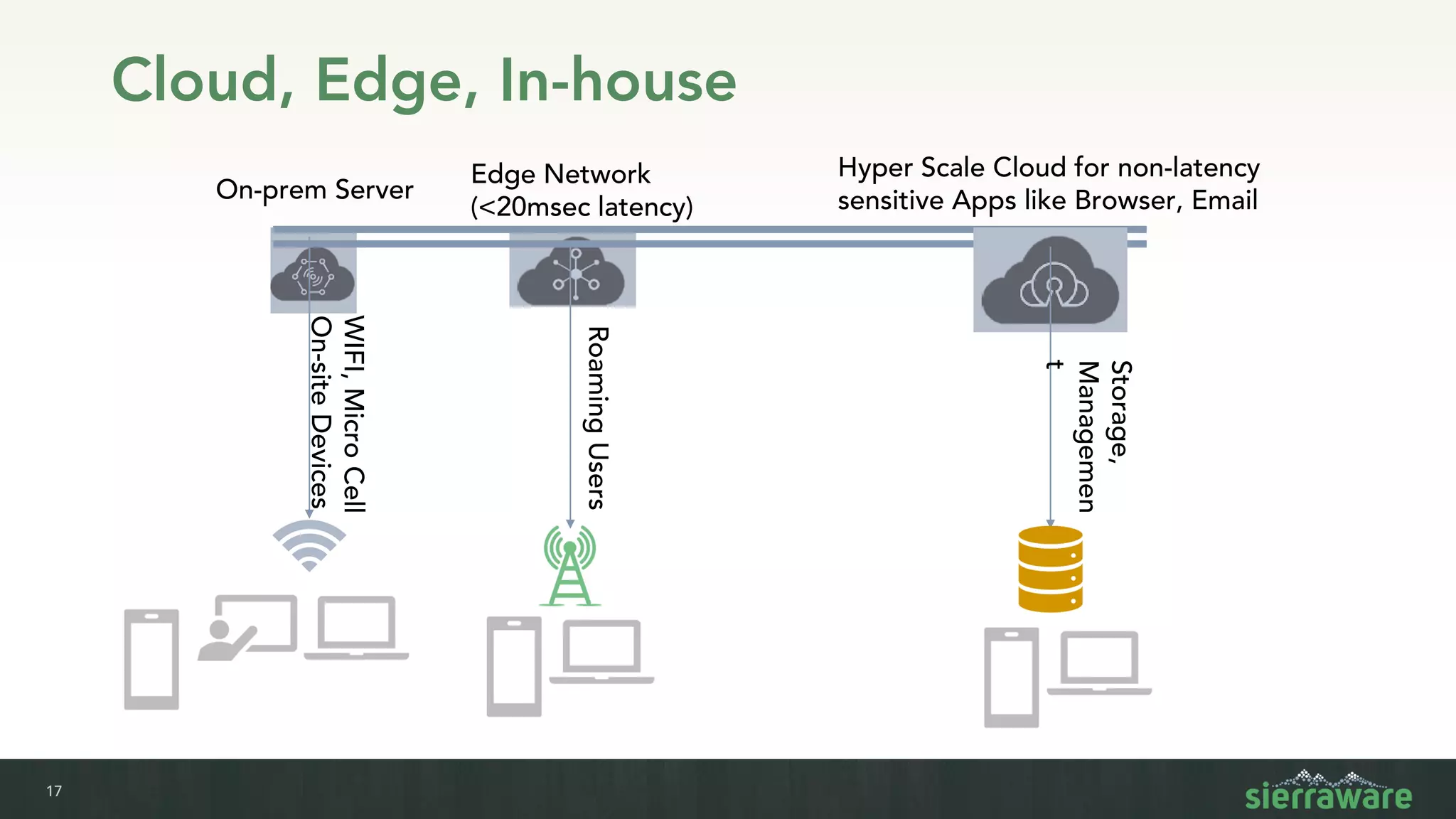
Cloud, Edge, In-house
WIFI,MicroCell
On-siteDevices
On-prem Server
Edge Network
(<20msec latency)
RoamingUsers
Storage,
Managemen
t
Hyper Scale Cloud for non-latency
sensitive Apps like Browser, Email
18
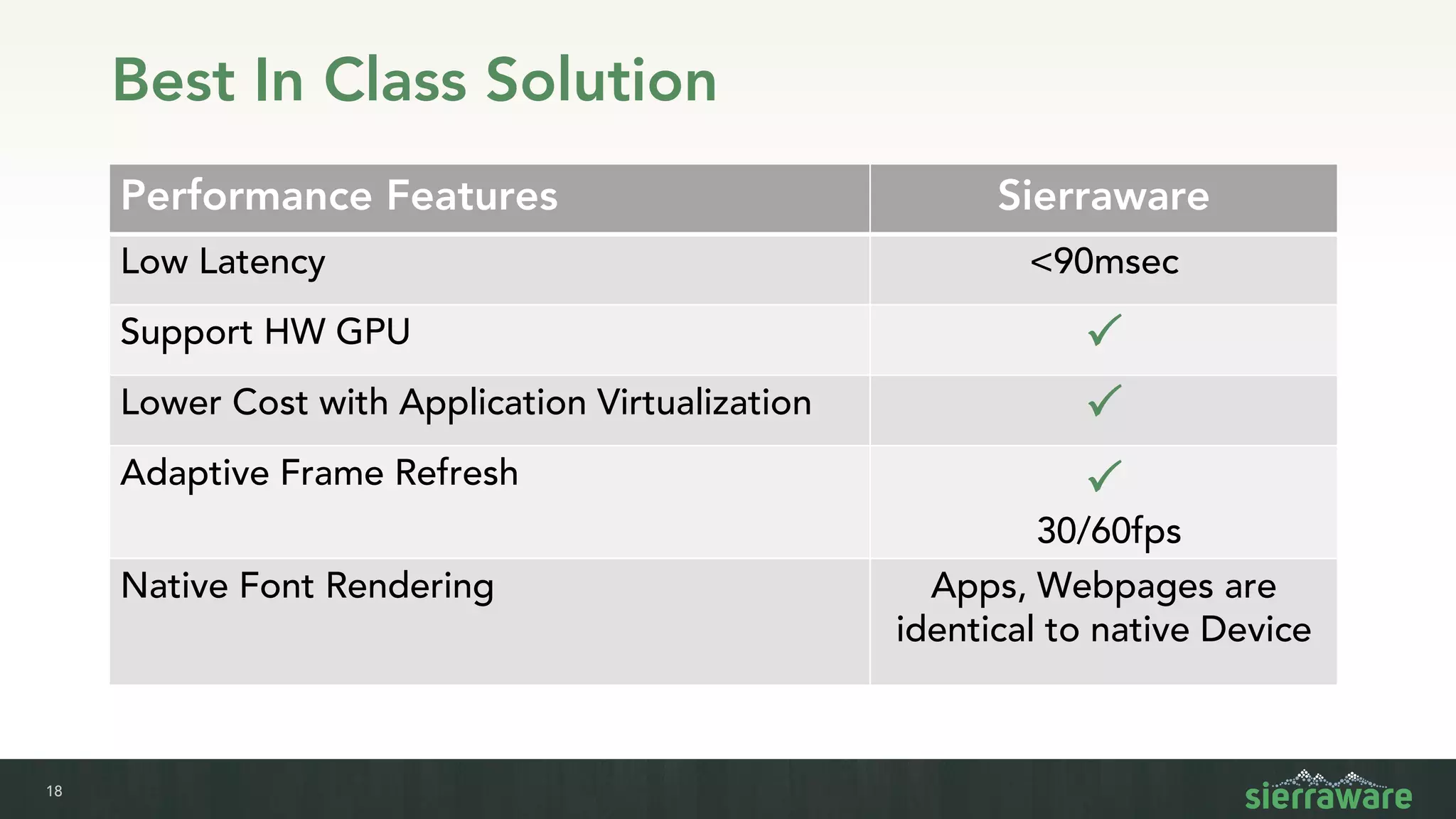
Best In Class Solution
Performance Features Sierraware
Low Latency <90msec
Support HW GPU P
Lower Cost with Application Virtualization P
Adaptive Frame Refresh P
30/60fps
Native Font Rendering Apps, Webpages are
identical to native Device
19
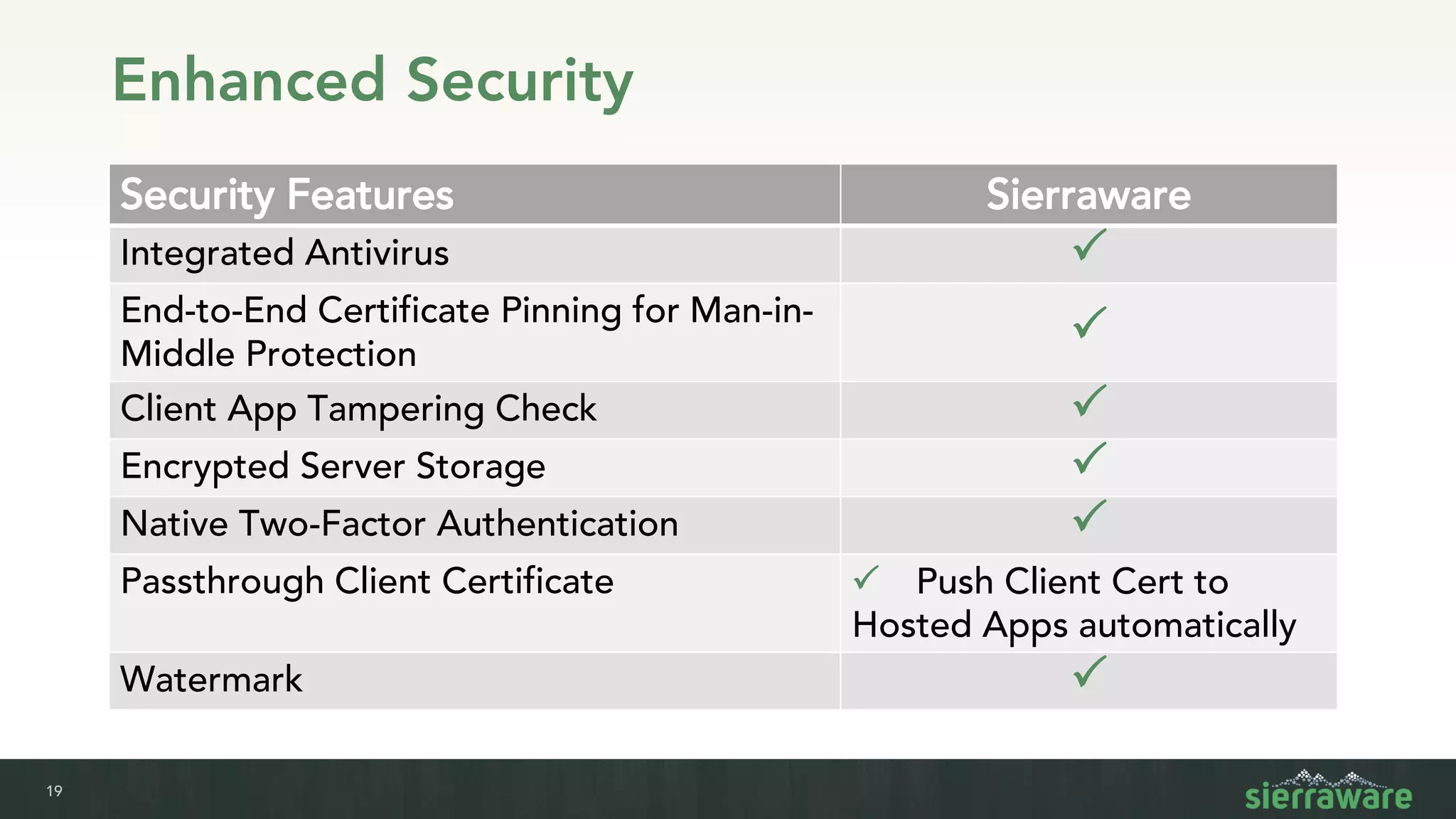
Enhanced Security
Security Features Sierraware
Integrated Antivirus P
End-to-End Certificate Pinning for Man-in-
Middle Protection
P
Client App Tampering Check P
Encrypted Server Storage P
Native Two-Factor Authentication P
Passthrough Client Certificate P Push Client Cert to
Hosted Apps automatically
Watermark P
20
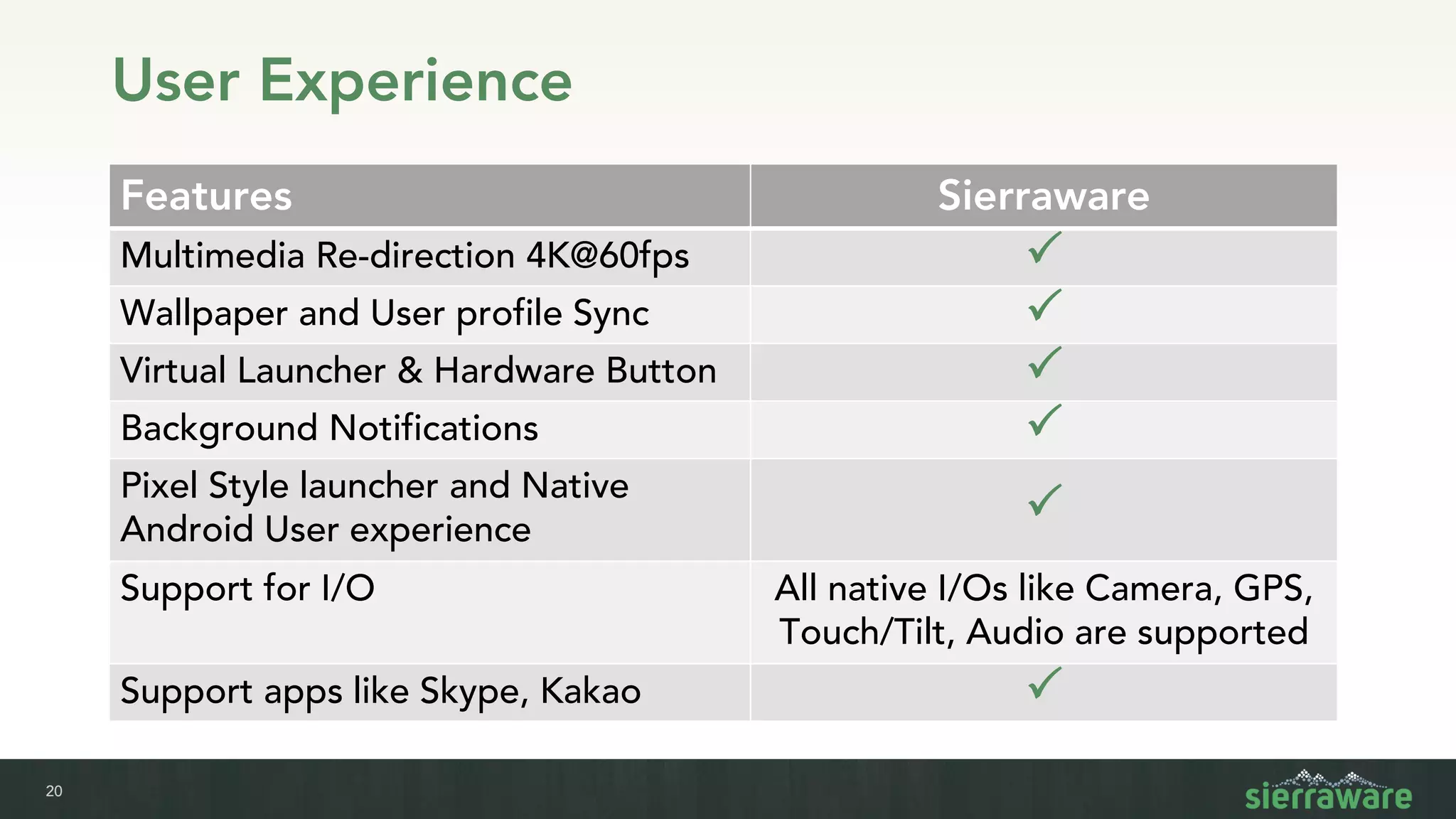
User Experience
Features Sierraware
Multimedia Re-direction 4K@60fps P
Wallpaper and User profile Sync P
Virtual Launcher & Hardware Button P
Background Notifications P
Pixel Style launcher and Native
Android User experience
P
Support for I/O All native I/Os like Camera, GPS,
Touch/Tilt, Audio are supported
Support apps like Skype, Kakao P
21
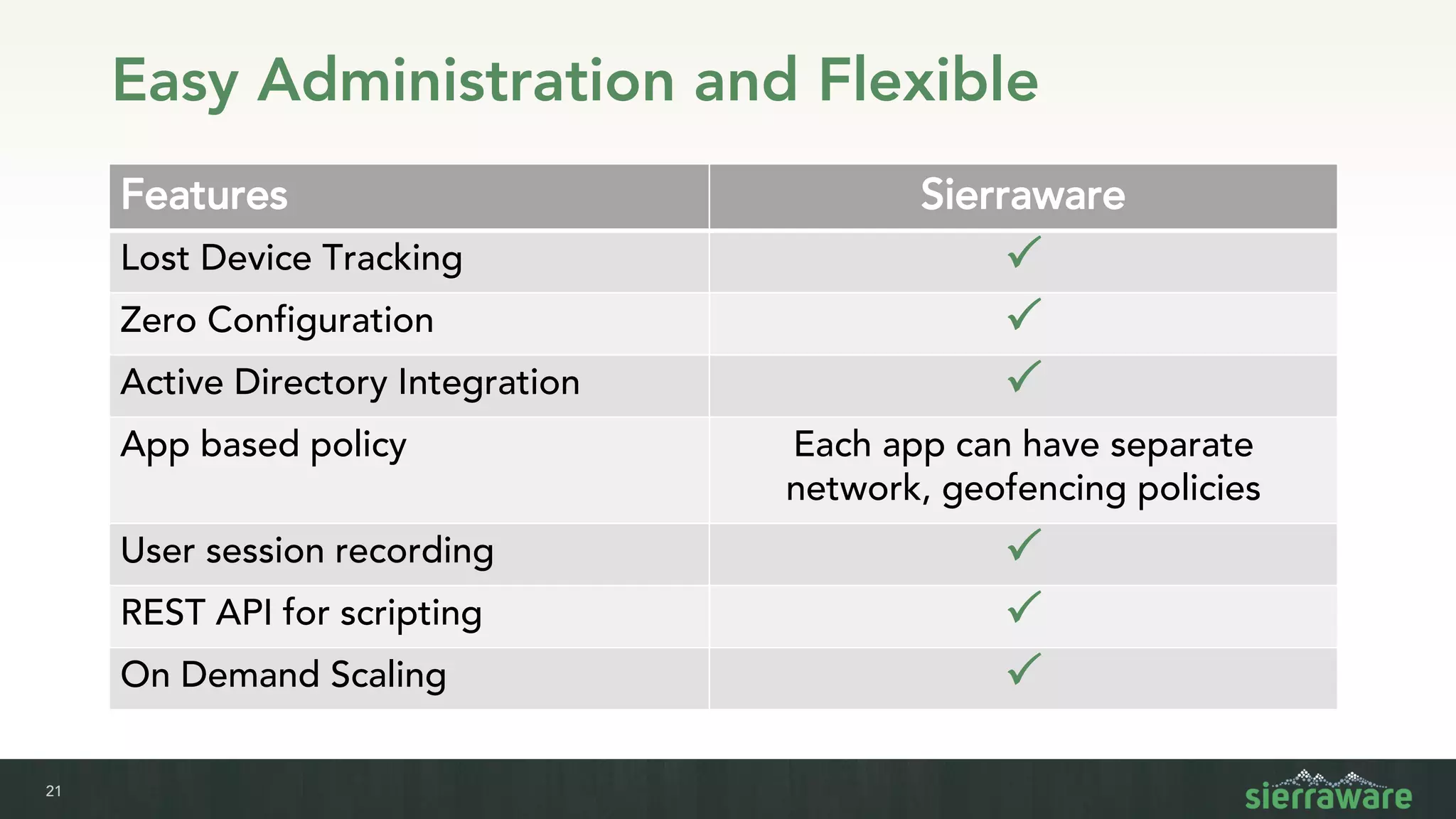
Easy Administration and Flexible
Features Sierraware
Lost Device Tracking P
Zero Configuration P
Active Directory Integration P
App based policy Each app can have separate
network, geofencing policies
User session recording P
REST API for scripting P
On Demand Scaling P
22
The End
www.sierraware.com

Sierraware browser isolation

  • 1.
  • 2.
    2 Addressing the ModernWorkforce Web-delivered malware Threats in encrypted web traffic, web-based email Sensitive corporate apps Lack of control or security over web apps, mobile apps High risk access Banks spend $ buying credit cards from dark web, IT & SecOps researching threats
  • 3.
    3 What’s Needed Seamless browser isolationfor PC and mobile devices Scan, detonate file downloads; inspect SSL- pinned sites Security controls for web & mobile apps Use multi-factor auth, geolocation, watermark Audit trail of all user access Reduce risk of data leakage without needing to integrate MDM, VPN, server logs
  • 4.
    4 VDI Isn’t theSolution Expensive VDI Shortcomings PC apps not suited for touch input or mobile screen sizes VDI = $1000/user/year Citrix + MS CAL Not designed for Edge, Expensive Cloud Hosting 1 Microsoft Desktop OS $187 per user, Citrix $100 per user High Compute Resources Designed for Windows
  • 5.
  • 6.
    6 Provide remote accessto: • Android, Apple iOS and Windows Phone with client apps • Any HTML 5-enabled device vApp services hosts Linux desktop apps & Browser on remote servers Centralize app management to: ▪ Eliminate need to install End-Point security and other expenses Isolation and Secure Data Storage
  • 7.
    7 Lower TCO, Cloud,Edge & In-house High Performance & Light weight Docker based solution Security like Dual Factor Authentication, 4096 SSL, Load Balancing require expensive 3rd party solution Optimized for B/W & Latency sensitive apps Lower TCO. <$15 Per-User
  • 8.
    8 Isolation and SecureData Storage Sierra vApp Shield 4096-bit ECDHE Encryption Dual factor authentication Sierra vApp: • Access any where from both Mobile and Desktop • Integrated Solution • Secure File transfer End user
  • 9.
    9 Universal Isolation solutionfor Desktop and Mobile Security Gateway Clients Authentication Server
  • 10.
    10 Browser Isolation: Cloud& Edge Ready • Simplified Management and Remote administration • Can be deployed in the Cloud or Edge. • Unified solution, allowing user to migrate to host with closest geographical proximity Firewall Management Server Farm Power Users IT Admin Kiosk User Scale To Cloud REST APIs Scale To Edge
  • 11.
    11 Browser Isolation –Scaling with Docker • Each Instance is fully isolated with Docker • No host dependency • OpenGL, Display and Audio are all rendered within a self-contained Image/Container • Can be deployed in Edge for lower latency • Transparent HTTP Proxy Mode • Remote Desktop Mode Sierra-X Pulse Audio User Input Camera & GPS
  • 12.
    12 Strong Authentication Prevent unauthorizedaccess with: • Client certificates • One-time password (sent via text message) • Restricting access based on geographic location • Brute force login protection • Geofencing • Telco Network Access Check & SIM check Ensure only legitimate users access your data
  • 13.
  • 14.
    14 Video Rendered asDisplay -vs- MMR Codec Final Composition via GLES API m.youtube.com Display Data Stream from Cloud m.youtube.com Codec m.youtube.c om Display Data + Encoded Video in Separate Channels m.youtube.com Without MMR ▪ Low Quality ▪ High Bandwidth ▪ High Server consumption MMR ▪ High Quality ▪ Low Bandwidth ▪ No Server Load ▪ 4K@60fps Video
  • 15.
    15 DTLS with Errorresiliency – Low Latency Data Ack N/W Latency Time TCP/SSL ▪ End to End data latency will be 2-4x higher than network latency ▪ Doesn’t handle burst traffic Data DTLS ▪ Error resiliency is built in VMI protocol itself ▪ No re-transmission ▪ Data is delivered as quick as possible
  • 16.
  • 17.
    17 Cloud, Edge, In-house WIFI,MicroCell On-siteDevices On-premServer Edge Network (<20msec latency) RoamingUsers Storage, Managemen t Hyper Scale Cloud for non-latency sensitive Apps like Browser, Email
  • 18.
    18 Best In ClassSolution Performance Features Sierraware Low Latency <90msec Support HW GPU P Lower Cost with Application Virtualization P Adaptive Frame Refresh P 30/60fps Native Font Rendering Apps, Webpages are identical to native Device
  • 19.
    19 Enhanced Security Security FeaturesSierraware Integrated Antivirus P End-to-End Certificate Pinning for Man-in- Middle Protection P Client App Tampering Check P Encrypted Server Storage P Native Two-Factor Authentication P Passthrough Client Certificate P Push Client Cert to Hosted Apps automatically Watermark P
  • 20.
    20 User Experience Features Sierraware MultimediaRe-direction 4K@60fps P Wallpaper and User profile Sync P Virtual Launcher & Hardware Button P Background Notifications P Pixel Style launcher and Native Android User experience P Support for I/O All native I/Os like Camera, GPS, Touch/Tilt, Audio are supported Support apps like Skype, Kakao P
  • 21.
    21 Easy Administration andFlexible Features Sierraware Lost Device Tracking P Zero Configuration P Active Directory Integration P App based policy Each app can have separate network, geofencing policies User session recording P REST API for scripting P On Demand Scaling P
  • 22.