


Durgesh Dhoot
A Salesforce Developer
Some awesome tools from
Salesforce Community Developers
@ddurgesh28 ddurgesh28
Safe Harbor
Safe harbor statement under the Private Securities Litigation Reform Act of 1995:
This presentation may contain forward-looking statements that involve risks, uncertainties, and assumptions. If any such uncertainties materialize or if any of
the assumptions proves incorrect, the results of salesforce.com, inc. could differ materially from the results expressed or implied by the forward-looking
statements we make. All statements other than statements of historical fact could be deemed forward-looking, including any projections of subscriber growth,
earnings, revenues, or other financial items and any statements regarding strategies or plans of management for future operations, statements of belief, any
statements concerning new, planned, or upgraded services or technology developments and customer contracts or use of our services.
The risks and uncertainties referred to above include – but are not limited to – risks associated with developing and delivering new functionality for our service,
our new business model, our past operating losses, possible fluctuations in our operating results and rate of growth, interruptions or delays in our Web hosting,
breach of our security measures, risks associated with possible mergers and acquisitions, the immature market in which we operate, our relatively limited
operating history, our ability to expand, retain, and motivate our employees and manage our growth, new releases of our service and successful customer
deployment, our limited history reselling non-salesforce.com products, and utilization and selling to larger enterprise customers. Further information on
potential factors that could affect the financial results of salesforce.com, inc. is included in our annual report on Form 10-K for the most recent fiscal quarter.
This document and others are available on the SEC Filings section of the Investor Information section of our Web site.
Any unreleased services or features referenced in this or other press releases or public statements are not currently available and may not be delivered on
time or at all. Customers who purchase our services should make the purchase decisions based upon features that are currently available. Salesforce.com,
inc. assumes no obligation and does not intend to update these forward-looking statements.
All the tools depicted in this session are
not created by Salesforce
& there feature or existence totally relies
on there own developer community.
What? Why? When? How?
❖ What are sf tools?
❖ Why I need this?
❖ When to use?
❖ How to use?
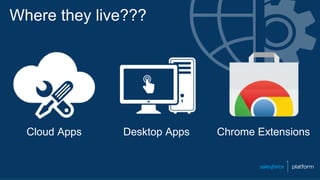
Where they live???
Cloud Apps Desktop Apps Chrome Extensions
Cloud Apps
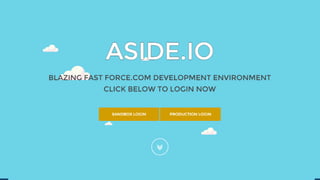
❖ ASIDE.IO
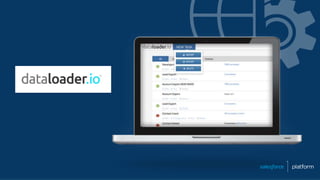
❖ dataloader.io*
❖ sforgcompare
❖ Field Creator
❖ Switch
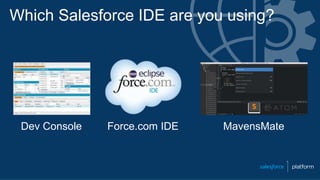
Which Salesforce IDE are you using?
Dev Console Force.com IDE MavensMate
Which Salesforce Data Management Tool do you use??
Data Loader Workbench Other 3rd Party Apps
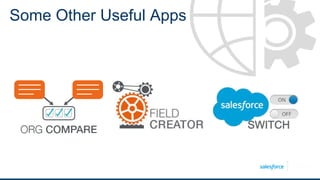
Some Other Useful Apps
SWITCH
Desktop Apps
❖ Real Force Explorer
❖ Brain Engine
❖ The Welkin Suite
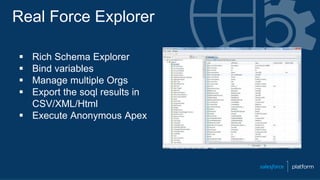
Real Force Explorer
 Rich Schema Explorer
 Bind variables
 Manage multiple Orgs
 Export the soql results in
CSV/XML/Html
 Execute Anonymous Apex
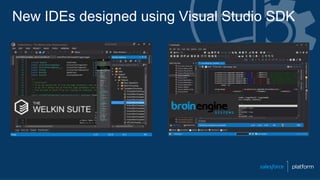
New IDEs designed using Visual Studio SDK
Chrome Extensions
❖ Setup Navigation &
Metadata Search Tools
❖ Debugging Tools
❖ Page layouts & API Field Tools
❖ Other Administrative Tools
Setup Navigation & Metadata Search Tools
 Salesforce Navigator
 SF Quick Metadata Lookup
 Salesforce Advanced Code
Searcher
 Salesforce Searchbox
 Force.com SideBar Enhancer
 Salesforce Apex Class Links
Debug Log Tools
 Salesforce Developer Tool Suite
 Salesforce Debug Logs Analyzer
 Salesforce Tool
 SOQL Extractor and Analyzer
Pagelayouts and API Field tools
 Salesforce Inspector
 Grey Tab
 Salesforce API Fieldnames
 Salesforce Plus
Other Administrative Tools
 Force.com LOGINS
 Salesforce.com Quick Login As
 Salesforce Admin Check All
 Salesforce Colored Favicons
 Maximize Salesforce Data Rows
 Profile Comparator & Record and Metadata Comparator
 Salesforce.com Id Clipper
 Force.com Utility Belt
Phil Rymek Ben Edwards
Sammer Meeraj
Pankaj Mehra
N.P. Singh
Daniel Nakov Santhosh Kumar
Ramachandran Bakthavachalam
Ajay Hada
Søren Krabbe
Kyle Peterson
Jeff Douglas
Toshihiro Takasu
CA_Peterson
Real Superheroes
Pratap Halder
Rajiv Bhatt
…AND SO MANY MORE
Thank You
and
Happy Trails!

sf tools from community

  • 1.
    Durgesh Dhoot A SalesforceDeveloper Some awesome tools from Salesforce Community Developers @ddurgesh28 ddurgesh28
  • 2.
    Safe Harbor Safe harborstatement under the Private Securities Litigation Reform Act of 1995: This presentation may contain forward-looking statements that involve risks, uncertainties, and assumptions. If any such uncertainties materialize or if any of the assumptions proves incorrect, the results of salesforce.com, inc. could differ materially from the results expressed or implied by the forward-looking statements we make. All statements other than statements of historical fact could be deemed forward-looking, including any projections of subscriber growth, earnings, revenues, or other financial items and any statements regarding strategies or plans of management for future operations, statements of belief, any statements concerning new, planned, or upgraded services or technology developments and customer contracts or use of our services. The risks and uncertainties referred to above include – but are not limited to – risks associated with developing and delivering new functionality for our service, our new business model, our past operating losses, possible fluctuations in our operating results and rate of growth, interruptions or delays in our Web hosting, breach of our security measures, risks associated with possible mergers and acquisitions, the immature market in which we operate, our relatively limited operating history, our ability to expand, retain, and motivate our employees and manage our growth, new releases of our service and successful customer deployment, our limited history reselling non-salesforce.com products, and utilization and selling to larger enterprise customers. Further information on potential factors that could affect the financial results of salesforce.com, inc. is included in our annual report on Form 10-K for the most recent fiscal quarter. This document and others are available on the SEC Filings section of the Investor Information section of our Web site. Any unreleased services or features referenced in this or other press releases or public statements are not currently available and may not be delivered on time or at all. Customers who purchase our services should make the purchase decisions based upon features that are currently available. Salesforce.com, inc. assumes no obligation and does not intend to update these forward-looking statements. All the tools depicted in this session are not created by Salesforce & there feature or existence totally relies on there own developer community.
  • 5.
    What? Why? When?How? ❖ What are sf tools? ❖ Why I need this? ❖ When to use? ❖ How to use?
  • 6.
    Where they live??? CloudApps Desktop Apps Chrome Extensions
  • 7.
    Cloud Apps ❖ ASIDE.IO ❖dataloader.io* ❖ sforgcompare ❖ Field Creator ❖ Switch
  • 8.
    Which Salesforce IDEare you using? Dev Console Force.com IDE MavensMate
  • 10.
    Which Salesforce DataManagement Tool do you use?? Data Loader Workbench Other 3rd Party Apps
  • 12.
    Some Other UsefulApps SWITCH
  • 13.
    Desktop Apps ❖ RealForce Explorer ❖ Brain Engine ❖ The Welkin Suite
  • 14.
    Real Force Explorer Rich Schema Explorer  Bind variables  Manage multiple Orgs  Export the soql results in CSV/XML/Html  Execute Anonymous Apex
  • 15.
    New IDEs designedusing Visual Studio SDK
  • 16.
    Chrome Extensions ❖ SetupNavigation & Metadata Search Tools ❖ Debugging Tools ❖ Page layouts & API Field Tools ❖ Other Administrative Tools
  • 17.
    Setup Navigation &Metadata Search Tools  Salesforce Navigator  SF Quick Metadata Lookup  Salesforce Advanced Code Searcher  Salesforce Searchbox  Force.com SideBar Enhancer  Salesforce Apex Class Links
  • 18.
    Debug Log Tools Salesforce Developer Tool Suite  Salesforce Debug Logs Analyzer  Salesforce Tool  SOQL Extractor and Analyzer
  • 19.
    Pagelayouts and APIField tools  Salesforce Inspector  Grey Tab  Salesforce API Fieldnames  Salesforce Plus
  • 20.
    Other Administrative Tools Force.com LOGINS  Salesforce.com Quick Login As  Salesforce Admin Check All  Salesforce Colored Favicons  Maximize Salesforce Data Rows  Profile Comparator & Record and Metadata Comparator  Salesforce.com Id Clipper  Force.com Utility Belt
  • 21.
    Phil Rymek BenEdwards Sammer Meeraj Pankaj Mehra N.P. Singh Daniel Nakov Santhosh Kumar Ramachandran Bakthavachalam Ajay Hada Søren Krabbe Kyle Peterson Jeff Douglas Toshihiro Takasu CA_Peterson Real Superheroes Pratap Halder Rajiv Bhatt …AND SO MANY MORE
  • 22.