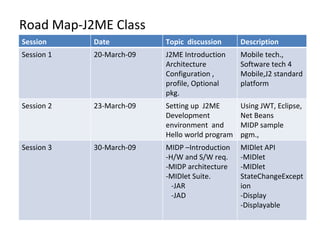
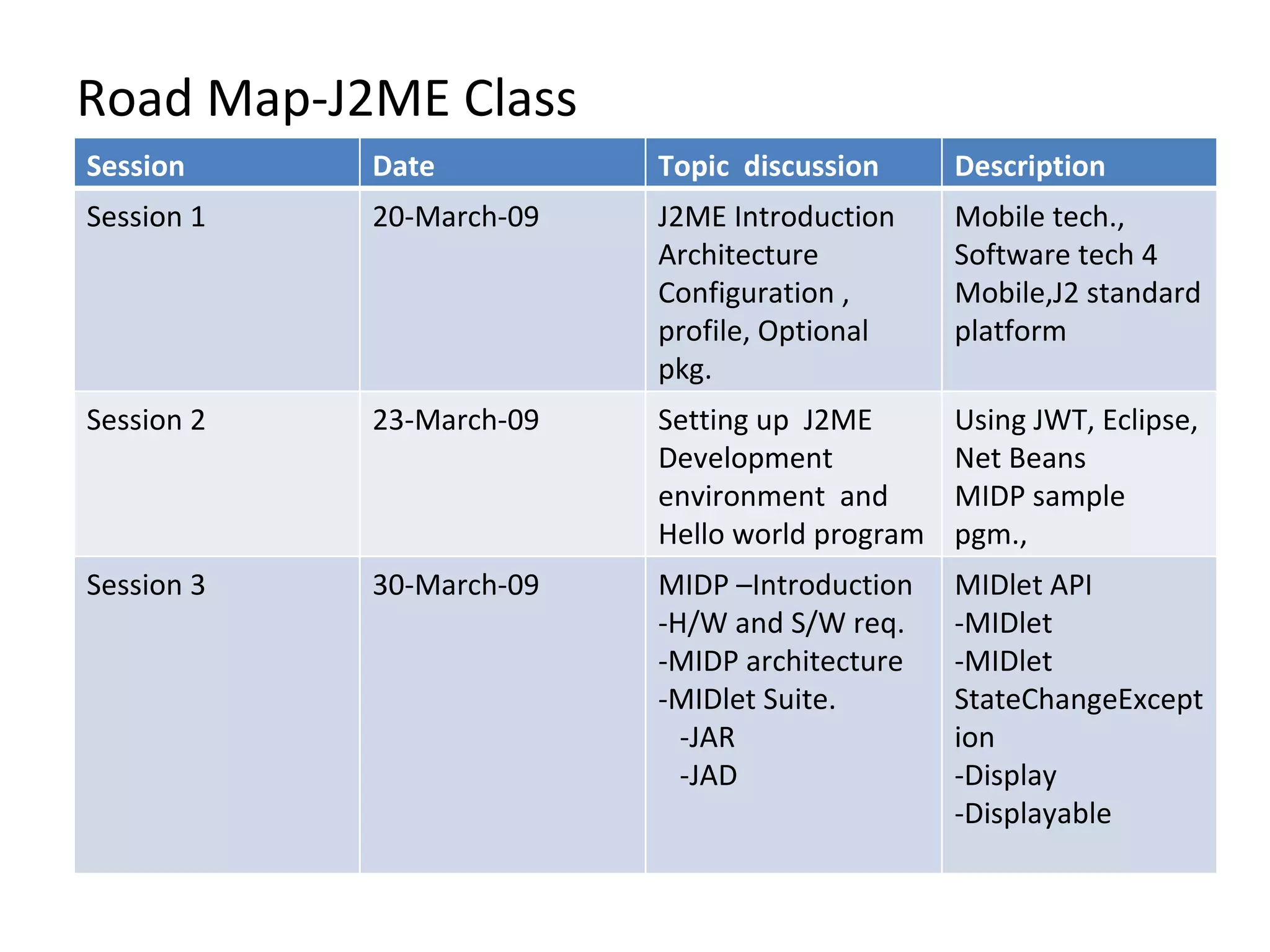
Road Map-J2ME Class Session Date Topic  discussion Description Session 1 20-March-09 J2ME Introduction Architecture Configuration , profile, Optional pkg. Mobile tech., Software tech 4 Mobile,J2 standard platform Session 2 23-March-09 Setting up  J2ME Development environment  and Hello world program Using JWT, Eclipse, Net Beans MIDP sample pgm., Session 3 30-March-09 MIDP –Introduction -H/W and S/W req. -MIDP architecture -MIDlet Suite. -JAR -JAD MIDlet API -MIDlet -MIDlet StateChangeException -Display -Displayable
Event Handling-Session 4/ 1-Apr-09 Event Handling in Mobile device Command Object Item Object Command and Command Listener Item and Item Listener
Event Handling in Mobile Device event handling is nothing more than recognizing when an event occurs and taking an action based on that event. there are three key steps to successfully managing an event. - The hardware (the physical device itself) must recognize that something has occurred. - The software on the device (the application manager) needs to be notified of the event - A message from theapplication manager will be sent to the MIDlet. This message will contain information about the event so we can make decisions as to how to proceed
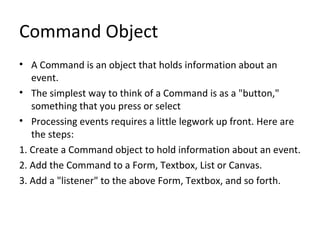
Command Object A Command is an object that holds information about an event. The simplest way to think of a Command is as a "button," something that you press or select Processing events requires a little legwork up front. Here are the steps: 1. Create a Command object to hold information about an event. 2. Add the Command to a Form, Textbox, List or Canvas. 3. Add a "listener" to the above Form, Textbox, and so forth.
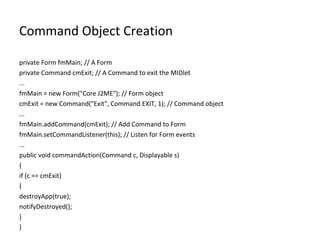
Command Object Creation private Form fmMain; // A Form private Command cmExit; // A Command to exit the MIDlet ... fmMain = new Form("Core J2ME"); // Form object cmExit = new Command("Exit", Command.EXIT, 1); // Command object ... fmMain.addCommand(cmExit); // Add Command to Form fmMain.setCommandListener(this); // Listen for Form events ... public void commandAction(Command c, Displayable s) { if (c == cmExit) { destroyApp(true); notifyDestroyed(); } }
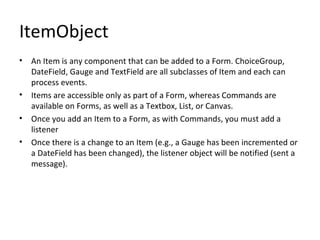
ItemObject An Item is any component that can be added to a Form. ChoiceGroup, DateField, Gauge and TextField are all subclasses of Item and each can process events. Items are accessible only as part of a Form, whereas Commands are available on Forms, as well as a Textbox, List, or Canvas. Once you add an Item to a Form, as with Commands, you must add a listener Once there is a change to an Item (e.g., a Gauge has been incremented or a DateField has been changed), the listener object will be notified (sent a message).
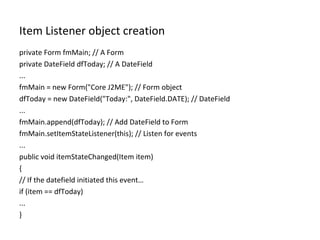
Item Listener object creation private Form fmMain; // A Form private DateField dfToday; // A DateField ... fmMain = new Form("Core J2ME"); // Form object dfToday = new DateField("Today:", DateField.DATE); // DateField ... fmMain.append(dfToday); // Add DateField to Form fmMain.setItemStateListener(this); // Listen for events ... public void itemStateChanged(Item item) { // If the datefield initiated this event… if (item == dfToday) ... }
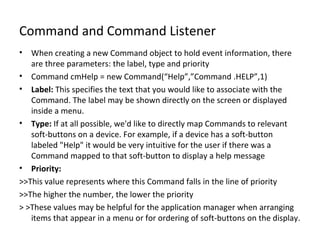
Command and Command Listener When creating a new Command object to hold event information, there are three parameters: the label, type and priority Command cmHelp = new Command(“Help”,”Command .HELP”,1) Label:  This specifies the text that you would like to associate with the Command. The label may be shown directly on the screen or displayed inside a menu. Type:  If at all possible, we'd like to directly map Commands to relevant soft-buttons on a device. For example, if a device has a soft-button labeled "Help" it would be very intuitive for the user if there was a Command mapped to that soft-button to display a help message Priority: >>This value represents where this Command falls in the line of priority >>The higher the number, the lower the priority > >These values may be helpful for the application manager when arranging items that appear in a menu or for ordering of soft-buttons on the display.
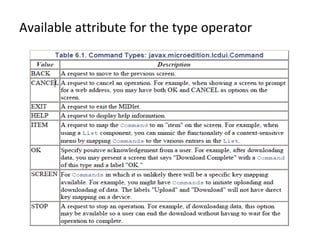
Available attribute for the type operator
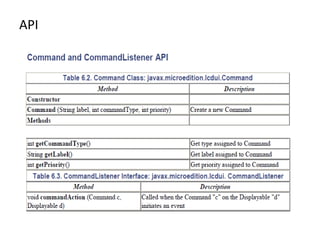
API
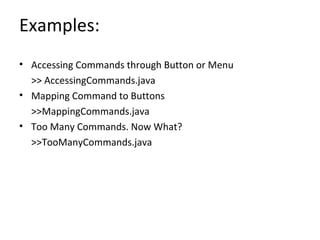
Examples: Accessing Commands through Button or Menu >> AccessingCommands.java Mapping Command to Buttons >>MappingCommands.java Too Many Commands. Now What? >>TooManyCommands.java
Item and ItemStateListener An Item is any component that can be added to a Form The MIDP library includes the following Items: ChoiceGroup, DateField, Gauge, ImageItem, StringItem and TextField With the exception of StringItem and ImageItem, each of the aforementioned Items can detect user interaction When you add an Item to a Form, you create a "listener" to capture user events (for any/all Items on the Form) Once a change has been detected, the method itemStateChanged() will be called. Inside this method you can determine which Item was changed and how you want to proceed.
Rules for ItemstateChanged The specification does not require itemStateChanged() to be called on each and every change.However, it does set forth some rules: •  If an Item has changed, itemStateChanged() must be called for the changed Itembefore it will acknowledge changes in a subsequent Item. •  If a MIDlet makes a change to an Item (as compared to user interaction),itemStateChanged() will not be called. For example, if you write code inside yourMIDlet to change the value of a DateField, this will not generate an event. •  If the device running the MIDlet can recognize when a user has moved from one Item to another (changed focus), itemStateChanged() must be called when leaving one Item and before getting to the next.
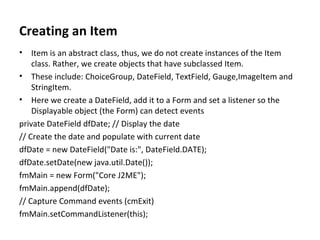
Creating an Item Item is an abstract class, thus, we do not create instances of the Item class. Rather, we create objects that have subclassed Item. These include: ChoiceGroup, DateField, TextField, Gauge,ImageItem and StringItem. Here we create a DateField, add it to a Form and set a listener so the Displayable object (the Form) can detect events private DateField dfDate; // Display the date // Create the date and populate with current date dfDate = new DateField("Date is:", DateField.DATE); dfDate.setDate(new java.util.Date()); fmMain = new Form("Core J2ME"); fmMain.append(dfDate); // Capture Command events (cmExit) fmMain.setCommandListener(this);
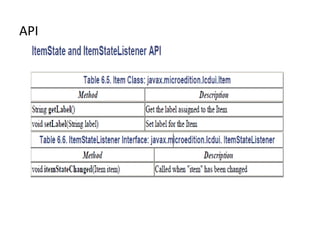
API
Capturing Events on an Item Object we will create a DateField and add a listener to the main Form to capture events. Once you select the DateField on the device, you can change the month, day and year When you exit the DateField display, itemStateChanged() will be called To reassure ourselves that we actually enter this method, we will change the label on the DateField,which will be reflected on the display. CaptureItemEvents.java

Session4 J2ME Mobile Information Device Profile(MIDP) Events

  • 1.
    Road Map-J2ME ClassSession Date Topic discussion Description Session 1 20-March-09 J2ME Introduction Architecture Configuration , profile, Optional pkg. Mobile tech., Software tech 4 Mobile,J2 standard platform Session 2 23-March-09 Setting up J2ME Development environment and Hello world program Using JWT, Eclipse, Net Beans MIDP sample pgm., Session 3 30-March-09 MIDP –Introduction -H/W and S/W req. -MIDP architecture -MIDlet Suite. -JAR -JAD MIDlet API -MIDlet -MIDlet StateChangeException -Display -Displayable
  • 2.
    Event Handling-Session 4/1-Apr-09 Event Handling in Mobile device Command Object Item Object Command and Command Listener Item and Item Listener
  • 3.
    Event Handling inMobile Device event handling is nothing more than recognizing when an event occurs and taking an action based on that event. there are three key steps to successfully managing an event. - The hardware (the physical device itself) must recognize that something has occurred. - The software on the device (the application manager) needs to be notified of the event - A message from theapplication manager will be sent to the MIDlet. This message will contain information about the event so we can make decisions as to how to proceed
  • 4.
    Command Object ACommand is an object that holds information about an event. The simplest way to think of a Command is as a "button," something that you press or select Processing events requires a little legwork up front. Here are the steps: 1. Create a Command object to hold information about an event. 2. Add the Command to a Form, Textbox, List or Canvas. 3. Add a "listener" to the above Form, Textbox, and so forth.
  • 5.
    Command Object Creationprivate Form fmMain; // A Form private Command cmExit; // A Command to exit the MIDlet ... fmMain = new Form("Core J2ME"); // Form object cmExit = new Command("Exit", Command.EXIT, 1); // Command object ... fmMain.addCommand(cmExit); // Add Command to Form fmMain.setCommandListener(this); // Listen for Form events ... public void commandAction(Command c, Displayable s) { if (c == cmExit) { destroyApp(true); notifyDestroyed(); } }
  • 6.
    ItemObject An Itemis any component that can be added to a Form. ChoiceGroup, DateField, Gauge and TextField are all subclasses of Item and each can process events. Items are accessible only as part of a Form, whereas Commands are available on Forms, as well as a Textbox, List, or Canvas. Once you add an Item to a Form, as with Commands, you must add a listener Once there is a change to an Item (e.g., a Gauge has been incremented or a DateField has been changed), the listener object will be notified (sent a message).
  • 7.
    Item Listener objectcreation private Form fmMain; // A Form private DateField dfToday; // A DateField ... fmMain = new Form("Core J2ME"); // Form object dfToday = new DateField("Today:", DateField.DATE); // DateField ... fmMain.append(dfToday); // Add DateField to Form fmMain.setItemStateListener(this); // Listen for events ... public void itemStateChanged(Item item) { // If the datefield initiated this event… if (item == dfToday) ... }
  • 8.
    Command and CommandListener When creating a new Command object to hold event information, there are three parameters: the label, type and priority Command cmHelp = new Command(“Help”,”Command .HELP”,1) Label: This specifies the text that you would like to associate with the Command. The label may be shown directly on the screen or displayed inside a menu. Type: If at all possible, we'd like to directly map Commands to relevant soft-buttons on a device. For example, if a device has a soft-button labeled "Help" it would be very intuitive for the user if there was a Command mapped to that soft-button to display a help message Priority: >>This value represents where this Command falls in the line of priority >>The higher the number, the lower the priority > >These values may be helpful for the application manager when arranging items that appear in a menu or for ordering of soft-buttons on the display.
  • 9.
    Available attribute forthe type operator
  • 10.
  • 11.
    Examples: Accessing Commandsthrough Button or Menu >> AccessingCommands.java Mapping Command to Buttons >>MappingCommands.java Too Many Commands. Now What? >>TooManyCommands.java
  • 12.
    Item and ItemStateListenerAn Item is any component that can be added to a Form The MIDP library includes the following Items: ChoiceGroup, DateField, Gauge, ImageItem, StringItem and TextField With the exception of StringItem and ImageItem, each of the aforementioned Items can detect user interaction When you add an Item to a Form, you create a "listener" to capture user events (for any/all Items on the Form) Once a change has been detected, the method itemStateChanged() will be called. Inside this method you can determine which Item was changed and how you want to proceed.
  • 13.
    Rules for ItemstateChangedThe specification does not require itemStateChanged() to be called on each and every change.However, it does set forth some rules: • If an Item has changed, itemStateChanged() must be called for the changed Itembefore it will acknowledge changes in a subsequent Item. • If a MIDlet makes a change to an Item (as compared to user interaction),itemStateChanged() will not be called. For example, if you write code inside yourMIDlet to change the value of a DateField, this will not generate an event. • If the device running the MIDlet can recognize when a user has moved from one Item to another (changed focus), itemStateChanged() must be called when leaving one Item and before getting to the next.
  • 14.
    Creating an ItemItem is an abstract class, thus, we do not create instances of the Item class. Rather, we create objects that have subclassed Item. These include: ChoiceGroup, DateField, TextField, Gauge,ImageItem and StringItem. Here we create a DateField, add it to a Form and set a listener so the Displayable object (the Form) can detect events private DateField dfDate; // Display the date // Create the date and populate with current date dfDate = new DateField("Date is:", DateField.DATE); dfDate.setDate(new java.util.Date()); fmMain = new Form("Core J2ME"); fmMain.append(dfDate); // Capture Command events (cmExit) fmMain.setCommandListener(this);
  • 15.
  • 16.
    Capturing Events onan Item Object we will create a DateField and add a listener to the main Form to capture events. Once you select the DateField on the device, you can change the month, day and year When you exit the DateField display, itemStateChanged() will be called To reassure ourselves that we actually enter this method, we will change the label on the DateField,which will be reflected on the display. CaptureItemEvents.java