History of C
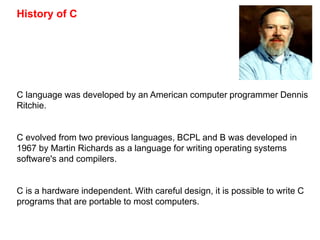
C language was developed by an American computer programmer Dennis
Ritchie.
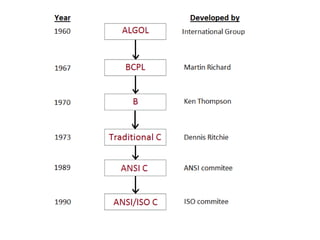
C evolved from two previous languages, BCPL and B was developed in
1967 by Martin Richards as a language for writing operating systems
software's and compilers.
C is a hardware independent. With careful design, it is possible to write C
programs that are portable to most computers.
A Simple C program : Printing a Line of Text
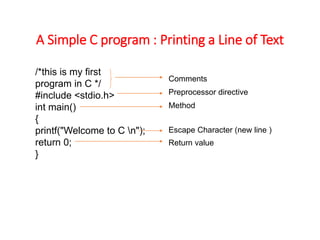
/*this is my first
program in C */
#include <stdio.h>
int main()
{
printf("Welcome to C n");
return 0;
}
Comments
Preprocessor directive
Method
Escape Character (new line )
Return value
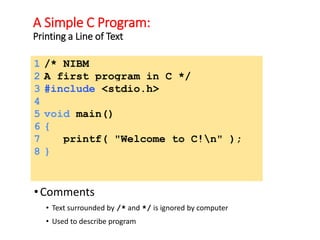
A Simple C Program:
Printing a Line of Text
•Comments
• Text surrounded by /* and */ is ignored by computer
• Used to describe program
1 /* NIBM
2 A first program in C */
3 #include <stdio.h>
4
5 void main()
6 {
7 printf( "Welcome to C!n" );
8 }
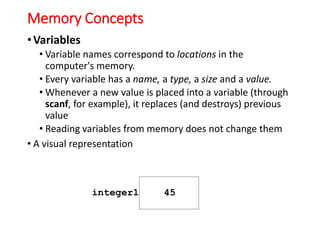
Memory Concepts
•Variables
• Variable names correspond to locations in the
computer's memory.
• Every variable has a name, a type, a size and a value.
• Whenever a new value is placed into a variable (through
scanf, for example), it replaces (and destroys) previous
value
• Reading variables from memory does not change them
• A visual representation
integer1 45
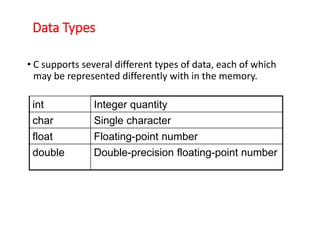
Data Types
• C supports several different types of data, each of which
may be represented differently with in the memory.
int Integer quantity
char Single character
float Floating-point number
double Double-precision floating-point number
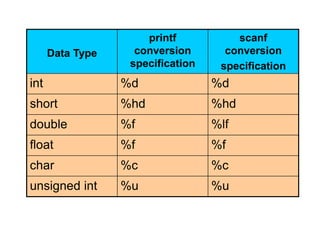
Data Type
printf
conversion
specification
scanf
conversion
specification
int %d %d
short %hd %hd
double %f %lf
float %f %f
char %c %c
unsigned int %u %u
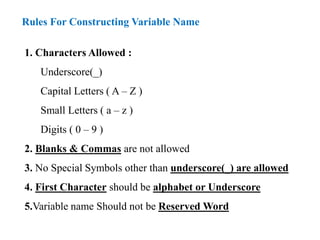
Rules For Constructing Variable Name
1. Characters Allowed :
Underscore(_)
Capital Letters ( A – Z )
Small Letters ( a – z )
Digits ( 0 – 9 )
2. Blanks & Commas are not allowed
3. No Special Symbols other than underscore(_) are allowed
4. First Character should be alphabet or Underscore
5.Variable name Should not be Reserved Word
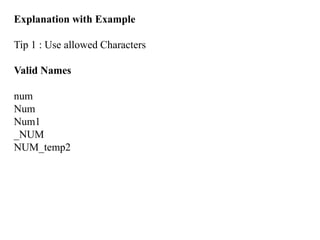
Explanation with Example
Tip 1 : Use allowed Characters
Valid Names
num
Num
Num1
_NUM
NUM_temp2
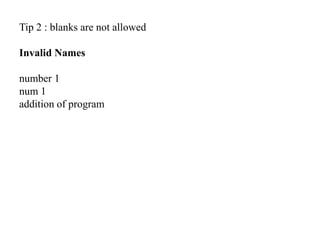
Tip 2 : blanks are not allowed
Invalid Names
number 1
num 1
addition of program
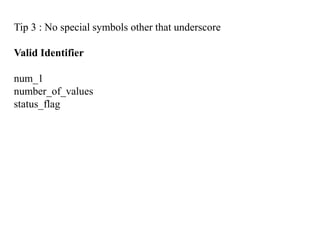
Tip 3 : No special symbols other that underscore
Valid Identifier
num_1
number_of_values
status_flag
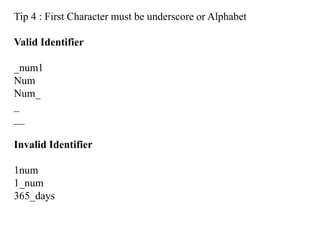
Tip 4 : First Character must be underscore or Alphabet
Valid Identifier
_num1
Num
Num_
_
__
Invalid Identifier
1num
1_num
365_days
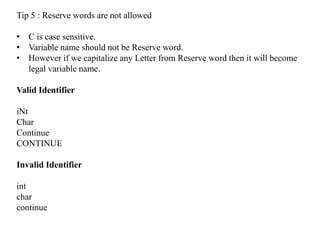
Tip 5 : Reserve words are not allowed
• C is case sensitive.
• Variable name should not be Reserve word.
• However if we capitalize any Letter from Reserve word then it will become
legal variable name.
Valid Identifier
iNt
Char
Continue
CONTINUE
Invalid Identifier
int
char
continue
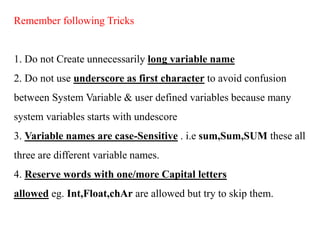
Remember following Tricks
1. Do not Create unnecessarily long variable name
2. Do not use underscore as first character to avoid confusion
between System Variable & user defined variables because many
system variables starts with undescore
3. Variable names are case-Sensitive . i.e sum,Sum,SUM these all
three are different variable names.
4. Reserve words with one/more Capital letters
allowed eg. Int,Float,chAr are allowed but try to skip them.
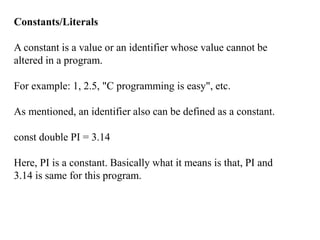
Constants/Literals
A constant is a value or an identifier whose value cannot be
altered in a program.
For example: 1, 2.5, "C programming is easy", etc.
As mentioned, an identifier also can be defined as a constant.
const double PI = 3.14
Here, PI is a constant. Basically what it means is that, PI and
3.14 is same for this program.
Below are the different types of constants you can use in C.
1. Integer constants
An integer constant is a numeric constant (associated with number)
without any fractional or exponential part. There are three types of
integer constants in C programming:
decimal constant(base 10)
octal constant(base 8)
hexadecimal constant(base 16)
For example:
Decimal constants: 0, -9, 22 etc
Octal constants: 021, 077, 033 etc
Hexadecimal constants: 0x7f, 0x2a, 0x521 etc
In C programming, octal constant starts with a 0 and hexadecimal
constant starts with a 0x.
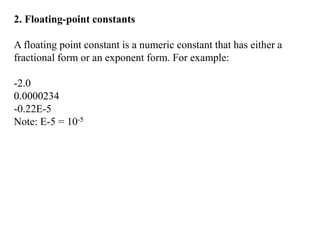
2. Floating-point constants
A floating point constant is a numeric constant that has either a
fractional form or an exponent form. For example:
-2.0
0.0000234
-0.22E-5
Note: E-5 = 10-5
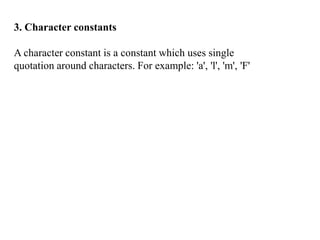
3. Character constants
A character constant is a constant which uses single
quotation around characters. For example: 'a', 'l', 'm', 'F'
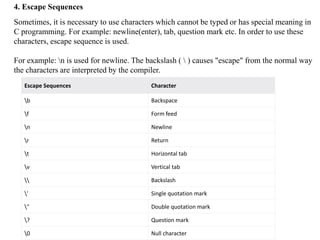
4. Escape Sequences
Sometimes, it is necessary to use characters which cannot be typed or has special meaning in
C programming. For example: newline(enter), tab, question mark etc. In order to use these
characters, escape sequence is used.
For example: n is used for newline. The backslash (  ) causes "escape" from the normal way
the characters are interpreted by the compiler.
Escape Sequences Character
b Backspace
f Form feed
n Newline
r Return
t Horizontal tab
v Vertical tab
 Backslash
' Single quotation mark
" Double quotation mark
? Question mark
0 Null character
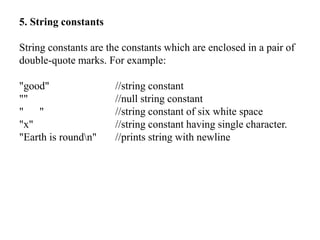
5. String constants
String constants are the constants which are enclosed in a pair of
double-quote marks. For example:
"good" //string constant
"" //null string constant
" " //string constant of six white space
"x" //string constant having single character.
"Earth is roundn" //prints string with newline
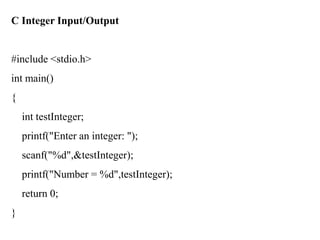
C Integer Input/Output
#include <stdio.h>
int main()
{
int testInteger;
printf("Enter an integer: ");
scanf("%d",&testInteger);
printf("Number = %d",testInteger);
return 0;
}
C ASCII Code
#include <stdio.h>
int main()
{
char chr;
printf("Enter a character: ");
scanf("%c",&chr);
// When %c text format is used, character is displayed in case of character types
printf("You entered %c.n",chr);
// When %d text format is used, integer is displayed in case of character types
printf("ASCII value of %c is %d.", chr, chr);
return 0;
}

Session02 c intro

  • 2.
    History of C Clanguage was developed by an American computer programmer Dennis Ritchie. C evolved from two previous languages, BCPL and B was developed in 1967 by Martin Richards as a language for writing operating systems software's and compilers. C is a hardware independent. With careful design, it is possible to write C programs that are portable to most computers.
  • 4.
    A Simple Cprogram : Printing a Line of Text /*this is my first program in C */ #include <stdio.h> int main() { printf("Welcome to C n"); return 0; } Comments Preprocessor directive Method Escape Character (new line ) Return value
  • 5.
    A Simple CProgram: Printing a Line of Text •Comments • Text surrounded by /* and */ is ignored by computer • Used to describe program 1 /* NIBM 2 A first program in C */ 3 #include <stdio.h> 4 5 void main() 6 { 7 printf( "Welcome to C!n" ); 8 }
  • 6.
    Memory Concepts •Variables • Variablenames correspond to locations in the computer's memory. • Every variable has a name, a type, a size and a value. • Whenever a new value is placed into a variable (through scanf, for example), it replaces (and destroys) previous value • Reading variables from memory does not change them • A visual representation integer1 45
  • 7.
    Data Types • Csupports several different types of data, each of which may be represented differently with in the memory. int Integer quantity char Single character float Floating-point number double Double-precision floating-point number
  • 8.
    Data Type printf conversion specification scanf conversion specification int %d%d short %hd %hd double %f %lf float %f %f char %c %c unsigned int %u %u
  • 9.
    Rules For ConstructingVariable Name 1. Characters Allowed : Underscore(_) Capital Letters ( A – Z ) Small Letters ( a – z ) Digits ( 0 – 9 ) 2. Blanks & Commas are not allowed 3. No Special Symbols other than underscore(_) are allowed 4. First Character should be alphabet or Underscore 5.Variable name Should not be Reserved Word
  • 10.
    Explanation with Example Tip1 : Use allowed Characters Valid Names num Num Num1 _NUM NUM_temp2
  • 11.
    Tip 2 :blanks are not allowed Invalid Names number 1 num 1 addition of program
  • 12.
    Tip 3 :No special symbols other that underscore Valid Identifier num_1 number_of_values status_flag
  • 13.
    Tip 4 :First Character must be underscore or Alphabet Valid Identifier _num1 Num Num_ _ __ Invalid Identifier 1num 1_num 365_days
  • 14.
    Tip 5 :Reserve words are not allowed • C is case sensitive. • Variable name should not be Reserve word. • However if we capitalize any Letter from Reserve word then it will become legal variable name. Valid Identifier iNt Char Continue CONTINUE Invalid Identifier int char continue
  • 15.
    Remember following Tricks 1.Do not Create unnecessarily long variable name 2. Do not use underscore as first character to avoid confusion between System Variable & user defined variables because many system variables starts with undescore 3. Variable names are case-Sensitive . i.e sum,Sum,SUM these all three are different variable names. 4. Reserve words with one/more Capital letters allowed eg. Int,Float,chAr are allowed but try to skip them.
  • 16.
    Constants/Literals A constant isa value or an identifier whose value cannot be altered in a program. For example: 1, 2.5, "C programming is easy", etc. As mentioned, an identifier also can be defined as a constant. const double PI = 3.14 Here, PI is a constant. Basically what it means is that, PI and 3.14 is same for this program.
  • 17.
    Below are thedifferent types of constants you can use in C. 1. Integer constants An integer constant is a numeric constant (associated with number) without any fractional or exponential part. There are three types of integer constants in C programming: decimal constant(base 10) octal constant(base 8) hexadecimal constant(base 16) For example: Decimal constants: 0, -9, 22 etc Octal constants: 021, 077, 033 etc Hexadecimal constants: 0x7f, 0x2a, 0x521 etc In C programming, octal constant starts with a 0 and hexadecimal constant starts with a 0x.
  • 18.
    2. Floating-point constants Afloating point constant is a numeric constant that has either a fractional form or an exponent form. For example: -2.0 0.0000234 -0.22E-5 Note: E-5 = 10-5
  • 19.
    3. Character constants Acharacter constant is a constant which uses single quotation around characters. For example: 'a', 'l', 'm', 'F'
  • 20.
    4. Escape Sequences Sometimes,it is necessary to use characters which cannot be typed or has special meaning in C programming. For example: newline(enter), tab, question mark etc. In order to use these characters, escape sequence is used. For example: n is used for newline. The backslash ( ) causes "escape" from the normal way the characters are interpreted by the compiler. Escape Sequences Character b Backspace f Form feed n Newline r Return t Horizontal tab v Vertical tab Backslash ' Single quotation mark " Double quotation mark ? Question mark 0 Null character
  • 21.
    5. String constants Stringconstants are the constants which are enclosed in a pair of double-quote marks. For example: "good" //string constant "" //null string constant " " //string constant of six white space "x" //string constant having single character. "Earth is roundn" //prints string with newline
  • 22.
    C Integer Input/Output #include<stdio.h> int main() { int testInteger; printf("Enter an integer: "); scanf("%d",&testInteger); printf("Number = %d",testInteger); return 0; }
  • 23.
    C ASCII Code #include<stdio.h> int main() { char chr; printf("Enter a character: "); scanf("%c",&chr); // When %c text format is used, character is displayed in case of character types printf("You entered %c.n",chr); // When %d text format is used, integer is displayed in case of character types printf("ASCII value of %c is %d.", chr, chr); return 0; }