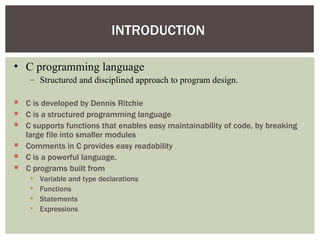
• C programminglanguage
– Structured and disciplined approach to program design.
C is developed by Dennis Ritchie
C is a structured programming language
C supports functions that enables easy maintainability of code, by breaking
large file into smaller modules
Comments in C provides easy readability
C is a powerful language.
C programs built from
Variable and type declarations
Functions
Statements
Expressions
INTRODUCTION
3.
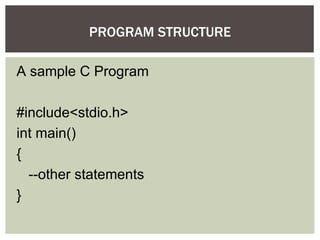
A sample CProgram
#include<stdio.h>
int main()
{
--other statements
}
PROGRAM STRUCTURE
4.
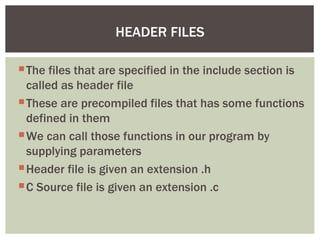
The files thatare specified in the include section is
called as header file
These are precompiled files that has some functions
defined in them
We can call those functions in our program by
supplying parameters
Header file is given an extension .h
C Source file is given an extension .c
HEADER FILES
5.
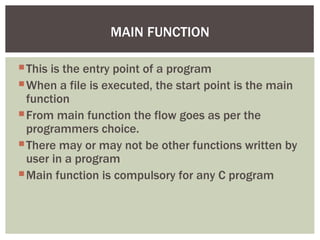
This is theentry point of a program
When a file is executed, the start point is the main
function
From main function the flow goes as per the
programmers choice.
There may or may not be other functions written by
user in a program
Main function is compulsory for any C program
MAIN FUNCTION
6.
Type aprogram
Save it
Compile the program – This will generate an exe file
(executable)
Run the program (Actually the exe created out of
compilation will run and not the .c file)
In different compiler we have different option for compiling
and running. We give only the concepts.
RUNNING A ‘C’ PROGRAM
7.
What are actuallytokens?
The smallest individual units in a C program are
known as tokens. In a C source program, the basic
element recognized by the compiler is the "token."
A token is source-program text that the compiler
does not break down into component elements.
C LANGUAGE TOKENS
8.
C has6 different types of tokens viz.
2.Keywords [e.g. float, int, while]
3.Identifiers [e.g. main, amount]
4.Constants [e.g. -25.6, 100]
5.Strings [e.g. “SMIT”, “year”]
6.Special Symbols [e.g. {, }, [, ] ]
7.Operators [e.g. +, -, *]
C programs are written using these tokens and the general syntax.
TOKEN TYPES IN ‘C’
9.
"Keywords" arewords that have special meaning to the C compiler.
Their meaning cannot be changed at any instance.
Serve as basic building blocks for program statements.
All keywords are written in only lowercase.
THE KEYWORDS
10.
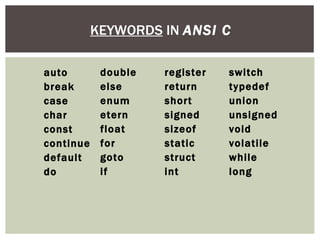
KEYWORDS IN ANSIC
switch
typedef
union
unsigned
void
volatile
while
long
register
return
short
signed
sizeof
static
struct
int
double
else
enum
etern
float
for
goto
if
auto
break
case
char
const
continue
default
do
11.
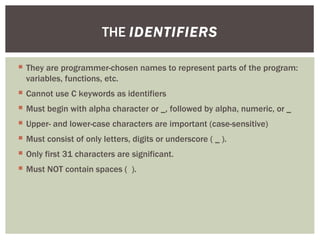
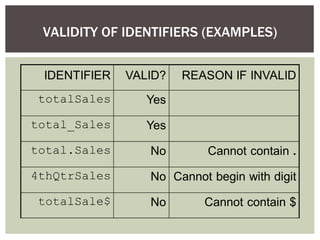
They areprogrammer-chosen names to represent parts of the program:
variables, functions, etc.
Cannot use C keywords as identifiers
Must begin with alpha character or _, followed by alpha, numeric, or _
Upper- and lower-case characters are important (case-sensitive)
Must consist of only letters, digits or underscore ( _ ).
Only first 31 characters are significant.
Must NOT contain spaces ( ).
THE IDENTIFIERS
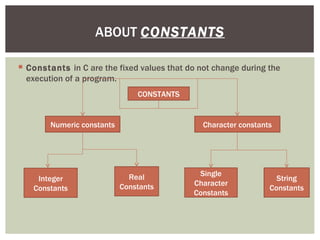
Constants inC are the fixed values that do not change during the
execution of a program.
ABOUT CONSTANTS
CONSTANTS
Numeric constants Character constants
Integer
Constants
Real
Constants
Single
Character
Constants
String
Constants
14.
Integer Constants
IntegerConstants
Refers to sequence of digits such as decimal integer, octal integer and
hexadecimal integer.
Some of the examples are 112, 0551, 56579u, 0X2 etc.
Real Constants
Real Constants
The floating point constants such as 0.0083, -0.78, +67.89 etc.
Single Character Constants
Single Character Constants
A single char const contains a single character enclosed within pair of single
quotes [ ‘ ’
‘ ’ ]. For example, ‘8’, ‘a’ , ‘i’ etc.
String Constants
String Constants
A string constant is a sequence of characters enclosed in double quotes [ “ ” ];
For example, “0211”, “Stack Overflow” etc.
CONSTANTS EXAMPLES
15.
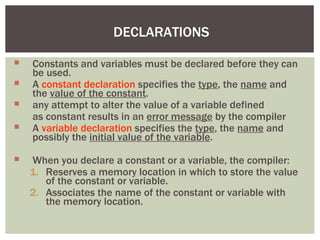
DECLARATIONS
Constants andvariables must be declared before they can
be used.
A constant declaration specifies the type, the name and
the value of the constant.
any attempt to alter the value of a variable defined
as constant results in an error message by the compiler
A variable declaration specifies the type, the name and
possibly the initial value of the variable.
When you declare a constant or a variable, the compiler:
1. Reserves a memory location in which to store the value
of the constant or variable.
2. Associates the name of the constant or variable with
the memory location.
16.
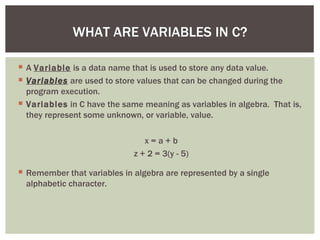
A Variableis a data name that is used to store any data value.
Variables are used to store values that can be changed during the
program execution.
Variables in C have the same meaning as variables in algebra. That is,
they represent some unknown, or variable, value.
x = a + b
z + 2 = 3(y - 5)
Remember that variables in algebra are represented by a single
alphabetic character.
WHAT ARE VARIABLES IN C?
17.
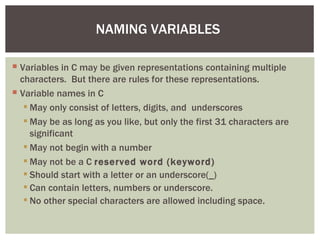
NAMING VARIABLES
Variablesin C may be given representations containing multiple
characters. But there are rules for these representations.
Variable names in C
May only consist of letters, digits, and underscores
May be as long as you like, but only the first 31 characters are
significant
May not begin with a number
May not be a C reserved word (keyword)
Should start with a letter or an underscore(_)
Can contain letters, numbers or underscore.
No other special characters are allowed including space.
18.
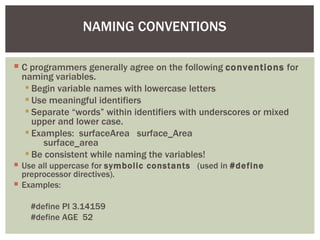
NAMING CONVENTIONS
Cprogrammers generally agree on the following conventions for
naming variables.
Begin variable names with lowercase letters
Use meaningful identifiers
Separate “words” within identifiers with underscores or mixed
upper and lower case.
Examples: surfaceArea surface_Area
surface_area
Be consistent while naming the variables!
Use all uppercase for symbolic constants (used in #define
preprocessor directives).
Examples:
#define PI 3.14159
#define AGE 52
19.
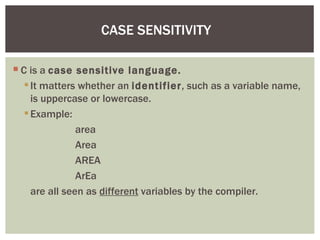
CASE SENSITIVITY
Cis a case sensitive language.
It matters whether an identifier, such as a variable name,
is uppercase or lowercase.
Example:
area
Area
AREA
ArEa
are all seen as different variables by the compiler.
20.
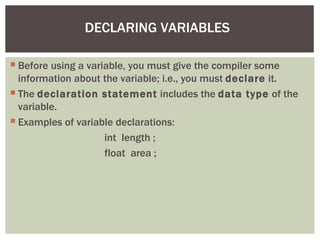
DECLARING VARIABLES
Beforeusing a variable, you must give the compiler some
information about the variable; i.e., you must declare it.
The declaration statement includes the data type of the
variable.
Examples of variable declarations:
int length ;
float area ;
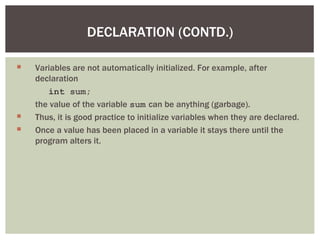
21.
Variables arenot automatically initialized. For example, after
declaration
int sum;
the value of the variable sum can be anything (garbage).
Thus, it is good practice to initialize variables when they are declared.
Once a value has been placed in a variable it stays there until the
program alters it.
DECLARATION (CONTD.)
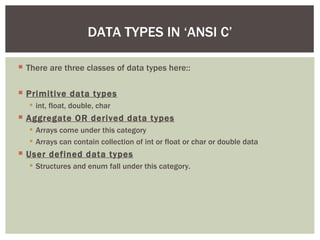
22.
There arethree classes of data types here::
Primitive data types
int, float, double, char
Aggregate OR derived data types
Arrays come under this category
Arrays can contain collection of int or float or char or double data
User defined data types
Structures and enum fall under this category.
DATA TYPES IN ‘ANSI C’
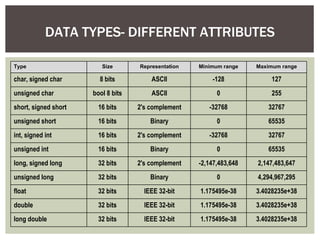
23.
DATA TYPES- DIFFERENTATTRIBUTES
Type Size Representation Minimum range Maximum range
char, signed char 8 bits ASCII -128 127
unsigned char bool 8 bits ASCII 0 255
short, signed short 16 bits 2's complement -32768 32767
unsigned short 16 bits Binary 0 65535
int, signed int 16 bits 2's complement -32768 32767
unsigned int 16 bits Binary 0 65535
long, signed long 32 bits 2's complement -2,147,483,648 2,147,483,647
unsigned long 32 bits Binary 0 4,294,967,295
float 32 bits IEEE 32-bit 1.175495e-38 3.4028235e+38
double 32 bits IEEE 32-bit 1.175495e-38 3.4028235e+38
long double 32 bits IEEE 32-bit 1.175495e-38 3.4028235e+38
24.
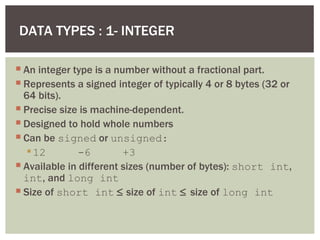
DATA TYPES :1- INTEGER
An integer type is a number without a fractional part.
Represents a signed integer of typically 4 or 8 bytes (32 or
64 bits).
Precise size is machine-dependent.
Designed to hold whole numbers
Can be signed or unsigned:
12 -6 +3
Available in different sizes (number of bytes): short int,
int, and long int
Size of short int ≤ size of int ≤ size of long int
25.
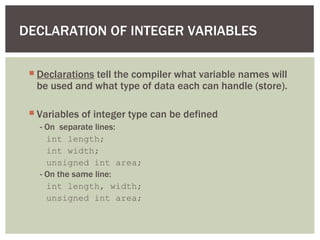
DECLARATION OF INTEGERVARIABLES
Declarations tell the compiler what variable names will
be used and what type of data each can handle (store).
Variables of integer type can be defined
- On separate lines:
int length;
int width;
unsigned int area;
- On the same line:
int length, width;
unsigned int area;
26.
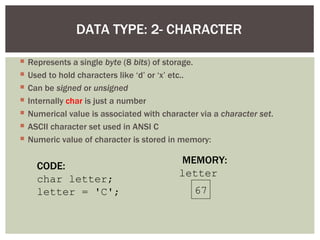
DATA TYPE: 2-CHARACTER
Represents a single byte (8 bits) of storage.
Used to hold characters like ‘d’ or ‘x’ etc..
Can be signed or unsigned
Internally char is just a number
Numerical value is associated with character via a character set.
ASCII character set used in ANSI C
Numeric value of character is stored in memory:
CODE:
char letter;
letter = 'C';
MEMORY:
letter
67
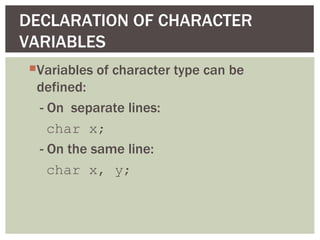
CHARACTER DATA
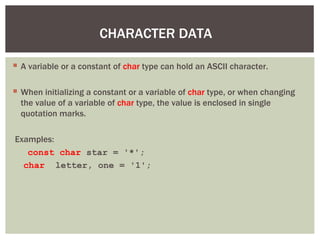
Avariable or a constant of char type can hold an ASCII character.
When initializing a constant or a variable of char type, or when changing
the value of a variable of char type, the value is enclosed in single
quotation marks.
Examples:
const char star = '*';
char letter, one = '1';
29.
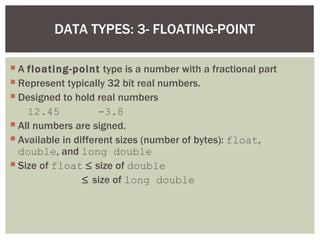
DATA TYPES: 3-FLOATING-POINT
A floating-point type is a number with a fractional part
Represent typically 32 bit real numbers.
Designed to hold real numbers
12.45 -3.8
All numbers are signed.
Available in different sizes (number of bytes): float,
double, and long double
Size of float ≤ size of double
≤ size of long double
30.
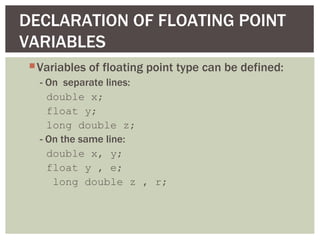
DECLARATION OF FLOATINGPOINT
VARIABLES
Variables of floating point type can be defined:
- On separate lines:
double x;
float y;
long double z;
- On the same line:
double x, y;
float y , e;
long double z , r;
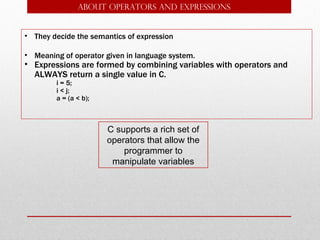
• They decidethe semantics of expression
• Meaning of operator given in language system.
• Expressions are formed by combining variables with operators and
ALWAYS return a single value in C.
i = 5;
i < j;
a = (a < b);
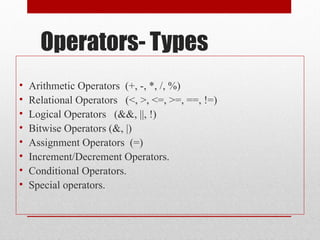
ABOUT Operators and expressions
C supports a rich set of
operators that allow the
programmer to
manipulate variables
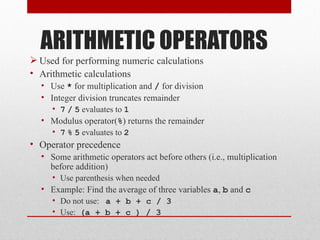
ARITHMETIC OPERATORS
Usedfor performing numeric calculations
• Arithmetic calculations
• Use * for multiplication and / for division
• Integer division truncates remainder
• 7 / 5 evaluates to 1
• Modulus operator(%) returns the remainder
• 7 % 5 evaluates to 2
• Operator precedence
• Some arithmetic operators act before others (i.e., multiplication
before addition)
• Use parenthesis when needed
• Example: Find the average of three variables a, b and c
• Do not use: a + b + c / 3
• Use: (a + b + c ) / 3
38.
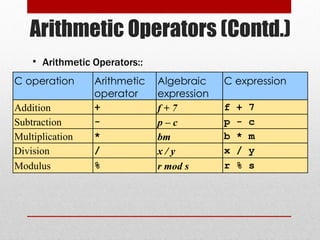
Arithmetic Operators (Contd.)
Coperation Arithmetic
operator
Algebraic
expression
C expression
Addition + f + 7 f + 7
Subtraction - p – c p - c
Multiplication * bm b * m
Division / x / y x / y
Modulus % r mod s r % s
• Arithmetic Operators::
39.
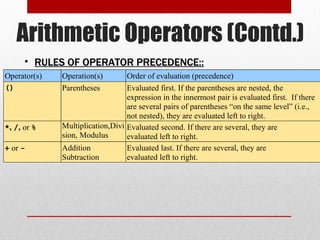
Arithmetic Operators (Contd.)
Operator(s)Operation(s) Order of evaluation (precedence)
() Parentheses Evaluated first. If the parentheses are nested, the
expression in the innermost pair is evaluated first. If there
are several pairs of parentheses “on the same level” (i.e.,
not nested), they are evaluated left to right.
*, /, or % Multiplication,Divi
sion, Modulus
Evaluated second. If there are several, they are
evaluated left to right.
+ or - Addition
Subtraction
Evaluated last. If there are several, they are
evaluated left to right.
• RULES OF OPERATOR PRECEDENCE::
RULES OF OPERATOR PRECEDENCE::
40.
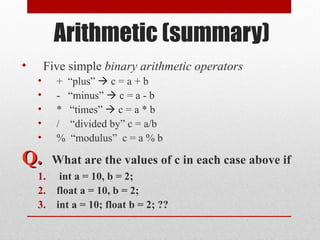
Arithmetic (summary)
• Fivesimple binary arithmetic operators
• + “plus” c = a + b
• - “minus” c = a - b
• * “times” c = a * b
• / “divided by” c = a/b
• % “modulus” c = a % b
Q.
Q. What are the values of c in each case above if
1. int a = 10, b = 2;
2. float a = 10, b = 2;
3. int a = 10; float b = 2; ??
41.
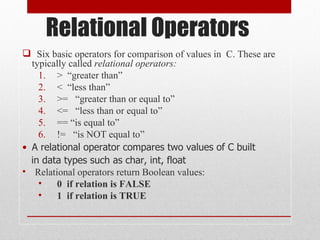
Relational Operators
Sixbasic operators for comparison of values in C. These are
typically called relational operators:
1. > “greater than”
2. < “less than”
3. >= “greater than or equal to”
4. <= “less than or equal to”
5. == “is equal to”
6. != “is NOT equal to”
• A relational operator compares two values of C built
in data types such as char, int, float
• Relational operators return Boolean values:
• 0 if relation is FALSE
• 1 if relation is TRUE
42.
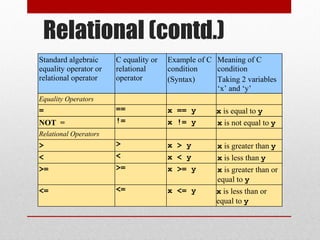
Relational (contd.)
Standard algebraic
equalityoperator or
relational operator
C equality or
relational
operator
Example of C
condition
(Syntax)
Meaning of C
condition
Taking 2 variables
‘x’ and ‘y’
Equality Operators
= == x == y x is equal to y
NOT = != x != y x is not equal to y
Relational Operators
> > x > y x is greater than y
< < x < y x is less than y
>= >= x >= y x is greater than or
equal to y
<= <= x <= y x is less than or
equal to y
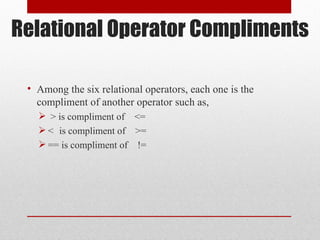
Relational Operator Compliments
•Among the six relational operators, each one is the
compliment of another operator such as,
> is compliment of <=
< is compliment of >=
== is compliment of !=
45.
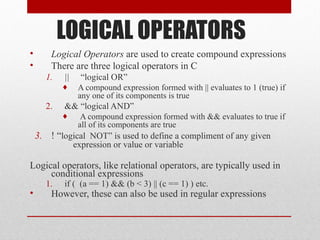
LOGICAL OPERATORS
• LogicalOperators are used to create compound expressions
• There are three logical operators in C
1. || “logical OR”
♦ A compound expression formed with || evaluates to 1 (true) if
any one of its components is true
2. && “logical AND”
♦ A compound expression formed with && evaluates to true if
all of its components are true
3. ! “logical NOT” is used to define a compliment of any given
expression or value or variable
Logical operators, like relational operators, are typically used in
conditional expressions
1. if ( (a == 1) && (b < 3) || (c == 1) ) etc.
• However, these can also be used in regular expressions
46.
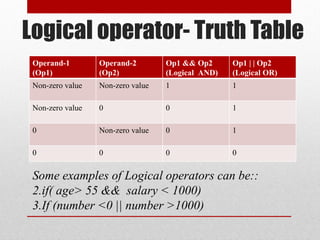
Logical operator- TruthTable
Operand-1
(Op1)
Operand-2
(Op2)
Op1 && Op2
(Logical AND)
Op1 | | Op2
(Logical OR)
Non-zero value Non-zero value 1 1
Non-zero value 0 0 1
0 Non-zero value 0 1
0 0 0 0
Some examples of Logical operators can be::
2.if( age> 55 && salary < 1000)
3.If (number <0 || number >1000)
47.
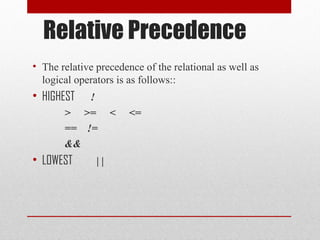
Relative Precedence
• Therelative precedence of the relational as well as
logical operators is as follows::
• HIGHEST !
> >= < <=
== !=
&&
• LOWEST | |
48.
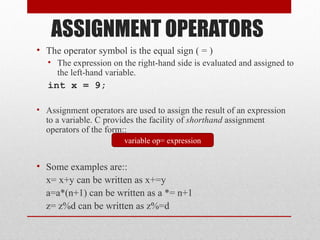
ASSIGNMENT OPERATORS
• Theoperator symbol is the equal sign ( = )
• The expression on the right-hand side is evaluated and assigned to
the left-hand variable.
int x = 9;
• Assignment operators are used to assign the result of an expression
to a variable. C provides the facility of shorthand assignment
operators of the form::
• Some examples are::
x= x+y can be written as x+=y
a=a*(n+1) can be written as a *= n+1
z= z%d can be written as z%=d
variable op= expression
49.
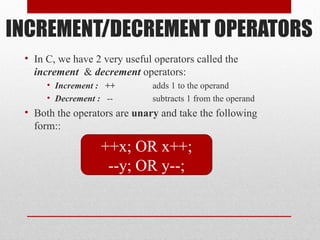
INCREMENT/DECREMENT OPERATORS
• InC, we have 2 very useful operators called the
increment & decrement operators:
• Increment : ++ adds 1 to the operand
• Decrement : -- subtracts 1 from the operand
• Both the operators are unary and take the following
form::
++x; OR x++;
--y; OR y--;
50.
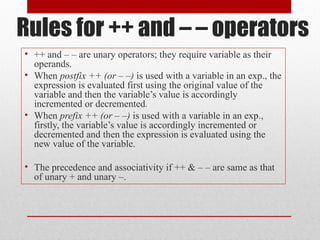
Rules for ++and – – operators
• ++ and – – are unary operators; they require variable as their
operands.
• When postfix ++ (or – –) is used with a variable in an exp., the
expression is evaluated first using the original value of the
variable and then the variable’s value is accordingly
incremented or decremented.
• When prefix ++ (or – –) is used with a variable in an exp.,
firstly, the variable’s value is accordingly incremented or
decremented and then the expression is evaluated using the
new value of the variable.
• The precedence and associativity if ++ & – – are same as that
of unary + and unary –.
51.
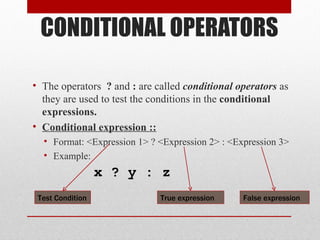
CONDITIONAL OPERATORS
• Theoperators ? and : are called conditional operators as
they are used to test the conditions in the conditional
expressions.
• Conditional expression ::
• Format: <Expression 1> ? <Expression 2> : <Expression 3>
• Example:
x ? y : z
True expression False expression
Test Condition
52.
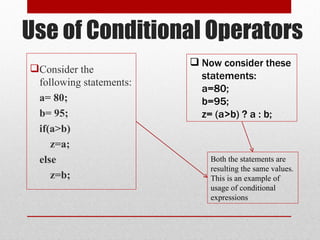
Use of ConditionalOperators
Consider the
following statements:
a= 80;
b= 95;
if(a>b)
z=a;
else
z=b;
Now consider these
statements:
a=80;
b=95;
z= (a>b) ? a : b;
Both the statements are
resulting the same values.
This is an example of
usage of conditional
expressions
53.
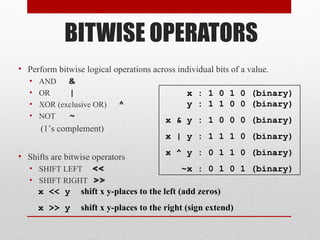
BITWISE OPERATORS
• Performbitwise logical operations across individual bits of a value.
• AND &
• OR |
• XOR (exclusive OR) ^
• NOT ~
(1’s complement)
• Shifts are bitwise operators
• SHIFT LEFT <<
• SHIFT RIGHT >>
x : 1 0 1 0 (binary)
y : 1 1 0 0 (binary)
x & y : 1 0 0 0 (binary)
x | y : 1 1 1 0 (binary)
x ^ y : 0 1 1 0 (binary)
~x : 0 1 0 1 (binary)
x << y shift x y-places to the left (add zeros)
x >> y shift x y-places to the right (sign extend)
54.
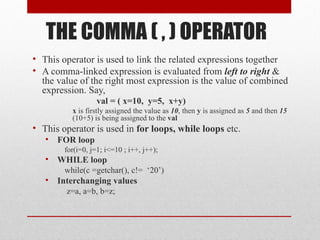
THE COMMA (, ) OPERATOR
• This operator is used to link the related expressions together
• A comma-linked expression is evaluated from left to right &
the value of the right most expression is the value of combined
expression. Say,
val = ( x=10, y=5, x+y)
x is firstly assigned the value as 10, then y is assigned as 5 and then 15
(10+5) is being assigned to the val
• This operator is used in for loops, while loops etc.
• FOR loop
for(i=0, j=1; i<=10 ; i++, j++);
• WHILE loop
while(c =getchar(), c!= ‘20’)
• Interchanging values
z=a, a=b, b=z;
55.
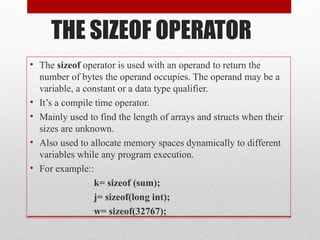
THE SIZEOF OPERATOR
•The sizeof operator is used with an operand to return the
number of bytes the operand occupies. The operand may be a
variable, a constant or a data type qualifier.
• It’s a compile time operator.
• Mainly used to find the length of arrays and structs when their
sizes are unknown.
• Also used to allocate memory spaces dynamically to different
variables while any program execution.
• For example::
k= sizeof (sum);
j= sizeof(long int);
w= sizeof(32767);
56.
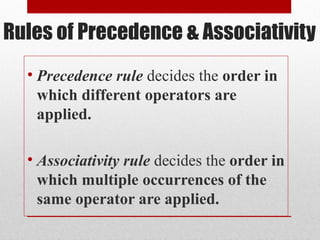
Rules of Precedence& Associativity
• Precedence rule decides the order in
which different operators are
applied.
• Associativity rule decides the order in
which multiple occurrences of the
same operator are applied.
57.
OPERATOR PRECEDENCE/ASSOCIATIVITY
OPERATORS (precedencefrom HIGHER to LOWER) ASSOCIATIVITY
( ) [ ] -> . left to right
! ~ ++ -- + - * & (type) sizeof right to left
* / % left to right
+ - left to right
<< >> left to right
< <= > >= left to right
== != left to right
& left to right
^ left to right
| left to right
&& left to right
|| left to right
?: right to left
= += -= *= /= %= &= ^= |= <<= >>= right to left
, left to right
Bitwise
Bitwise
Bitwise
Bitwise
Relational
Relational
Logical
Logical

![ C has 6 different types of tokens viz.
2.Keywords [e.g. float, int, while]
3.Identifiers [e.g. main, amount]
4.Constants [e.g. -25.6, 100]
5.Strings [e.g. “SMIT”, “year”]
6.Special Symbols [e.g. {, }, [, ] ]
7.Operators [e.g. +, -, *]
C programs are written using these tokens and the general syntax.
TOKEN TYPES IN ‘C’](https://image.slidesharecdn.com/cthebasicconcepts-120506163520-phpapp02-250916104137-839a5c35/85/cthebasicconcepts-120506163520-phpapp02-pdf-8-320.jpg)
![ Integer Constants
Integer Constants
Refers to sequence of digits such as decimal integer, octal integer and
hexadecimal integer.
Some of the examples are 112, 0551, 56579u, 0X2 etc.
Real Constants
Real Constants
The floating point constants such as 0.0083, -0.78, +67.89 etc.
Single Character Constants
Single Character Constants
A single char const contains a single character enclosed within pair of single
quotes [ ‘ ’
‘ ’ ]. For example, ‘8’, ‘a’ , ‘i’ etc.
String Constants
String Constants
A string constant is a sequence of characters enclosed in double quotes [ “ ” ];
For example, “0211”, “Stack Overflow” etc.
CONSTANTS EXAMPLES](https://image.slidesharecdn.com/cthebasicconcepts-120506163520-phpapp02-250916104137-839a5c35/85/cthebasicconcepts-120506163520-phpapp02-pdf-14-320.jpg)
![OPERATOR PRECEDENCE/ASSOCIATIVITY
OPERATORS (precedence from HIGHER to LOWER) ASSOCIATIVITY
( ) [ ] -> . left to right
! ~ ++ -- + - * & (type) sizeof right to left
* / % left to right
+ - left to right
<< >> left to right
< <= > >= left to right
== != left to right
& left to right
^ left to right
| left to right
&& left to right
|| left to right
?: right to left
= += -= *= /= %= &= ^= |= <<= >>= right to left
, left to right
Bitwise
Bitwise
Bitwise
Bitwise
Relational
Relational
Logical
Logical](https://image.slidesharecdn.com/cthebasicconcepts-120506163520-phpapp02-250916104137-839a5c35/85/cthebasicconcepts-120506163520-phpapp02-pdf-57-320.jpg)