Hold On.
It will start soon :)
Become an Android Developer
Session - 2: Layouts, Views and Project Demo
24/12/2021
12:00 PM - 1:00PM IST
GDSC DYPIU
Host: Atharv Karbhari
Topics:
● Lists : Mutable vs Immutable
● Conditional Statements
● Project Demo: Simple Button App
● with and when Keywords
● Views and Binding
● Project Demo: Tip Calculator App
● Useful functions
Lists: Mutable Vs Immutable:
Lists: A linear data structure used to store data.
Syntax:
<Keyword> <variable name>:List<Data type of item> = listOf(<i1>,<i2>,<i3>,....)
Usage: (Immutable Lists)
val list1:List<Int> = listOf(1,2,3,4,5,6)
val list2:List<String> = listOf(“a”,”b”,”c”)
Methods/Functions: (More: https://kotlinlang.org/docs/list-operations.html)
.size -> Int
l1[index]
l1.first()
l1.last()
l1.indexOf(element)
l1.subList(0,3)
l1.reversed() -> List
l1.contains(element) -> Boolean
l1.sorted() -> List
Lists: Mutable Vs Immutable:
Lists: A linear data structure used to store data.
Syntax:
<Keyword> <variable name>:MutableList<Data type of item> = mutableListOf(<i1>,<i2>,<i3>,....)
Usage: (Mutable Lists)
val l1:MutableList<Int> = mutableListOf(1,2,3,4)
Methods/Functions: (More: https://kotlinlang.org/docs/list-operations.html)
l1.size -> Int
l1.first()
l1.last()
l1.addAll()
l1.add(3) -> Boolean (false if could not add)
l1.remove(3) -> Boolean (false if doesn’t exist)
l1.reversed()
l1.contains(3)
l1.sorted()
l1.removeAt(2)
l1.isEmpty() -> Boolean
l1.clear()
Conditional Statement
Usage:
if (expression){
body
}
else{
body
}
“with” vs “when”
Usage:
with (object){
property1 // Equivalent of object.property1
property2 // Equivalent of object.property2
print(property3) // print(object.property3)
}
“with” vs “when”
Usage:
1.
when (object){
value1 -> <statement 1>
value2 -> <statement 2>
value3 -> <statement 3>
value4 -> <statement 4>
}
2.
val obj1 = value
when {
value1 > 10 -> <statement 1>
value2 == 5 -> <statement 2>
value3 <= 5 -> <statement 3>
value4 + 1 ==10 -> <statement 4>
}
Project Demo - 1
Button App
Layout Design
Integrate XML
Adding Vector and Image Assets
Layout(Padding Vs Margin)
Padding
Margin
1. Padding: Distance between View content and
View Body
2. Margin: Distance between View Body and Parent
View
Project Demo - 2
Tip Calculator
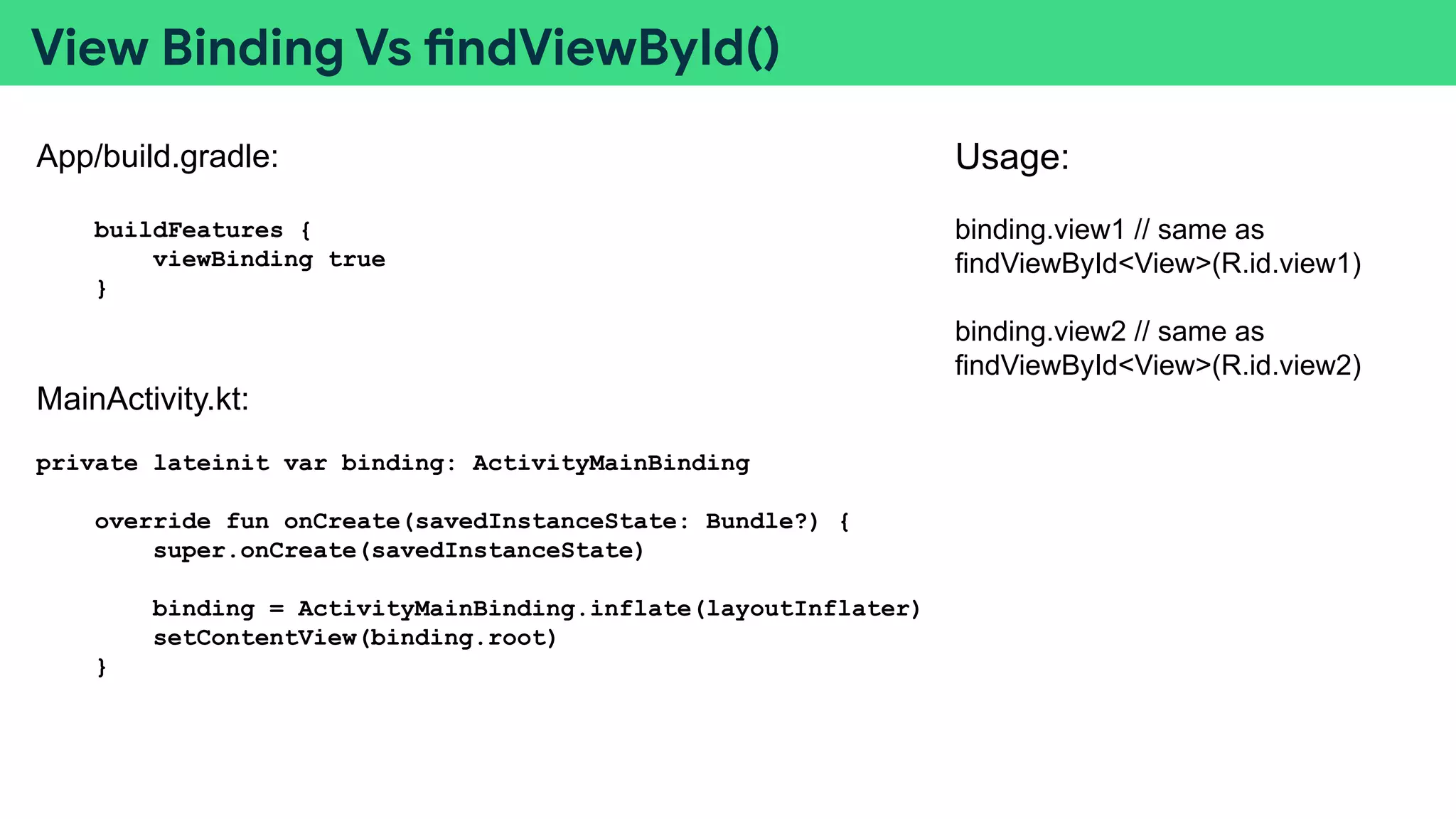
View Binding Vs findViewById()
App/build.gradle:
buildFeatures {
viewBinding true
}
MainActivity.kt:
private lateinit var binding: ActivityMainBinding
override fun onCreate(savedInstanceState: Bundle?) {
super.onCreate(savedInstanceState)
binding = ActivityMainBinding.inflate(layoutInflater)
setContentView(binding.root)
}
Usage:
binding.view1 // same as
findViewById<View>(R.id.view1)
binding.view2 // same as
findViewById<View>(R.id.view2)
View Binding Vs findViewById()
Cheatsheet / Summary:
View Binding: One reference to all views having id
findViewById(): Add a reference to a view
Important Tags:
android:text="This text"
android:layout_below="@+id/another_view"
android:padding="40dp"
android:layout_margin="40dp"
android:layout_centerVertical="true"
android:layout_centerHorizontal="true"
wrap_content: Match height/width according to content
match_parent: Match height/width/property of parent view
Thank You!!
Host: Atharv Karbhari
LinkedIn
Github
Hackerrank

Session 2 android study jam

  • 1.
    Hold On. It willstart soon :)
  • 2.
    Become an AndroidDeveloper Session - 2: Layouts, Views and Project Demo 24/12/2021 12:00 PM - 1:00PM IST GDSC DYPIU Host: Atharv Karbhari
  • 3.
    Topics: ● Lists :Mutable vs Immutable ● Conditional Statements ● Project Demo: Simple Button App ● with and when Keywords ● Views and Binding ● Project Demo: Tip Calculator App ● Useful functions
  • 4.
    Lists: Mutable VsImmutable: Lists: A linear data structure used to store data. Syntax: <Keyword> <variable name>:List<Data type of item> = listOf(<i1>,<i2>,<i3>,....) Usage: (Immutable Lists) val list1:List<Int> = listOf(1,2,3,4,5,6) val list2:List<String> = listOf(“a”,”b”,”c”) Methods/Functions: (More: https://kotlinlang.org/docs/list-operations.html) .size -> Int l1[index] l1.first() l1.last() l1.indexOf(element) l1.subList(0,3) l1.reversed() -> List l1.contains(element) -> Boolean l1.sorted() -> List
  • 5.
    Lists: Mutable VsImmutable: Lists: A linear data structure used to store data. Syntax: <Keyword> <variable name>:MutableList<Data type of item> = mutableListOf(<i1>,<i2>,<i3>,....) Usage: (Mutable Lists) val l1:MutableList<Int> = mutableListOf(1,2,3,4) Methods/Functions: (More: https://kotlinlang.org/docs/list-operations.html) l1.size -> Int l1.first() l1.last() l1.addAll() l1.add(3) -> Boolean (false if could not add) l1.remove(3) -> Boolean (false if doesn’t exist) l1.reversed() l1.contains(3) l1.sorted() l1.removeAt(2) l1.isEmpty() -> Boolean l1.clear()
  • 6.
  • 7.
    “with” vs “when” Usage: with(object){ property1 // Equivalent of object.property1 property2 // Equivalent of object.property2 print(property3) // print(object.property3) }
  • 8.
    “with” vs “when” Usage: 1. when(object){ value1 -> <statement 1> value2 -> <statement 2> value3 -> <statement 3> value4 -> <statement 4> } 2. val obj1 = value when { value1 > 10 -> <statement 1> value2 == 5 -> <statement 2> value3 <= 5 -> <statement 3> value4 + 1 ==10 -> <statement 4> }
  • 9.
    Project Demo -1 Button App Layout Design Integrate XML Adding Vector and Image Assets
  • 10.
    Layout(Padding Vs Margin) Padding Margin 1.Padding: Distance between View content and View Body 2. Margin: Distance between View Body and Parent View
  • 11.
    Project Demo -2 Tip Calculator
  • 12.
    View Binding VsfindViewById() App/build.gradle: buildFeatures { viewBinding true } MainActivity.kt: private lateinit var binding: ActivityMainBinding override fun onCreate(savedInstanceState: Bundle?) { super.onCreate(savedInstanceState) binding = ActivityMainBinding.inflate(layoutInflater) setContentView(binding.root) } Usage: binding.view1 // same as findViewById<View>(R.id.view1) binding.view2 // same as findViewById<View>(R.id.view2)
  • 13.
    View Binding VsfindViewById() Cheatsheet / Summary: View Binding: One reference to all views having id findViewById(): Add a reference to a view Important Tags: android:text="This text" android:layout_below="@+id/another_view" android:padding="40dp" android:layout_margin="40dp" android:layout_centerVertical="true" android:layout_centerHorizontal="true" wrap_content: Match height/width according to content match_parent: Match height/width/property of parent view
  • 14.
    Thank You!! Host: AtharvKarbhari LinkedIn Github Hackerrank