By:
Dwarika Dhish Mishra
http://abodeqa.wordpress.com
Email: dwarika1987@gmail.com
Mobile: 9999978609
Agenda
 Elementary Introduction of Selenium
 Why Selenium is used
 Different Selenium Component
 Difference between each Selenium Component

 Locators
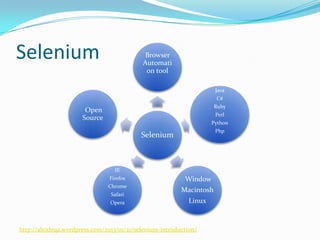
Selenium

Browser
Automati
on tool
Java
C#
Ruby

Open
Source

Perl
Python
Php

Selenium

IE
Firefox
Chrome
Safari
Opera

Window
Macintosh

Linux

http://abodeqa.wordpress.com/2013/01/21/selenium-introduction/
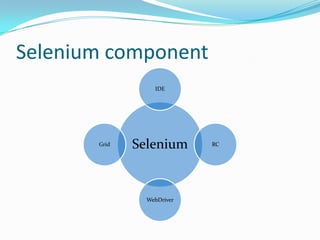
Selenium component
IDE

Grid

Selenium

WebDriver

RC
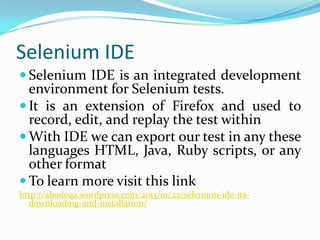
Selenium IDE
 Selenium IDE is an integrated development

environment for Selenium tests.
 It is an extension of Firefox and used to
record, edit, and replay the test within
 With IDE we can export our test in any these
languages HTML, Java, Ruby scripts, or any
other format
 To learn more visit this link
http://abodeqa.wordpress.com/2013/01/22/selenium-ide-itsdownloading-and-installation/
Selenium RC
 Provides Selenium Server that acts as HTTP proxy
 Able to handle Open, Close and Stop a browser
 Provides user to script the UI testing
 Provides support to all browser which are able to

handle javascript
 Enables to open any HTTP WebSite
 Enables to use loops, conditions and give the power of
programming(Scripting)
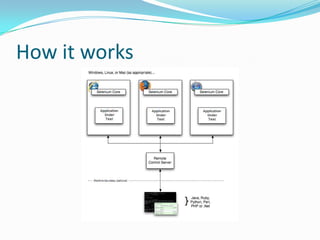
How it works
Selenium WebDriver
 WebDriver is designed in a simpler and more concise

programming interface along with addressing some
limitations in the Selenium-RC API.
 WebDriver is a compact Object Oriented API when
compared to Selenium1.0
 It drives the browser much more effectively and over
comes the limitations of Selenium 1.x which affected
our functional test coverage, like the file upload or
download, pop-ups and dialogs barrier
 WebDriver overcomes the limitation of Selenium
Rc's Single Host origin policy
Configuration of WebDriver in Eclipse
Visit this link to read

http://abodeqa.wordpress.com/2013/01/24/configuring-selenium-webdriver-in-eclipse-with-testng/
First WebDriver Script





















public class Example {
public static void main(String[] args)
{
WebDriver driver = new FirefoxDriver();

driver.get("http://www.google.com");
WebElement element = driver.findElement(By.name("q"));

element.sendKeys("Cheese!");
element.submit();

System.out.println("Page title is: " +driver.getTitle());
driver.quit();
}
}
Next Session
Locators
 Id
 Name
 ClassName
 TagName
 linkText
 Xpath
 cssSelector

Selenium - BNT 07