Automating for the Second
Screen with WebdriverJS
Justin Woolley
Marvin Ojwang David Anderson
Netflix
What’s the Problem?
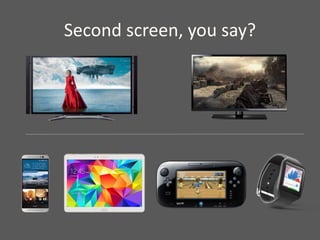
Second screen, you say?
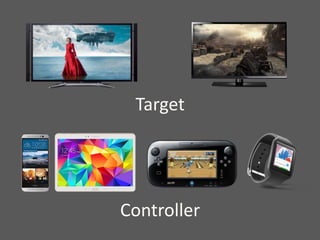
Target
Controller
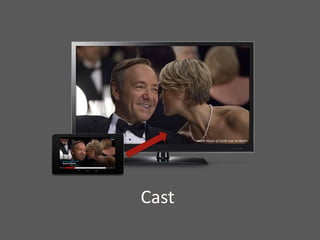
Cast
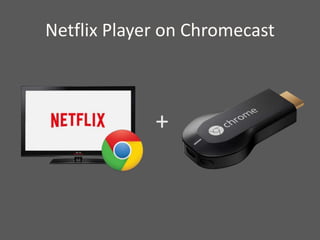
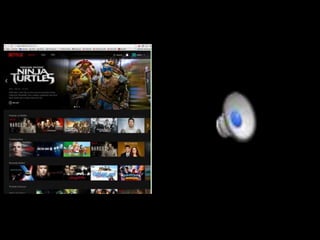
Netflix Player on Chromecast
+
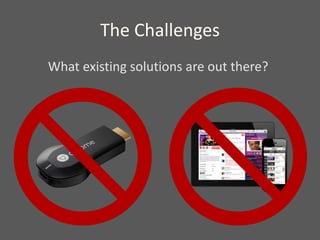
The Challenges
What existing solutions are out there?
The Challenges
1. How to validate on the target
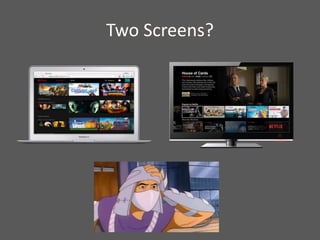
Two Screens?
The Challenges
1. How to validate on the target
2. Two devices, one code path
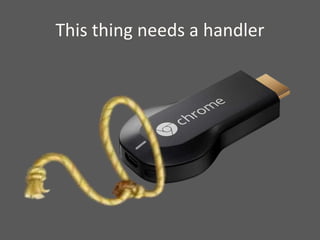
This thing needs a handler
The Challenges
1. How to validate on the target
2. Two devices, one code path
3. Managing the device
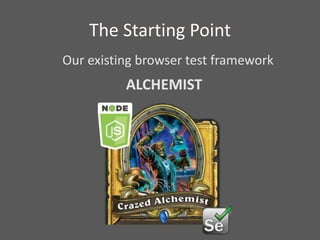
The Starting Point
Our existing browser test framework
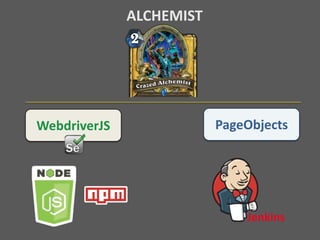
ALCHEMIST
WebdriverJS
ALCHEMIST
PageObjects
Jenkins
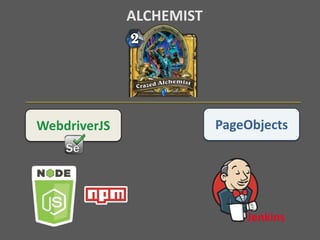
WebdriverJS
ALCHEMIST
PageObjects
Jenkins
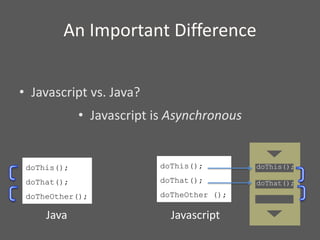
An Important Difference
• Javascript vs. Java?
• Javascript is Asynchronous
doThis();
doThat();
doTheOther();
Java
doThis();
doThat();
doTheOther ();
doThis();
doThat();
Javascript
So What?
Order is not guaranteed.
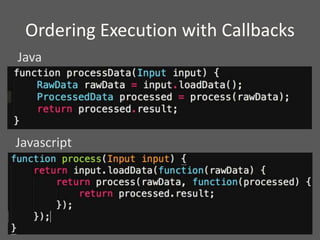
Ordering Execution with Callbacks
Java
Javascript
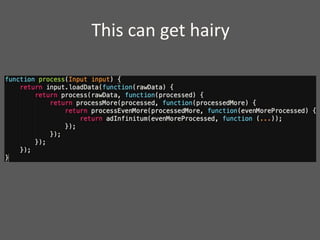
This can get hairy
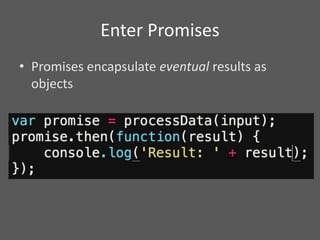
Enter Promises
• Promises encapsulate eventual results as
objects
It can get complicated
Event Modeling with RxJS
Observable
• Generates a sequence of events
Subscriber
• Registers with a subscriber to listen for its events
LINQ-like operator syntax
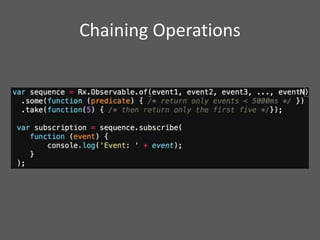
• Supports chaining of operations
Chaining Operations
Alchemist
• Functional testing for supported browsers
• Also used for deploying HTML5 player
Solution for the Second Screen
1. How to validate on the target
2. Two devices, one code path
3. Managing the device
The Challenges
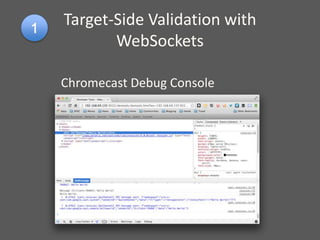
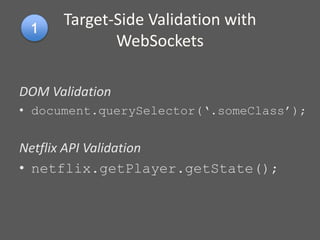
Target-Side Validation with
WebSockets
Chromecast Debug Console
DOM Validation
• document.querySelector(‘.someClass’);
Netflix API Validation
• netflix.getPlayer.getState();
Target-Side Validation with
WebSockets
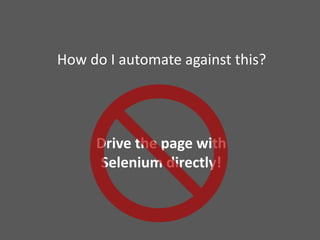
How do I automate against this?
Drive the page with
Selenium directly!
How do I automate against this?
WebSockets!
Target-Side Validation with
WebSockets
1. Run WebSocket server as a child of the test
process
2. Connect to Chromecast debug channel via
WebSocket
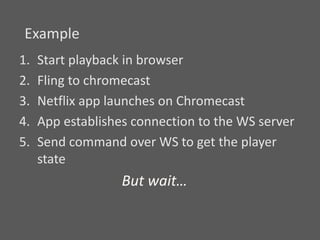
1. Start playback in browser
2. Fling to chromecast
3. Netflix app launches on Chromecast
4. App establishes connection to the WS server
5. Send command over WS to get the player
state
Example
But wait…
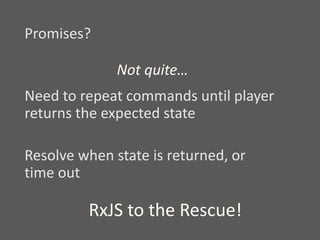
Promises?
Not quite…
Need to repeat commands until player
returns the expected state
Resolve when state is returned, or
time out
RxJS to the Rescue!
Target-Side Validation with
WebSockets
1. Run WebSocket server as a child of the test
process
2. Connect to Chromecast debug channel via
WebSocket
3. Wrap sequence of WS commands in an RxJS
sequence.
Solution for the Second Screen
1. How to validate on the target ✓
2. Two devices, one code path
3. Managing the device
The Challenges
Another problem
• Validate what’s happening on the browser at
the same time
• Second-screen controls loaded while playback
starts on chromecast
• Could happen in any order
• Not a problem when testing manually!
Parallel validation with
aggregated promises
Promise.all()
• Accepts an array of promises
• Resolves only when all of the promises do
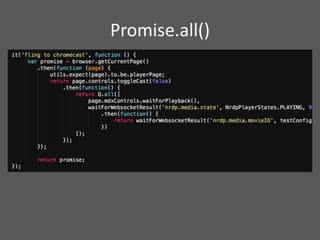
Promise.all()
Solution for the Second Screen
1. How to validate on the target ✓
2. Two devices, one code path ✓
3. Managing the device
The Challenges
Device Management
with ADB and Ethernet
power switch
• Run Android Device Bridge as child process
– Get chromecast state, reboot before new run
• Ethernet-enabled powerswitch
– If device gets in a bad state, can hard reset by
cycling power switch
– Used telnet client to interface with switch
1. How to validate on the target ✓
2. Two devices, one code path ✓
3. Managing the device ✓
Challenges Solved!
Questions?

Seleconf2015 - Automating for the Second Screen with WebdriverJS

Editor's Notes

  • #3 When my team asked me to test the chromecast version of our video player, I was totally on board. I had already been testing the browser player, and I was eager learn the chromecast. There was a steep learning curve, with a lot of moving parts. But I learned the ropes, and after lots of rounds of manual testing, we finished the project and shipped it, to great success. I was pretty pleased with myself. Then my team came to me, and said “Great work! Now we have a ton of improvements to make. So write us some automated tests!” and I said… # “Uh ... okay.” So I found myself tasked with coming up with an automation solution And I had no idea where to start.
  • #4 So my task was to write test automation for a second-screen experience. But what’s a second-screen experience?
  • #5 Starts with a display – typically a TV, and an application # playing a movie, or # game Connect a secondary device w/ a display – used to control primary display (enables richer input, better controls) (also can show supplemental info) (or simply mirror the display) This is typically a # Phone, # Tablet, (also can be a) # Game Controller (now even perhaps a) #] Watch Increasingly prevalent as more devices hit the market, cheaper, more have screens Can be Connect two existing devices (example?) System with Dedicated controller (like the WiiU) Connect existing device to a dedicated media player FireTV, Roku, or Chromecast (all connnect to TV) This talk focuses on automating this kind of dedicated media player. Something I noticed when putting together this presentation.
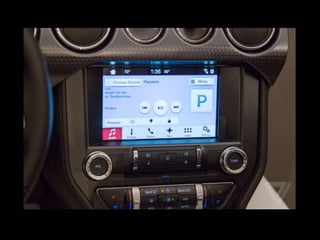
  • #6 my car has a second-screen display!
  • #7 I’m going to use some terminology for this talk Let me get this out of the way # Target -  device being controlled, e.g. chromecast (for example: Chromecast) # Controller - input device and second display. a.k.a. second screen
 (for example: phone, tablet, or browser) Typically controller is paired with target
  • #8 Cast - “sending” media from the controller to the target. (More precisely, selecting media starting playback.)
  • #9 My focus: netflix HTML5 player on the chromecast   (streaming video player [in case you’re not familiar]) Supported netflix controllers chrome browser, android (phone and tablets), iOS (iPhone and iPad) my focus: browser, specifically Chrome (since I had exp. testing our HTML5 browser player.) chromecast is the target Actually runs a version of the chrome browser under the hood(promising for automation?) application runs as a web page This is the setup I did manual testing for. How it works: Connect a chromecast to your network Open netflix.com in chrome and start a movie Using the google’s cast browser extension, “fling” movie to the chromecast. Movie starts on chromecast Second-screen controls appear in browser. I’ll show you an example of this, an example test case I might run…
  • #11 (walkthrough script notes)
  • #12 So the first obvious question was: # We use WebdriverJS to test our HTML5 browser player. # For the chromecast, # no such toolset exists. # For testing a second-screen setup, # there is no similar framework. I searched for any existing solutions that the community may have come up with. I found a handful of examples, some pretty clever. But they weren’t going to meet our needs (e.g. test controller only) It was clear we’d need to devise our own solution. So we were missing a webdriver. What does that mean? what were we lacking? Simplifying a bit, webdriver provides you with capability to do two things: control your application UI, and validate changes on it. For a second screen application, control takes place on the controller, so we had a pretty good solution for that—our controller is a browser. That’s easy! Use chromedriver. There’s also validation to do on the controller, so, no problem. Same solution. But validating what was happening on the chromecast—that was going to be a problem.
  • #13 So I had my first challenge. Which was to find a way to do validation on the chromecast.
  • #14 So in a second screen app, controls (in, e.g. browser) is separated from the display (e.g. chromecast). Actions on the controller result changes on target. The timing between these isn’t always predictable. Things may happening simultaneously on bot. Testing manually, this can be challenging. But as humans, we’re pretty good at observing multiple things happening. At least if the number is small enough. When writing test automation though, this can be a stumper. Things are happening in separate processes, on separate devices even. On top of this, things happening simultaneously on both devices. Unpredictable timing, may not always even happen in the same sequence. How to coordinate all of this isn’t straightforward, esp. if you want tests to be performant How do you implement this, make it performant, and design your test code to be coherent and robust?
  • #15 This was my second challenge.
  • #16 The last problem I encountered was getting a handle on the chromecast itself. With Selenium, you can start with a fresh browser profile with each test run. You get a new browser process. Don’t need to worry about being in a bad state The question was, how to do this for the chromecast? Needed a way to: Query the state – is the chromecast connected to the network? Is it in a stable state? Control the state reset to home screen for each test run hard reboot chromecast if it gets into bad state (as can happen with canary/beta firmware builds)
  • #17 This was my third challenge—managing the chromecast to make tests reliable and results comprehensible. [QUESTIONS?]
  • #18 So this was a healthy bunch of challenges to meet. Before I describe the solution, though, briefly explain what I already had to work with. It will help to draw a picture of our automation framework, which we call# ALCHEMIST When we were charged last year with creating a test framework for our HTML5 player we looked to javascript. The player and an increasing number of other projects at Netflix are in JS. So it seemed like a natural fit.
  • #19  Fortunately, there were a number of well-supported javascript bindings for selenium. We chose to build alchemist with: # WebdriverJS (a.k.a. selenium-webdriver) # Employed a PageObject model # node.js for our runtime environment Provides tandalone javascript engine (no browser required) Includes libraries for HTTP, file system and process management built-in integration with npm library (huge ecosystem with thousands of third-party modules) # Currently run with Jenkins
  • #20 The choice to go with webdriver was a boon, because I had a background in java-based selenium. HOWEVER, I didn’t have a background in javascript. This was going to be a learning experience.
  • #21 java and javascript have similar syntax and share a lot of paradigms, so I had a head start. There are a few critical differences, though, e.g. javascript is a functional language rather than object-oriented Perhaps most relevant to this project, is that JS is asynchronous. # In Java, at least when writing selenium code, function calls are executed in order—execute statement 1, block until complete, execute statement 2. This is synchronous execution. In Javascript, functions are added to an event queue as they’re read. These messages are read off of the queue by the process thread and executed in order.
  • #22 Well, so what? When running a simple script, you may not notice anything different about this. The tricky part is that any function can add more events to the queue. It’s a queue not a stack, so the order of execution isn’t guaranteed. # Order depends on the time it takes to process statements off of the queue. This it led to another important design decision for Alchemist.
  • #23 There’s a way to work around this. If you’ve worked with JS any you’re probably familiar with callbacks. So in java, you might have a function that reads some input, does some kind of processing, and returns a result. # In javascript, if you want to guarantee this happens in order, you can call your first function, and pass the next function you want to execute as an argument. So the first does its thing, then as its last statement, it calls the function that was passed to it, often passing it the result of its work. The second function is the callback.
  • #24 A big problem with this is, as you increase the number of functions you want to sequence the callback chain can grow very cumbersome. This code isn’t just carrying a lot of extra syntax weight, it can be a bear to refactor.
  • #25 Promises are an open standard for treating results of asynchronous calls as objects. Instead of passing a callback to your function, your function can return a promise. Promise isn’t the result itself, but will eventually return the result. When your function has done its work, it adds a message to the queue indicating that it’s finished. This is called resolving. The promise has a function called then() which will be invoked when the promise resolves. # You can dictate the order of execution by pasings a callback to this function to invoke once it resolves. This allows you to structure your code in a cleaner, more manageable way. We chose to use a popular promise library, Q, for alchemist. Recently switched to bluebird, more features, but works much the same. [If your function encounters an exception it can also reject the promise, this can be handled with a second callback.]
  • #26 Sometimes promises aren’t flexible enough to support a good design. In an example like navigating a web application, when you have lot of potential events, which may happen in many possible sequences. The paradigm doesn’t hold up very well.
  • #27 There’s an open source library called ReactiveExtensions, or Rx (out of microsoft). Which allows for more complicated modeling of events. The javascript implentation is RxJs. At its core, has a basic event model. # An observable generates a sequence of events. You might wrap a process or a sequence of user actions in an observable. A subscriber registers with an observable so that it can be notified of its events as they happen. The power of Rx is that it allows you to treat a sequence of events as a collection (like, an array). You can then iterate over the sequence, select a particular event, filter or transform… Has a rich syntax for this, modeled after the C# feature LINQ allows you to chain these operations in an expressive manner.
  • #28 For example, you might have a series of events, but are only interested in those that take longer than 5000ms. And of those, you might only care about the first few. You wrap your event sequence in an observable, use a couple of operators to get at only the ones you want. A subscriber to the sequence will then only see those events. We use RxJS for this flexibility in alchemist. For example, for modeling transitions between different page objects. This allows for the test code to be very responsive, and it’s performant, since it’s event-driven.
  • #29 We used these tools in developing alchemist using these tools. Runs functional test automation for netflix on our supported browsers: Chrome, IE, Safari Since it’s a node.js application, we’re able to use it for other things. Deploy our HTML5 player with it for example. So this is what I had to work with when developing chromecast automation.
  • #30 I wanted to leverage Alchemist as much as possible, it had a lot of the pieces I needed. I just needed to find solutions to my second-screen challenges. My first challenge, remember, was how to validate what’s happening on the chromecast.
  • #31 When thinking about trying to solve the problem of how to validate on the target I gravitated toward the idea that chromecast is running a browser. Google provides a debug console (if your device is whitelisted), gives you access to the dev tools for your app. Full-featured, can look at the DOM, & run commands in the console.
  • #32 I noticed pretty quickly that you could validate against the DOM using document.querySelector(), which gives you functionality resembling findElement. Our UI layer on the chromecast also has an interface for interacting with the player. I could this API to get information about the player state. This seemed promising. But how to automate against this?
  • #33 The naïve solution was to consider opening the console in selenium window. And try to use selenium to run client-side scripts against this. But — that turned out not to be a good idea. Debug console on chromecast can be flaky Often need to refresh the page Worse, leaving it open for too long can cause the chromecast to crash (because it’s already so resource constrained) Plus, adding another layer of dependency Altogether, not a dependable solution.
  • #34 So, how could I automate against this? I went to the developer who wrote the messaging layer that Netflix uses on the Chromecast And asked if he had any ideas. And he said, “Yeah.”
  • #35 He told me that he had instrumented the debug build with a websocket client connection. When debugging his code on the chromecast, he’d set up a WebSocket server on his machine. When the Netflix app started, it would attempt to connect to the server using the address of his machine. Then he could pass commands to the chromecast over this channel and they’d be evaluated in the javascript context of the page on the chromecast. Functionally just like running commands on the debug console. He offered to create a second websocket client connection that I could use for test automation.
  • #36 This sounded perfect. I just needed to find out how to run a websocket server from within alchemist and send commands to it. Fortunately, as a node.js app, I could import somebody’s websocket server implementation (via NPM) and run the server as a process within alchemist. I used imported popular ws module and repurposed the wrapper the developer had used for manual debugging to interface with alchemist.
  • #37 In selenium, Start playback in browser Fling to chromecast Netflix app launches on Chromecast App establishes connection to the WS server Send command over WS to get the player state # But then This is an asynchronous call the command doesn’t necessarily come back right away. How do I implement the call such that the test can react when it gets the message?
  • #38 I can wrap the websocket message in a promise The resolves when it receives a response. # But there’s still a problem, Need to repeat commands until player returns the expected state Resolve when state is returned, or time out. I had a tool for this job: # RXJS!
  • #39 I could wrap the sequence of WS commands in an RxJS sequence. Using a function called generateWithRelativeTime(), I could have alchemist issue commands to the chromecast, and react the response. My command function returns a promise. If a command returns the expected response, it resolves the promise. Otherwise it reissues the command. If the timeout is reached, immediately reject the promise. Fail the test. This allows the test to be reactive, very performant. No need for waits.
  • #41 Test cases also need to validate what’s happening on the browser at the same time Second-screen controls are loaded while playback starts on the chromecast Could happen in any order This is not a problem when testing manually! Fortunately, asynchronous javascript enables us to solve this problem pretty well.
  • #42 Promise libraries (including Q and Bluebird) provide methods for aggregating promises. The all() function allows you to specify an array of promises, and returns a promise that resolves only when
  • #43 This example uses Promise.all to wait on two promise chains: One waits for the browser to show the second-screen loading screen, then then second-screen controls The other uses the WS connection to validate that the player state foes from LOADING to PLAYING.