JavaScript Test-Driven Development
with Jasmine 2.0 and Karma
!
!
!
!
!
!
!
!
Christopher Bartling

MidwestJS 2014 - August 15, 2014
1
Justifying test-driven JavaScript development
• JavaScript is a first-class citizen in our products.
• Modern web applications are predominantly written in
JavaScript with some markup.
• JavaScript usage is growing, even on the server-side.
• Production quality code should be tested.
• Unit, integration, and functional/acceptance testing.
• Don’t practice reckless development!
2
Quick review of test-driven development
• Use unit tests to drive development and design.
• Write the test first, then the code.
• See the test fail, then make it pass.
• Importance of spiking before test-first development.
• Test coverage of your code remains high because of test-
first approach.
• A fast test suite is typically run frequently.
3
Benefits of test-driven development
• Design tool.
• Helps build confidence.
• Executable documentation of the code base.
• Tests infer the intent of the code.
• Code base is continually executed when test suites are
run in continuous integration environments.
• Avoid code rot.
4
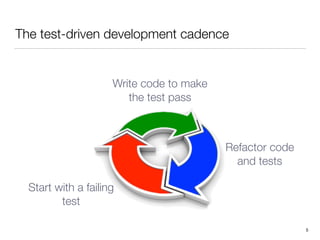
The test-driven development cadence
Start with a failing
test
Write code to make
the test pass
Refactor code
and tests
5
The importance of ā€œspikingā€
• Test-driven development is grounded in the assumption
that you know your tools and what you are building.
• When unsure about how the solution should proceed,
use spike solutions to learn more about what you’re
attempting to do.
• Spike solutions are not production code.
• Spike solutions are typically thrown away. Value is in the
problem domain learning that takes place.
6
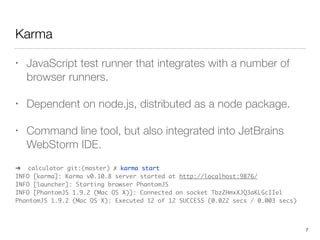
Karma
• JavaScript test runner that integrates with a number of
browser runners.
• Dependent on node.js, distributed as a node package.
• Command line tool, but also integrated into JetBrains
WebStorm IDE.
āžœ calculator git:(master) āœ— karma start

INFO [karma]: Karma v0.10.8 server started at http://localhost:9876/

INFO [launcher]: Starting browser PhantomJS

INFO [PhantomJS 1.9.2 (Mac OS X)]: Connected on socket TbzZHmxXJQ3aKLGcIIel

PhantomJS 1.9.2 (Mac OS X): Executed 12 of 12 SUCCESS (0.022 secs / 0.003 secs)
7
Phantom.js
• Headless WebKit browser runner, scriptable with a
JavaScript API
• Native support for various web standards
• DOM, Canvas, and SVG
• CSS selectors
• JSON
8
Introducing Jasmine 2.0
• Testing framework
• Suites possess a hierarchical structure
• Tests as specifications
• Matchers, both built-in and custom
• Spies, a test double pattern
9
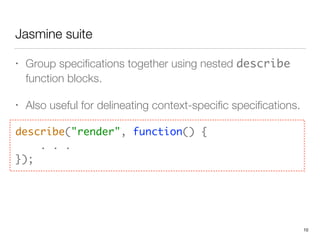
Jasmine suite
• Group specifications together using nested describe
function blocks.
• Also useful for delineating context-specific specifications.
describe("render", function() {

. . .

});
10
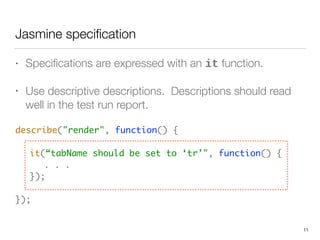
Jasmine specification
• Specifications are expressed with an it function.
• Use descriptive descriptions. Descriptions should read
well in the test run report.
describe("render", function() {


	 it(ā€œtabName should be set to ā€˜tr’", function() {

	 	 . . .

	 });


});
11
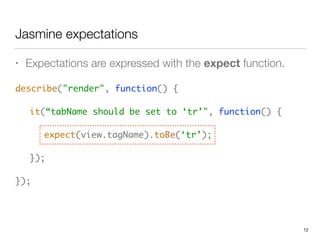
Jasmine expectations
• Expectations are expressed with the expect function.
describe("render", function() {


	 it(ā€œtabName should be set to ā€˜tr’", function() {


	 	 expect(view.tagName).toBe(ā€˜tr’);


	 });


});
12
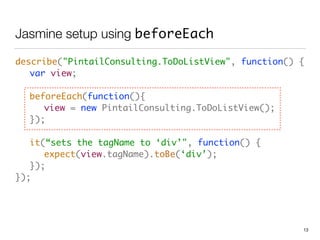
Jasmine setup using beforeEach
describe("PintailConsulting.ToDoListView", function() {

	 var view;


	 beforeEach(function(){

	 	 view = new PintailConsulting.ToDoListView();

	 });


	 it(ā€œsets the tagName to ā€˜div’", function() {

	 	 expect(view.tagName).toBe(ā€˜div’);

	 });

});
13
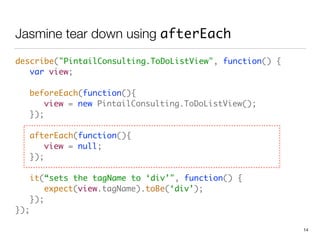
Jasmine tear down using afterEach
describe("PintailConsulting.ToDoListView", function() {

	 var view;


	 beforeEach(function(){

	 	 view = new PintailConsulting.ToDoListView();

	 });


	 afterEach(function(){

	 	 view = null;

	 });


	 it(ā€œsets the tagName to ā€˜div’", function() {

	 	 expect(view.tagName).toBe(ā€˜div’);

	 });

});
14
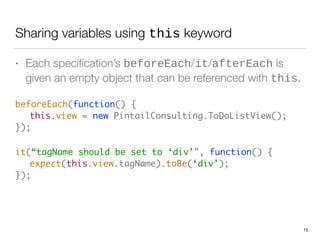
Sharing variables using this keyword
• Each specification’s beforeEach/it/afterEach is
given an empty object that can be referenced with this.
beforeEach(function() { 

	 this.view = new PintailConsulting.ToDoListView();

});	
it(ā€œtagName should be set to ā€˜div’", function() {

	 expect(this.view.tagName).toBe(ā€˜div’);

});

15
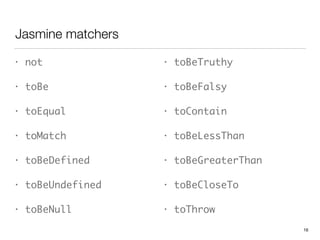
Jasmine matchers
16
• not	
• toBe	
• toEqual	
• toMatch	
• toBeDefined	
• toBeUndefined	
• toBeNull
• toBeTruthy	
• toBeFalsy	
• toContain	
• toBeLessThan	
• toBeGreaterThan	
• toBeCloseTo	
• toThrow
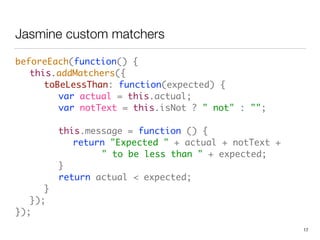
Jasmine custom matchers
beforeEach(function() { 

	 this.addMatchers({

	 	 toBeLessThan: function(expected) {

	 	 	 var actual = this.actual;

	 	 	 var notText = this.isNot ? " not" : "";


	 	 	 this.message = function () {

	 	 	 	 return "Expected " + actual + notText + 

	 	 	 	 	 	 " to be less than " + expected;

	 	 	 }

	 	 	 return actual < expected;

	 	 }

	 });

});
17
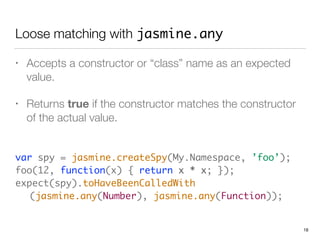
Loose matching with jasmine.any
• Accepts a constructor or ā€œclassā€ name as an expected
value.
• Returns true if the constructor matches the constructor
of the actual value.


var spy = jasmine.createSpy(My.Namespace, ’foo’);

foo(12, function(x) { return x * x; });
expect(spy).toHaveBeenCalledWith

	 (jasmine.any(Number), jasmine.any(Function));
18
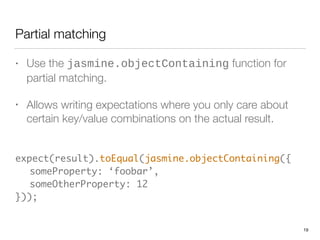
Partial matching
• Use the jasmine.objectContaining function for
partial matching.
• Allows writing expectations where you only care about
certain key/value combinations on the actual result.


expect(result).toEqual(jasmine.objectContaining({

	 someProperty: ā€˜foobar’,

	 someOtherProperty: 12

}));
19
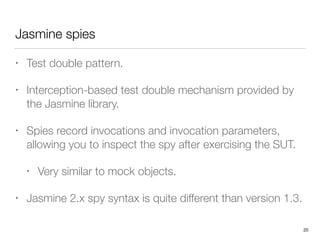
Jasmine spies
• Test double pattern.
• Interception-based test double mechanism provided by
the Jasmine library.
• Spies record invocations and invocation parameters,
allowing you to inspect the spy after exercising the SUT.
• Very similar to mock objects.
• Jasmine 2.x spy syntax is quite different than version 1.3.
20
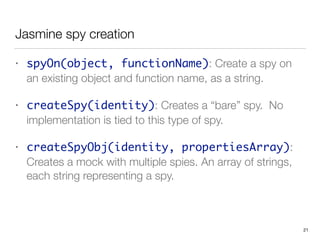
Jasmine spy creation
• spyOn(object, functionName): Create a spy on
an existing object and function name, as a string.
• createSpy(identity): Creates a ā€œbareā€ spy. No
implementation is tied to this type of spy.
• createSpyObj(identity, propertiesArray):
Creates a mock with multiple spies. An array of strings,
each string representing a spy.
21
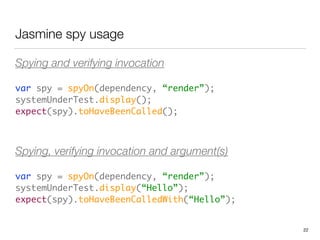
Jasmine spy usage
Spying and verifying invocation
var spy = spyOn(dependency, ā€œrenderā€);

systemUnderTest.display();

expect(spy).toHaveBeenCalled();	


Spying, verifying invocation and argument(s)
var spy = spyOn(dependency, ā€œrenderā€);

systemUnderTest.display(ā€œHelloā€);

expect(spy).toHaveBeenCalledWith(ā€œHelloā€);
22
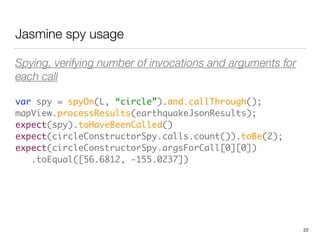
Jasmine spy usage
Spying, verifying number of invocations and arguments for
each call
var spy = spyOn(L, ā€œcircleā€).and.callThrough();

mapView.processResults(earthquakeJsonResults);

expect(spy).toHaveBeenCalled()

expect(circleConstructorSpy.calls.count()).toBe(2);

expect(circleConstructorSpy.argsForCall[0][0])

.toEqual([56.6812, -155.0237])
23
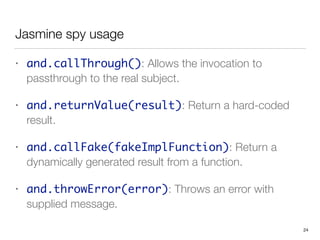
Jasmine spy usage
• and.callThrough(): Allows the invocation to
passthrough to the real subject.
• and.returnValue(result): Return a hard-coded
result.
• and.callFake(fakeImplFunction): Return a
dynamically generated result from a function.
• and.throwError(error): Throws an error with
supplied message.
24
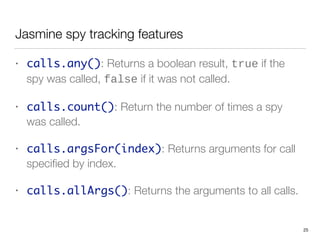
Jasmine spy tracking features
• calls.any(): Returns a boolean result, true if the
spy was called, false if it was not called.
• calls.count(): Return the number of times a spy
was called.
• calls.argsFor(index): Returns arguments for call
specified by index.
• calls.allArgs(): Returns the arguments to all calls.
25
Jasmine spy tracking features
• calls.all(): Returns the this context and the
arguments for all calls.
• calls.mostRecent(): Returns the this context and
the arguments for the most recent call.
• calls.first(): Returns the this context and the
arguments for the first call.
• calls.reset(): Clears all tracking on the spy.
26
Earthquakes map demonstration
• Pulls live data feed from USGS, formatted in GeoJSON
format.
• Plots each earthquake event as a red circle.
• Binds a popover annotation to the earthquake event
circle, showing detailed information.
• Existing solution is fully tested with Jasmine specs.
• Uses Leaflet.js for mapping. jQuery is used for AJAX.
27
Earthquakes map demonstration
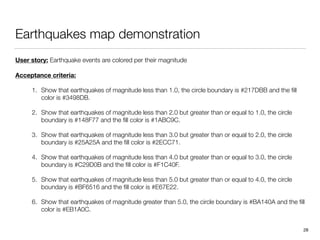
User story: Earthquake events are colored per their magnitude
Acceptance criteria:
1. Show that earthquakes of magnitude less than 1.0, the circle boundary is #217DBB and the fill
color is #3498DB.
2. Show that earthquakes of magnitude less than 2.0 but greater than or equal to 1.0, the circle
boundary is #148F77 and the fill color is #1ABC9C.
3. Show that earthquakes of magnitude less than 3.0 but greater than or equal to 2.0, the circle
boundary is #25A25A and the fill color is #2ECC71.
4. Show that earthquakes of magnitude less than 4.0 but greater than or equal to 3.0, the circle
boundary is #C29D0B and the fill color is #F1C40F.
5. Show that earthquakes of magnitude less than 5.0 but greater than or equal to 4.0, the circle
boundary is #BF6516 and the fill color is #E67E22.
6. Show that earthquakes of magnitude greater than 5.0, the circle boundary is #BA140A and the fill
color is #EB1A0C.
28
karma-coverage
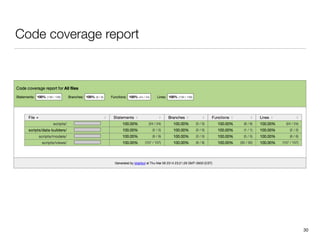
• Test coverage plugin for karma
• https://github.com/karma-runner/karma-coverage
npm install karma-coverage --save-dev	
• Run karma with coverage configured (karma.conf.js)
• Generate reports using istanbul report
• Reports saved to the coverage subdirectory
29
Code coverage report
30
Unit testing tips
• Strive for one assertion per example.
• Allows all assertions to execute.
• Each assertion runs in a clean SUT setup.
• Avoid making live AJAX calls in your unit tests/specs.
• Spy/intercept the low-level AJAX invocations
(jQuery.ajax)
• Use fixture data for testing AJAX callbacks.
31
How do we sustain test-driven development?
• Practice, practice, practice!
• Test-first development takes time to learn and become
proficient with.
• Pair programming, even in remote situations.
• Screenhero, Hangouts, Skype
• Continuous integration server.
• Run your test suites often, preferably on every commit.
32
Functional/acceptance testing
• Very important part of the testing portfolio.
• Many tools support testing web-based user interfaces
today.
• Selenium, Geb, Capybara, Cucumber{Ruby|jvm|js},
SpecFlow (.NET), Protractor.js, Concordian, spock
• You should strongly consider adding functional/
acceptance testing in your testing portfolio.
• Covers areas of code that unit testing cannot cover.
33
Tool references
• http://jasmine.github.io/2.0/introduction.html
• http://karma-runner.github.io/0.12/index.html
• http://phantomjs.org/
• https://github.com/karma-runner/karma-jasmine
34
Recommended reading
• Secrets of the JavaScript Ninja - John Resig and Bear
Bibeault
• JavaScript: The Good Parts - Douglas Crockford
• Test-Driven JavaScript Development - Christian
Johansen
35
Learning resources
• Let’s Code: Test-Driven JavaScript
• http://www.letscodejavascript.com/
• Egghead.io
• http://egghead.io/
36
Code kata resources
• http://katas.softwarecraftsmanship.org/
• http://codekata.pragprog.com/
• http://projecteuler.net/
• http://codekatas.org/
37
Presentation GitHub repository
• https://github.com/cebartling/midwest-js-2014-
javascript-tdd
• Includes presentation PDF and sample code.
38
39
Coaching and Developing Agility
Chicago: September 15
Minneapolis: October 20
More course listings and events at devjam.com/events
http://devjam.com/?p=3299
Thank you!
• Christopher Bartling
• @cbartling
• chris@pintailconsultingllc.com
40