Security 
& 
Compliance 
for 
Startups 
Kar5k 
Trivedi 
Partner, 
Symosis 
Security
Quick 
Survey 
What 
are 
you 
responsible 
for? 
• Audit 
& 
Assurance 
• Security 
/ 
Compliance 
• IT 
/ 
Management 
• Product 
Development 
What 
size 
of 
company 
do 
you 
work 
for? 
• Fortune 
1000 
• SMB 
(Small 
and 
Medium 
Business) 
• Startups 
Any 
company 
that 
is 
almost 
always 
significantly 
resource 
constrained 
– 
Forbes
What 
we 
will 
cover? 
1. Recent 
Breaches 
(& 
What 
we 
can 
learn 
from 
them) 
2. Demo 
3. (Few) 
Security 
& 
Compliance 
considera5ons
56 
million 
credit 
+ 
debit 
payment 
cards 
informa=on 
Criminals 
used 
a 
third-­‐party 
vendor's 
user 
name 
and 
password 
to 
enter 
the 
perimeter 
of 
its 
network 
Resisted 
ac=va=ng 
the 
intrusion 
preven=on, 
leE 
its 
computers 
vulnerable 
by 
switching 
off 
Symantec’s 
Network 
Threat 
Protec=on 
(NTP) 
firewall 
Home 
Depot 
didn’t 
encrypt 
the 
customer 
card 
data 
on 
its 
registers 
and 
computers 
inside 
its 
stores 
The 
former 
managers 
say 
Home 
Depot 
was 
also 
using 
out-­‐of-­‐date 
an=virus 
soEware 
in 
its 
stores
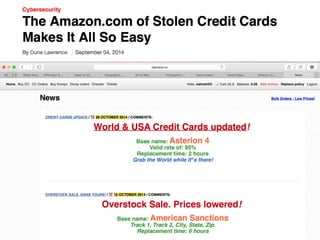
The 
Amazon 
of 
CC 
• hSp://rescator.cc
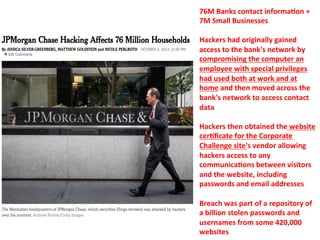
76M 
Banks 
contact 
informa=on 
+ 
7M 
Small 
Businesses 
Hackers 
had 
originally 
gained 
access 
to 
the 
bank's 
network 
by 
compromising 
the 
computer 
an 
employee 
with 
special 
privileges 
had 
used 
both 
at 
work 
and 
at 
home 
and 
then 
moved 
across 
the 
bank's 
network 
to 
access 
contact 
data 
Hackers 
then 
obtained 
the 
website 
cer=ficate 
for 
the 
Corporate 
Challenge 
site's 
vendor 
allowing 
hackers 
access 
to 
any 
communica=ons 
between 
visitors 
and 
the 
website, 
including 
passwords 
and 
email 
addresses 
Breach 
was 
part 
of 
a 
repository 
of 
a 
billion 
stolen 
passwords 
and 
usernames 
from 
some 
420,000 
websites
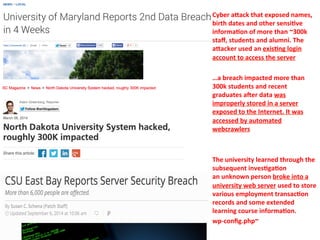
Cyber 
aVack 
that 
exposed 
names, 
birth 
dates 
and 
other 
sensi=ve 
informa=on 
of 
more 
than 
~300k 
staff, 
students 
and 
alumni. 
The 
aVacker 
used 
an 
exis=ng 
login 
account 
to 
access 
the 
server 
…a 
breach 
impacted 
more 
than 
300k 
students 
and 
recent 
graduates 
aEer 
data 
was 
improperly 
stored 
in 
a 
server 
exposed 
to 
the 
Internet. 
It 
was 
accessed 
by 
automated 
webcrawlers 
The 
university 
learned 
through 
the 
subsequent 
inves=ga=on 
an 
unknown 
person 
broke 
into 
a 
university 
web 
server 
used 
to 
store 
various 
employment 
transac=on 
records 
and 
some 
extended 
learning 
course 
informa=on. 
wp-­‐config.php~
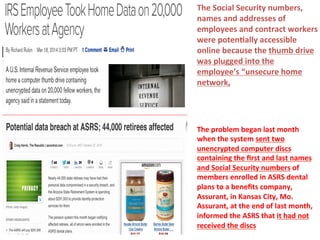
The 
Social 
Security 
numbers, 
names 
and 
addresses 
of 
employees 
and 
contract 
workers 
were 
poten=ally 
accessible 
online 
because 
the 
thumb 
drive 
was 
plugged 
into 
the 
employee’s 
“unsecure 
home 
network, 
The 
problem 
began 
last 
month 
when 
the 
system 
sent 
two 
unencrypted 
computer 
discs 
containing 
the 
first 
and 
last 
names 
and 
Social 
Security 
numbers 
of 
members 
enrolled 
in 
ASRS 
dental 
plans 
to 
a 
benefits 
company, 
Assurant, 
in 
Kansas 
City, 
Mo. 
Assurant, 
at 
the 
end 
of 
last 
month, 
informed 
the 
ASRS 
that 
it 
had 
not 
received 
the 
discs
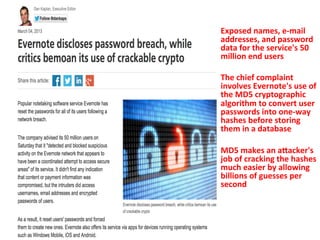
Exposed 
names, 
e-­‐mail 
addresses, 
and 
password 
data 
for 
the 
service's 
50 
million 
end 
users 
The 
chief 
complaint 
involves 
Evernote's 
use 
of 
the 
MD5 
cryptographic 
algorithm 
to 
convert 
user 
passwords 
into 
one-­‐way 
hashes 
before 
storing 
them 
in 
a 
database 
MD5 
makes 
an 
aVacker's 
job 
of 
cracking 
the 
hashes 
much 
easier 
by 
allowing 
billions 
of 
guesses 
per 
second
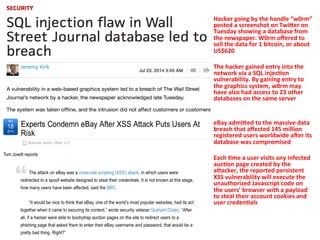
Hacker 
going 
by 
the 
handle 
“w0rm” 
posted 
a 
screenshot 
on 
TwiVer 
on 
Tuesday 
showing 
a 
database 
from 
the 
newspaper. 
W0rm 
offered 
to 
sell 
the 
data 
for 
1 
bitcoin, 
or 
about 
US$620 
The 
hacker 
gained 
entry 
into 
the 
network 
via 
a 
SQL 
injec=on 
vulnerability. 
By 
gaining 
entry 
to 
the 
graphics 
system, 
w0rm 
may 
have 
also 
had 
access 
to 
23 
other 
databases 
on 
the 
same 
server 
eBay 
admiVed 
to 
the 
massive 
data 
breach 
that 
affected 
145 
million 
registered 
users 
worldwide 
aEer 
its 
database 
was 
compromised 
Each 
=me 
a 
user 
visits 
any 
infected 
auc=on 
page 
created 
by 
the 
aVacker, 
the 
reported 
persistent 
XSS 
vulnerability 
will 
execute 
the 
unauthorized 
Javascript 
code 
on 
the 
users’ 
browser 
with 
a 
payload 
to 
steal 
their 
account 
cookies 
and 
user 
creden=als
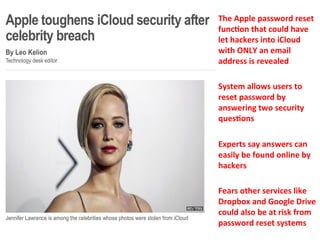
The 
Apple 
password 
reset 
func=on 
that 
could 
have 
let 
hackers 
into 
iCloud 
with 
ONLY 
an 
email 
address 
is 
revealed 
System 
allows 
users 
to 
reset 
password 
by 
answering 
two 
security 
ques=ons 
Experts 
say 
answers 
can 
easily 
be 
found 
online 
by 
hackers 
Fears 
other 
services 
like 
Dropbox 
and 
Google 
Drive 
could 
also 
be 
at 
risk 
from 
password 
reset 
systems
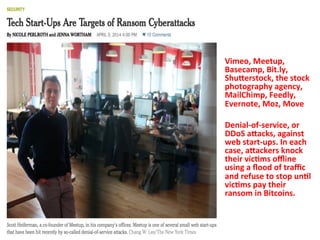
Vimeo, 
Meetup, 
Basecamp, 
Bit.ly, 
ShuVerstock, 
the 
stock 
photography 
agency, 
MailChimp, 
Feedly, 
Evernote, 
Moz, 
Move 
Denial-­‐of-­‐service, 
or 
DDoS 
aVacks, 
against 
web 
start-­‐ups. 
In 
each 
case, 
aVackers 
knock 
their 
vic=ms 
offline 
using 
a 
flood 
of 
traffic 
and 
refuse 
to 
stop 
un=l 
vic=ms 
pay 
their 
ransom 
in 
Bitcoins.
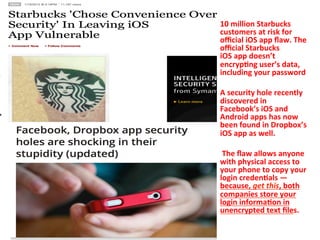
10 
million 
Starbucks 
customers 
at 
risk 
for 
official 
iOS 
app 
flaw. 
The 
official 
Starbucks 
iOS 
app 
doesn’t 
encryp=ng 
user’s 
data, 
including 
your 
password 
A 
security 
hole 
recently 
discovered 
in 
Facebook’s 
iOS 
and 
Android 
apps 
has 
now 
been 
found 
in 
Dropbox’s 
iOS 
app 
as 
well. 
The 
flaw 
allows 
anyone 
with 
physical 
access 
to 
your 
phone 
to 
copy 
your 
login 
creden=als 
— 
because, 
get 
this, 
both 
companies 
store 
your 
login 
informa=on 
in 
unencrypted 
text 
files.
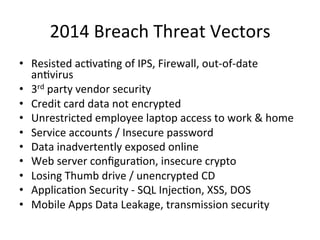
2014 
Breach 
Threat 
Vectors 
• Resisted 
ac5va5ng 
of 
IPS, 
Firewall, 
out-­‐of-­‐date 
an5virus 
• 3rd 
party 
vendor 
security 
• Credit 
card 
data 
not 
encrypted 
• Unrestricted 
employee 
laptop 
access 
to 
work 
& 
home 
• Service 
accounts 
/ 
Insecure 
password 
• Data 
inadvertently 
exposed 
online 
• Web 
server 
configura5on, 
insecure 
crypto 
• Losing 
Thumb 
drive 
/ 
unencrypted 
CD 
• Applica5on 
Security 
-­‐ 
SQL 
Injec5on, 
XSS, 
DOS 
• Mobile 
Apps 
Data 
Leakage, 
transmission 
security
Demo
What 
we 
will 
cover? 
1. Recent 
Breaches 
& 
What 
we 
can 
learn 
from 
them 
2. Demo 
3. (Few) 
Security 
& 
Compliance 
considera5ons
(Few) 
Security 
& 
Compliance 
Considera5ons 
1. Data 
(& 
IP) 
Protec5on 
2. Firewall 
/ 
Malware 
/ 
An5-­‐Virus 
3. Encrypt 
Everything 
4. Secure 
Configura5ons 
5. Applica5on 
/ 
Mobile 
Security 
6. Risk 
Assessment 
7. Backup 
/ 
Data 
Recovery 
8. Employee 
Training 
9. Vendor 
Security 
10. Security 
Vs. 
Compliance 
11. Others
Data 
(& 
IP) 
Protec5on 
1. Iden5fy 
Sensi5ve 
Data 
& 
Intellectual 
Property 
2. Isolate/segregate 
sensi5ve 
data 
3. DLP 
Tools
Firewall 
/ 
Malware 
/ 
An5-­‐Virus 
1. Con5nuously 
monitor 
worksta5ons, 
servers, 
and 
mobile 
devices 
2. Disable 
auto-­‐run 
content 
from 
removable 
media 
3. Scan 
and 
block 
all 
malicious 
e-­‐mail 
aSachments 
entering 
the 
organiza5on’s 
e-­‐mail 
gateway 
4. Control 
outbound 
content 
as 
well 
as 
inbound 
5. The 
best 
services 
iden5fy 
previously 
iden5fied 
malware, 
emergent 
threats, 
suspiciously 
behaving 
scripts, 
phishing 
campaigns, 
risky 
websites 
and 
other 
poten5al 
threats
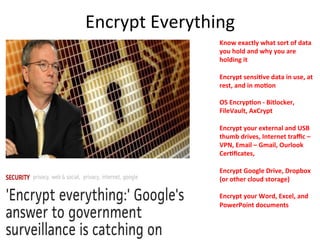
Encrypt 
Everything 
Know 
exactly 
what 
sort 
of 
data 
you 
hold 
and 
why 
you 
are 
holding 
it 
Encrypt 
sensi=ve 
data 
in 
use, 
at 
rest, 
and 
in 
mo=on 
OS 
Encryp=on 
-­‐ 
Bitlocker, 
FileVault, 
AxCrypt 
Encrypt 
your 
external 
and 
USB 
thumb 
drives, 
Internet 
traffic 
– 
VPN, 
Email 
– 
Gmail, 
Ourlook 
Cer=ficates, 
Encrypt 
Google 
Drive, 
Dropbox 
(or 
other 
cloud 
storage) 
Encrypt 
your 
Word, 
Excel, 
and 
PowerPoint 
documents
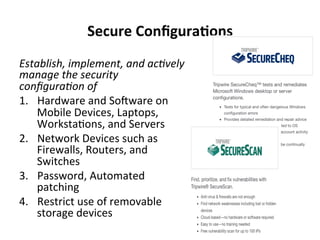
Secure 
Configura=ons 
Establish, 
implement, 
and 
ac1vely 
manage 
the 
security 
configura1on 
of 
1. Hardware 
and 
Sogware 
on 
Mobile 
Devices, 
Laptops, 
Worksta5ons, 
and 
Servers 
2. Network 
Devices 
such 
as 
Firewalls, 
Routers, 
and 
Switches 
3. Password, 
Automated 
patching 
4. Restrict 
use 
of 
removable 
storage 
devices
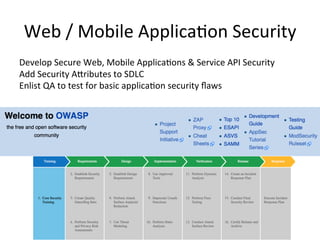
Web 
/ 
Mobile 
Applica5on 
Security 
Develop 
Secure 
Web, 
Mobile 
Applica5ons 
& 
Service 
API 
Security 
Add 
Security 
ASributes 
to 
SDLC 
Enlist 
QA 
to 
test 
for 
basic 
applica5on 
security 
flaws
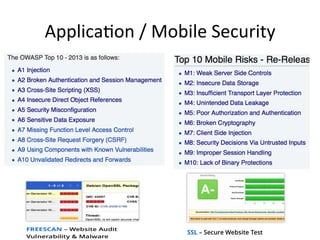
Applica5on 
/ 
Mobile 
Security
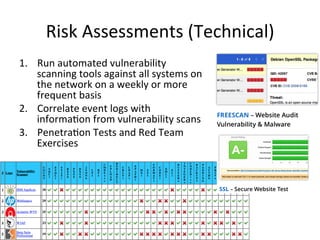
Risk 
Assessments 
(Technical) 
1. Run 
automated 
vulnerability 
scanning 
tools 
against 
all 
systems 
on 
the 
network 
on 
a 
weekly 
or 
more 
frequent 
basis 
2. Correlate 
event 
logs 
with 
informa5on 
from 
vulnerability 
scans 
3. Penetra5on 
Tests 
and 
Red 
Team 
Exercises
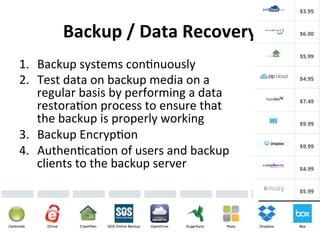
Backup 
/ 
Data 
Recovery 
1. Backup 
systems 
con5nuously 
2. Test 
data 
on 
backup 
media 
on 
a 
regular 
basis 
by 
performing 
a 
data 
restora5on 
process 
to 
ensure 
that 
the 
backup 
is 
properly 
working 
3. Backup 
Encryp5on 
4. Authen5ca5on 
of 
users 
and 
backup 
clients 
to 
the 
backup 
server
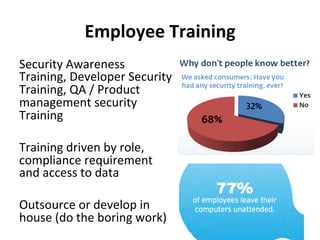
Employee 
Training 
Security 
Awareness 
Training, 
Developer 
Security 
Training, 
QA 
/ 
Product 
management 
security 
Training 
Training 
driven 
by 
role, 
compliance 
requirement 
and 
access 
to 
data 
Outsource 
or 
develop 
in 
house 
(do 
the 
boring 
work)
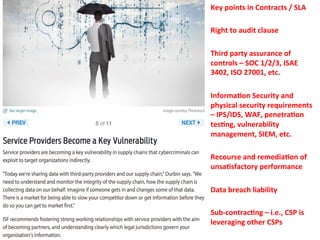
Key 
points 
in 
Contracts 
/ 
SLA 
Right 
to 
audit 
clause 
Third 
party 
assurance 
of 
controls 
– 
SOC 
1/2/3, 
ISAE 
3402, 
ISO 
27001, 
etc. 
Informa=on 
Security 
and 
physical 
security 
requirements 
– 
IPS/IDS, 
WAF, 
penetra=on 
tes=ng, 
vulnerability 
management, 
SIEM, 
etc. 
Recourse 
and 
remedia=on 
of 
unsa=sfactory 
performance 
Data 
breach 
liability 
Sub-­‐contrac=ng 
– 
i.e., 
CSP 
is 
leveraging 
other 
CSPs
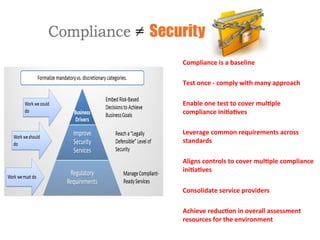
Compliance 
is 
a 
baseline 
Test 
once 
-­‐ 
comply 
with 
many 
approach 
Enable 
one 
test 
to 
cover 
mul=ple 
compliance 
ini=a=ves 
Leverage 
common 
requirements 
across 
standards 
Aligns 
controls 
to 
cover 
mul=ple 
compliance 
ini=a=ves 
Consolidate 
service 
providers 
Achieve 
reduc=on 
in 
overall 
assessment 
resources 
for 
the 
environment
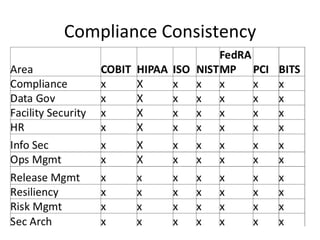
Compliance 
Consistency
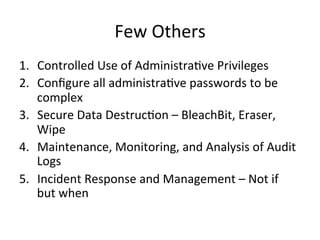
Few 
Others 
1. Controlled 
Use 
of 
Administra5ve 
Privileges 
2. Configure 
all 
administra5ve 
passwords 
to 
be 
complex 
3. Secure 
Data 
Destruc5on 
– 
BleachBit, 
Eraser, 
Wipe 
4. Maintenance, 
Monitoring, 
and 
Analysis 
of 
Audit 
Logs 
5. Incident 
Response 
and 
Management 
– 
Not 
if 
but 
when
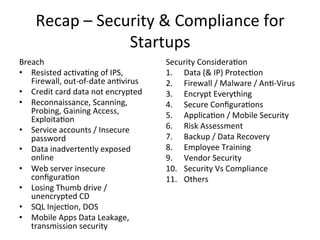
Recap 
– 
Security 
& 
Compliance 
for 
Startups 
Breach 
• Resisted 
ac5va5ng 
of 
IPS, 
Firewall, 
out-­‐of-­‐date 
an5virus 
• Credit 
card 
data 
not 
encrypted 
• Reconnaissance, 
Scanning, 
Probing, 
Gaining 
Access, 
Exploita5on 
• Service 
accounts 
/ 
Insecure 
password 
• Data 
inadvertently 
exposed 
online 
• Web 
server 
insecure 
configura5on 
• Losing 
Thumb 
drive 
/ 
unencrypted 
CD 
• SQL 
Injec5on, 
DOS 
• Mobile 
Apps 
Data 
Leakage, 
transmission 
security 
Security 
Considera5on 
1. Data 
(& 
IP) 
Protec5on 
2. Firewall 
/ 
Malware 
/ 
An5-­‐Virus 
3. Encrypt 
Everything 
4. Secure 
Configura5ons 
5. Applica5on 
/ 
Mobile 
Security 
6. Risk 
Assessment 
7. Backup 
/ 
Data 
Recovery 
8. Employee 
Training 
9. Vendor 
Security 
10. Security 
Vs 
Compliance 
11. Others
Ques5ons? 
-­‐ 
Kar5k@symosis.com 
Symosis 
Resources 
for 
Startups 
/ 
SMB 
– 
Please 
email 
info@symosis.com 
for 
more 
informa=on 
Free 
Training 
Evals 
– 
Security 
for 
Developers, 
OWASP 
Top 
10, 
JAVA 
/ 
.NET, 
IOS, 
Android, 
Emerging 
Threats, 
PCI/HIPAA 
Security 
Awareness 
Free 
Security 
Checks 
– 
Automated 
Scans 
on 
Mobile 
Apps, 
Web 
Apps 
& 
External 
IP 
Free 
Compliance 
Gap 
Templates 
-­‐ 
HIPAA, 
PCI 
DSS

Security & Compliance for Startups

  • 1.
    Security & Compliance for Startups Kar5k Trivedi Partner, Symosis Security
  • 2.
    Quick Survey What are you responsible for? • Audit & Assurance • Security / Compliance • IT / Management • Product Development What size of company do you work for? • Fortune 1000 • SMB (Small and Medium Business) • Startups Any company that is almost always significantly resource constrained – Forbes
  • 3.
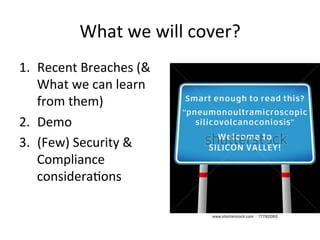
    What we will cover? 1. Recent Breaches (& What we can learn from them) 2. Demo 3. (Few) Security & Compliance considera5ons
  • 4.
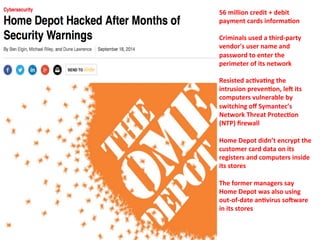
    56 million credit + debit payment cards informa=on Criminals used a third-­‐party vendor's user name and password to enter the perimeter of its network Resisted ac=va=ng the intrusion preven=on, leE its computers vulnerable by switching off Symantec’s Network Threat Protec=on (NTP) firewall Home Depot didn’t encrypt the customer card data on its registers and computers inside its stores The former managers say Home Depot was also using out-­‐of-­‐date an=virus soEware in its stores
  • 5.
    The Amazon of CC • hSp://rescator.cc
  • 6.
    76M Banks contact informa=on + 7M Small Businesses Hackers had originally gained access to the bank's network by compromising the computer an employee with special privileges had used both at work and at home and then moved across the bank's network to access contact data Hackers then obtained the website cer=ficate for the Corporate Challenge site's vendor allowing hackers access to any communica=ons between visitors and the website, including passwords and email addresses Breach was part of a repository of a billion stolen passwords and usernames from some 420,000 websites
  • 7.
    Cyber aVack that exposed names, birth dates and other sensi=ve informa=on of more than ~300k staff, students and alumni. The aVacker used an exis=ng login account to access the server …a breach impacted more than 300k students and recent graduates aEer data was improperly stored in a server exposed to the Internet. It was accessed by automated webcrawlers The university learned through the subsequent inves=ga=on an unknown person broke into a university web server used to store various employment transac=on records and some extended learning course informa=on. wp-­‐config.php~
  • 8.
    The Social Security numbers, names and addresses of employees and contract workers were poten=ally accessible online because the thumb drive was plugged into the employee’s “unsecure home network, The problem began last month when the system sent two unencrypted computer discs containing the first and last names and Social Security numbers of members enrolled in ASRS dental plans to a benefits company, Assurant, in Kansas City, Mo. Assurant, at the end of last month, informed the ASRS that it had not received the discs
  • 9.
    Exposed names, e-­‐mail addresses, and password data for the service's 50 million end users The chief complaint involves Evernote's use of the MD5 cryptographic algorithm to convert user passwords into one-­‐way hashes before storing them in a database MD5 makes an aVacker's job of cracking the hashes much easier by allowing billions of guesses per second
  • 10.
    Hacker going by the handle “w0rm” posted a screenshot on TwiVer on Tuesday showing a database from the newspaper. W0rm offered to sell the data for 1 bitcoin, or about US$620 The hacker gained entry into the network via a SQL injec=on vulnerability. By gaining entry to the graphics system, w0rm may have also had access to 23 other databases on the same server eBay admiVed to the massive data breach that affected 145 million registered users worldwide aEer its database was compromised Each =me a user visits any infected auc=on page created by the aVacker, the reported persistent XSS vulnerability will execute the unauthorized Javascript code on the users’ browser with a payload to steal their account cookies and user creden=als
  • 11.
    The Apple password reset func=on that could have let hackers into iCloud with ONLY an email address is revealed System allows users to reset password by answering two security ques=ons Experts say answers can easily be found online by hackers Fears other services like Dropbox and Google Drive could also be at risk from password reset systems
  • 12.
    Vimeo, Meetup, Basecamp, Bit.ly, ShuVerstock, the stock photography agency, MailChimp, Feedly, Evernote, Moz, Move Denial-­‐of-­‐service, or DDoS aVacks, against web start-­‐ups. In each case, aVackers knock their vic=ms offline using a flood of traffic and refuse to stop un=l vic=ms pay their ransom in Bitcoins.
  • 13.
    10 million Starbucks customers at risk for official iOS app flaw. The official Starbucks iOS app doesn’t encryp=ng user’s data, including your password A security hole recently discovered in Facebook’s iOS and Android apps has now been found in Dropbox’s iOS app as well. The flaw allows anyone with physical access to your phone to copy your login creden=als — because, get this, both companies store your login informa=on in unencrypted text files.
  • 15.
    2014 Breach Threat Vectors • Resisted ac5va5ng of IPS, Firewall, out-­‐of-­‐date an5virus • 3rd party vendor security • Credit card data not encrypted • Unrestricted employee laptop access to work & home • Service accounts / Insecure password • Data inadvertently exposed online • Web server configura5on, insecure crypto • Losing Thumb drive / unencrypted CD • Applica5on Security -­‐ SQL Injec5on, XSS, DOS • Mobile Apps Data Leakage, transmission security
  • 16.
  • 17.
    What we will cover? 1. Recent Breaches & What we can learn from them 2. Demo 3. (Few) Security & Compliance considera5ons
  • 18.
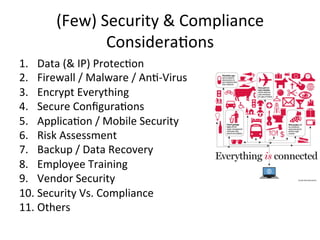
    (Few) Security & Compliance Considera5ons 1. Data (& IP) Protec5on 2. Firewall / Malware / An5-­‐Virus 3. Encrypt Everything 4. Secure Configura5ons 5. Applica5on / Mobile Security 6. Risk Assessment 7. Backup / Data Recovery 8. Employee Training 9. Vendor Security 10. Security Vs. Compliance 11. Others
  • 19.
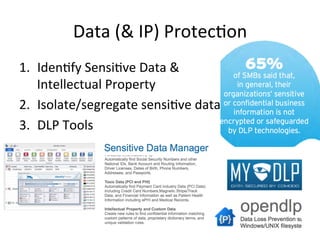
    Data (& IP) Protec5on 1. Iden5fy Sensi5ve Data & Intellectual Property 2. Isolate/segregate sensi5ve data 3. DLP Tools
  • 20.
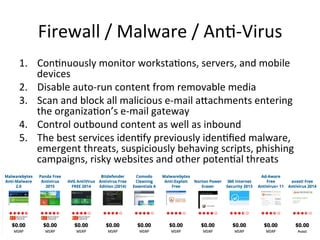
    Firewall / Malware / An5-­‐Virus 1. Con5nuously monitor worksta5ons, servers, and mobile devices 2. Disable auto-­‐run content from removable media 3. Scan and block all malicious e-­‐mail aSachments entering the organiza5on’s e-­‐mail gateway 4. Control outbound content as well as inbound 5. The best services iden5fy previously iden5fied malware, emergent threats, suspiciously behaving scripts, phishing campaigns, risky websites and other poten5al threats
  • 21.
    Encrypt Everything Know exactly what sort of data you hold and why you are holding it Encrypt sensi=ve data in use, at rest, and in mo=on OS Encryp=on -­‐ Bitlocker, FileVault, AxCrypt Encrypt your external and USB thumb drives, Internet traffic – VPN, Email – Gmail, Ourlook Cer=ficates, Encrypt Google Drive, Dropbox (or other cloud storage) Encrypt your Word, Excel, and PowerPoint documents
  • 22.
    Secure Configura=ons Establish, implement, and ac1vely manage the security configura1on of 1. Hardware and Sogware on Mobile Devices, Laptops, Worksta5ons, and Servers 2. Network Devices such as Firewalls, Routers, and Switches 3. Password, Automated patching 4. Restrict use of removable storage devices
  • 23.
    Web / Mobile Applica5on Security Develop Secure Web, Mobile Applica5ons & Service API Security Add Security ASributes to SDLC Enlist QA to test for basic applica5on security flaws
  • 24.
  • 25.
    Risk Assessments (Technical) 1. Run automated vulnerability scanning tools against all systems on the network on a weekly or more frequent basis 2. Correlate event logs with informa5on from vulnerability scans 3. Penetra5on Tests and Red Team Exercises
  • 26.
    Backup / Data Recovery 1. Backup systems con5nuously 2. Test data on backup media on a regular basis by performing a data restora5on process to ensure that the backup is properly working 3. Backup Encryp5on 4. Authen5ca5on of users and backup clients to the backup server
  • 27.
    Employee Training Security Awareness Training, Developer Security Training, QA / Product management security Training Training driven by role, compliance requirement and access to data Outsource or develop in house (do the boring work)
  • 28.
    Key points in Contracts / SLA Right to audit clause Third party assurance of controls – SOC 1/2/3, ISAE 3402, ISO 27001, etc. Informa=on Security and physical security requirements – IPS/IDS, WAF, penetra=on tes=ng, vulnerability management, SIEM, etc. Recourse and remedia=on of unsa=sfactory performance Data breach liability Sub-­‐contrac=ng – i.e., CSP is leveraging other CSPs
  • 29.
    Compliance is a baseline Test once -­‐ comply with many approach Enable one test to cover mul=ple compliance ini=a=ves Leverage common requirements across standards Aligns controls to cover mul=ple compliance ini=a=ves Consolidate service providers Achieve reduc=on in overall assessment resources for the environment
  • 30.
  • 31.
    Few Others 1.Controlled Use of Administra5ve Privileges 2. Configure all administra5ve passwords to be complex 3. Secure Data Destruc5on – BleachBit, Eraser, Wipe 4. Maintenance, Monitoring, and Analysis of Audit Logs 5. Incident Response and Management – Not if but when
  • 32.
    Recap – Security & Compliance for Startups Breach • Resisted ac5va5ng of IPS, Firewall, out-­‐of-­‐date an5virus • Credit card data not encrypted • Reconnaissance, Scanning, Probing, Gaining Access, Exploita5on • Service accounts / Insecure password • Data inadvertently exposed online • Web server insecure configura5on • Losing Thumb drive / unencrypted CD • SQL Injec5on, DOS • Mobile Apps Data Leakage, transmission security Security Considera5on 1. Data (& IP) Protec5on 2. Firewall / Malware / An5-­‐Virus 3. Encrypt Everything 4. Secure Configura5ons 5. Applica5on / Mobile Security 6. Risk Assessment 7. Backup / Data Recovery 8. Employee Training 9. Vendor Security 10. Security Vs Compliance 11. Others
  • 33.
    Ques5ons? -­‐ Kar5k@symosis.com Symosis Resources for Startups / SMB – Please email info@symosis.com for more informa=on Free Training Evals – Security for Developers, OWASP Top 10, JAVA / .NET, IOS, Android, Emerging Threats, PCI/HIPAA Security Awareness Free Security Checks – Automated Scans on Mobile Apps, Web Apps & External IP Free Compliance Gap Templates -­‐ HIPAA, PCI DSS