




Securing Cassandra
Not as hard as it sounds
#CassandraSummit
instaclustr.com
Who am I and what do I do?
• Ben Bromhead
• Co-founder and CTO of Instaclustr -> www.instaclustr.com
<sales>
• Instaclustr provides Cassandra-as-a-Service in the cloud.
• Currently in AWS, Azure and IBM Softlayer with more to come.
• We currently manage 150+ nodes for various customers, who do various things with
it.
</sales>
What this talk will cover
• Why do we care about security?
• A meandering tour of Cassandra security controls
• Tips and tricks
Why do we care about security?
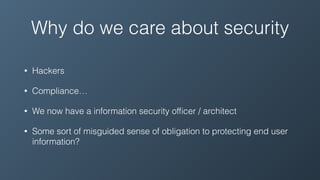
Why do we care about security
• Hackers
• Compliance…
• We now have a information security officer / architect
• Some sort of misguided sense of obligation to protecting end user
information?
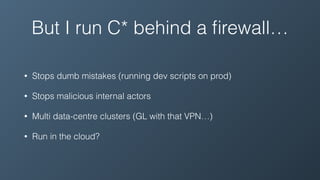
But I run C* behind a firewall…
• Stops dumb mistakes (running dev scripts on prod)
• Stops malicious internal actors
• Multi data-centre clusters (GL with that VPN…)
• Run in the cloud?
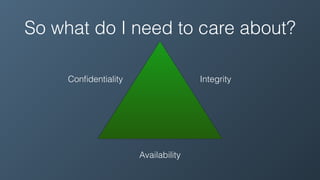
So what do I need to care about?
Confidentiality Integrity
Availability
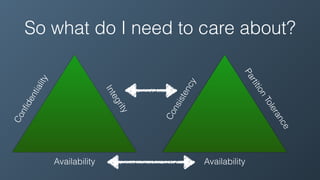
So what do I need to care about?
Confidentiality
Integrity
Availability
Consistency
PartitionTolerance
Availability
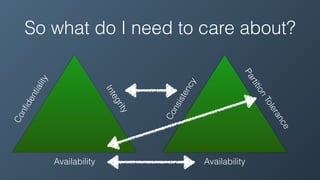
So what do I need to care about?
Confidentiality
Integrity
Availability
Consistency
PartitionTolerance
Availability
So what do I need to care about?
Confidentiality
Integrity
Availability
Consistency
PartitionTolerance
Availability
Access Control
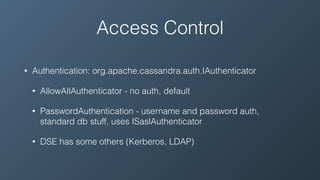
Access Control
• Authentication: org.apache.cassandra.auth.IAuthenticator
• AllowAllAuthenticator - no auth, default
• PasswordAuthentication - username and password auth,
standard db stuff, uses ISaslAuthenticator
• DSE has some others (Kerberos, LDAP)
Access Control
• Authentication:
org.apache.cassandra.auth.IAuthenti
cator
• AllowAllAuthenticator - no auth,
default
Access Control
• Authentication:
org.apache.cassandra.auth.IAuthenti
cator
• AllowAllAuthenticator - no auth,
default
• PasswordAuthentication - username
and password auth, standard db
stuff, uses ISaslAuthenticator
Authentication - General flow
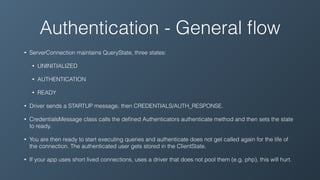
• ServerConnection maintains QueryState, three states:
• UNINITIALIZED
• AUTHENTICATION
• READY
• Driver sends a STARTUP message, then CREDENTIALS/AUTH_RESPONSE.
• CredentialsMessage class calls the defined Authenticators authenticate method and then sets the state
to ready.
• You are then ready to start executing queries and authenticate does not get called again for the life of
the connection. The authenticated user gets stored in the ClientState.
• If your app uses short lived connections, uses a driver that does not pool them (e.g. php), this will hurt.
Authentication -
PasswordAuthentication
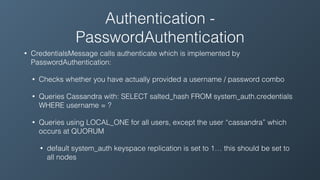
• CredentialsMessage calls authenticate which is implemented by
PasswordAuthentication:
• Checks whether you have actually provided a username / password combo
• Queries Cassandra with: SELECT salted_hash FROM system_auth.credentials
WHERE username = ?
• Queries using LOCAL_ONE for all users, except the user “cassandra” which
occurs at QUORUM
• default system_auth keyspace replication is set to 1… this should be set to
all nodes
Access Control
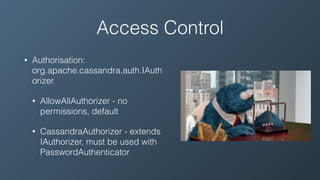
• Authorisation:
org.apache.cassandra.auth.IAuth
orizer
• AllowAllAuthorizer - no
permissions, default
• CassandraAuthorizer - extends
IAuthorizer, must be used with
PasswordAuthenticator
Authorisation - General flow
• CredentialsMessage calls state.getClientState().login(user). Which
checks again if the user exists.
• ClientState provides an authorize method to get permissions for the
logged in user against a specific resource.
• Alter, CreateIndex, DropIndex, Insert/Update, Select and Truncate
all call hasColumnFamilyAccess (or hasKeyspaceAccess) on the
client state to check if an operation is permitted.
• If it isn’t an UnauthorizedException is raised
Authentication - CassandraAuthorizer
• CassandraAuthorizer gets called to return a set of permissions by
Auth.
• Auth wraps these calls in a permissions Cache, otherwise the
authorizer gets called for every single operation.
• CassandraAuthorizer gets passed a user and a resource (keyspace
or cf) and returns the permissions it can find for that user, resource
pair.
• ALL KEYSPACES is treated as the root data resource.
CassandraAuthorizer +
PasswordAuthenticator
• Run these together
• Currently the user lookups and the permissions checks are in the read/write path
(even with the permissions cache).
• Be vigilant with your system_auth replication and keeping it repaired.
• Poorly configured/maintained system_auth keyspace can and will create 0%
availability in your other keyspaces… irrespective of their replication factor
• Don’t use the cassandra user
Auth changes in 2.2
• API has changed to support the concept of roles
• This includes inheritance!
• Roles are first class resources (like keyspaces and tables), so you
can grant permissions on certain roles.
• AuthZ in Cassandra has finally grown up!
Internode Authentication
• Yes it does exist!
• Currently the only provided internode authenticator is AllowAll
• Can be extended to authenticate based on remoteAddress and
port.
• No ability atm to use a shared secret or not, at best would support a
whitelist
Confidentiality
• Internode encryption
• Client <> Node encryption
• Whole disk encryption
ENCRYPTION!!1!
Internode Encryption
• Leverages SSLServerSockets from Netty (native)
• Server certificate stored in KeyStore, trust certificates stored in
TrustStore
• If requires_client_auth == true, the client must provide a certificate
the SSL context can build a chain of trust back to a cert in the
TrustStore.
• This can either be the provided certificate itself, or the CA that
signed that cert.
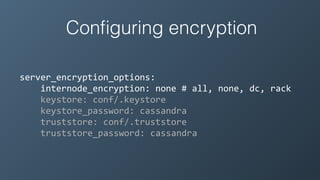
Configuring encryption
server_encryption_options:	


  internode_encryption:	
  none	
  #	
  all,	
  none,	
  dc,	
  rack	


  keystore:	
  conf/.keystore	


  keystore_password:	
  cassandra	


  truststore:	
  conf/.truststore	


  truststore_password:	
  cassandra
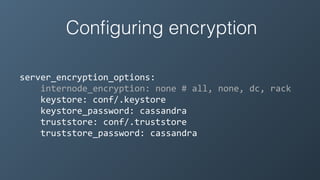
Configuring encryption
server_encryption_options:	


  internode_encryption:	
  none	
  #	
  all,	
  none,	
  dc,	
  rack	


  keystore:	
  conf/.keystore	


  keystore_password:	
  cassandra	


  truststore:	
  conf/.truststore	


  truststore_password:	
  cassandra
Configuring encryption
server_encryption_options:	
  
…	


  protocol:	
  TLS	
  #	
  TLSv1.2,	
  SSLv3.0	
  etc	


  algorithm:	
  SunX509	
  #	
  PKIK	


  store_type:	
  JKS	
  #	
  support	
  for	
  different	
  
keystrokes	


  cipher_suites:	
  [TLS_RSA_WITH_AES_128_CBC_SHA,…]	


  require_client_auth:	
  true
Configuring encryption
• Strongly recommend you download the full strength JCE otherwise
Cassandra will not start with the default cipher suites
• Distribute the CA public cert in the truststore rather than individual
public certificates.
• troubleshooting certificate issues? use the openssl client
Client Encryption
• Pretty much the same as internode encryption under the hood.
• Supports require_client_auth as well
• Must be able to build a chain of trust to a valid certificate within the
truststore
• Does not actually set the AuthenticatedUser based on certificate
CN or anything like that
Configuring client drivers for
encryption
• Your driver will want the its certificates in either PEM, DER or as a
Keystore. Learn to love the openssl cli
• Cqlsh in some recent versions of Cassandra struggles with
requires_client_auth.
• Just use stunnel and plaintext cqlsh
At rest encryption
• Whole disk/volume
• dmcrypt/LUKS
• DSE Transparent Data Encryption (TDE)
• SSTable encryption
• In app encryption
At rest encryption
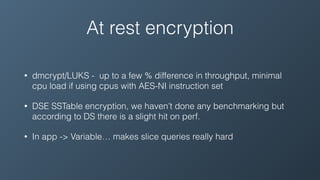
• dmcrypt/LUKS - up to a few % difference in throughput, minimal
cpu load if using cpus with AES-NI instruction set
• DSE SSTable encryption, we haven’t done any benchmarking but
according to DS there is a slight hit on perf.
• In app -> Variable… makes slice queries really hard
At rest encryption
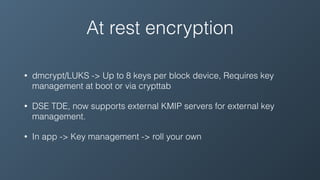
• dmcrypt/LUKS -> Up to 8 keys per block device, Requires key
management at boot or via crypttab
• DSE TDE, now supports external KMIP servers for external key
management.
• In app -> Key management -> roll your own
At rest encryption
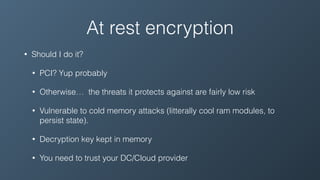
• Should I do it?
• PCI? Yup probably
• Otherwise… the threats it protects against are fairly low risk
• Vulnerable to cold memory attacks (litterally cool ram modules, to
persist state).
• Decryption key kept in memory
• You need to trust your DC/Cloud provider
Application Level Cryptography
• Encrypt data on the client side before writing to Cassandra
• Most secure, most amount of work
Availability
• This should be pretty simple right? RF = 1,000,000
• There are a few things to keep in mind that an unauthenticated
attacker / unprivileged user can do to make things interesting.
Availability
• native_transport_max_threads …
Availability
• native_transport_max_threads is by default set to 128
• unauthenticated messages will take up one of these threads
• use client-auth as the SSL handler will drop the connection before
the message is dropped into the worker pool
Availability
Availability
• System_auth keyspace replication
• Every new session queries this keyspace
• Every new request queries either system_auth or the permissions
cache
• Increase the credential cache time
• Increase your system_auth rf
Availability
• Resource Scheduler
• Default - none
• RoundRobin
• implements a throttle limit - number of requests in flight
• Weight by keyspace
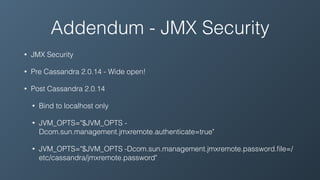
Addendum - JMX Security
• JMX Security
• Pre Cassandra 2.0.14 - Wide open!
• Post Cassandra 2.0.14
• Bind to localhost only
• JVM_OPTS="$JVM_OPTS -
Dcom.sun.management.jmxremote.authenticate=true"
• JVM_OPTS="$JVM_OPTS -Dcom.sun.management.jmxremote.password.file=/
etc/cassandra/jmxremote.password"
Go forth and conquer!
Questions?
… not get conquered

Securing Cassandra

  • 1.
    Securing Cassandra Not ashard as it sounds #CassandraSummit instaclustr.com
  • 2.
    Who am Iand what do I do? • Ben Bromhead • Co-founder and CTO of Instaclustr -> www.instaclustr.com <sales> • Instaclustr provides Cassandra-as-a-Service in the cloud. • Currently in AWS, Azure and IBM Softlayer with more to come. • We currently manage 150+ nodes for various customers, who do various things with it. </sales>
  • 3.
    What this talkwill cover • Why do we care about security? • A meandering tour of Cassandra security controls • Tips and tricks
  • 4.
    Why do wecare about security?
  • 5.
    Why do wecare about security • Hackers • Compliance… • We now have a information security officer / architect • Some sort of misguided sense of obligation to protecting end user information?
  • 6.
    But I runC* behind a firewall… • Stops dumb mistakes (running dev scripts on prod) • Stops malicious internal actors • Multi data-centre clusters (GL with that VPN…) • Run in the cloud?
  • 7.
    So what doI need to care about? Confidentiality Integrity Availability
  • 8.
    So what doI need to care about? Confidentiality Integrity Availability Consistency PartitionTolerance Availability
  • 9.
    So what doI need to care about? Confidentiality Integrity Availability Consistency PartitionTolerance Availability
  • 10.
    So what doI need to care about? Confidentiality Integrity Availability Consistency PartitionTolerance Availability
  • 11.
  • 12.
    Access Control • Authentication:org.apache.cassandra.auth.IAuthenticator • AllowAllAuthenticator - no auth, default • PasswordAuthentication - username and password auth, standard db stuff, uses ISaslAuthenticator • DSE has some others (Kerberos, LDAP)
  • 13.
  • 14.
    Access Control • Authentication: org.apache.cassandra.auth.IAuthenti cator •AllowAllAuthenticator - no auth, default • PasswordAuthentication - username and password auth, standard db stuff, uses ISaslAuthenticator
  • 15.
    Authentication - Generalflow • ServerConnection maintains QueryState, three states: • UNINITIALIZED • AUTHENTICATION • READY • Driver sends a STARTUP message, then CREDENTIALS/AUTH_RESPONSE. • CredentialsMessage class calls the defined Authenticators authenticate method and then sets the state to ready. • You are then ready to start executing queries and authenticate does not get called again for the life of the connection. The authenticated user gets stored in the ClientState. • If your app uses short lived connections, uses a driver that does not pool them (e.g. php), this will hurt.
  • 16.
    Authentication - PasswordAuthentication • CredentialsMessagecalls authenticate which is implemented by PasswordAuthentication: • Checks whether you have actually provided a username / password combo • Queries Cassandra with: SELECT salted_hash FROM system_auth.credentials WHERE username = ? • Queries using LOCAL_ONE for all users, except the user “cassandra” which occurs at QUORUM • default system_auth keyspace replication is set to 1… this should be set to all nodes
  • 17.
    Access Control • Authorisation: org.apache.cassandra.auth.IAuth orizer •AllowAllAuthorizer - no permissions, default • CassandraAuthorizer - extends IAuthorizer, must be used with PasswordAuthenticator
  • 18.
    Authorisation - Generalflow • CredentialsMessage calls state.getClientState().login(user). Which checks again if the user exists. • ClientState provides an authorize method to get permissions for the logged in user against a specific resource. • Alter, CreateIndex, DropIndex, Insert/Update, Select and Truncate all call hasColumnFamilyAccess (or hasKeyspaceAccess) on the client state to check if an operation is permitted. • If it isn’t an UnauthorizedException is raised
  • 19.
    Authentication - CassandraAuthorizer •CassandraAuthorizer gets called to return a set of permissions by Auth. • Auth wraps these calls in a permissions Cache, otherwise the authorizer gets called for every single operation. • CassandraAuthorizer gets passed a user and a resource (keyspace or cf) and returns the permissions it can find for that user, resource pair. • ALL KEYSPACES is treated as the root data resource.
  • 20.
    CassandraAuthorizer + PasswordAuthenticator • Runthese together • Currently the user lookups and the permissions checks are in the read/write path (even with the permissions cache). • Be vigilant with your system_auth replication and keeping it repaired. • Poorly configured/maintained system_auth keyspace can and will create 0% availability in your other keyspaces… irrespective of their replication factor • Don’t use the cassandra user
  • 21.
    Auth changes in2.2 • API has changed to support the concept of roles • This includes inheritance! • Roles are first class resources (like keyspaces and tables), so you can grant permissions on certain roles. • AuthZ in Cassandra has finally grown up!
  • 22.
    Internode Authentication • Yesit does exist! • Currently the only provided internode authenticator is AllowAll • Can be extended to authenticate based on remoteAddress and port. • No ability atm to use a shared secret or not, at best would support a whitelist
  • 23.
    Confidentiality • Internode encryption •Client <> Node encryption • Whole disk encryption ENCRYPTION!!1!
  • 24.
    Internode Encryption • LeveragesSSLServerSockets from Netty (native) • Server certificate stored in KeyStore, trust certificates stored in TrustStore • If requires_client_auth == true, the client must provide a certificate the SSL context can build a chain of trust back to a cert in the TrustStore. • This can either be the provided certificate itself, or the CA that signed that cert.
  • 25.
    Configuring encryption server_encryption_options:          internode_encryption:  none  #  all,  none,  dc,  rack          keystore:  conf/.keystore          keystore_password:  cassandra          truststore:  conf/.truststore          truststore_password:  cassandra
  • 26.
    Configuring encryption server_encryption_options:          internode_encryption:  none  #  all,  none,  dc,  rack          keystore:  conf/.keystore          keystore_password:  cassandra          truststore:  conf/.truststore          truststore_password:  cassandra
  • 27.
    Configuring encryption server_encryption_options:   …          protocol:  TLS  #  TLSv1.2,  SSLv3.0  etc          algorithm:  SunX509  #  PKIK          store_type:  JKS  #  support  for  different   keystrokes          cipher_suites:  [TLS_RSA_WITH_AES_128_CBC_SHA,…]          require_client_auth:  true
  • 28.
    Configuring encryption • Stronglyrecommend you download the full strength JCE otherwise Cassandra will not start with the default cipher suites • Distribute the CA public cert in the truststore rather than individual public certificates. • troubleshooting certificate issues? use the openssl client
  • 29.
    Client Encryption • Prettymuch the same as internode encryption under the hood. • Supports require_client_auth as well • Must be able to build a chain of trust to a valid certificate within the truststore • Does not actually set the AuthenticatedUser based on certificate CN or anything like that
  • 30.
    Configuring client driversfor encryption • Your driver will want the its certificates in either PEM, DER or as a Keystore. Learn to love the openssl cli • Cqlsh in some recent versions of Cassandra struggles with requires_client_auth. • Just use stunnel and plaintext cqlsh
  • 31.
    At rest encryption •Whole disk/volume • dmcrypt/LUKS • DSE Transparent Data Encryption (TDE) • SSTable encryption • In app encryption
  • 32.
    At rest encryption •dmcrypt/LUKS - up to a few % difference in throughput, minimal cpu load if using cpus with AES-NI instruction set • DSE SSTable encryption, we haven’t done any benchmarking but according to DS there is a slight hit on perf. • In app -> Variable… makes slice queries really hard
  • 33.
    At rest encryption •dmcrypt/LUKS -> Up to 8 keys per block device, Requires key management at boot or via crypttab • DSE TDE, now supports external KMIP servers for external key management. • In app -> Key management -> roll your own
  • 34.
    At rest encryption •Should I do it? • PCI? Yup probably • Otherwise… the threats it protects against are fairly low risk • Vulnerable to cold memory attacks (litterally cool ram modules, to persist state). • Decryption key kept in memory • You need to trust your DC/Cloud provider
  • 35.
    Application Level Cryptography •Encrypt data on the client side before writing to Cassandra • Most secure, most amount of work
  • 36.
    Availability • This shouldbe pretty simple right? RF = 1,000,000 • There are a few things to keep in mind that an unauthenticated attacker / unprivileged user can do to make things interesting.
  • 37.
  • 38.
    Availability • native_transport_max_threads isby default set to 128 • unauthenticated messages will take up one of these threads • use client-auth as the SSL handler will drop the connection before the message is dropped into the worker pool
  • 39.
  • 40.
    Availability • System_auth keyspacereplication • Every new session queries this keyspace • Every new request queries either system_auth or the permissions cache • Increase the credential cache time • Increase your system_auth rf
  • 41.
    Availability • Resource Scheduler •Default - none • RoundRobin • implements a throttle limit - number of requests in flight • Weight by keyspace
  • 42.
    Addendum - JMXSecurity • JMX Security • Pre Cassandra 2.0.14 - Wide open! • Post Cassandra 2.0.14 • Bind to localhost only • JVM_OPTS="$JVM_OPTS - Dcom.sun.management.jmxremote.authenticate=true" • JVM_OPTS="$JVM_OPTS -Dcom.sun.management.jmxremote.password.file=/ etc/cassandra/jmxremote.password"
  • 43.
    Go forth andconquer! Questions? … not get conquered