Agenda
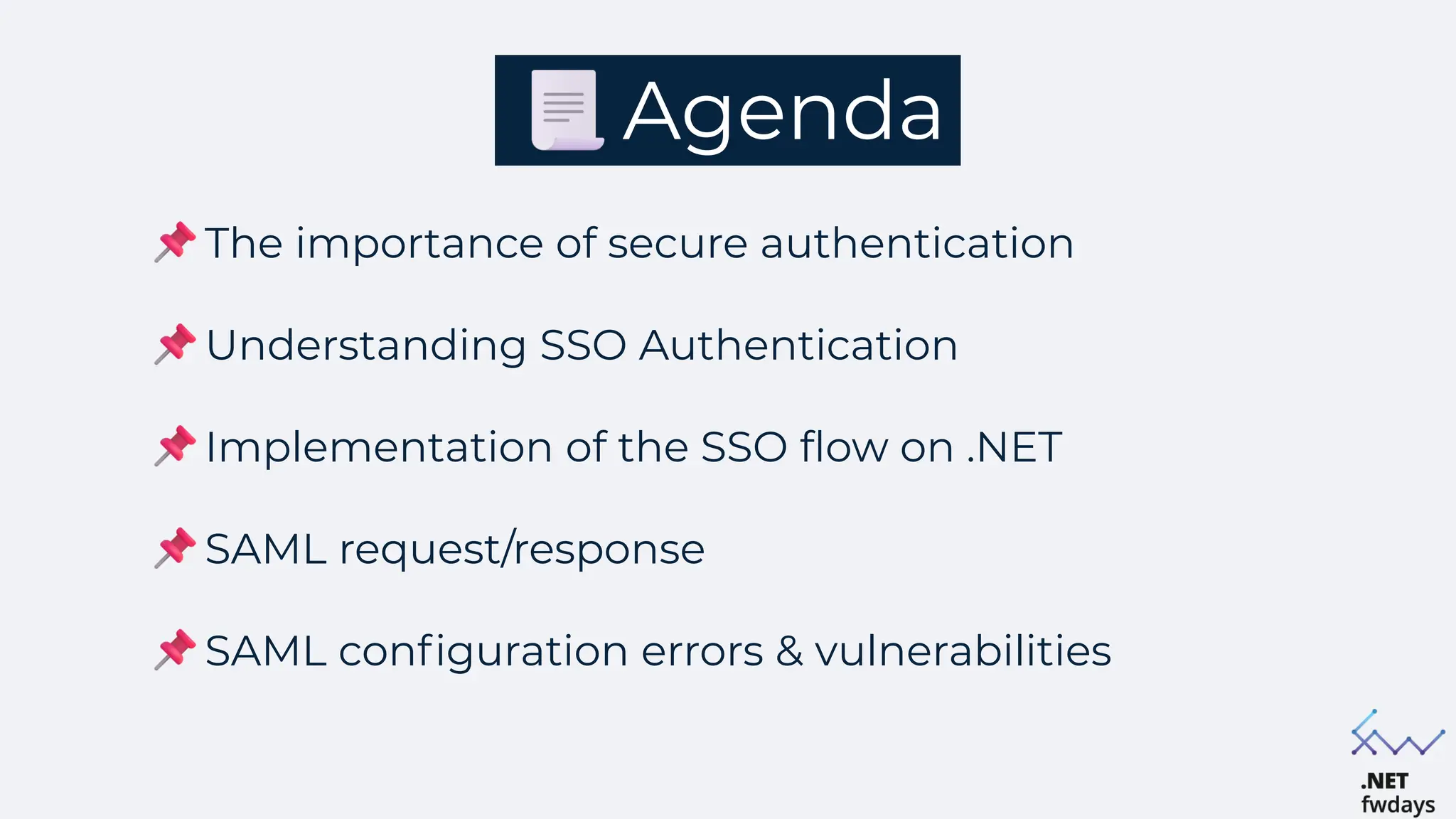
The importance of secure authentication
Understanding SSO Authentication
Implementation of the SSO flow on .NET
SAML request/response
SAML configuration errors & vulnerabilities
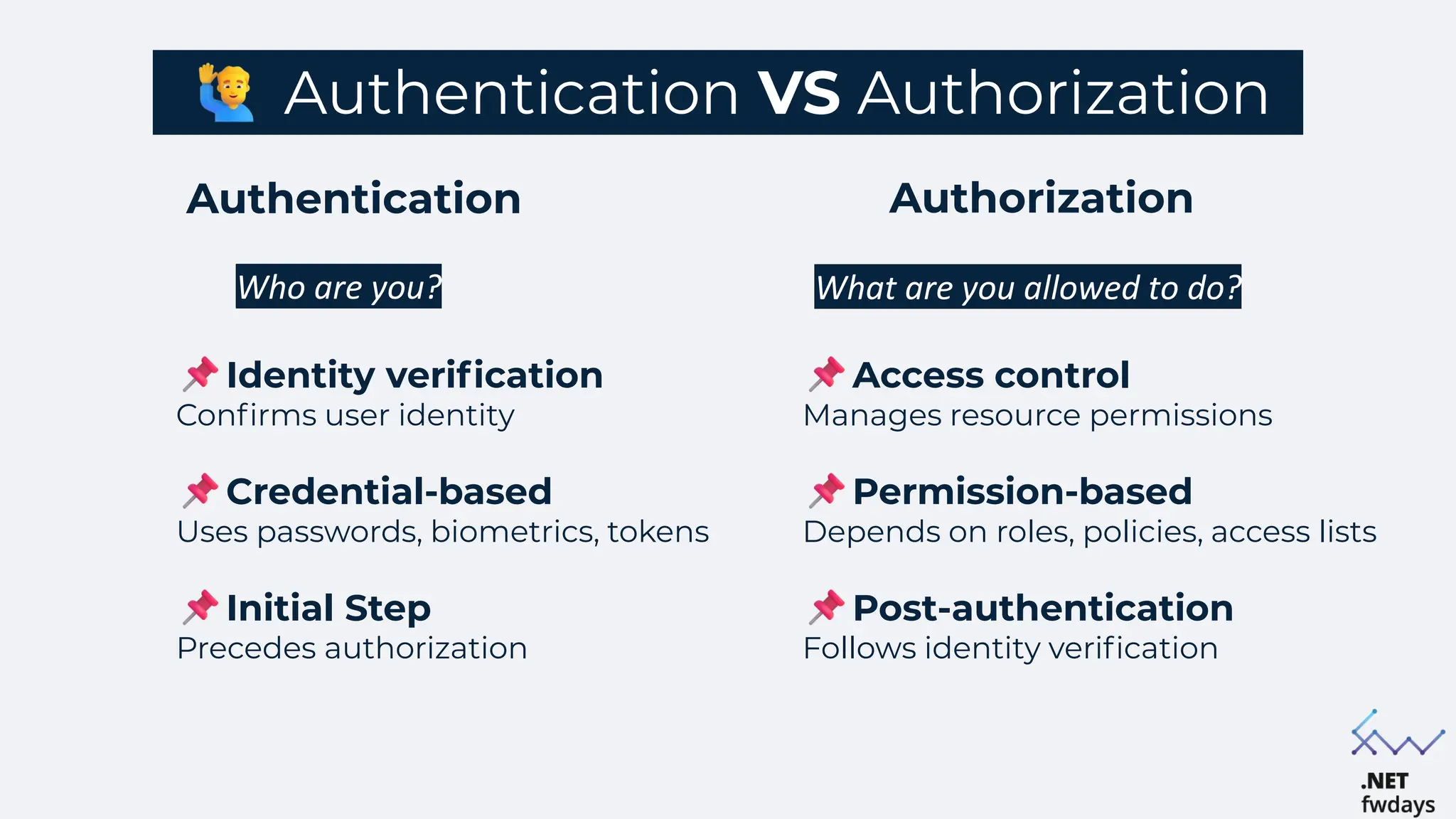
Authentication VS Authorization
Authorization
Authentication
Who are you? What are you allowed to do?
Identity verification
Confirms user identity
Credential-based
Uses passwords, biometrics, tokens
Initial Step
Precedes authorization
Access control
Manages resource permissions
Permission-based
Depends on roles, policies, access lists
Post-authentication
Follows identity verification
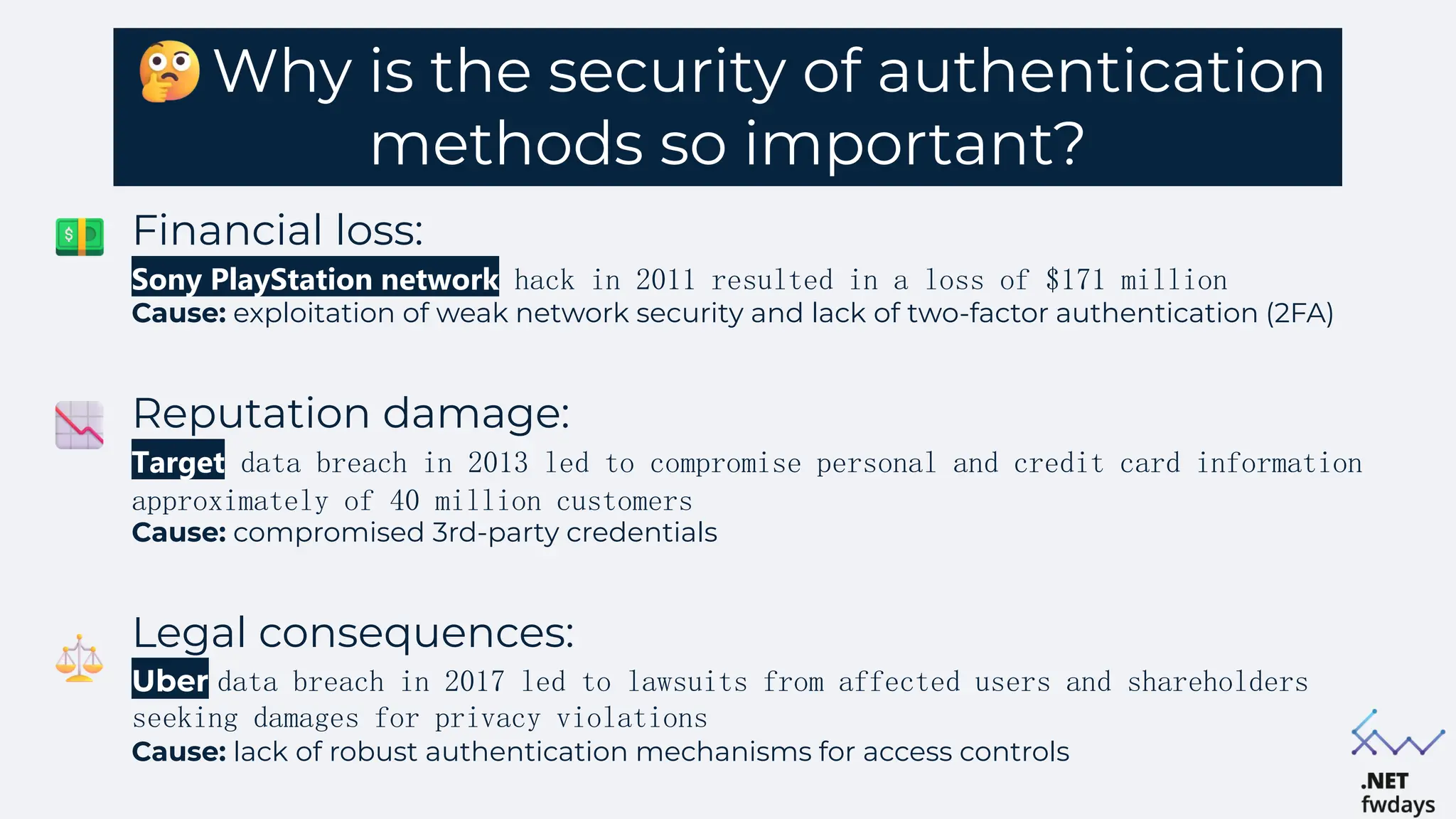
Why is the security of authentication
methods so important?
Financial loss:
Sony PlayStation network hack in 2011 resulted in a loss of $171 million
Cause: exploitation of weak network security and lack of two-factor authentication (2FA)
Reputation damage:
Target data breach in 2013 led to compromise personal and credit card information
approximately of 40 million customers
Cause: compromised 3rd-party credentials
Legal consequences:
Uber data breach in 2017 led to lawsuits from affected users and shareholders
seeking damages for privacy violations
Cause: lack of robust authentication mechanisms for access controls
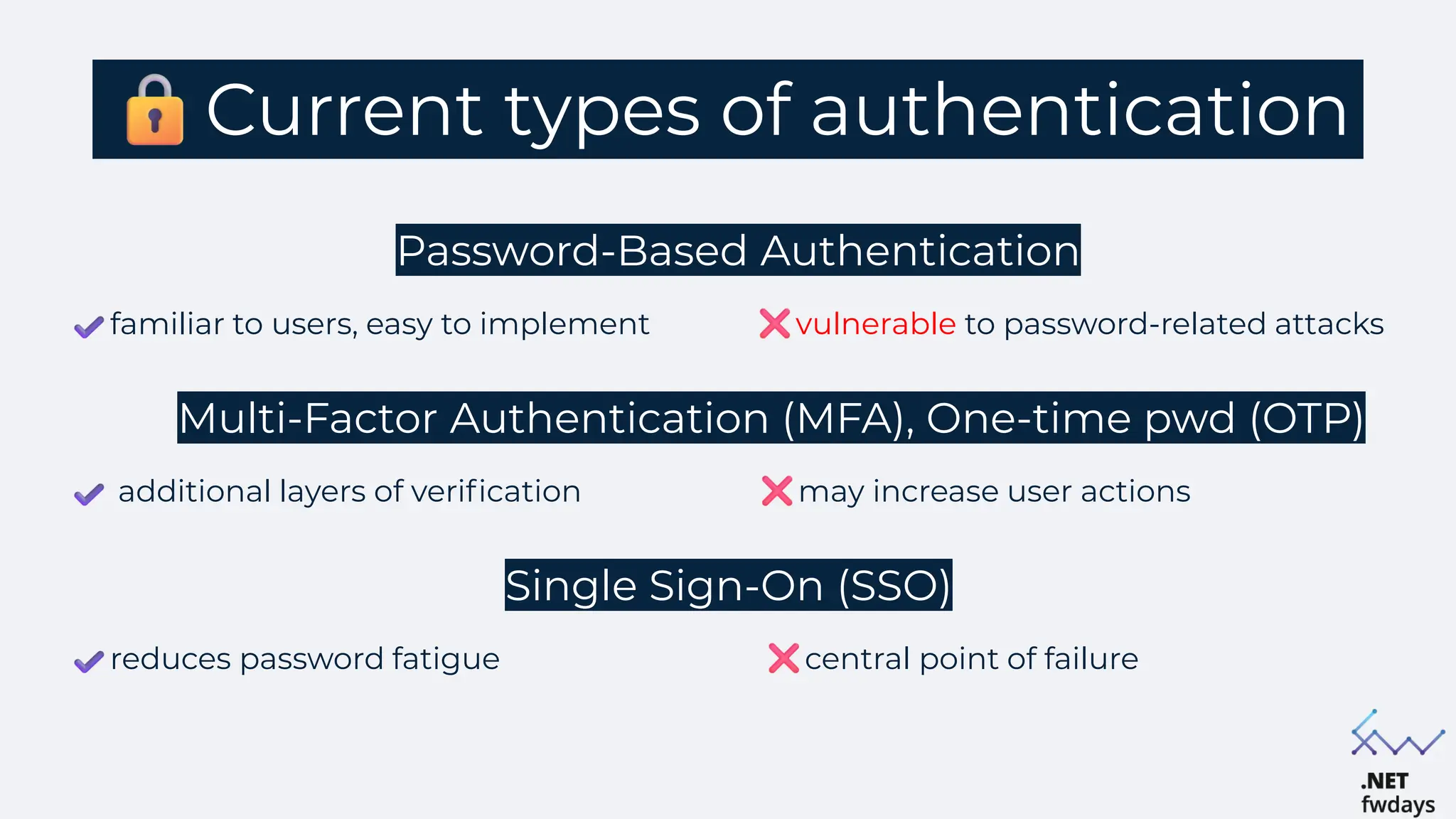
Current types of authentication
Password-Based Authentication
familiar to users, easy to implement vulnerable to password-related attacks
Multi-Factor Authentication (MFA), One-time pwd (OTP)
additional layers of verification may increase user actions
Single Sign-On (SSO)
reduces password fatigue central point of failure
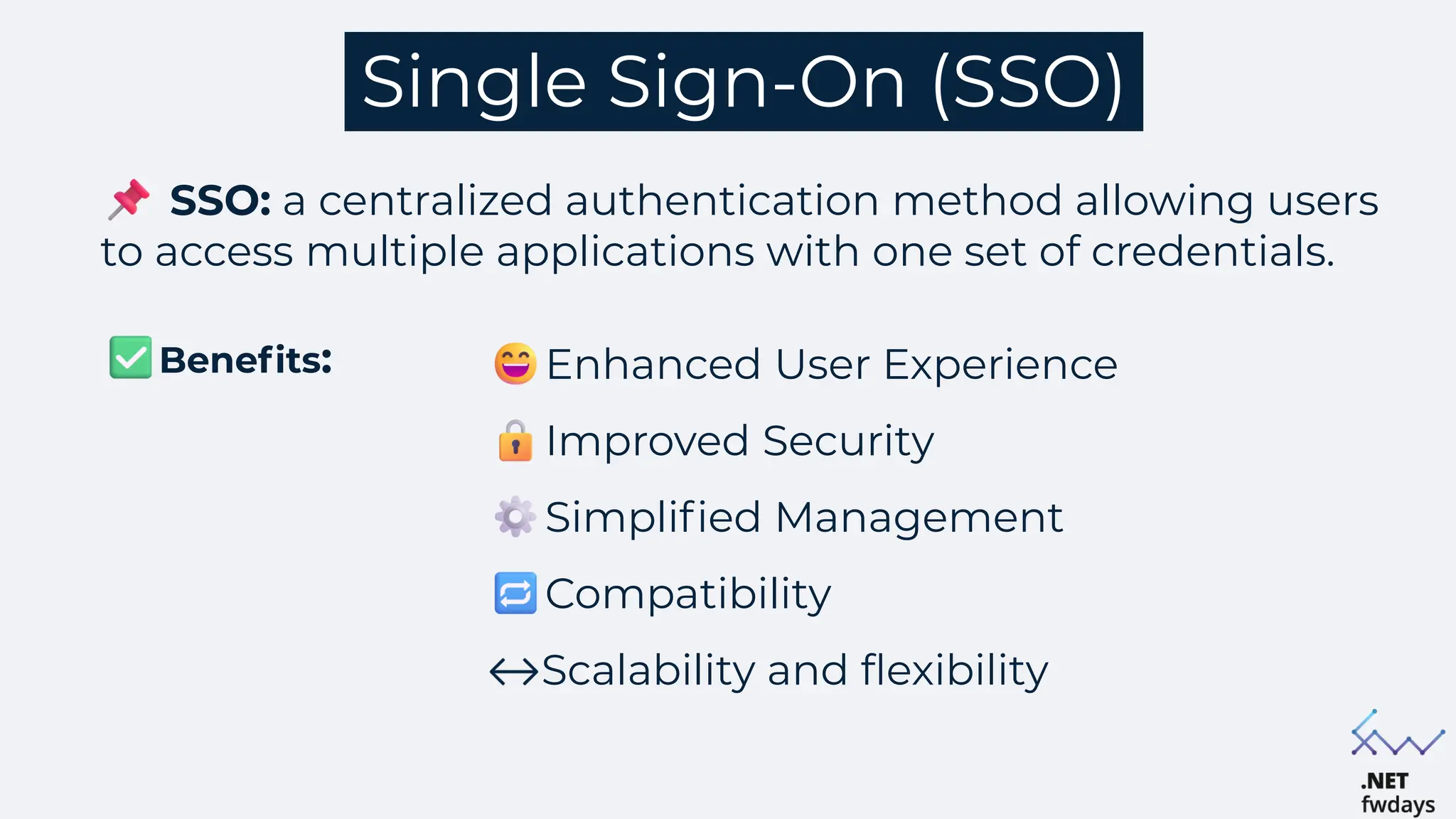
Single Sign-On (SSO)
Enhanced User Experience
Improved Security
Simplified Management
Compatibility
Scalability and flexibility
Benefits:
SSO: a centralized authentication method allowing users
to access multiple applications with one set of credentials.
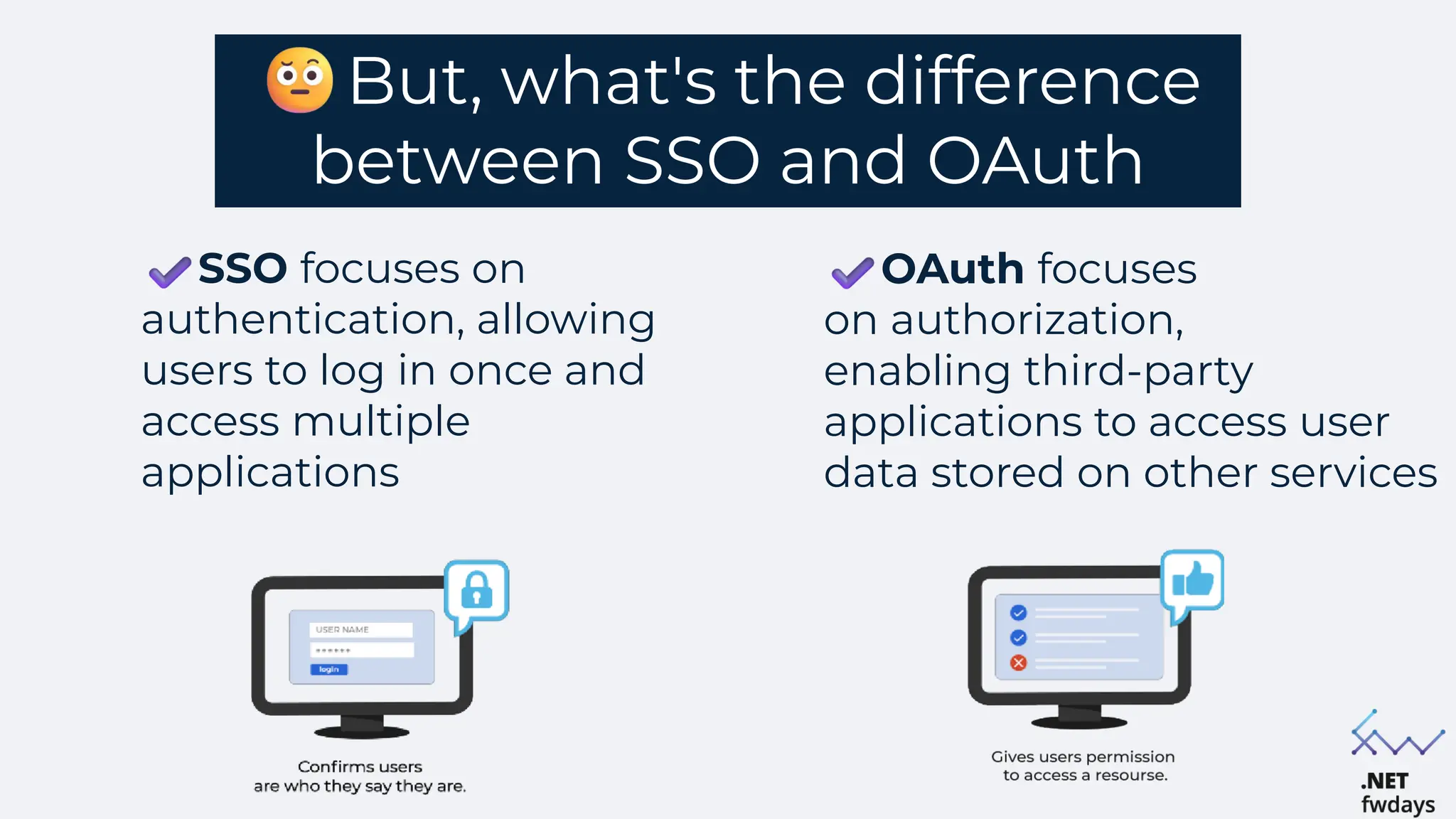
But, what's the difference
between SSO and OAuth
SSO focuses on
authentication, allowing
users to log in once and
access multiple
applications
OAuth focuses
on authorization,
enabling third-party
applications to access user
data stored on other services
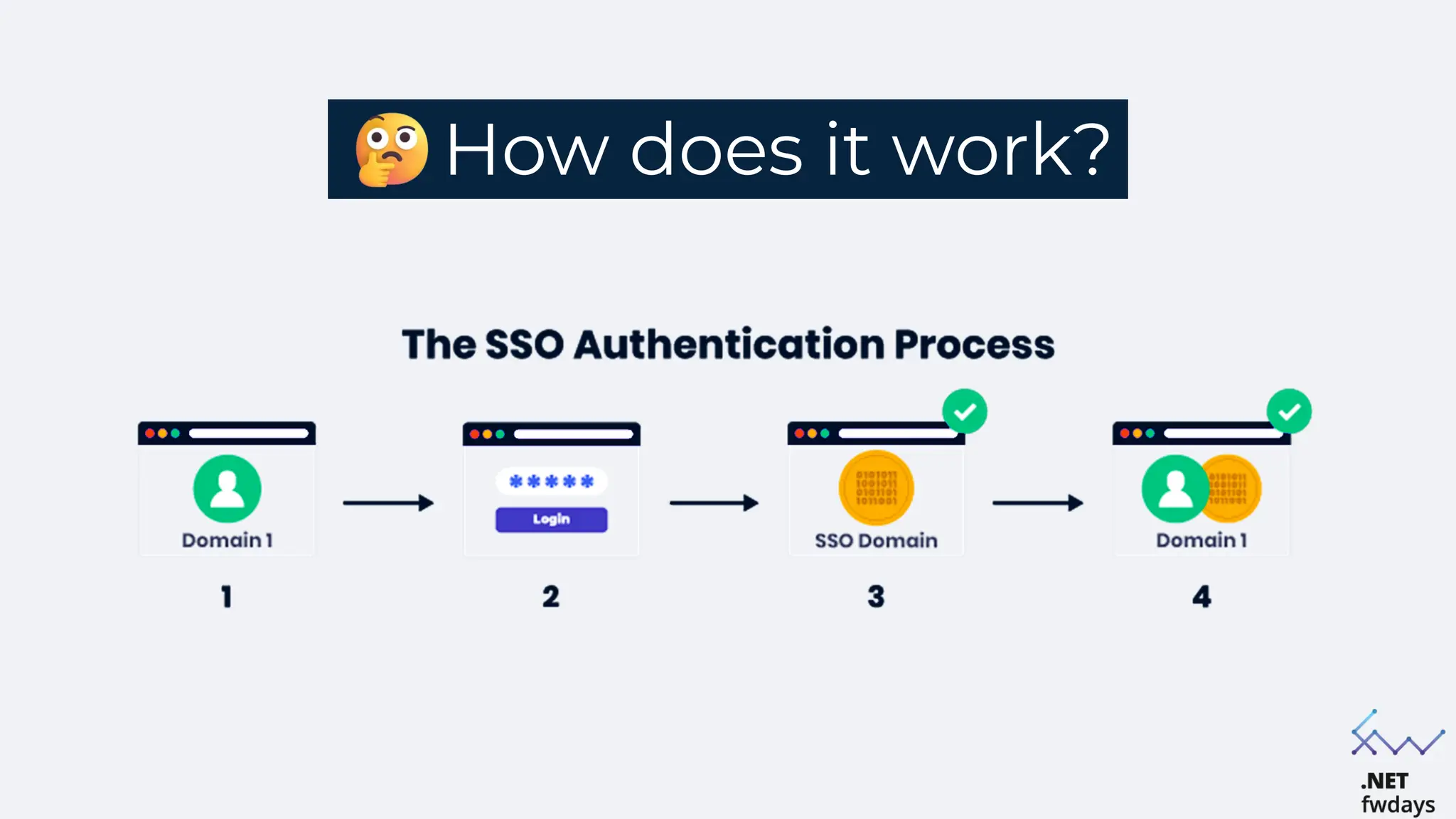
How does it work?
Common SSO protocols/standards
SAML (Security Assertion Markup Language)
XML-based protocol used for exchanging authentication and
authorization data between parties, particularly between an Identity
Provider (IdP) and a Service Provider (SP)
OIDC (OpenId Connect)
Authentication layer built on top of OAuth 2.0, allowing clients to verify
user identity using JSON Web Tokens (JWT). Users can log in to multiple
sites (Relying Parties) using a third-party service (Identity Provider, IdP)
SAML
SAML is an XML-based framework used for exchanging
authentication and authorization data between an Identity
Provider (IdP) and a Service Provider (SP)
Role: facilitates secure and efficient SSO implementations in web
applications
is a widely adopted standard for enterprise applications
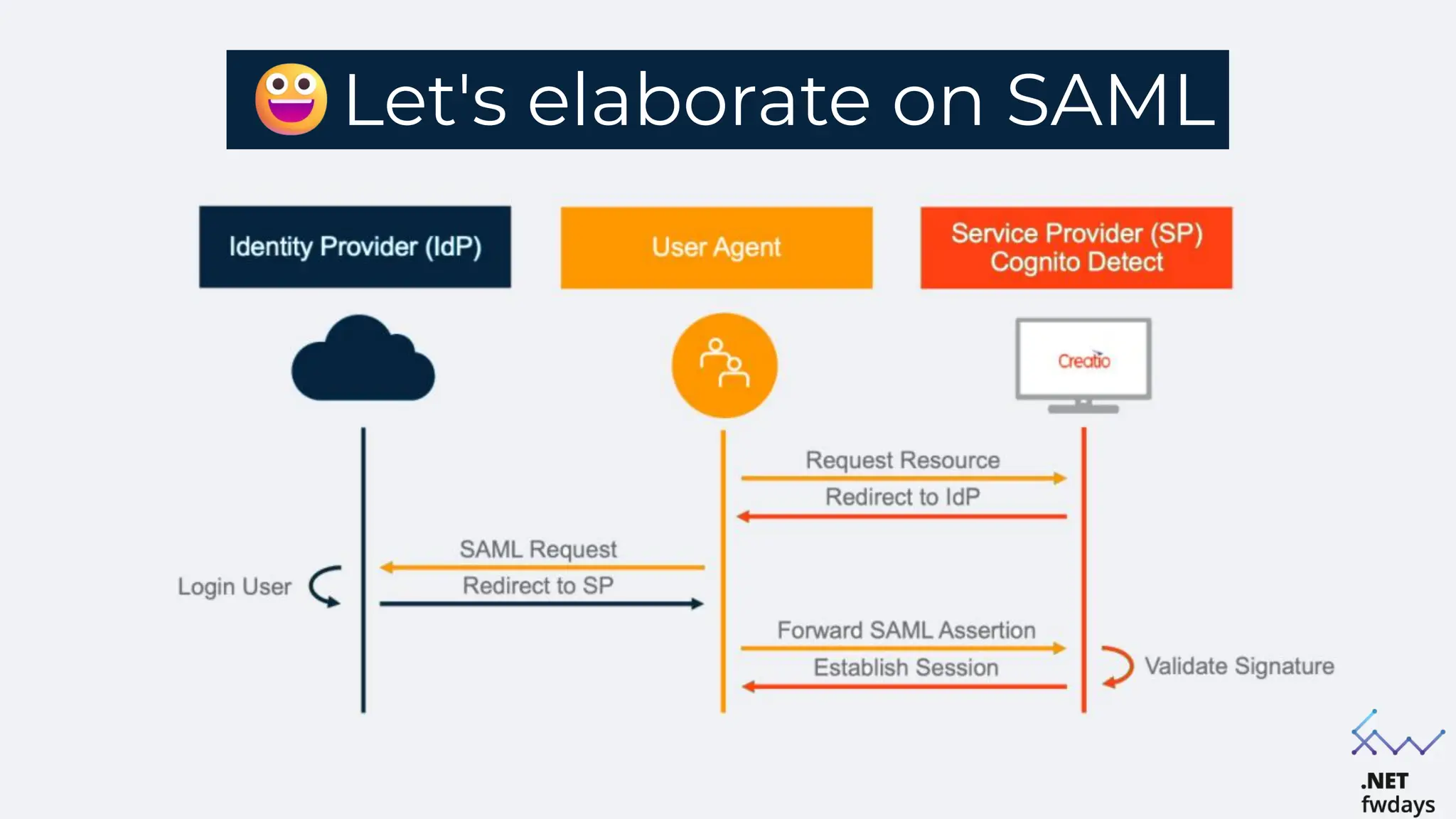
Let's elaborate on SAML
Integration into web app
Setup
Configure the Identity Provider (IdP) and Service Providers (SPs)
Define trust relationships between IdP and SPs
Implementation
Use SAML libraries and tools to integrate with web app
Ensure secure transmission and validation of SAML assertion
Implementation of the SAML
SSO flow on .NET
Is there a built-in solution in .NET
for handling SAML?
.NET framework and .NET Core do not include
built-in SAML handling libraries
Direct support for SAML protocols is not
integrated into the core .NET libraries
For now:
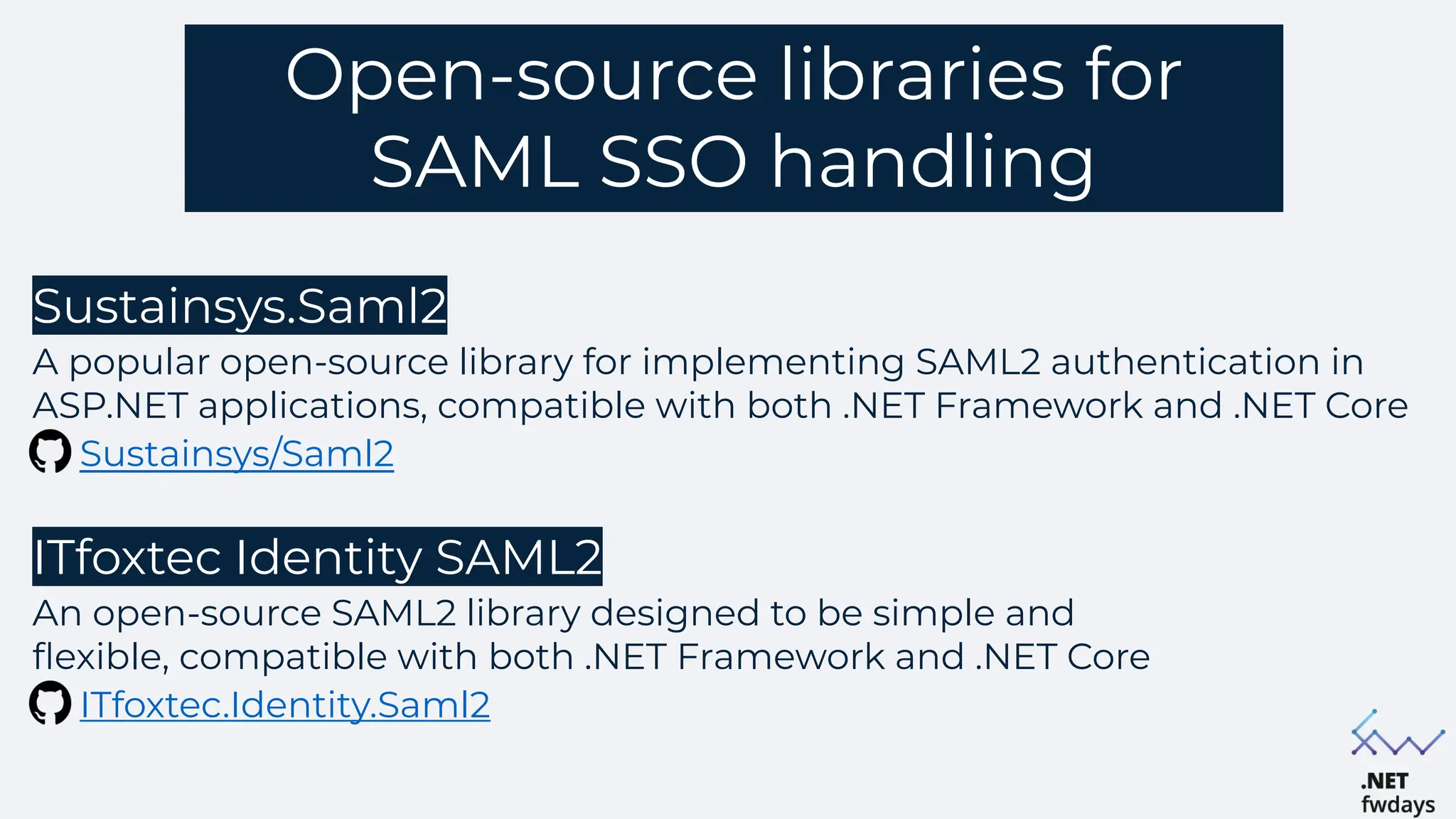
Open-source libraries for
SAML SSO handling
Sustainsys.Saml2
A popular open-source library for implementing SAML2 authentication in
ASP.NET applications, compatible with both .NET Framework and .NET Core
Sustainsys/Saml2
ITfoxtec Identity SAML2
An open-source SAML2 library designed to be simple and
flexible, compatible with both .NET Framework and .NET Core
ITfoxtec.Identity.Saml2
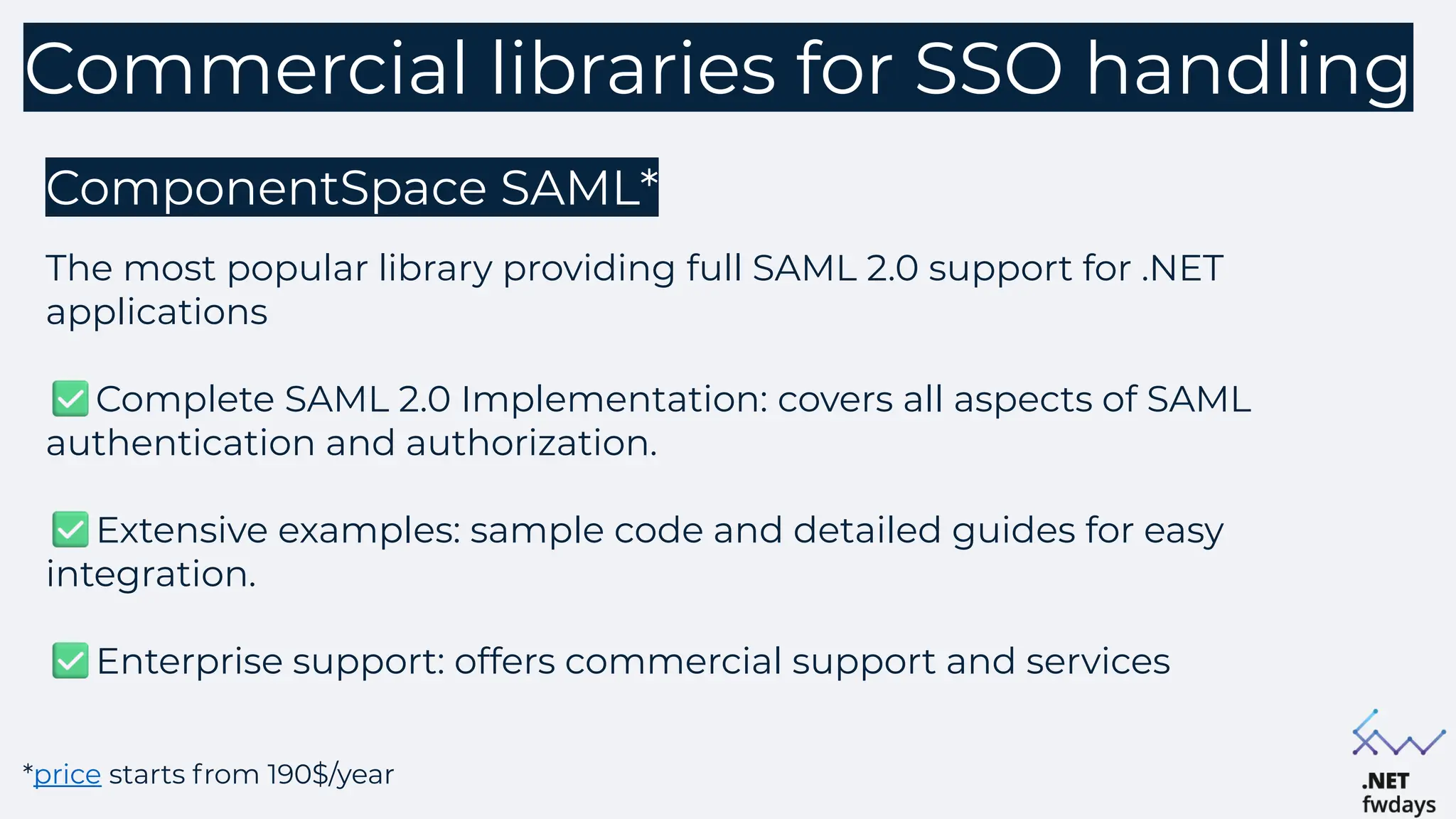
Commercial libraries for SSO handling
ComponentSpace SAML*
The most popular library providing full SAML 2.0 support for .NET
applications
Complete SAML 2.0 Implementation: covers all aspects of SAML
authentication and authorization.
Extensive examples: sample code and detailed guides for easy
integration.
Enterprise support: offers commercial support and services
*price starts from 190$/year
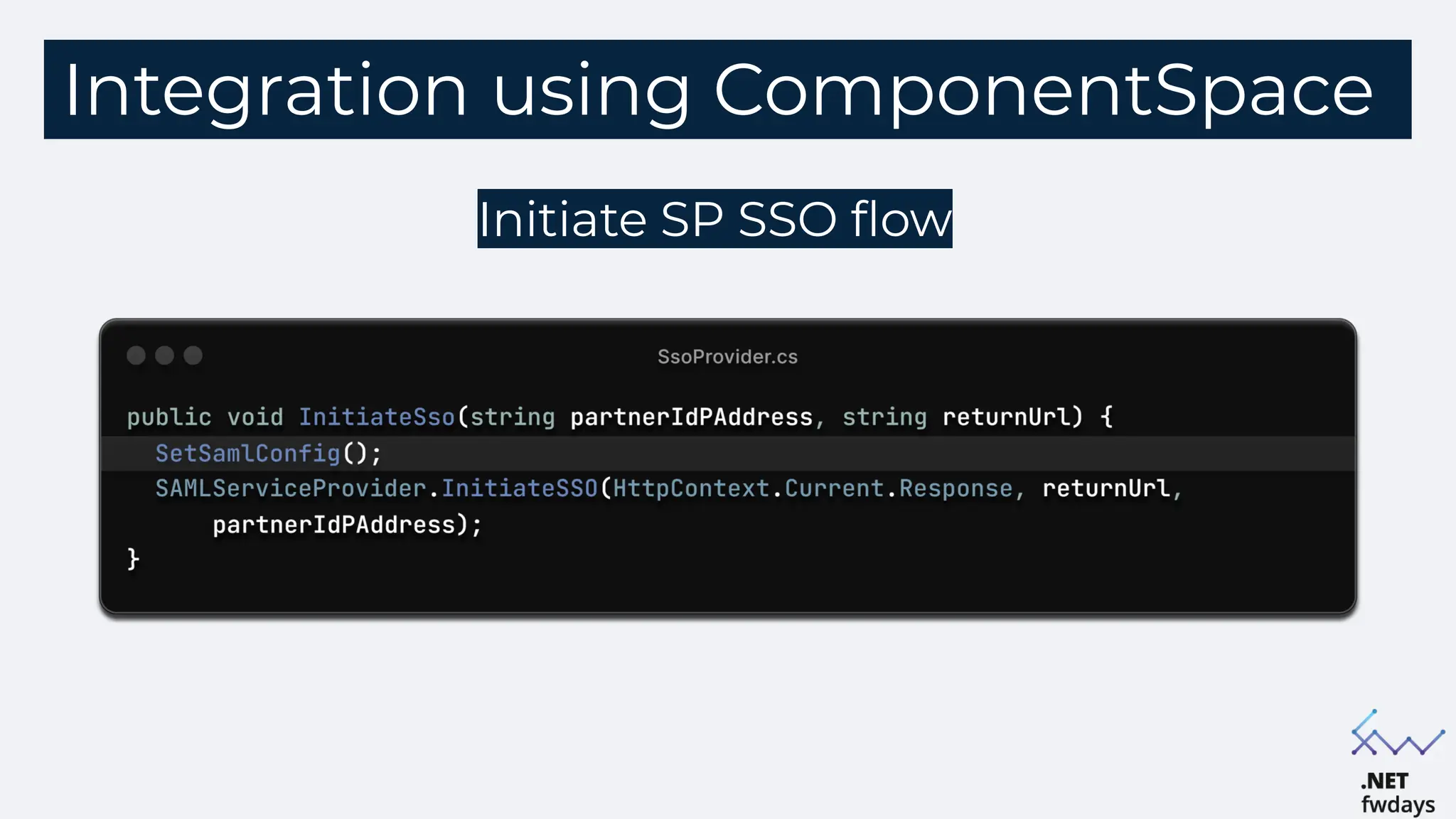
Integration using ComponentSpace
Initiate SP SSO flow
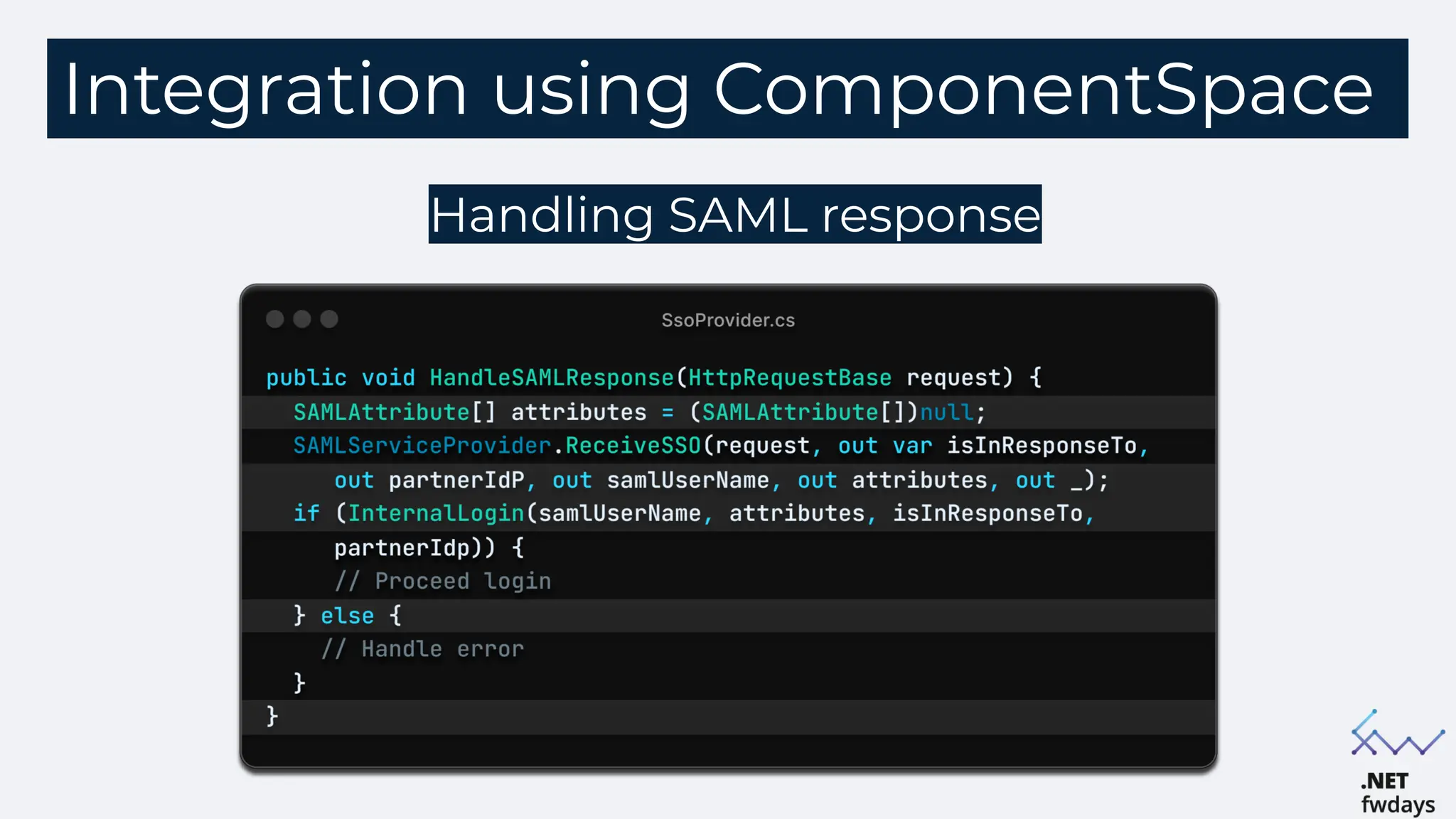
Integration using ComponentSpace
Handling SAML response
SSO login SAML Request
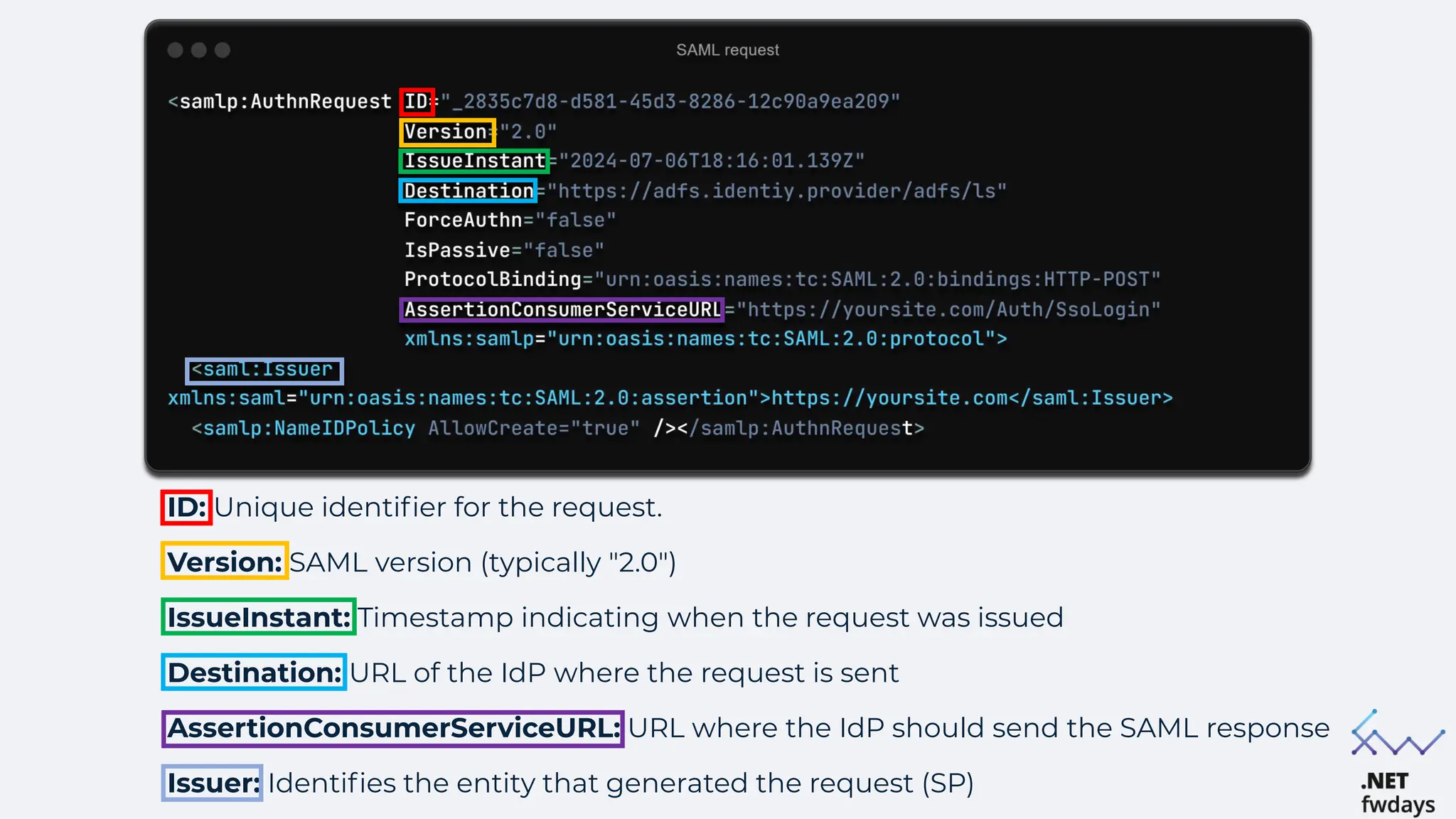
ID: Unique identifier for the request.
Version: SAML version (typically "2.0")
IssueInstant: Timestamp indicating when the request was issued
Destination: URL of the IdP where the request is sent
AssertionConsumerServiceURL: URL where the IdP should send the SAML response
Issuer: Identifies the entity that generated the request (SP)
SSO login SAML Response
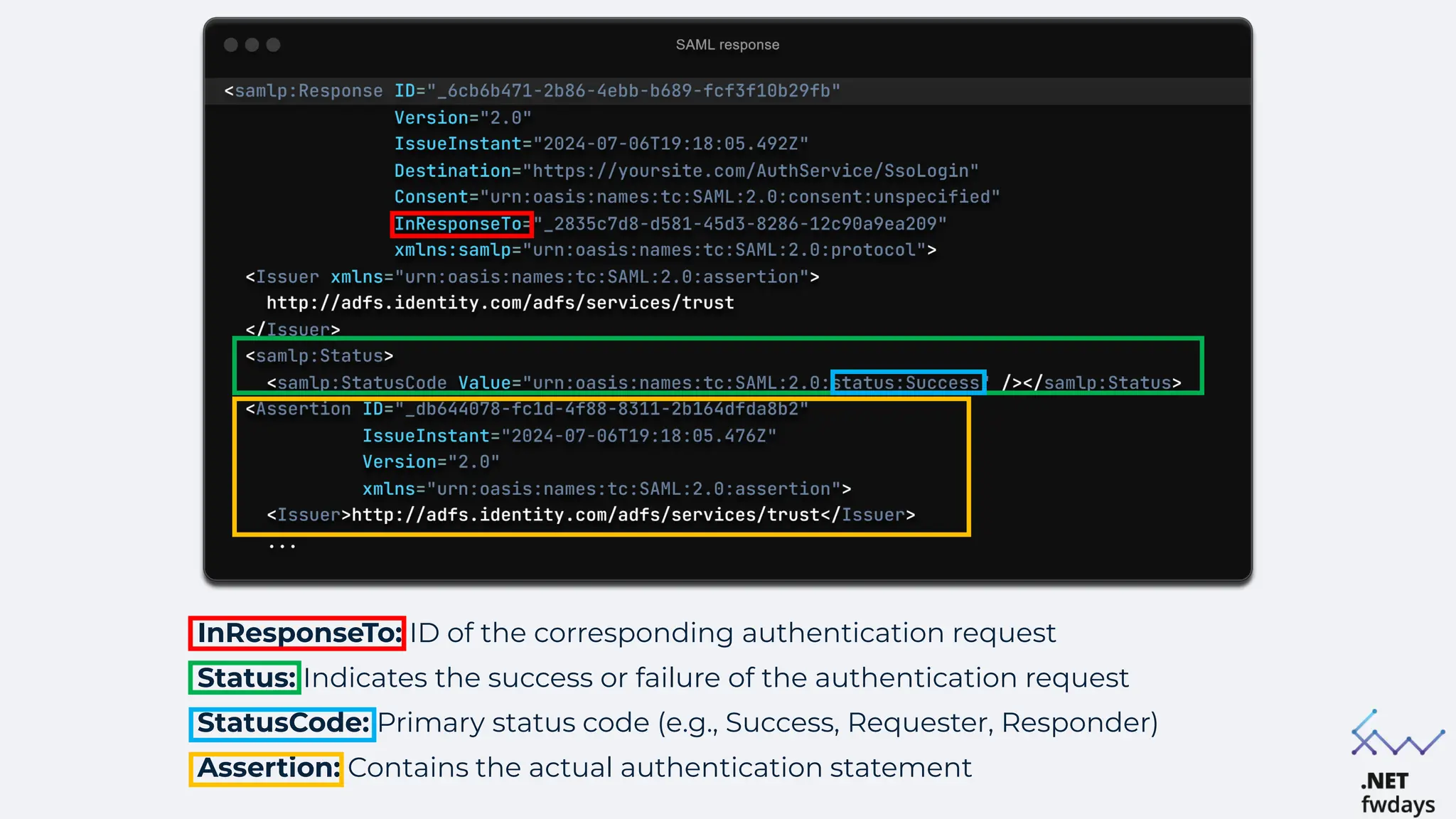
InResponseTo: ID of the corresponding authentication request
Status: Indicates the success or failure of the authentication request
StatusCode: Primary status code (e.g., Success, Requester, Responder)
Assertion: Contains the actual authentication statement
Signature: contains the digital signature
information ensuring SAML assertion
SignatureMethod:
algorithm used for creating the signature
Reference URI: points to the id of the
signed data
DigestValue: the digest (hash) of signed
data to ensure the integrity
SignatureValue: the actual digital signature
value (base64)
KeyInfo: information about the key used for
signing:
X509Certificate: the actual certificate
data (base64)
Subject: includes the user identifier.
NameID: user's unique identifier
SubjectConfirmation: information to
confirm the subject
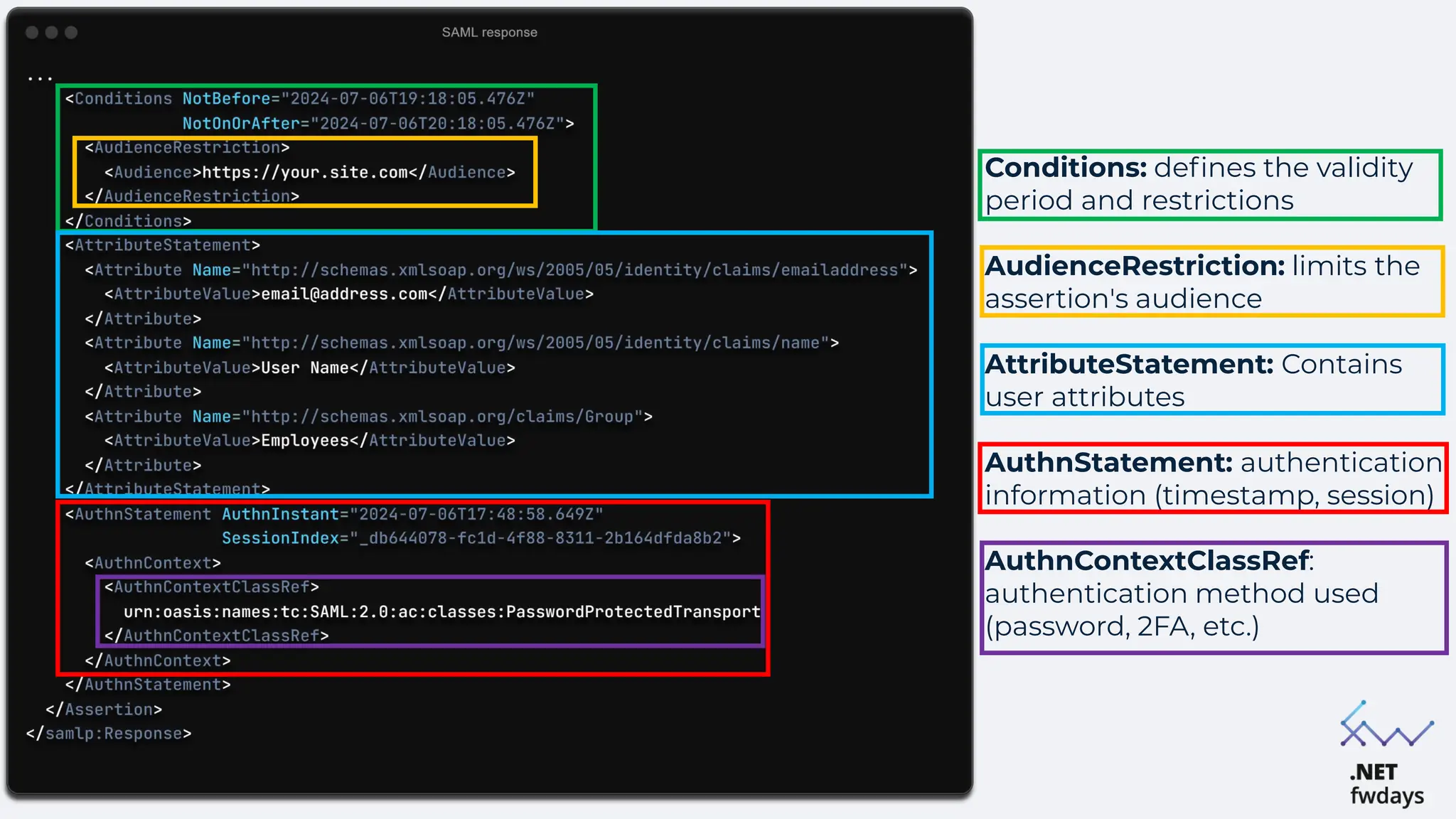
Conditions: defines the validity
period and restrictions
AudienceRestriction: limits the
assertion's audience
AttributeStatement: Contains
user attributes
AuthnStatement: authentication
information (timestamp, session)
AuthnContextClassRef:
authentication method used
(password, 2FA, etc.)
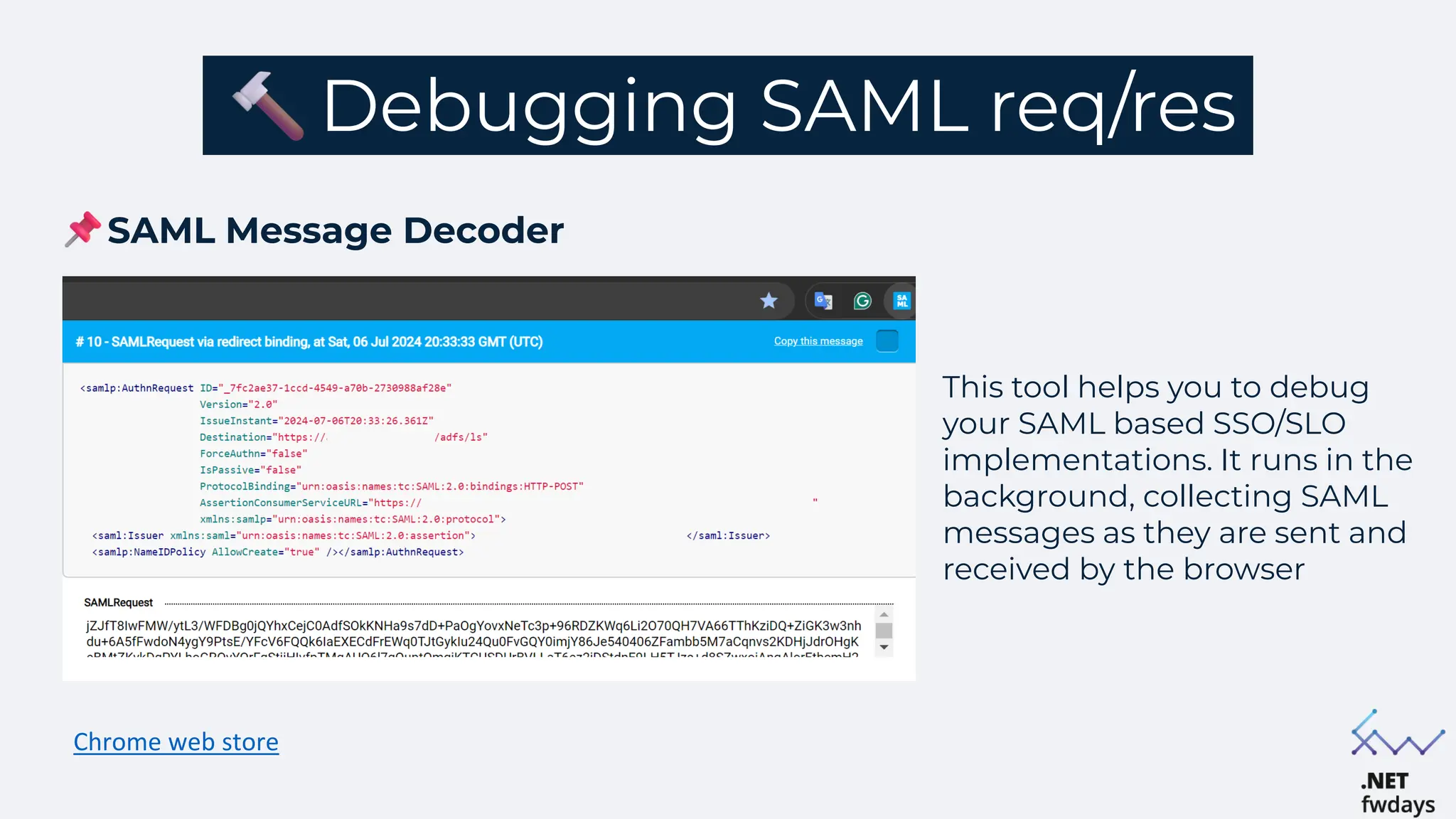
Debugging SAML req/res
SAML Message Decoder
Chrome web store
This tool helps you to debug
your SAML based SSO/SLO
implementations. It runs in the
background, collecting SAML
messages as they are sent and
received by the browser
SAML configuration. Errors and
vulnerabilities
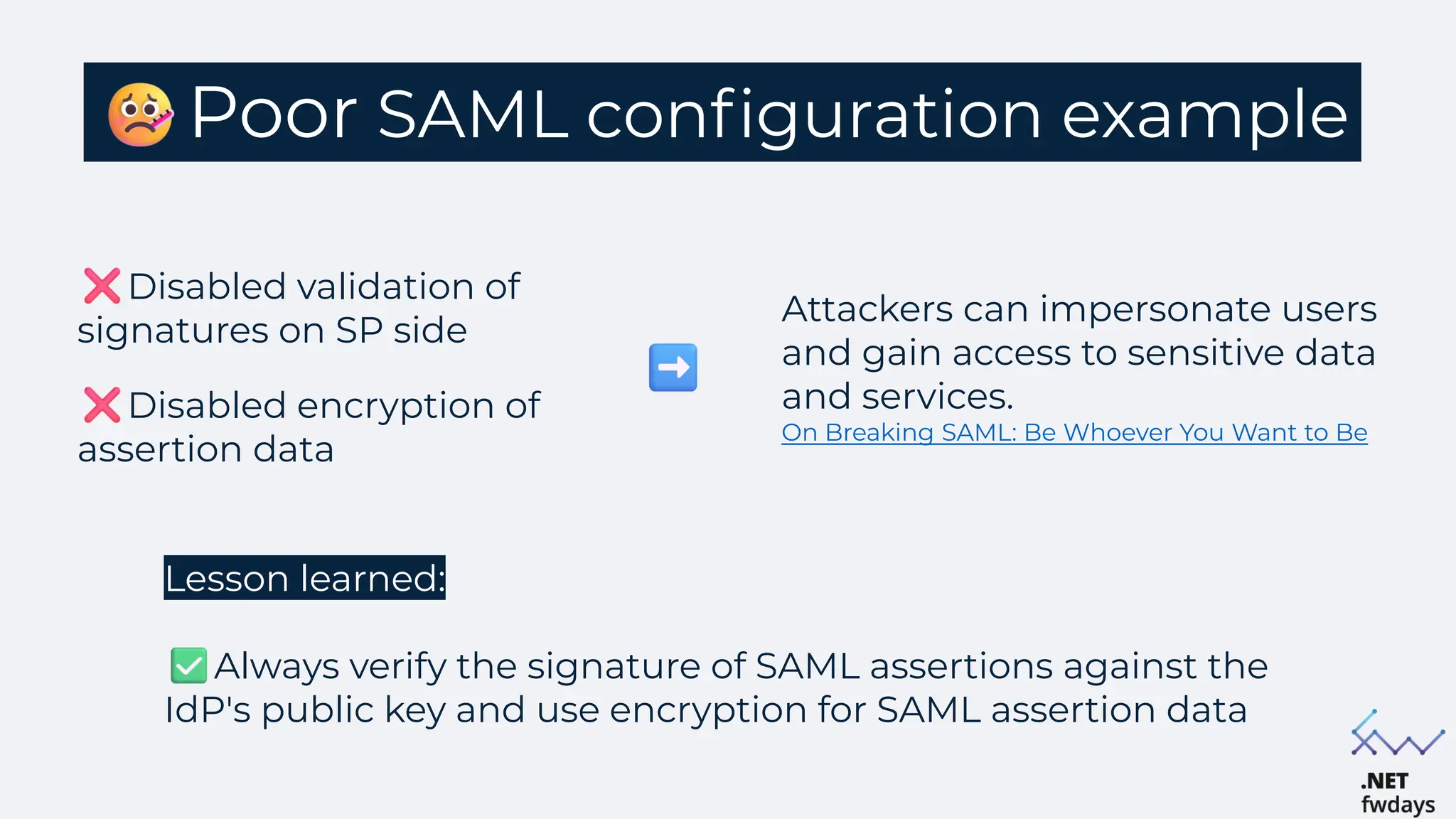
Poor SAML configuration example
Disabled validation of
signatures on SP side
Disabled encryption of
assertion data
Lesson learned:
Always verify the signature of SAML assertions against the
IdP's public key and use encryption for SAML assertion data
Attackers can impersonate users
and gain access to sensitive data
and services.
On Breaking SAML: Be Whoever You Want to Be.
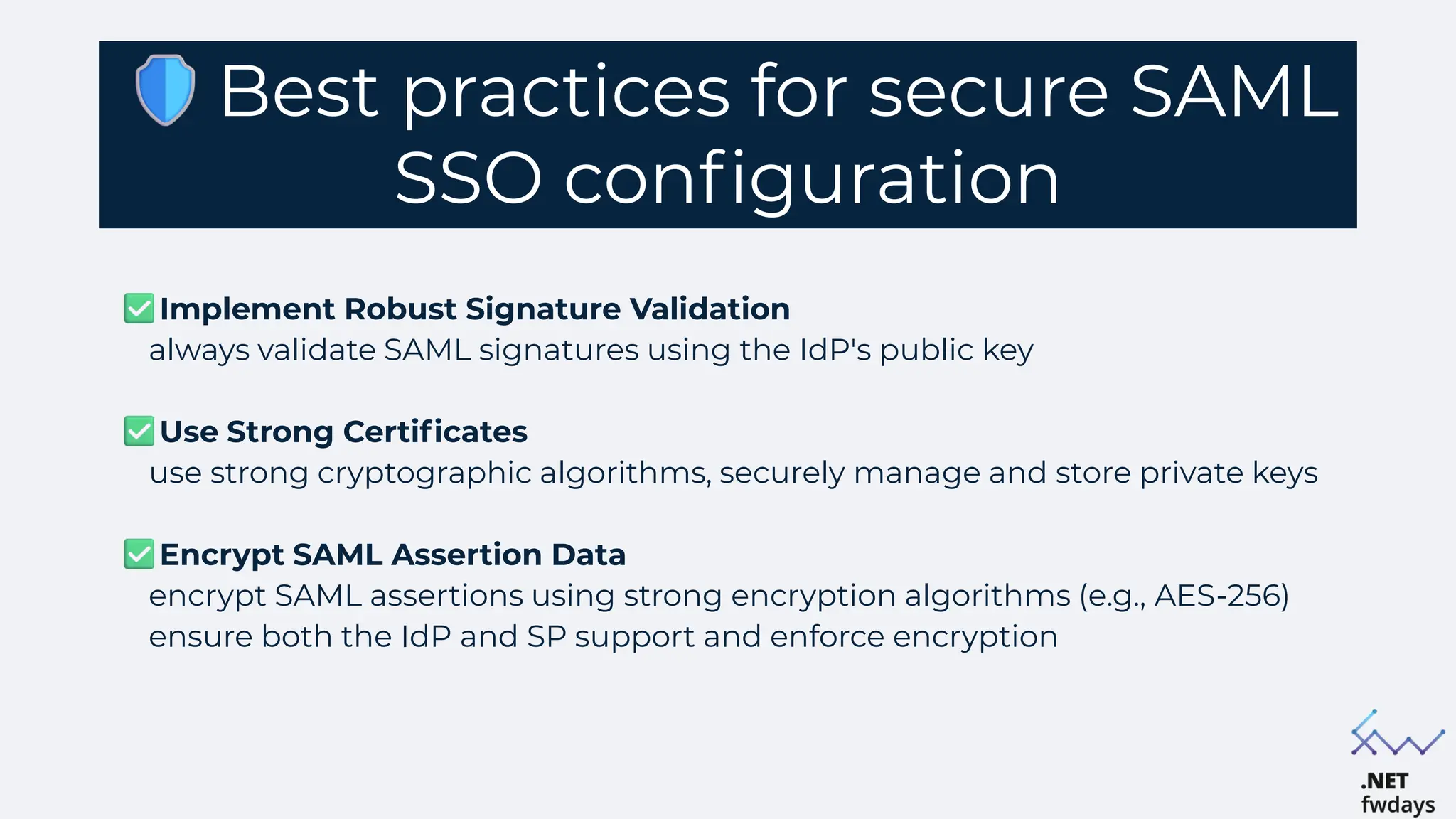
Best practices for secure SAML
SSO configuration
Implement Robust Signature Validation
always validate SAML signatures using the IdP's public key
Use Strong Certificates
use strong cryptographic algorithms, securely manage and store private keys
Encrypt SAML Assertion Data
encrypt SAML assertions using strong encryption algorithms (e.g., AES-256)
ensure both the IdP and SP support and enforce encryption
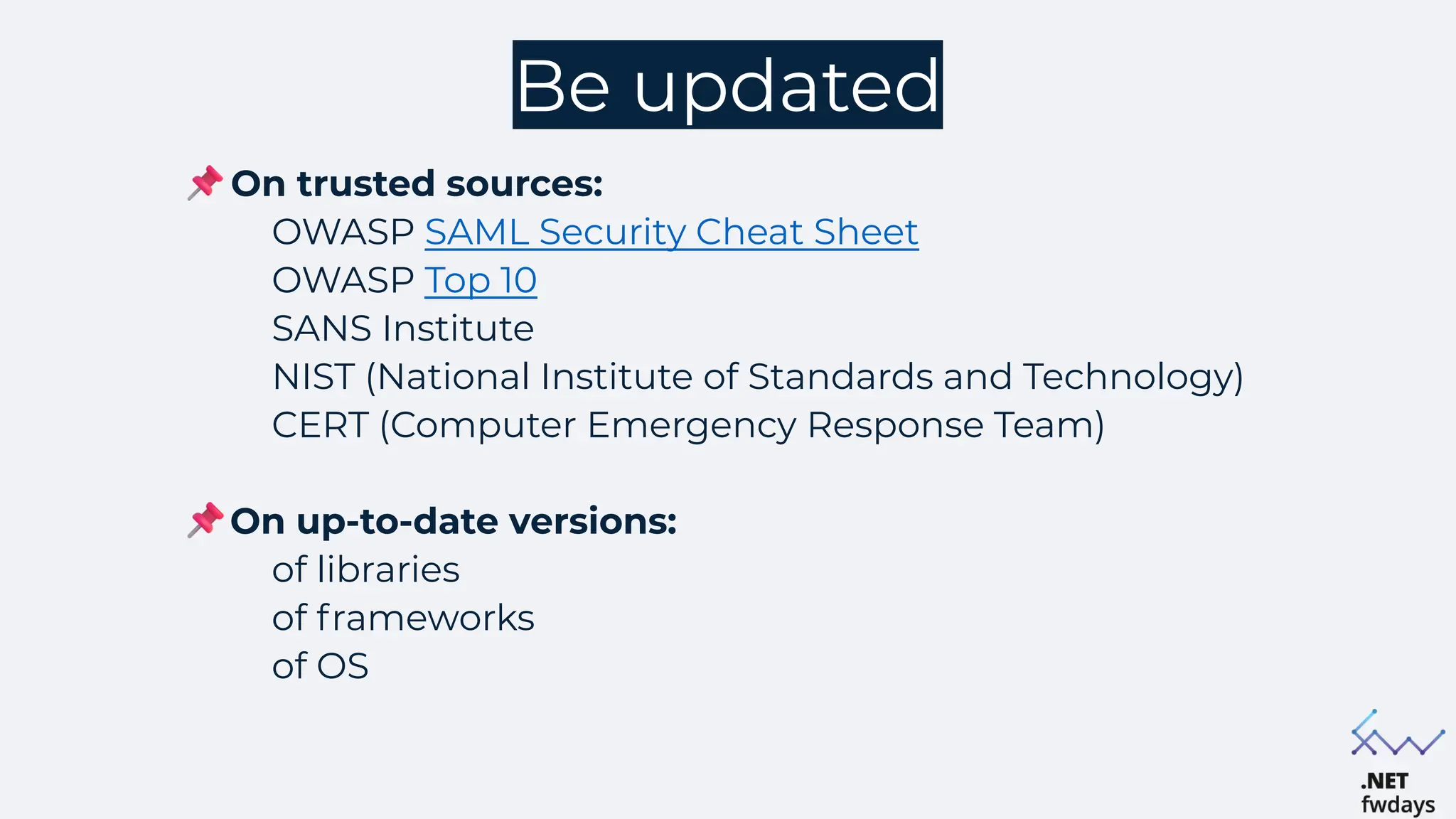
Be updated
On trusted sources:
OWASP SAML Security Cheat Sheet
OWASP Top 10
SANS Institute
NIST (National Institute of Standards and Technology)
CERT (Computer Emergency Response Team)
On up-to-date versions:
of libraries
of frameworks
of OS
Summary
Always use secure authentication methods: make
sure your application uses strong and safe ways for users to
log in
Keep the balance of security and UX: protecting your
application is important, but it should also be easy for users
to access and use
Follow best practices for secure configuration:
configure your application using industry best practices to
enhance security. Regularly review and update your security
settings to stay ahead of potential threat
Q&A

"Securing SSO Authentication: Strategies to eliminate vulnerabilities", Oleh Oliushkevych.pdf

  • 2.
    Agenda The importance ofsecure authentication Understanding SSO Authentication Implementation of the SSO flow on .NET SAML request/response SAML configuration errors & vulnerabilities
  • 3.
    Authentication VS Authorization Authorization Authentication Whoare you? What are you allowed to do? Identity verification Confirms user identity Credential-based Uses passwords, biometrics, tokens Initial Step Precedes authorization Access control Manages resource permissions Permission-based Depends on roles, policies, access lists Post-authentication Follows identity verification
  • 4.
    Why is thesecurity of authentication methods so important? Financial loss: Sony PlayStation network hack in 2011 resulted in a loss of $171 million Cause: exploitation of weak network security and lack of two-factor authentication (2FA) Reputation damage: Target data breach in 2013 led to compromise personal and credit card information approximately of 40 million customers Cause: compromised 3rd-party credentials Legal consequences: Uber data breach in 2017 led to lawsuits from affected users and shareholders seeking damages for privacy violations Cause: lack of robust authentication mechanisms for access controls
  • 5.
    Current types ofauthentication Password-Based Authentication familiar to users, easy to implement vulnerable to password-related attacks Multi-Factor Authentication (MFA), One-time pwd (OTP) additional layers of verification may increase user actions Single Sign-On (SSO) reduces password fatigue central point of failure
  • 6.
    Single Sign-On (SSO) EnhancedUser Experience Improved Security Simplified Management Compatibility Scalability and flexibility Benefits: SSO: a centralized authentication method allowing users to access multiple applications with one set of credentials.
  • 7.
    But, what's thedifference between SSO and OAuth SSO focuses on authentication, allowing users to log in once and access multiple applications OAuth focuses on authorization, enabling third-party applications to access user data stored on other services
  • 8.
  • 9.
    Common SSO protocols/standards SAML(Security Assertion Markup Language) XML-based protocol used for exchanging authentication and authorization data between parties, particularly between an Identity Provider (IdP) and a Service Provider (SP) OIDC (OpenId Connect) Authentication layer built on top of OAuth 2.0, allowing clients to verify user identity using JSON Web Tokens (JWT). Users can log in to multiple sites (Relying Parties) using a third-party service (Identity Provider, IdP)
  • 10.
    SAML SAML is anXML-based framework used for exchanging authentication and authorization data between an Identity Provider (IdP) and a Service Provider (SP) Role: facilitates secure and efficient SSO implementations in web applications is a widely adopted standard for enterprise applications
  • 11.
  • 12.
    Integration into webapp Setup Configure the Identity Provider (IdP) and Service Providers (SPs) Define trust relationships between IdP and SPs Implementation Use SAML libraries and tools to integrate with web app Ensure secure transmission and validation of SAML assertion
  • 13.
    Implementation of theSAML SSO flow on .NET
  • 14.
    Is there abuilt-in solution in .NET for handling SAML? .NET framework and .NET Core do not include built-in SAML handling libraries Direct support for SAML protocols is not integrated into the core .NET libraries For now:
  • 15.
    Open-source libraries for SAMLSSO handling Sustainsys.Saml2 A popular open-source library for implementing SAML2 authentication in ASP.NET applications, compatible with both .NET Framework and .NET Core Sustainsys/Saml2 ITfoxtec Identity SAML2 An open-source SAML2 library designed to be simple and flexible, compatible with both .NET Framework and .NET Core ITfoxtec.Identity.Saml2
  • 16.
    Commercial libraries forSSO handling ComponentSpace SAML* The most popular library providing full SAML 2.0 support for .NET applications Complete SAML 2.0 Implementation: covers all aspects of SAML authentication and authorization. Extensive examples: sample code and detailed guides for easy integration. Enterprise support: offers commercial support and services *price starts from 190$/year
  • 17.
  • 18.
  • 19.
  • 20.
    ID: Unique identifierfor the request. Version: SAML version (typically "2.0") IssueInstant: Timestamp indicating when the request was issued Destination: URL of the IdP where the request is sent AssertionConsumerServiceURL: URL where the IdP should send the SAML response Issuer: Identifies the entity that generated the request (SP)
  • 21.
  • 22.
    InResponseTo: ID ofthe corresponding authentication request Status: Indicates the success or failure of the authentication request StatusCode: Primary status code (e.g., Success, Requester, Responder) Assertion: Contains the actual authentication statement
  • 23.
    Signature: contains thedigital signature information ensuring SAML assertion SignatureMethod: algorithm used for creating the signature Reference URI: points to the id of the signed data DigestValue: the digest (hash) of signed data to ensure the integrity SignatureValue: the actual digital signature value (base64) KeyInfo: information about the key used for signing: X509Certificate: the actual certificate data (base64) Subject: includes the user identifier. NameID: user's unique identifier SubjectConfirmation: information to confirm the subject
  • 24.
    Conditions: defines thevalidity period and restrictions AudienceRestriction: limits the assertion's audience AttributeStatement: Contains user attributes AuthnStatement: authentication information (timestamp, session) AuthnContextClassRef: authentication method used (password, 2FA, etc.)
  • 25.
    Debugging SAML req/res SAMLMessage Decoder Chrome web store This tool helps you to debug your SAML based SSO/SLO implementations. It runs in the background, collecting SAML messages as they are sent and received by the browser
  • 26.
    SAML configuration. Errorsand vulnerabilities
  • 27.
    Poor SAML configurationexample Disabled validation of signatures on SP side Disabled encryption of assertion data Lesson learned: Always verify the signature of SAML assertions against the IdP's public key and use encryption for SAML assertion data Attackers can impersonate users and gain access to sensitive data and services. On Breaking SAML: Be Whoever You Want to Be.
  • 28.
    Best practices forsecure SAML SSO configuration Implement Robust Signature Validation always validate SAML signatures using the IdP's public key Use Strong Certificates use strong cryptographic algorithms, securely manage and store private keys Encrypt SAML Assertion Data encrypt SAML assertions using strong encryption algorithms (e.g., AES-256) ensure both the IdP and SP support and enforce encryption
  • 29.
    Be updated On trustedsources: OWASP SAML Security Cheat Sheet OWASP Top 10 SANS Institute NIST (National Institute of Standards and Technology) CERT (Computer Emergency Response Team) On up-to-date versions: of libraries of frameworks of OS
  • 30.
    Summary Always use secureauthentication methods: make sure your application uses strong and safe ways for users to log in Keep the balance of security and UX: protecting your application is important, but it should also be easy for users to access and use Follow best practices for secure configuration: configure your application using industry best practices to enhance security. Regularly review and update your security settings to stay ahead of potential threat
  • 31.