Use Case Diagram
by:
Dr. Bharat V. Chawda
Computer Engineering Department,
BBIT, VVNagar, Gujarat, India
1
Overview
 Introduction
 Notations
 Example
 Use Case Model
 Why Use Case Diagram?
(As per GTU Curriculum – Diploma in Computer/IT Engineering)
Based on Book:
1. Fundamentals of Software Engineering – by Rajib Mall
2
Use case diagram: Example
3
Manage Books
Manage Customers
Manage Suppliers
Manage Employees
Manage Purchase
Manage Sales
Search Books
Book store Management System
Admin
Customer
Login
Concept
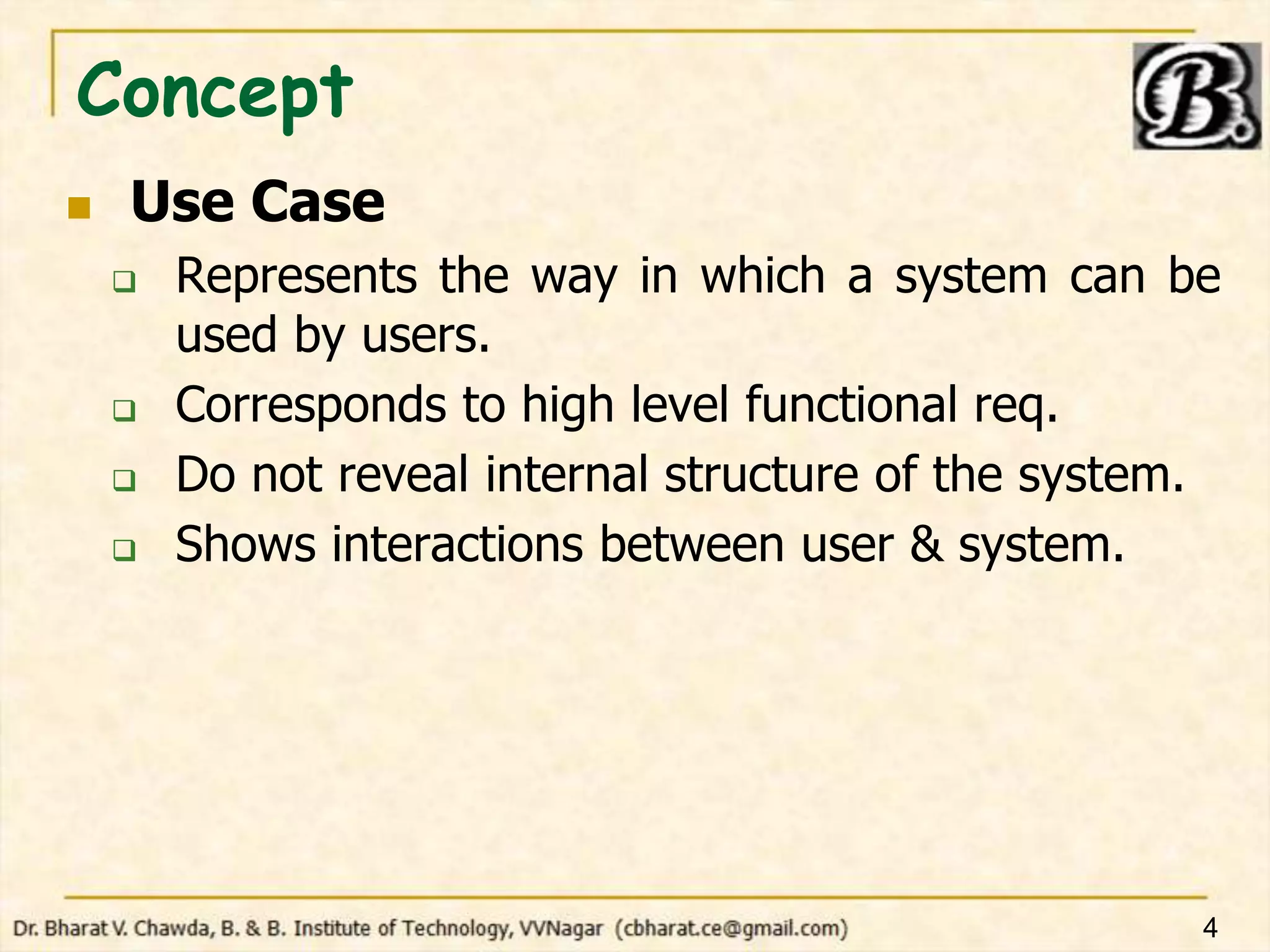
 Use Case
 Represents the way in which a system can be
used by users.
 Corresponds to high level functional req.
 Do not reveal internal structure of the system.
 Shows interactions between user & system.
4
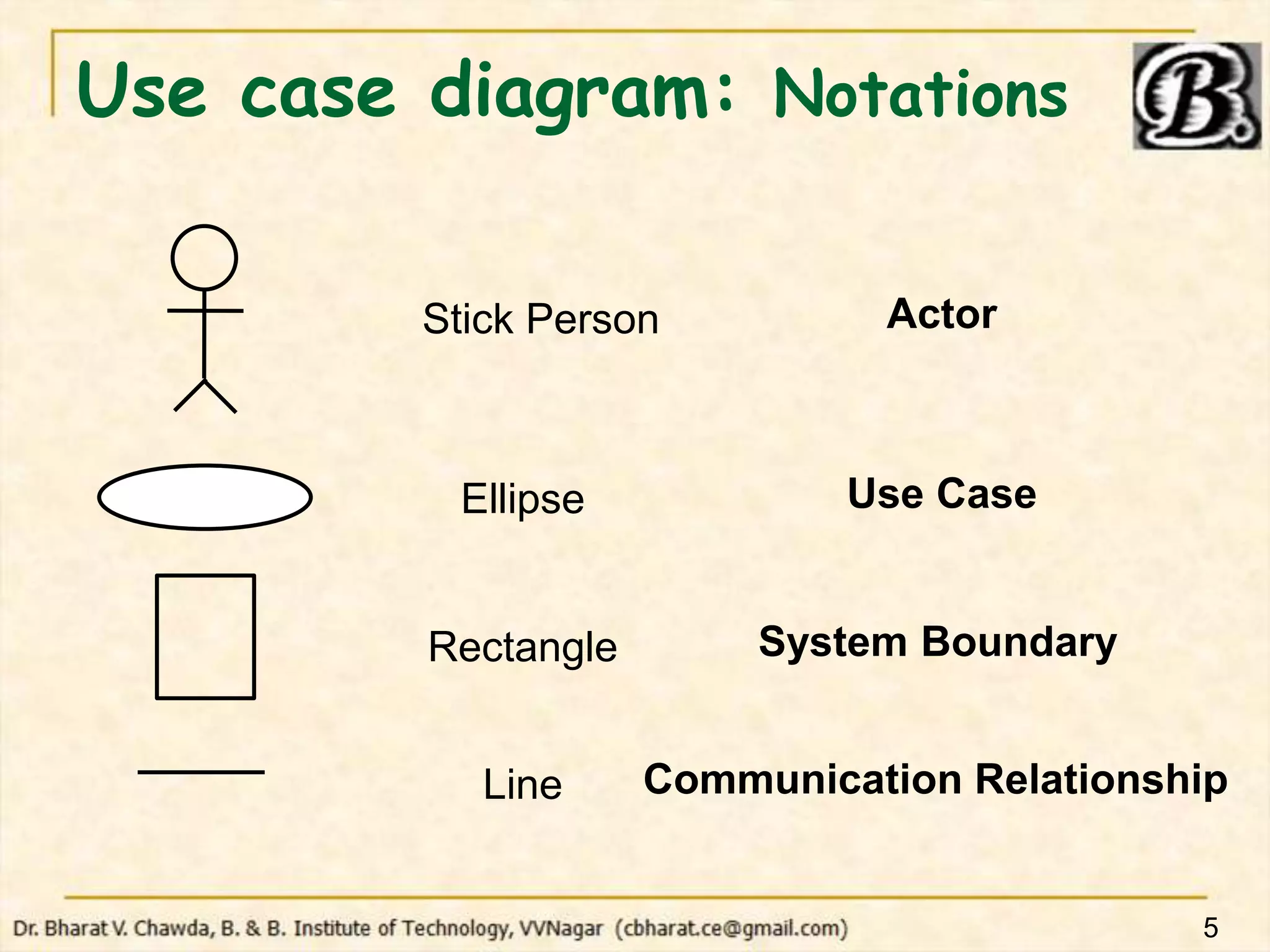
Use case diagram: Notations
5
Stick Person Actor
Ellipse
Rectangle
Line
Use Case
System Boundary
Communication Relationship
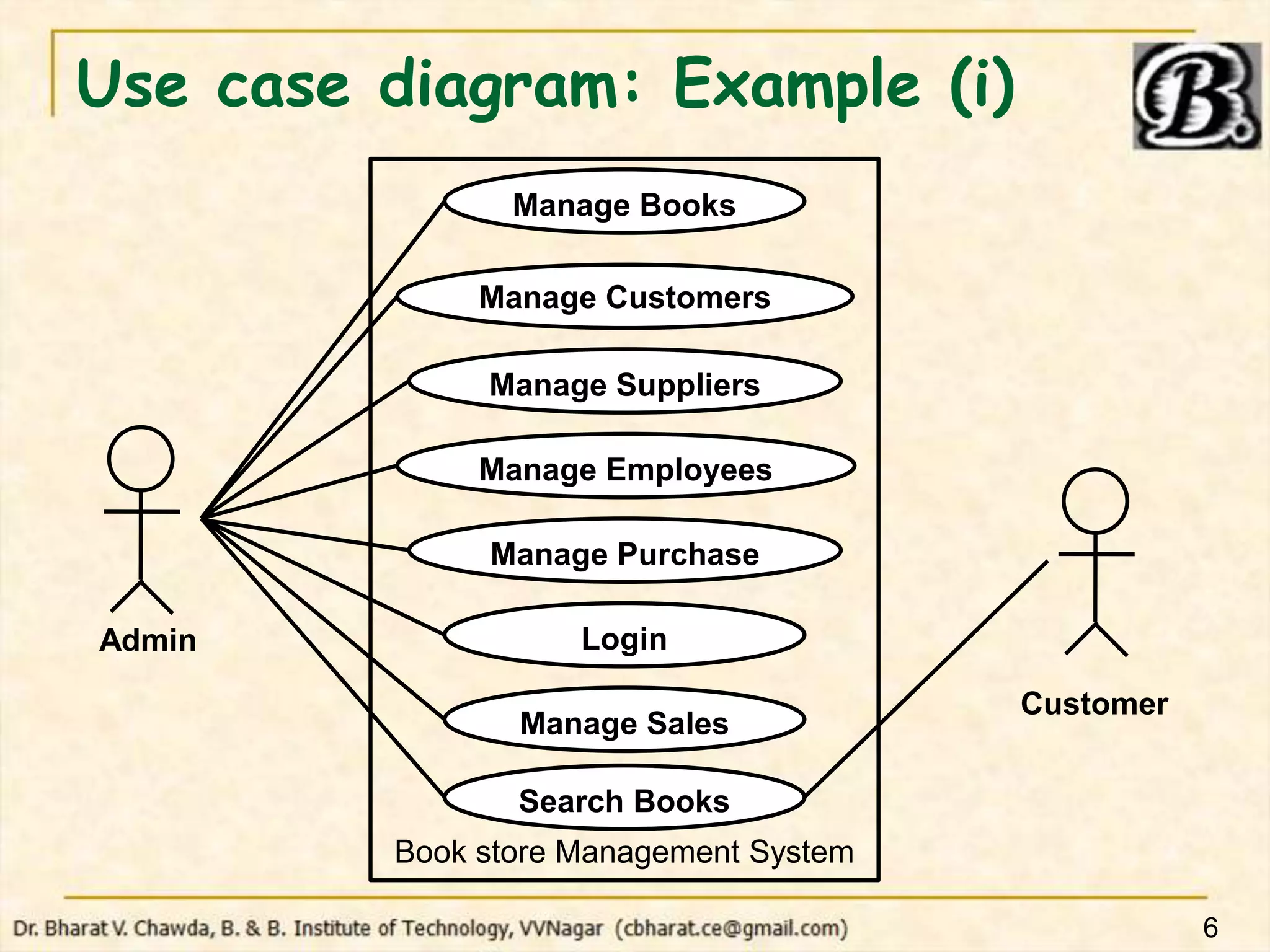
Use case diagram: Example (i)
6
Manage Books
Manage Customers
Manage Suppliers
Manage Employees
Manage Purchase
Manage Sales
Search Books
Book store Management System
Admin
Customer
Login
Use case diagram: Example (ii)
7
Manage Books
Manage Customers
Manage Suppliers
Manage Employees
Manage Purchase
Manage Sales
Search Books
Book store Management System
Admin
Login
Sales
Manager
Purchase
Manager
Customer
Use Case Model
 Use case diagram + Text description
 Contact Persons
 Actors
 Pre-condition
 Post-condition
 Non-functional Requirements
 Exceptions, Error situations
 Sample Dialogs
 Specific User Interface Requirements
 Document References
8
Why Use case diagram?
 Helps to identify/analyze requirements
 Helps to identify actors
 Serves as a type of requirements
specification
 Useful in understanding exact functioning
of the system
 Specifies actor-functionality relationship :
Helps to implement security mechanism
 Useful in preparing docs: Users’ manual
9
Thank-U…!!!
10

SE2023 0206 Use Case Diagram.pptx

  • 1.
    Use Case Diagram by: Dr.Bharat V. Chawda Computer Engineering Department, BBIT, VVNagar, Gujarat, India 1
  • 2.
    Overview  Introduction  Notations Example  Use Case Model  Why Use Case Diagram? (As per GTU Curriculum – Diploma in Computer/IT Engineering) Based on Book: 1. Fundamentals of Software Engineering – by Rajib Mall 2
  • 3.
    Use case diagram:Example 3 Manage Books Manage Customers Manage Suppliers Manage Employees Manage Purchase Manage Sales Search Books Book store Management System Admin Customer Login
  • 4.
    Concept  Use Case Represents the way in which a system can be used by users.  Corresponds to high level functional req.  Do not reveal internal structure of the system.  Shows interactions between user & system. 4
  • 5.
    Use case diagram:Notations 5 Stick Person Actor Ellipse Rectangle Line Use Case System Boundary Communication Relationship
  • 6.
    Use case diagram:Example (i) 6 Manage Books Manage Customers Manage Suppliers Manage Employees Manage Purchase Manage Sales Search Books Book store Management System Admin Customer Login
  • 7.
    Use case diagram:Example (ii) 7 Manage Books Manage Customers Manage Suppliers Manage Employees Manage Purchase Manage Sales Search Books Book store Management System Admin Login Sales Manager Purchase Manager Customer
  • 8.
    Use Case Model Use case diagram + Text description  Contact Persons  Actors  Pre-condition  Post-condition  Non-functional Requirements  Exceptions, Error situations  Sample Dialogs  Specific User Interface Requirements  Document References 8
  • 9.
    Why Use casediagram?  Helps to identify/analyze requirements  Helps to identify actors  Serves as a type of requirements specification  Useful in understanding exact functioning of the system  Specifies actor-functionality relationship : Helps to implement security mechanism  Useful in preparing docs: Users’ manual 9
  • 10.