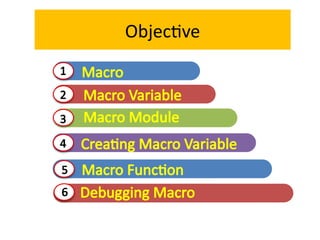
What is Macro?
•It can make your work faster by automating the task
that requires writing same lines of code every day.
• Macros are used to automate the repetitive task.
• It can also be used when you
design a complex algorithm and
want to make usage of code user
friendly so that people who are
not comfortable with programming
can use your algorithm.
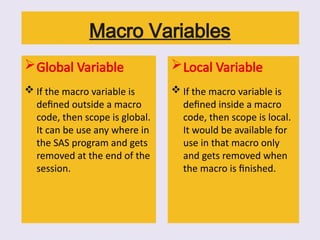
Macro Variables
Global Variable
If the macro variable is
defined outside a macro
code, then scope is global.
It can be use any where in
the SAS program and gets
removed at the end of the
session.
Local Variable
If the macro variable is
defined inside a macro
code, then scope is local.
It would be available for
use in that macro only
and gets removed when
the macro is finished.
7.
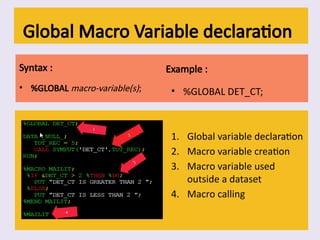
Global Macro Variabledeclaration
Syntax :
• %GLOBAL macro-variable(s);
Example :
• %GLOBAL DET_CT;
1. Global variable declaration
2. Macro variable creation
3. Macro variable used
outside a dataset
4. Macro calling
8.
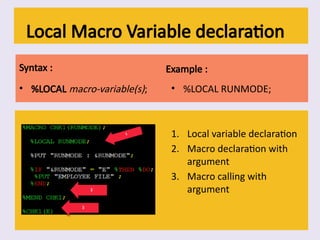
Local Macro Variabledeclaration
Syntax :
• %LOCAL macro-variable(s);
Example :
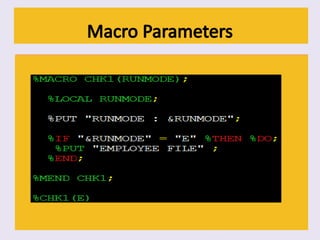
• %LOCAL RUNMODE;
1. Local variable declaration
2. Macro declaration with
argument
3. Macro calling with
argument
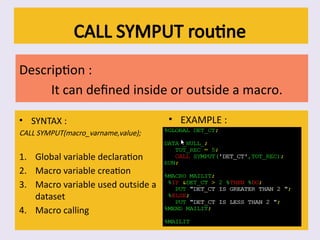
CALL SYMPUT routine
Description:
It can defined inside or outside a macro.
• SYNTAX :
CALL SYMPUT(macro_varname,value);
1. Global variable declaration
2. Macro variable creation
3. Macro variable used outside a
dataset
4. Macro calling
• EXAMPLE :
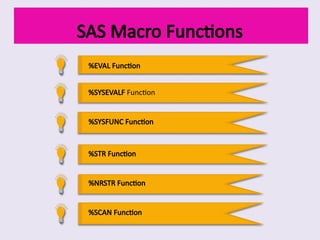
SAS Macro Functions
%EVALFunction
%SYSEVALF Function
%SYSFUNC Function
%STR Function
%NRSTR Function
%SCAN Function
23.
%EVAL Function
It isused to perform mathematical and logical operation with
macro variables. Its only for Whole number only
OUTPUT FOR Z 10*20 Z2 200
24.
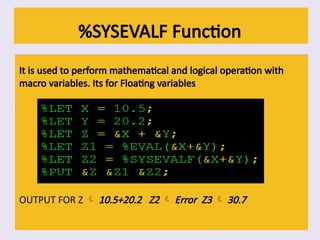
%SYSEVALF Function
It isused to perform mathematical and logical operation with
macro variables. Its for Floating variables
OUTPUT FOR Z 10.5+20.2 Z2 Error Z3 30.7
25.
%SYSFUNC Function
%Sysfunc enablesthose function to make them work in
a macro.
• Eg :
%let dt3 = %sysfunc(date(),yymmdd10.);
• Output :
2020-09-18
26.
%STR Function
• UsageI : This function removes the normal meaning of
following token + – * /, > < = ; “ LT EQ GT LE GE LE NE AND
OR NOT blank.
• Usage II : Precede with % sign when you use single or double
quotation in macro
• Usage III : It also preserves leading and trailing blanks of the
string.
27.
Examples for %STRFunction
• Example for Usage 1:
%let exmp0 = proc print; run;;
%let exmpl1 = %str(proc print; run;) ;
%put &exmp0;
Output exmp0 : proc print, exmp1 : proc print; run;
• Example for Usage 2:
%let var=%str(a%");
%put &var;
Output a”
• Example for Usage 3 :
%let dt= %str( a );
%put &dt;
Output a
28.
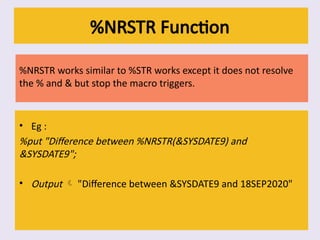
%NRSTR Function
%NRSTR workssimilar to %STR works except it does not resolve
the % and & but stop the macro triggers.
• Eg :
%put "Difference between %NRSTR(&SYSDATE9) and
&SYSDATE9";
• Output "Difference between &SYSDATE9 and 18SEP2020"
29.
%SCAN Function
It returnsthe nth word in a string.
SYNTAX :
%SCAN(argument,n,<delimiters>)
• Eg :
%LET SYSPARM = A+B+C+D;
%LET VAR1 = %SCAN(&SYSPARM,1,+);
%LET VAR2 = %SCAN(&SYSPARM,2,+);
%LET VAR3 = %SCAN(&SYSPARM,3,+);
%LET VAR4 = %SCAN(&SYSPARM,4,+);
• Output VAR1 = A; VAR2 = B; VAR3 = C; VAR4 = D;
MERROR | NOMERROR
•MERROR allows SAS to issue a warning message if the macro processor
cannot match a macro-like name (of the form %name) to an appropriate
macro keyword. Few instances to produce error are,
a macro keyword, including a macro call, is misspelled
a macro is called before being defined
a string that contains a percent sign is encountered.
Eg : For %SAMPL Warning: Apparent invocation of macro SAMPL not
resolved.
• NOMERROR does not allow SAS to issue warning messages.
program contains a percent sign in a string that could be mistaken for a macro
keyword, you can specify NOMERROR to suppress the warning messages.
33.
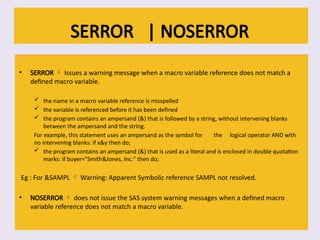
SERROR | NOSERROR
•SERROR Issues a warning message when a macro variable reference does not match a
defined macro variable.
the name in a macro variable reference is misspelled
the variable is referenced before it has been defined
the program contains an ampersand (&) that is followed by a string, without intervening blanks
between the ampersand and the string.
For example, this statement uses an ampersand as the symbol for the logical operator AND with
no intervening blanks: if x&y then do;
the program contains an ampersand (&) that is used as a literal and is enclosed in double quotation
marks: if buyer="Smith&Jones, Inc." then do;
Eg : For &SAMPL Warning: Apparent Symbolic reference SAMPL not resolved.
• NOSERROR does not issue the SAS system warning messages when a defined macro
variable reference does not match a macro variable.
34.
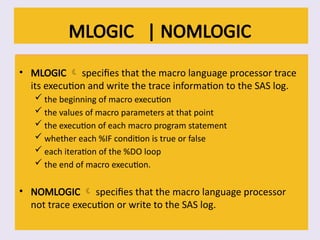
MLOGIC | NOMLOGIC
•MLOGIC specifies that the macro language processor trace
its execution and write the trace information to the SAS log.
the beginning of macro execution
the values of macro parameters at that point
the execution of each macro program statement
whether each %IF condition is true or false
each iteration of the %DO loop
the end of macro execution.
• NOMLOGIC specifies that the macro language processor
not trace execution or write to the SAS log.
35.
Example and SASLOGinfo.
• Eg :
%macro second(param);
%let a = %eval(¶m);a
%mend second;
%macro first(exp);
%if (%second(&exp) ge 0) %then
%put **** result >= 0 ****;
%else
%put **** result < 0 ****;
%mend first;
options mlogic;
%first(1+2)
• SASLOG Info :
MLOGIC(FIRST): Beginning execution.
MLOGIC(FIRST): Parameter EXP has value 1+2
MLOGIC(SECOND): Beginning execution.
MLOGIC(SECOND): Parameter PARAM has value 1+2
MLOGIC(SECOND): %LET (variable name is A)
MLOGIC(SECOND): Ending execution.
MLOGIC(FIRST): %IF condition (%second(&exp) ge 0) is TRUE
MLOGIC(FIRST): %PUT **** result >= 0 ****
MLOGIC(FIRST): Ending execution.
36.
MPRINT | NOMPRINT
•MPRINT Displays SAS statements generated by macro execution. This is
useful for debugging macros.
The MPRINT option displays the text generated by macro execution.
Each SAS statement begins a new line.
Each line of MPRINT output is identified with the prefix MPRINT(macro-name):, to
identify the macro that generates the statement.
Tokens that are separated by multiple spaces are printed with one intervening space.
Each statement ends with a semicolon.
You can direct MPRINT output to an external file by also using the MFILE option and
assigning the fileref MPRINT to that file.
• NOMPRINT Does not display SAS statements generated by macro execution.
37.
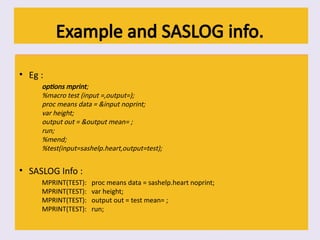
Example and SASLOGinfo.
• Eg :
options mprint;
%macro test (input =,output=);
proc means data = &input noprint;
var height;
output out = &output mean= ;
run;
%mend;
%test(input=sashelp.heart,output=test);
• SASLOG Info :
MPRINT(TEST): proc means data = sashelp.heart noprint;
MPRINT(TEST): var height;
MPRINT(TEST): output out = test mean= ;
MPRINT(TEST): run;
38.
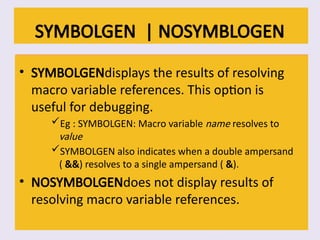
SYMBOLGEN | NOSYMBLOGEN
•SYMBOLGENdisplays the results of resolving
macro variable references. This option is
useful for debugging.
Eg : SYMBOLGEN: Macro variable name resolves to
value
SYMBOLGEN also indicates when a double ampersand
( &&) resolves to a single ampersand ( &).
• NOSYMBOLGENdoes not display results of
resolving macro variable references.

















![[DSC Europe 25] Srba Markovic - From Pilot to Production: Overcoming AI Deplo...](https://cdn.slidesharecdn.com/ss_thumbnails/yjjmrtytmwbalxlba7px-4-srba-markovic-from-pilot-to-production-overcoming-ai-deployment-blockers-with-260114111931-4a892d44-thumbnail.jpg?width=640&height=640&fit=bounds)


![[DSC Europe 25] Slobodan Dolinic - Smart and Intelligent Green Region.pptx](https://cdn.slidesharecdn.com/ss_thumbnails/0bribinjsp6ghwtvsvor-2-sigre-slobodan-dolinic-260115093812-c9c10e90-thumbnail.jpg?width=640&height=640&fit=bounds)


![[DSC Europe 25] Ivica Milaric - The Future of Gaming and AI Tools.pptx](https://cdn.slidesharecdn.com/ss_thumbnails/tijgzsmgse2kj2y5pzzp-5-ivica-milaric-the-future-of-gaming-x-ai-tools-260114111931-87c2b3ac-thumbnail.jpg?width=640&height=640&fit=bounds)


