Overview
Overview
Macro Magic Postershave been displayed
at the last 2 SUGA presentations.
Continue the trend…
Hopefully everyone will learn something
new…
3.
SAS Macro -Introduction
SAS Macro - Introduction
Used to generate (often repeated or
conditional) SAS code
4.
SAS Macro -Introduction
SAS Macro - Introduction
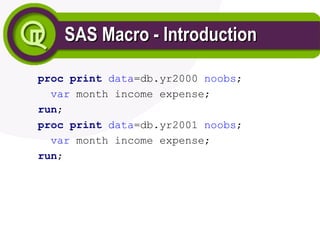
proc print data=db.yr2000 noobs;
var month income expense;
run;
proc print data=db.yr2001 noobs;
var month income expense;
run;
5.
SAS Macro -Introduction
SAS Macro - Introduction
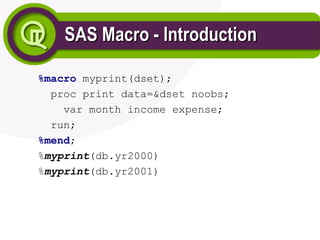
%macro myprint(dset);
proc print data=&dset noobs;
var month income expense;
run;
%mend;
%myprint(db.yr2000)
%myprint(db.yr2001)
6.
SAS Macro -Introduction
SAS Macro - Introduction
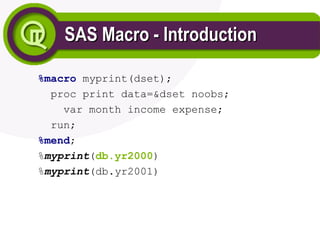
%macro myprint(dset);
proc print data=&dset noobs;
var month income expense;
run;
%mend;
%myprint(db.yr2000)
%myprint(db.yr2001)
7.
SAS Macro -Introduction
SAS Macro - Introduction
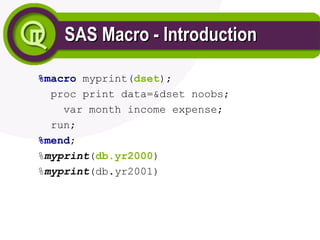
%macro myprint(dset);
proc print data=&dset noobs;
var month income expense;
run;
%mend;
%myprint(db.yr2000)
%myprint(db.yr2001)
8.
SAS Macro -Introduction
SAS Macro - Introduction
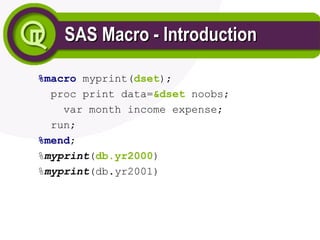
%macro myprint(dset);
proc print data=&dset noobs;
var month income expense;
run;
%mend;
%myprint(db.yr2000)
%myprint(db.yr2001)
9.
SAS Macro -Introduction
SAS Macro - Introduction
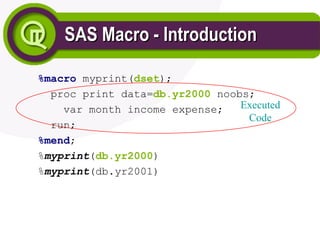
%macro myprint(dset);
proc print data=db.yr2000 noobs;
var month income expense;
run;
%mend;
%myprint(db.yr2000)
%myprint(db.yr2001)
Executed
Code
10.
Error Checking
Error Checking
ProductionSAS jobs should have error
checking
May need to run certain steps based on
failure
&syserr, &syslibrc, &sysfilrc, &syslckrc
0=success, +ve=error, -ve=warning
%goto
11.
Error Checking
Error Checking
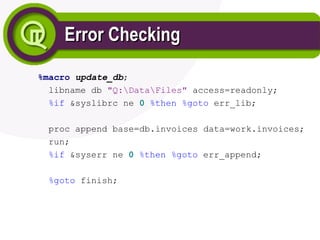
%macroupdate_db;
libname db "Q:DataFiles" access=readonly;
%if &syslibrc ne 0 %then %goto err_lib;
proc append base=db.invoices data=work.invoices;
run;
%if &syserr ne 0 %then %goto err_append;
%goto finish;
Error Checking
Error Checking
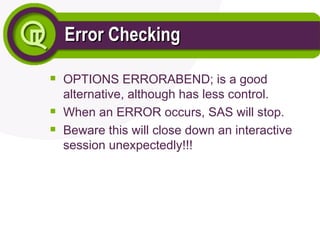
OPTIONSERRORABEND; is a good
alternative, although has less control.
When an ERROR occurs, SAS will stop.
Beware this will close down an interactive
session unexpectedly!!!
14.
Platform Checking
Platform Checking
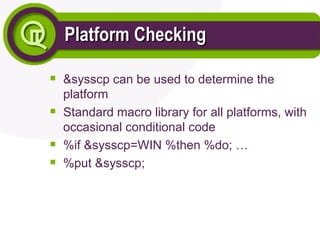
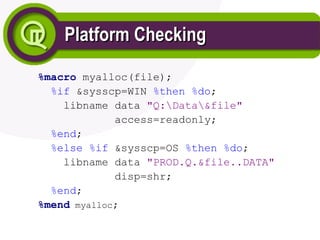
&sysscpcan be used to determine the
platform
Standard macro library for all platforms, with
occasional conditional code
%if &sysscp=WIN %then %do; …
%put &sysscp;
Version of SASChecking
Version of SAS Checking
Some installations may have more than one
version of SAS installed
%if &sysver=8.2 %then %do; …
17.
Call Execute
Call Execute
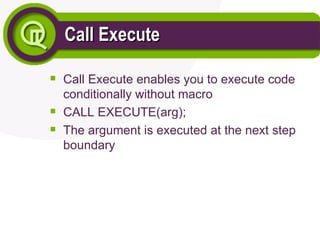
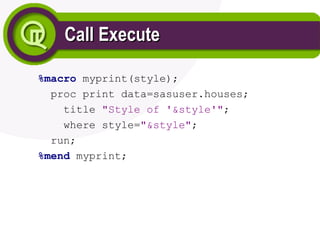
CallExecute enables you to execute code
conditionally without macro
CALL EXECUTE(arg);
The argument is executed at the next step
boundary
Call Execute
Call Execute
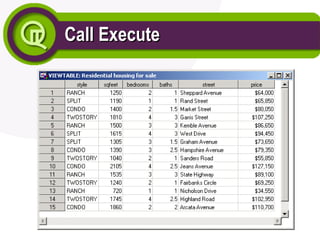
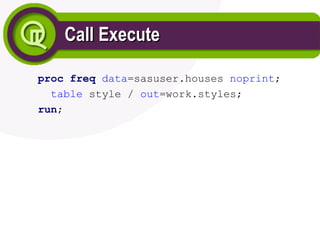
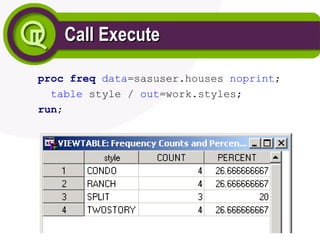
procfreq data=sasuser.houses noprint;
table style / out=work.styles;
run;
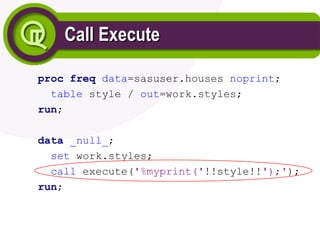
data _null_;
set work.styles;
call execute('%myprint('!!style!!');');
run;
23.
Call Execute
Call Execute
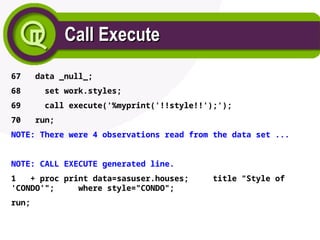
67data _null_;
68 set work.styles;
69 call execute('%myprint('!!style!!');');
70 run;
NOTE: There were 4 observations read from the data set ...
NOTE: CALL EXECUTE generated line.
1 + proc print data=sasuser.houses; title "Style of
'CONDO'"; where style="CONDO";
run;
24.
Version 8 Enhancements
Version8 Enhancements
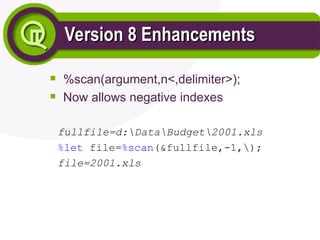
%scan(argument,n<,delimiter>);
Now allows negative indexes
fullfile=d:DataBudget2001.xls
%let file=%scan(&fullfile,-1,);
file=2001.xls
25.
Version 6 Goodies
Version6 Goodies
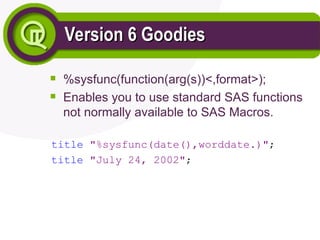
%sysfunc(function(arg(s))<,format>);
Enables you to use standard SAS functions
not normally available to SAS Macros.
title "%sysfunc(date(),worddate.)";
title "July 24, 2002";
26.
Version 6 Goodies
Version6 Goodies
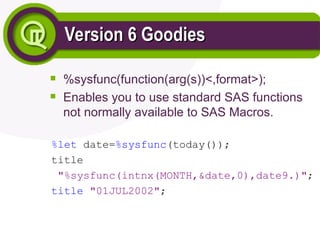
%sysfunc(function(arg(s))<,format>);
Enables you to use standard SAS functions
not normally available to SAS Macros.
%let date=%sysfunc(today());
title
"%sysfunc(intnx(MONTH,&date,0),date9.)";
title "01JUL2002";
27.
Version 6 Goodies- %sysfunc
Version 6 Goodies - %sysfunc
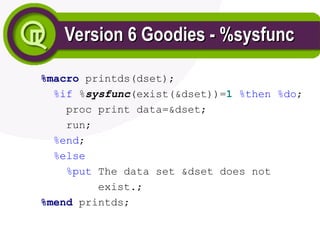
%macro printds(dset);
%if %sysfunc(exist(&dset))=1 %then %do;
proc print data=&dset;
run;
%end;
%else
%put The data set &dset does not
exist.;
%mend printds;
28.
Version 6 Goodies- %sysfunc
Version 6 Goodies - %sysfunc
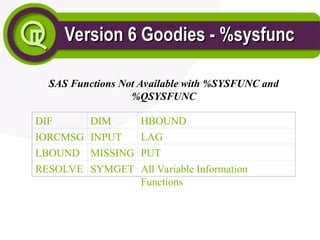
SAS Functions Not Available with %SYSFUNC and
%QSYSFUNC
DIF DIM HBOUND
IORCMSG INPUT LAG
LBOUND MISSING PUT
RESOLVE SYMGET All Variable Information
Functions
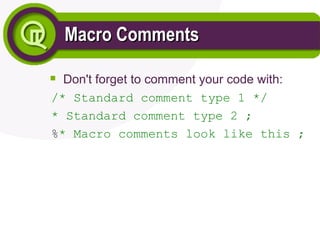
Macro Comments
Macro Comments
Don'tforget to comment your code with:
/* Standard comment type 1 */
* Standard comment type 2 ;
%* Macro comments look like this ;
36.
Conclusion
Conclusion
The SAS MacroLanguage is a powerful tool
for use with the SAS programming language
Hopefully the techniques presented will be
helpful in your own application development