Vampire Mice:
        How USB
Power Management
      Impacts You
            Sarah Sharp
sarah.a.sharp@intel.com


           Jan 25, 2013
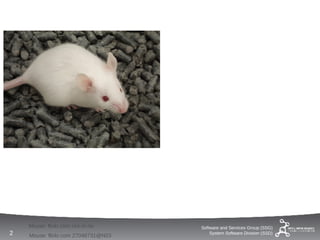
Mouse: flickr.com rick-in-rio    Software and Services Group (SSG)
2   Mouse: flickr.com 27048731@N03
                                         System Software Division (SSD)
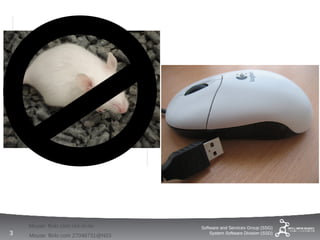
Mouse: flickr.com rick-in-rio    Software and Services Group (SSG)
3   Mouse: flickr.com 27048731@N03
                                         System Software Division (SSD)
Agenda
    •   How USB PM works
    •   ...and how it doesn't work
    •   New USB 3.0 and 2.1 features
    •   New features in Intel systems


                                        Software and Services Group (SSG)
4                                           System Software Division (SSD)
How USB
Power Management
Works


    Software and Services Group (SSG)
5       System Software Division (SSD)   Lightbulb: flickr.com hozae
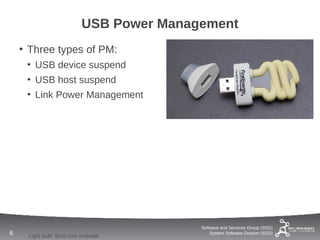
USB Power Management
    • Three types of PM:
     • USB device suspend
     • USB host suspend
     • Link Power Management


                                           Software and Services Group (SSG)
6    Light bulb: flickr.com molotalk
                                               System Software Division (SSD)
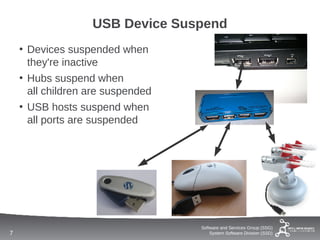
USB Device Suspend
    • Devices suspended when
      they're inactive
    • Hubs suspend when
      all children are suspended
    • USB hosts suspend when
      all ports are suspended


                                   Software and Services Group (SSG)
7                                      System Software Division (SSD)
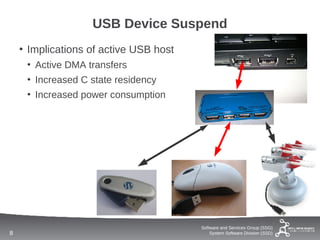
USB Device Suspend
    • Implications of active USB host
     • Active DMA transfers
     • Increased C state residency
     • Increased power consumption


                                        Software and Services Group (SSG)
8                                           System Software Division (SSD)
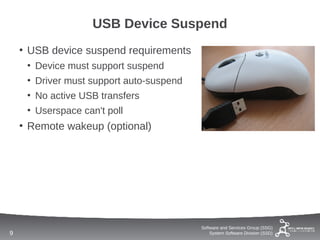
USB Device Suspend
    • USB device suspend requirements
     • Device must support suspend
     • Driver must support auto-suspend
     • No active USB transfers
     • Userspace can't poll
    • Remote wakeup (optional)


                                          Software and Services Group (SSG)
9                                             System Software Division (SSD)
How USB
Power Management
Doesn't Work


     Software and Services Group (SSG)
10       System Software Division (SSD)   Broken light bulb: flickr.com ginsnob
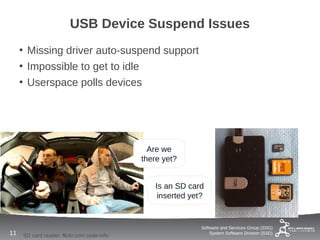
USB Device Suspend Issues
     • Missing driver auto-suspend support
     • Impossible to get to idle
     • Userspace polls devices


                                              Are we
                                            there yet?


                                               Is an SD card
                                                inserted yet?


                                                            Software and Services Group (SSG)
11   SD card reader: flickr.com osde-info                       System Software Division (SSD)
USB Device Suspend Issues
     • Many USB devices are broken
      • Disconnect on resume
      • Unsafe suspend behavior
      • No remote wakeups
      • Event loss during resume
     • Firmware updates may help
      • Device descriptors often
        unchanged


                                          Software and Services Group (SSG)
12   Mouse: flickr.com declanjewell           System Software Division (SSD)
USB Device Suspend Issues
     • Different systems produce
       different behavior
      • Electrical issues?
      • Host hardware bugs?
      • Powered USB hubs?
      • Device driver bugs?


                                           Software and Services Group (SSG)
13   dusty computer: flickr.com johnjack       System Software Division (SSD)
USB Device Suspend Issues
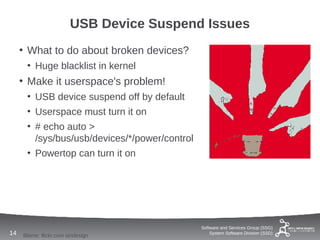
     • What to do about broken devices?
      • Huge blacklist in kernel
     • Make it userspace's problem!
      • USB device suspend off by default
      • Userspace must turn it on
      • # echo auto >
        /sys/bus/usb/devices/*/power/control
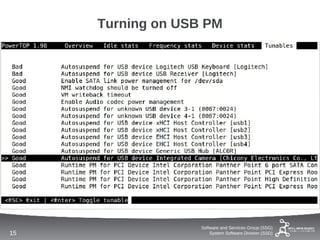
      • Powertop can turn it on


                                               Software and Services Group (SSG)
14   Blame: flickr.com iandesign                   System Software Division (SSD)
Turning on USB PM


                   Software and Services Group (SSG)
15                     System Software Division (SSD)
Turning on USB PM
     • Powertop auto-suspend enabling
       doesn't persist across
      • Device unplug
      • Reboot
     • Solution: create a udev rule
     • github.com/sarahsharp/usb-pm-tools


                                               Software and Services Group (SSG)
16   Boot: flickr.com jamiecat                     System Software Division (SSD)
USB Device Suspend

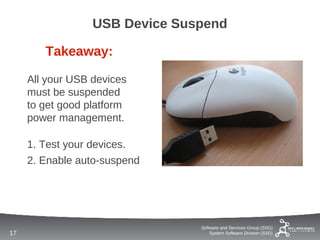
        Takeaway:

     All your USB devices
     must be suspended
     to get good platform
     power management.

     1. Test your devices.
     2. Enable auto-suspend


                                Software and Services Group (SSG)
17                                  System Software Division (SSD)
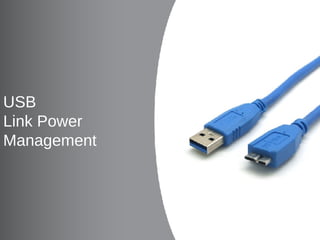
USB
Link Power
Management


     Software and Services Group (SSG)
18       System Software Division (SSD)
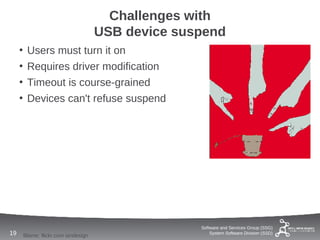
Challenges with
                                       USB device suspend
     •    Users must turn it on
     •    Requires driver modification
     •    Timeout is course-grained
     •    Devices can't refuse suspend


                                                     Software and Services Group (SSG)
19       Blame: flickr.com iandesign                     System Software Division (SSD)
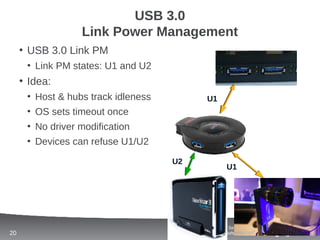
USB 3.0
                  Link Power Management
     • USB 3.0 Link PM
      • Link PM states: U1 and U2
     • Idea:
      • Host & hubs track idleness          U1
      • OS sets timeout once
      • No driver modification
      • Devices can refuse U1/U2

                                     U2
                                                      U1


                                          Software and Services Group (SSG)
20                                            System Software Division (SSD)
USB 3.0
                 Link Power Management
     • Some USB 3.0 devices don't do Link PM
     • How to tell?


     # lsusb -v -d 1d6b:0003 | grep "Port [0-9]*"
      Hub Port Status:
       Port 1: 0000.02a0 5Gbps power Rx.Detect
       Port 2: 0000.0243 5Gbps power U2 enable connect
       Port 3: 0000.02a0 5Gbps power Rx.Detect
       Port 4: 0000.02a0 5Gbps power Rx.Detect


                                        Software and Services Group (SSG)
21                                          System Software Division (SSD)
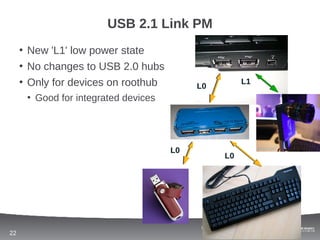
USB 2.1 Link PM
     • New 'L1' low power state
     • No changes to USB 2.0 hubs
     • Only for devices on roothub         L0
                                                              L1

      • Good for integrated devices


                                      L0
                                                      L0


                                           Software and Services Group (SSG)
22                                             System Software Division (SSD)
New Intel
USB PM Features


     Software and Services Group (SSG)
23       System Software Division (SSD)
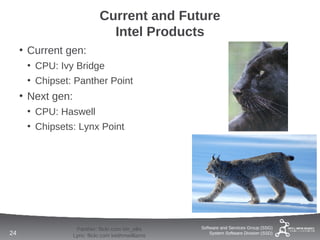
Current and Future
                                Intel Products
     • Current gen:
      • CPU: Ivy Bridge
      • Chipset: Panther Point
     • Next gen:
      • CPU: Haswell
      • Chipsets: Lynx Point


                    Panther: flickr.com tim_ellis    Software and Services Group (SSG)
24                 Lynx: flickr.com keithmwilliams       System Software Division (SSD)
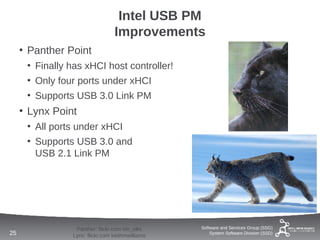
Intel USB PM
                                 Improvements
     • Panther Point
      • Finally has xHCI host controller!
      • Only four ports under xHCI
      • Supports USB 3.0 Link PM
     • Lynx Point
      • All ports under xHCI
      • Supports USB 3.0 and
        USB 2.1 Link PM


                 Panther: flickr.com tim_ellis    Software and Services Group (SSG)
25              Lynx: flickr.com keithmwilliams       System Software Division (SSD)
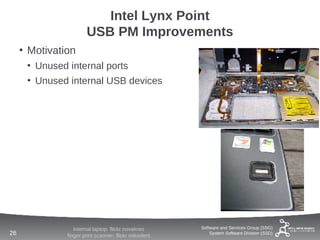
Intel Lynx Point
                       USB PM Improvements
     • Motivation
      • Unused internal ports
      • Unused internal USB devices


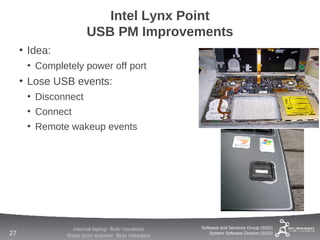
                  internal laptop: flickr novakreo     Software and Services Group (SSG)
26             finger print scanner: flickr mikedent       System Software Division (SSD)
Intel Lynx Point
                       USB PM Improvements
     • Idea:
      • Completely power off port
     • Lose USB events:
      • Disconnect
      • Connect
      • Remote wakeup events


                  internal laptop: flickr novakreo     Software and Services Group (SSG)
27             finger print scanner: flickr mikedent       System Software Division (SSD)
Summary


     Software and Services Group (SSG)
28       System Software Division (SSD)   www.threadless.com/product/2168/USB_Port
Summary
     •   USB device suspend is often broken
     •   Try powertop
     •   Check out github.com/sarahsharp/usb-pm-tools
     •   Link PM improvements
     •   New Intel USB PM features
     •   Thanks!


                                           Software and Services Group (SSG)
29                                             System Software Division (SSD)
Questions?

sarah.a.sharp@
linux.intel.com


     Software and Services Group (SSG)
30       System Software Division (SSD)

Vampire Mice: How USB PM Impacts You

  • 1.
    Vampire Mice: How USB Power Management Impacts You Sarah Sharp sarah.a.sharp@intel.com Jan 25, 2013
  • 2.
    Mouse: flickr.com rick-in-rio Software and Services Group (SSG) 2 Mouse: flickr.com 27048731@N03 System Software Division (SSD)
  • 3.
    Mouse: flickr.com rick-in-rio Software and Services Group (SSG) 3 Mouse: flickr.com 27048731@N03 System Software Division (SSD)
  • 4.
    Agenda • How USB PM works • ...and how it doesn't work • New USB 3.0 and 2.1 features • New features in Intel systems Software and Services Group (SSG) 4 System Software Division (SSD)
  • 5.
    How USB Power Management Works Software and Services Group (SSG) 5 System Software Division (SSD) Lightbulb: flickr.com hozae
  • 6.
    USB Power Management • Three types of PM: • USB device suspend • USB host suspend • Link Power Management Software and Services Group (SSG) 6 Light bulb: flickr.com molotalk System Software Division (SSD)
  • 7.
    USB Device Suspend • Devices suspended when they're inactive • Hubs suspend when all children are suspended • USB hosts suspend when all ports are suspended Software and Services Group (SSG) 7 System Software Division (SSD)
  • 8.
    USB Device Suspend • Implications of active USB host • Active DMA transfers • Increased C state residency • Increased power consumption Software and Services Group (SSG) 8 System Software Division (SSD)
  • 9.
    USB Device Suspend • USB device suspend requirements • Device must support suspend • Driver must support auto-suspend • No active USB transfers • Userspace can't poll • Remote wakeup (optional) Software and Services Group (SSG) 9 System Software Division (SSD)
  • 10.
    How USB Power Management Doesn'tWork Software and Services Group (SSG) 10 System Software Division (SSD) Broken light bulb: flickr.com ginsnob
  • 11.
    USB Device SuspendIssues • Missing driver auto-suspend support • Impossible to get to idle • Userspace polls devices Are we there yet? Is an SD card inserted yet? Software and Services Group (SSG) 11 SD card reader: flickr.com osde-info System Software Division (SSD)
  • 12.
    USB Device SuspendIssues • Many USB devices are broken • Disconnect on resume • Unsafe suspend behavior • No remote wakeups • Event loss during resume • Firmware updates may help • Device descriptors often unchanged Software and Services Group (SSG) 12 Mouse: flickr.com declanjewell System Software Division (SSD)
  • 13.
    USB Device SuspendIssues • Different systems produce different behavior • Electrical issues? • Host hardware bugs? • Powered USB hubs? • Device driver bugs? Software and Services Group (SSG) 13 dusty computer: flickr.com johnjack System Software Division (SSD)
  • 14.
    USB Device SuspendIssues • What to do about broken devices? • Huge blacklist in kernel • Make it userspace's problem! • USB device suspend off by default • Userspace must turn it on • # echo auto > /sys/bus/usb/devices/*/power/control • Powertop can turn it on Software and Services Group (SSG) 14 Blame: flickr.com iandesign System Software Division (SSD)
  • 15.
    Turning on USBPM Software and Services Group (SSG) 15 System Software Division (SSD)
  • 16.
    Turning on USBPM • Powertop auto-suspend enabling doesn't persist across • Device unplug • Reboot • Solution: create a udev rule • github.com/sarahsharp/usb-pm-tools Software and Services Group (SSG) 16 Boot: flickr.com jamiecat System Software Division (SSD)
  • 17.
    USB Device Suspend Takeaway: All your USB devices must be suspended to get good platform power management. 1. Test your devices. 2. Enable auto-suspend Software and Services Group (SSG) 17 System Software Division (SSD)
  • 18.
    USB Link Power Management Software and Services Group (SSG) 18 System Software Division (SSD)
  • 19.
    Challenges with USB device suspend • Users must turn it on • Requires driver modification • Timeout is course-grained • Devices can't refuse suspend Software and Services Group (SSG) 19 Blame: flickr.com iandesign System Software Division (SSD)
  • 20.
    USB 3.0 Link Power Management • USB 3.0 Link PM • Link PM states: U1 and U2 • Idea: • Host & hubs track idleness U1 • OS sets timeout once • No driver modification • Devices can refuse U1/U2 U2 U1 Software and Services Group (SSG) 20 System Software Division (SSD)
  • 21.
    USB 3.0 Link Power Management • Some USB 3.0 devices don't do Link PM • How to tell? # lsusb -v -d 1d6b:0003 | grep "Port [0-9]*" Hub Port Status: Port 1: 0000.02a0 5Gbps power Rx.Detect Port 2: 0000.0243 5Gbps power U2 enable connect Port 3: 0000.02a0 5Gbps power Rx.Detect Port 4: 0000.02a0 5Gbps power Rx.Detect Software and Services Group (SSG) 21 System Software Division (SSD)
  • 22.
    USB 2.1 LinkPM • New 'L1' low power state • No changes to USB 2.0 hubs • Only for devices on roothub L0 L1 • Good for integrated devices L0 L0 Software and Services Group (SSG) 22 System Software Division (SSD)
  • 23.
    New Intel USB PMFeatures Software and Services Group (SSG) 23 System Software Division (SSD)
  • 24.
    Current and Future Intel Products • Current gen: • CPU: Ivy Bridge • Chipset: Panther Point • Next gen: • CPU: Haswell • Chipsets: Lynx Point Panther: flickr.com tim_ellis Software and Services Group (SSG) 24 Lynx: flickr.com keithmwilliams System Software Division (SSD)
  • 25.
    Intel USB PM Improvements • Panther Point • Finally has xHCI host controller! • Only four ports under xHCI • Supports USB 3.0 Link PM • Lynx Point • All ports under xHCI • Supports USB 3.0 and USB 2.1 Link PM Panther: flickr.com tim_ellis Software and Services Group (SSG) 25 Lynx: flickr.com keithmwilliams System Software Division (SSD)
  • 26.
    Intel Lynx Point USB PM Improvements • Motivation • Unused internal ports • Unused internal USB devices internal laptop: flickr novakreo Software and Services Group (SSG) 26 finger print scanner: flickr mikedent System Software Division (SSD)
  • 27.
    Intel Lynx Point USB PM Improvements • Idea: • Completely power off port • Lose USB events: • Disconnect • Connect • Remote wakeup events internal laptop: flickr novakreo Software and Services Group (SSG) 27 finger print scanner: flickr mikedent System Software Division (SSD)
  • 28.
    Summary Software and Services Group (SSG) 28 System Software Division (SSD) www.threadless.com/product/2168/USB_Port
  • 29.
    Summary • USB device suspend is often broken • Try powertop • Check out github.com/sarahsharp/usb-pm-tools • Link PM improvements • New Intel USB PM features • Thanks! Software and Services Group (SSG) 29 System Software Division (SSD)
  • 30.
    Questions? sarah.a.sharp@ linux.intel.com Software and Services Group (SSG) 30 System Software Division (SSD)