Introduction to OpenUI5
Mobile Web App Development
What is OpenUI5
all about?
© 2016 SAP SE or an SAP affiliate company. All rights reserved. 3
UI development toolkit for HTML5
Open Source Technologies
HTML5
jQuery
OData
OpenAJAX
CSS3
LESS
D3.js
ARIA
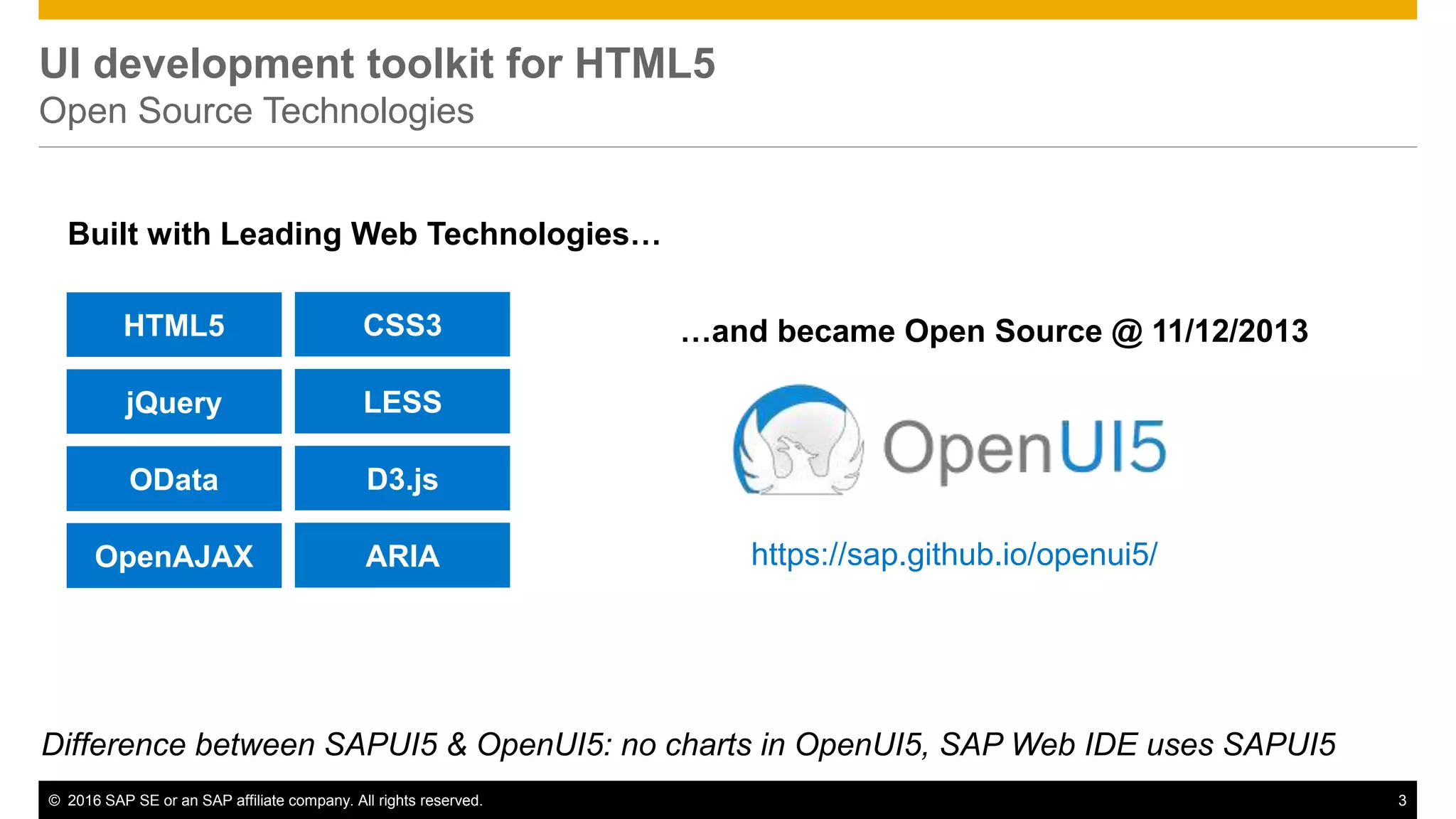
Built with Leading Web Technologies…
…and became Open Source @ 11/12/2013
https://sap.github.io/openui5/
Difference between SAPUI5 & OpenUI5: no charts in OpenUI5, SAP Web IDE uses SAPUI5
© 2016 SAP SE or an SAP affiliate company. All rights reserved. 4
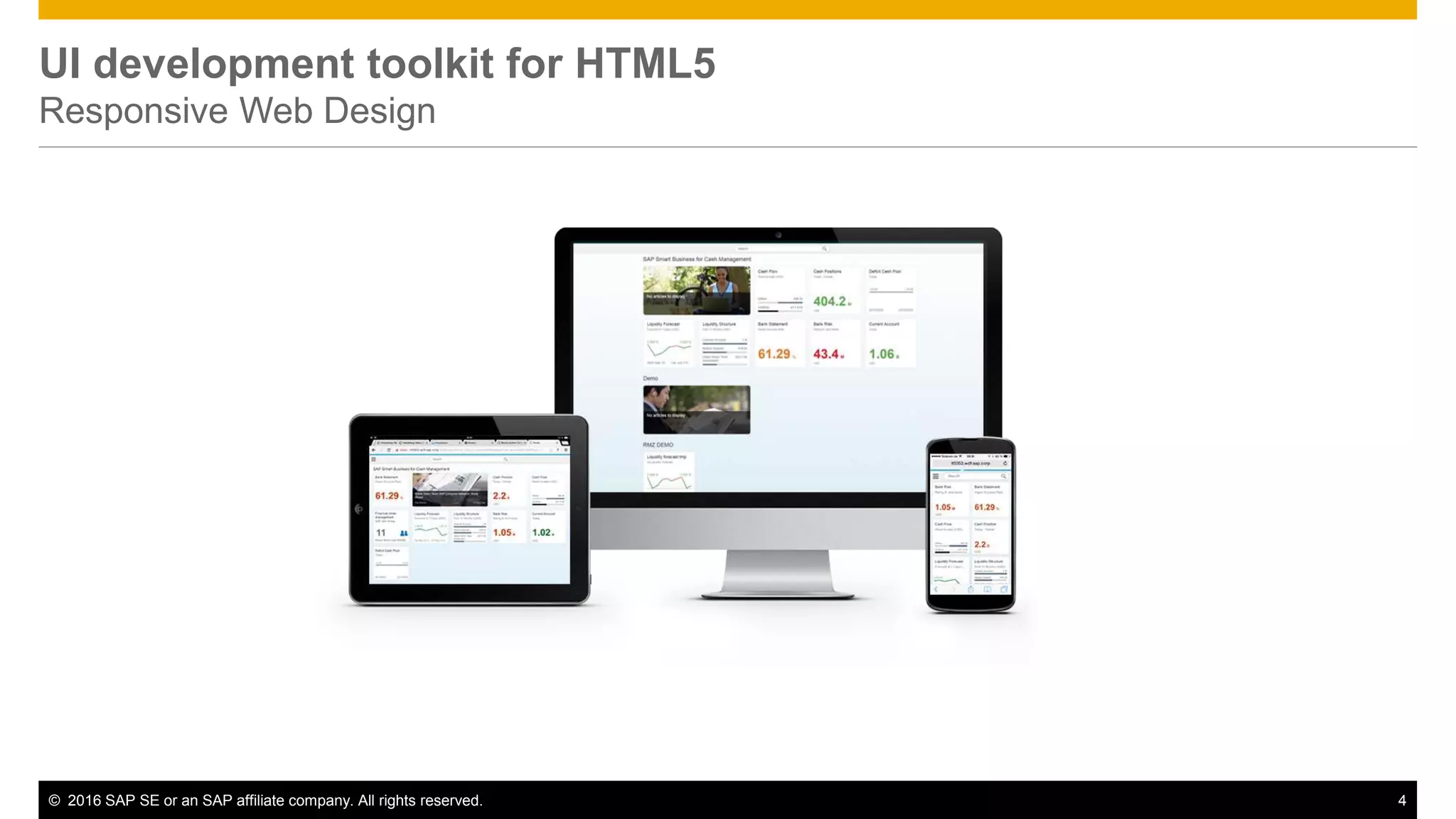
UI development toolkit for HTML5
Responsive Web Design
© 2016 SAP SE or an SAP affiliate company. All rights reserved. 5
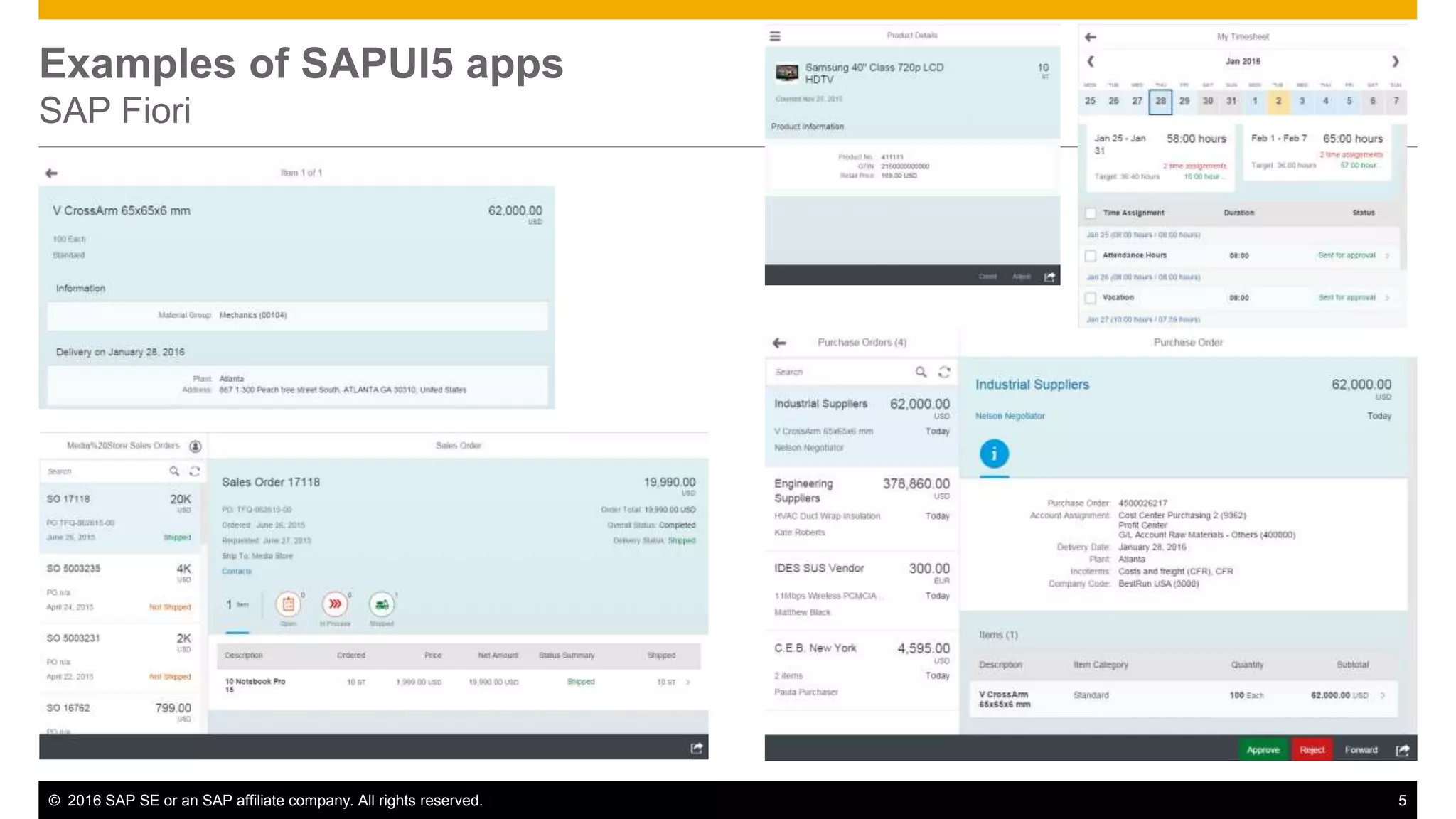
Examples of SAPUI5 apps
SAP Fiori
© 2016 SAP SE or an SAP affiliate company. All rights reserved. 6
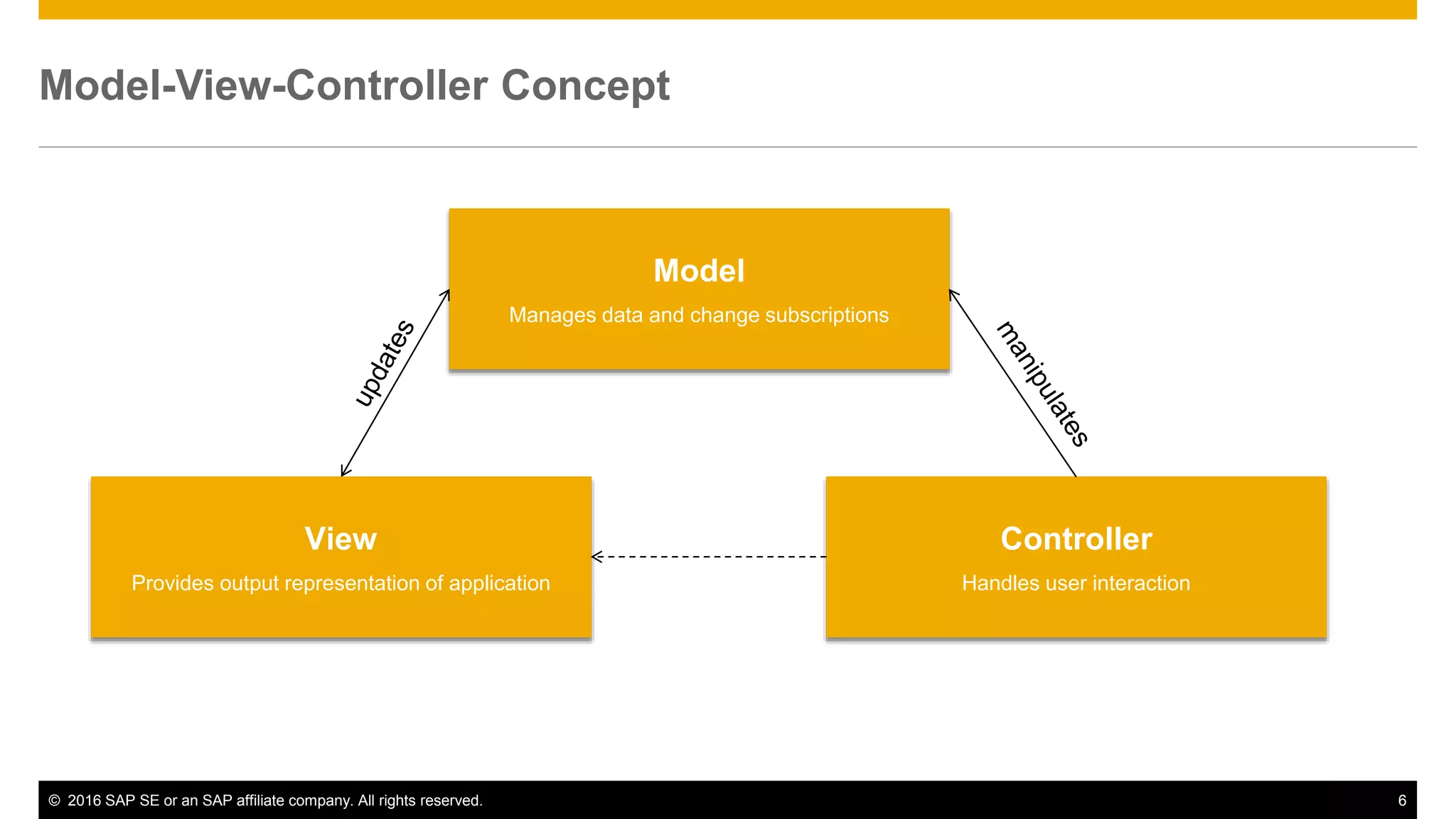
Model-View-Controller Concept
Model
Manages data and change subscriptions
View
Provides output representation of application
Controller
Handles user interaction
© 2016 SAP SE or an SAP affiliate company. All rights reserved. 7
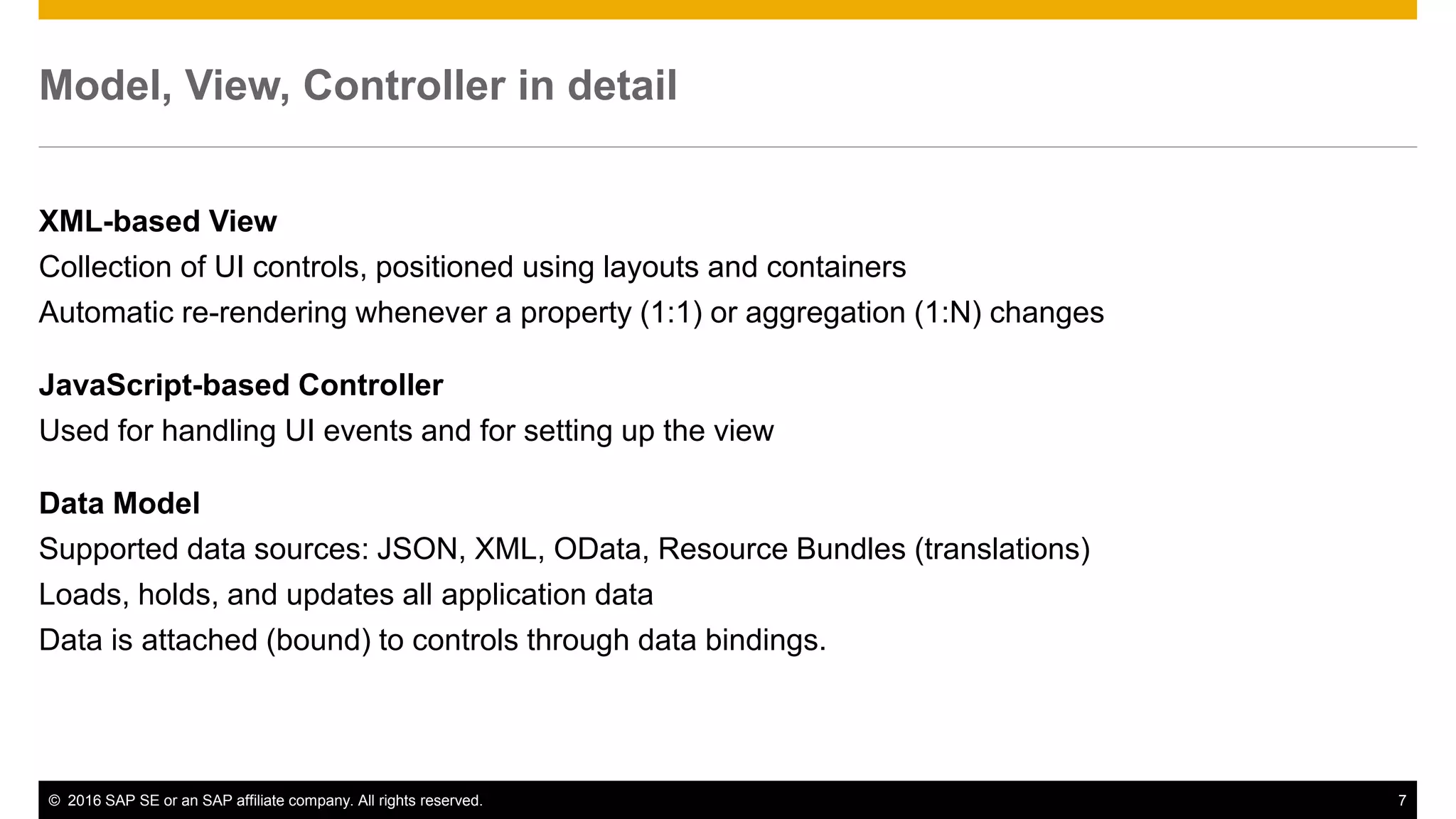
Model, View, Controller in detail
XML-based View
Collection of UI controls, positioned using layouts and containers
Automatic re-rendering whenever a property (1:1) or aggregation (1:N) changes
JavaScript-based Controller
Used for handling UI events and for setting up the view
Data Model
Supported data sources: JSON, XML, OData, Resource Bundles (translations)
Loads, holds, and updates all application data
Data is attached (bound) to controls through data bindings.
© 2016 SAP SE or an SAP affiliate company. All rights reserved. 8
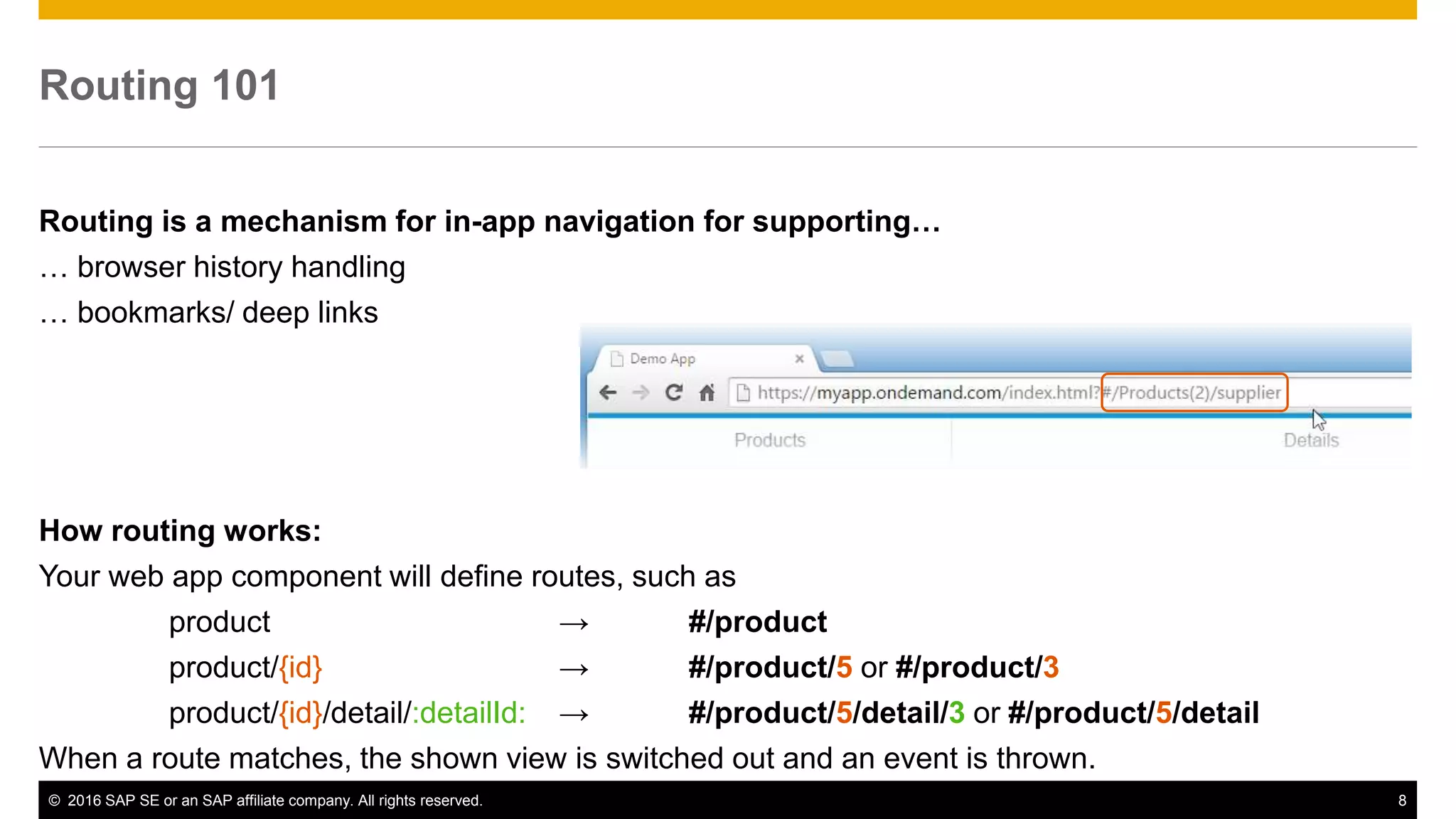
Routing 101
Routing is a mechanism for in-app navigation for supporting…
… browser history handling
… bookmarks/ deep links
How routing works:
Your web app component will define routes, such as
product → #/product
product/{id} → #/product/5 or #/product/3
product/{id}/detail/:detailId: → #/product/5/detail/3 or #/product/5/detail
When a route matches, the shown view is switched out and an event is thrown.
How to start
© 2016 SAP SE or an SAP affiliate company. All rights reserved. 10
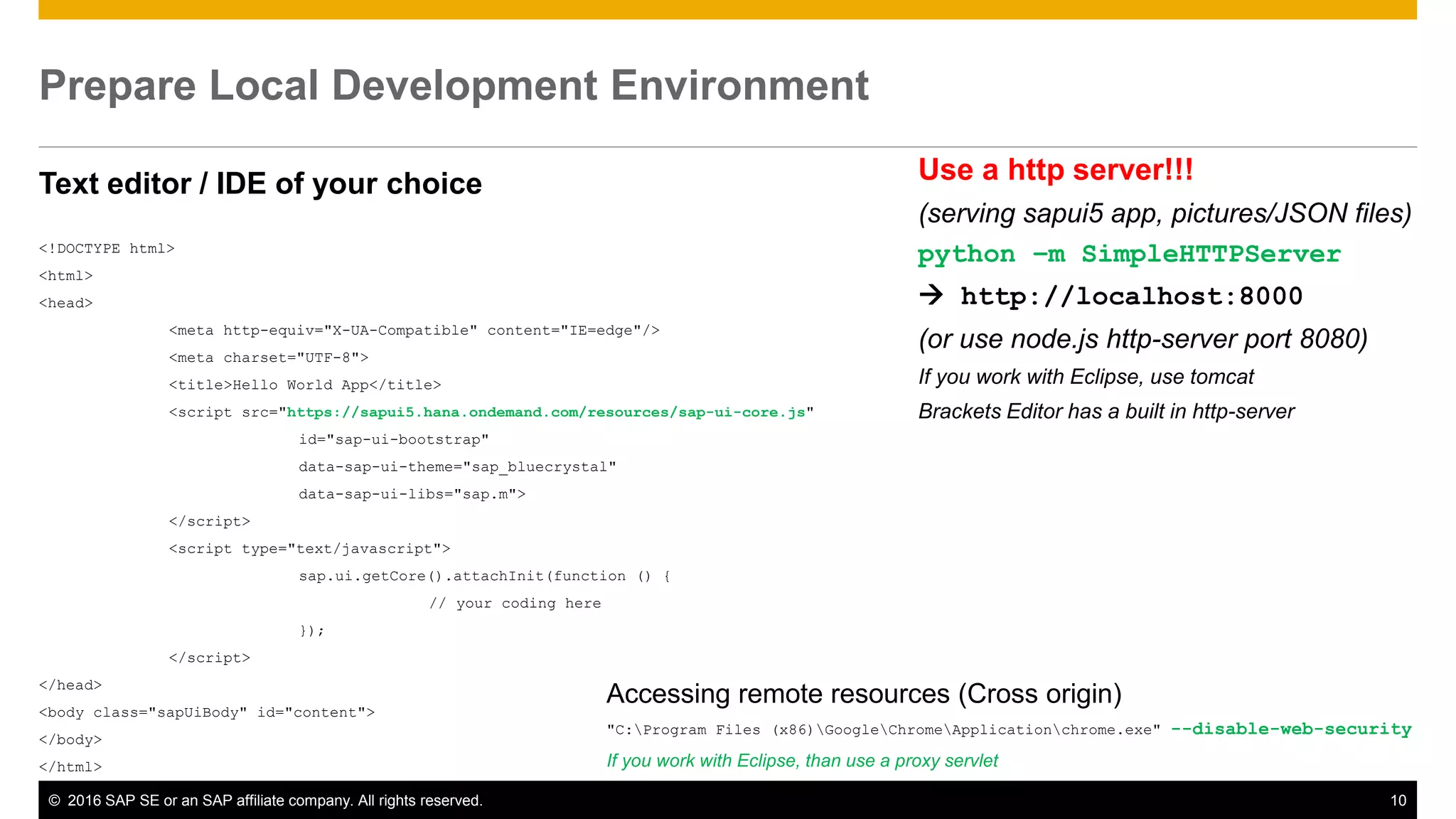
Prepare Local Development Environment
Text editor / IDE of your choice
<!DOCTYPE html>
<html>
<head>
<meta http-equiv="X-UA-Compatible" content="IE=edge"/>
<meta charset="UTF-8">
<title>Hello World App</title>
<script src="https://sapui5.hana.ondemand.com/resources/sap-ui-core.js"
id="sap-ui-bootstrap"
data-sap-ui-theme="sap_bluecrystal"
data-sap-ui-libs="sap.m">
</script>
<script type="text/javascript">
sap.ui.getCore().attachInit(function () {
// your coding here
});
</script>
</head>
<body class="sapUiBody" id="content">
</body>
</html>
Use a http server!!!
(serving sapui5 app, pictures/JSON files)
python –m SimpleHTTPServer
 http://localhost:8000
(or use node.js http-server port 8080)
If you work with Eclipse, use tomcat
Brackets Editor has a built in http-server
Accessing remote resources (Cross origin)
"C:Program Files (x86)GoogleChromeApplicationchrome.exe" --disable-web-security
If you work with Eclipse, than use a proxy servlet
Example
© 2016 SAP SE or an SAP affiliate company. All rights reserved. 12
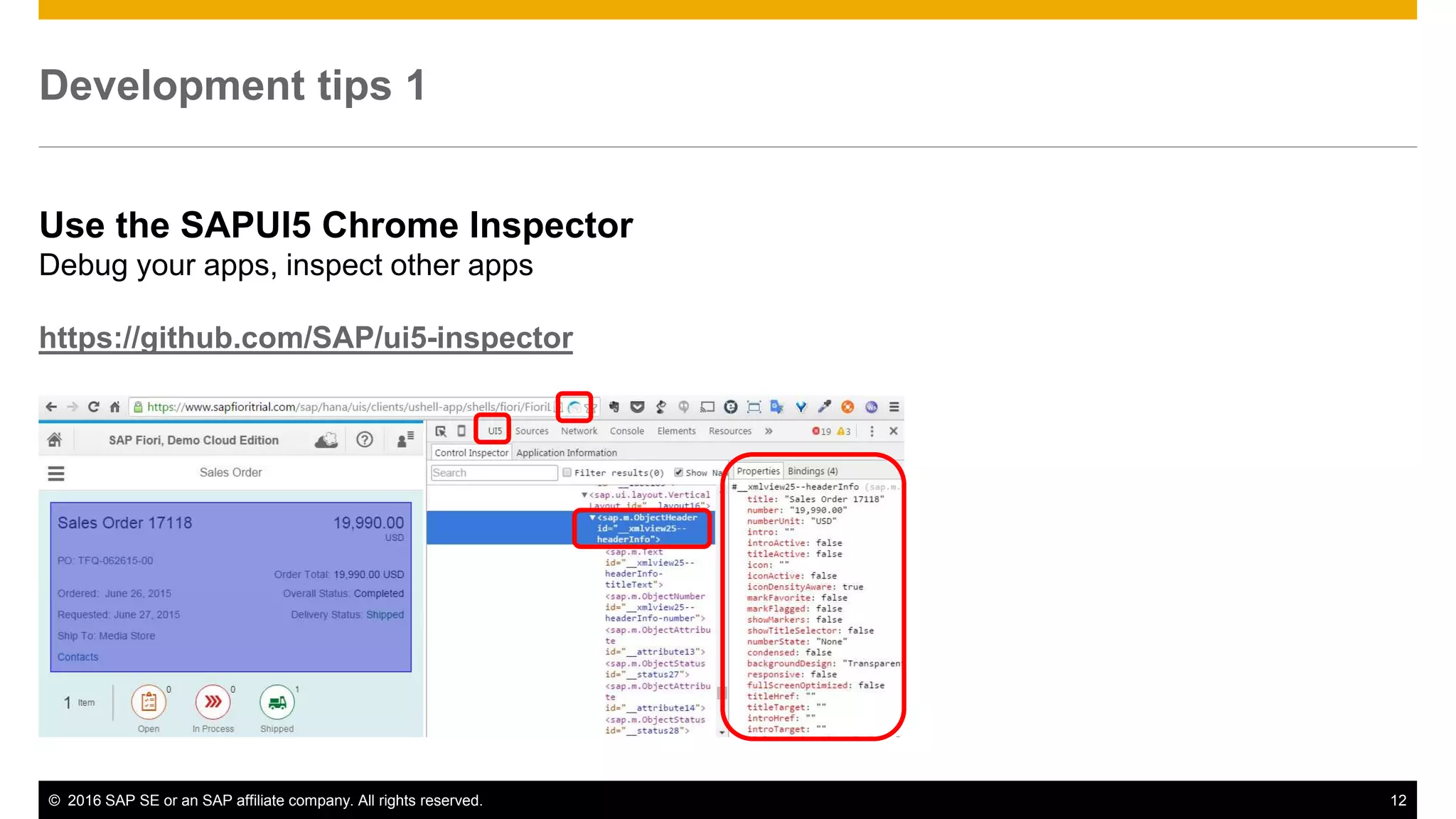
Development tips 1
Use the SAPUI5 Chrome Inspector
Debug your apps, inspect other apps
https://github.com/SAP/ui5-inspector
© 2016 SAP SE or an SAP affiliate company. All rights reserved. 13
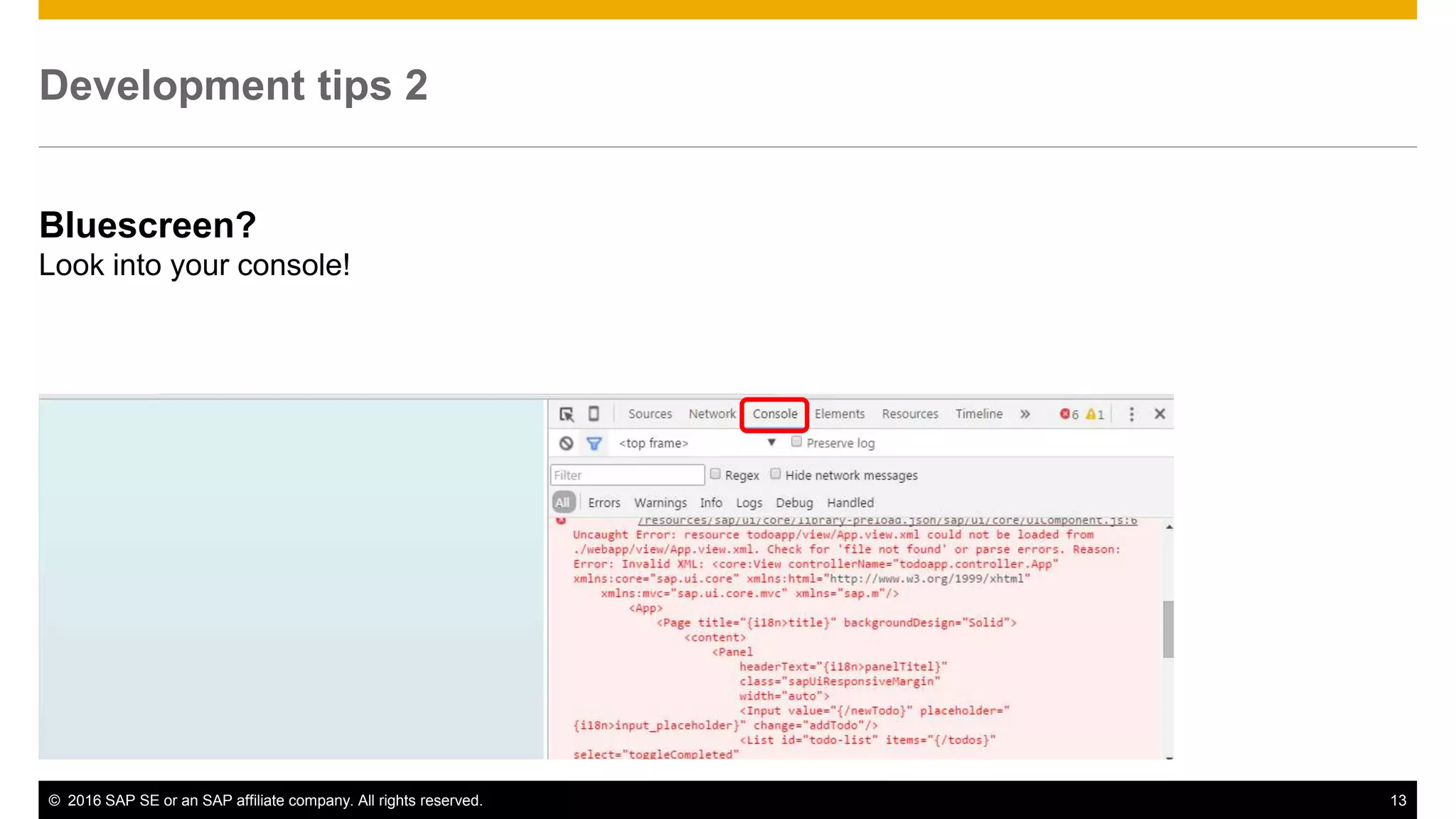
Development tips 2
Bluescreen?
Look into your console!
© 2016 SAP SE or an SAP affiliate company. All rights reserved. 14
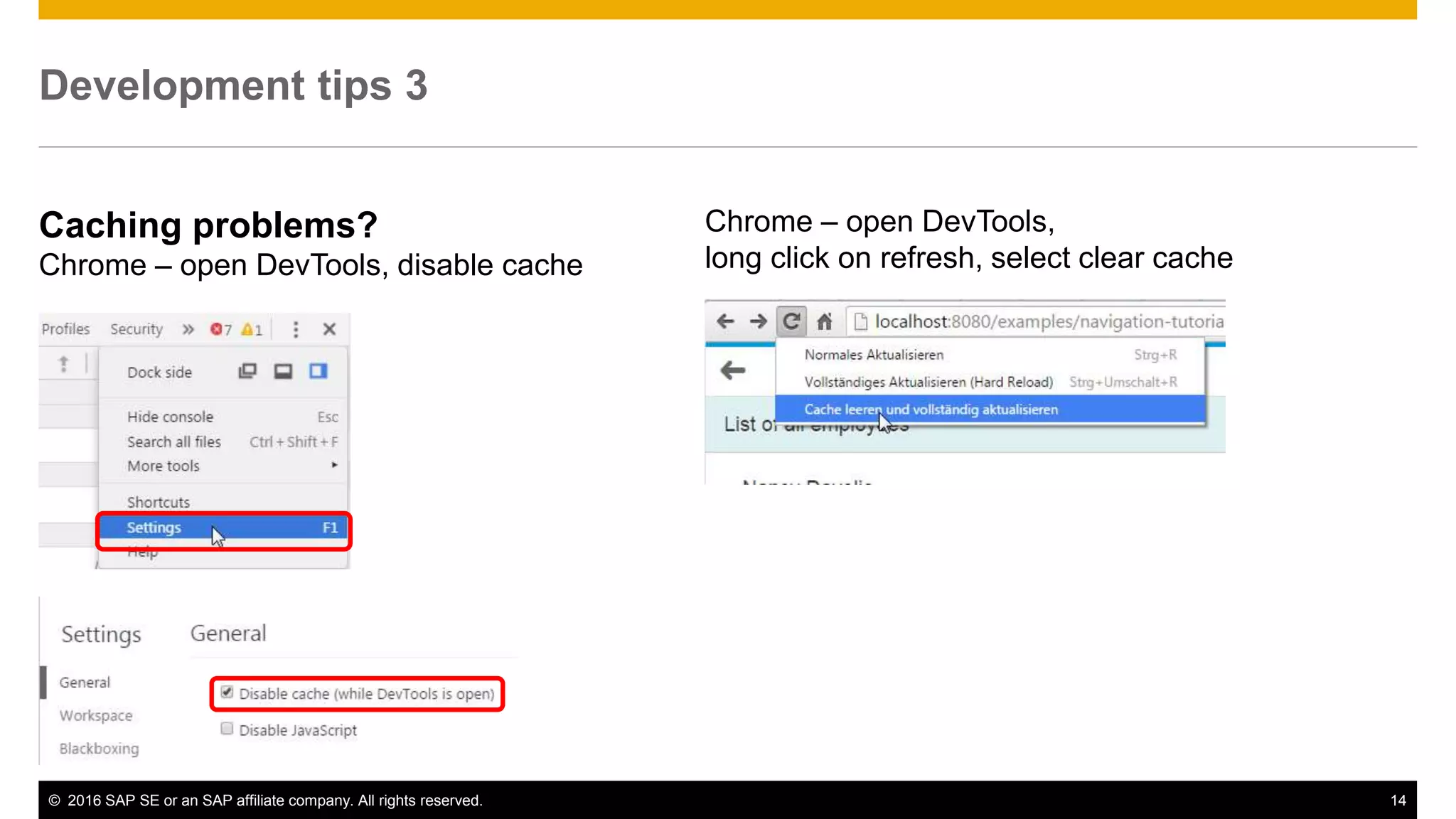
Development tips 3
Caching problems?
Chrome – open DevTools, disable cache
Chrome – open DevTools,
long click on refresh, select clear cache
© 2016 SAP SE or an SAP affiliate company. All rights reserved. 15
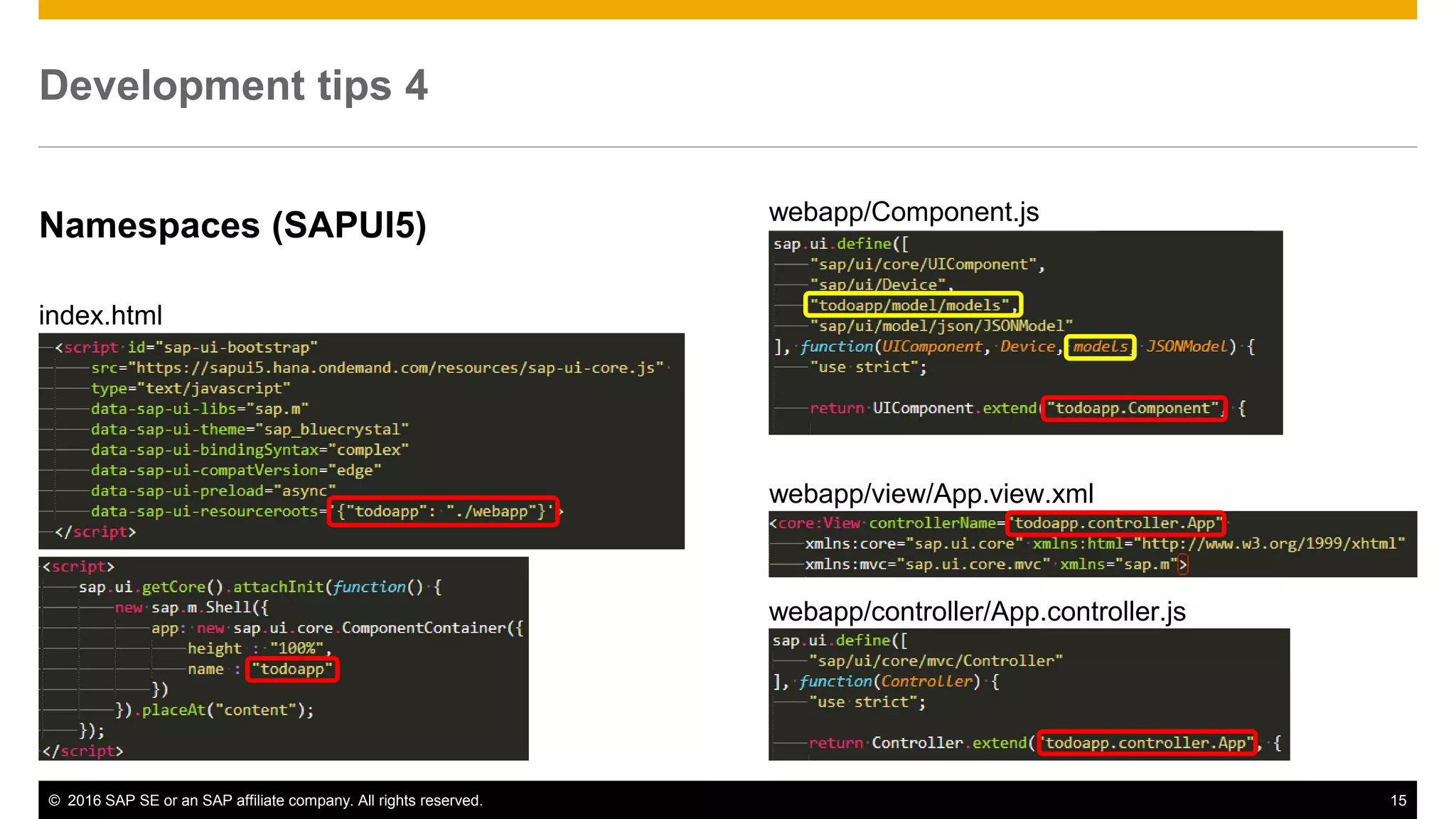
Development tips 4
Namespaces (SAPUI5)
index.html
webapp/Component.js
webapp/view/App.view.xml
webapp/controller/App.controller.js
© 2016 SAP SE or an SAP affiliate company. All rights reserved. 16
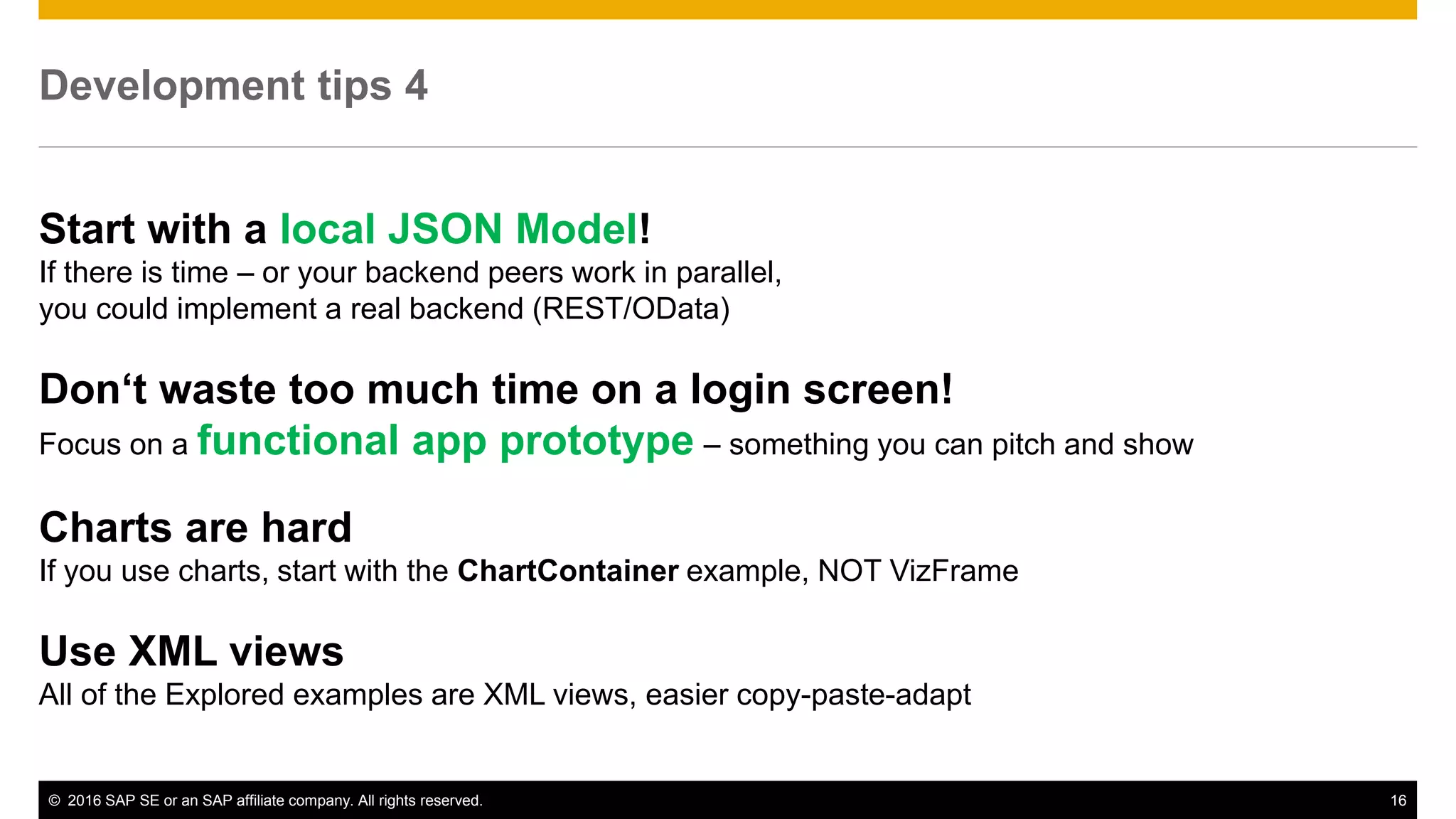
Development tips 4
Start with a local JSON Model!
If there is time – or your backend peers work in parallel,
you could implement a real backend (REST/OData)
Don‘t waste too much time on a login screen!
Focus on a functional app prototype – something you can pitch and show
Charts are hard
If you use charts, start with the ChartContainer example, NOT VizFrame
Use XML views
All of the Explored examples are XML views, easier copy-paste-adapt
© 2016 SAP SE or an SAP affiliate company. All rights reserved. 17
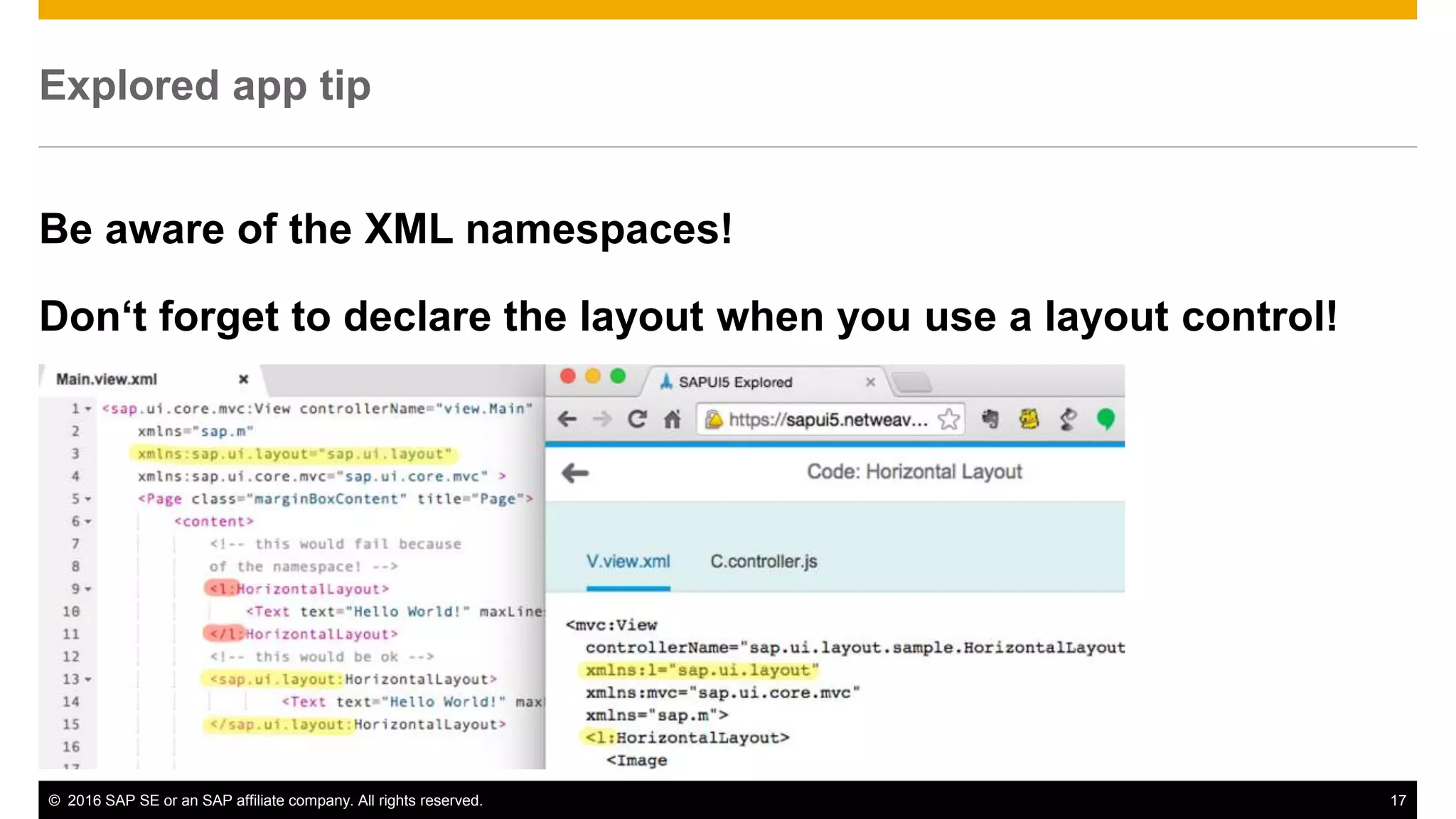
Explored app tip
Be aware of the XML namespaces!
Don‘t forget to declare the layout when you use a layout control!
Useful links 1/2
HANA Cloud Platform - Free Developer Version
https://account.hanatrial.ondemand.com
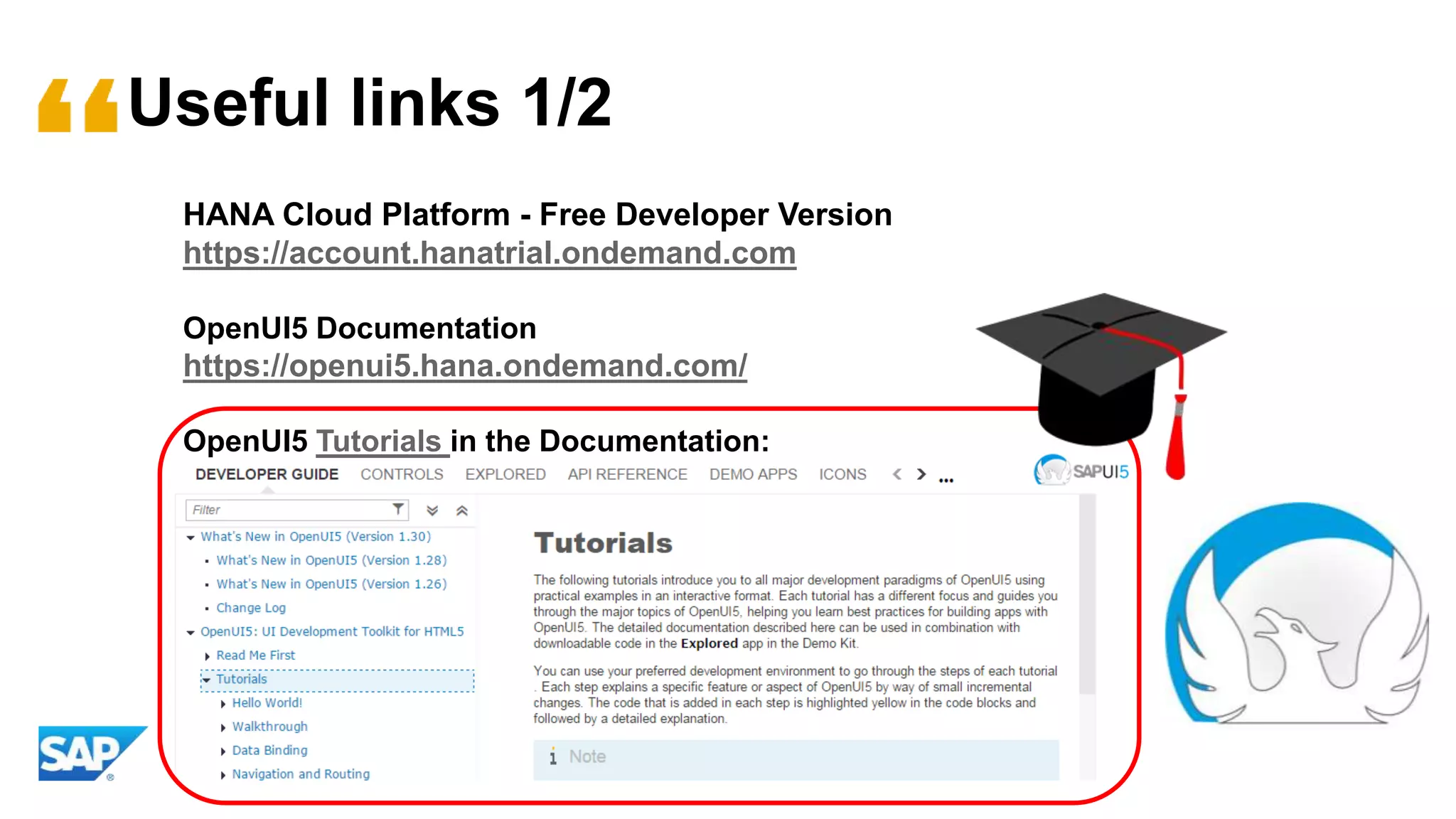
OpenUI5 Documentation
https://openui5.hana.ondemand.com/
OpenUI5 Tutorials in the Documentation:
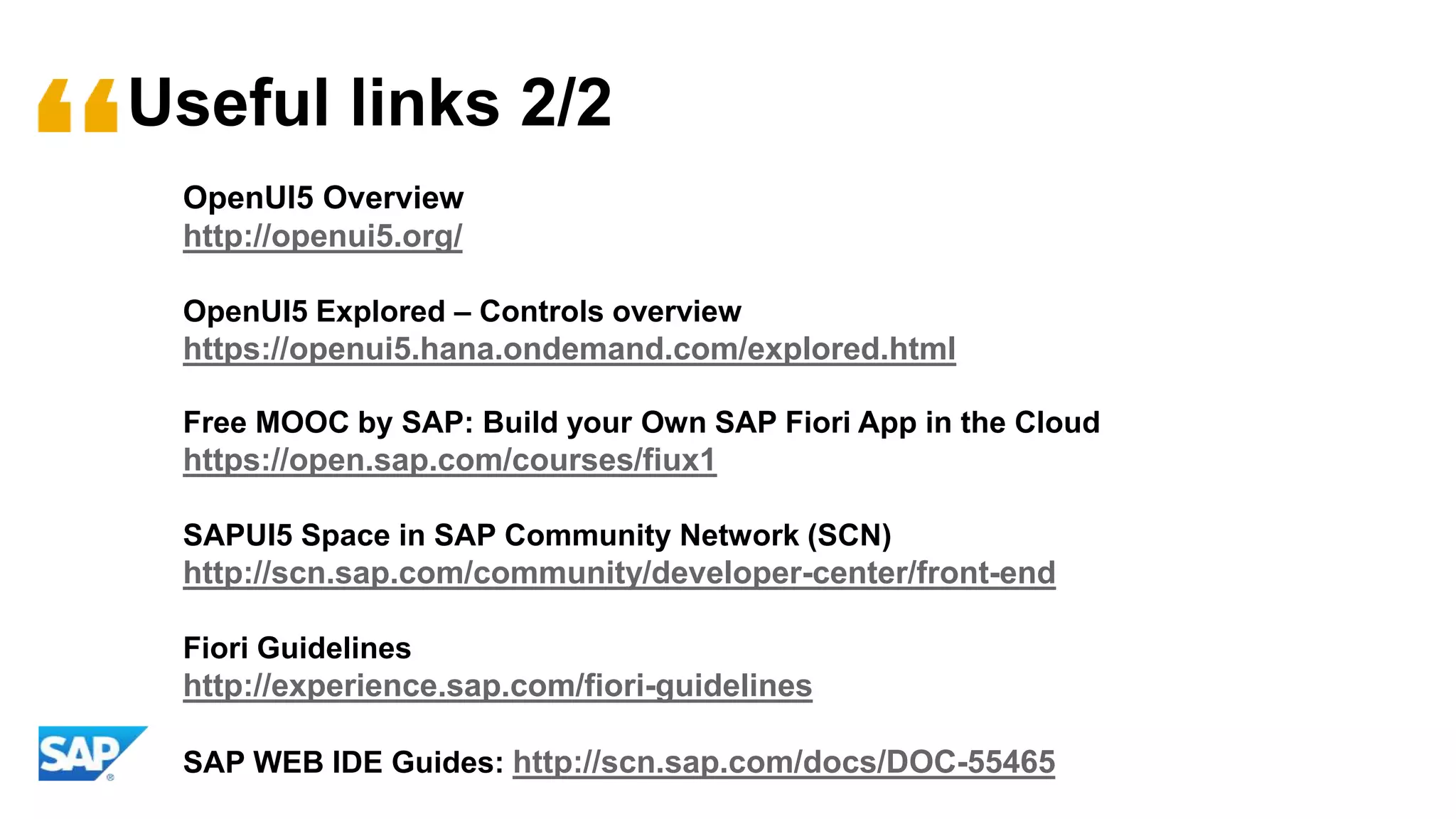
Useful links 2/2
OpenUI5 Overview
http://openui5.org/
OpenUI5 Explored – Controls overview
https://openui5.hana.ondemand.com/explored.html
Free MOOC by SAP: Build your Own SAP Fiori App in the Cloud
https://open.sap.com/courses/fiux1
SAPUI5 Space in SAP Community Network (SCN)
http://scn.sap.com/community/developer-center/front-end
Fiori Guidelines
http://experience.sap.com/fiori-guidelines
SAP WEB IDE Guides: http://scn.sap.com/docs/DOC-55465
Examples repositories
Denise Nepraunig: fuzzy-octo-batman
Small self contained examples: MVC, JSON, CRUD, OData
https://github.com/denisenepraunig/fuzzy-octo-batman
SAP: OpenUI5 todo app (JSON) with localStorage
https://github.com/SAP/openui5-sample-app
Denise Nepraunig: todo app with OData and HANA XS backend
https://github.com/denisenepraunig/sapui5-hanaxs-examples/tree/master/todoapp
Denise Nepraunig: chuck_norris_jokes
OpenUI5 app with backend via HCP destination service
https://github.com/denisenepraunig/sapui5-hcp-examples/tree/master/chuck_norris_jokes
© 2016 SAP SE or an SAP affiliate company. All rights reserved.
Thank you
Denise Nepraunig
SAPUI5 Developer
denise.nepraunig@sap.com
@denisenepraunig

SAPUI5 & OpenUI5 for SAP InnoJam

  • 1.
    Introduction to OpenUI5 MobileWeb App Development
  • 2.
  • 3.
    © 2016 SAPSE or an SAP affiliate company. All rights reserved. 3 UI development toolkit for HTML5 Open Source Technologies HTML5 jQuery OData OpenAJAX CSS3 LESS D3.js ARIA Built with Leading Web Technologies… …and became Open Source @ 11/12/2013 https://sap.github.io/openui5/ Difference between SAPUI5 & OpenUI5: no charts in OpenUI5, SAP Web IDE uses SAPUI5
  • 4.
    © 2016 SAPSE or an SAP affiliate company. All rights reserved. 4 UI development toolkit for HTML5 Responsive Web Design
  • 5.
    © 2016 SAPSE or an SAP affiliate company. All rights reserved. 5 Examples of SAPUI5 apps SAP Fiori
  • 6.
    © 2016 SAPSE or an SAP affiliate company. All rights reserved. 6 Model-View-Controller Concept Model Manages data and change subscriptions View Provides output representation of application Controller Handles user interaction
  • 7.
    © 2016 SAPSE or an SAP affiliate company. All rights reserved. 7 Model, View, Controller in detail XML-based View Collection of UI controls, positioned using layouts and containers Automatic re-rendering whenever a property (1:1) or aggregation (1:N) changes JavaScript-based Controller Used for handling UI events and for setting up the view Data Model Supported data sources: JSON, XML, OData, Resource Bundles (translations) Loads, holds, and updates all application data Data is attached (bound) to controls through data bindings.
  • 8.
    © 2016 SAPSE or an SAP affiliate company. All rights reserved. 8 Routing 101 Routing is a mechanism for in-app navigation for supporting… … browser history handling … bookmarks/ deep links How routing works: Your web app component will define routes, such as product → #/product product/{id} → #/product/5 or #/product/3 product/{id}/detail/:detailId: → #/product/5/detail/3 or #/product/5/detail When a route matches, the shown view is switched out and an event is thrown.
  • 9.
  • 10.
    © 2016 SAPSE or an SAP affiliate company. All rights reserved. 10 Prepare Local Development Environment Text editor / IDE of your choice <!DOCTYPE html> <html> <head> <meta http-equiv="X-UA-Compatible" content="IE=edge"/> <meta charset="UTF-8"> <title>Hello World App</title> <script src="https://sapui5.hana.ondemand.com/resources/sap-ui-core.js" id="sap-ui-bootstrap" data-sap-ui-theme="sap_bluecrystal" data-sap-ui-libs="sap.m"> </script> <script type="text/javascript"> sap.ui.getCore().attachInit(function () { // your coding here }); </script> </head> <body class="sapUiBody" id="content"> </body> </html> Use a http server!!! (serving sapui5 app, pictures/JSON files) python –m SimpleHTTPServer  http://localhost:8000 (or use node.js http-server port 8080) If you work with Eclipse, use tomcat Brackets Editor has a built in http-server Accessing remote resources (Cross origin) "C:Program Files (x86)GoogleChromeApplicationchrome.exe" --disable-web-security If you work with Eclipse, than use a proxy servlet
  • 11.
  • 12.
    © 2016 SAPSE or an SAP affiliate company. All rights reserved. 12 Development tips 1 Use the SAPUI5 Chrome Inspector Debug your apps, inspect other apps https://github.com/SAP/ui5-inspector
  • 13.
    © 2016 SAPSE or an SAP affiliate company. All rights reserved. 13 Development tips 2 Bluescreen? Look into your console!
  • 14.
    © 2016 SAPSE or an SAP affiliate company. All rights reserved. 14 Development tips 3 Caching problems? Chrome – open DevTools, disable cache Chrome – open DevTools, long click on refresh, select clear cache
  • 15.
    © 2016 SAPSE or an SAP affiliate company. All rights reserved. 15 Development tips 4 Namespaces (SAPUI5) index.html webapp/Component.js webapp/view/App.view.xml webapp/controller/App.controller.js
  • 16.
    © 2016 SAPSE or an SAP affiliate company. All rights reserved. 16 Development tips 4 Start with a local JSON Model! If there is time – or your backend peers work in parallel, you could implement a real backend (REST/OData) Don‘t waste too much time on a login screen! Focus on a functional app prototype – something you can pitch and show Charts are hard If you use charts, start with the ChartContainer example, NOT VizFrame Use XML views All of the Explored examples are XML views, easier copy-paste-adapt
  • 17.
    © 2016 SAPSE or an SAP affiliate company. All rights reserved. 17 Explored app tip Be aware of the XML namespaces! Don‘t forget to declare the layout when you use a layout control!
  • 18.
    Useful links 1/2 HANACloud Platform - Free Developer Version https://account.hanatrial.ondemand.com OpenUI5 Documentation https://openui5.hana.ondemand.com/ OpenUI5 Tutorials in the Documentation:
  • 19.
    Useful links 2/2 OpenUI5Overview http://openui5.org/ OpenUI5 Explored – Controls overview https://openui5.hana.ondemand.com/explored.html Free MOOC by SAP: Build your Own SAP Fiori App in the Cloud https://open.sap.com/courses/fiux1 SAPUI5 Space in SAP Community Network (SCN) http://scn.sap.com/community/developer-center/front-end Fiori Guidelines http://experience.sap.com/fiori-guidelines SAP WEB IDE Guides: http://scn.sap.com/docs/DOC-55465
  • 20.
    Examples repositories Denise Nepraunig:fuzzy-octo-batman Small self contained examples: MVC, JSON, CRUD, OData https://github.com/denisenepraunig/fuzzy-octo-batman SAP: OpenUI5 todo app (JSON) with localStorage https://github.com/SAP/openui5-sample-app Denise Nepraunig: todo app with OData and HANA XS backend https://github.com/denisenepraunig/sapui5-hanaxs-examples/tree/master/todoapp Denise Nepraunig: chuck_norris_jokes OpenUI5 app with backend via HCP destination service https://github.com/denisenepraunig/sapui5-hcp-examples/tree/master/chuck_norris_jokes
  • 21.
    © 2016 SAPSE or an SAP affiliate company. All rights reserved. Thank you Denise Nepraunig SAPUI5 Developer denise.nepraunig@sap.com @denisenepraunig