Chromebooks
What is a Chromebook 
portable computer that has Google 
loaded to allows students to 
collaborate and communicate online
CHROMEBOOK
Operate Chromebook 
turn on/off
Camera Feature
Chrome Operating System 
• Chromebook main mechanisms 
– Chrome web browser 
– Access apps on Google Drive/Doc 
– Files stored in the clouds for sharing 
– Works with web applications 
– Faster Internet connection 
View YouTube video: 
Chrome OS Guided Tour 
http://youtu.be/ntLPcVAyNPE
Chrome Browser 
http://www.odt.co.nz/news/galleries/gallery/world/20734/google-unveils-chrome-web-browser
Log into Gmail account
How To Launch Apps
Apps In The Clouds
Google Drive/Doc App 
computer hard drive in the 
cloud 
Log into your Gmail account 
Click Drive to open 
http://21daysofdrive.blogspot.com/2014/03/day-1-how-do-i-get-to-google-drive.html
Google Doc
Create Google Doc
Open Presentation
Untitled Presentation
Add to Presentation
Presentation With Three Slides
Example Slide 1
Example Slide 2
Example Slide 3
How To Save/Share With Others
Locate The Share Presentation in 
Gmail
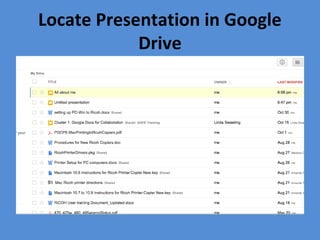
Locate Presentation in Google 
Drive
Add Comments
Final Presentation 
• Collaboration and Communication 
– Share, Brainstorming, Peer Feedback, Comments, 
Questions, Suggestions, Knowledge and Skills 
– Share editing permissions with teammates so that 
multiple people are working on a document 
– collaborate on the file in real time simultaneously 
View YouTube video: 
How to collaborate and edit Google Doc 
http://youtu.be/Brse6eeekus

Sample instructional media1