Salesforce.com Winter’14 Release
Welcome to Salesforce.com Release’14
AGENDA
Force.com Customization
 Force.com Development
 Sales Cloud
 Service Cloud
 Data.com
 Quick Analysis – In Nutshell
 Comments

Force.com Customization
WORKFLOW FOR THE USER OBJECT—BETA
You can now create workflow rules and actions for
the User object
 Examples :


•

Send email alerts when users change roles or are deactivated.

•

Use field updates to deactivate temporary employees after a
specified period.

•

Use outbound messages to sync user data with third-party systems.
SEARCH IN SETUP—BETA
With Advanced Setup Search, you can search for
Setup pages, custom profiles, permission sets,
public groups, roles, and users from the sidebar in
Setup.
 Examples


•

If you want to see all workflow rule then type workf & you will get all
workflows.
FREEZING USER ACCOUNTS


You can temporarily suspend a user account that
requires more work to deactivate.



To Freeze User Account
1. From Setup, click Manage Users > Users.
2. Click the name of the user whose account you
want to freeze.
3. Click Freeze.
FIELD HISTORY DATA RETENTION


Field history data that you would like to retain, and
the length of time you would like to retain it. Contact
your account team or Customer Support for more
information about joining the pilot.
APPROVAL PROCESS
Approval Comment Merge Fields are Available in
All Approvals-Related Email Alerts.
 Example :
• Set approval rejection action by adding the
comment field in Email alerts like
{!ApprovalRequest.Comments}



•

New Limit of 30 Steps per Approval Process
Previous limit was 15, Now it is changed to 30
Force.com Development
IMPROVEMENTS TO DEPLOYMENT
MONITORING
Salesforce improved the status messages listed on
the Monitor Deployments page to provide more
information about the cancellation, success or
failure of a deployment when you‘re using the
Force.com Migration Tool.
 Values will be like Pending, In Progress, Cancel
Requested, Succeeded, Succeeded (Partially),
Cancelled, Failed.

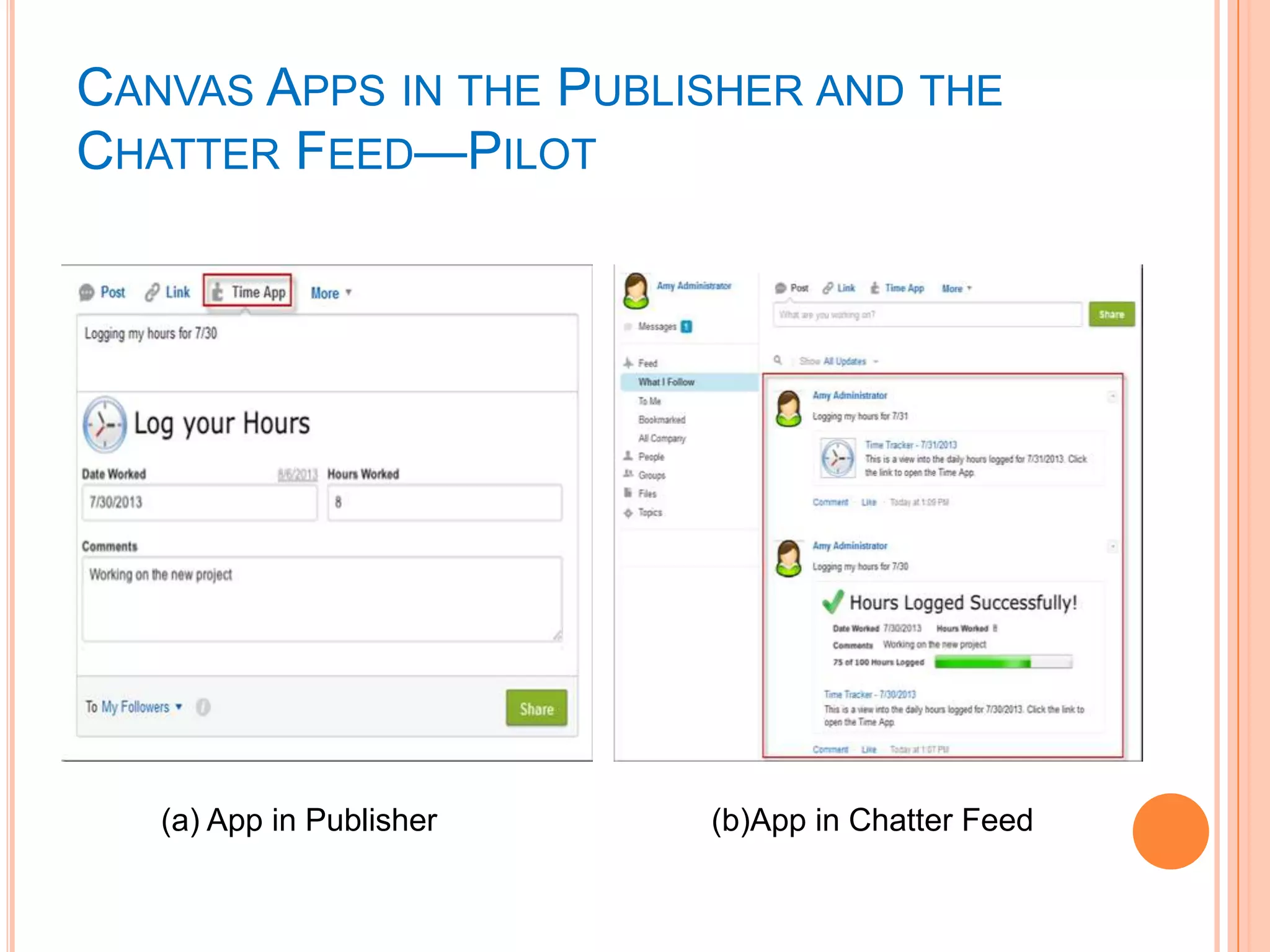
CANVAS APPS IN THE PUBLISHER AND THE
CHATTER FEED—PILOT

(a) App in Publisher

(b)App in Chatter Feed
FLEXIBLE API LIMITS


Handle the Spike of REST/SOAP API‘s Apex
callouts if it extends the limit.
DELETING COMPONENTS IN A MANAGED
PACKAGE—PILOT


Starting with Winter '14, ISVs can delete custom
fields and tabs in a previously released managed
package.
SANDBOX
―Configuration Only‖ Sandboxes Renamed to
―Developer Pro‖
 Hyphen Now Required in Sandbox Sub domain
Name. Format ―[sandboxName]-[subdomain].[instance].force.com‖
EX- https://mysandbox-mycompany.cs1.force.com.
 Sandbox Sizes Increase


Type of Sandbox

Previous Size

Update Size

Developer sandboxes

10 MB

100 MB

Developer Pro
(Configuration only)

500 MB

1 GB

sizeof(Production)

sizeof(Production)

Full sandboxes
DEVELOPER CONSOLE
Integrated Code Search
 Save Order Debug View
 SOSL Search Support and Query History
 Static Resource Editors (Javascript, CSS, XML
support)


Continue…
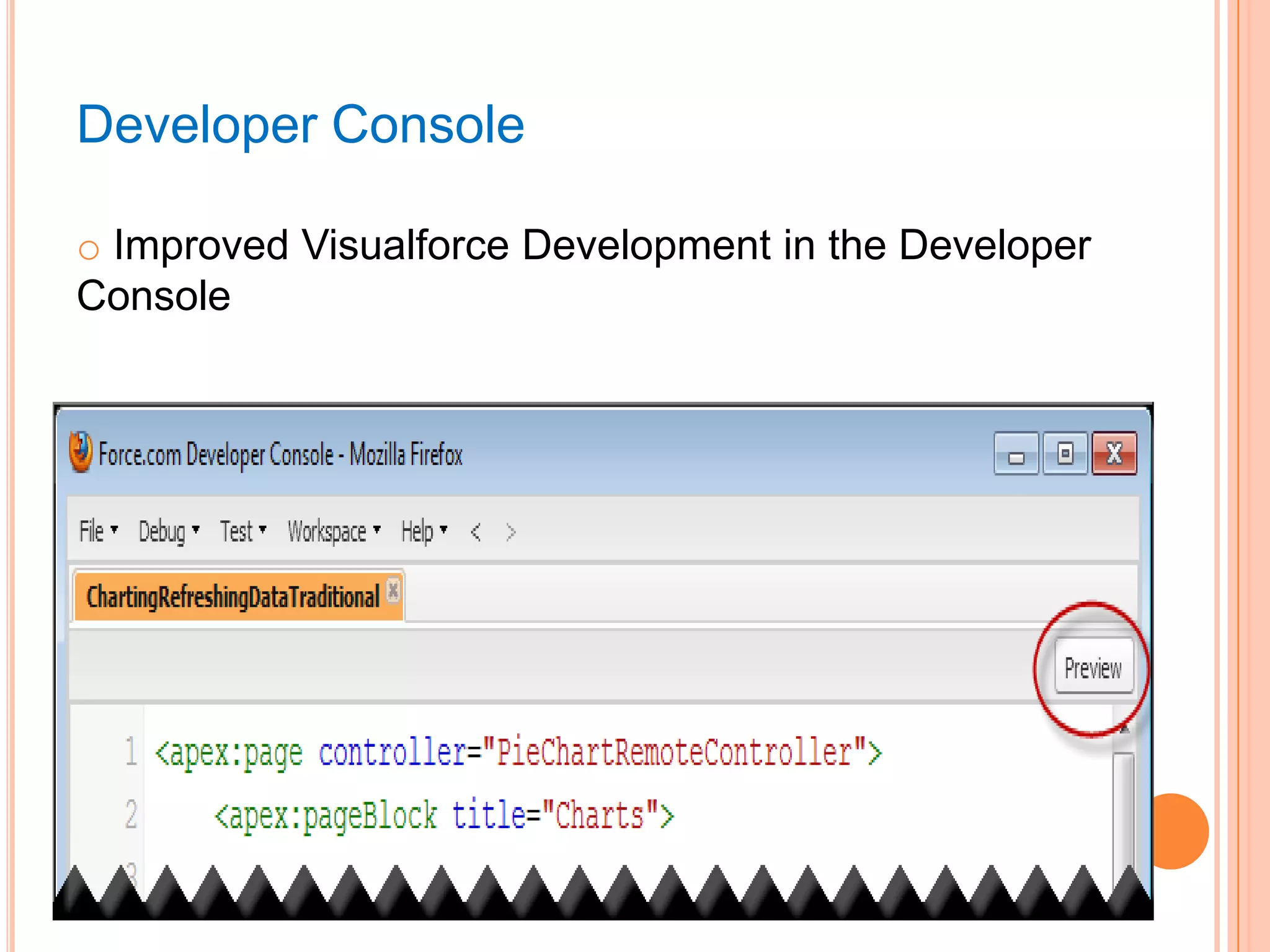
Developer Console
o Improved Visualforce Development in the Developer
Console
VISUALFORCE

•

New <apex:input> Component
Example : <apex:input label="Email" value="{!cEmail}"
type="email― html-pattern="^[a-zA-Z0-9._-]+@example.com$"/>
APEX



Statement Limit Elimination
Scheduled Job Name and Type Available in Queries
Example :
1) CronJobDetail ctd =[SELECT Id, Name, JobType
FROM CronJobDetail WHERE Id = :job.CronJobDetail.Id];
2) SELECT COUNT() FROM CronTrigger WHERE
CronJobDetail.JobType = '7‗





Topic and TopicAssignment objects now support triggers
New Methods are added to Database, Result, Schema,
The new QuickAction describeQuickActions method
returns an array of quick action describe result objects
(QuickAction.DescribeQuickActionResult).
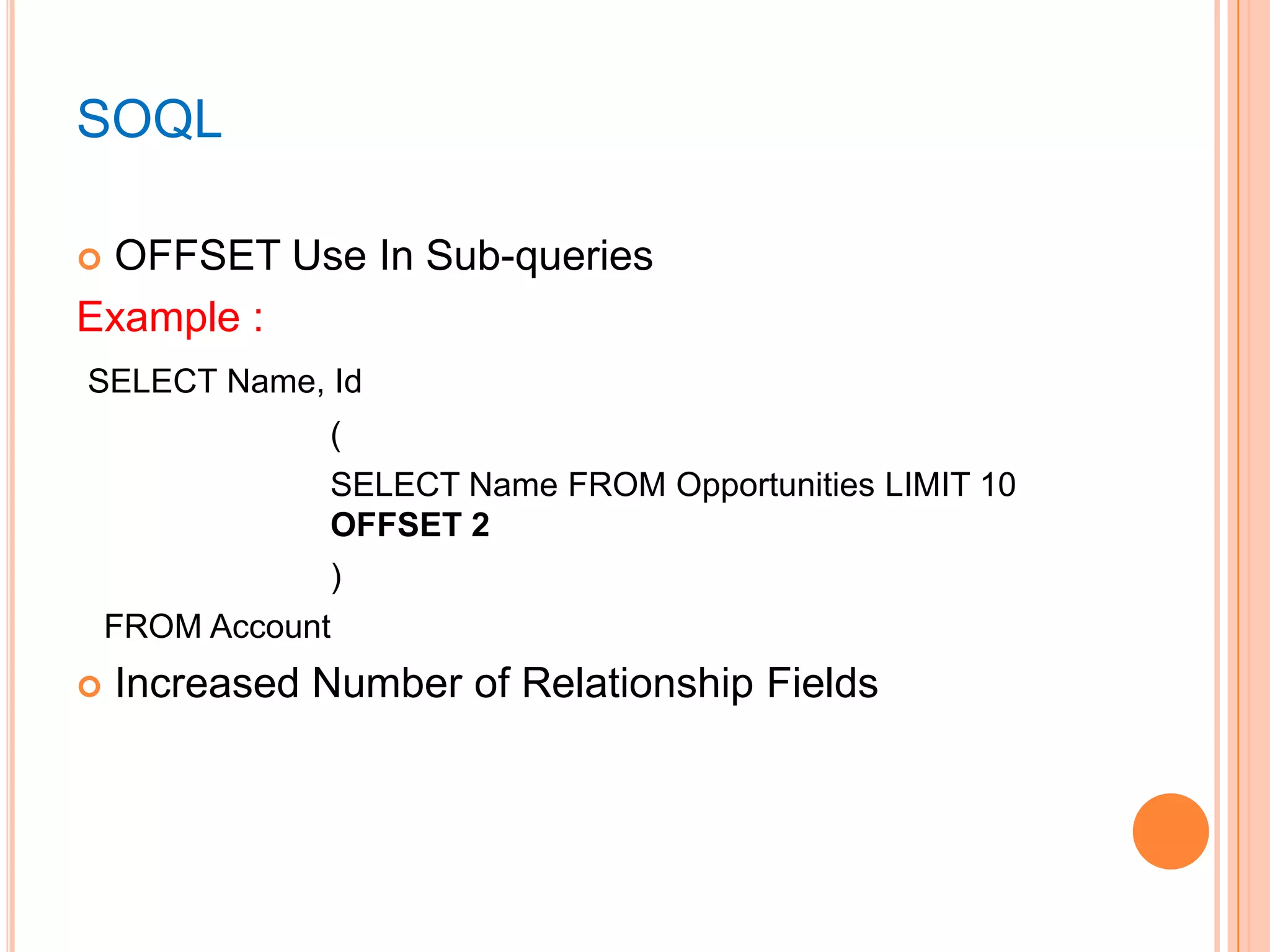
SOQL
OFFSET Use In Sub-queries
Example :


SELECT Name, Id
(
SELECT Name FROM Opportunities LIMIT 10
OFFSET 2
)
FROM Account


Increased Number of Relationship Fields
Sales Cloud
SALESFORCE CONSOLE FOR SALE
Here Salesforce rep can give more time selling &
less time for searching the right the appropriate
information.
 In nutshell, the productivity is increased.

NEW CHATTER MOBILE
Using the new chatter organization representation‘s
can edit the record from anywhere they are using
their mobile devices.
 Using the new chatter organization representation‘s
can edit the record from anywhere they are.
 They can create Task, Order or any business
requirement using new chatter.

COLLABORATIVE FORECASTING
See Opportunity Splits in Sales Forecasts.
 Change to Data Sources in Forecast Settings, will
be based on opportunities, opportunity splits, or
product families.
 Price Book is available for Lookup relationship with
Std & Custom objects.

Service Cloud
MOBILE CASE FEED
Agents can view all of the cases wherever (outside
the office or in the field) they are.
 They can also see the open case, it‘s history.

ENTITLEMENT MANAGEMENT
Create More Flexible Entitlement Processes with
Recurring Milestones.
 Monitor Case Activity with Milestone Feed Items
 View Milestones on the Case Feed Page with the
Milestone Tracker

Data.com
 Social

Key : You can now view all your

Customer/Prospects social data.
 List-based

Clean : Now you can delete multiple

records in list view just selecting and clicking the
―Clean Button‖.
 Data.com
•

API : The Data.com API can also be

used in Custom UI & Business Processes
Ex : Turns our Ideas into Data Driver App like Automated Campaign
Cleansing.
IN NUTSHELL - SALESOFORCE.COM
WINTER‘14 RELEASE
Mobility
 Less Search More Work (More Sell)
 More Productivity
 Bad Data Cleansing
 API Driven
 HTML5 support
 Increased resources limits
 Increased Salesforce Performance
 Less Deprecation with previous functionalities

References :
1) Salesforce.com/newfeatures
2) http://www.youtube.com/SalesforceReleases
If the Cloud is where you want to be then Sky is
the limit !

Salesforce.com Winter '14 Release Overview

  • 1.
    Salesforce.com Winter’14 Release Welcometo Salesforce.com Release’14
  • 2.
    AGENDA Force.com Customization  Force.comDevelopment  Sales Cloud  Service Cloud  Data.com  Quick Analysis – In Nutshell  Comments 
  • 3.
  • 4.
    WORKFLOW FOR THEUSER OBJECT—BETA You can now create workflow rules and actions for the User object  Examples :  • Send email alerts when users change roles or are deactivated. • Use field updates to deactivate temporary employees after a specified period. • Use outbound messages to sync user data with third-party systems.
  • 5.
    SEARCH IN SETUP—BETA WithAdvanced Setup Search, you can search for Setup pages, custom profiles, permission sets, public groups, roles, and users from the sidebar in Setup.  Examples  • If you want to see all workflow rule then type workf & you will get all workflows.
  • 6.
    FREEZING USER ACCOUNTS  Youcan temporarily suspend a user account that requires more work to deactivate.  To Freeze User Account 1. From Setup, click Manage Users > Users. 2. Click the name of the user whose account you want to freeze. 3. Click Freeze.
  • 7.
    FIELD HISTORY DATARETENTION  Field history data that you would like to retain, and the length of time you would like to retain it. Contact your account team or Customer Support for more information about joining the pilot.
  • 8.
    APPROVAL PROCESS Approval CommentMerge Fields are Available in All Approvals-Related Email Alerts.  Example : • Set approval rejection action by adding the comment field in Email alerts like {!ApprovalRequest.Comments}   • New Limit of 30 Steps per Approval Process Previous limit was 15, Now it is changed to 30
  • 9.
  • 10.
    IMPROVEMENTS TO DEPLOYMENT MONITORING Salesforceimproved the status messages listed on the Monitor Deployments page to provide more information about the cancellation, success or failure of a deployment when you‘re using the Force.com Migration Tool.  Values will be like Pending, In Progress, Cancel Requested, Succeeded, Succeeded (Partially), Cancelled, Failed. 
  • 11.
    CANVAS APPS INTHE PUBLISHER AND THE CHATTER FEED—PILOT (a) App in Publisher (b)App in Chatter Feed
  • 12.
    FLEXIBLE API LIMITS  Handlethe Spike of REST/SOAP API‘s Apex callouts if it extends the limit.
  • 13.
    DELETING COMPONENTS INA MANAGED PACKAGE—PILOT  Starting with Winter '14, ISVs can delete custom fields and tabs in a previously released managed package.
  • 14.
    SANDBOX ―Configuration Only‖ SandboxesRenamed to ―Developer Pro‖  Hyphen Now Required in Sandbox Sub domain Name. Format ―[sandboxName]-[subdomain].[instance].force.com‖ EX- https://mysandbox-mycompany.cs1.force.com.  Sandbox Sizes Increase  Type of Sandbox Previous Size Update Size Developer sandboxes 10 MB 100 MB Developer Pro (Configuration only) 500 MB 1 GB sizeof(Production) sizeof(Production) Full sandboxes
  • 15.
    DEVELOPER CONSOLE Integrated CodeSearch  Save Order Debug View  SOSL Search Support and Query History  Static Resource Editors (Javascript, CSS, XML support)  Continue…
  • 16.
    Developer Console o ImprovedVisualforce Development in the Developer Console
  • 17.
    VISUALFORCE  • New <apex:input> Component Example: <apex:input label="Email" value="{!cEmail}" type="email― html-pattern="^[a-zA-Z0-9._-]+@example.com$"/>
  • 18.
    APEX   Statement Limit Elimination ScheduledJob Name and Type Available in Queries Example : 1) CronJobDetail ctd =[SELECT Id, Name, JobType FROM CronJobDetail WHERE Id = :job.CronJobDetail.Id]; 2) SELECT COUNT() FROM CronTrigger WHERE CronJobDetail.JobType = '7‗    Topic and TopicAssignment objects now support triggers New Methods are added to Database, Result, Schema, The new QuickAction describeQuickActions method returns an array of quick action describe result objects (QuickAction.DescribeQuickActionResult).
  • 19.
    SOQL OFFSET Use InSub-queries Example :  SELECT Name, Id ( SELECT Name FROM Opportunities LIMIT 10 OFFSET 2 ) FROM Account  Increased Number of Relationship Fields
  • 20.
  • 21.
    SALESFORCE CONSOLE FORSALE Here Salesforce rep can give more time selling & less time for searching the right the appropriate information.  In nutshell, the productivity is increased. 
  • 22.
    NEW CHATTER MOBILE Usingthe new chatter organization representation‘s can edit the record from anywhere they are using their mobile devices.  Using the new chatter organization representation‘s can edit the record from anywhere they are.  They can create Task, Order or any business requirement using new chatter. 
  • 23.
    COLLABORATIVE FORECASTING See OpportunitySplits in Sales Forecasts.  Change to Data Sources in Forecast Settings, will be based on opportunities, opportunity splits, or product families.  Price Book is available for Lookup relationship with Std & Custom objects. 
  • 24.
  • 25.
    MOBILE CASE FEED Agentscan view all of the cases wherever (outside the office or in the field) they are.  They can also see the open case, it‘s history. 
  • 26.
    ENTITLEMENT MANAGEMENT Create MoreFlexible Entitlement Processes with Recurring Milestones.  Monitor Case Activity with Milestone Feed Items  View Milestones on the Case Feed Page with the Milestone Tracker 
  • 27.
  • 28.
     Social Key :You can now view all your Customer/Prospects social data.  List-based Clean : Now you can delete multiple records in list view just selecting and clicking the ―Clean Button‖.  Data.com • API : The Data.com API can also be used in Custom UI & Business Processes Ex : Turns our Ideas into Data Driver App like Automated Campaign Cleansing.
  • 29.
    IN NUTSHELL -SALESOFORCE.COM WINTER‘14 RELEASE Mobility  Less Search More Work (More Sell)  More Productivity  Bad Data Cleansing  API Driven  HTML5 support  Increased resources limits  Increased Salesforce Performance  Less Deprecation with previous functionalities 
  • 30.
    References : 1) Salesforce.com/newfeatures 2)http://www.youtube.com/SalesforceReleases
  • 31.
    If the Cloudis where you want to be then Sky is the limit !

Editor's Notes

  • #13 For example, if your daily limit for API requests is 100,000, it’s extended to 150,000.The following day, if your organization activity spikes again, the limit will be extended to 150,000 requests again.
  • #19 To protect against infinite processes overusing shared CPU resources, the maximum CPU time for a transaction is 10,000milliseconds for synchronous Apex, and 60,000 milliseconds for asynchronous Apex (Batch Apex and future methods).
  • #27 1)Recurring milestones allow milestones to repeat within an entitlement process whenever the milestone criteria match the casecriteria.2)