Put Your ERP Data to Work!   Salesforce Best Practices for ERP Integration Success Track: IT Executives
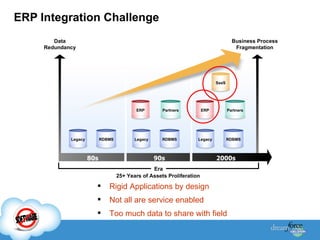
ERP Integration Challenge Rigid Applications by design Not all are service enabled Too much data to share with field Data Redundancy Business Process Fragmentation Era RDBMS ERP Partners SaaS 80s 90s 2000s Legacy RDBMS Legacy ERP Partners RDBMS Legacy 25+ Years of Assets Proliferation
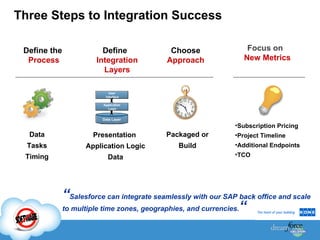
Three Steps to Integration Success Focus on  New Metrics Define the  Process Define  Integration Layers Choose  Approach Subscription Pricing Project Timeline  Additional Endpoints TCO Data Tasks Timing Presentation  Application Logic Data Packaged or Build “ Salesforce can integrate seamlessly with our SAP back office and scale to multiple time zones, geographies, and currencies. “ Data Layer Application Logic User Interface
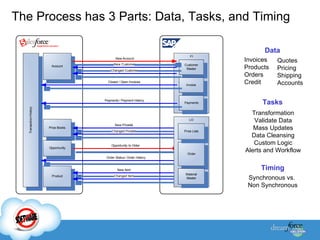
The Process has 3 Parts: Data, Tasks, and Timing Timing Synchronous vs. Non Synchronous Invoices Products Orders Credit Quotes Pricing Shipping Accounts Data Tasks Transformation Validate Data Mass Updates Data Cleansing Custom Logic Alerts and Workflow
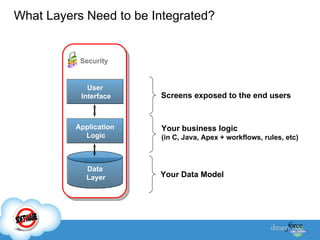
Your Data Model Your business logic (in C, Java, Apex + workflows, rules, etc) Security Screens exposed to the end users What Layers Need to be Integrated?  Data Layer Application Logic User Interface
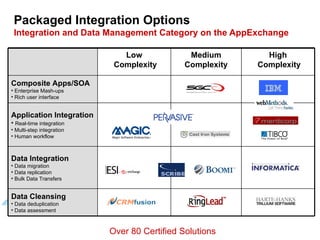
Packaged Integration Options Integration and Data Management Category on the AppExchange 4 Over 80 Certified Solutions Data Integration Data migration Data replication Bulk Data Transfers High Complexity Medium Complexity Low Complexity Data Cleansing Data deduplication Data assessment Application Integration Real-time integration Multi-step integration Human workflow Composite Apps/SOA Enterprise Mash-ups Rich user interface
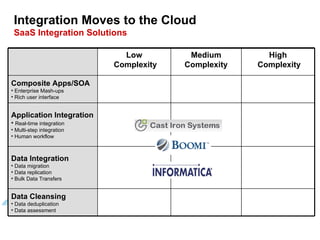
Integration Moves to the Cloud SaaS Integration Solutions 4 Data Integration Data migration Data replication Bulk Data Transfers High Complexity Medium Complexity Low Complexity Data Cleansing Data deduplication Data assessment Application Integration Real-time integration Multi-step integration Human workflow Composite Apps/SOA Enterprise Mash-ups Rich user interface
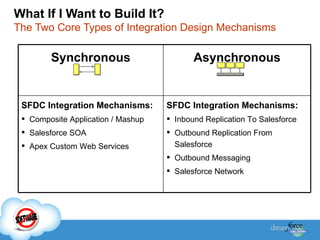
What If I Want to Build It?   The Two Core Types of Integration Design Mechanisms Synchronous Asynchronous SFDC Integration Mechanisms: Composite Application / Mashup Salesforce SOA Apex Custom Web Services SFDC Integration Mechanisms: Inbound Replication To Salesforce Outbound Replication From Salesforce Outbound Messaging Salesforce Network
Luke Leonhard   Integration Lead
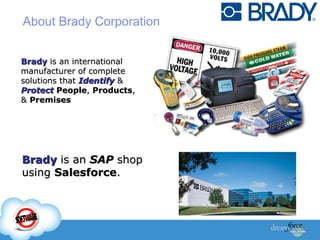
Brady  is an international manufacturer of complete solutions that  Identify  &  Protect   People ,  Products , &  Premises About Brady Corporation   Brady  is an  SAP  shop using  Salesforce .
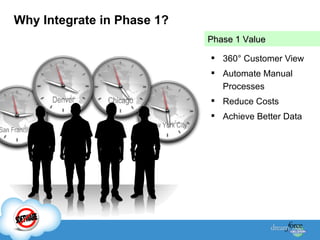
Why Integrate in Phase 1? 360 ° Customer View Automate Manual Processes Reduce Costs Achieve Better Data Phase 1 Value
Integration Project Constraints Time Resources New Technologies  for Brady
Tailored integration options… … based on business requirements.
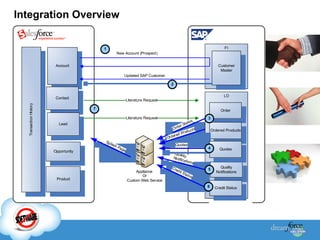
Integration Overview
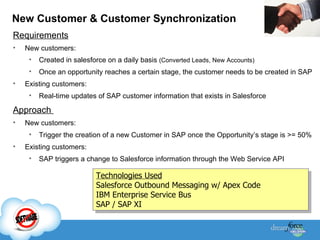
New Customer & Customer Synchronization Requirements New customers: Created in salesforce on a daily basis  (Converted Leads, New Accounts) Once an opportunity reaches a certain stage, the customer needs to be created in SAP Existing customers: Real-time updates of SAP customer information that exists in Salesforce  Approach  New customers:  Trigger the creation of a new Customer in SAP once the Opportunity’s stage is >= 50%  Existing customers: SAP triggers a change to Salesforce information through the Web Service API Technologies Used Salesforce Outbound Messaging w/ Apex Code IBM Enterprise Service Bus SAP / SAP XI
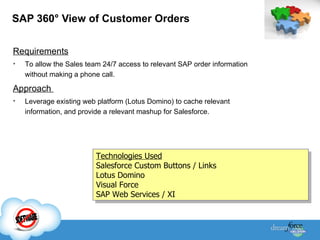
SAP 360 °  View of Customer Orders Requirements To allow the Sales team 24/7 access to relevant SAP order information without making a phone call. Approach  Leverage existing web platform (Lotus Domino) to cache relevant information, and provide a relevant mashup for Salesforce. Technologies Used Salesforce Custom Buttons / Links Lotus Domino Visual Force SAP Web Services / XI
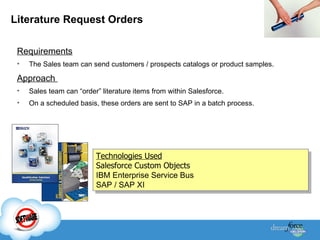
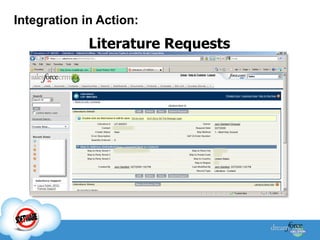
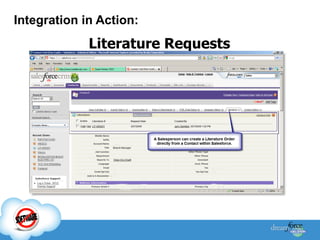
Literature Request Orders Requirements The Sales team can send customers / prospects catalogs or product samples.  Approach  Sales team can “order” literature items from within Salesforce. On a scheduled basis, these orders are sent to SAP in a batch process. Technologies Used Salesforce Custom Objects IBM Enterprise Service Bus SAP / SAP XI
 
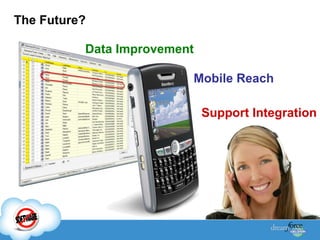
The Future? Data Improvement Mobile Reach Support Integration
Lessons Learned Analyze each integration’s requirements Need for Real-time, Data Exchanges, Data Presentation Test integration points with  good   and  bad   data. Leverage web-service middleware
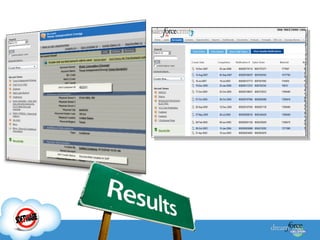
Integration in Action: Literature Requests
Questions? Contact  Luke , or use the Community! http://community.salesforce.com

Salesforce For Brady

  • 1.
    Put Your ERPData to Work! Salesforce Best Practices for ERP Integration Success Track: IT Executives
  • 2.
    ERP Integration ChallengeRigid Applications by design Not all are service enabled Too much data to share with field Data Redundancy Business Process Fragmentation Era RDBMS ERP Partners SaaS 80s 90s 2000s Legacy RDBMS Legacy ERP Partners RDBMS Legacy 25+ Years of Assets Proliferation
  • 3.
    Three Steps toIntegration Success Focus on New Metrics Define the Process Define Integration Layers Choose Approach Subscription Pricing Project Timeline Additional Endpoints TCO Data Tasks Timing Presentation Application Logic Data Packaged or Build “ Salesforce can integrate seamlessly with our SAP back office and scale to multiple time zones, geographies, and currencies. “ Data Layer Application Logic User Interface
  • 4.
    The Process has3 Parts: Data, Tasks, and Timing Timing Synchronous vs. Non Synchronous Invoices Products Orders Credit Quotes Pricing Shipping Accounts Data Tasks Transformation Validate Data Mass Updates Data Cleansing Custom Logic Alerts and Workflow
  • 5.
    Your Data ModelYour business logic (in C, Java, Apex + workflows, rules, etc) Security Screens exposed to the end users What Layers Need to be Integrated? Data Layer Application Logic User Interface
  • 6.
    Packaged Integration OptionsIntegration and Data Management Category on the AppExchange 4 Over 80 Certified Solutions Data Integration Data migration Data replication Bulk Data Transfers High Complexity Medium Complexity Low Complexity Data Cleansing Data deduplication Data assessment Application Integration Real-time integration Multi-step integration Human workflow Composite Apps/SOA Enterprise Mash-ups Rich user interface
  • 7.
    Integration Moves tothe Cloud SaaS Integration Solutions 4 Data Integration Data migration Data replication Bulk Data Transfers High Complexity Medium Complexity Low Complexity Data Cleansing Data deduplication Data assessment Application Integration Real-time integration Multi-step integration Human workflow Composite Apps/SOA Enterprise Mash-ups Rich user interface
  • 8.
    What If IWant to Build It? The Two Core Types of Integration Design Mechanisms Synchronous Asynchronous SFDC Integration Mechanisms: Composite Application / Mashup Salesforce SOA Apex Custom Web Services SFDC Integration Mechanisms: Inbound Replication To Salesforce Outbound Replication From Salesforce Outbound Messaging Salesforce Network
  • 9.
    Luke Leonhard Integration Lead
  • 10.
    Brady isan international manufacturer of complete solutions that Identify & Protect People , Products , & Premises About Brady Corporation Brady is an SAP shop using Salesforce .
  • 11.
    Why Integrate inPhase 1? 360 ° Customer View Automate Manual Processes Reduce Costs Achieve Better Data Phase 1 Value
  • 12.
    Integration Project ConstraintsTime Resources New Technologies for Brady
  • 13.
    Tailored integration options…… based on business requirements.
  • 14.
  • 15.
    New Customer &Customer Synchronization Requirements New customers: Created in salesforce on a daily basis (Converted Leads, New Accounts) Once an opportunity reaches a certain stage, the customer needs to be created in SAP Existing customers: Real-time updates of SAP customer information that exists in Salesforce Approach New customers: Trigger the creation of a new Customer in SAP once the Opportunity’s stage is >= 50% Existing customers: SAP triggers a change to Salesforce information through the Web Service API Technologies Used Salesforce Outbound Messaging w/ Apex Code IBM Enterprise Service Bus SAP / SAP XI
  • 16.
    SAP 360 ° View of Customer Orders Requirements To allow the Sales team 24/7 access to relevant SAP order information without making a phone call. Approach Leverage existing web platform (Lotus Domino) to cache relevant information, and provide a relevant mashup for Salesforce. Technologies Used Salesforce Custom Buttons / Links Lotus Domino Visual Force SAP Web Services / XI
  • 17.
    Literature Request OrdersRequirements The Sales team can send customers / prospects catalogs or product samples. Approach Sales team can “order” literature items from within Salesforce. On a scheduled basis, these orders are sent to SAP in a batch process. Technologies Used Salesforce Custom Objects IBM Enterprise Service Bus SAP / SAP XI
  • 18.
  • 19.
    The Future? DataImprovement Mobile Reach Support Integration
  • 20.
    Lessons Learned Analyzeeach integration’s requirements Need for Real-time, Data Exchanges, Data Presentation Test integration points with good and bad data. Leverage web-service middleware
  • 21.
    Integration in Action:Literature Requests
  • 22.
    Integration in Action:Literature Requests
  • 23.
    Questions? Contact Luke , or use the Community! http://community.salesforce.com