w w w . d i r e c t i o n s a s i a . c o m
The Dynamics SMB Focused Partner Community
Richer integration with
Logic Apps for Microsoft
Dynamics NAV and
Dynamics 365
Presented by:
Tharanga Chandrasekara
Wagner Silveira
Tharanga Chandrasekara
Theta Senior Consultant – ERP
Microsoft Business Solutions MVP
Theta is a NZ-owned IT consultancy with offices in Auckland, Wellington and Christchurch. Our
team of more than 200 experienced professionals help organisations like yours – in New Zealand
and around the world – to transform their businesses with technology.
Wagner Silveira
Principal Integration Architect – Digital
Microsoft Azure MVP
Why Integration
Integration Dynamics NAV
What’s new on Integration
Integrating with Logic Apps
Takeaways
Agenda
Why Integration?
Top 3 Signs That You Need Integration
1. Too Much Time Spent On Manual
Data Entry
2. Inaccurate Data Across All Systems
3. Inefficient Processes
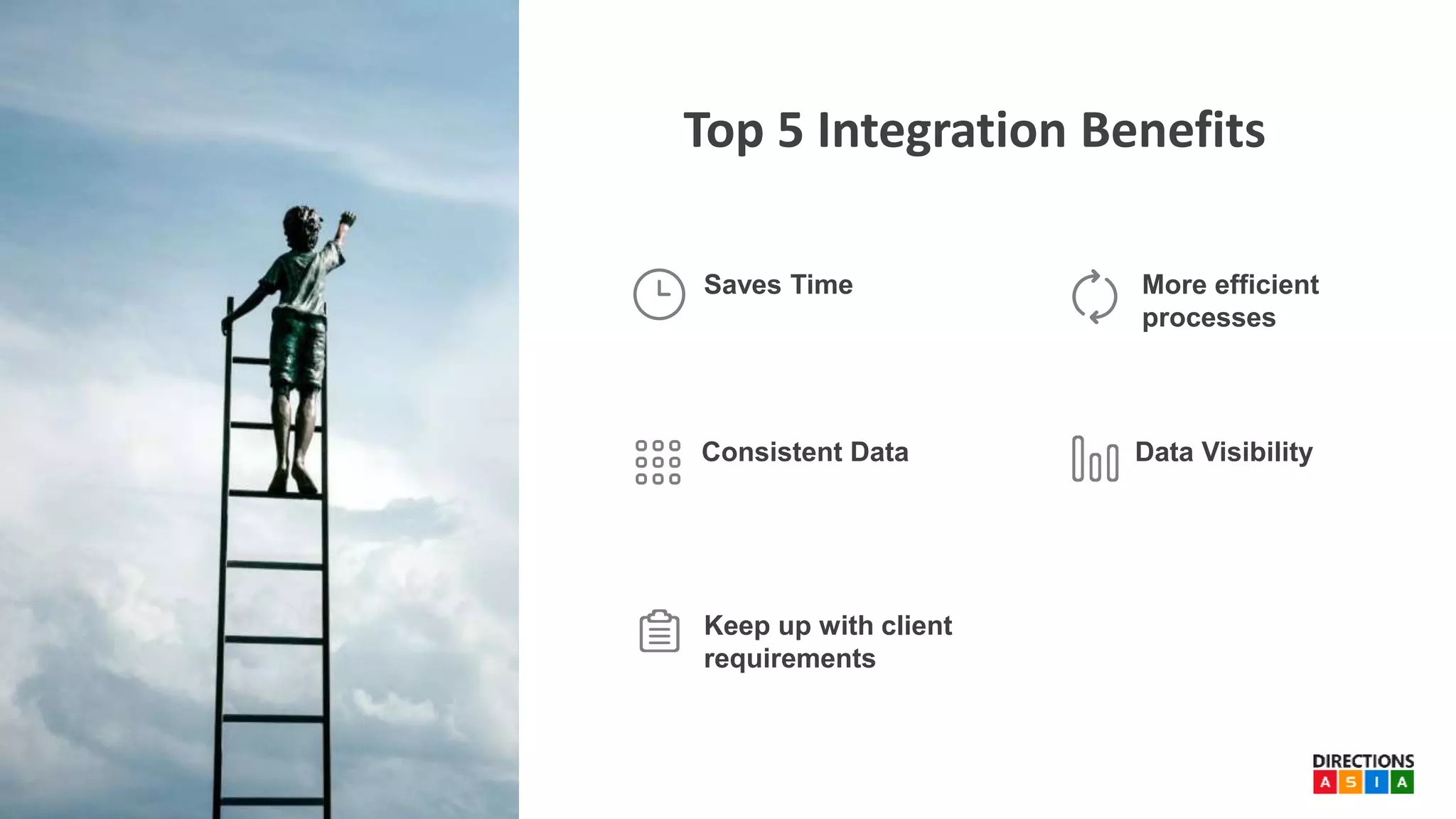
Top 5 Integration Benefits
Keep up with client
requirements
Consistent Data Data Visibility
Saves Time More efficient
processes
Integrating Dynamics NAV
Common integration scenarios for
Dynamics NAV
eCommerce Currency exchange
rate services
CRM systems Retail systems
Dynamics CRM Native Connector
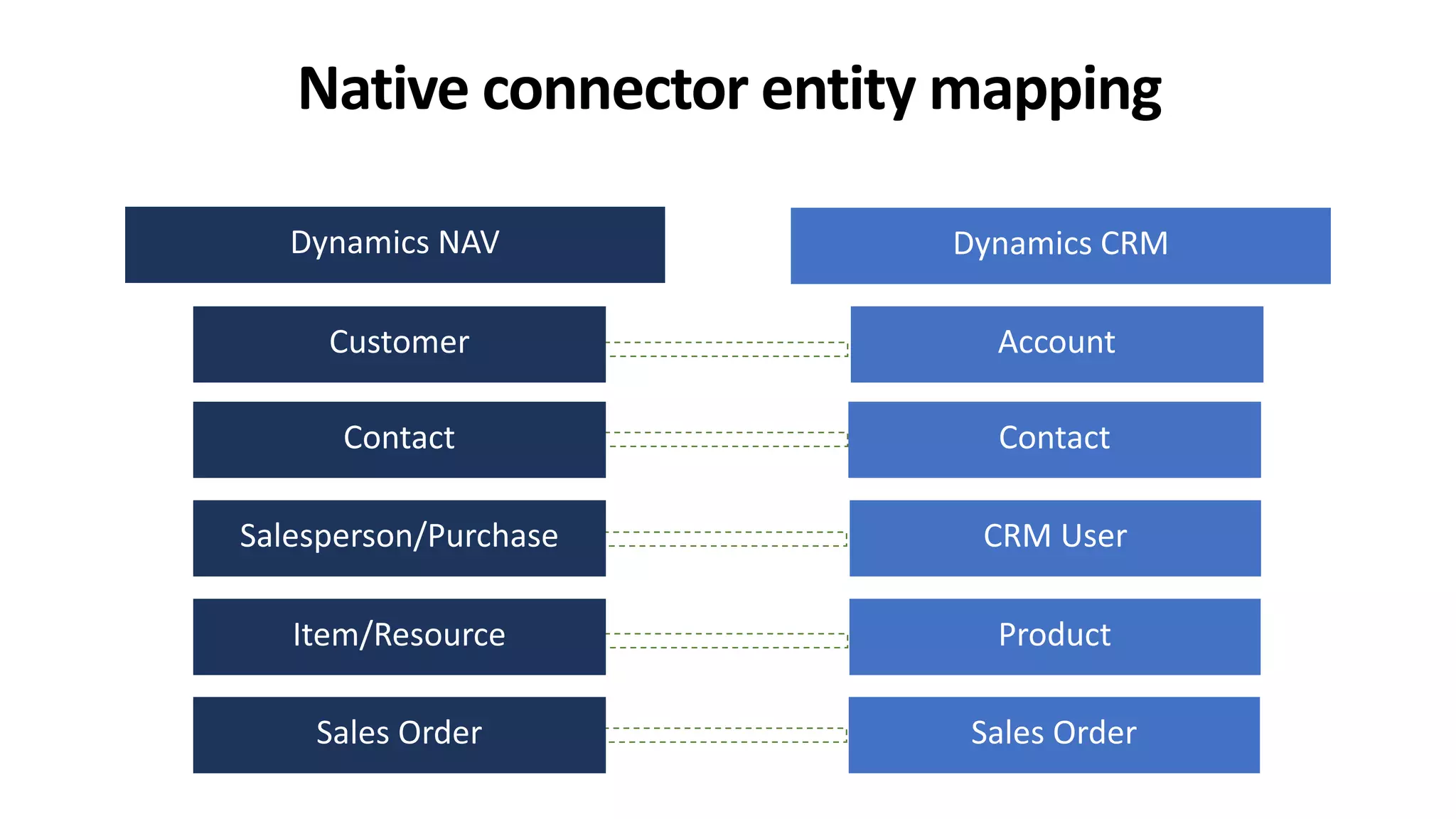
Matches NAV and
CRM entities
Out of the box No extra license
costs
Cover the basic
requirements
Native Connector Challenges
Polling based
Entity to entity
only
Bi direction can
cause conflicts
No failure notification
Type compatibility
issues
Backward
compatibility
Other connectivity options
Backward
compatibility
3rd party
connectors
Extra cost
Code
customisation
Challenges
What’s new on integration
Function Apps (Azure Functions)
• Event based compute on demand
• Consumption and dedicated models
• Externalize integration logic
• NAV events trigger requires code
• Coding paradigm
Microsoft Flow
• Workflow engine, aimed to the Citizen Integrator
• Codeless
• Subscription based
• Execution cap
• Trigger interval
• Access to Connectors
• Bundled by organisation
Logic Apps
• Integration Platform as a Service (iPaaS)
• Fully managed, Consumption model
• Extensible
• Full access to connectors
• Supports classic SDLC
• Strong Role Based Access Control (RBAC)
• Rich monitoring experience (with OMS)
Flow x Logic Apps
• Close to real time applications
• Control over development
• Enterprise grade connectors
• Centralized monitoring
• More volume than allowed by
licenses
Logic Apps Integration
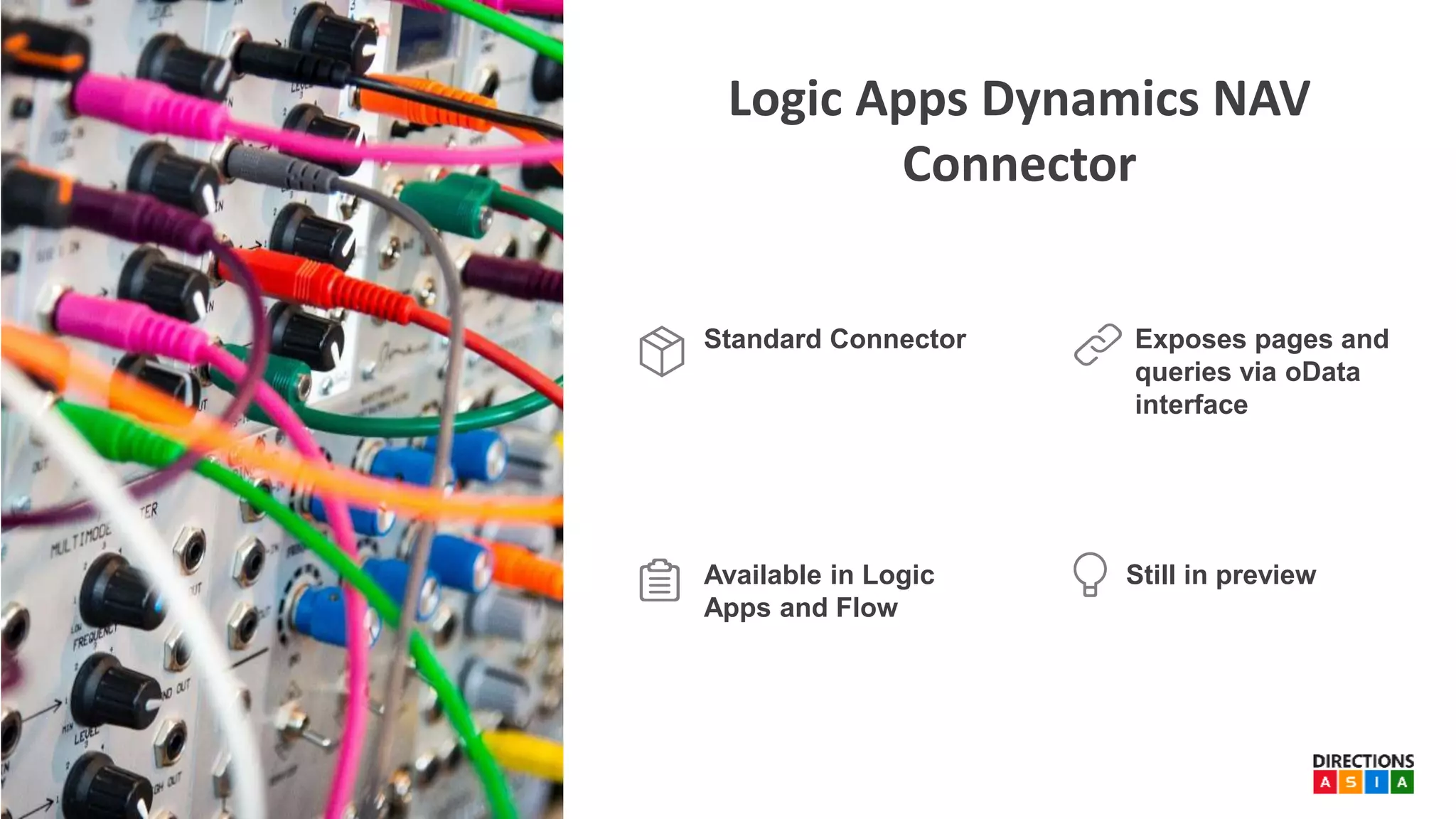
Logic Apps Dynamics NAV
Connector
Exposes pages and
queries via oData
interface
Standard Connector
Available in Logic
Apps and Flow
Still in preview
Hands on
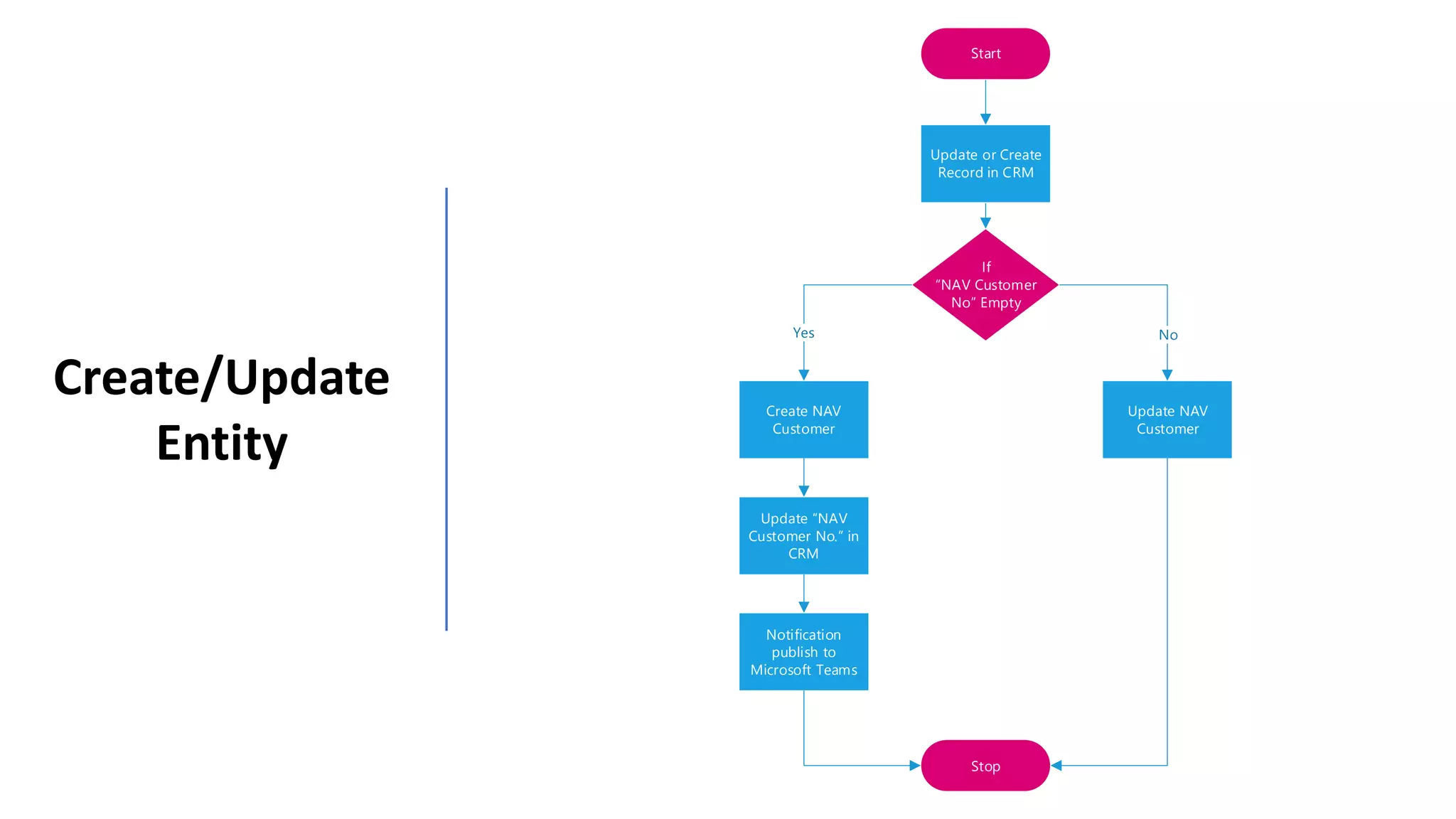
Start
If
NAV Customer
No Empty
Create NAV
Customer
Update NAV
Customer
Update NAV
Customer No. in
CRM
Stop
NoYes
Update or Create
Record in CRM
Notification
publish to
Microsoft Teams
Create/Update
Entity
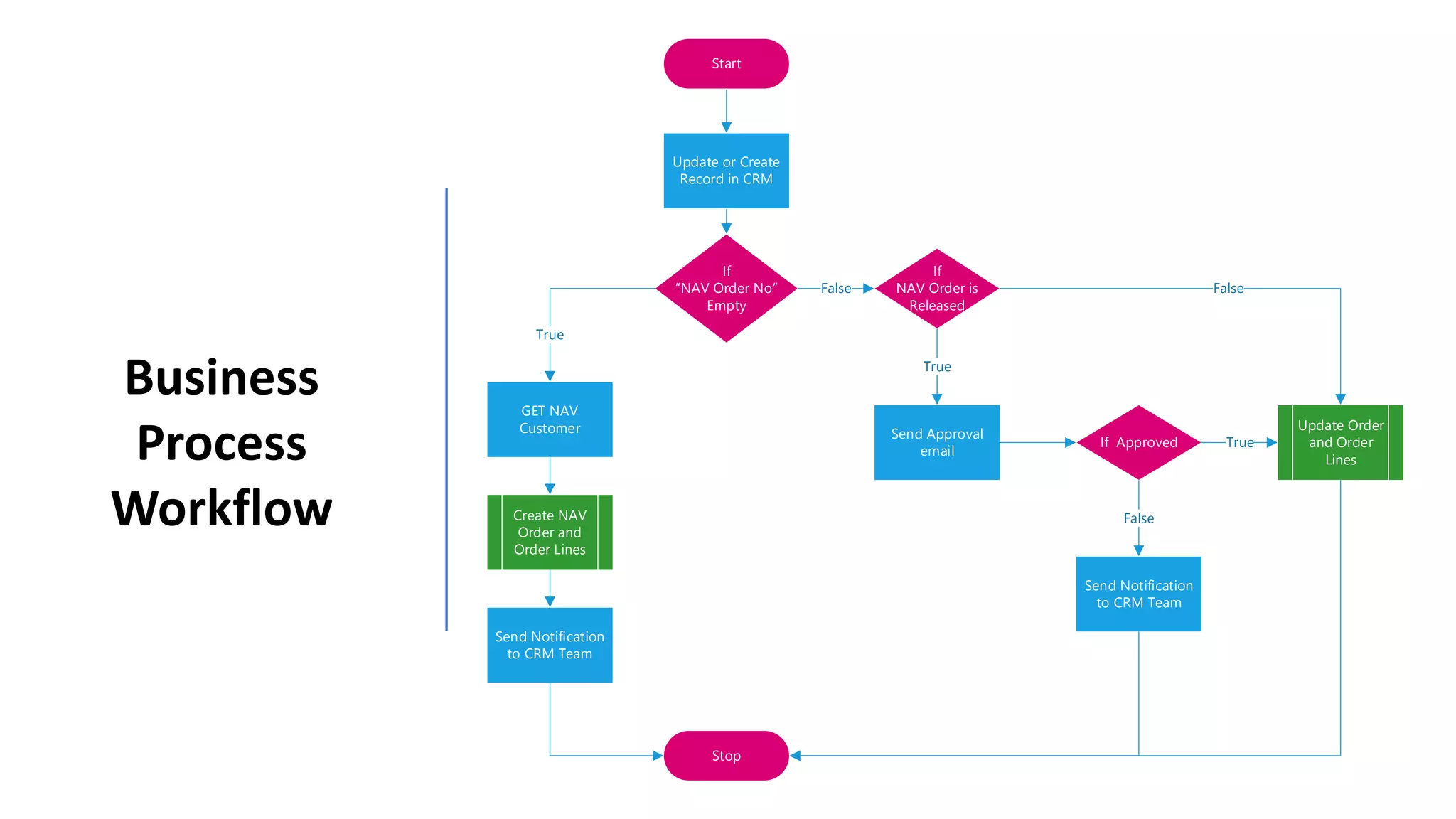
Business
Process
Workflow
Start
If
NAV Order No
Empty
GET NAV
Customer
Create NAV
Order and
Order Lines
Stop
True
Update or Create
Record in CRM
Send Notification
to CRM Team
False
If
NAV Order is
Released
True
Send Approval
email
If Approved True
Update Order
and Order
Lines
False
False
Send Notification
to CRM Team
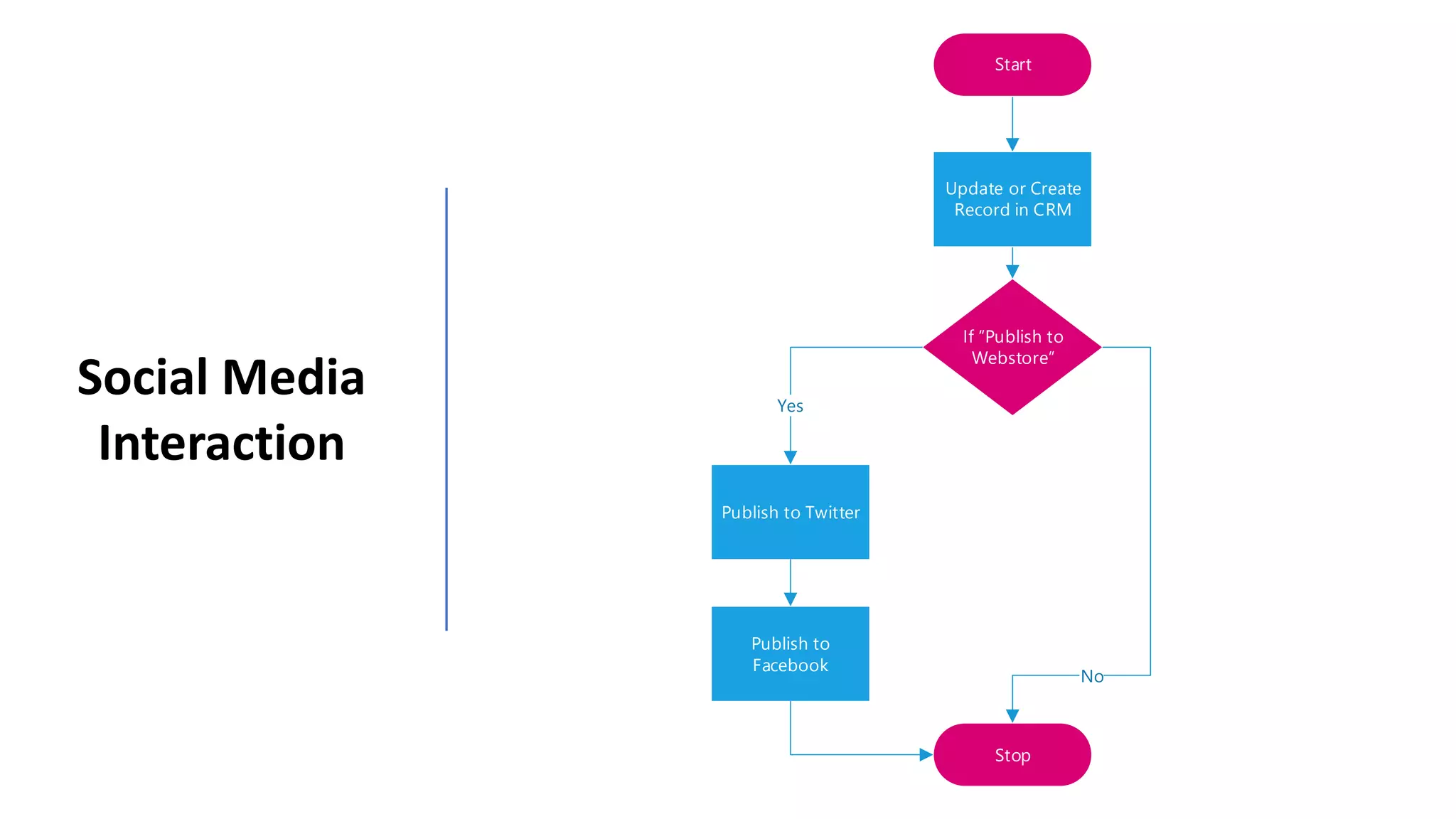
Social Media
Interaction
Start
If Publish to
Webstore
Publish to Twitter
Publish to
Facebook
Stop
No
Yes
Update or Create
Record in CRM
Takeaways
Cloud Integration is
becoming a common
requirement on most
projects
There are many ways to
integrate Dynamics NAV with
the cloud.
Both Flow and Logic Apps
are effective ways to
integrate Dynamics NAV
You should
consider
Logic Apps if:
•Need close to real time integration
•Need more control over
development process
•Need premium connectors
•Need rich monitoring experience
Reference reading
Logic Apps primer – https://www.theta.co.nz/news-blogs/tech-
blog/introduction-to-logic-apps/
Logic Apps documentation – https://docs.microsoft.com/en-
us/azure/logic-apps/
Enterprise Integration White Paper – https://aka.ms/enterprise-
integration-e2e-case-management-utilities-logic-apps
Wagner’s Blog – http://notetoself.tech
Tharanga’s Blog – http://tharangac-dynamicsnav.blogspot.com/
Thanks
For Watching

Directions ASIA 2018 - richer integration with logic apps for ms dynamics - published

  • 1.
    w w w. d i r e c t i o n s a s i a . c o m The Dynamics SMB Focused Partner Community
  • 2.
    Richer integration with LogicApps for Microsoft Dynamics NAV and Dynamics 365 Presented by: Tharanga Chandrasekara Wagner Silveira
  • 3.
    Tharanga Chandrasekara Theta SeniorConsultant – ERP Microsoft Business Solutions MVP Theta is a NZ-owned IT consultancy with offices in Auckland, Wellington and Christchurch. Our team of more than 200 experienced professionals help organisations like yours – in New Zealand and around the world – to transform their businesses with technology. Wagner Silveira Principal Integration Architect – Digital Microsoft Azure MVP
  • 4.
    Why Integration Integration DynamicsNAV What’s new on Integration Integrating with Logic Apps Takeaways Agenda
  • 5.
  • 6.
    Top 3 SignsThat You Need Integration 1. Too Much Time Spent On Manual Data Entry 2. Inaccurate Data Across All Systems 3. Inefficient Processes
  • 7.
    Top 5 IntegrationBenefits Keep up with client requirements Consistent Data Data Visibility Saves Time More efficient processes
  • 8.
  • 9.
    Common integration scenariosfor Dynamics NAV eCommerce Currency exchange rate services CRM systems Retail systems
  • 10.
    Dynamics CRM NativeConnector Matches NAV and CRM entities Out of the box No extra license costs Cover the basic requirements
  • 12.
    Native Connector Challenges Pollingbased Entity to entity only Bi direction can cause conflicts No failure notification Type compatibility issues Backward compatibility
  • 13.
    Other connectivity options Backward compatibility 3rdparty connectors Extra cost Code customisation Challenges
  • 14.
    What’s new onintegration
  • 15.
    Function Apps (AzureFunctions) • Event based compute on demand • Consumption and dedicated models • Externalize integration logic • NAV events trigger requires code • Coding paradigm
  • 16.
    Microsoft Flow • Workflowengine, aimed to the Citizen Integrator • Codeless • Subscription based • Execution cap • Trigger interval • Access to Connectors • Bundled by organisation
  • 17.
    Logic Apps • IntegrationPlatform as a Service (iPaaS) • Fully managed, Consumption model • Extensible • Full access to connectors • Supports classic SDLC • Strong Role Based Access Control (RBAC) • Rich monitoring experience (with OMS)
  • 18.
    Flow x LogicApps • Close to real time applications • Control over development • Enterprise grade connectors • Centralized monitoring • More volume than allowed by licenses
  • 19.
  • 22.
    Logic Apps DynamicsNAV Connector Exposes pages and queries via oData interface Standard Connector Available in Logic Apps and Flow Still in preview
  • 23.
  • 24.
    Start If NAV Customer No Empty CreateNAV Customer Update NAV Customer Update NAV Customer No. in CRM Stop NoYes Update or Create Record in CRM Notification publish to Microsoft Teams Create/Update Entity
  • 25.
    Business Process Workflow Start If NAV Order No Empty GETNAV Customer Create NAV Order and Order Lines Stop True Update or Create Record in CRM Send Notification to CRM Team False If NAV Order is Released True Send Approval email If Approved True Update Order and Order Lines False False Send Notification to CRM Team
  • 26.
    Social Media Interaction Start If Publishto Webstore Publish to Twitter Publish to Facebook Stop No Yes Update or Create Record in CRM
  • 27.
  • 28.
    Cloud Integration is becominga common requirement on most projects
  • 29.
    There are manyways to integrate Dynamics NAV with the cloud.
  • 30.
    Both Flow andLogic Apps are effective ways to integrate Dynamics NAV
  • 31.
    You should consider Logic Appsif: •Need close to real time integration •Need more control over development process •Need premium connectors •Need rich monitoring experience
  • 32.
    Reference reading Logic Appsprimer – https://www.theta.co.nz/news-blogs/tech- blog/introduction-to-logic-apps/ Logic Apps documentation – https://docs.microsoft.com/en- us/azure/logic-apps/ Enterprise Integration White Paper – https://aka.ms/enterprise- integration-e2e-case-management-utilities-logic-apps Wagner’s Blog – http://notetoself.tech Tharanga’s Blog – http://tharangac-dynamicsnav.blogspot.com/
  • 33.