How Salesforce Integration
Improves Workflow
Automation and Efficiency
In today¾s fast-moving digital environment, businesses are constantly
looking for ways to streamline operations, eliminate repetitive tasks, and
maximize productivity. One of the most effective solutions for achieving
these goals is Salesforce Integration. By connecting Salesforce with various
business applications and tools, organizations can enhance workflow
automation, reduce manual work, and make smarter, data-driven decisions.
This article explores how Salesforce Integration plays a critical role in
improving workflow automation and overall business efficiency.
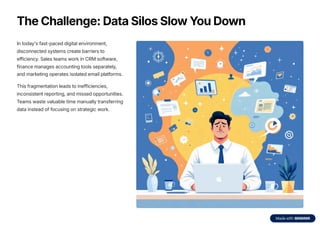
The Challenge: Data Silos Slow You Down
In today's fast-paced digital environment,
disconnected systems create barriers to
efficiency. Sales teams work in CRM software,
finance manages accounting tools separately,
and marketing operates isolated email platforms.
This fragmentation leads to inefficiencies,
inconsistent reporting, and missed opportunities.
Teams waste valuable time manually transferring
data instead of focusing on strategic work.
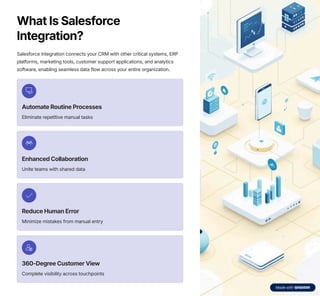
What Is Salesforce
Integration?
Salesforce Integration connects your CRM with other critical systems, ERP
platforms, marketing tools, customer support applications, and analytics
software, enabling seamless data flow across your entire organization.
Automate Routine Processes
Eliminate repetitive manual tasks
Enhanced Collaboration
Unite teams with shared data
Reduce Human Error
Minimize mistakes from manual entry
360-Degree Customer View
Complete visibility across touchpoints
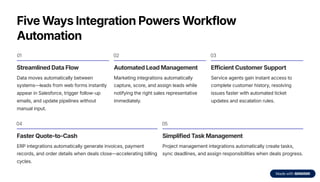
Five Ways Integration Powers Workflow
Automation
01
Streamlined Data Flow
Data moves automatically between
systems4leads from web forms instantly
appear in Salesforce, trigger follow-up
emails, and update pipelines without
manual input.
02
Automated Lead Management
Marketing integrations automatically
capture, score, and assign leads while
notifying the right sales representative
immediately.
03
Efficient Customer Support
Service agents gain instant access to
complete customer history, resolving
issues faster with automated ticket
updates and escalation rules.
04
Faster Quote-to-Cash
ERP integrations automatically generate invoices, payment
records, and order details when deals close4accelerating billing
cycles.
05
Simplified Task Management
Project management integrations automatically create tasks,
sync deadlines, and assign responsibilities when deals progress.
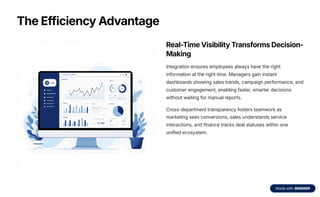
The Efficiency Advantage
Real-Time Visibility Transforms Decision-
Making
Integration ensures employees always have the right
information at the right time. Managers gain instant
dashboards showing sales trends, campaign performance, and
customer engagement, enabling faster, smarter decisions
without waiting for manual reports.
Cross-department transparency fosters teamwork as
marketing sees conversions, sales understands service
interactions, and finance tracks deal statuses within one
unified ecosystem.
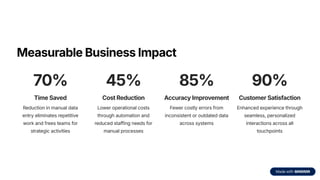
Measurable Business Impact
70%
Time Saved
Reduction in manual data
entry eliminates repetitive
work and frees teams for
strategic activities
45%
Cost Reduction
Lower operational costs
through automation and
reduced staffing needs for
manual processes
85%
Accuracy Improvement
Fewer costly errors from
inconsistent or outdated data
across systems
90%
Customer Satisfaction
Enhanced experience through
seamless, personalized
interactions across all
touchpoints
Popular Integration Combinations
Salesforce + Email
Automatically sync emails,
meetings, and contacts with
Outlook or Gmail for seamless
communication tracking.
Salesforce + Slack
Enable instant team
collaboration with real-time
deal updates and notifications
in shared channels.
Salesforce +
QuickBooks
Connect sales and finance
data for automated invoicing
and faster billing processes.
Salesforce + HubSpot
Align marketing and sales
teams with seamless lead
tracking and campaign
performance visibility.
Salesforce + Google
Drive
Simplify file management and
document sharing with
centralized cloud storage
access.
Keys to Successful Implementation
1
Define Integration Goals
Identify specific problems to solve4whether improving lead tracking, automating reports, or syncing customer data
across departments.
2
Choose Compatible Tools
Select integration platforms or APIs that work seamlessly with both Salesforce and your existing business systems.
3
Ensure Data Quality
Clean and standardize data before integration to prevent mismatches, duplication, and synchronization errors.
4
Prioritize Security
Protect sensitive customer and business data with secure authentication protocols and proper permission settings.
5
Test Thoroughly
Conduct multiple test runs to verify seamless data flow and catch potential issues before full deployment.
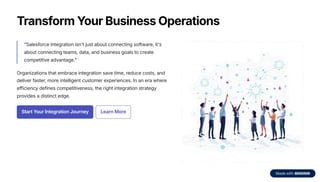
Transform Your Business Operations
"Salesforce Integration isn't just about connecting software, it's
about connecting teams, data, and business goals to create
competitive advantage."
Organizations that embrace integration save time, reduce costs, and
deliver faster, more intelligent customer experiences. In an era where
efficiency defines competitiveness, the right integration strategy
provides a distinct edge.
Start Your Integration Journey Learn More
Thank You
Website: https://cloudmetic.com/
Contact no. : +1 (219) 649-0424
Mail: info@cloudmetic.com
Address: 3 Rockaway St, New Rochelle,
New York 10801 United States

how salesforce- integration improves-workflow automation and efficiency.pdf

  • 1.
    How Salesforce Integration ImprovesWorkflow Automation and Efficiency In today¾s fast-moving digital environment, businesses are constantly looking for ways to streamline operations, eliminate repetitive tasks, and maximize productivity. One of the most effective solutions for achieving these goals is Salesforce Integration. By connecting Salesforce with various business applications and tools, organizations can enhance workflow automation, reduce manual work, and make smarter, data-driven decisions. This article explores how Salesforce Integration plays a critical role in improving workflow automation and overall business efficiency.
  • 2.
    The Challenge: DataSilos Slow You Down In today's fast-paced digital environment, disconnected systems create barriers to efficiency. Sales teams work in CRM software, finance manages accounting tools separately, and marketing operates isolated email platforms. This fragmentation leads to inefficiencies, inconsistent reporting, and missed opportunities. Teams waste valuable time manually transferring data instead of focusing on strategic work.
  • 3.
    What Is Salesforce Integration? SalesforceIntegration connects your CRM with other critical systems, ERP platforms, marketing tools, customer support applications, and analytics software, enabling seamless data flow across your entire organization. Automate Routine Processes Eliminate repetitive manual tasks Enhanced Collaboration Unite teams with shared data Reduce Human Error Minimize mistakes from manual entry 360-Degree Customer View Complete visibility across touchpoints
  • 4.
    Five Ways IntegrationPowers Workflow Automation 01 Streamlined Data Flow Data moves automatically between systems4leads from web forms instantly appear in Salesforce, trigger follow-up emails, and update pipelines without manual input. 02 Automated Lead Management Marketing integrations automatically capture, score, and assign leads while notifying the right sales representative immediately. 03 Efficient Customer Support Service agents gain instant access to complete customer history, resolving issues faster with automated ticket updates and escalation rules. 04 Faster Quote-to-Cash ERP integrations automatically generate invoices, payment records, and order details when deals close4accelerating billing cycles. 05 Simplified Task Management Project management integrations automatically create tasks, sync deadlines, and assign responsibilities when deals progress.
  • 5.
    The Efficiency Advantage Real-TimeVisibility Transforms Decision- Making Integration ensures employees always have the right information at the right time. Managers gain instant dashboards showing sales trends, campaign performance, and customer engagement, enabling faster, smarter decisions without waiting for manual reports. Cross-department transparency fosters teamwork as marketing sees conversions, sales understands service interactions, and finance tracks deal statuses within one unified ecosystem.
  • 6.
    Measurable Business Impact 70% TimeSaved Reduction in manual data entry eliminates repetitive work and frees teams for strategic activities 45% Cost Reduction Lower operational costs through automation and reduced staffing needs for manual processes 85% Accuracy Improvement Fewer costly errors from inconsistent or outdated data across systems 90% Customer Satisfaction Enhanced experience through seamless, personalized interactions across all touchpoints
  • 7.
    Popular Integration Combinations Salesforce+ Email Automatically sync emails, meetings, and contacts with Outlook or Gmail for seamless communication tracking. Salesforce + Slack Enable instant team collaboration with real-time deal updates and notifications in shared channels. Salesforce + QuickBooks Connect sales and finance data for automated invoicing and faster billing processes. Salesforce + HubSpot Align marketing and sales teams with seamless lead tracking and campaign performance visibility. Salesforce + Google Drive Simplify file management and document sharing with centralized cloud storage access.
  • 8.
    Keys to SuccessfulImplementation 1 Define Integration Goals Identify specific problems to solve4whether improving lead tracking, automating reports, or syncing customer data across departments. 2 Choose Compatible Tools Select integration platforms or APIs that work seamlessly with both Salesforce and your existing business systems. 3 Ensure Data Quality Clean and standardize data before integration to prevent mismatches, duplication, and synchronization errors. 4 Prioritize Security Protect sensitive customer and business data with secure authentication protocols and proper permission settings. 5 Test Thoroughly Conduct multiple test runs to verify seamless data flow and catch potential issues before full deployment.
  • 9.
    Transform Your BusinessOperations "Salesforce Integration isn't just about connecting software, it's about connecting teams, data, and business goals to create competitive advantage." Organizations that embrace integration save time, reduce costs, and deliver faster, more intelligent customer experiences. In an era where efficiency defines competitiveness, the right integration strategy provides a distinct edge. Start Your Integration Journey Learn More
  • 10.
    Thank You Website: https://cloudmetic.com/ Contactno. : +1 (219) 649-0424 Mail: info@cloudmetic.com Address: 3 Rockaway St, New Rochelle, New York 10801 United States