RSS Feed Widget
With customizable slider.
Equipped with styles through WordPress Plugin Chameleon.
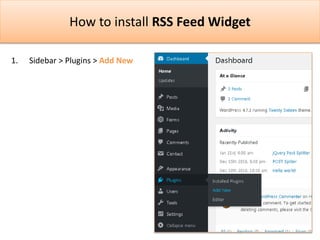
How to install RSS Feed Widget
1. Sidebar > Plugins > Add New
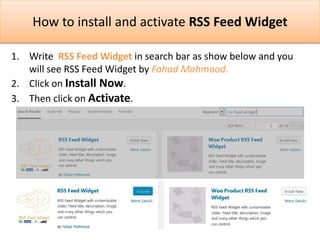
How to install and activate RSS Feed Widget
1. Write RSS Feed Widget in search bar as show below and you
will see RSS Feed Widget by Fahad Mahmood.
2. Click on Install Now.
3. Then click on Activate.
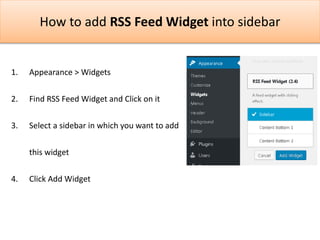
How to add RSS Feed Widget into sidebar
1. Appearance > Widgets
2. Find RSS Feed Widget and Click on it
3. Select a sidebar in which you want to add
this widget
4. Click Add Widget
How to configure RSS Feed Widget
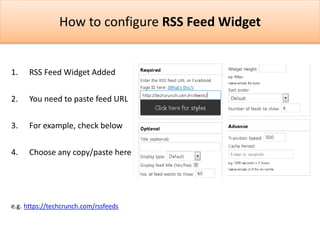
1. RSS Feed Widget Added
2. You need to paste feed URL
3. For example, check below
4. Choose any copy/paste here
e.g. https://techcrunch.com/rssfeeds
How to configure RSS Feed Widget
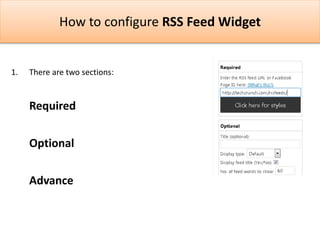
1. There are two sections:
Required
Optional
Advance
How to configure RSS Feed Widget
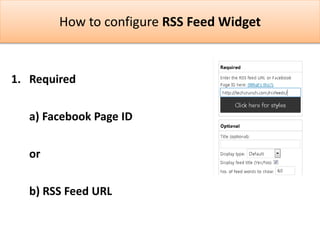
1. Required
a) Facebook Page ID
or
b) RSS Feed URL
How to configure RSS Feed Widget
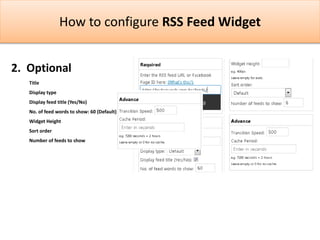
2. Optional
Title
Display type
Display feed title (Yes/No)
No. of feed words to show: 60 (Default)
Widget Height
Sort order
Number of feeds to show
How to configure RSS Feed Widget
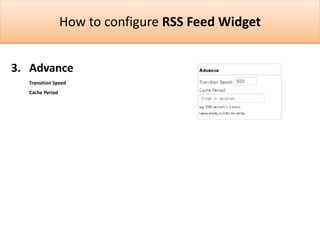
3. Advance
Transition Speed
Cache Period

RSS Feed Widget - Basic guide

  • 1.
    RSS Feed Widget Withcustomizable slider. Equipped with styles through WordPress Plugin Chameleon.
  • 2.
    How to installRSS Feed Widget 1. Sidebar > Plugins > Add New
  • 3.
    How to installand activate RSS Feed Widget 1. Write RSS Feed Widget in search bar as show below and you will see RSS Feed Widget by Fahad Mahmood. 2. Click on Install Now. 3. Then click on Activate.
  • 4.
    How to addRSS Feed Widget into sidebar 1. Appearance > Widgets 2. Find RSS Feed Widget and Click on it 3. Select a sidebar in which you want to add this widget 4. Click Add Widget
  • 5.
    How to configureRSS Feed Widget 1. RSS Feed Widget Added 2. You need to paste feed URL 3. For example, check below 4. Choose any copy/paste here e.g. https://techcrunch.com/rssfeeds
  • 6.
    How to configureRSS Feed Widget 1. There are two sections: Required Optional Advance
  • 7.
    How to configureRSS Feed Widget 1. Required a) Facebook Page ID or b) RSS Feed URL
  • 8.
    How to configureRSS Feed Widget 2. Optional Title Display type Display feed title (Yes/No) No. of feed words to show: 60 (Default) Widget Height Sort order Number of feeds to show
  • 9.
    How to configureRSS Feed Widget 3. Advance Transition Speed Cache Period