ROBOT
FRAMEWORK
Onur Baskirt
Who am I?
▪ I am Onur Başkırt
▪ Currently, Head of SW Testing at Kariyer.net
▪ Co-owner of www.swtestacademy.com and a Test Hive Member 
▪ Formerly, Teknosa, Ericsson, Huawei, ST-Ericsson, Bahçeşehir University
Table of Contents
▪ What is Robot Framework?
▪ Robot Framework Architecture and Test Flow
▪ Libraries
▪ Tools
▪ How to install Robot Framework on Windows?
▪ Robot Framework Usage with an Example
What is Robot Framework?
▪ Robot Framework is a generic test automation framework.
▪ It has easy-to-use tabular test data syntax.
▪ It utilizes the keyword-driven testing approach.
▪ Its testing capabilities can be extended by test libraries.
▪ Users can create new higher-level keywords from existing ones using the same
syntax.
▪ It is operating system and application independent. The core framework is
implemented using Python.
▪ Robot Framework itself is open source.
Robot Framework Architecture and Test Flow
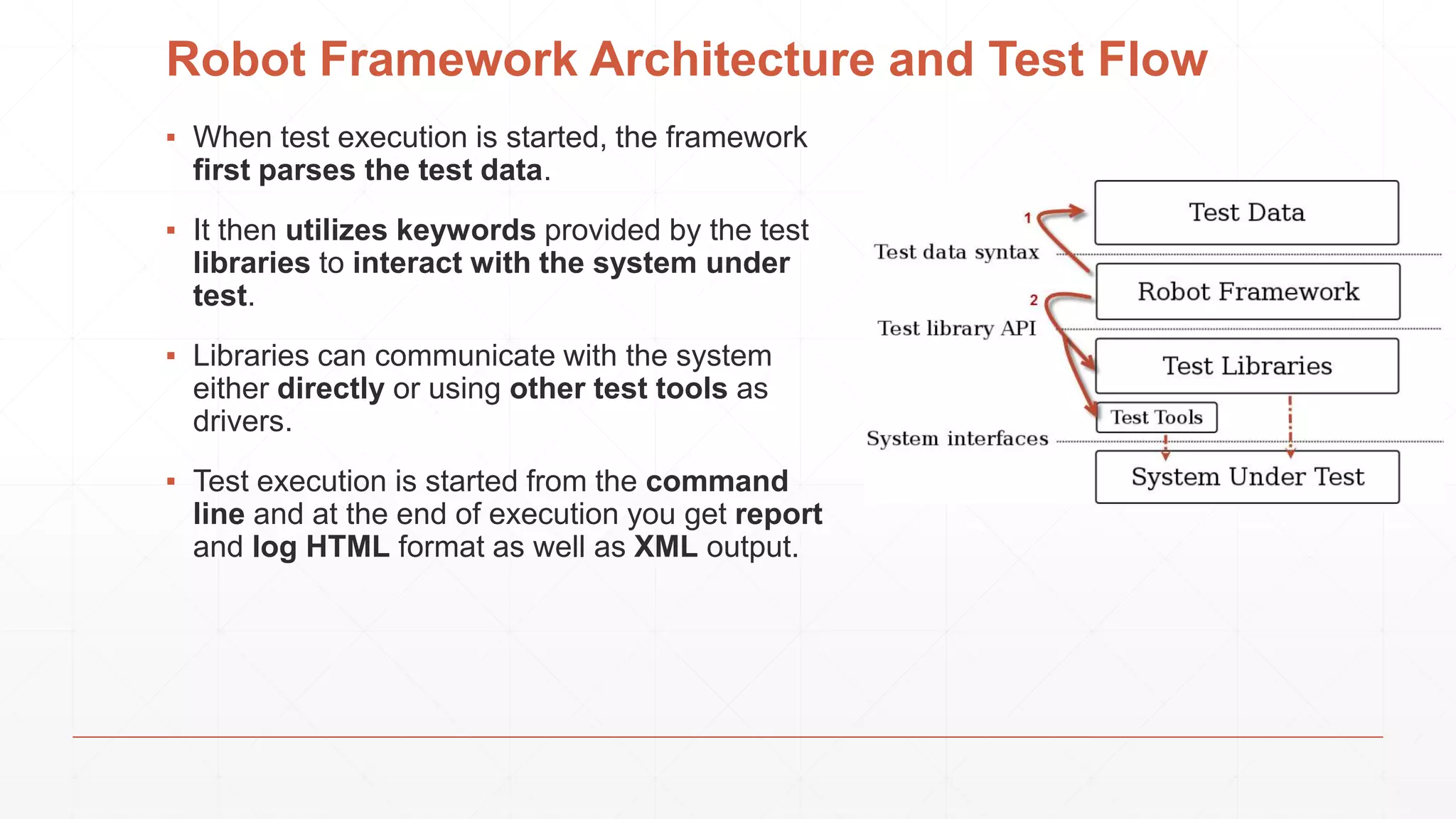
▪ When test execution is started, the framework
first parses the test data.
▪ It then utilizes keywords provided by the test
libraries to interact with the system under
test.
▪ Libraries can communicate with the system
either directly or using other test tools as
drivers.
▪ Test execution is started from the command
line and at the end of execution you get report
and log HTML format as well as XML output.
Libraries
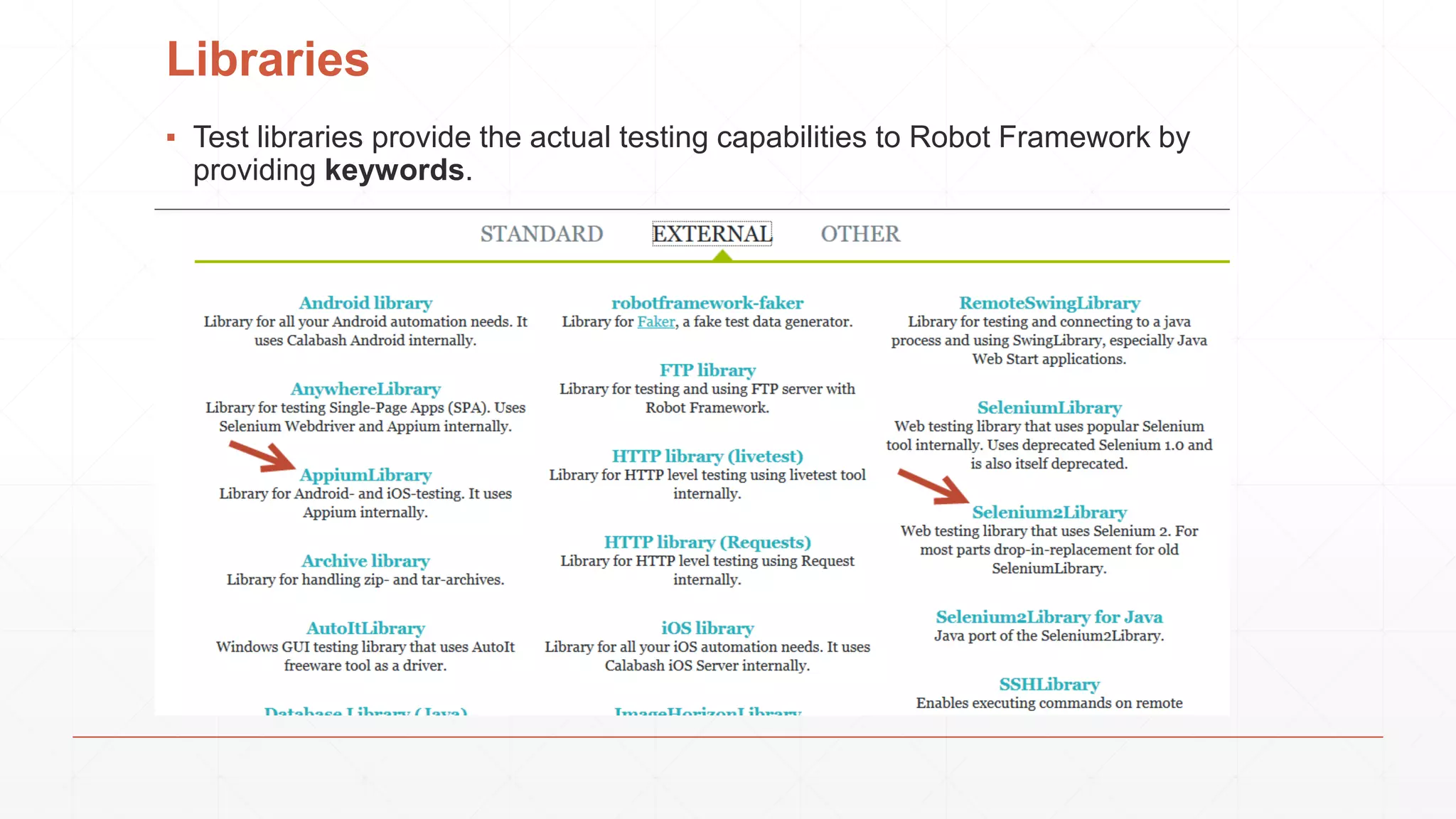
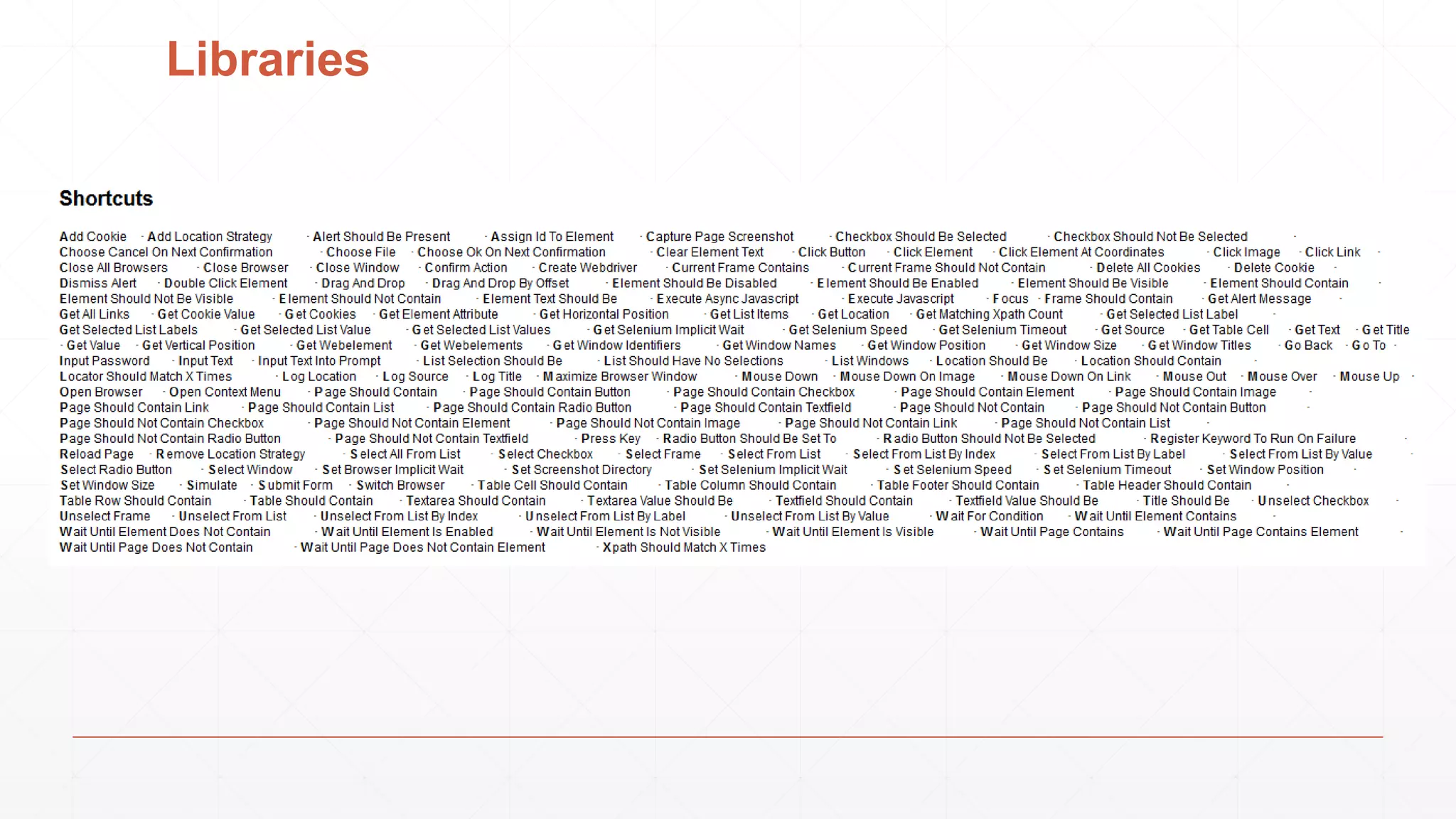
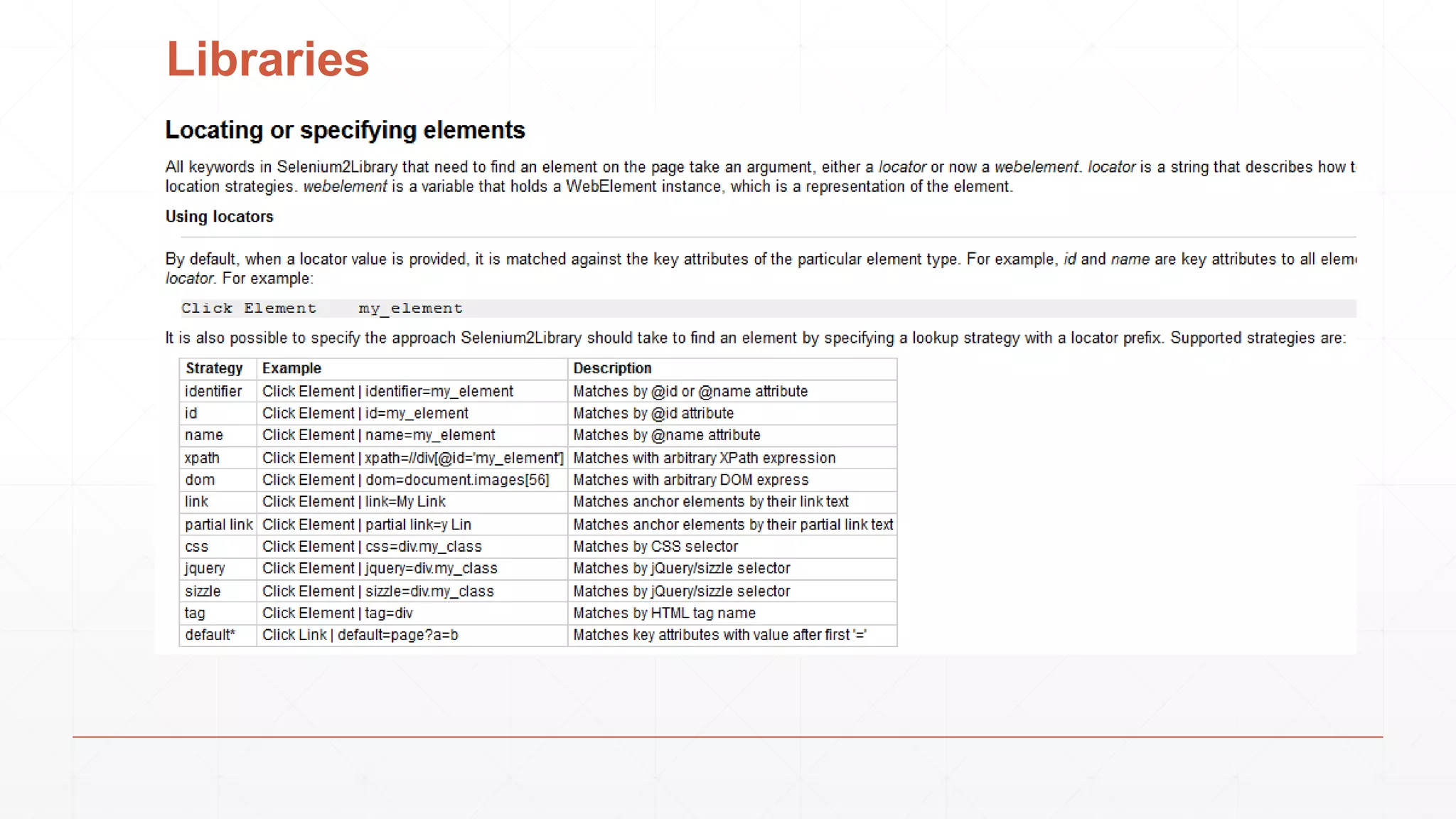
▪ Test libraries provide the actual testing capabilities to Robot Framework by
providing keywords.
Libraries
Libraries
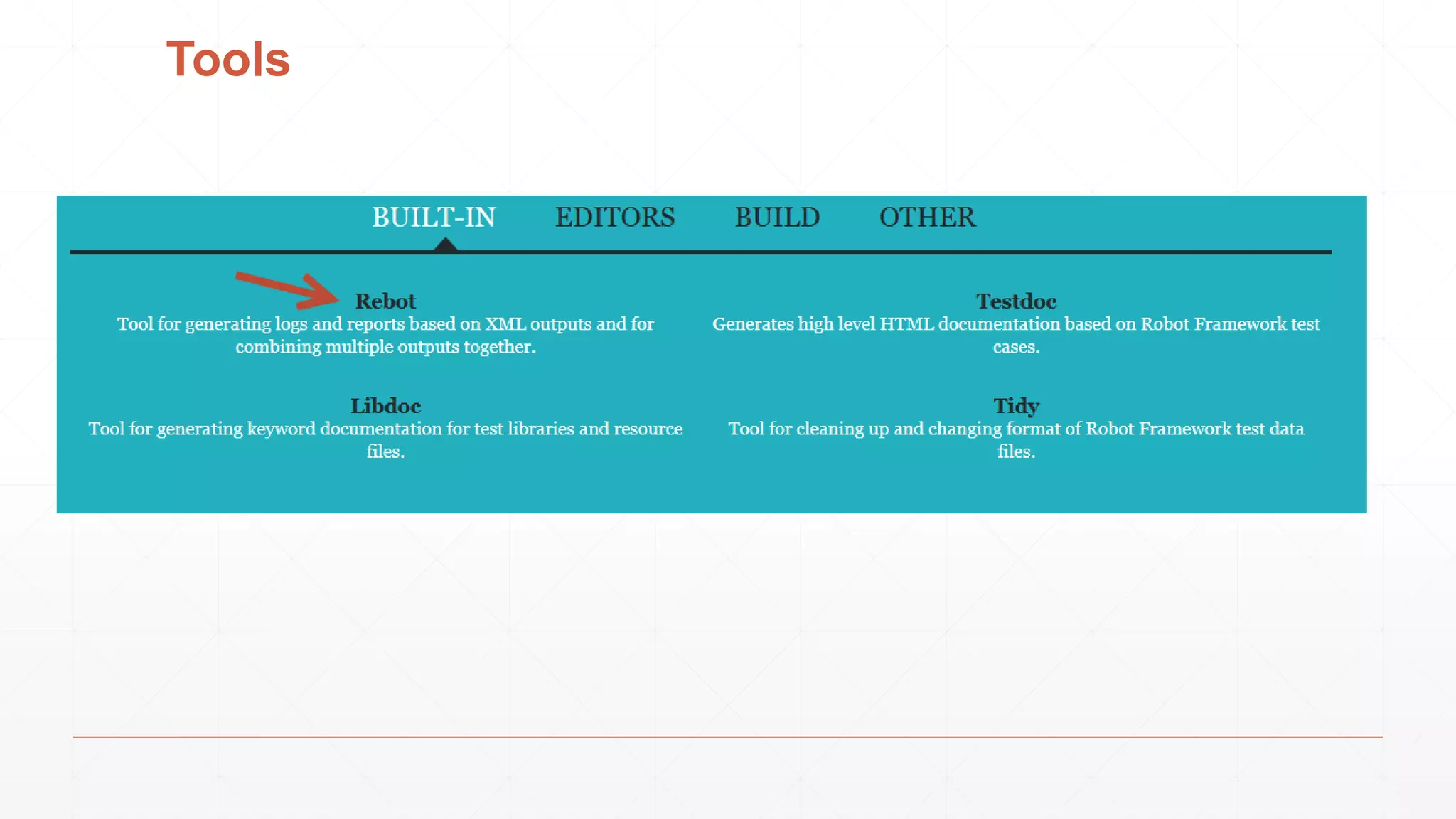
Tools
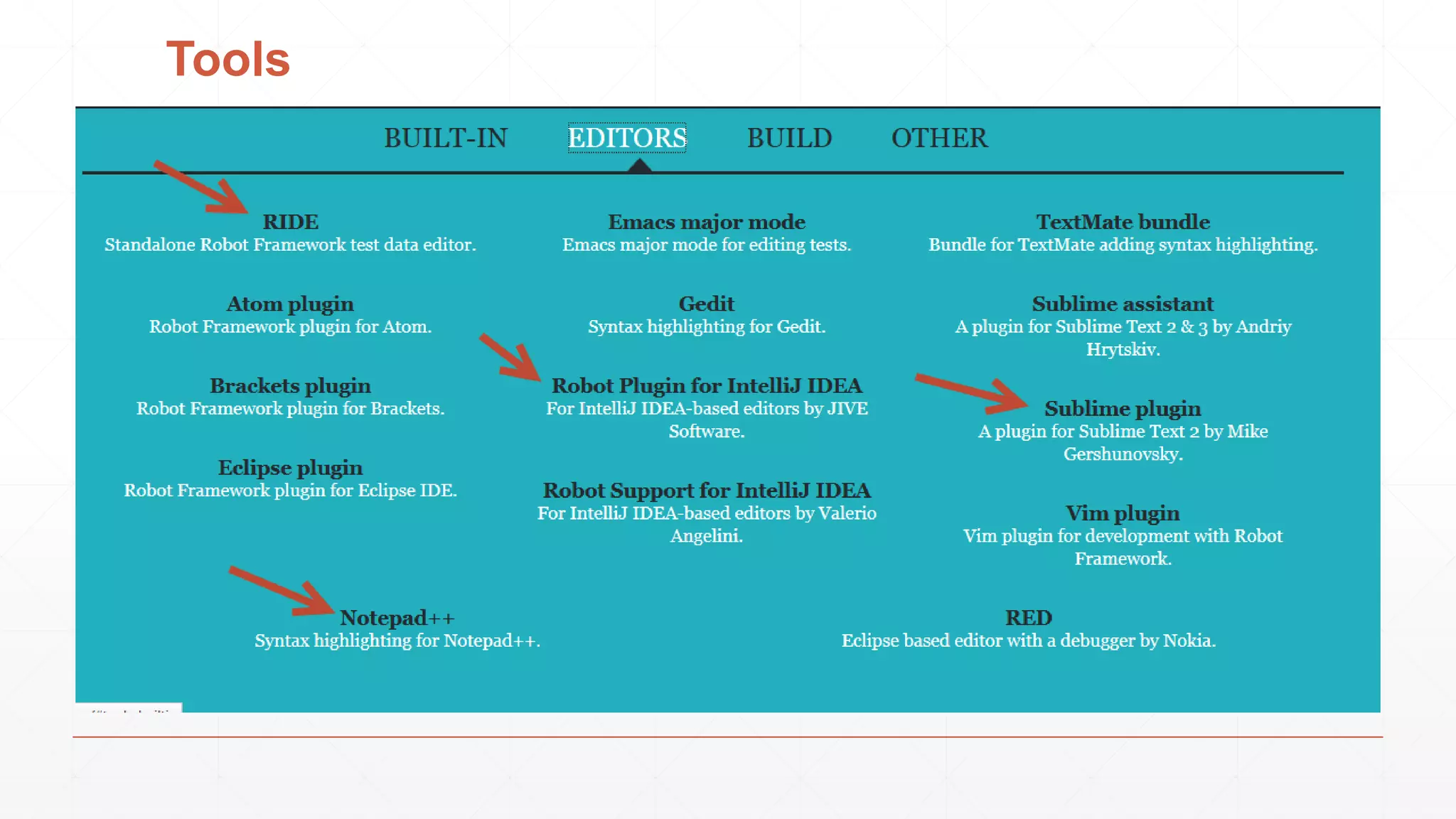
Tools
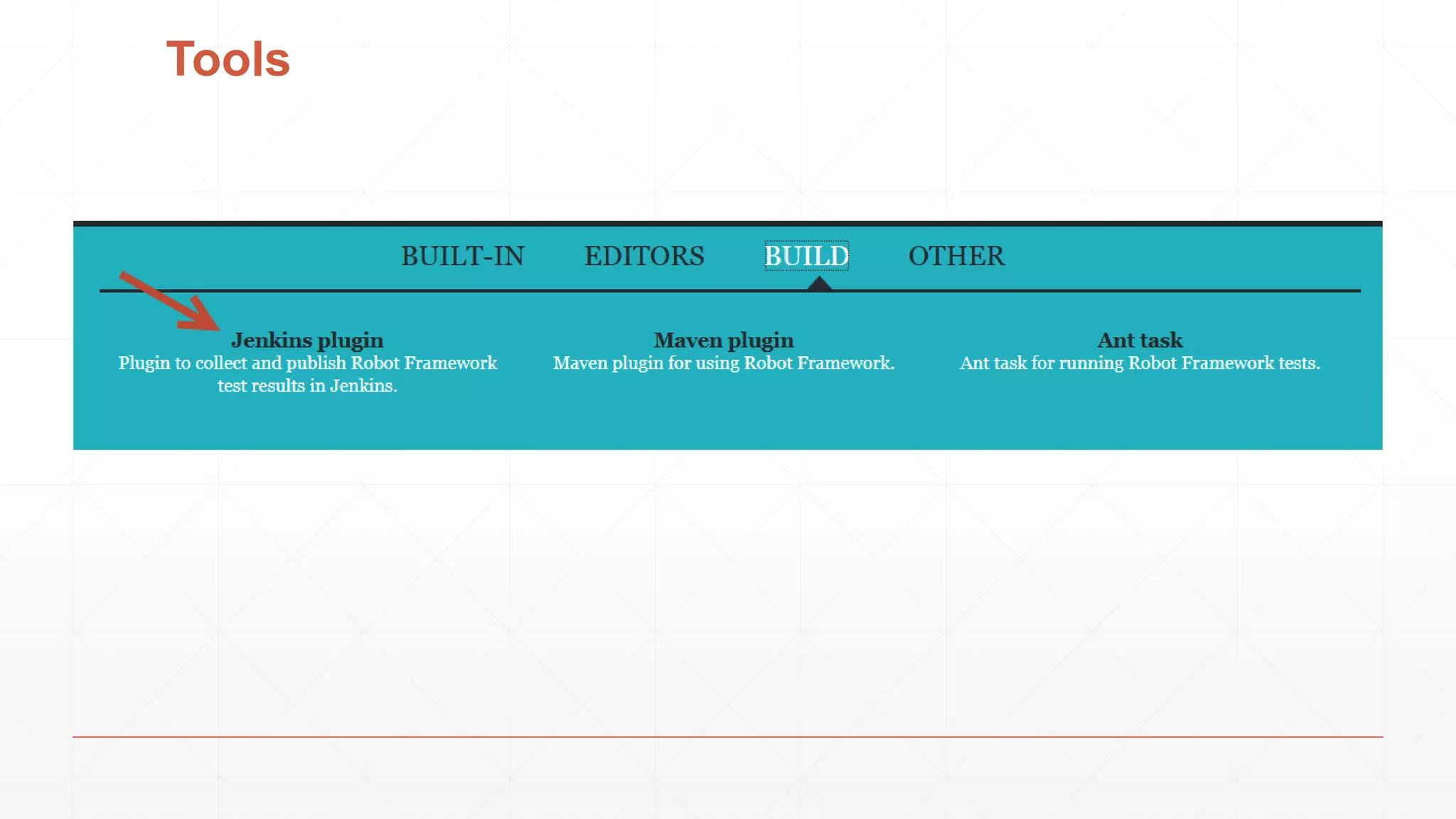
Tools
How to install Robot Framework on Windows?
▪ We will install Robot Framework with pip.
▪ Pip is the standard Python package manager and is already installed if you’re
using Python 2 >=2.7.9 or Python 3 >=3.4
How to install Robot Framework on Windows?
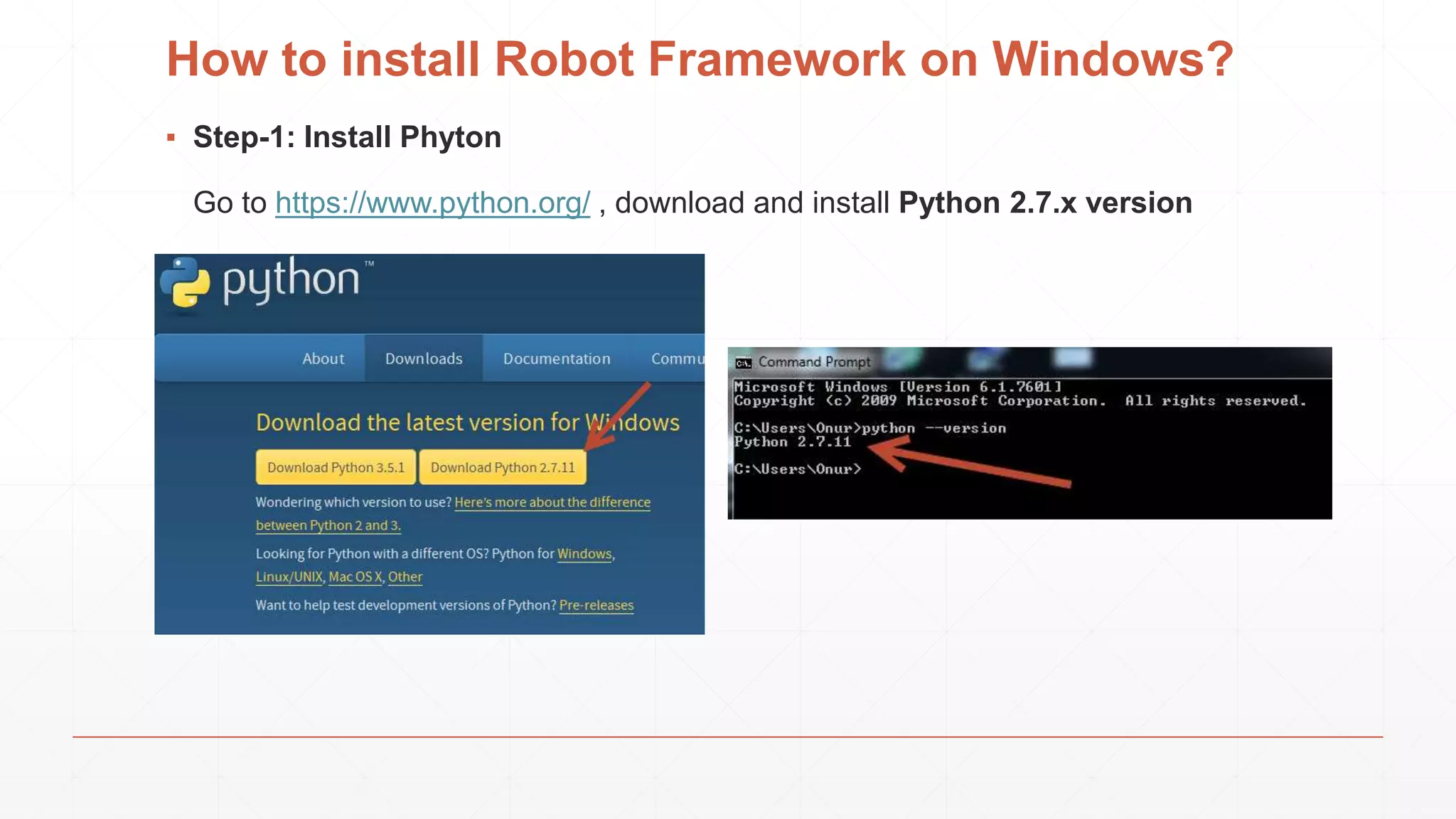
▪ Step-1: Install Phyton
Go to https://www.python.org/ , download and install Python 2.7.x version
How to install Robot Framework on Windows?
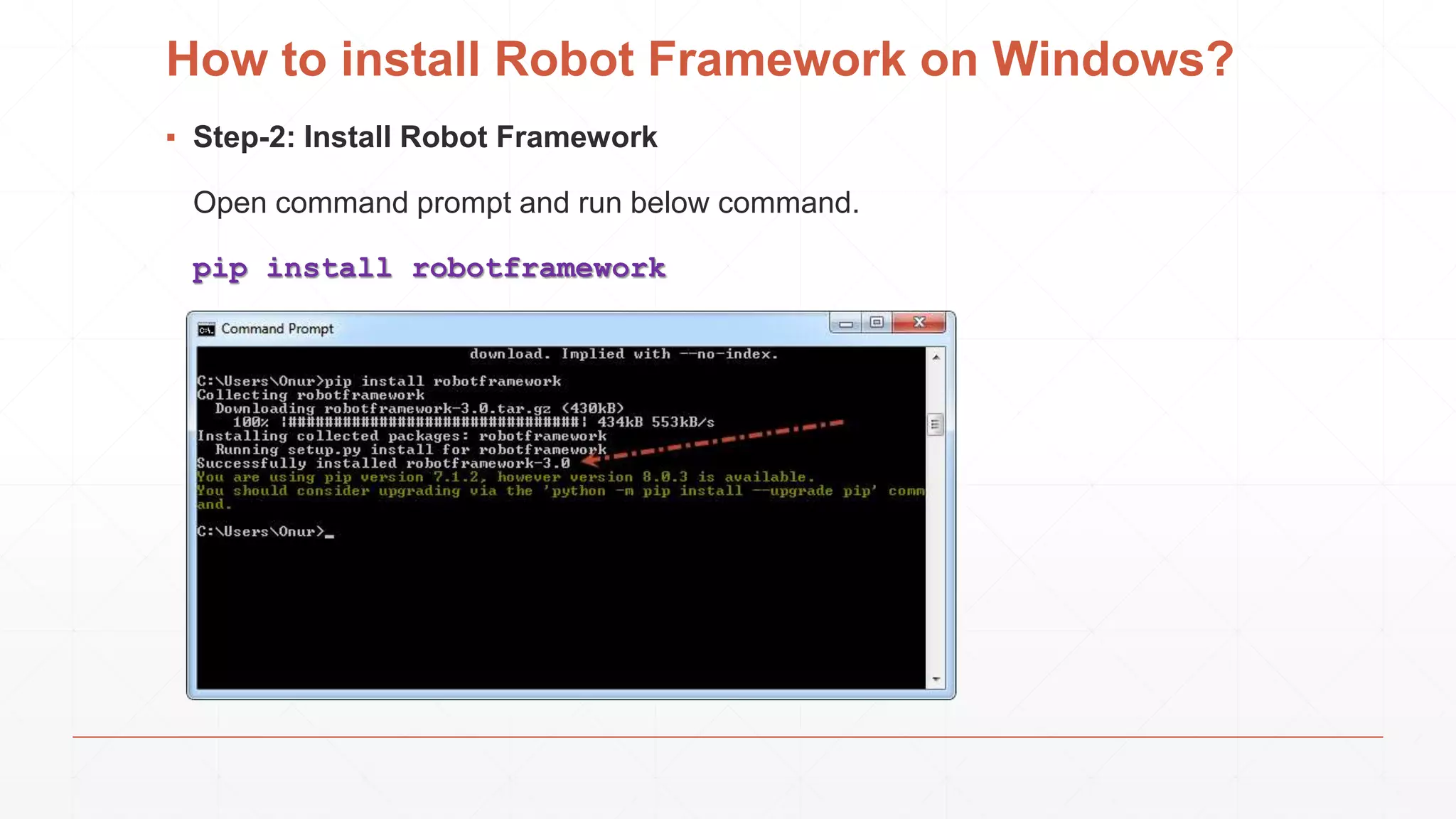
▪ Step-2: Install Robot Framework
Open command prompt and run below command.
pip install robotframework
How to install Robot Framework on Windows?
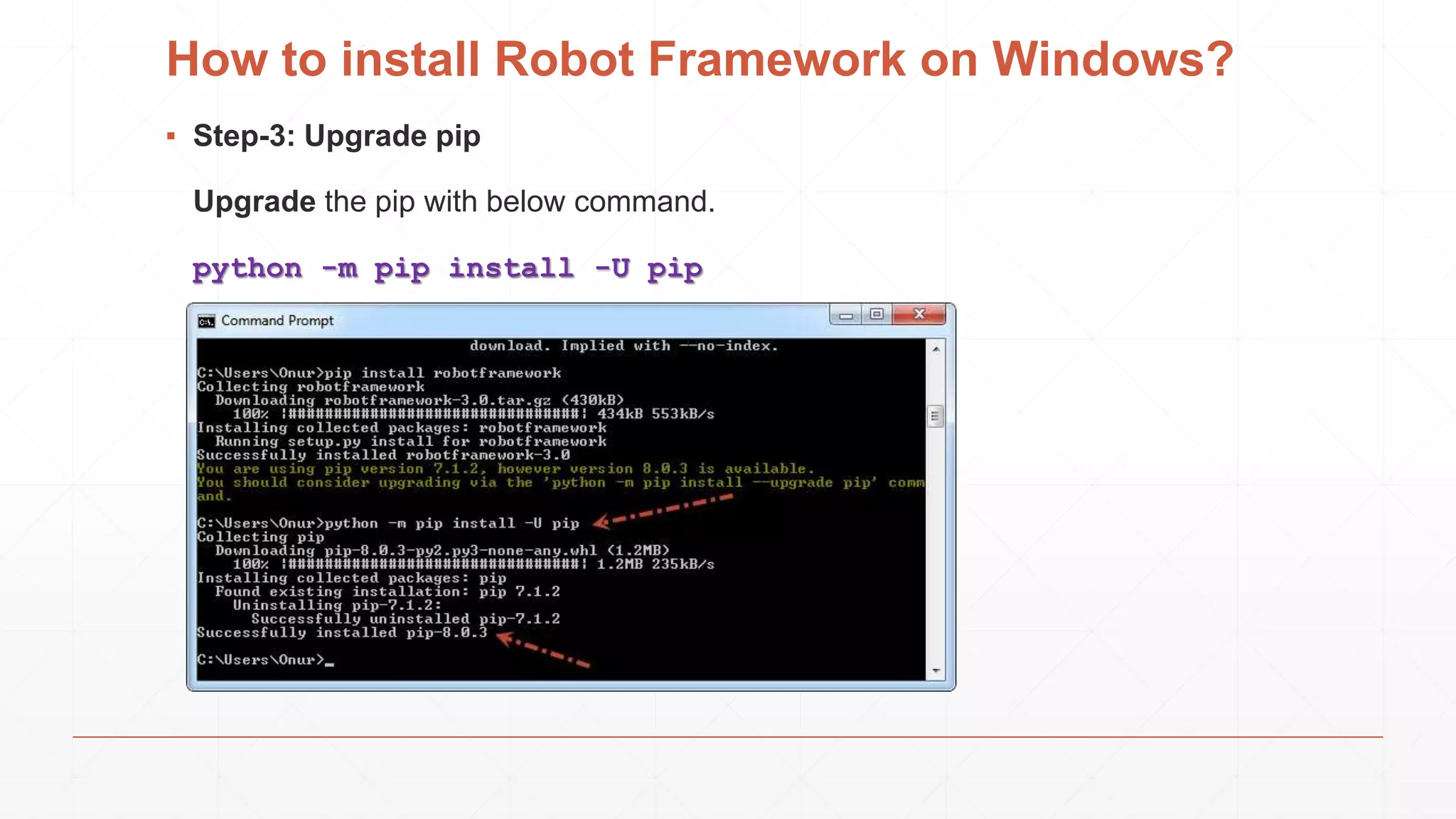
▪ Step-3: Upgrade pip
Upgrade the pip with below command.
python -m pip install -U pip
How to install Robot Framework on Windows?
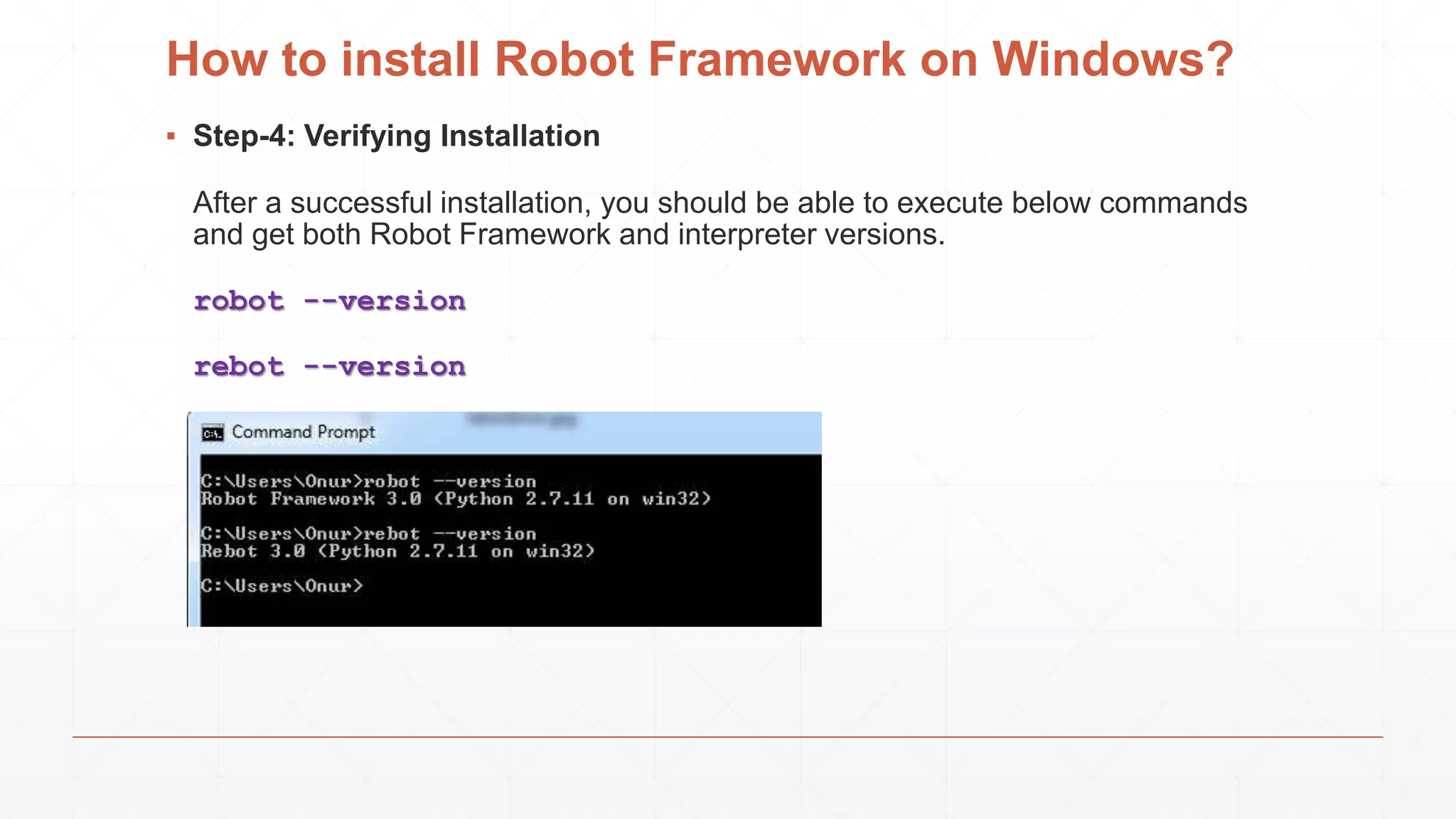
▪ Step-4: Verifying Installation
After a successful installation, you should be able to execute below commands
and get both Robot Framework and interpreter versions.
robot --version
rebot --version
How to install Robot Framework on Windows?
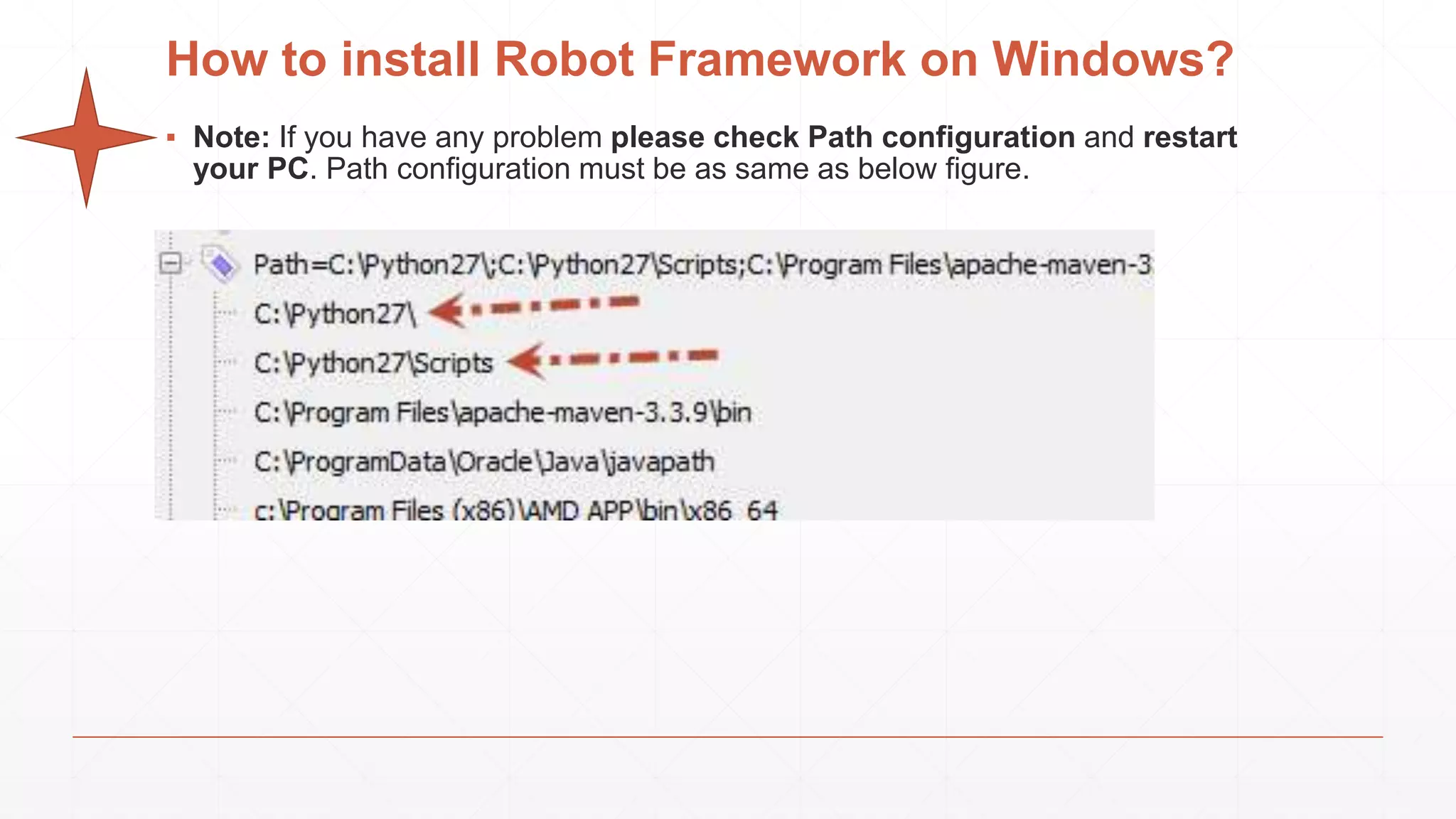
▪ Note: If you have any problem please check Path configuration and restart
your PC. Path configuration must be as same as below figure.
How to install Robot Framework on Windows?
▪ Step-5: Upgrade Robot Framework
Upgrading to a new version required either using the –upgrade option:
pip install --upgrade robotframework
or specifying the version to use explicitly:
pip install robotframework==2.9.2
Note: You can uninstall Robot Framework anytime with below command.
pip uninstall robotframework
How to install Robot Framework on Windows?
▪ Step-6: Installing RIDE (Robot Framework Test Data Editor)
▪ Python 2.6 is the minimum version.
▪ Notice that similarly as Robot Framework, RIDE does not yet support Python 3.
▪ Notice also that on OS X RIDE requires 32-bit Python version.
How to install Robot Framework on Windows?
▪ Step-6: Installing RIDE (Robot Framework Test Data Editor)
▪ Step-6.1: Python must be installed. (We installed it)
How to install Robot Framework on Windows?
▪ Step-6: Installing RIDE (Robot Framework Test Data Editor)
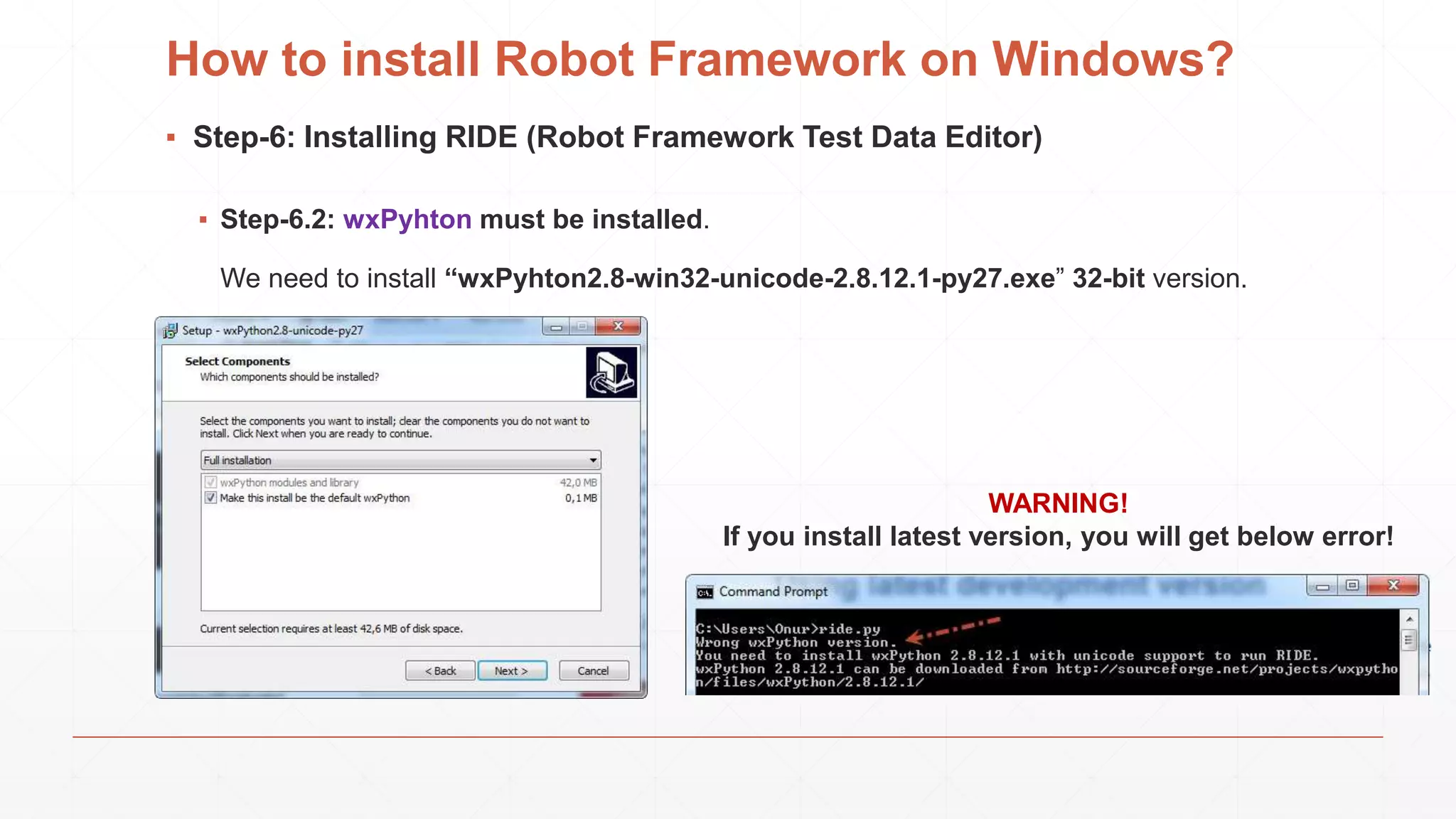
▪ Step-6.2: wxPyhton must be installed.
We need to install “wxPyhton2.8-win32-unicode-2.8.12.1-py27.exe” 32-bit version.
WARNING!
If you install latest version, you will get below error!
How to install Robot Framework on Windows?
▪ Step-6: Installing RIDE (Robot Framework Test Data Editor)
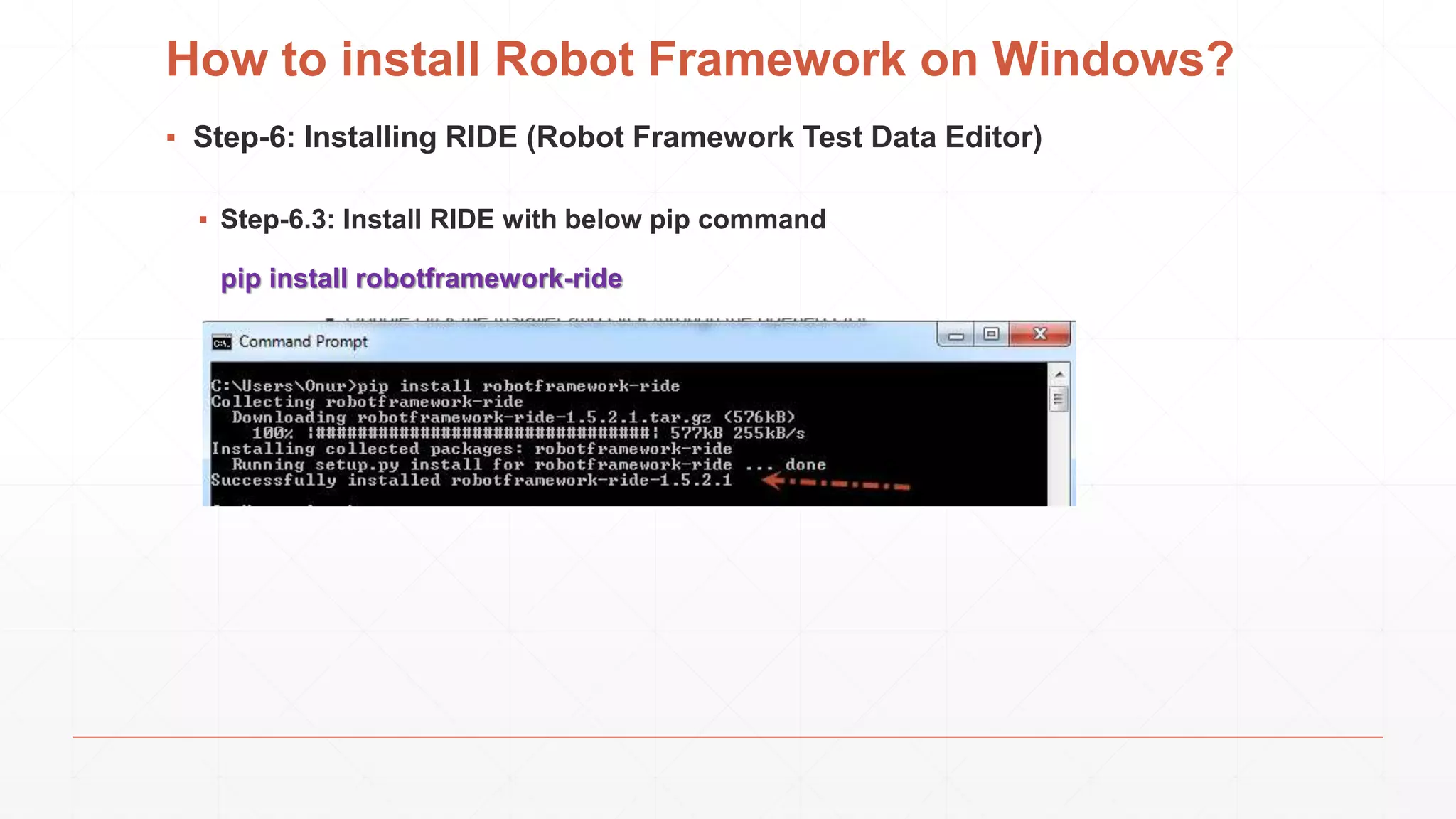
▪ Step-6.3: Install RIDE with below pip command
pip install robotframework-ride
How to install Robot Framework on Windows?
▪ Step-6: Installing RIDE (Robot Framework Test Data Editor)
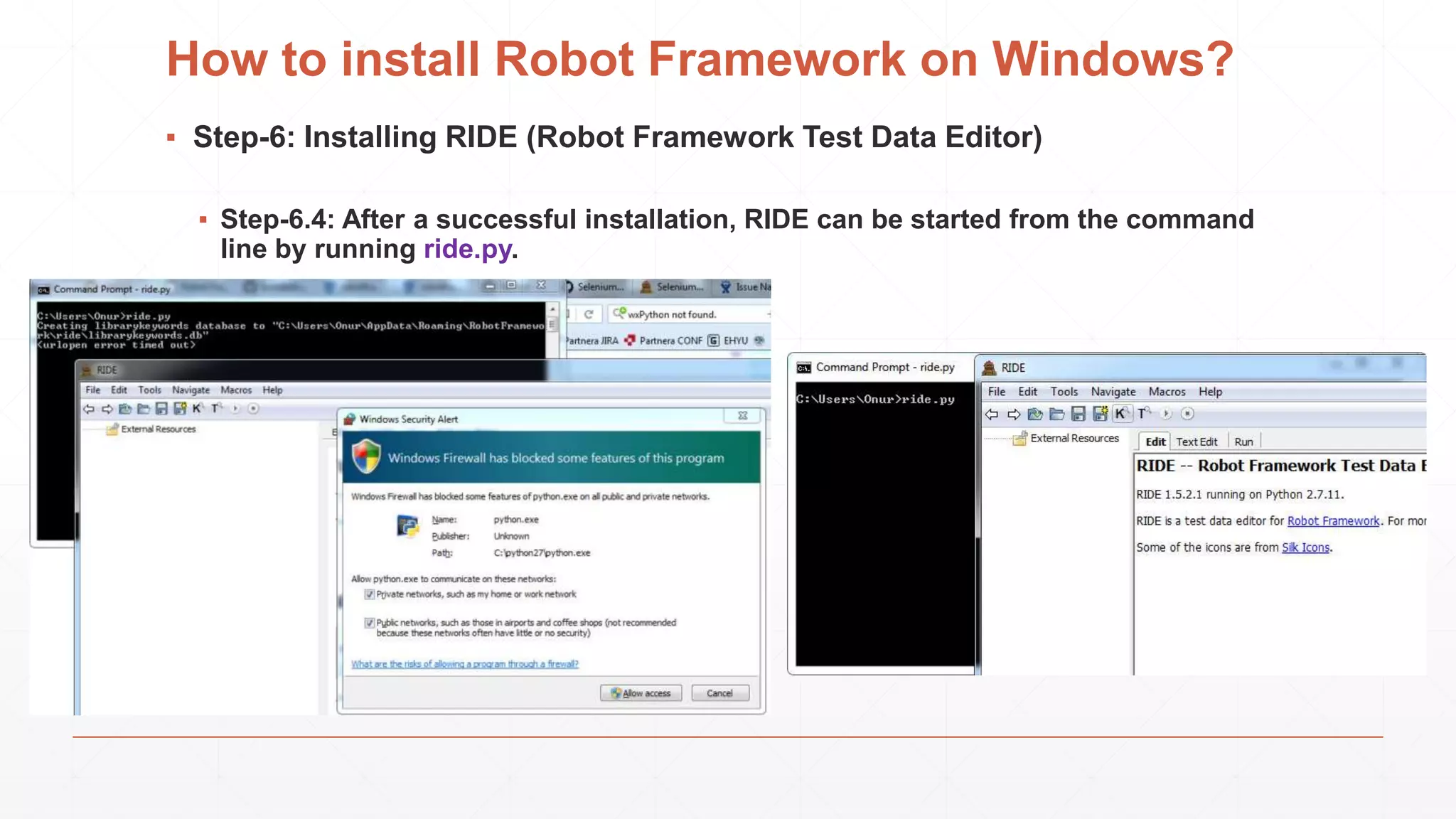
▪ Step-6.4: After a successful installation, RIDE can be started from the command
line by running ride.py.
How to install Robot Framework on Windows?
▪ Step-7: Install Selenium 2 (WebDriver) Library
Selenium2Library is a web testing library for Robot Framework that leverages
the Selenium 2 (WebDriver) libraries from the Selenium project.
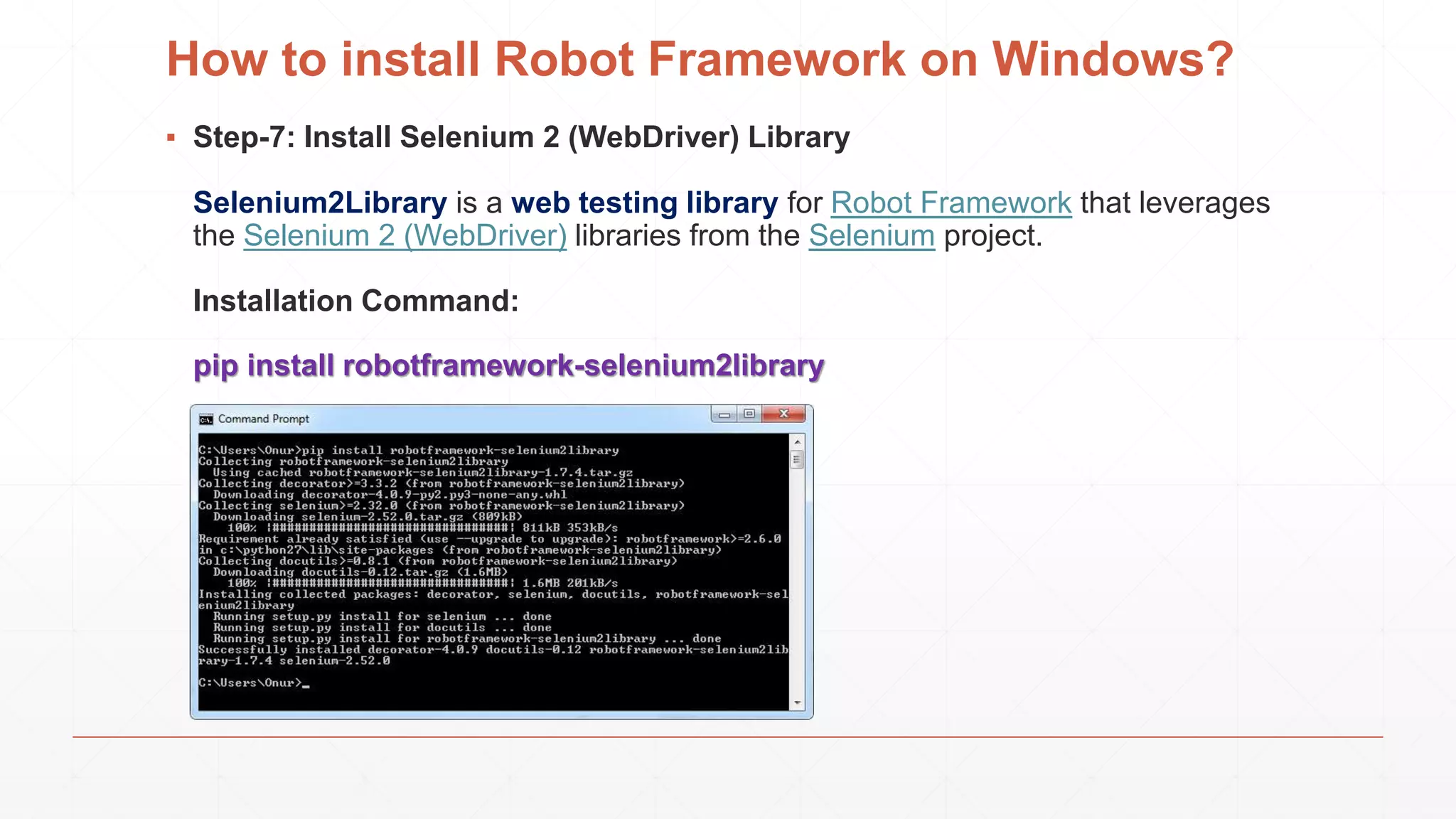
Installation Command:
pip install robotframework-selenium2library
How to install Robot Framework on Windows?
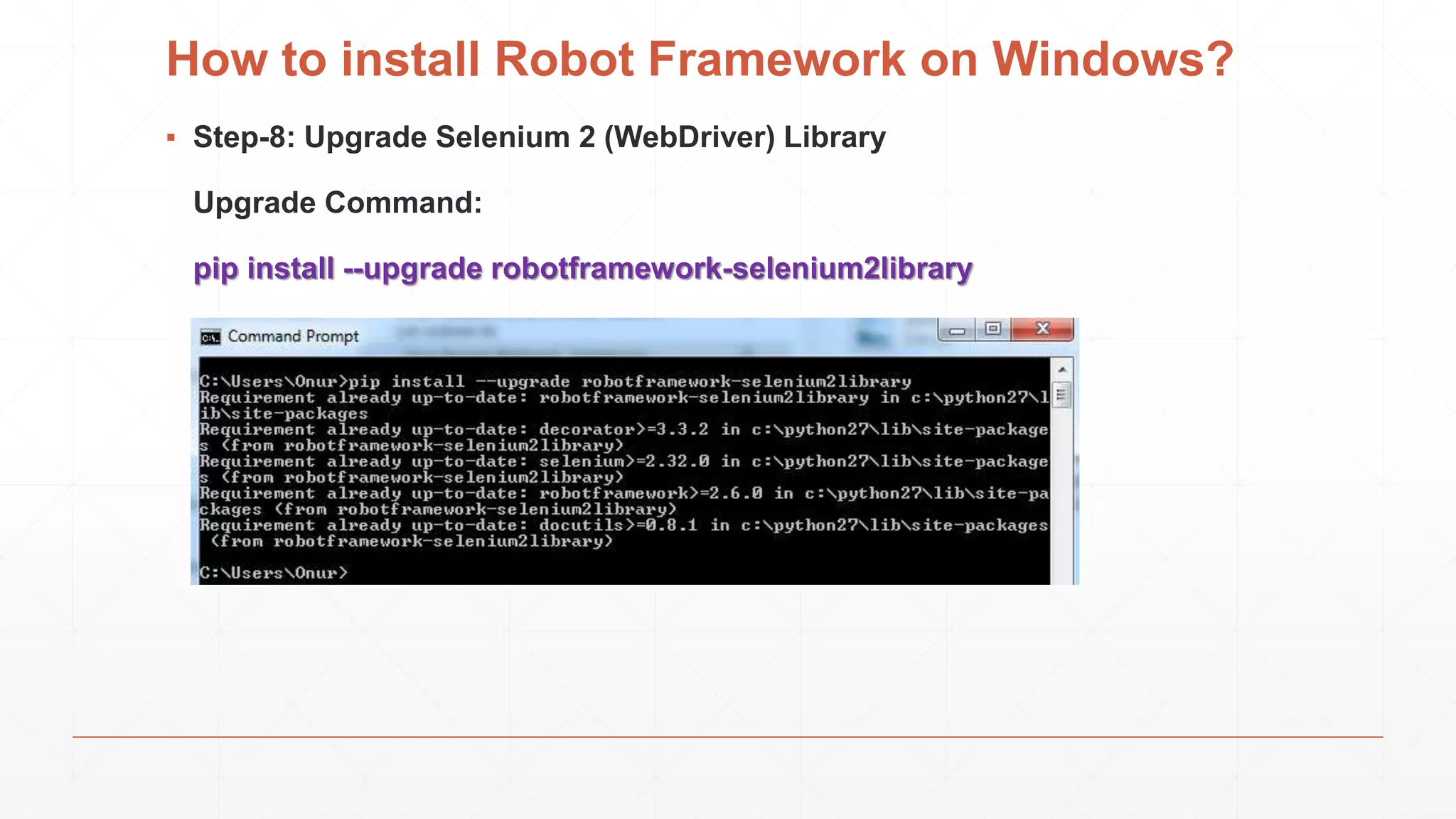
▪ Step-8: Upgrade Selenium 2 (WebDriver) Library
Upgrade Command:
pip install --upgrade robotframework-selenium2library
Robot Framework Usage with an Example
▪ Test Scenario:
▪ Open www.kariyer.net
▪ Check Title
▪ Maximize Browser
▪ Go to User Login Page
▪ Enter User Name
▪ Enter Wrong Password
▪ Click Login
▪ Wait 2 seconds
▪ Assert Warning Message
▪ Close Browser
Robot Framework Usage with an Example
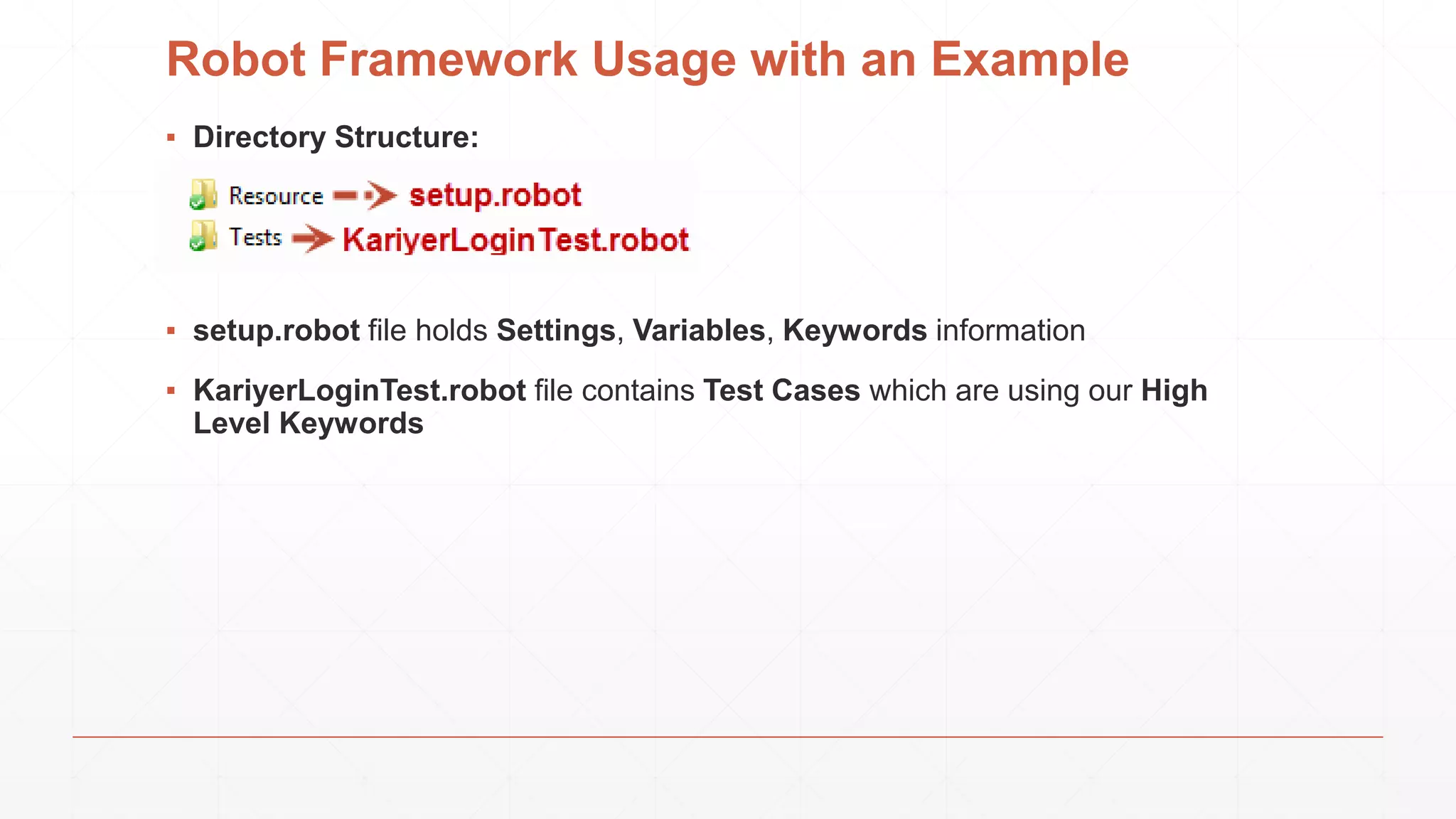
▪ Directory Structure:
▪ setup.robot file holds Settings, Variables, Keywords information
▪ KariyerLoginTest.robot file contains Test Cases which are using our High
Level Keywords
Robot Framework Usage with an Example
▪ Setup.robot:
▪ KariyerLoginTest.robot:
Robot Framework Usage with an Example
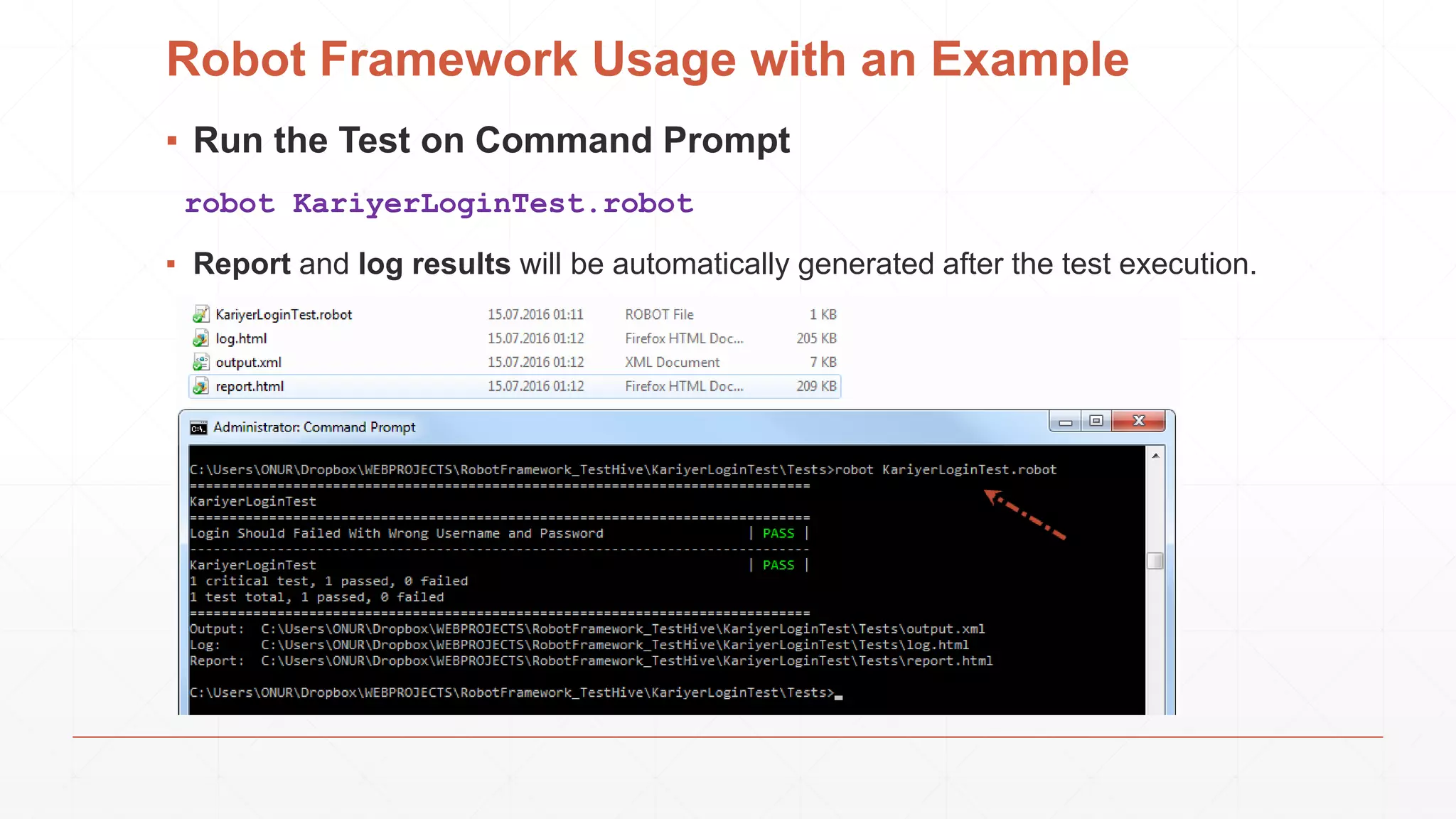
▪ Run the Test on Command Prompt
robot KariyerLoginTest.robot
▪ Report and log results will be automatically generated after the test execution.
Robot Framework Usage with an Example
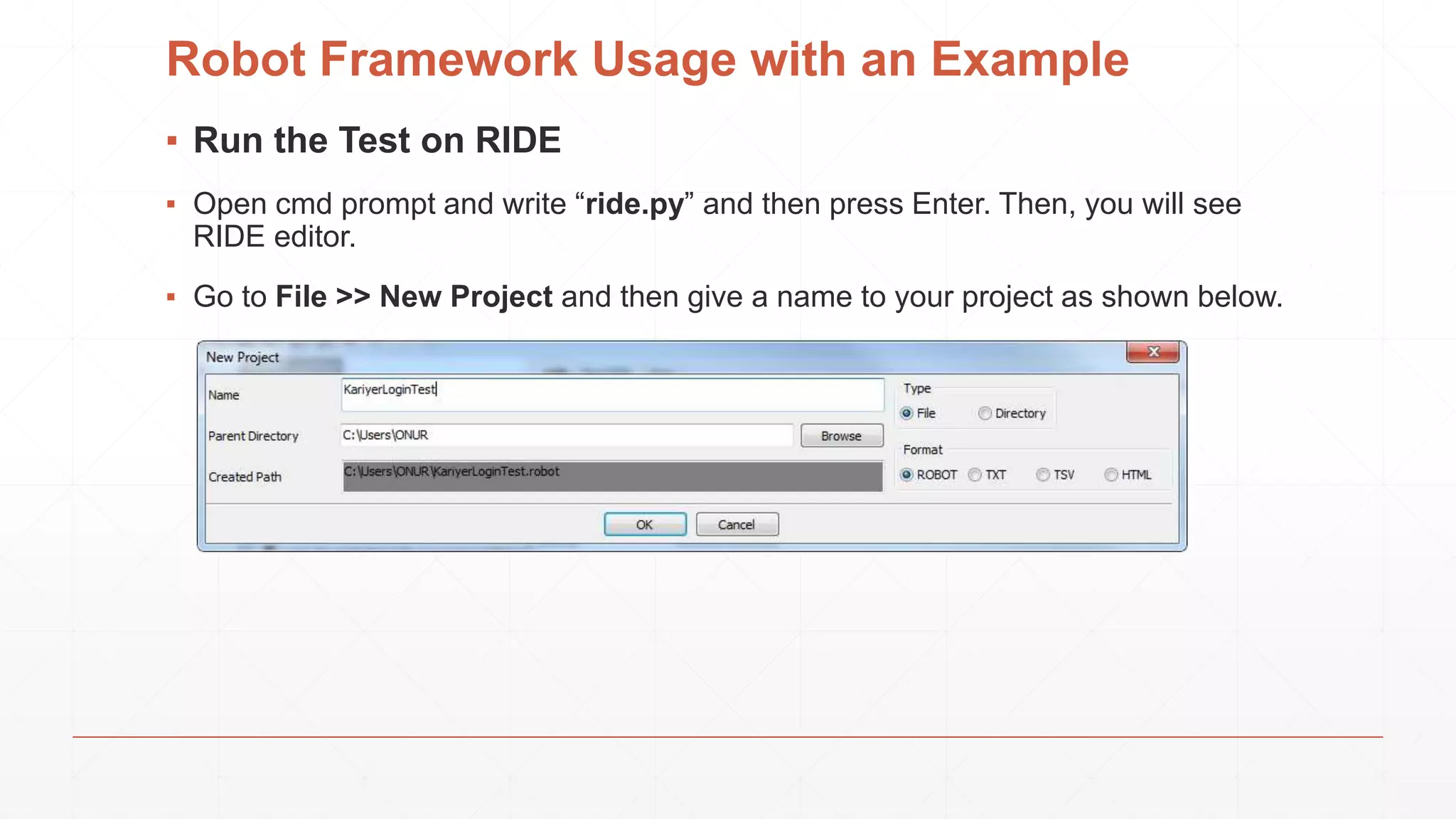
▪ Run the Test on RIDE
▪ Open cmd prompt and write “ride.py” and then press Enter. Then, you will see
RIDE editor.
▪ Go to File >> New Project and then give a name to your project as shown below.
Robot Framework Usage with an Example
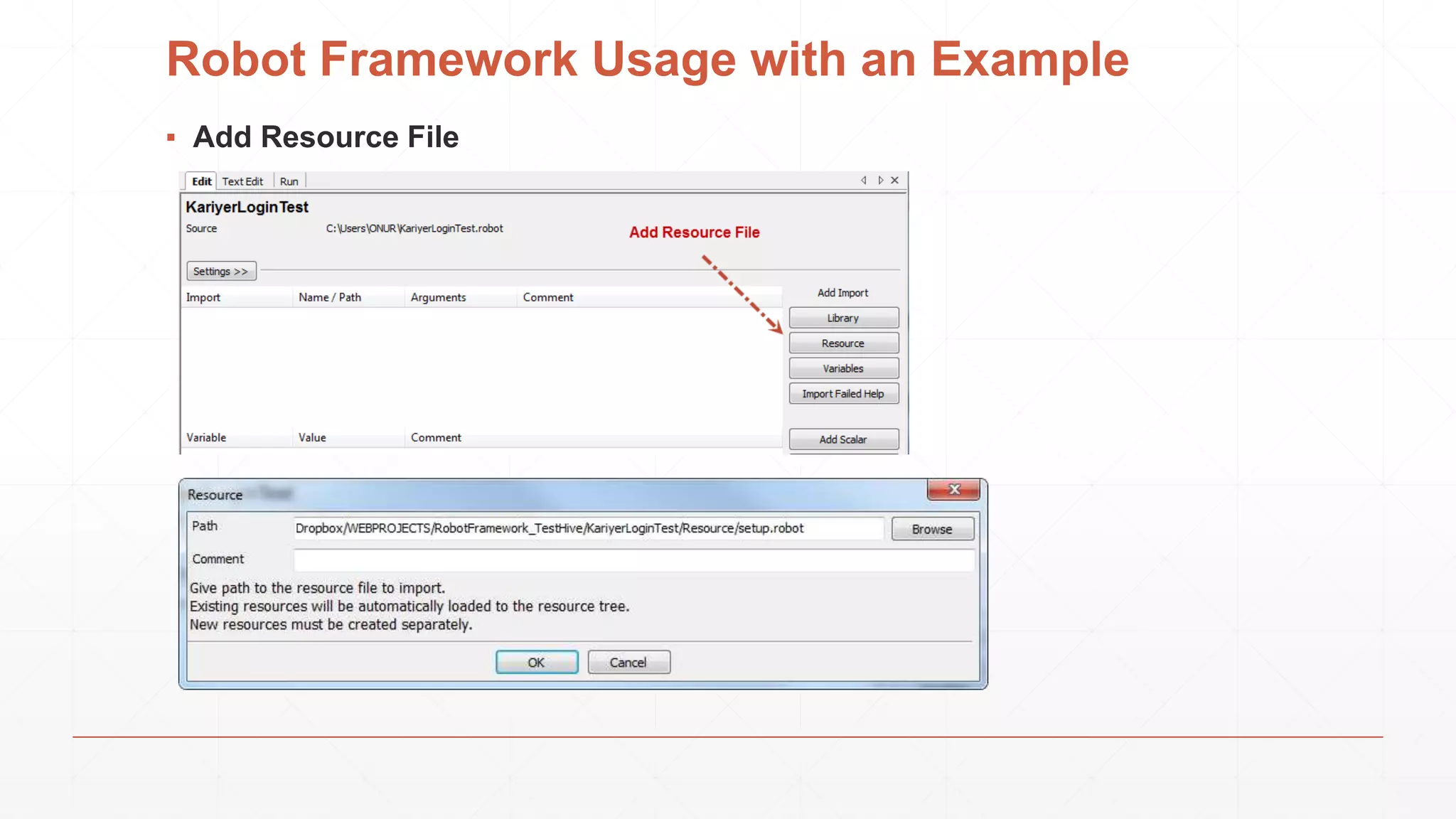
▪ Add Resource File
Robot Framework Usage with an Example
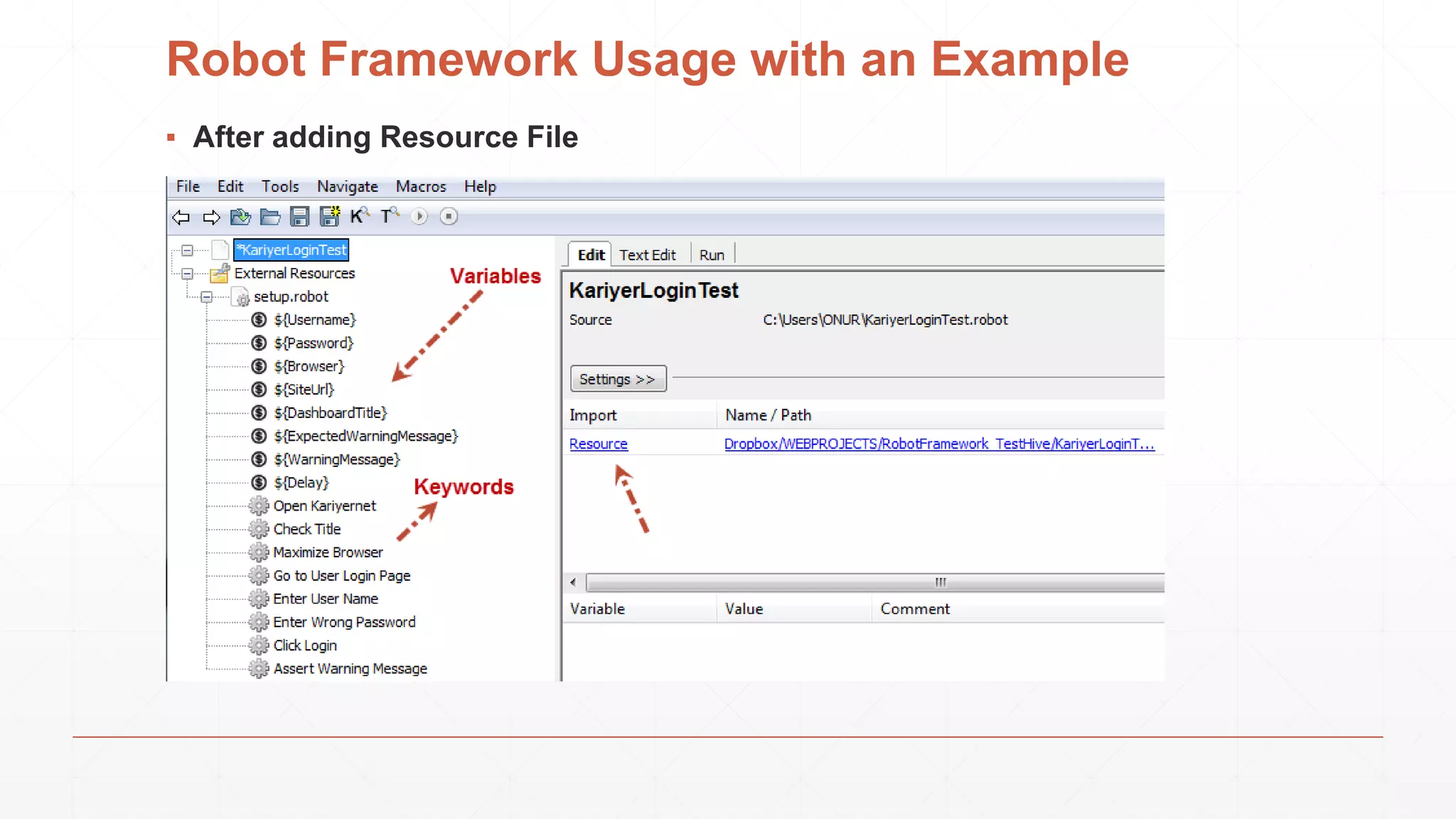
▪ After adding Resource File
Robot Framework Usage with an Example
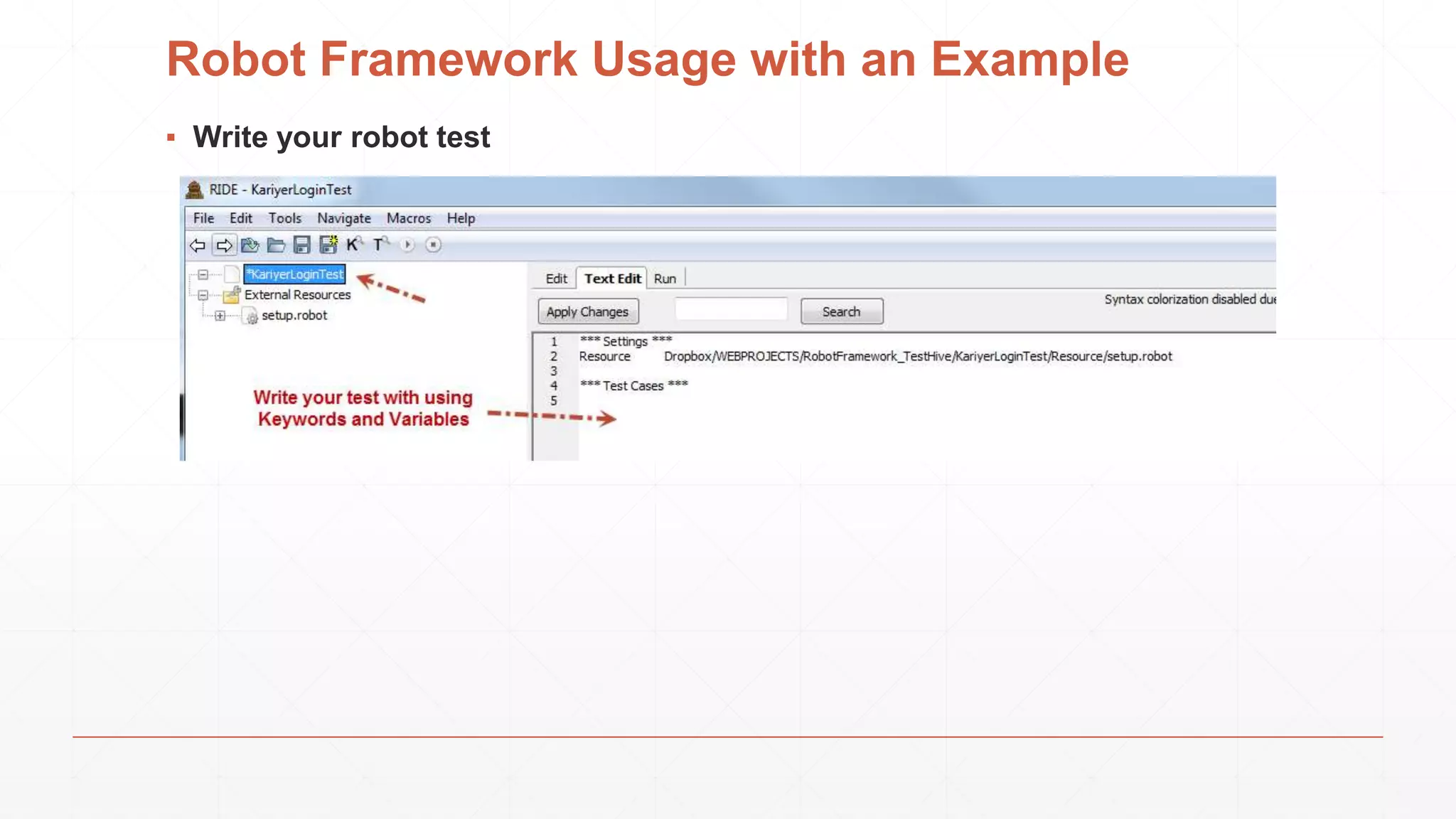
▪ Write your robot test
Robot Framework Usage with an Example
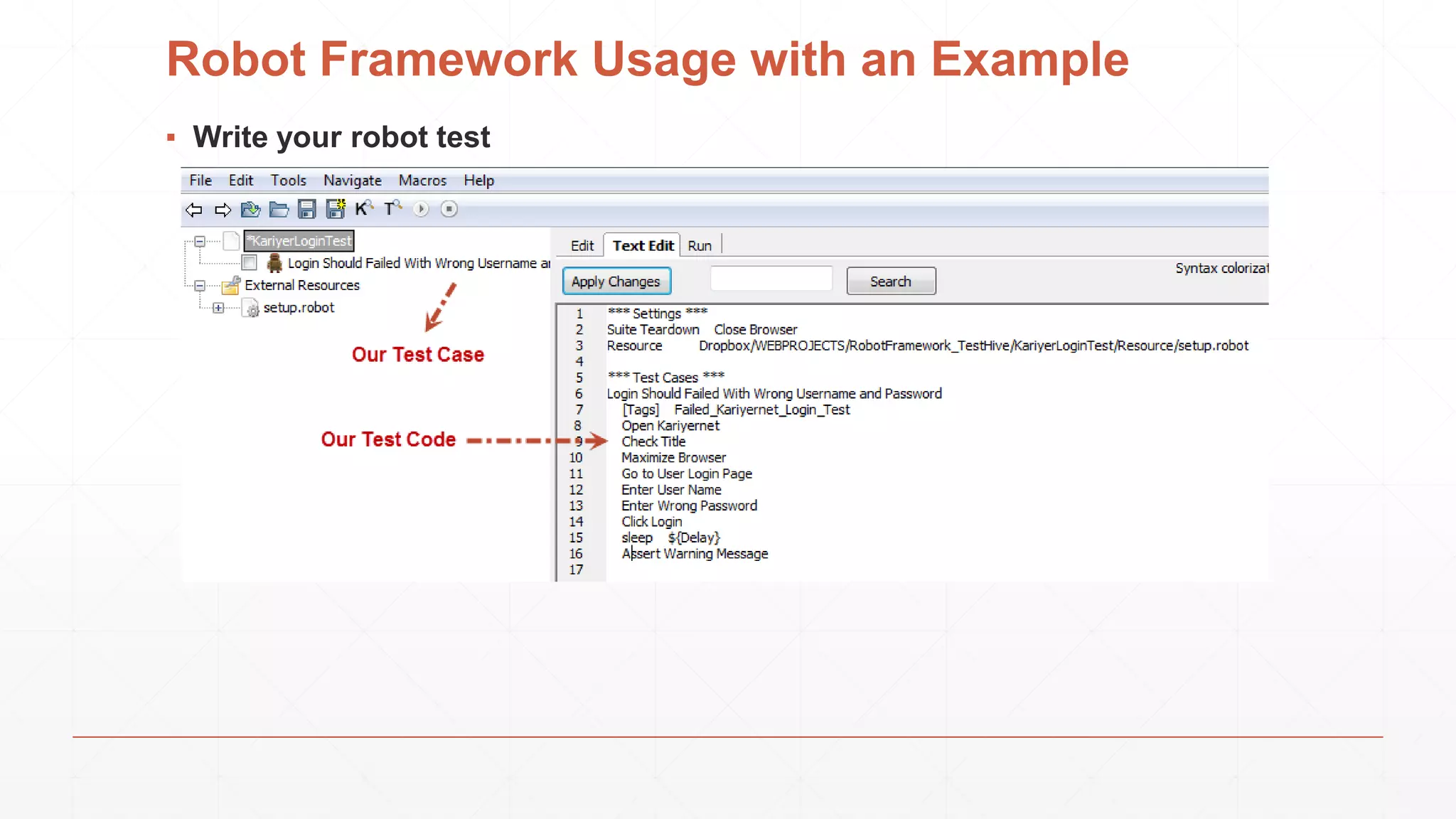
▪ Write your robot test
Robot Framework Usage with an Example
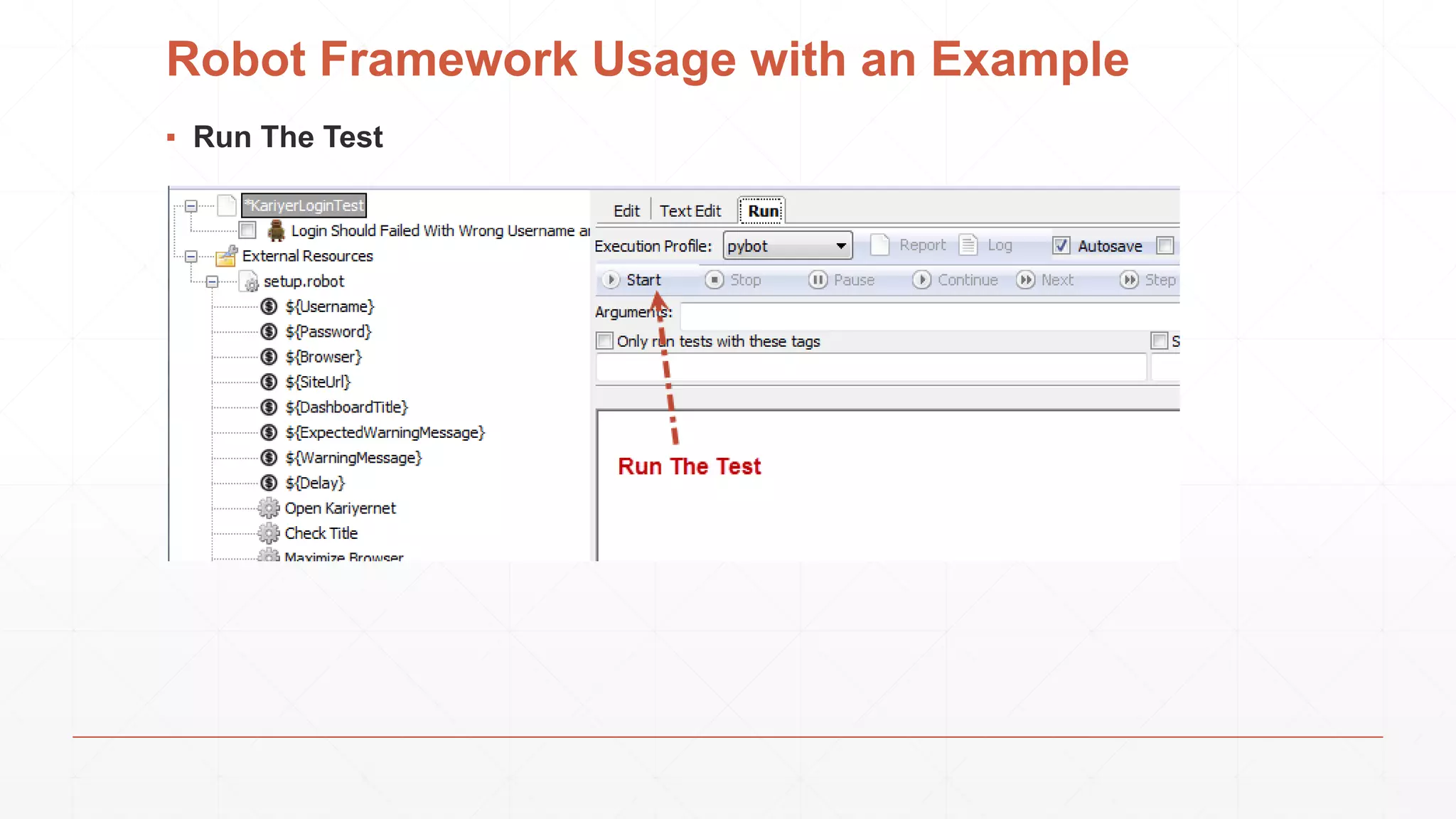
▪ Run The Test
Robot Framework Usage with an Example
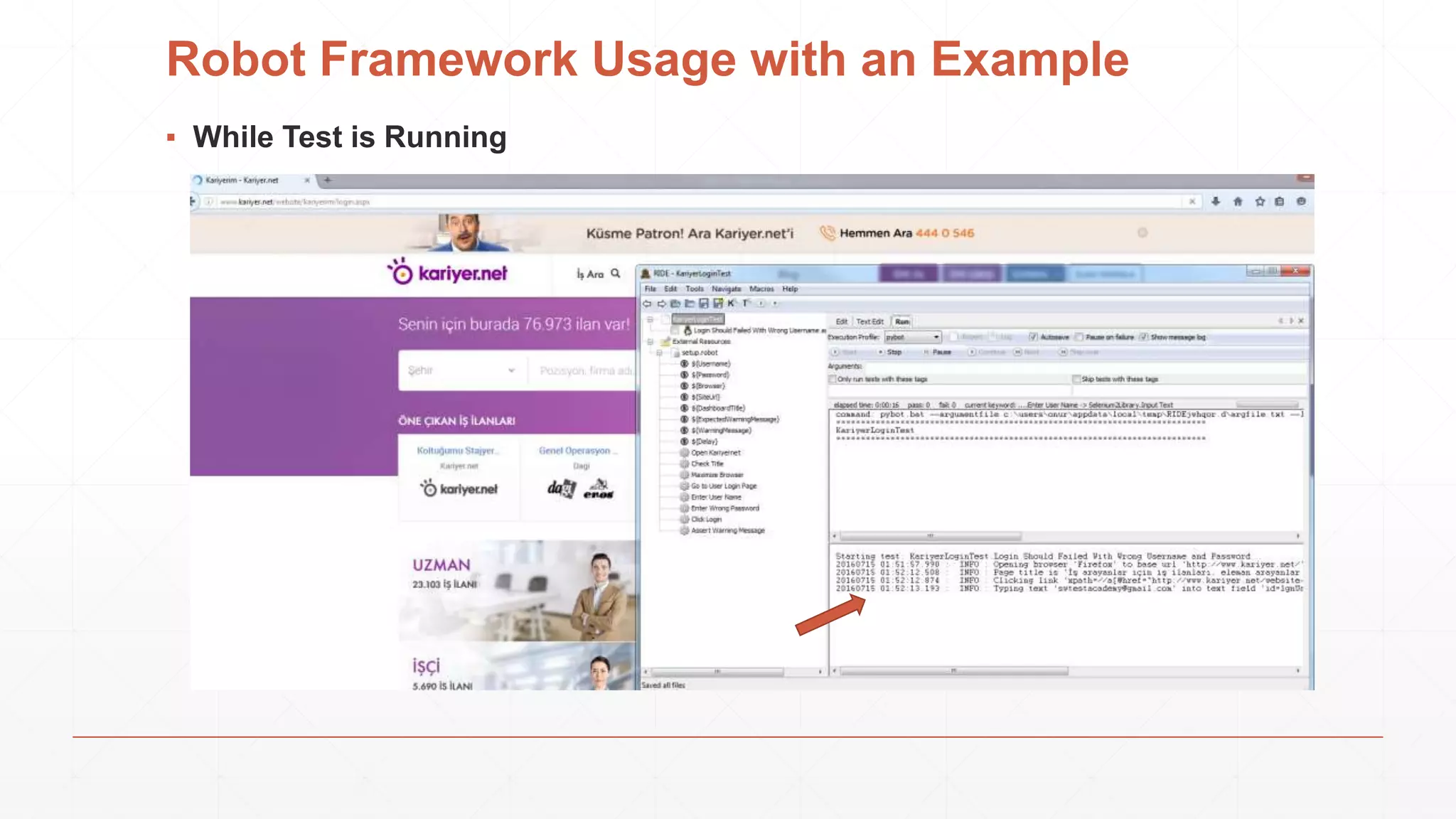
▪ While Test is Running
Robot Framework Usage with an Example
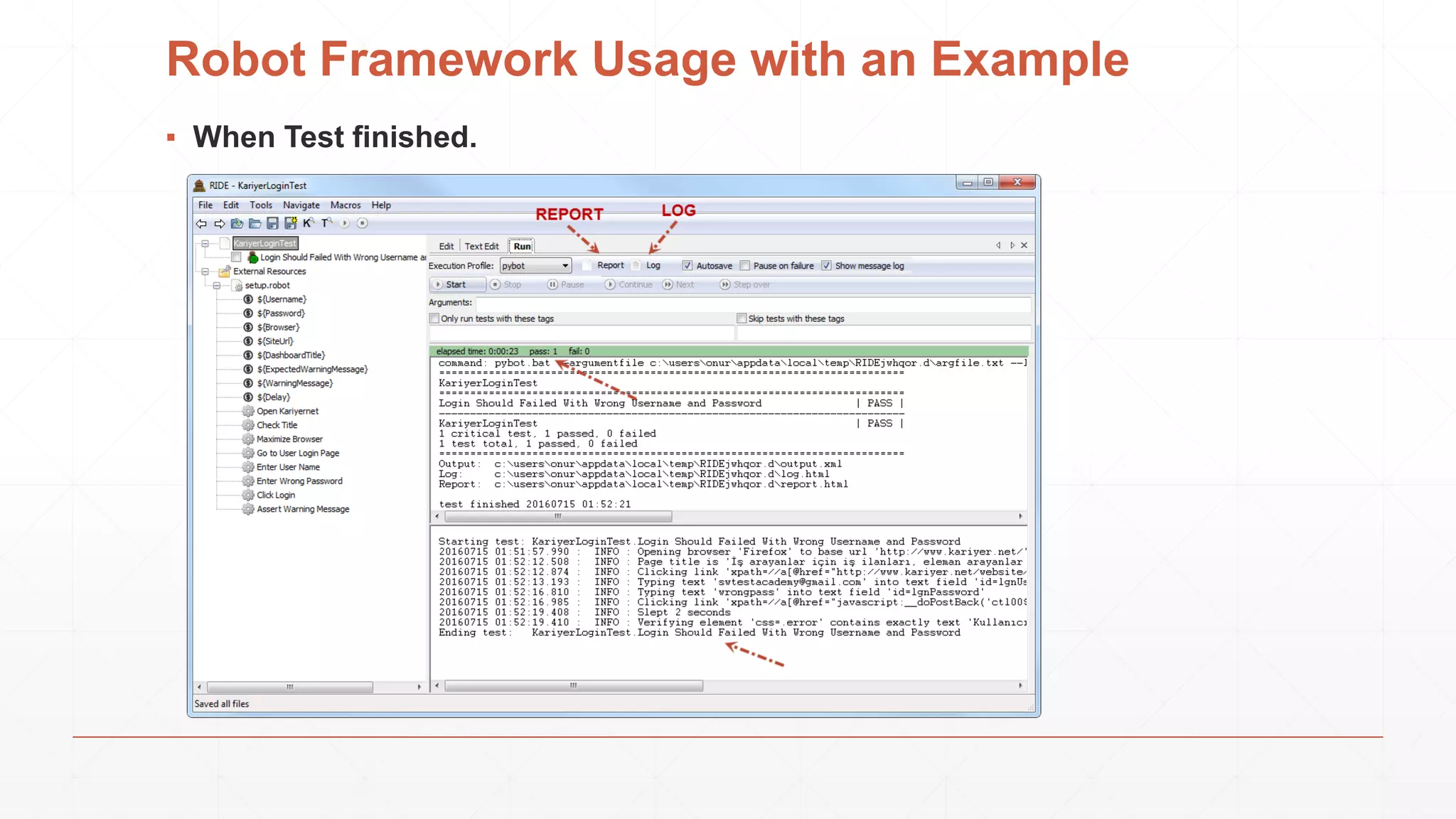
▪ When Test finished.
Robot Framework Usage with an Example
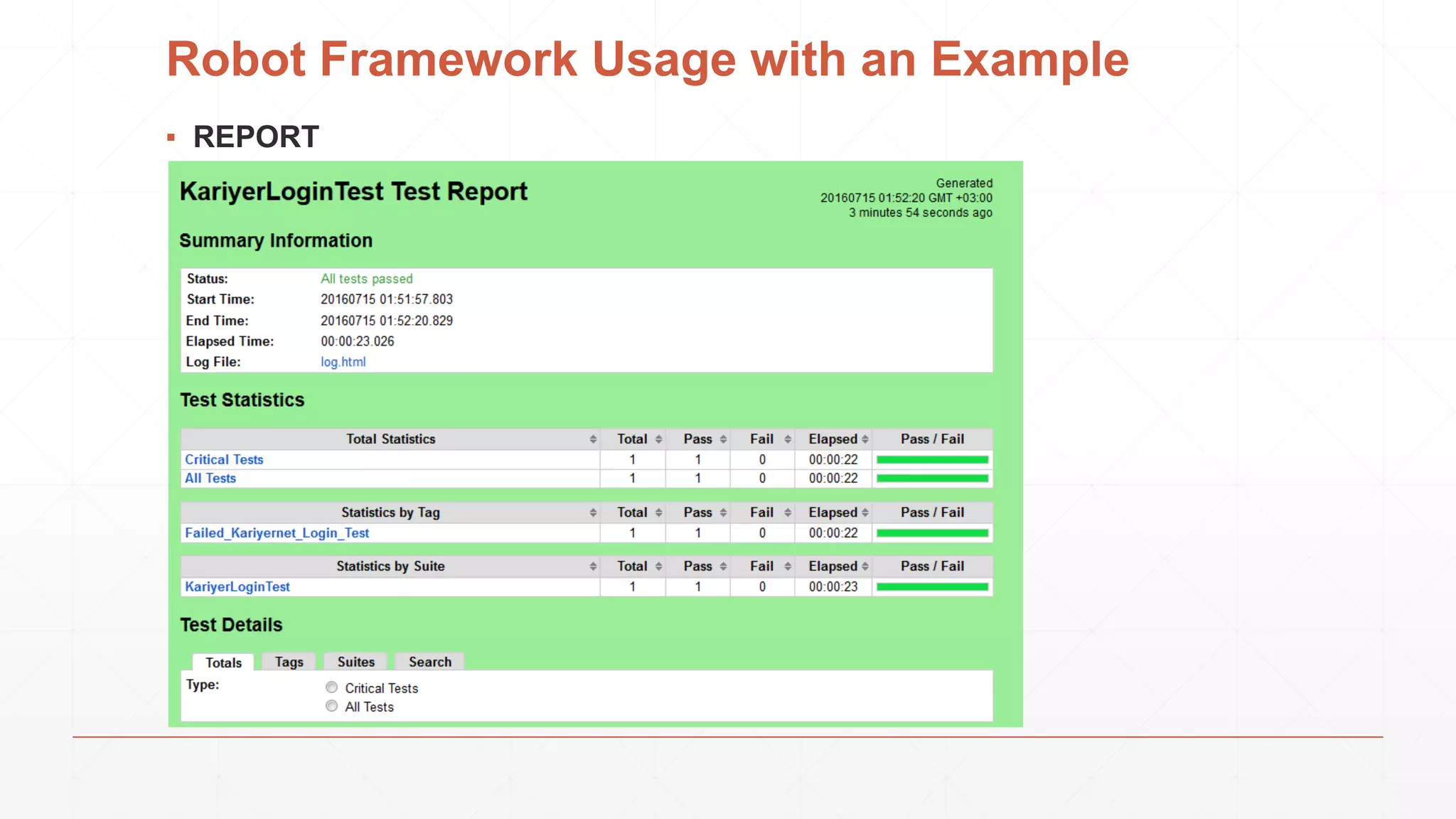
▪ REPORT
Robot Framework Usage with an Example
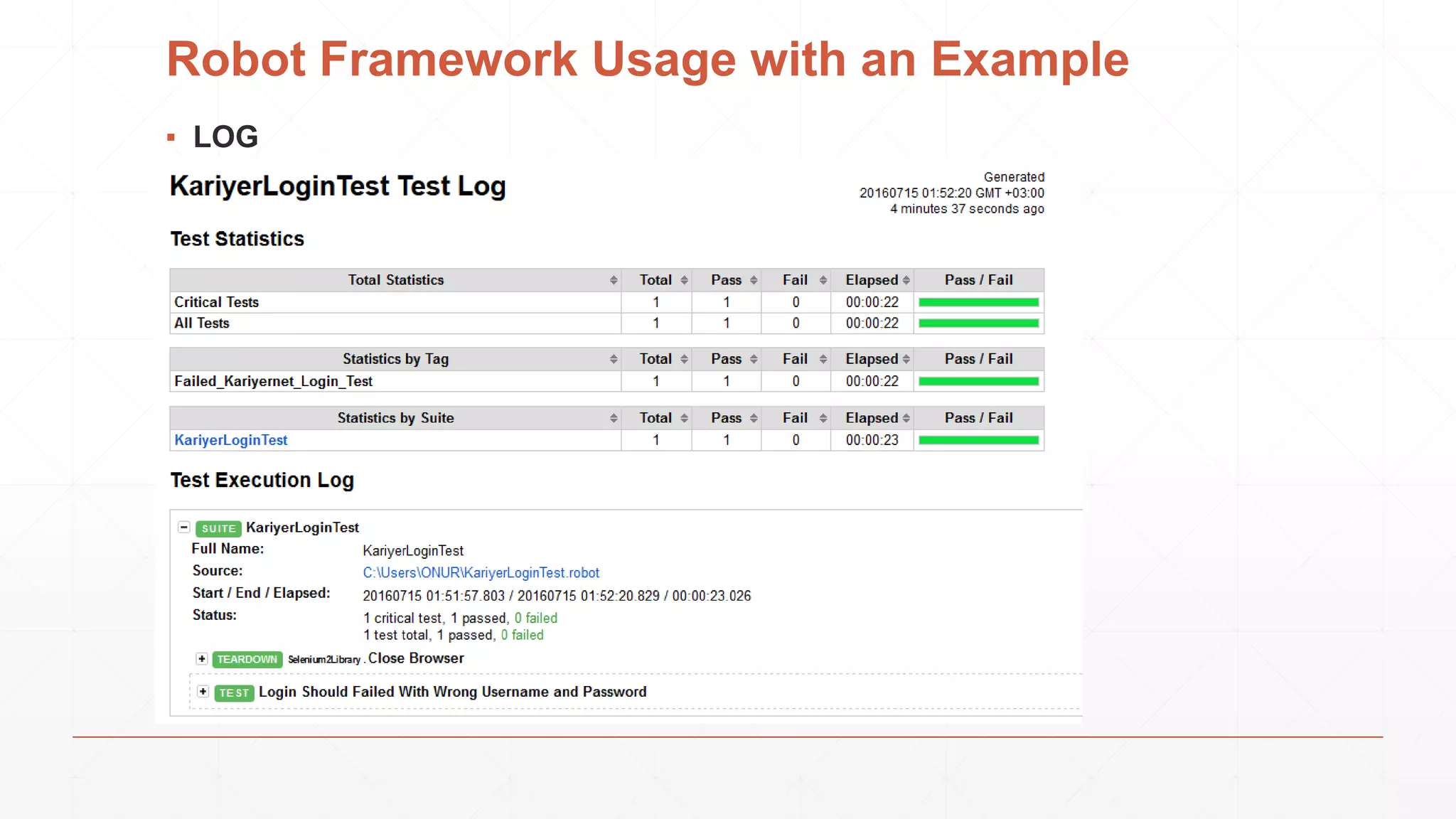
▪ LOG
For More Information
▪ http://www.swtestacademy.com/getting-started-robotframework/
QUESTIONS?

Robot Framework

  • 1.
  • 2.
    Who am I? ▪I am Onur Başkırt ▪ Currently, Head of SW Testing at Kariyer.net ▪ Co-owner of www.swtestacademy.com and a Test Hive Member  ▪ Formerly, Teknosa, Ericsson, Huawei, ST-Ericsson, Bahçeşehir University
  • 3.
    Table of Contents ▪What is Robot Framework? ▪ Robot Framework Architecture and Test Flow ▪ Libraries ▪ Tools ▪ How to install Robot Framework on Windows? ▪ Robot Framework Usage with an Example
  • 4.
    What is RobotFramework? ▪ Robot Framework is a generic test automation framework. ▪ It has easy-to-use tabular test data syntax. ▪ It utilizes the keyword-driven testing approach. ▪ Its testing capabilities can be extended by test libraries. ▪ Users can create new higher-level keywords from existing ones using the same syntax. ▪ It is operating system and application independent. The core framework is implemented using Python. ▪ Robot Framework itself is open source.
  • 5.
    Robot Framework Architectureand Test Flow ▪ When test execution is started, the framework first parses the test data. ▪ It then utilizes keywords provided by the test libraries to interact with the system under test. ▪ Libraries can communicate with the system either directly or using other test tools as drivers. ▪ Test execution is started from the command line and at the end of execution you get report and log HTML format as well as XML output.
  • 6.
    Libraries ▪ Test librariesprovide the actual testing capabilities to Robot Framework by providing keywords.
  • 7.
  • 8.
  • 9.
  • 10.
  • 11.
  • 12.
    How to installRobot Framework on Windows? ▪ We will install Robot Framework with pip. ▪ Pip is the standard Python package manager and is already installed if you’re using Python 2 >=2.7.9 or Python 3 >=3.4
  • 13.
    How to installRobot Framework on Windows? ▪ Step-1: Install Phyton Go to https://www.python.org/ , download and install Python 2.7.x version
  • 14.
    How to installRobot Framework on Windows? ▪ Step-2: Install Robot Framework Open command prompt and run below command. pip install robotframework
  • 15.
    How to installRobot Framework on Windows? ▪ Step-3: Upgrade pip Upgrade the pip with below command. python -m pip install -U pip
  • 16.
    How to installRobot Framework on Windows? ▪ Step-4: Verifying Installation After a successful installation, you should be able to execute below commands and get both Robot Framework and interpreter versions. robot --version rebot --version
  • 17.
    How to installRobot Framework on Windows? ▪ Note: If you have any problem please check Path configuration and restart your PC. Path configuration must be as same as below figure.
  • 18.
    How to installRobot Framework on Windows? ▪ Step-5: Upgrade Robot Framework Upgrading to a new version required either using the –upgrade option: pip install --upgrade robotframework or specifying the version to use explicitly: pip install robotframework==2.9.2 Note: You can uninstall Robot Framework anytime with below command. pip uninstall robotframework
  • 19.
    How to installRobot Framework on Windows? ▪ Step-6: Installing RIDE (Robot Framework Test Data Editor) ▪ Python 2.6 is the minimum version. ▪ Notice that similarly as Robot Framework, RIDE does not yet support Python 3. ▪ Notice also that on OS X RIDE requires 32-bit Python version.
  • 20.
    How to installRobot Framework on Windows? ▪ Step-6: Installing RIDE (Robot Framework Test Data Editor) ▪ Step-6.1: Python must be installed. (We installed it)
  • 21.
    How to installRobot Framework on Windows? ▪ Step-6: Installing RIDE (Robot Framework Test Data Editor) ▪ Step-6.2: wxPyhton must be installed. We need to install “wxPyhton2.8-win32-unicode-2.8.12.1-py27.exe” 32-bit version. WARNING! If you install latest version, you will get below error!
  • 22.
    How to installRobot Framework on Windows? ▪ Step-6: Installing RIDE (Robot Framework Test Data Editor) ▪ Step-6.3: Install RIDE with below pip command pip install robotframework-ride
  • 23.
    How to installRobot Framework on Windows? ▪ Step-6: Installing RIDE (Robot Framework Test Data Editor) ▪ Step-6.4: After a successful installation, RIDE can be started from the command line by running ride.py.
  • 24.
    How to installRobot Framework on Windows? ▪ Step-7: Install Selenium 2 (WebDriver) Library Selenium2Library is a web testing library for Robot Framework that leverages the Selenium 2 (WebDriver) libraries from the Selenium project. Installation Command: pip install robotframework-selenium2library
  • 25.
    How to installRobot Framework on Windows? ▪ Step-8: Upgrade Selenium 2 (WebDriver) Library Upgrade Command: pip install --upgrade robotframework-selenium2library
  • 26.
    Robot Framework Usagewith an Example ▪ Test Scenario: ▪ Open www.kariyer.net ▪ Check Title ▪ Maximize Browser ▪ Go to User Login Page ▪ Enter User Name ▪ Enter Wrong Password ▪ Click Login ▪ Wait 2 seconds ▪ Assert Warning Message ▪ Close Browser
  • 27.
    Robot Framework Usagewith an Example ▪ Directory Structure: ▪ setup.robot file holds Settings, Variables, Keywords information ▪ KariyerLoginTest.robot file contains Test Cases which are using our High Level Keywords
  • 28.
    Robot Framework Usagewith an Example ▪ Setup.robot: ▪ KariyerLoginTest.robot:
  • 29.
    Robot Framework Usagewith an Example ▪ Run the Test on Command Prompt robot KariyerLoginTest.robot ▪ Report and log results will be automatically generated after the test execution.
  • 30.
    Robot Framework Usagewith an Example ▪ Run the Test on RIDE ▪ Open cmd prompt and write “ride.py” and then press Enter. Then, you will see RIDE editor. ▪ Go to File >> New Project and then give a name to your project as shown below.
  • 31.
    Robot Framework Usagewith an Example ▪ Add Resource File
  • 32.
    Robot Framework Usagewith an Example ▪ After adding Resource File
  • 33.
    Robot Framework Usagewith an Example ▪ Write your robot test
  • 34.
    Robot Framework Usagewith an Example ▪ Write your robot test
  • 35.
    Robot Framework Usagewith an Example ▪ Run The Test
  • 36.
    Robot Framework Usagewith an Example ▪ While Test is Running
  • 37.
    Robot Framework Usagewith an Example ▪ When Test finished.
  • 38.
    Robot Framework Usagewith an Example ▪ REPORT
  • 39.
    Robot Framework Usagewith an Example ▪ LOG
  • 40.
    For More Information ▪http://www.swtestacademy.com/getting-started-robotframework/
  • 41.