RiskyProject Enterprise
Project Portfolio Risk Management
Software
Intaver Institute Inc.
303, 6707, Elbow Drive S.W, Calgary, AB, Canada
Tel: +1 (403) 692-2252
Fax: +1 (403) 459-4533
www.intaver.com
What Is RiskyProject Enterprise?
• Project Scheduling
• Enterprise Risk Register
• Quantitative risk analysis using Monte Carlo simulations
2
RiskyProject Enterprise is Windows-based
project risk management software.
RiskyProject gives you a simple answer to a
common question: What will happen to your
project portfolio if certain risks occur?
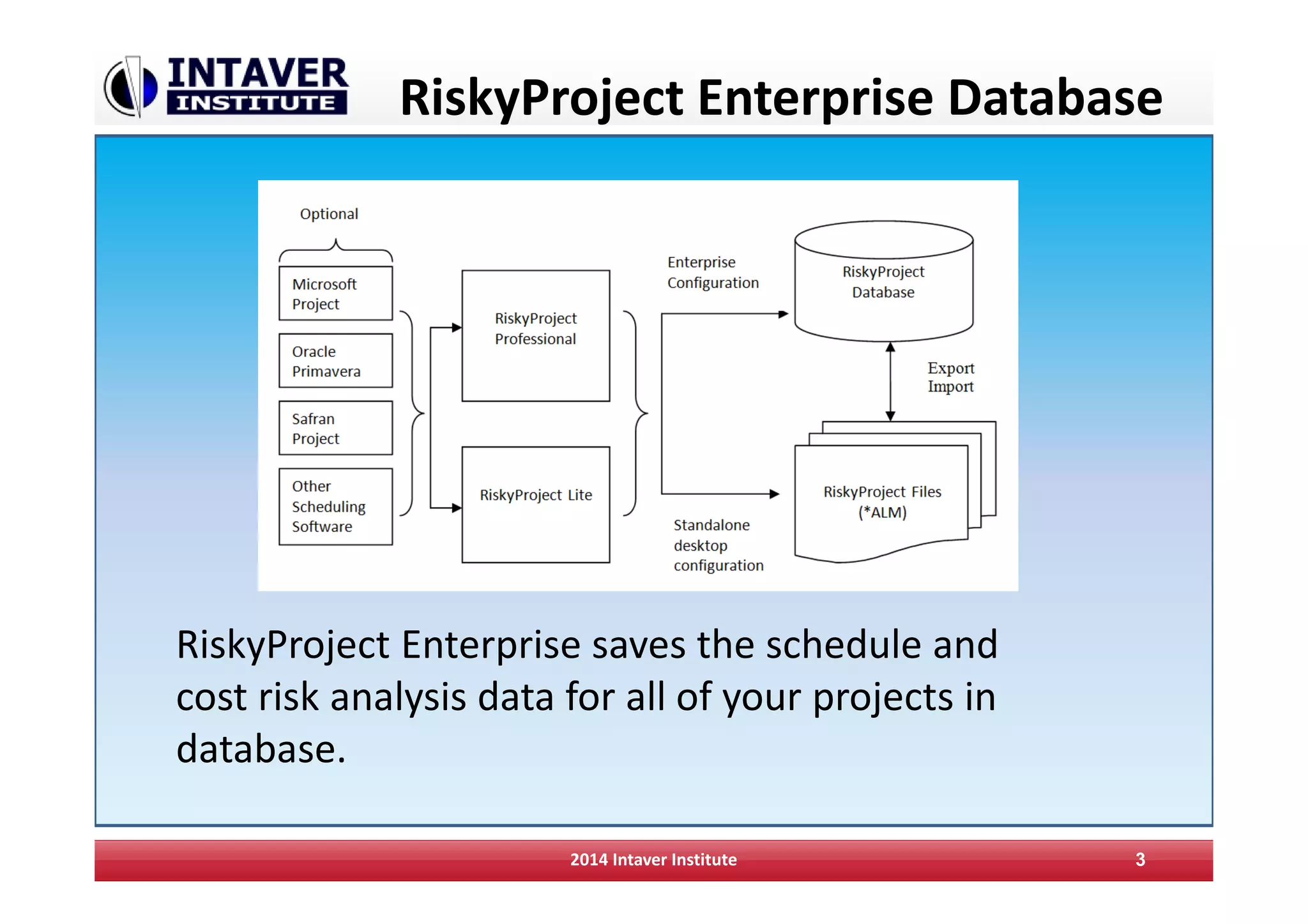
RiskyProject Enterprise Database
2014 Intaver Institute 3
RiskyProject Enterprise saves the schedule and
cost risk analysis data for all of your projects in
database.
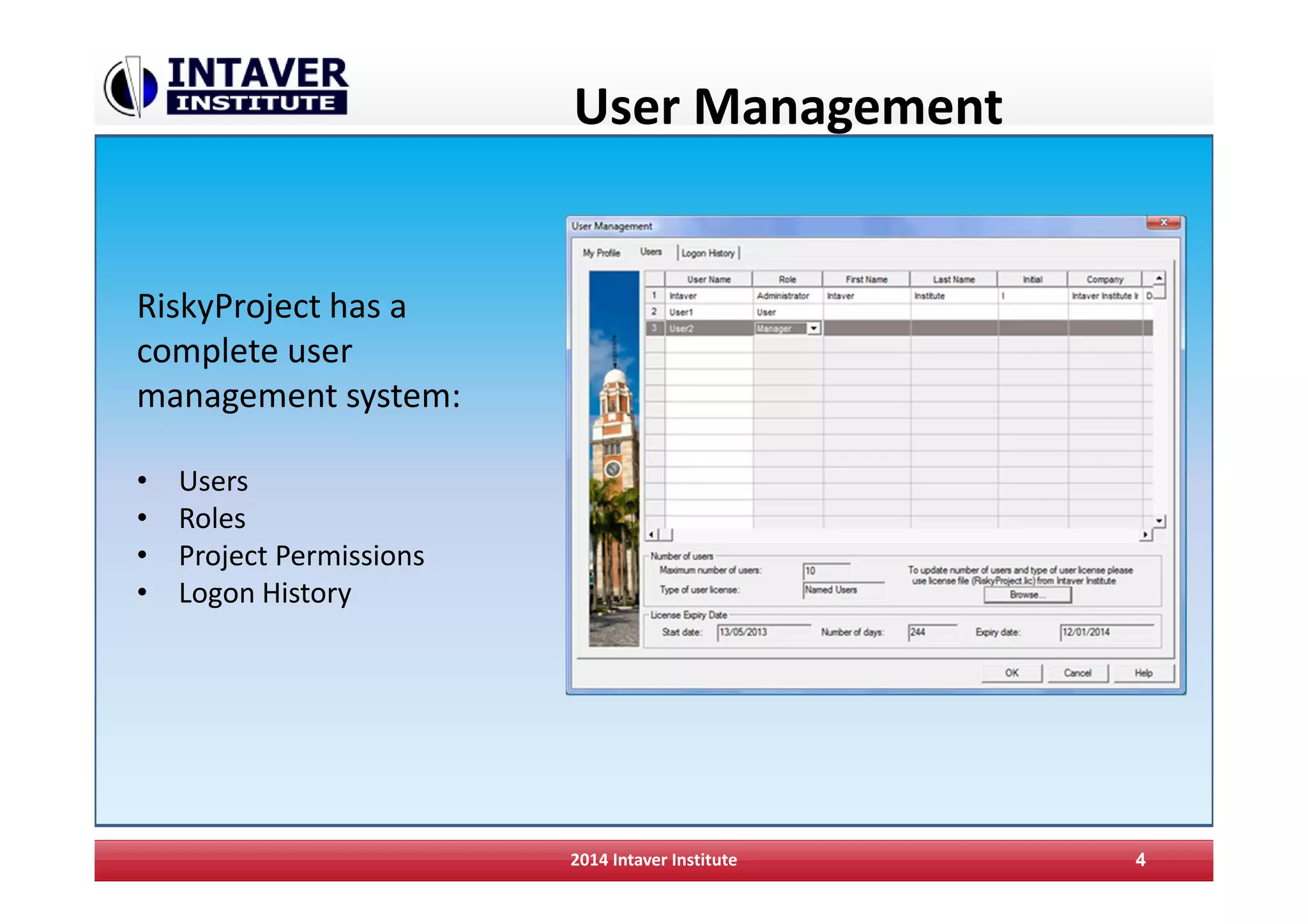
User Management
2014 Intaver Institute 4
RiskyProject has a
complete user
management system:
• Users
• Roles
• Project Permissions
• Logon History
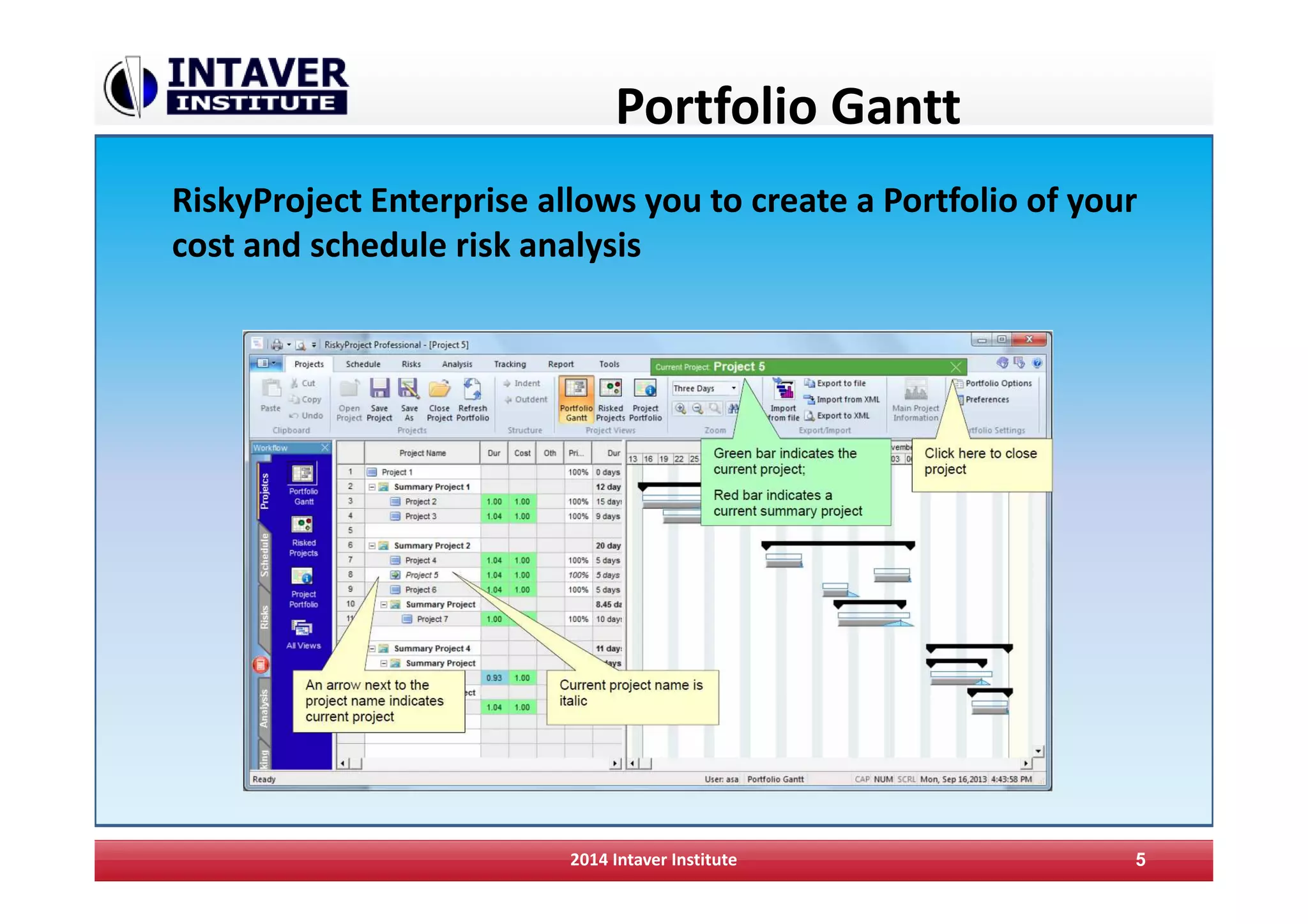
Portfolio Gantt
RiskyProject Enterprise allows you to create a Portfolio of your
cost and schedule risk analysis
2014 Intaver Institute 5
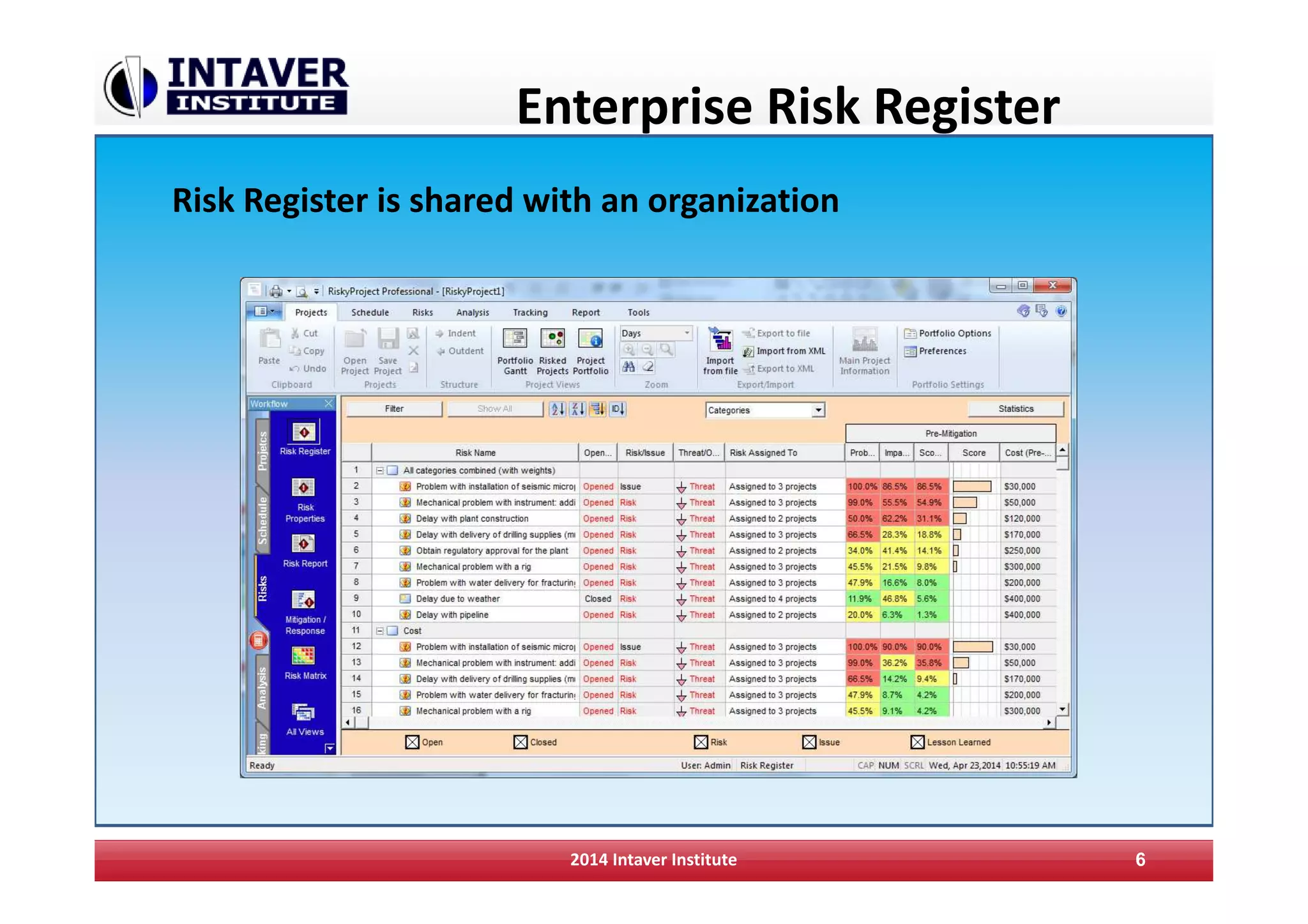
Enterprise Risk Register
2014 Intaver Institute 6
Risk Register is shared with an organization
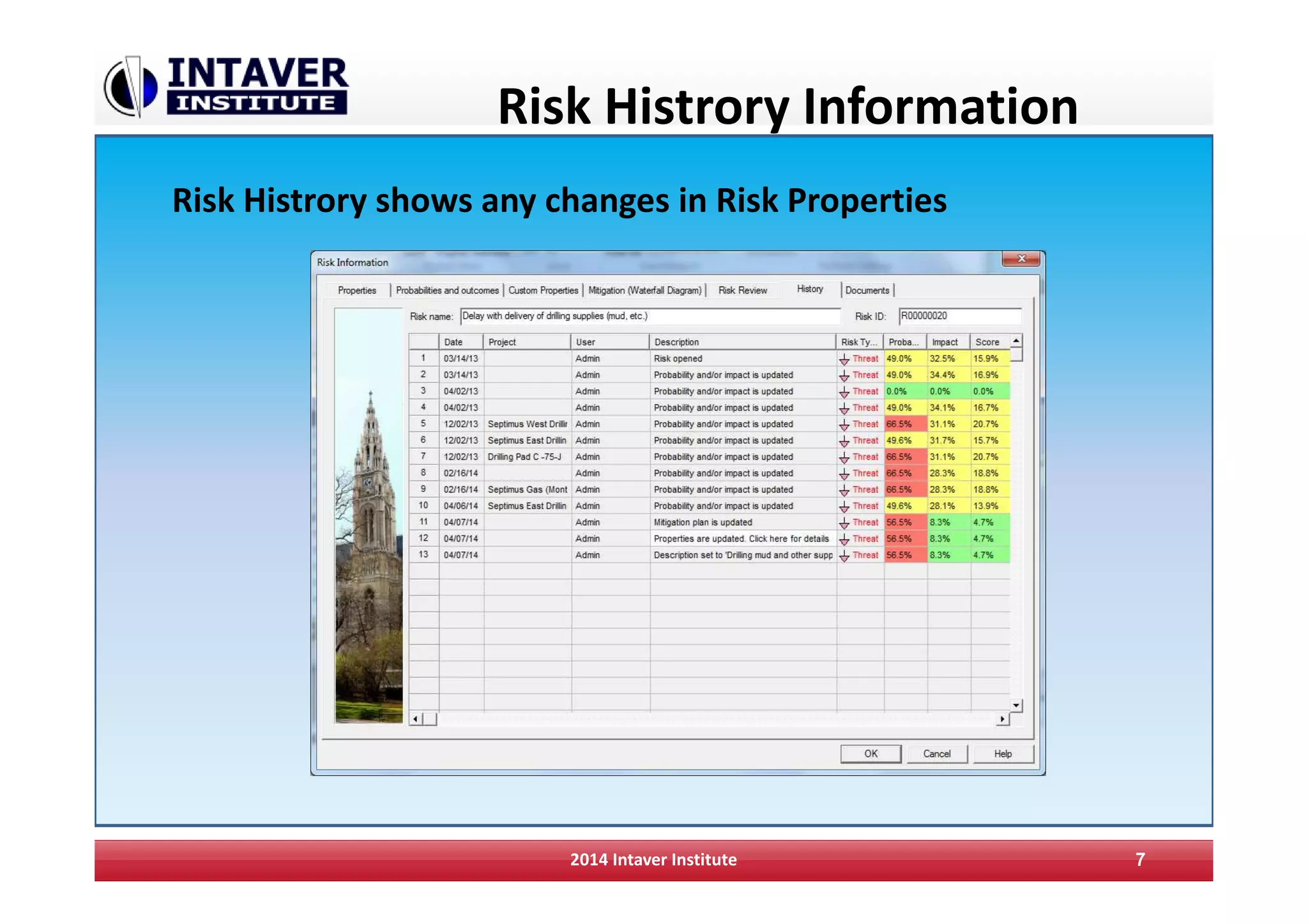
Risk Histrory Information
2014 Intaver Institute 7
Risk Histrory shows any changes in Risk Properties
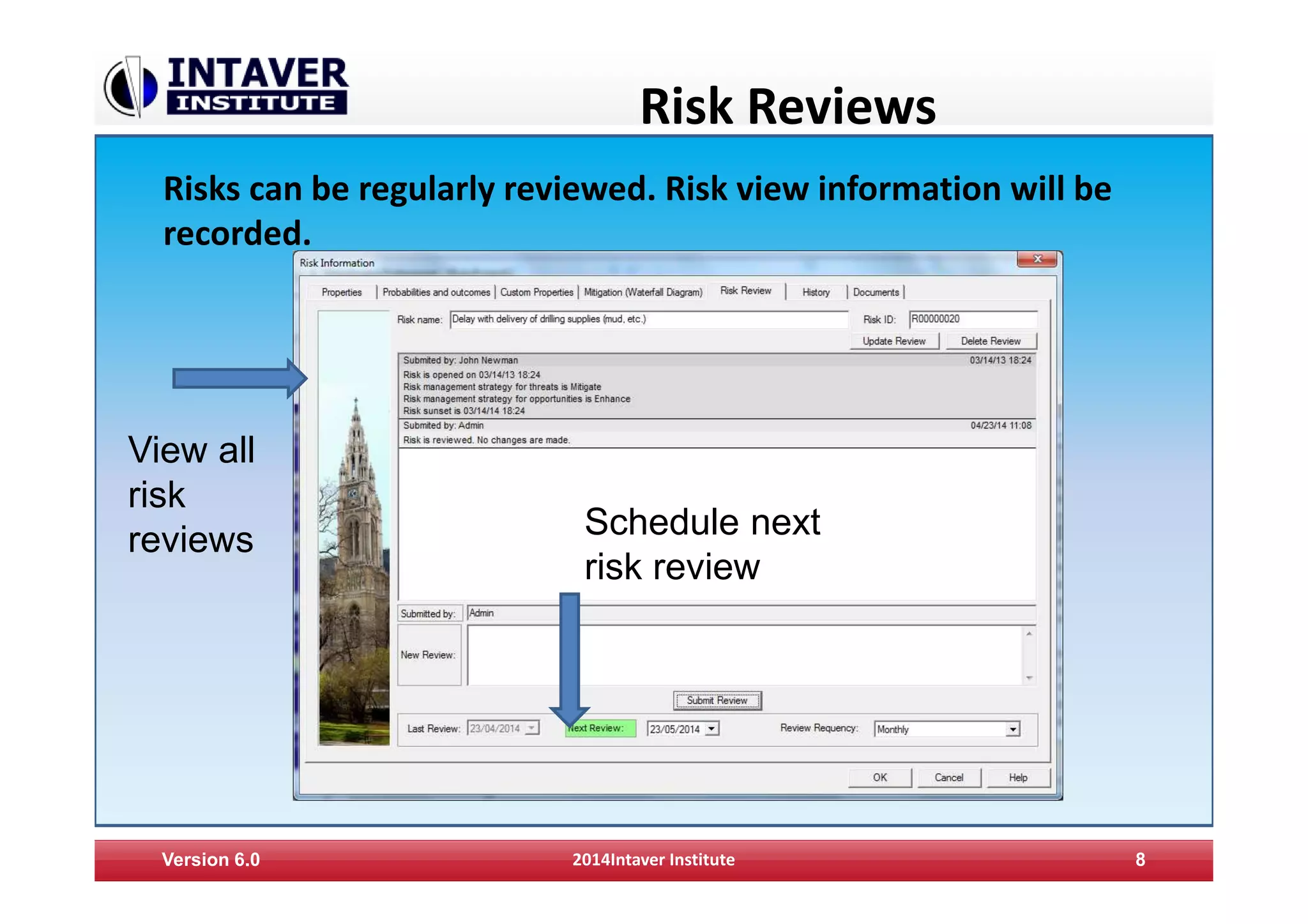
Risk Reviews
Version 6.0 2014Intaver Institute 8
Risks can be regularly reviewed. Risk view information will be
recorded.
Schedule next
risk review
View all
risk
reviews
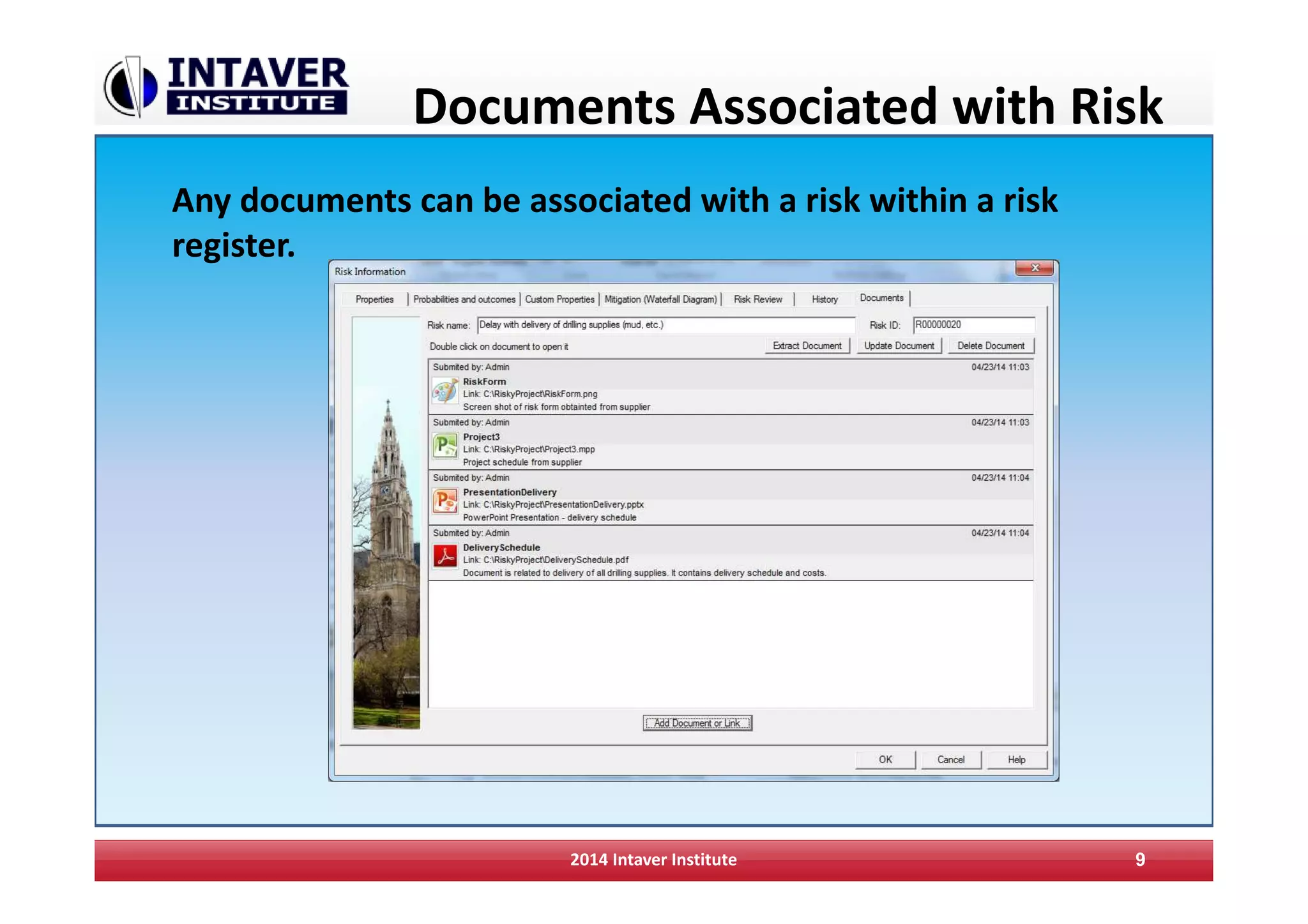
Documents Associated with Risk
2014 Intaver Institute 9
Any documents can be associated with a risk within a risk
register.
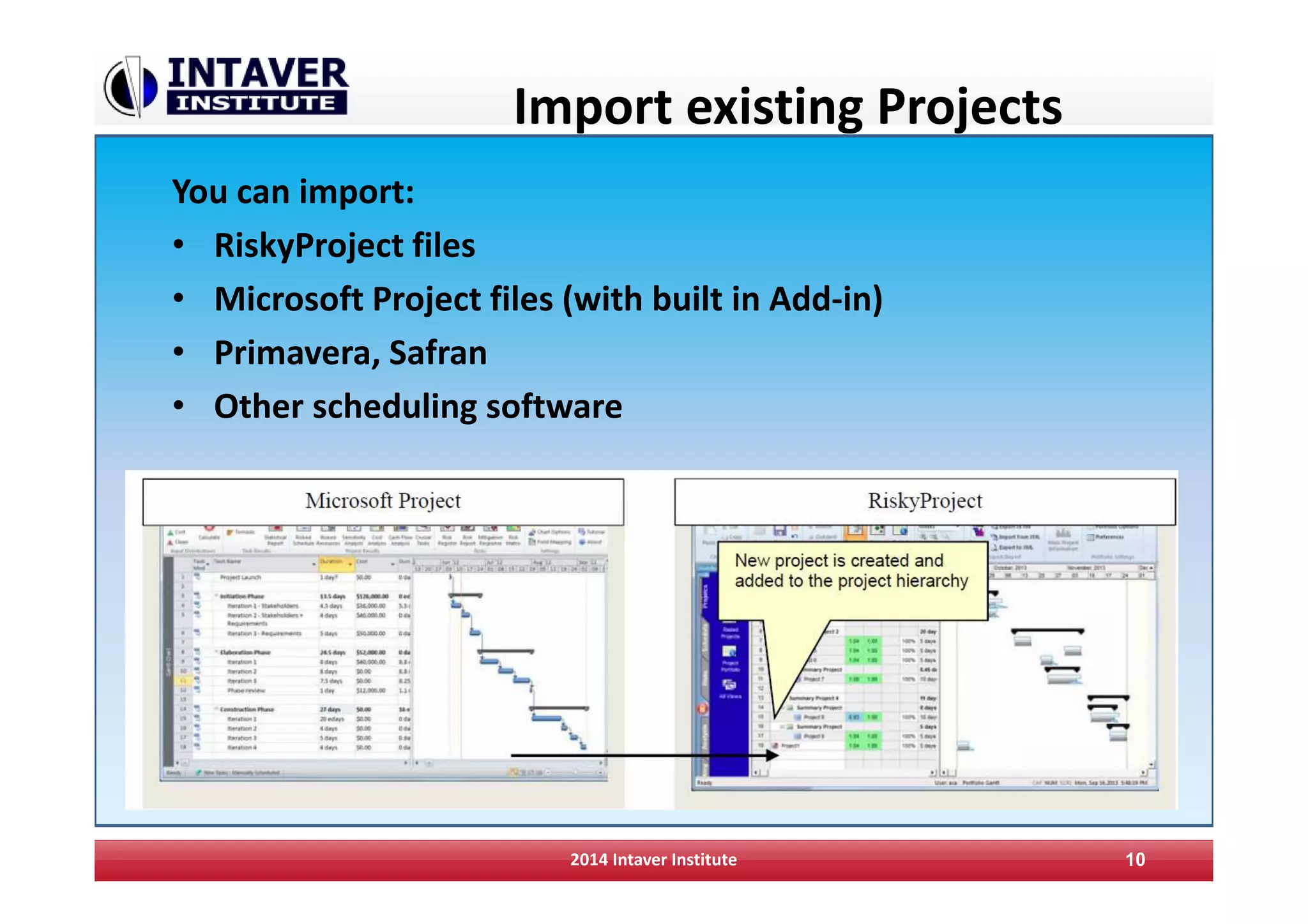
Import existing Projects
You can import:
• RiskyProject files
• Microsoft Project files (with built in Add-in)
• Primavera, Safran
• Other scheduling software
2014 Intaver Institute 10
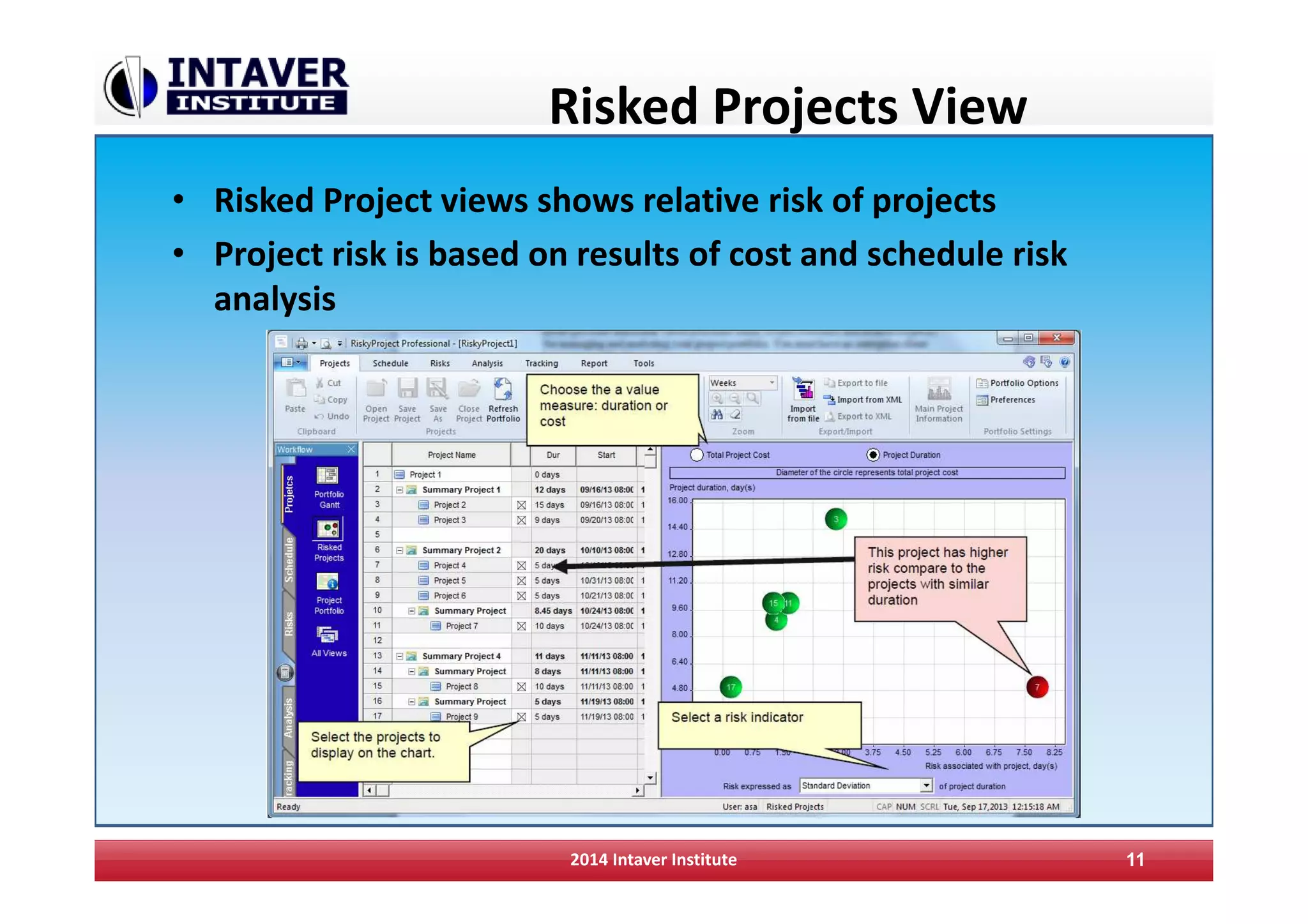
Risked Projects View
• Risked Project views shows relative risk of projects
• Project risk is based on results of cost and schedule risk
analysis
2014 Intaver Institute 11
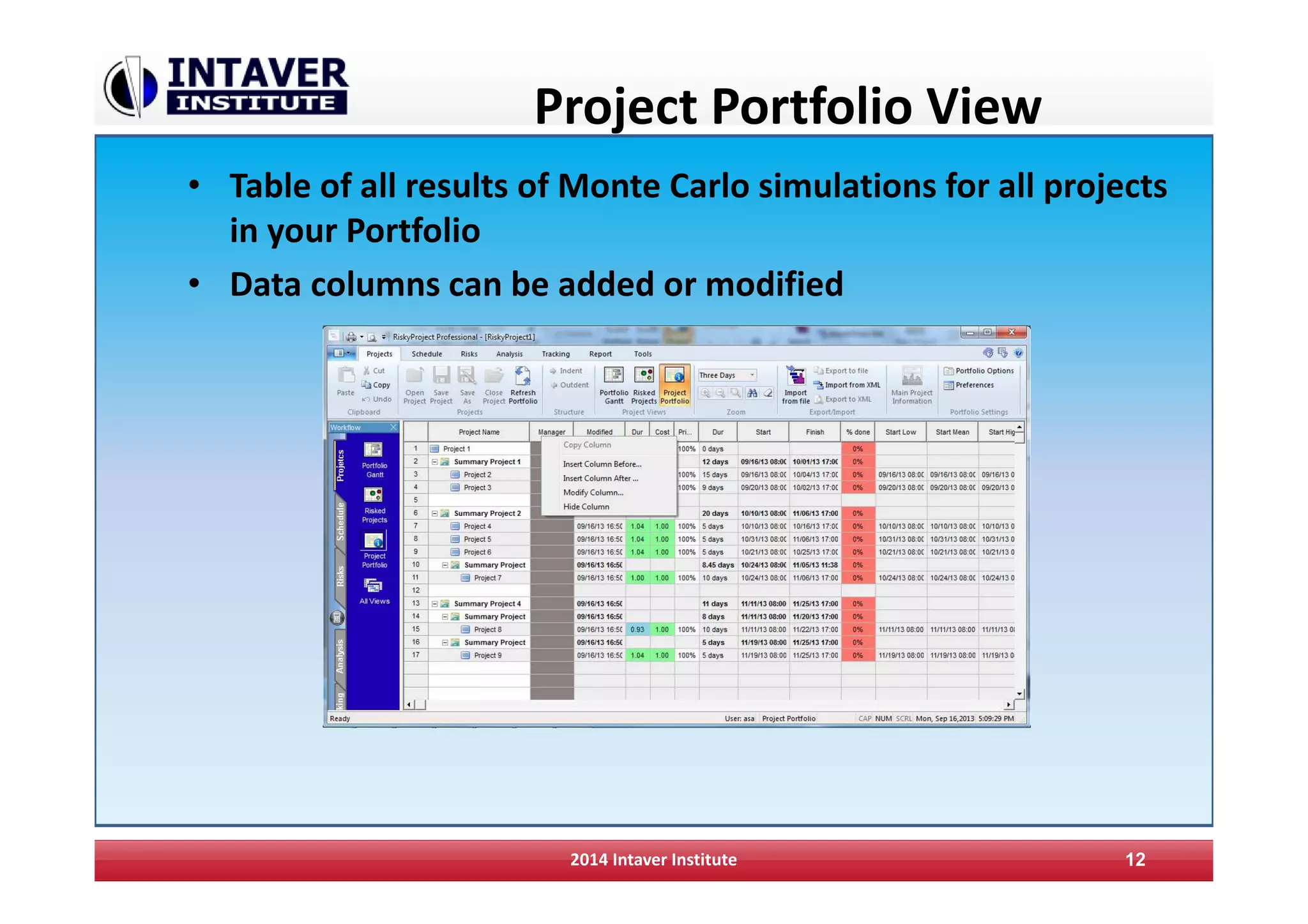
Project Portfolio View
• Table of all results of Monte Carlo simulations for all projects
in your Portfolio
• Data columns can be added or modified
2014 Intaver Institute 12
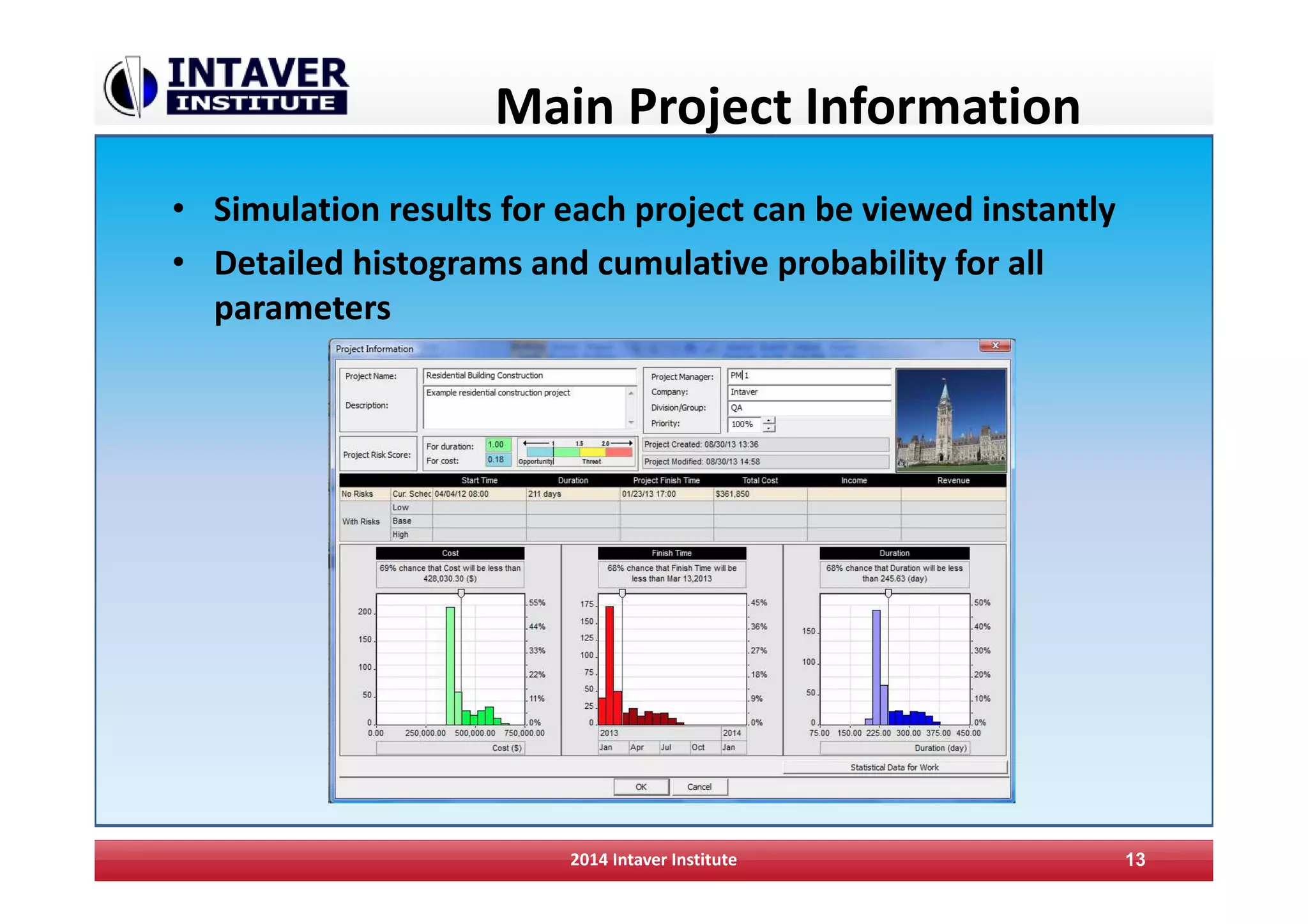
Main Project Information
• Simulation results for each project can be viewed instantly
• Detailed histograms and cumulative probability for all
parameters
2014 Intaver Institute 13
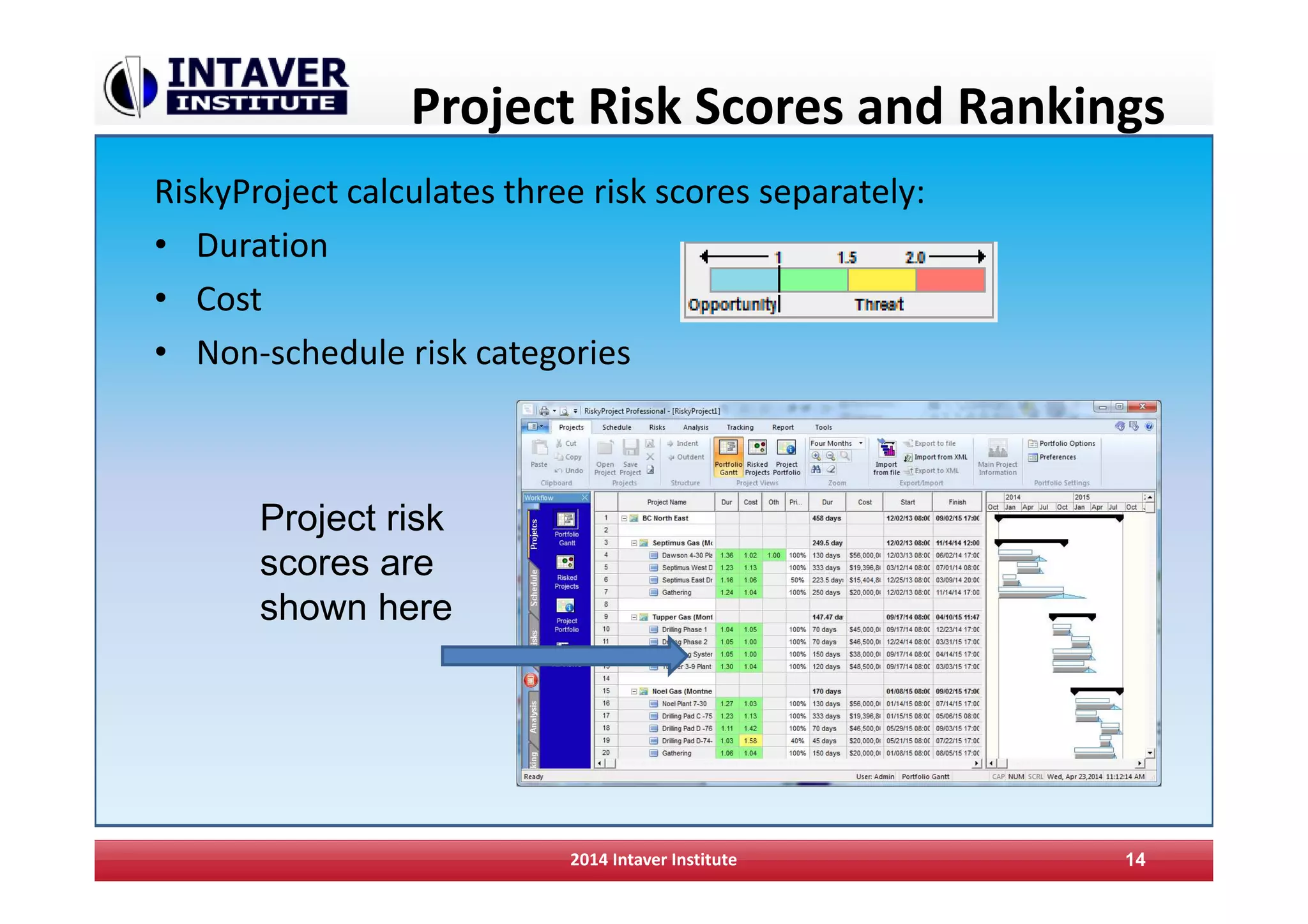
Project Risk Scores and Rankings
RiskyProject calculates three risk scores separately:
• Duration
• Cost
• Non-schedule risk categories
2014 Intaver Institute 14
Project risk
scores are
shown here
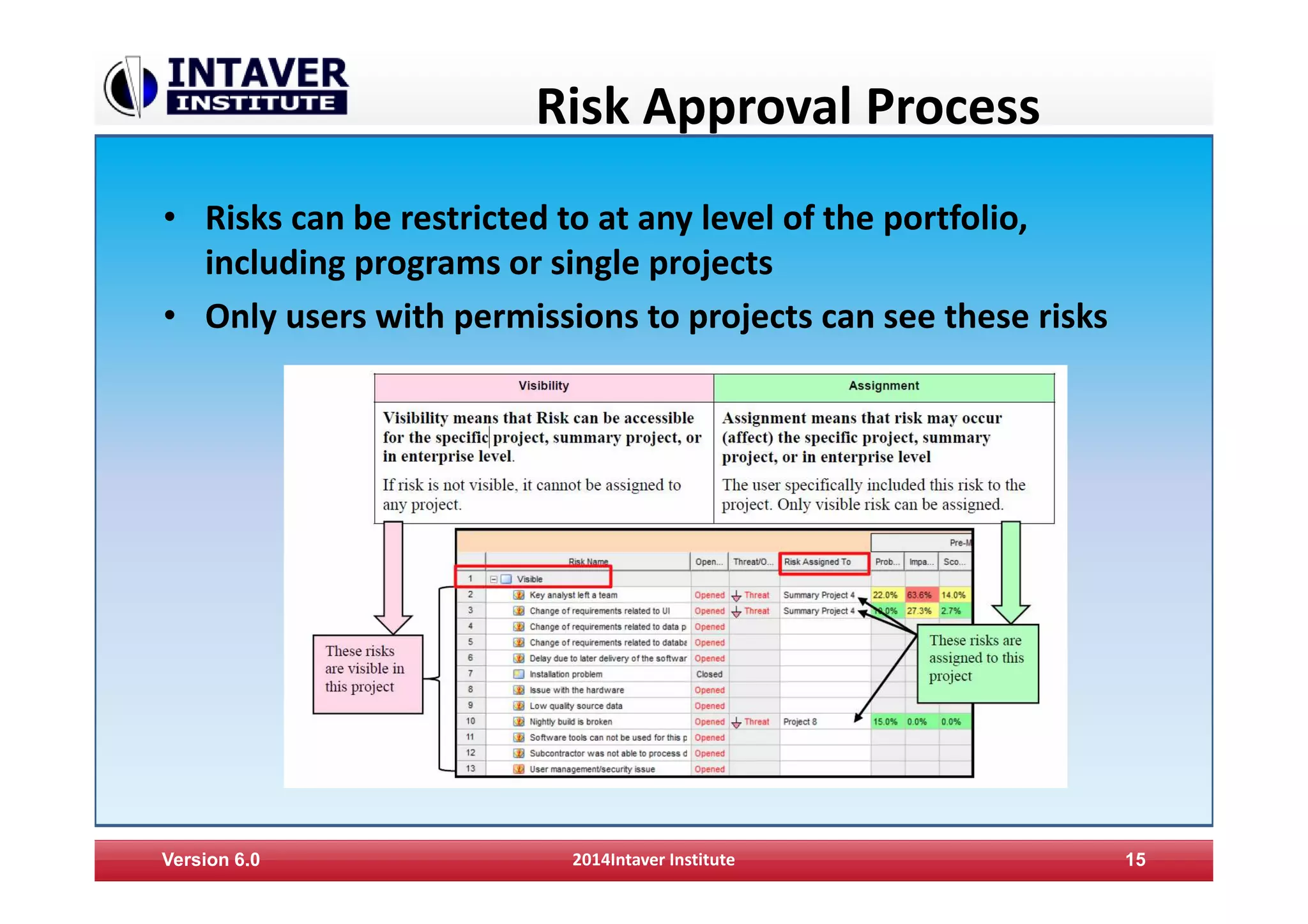
Risk Approval Process
• Risks can be restricted to at any level of the portfolio,
including programs or single projects
• Only users with permissions to projects can see these risks
Version 6.0 2014Intaver Institute 15
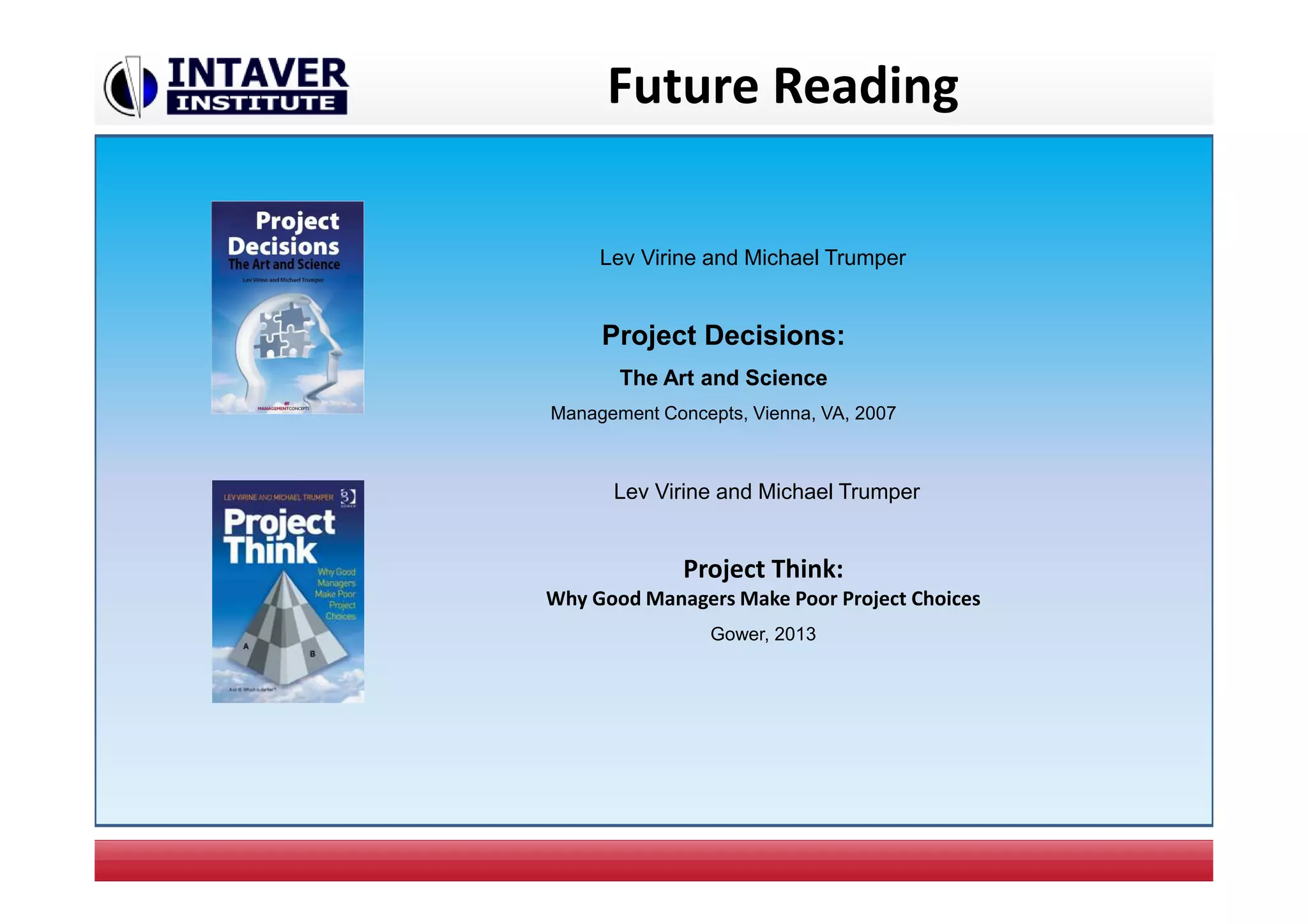
Future Reading
Lev Virine and Michael Trumper
Project Decisions:
The Art and Science
Management Concepts, Vienna, VA, 2007
Lev Virine and Michael Trumper
Project Think:
Why Good Managers Make Poor Project Choices
Gower, 2013

Enterprise Risk Management and Analysis with RiskyProject

  • 1.
    RiskyProject Enterprise Project PortfolioRisk Management Software Intaver Institute Inc. 303, 6707, Elbow Drive S.W, Calgary, AB, Canada Tel: +1 (403) 692-2252 Fax: +1 (403) 459-4533 www.intaver.com
  • 2.
    What Is RiskyProjectEnterprise? • Project Scheduling • Enterprise Risk Register • Quantitative risk analysis using Monte Carlo simulations 2 RiskyProject Enterprise is Windows-based project risk management software. RiskyProject gives you a simple answer to a common question: What will happen to your project portfolio if certain risks occur?
  • 3.
    RiskyProject Enterprise Database 2014Intaver Institute 3 RiskyProject Enterprise saves the schedule and cost risk analysis data for all of your projects in database.
  • 4.
    User Management 2014 IntaverInstitute 4 RiskyProject has a complete user management system: • Users • Roles • Project Permissions • Logon History
  • 5.
    Portfolio Gantt RiskyProject Enterpriseallows you to create a Portfolio of your cost and schedule risk analysis 2014 Intaver Institute 5
  • 6.
    Enterprise Risk Register 2014Intaver Institute 6 Risk Register is shared with an organization
  • 7.
    Risk Histrory Information 2014Intaver Institute 7 Risk Histrory shows any changes in Risk Properties
  • 8.
    Risk Reviews Version 6.02014Intaver Institute 8 Risks can be regularly reviewed. Risk view information will be recorded. Schedule next risk review View all risk reviews
  • 9.
    Documents Associated withRisk 2014 Intaver Institute 9 Any documents can be associated with a risk within a risk register.
  • 10.
    Import existing Projects Youcan import: • RiskyProject files • Microsoft Project files (with built in Add-in) • Primavera, Safran • Other scheduling software 2014 Intaver Institute 10
  • 11.
    Risked Projects View •Risked Project views shows relative risk of projects • Project risk is based on results of cost and schedule risk analysis 2014 Intaver Institute 11
  • 12.
    Project Portfolio View •Table of all results of Monte Carlo simulations for all projects in your Portfolio • Data columns can be added or modified 2014 Intaver Institute 12
  • 13.
    Main Project Information •Simulation results for each project can be viewed instantly • Detailed histograms and cumulative probability for all parameters 2014 Intaver Institute 13
  • 14.
    Project Risk Scoresand Rankings RiskyProject calculates three risk scores separately: • Duration • Cost • Non-schedule risk categories 2014 Intaver Institute 14 Project risk scores are shown here
  • 15.
    Risk Approval Process •Risks can be restricted to at any level of the portfolio, including programs or single projects • Only users with permissions to projects can see these risks Version 6.0 2014Intaver Institute 15
  • 16.
    Future Reading Lev Virineand Michael Trumper Project Decisions: The Art and Science Management Concepts, Vienna, VA, 2007 Lev Virine and Michael Trumper Project Think: Why Good Managers Make Poor Project Choices Gower, 2013