

STAATLICH
ANERKANNTE
FACHHOCHSCHULE
Author: Dip.-Inf. (FH) Johannes Hoppe
Date: 08.12.2010
STUDIEREN
UND DURCHSTARTEN.
STAATLICH
ANERKANNTE
FACHHOCHSCHULE
RIA – Rich Internet Applications
Author: Dip.-Inf. (FH) Johannes Hoppe
Date: 08.12.2010
Message Exchange Patterns
01
30.01.2015
Folie 3
Message Exchange Patterns
General
› I use Microsoft terminology which bases on
› SOAP terminology
› I will only introduce the most common patterns
› Patterns are always general solutions
› and do not relay on a special platform or transport protocol!
› Book recommendations:
› Tanenbaum / Steen: Distributed Systems: Principles and Paradigms
› Lowy: Programming WCF Services
30.01.2015
Folie 4
Message Exchange Patterns
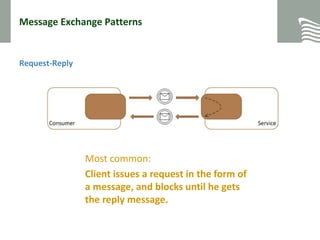
Request-Reply
30.01.2015
Folie 5
Most common:
Client issues a request in the form of
a message, and blocks until he gets
the reply message.
Message Exchange Patterns
One-Way
30.01.2015
Folie 6
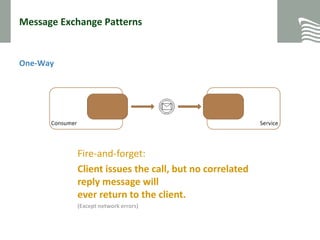
Fire-and-forget:
Client issues the call, but no correlated
reply message will
ever return to the client.
(Except network errors)
Message Exchange Patterns
Duplex (callback)
30.01.2015
Folie 7
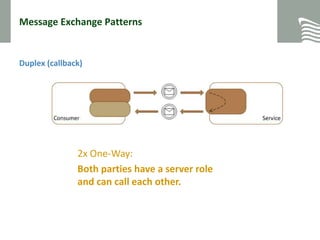
2x One-Way:
Both parties have a server role
and can call each other.
„Classic“ Surfing (Synchronous Dataflow)
30.01.2015
Folie 8
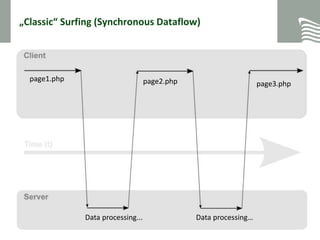
page1.php page2.php page3.php
Data processing... Data processing…
Message Exchange Patterns
Discussion:
Which pattern
is used for AJAX?
30.01.2015
Folie 9
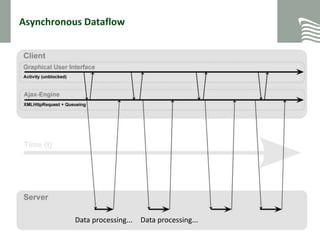
Asynchronous Dataflow
30.01.2015
Folie 10
Data processing... Data processing…Data processing... Data processing...
Message Exchange Patterns
AJAX
30.01.2015
Folie 11
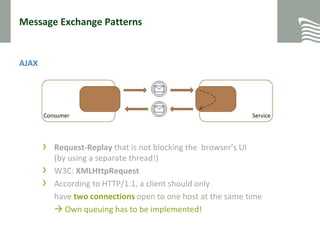
› Request-Replay that is not blocking the browser’s UI
(by using a separate thread!)
› W3C: XMLHttpRequest
› According to HTTP/1.1, a client should only
have two connections open to one host at the same time
 Own queuing has to be implemented!
Message Exchange Patterns
Questions?
?
30.01.2015
Folie 12
Protocols and Formats
02
30.01.2015
Folie 13
Protocols and Formats
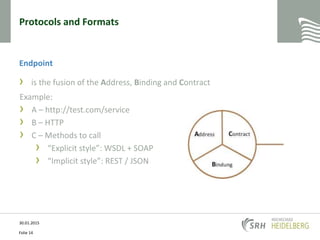
Endpoint
› is the fusion of the Address, Binding and Contract
30.01.2015
Folie 14
Example:
› A – http://test.com/service
› B – HTTP
› C – Methods to call
› “Explicit style”: WSDL + SOAP
› “Implicit style”: REST / JSON
Protocols and Formats
30.01.2015
Folie 15
SOAP
Protocols and Formats
30.01.2015
Folie 16
REST
Protocols and Formats
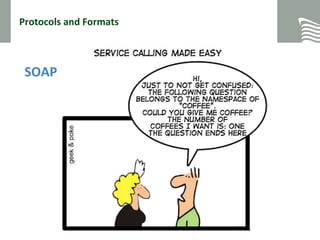
› SOAP: Simple Object Access Protocol
› for Remote Procedure Calls, standardized but complex
› Implements a webservice
› Bases on XML (much traffic)
› On top of HTTP / HTTPS
› URI usually stays unchanged, GET: http://test.com/service
› Hard to implement “by hand”
› WSDL: Web Services Description Language
› Meta Language
› Describes webservice’s methods
› Bases on XML (much traffic)
› Hard to implement “by hand”
30.01.2015
Folie 17
Protocols and Formats
30.01.2015
Folie 18
“REST is an architectural style that is
only present when all of its
constraints are met.”
Thomas Roy Fielding, 2003 on http://tech.groups.yahoo.com/group/rest-discuss/message/3623
Protocols and Formats
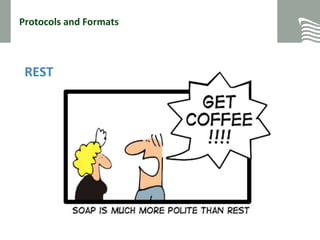
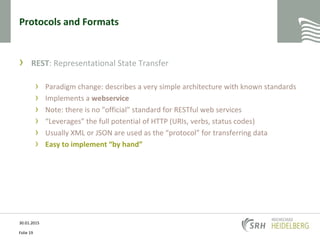
› REST: Representational State Transfer
› Paradigm change: describes a very simple architecture with known standards
› Implements a webservice
› Note: there is no "official" standard for RESTful web services
› “Leverages” the full potential of HTTP (URIs, verbs, status codes)
› Usually XML or JSON are used as the “protocol” for transferring data
› Easy to implement “by hand”
30.01.2015
Folie 19
Protocols and Formats
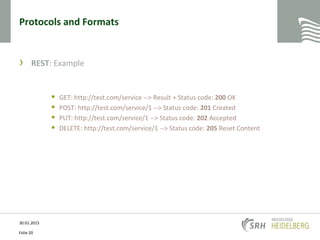
› REST: Example
 GET: http://test.com/service --> Result + Status code: 200 OK
 POST: http://test.com/service/1 --> Status code: 201 Created
 PUT: http://test.com/service/1 --> Status code: 202 Accepted
 DELETE: http://test.com/service/1 --> Status code: 205 Reset Content
30.01.2015
Folie 20
Protocols and Formats
› JSON: JavaScript Object Notation
› Used for serializing data
› Lightweight and text-based
› bases on a subset of the JavaScript programming language
› Uses the object-style {key:value} and [array-style] notation
› Elements: Number, String, Boolean, Object {}, Arrays [] and null
30.01.2015
Folie 21
Protocols and Formats
› JSON: JavaScript Object Notation
30.01.2015
Folie 22
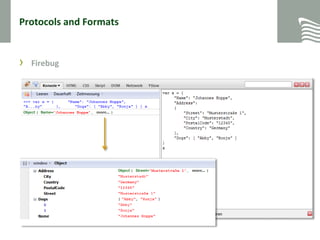
{
"Name": "Johannes Hoppe",
"Address":
{
"Street": "Musterstraße 1",
"City": "Musterstadt",
"PostalCode": "12345",
"Country": "Germany"
},
"Dogs": [ "Abby", "Ronja" ]
}
Protocols and Formats
› Firebug
30.01.2015
Folie 23
Protocols and Formats
Questions?
?
30.01.2015
Folie 24
jQuery
03
30.01.2015
Folie 25
jQuery
› Most popular, cross-browser JavaScript library
› Focusing on making client-side scripting of HTML simpler
› Easy navigating the DOM
› Handling events
› Working with Ajax
› Open-source, released in 2006
30.01.2015
Folie 26
jQuery
Advantages
› Lightweight
› Easy to learn using familiar CSS syntax:
$(‘#id').hide().css('background', 'red').fadeIn();
› Many, many plugins available
› Easy to extend and compatible
› Rich community
30.01.2015
Folie 27
jQuery
Microsoft & jQuery
› It’s on Microsoft’s “radar”
› Included with Visual Studio in both WebForms and MVC projects
› Open-source contributions by Microsoft:
› Templating
› Data Linking and
› Globalization
30.01.2015
Folie 28
jQuery
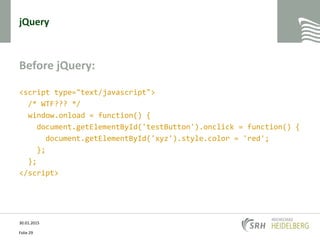
Before jQuery:
<script type="text/javascript">
/* WTF??? */
window.onload = function() {
document.getElementById('testButton').onclick = function() {
document.getElementById('xyz').style.color = 'red';
};
};
</script>
30.01.2015
Folie 29
jQuery
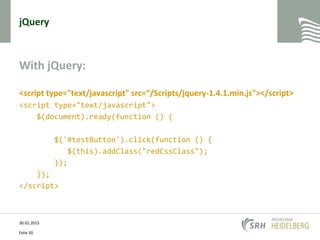
With jQuery:
<script type="text/javascript" src=“/Scripts/jquery-1.4.1.min.js"></script>
<script type="text/javascript">
$(document).ready(function () {
$('#testButton').click(function () {
$(this).addClass("redCssClass");
});
});
</script>
30.01.2015
Folie 30
jQuery
DEMO
30.01.2015
Folie 31
jQuery
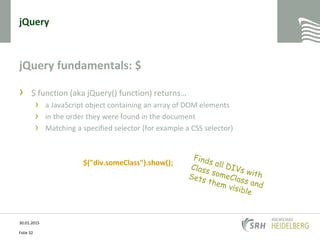
jQuery fundamentals: $
› $ function (aka jQuery() function) returns…
› a JavaScript object containing an array of DOM elements
› in the order they were found in the document
› Matching a specified selector (for example a CSS selector)
$("div.someClass").show();
30.01.2015
Folie 32
jQuery
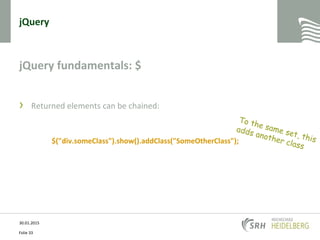
jQuery fundamentals: $
› Returned elements can be chained:
$("div.someClass").show().addClass("SomeOtherClass");
30.01.2015
Folie 33
jQuery
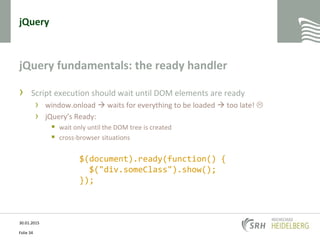
jQuery fundamentals: the ready handler
› Script execution should wait until DOM elements are ready
› window.onload  waits for everything to be loaded  too late! 
› jQuery’s Ready:
 wait only until the DOM tree is created
 cross-browser situations
30.01.2015
Folie 34
$(document).ready(function() {
$("div.someClass").show();
});
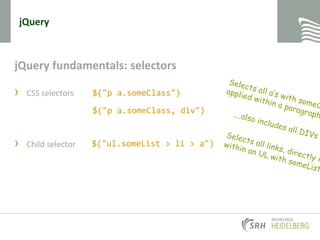
jQuery fundamentals: selectors
› CSS selectors
› Child selector
jQuery
$("p a.someClass")
$("p a.someClass, div")
$("ul.someList > li > a")
jQuery fundamentals: selectors
› Attribute selector
jQuery
$("a[href*='http://test.de']")
$("span[class^='some']")
$("span[class]")
jQuery fundamentals: selectors
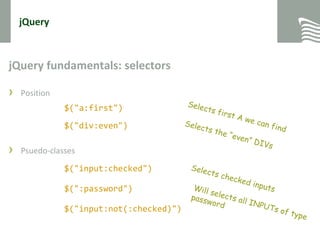
› Position
› Psuedo-classes
jQuery
$("a:first")
$("div:even")
$("input:checked")
$(":password")
$("input:not(:checked)")
jQuery
DEMO
30.01.2015
Folie 38
jQuery
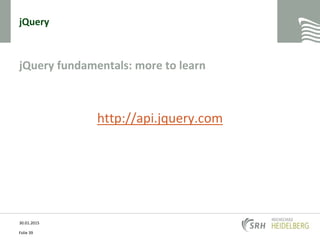
jQuery fundamentals: more to learn
http://api.jquery.com
30.01.2015
Folie 39
jQuery
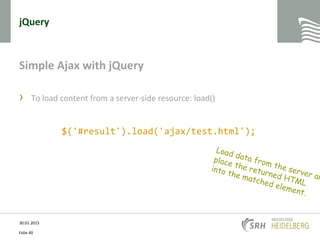
Simple Ajax with jQuery
› To load content from a server-side resource: load()
30.01.2015
Folie 40
$('#result').load('ajax/test.html');
jQuery
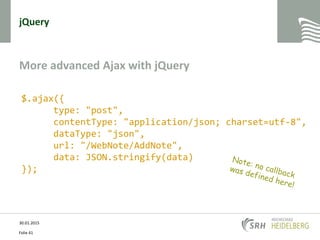
More advanced Ajax with jQuery
30.01.2015
Folie 41
$.ajax({
type: "post",
contentType: "application/json; charset=utf-8",
dataType: "json",
url: "/WebNote/AddNote",
data: JSON.stringify(data)
});
jQuery
30.01.2015
Folie 42
THANK YOU
FOR YOUR ATTENTION
30.01.2015
Folie 43

RIA 08 - AJAX and jQuery