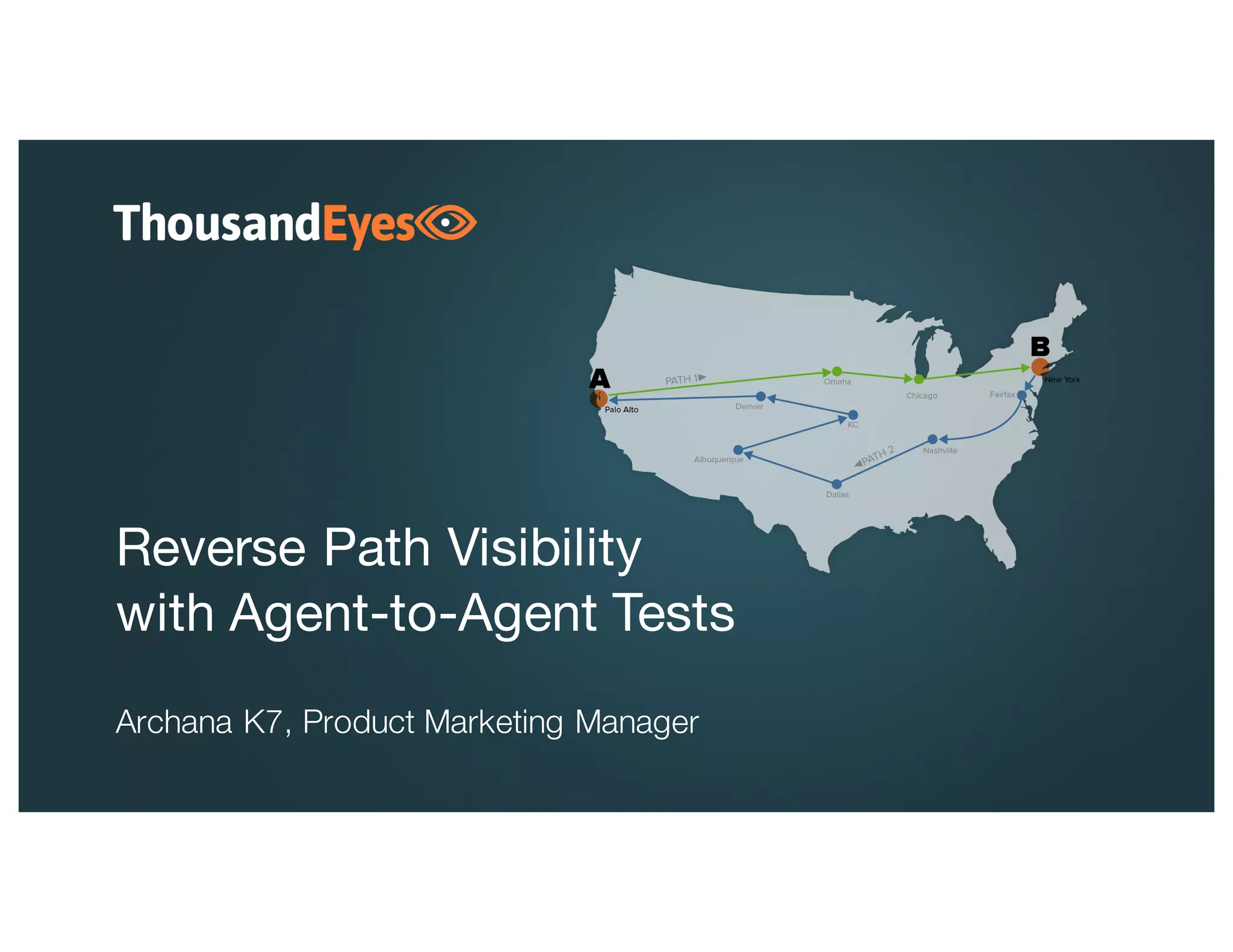
Reverse Path Visibility
with Agent-to-Agent Tests
Archana K7, Product Marketing Manager
1
About ThousandEyes
ThousandEyes delivers visibility into every network your organization relies on.
Founded by network
experts; strong
investor backing
Relied on for
critical operations by
leading enterprises
Recognized as
an innovative
new approach
27 Fortune 500
5 top 5 SaaS Companies
4 top 6 US Banks
2
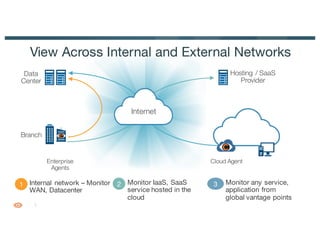
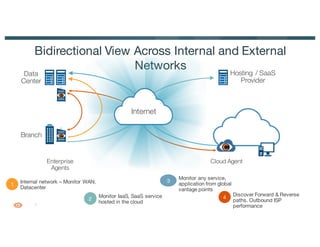
View Across Internal and External Networks
Hosting / SaaS
Provider
1 Internal network – Monitor
WAN, Datacenter
Internet
3 Monitor any service,
application from
global vantage points
2 Monitor IaaS, SaaS
service hosted in the
cloud
Cloud AgentEnterprise
Agents
Branch
Data
Center
3
• Agent-to-Server
– Test Target is an application or service endpoint
• Agent-to-Agent
– Monitoring location and test target are both agents
– Cloud–Enterprise or Enterprise–Enterprise
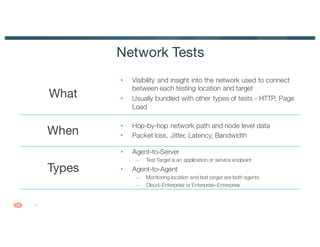
Network Tests
• Visibility and insight into the network used to connect
between each testing location and target
• Usually bundled with other types of tests - HTTP, Page
Load
What
Types
When
• Hop-by-hop network path and node level data
• Packet loss, Jitter, Latency, Bandwidth
4
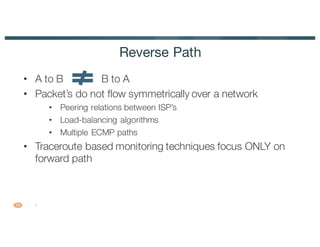
Reverse Path
• A to B B to A
• Packet’s do not flow symmetrically over a network
• Peering relations between ISP’s
• Load-balancing algorithms
• Multiple ECMP paths
• Traceroute based monitoring techniques focus ONLY on
forward path
5
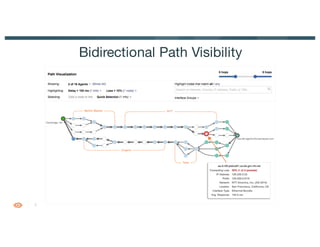
Bidirectional Path Visibility
6
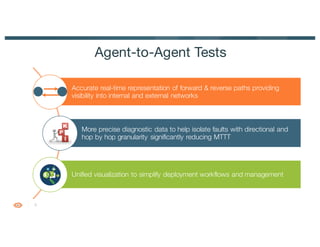
Accurate real-time representation of forward & reverse paths providing
visibility into internal and external networks
More precise diagnostic data to help isolate faults with directional and
hop by hop granularity significantly reducing MTTT
Unified visualization to simplify deployment workflows and management
Agent-to-Agent Tests
7
Bidirectional View Across Internal and External
Networks Hosting / SaaS
Provider
1
Internal network – Monitor WAN,
Datacenter
Internet
3
Monitor any service,
application from global
vantage points
2
Monitor IaaS, SaaS service
hosted in the cloud
Cloud AgentEnterprise
Agents
Branch
Data
Center
4
Discover Forward & Reverse
paths. Outbound ISP
performance
8
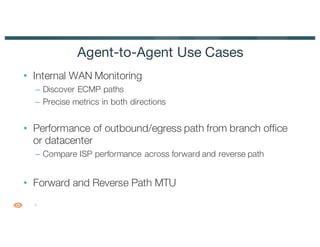
• Internal WAN Monitoring
– Discover ECMP paths
– Precise metrics in both directions
• Performance of outbound/egress path from branch office
or datacenter
– Compare ISP performance across forward and reverse path
• Forward and Reverse Path MTU
Agent-to-Agent Use Cases
9
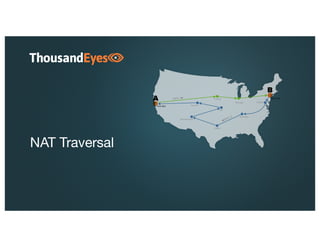
NAT Traversal
10
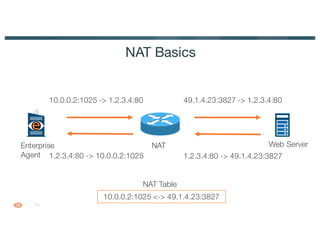
NAT Basics
Enterprise
Agent
Web ServerNAT
10.0.0.2:1025 <-> 49.1.4.23:3827
10.0.0.2:1025 -> 1.2.3.4:80 49.1.4.23:3827 -> 1.2.3.4:80
NAT Table
1.2.3.4:80 -> 49.1.4.23:38271.2.3.4:80 -> 10.0.0.2:1025
11
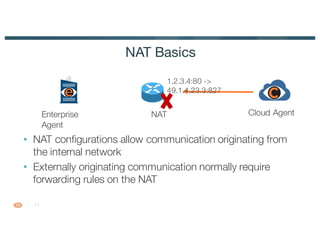
• NAT configurations allow communication originating from
the internal network
• Externally originating communication normally require
forwarding rules on the NAT
NAT Basics
Enterprise
Agent
NAT
1.2.3.4:80 ->
49.1.4.23.3:827
Cloud Agent
12
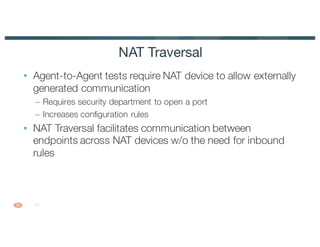
• Agent-to-Agent tests require NAT device to allow externally
generated communication
– Requires security department to open a port
– Increases configuration rules
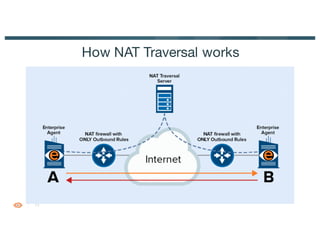
• NAT Traversal facilitates communication between
endpoints across NAT devices w/o the need for inbound
rules
NAT Traversal
13
How NAT Traversal works
14
qHow to configure Agent-to-Agent tests
qLive Demo
qHow to configure NAT traversal
Demo
15
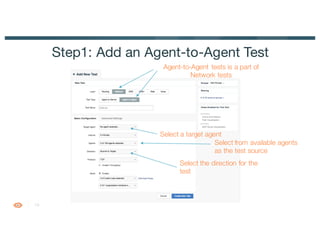
Step1: Add an Agent-to-Agent Test
Agent-to-Agent tests is a part of
Network tests
Select a target agent
Select from available agents
as the test source
Select the direction for the
test
16
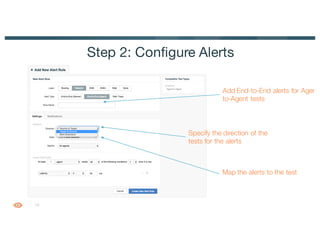
Step 2: Configure Alerts
Add End-to-End alerts for Agent-
to-Agent tests
Specify the direction of the
tests for the alerts
Map the alerts to the test
17
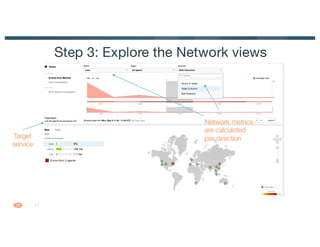
Step 3: Explore the Network views
Target
service
Network metrics
are calculated
per direction
18
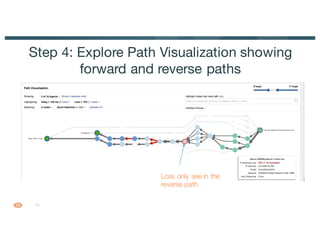
Step 4: Explore Path Visualization showing
forward and reverse paths
Loss only see in the
reverse path
19
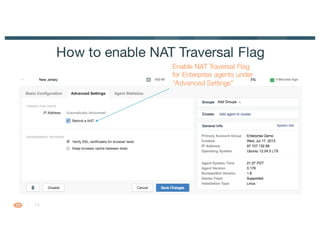
How to enable NAT Traversal Flag
Enable NAT Traversal Flag
for Enterprise agents under
“Advanced Settings”
20
See what you’re missing.
Watch the webinar
https://www.thousandeyes.com/resources/reverse-path-visibility-webinar

Reverse Path Visibility with Agent-to-Agent Tests

  • 1.
    Reverse Path Visibility withAgent-to-Agent Tests Archana K7, Product Marketing Manager
  • 2.
    1 About ThousandEyes ThousandEyes deliversvisibility into every network your organization relies on. Founded by network experts; strong investor backing Relied on for critical operations by leading enterprises Recognized as an innovative new approach 27 Fortune 500 5 top 5 SaaS Companies 4 top 6 US Banks
  • 3.
    2 View Across Internaland External Networks Hosting / SaaS Provider 1 Internal network – Monitor WAN, Datacenter Internet 3 Monitor any service, application from global vantage points 2 Monitor IaaS, SaaS service hosted in the cloud Cloud AgentEnterprise Agents Branch Data Center
  • 4.
    3 • Agent-to-Server – TestTarget is an application or service endpoint • Agent-to-Agent – Monitoring location and test target are both agents – Cloud–Enterprise or Enterprise–Enterprise Network Tests • Visibility and insight into the network used to connect between each testing location and target • Usually bundled with other types of tests - HTTP, Page Load What Types When • Hop-by-hop network path and node level data • Packet loss, Jitter, Latency, Bandwidth
  • 5.
    4 Reverse Path • Ato B B to A • Packet’s do not flow symmetrically over a network • Peering relations between ISP’s • Load-balancing algorithms • Multiple ECMP paths • Traceroute based monitoring techniques focus ONLY on forward path
  • 6.
  • 7.
    6 Accurate real-time representationof forward & reverse paths providing visibility into internal and external networks More precise diagnostic data to help isolate faults with directional and hop by hop granularity significantly reducing MTTT Unified visualization to simplify deployment workflows and management Agent-to-Agent Tests
  • 8.
    7 Bidirectional View AcrossInternal and External Networks Hosting / SaaS Provider 1 Internal network – Monitor WAN, Datacenter Internet 3 Monitor any service, application from global vantage points 2 Monitor IaaS, SaaS service hosted in the cloud Cloud AgentEnterprise Agents Branch Data Center 4 Discover Forward & Reverse paths. Outbound ISP performance
  • 9.
    8 • Internal WANMonitoring – Discover ECMP paths – Precise metrics in both directions • Performance of outbound/egress path from branch office or datacenter – Compare ISP performance across forward and reverse path • Forward and Reverse Path MTU Agent-to-Agent Use Cases
  • 10.
  • 11.
    10 NAT Basics Enterprise Agent Web ServerNAT 10.0.0.2:1025<-> 49.1.4.23:3827 10.0.0.2:1025 -> 1.2.3.4:80 49.1.4.23:3827 -> 1.2.3.4:80 NAT Table 1.2.3.4:80 -> 49.1.4.23:38271.2.3.4:80 -> 10.0.0.2:1025
  • 12.
    11 • NAT configurationsallow communication originating from the internal network • Externally originating communication normally require forwarding rules on the NAT NAT Basics Enterprise Agent NAT 1.2.3.4:80 -> 49.1.4.23.3:827 Cloud Agent
  • 13.
    12 • Agent-to-Agent testsrequire NAT device to allow externally generated communication – Requires security department to open a port – Increases configuration rules • NAT Traversal facilitates communication between endpoints across NAT devices w/o the need for inbound rules NAT Traversal
  • 14.
  • 15.
    14 qHow to configureAgent-to-Agent tests qLive Demo qHow to configure NAT traversal Demo
  • 16.
    15 Step1: Add anAgent-to-Agent Test Agent-to-Agent tests is a part of Network tests Select a target agent Select from available agents as the test source Select the direction for the test
  • 17.
    16 Step 2: ConfigureAlerts Add End-to-End alerts for Agent- to-Agent tests Specify the direction of the tests for the alerts Map the alerts to the test
  • 18.
    17 Step 3: Explorethe Network views Target service Network metrics are calculated per direction
  • 19.
    18 Step 4: ExplorePath Visualization showing forward and reverse paths Loss only see in the reverse path
  • 20.
    19 How to enableNAT Traversal Flag Enable NAT Traversal Flag for Enterprise agents under “Advanced Settings”
  • 21.
    20 See what you’remissing. Watch the webinar https://www.thousandeyes.com/resources/reverse-path-visibility-webinar