Designing for Experience
Frameworks and Project Stories
Designing for Experience
Frameworks and Project Stories
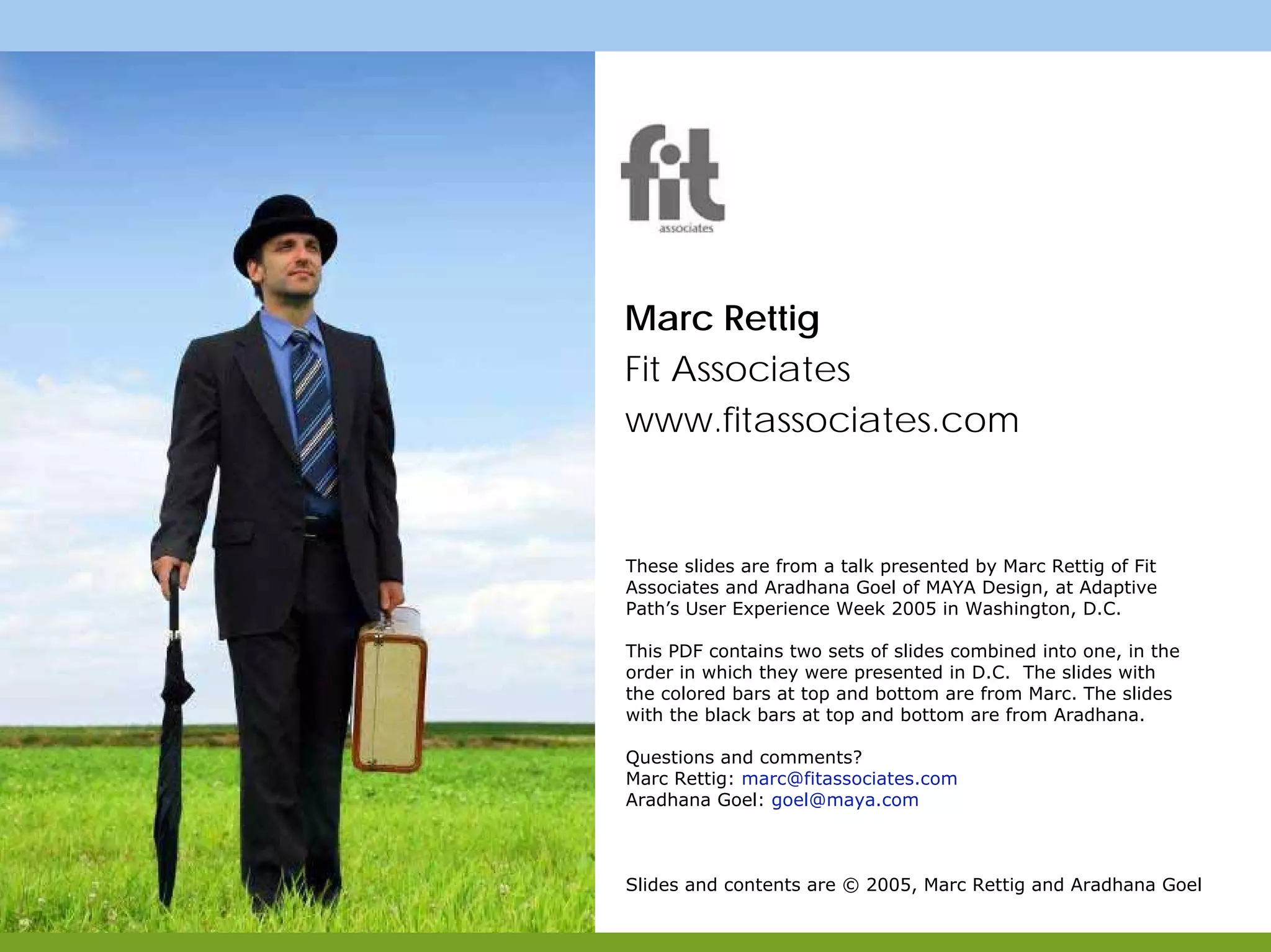
Marc Rettig
Fit Associates
Aradhana Goel
MAYA Design
Marc Rettig
Fit Associates
Aradhana Goel
MAYA Design
Marc Rettig
Fit Associates
www.fitassociates.com
These slides are from a talk presented by Marc Rettig of Fit
Associates and Aradhana Goel of MAYA Design, at Adaptive
Path’s User Experience Week 2005 in Washington, D.C.
This PDF contains two sets of slides combined into one, in the
order in which they were presented in D.C. The slides with
the colored bars at top and bottom are from Marc. The slides
with the black bars at top and bottom are from Aradhana.
Questions and comments?
Marc Rettig: marc@fitassociates.com
Aradhana Goel: goel@maya.com
Slides and contents are © 2005, Marc Rettig and Aradhana Goel
PART ONE
Designing for experience
Example: Carnegie Library
PART TWO
More tools and stories
PART ONE
Designing for experience
Example: Carnegie Library
PART TWO
More tools and stories
17 - 86
pages 4 - 16
88 - 125
What is Design?What is Design?
Why this tea kettle?
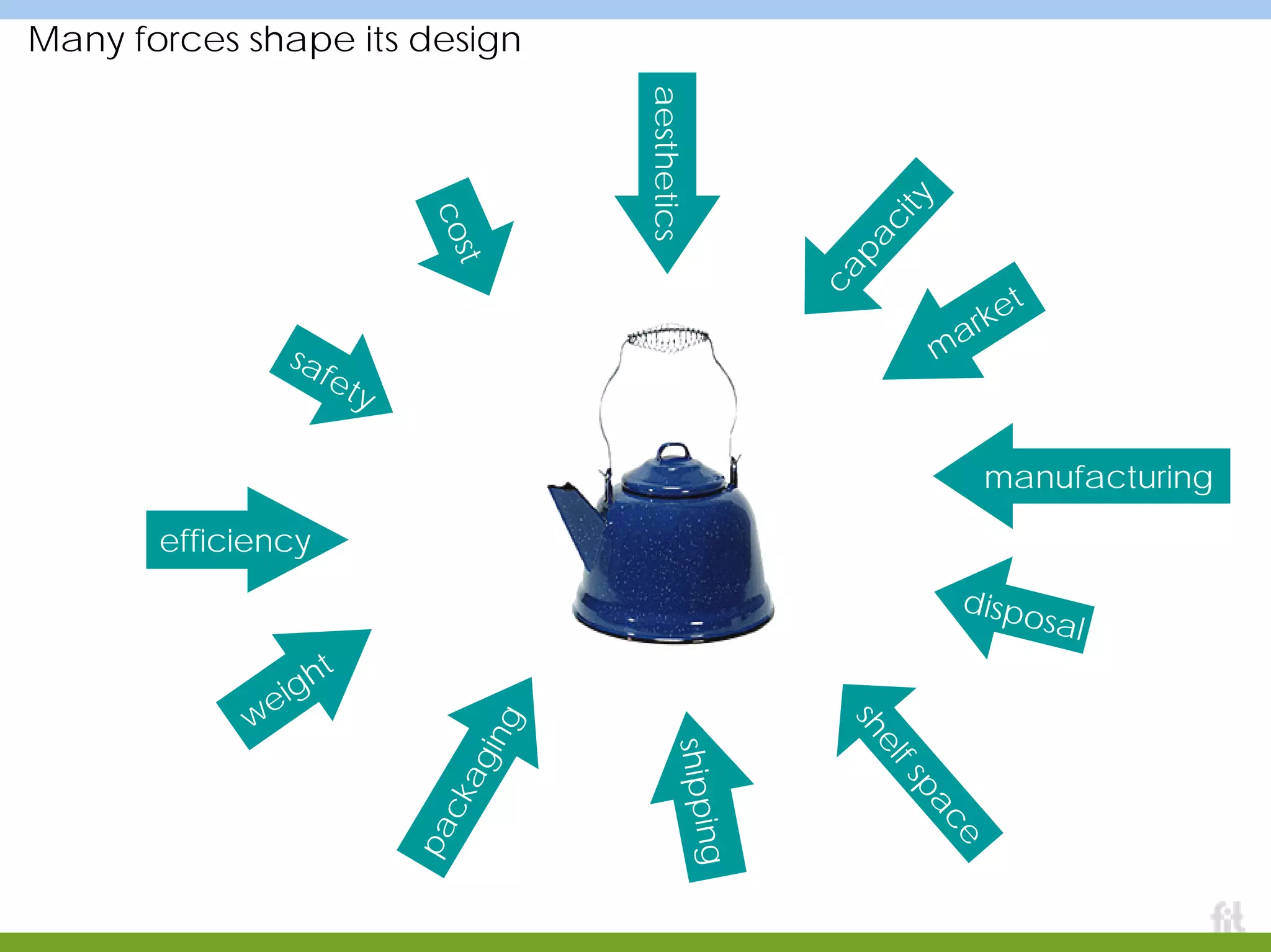
Many forces shape its design
aesthetics
m
arket
safety
capacity
cost
shelfspace
shipping
packaging
weight
efficiency
disposal
manufacturing
Different situations, different people,…
…different kettles
Design is a way to create things that fit a particular set of forces
To accomplish our
work, we must first
understand the
forces as best we
can, then begin
attempts to make
something that fits
the shape they
suggest. A good
process helps
teams manage this
difficult work: refine
understanding,
attempt to fit within
their pressures.
The Design Process in a nutshell
UNDERSTAND
people, context,
use, business,
technology
ATTEMPT TO FIT
insights, patterns,
frameworks,
guidelines
stories,
mockups,
prototypes,
product
That’s just about all you need
After that, it all depends on:
the size of the bag of tools you have to
bring to bear on each bubble
your wisdom in choosing the right tool
for the job at hand
your success at facilitating a group of
people through the process, and
nurturing a culture of design for
experience
ATTEMPT TO FITUNDERSTAND
Did I really mean that last point?
I’m sometimes accused of being too loose, too
abstract, unable to articulate a scaleable,
enterprise-worthy process.
I do of course work with fine-grained steps in a
project plan.
But I believe a lot of the effort spent teaching and
cajoling teams to follow a process would be more
productively put into:
a) giving them practice at the two-bubble process in
lots of situations
b) helping people expand their bag of tools and
methods
c) helping teams become great at facilitating
collaborative work
ATTEMPT TO FITUNDERSTAND
Designing for experienceDesigning for experience
Exercise One
You have one minute…
Design a vase.
Exercise Two
You have one minute…
Design a way
for people to
enjoy flowers
in their home.
Designing for experience makes you change the questions
Experience design, or “design
for experience” is a name
for enlarging scope to consider
patterns of life, goals, activity,
context, repeated use,
learning, sharing, emotion, and
more… while applying
The Design Process.
ATTEMPT TO FITUNDERSTAND
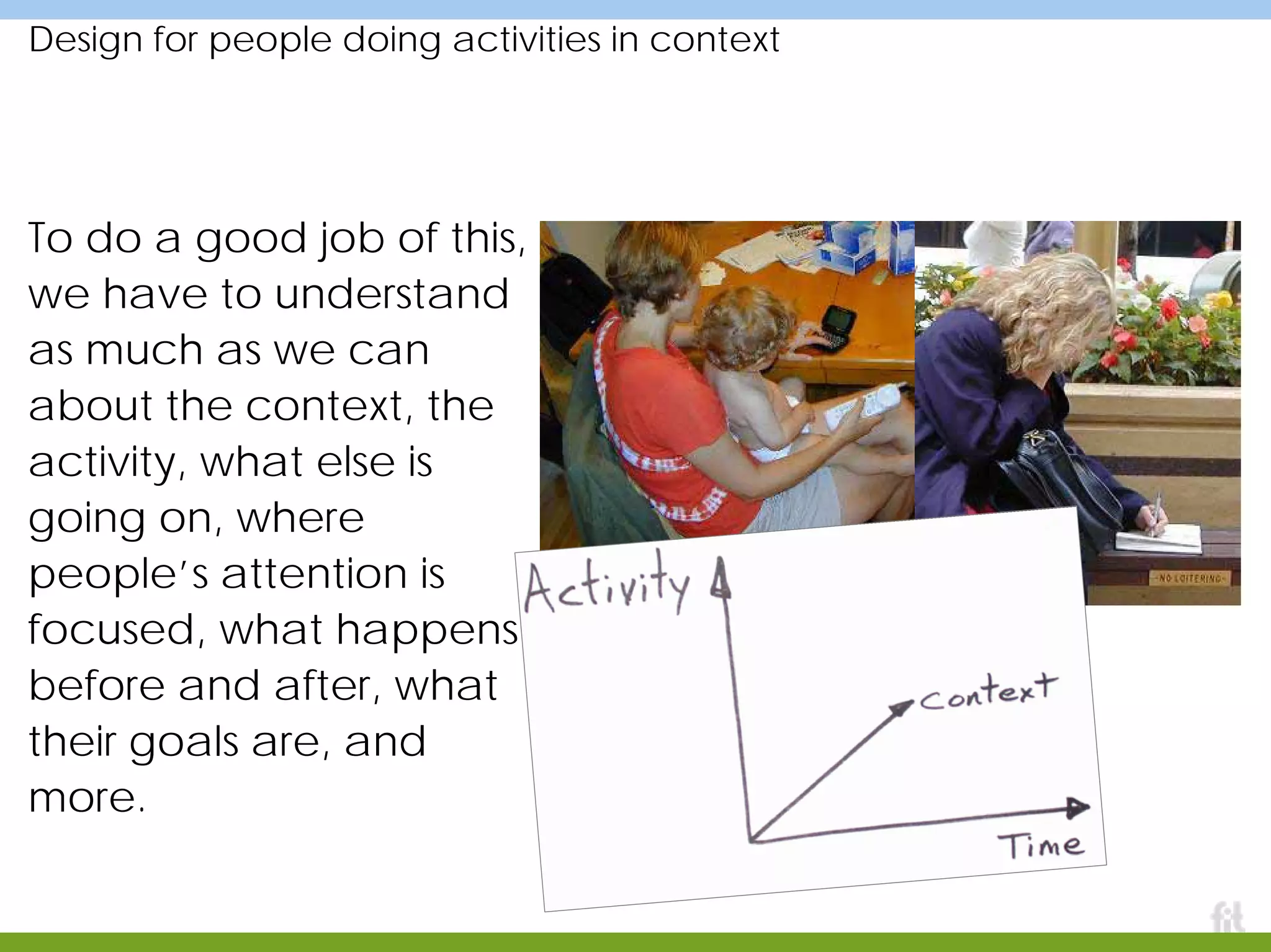
Design for people doing activities in context
To do a good job of this,
we have to understand
as much as we can
about the context, the
activity, what else is
going on, where
people’s attention is
focused, what happens
before and after, what
their goals are, and
more.
Example
Carnegie Library
of Pittsburgh
A public service,
the building that houses it,
the systems that enable it,
the people that deliver it
Meet Aradhana
Aradhana Goel
www.maya.com
goel@maya.com
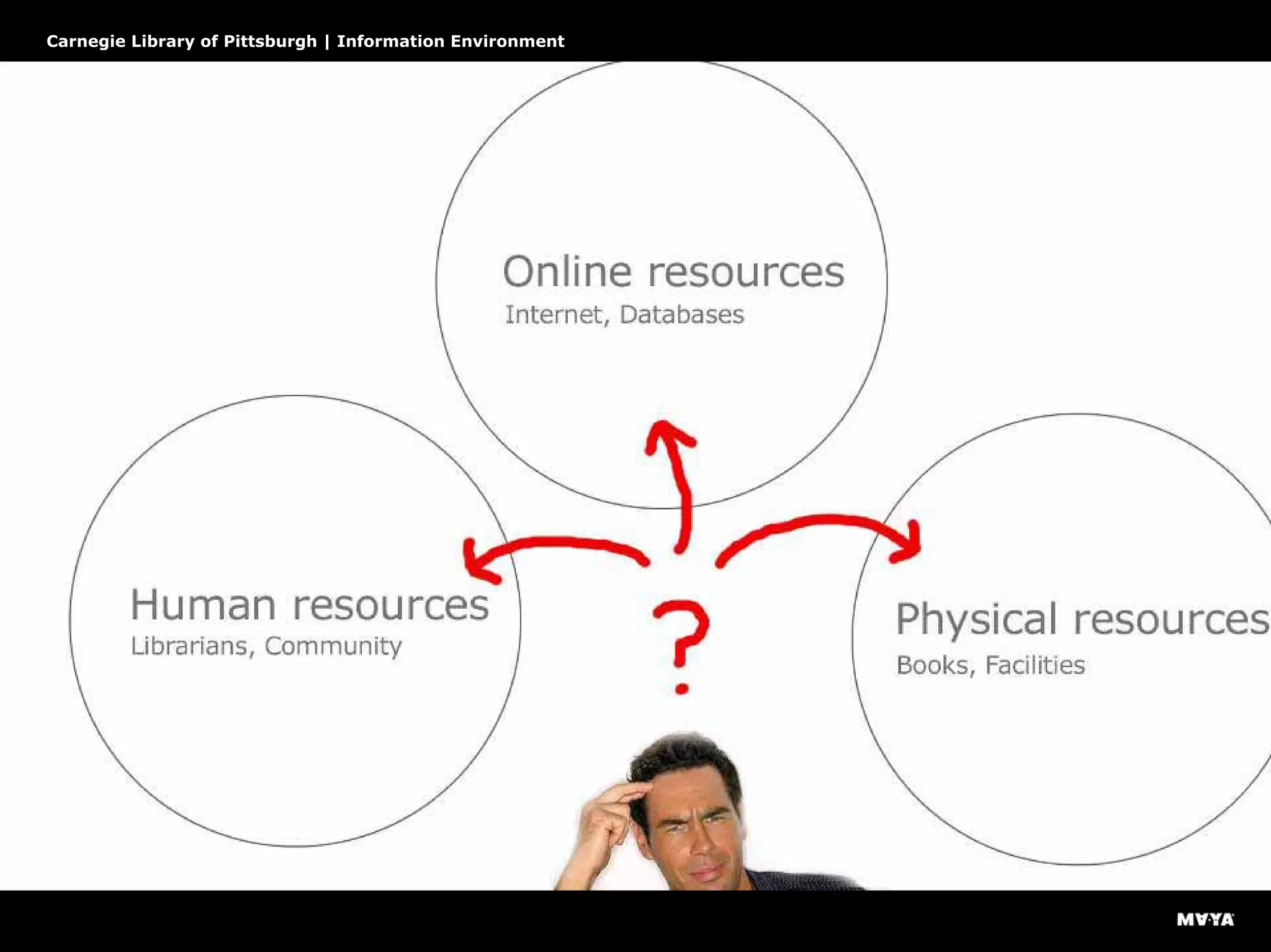
What will future information-rich environments look like?
Carnegie Library of Pittsburgh | Information Environment
This needs revolution, not evolution
Carnegie Library of Pittsburgh | Information Environment
A disjointed feature-centric system
Carnegie Library of Pittsburgh | Information Environment
The underlying issue
Carnegie Library of Pittsburgh | Information Environment
Carnegie Library’s goal
“. . . a preferred destination
for knowledge, entertainment,
and social interaction”
Carnegie Library of Pittsburgh | Information Environment
Tame complexity, don’t eliminate it
Carnegie Library of Pittsburgh | Information Environment
Research
BASIC QUERY
“Do you have a map of Pittsburgh?”
SUBSTANTIVE QUERY
“What’s a good source for literary
criticism about Oliver Twist?”
BASIC WAYFINDING QUERY
“Where are the restrooms?”
TARGETED WAYFINDING QUERY
“Where can I find this book?”
Exploring, Shadowing, Documenting
Carnegie Library of Pittsburgh | Information Environment
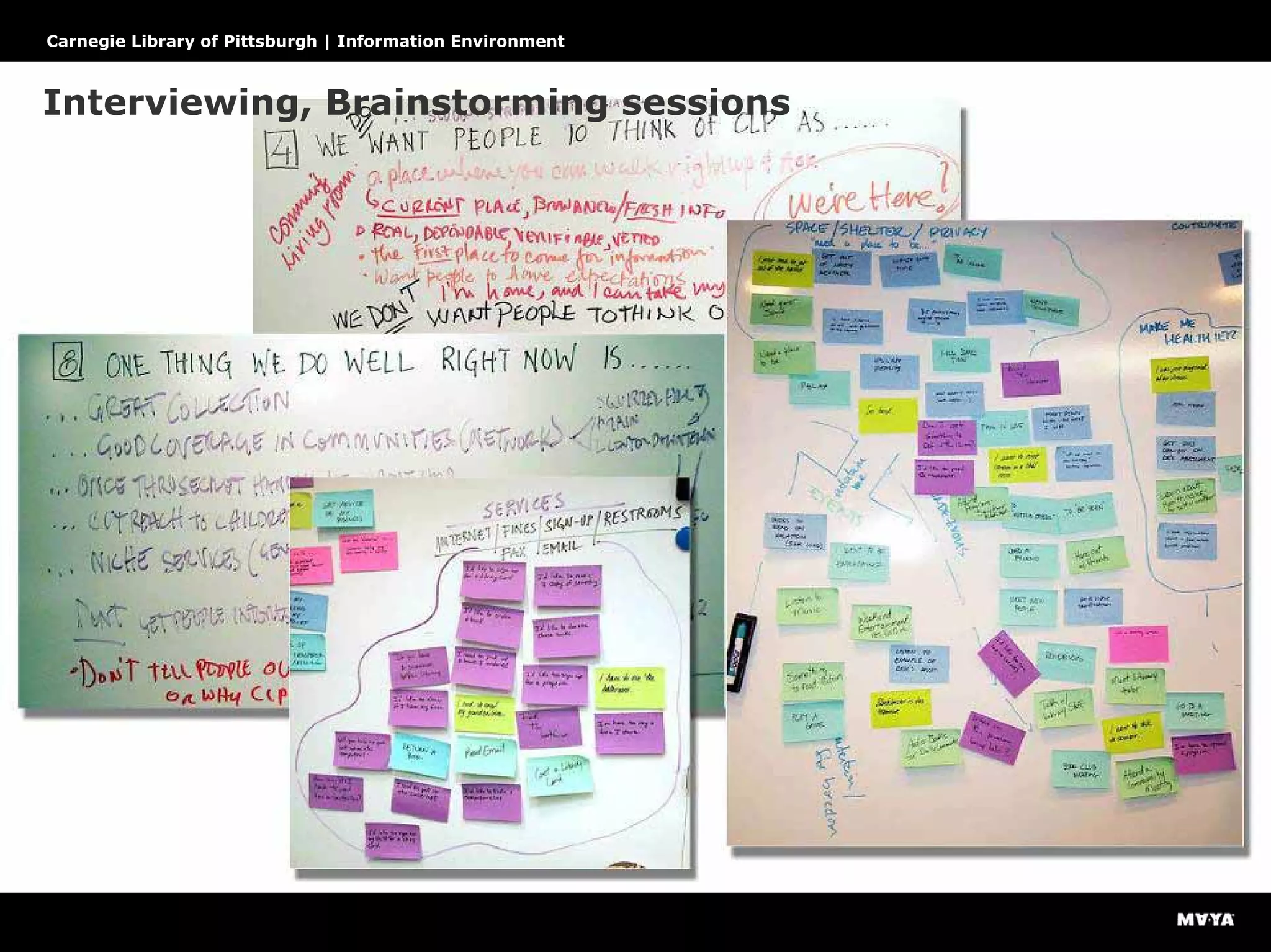
Interviewing, Brainstorming sessions
Carnegie Library of Pittsburgh | Information Environment
Walk a mile in customers’ shoes
Carnegie Library of Pittsburgh | Information Environment
Is the library open or closed?
Carnegie Library of Pittsburgh | Information Environment
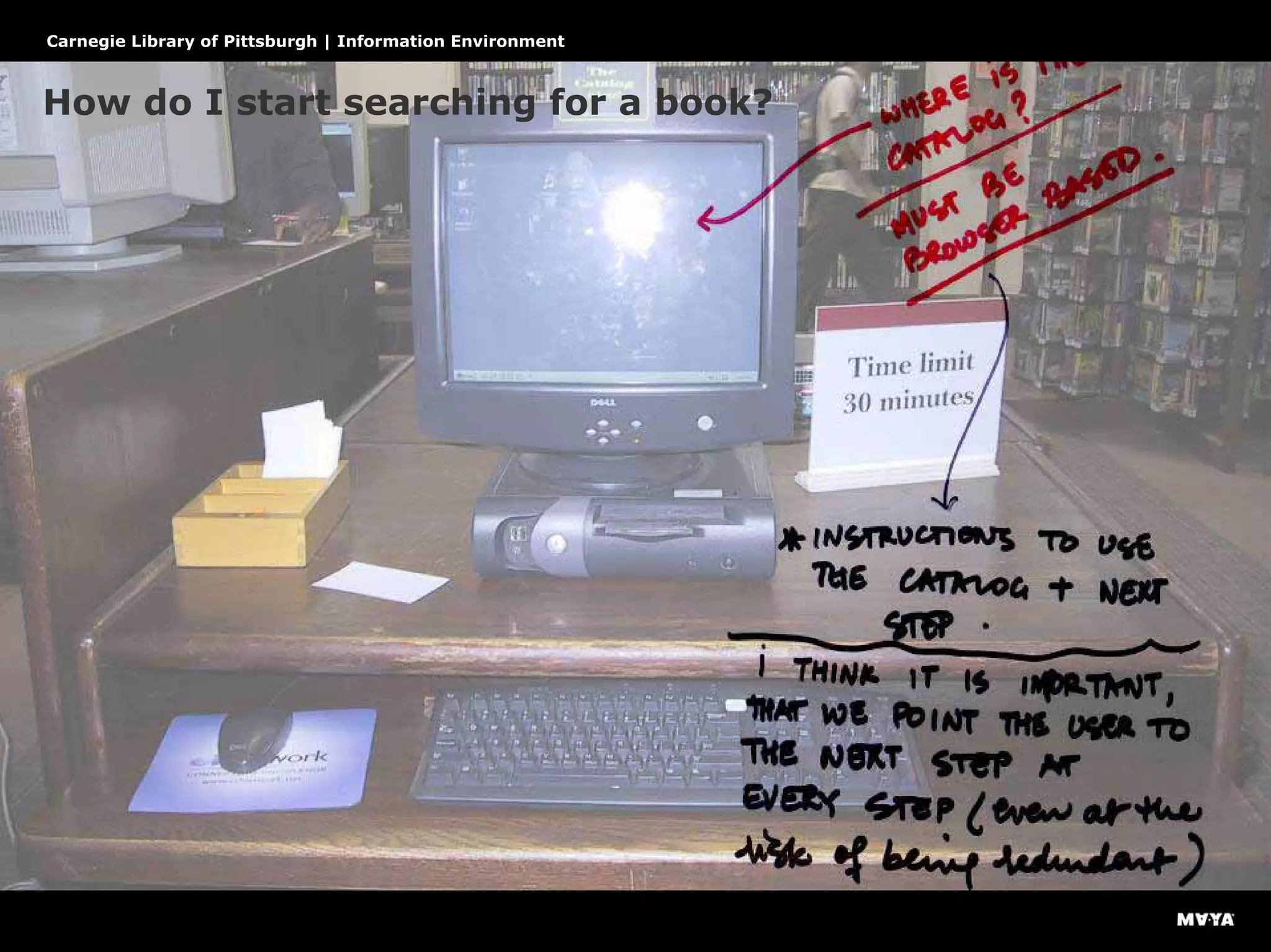
How do I start searching for a book?
Carnegie Library of Pittsburgh | Information Environment
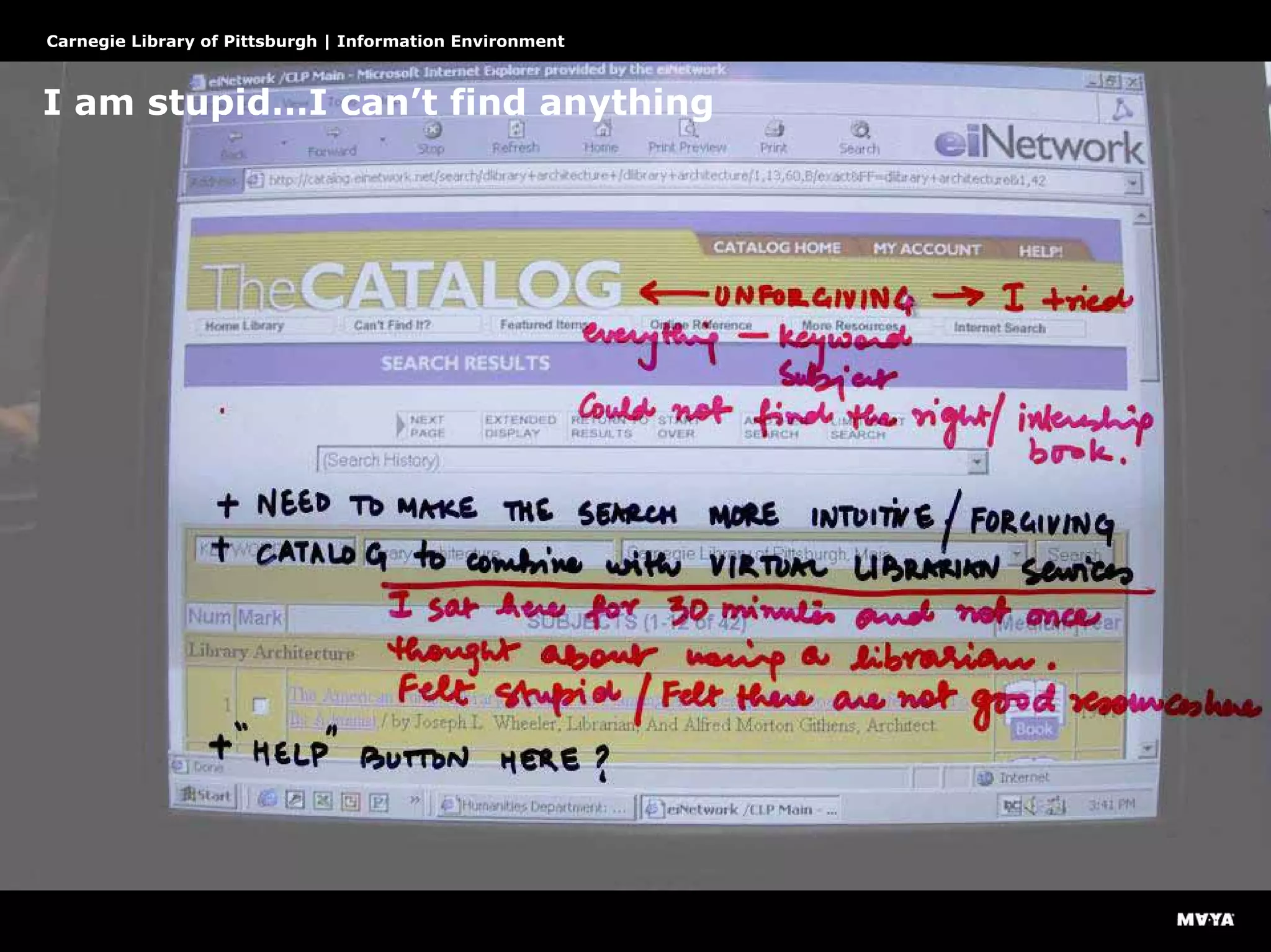
I am stupid…I can’t find anything
Carnegie Library of Pittsburgh | Information Environment
What do these things mean?
Carnegie Library of Pittsburgh | Information Environment
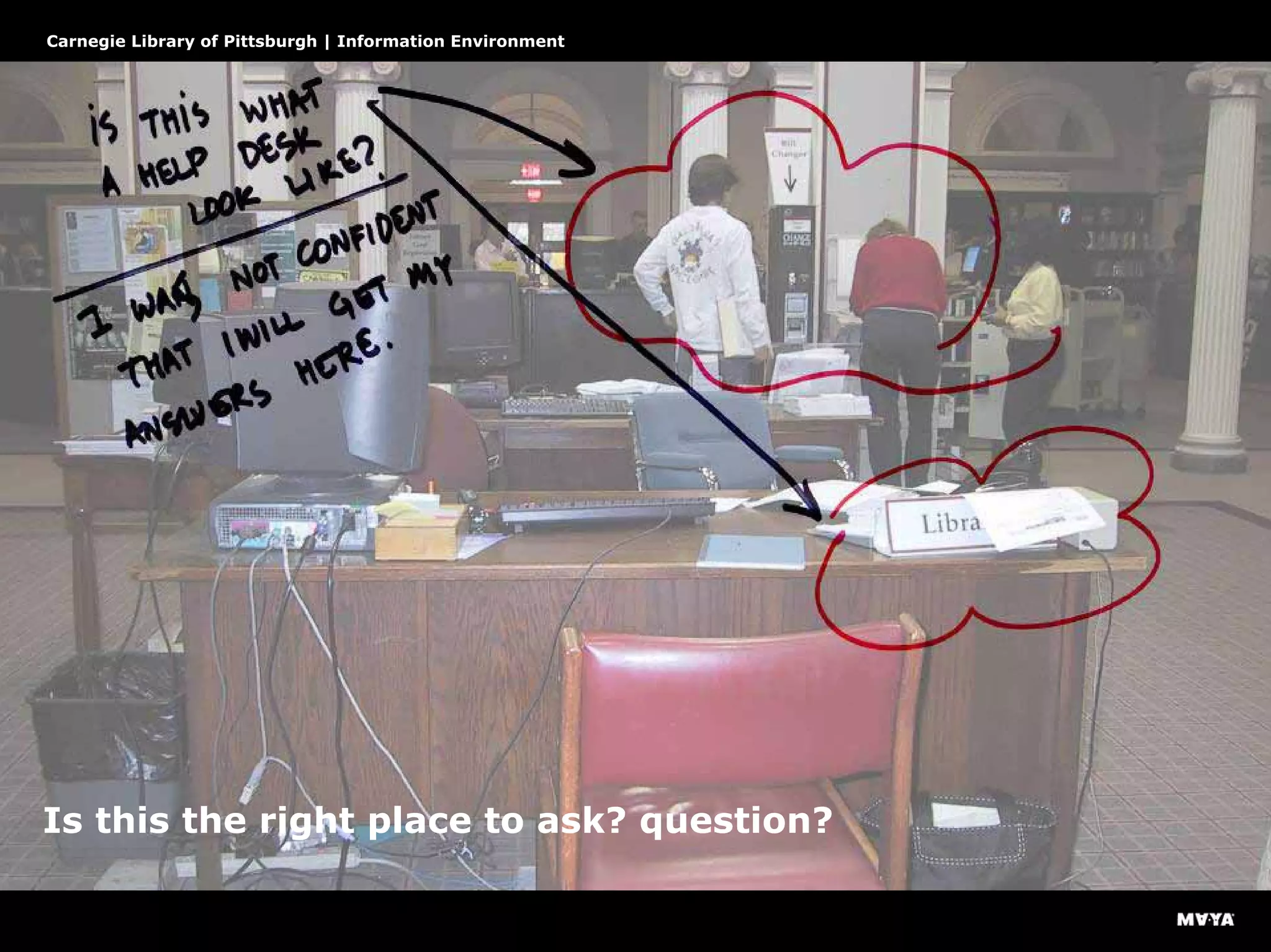
Is this the right place to ask? question?
Carnegie Library of Pittsburgh | Information Environment
Why did I repeat my steps…
Carnegie Library of Pittsburgh | Information Environment
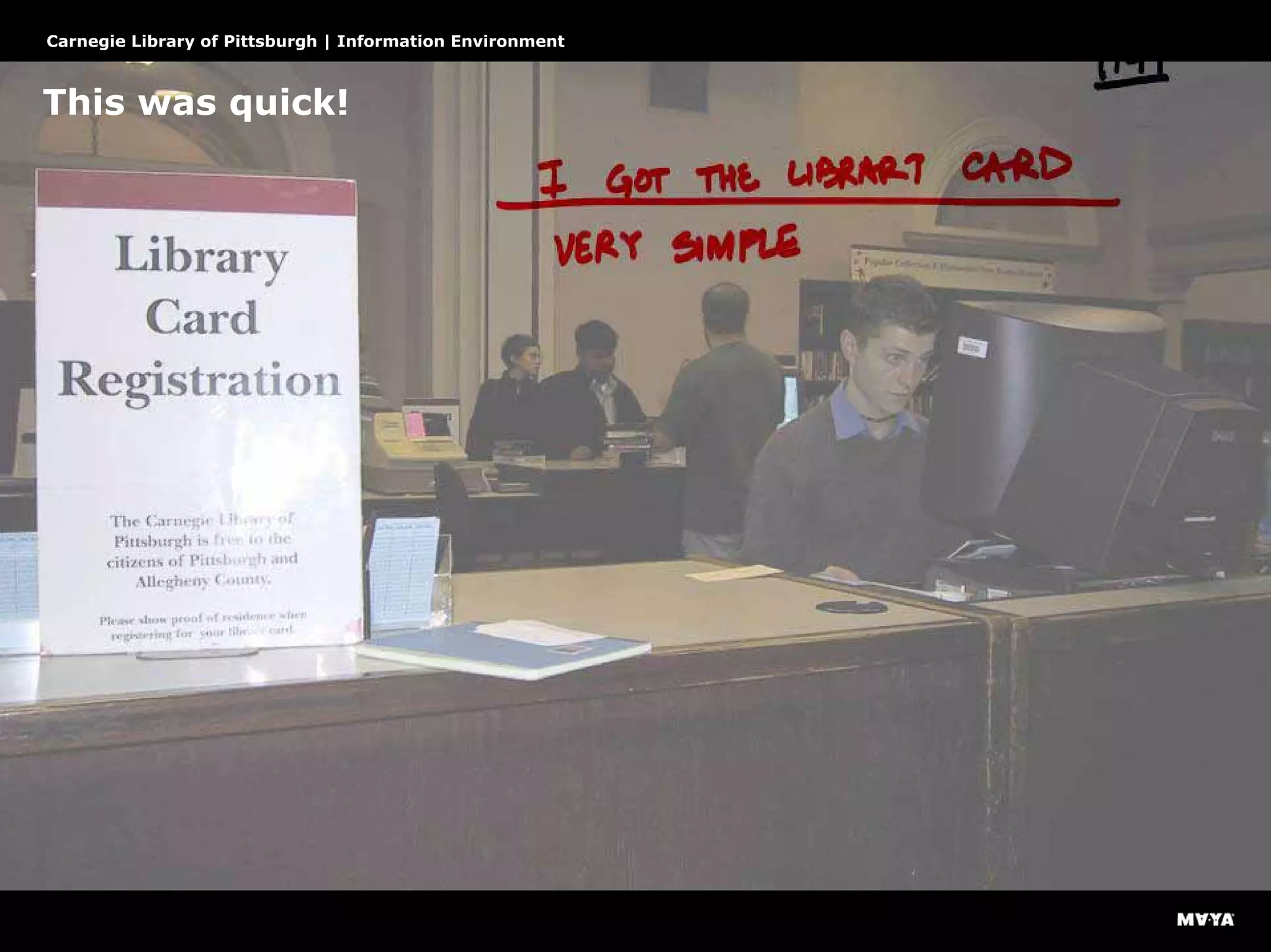
This was quick!
Carnegie Library of Pittsburgh | Information Environment
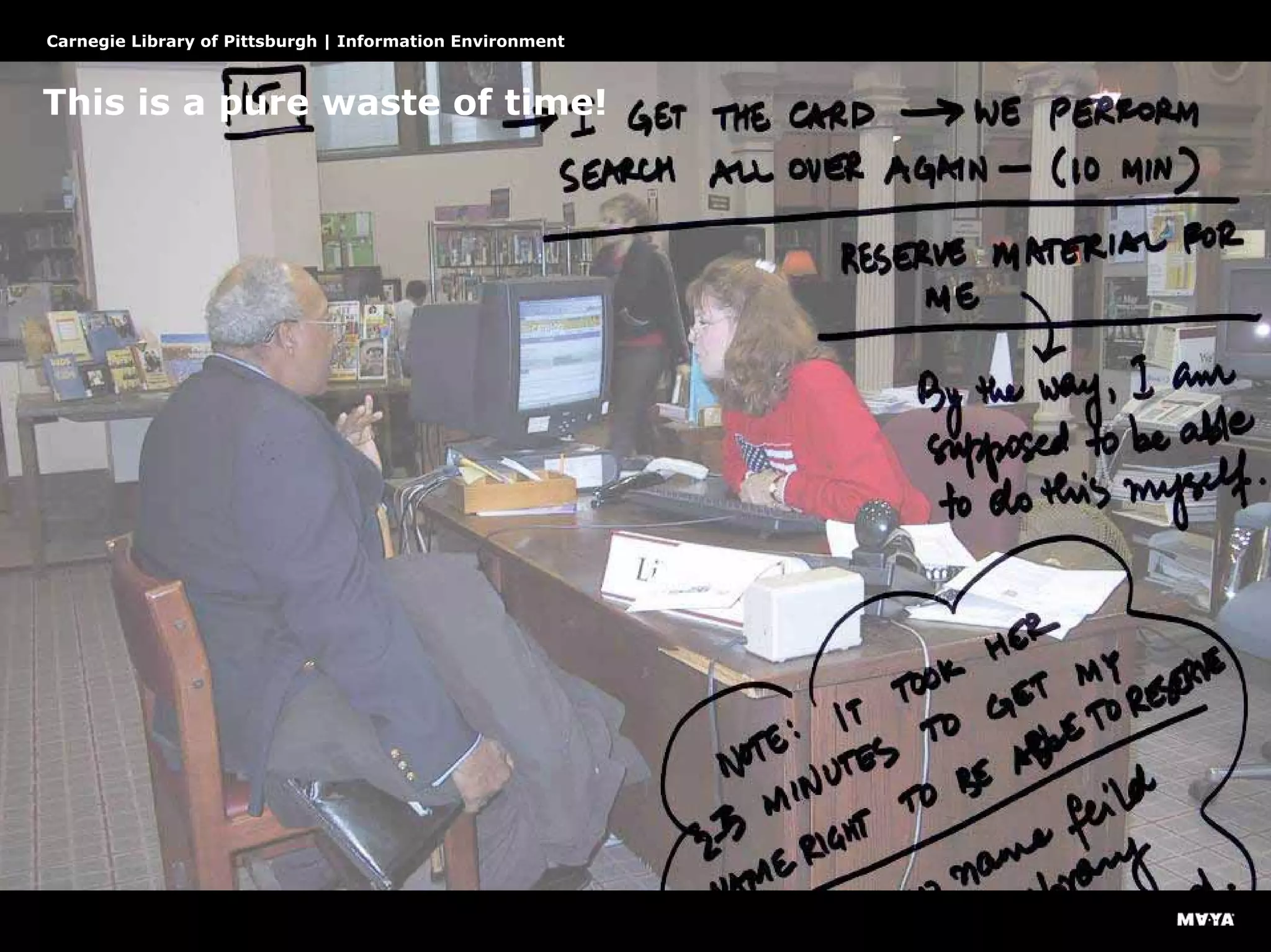
This is a pure waste of time!
Carnegie Library of Pittsburgh | Information Environment
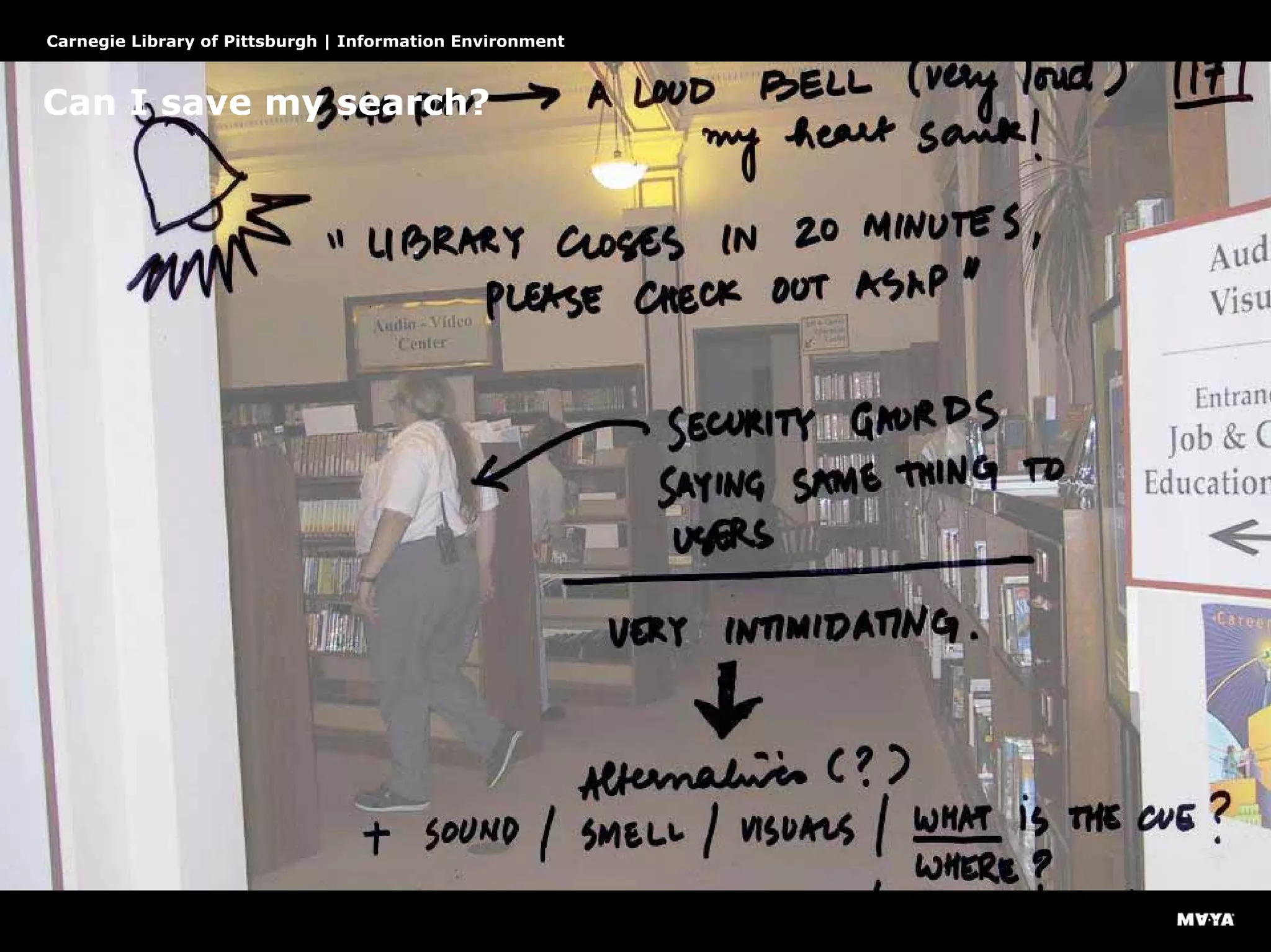
Can I save my search?
Carnegie Library of Pittsburgh | Information Environment
Library jargon had permeated the space
Carnegie Library of Pittsburgh | Information Environment
Analysis
Who are the customers?
Carnegie Library of Pittsburgh | Information Environment
Define the underlying information architecture
Carnegie Library of Pittsburgh | Information Environment
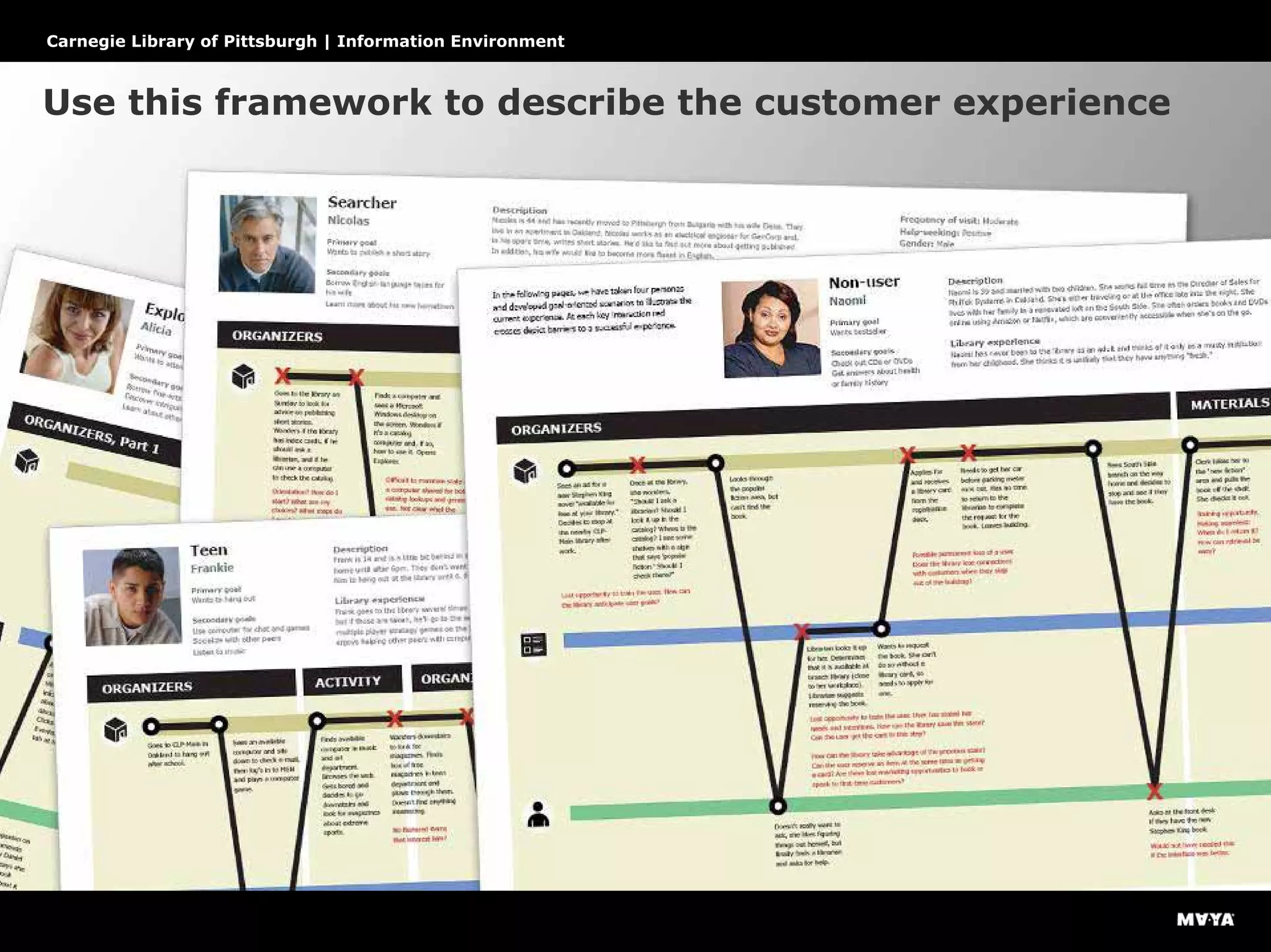
Use this framework to describe the customer experience
Carnegie Library of Pittsburgh | Information Environment
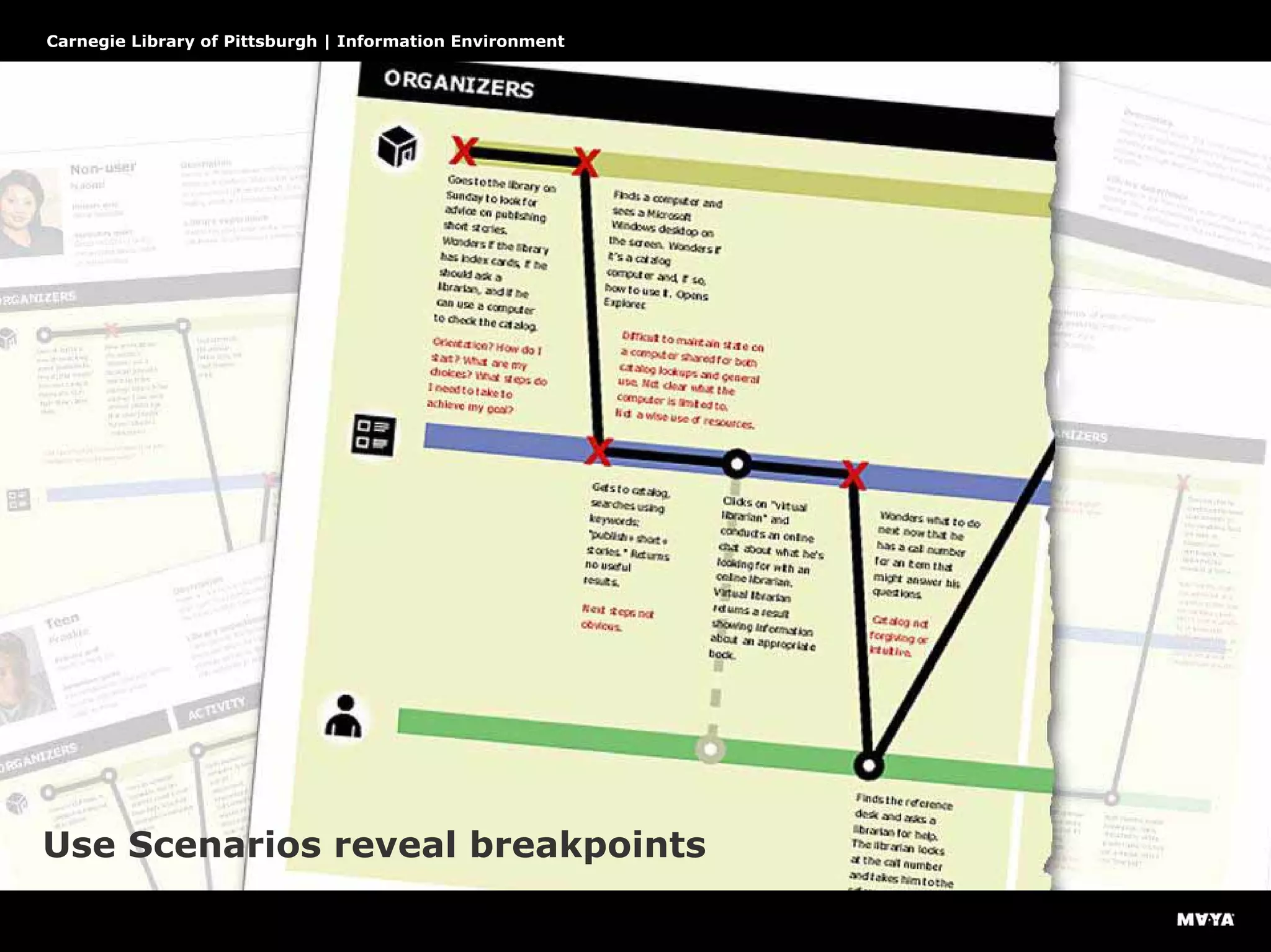
Use Scenarios reveal breakpoints
Carnegie Library of Pittsburgh | Information Environment
Breakpoint patterns reveal systemic issues
Carnegie Library of Pittsburgh | Information Environment
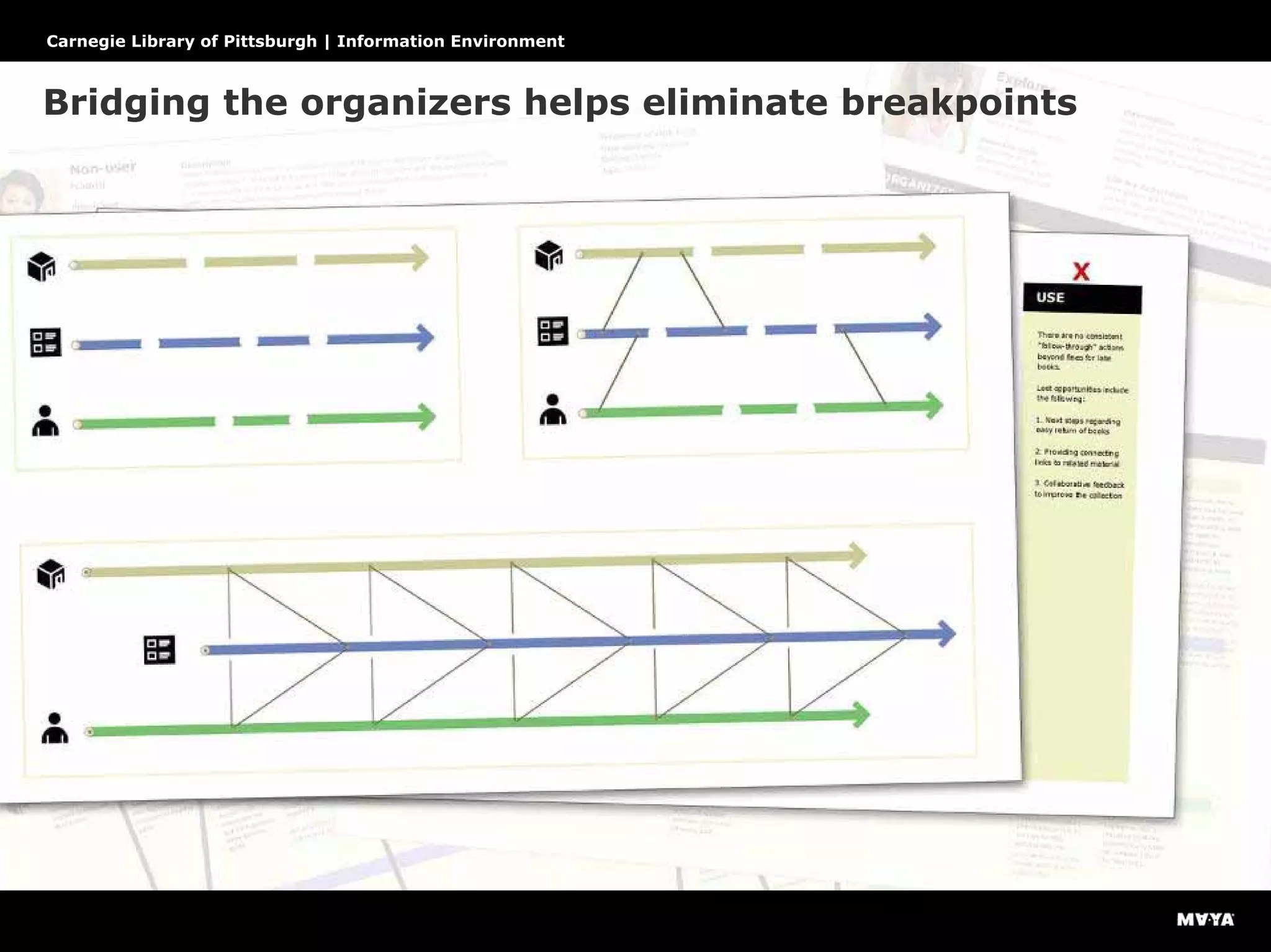
Bridging the organizers helps eliminate breakpoints
Carnegie Library of Pittsburgh | Information Environment
Principles for designing these bridges
Carnegie Library of Pittsburgh | Information Environment
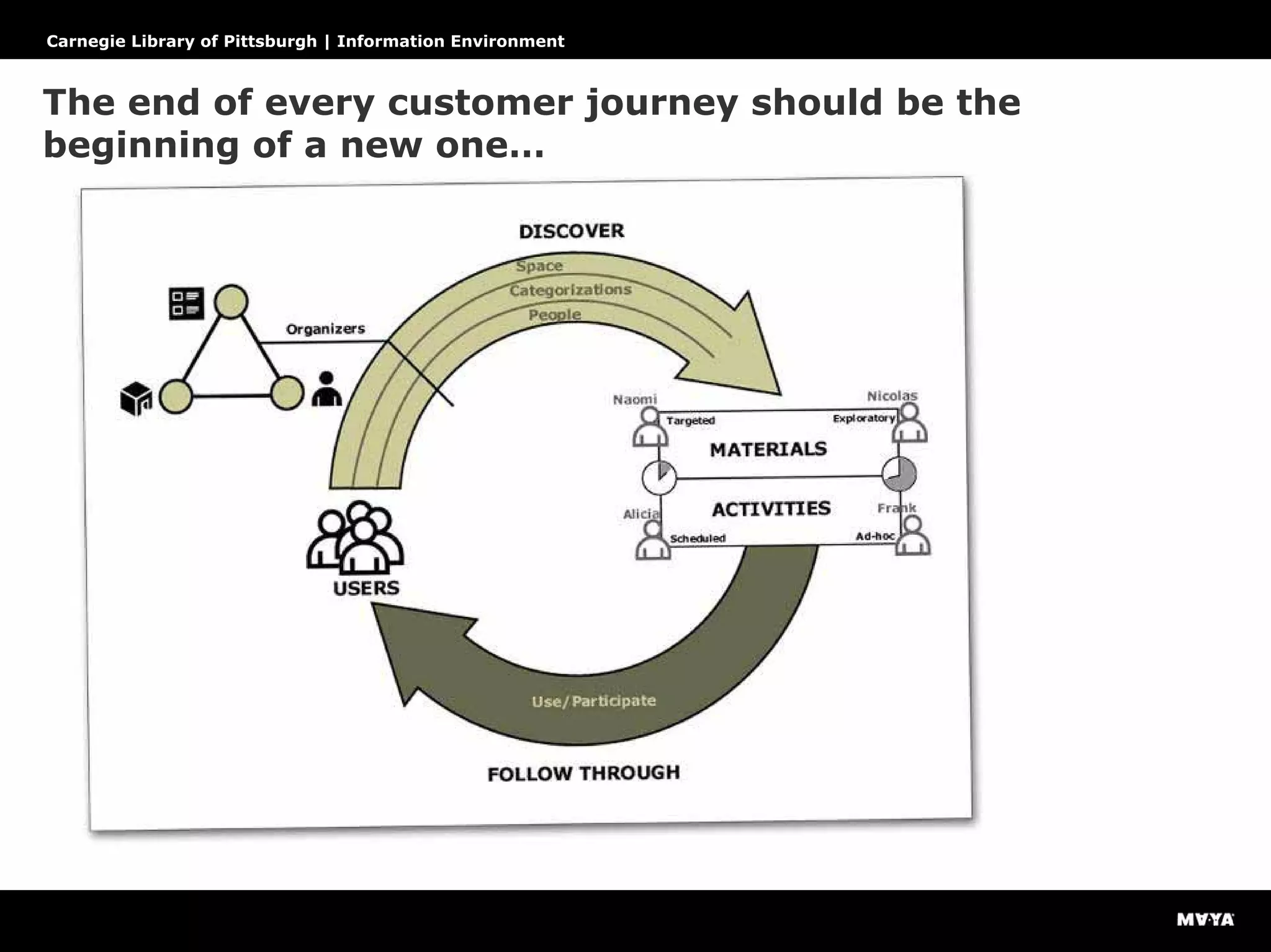
The end of every customer journey should be the
beginning of a new one…
Rapid Prototyping
Design for complete customer experience cycle
Carnegie Library of Pittsburgh | Information Environment
Design recommendations
Carnegie Library of Pittsburgh | Information Environment
Design recommendations
Carnegie Library of Pittsburgh | Information Environment
Design recommendations
Overview > Research > Analysis > Design
Carnegie Library of Pittsburgh | Information Environment
Design recommendations
Carnegie Library of Pittsburgh | Information Environment
Design recommendations
Carnegie Library of Pittsburgh | Information Environment
Design recommendations
Carnegie Library of Pittsburgh | Information Environment
Design principles
Rapid prototypes help to explore options quickly
Carnegie Library of Pittsburgh | Information Environment
Return on Investment (ROI)
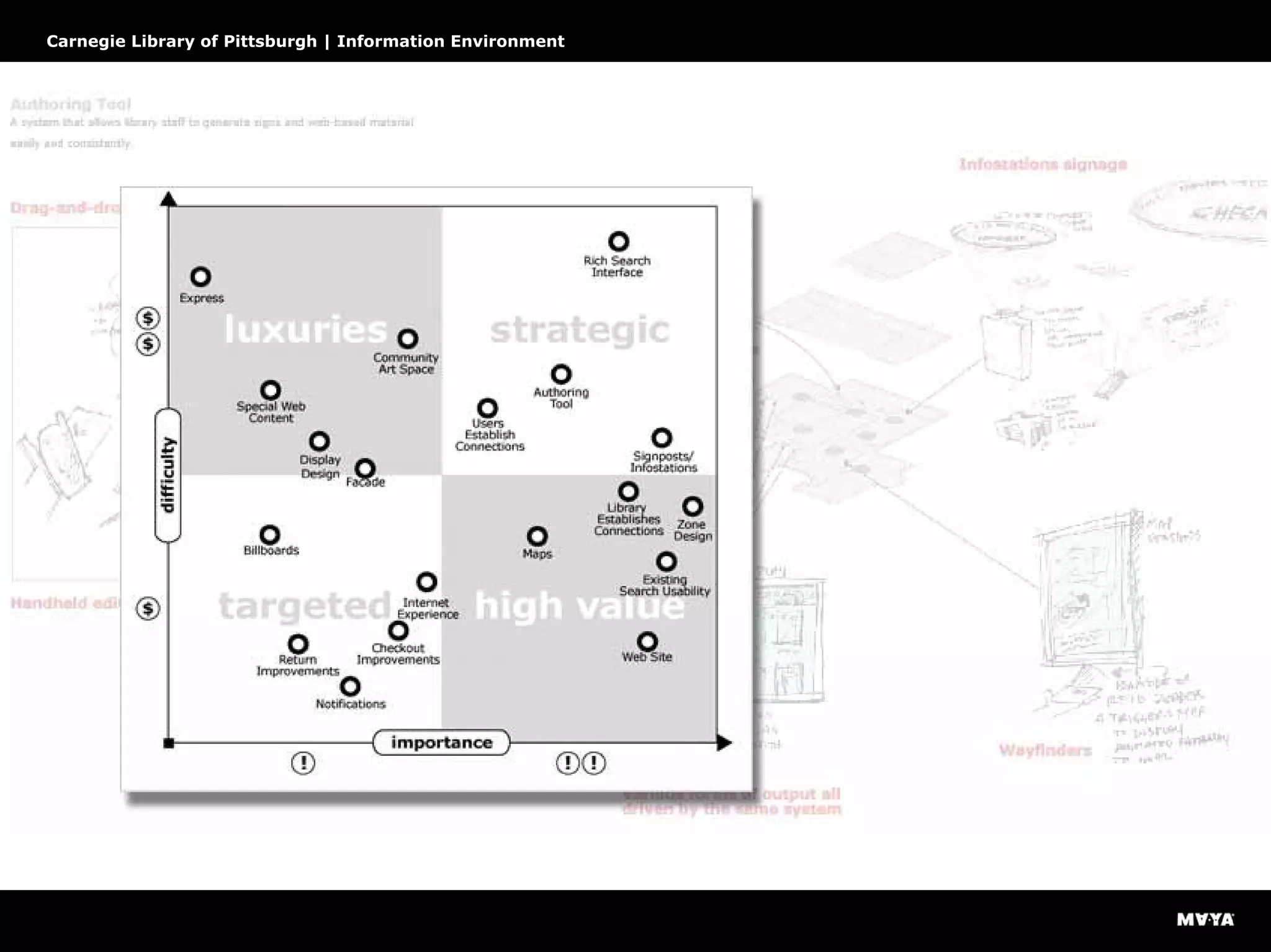
Prioritizing the design recommendations
Carnegie Library of Pittsburgh | Information Environment
How to spend wisely
Carnegie Library of Pittsburgh | Information Environment
Project 1: A dynamic information environment
Carnegie Library of Pittsburgh | Information Environment
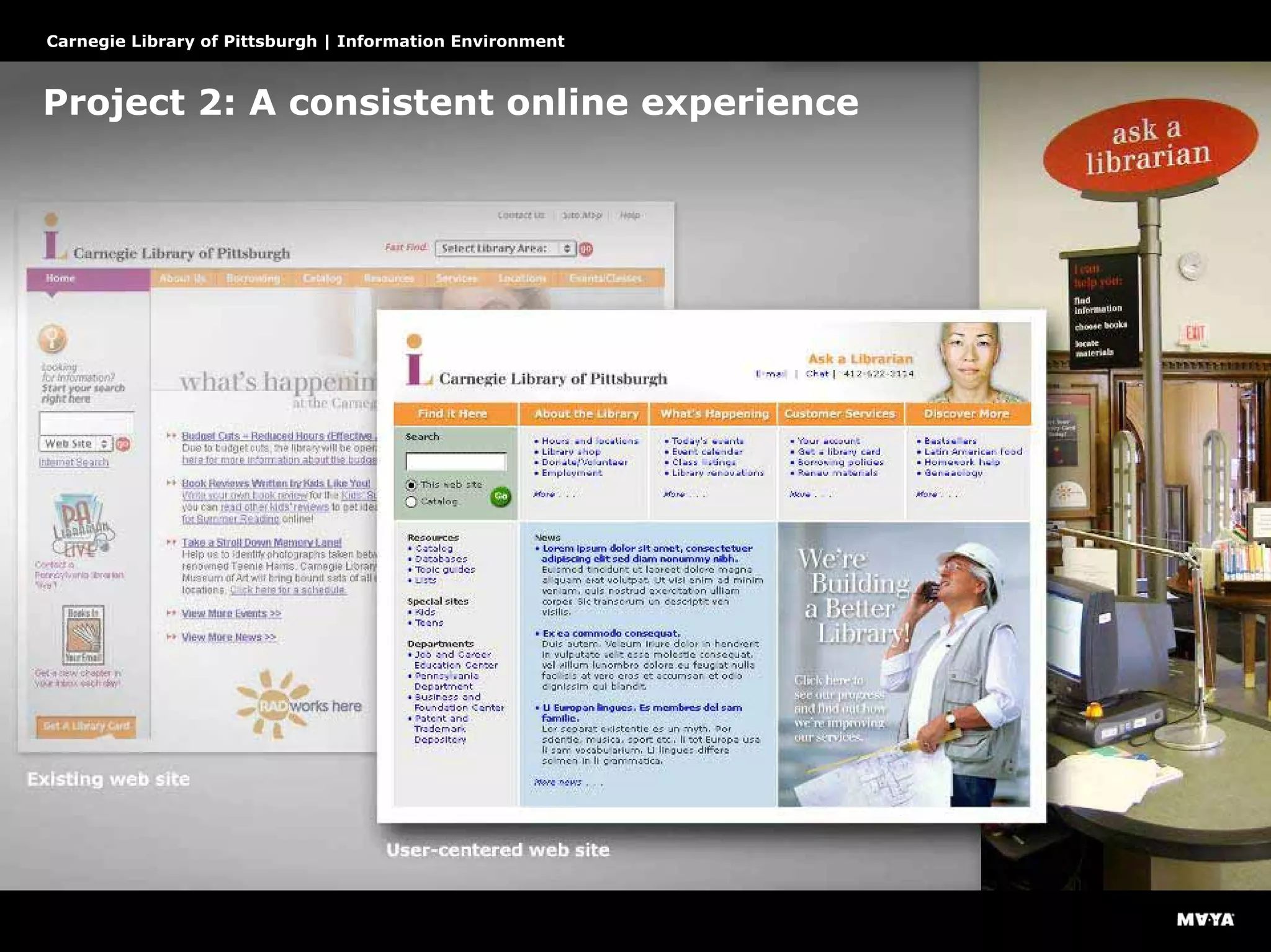
Project 2: A consistent online experience
Carnegie Library of Pittsburgh | Information Environment
Project 3: An intuitive catalogue
Carnegie Library of Pittsburgh | Information Environment
Design
Taming complexity with dynamic information environment
Carnegie Library of Pittsburgh | Information Environment
What is the hierarchy of information?
Carnegie Library of Pittsburgh | Information Environment
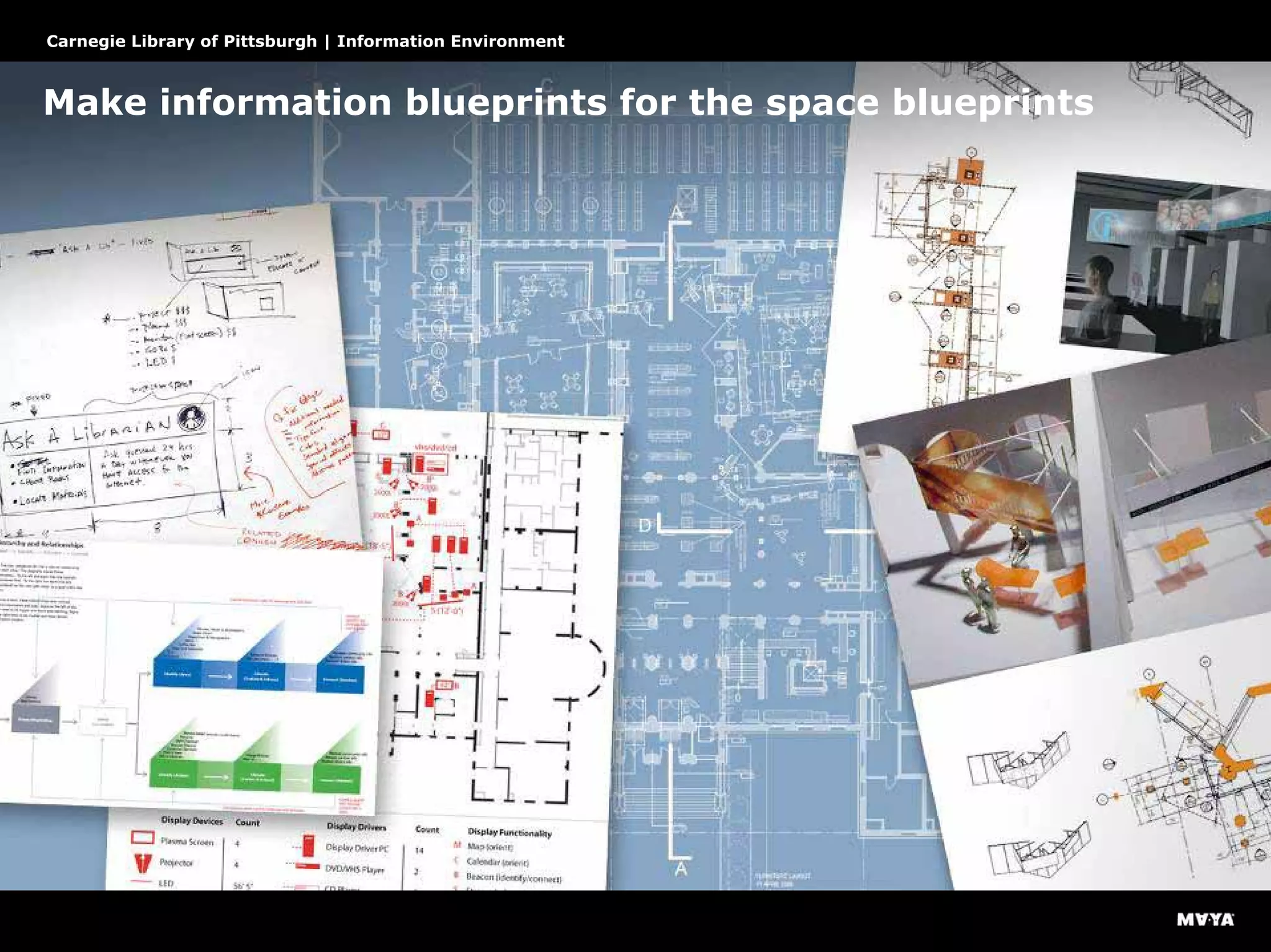
Make information blueprints for the space blueprints
Carnegie Library of Pittsburgh | Information Environment
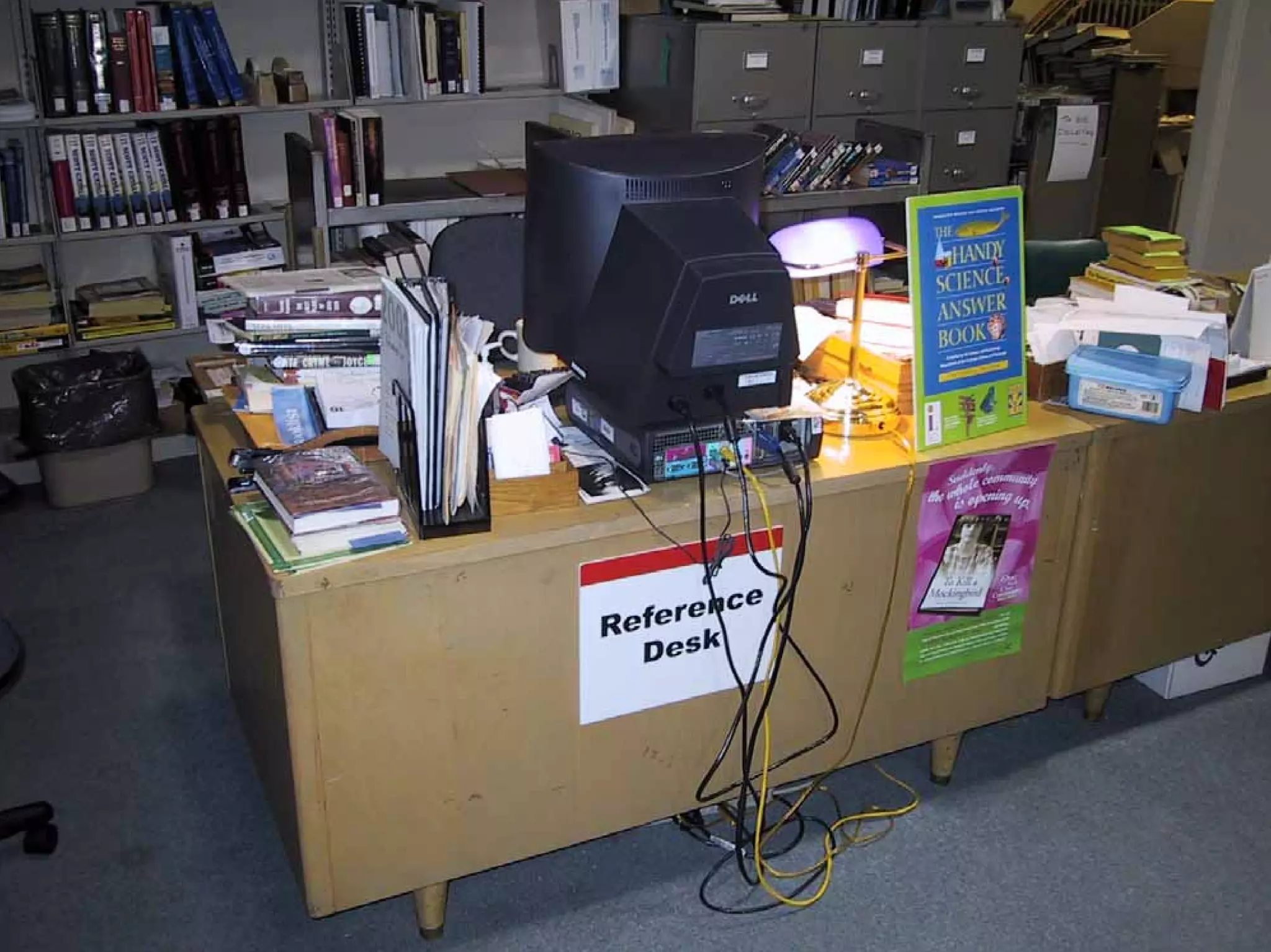
ask a librarian
after
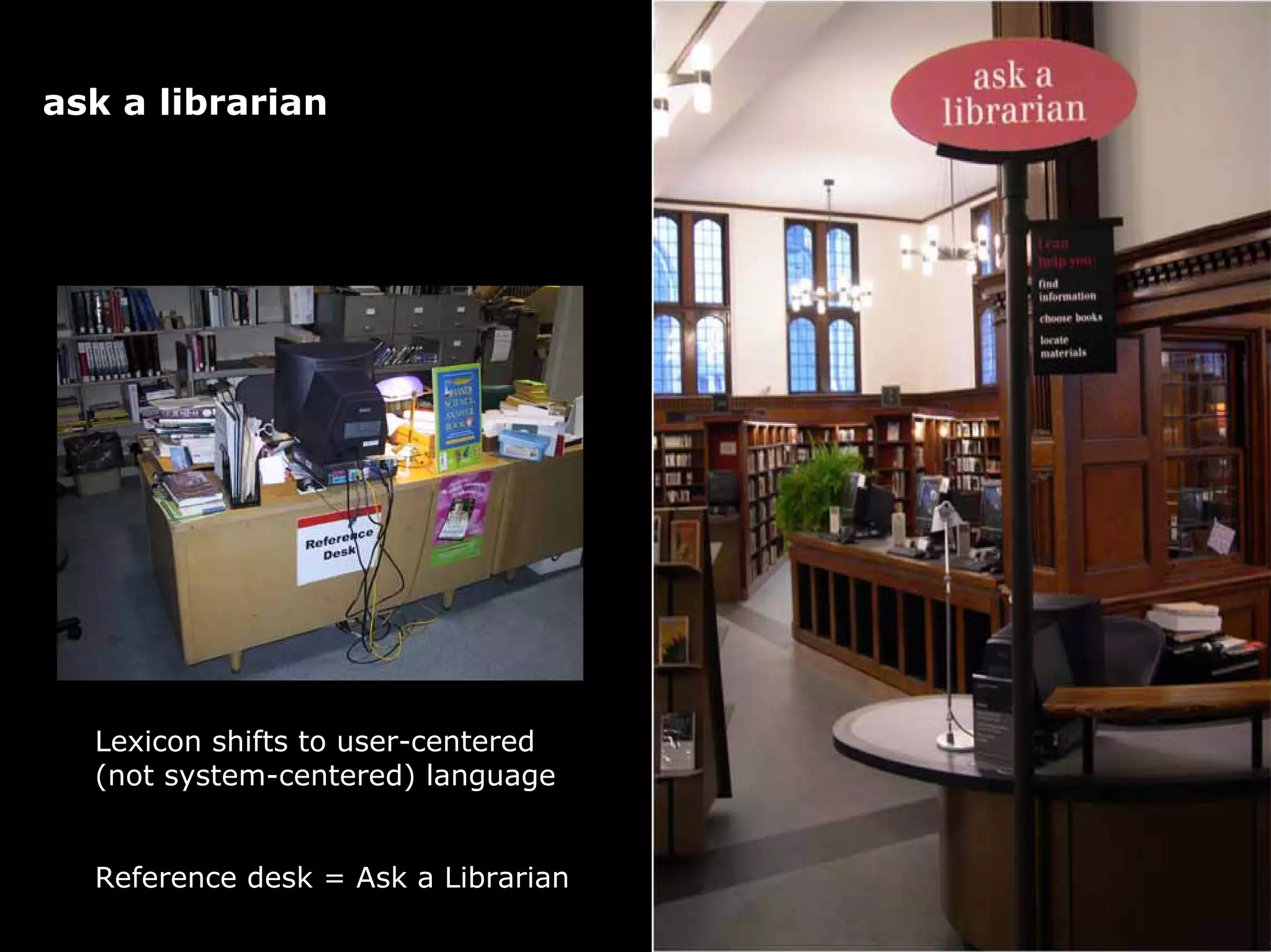
Lexicon shifts to user-centered
(not system-centered) language
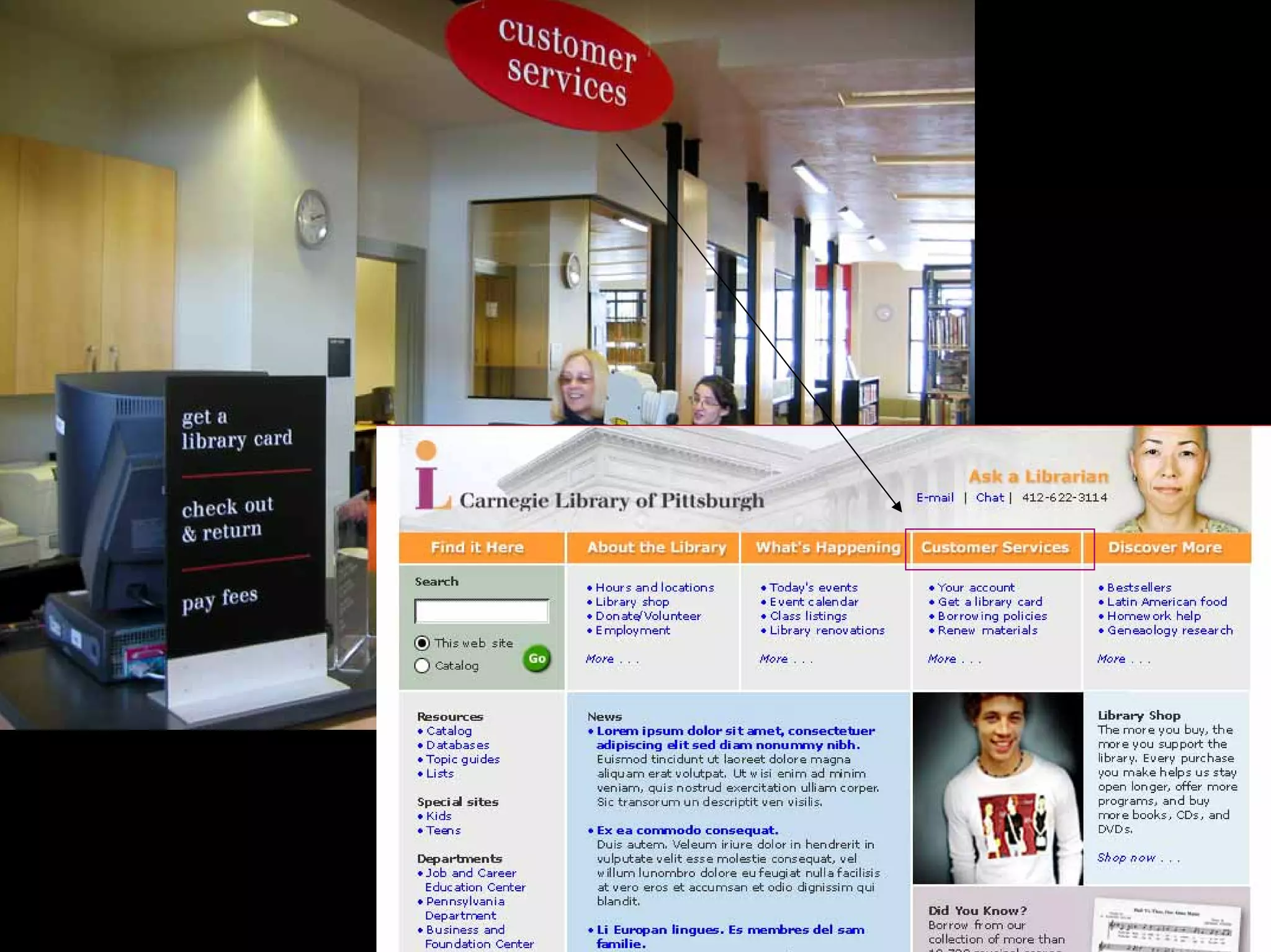
Reference desk = Ask a Librarian
ask a librarian
after
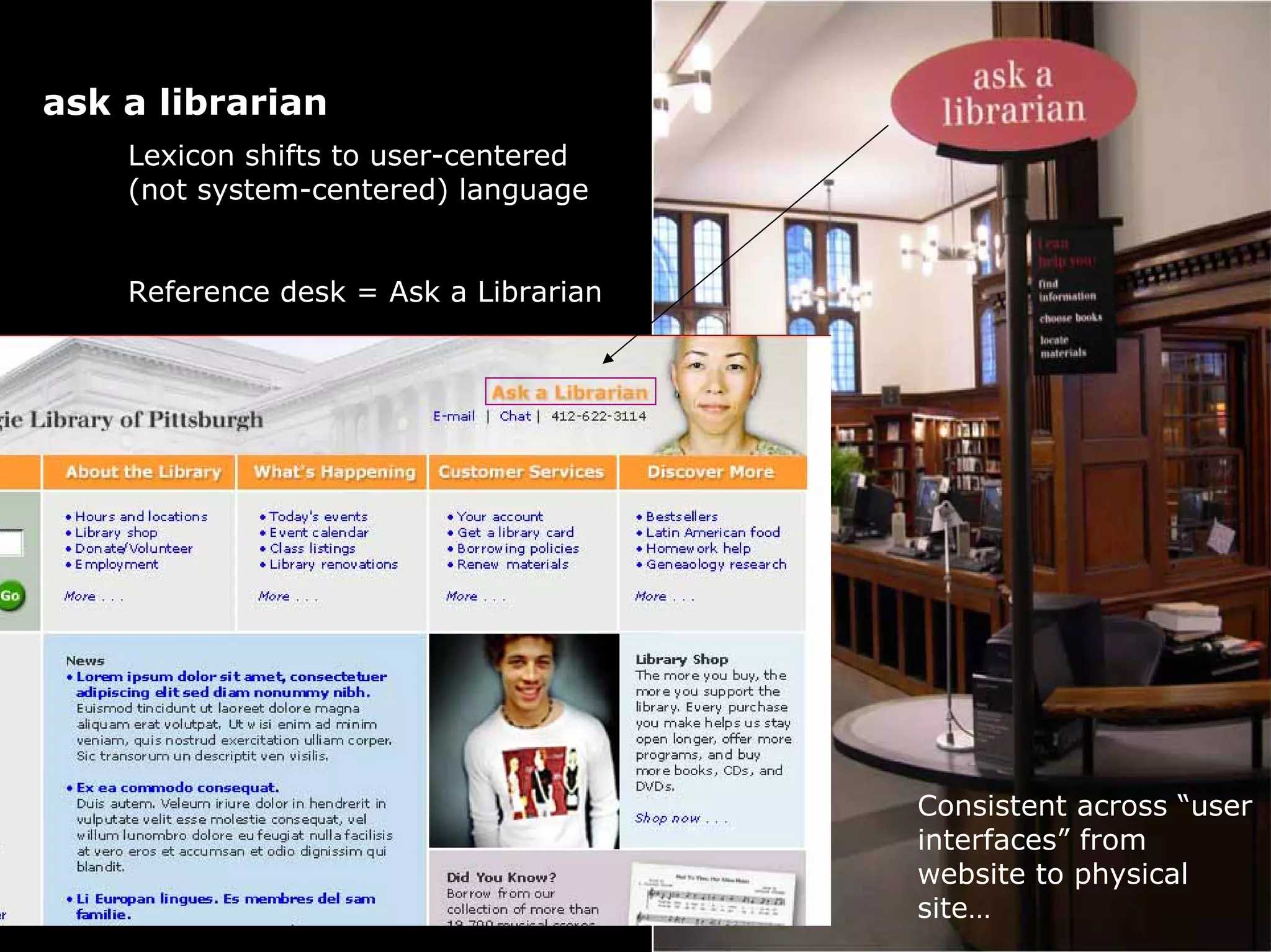
Lexicon shifts to user-centered
(not system-centered) language
Reference desk = Ask a Librarian
Consistent across “user
interfaces” from
website to physical
site…
Circulation desk = Customer Services
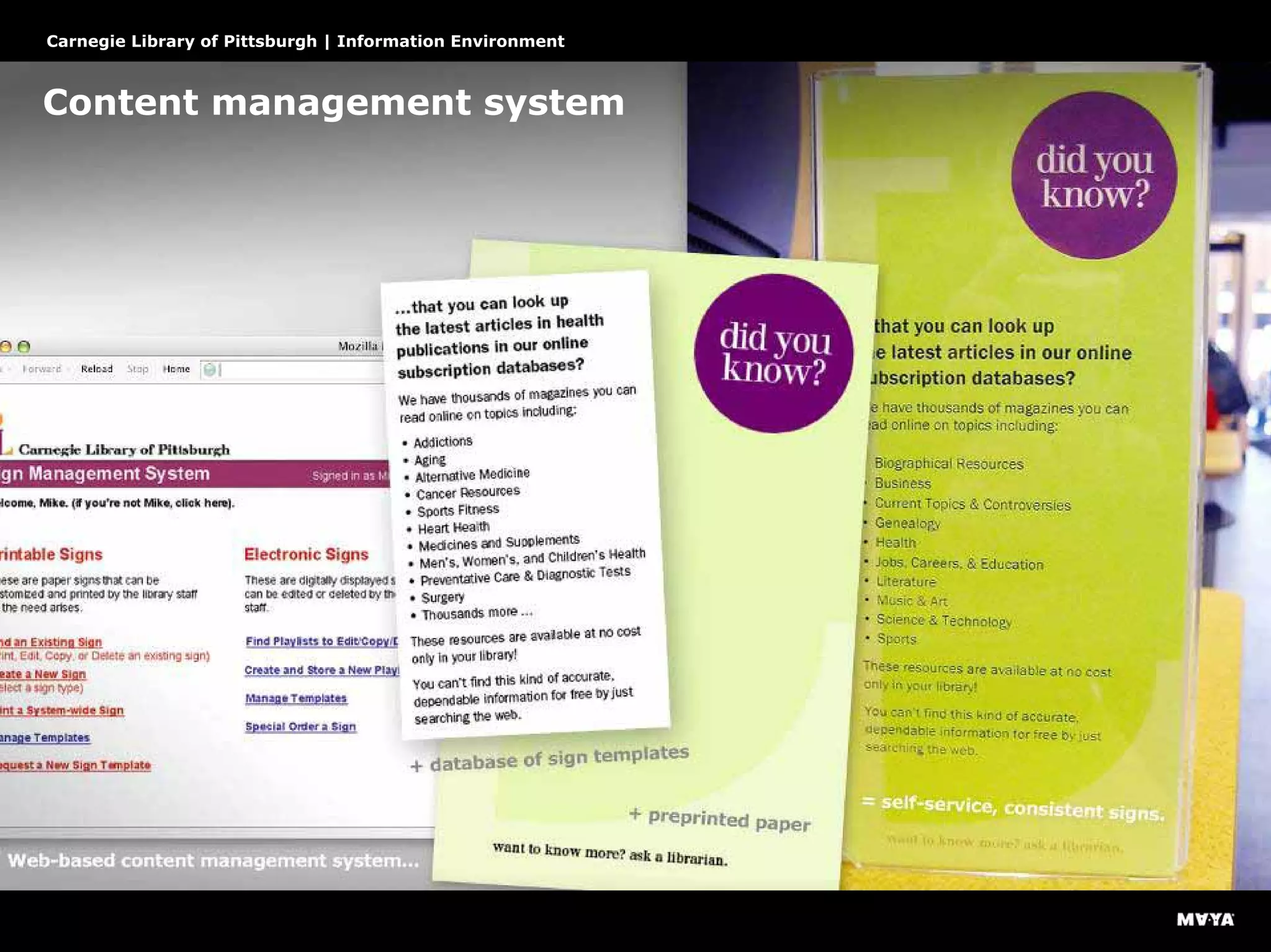
Content management system
Carnegie Library of Pittsburgh | Information Environment
Information can be published on demand
Carnegie Library of Pittsburgh | Information Environment
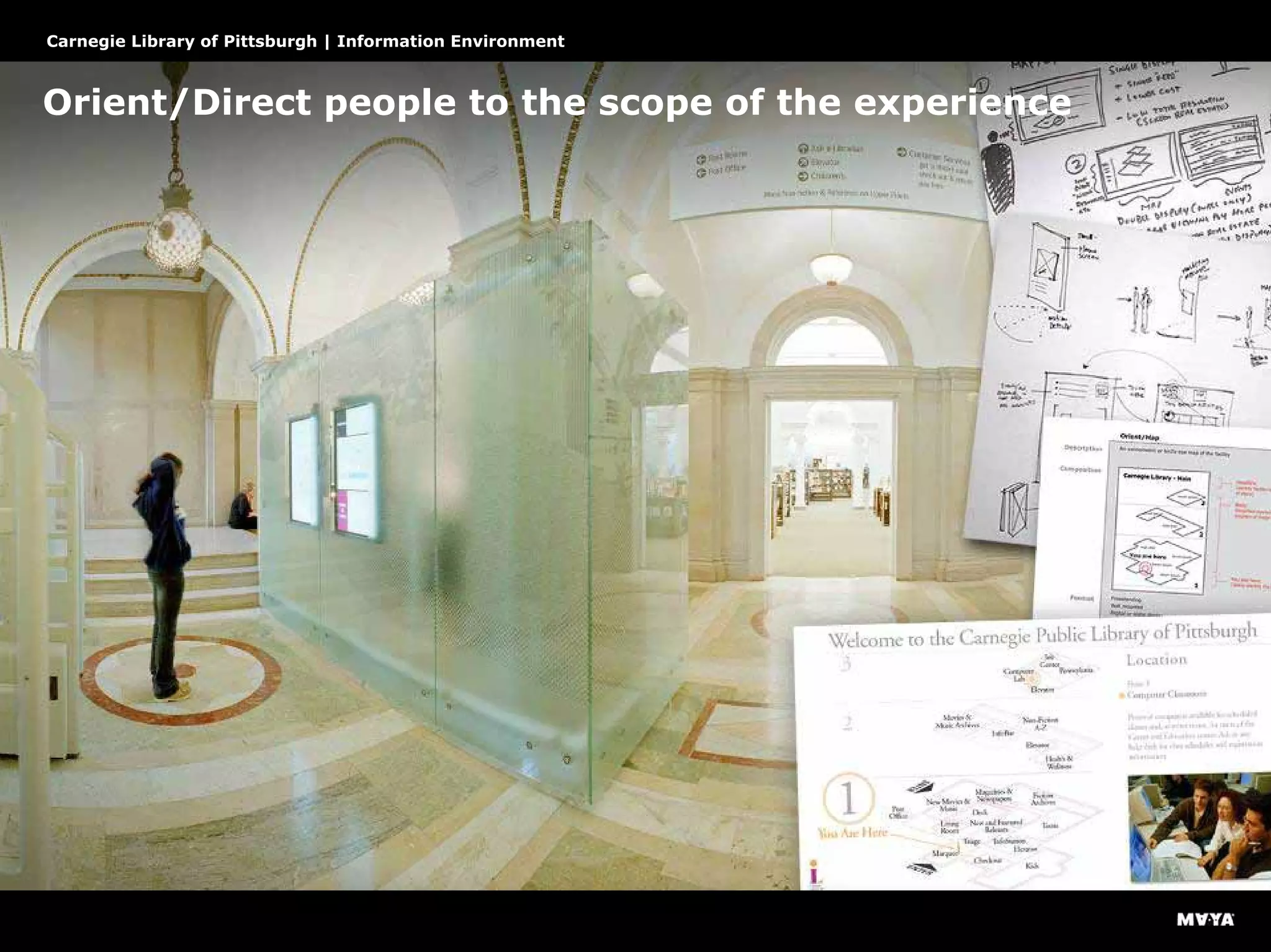
Orient/Direct people to the scope of the experience
Carnegie Library of Pittsburgh | Information Environment
Identify to reinforce
Carnegie Library of Pittsburgh | Information Environment
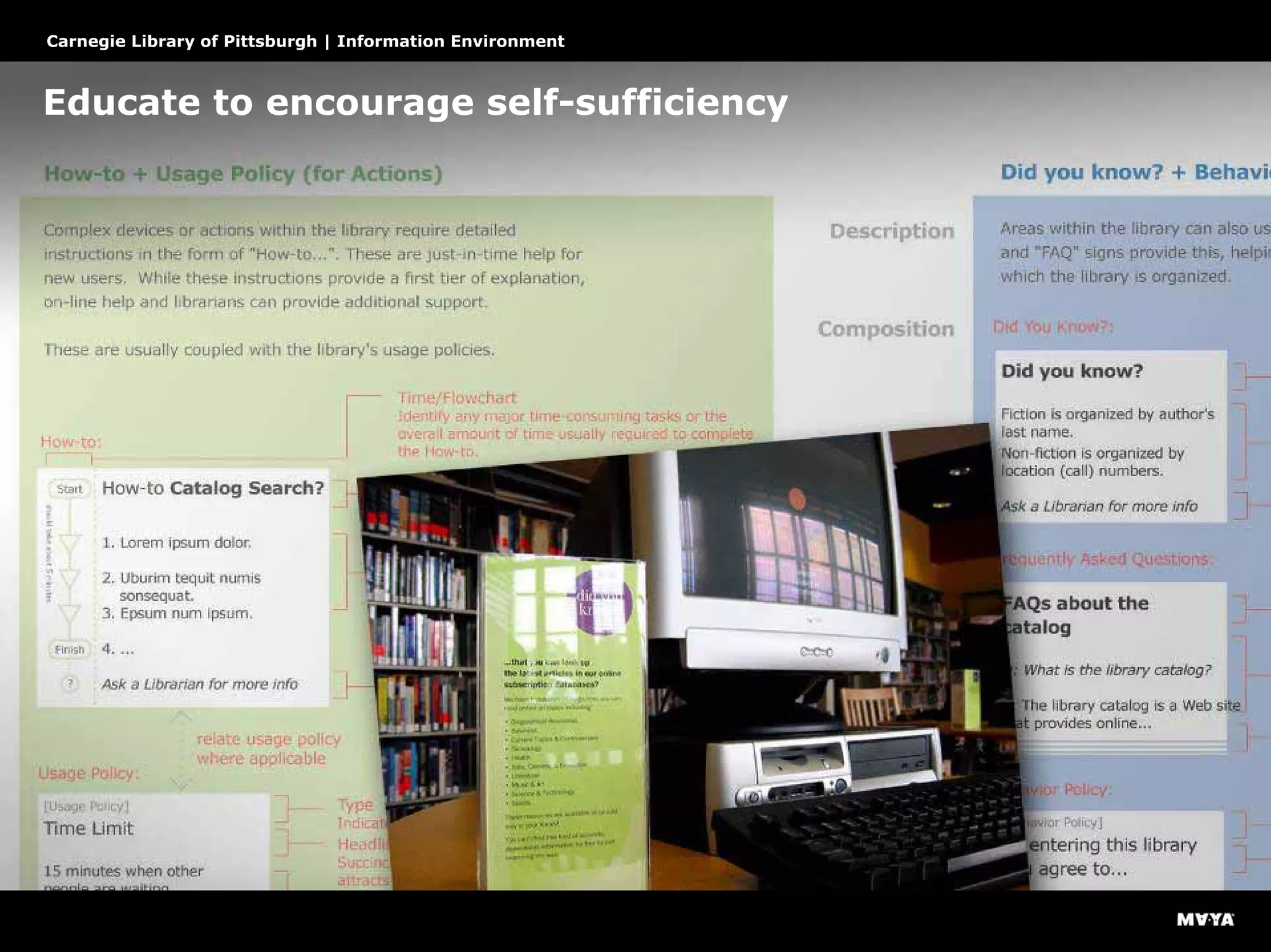
Educate to encourage self-sufficiency
Carnegie Library of Pittsburgh | Information Environment
Connect to hidden or relevant information
Carnegie Library of Pittsburgh | Information Environment
Testing
Close the loop by testing
Carnegie Library of Pittsburgh | Information Environment
Identify patterns to reveal strategic issues
Carnegie Library of Pittsburgh | Information Environment
Next steps…
Carnegie Library of Pittsburgh | Information Environment
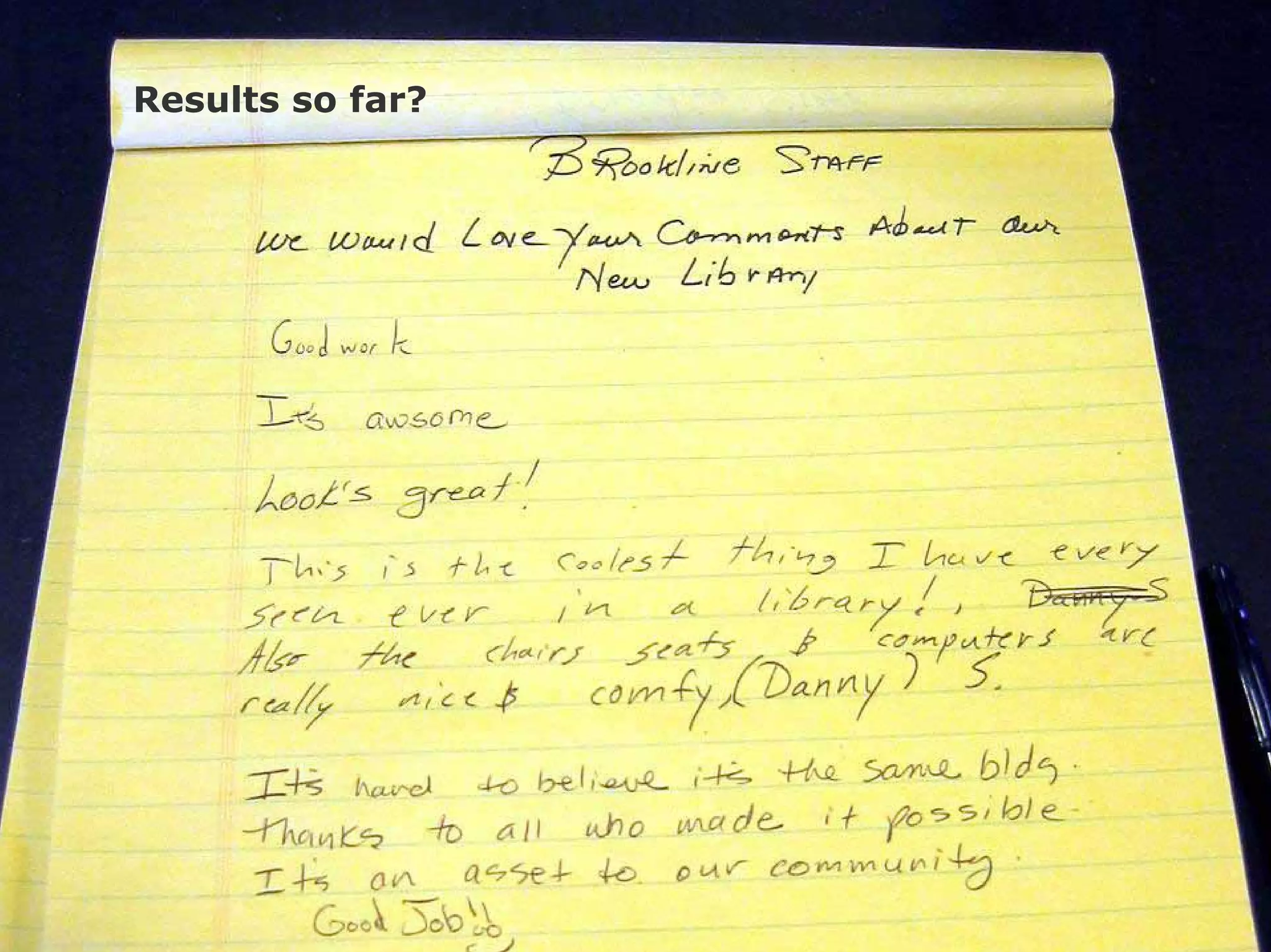
Results so far?
“I am going to hug the librarian. If I could hug the
whole library, I would.”
7-year old Monica Salime of Beaver
Carnegie Library of Pittsburgh | Information Environment
Results so far?
Let’s
take a
break
Part two:
“Design for experience” tools
Our tools so far
• Rich persona, documenting the
variety of journeys people have
across many systems and
interactions
• Annotated point-of-view
photographs
• Breakpoint analysis
• Models that map information
needs to a model of people’s
experience
Thanks, Aradhana!
Tools for integrating understanding
of many dimensions of experience
VasSol CANVAS
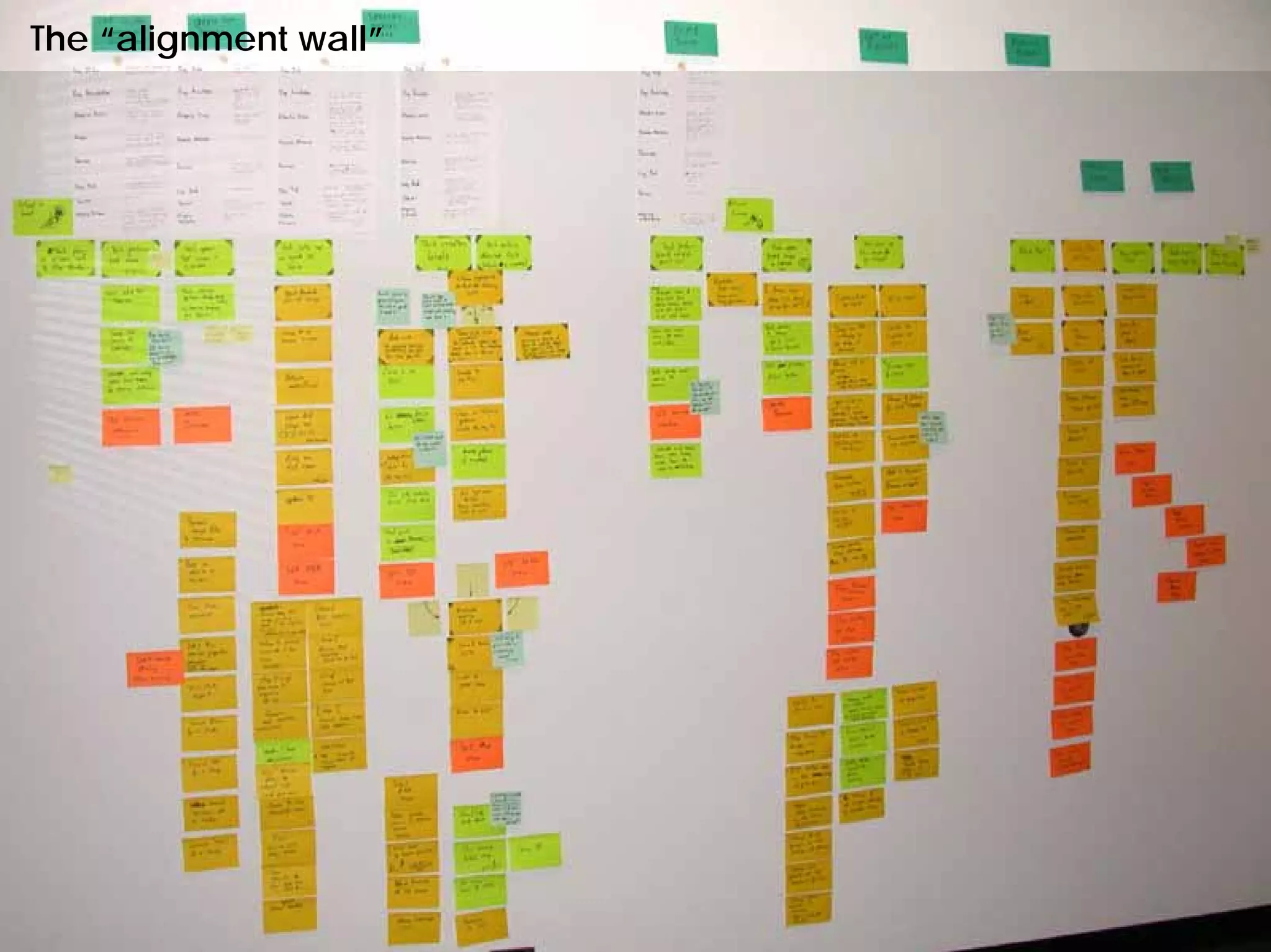
Alignment wall
Task annotation sheets
Interactions between roles
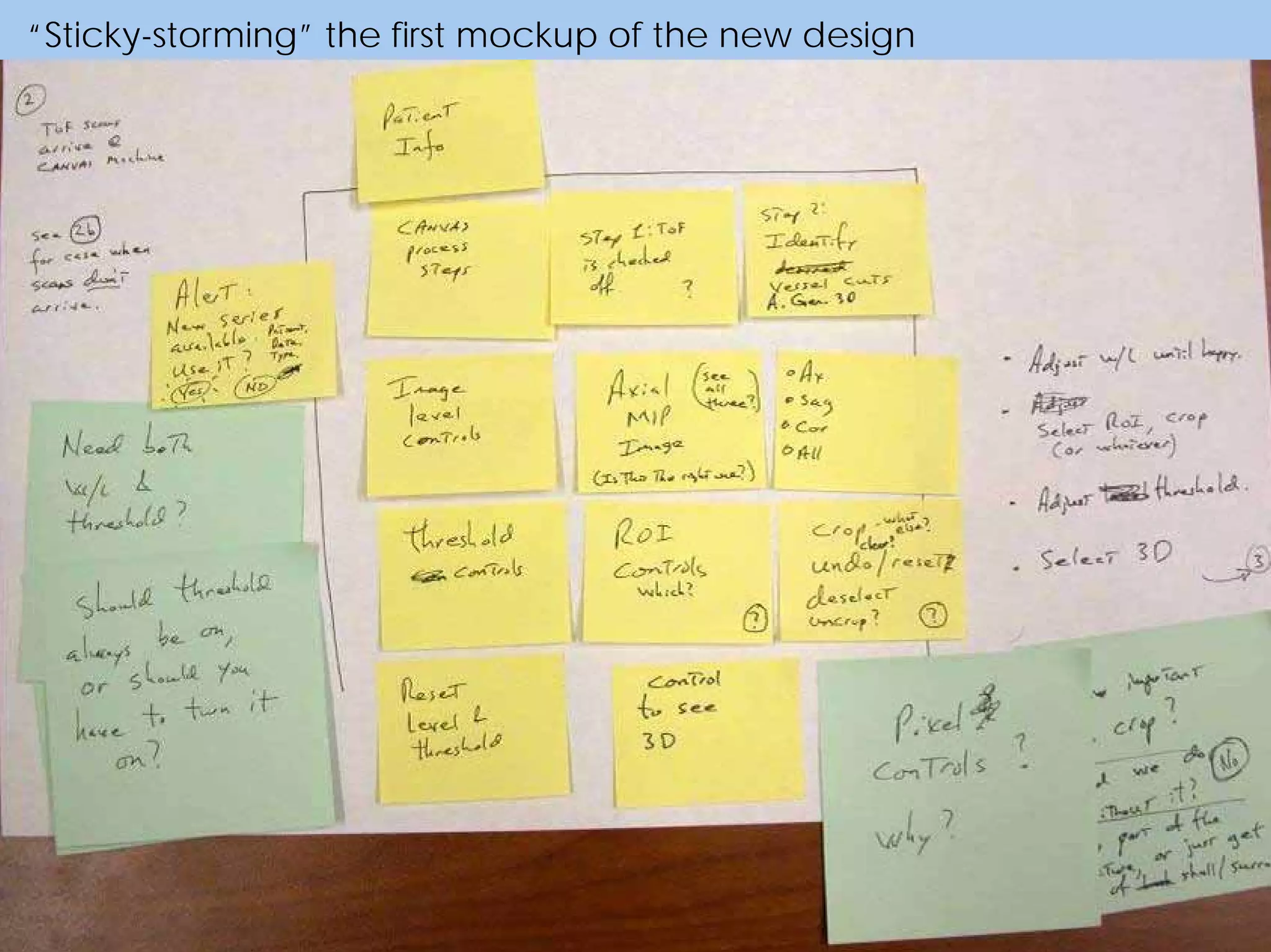
Sticky storm
A detailed description of this project was
presented at DUX 2003. It can be downloaded at
www.marcrettig.com/writings/DUX_Herzfeldt_Rettig.pdf
Goal
Create a commercially viable product
based on a government-approved
science & engineering prototype
Problems
• Scientifically amazing but unusable
prototype
• No design awareness, pure tech
culture
• Ease of learning and error-free use
were critical to the business model
CANVAS
measures
blood flow
without invasive
procedures.
VasSol CANVAS
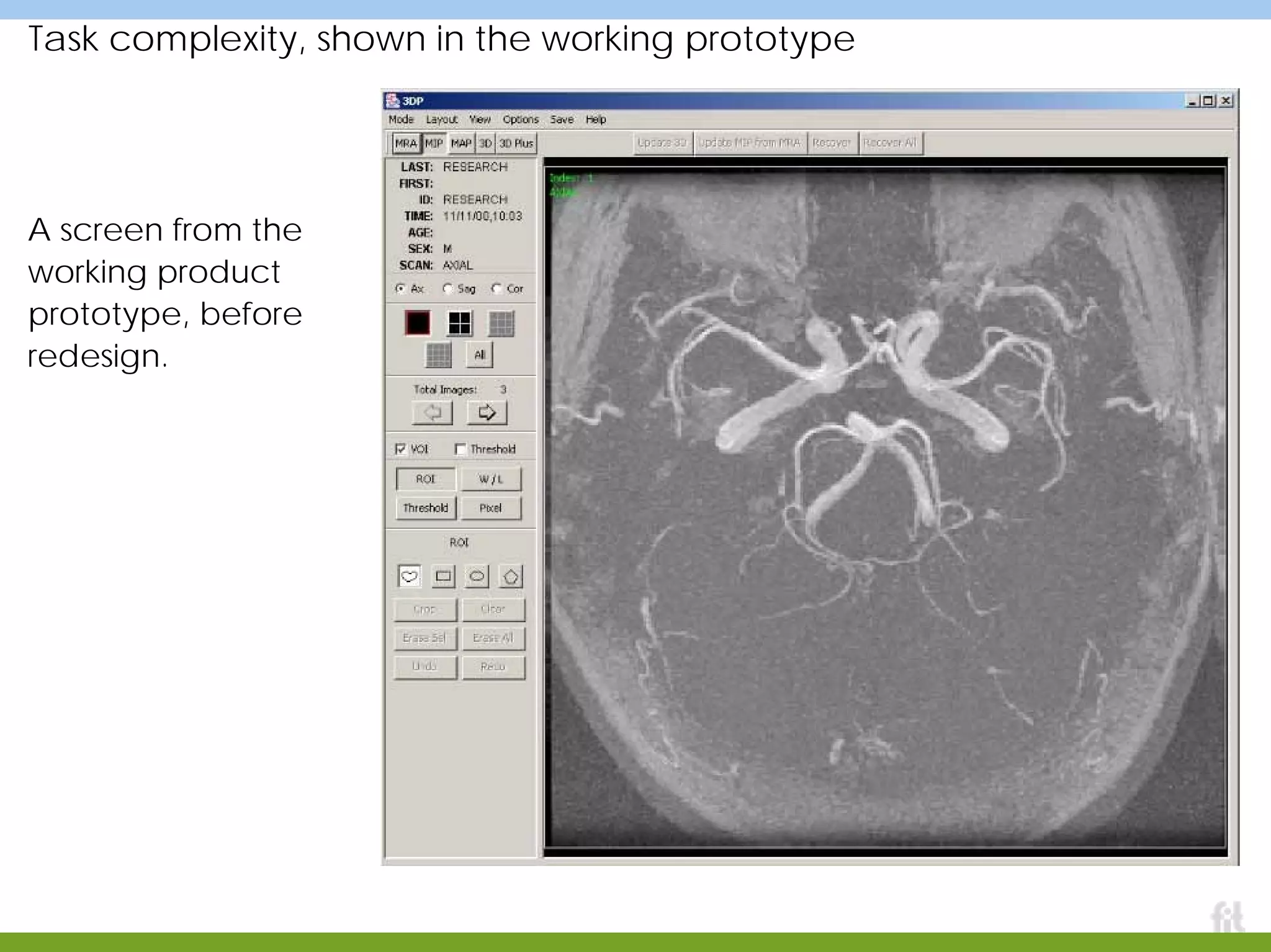
Task complexity, shown in the working prototype
A screen from the
working product
prototype, before
redesign.
Technology + human anatomy
A screen from the
working product
prototype, before
redesign.
The “alignment wall”
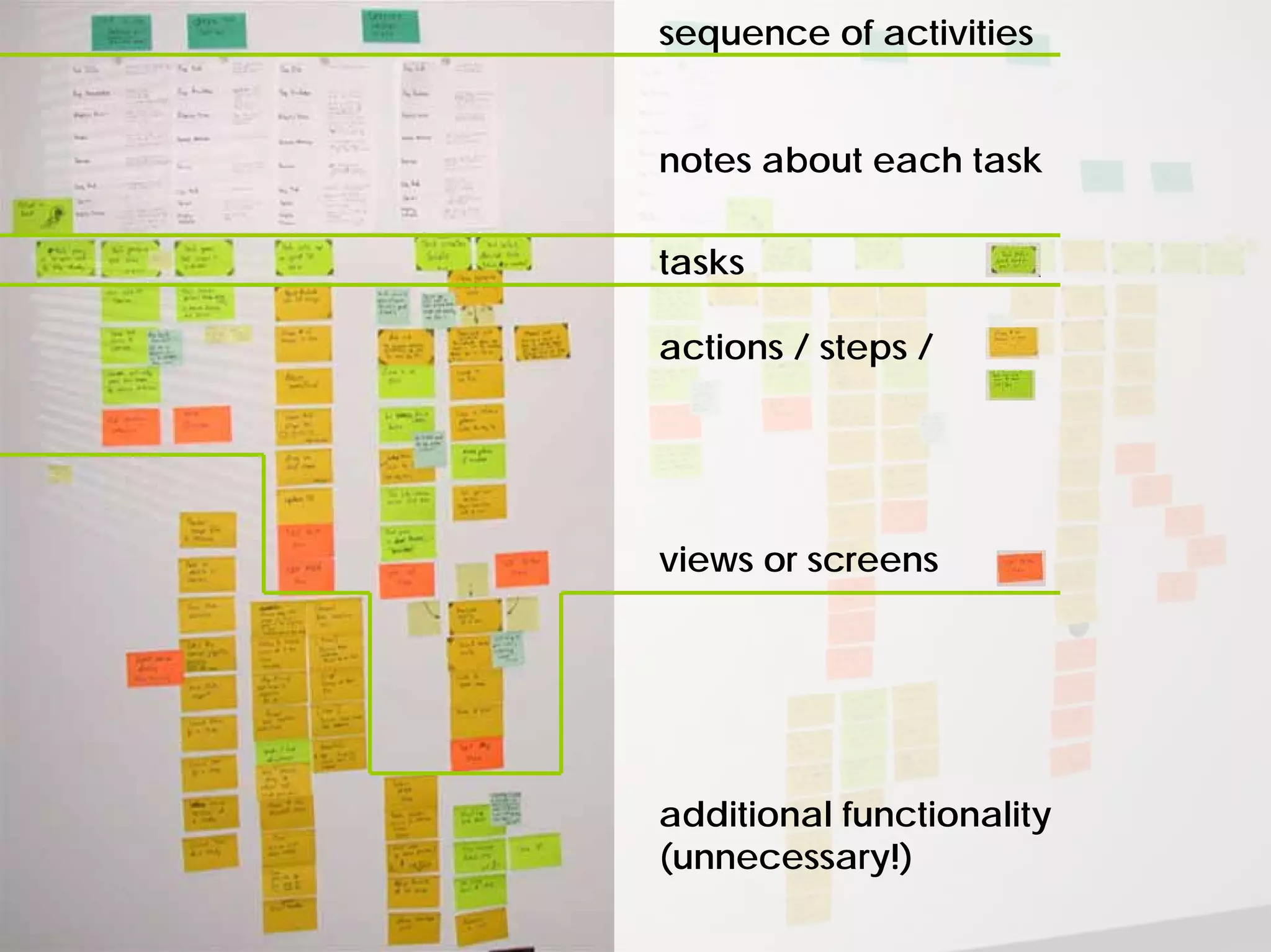
sequence of activities
notes about each task
tasks
actions / steps /
views or screens
additional functionality
(unnecessary!)
Task sheets
For each step of each task,
we captured:
required information
required knowledge or skills
people, relationships
measures of success
barriers to success
terminology
mental task
underlying concerns
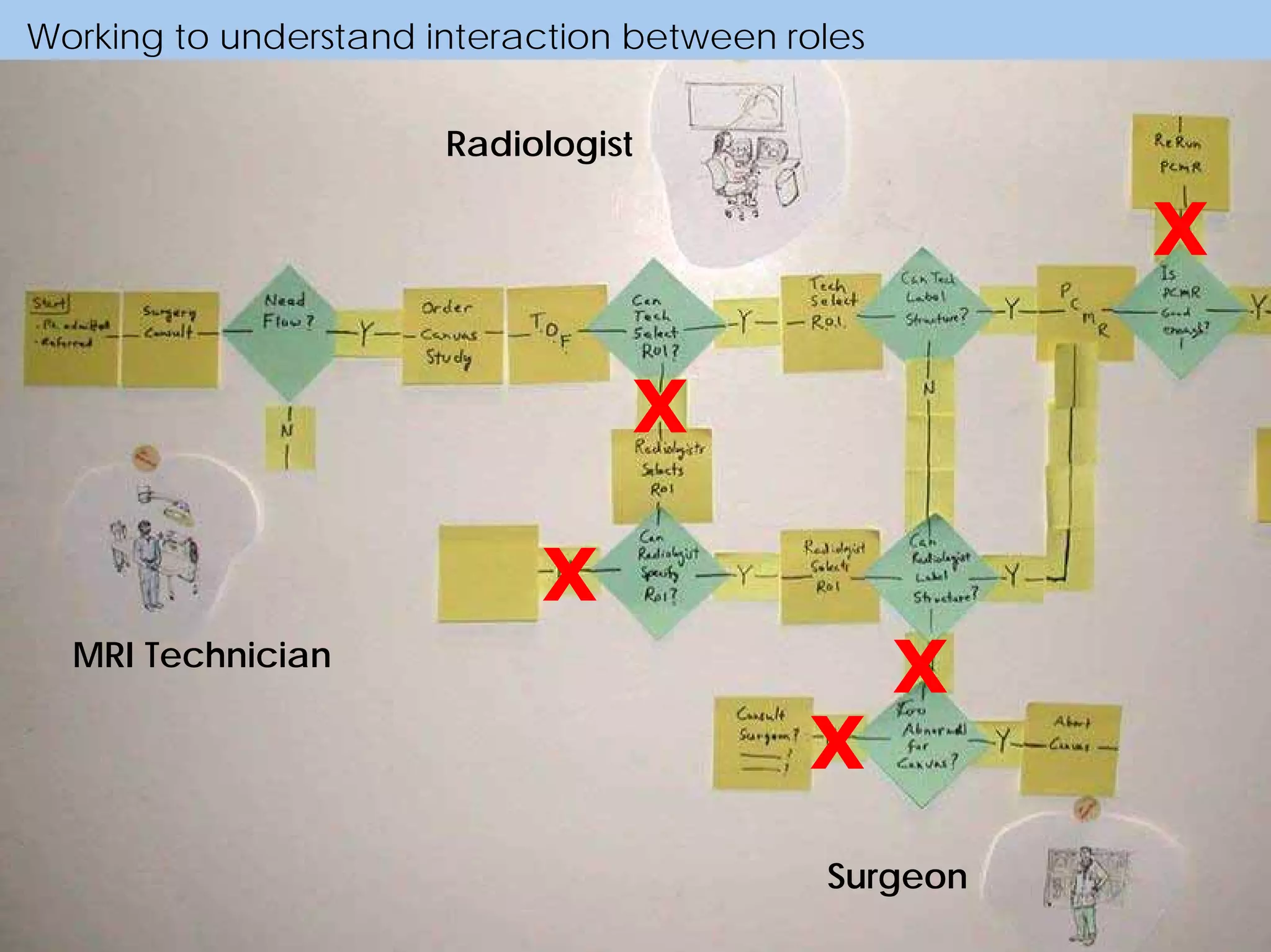
Working to understand interaction between roles
MRI Technician
Radiologist
Surgeon
X
X
X
X
X
MRI Technician
scan
images
work with
patient
create
3D
identify
vessels
specify
cuts
measure
flow
verify
quality
Working to understand interaction between roles
Radiologist
resolve
problems
review &
approve
make
diagnosis
Surgeon
consult
study
Activities, people, tools
Critical task in more detail
“Sticky-storming” the first mockup of the new design
Tools for integrating understanding
of many dimensions of experience
Appliance
manufacturer
Bucket-analysis spreadsheet
Learning model
Persona based on “dimensions of
significant difference”
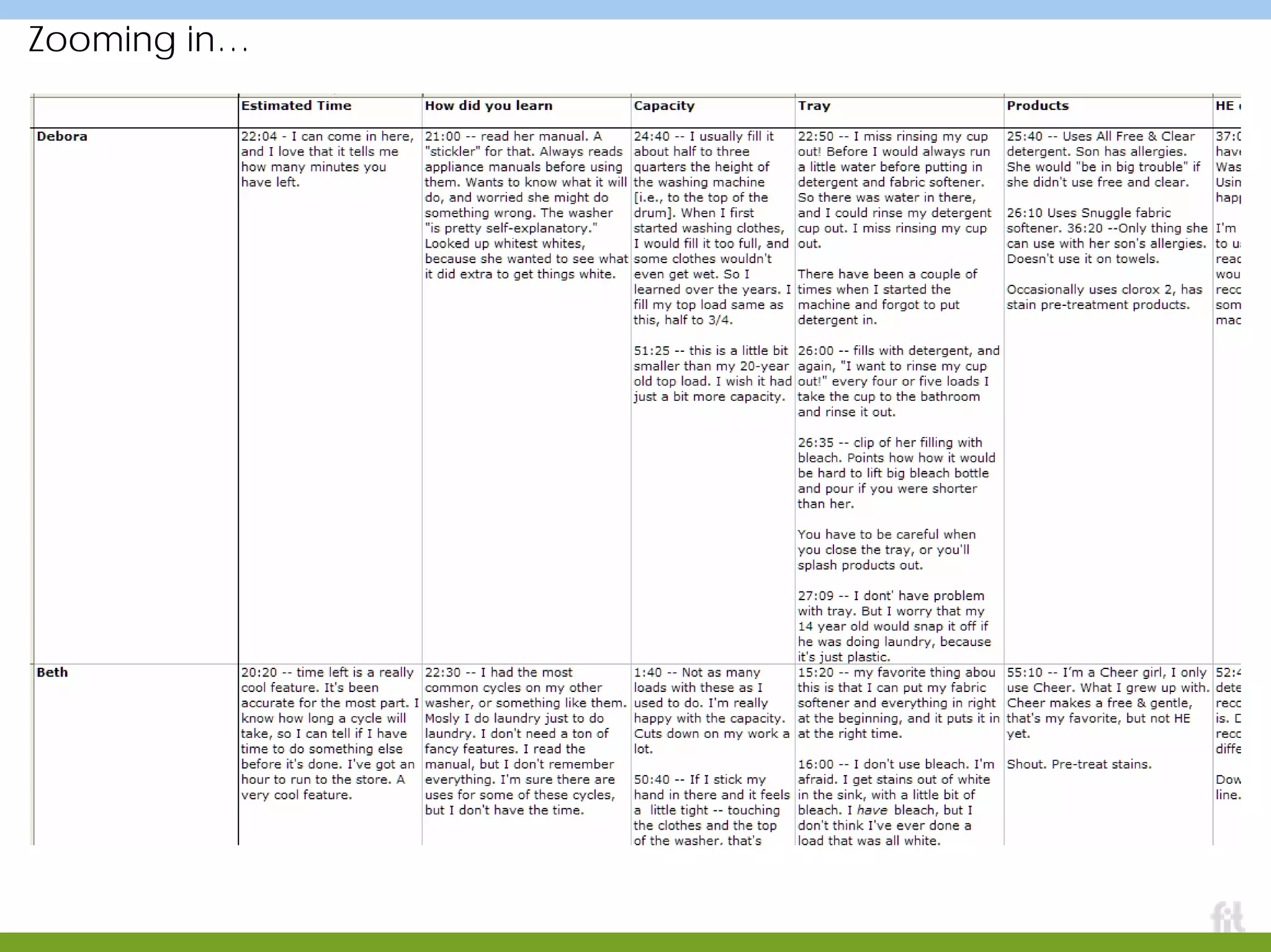
Bucket-analysis spreadsheet
Researchparticipants
“Buckets:” categories of interest, themes, actions,…
Field data:
quotes, observations, actions
Zooming in…
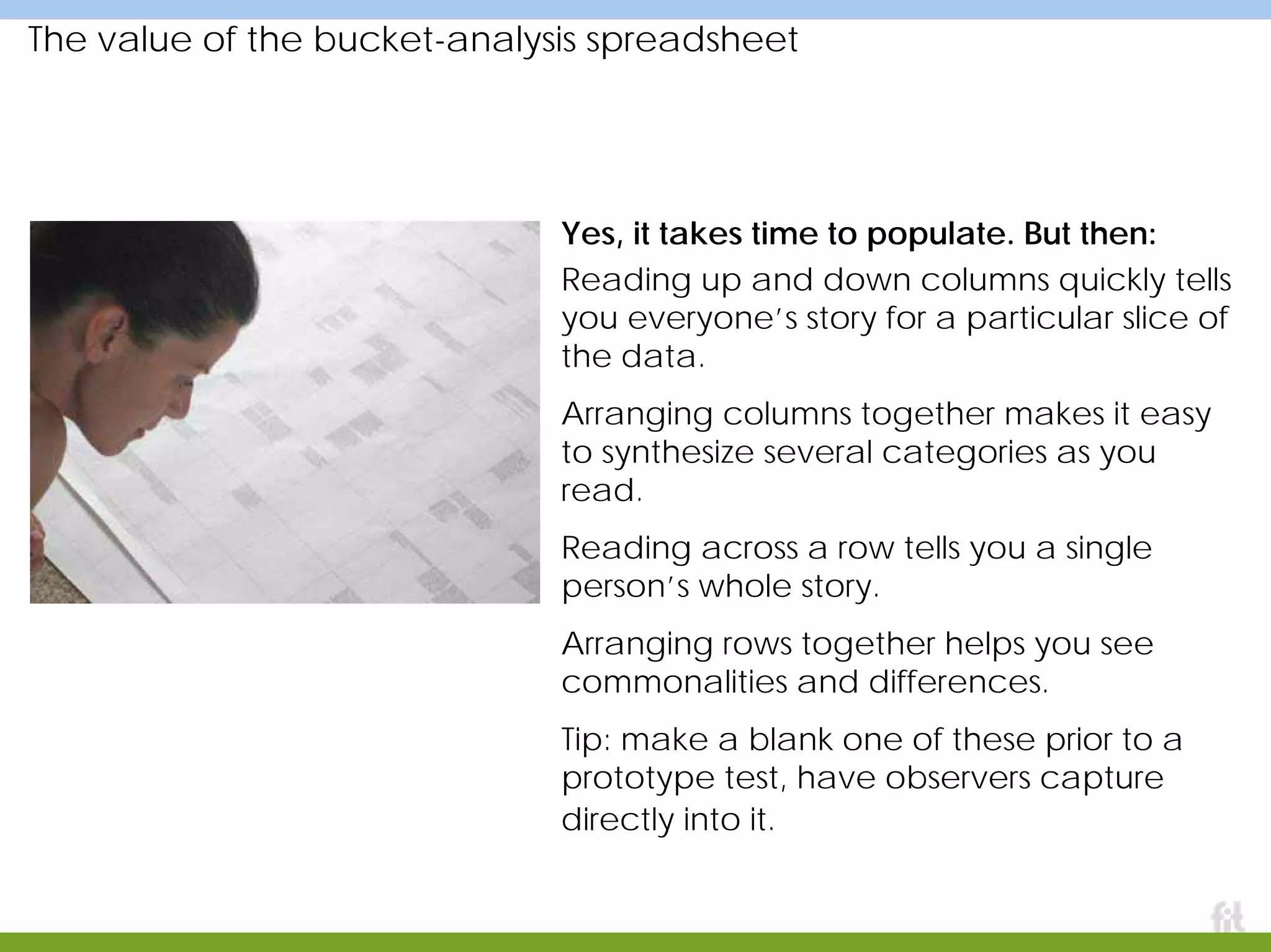
The value of the bucket-analysis spreadsheet
Yes, it takes time to populate. But then:
Reading up and down columns quickly tells
you everyone’s story for a particular slice of
the data.
Arranging columns together makes it easy
to synthesize several categories as you
read.
Reading across a row tells you a single
person’s whole story.
Arranging rows together helps you see
commonalities and differences.
Tip: make a blank one of these prior to a
prototype test, have observers capture
directly into it.
UNDERSTANDING
TIME →
comfort
misunderstanding
One result: behavioral segments based on learning patterns
mastery, virtuosity
Insight: successful
recovery from
mistakes is related
to growing mastery
of the appliance
and its controls.
Meaningful dimensions of difference
For my money,
a set of these
that shows
variation in
people’s
behavior across
an observed set
of dimensions is
far more useful
to the team
than a set of
narrative
“persona.”
Tools for integrating understanding of
many dimensions of experience
goArmy.com
guiding strategy
Decision-making timelines
Data among the cubicles
Immersion workshops
Personal story, mapped from audio tape
A Soldier’s story, transcribed from an audio tape of an
interview. Timeline views are great for integrating many
layers of experience into a single view.
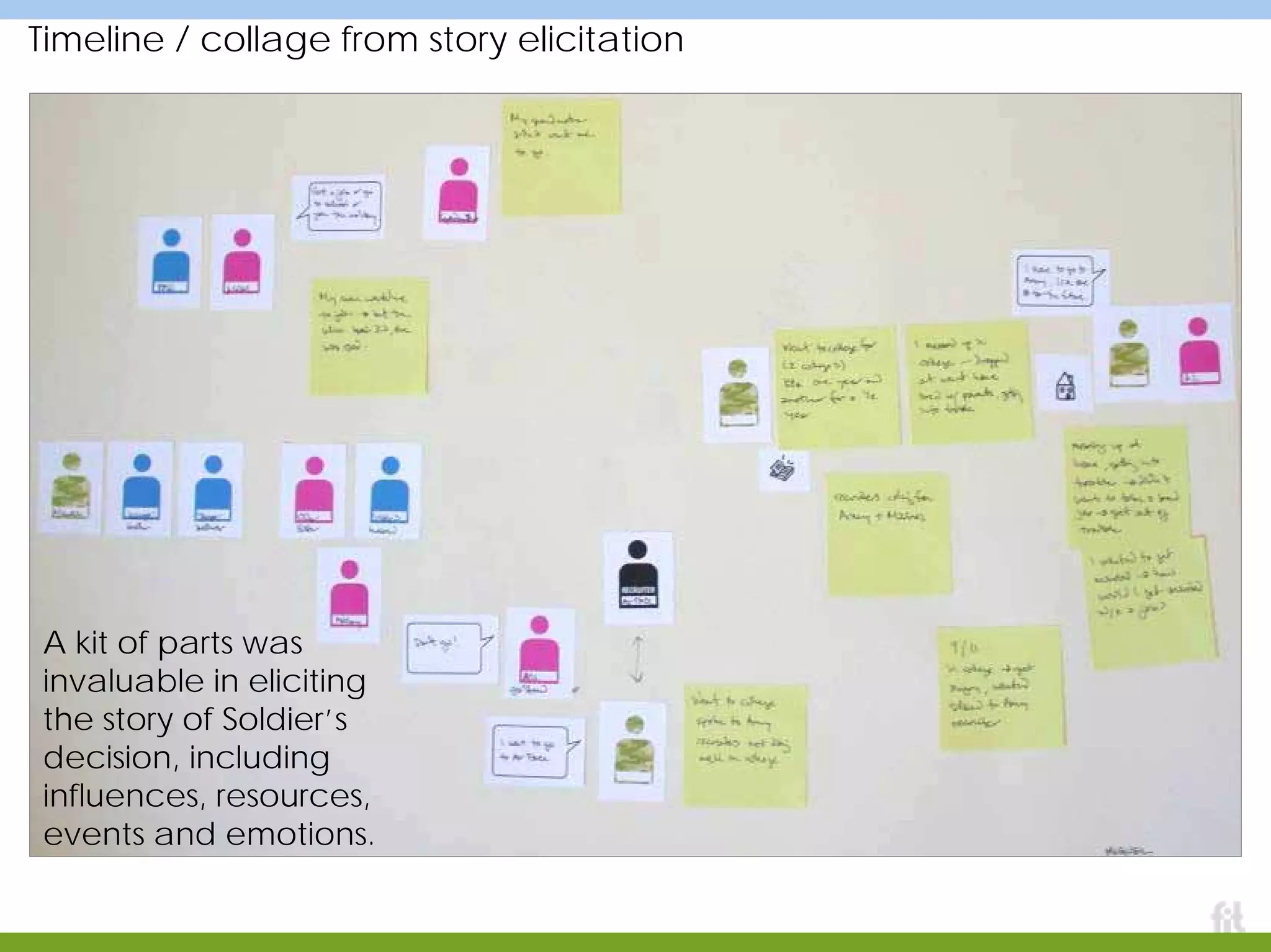
Timeline / collage from story elicitation
A kit of parts was
invaluable in eliciting
the story of Soldier’s
decision, including
influences, resources,
events and emotions.
From another project: timelines synthesized into genres of experience
Anne Conners and Kord Brashear, Institute of Design, IIT, 2000
Making data manipulable (and public)
During analysis (here, affinity
clustering and a few different
attempts at models) we
surrounded the team’s cubicle
area with data from teenagers,
mothers, recruiters and soldiers.
This has the side effect of
beginning to expose everyone to
the voice of the people who use
the site.
Immersing extended team in the data
This work session exposed the
extended team and stakeholders to
artifacts from the research, as well
as the themes that had begun to
emerge. Quotes, photographs,
letters home, military documents,
and more lined the walls.
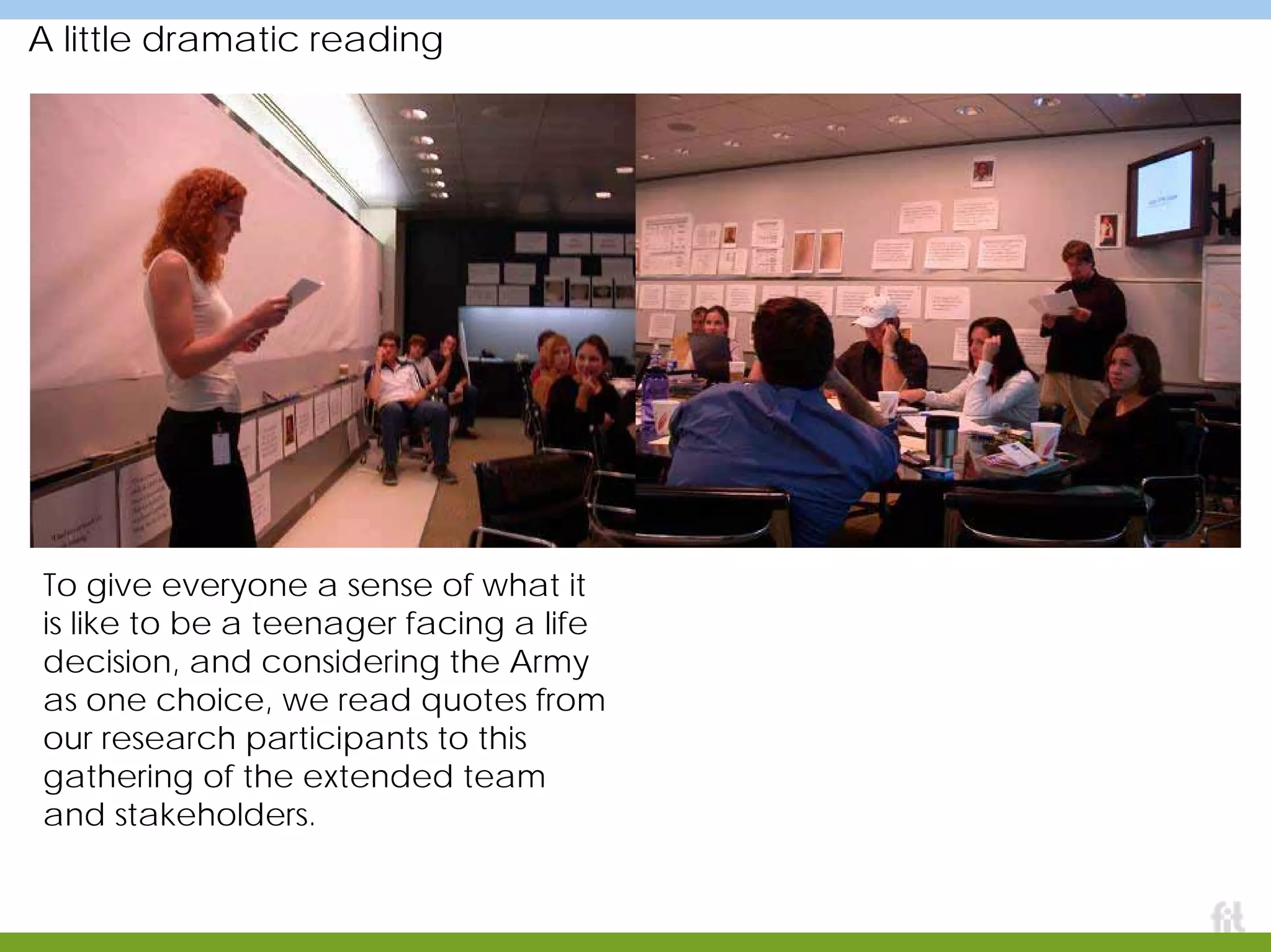
A little dramatic reading
To give everyone a sense of what it
is like to be a teenager facing a life
decision, and considering the Army
as one choice, we read quotes from
our research participants to this
gathering of the extended team
and stakeholders.
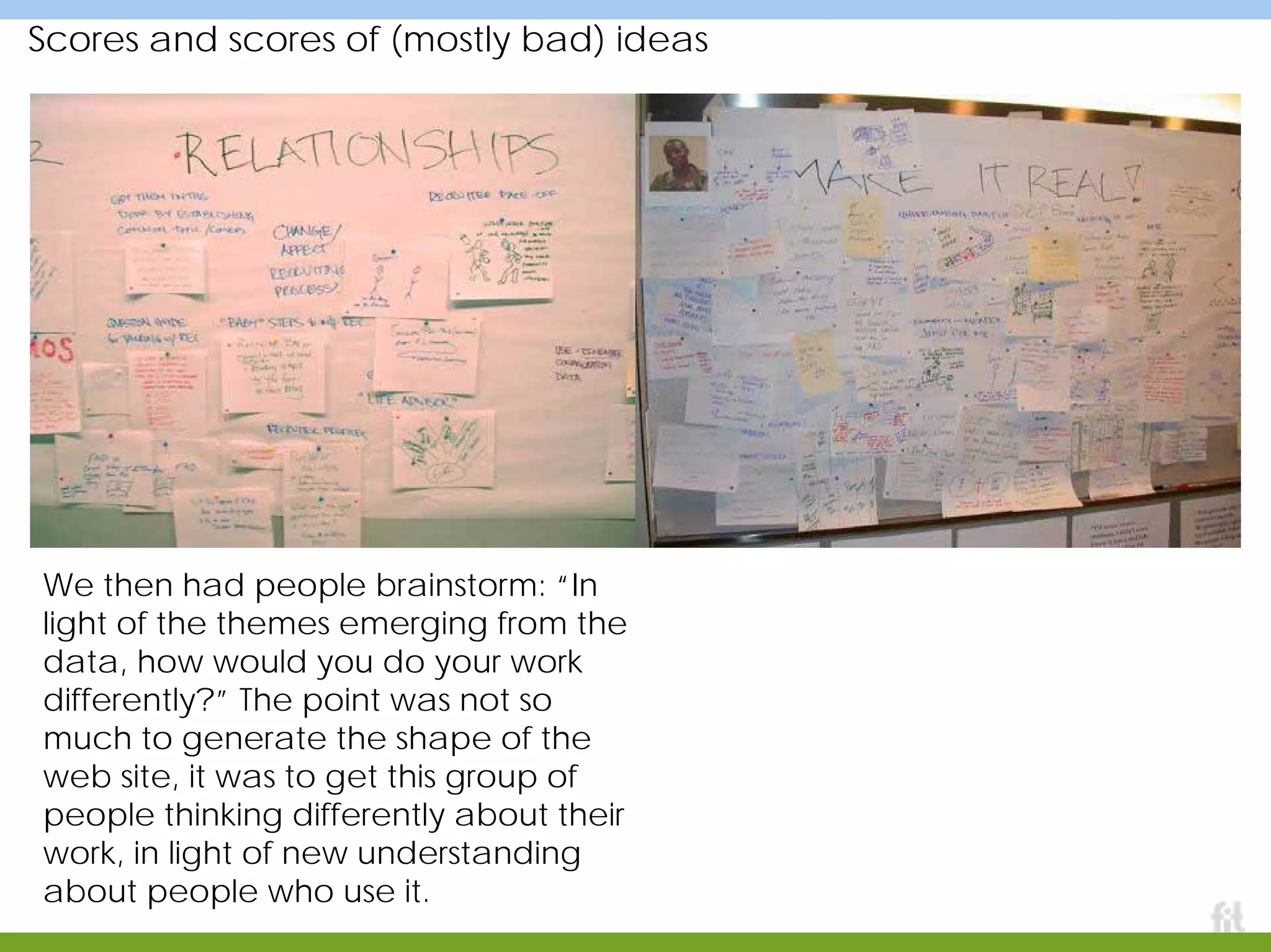
Scores and scores of (mostly bad) ideas
We then had people brainstorm: “In
light of the themes emerging from the
data, how would you do your work
differently?” The point was not so
much to generate the shape of the
web site, it was to get this group of
people thinking differently about their
work, in light of new understanding
about people who use it.
Systematic, practical, detailed
Overview page
Strategic Directive
Success Criteria
Opportunities
Detail page
Success Criterion
Opportunity
Insight from project
Supporting quotes
and data
Story about possible future, as catalyst – a “Vision prototype!”
A vision
prototype,
technically
conservative
but
organizationally
ambitious,
showed what it
might be like in
three years if all
the strategic
directions were
pursued.
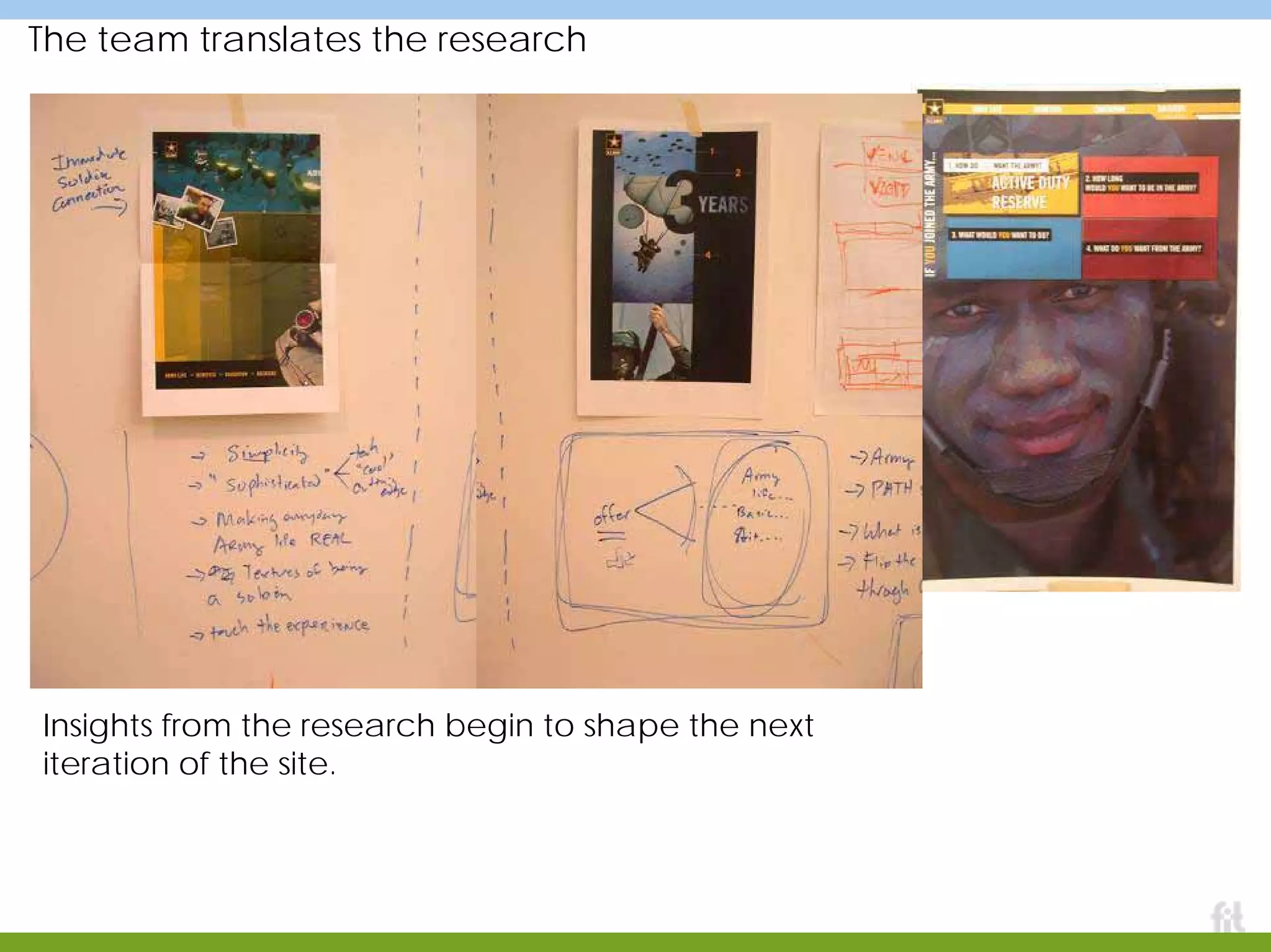
The team translates the research
Insights from the research begin to shape the next
iteration of the site.
BBC Digital Curriculum: Posters of design guidelines
An attempt to make design principles from research a part of the daily work culture.
Summary
Designing for experience is hard
My recommended recipe:
• a simple, powerful, generally
applicable process
• a big bag of methods and tools
• use the right tool for the right
goal
• attend to the gaps, bridges,
connections, relationships first,
then get the artifacts and
interfaces right
• work hard at facilitating
collaboration
Thank you

Rettiggoel.ux week.8.25.05

  • 1.
    Designing for Experience Frameworksand Project Stories Designing for Experience Frameworks and Project Stories Marc Rettig Fit Associates Aradhana Goel MAYA Design Marc Rettig Fit Associates Aradhana Goel MAYA Design
  • 2.
    Marc Rettig Fit Associates www.fitassociates.com Theseslides are from a talk presented by Marc Rettig of Fit Associates and Aradhana Goel of MAYA Design, at Adaptive Path’s User Experience Week 2005 in Washington, D.C. This PDF contains two sets of slides combined into one, in the order in which they were presented in D.C. The slides with the colored bars at top and bottom are from Marc. The slides with the black bars at top and bottom are from Aradhana. Questions and comments? Marc Rettig: marc@fitassociates.com Aradhana Goel: goel@maya.com Slides and contents are © 2005, Marc Rettig and Aradhana Goel
  • 3.
    PART ONE Designing forexperience Example: Carnegie Library PART TWO More tools and stories PART ONE Designing for experience Example: Carnegie Library PART TWO More tools and stories 17 - 86 pages 4 - 16 88 - 125
  • 4.
  • 5.
    Why this teakettle?
  • 6.
    Many forces shapeits design aesthetics m arket safety capacity cost shelfspace shipping packaging weight efficiency disposal manufacturing
  • 7.
    Different situations, differentpeople,… …different kettles
  • 8.
    Design is away to create things that fit a particular set of forces To accomplish our work, we must first understand the forces as best we can, then begin attempts to make something that fits the shape they suggest. A good process helps teams manage this difficult work: refine understanding, attempt to fit within their pressures.
  • 9.
    The Design Processin a nutshell UNDERSTAND people, context, use, business, technology ATTEMPT TO FIT insights, patterns, frameworks, guidelines stories, mockups, prototypes, product
  • 10.
    That’s just aboutall you need After that, it all depends on: the size of the bag of tools you have to bring to bear on each bubble your wisdom in choosing the right tool for the job at hand your success at facilitating a group of people through the process, and nurturing a culture of design for experience ATTEMPT TO FITUNDERSTAND
  • 11.
    Did I reallymean that last point? I’m sometimes accused of being too loose, too abstract, unable to articulate a scaleable, enterprise-worthy process. I do of course work with fine-grained steps in a project plan. But I believe a lot of the effort spent teaching and cajoling teams to follow a process would be more productively put into: a) giving them practice at the two-bubble process in lots of situations b) helping people expand their bag of tools and methods c) helping teams become great at facilitating collaborative work ATTEMPT TO FITUNDERSTAND
  • 12.
  • 13.
    Exercise One You haveone minute… Design a vase.
  • 14.
    Exercise Two You haveone minute… Design a way for people to enjoy flowers in their home.
  • 15.
    Designing for experiencemakes you change the questions Experience design, or “design for experience” is a name for enlarging scope to consider patterns of life, goals, activity, context, repeated use, learning, sharing, emotion, and more… while applying The Design Process. ATTEMPT TO FITUNDERSTAND
  • 16.
    Design for peopledoing activities in context To do a good job of this, we have to understand as much as we can about the context, the activity, what else is going on, where people’s attention is focused, what happens before and after, what their goals are, and more.
  • 17.
    Example Carnegie Library of Pittsburgh Apublic service, the building that houses it, the systems that enable it, the people that deliver it
  • 18.
  • 19.
    What will futureinformation-rich environments look like? Carnegie Library of Pittsburgh | Information Environment
  • 20.
    This needs revolution,not evolution Carnegie Library of Pittsburgh | Information Environment
  • 21.
    A disjointed feature-centricsystem Carnegie Library of Pittsburgh | Information Environment
  • 22.
    The underlying issue CarnegieLibrary of Pittsburgh | Information Environment
  • 23.
    Carnegie Library’s goal “.. . a preferred destination for knowledge, entertainment, and social interaction” Carnegie Library of Pittsburgh | Information Environment
  • 24.
    Tame complexity, don’teliminate it Carnegie Library of Pittsburgh | Information Environment
  • 25.
  • 26.
    BASIC QUERY “Do youhave a map of Pittsburgh?” SUBSTANTIVE QUERY “What’s a good source for literary criticism about Oliver Twist?” BASIC WAYFINDING QUERY “Where are the restrooms?” TARGETED WAYFINDING QUERY “Where can I find this book?” Exploring, Shadowing, Documenting Carnegie Library of Pittsburgh | Information Environment
  • 27.
    Interviewing, Brainstorming sessions CarnegieLibrary of Pittsburgh | Information Environment
  • 28.
    Walk a milein customers’ shoes Carnegie Library of Pittsburgh | Information Environment
  • 29.
    Is the libraryopen or closed? Carnegie Library of Pittsburgh | Information Environment
  • 30.
    How do Istart searching for a book? Carnegie Library of Pittsburgh | Information Environment
  • 31.
    I am stupid…Ican’t find anything Carnegie Library of Pittsburgh | Information Environment
  • 32.
    What do thesethings mean? Carnegie Library of Pittsburgh | Information Environment
  • 33.
    Is this theright place to ask? question? Carnegie Library of Pittsburgh | Information Environment
  • 34.
    Why did Irepeat my steps… Carnegie Library of Pittsburgh | Information Environment
  • 35.
    This was quick! CarnegieLibrary of Pittsburgh | Information Environment
  • 36.
    This is apure waste of time! Carnegie Library of Pittsburgh | Information Environment
  • 37.
    Can I savemy search? Carnegie Library of Pittsburgh | Information Environment
  • 38.
    Library jargon hadpermeated the space Carnegie Library of Pittsburgh | Information Environment
  • 39.
  • 40.
    Who are thecustomers? Carnegie Library of Pittsburgh | Information Environment
  • 41.
    Define the underlyinginformation architecture Carnegie Library of Pittsburgh | Information Environment
  • 42.
    Use this frameworkto describe the customer experience Carnegie Library of Pittsburgh | Information Environment
  • 43.
    Use Scenarios revealbreakpoints Carnegie Library of Pittsburgh | Information Environment
  • 44.
    Breakpoint patterns revealsystemic issues Carnegie Library of Pittsburgh | Information Environment
  • 45.
    Bridging the organizershelps eliminate breakpoints Carnegie Library of Pittsburgh | Information Environment
  • 46.
    Principles for designingthese bridges Carnegie Library of Pittsburgh | Information Environment
  • 47.
    Carnegie Library ofPittsburgh | Information Environment The end of every customer journey should be the beginning of a new one…
  • 48.
  • 49.
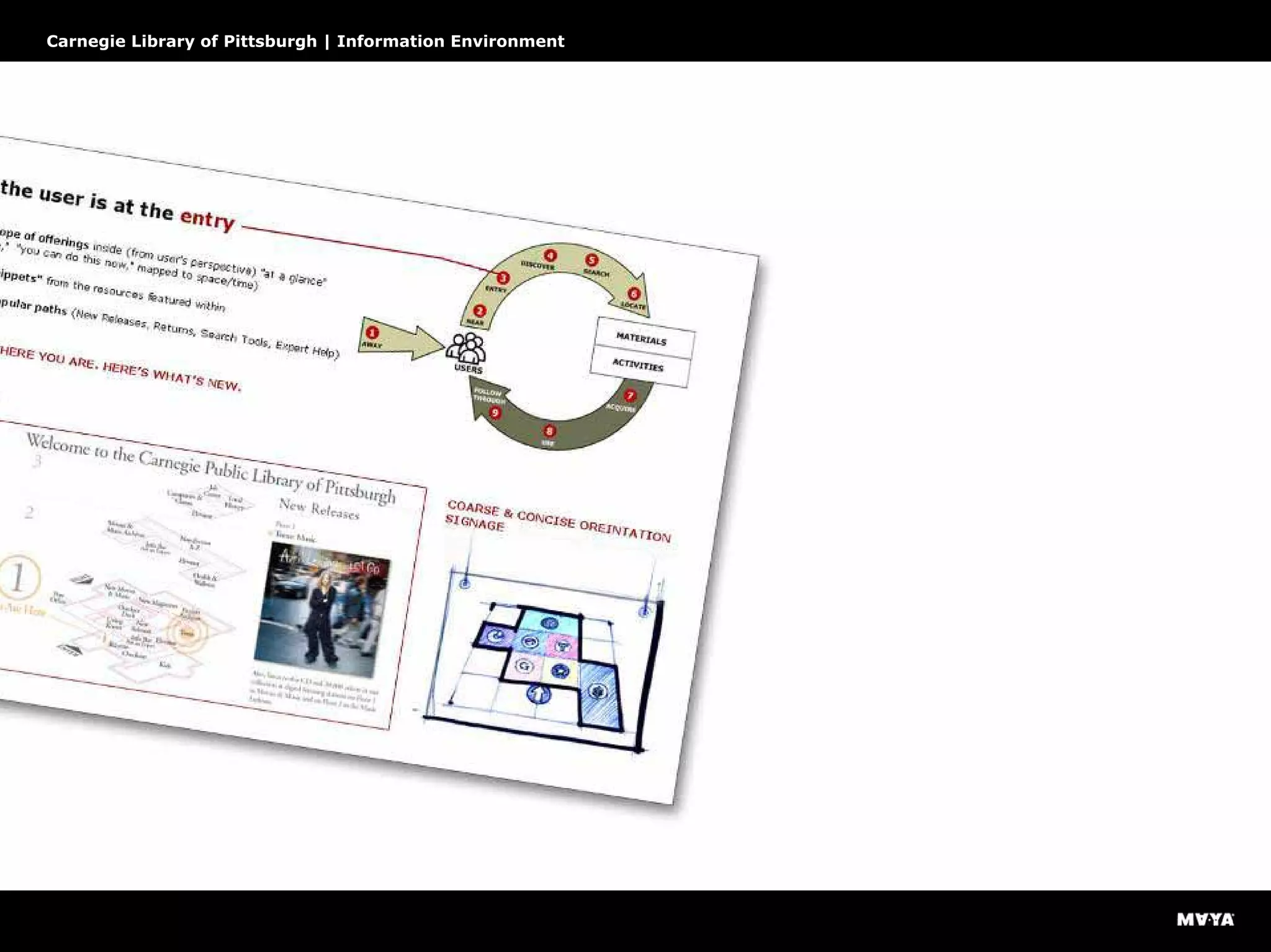
    Design for completecustomer experience cycle Carnegie Library of Pittsburgh | Information Environment
  • 50.
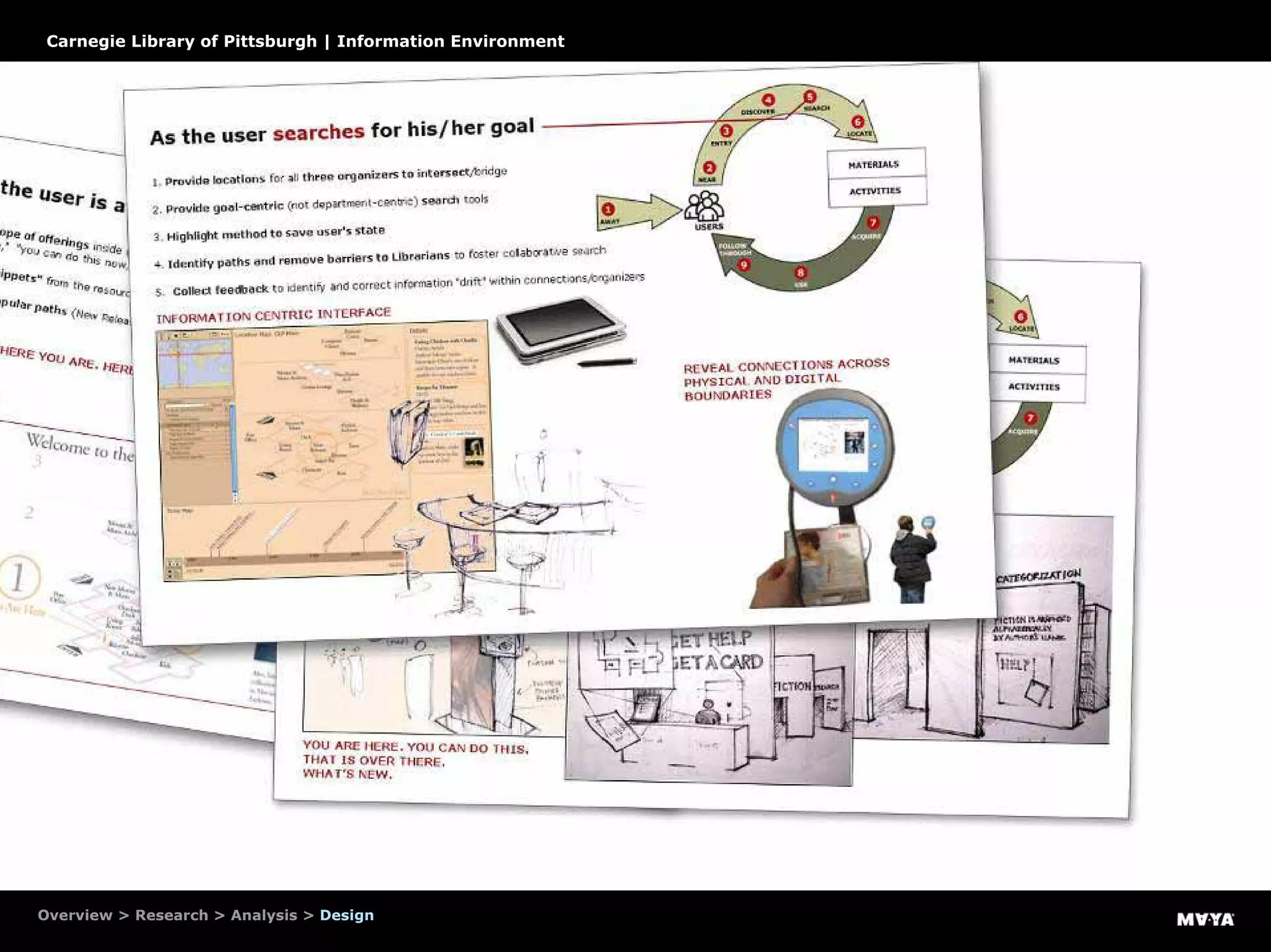
    Design recommendations Carnegie Libraryof Pittsburgh | Information Environment
  • 51.
    Design recommendations Carnegie Libraryof Pittsburgh | Information Environment
  • 52.
    Design recommendations Overview >Research > Analysis > Design Carnegie Library of Pittsburgh | Information Environment
  • 53.
    Design recommendations Carnegie Libraryof Pittsburgh | Information Environment
  • 54.
    Design recommendations Carnegie Libraryof Pittsburgh | Information Environment
  • 55.
    Design recommendations Carnegie Libraryof Pittsburgh | Information Environment
  • 56.
    Carnegie Library ofPittsburgh | Information Environment Design principles
  • 57.
    Rapid prototypes helpto explore options quickly Carnegie Library of Pittsburgh | Information Environment
  • 58.
  • 59.
    Prioritizing the designrecommendations Carnegie Library of Pittsburgh | Information Environment
  • 60.
    How to spendwisely Carnegie Library of Pittsburgh | Information Environment
  • 61.
    Project 1: Adynamic information environment Carnegie Library of Pittsburgh | Information Environment
  • 62.
    Project 2: Aconsistent online experience Carnegie Library of Pittsburgh | Information Environment
  • 63.
    Project 3: Anintuitive catalogue Carnegie Library of Pittsburgh | Information Environment
  • 64.
  • 65.
    Taming complexity withdynamic information environment Carnegie Library of Pittsburgh | Information Environment
  • 66.
    What is thehierarchy of information? Carnegie Library of Pittsburgh | Information Environment
  • 67.
    Make information blueprintsfor the space blueprints Carnegie Library of Pittsburgh | Information Environment
  • 69.
    ask a librarian after Lexiconshifts to user-centered (not system-centered) language Reference desk = Ask a Librarian
  • 70.
    ask a librarian after Lexiconshifts to user-centered (not system-centered) language Reference desk = Ask a Librarian Consistent across “user interfaces” from website to physical site…
  • 72.
    Circulation desk =Customer Services
  • 74.
    Content management system CarnegieLibrary of Pittsburgh | Information Environment
  • 75.
    Information can bepublished on demand Carnegie Library of Pittsburgh | Information Environment
  • 76.
    Orient/Direct people tothe scope of the experience Carnegie Library of Pittsburgh | Information Environment
  • 77.
    Identify to reinforce CarnegieLibrary of Pittsburgh | Information Environment
  • 78.
    Educate to encourageself-sufficiency Carnegie Library of Pittsburgh | Information Environment
  • 79.
    Connect to hiddenor relevant information Carnegie Library of Pittsburgh | Information Environment
  • 80.
  • 81.
    Close the loopby testing Carnegie Library of Pittsburgh | Information Environment
  • 82.
    Identify patterns toreveal strategic issues Carnegie Library of Pittsburgh | Information Environment
  • 83.
    Next steps… Carnegie Libraryof Pittsburgh | Information Environment
  • 84.
  • 85.
    “I am goingto hug the librarian. If I could hug the whole library, I would.” 7-year old Monica Salime of Beaver Carnegie Library of Pittsburgh | Information Environment
  • 86.
  • 87.
  • 88.
    Part two: “Design forexperience” tools
  • 89.
    Our tools sofar • Rich persona, documenting the variety of journeys people have across many systems and interactions • Annotated point-of-view photographs • Breakpoint analysis • Models that map information needs to a model of people’s experience Thanks, Aradhana!
  • 90.
    Tools for integratingunderstanding of many dimensions of experience VasSol CANVAS Alignment wall Task annotation sheets Interactions between roles Sticky storm A detailed description of this project was presented at DUX 2003. It can be downloaded at www.marcrettig.com/writings/DUX_Herzfeldt_Rettig.pdf
  • 91.
    Goal Create a commerciallyviable product based on a government-approved science & engineering prototype Problems • Scientifically amazing but unusable prototype • No design awareness, pure tech culture • Ease of learning and error-free use were critical to the business model CANVAS measures blood flow without invasive procedures. VasSol CANVAS
  • 92.
    Task complexity, shownin the working prototype A screen from the working product prototype, before redesign.
  • 93.
    Technology + humananatomy A screen from the working product prototype, before redesign.
  • 94.
  • 95.
    sequence of activities notesabout each task tasks actions / steps / views or screens additional functionality (unnecessary!)
  • 96.
    Task sheets For eachstep of each task, we captured: required information required knowledge or skills people, relationships measures of success barriers to success terminology mental task underlying concerns
  • 97.
    Working to understandinteraction between roles MRI Technician Radiologist Surgeon X X X X X
  • 98.
    MRI Technician scan images work with patient create 3D identify vessels specify cuts measure flow verify quality Workingto understand interaction between roles Radiologist resolve problems review & approve make diagnosis Surgeon consult study
  • 99.
  • 100.
    Critical task inmore detail
  • 101.
  • 106.
    Tools for integratingunderstanding of many dimensions of experience Appliance manufacturer Bucket-analysis spreadsheet Learning model Persona based on “dimensions of significant difference”
  • 107.
    Bucket-analysis spreadsheet Researchparticipants “Buckets:” categoriesof interest, themes, actions,… Field data: quotes, observations, actions
  • 108.
  • 109.
    The value ofthe bucket-analysis spreadsheet Yes, it takes time to populate. But then: Reading up and down columns quickly tells you everyone’s story for a particular slice of the data. Arranging columns together makes it easy to synthesize several categories as you read. Reading across a row tells you a single person’s whole story. Arranging rows together helps you see commonalities and differences. Tip: make a blank one of these prior to a prototype test, have observers capture directly into it.
  • 110.
    UNDERSTANDING TIME → comfort misunderstanding One result:behavioral segments based on learning patterns mastery, virtuosity Insight: successful recovery from mistakes is related to growing mastery of the appliance and its controls.
  • 111.
    Meaningful dimensions ofdifference For my money, a set of these that shows variation in people’s behavior across an observed set of dimensions is far more useful to the team than a set of narrative “persona.”
  • 112.
    Tools for integratingunderstanding of many dimensions of experience goArmy.com guiding strategy Decision-making timelines Data among the cubicles Immersion workshops
  • 113.
    Personal story, mappedfrom audio tape A Soldier’s story, transcribed from an audio tape of an interview. Timeline views are great for integrating many layers of experience into a single view.
  • 114.
    Timeline / collagefrom story elicitation A kit of parts was invaluable in eliciting the story of Soldier’s decision, including influences, resources, events and emotions.
  • 115.
    From another project:timelines synthesized into genres of experience Anne Conners and Kord Brashear, Institute of Design, IIT, 2000
  • 116.
    Making data manipulable(and public) During analysis (here, affinity clustering and a few different attempts at models) we surrounded the team’s cubicle area with data from teenagers, mothers, recruiters and soldiers. This has the side effect of beginning to expose everyone to the voice of the people who use the site.
  • 117.
    Immersing extended teamin the data This work session exposed the extended team and stakeholders to artifacts from the research, as well as the themes that had begun to emerge. Quotes, photographs, letters home, military documents, and more lined the walls.
  • 118.
    A little dramaticreading To give everyone a sense of what it is like to be a teenager facing a life decision, and considering the Army as one choice, we read quotes from our research participants to this gathering of the extended team and stakeholders.
  • 119.
    Scores and scoresof (mostly bad) ideas We then had people brainstorm: “In light of the themes emerging from the data, how would you do your work differently?” The point was not so much to generate the shape of the web site, it was to get this group of people thinking differently about their work, in light of new understanding about people who use it.
  • 120.
    Systematic, practical, detailed Overviewpage Strategic Directive Success Criteria Opportunities Detail page Success Criterion Opportunity Insight from project Supporting quotes and data
  • 121.
    Story about possiblefuture, as catalyst – a “Vision prototype!” A vision prototype, technically conservative but organizationally ambitious, showed what it might be like in three years if all the strategic directions were pursued.
  • 122.
    The team translatesthe research Insights from the research begin to shape the next iteration of the site.
  • 123.
    BBC Digital Curriculum:Posters of design guidelines An attempt to make design principles from research a part of the daily work culture.
  • 124.
    Summary Designing for experienceis hard My recommended recipe: • a simple, powerful, generally applicable process • a big bag of methods and tools • use the right tool for the right goal • attend to the gaps, bridges, connections, relationships first, then get the artifacts and interfaces right • work hard at facilitating collaboration
  • 125.