E-MANAGEMENT, ARCHIVAL AND
RETRIEVAL
OF DOCUMENTS & RECORDS
WORKSHOP ON
1
DAY THREE
SESSION ONE
RETREVAL AND WORKFLOWS
2
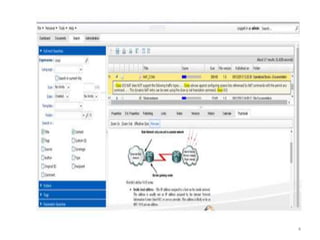
DOCUMENT RETRIEVAL
• Full text searches: Truncation and multiple
search words and ability to extract text
from any scanned document.
• Task-specific search and storage profiles:
Easy to access documents such as contracts
or report that need to be accessed regularly
• Compatibility with other programs:
Interface with other applications
• Import and export of records/documents
3
4
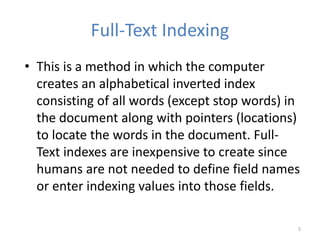
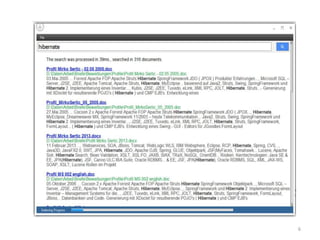
Full-Text Indexing
• This is a method in which the computer
creates an alphabetical inverted index
consisting of all words (except stop words) in
the document along with pointers (locations)
to locate the words in the document. Full-
Text indexes are inexpensive to create since
humans are not needed to define field names
or enter indexing values into those fields.
5
6
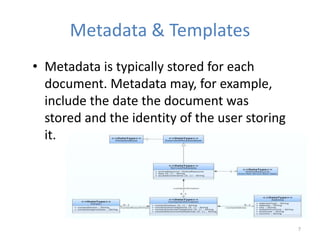
Metadata & Templates
• Metadata is typically stored for each
document. Metadata may, for example,
include the date the document was
stored and the identity of the user storing
it.
7
Version Control
• Electronic document management system will
directly address these issues and deliver
immediate gains in productivity and quality.
Your electronic document management system
should come with automated backup and
restore capabilities, along with version control
that makes it easy to step back to previous
versions of documents. M-Files gives complete
control over document protection by giving you
rich access permission control, version history,
check-in and check-out, and change log
features, so you can easily control document
access, and always return to a previous version
of a document when and if needed.
8
9
Documents Searching
To completely describe a record, a set of data
fields is required. These fields, sometimes
referred to as metadata, enable the record to
be easily found in searches and retrieved
when needed. Single or multiple records may
be contained in a file which can then be
considered as a single document.
10
11
Record Retention Policies and Retrieval
It is not enough to retain information. You
have to be able to locate and retrieve it,
and in a timely manner. Do you have a
reliable indexing system in place? Can you
produce documents (including email
messages) upon request?
12
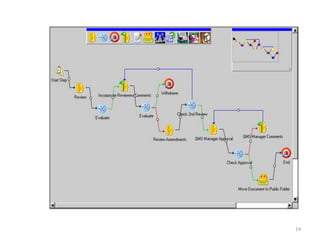
Workflows and Auto-schedule
DMS features a rich set of workflow tools and
options, which allow you to control each aspect
of a business process. Activities and information
can be combined into a single stream, allowing
critical data to be included with tasks and
ensuring that DMS Enterprise Server users have
the information that they need to do their job.
13
14
Benefits
• Facilitate review and approval processes—With DMS Enterprise
Server’s workflow, users can fully automate the document review and
approval process. Notification informs users when a document is ready
for their review, and when the appropriate sign-offs have been
received; an official PDF rendition can be automatically created.
• Reduce paper work and manual processes—accelerate the document
approval process and facilitate tracking while reducing paper work and
manual practices.
• Establish process visibility—Automating and streamlining the key
processes is vital to driving the success of your organization.
Unparalleled automation, visibility, and control of all of your business
processes enable you to realize significant benefits—reduced project
cycles, streamlined efficiencies, enhanced accountability, and
optimized corporate performance.
• Minimizes risk, enhances accountability—DMS Workflow minimizes
exposure to risk associated with audit, regulatory, and litigation issues,
and ensures and enhances corporate accountability. By supporting a
full document lifecycle with associated creation, revision, approval,
distribution, and archiving history, you can always be certain of who did
what, and when.
15
Review
Questions and
Answers
16
THANK YOU
END OF SESSION ONE
17
DAY THREE
SESSION TWO
STORAGE, ARCHIVE AND
BACKUP
18
STORAGE
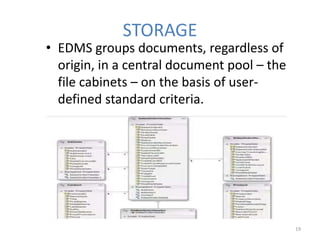
• EDMS groups documents, regardless of
origin, in a central document pool – the
file cabinets – on the basis of user-
defined standard criteria.
19
Open Standards
• Document files are saved either in their original
format or, depending on data source, as PDF, TIFF,
JPEG or PNG files. A ‘metafile’ in XML format is
saved for each document file. This is used to record
information about the document and its contents
which contains markups, electronic stamps,
signatures along with a duplicate of the document’s
categorization and index data. The main storage
location for index data is a relational database linked
to the document files. This ensures that all
documents can be retrieved easily and enriched
with a full text index if required
20
Automatic Classification
• EDMS offers various methods of automatically
integrating index data from external sources such as
text files, databases, and address books, to ensure
proper and correct indexing. Some of these options
are standard features while others require add-on
modules. The EDMS ACTIVE IMPORT module works
in the background and monitors folders and
directories for files and e-mail to automatically
import and store in EDMS. Here documents are not
only classified, they can also be indexed using terms
from external databases (e.g. from ERP or CRM
systems).
21
Demand-led Storage Systems
• The Integrated Hierarchical Storage
Management (HSM) ensures that
documents are automatically transferred to
the most suitable storage medium
according to their current status, e.g. how
often they are accessed or on the basis of
legal requirements.
22
Autonomous, System-independent File
Cabinets
• A separate search module is automatically
provided so that users without an EDMS
Client can still search and display the
documents they need. It allows information
to be distributed to customers or partners
who do not have an EDMS system installed.
Autonomous file cabinets are ideal for long-
term archiving and for backup solutions
stored in a secure location - the contents
are accessible regardless of the system.
23
Archiving
• Electronic Data/Document Management
Services (EDMS) can be a very valuable
asset to large companies that need to
streamline the way they handle
documents. By using EDMS, companies can
cut down on the time it takes to retrieve
important documents and cut down on the
space required to archive boxes of
documents, saving them time and money.
24
Backup
• Moving information from primary to secondary
storage to relieve operational and performance
issues is only half the issue; archiving the data is
the problem. Organization that might use Oracle as
a back end database will find that relocating
information to lower cost storage can be quite
difficult.
• Databases (and not just Oracle) are one of those
pieces of a data center’s infrastructure that have
been black boxes for a long time. Attempts to use
native database or software archiving capabilities
typically render historical information unavailable.
25
THANK YOU
26

Retrieval and Workflows

  • 1.
    E-MANAGEMENT, ARCHIVAL AND RETRIEVAL OFDOCUMENTS & RECORDS WORKSHOP ON 1
  • 2.
  • 3.
    DOCUMENT RETRIEVAL • Fulltext searches: Truncation and multiple search words and ability to extract text from any scanned document. • Task-specific search and storage profiles: Easy to access documents such as contracts or report that need to be accessed regularly • Compatibility with other programs: Interface with other applications • Import and export of records/documents 3
  • 4.
  • 5.
    Full-Text Indexing • Thisis a method in which the computer creates an alphabetical inverted index consisting of all words (except stop words) in the document along with pointers (locations) to locate the words in the document. Full- Text indexes are inexpensive to create since humans are not needed to define field names or enter indexing values into those fields. 5
  • 6.
  • 7.
    Metadata & Templates •Metadata is typically stored for each document. Metadata may, for example, include the date the document was stored and the identity of the user storing it. 7
  • 8.
    Version Control • Electronicdocument management system will directly address these issues and deliver immediate gains in productivity and quality. Your electronic document management system should come with automated backup and restore capabilities, along with version control that makes it easy to step back to previous versions of documents. M-Files gives complete control over document protection by giving you rich access permission control, version history, check-in and check-out, and change log features, so you can easily control document access, and always return to a previous version of a document when and if needed. 8
  • 9.
  • 10.
    Documents Searching To completelydescribe a record, a set of data fields is required. These fields, sometimes referred to as metadata, enable the record to be easily found in searches and retrieved when needed. Single or multiple records may be contained in a file which can then be considered as a single document. 10
  • 11.
  • 12.
    Record Retention Policiesand Retrieval It is not enough to retain information. You have to be able to locate and retrieve it, and in a timely manner. Do you have a reliable indexing system in place? Can you produce documents (including email messages) upon request? 12
  • 13.
    Workflows and Auto-schedule DMSfeatures a rich set of workflow tools and options, which allow you to control each aspect of a business process. Activities and information can be combined into a single stream, allowing critical data to be included with tasks and ensuring that DMS Enterprise Server users have the information that they need to do their job. 13
  • 14.
  • 15.
    Benefits • Facilitate reviewand approval processes—With DMS Enterprise Server’s workflow, users can fully automate the document review and approval process. Notification informs users when a document is ready for their review, and when the appropriate sign-offs have been received; an official PDF rendition can be automatically created. • Reduce paper work and manual processes—accelerate the document approval process and facilitate tracking while reducing paper work and manual practices. • Establish process visibility—Automating and streamlining the key processes is vital to driving the success of your organization. Unparalleled automation, visibility, and control of all of your business processes enable you to realize significant benefits—reduced project cycles, streamlined efficiencies, enhanced accountability, and optimized corporate performance. • Minimizes risk, enhances accountability—DMS Workflow minimizes exposure to risk associated with audit, regulatory, and litigation issues, and ensures and enhances corporate accountability. By supporting a full document lifecycle with associated creation, revision, approval, distribution, and archiving history, you can always be certain of who did what, and when. 15
  • 16.
  • 17.
    THANK YOU END OFSESSION ONE 17
  • 18.
    DAY THREE SESSION TWO STORAGE,ARCHIVE AND BACKUP 18
  • 19.
    STORAGE • EDMS groupsdocuments, regardless of origin, in a central document pool – the file cabinets – on the basis of user- defined standard criteria. 19
  • 20.
    Open Standards • Documentfiles are saved either in their original format or, depending on data source, as PDF, TIFF, JPEG or PNG files. A ‘metafile’ in XML format is saved for each document file. This is used to record information about the document and its contents which contains markups, electronic stamps, signatures along with a duplicate of the document’s categorization and index data. The main storage location for index data is a relational database linked to the document files. This ensures that all documents can be retrieved easily and enriched with a full text index if required 20
  • 21.
    Automatic Classification • EDMSoffers various methods of automatically integrating index data from external sources such as text files, databases, and address books, to ensure proper and correct indexing. Some of these options are standard features while others require add-on modules. The EDMS ACTIVE IMPORT module works in the background and monitors folders and directories for files and e-mail to automatically import and store in EDMS. Here documents are not only classified, they can also be indexed using terms from external databases (e.g. from ERP or CRM systems). 21
  • 22.
    Demand-led Storage Systems •The Integrated Hierarchical Storage Management (HSM) ensures that documents are automatically transferred to the most suitable storage medium according to their current status, e.g. how often they are accessed or on the basis of legal requirements. 22
  • 23.
    Autonomous, System-independent File Cabinets •A separate search module is automatically provided so that users without an EDMS Client can still search and display the documents they need. It allows information to be distributed to customers or partners who do not have an EDMS system installed. Autonomous file cabinets are ideal for long- term archiving and for backup solutions stored in a secure location - the contents are accessible regardless of the system. 23
  • 24.
    Archiving • Electronic Data/DocumentManagement Services (EDMS) can be a very valuable asset to large companies that need to streamline the way they handle documents. By using EDMS, companies can cut down on the time it takes to retrieve important documents and cut down on the space required to archive boxes of documents, saving them time and money. 24
  • 25.
    Backup • Moving informationfrom primary to secondary storage to relieve operational and performance issues is only half the issue; archiving the data is the problem. Organization that might use Oracle as a back end database will find that relocating information to lower cost storage can be quite difficult. • Databases (and not just Oracle) are one of those pieces of a data center’s infrastructure that have been black boxes for a long time. Attempts to use native database or software archiving capabilities typically render historical information unavailable. 25
  • 26.