10.45- 1.00 Online questionnaires
Jane and Clare
2
Programme
10:00 - 10:40 Introduction
10:45 - 1.00 Online questionnaires
1.00 - 1.45 Lunch
1.45 - 3.00 Online Interviews
3:00 - 3.10 Tea break
3.10 - 3.45 Ethics and online research
3.45 - 4.00 Any questions, evaluation, online futures,
future directions etc
Structure
• Set up computer account
• Types of online questionnaires
• When to use an online questionnaire
• Advantages of online questionnaires
• Disadvantages of online questionnaires
• Sampling issues
Break
• Design issues overview
• Activity: timing of questions
• Implementation overview
• Activity: Developing an online questionnaire
1. Activity: Register for an account
• Go to www.surveys.com and register for an
account.
• You will have to provide them with some
background details.
• Remember to check the relevant box to say
you don’t want loads of spam.
2
2. Types of online questionnaires
Web-based questionnaire
questionnaire designed as a web-page and hosted on
web-site
E-mail questionnaire
questions are submitted as part of the email itself
Questionnaire attached to an email
questionnaire is sent as an attachment to an email e.g. as
a word document
3. When to use an online questionnaire?
• Internet offers great methodological potential
and versatility
• Resulted in proliferation in online
questionnaires
• But use of online questionnaire must be
appropriate and justified for each particular
research project
– e.g. to address aims of research, selection of most
relevant questionnaire type and question format for
addressing aims, establishing a justified sampling
strategy to recruit relevant respondents and ensure
appropriate response rate
4. Advantages of online questionnaires
• Speed and volume of data collection
• Savings in costs
• Flexible design
• Data accuracy
• Access to research populations
• Anonymity
• Respondent acceptability
5. Disadvantages of online questionnaires
• Sample bias
• Measurement error
• Non-response bias
• Length, response and drop out rates
• Technical problems
• Ethical issues
6. Sampling issues
• Recruitment
• Sampling
• Identity verification
• Incentives
• Response rates
In conclusion…
The quantity of information that may be
generated, and the speed at which responses
can be collected, can result in pleasing piles of
data- but we should be wary of being seduced by
sheer quantity; data is only useful if it is
representative of the larger population.
Wakeford (2000, 33)
7. Design issues
Usability
Accessibility
Doability
Will your questionnaire be easy to use?
Or will the interface, colours and question
types frustrate people and put them off?
Will your questionnaire be accessible?
Or will it crash on old computers, render
weirdly on different operating systems and
be impossible to use with a screen reader?
Will your questionnaire be doable?
Or are your multi-media dreams running
ahead of your technical ability and are your
data arriving in an unusable format?
Exploring online research methods links
Questionnaires module
• Design issues 1: Appearance
http://www.geog.le.ac.uk/orm/questionnaires/quesdesign1.htm
• Design issues 2: Content
http://www.geog.le.ac.uk/orm/questionnaires/quesdesign2.htm
Technical guide module
• Web forms
http://www.geog.le.ac.uk/orm/technical/techforms.htm
• Key design issues
http://www.geog.le.ac.uk/orm/technical/techdesign.htm
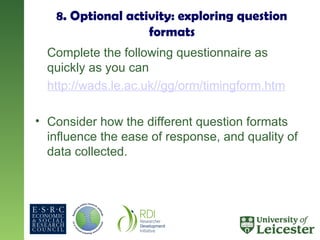
8. Optional activity: exploring question
formats
Complete the following questionnaire as
quickly as you can
http://wads.le.ac.uk//gg/orm/timingform.htm
• Consider how the different question formats
influence the ease of response, and quality of
data collected.
9. Online Survey Implementation Overview
• Wide range of options available for developing
online questionnaires.
• Most claim to be WYSIWYG and to require no
technical knowledge. (This is never true!)
• Before deciding on what to use:
– Do some research
– Speak to your technical support
– Run a pilot
Implementation Options
• Technical support: Get someone else to do it for you.
• Questionnaire tools
– Commercial (SurveyMonkey)
– Public/freeware (BOS)
– Institutional (Plone, bespoke systems)
• Hand crafting
– Building a questionnaire using your technical skills and
the software and hardware resources available.
– Typically using HTML, JavaScript, ASP, Flash etc.
See our Technical Guide for further advice
www.geog.le.ac.uk/orm/technical/techsoftware1.htm
Using an online tool
• Bristol Online Survey (BOS) www.survey.bris.ac.uk
• Developed by the Institute for Research and Learning Technology
at the University of Bristol.
• Enables researchers to develop, deploy, and analyse surveys via
the Web.
• Used by approximately 80 universities and other public bodies
and companies.
http://www.survey.bris.ac.uk/support/faq/accounts/which-other-uni
versities-and-organisations-are-using-bos
10. Activity: Developing an online questionnaire
In pairs.
• You are researchers who are interested in exploring
the ways in which parents use online parenting
websites for advice and information.
• You have decided to use an online questionnaire to
administer a survey and have secured cooperation
from the main parenting websites to help you access
participants.
• Spend 10 minutes thinking about the types of
questions that you would want to ask to address this
issue .
10
Activity: Using the Bristol Online Survey Tool
In pairs.
• Login to BOS (www.survey.bris.ac.uk) using
the username and password you have been
provided with.
• Use the Parents survey as a template and edit
the questions in order to start to develop your
survey.
• Try to use some different question formats.
30

Research Questionnaires(research methodology).ppt

  • 1.
    10.45- 1.00 Onlinequestionnaires Jane and Clare 2
  • 2.
    Programme 10:00 - 10:40Introduction 10:45 - 1.00 Online questionnaires 1.00 - 1.45 Lunch 1.45 - 3.00 Online Interviews 3:00 - 3.10 Tea break 3.10 - 3.45 Ethics and online research 3.45 - 4.00 Any questions, evaluation, online futures, future directions etc
  • 3.
    Structure • Set upcomputer account • Types of online questionnaires • When to use an online questionnaire • Advantages of online questionnaires • Disadvantages of online questionnaires • Sampling issues Break • Design issues overview • Activity: timing of questions • Implementation overview • Activity: Developing an online questionnaire
  • 4.
    1. Activity: Registerfor an account • Go to www.surveys.com and register for an account. • You will have to provide them with some background details. • Remember to check the relevant box to say you don’t want loads of spam. 2
  • 5.
    2. Types ofonline questionnaires Web-based questionnaire questionnaire designed as a web-page and hosted on web-site E-mail questionnaire questions are submitted as part of the email itself Questionnaire attached to an email questionnaire is sent as an attachment to an email e.g. as a word document
  • 6.
    3. When touse an online questionnaire? • Internet offers great methodological potential and versatility • Resulted in proliferation in online questionnaires • But use of online questionnaire must be appropriate and justified for each particular research project – e.g. to address aims of research, selection of most relevant questionnaire type and question format for addressing aims, establishing a justified sampling strategy to recruit relevant respondents and ensure appropriate response rate
  • 7.
    4. Advantages ofonline questionnaires • Speed and volume of data collection • Savings in costs • Flexible design • Data accuracy • Access to research populations • Anonymity • Respondent acceptability
  • 8.
    5. Disadvantages ofonline questionnaires • Sample bias • Measurement error • Non-response bias • Length, response and drop out rates • Technical problems • Ethical issues
  • 9.
    6. Sampling issues •Recruitment • Sampling • Identity verification • Incentives • Response rates
  • 10.
    In conclusion… The quantityof information that may be generated, and the speed at which responses can be collected, can result in pleasing piles of data- but we should be wary of being seduced by sheer quantity; data is only useful if it is representative of the larger population. Wakeford (2000, 33)
  • 11.
    7. Design issues Usability Accessibility Doability Willyour questionnaire be easy to use? Or will the interface, colours and question types frustrate people and put them off? Will your questionnaire be accessible? Or will it crash on old computers, render weirdly on different operating systems and be impossible to use with a screen reader? Will your questionnaire be doable? Or are your multi-media dreams running ahead of your technical ability and are your data arriving in an unusable format?
  • 12.
    Exploring online researchmethods links Questionnaires module • Design issues 1: Appearance http://www.geog.le.ac.uk/orm/questionnaires/quesdesign1.htm • Design issues 2: Content http://www.geog.le.ac.uk/orm/questionnaires/quesdesign2.htm Technical guide module • Web forms http://www.geog.le.ac.uk/orm/technical/techforms.htm • Key design issues http://www.geog.le.ac.uk/orm/technical/techdesign.htm
  • 13.
    8. Optional activity:exploring question formats Complete the following questionnaire as quickly as you can http://wads.le.ac.uk//gg/orm/timingform.htm • Consider how the different question formats influence the ease of response, and quality of data collected.
  • 14.
    9. Online SurveyImplementation Overview • Wide range of options available for developing online questionnaires. • Most claim to be WYSIWYG and to require no technical knowledge. (This is never true!) • Before deciding on what to use: – Do some research – Speak to your technical support – Run a pilot
  • 15.
    Implementation Options • Technicalsupport: Get someone else to do it for you. • Questionnaire tools – Commercial (SurveyMonkey) – Public/freeware (BOS) – Institutional (Plone, bespoke systems) • Hand crafting – Building a questionnaire using your technical skills and the software and hardware resources available. – Typically using HTML, JavaScript, ASP, Flash etc. See our Technical Guide for further advice www.geog.le.ac.uk/orm/technical/techsoftware1.htm
  • 16.
    Using an onlinetool • Bristol Online Survey (BOS) www.survey.bris.ac.uk • Developed by the Institute for Research and Learning Technology at the University of Bristol. • Enables researchers to develop, deploy, and analyse surveys via the Web. • Used by approximately 80 universities and other public bodies and companies. http://www.survey.bris.ac.uk/support/faq/accounts/which-other-uni versities-and-organisations-are-using-bos
  • 17.
    10. Activity: Developingan online questionnaire In pairs. • You are researchers who are interested in exploring the ways in which parents use online parenting websites for advice and information. • You have decided to use an online questionnaire to administer a survey and have secured cooperation from the main parenting websites to help you access participants. • Spend 10 minutes thinking about the types of questions that you would want to ask to address this issue . 10
  • 18.
    Activity: Using theBristol Online Survey Tool In pairs. • Login to BOS (www.survey.bris.ac.uk) using the username and password you have been provided with. • Use the Parents survey as a template and edit the questions in order to start to develop your survey. • Try to use some different question formats. 30

Editor's Notes

  • #4 Tris
  • #5 15 mins for 10mins
  • #6 Why use online questionnaires? 1. Although the use of the internet has proliferated in recent years, its use for conducting online questionnaire surveys in the Social Sciences still remains relatively limited. This is surprising since the internet offers great methodological potential and versatility. Online questionnaires can offer distinct advantages. They can: 2. Enable the researcher to contact a geographically dispersed population and so can be useful in internationalising research; Be used to contact groups often difficult to reach, such as the less physically mobile (disabled/in prison/in hospital) or the socially isolated (drug dealers/terminally ill) or those living in dangerous places (war zones); Provide savings in costs to the researcher (for example, the costs associated with travel, venue, data entry); Supply data quickly, providing fast alternatives to postal, face-to-face and telephone surveys. The limited uptake of online questionnaires is partly owing to the perceived technical expertise required to use them. The aim of this workshop, therefore, is to disseminate information on the use and design of online questionnaires, in the hope of increasing their use within the Social Science research community.   A note of caution 3. Despite the obvious attractions of online questionnaires, their use must be appropriate and justified for each particular research project. There are important issues that must be considered prior to conducting online questionnaires. These include: 4. Ensuring that the use of an online questionnaire is the most appropriate research tool to address the aims of the research; Deciding on the most relevant questionnaire type and question format for addressing the aims of the research; Establishing a justified sampling strategy to recruit relevant respondents and ensure an appropriate response rate; Guaranteeing the ethical rights of respondents including informed consent, confidentiality and privacy. A decision on whether is it appropriate to use online questionnaires depends on an evaluation of the relative advantages and disadvantages of this method in relation to other methods and in the context of the specific topic that is going to be studied. This module provides information and guidance that will help in addressing these issues.  
  • #7 5 mins
  • #8 10 mins
  • #9 25 mins
  • #12 5 mins
  • #15 10 mins