Requirement
IEEE
“A condition or capability that must be met or possessed
by a system or system component to satisfy a contract,
standard, specification, or other formally imposed
document”
 Software Requirements are the wants and needs of the
stakeholders.
 System requirements specify what, not how.
 It may range from a high-level abstract statement of a service or of a
system constraint to a detailed mathematical functional specification
2
Requirement Engineering
Requirement engineering is a sub discipline of
software engineering that is concerned with
determining the goals, functions, and
constraints of software systems.
3
Levels of Requirements
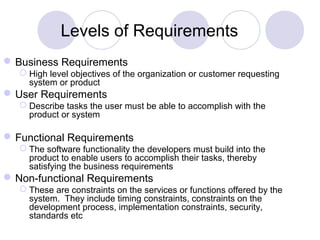
Business Requirements
 High level objectives of the organization or customer requesting
system or product
User Requirements
 Describe tasks the user must be able to accomplish with the
product or system
Functional Requirements
 The software functionality the developers must build into the
product to enable users to accomplish their tasks, thereby
satisfying the business requirements
Non-functional Requirements
 These are constraints on the services or functions offered by the
system. They include timing constraints, constraints on the
development process, implementation constraints, security,
standards etc
Levels Requirements
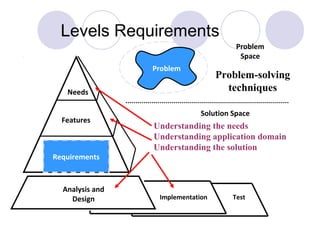
Problem
Solution Space
Problem
Space
Analysis and
Design Implementation Test
Needs
Features
Requirements
Problem-solving
techniques
Understanding the needs
Understanding application domain
Understanding the solution
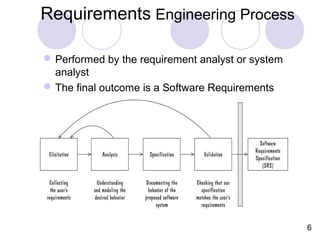
Requirements Engineering Process
Performed by the requirement analyst or system
analyst
The final outcome is a Software Requirements
Specification (SRS) document
6
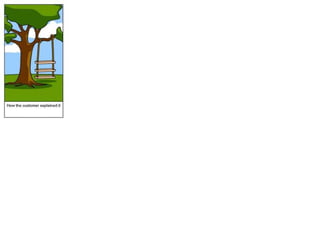
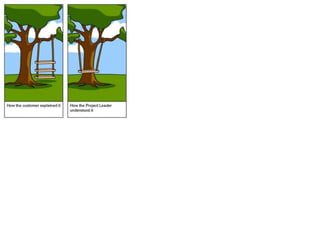
Understanding Requirements
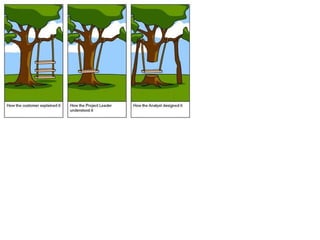
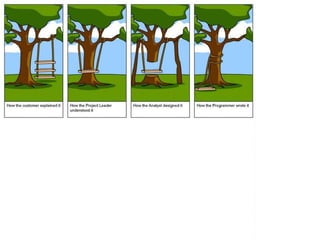
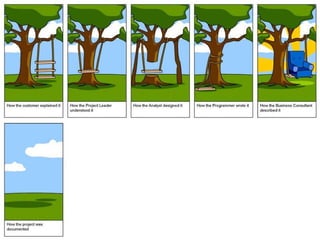
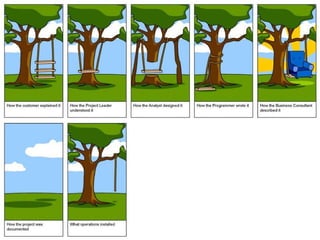
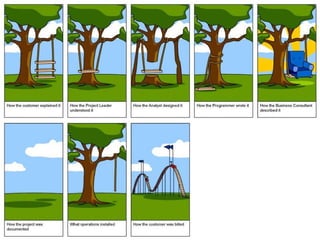
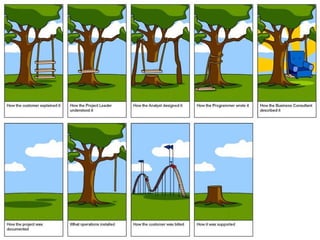
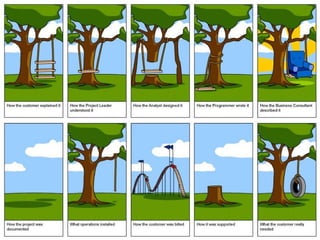
A picture story
Barriers to Elicitation
The “Yes, But” Syndrome
The “undiscovered Ruins (remains)”
Syndrome
The “User and the Developer” Syndrome
The “YES, BUT” Syndrome
Wow this is so good BUT hmmm now that I
see it what about this….?
Software as an intangible intellectual property
Code as the evaluation artifact
We are expected to get software right the first time.
Solution
To identify the YES BUT syndrome early and try to
eliminate it so that when you develop software you
have already taken care of YES BUT syndrome
The “UNDISCOVERED RUINS” Syndrome
Question by a Tourist“ so , umm how many
undiscovered ruins are there?”
The more you found out, the more you know
remains.
You are never really done with requirement
elicitation and you never will be
Solution
Identification of all stakeholders during problem analysis
Should know when to say “ We have discovered enough”
Many techniques used for exploring requirements
The “USER AND THE DEVELOPER”
Syndrome
Communication gap
Different words, different languages, different
motivations etc.
Solution
Use techniques such as role playing, story
boarding, throwaway prototypes to deal with
articulation and communication problems.
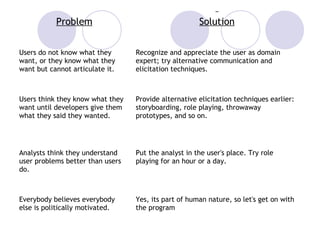
Problem Solution
Users do not know what they
want, or they know what they
want but cannot articulate it.
Recognize and appreciate the user as domain
expert; try alternative communication and
elicitation techniques.
Users think they know what they
want until developers give them
what they said they wanted.
Provide alternative elicitation techniques earlier:
storyboarding, role playing, throwaway
prototypes, and so on.
Analysts think they understand
user problems better than users
do.
Put the analyst in the user's place. Try role
playing for an hour or a day.
Everybody believes everybody
else is politically motivated.
Yes, its part of human nature, so let's get on with
the program
Understanding Requirements
The challenge of Requirements Elicitation
Interviewing stakeholders
Requirements Workshop
Brainstorming with current and potential
users
Storyboarding
Use Cases
Prototyping
22
Technique: Interviewing
 Simple direct technique
 Context-free questions can help achieve bias-
free interviews
 Then, it may be appropriate to search for
undiscovered requirements by exploring
solutions.
 Convergence on some common needs will
initiate a “requirements repository” for use
during the project.
 A questionnaire is not substitute for an
interview.
Technique: Requirements
Workshop
 The requirements workshop is perhaps
the most powerful technique for eliciting
requirements.
 It gathers all keykey stakeholders together
for a short but intensely focused period.
 Brainstorming is the most important
part of the workshop.
Technique: Brainstorming
 Brainstorming involves both idea
generation and idea reduction.
 The most creative, innovative ideas often
result from combining, seemingly
unrelated ideas.
 Various voting techniques may be used to
prioritize the ideas created.
 Although live brainstorming is preferred,
web-based brainstorming may be a viable
alternative in some situations
Technique: Storyboarding
The purpose of storyboarding is to elicit early
“Yes, But” reactions.
Storyboards identify the players, explain what
happens to them, and describes how it
happens.
Make the storyboard sketchy, easy to modify.
Storyboard early and often on every project
with new or innovative content.
Technique: Use Cases
Use Cases, like storyboards, identify the
who, what, and how of system behavior.
Use Cases describe the interactions
between a user and a system, focusing on
what they system “does” for the user.
The Use Case model describes the totality
of the systems functional behavior.
Early stages: After you have an overview of
the use cases, expand 10% of them in detail.
Technique: Prototyping
 Prototyping is especially effective in
addressing the “Yes, But” and the
“Undiscovered Ruins” syndromes.
 A software requirements prototype is built
to help developers, users, and customers
better understand system requirements.
 Prototype the “fuzzy” requirements: those
that, although known, are poorly defined
and poorly understood.
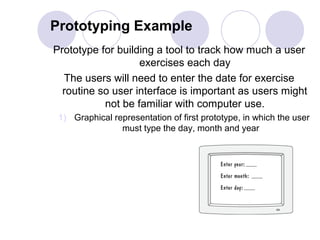
Prototyping Example
Prototype for building a tool to track how much a user
exercises each day
The users will need to enter the date for exercise
routine so user interface is important as users might
not be familiar with computer use.
1) Graphical representation of first prototype, in which the user
must type the day, month and year
Prototyping Example
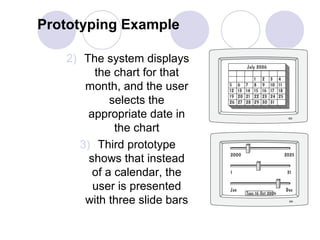
2) The system displays
the chart for that
month, and the user
selects the
appropriate date in
the chart
3) Third prototype
shows that instead
of a calendar, the
user is presented
with three slide bars

Requirement analysis

  • 1.
    Requirement IEEE “A condition orcapability that must be met or possessed by a system or system component to satisfy a contract, standard, specification, or other formally imposed document”  Software Requirements are the wants and needs of the stakeholders.  System requirements specify what, not how.  It may range from a high-level abstract statement of a service or of a system constraint to a detailed mathematical functional specification 2
  • 2.
    Requirement Engineering Requirement engineeringis a sub discipline of software engineering that is concerned with determining the goals, functions, and constraints of software systems. 3
  • 3.
    Levels of Requirements BusinessRequirements  High level objectives of the organization or customer requesting system or product User Requirements  Describe tasks the user must be able to accomplish with the product or system Functional Requirements  The software functionality the developers must build into the product to enable users to accomplish their tasks, thereby satisfying the business requirements Non-functional Requirements  These are constraints on the services or functions offered by the system. They include timing constraints, constraints on the development process, implementation constraints, security, standards etc
  • 4.
    Levels Requirements Problem Solution Space Problem Space Analysisand Design Implementation Test Needs Features Requirements Problem-solving techniques Understanding the needs Understanding application domain Understanding the solution
  • 5.
    Requirements Engineering Process Performedby the requirement analyst or system analyst The final outcome is a Software Requirements Specification (SRS) document 6
  • 6.
  • 16.
    Barriers to Elicitation The“Yes, But” Syndrome The “undiscovered Ruins (remains)” Syndrome The “User and the Developer” Syndrome
  • 17.
    The “YES, BUT”Syndrome Wow this is so good BUT hmmm now that I see it what about this….? Software as an intangible intellectual property Code as the evaluation artifact We are expected to get software right the first time. Solution To identify the YES BUT syndrome early and try to eliminate it so that when you develop software you have already taken care of YES BUT syndrome
  • 18.
    The “UNDISCOVERED RUINS”Syndrome Question by a Tourist“ so , umm how many undiscovered ruins are there?” The more you found out, the more you know remains. You are never really done with requirement elicitation and you never will be Solution Identification of all stakeholders during problem analysis Should know when to say “ We have discovered enough” Many techniques used for exploring requirements
  • 19.
    The “USER ANDTHE DEVELOPER” Syndrome Communication gap Different words, different languages, different motivations etc. Solution Use techniques such as role playing, story boarding, throwaway prototypes to deal with articulation and communication problems.
  • 20.
    Problem Solution Users donot know what they want, or they know what they want but cannot articulate it. Recognize and appreciate the user as domain expert; try alternative communication and elicitation techniques. Users think they know what they want until developers give them what they said they wanted. Provide alternative elicitation techniques earlier: storyboarding, role playing, throwaway prototypes, and so on. Analysts think they understand user problems better than users do. Put the analyst in the user's place. Try role playing for an hour or a day. Everybody believes everybody else is politically motivated. Yes, its part of human nature, so let's get on with the program
  • 21.
    Understanding Requirements The challengeof Requirements Elicitation Interviewing stakeholders Requirements Workshop Brainstorming with current and potential users Storyboarding Use Cases Prototyping 22
  • 22.
    Technique: Interviewing  Simpledirect technique  Context-free questions can help achieve bias- free interviews  Then, it may be appropriate to search for undiscovered requirements by exploring solutions.  Convergence on some common needs will initiate a “requirements repository” for use during the project.  A questionnaire is not substitute for an interview.
  • 23.
    Technique: Requirements Workshop  Therequirements workshop is perhaps the most powerful technique for eliciting requirements.  It gathers all keykey stakeholders together for a short but intensely focused period.  Brainstorming is the most important part of the workshop.
  • 24.
    Technique: Brainstorming  Brainstorminginvolves both idea generation and idea reduction.  The most creative, innovative ideas often result from combining, seemingly unrelated ideas.  Various voting techniques may be used to prioritize the ideas created.  Although live brainstorming is preferred, web-based brainstorming may be a viable alternative in some situations
  • 25.
    Technique: Storyboarding The purposeof storyboarding is to elicit early “Yes, But” reactions. Storyboards identify the players, explain what happens to them, and describes how it happens. Make the storyboard sketchy, easy to modify. Storyboard early and often on every project with new or innovative content.
  • 26.
    Technique: Use Cases UseCases, like storyboards, identify the who, what, and how of system behavior. Use Cases describe the interactions between a user and a system, focusing on what they system “does” for the user. The Use Case model describes the totality of the systems functional behavior. Early stages: After you have an overview of the use cases, expand 10% of them in detail.
  • 27.
    Technique: Prototyping  Prototypingis especially effective in addressing the “Yes, But” and the “Undiscovered Ruins” syndromes.  A software requirements prototype is built to help developers, users, and customers better understand system requirements.  Prototype the “fuzzy” requirements: those that, although known, are poorly defined and poorly understood.
  • 28.
    Prototyping Example Prototype forbuilding a tool to track how much a user exercises each day The users will need to enter the date for exercise routine so user interface is important as users might not be familiar with computer use. 1) Graphical representation of first prototype, in which the user must type the day, month and year
  • 29.
    Prototyping Example 2) Thesystem displays the chart for that month, and the user selects the appropriate date in the chart 3) Third prototype shows that instead of a calendar, the user is presented with three slide bars