Overview of Remedy AUTHOR : Subbu
Overview of Remedy REMEDY- Action Request System
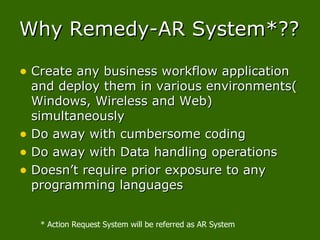
Why Remedy-AR System*?? Create any business workflow application and deploy them in various environments( Windows, Wireless and Web) simultaneously Do away with cumbersome coding Do away with Data handling operations Doesn’t require prior exposure to any programming languages * Action Request System will be referred as AR System
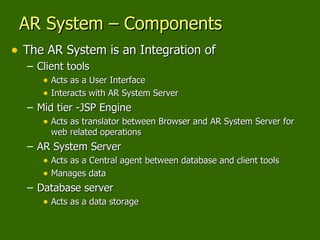
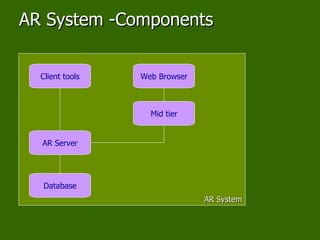
AR System – Components The AR System is an Integration of Client tools Acts as a User Interface Interacts with AR System Server  Mid tier -JSP Engine Acts as translator between Browser and AR System Server for web related operations AR System Server Acts as a Central agent between database and client tools Manages data Database server Acts as a data storage
AR System -Components AR System Database AR Server Client tools Mid tier Web Browser
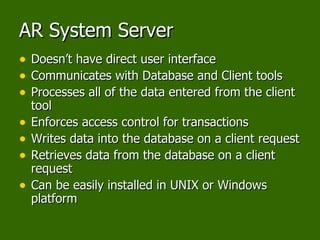
AR System Server Doesn’t have direct user interface Communicates with Database and Client tools Processes all of the data entered from the client tool Enforces access control for transactions Writes data into the database on a client request Retrieves data from the database on a client request Can be easily installed in UNIX or Windows platform
Database AR System uses Standard Relational Databases End User doesn’t interact directly with Databases Database may be present in the same system or Different systems Database server may run on any platform immaterial of the platform in which AR server is installed. AR System can use any of the following Database Oracle Sybase DB2 INFORMIX Microsoft SQL Server Flat File
Mid tier Mid tier needs to be installed if user wants to perform web related operations Mid tier Requires supported JSP Engine Mid tier Translates the AR system Functionality to the Web clients or Wireless clients
AR System Client Tools End-User clients AR System Windows user tool AR System Alert Web Client Wireless Client Administrative clients AR System Administrator Mid tier Configuration tool AR System Import AR System Migrator
End User Clients – AR System Windows User Tool Facilitates to insert, modify or delete information in the AR system Database Permits the user to Query the Information stored in the AR system Database Operates only on Windows platform Can communicate to the AR Server installed either in Windows or UNIX
End User Clients – AR System Alert Special Tool to alert the user Mainly used to notify the user based on business driven situations/problems Alerts the user by  Making “Icon Flash” Making Audible “Beep” Running the Process Displaying "Message Window”
End User Clients- Web Client and Wireless client Web Clients Web Browsers act as a User Interface Facilitates to store or delete the information in the AR system Database Permits the user to Query for the Information stored in the AR system Database Wireless Client Enables the user to communicate to the AR System through WAP/WML enabled devices  Mainly used by Mobile Work force (ex. Field Officers)
Administrative clients-AR System Administrator Facilitates the Developer to Create and Manage the AR System Applications Helps the Developer in creating/modifying the AR System Objects, Forms
Administrative clients- Mid Tier Configuration Tool The mid tier Configuration Tool runs in a web browser. It is used by AR System administrators to manage the deployment of applications on the web.
Administrative clients-AR System Import AR System client tool that enables AR System administrators to transfer data records from an archive file into a form. It is used to load external data into AR System forms.
Administrative clients-AR System Migrator AR System Migrator provides an easy way to move forms and applications between two or more AR System servers.  This tool helps you to move your data and workflow definitions from a development environment to a production server. It also ensures the integrity of all migrated changes This tool helps you reduce the amount of time required to synchronize your development and production AR System servers.
Thank You

Remedy Introduction

  • 1.
    Overview of RemedyAUTHOR : Subbu
  • 2.
    Overview of RemedyREMEDY- Action Request System
  • 3.
    Why Remedy-AR System*??Create any business workflow application and deploy them in various environments( Windows, Wireless and Web) simultaneously Do away with cumbersome coding Do away with Data handling operations Doesn’t require prior exposure to any programming languages * Action Request System will be referred as AR System
  • 4.
    AR System –Components The AR System is an Integration of Client tools Acts as a User Interface Interacts with AR System Server Mid tier -JSP Engine Acts as translator between Browser and AR System Server for web related operations AR System Server Acts as a Central agent between database and client tools Manages data Database server Acts as a data storage
  • 5.
    AR System -ComponentsAR System Database AR Server Client tools Mid tier Web Browser
  • 6.
    AR System ServerDoesn’t have direct user interface Communicates with Database and Client tools Processes all of the data entered from the client tool Enforces access control for transactions Writes data into the database on a client request Retrieves data from the database on a client request Can be easily installed in UNIX or Windows platform
  • 7.
    Database AR Systemuses Standard Relational Databases End User doesn’t interact directly with Databases Database may be present in the same system or Different systems Database server may run on any platform immaterial of the platform in which AR server is installed. AR System can use any of the following Database Oracle Sybase DB2 INFORMIX Microsoft SQL Server Flat File
  • 8.
    Mid tier Midtier needs to be installed if user wants to perform web related operations Mid tier Requires supported JSP Engine Mid tier Translates the AR system Functionality to the Web clients or Wireless clients
  • 9.
    AR System ClientTools End-User clients AR System Windows user tool AR System Alert Web Client Wireless Client Administrative clients AR System Administrator Mid tier Configuration tool AR System Import AR System Migrator
  • 10.
    End User Clients– AR System Windows User Tool Facilitates to insert, modify or delete information in the AR system Database Permits the user to Query the Information stored in the AR system Database Operates only on Windows platform Can communicate to the AR Server installed either in Windows or UNIX
  • 11.
    End User Clients– AR System Alert Special Tool to alert the user Mainly used to notify the user based on business driven situations/problems Alerts the user by Making “Icon Flash” Making Audible “Beep” Running the Process Displaying "Message Window”
  • 12.
    End User Clients-Web Client and Wireless client Web Clients Web Browsers act as a User Interface Facilitates to store or delete the information in the AR system Database Permits the user to Query for the Information stored in the AR system Database Wireless Client Enables the user to communicate to the AR System through WAP/WML enabled devices Mainly used by Mobile Work force (ex. Field Officers)
  • 13.
    Administrative clients-AR SystemAdministrator Facilitates the Developer to Create and Manage the AR System Applications Helps the Developer in creating/modifying the AR System Objects, Forms
  • 14.
    Administrative clients- MidTier Configuration Tool The mid tier Configuration Tool runs in a web browser. It is used by AR System administrators to manage the deployment of applications on the web.
  • 15.
    Administrative clients-AR SystemImport AR System client tool that enables AR System administrators to transfer data records from an archive file into a form. It is used to load external data into AR System forms.
  • 16.
    Administrative clients-AR SystemMigrator AR System Migrator provides an easy way to move forms and applications between two or more AR System servers. This tool helps you to move your data and workflow definitions from a development environment to a production server. It also ensures the integrity of all migrated changes This tool helps you reduce the amount of time required to synchronize your development and production AR System servers.
  • 17.