Automatic Release Notes Generation Using XML Publisher Jiju Cherian Vengal TESCO HSC
So what is new? Automates the entire process of Release Notes Generation. Requires the running of just one XMLP report. Can feed parameters like CR#, CR Name, Author Name etc thus eliminating manual effort.
How will we benefit? No more manual creation of Release Notes required saving valuable development time! No more Copy and Paste mistakes in Release Notes! The template can be changed any time as per requirement! Being a Peoplesoft object it can easily be migrated to any environment any time unlike the current Release Notes generator. Being a Peoplesoft object development team can enhance the report seamlessly! In short its Cheaper, Faster and Better!
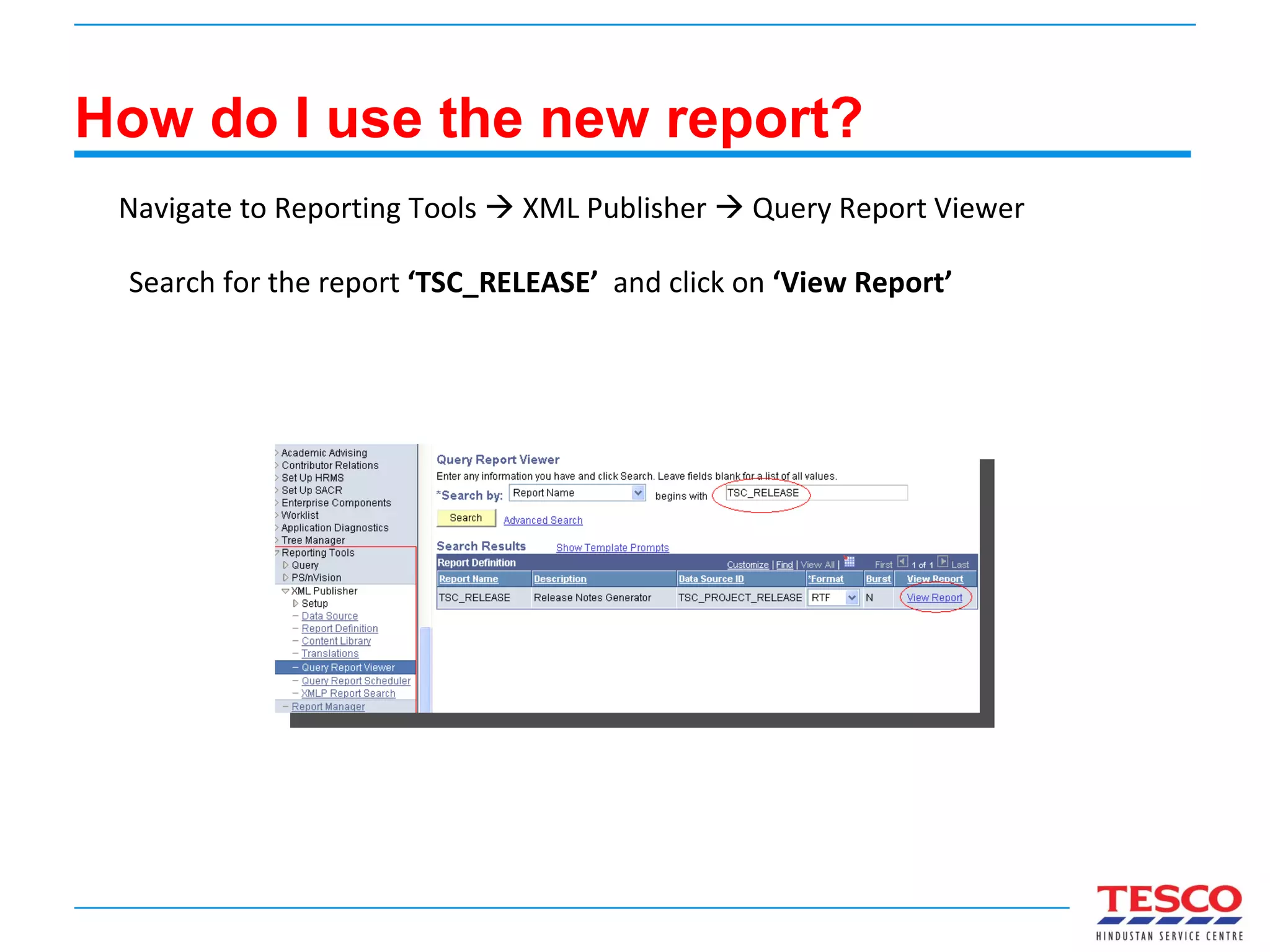
How do I use the new report? Navigate to Reporting Tools    XML Publisher    Query Report Viewer  Search for the report  ‘TSC_RELEASE’  and click on  ‘View Report’
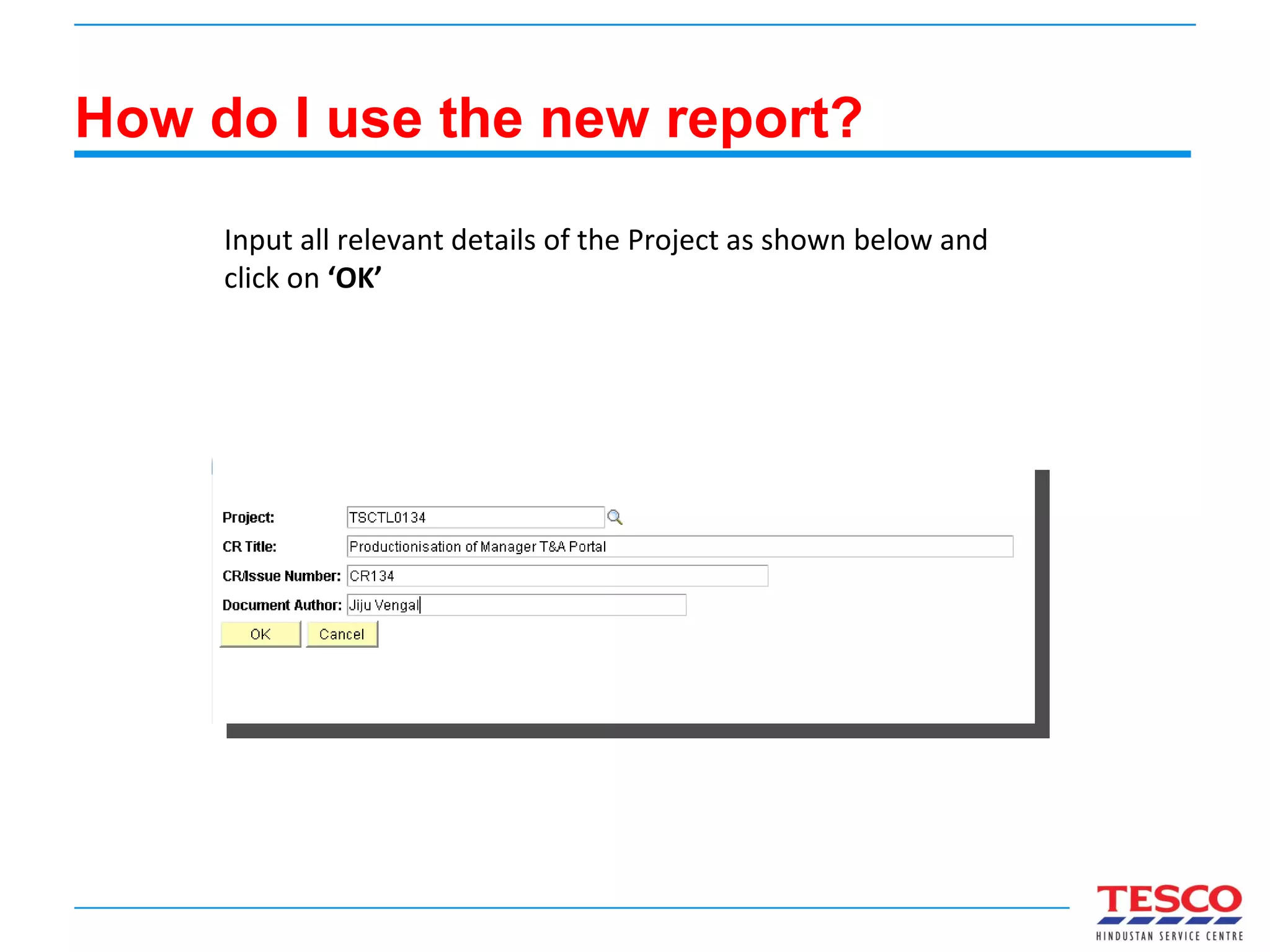
How do I use the new report? Input all relevant details of the Project as shown below and click on  ‘OK’
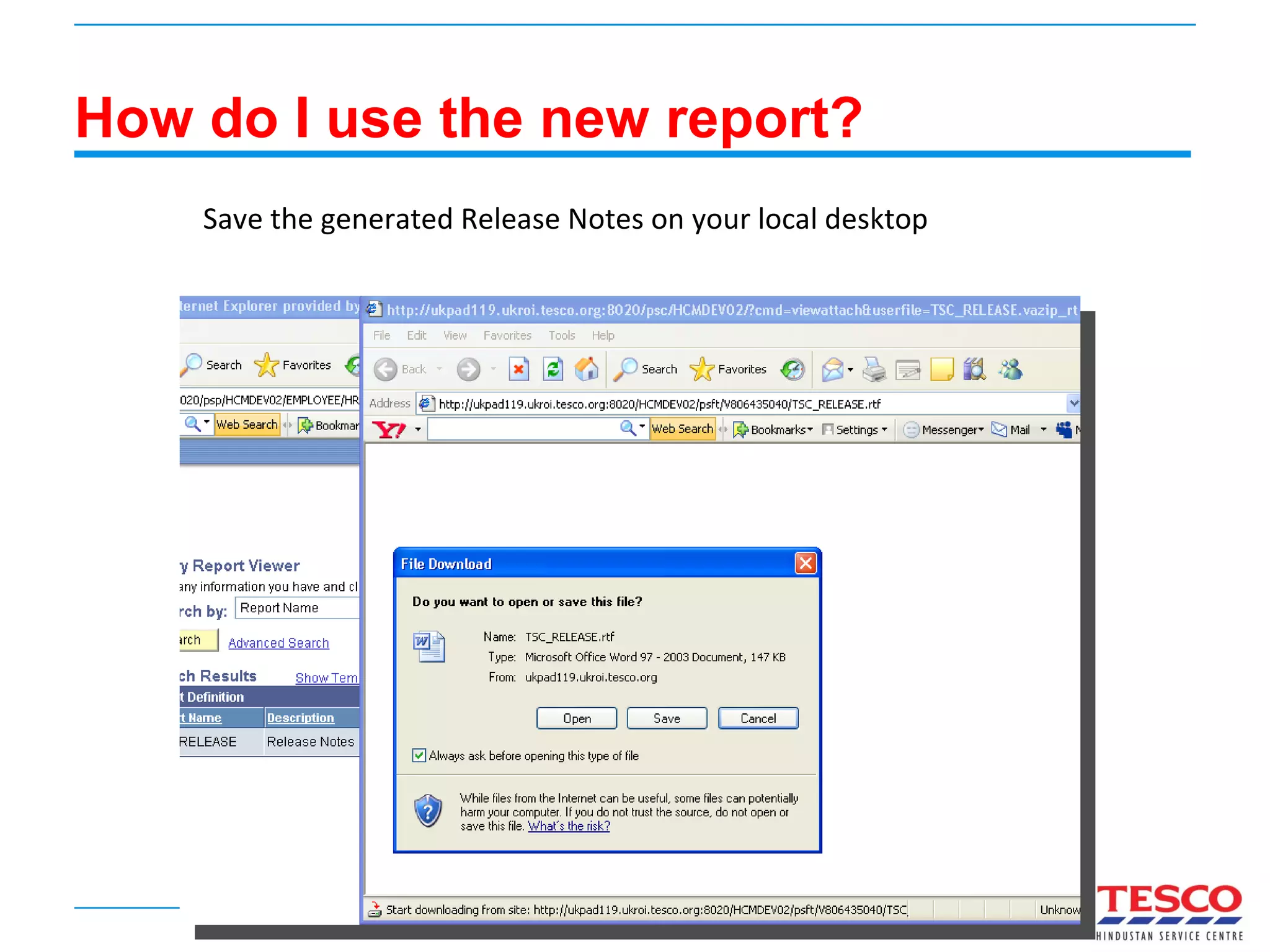
How do I use the new report? Save the generated Release Notes on your local desktop
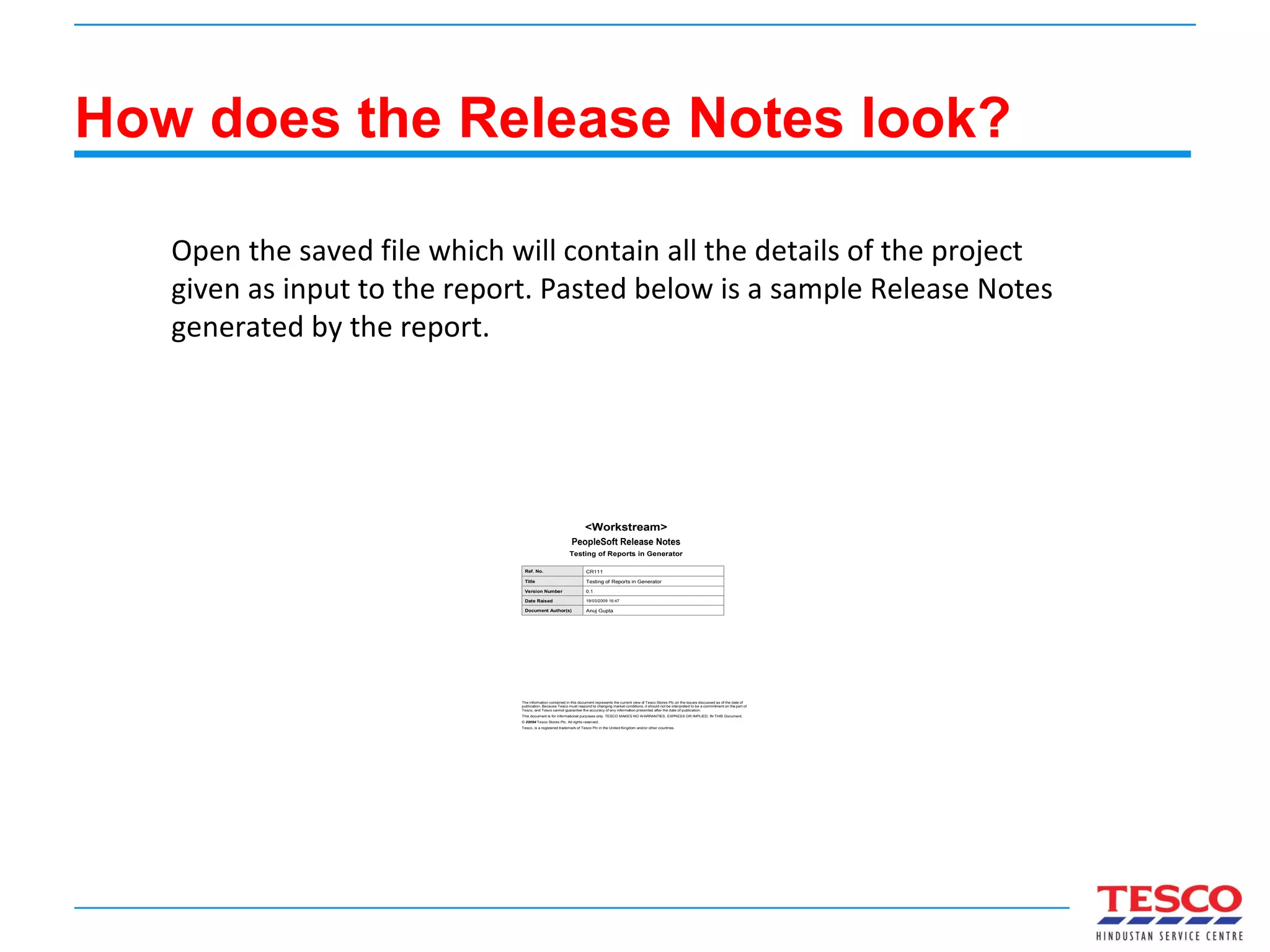
How does the Release Notes look? Open the saved file which will contain all the details of the project given as input to the report. Pasted below is a sample Release Notes generated by the report.
Scope for Improvement? Lots! Increase the number of parameters to reduce as much minimal work. Include all possible objects in the Template. No Description/Comments are added to any of the objects now. Mail in any suggestions for improvement for the report.
 

Release Notes generation using XML Publisher

  • 1.
    Automatic Release NotesGeneration Using XML Publisher Jiju Cherian Vengal TESCO HSC
  • 2.
    So what isnew? Automates the entire process of Release Notes Generation. Requires the running of just one XMLP report. Can feed parameters like CR#, CR Name, Author Name etc thus eliminating manual effort.
  • 3.
    How will webenefit? No more manual creation of Release Notes required saving valuable development time! No more Copy and Paste mistakes in Release Notes! The template can be changed any time as per requirement! Being a Peoplesoft object it can easily be migrated to any environment any time unlike the current Release Notes generator. Being a Peoplesoft object development team can enhance the report seamlessly! In short its Cheaper, Faster and Better!
  • 4.
    How do Iuse the new report? Navigate to Reporting Tools  XML Publisher  Query Report Viewer Search for the report ‘TSC_RELEASE’ and click on ‘View Report’
  • 5.
    How do Iuse the new report? Input all relevant details of the Project as shown below and click on ‘OK’
  • 6.
    How do Iuse the new report? Save the generated Release Notes on your local desktop
  • 7.
    How does theRelease Notes look? Open the saved file which will contain all the details of the project given as input to the report. Pasted below is a sample Release Notes generated by the report.
  • 8.
    Scope for Improvement?Lots! Increase the number of parameters to reduce as much minimal work. Include all possible objects in the Template. No Description/Comments are added to any of the objects now. Mail in any suggestions for improvement for the report.
  • 9.