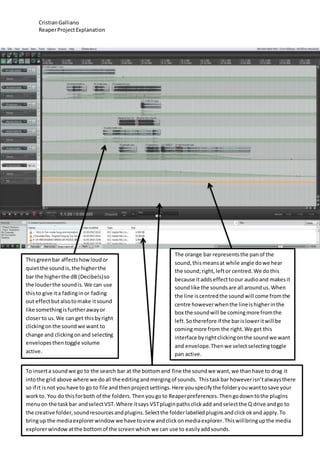
This document provides instructions for editing sounds in the Reaper audio editing software. It explains that the green volume bar controls the decibel (dB) level and therefore the loudness of a sound. The orange pan bar controls the left-right positioning of a sound. Sounds can be inserted by dragging them from the media explorer window into the editing grid. Various effects like fading in/out and changing distance can be applied by editing the volume envelope. Merging and splitting sounds allows for smooth transitions between audio clips.