React.js Basics
@RobertWPearce
robertwpearce.com/converge-reactjs
robertwpearce.com/converge-reactjs-demo
whoami
From Charleston, SC
Digital Nomad
Work at 100% remote company, Articulate
(articulate.com)
Full-stack dev
Worked with React for almost a year
Why You Should Listen
I've made more small mistakes than you.
Talk Notes
Since requiring/exporting modules and dependencies takes
up too much space, I've omitted them from the
presentation.
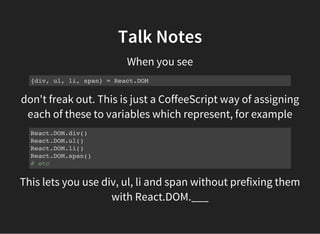
don't freak out. This is just a CoffeeScript way of assigning
each of these to variables which represent, for example
Talk Notes
When you see
{div, ul, li, span} = React.DOM
React.DOM.div()
React.DOM.ul()
React.DOM.li()
React.DOM.span()
# etc
This lets you use div, ul, li and span without prefixing them
with React.DOM.___
Talk Notes
There will not be Q&A at the end,
so ask questions as we go.
The Problem
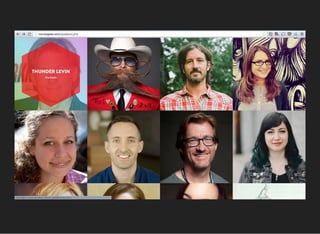
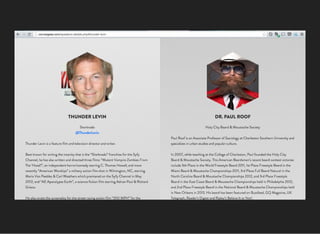
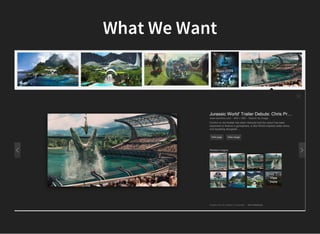
Can't see ConvergeSE's speaker details without navigating
to another page
What We Want
What We Want
vanilla JS or jQuery
We could use data selector finagling to hide/show
information and divs accordingly, but this can get very ugly
and difficult to maintain.
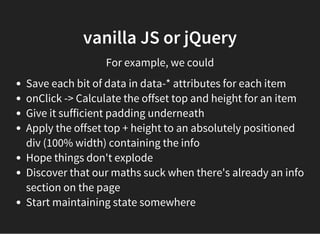
vanilla JS or jQuery
For example, we could
Save each bit of data in data-* attributes for each item
onClick -> Calculate the offset top and height for an item
Give it sufficient padding underneath
Apply the offset top + height to an absolutely positioned
div (100% width) containing the info
Hope things don't explode
Discover that our maths suck when there's already an info
section on the page
Start maintaining state somewhere
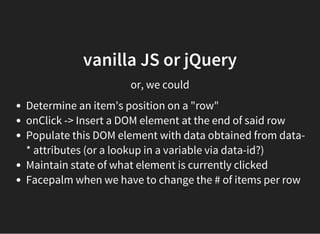
vanilla JS or jQuery
or, we could
Determine an item's position on a "row"
onClick -> Insert a DOM element at the end of said row
Populate this DOM element with data obtained from data-
* attributes (or a lookup in a variable via data-id?)
Maintain state of what element is currently clicked
Facepalm when we have to change the # of items per row
"Verba movent, exempla trahunt."
(Words move people, examples compel them.)
— Latin Proverb
First the How
Then the Why
Then the Future
How
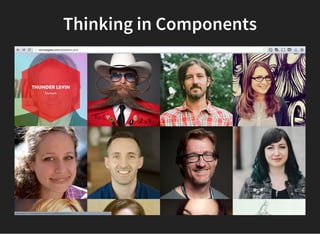
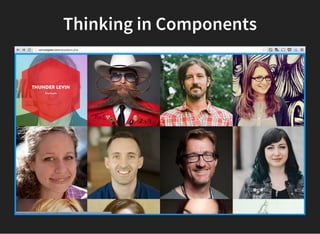
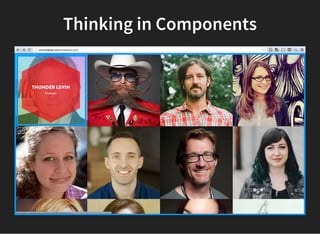
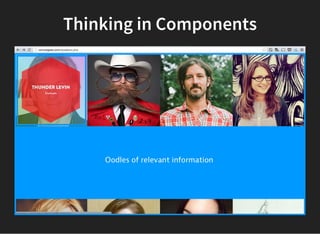
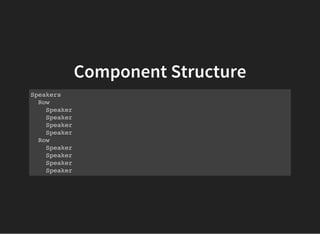
Thinking in Components
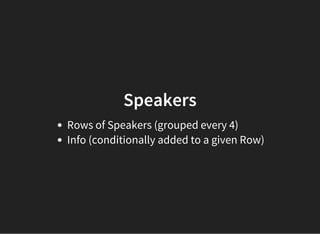
Speakers
Rows of Speakers (grouped every 4)
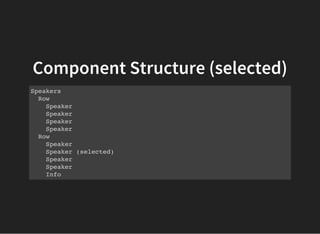
Info (conditionally added to a given Row)
Component Structure
Speakers
Row
Speaker
Speaker
Speaker
Speaker
Row
Speaker
Speaker
Speaker
Speaker
Component Structure (selected)
Speakers
Row
Speaker
Speaker
Speaker
Speaker
Row
Speaker
Speaker (selected)
Speaker
Speaker
Info
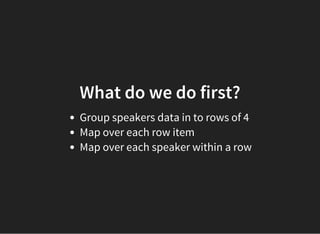
What do we do first?
Group speakers data in to rows of 4
Map over each row item
Map over each speaker within a row
Proof of Concept (try #1)
# CoffeeScript
speakersData = [{ id: 1, name: 'Emily' }, { id: 2, name: 'Lucy' }]
Speakers = React.createClass
Proof of Concept (try #1)
speakersData = [{ id: 1, name: 'Emily' }, { id: 2, name: 'Lucy' }]
Speakers = React.createClass
render: ->
Proof of Concept (try #1)
speakersData = [{ id: 1, name: 'Emily' }, { id: 2, name: 'Lucy' }]
Speakers = React.createClass
render: ->
rows = _.chunk(speakersData, 4)
Proof of Concept (try #1)
speakersData = [{ id: 1, name: 'Emily' }, { id: 2, name: 'Lucy' }]
Speakers = React.createClass
render: ->
rows = _.chunk(speakersData, 4)
div className: 'speakers',
Proof of Concept (try #1)
speakersData = [{ id: 1, name: 'Emily' }, { id: 2, name: 'Lucy' }]
Speakers = React.createClass
render: ->
rows = _.chunk(speakersData, 4)
div className: 'speakers',
rows.map (row) ->
Proof of Concept (try #1)
speakersData = [{ id: 1, name: 'Emily' }, { id: 2, name: 'Lucy' }]
Speakers = React.createClass
render: ->
rows = _.chunk(speakersData, 4)
div className: 'speakers',
rows.map (row) ->
row.map (speaker) ->
Proof of Concept (try #1)
speakersData = [{ id: 1, name: 'Emily' }, { id: 2, name: 'Lucy' }]
Speakers = React.createClass
render: ->
rows = _.chunk(speakersData, 4)
div className: 'speakers',
rows.map (row) ->
row.map (speaker) ->
div className: 'speaker', speaker.name
Proof of Concept (try #2)
speakersData = [{ id: 1, name: 'Emily' }, { id: 2, name: 'Lucy' }]
Speakers = React.createClass
render: ->
rows = _.chunk(speakersData, 4)
div className: 'speakers',
rows.map (row) ->
row.map (speaker) ->
div className: 'speaker', speaker.name
Proof of Concept (try #2)
speakersData = [{ id: 1, name: 'Emily' }, { id: 2, name: 'Lucy' }]
Speakers = React.createClass
render: ->
rows = _.chunk(speakersData, 4)
div className: 'speakers',
@_buildRows()
_buildRows: ->
rows.map (row) ->
row.map (speaker) ->
div className: 'speaker', speaker.name
Proof of Concept (try #2)
speakersData = [{ id: 1, name: 'Emily' }, { id: 2, name: 'Lucy' }]
Speakers = React.createClass
render: ->
rows = _.chunk(speakersData, 4)
div className: 'speakers',
@_buildRows()
_buildRows: ->
rows.map(@_buildSpeakers)
_buildSpeakers: (row) ->
row.map (speaker) ->
div className: 'speaker', speaker.name
Proof of Concept (try #3)
speakersData = [{ id: 1, name: 'Emily' }, { id: 2, name: 'Lucy' }]
Speakers = React.createClass
render: ->
rows = _.chunk(speakersData, 4)
div className: 'speakers',
rows.map (row) -> Row(row: row)
Row = React.createClass
render: ->
div null, # render must return a React.DOM element or null
@props.row.map (speaker) -> Speaker(speaker: speaker)
Speaker = React.createClass
render: ->
div className: 'speaker', @props.speaker.name
Nice work!
Take a breath.
Asynchronous Data Fetching
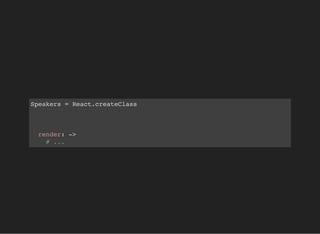
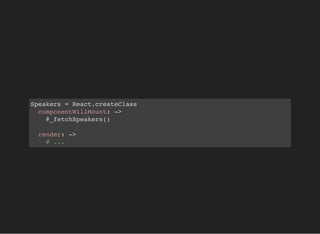
Speakers = React.createClass
render: ->
# ...
Speakers = React.createClass
componentWillMount: ->
@_fetchSpeakers()
render: ->
# ...
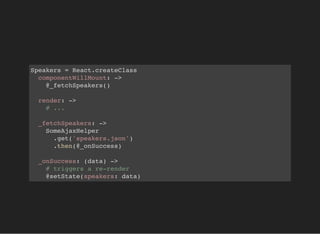
Speakers = React.createClass
componentWillMount: ->
@_fetchSpeakers()
render: ->
# ...
_fetchSpeakers: ->
SomeAjaxHelper
.get('speakers.json')
.then(@_onSuccess)
_onSuccess: (data) ->
# triggers a re-render
@setState(speakers: data)
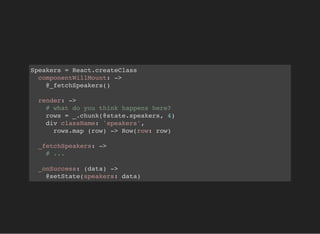
Speakers = React.createClass
componentWillMount: ->
@_fetchSpeakers()
render: ->
# what do you think happens here?
rows = _.chunk(@state.speakers, 4)
div className: 'speakers',
rows.map (row) -> Row(row: row)
_fetchSpeakers: ->
# ...
_onSuccess: (data) ->
@setState(speakers: data)
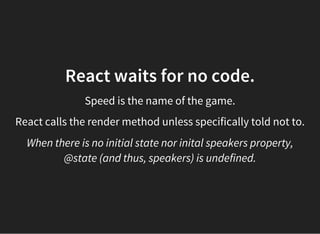
React waits for no code.
Speed is the name of the game.
React calls the render method unless specifically told not to.
When there is no initial state nor inital speakers property,
@state (and thus, speakers) is undefined.
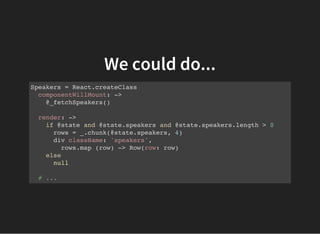
We could do...
Speakers = React.createClass
componentWillMount: ->
@_fetchSpeakers()
render: ->
if @state and @state.speakers and @state.speakers.length > 0
rows = _.chunk(@state.speakers, 4)
div className: 'speakers',
rows.map (row) -> Row(row: row)
else
null
# ...
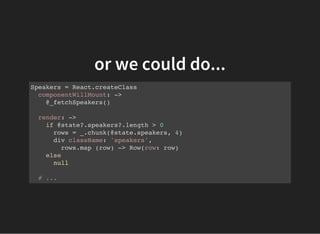
or we could do...
Speakers = React.createClass
componentWillMount: ->
@_fetchSpeakers()
render: ->
if @state?.speakers?.length > 0
rows = _.chunk(@state.speakers, 4)
div className: 'speakers',
rows.map (row) -> Row(row: row)
else
null
# ...
The Right Way™
Speakers = React.createClass
# With this we now have an initial bit of
# data for our speakers state.
getInitialState: ->
speakers: []
componentWillMount: ->
@_fetchSpeakers()
render: ->
if @state.speakers.length > 0
rows = _.chunk(@state.speakers, 4)
div className: 'speakers',
rows.map (row) -> Row(row: row)
else
null # or a Loader
Building the Child Components
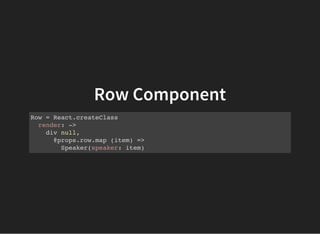
Row Component
Row = React.createClass
render: ->
div null,
@props.row.map (item) =>
Speaker(speaker: item)
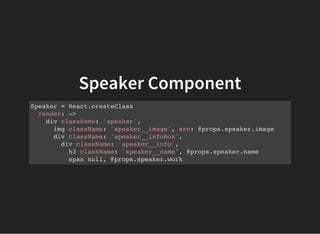
Speaker Component
Speaker = React.createClass
render: ->
div className: 'speaker',
img className: 'speaker__image', src: @props.speaker.image
div className: 'speaker__infoBox',
div className: 'speaker__info',
h3 className: 'speaker__name', @props.speaker.name
span null, @props.speaker.work
Adding info toggling functionality
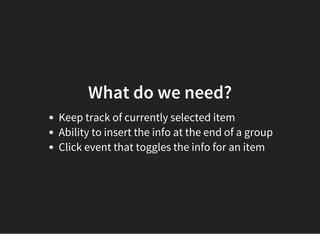
What do we need?
Keep track of currently selected item
Ability to insert the info at the end of a group
Click event that toggles the info for an item
Speakers = React.createClass
getInitialState: ->
speakers: []
selectedId: -1 # or null, if you prefer
render: ->
# ...
rows.map (row) ->
Row(
row: row
selectedId: @state.selectedId
updateSelectedId: @_updateSelectedId
)
_updateSelectedId: (selectedId) ->
@setState(selectedId: selectedId)
Row = React.createClass
render: ->
div null, @_buildRow()
_buildRow: ->
selectedItems = @_filterSelected()
rendered = @props.row.map (item) =>
Speaker(
isSelected: item.id is @props.selectedId
speaker: item
updateSelectedId: @props.updateSelectedId
)
if selectedItems.length > 0
rendered.push(Info(speaker: selectedItems[0]))
rendered
_filterSelected: ->
@props.row.filter (item) =>
item.id is @props.selectedId
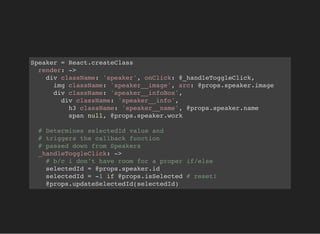
Speaker = React.createClass
render: ->
div className: 'speaker', onClick: @_handleToggleClick,
img className: 'speaker__image', src: @props.speaker.image
div className: 'speaker__infoBox',
div className: 'speaker__info',
h3 className: 'speaker__name', @props.speaker.name
span null, @props.speaker.work
# Determines selectedId value and
# triggers the callback function
# passed down from Speakers
_handleToggleClick: ->
# b/c i don't have room for a proper if/else
selectedId = @props.speaker.id
selectedId = -1 if @props.isSelected # reset!
@props.updateSelectedId(selectedId)
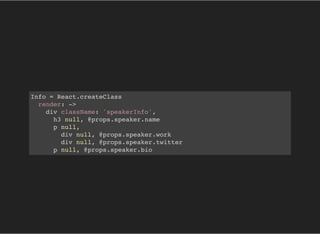
Info = React.createClass
render: ->
div className: 'speakerInfo',
h3 null, @props.speaker.name
p null,
div null, @props.speaker.work
div null, @props.speaker.twitter
p null, @props.speaker.bio
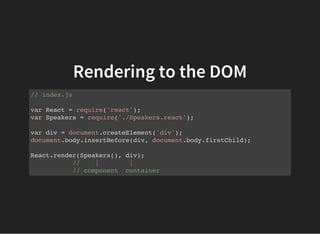
Rendering to the DOM
// index.js
var React = require('react');
var Speakers = require('./Speakers.react');
var div = document.createElement('div');
document.body.insertBefore(div, document.body.firstChild);
React.render(Speakers(), div);
// | |
// component container
Ship It and Pray...
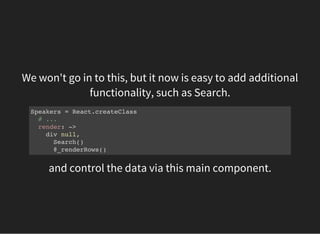
We won't go in to this, but it now is easy to add additional
functionality, such as Search.
Speakers = React.createClass
# ...
render: ->
div null,
Search()
@_renderRows()
and control the data via this main component.
Take a breath.
Why
Truth
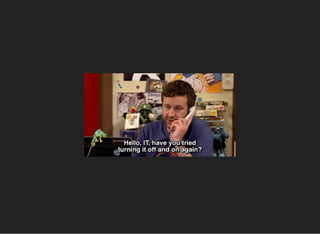
Maintaining state in web applications. How...?
In web applications, what has been the source of data truth
since day one?
The server.
Mutating the DOM never made sense to me.
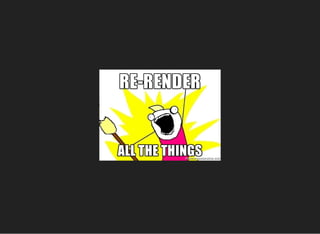
The solution?
Isn't that expensive on browsers?
Nope.
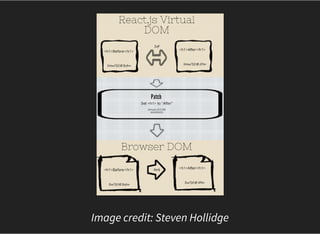
Virtual DOM
Image credit: Steven Hollidge
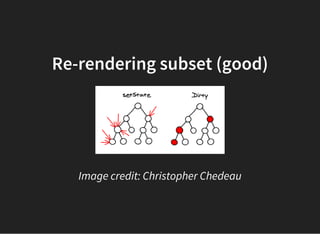
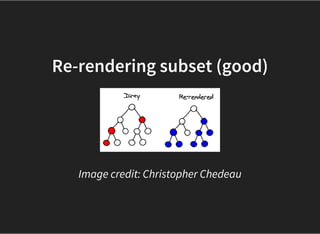
Re-rendering subset (good)
Image credit: Christopher Chedeau
Re-rendering subset (good)
Image credit: Christopher Chedeau
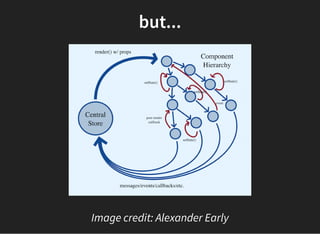
but...
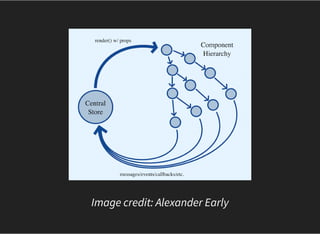
Image credit: Alexander Early
The previous image occurs when one component does not
control all of the data for an application, or at least for a set
of subcomponents.
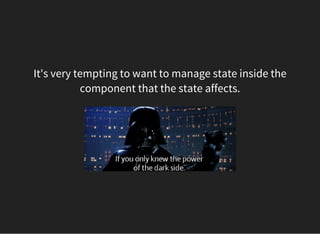
It's very tempting to want to manage state inside the
component that the state affects.
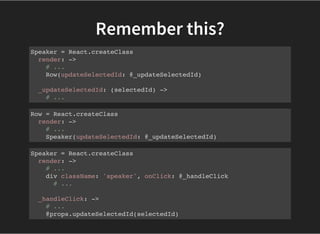
Remember this?
Speaker = React.createClass
render: ->
# ...
Row(updateSelectedId: @_updateSelectedId)
_updateSelectedId: (selectedId) ->
# ...
Row = React.createClass
render: ->
# ...
Speaker(updateSelectedId: @_updateSelectedId)
Speaker = React.createClass
render: ->
# ...
div className: 'speaker', onClick: @_handleClick
# ...
_handleClick: ->
# ...
@props.updateSelectedId(selectedId)
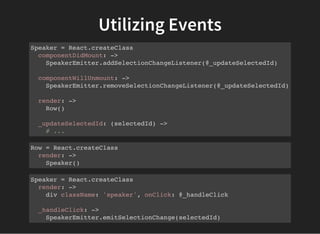
Utilizing Events
Speaker = React.createClass
componentDidMount: ->
SpeakerEmitter.addSelectionChangeListener(@_updateSelectedId)
componentWillUnmount: ->
SpeakerEmitter.removeSelectionChangeListener(@_updateSelectedId)
render: ->
Row()
_updateSelectedId: (selectedId) ->
# ...
Row = React.createClass
render: ->
Speaker()
Speaker = React.createClass
render: ->
div className: 'speaker', onClick: @_handleClick
_handleClick: ->
SpeakerEmitter.emitSelectionChange(selectedId)
Image credit: Alexander Early
The Future
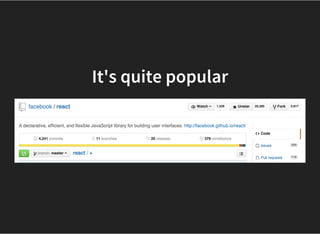
It's quite popular
Client Side & Server-side
You can compile React on the server and use the same
templates for server-side rendering as you do for client-side.
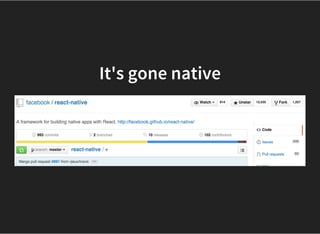
It's gone native
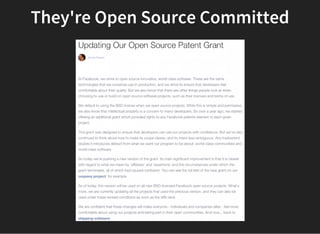
They're Open Source Committed
TL;DR
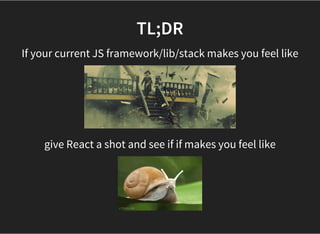
If your current JS framework/lib/stack makes you feel like
give React a shot and see if if makes you feel like

React.js Basics - ConvergeSE 2015

  • 1.
  • 2.
    whoami From Charleston, SC DigitalNomad Work at 100% remote company, Articulate (articulate.com) Full-stack dev Worked with React for almost a year
  • 3.
    Why You ShouldListen I've made more small mistakes than you.
  • 4.
    Talk Notes Since requiring/exportingmodules and dependencies takes up too much space, I've omitted them from the presentation.
  • 5.
    don't freak out.This is just a CoffeeScript way of assigning each of these to variables which represent, for example Talk Notes When you see {div, ul, li, span} = React.DOM React.DOM.div() React.DOM.ul() React.DOM.li() React.DOM.span() # etc This lets you use div, ul, li and span without prefixing them with React.DOM.___
  • 6.
    Talk Notes There willnot be Q&A at the end, so ask questions as we go.
  • 7.
    The Problem Can't seeConvergeSE's speaker details without navigating to another page
  • 10.
  • 12.
  • 13.
    vanilla JS orjQuery We could use data selector finagling to hide/show information and divs accordingly, but this can get very ugly and difficult to maintain.
  • 14.
    vanilla JS orjQuery For example, we could Save each bit of data in data-* attributes for each item onClick -> Calculate the offset top and height for an item Give it sufficient padding underneath Apply the offset top + height to an absolutely positioned div (100% width) containing the info Hope things don't explode Discover that our maths suck when there's already an info section on the page Start maintaining state somewhere
  • 15.
    vanilla JS orjQuery or, we could Determine an item's position on a "row" onClick -> Insert a DOM element at the end of said row Populate this DOM element with data obtained from data- * attributes (or a lookup in a variable via data-id?) Maintain state of what element is currently clicked Facepalm when we have to change the # of items per row
  • 16.
    "Verba movent, exemplatrahunt." (Words move people, examples compel them.) — Latin Proverb
  • 17.
    First the How Thenthe Why Then the Future
  • 18.
  • 19.
  • 20.
  • 21.
  • 22.
  • 23.
    Speakers Rows of Speakers(grouped every 4) Info (conditionally added to a given Row)
  • 24.
  • 25.
  • 26.
    What do wedo first? Group speakers data in to rows of 4 Map over each row item Map over each speaker within a row
  • 27.
    Proof of Concept(try #1) # CoffeeScript speakersData = [{ id: 1, name: 'Emily' }, { id: 2, name: 'Lucy' }] Speakers = React.createClass
  • 28.
    Proof of Concept(try #1) speakersData = [{ id: 1, name: 'Emily' }, { id: 2, name: 'Lucy' }] Speakers = React.createClass render: ->
  • 29.
    Proof of Concept(try #1) speakersData = [{ id: 1, name: 'Emily' }, { id: 2, name: 'Lucy' }] Speakers = React.createClass render: -> rows = _.chunk(speakersData, 4)
  • 30.
    Proof of Concept(try #1) speakersData = [{ id: 1, name: 'Emily' }, { id: 2, name: 'Lucy' }] Speakers = React.createClass render: -> rows = _.chunk(speakersData, 4) div className: 'speakers',
  • 31.
    Proof of Concept(try #1) speakersData = [{ id: 1, name: 'Emily' }, { id: 2, name: 'Lucy' }] Speakers = React.createClass render: -> rows = _.chunk(speakersData, 4) div className: 'speakers', rows.map (row) ->
  • 32.
    Proof of Concept(try #1) speakersData = [{ id: 1, name: 'Emily' }, { id: 2, name: 'Lucy' }] Speakers = React.createClass render: -> rows = _.chunk(speakersData, 4) div className: 'speakers', rows.map (row) -> row.map (speaker) ->
  • 33.
    Proof of Concept(try #1) speakersData = [{ id: 1, name: 'Emily' }, { id: 2, name: 'Lucy' }] Speakers = React.createClass render: -> rows = _.chunk(speakersData, 4) div className: 'speakers', rows.map (row) -> row.map (speaker) -> div className: 'speaker', speaker.name
  • 35.
    Proof of Concept(try #2) speakersData = [{ id: 1, name: 'Emily' }, { id: 2, name: 'Lucy' }] Speakers = React.createClass render: -> rows = _.chunk(speakersData, 4) div className: 'speakers', rows.map (row) -> row.map (speaker) -> div className: 'speaker', speaker.name
  • 36.
    Proof of Concept(try #2) speakersData = [{ id: 1, name: 'Emily' }, { id: 2, name: 'Lucy' }] Speakers = React.createClass render: -> rows = _.chunk(speakersData, 4) div className: 'speakers', @_buildRows() _buildRows: -> rows.map (row) -> row.map (speaker) -> div className: 'speaker', speaker.name
  • 37.
    Proof of Concept(try #2) speakersData = [{ id: 1, name: 'Emily' }, { id: 2, name: 'Lucy' }] Speakers = React.createClass render: -> rows = _.chunk(speakersData, 4) div className: 'speakers', @_buildRows() _buildRows: -> rows.map(@_buildSpeakers) _buildSpeakers: (row) -> row.map (speaker) -> div className: 'speaker', speaker.name
  • 39.
    Proof of Concept(try #3) speakersData = [{ id: 1, name: 'Emily' }, { id: 2, name: 'Lucy' }] Speakers = React.createClass render: -> rows = _.chunk(speakersData, 4) div className: 'speakers', rows.map (row) -> Row(row: row) Row = React.createClass render: -> div null, # render must return a React.DOM element or null @props.row.map (speaker) -> Speaker(speaker: speaker) Speaker = React.createClass render: -> div className: 'speaker', @props.speaker.name
  • 40.
  • 41.
  • 42.
  • 43.
    Speakers = React.createClass componentWillMount:-> @_fetchSpeakers() render: -> # ...
  • 44.
    Speakers = React.createClass componentWillMount:-> @_fetchSpeakers() render: -> # ... _fetchSpeakers: -> SomeAjaxHelper .get('speakers.json') .then(@_onSuccess) _onSuccess: (data) -> # triggers a re-render @setState(speakers: data)
  • 45.
    Speakers = React.createClass componentWillMount:-> @_fetchSpeakers() render: -> # what do you think happens here? rows = _.chunk(@state.speakers, 4) div className: 'speakers', rows.map (row) -> Row(row: row) _fetchSpeakers: -> # ... _onSuccess: (data) -> @setState(speakers: data)
  • 46.
    React waits forno code. Speed is the name of the game. React calls the render method unless specifically told not to. When there is no initial state nor inital speakers property, @state (and thus, speakers) is undefined.
  • 47.
    We could do... Speakers= React.createClass componentWillMount: -> @_fetchSpeakers() render: -> if @state and @state.speakers and @state.speakers.length > 0 rows = _.chunk(@state.speakers, 4) div className: 'speakers', rows.map (row) -> Row(row: row) else null # ...
  • 48.
    or we coulddo... Speakers = React.createClass componentWillMount: -> @_fetchSpeakers() render: -> if @state?.speakers?.length > 0 rows = _.chunk(@state.speakers, 4) div className: 'speakers', rows.map (row) -> Row(row: row) else null # ...
  • 49.
    The Right Way™ Speakers= React.createClass # With this we now have an initial bit of # data for our speakers state. getInitialState: -> speakers: [] componentWillMount: -> @_fetchSpeakers() render: -> if @state.speakers.length > 0 rows = _.chunk(@state.speakers, 4) div className: 'speakers', rows.map (row) -> Row(row: row) else null # or a Loader
  • 50.
  • 51.
    Row Component Row =React.createClass render: -> div null, @props.row.map (item) => Speaker(speaker: item)
  • 52.
    Speaker Component Speaker =React.createClass render: -> div className: 'speaker', img className: 'speaker__image', src: @props.speaker.image div className: 'speaker__infoBox', div className: 'speaker__info', h3 className: 'speaker__name', @props.speaker.name span null, @props.speaker.work
  • 53.
    Adding info togglingfunctionality
  • 54.
    What do weneed? Keep track of currently selected item Ability to insert the info at the end of a group Click event that toggles the info for an item
  • 55.
    Speakers = React.createClass getInitialState:-> speakers: [] selectedId: -1 # or null, if you prefer render: -> # ... rows.map (row) -> Row( row: row selectedId: @state.selectedId updateSelectedId: @_updateSelectedId ) _updateSelectedId: (selectedId) -> @setState(selectedId: selectedId)
  • 56.
    Row = React.createClass render:-> div null, @_buildRow() _buildRow: -> selectedItems = @_filterSelected() rendered = @props.row.map (item) => Speaker( isSelected: item.id is @props.selectedId speaker: item updateSelectedId: @props.updateSelectedId ) if selectedItems.length > 0 rendered.push(Info(speaker: selectedItems[0])) rendered _filterSelected: -> @props.row.filter (item) => item.id is @props.selectedId
  • 57.
    Speaker = React.createClass render:-> div className: 'speaker', onClick: @_handleToggleClick, img className: 'speaker__image', src: @props.speaker.image div className: 'speaker__infoBox', div className: 'speaker__info', h3 className: 'speaker__name', @props.speaker.name span null, @props.speaker.work # Determines selectedId value and # triggers the callback function # passed down from Speakers _handleToggleClick: -> # b/c i don't have room for a proper if/else selectedId = @props.speaker.id selectedId = -1 if @props.isSelected # reset! @props.updateSelectedId(selectedId)
  • 58.
    Info = React.createClass render:-> div className: 'speakerInfo', h3 null, @props.speaker.name p null, div null, @props.speaker.work div null, @props.speaker.twitter p null, @props.speaker.bio
  • 59.
    Rendering to theDOM // index.js var React = require('react'); var Speakers = require('./Speakers.react'); var div = document.createElement('div'); document.body.insertBefore(div, document.body.firstChild); React.render(Speakers(), div); // | | // component container
  • 60.
    Ship It andPray...
  • 61.
    We won't goin to this, but it now is easy to add additional functionality, such as Search. Speakers = React.createClass # ... render: -> div null, Search() @_renderRows() and control the data via this main component.
  • 62.
  • 63.
  • 64.
  • 65.
    Maintaining state inweb applications. How...?
  • 66.
    In web applications,what has been the source of data truth since day one? The server.
  • 68.
    Mutating the DOMnever made sense to me. The solution?
  • 70.
    Isn't that expensiveon browsers? Nope.
  • 71.
  • 72.
  • 73.
    Re-rendering subset (good) Imagecredit: Christopher Chedeau
  • 74.
    Re-rendering subset (good) Imagecredit: Christopher Chedeau
  • 75.
  • 76.
    The previous imageoccurs when one component does not control all of the data for an application, or at least for a set of subcomponents.
  • 77.
    It's very temptingto want to manage state inside the component that the state affects.
  • 78.
    Remember this? Speaker =React.createClass render: -> # ... Row(updateSelectedId: @_updateSelectedId) _updateSelectedId: (selectedId) -> # ... Row = React.createClass render: -> # ... Speaker(updateSelectedId: @_updateSelectedId) Speaker = React.createClass render: -> # ... div className: 'speaker', onClick: @_handleClick # ... _handleClick: -> # ... @props.updateSelectedId(selectedId)
  • 79.
    Utilizing Events Speaker =React.createClass componentDidMount: -> SpeakerEmitter.addSelectionChangeListener(@_updateSelectedId) componentWillUnmount: -> SpeakerEmitter.removeSelectionChangeListener(@_updateSelectedId) render: -> Row() _updateSelectedId: (selectedId) -> # ... Row = React.createClass render: -> Speaker() Speaker = React.createClass render: -> div className: 'speaker', onClick: @_handleClick _handleClick: -> SpeakerEmitter.emitSelectionChange(selectedId)
  • 80.
  • 81.
  • 82.
  • 83.
    Client Side &Server-side You can compile React on the server and use the same templates for server-side rendering as you do for client-side.
  • 84.
  • 85.
  • 86.
    TL;DR If your currentJS framework/lib/stack makes you feel like give React a shot and see if if makes you feel like