Reactive By Example
Eran Harel - @eran_ha
source: http://www.reactivemanifesto.org/
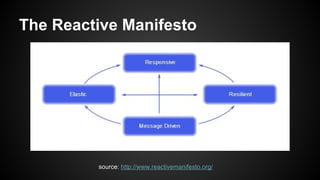
The Reactive Manifesto
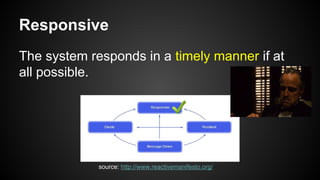
Responsive
The system responds in a timely manner if at
all possible.
source: http://www.reactivemanifesto.org/
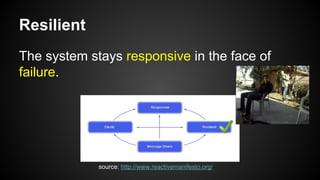
Resilient
The system stays responsive in the face of
failure.
source: http://www.reactivemanifesto.org/
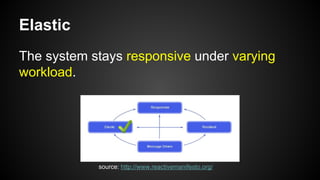
Elastic
The system stays responsive under varying
workload.
source: http://www.reactivemanifesto.org/
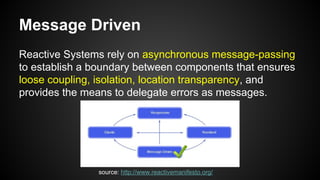
Message Driven
Reactive Systems rely on asynchronous message-passing
to establish a boundary between components that ensures
loose coupling, isolation, location transparency, and
provides the means to delegate errors as messages.
source: http://www.reactivemanifesto.org/
Case Study
Scaling our metric delivery system
Graphite
● Graphite is a highly scalable real-time
graphing system.
● Graphite performs two pretty simple tasks:
storing numbers that change over time and
graphing them.
● Sources:
○ http://graphite.wikidot.com/faq
○ http://aosabook.org/en/graphite.html
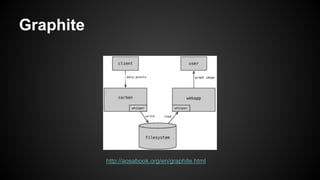
Graphite
http://aosabook.org/en/graphite.html
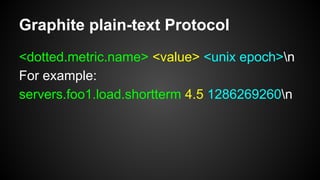
Graphite plain-text Protocol
<dotted.metric.name> <value> <unix epoch>n
For example:
servers.foo1.load.shortterm 4.5 1286269260n
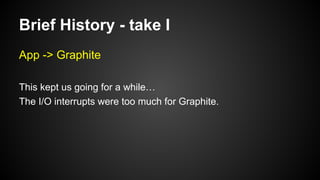
Brief History - take I
App -> Graphite
This kept us going for a while…
The I/O interrupts were too much for Graphite.
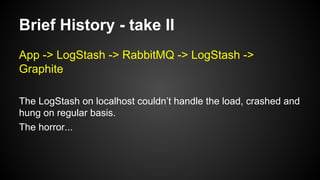
Brief History - take II
App -> LogStash -> RabbitMQ -> LogStash ->
Graphite
The LogStash on localhost couldn’t handle the load, crashed and
hung on regular basis.
The horror...
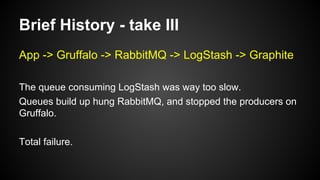
Brief History - take III
App -> Gruffalo -> RabbitMQ -> LogStash -> Graphite
The queue consuming LogStash was way too slow.
Queues build up hung RabbitMQ, and stopped the producers on
Gruffalo.
Total failure.
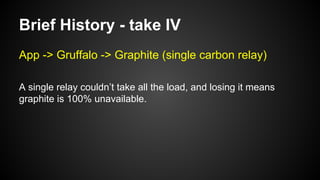
Brief History - take IV
App -> Gruffalo -> Graphite (single carbon relay)
A single relay couldn’t take all the load, and losing it means
graphite is 100% unavailable.
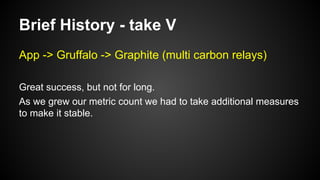
Brief History - take V
App -> Gruffalo -> Graphite (multi carbon relays)
Great success, but not for long.
As we grew our metric count we had to take additional measures
to make it stable.
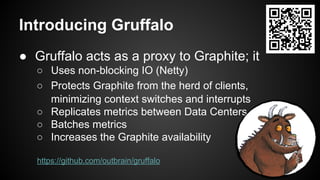
Introducing Gruffalo
● Gruffalo acts as a proxy to Graphite; it
○ Uses non-blocking IO (Netty)
○ Protects Graphite from the herd of clients,
minimizing context switches and interrupts
○ Replicates metrics between Data Centers
○ Batches metrics
○ Increases the Graphite availability
https://github.com/outbrain/gruffalo
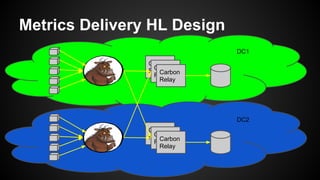
Metrics Delivery HL Design
Carbon
RelayCarbon
RelayCarbon
Relay
Carbon
RelayCarbon
RelayCarbon
Relay
DC1
DC2
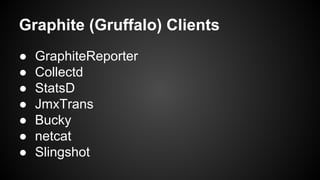
Graphite (Gruffalo) Clients
● GraphiteReporter
● Collectd
● StatsD
● JmxTrans
● Bucky
● netcat
● Slingshot
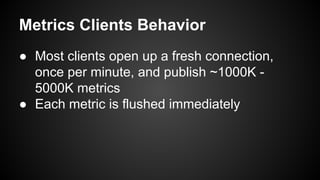
Metrics Clients Behavior
● Most clients open up a fresh connection,
once per minute, and publish ~1000K -
5000K metrics
● Each metric is flushed immediately
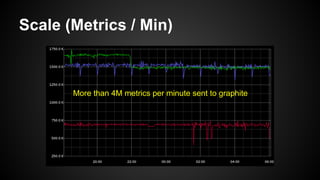
Scale (Metrics / Min)
More than 4M metrics per minute sent to graphite
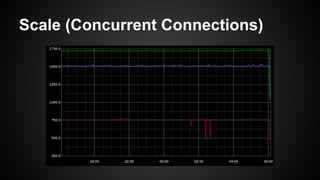
Scale (Concurrent Connections)
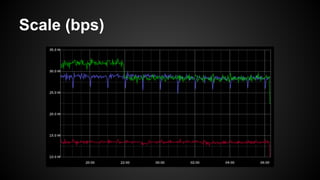
Scale (bps)
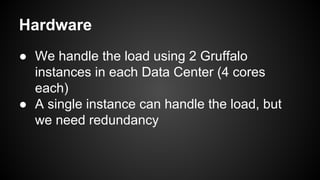
Hardware
● We handle the load using 2 Gruffalo
instances in each Data Center (4 cores
each)
● A single instance can handle the load, but
we need redundancy
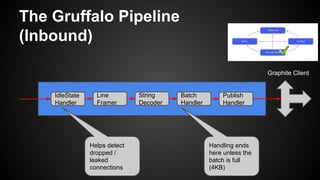
The Gruffalo Pipeline
(Inbound)
IdleState
Handler
Line
Framer
String
Decoder
Batch
Handler
Publish
Handler
Graphite Client
Helps detect
dropped /
leaked
connections
Handling ends
here unless the
batch is full
(4KB)
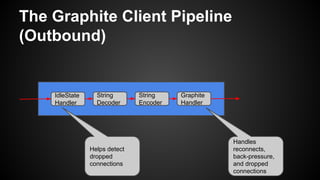
The Graphite Client Pipeline
(Outbound)
IdleState
Handler
String
Decoder
String
Encoder
Graphite
Handler
Handles
reconnects,
back-pressure,
and dropped
connections
Helps detect
dropped
connections
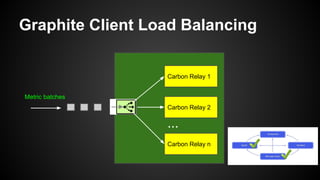
Graphite Client Load Balancing
Carbon Relay 1
Carbon Relay 2
Carbon Relay n
Metric batches
...
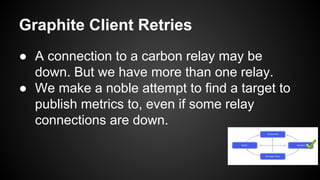
Graphite Client Retries
● A connection to a carbon relay may be
down. But we have more than one relay.
● We make a noble attempt to find a target to
publish metrics to, even if some relay
connections are down.
Graphite Client Reconnects
Processes crash, the network is *not* reliable,
and timeouts do occur...
Graphite Client Metric Replication
● For DR purposes we replicate each metric to
2 Data Centers.
● ...Yes it can be done elsewhere…
● Sending millions of metrics across the WAN,
to a remote data center is what brings most
of the challenges
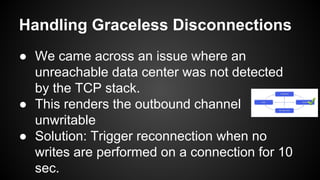
Handling Graceless Disconnections
● We came across an issue where an
unreachable data center was not detected
by the TCP stack.
● This renders the outbound channel
unwritable
● Solution: Trigger reconnection when no
writes are performed on a connection for 10
sec.
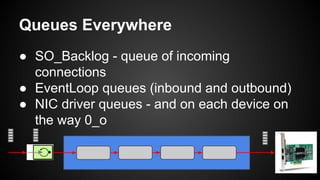
Queues Everywhere
● SO_Backlog - queue of incoming
connections
● EventLoop queues (inbound and outbound)
● NIC driver queues - and on each device on
the way 0_o
Why are queues bad?
● If queues grow unbounded, at some point,
the process will exhaust all available RAM
and crash, or become unresponsive.
● At this point you need to apply either
○ Back-Pressure
○ Drop requests: SLA--
○ Crash: is this an option?
Why are queues bad?
● Queues can increase latency by a
magnitude of the size of the queue (in the
worst case).
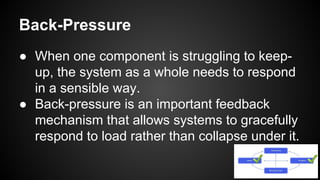
● When one component is struggling to keep-
up, the system as a whole needs to respond
in a sensible way.
● Back-pressure is an important feedback
mechanism that allows systems to gracefully
respond to load rather than collapse under it.
Back-Pressure
Back-Pressure (take I)
● Netty sends an event when the channel
writability changes
● We use this to stop / resume reads from all
inbound connections, and stop / resume
accepting new connections
● This isn’t enough under high loads
Back-Pressure (take II)
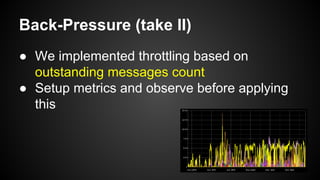
● We implemented throttling based on
outstanding messages count
● Setup metrics and observe before applying
this
Idle / Leaked Inbound Connections
Detection
● Broken connections can’t be detected by the
receiving side.
● Half-Open connections can be caused by
crashes (process, host, routers), unplugging
network cables, etc
● Solution: We close all idle inbound
connections
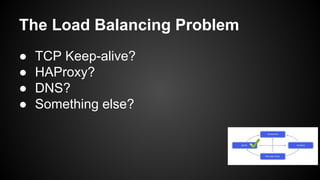
The Load Balancing Problem
● TCP Keep-alive?
● HAProxy?
● DNS?
● Something else?
Consul Client Side Load Balancing
● We register Gruffalo instances in Consul
● Clients use Consul DNS and resolve a
random host on each metrics batch
● This makes scaling, maintenance, and
deployments easy with zero client code
changes :)
Auto Scaling?
[What can be done to achieve auto-scaling?]
Questions?
“Systems built as Reactive Systems are more flexible,
loosely-coupled and scalable. This makes them easier to
develop and amenable to change. They are significantly
more tolerant of failure and when failure does occur they
meet it with elegance rather than disaster. Reactive
Systems are highly responsive, giving users effective
interactive feedback.”
source: http://www.reactivemanifesto.org/
Wouldn’t you want to do this daily?
We’re recruiting ;)
Links
● http://www.reactivemanifesto.org/
● https://www.youtube.com/watch?v=IGW5VcnJLuU
● https://github.com/outbrain/gruffalo
● http://aosabook.org/en/graphite.html
● http://ferd.ca/queues-don-t-fix-overload.html

Reactive by example - at Reversim Summit 2015

  • 1.
    Reactive By Example EranHarel - @eran_ha
  • 2.
  • 3.
    Responsive The system respondsin a timely manner if at all possible. source: http://www.reactivemanifesto.org/
  • 4.
    Resilient The system staysresponsive in the face of failure. source: http://www.reactivemanifesto.org/
  • 5.
    Elastic The system staysresponsive under varying workload. source: http://www.reactivemanifesto.org/
  • 6.
    Message Driven Reactive Systemsrely on asynchronous message-passing to establish a boundary between components that ensures loose coupling, isolation, location transparency, and provides the means to delegate errors as messages. source: http://www.reactivemanifesto.org/
  • 7.
    Case Study Scaling ourmetric delivery system
  • 8.
    Graphite ● Graphite isa highly scalable real-time graphing system. ● Graphite performs two pretty simple tasks: storing numbers that change over time and graphing them. ● Sources: ○ http://graphite.wikidot.com/faq ○ http://aosabook.org/en/graphite.html
  • 9.
  • 10.
    Graphite plain-text Protocol <dotted.metric.name><value> <unix epoch>n For example: servers.foo1.load.shortterm 4.5 1286269260n
  • 11.
    Brief History -take I App -> Graphite This kept us going for a while… The I/O interrupts were too much for Graphite.
  • 12.
    Brief History -take II App -> LogStash -> RabbitMQ -> LogStash -> Graphite The LogStash on localhost couldn’t handle the load, crashed and hung on regular basis. The horror...
  • 13.
    Brief History -take III App -> Gruffalo -> RabbitMQ -> LogStash -> Graphite The queue consuming LogStash was way too slow. Queues build up hung RabbitMQ, and stopped the producers on Gruffalo. Total failure.
  • 14.
    Brief History -take IV App -> Gruffalo -> Graphite (single carbon relay) A single relay couldn’t take all the load, and losing it means graphite is 100% unavailable.
  • 15.
    Brief History -take V App -> Gruffalo -> Graphite (multi carbon relays) Great success, but not for long. As we grew our metric count we had to take additional measures to make it stable.
  • 16.
    Introducing Gruffalo ● Gruffaloacts as a proxy to Graphite; it ○ Uses non-blocking IO (Netty) ○ Protects Graphite from the herd of clients, minimizing context switches and interrupts ○ Replicates metrics between Data Centers ○ Batches metrics ○ Increases the Graphite availability https://github.com/outbrain/gruffalo
  • 17.
    Metrics Delivery HLDesign Carbon RelayCarbon RelayCarbon Relay Carbon RelayCarbon RelayCarbon Relay DC1 DC2
  • 18.
    Graphite (Gruffalo) Clients ●GraphiteReporter ● Collectd ● StatsD ● JmxTrans ● Bucky ● netcat ● Slingshot
  • 19.
    Metrics Clients Behavior ●Most clients open up a fresh connection, once per minute, and publish ~1000K - 5000K metrics ● Each metric is flushed immediately
  • 20.
    Scale (Metrics /Min) More than 4M metrics per minute sent to graphite
  • 21.
  • 22.
  • 23.
    Hardware ● We handlethe load using 2 Gruffalo instances in each Data Center (4 cores each) ● A single instance can handle the load, but we need redundancy
  • 24.
    The Gruffalo Pipeline (Inbound) IdleState Handler Line Framer String Decoder Batch Handler Publish Handler GraphiteClient Helps detect dropped / leaked connections Handling ends here unless the batch is full (4KB)
  • 25.
    The Graphite ClientPipeline (Outbound) IdleState Handler String Decoder String Encoder Graphite Handler Handles reconnects, back-pressure, and dropped connections Helps detect dropped connections
  • 26.
    Graphite Client LoadBalancing Carbon Relay 1 Carbon Relay 2 Carbon Relay n Metric batches ...
  • 27.
    Graphite Client Retries ●A connection to a carbon relay may be down. But we have more than one relay. ● We make a noble attempt to find a target to publish metrics to, even if some relay connections are down.
  • 28.
    Graphite Client Reconnects Processescrash, the network is *not* reliable, and timeouts do occur...
  • 29.
    Graphite Client MetricReplication ● For DR purposes we replicate each metric to 2 Data Centers. ● ...Yes it can be done elsewhere… ● Sending millions of metrics across the WAN, to a remote data center is what brings most of the challenges
  • 30.
    Handling Graceless Disconnections ●We came across an issue where an unreachable data center was not detected by the TCP stack. ● This renders the outbound channel unwritable ● Solution: Trigger reconnection when no writes are performed on a connection for 10 sec.
  • 31.
    Queues Everywhere ● SO_Backlog- queue of incoming connections ● EventLoop queues (inbound and outbound) ● NIC driver queues - and on each device on the way 0_o
  • 32.
    Why are queuesbad? ● If queues grow unbounded, at some point, the process will exhaust all available RAM and crash, or become unresponsive. ● At this point you need to apply either ○ Back-Pressure ○ Drop requests: SLA-- ○ Crash: is this an option?
  • 33.
    Why are queuesbad? ● Queues can increase latency by a magnitude of the size of the queue (in the worst case).
  • 34.
    ● When onecomponent is struggling to keep- up, the system as a whole needs to respond in a sensible way. ● Back-pressure is an important feedback mechanism that allows systems to gracefully respond to load rather than collapse under it. Back-Pressure
  • 35.
    Back-Pressure (take I) ●Netty sends an event when the channel writability changes ● We use this to stop / resume reads from all inbound connections, and stop / resume accepting new connections ● This isn’t enough under high loads
  • 36.
    Back-Pressure (take II) ●We implemented throttling based on outstanding messages count ● Setup metrics and observe before applying this
  • 37.
    Idle / LeakedInbound Connections Detection ● Broken connections can’t be detected by the receiving side. ● Half-Open connections can be caused by crashes (process, host, routers), unplugging network cables, etc ● Solution: We close all idle inbound connections
  • 38.
    The Load BalancingProblem ● TCP Keep-alive? ● HAProxy? ● DNS? ● Something else?
  • 39.
    Consul Client SideLoad Balancing ● We register Gruffalo instances in Consul ● Clients use Consul DNS and resolve a random host on each metrics batch ● This makes scaling, maintenance, and deployments easy with zero client code changes :)
  • 40.
    Auto Scaling? [What canbe done to achieve auto-scaling?]
  • 41.
    Questions? “Systems built asReactive Systems are more flexible, loosely-coupled and scalable. This makes them easier to develop and amenable to change. They are significantly more tolerant of failure and when failure does occur they meet it with elegance rather than disaster. Reactive Systems are highly responsive, giving users effective interactive feedback.” source: http://www.reactivemanifesto.org/
  • 42.
    Wouldn’t you wantto do this daily? We’re recruiting ;)
  • 43.
    Links ● http://www.reactivemanifesto.org/ ● https://www.youtube.com/watch?v=IGW5VcnJLuU ●https://github.com/outbrain/gruffalo ● http://aosabook.org/en/graphite.html ● http://ferd.ca/queues-don-t-fix-overload.html