Immersive
AR & VR Experience
Using React Native
Pulkit Kakkar
Organizing Team
Facebook Developer Circle: Delhi-NCR
Independent Developer
@pulkitkkr0
www.linkedin.com/in/pulkitkkr
pulkitkkr@gmail.com
&
Agenda
WhenHowWhyWhat
All About the XR
*X ∈ { A, V, M }
“Reality is merely an illusion,
albeit a very persistent one.”
- Albert Einstein
“Ghosts are just an illusion.”
- My parent’s in Childhood
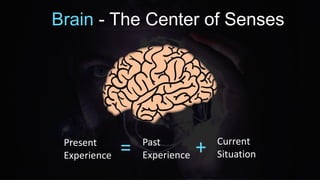
Brain - The Center of Senses
Present
Experience = +Past
Experience
Current
Situation
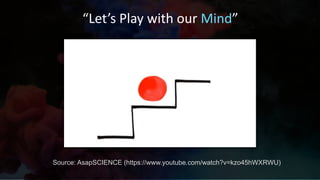
“Let’s Play with our Mind”
Source: AsapSCIENCE (https://www.youtube.com/watch?v=kzo45hWXRWU)
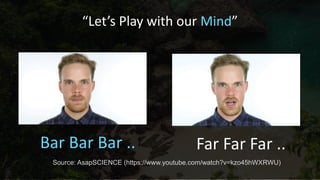
“Let’s Play with our Mind”
Bar Bar Bar .. Far Far Far ..
Source: AsapSCIENCE (https://www.youtube.com/watch?v=kzo45hWXRWU)
Conclusion :
“Brain can be tricked with
illusions”
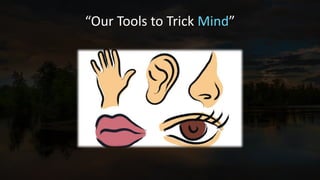
“Our Tools to Trick Mind”
“This lead to inception of term
Virtual Reality”
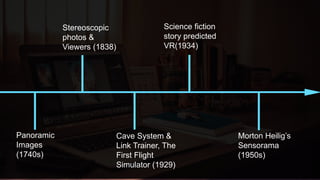
Panoramic
Images
(1740s)
Stereoscopic
photos &
Viewers (1838)
Link Trainer
The First Flight
Simulator (1929)
Science fiction
story predicted
VR(1934)
Morton Heilig’s
Sensorama
(1950s)
Panoramic
Images
(1740s)
Stereoscopic
photos &
Viewers (1838)
Cave System &
Link Trainer, The
First Flight
Simulator (1929)
Science fiction
story predicted
VR(1934)
Morton Heilig’s
Sensorama
(1950s)
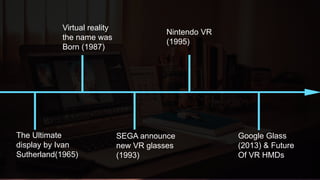
The Ultimate
display by Ivan
Sutherland(1965)
Virtual reality
the name was
Born (1987)
SEGA announce
new VR glasses
(1993)
Nintendo VR
(1995)
Google Glass
(2013) & Future
Of VR HMDs
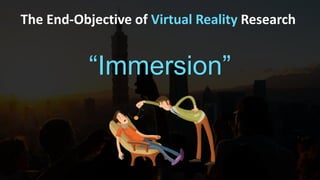
The End-Objective of Virtual Reality Research
“Immersion”
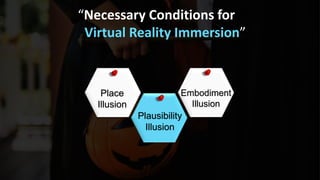
“Necessary Conditions for
Virtual Reality Immersion”
Place
Illusion
Plausibility
Illusion
Embodiment
Illusion
But what about the Real Reality ?
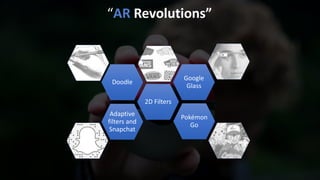
Adaptive
filters and
Snapchat
2D Filters
Doodle
Google
Glass
Pokémon
Go
“AR Revolutions”
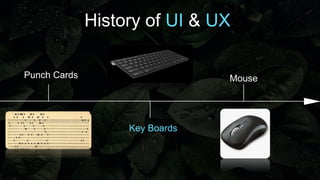
History of UI & UX
Punch Cards
Key Boards
Mouse
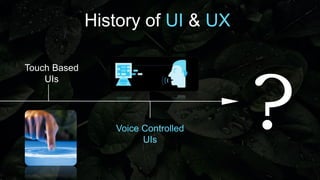
History of UI & UX
Touch Based
UIs
Voice Controlled
UIs
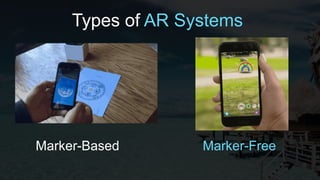
Types of AR Systems
Marker-Based Marker-Free
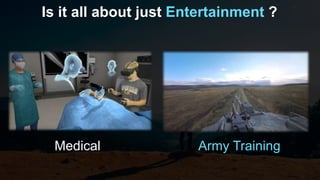
Is it all about just Entertainment ?
Medical Army Training
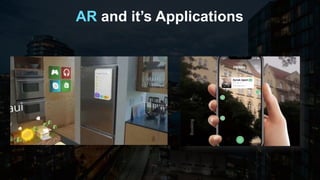
AR and it’s Applications
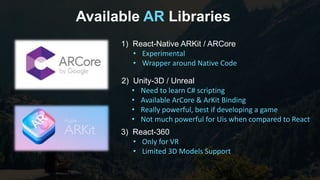
Available AR Libraries
2) Unity-3D / Unreal
• Need to learn C# scripting
• Available ArCore & ArKit Binding
• Really powerful, best if developing a game
• Not much powerful for Uis when compared to React
1) React-Native ARKit / ARCore
• Experimental
• Wrapper around Native Code
3) React-360
• Only for VR
• Limited 3D Models Support
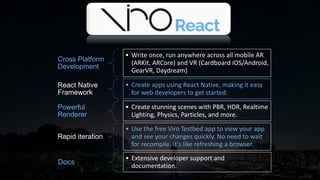
Cross Platform
Development
• Write once, run anywhere across all mobile AR
(ARKit, ARCore) and VR (Cardboard iOS/Android,
GearVR, Daydream)
React Native
Framework
• Create apps using React Native, making it easy
for web developers to get started.
Powerful
Renderer
• Create stunning scenes with PBR, HDR, Realtime
Lighting, Physics, Particles, and more.
Rapid iteration
• Use the free Viro Testbed app to view your app
and see your changes quickly. No need to wait
for recompile. It's like refreshing a browser.
Docs
• Extensive developer support and
documentation.
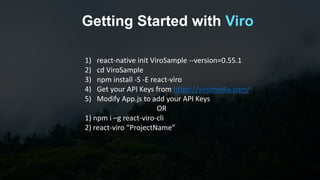
Getting Started with Viro
1) react-native init ViroSample --version=0.55.1
2) cd ViroSample
3) npm install -S -E react-viro
4) Get your API Keys from https://viromedia.com/
5) Modify App.js to add your API Keys
OR
1) npm i –g react-viro-cli
2) react-viro “ProjectName”
Demo Time
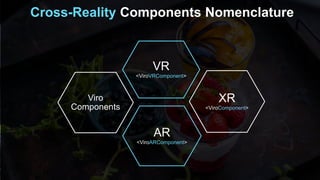
Cross-Reality Components Nomenclature
Viro
Components
VR
<ViroVRComponent>
AR
<ViroARComponent>
XR
<ViroComponent>
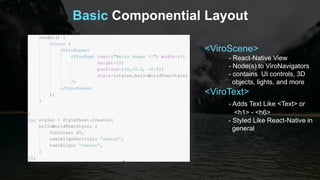
Basic Componential Layout
<ViroScene>
- React-Native View
- Node(s) to ViroNavigators
- contains UI controls, 3D
objects, lights, and more
<ViroText>
- Adds Text Like <Text> or
<h1> - <h6>
- Styled Like React-Native in
general
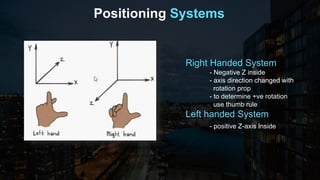
Positioning Systems
Right Handed System
- Negative Z inside
- axis direction changed with
rotation prop
- to determine +ve rotation
use thumb rule
Left handed System
- positive Z-axis Inside
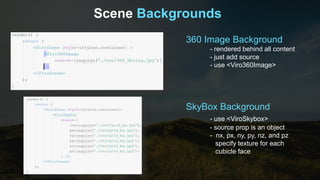
Scene Backgrounds
360 Image Background
- rendered behind all content
- just add source
- use <Viro360Image>
SkyBox Background
- use <ViroSkybox>
- source prop is an object
- nx, px, ny, py, nz, and pz
specify texture for each
cubicle face
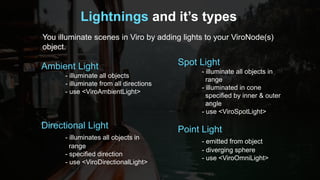
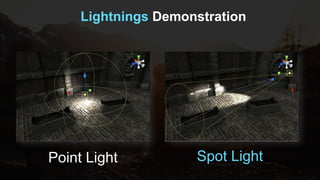
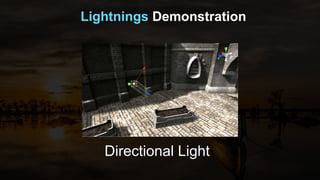
Lightnings and it’s types
You illuminate scenes in Viro by adding lights to your ViroNode(s)
object.
Ambient Light
- illuminate all objects
- illuminate from all directions
- use <ViroAmbientLight>
Directional Light
- illuminates all objects in
range
- specified direction
- use <ViroDirectionalLight>
Spot Light
- illuminate all objects in
range
- illuminated in cone
specified by inner & outer
angle
- use <ViroSpotLight>
Point Light
- emitted from object
- diverging sphere
- use <ViroOmniLight>
Lightnings Demonstration
Point Light Spot Light
Lightnings Demonstration
Directional Light
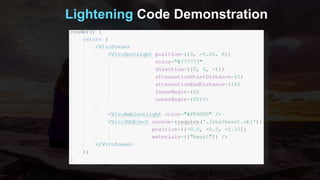
Lightening Code Demonstration
3-D Objects
• Viro have a really powerful 3-D Rendering Engine which
runs on native thread and uses graphical hardware chip of
device
• It’s Lag free but need to use optimized 3-d Files and
preferably low-poly files for mobile devices
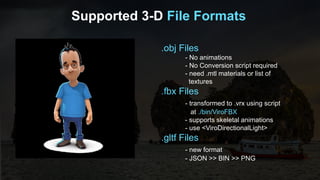
Supported 3-D File Formats
.obj Files
- No animations
- No Conversion script required
- need .mtl materials or list of
textures
.fbx Files
- transformed to .vrx using script
at ./bin/ViroFBX
- supports skeletal animations
- use <ViroDirectionalLight>
.gltf Files
- new format
- JSON >> BIN >> PNG
Sources for 3-D models Files
Unity Assets Store
- https://assetstore.unity.com/
- hundreds of thousands of paid
and free models abailable
Mixamo
- Great project for making
avatars
- Animate them with hudreds of
free and premium animations
- https://www.mixamo.com
SketchFab
- a great place to search for free
models
- https://www.sketchfab.com
Self Modeling
- for Basics use MS Paint 3d
- Blender with textures
- Advanced Modeling MAYA 3d
Google Low-Poly
- A great open initiative by google
- Free low poly models
- Best suited models for low grade
HMDs & Mobile AR Devices
Turbo Squid
- Another great place for free 3d
Models
- https://www.turbosquid.com
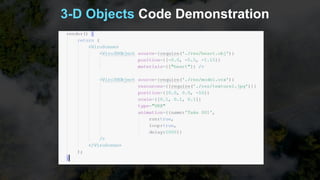
3-D Objects Code Demonstration
Particle Effects
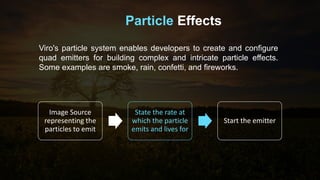
Viro's particle system enables developers to create and configure
quad emitters for building complex and intricate particle effects.
Some examples are smoke, rain, confetti, and fireworks.
Image Source
representing the
particles to emit
State the rate at
which the particle
emits and lives for
Start the emitter
Particles System Code Demonstration
When to use ViroReact ?
1) ARCore and ARKit Limitation are not an issue
2) Not a Graphic Intensive UI
3) Not building a full fledged Game
4) Not targeting High End HMDs (VR) or standalone AR
HMDs
5) Targeting Both AR & VR and maximizing cross-platform
code sharing
Thank You
Let’s build the future of UI/UX Together
@pulkitkkr0
www.linkedin.com/
in/pulkitkkr
pulkitkkr@gmail.com

ReactConf 2018: Developing Immersive cross-platform AR and VR Apps using React-Native

  • 1.
    Immersive AR & VRExperience Using React Native
  • 2.
    Pulkit Kakkar Organizing Team FacebookDeveloper Circle: Delhi-NCR Independent Developer @pulkitkkr0 www.linkedin.com/in/pulkitkkr pulkitkkr@gmail.com &
  • 3.
  • 4.
    “Reality is merelyan illusion, albeit a very persistent one.” - Albert Einstein
  • 5.
    “Ghosts are justan illusion.” - My parent’s in Childhood
  • 6.
    Brain - TheCenter of Senses Present Experience = +Past Experience Current Situation
  • 7.
    “Let’s Play withour Mind” Source: AsapSCIENCE (https://www.youtube.com/watch?v=kzo45hWXRWU)
  • 8.
    “Let’s Play withour Mind” Bar Bar Bar .. Far Far Far .. Source: AsapSCIENCE (https://www.youtube.com/watch?v=kzo45hWXRWU)
  • 9.
    Conclusion : “Brain canbe tricked with illusions”
  • 10.
    “Our Tools toTrick Mind”
  • 11.
    “This lead toinception of term Virtual Reality”
  • 12.
    Panoramic Images (1740s) Stereoscopic photos & Viewers (1838) LinkTrainer The First Flight Simulator (1929) Science fiction story predicted VR(1934) Morton Heilig’s Sensorama (1950s) Panoramic Images (1740s) Stereoscopic photos & Viewers (1838) Cave System & Link Trainer, The First Flight Simulator (1929) Science fiction story predicted VR(1934) Morton Heilig’s Sensorama (1950s)
  • 13.
    The Ultimate display byIvan Sutherland(1965) Virtual reality the name was Born (1987) SEGA announce new VR glasses (1993) Nintendo VR (1995) Google Glass (2013) & Future Of VR HMDs
  • 14.
    The End-Objective ofVirtual Reality Research “Immersion”
  • 15.
    “Necessary Conditions for VirtualReality Immersion” Place Illusion Plausibility Illusion Embodiment Illusion
  • 16.
    But what aboutthe Real Reality ?
  • 17.
  • 18.
    History of UI& UX Punch Cards Key Boards Mouse
  • 19.
    History of UI& UX Touch Based UIs Voice Controlled UIs
  • 20.
    Types of ARSystems Marker-Based Marker-Free
  • 21.
    Is it allabout just Entertainment ? Medical Army Training
  • 22.
    AR and it’sApplications
  • 23.
    Available AR Libraries 2)Unity-3D / Unreal • Need to learn C# scripting • Available ArCore & ArKit Binding • Really powerful, best if developing a game • Not much powerful for Uis when compared to React 1) React-Native ARKit / ARCore • Experimental • Wrapper around Native Code 3) React-360 • Only for VR • Limited 3D Models Support
  • 24.
    Cross Platform Development • Writeonce, run anywhere across all mobile AR (ARKit, ARCore) and VR (Cardboard iOS/Android, GearVR, Daydream) React Native Framework • Create apps using React Native, making it easy for web developers to get started. Powerful Renderer • Create stunning scenes with PBR, HDR, Realtime Lighting, Physics, Particles, and more. Rapid iteration • Use the free Viro Testbed app to view your app and see your changes quickly. No need to wait for recompile. It's like refreshing a browser. Docs • Extensive developer support and documentation.
  • 25.
    Getting Started withViro 1) react-native init ViroSample --version=0.55.1 2) cd ViroSample 3) npm install -S -E react-viro 4) Get your API Keys from https://viromedia.com/ 5) Modify App.js to add your API Keys OR 1) npm i –g react-viro-cli 2) react-viro “ProjectName”
  • 26.
  • 27.
  • 28.
    Basic Componential Layout <ViroScene> -React-Native View - Node(s) to ViroNavigators - contains UI controls, 3D objects, lights, and more <ViroText> - Adds Text Like <Text> or <h1> - <h6> - Styled Like React-Native in general
  • 29.
    Positioning Systems Right HandedSystem - Negative Z inside - axis direction changed with rotation prop - to determine +ve rotation use thumb rule Left handed System - positive Z-axis Inside
  • 30.
    Scene Backgrounds 360 ImageBackground - rendered behind all content - just add source - use <Viro360Image> SkyBox Background - use <ViroSkybox> - source prop is an object - nx, px, ny, py, nz, and pz specify texture for each cubicle face
  • 31.
    Lightnings and it’stypes You illuminate scenes in Viro by adding lights to your ViroNode(s) object. Ambient Light - illuminate all objects - illuminate from all directions - use <ViroAmbientLight> Directional Light - illuminates all objects in range - specified direction - use <ViroDirectionalLight> Spot Light - illuminate all objects in range - illuminated in cone specified by inner & outer angle - use <ViroSpotLight> Point Light - emitted from object - diverging sphere - use <ViroOmniLight>
  • 32.
  • 33.
  • 34.
  • 35.
    3-D Objects • Virohave a really powerful 3-D Rendering Engine which runs on native thread and uses graphical hardware chip of device • It’s Lag free but need to use optimized 3-d Files and preferably low-poly files for mobile devices
  • 36.
    Supported 3-D FileFormats .obj Files - No animations - No Conversion script required - need .mtl materials or list of textures .fbx Files - transformed to .vrx using script at ./bin/ViroFBX - supports skeletal animations - use <ViroDirectionalLight> .gltf Files - new format - JSON >> BIN >> PNG
  • 37.
    Sources for 3-Dmodels Files Unity Assets Store - https://assetstore.unity.com/ - hundreds of thousands of paid and free models abailable Mixamo - Great project for making avatars - Animate them with hudreds of free and premium animations - https://www.mixamo.com SketchFab - a great place to search for free models - https://www.sketchfab.com Self Modeling - for Basics use MS Paint 3d - Blender with textures - Advanced Modeling MAYA 3d Google Low-Poly - A great open initiative by google - Free low poly models - Best suited models for low grade HMDs & Mobile AR Devices Turbo Squid - Another great place for free 3d Models - https://www.turbosquid.com
  • 38.
    3-D Objects CodeDemonstration
  • 39.
    Particle Effects Viro's particlesystem enables developers to create and configure quad emitters for building complex and intricate particle effects. Some examples are smoke, rain, confetti, and fireworks. Image Source representing the particles to emit State the rate at which the particle emits and lives for Start the emitter
  • 40.
    Particles System CodeDemonstration
  • 41.
    When to useViroReact ? 1) ARCore and ARKit Limitation are not an issue 2) Not a Graphic Intensive UI 3) Not building a full fledged Game 4) Not targeting High End HMDs (VR) or standalone AR HMDs 5) Targeting Both AR & VR and maximizing cross-platform code sharing
  • 42.
    Thank You Let’s buildthe future of UI/UX Together @pulkitkkr0 www.linkedin.com/ in/pulkitkkr pulkitkkr@gmail.com

Editor's Notes

  • #2 1.) Greetings 2.) 3 - Key Terms Here a) Immersive Experience b) AR – VR – MR – XR (Common Reality) c) React-Native
  • #3 From India Started at the age of 16 Have Seen the web transitioning from ASP.Net to Jquery to React Worked on BlackBerry 10 , Nokia (PUN Intended) Finally chose Android Development and got Introduced to React Native
  • #8 Shepard Tone Illusion
  • #11 1) 4DX Theatres
  • #13 Reference : https://www.vrs.org.uk/virtual-reality/history.html 360 Degree Paintings : These paintings were intended to fill the viewer’s entire field of vision, making them feel present at some historical event or scene. In 1838 Charles Wheatstone’s research demonstrated that the brain processes the different two-dimensional images from each eye into a single object of three dimensions. The design principle for Cardboard and Low Budget HMDs In 1929 Edward Link created the “Link trainer” (patented 1931) probably the first example of a commercial flight simulator, which was entirely electromechanical, udder and steering column to modify the pitch and roll, World War -1 In the 1930s a story by science fiction writer Stanley G. Weinbaum (Pygmalion’s Spectacles) contains the idea of a pair of goggles, explore world with it, smell , sound Sensorama – Early Day 4dX , simulated not only sound and sight but had chair to sit, vibration, smells
  • #14 1) Ivan Sutherland: “The ultimate display would, of course, be a room within which the computer can control the existence of matter. A chair displayed in such a room would be good enough to sit in. Handcuffs displayed in such a room would be confining, and a bullet displayed in such a room would be fatal. With appropriate programming such a display could literally be the Wonderland into which Alice walked.” – Ivan Sutherland 2) Artificial Reality (previously popular), Industrialization of VR Goods
  • #15 Problems in VR until 21st century : a) Laggy graphics (Display Technology) causing Headaches b) Low Internet speed for content c) Lenses technology and Field of View (FOV) d) Computation speed at portability 2) Thanks to Moore’s law to the exponential growth of computational power we can fix all these issue and we have tech giants launching powerful devices like oculus go and Rift, HTC Vive etc.
  • #16 Place Illusion, Consider a bar – really great Graphics, shadows on viewing from different angle, realistic characters, lightening condition change (Day-Night) Plausibility Illusion- things that are happening are happening for real, talking to bar tender, touching someone in bar leads to reaction Embodiment- You can see your hands moving
  • #17 Tend to forget about the real world, Accident prone, dangerous Can’t we add our world to the feel of real one ? Led to intro duction of AR (Augmented Reality) Explain Augment (overlay to Real World)
  • #28 ViroScene Vs ViroARScene VIroARSceneNavigator Vs ViroSceneNavigator 3) Generic : ViroSound, ViroText
  • #29 1) Applications in ViroReact consist of Scenes, represented either by ViroScene or ViroARScene components. Scenes are the 3D equivalent of the Views found in most 2D application frameworks. They contain all the content that ViroReact renders in AR/VR: UI controls, 3D objects, lights, and more.
  • #30 By default, the camera is positioned at [0, 0, 0] and looks in the direction [0, 0, -1]. In frameworks with only 3DOF (3 degrees of freedom) support (like mobile VR), the camera stays at [0,0,0] until moved by the developer with the end user only able to control the rotation of the camera. On the other hand, 6DOF (6 degrees of freedom) supported frameworks allow the end user to move about their world and move the camera in the Viro Scene in response (like in AR)
  • #31 Important for VR scenes The background of a scene is the content rendered in the distance, behind all the objects. This background can either be a 360 degree image, or a skybox.
  • #37 FBX models support skeletal animation. Skeletal animation is a hierarchical technique for animating complex geometries like humanoids. Viro supports these animations through its standard animation system. To run a skeletal animation, simply set the animation's name to the name given to the animation in the FBX file. For example, if the FBX file had an animation called "Take 001", you would run the animation like this: 2) GLTF a) A JSON-formatted file (.gltf) containing a full scene description: node hierarchy, materials, cameras, as well as descriptor information for meshes, animations, and other constructs b) Binary files (.bin) containing geometry and animation data, and other buffer-based data c) Image files (.jpg, .png) for textures