Nalanda DegreeCollege-FacultyofCommerse-K.Shivaraju
1
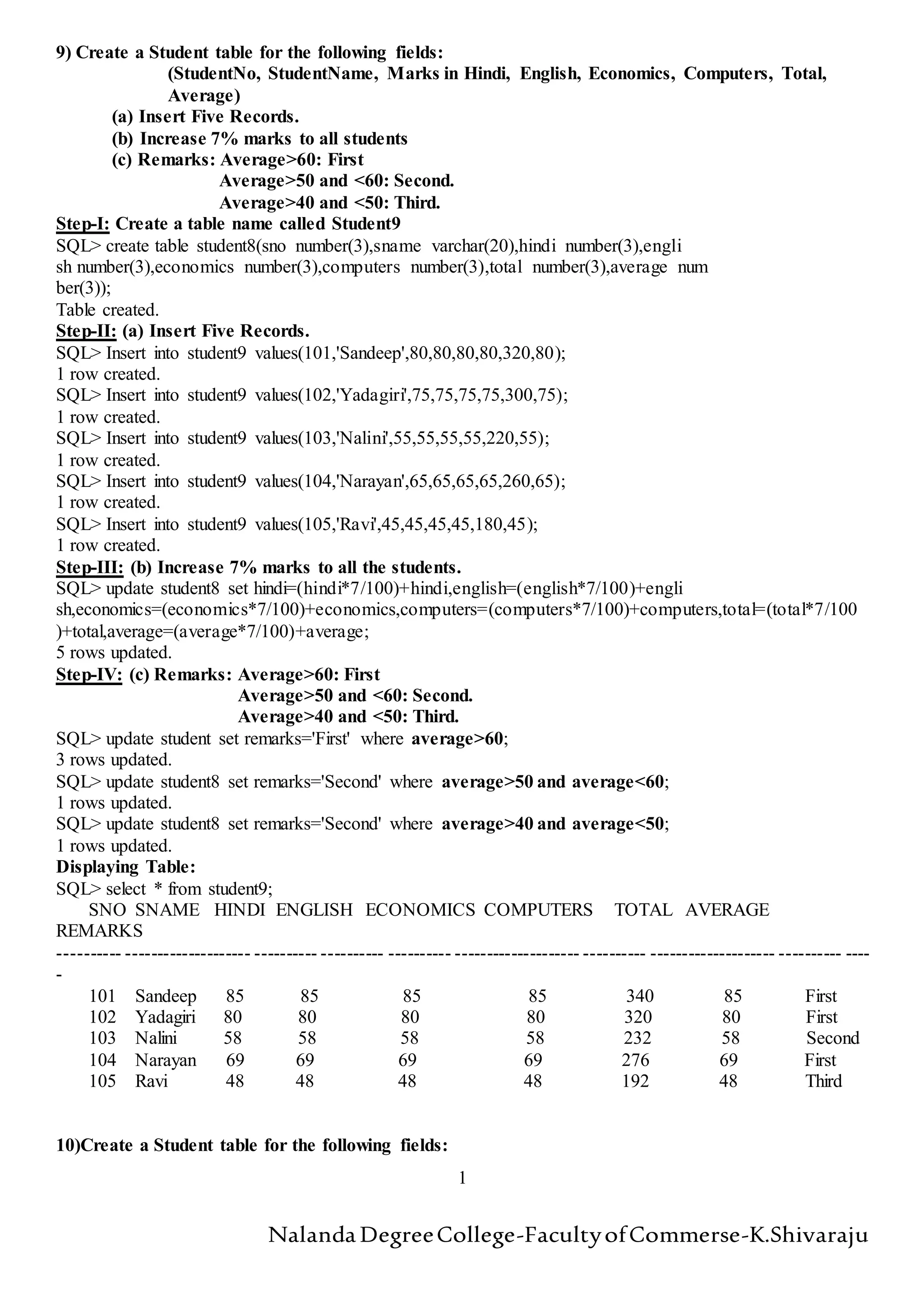
9) Create a Student table for the following fields:
(StudentNo, StudentName, Marks in Hindi, English, Economics, Computers, Total,
Average)
(a) Insert Five Records.
(b) Increase 7% marks to all students
(c) Remarks: Average>60: First
Average>50 and <60: Second.
Average>40 and <50: Third.
Step-I: Create a table name called Student9
SQL> create table student8(sno number(3),sname varchar(20),hindi number(3),engli
sh number(3),economics number(3),computers number(3),total number(3),average num
ber(3));
Table created.
Step-II: (a) Insert Five Records.
SQL> Insert into student9 values(101,'Sandeep',80,80,80,80,320,80);
1 row created.
SQL> Insert into student9 values(102,'Yadagiri',75,75,75,75,300,75);
1 row created.
SQL> Insert into student9 values(103,'Nalini',55,55,55,55,220,55);
1 row created.
SQL> Insert into student9 values(104,'Narayan',65,65,65,65,260,65);
1 row created.
SQL> Insert into student9 values(105,'Ravi',45,45,45,45,180,45);
1 row created.
Step-III: (b) Increase 7% marks to all the students.
SQL> update student8 set hindi=(hindi*7/100)+hindi,english=(english*7/100)+engli
sh,economics=(economics*7/100)+economics,computers=(computers*7/100)+computers,total=(total*7/100
)+total,average=(average*7/100)+average;
5 rows updated.
Step-IV: (c) Remarks: Average>60: First
Average>50 and <60: Second.
Average>40 and <50: Third.
SQL> update student set remarks='First' where average>60;
3 rows updated.
SQL> update student8 set remarks='Second' where average>50 and average<60;
1 rows updated.
SQL> update student8 set remarks='Second' where average>40 and average<50;
1 rows updated.
Displaying Table:
SQL> select * from student9;
SNO SNAME HINDI ENGLISH ECONOMICS COMPUTERS TOTAL AVERAGE
REMARKS
---------- -------------------- ---------- ---------- ---------- -------------------- ---------- -------------------- ---------- ----
-
101 Sandeep 85 85 85 85 340 85 First
102 Yadagiri 80 80 80 80 320 80 First
103 Nalini 58 58 58 58 232 58 Second
104 Narayan 69 69 69 69 276 69 First
105 Ravi 48 48 48 48 192 48 Third
10)Create a Student table for the following fields:
Nalanda DegreeCollege-FacultyofCommerse-K.Shivaraju
2
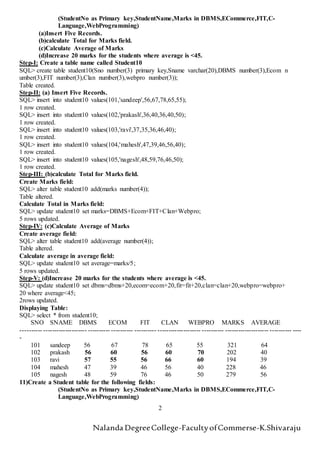
(StudentNo as Primary key,StudentName,Marks in DBMS,ECommerce,FIT,C-
Language,WebProgramming)
(a)Insert Five Records.
(b)calculate Total for Marks field.
(c)Calculate Average of Marks
(d)Increase 20 marks for the students where average is <45.
Step-I: Create a table name called Student10
SQL> create table student10(Sno number(3) primary key,Sname varchar(20),DBMS number(3),Ecom n
umber(3),FIT number(3),Clan number(3),webpro number(3));
Table created.
Step-II: (a) Insert Five Records.
SQL> insert into student10 values(101,'sandeep',56,67,78,65,55);
1 row created.
SQL> insert into student10 values(102,'prakash',36,40,36,40,50);
1 row created.
SQL> insert into student10 values(103,'ravi',37,35,36,46,40);
1 row created.
SQL> insert into student10 values(104,'mahesh',47,39,46,56,40);
1 row created.
SQL> insert into student10 values(105,'nagesh',48,59,76,46,50);
1 row created.
Step-III: (b)calculate Total for Marks field.
Create Marks field:
SQL> alter table student10 add(marks number(4));
Table altered.
Calculate Total in Marks field:
SQL> update student10 set marks=DBMS+Ecom+FIT+Clan+Webpro;
5 rows updated.
Step-IV: (c)Calculate Average of Marks
Create average field:
SQL> alter table student10 add(average number(4));
Table altered.
Calculate average in average field:
SQL> update student10 set average=marks/5;
5 rows updated.
Step-V: (d)Increase 20 marks for the students where average is <45.
SQL> update student10 set dbms=dbms+20,ecom=ecom+20,fit=fit+20,clan=clan+20,webpro=webpro+
20 where average<45;
2rows updated.
Displaying Table:
SQL> select * from student10;
SNO SNAME DBMS ECOM FIT CLAN WEBPRO MARKS AVERAGE
---------- -------------------- ---------- ---------- ---------- -------------------- ---------- -------------------- ---------- ----
-
101 sandeep 56 67 78 65 55 321 64
102 prakash 56 60 56 60 70 202 40
103 ravi 57 55 56 66 60 194 39
104 mahesh 47 39 46 56 40 228 46
105 nagesh 48 59 76 46 50 279 56
11)Create a Student table for the following fields:
(StudentNo as Primary key,StudentName,Marks in DBMS,ECommerce,FIT,C-
Language,WebProgramming)
Nalanda DegreeCollege-FacultyofCommerse-K.Shivaraju
3
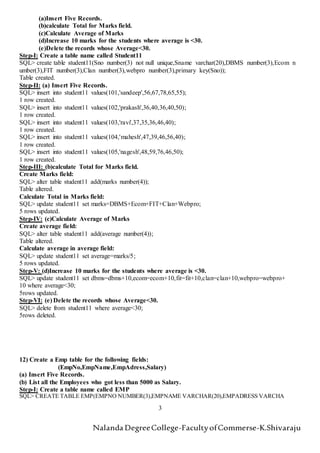
(a)Insert Five Records.
(b)calculate Total for Marks field.
(c)Calculate Average of Marks
(d)Increase 10 marks for the students where average is <30.
(e)Delete the records whose Average<30.
Step-I: Create a table name called Student11
SQL> create table student11(Sno number(3) not null unique,Sname varchar(20),DBMS number(3),Ecom n
umber(3),FIT number(3),Clan number(3),webpro number(3),primary key(Sno));
Table created.
Step-II: (a) Insert Five Records.
SQL> insert into student11 values(101,'sandeep',56,67,78,65,55);
1 row created.
SQL> insert into student11 values(102,'prakash',36,40,36,40,50);
1 row created.
SQL> insert into student11 values(103,'ravi',37,35,36,46,40);
1 row created.
SQL> insert into student11 values(104,'mahesh',47,39,46,56,40);
1 row created.
SQL> insert into student11 values(105,'nagesh',48,59,76,46,50);
1 row created.
Step-III: (b)calculate Total for Marks field.
Create Marks field:
SQL> alter table student11 add(marks number(4));
Table altered.
Calculate Total in Marks field:
SQL> update student11 set marks=DBMS+Ecom+FIT+Clan+Webpro;
5 rows updated.
Step-IV: (c)Calculate Average of Marks
Create average field:
SQL> alter table student11 add(average number(4));
Table altered.
Calculate average in average field:
SQL> update student11 set average=marks/5;
5 rows updated.
Step-V: (d)Increase 10 marks for the students where average is <30.
SQL> update student11 set dbms=dbms+10,ecom=ecom+10,fit=fit+10,clan=clan+10,webpro=webpro+
10 where average<30;
5rows updated.
Step-VI: (e) Delete the records whose Average<30.
SQL> delete from student11 where average<30;
5rows deleted.
12) Create a Emp table for the following fields:
(EmpNo,EmpName,EmpAdress,Salary)
(a) Insert Five Records.
(b) List all the Employees who got less than 5000 as Salary.
Step-I: Create a table name called EMP
SQL> CREATE TABLE EMP(EMPNO NUMBER(3),EMPNAME VARCHAR(20),EMPADRESS VARCHA
Nalanda DegreeCollege-FacultyofCommerse-K.Shivaraju
4
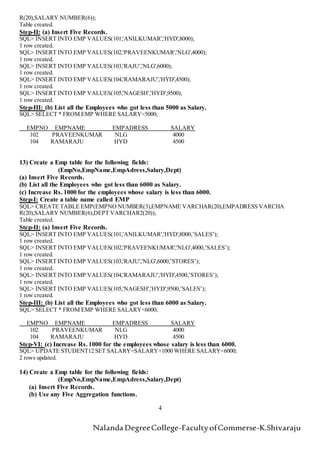
R(20),SALARY NUMBER(6));
Table created.
Step-II: (a) Insert Five Records.
SQL> INSERT INTO EMP VALUES(101,'ANILKUMAR','HYD',8000);
1 row created.
SQL> INSERT INTO EMP VALUES(102,'PRAVEENKUMAR','NLG',4000);
1 row created.
SQL> INSERT INTO EMP VALUES(103,'RAJU','NLG',6000);
1 row created.
SQL> INSERT INTO EMP VALUES(104,'RAMARAJU','HYD',4500);
1 row created.
SQL> INSERT INTO EMP VALUES(105,'NAGESH','HYD',9500);
1 row created.
Step-III: (b) List all the Employees who got less than 5000 as Salary.
SQL> SELECT * FROM EMP WHERE SALARY<5000;
EMPNO EMPNAME EMPADRESS SALARY
102 PRAVEENKUMAR NLG 4000
104 RAMARAJU HYD 4500
13) Create a Emp table for the following fields:
(EmpNo,EmpName,EmpAdress,Salary,Dept)
(a) Insert Five Records.
(b) List all the Employees who got less than 6000 as Salary.
(c) Increase Rs. 1000 for the employees whose salary is less than 6000.
Step-I: Create a table name called EMP
SQL> CREATE TABLE EMP(EMPNO NUMBER(3),EMPNAME VARCHAR(20),EMPADRESS VARCHA
R(20),SALARY NUMBER(6),DEPT VARCHAR2(20));
Table created.
Step-II: (a) Insert Five Records.
SQL> INSERT INTO EMP VALUES(101,'ANILKUMAR','HYD',8000,’SALES’);
1 row created.
SQL> INSERT INTO EMP VALUES(102,'PRAVEENKUMAR','NLG',4000,’SALES’);
1 row created.
SQL> INSERT INTO EMP VALUES(103,'RAJU','NLG',6000,’STORES’);
1 row created.
SQL> INSERT INTO EMP VALUES(104,'RAMARAJU','HYD',4500,’STORES’);
1 row created.
SQL> INSERT INTO EMP VALUES(105,'NAGESH','HYD',9500,’SALES’);
1 row created.
Step-III: (b) List all the Employees who got less than 6000 as Salary.
SQL> SELECT * FROM EMP WHERE SALARY<6000;
EMPNO EMPNAME EMPADRESS SALARY
102 PRAVEENKUMAR NLG 4000
104 RAMARAJU HYD 4500
Step-VI: (c) Increase Rs. 1000 for the employees whose salary is less than 6000.
SQL> UPDATE STUDENT12 SET SALARY=SALARY+1000 WHERE SALARY<6000;
2 rows updated.
14) Create a Emp table for the following fields:
(EmpNo,EmpName,EmpAdress,Salary,Dept)
(a) Insert Five Records.
(b) Use any Five Aggregation functions.
Nalanda DegreeCollege-FacultyofCommerse-K.Shivaraju
5
Step-I: Create a table name called EMP
SQL> CREATE TABLE EMP(EMPNO NUMBER(3),EMPNAME VARCHAR(20),EMPADRESS VARCHA
R(20),SALARY NUMBER(6),DEPT VARCHAR2(20));
Table created.
Step-II: (a) Insert Five Records.
SQL> INSERT INTO EMP VALUES(101,'ANILKUMAR','HYD',8000,’SALES’);
1 row created.
SQL> INSERT INTO EMP VALUES(102,'PRAVEENKUMAR','NLG',4000,’SALES’);
1 row created.
SQL> INSERT INTO EMP VALUES(103,'RAJU','NLG',6000,’STORES’);
1 row created.
SQL> INSERT INTO EMP VALUES(104,'RAMARAJU','HYD',4500,’STORES’);
1 row created.
SQL> INSERT INTO EMP VALUES(105,'NAGESH','HYD',9500,’SALES’);
1 row created.
Step-III: Use any Five Aggregation functions.
SQL> SELECT AVG(SALARY) FROM STUDENT12;
AVG(SALARY)
-----------
6800
SQL> SELECT MIN(SALARY) FROM STUDENT12;
MIN(SALARY)
-----------
5000
SQL> SELECT MAX(SALARY) FROM STUDENT12;
MAX(SALARY)
-----------
9500
SQL> SELECT COUNT(SALARY) FROM STUDENT12;
COUNT(SALARY)
-------------
5
SQL> SELECT SUM(SALARY) FROM STUDENT12;
SUM(SALARY)
-----------
34000
15). Create a Emp table for the following fields:
(Emp No, Emp Name , Job, Basic. DA, HRA, PF, GrossPay, NetPay)
(a)Insert Five Records.
(b)Calculate DA as 60% of Basic.
(c)Calculate HRA as 20% of Basic.
(d) Calculate PF as 12% of Basic
(e)Calculate Gross Pay and Net Pay.
Step-I: Create a table name called EMP
SQL> CREATE TABLE EMP (Empno NUMBER(5),EmpName VARCHAR(20),JOB VARCHAR(20),Basic
NUMBER(6),DA NUMBER(6),HRA NUMBER(6),PF NUMBER(6),GrossPay NUMBER(6),NetPay NUM
BER(6));
Table created.
Step-II: (a) Insert Five Records.
SQL> INSERT INTO EMP VALUES(1001,'Ravi','Manager',8000,null,null,null,null,null);
1 row created.
SQL> INSERT INTO EMP VALUES(1002,'Ram','DeptManager',5000,null,null,null,null,null);
1 row created.
SQL> INSERT INTO EMP VALUES(1003,'Mahesh','GenManager',10000,null,null,null,null,null);
Nalanda DegreeCollege-FacultyofCommerse-K.Shivaraju
6
1 row created.
SQL> INSERT INTO EMP VALUES(1004,'veeresh','clerk',5000,null,null,null,null,null);
1 row created.
SQL> INSERT INTO EMP VALUES(1005,'Naresh','Assistant',6000,null,null,null,null,null);
1 row created.
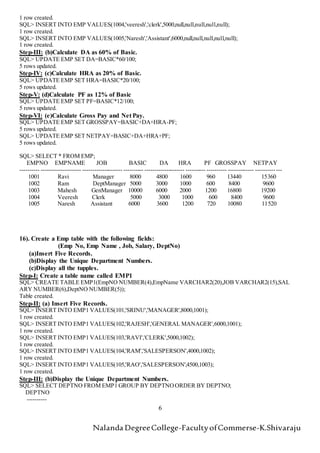
Step-III: (b)Calculate DA as 60% of Basic.
SQL> UPDATE EMP SET DA=BASIC*60/100;
5 rows updated.
Step-IV: (c)Calculate HRA as 20% of Basic.
SQL> UPDATE EMP SET HRA=BASIC*20/100;
5 rows updated.
Step-V: (d)Calculate PF as 12% of Basic
SQL> UPDATE EMP SET PF=BASIC*12/100;
5 rows updated.
Step-VI: (e)Calculate Gross Pay and Net Pay.
SQL> UPDATE EMP SET GROSSPAY=BASIC+DA+HRA-PF;
5 rows updated.
SQL> UPDATE EMP SET NETPAY=BASIC+DA+HRA+PF;
5 rows updated.
SQL> SELECT * FROM EMP;
EMPNO EMPNAME JOB BASIC DA HRA PF GROSSPAY NETPAY
---------- -------------------- -------------------- ---------- -------------------- ---------- ---------- ------------- -------------
1001 Ravi Manager 8000 4800 1600 960 13440 15360
1002 Ram DeptManager 5000 3000 1000 600 8400 9600
1003 Mahesh GenManager 10000 6000 2000 1200 16800 19200
1004 Veeresh Clerk 5000 3000 1000 600 8400 9600
1005 Naresh Assistant 6000 3600 1200 720 10080 11520
16). Create a Emp table with the following fields:
(Emp No, Emp Name , Job, Salary, DeptNo)
(a)Insert Five Records.
(b)Display the Unique Department Numbers.
(c)Display all the tupples.
Step-I: Create a table name called EMP1
SQL> CREATE TABLE EMP1(EmpNO NUMBER(4),EmpName VARCHAR2(20),JOB VARCHAR2(15),SAL
ARY NUMBER(6),DeptNO NUMBER(5));
Table created.
Step-II: (a) Insert Five Records.
SQL> INSERT INTO EMP1 VALUES(101,'SRINU','MANAGER',8000,1001);
1 row created.
SQL> INSERT INTO EMP1 VALUES(102,'RAJESH','GENERAL MANAGER',6000,1001);
1 row created.
SQL> INSERT INTO EMP1 VALUES(103,'RAVI','CLERK',5000,1002);
1 row created.
SQL> INSERT INTO EMP1 VALUES(104,'RAM','SALESPERSON',4000,1002);
1 row created.
SQL> INSERT INTO EMP1 VALUES(105,'RAO','SALESPERSON',4500,1003);
1 row created.
Step-III: (b)Display the Unique Department Numbers.
SQL> SELECT DEPTNO FROM EMP1 GROUP BY DEPTNOORDER BY DEPTNO;
DEPTNO
----------
Nalanda DegreeCollege-FacultyofCommerse-K.Shivaraju
7
1001
1002
1003
Step-IV: (c)Display all the tupples.
SQL> SELECT * FROM EMP1;
EMPNO EMPNAME JOB SALARY DEPTNO
----- -------------------- --------------- ---------- ----------
101 SRINU MANAGER 8000 1001
102 RAJESH GENERAL MANAGER 6000 1001
103 RAVI CLERK 5000 1002
104 RAM SALESPERSON 4000 1002
105 RAO SALESPERSON 4500 1003
17). Create a Emp table with the following fields:
(Emp No, Emp Name , Job, Basic, DeptNo)
(a)Insert Five Records.
(b)Create a view by the name Emp12.
(c)Alter the width of field EmpName to 21 characters.
Step-I: Create a table name called EMP23
SQL> CREATE TABLE EMP23(EMPNO NUMBER(3),EMPNAME VARCHAR2(20),JOB VARCHAR(15),BA
SIC NUMBER(6),DEPTNO NUMBER(5));
Table created.
Step-II: (a) Insert Five Records.
SQL> INSERT INTO EMP23 VALUES(101,'SUDAKAR','MANAGER',10000,1001);
1 row created.
SQL> INSERT INTO EMP23 VALUES(102,'NAGARAJU','GEN MANAGER',8000,1002);
1 row created.
SQL> INSERT INTO EMP23 VALUES(103,'RAVI','JUNIOR ASST',6000,1003);
1 row created.
SQL> INSERT INTO EMP23 VALUES(104,'RAJARAM','SALESMAN',5000,1004);
1 row created.
SQL> INSERT INTO EMP23 VALUES(105,'JAGADEESH','SALES EXECUTIVE',7000,1005);
1 row created.
Step-III: (b)Create a view by the name Emp12.
SQL> CREATE VIEW EMP12 AS SELECT * FROM EMP23;
View created.
Step-IV: (c)Alter the width of field EmpName to 21 characters.
SQL> ALTER TABLE EMP23 MODIFY(EMPNAME VARCHAR2(21));
Table altered.
SQL> SELECT * FROM EMP12;
EMPNO EMPNAME JOB BASIC DEPTNO
---------- --------------------- --------------- ---------- ------------------- ------------------- ----
101 SUDAKAR MANAGER 10000 1001
102 NAGARAJU GEN MANAGER 8000 1002
103 RAVI JUNIOR ASST 6000 1003
104 RAJARAM SALESMAN 5000 1004
105 JAGADEESH SALES EXECUTIVE 7000 1005
18). Create a Course table with the following fields:
(Student Name , Course, College, Fee)
(a)Insert Five Records.
(b)Display the lowest course fee along with the course.
Nalanda DegreeCollege-FacultyofCommerse-K.Shivaraju
8
(c)Display the students name who have done the course MBA.
Step-I: Create a table name called Course
SQL> CREATE TABLE COURSE(STUDENTNAME VARCHAR2(20),COURSE VARCHAR(10),COLLEGE VAR
CHAR(15),FEE NUMBER(6));
Tabe created.
Step-II: (a) Insert Five Records.
SQL> INSERT INTO COURSE VALUES('RAJESH','MCA','OU PGCOLLEGE',25000);
1 row created.
SQL> INSERT INTO COURSE VALUES('RAMESH','MBA','OU PGCOLLEGE',22000);
1 row created.
SQL> INSERT INTO COURSE VALUES('RAVI','M.Com','OU PGCOLLEGE',5000);
1 row created.
SQL> INSERT INTO COURSE VALUES('MAHESH','M.Sc','OU PGCOLLEGE',7000);
1 row created.
SQL> INSERT INTO COURSE VALUES('MAHENDER','MBA','OU PGCOLLEGE',22000);
1 row created.
Step-III: (b)Display the lowest course fee along with the course.
SQL> SELECT COURSE,FEE FROM COURSE WHERE FEE=(SELECT MIN(FEE) FROM COURSE);
COURSE FEE
---------- ----------
M.Com 5000
Step-IV: (c)Display the students name who have done the course MBA.
SQL> SELECT STUDENTNAME FROM COURSE WHERE COURSE='MBA';
STUDENTNAME
--------------------
RAMESH
MAHENDER
19). Create a Sales table with the following fields:
(SalesNo, sales name, Branch, Salesamount, DOB)
(a)Insert Five Records.
(b)Calculate total salesamount in each branch.
(c) Calculate average salesamount in each branch.
Step-I: Create a table name called Sales
SQL> CREATE TABLE SALES (SALESNO NUMBER(6),SALESNAME VARCHAR2(20),BRANCH CHA
R(5),SALESAMOUNT NUMBER(7),DOB DATE);
Table created.
Step-II: (a) Insert Five Records.
SQL> INSERT INTO SALES VALUES(12345,'RANA','NLG',20000,'10-DEC-1995');
1 row created.
SQL> INSERT INTO SALES VALUES(12346,'RAMESH','CHPL',50000,'15-JAN-1996');
1 row created.
SQL> INSERT INTO SALES VALUES(12347,'SANDEEP','NLG',40000,'16-FEB-1994');
1 row created.
SQL> INSERT INTO SALES VALUES(12348,'SANTHOSH','CHPL',30000,'16-NOV-1994');
1 row created.
SQL> INSERT INTO SALES VALUES(12349,'SATEESH','NLG',40000,'17-SEP-1995');
1 row created.
Step-III: (b)Calculate total salesamount in each branch.
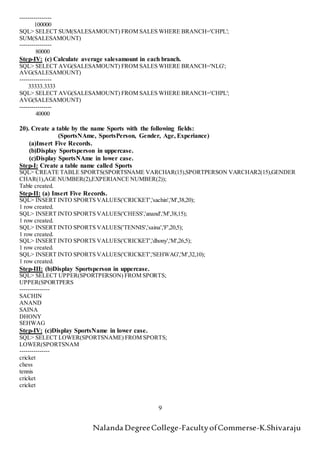
SQL> SELECT SUM(SALESAMOUNT) FROM SALES WHERE BRANCH='NLG';
SUM(SALESAMOUNT)
Nalanda DegreeCollege-FacultyofCommerse-K.Shivaraju
9
----------------
100000
SQL> SELECT SUM(SALESAMOUNT) FROM SALES WHERE BRANCH='CHPL';
SUM(SALESAMOUNT)
----------------
80000
Step-IV: (c) Calculate average salesamount in each branch.
SQL> SELECT AVG(SALESAMOUNT) FROM SALES WHERE BRANCH='NLG';
AVG(SALESAMOUNT)
----------------
33333.3333
SQL> SELECT AVG(SALESAMOUNT) FROM SALES WHERE BRANCH='CHPL';
AVG(SALESAMOUNT)
----------------
40000
20). Create a table by the name Sports with the following fields:
(SportsNAme, SportsPerson, Gender, Age, Experiance)
(a)Insert Five Records.
(b)Display Sportsperson in uppercase.
(c)Display SportsNAme in lower case.
Step-I: Create a table name called Sports
SQL> CREATE TABLE SPORTS(SPORTSNAME VARCHAR(15),SPORTPERSON VARCHAR2(15),GENDER
CHAR(1),AGE NUMBER(2),EXPERIANCE NUMBER(2));
Table created.
Step-II: (a) Insert Five Records.
SQL> INSERT INTO SPORTS VALUES('CRICKET','sachin','M',38,20);
1 row created.
SQL> INSERT INTO SPORTS VALUES('CHESS','anand','M',38,15);
1 row created.
SQL> INSERT INTO SPORTS VALUES('TENNIS','saina','F',20,5);
1 row created.
SQL> INSERT INTO SPORTS VALUES('CRICKET','dhony','M',26,5);
1 row created.
SQL> INSERT INTO SPORTS VALUES('CRICKET','SEHWAG','M',32,10);
1 row created.
Step-III: (b)Display Sportsperson in uppercase.
SQL> SELECT UPPER(SPORTPERSON) FROM SPORTS;
UPPER(SPORTPERS
---------------
SACHIN
ANAND
SAINA
DHONY
SEHWAG
Step-IV: (c)Display SportsName in lower case.
SQL> SELECT LOWER(SPORTSNAME) FROM SPORTS;
LOWER(SPORTSNAM
---------------
cricket
chess
tennis
cricket
cricket

rdbms practical record

  • 1.
    Nalanda DegreeCollege-FacultyofCommerse-K.Shivaraju 1 9) Createa Student table for the following fields: (StudentNo, StudentName, Marks in Hindi, English, Economics, Computers, Total, Average) (a) Insert Five Records. (b) Increase 7% marks to all students (c) Remarks: Average>60: First Average>50 and <60: Second. Average>40 and <50: Third. Step-I: Create a table name called Student9 SQL> create table student8(sno number(3),sname varchar(20),hindi number(3),engli sh number(3),economics number(3),computers number(3),total number(3),average num ber(3)); Table created. Step-II: (a) Insert Five Records. SQL> Insert into student9 values(101,'Sandeep',80,80,80,80,320,80); 1 row created. SQL> Insert into student9 values(102,'Yadagiri',75,75,75,75,300,75); 1 row created. SQL> Insert into student9 values(103,'Nalini',55,55,55,55,220,55); 1 row created. SQL> Insert into student9 values(104,'Narayan',65,65,65,65,260,65); 1 row created. SQL> Insert into student9 values(105,'Ravi',45,45,45,45,180,45); 1 row created. Step-III: (b) Increase 7% marks to all the students. SQL> update student8 set hindi=(hindi*7/100)+hindi,english=(english*7/100)+engli sh,economics=(economics*7/100)+economics,computers=(computers*7/100)+computers,total=(total*7/100 )+total,average=(average*7/100)+average; 5 rows updated. Step-IV: (c) Remarks: Average>60: First Average>50 and <60: Second. Average>40 and <50: Third. SQL> update student set remarks='First' where average>60; 3 rows updated. SQL> update student8 set remarks='Second' where average>50 and average<60; 1 rows updated. SQL> update student8 set remarks='Second' where average>40 and average<50; 1 rows updated. Displaying Table: SQL> select * from student9; SNO SNAME HINDI ENGLISH ECONOMICS COMPUTERS TOTAL AVERAGE REMARKS ---------- -------------------- ---------- ---------- ---------- -------------------- ---------- -------------------- ---------- ---- - 101 Sandeep 85 85 85 85 340 85 First 102 Yadagiri 80 80 80 80 320 80 First 103 Nalini 58 58 58 58 232 58 Second 104 Narayan 69 69 69 69 276 69 First 105 Ravi 48 48 48 48 192 48 Third 10)Create a Student table for the following fields:
  • 2.
    Nalanda DegreeCollege-FacultyofCommerse-K.Shivaraju 2 (StudentNo asPrimary key,StudentName,Marks in DBMS,ECommerce,FIT,C- Language,WebProgramming) (a)Insert Five Records. (b)calculate Total for Marks field. (c)Calculate Average of Marks (d)Increase 20 marks for the students where average is <45. Step-I: Create a table name called Student10 SQL> create table student10(Sno number(3) primary key,Sname varchar(20),DBMS number(3),Ecom n umber(3),FIT number(3),Clan number(3),webpro number(3)); Table created. Step-II: (a) Insert Five Records. SQL> insert into student10 values(101,'sandeep',56,67,78,65,55); 1 row created. SQL> insert into student10 values(102,'prakash',36,40,36,40,50); 1 row created. SQL> insert into student10 values(103,'ravi',37,35,36,46,40); 1 row created. SQL> insert into student10 values(104,'mahesh',47,39,46,56,40); 1 row created. SQL> insert into student10 values(105,'nagesh',48,59,76,46,50); 1 row created. Step-III: (b)calculate Total for Marks field. Create Marks field: SQL> alter table student10 add(marks number(4)); Table altered. Calculate Total in Marks field: SQL> update student10 set marks=DBMS+Ecom+FIT+Clan+Webpro; 5 rows updated. Step-IV: (c)Calculate Average of Marks Create average field: SQL> alter table student10 add(average number(4)); Table altered. Calculate average in average field: SQL> update student10 set average=marks/5; 5 rows updated. Step-V: (d)Increase 20 marks for the students where average is <45. SQL> update student10 set dbms=dbms+20,ecom=ecom+20,fit=fit+20,clan=clan+20,webpro=webpro+ 20 where average<45; 2rows updated. Displaying Table: SQL> select * from student10; SNO SNAME DBMS ECOM FIT CLAN WEBPRO MARKS AVERAGE ---------- -------------------- ---------- ---------- ---------- -------------------- ---------- -------------------- ---------- ---- - 101 sandeep 56 67 78 65 55 321 64 102 prakash 56 60 56 60 70 202 40 103 ravi 57 55 56 66 60 194 39 104 mahesh 47 39 46 56 40 228 46 105 nagesh 48 59 76 46 50 279 56 11)Create a Student table for the following fields: (StudentNo as Primary key,StudentName,Marks in DBMS,ECommerce,FIT,C- Language,WebProgramming)
  • 3.
    Nalanda DegreeCollege-FacultyofCommerse-K.Shivaraju 3 (a)Insert FiveRecords. (b)calculate Total for Marks field. (c)Calculate Average of Marks (d)Increase 10 marks for the students where average is <30. (e)Delete the records whose Average<30. Step-I: Create a table name called Student11 SQL> create table student11(Sno number(3) not null unique,Sname varchar(20),DBMS number(3),Ecom n umber(3),FIT number(3),Clan number(3),webpro number(3),primary key(Sno)); Table created. Step-II: (a) Insert Five Records. SQL> insert into student11 values(101,'sandeep',56,67,78,65,55); 1 row created. SQL> insert into student11 values(102,'prakash',36,40,36,40,50); 1 row created. SQL> insert into student11 values(103,'ravi',37,35,36,46,40); 1 row created. SQL> insert into student11 values(104,'mahesh',47,39,46,56,40); 1 row created. SQL> insert into student11 values(105,'nagesh',48,59,76,46,50); 1 row created. Step-III: (b)calculate Total for Marks field. Create Marks field: SQL> alter table student11 add(marks number(4)); Table altered. Calculate Total in Marks field: SQL> update student11 set marks=DBMS+Ecom+FIT+Clan+Webpro; 5 rows updated. Step-IV: (c)Calculate Average of Marks Create average field: SQL> alter table student11 add(average number(4)); Table altered. Calculate average in average field: SQL> update student11 set average=marks/5; 5 rows updated. Step-V: (d)Increase 10 marks for the students where average is <30. SQL> update student11 set dbms=dbms+10,ecom=ecom+10,fit=fit+10,clan=clan+10,webpro=webpro+ 10 where average<30; 5rows updated. Step-VI: (e) Delete the records whose Average<30. SQL> delete from student11 where average<30; 5rows deleted. 12) Create a Emp table for the following fields: (EmpNo,EmpName,EmpAdress,Salary) (a) Insert Five Records. (b) List all the Employees who got less than 5000 as Salary. Step-I: Create a table name called EMP SQL> CREATE TABLE EMP(EMPNO NUMBER(3),EMPNAME VARCHAR(20),EMPADRESS VARCHA
  • 4.
    Nalanda DegreeCollege-FacultyofCommerse-K.Shivaraju 4 R(20),SALARY NUMBER(6)); Tablecreated. Step-II: (a) Insert Five Records. SQL> INSERT INTO EMP VALUES(101,'ANILKUMAR','HYD',8000); 1 row created. SQL> INSERT INTO EMP VALUES(102,'PRAVEENKUMAR','NLG',4000); 1 row created. SQL> INSERT INTO EMP VALUES(103,'RAJU','NLG',6000); 1 row created. SQL> INSERT INTO EMP VALUES(104,'RAMARAJU','HYD',4500); 1 row created. SQL> INSERT INTO EMP VALUES(105,'NAGESH','HYD',9500); 1 row created. Step-III: (b) List all the Employees who got less than 5000 as Salary. SQL> SELECT * FROM EMP WHERE SALARY<5000; EMPNO EMPNAME EMPADRESS SALARY 102 PRAVEENKUMAR NLG 4000 104 RAMARAJU HYD 4500 13) Create a Emp table for the following fields: (EmpNo,EmpName,EmpAdress,Salary,Dept) (a) Insert Five Records. (b) List all the Employees who got less than 6000 as Salary. (c) Increase Rs. 1000 for the employees whose salary is less than 6000. Step-I: Create a table name called EMP SQL> CREATE TABLE EMP(EMPNO NUMBER(3),EMPNAME VARCHAR(20),EMPADRESS VARCHA R(20),SALARY NUMBER(6),DEPT VARCHAR2(20)); Table created. Step-II: (a) Insert Five Records. SQL> INSERT INTO EMP VALUES(101,'ANILKUMAR','HYD',8000,’SALES’); 1 row created. SQL> INSERT INTO EMP VALUES(102,'PRAVEENKUMAR','NLG',4000,’SALES’); 1 row created. SQL> INSERT INTO EMP VALUES(103,'RAJU','NLG',6000,’STORES’); 1 row created. SQL> INSERT INTO EMP VALUES(104,'RAMARAJU','HYD',4500,’STORES’); 1 row created. SQL> INSERT INTO EMP VALUES(105,'NAGESH','HYD',9500,’SALES’); 1 row created. Step-III: (b) List all the Employees who got less than 6000 as Salary. SQL> SELECT * FROM EMP WHERE SALARY<6000; EMPNO EMPNAME EMPADRESS SALARY 102 PRAVEENKUMAR NLG 4000 104 RAMARAJU HYD 4500 Step-VI: (c) Increase Rs. 1000 for the employees whose salary is less than 6000. SQL> UPDATE STUDENT12 SET SALARY=SALARY+1000 WHERE SALARY<6000; 2 rows updated. 14) Create a Emp table for the following fields: (EmpNo,EmpName,EmpAdress,Salary,Dept) (a) Insert Five Records. (b) Use any Five Aggregation functions.
  • 5.
    Nalanda DegreeCollege-FacultyofCommerse-K.Shivaraju 5 Step-I: Createa table name called EMP SQL> CREATE TABLE EMP(EMPNO NUMBER(3),EMPNAME VARCHAR(20),EMPADRESS VARCHA R(20),SALARY NUMBER(6),DEPT VARCHAR2(20)); Table created. Step-II: (a) Insert Five Records. SQL> INSERT INTO EMP VALUES(101,'ANILKUMAR','HYD',8000,’SALES’); 1 row created. SQL> INSERT INTO EMP VALUES(102,'PRAVEENKUMAR','NLG',4000,’SALES’); 1 row created. SQL> INSERT INTO EMP VALUES(103,'RAJU','NLG',6000,’STORES’); 1 row created. SQL> INSERT INTO EMP VALUES(104,'RAMARAJU','HYD',4500,’STORES’); 1 row created. SQL> INSERT INTO EMP VALUES(105,'NAGESH','HYD',9500,’SALES’); 1 row created. Step-III: Use any Five Aggregation functions. SQL> SELECT AVG(SALARY) FROM STUDENT12; AVG(SALARY) ----------- 6800 SQL> SELECT MIN(SALARY) FROM STUDENT12; MIN(SALARY) ----------- 5000 SQL> SELECT MAX(SALARY) FROM STUDENT12; MAX(SALARY) ----------- 9500 SQL> SELECT COUNT(SALARY) FROM STUDENT12; COUNT(SALARY) ------------- 5 SQL> SELECT SUM(SALARY) FROM STUDENT12; SUM(SALARY) ----------- 34000 15). Create a Emp table for the following fields: (Emp No, Emp Name , Job, Basic. DA, HRA, PF, GrossPay, NetPay) (a)Insert Five Records. (b)Calculate DA as 60% of Basic. (c)Calculate HRA as 20% of Basic. (d) Calculate PF as 12% of Basic (e)Calculate Gross Pay and Net Pay. Step-I: Create a table name called EMP SQL> CREATE TABLE EMP (Empno NUMBER(5),EmpName VARCHAR(20),JOB VARCHAR(20),Basic NUMBER(6),DA NUMBER(6),HRA NUMBER(6),PF NUMBER(6),GrossPay NUMBER(6),NetPay NUM BER(6)); Table created. Step-II: (a) Insert Five Records. SQL> INSERT INTO EMP VALUES(1001,'Ravi','Manager',8000,null,null,null,null,null); 1 row created. SQL> INSERT INTO EMP VALUES(1002,'Ram','DeptManager',5000,null,null,null,null,null); 1 row created. SQL> INSERT INTO EMP VALUES(1003,'Mahesh','GenManager',10000,null,null,null,null,null);
  • 6.
    Nalanda DegreeCollege-FacultyofCommerse-K.Shivaraju 6 1 rowcreated. SQL> INSERT INTO EMP VALUES(1004,'veeresh','clerk',5000,null,null,null,null,null); 1 row created. SQL> INSERT INTO EMP VALUES(1005,'Naresh','Assistant',6000,null,null,null,null,null); 1 row created. Step-III: (b)Calculate DA as 60% of Basic. SQL> UPDATE EMP SET DA=BASIC*60/100; 5 rows updated. Step-IV: (c)Calculate HRA as 20% of Basic. SQL> UPDATE EMP SET HRA=BASIC*20/100; 5 rows updated. Step-V: (d)Calculate PF as 12% of Basic SQL> UPDATE EMP SET PF=BASIC*12/100; 5 rows updated. Step-VI: (e)Calculate Gross Pay and Net Pay. SQL> UPDATE EMP SET GROSSPAY=BASIC+DA+HRA-PF; 5 rows updated. SQL> UPDATE EMP SET NETPAY=BASIC+DA+HRA+PF; 5 rows updated. SQL> SELECT * FROM EMP; EMPNO EMPNAME JOB BASIC DA HRA PF GROSSPAY NETPAY ---------- -------------------- -------------------- ---------- -------------------- ---------- ---------- ------------- ------------- 1001 Ravi Manager 8000 4800 1600 960 13440 15360 1002 Ram DeptManager 5000 3000 1000 600 8400 9600 1003 Mahesh GenManager 10000 6000 2000 1200 16800 19200 1004 Veeresh Clerk 5000 3000 1000 600 8400 9600 1005 Naresh Assistant 6000 3600 1200 720 10080 11520 16). Create a Emp table with the following fields: (Emp No, Emp Name , Job, Salary, DeptNo) (a)Insert Five Records. (b)Display the Unique Department Numbers. (c)Display all the tupples. Step-I: Create a table name called EMP1 SQL> CREATE TABLE EMP1(EmpNO NUMBER(4),EmpName VARCHAR2(20),JOB VARCHAR2(15),SAL ARY NUMBER(6),DeptNO NUMBER(5)); Table created. Step-II: (a) Insert Five Records. SQL> INSERT INTO EMP1 VALUES(101,'SRINU','MANAGER',8000,1001); 1 row created. SQL> INSERT INTO EMP1 VALUES(102,'RAJESH','GENERAL MANAGER',6000,1001); 1 row created. SQL> INSERT INTO EMP1 VALUES(103,'RAVI','CLERK',5000,1002); 1 row created. SQL> INSERT INTO EMP1 VALUES(104,'RAM','SALESPERSON',4000,1002); 1 row created. SQL> INSERT INTO EMP1 VALUES(105,'RAO','SALESPERSON',4500,1003); 1 row created. Step-III: (b)Display the Unique Department Numbers. SQL> SELECT DEPTNO FROM EMP1 GROUP BY DEPTNOORDER BY DEPTNO; DEPTNO ----------
  • 7.
    Nalanda DegreeCollege-FacultyofCommerse-K.Shivaraju 7 1001 1002 1003 Step-IV: (c)Displayall the tupples. SQL> SELECT * FROM EMP1; EMPNO EMPNAME JOB SALARY DEPTNO ----- -------------------- --------------- ---------- ---------- 101 SRINU MANAGER 8000 1001 102 RAJESH GENERAL MANAGER 6000 1001 103 RAVI CLERK 5000 1002 104 RAM SALESPERSON 4000 1002 105 RAO SALESPERSON 4500 1003 17). Create a Emp table with the following fields: (Emp No, Emp Name , Job, Basic, DeptNo) (a)Insert Five Records. (b)Create a view by the name Emp12. (c)Alter the width of field EmpName to 21 characters. Step-I: Create a table name called EMP23 SQL> CREATE TABLE EMP23(EMPNO NUMBER(3),EMPNAME VARCHAR2(20),JOB VARCHAR(15),BA SIC NUMBER(6),DEPTNO NUMBER(5)); Table created. Step-II: (a) Insert Five Records. SQL> INSERT INTO EMP23 VALUES(101,'SUDAKAR','MANAGER',10000,1001); 1 row created. SQL> INSERT INTO EMP23 VALUES(102,'NAGARAJU','GEN MANAGER',8000,1002); 1 row created. SQL> INSERT INTO EMP23 VALUES(103,'RAVI','JUNIOR ASST',6000,1003); 1 row created. SQL> INSERT INTO EMP23 VALUES(104,'RAJARAM','SALESMAN',5000,1004); 1 row created. SQL> INSERT INTO EMP23 VALUES(105,'JAGADEESH','SALES EXECUTIVE',7000,1005); 1 row created. Step-III: (b)Create a view by the name Emp12. SQL> CREATE VIEW EMP12 AS SELECT * FROM EMP23; View created. Step-IV: (c)Alter the width of field EmpName to 21 characters. SQL> ALTER TABLE EMP23 MODIFY(EMPNAME VARCHAR2(21)); Table altered. SQL> SELECT * FROM EMP12; EMPNO EMPNAME JOB BASIC DEPTNO ---------- --------------------- --------------- ---------- ------------------- ------------------- ---- 101 SUDAKAR MANAGER 10000 1001 102 NAGARAJU GEN MANAGER 8000 1002 103 RAVI JUNIOR ASST 6000 1003 104 RAJARAM SALESMAN 5000 1004 105 JAGADEESH SALES EXECUTIVE 7000 1005 18). Create a Course table with the following fields: (Student Name , Course, College, Fee) (a)Insert Five Records. (b)Display the lowest course fee along with the course.
  • 8.
    Nalanda DegreeCollege-FacultyofCommerse-K.Shivaraju 8 (c)Display thestudents name who have done the course MBA. Step-I: Create a table name called Course SQL> CREATE TABLE COURSE(STUDENTNAME VARCHAR2(20),COURSE VARCHAR(10),COLLEGE VAR CHAR(15),FEE NUMBER(6)); Tabe created. Step-II: (a) Insert Five Records. SQL> INSERT INTO COURSE VALUES('RAJESH','MCA','OU PGCOLLEGE',25000); 1 row created. SQL> INSERT INTO COURSE VALUES('RAMESH','MBA','OU PGCOLLEGE',22000); 1 row created. SQL> INSERT INTO COURSE VALUES('RAVI','M.Com','OU PGCOLLEGE',5000); 1 row created. SQL> INSERT INTO COURSE VALUES('MAHESH','M.Sc','OU PGCOLLEGE',7000); 1 row created. SQL> INSERT INTO COURSE VALUES('MAHENDER','MBA','OU PGCOLLEGE',22000); 1 row created. Step-III: (b)Display the lowest course fee along with the course. SQL> SELECT COURSE,FEE FROM COURSE WHERE FEE=(SELECT MIN(FEE) FROM COURSE); COURSE FEE ---------- ---------- M.Com 5000 Step-IV: (c)Display the students name who have done the course MBA. SQL> SELECT STUDENTNAME FROM COURSE WHERE COURSE='MBA'; STUDENTNAME -------------------- RAMESH MAHENDER 19). Create a Sales table with the following fields: (SalesNo, sales name, Branch, Salesamount, DOB) (a)Insert Five Records. (b)Calculate total salesamount in each branch. (c) Calculate average salesamount in each branch. Step-I: Create a table name called Sales SQL> CREATE TABLE SALES (SALESNO NUMBER(6),SALESNAME VARCHAR2(20),BRANCH CHA R(5),SALESAMOUNT NUMBER(7),DOB DATE); Table created. Step-II: (a) Insert Five Records. SQL> INSERT INTO SALES VALUES(12345,'RANA','NLG',20000,'10-DEC-1995'); 1 row created. SQL> INSERT INTO SALES VALUES(12346,'RAMESH','CHPL',50000,'15-JAN-1996'); 1 row created. SQL> INSERT INTO SALES VALUES(12347,'SANDEEP','NLG',40000,'16-FEB-1994'); 1 row created. SQL> INSERT INTO SALES VALUES(12348,'SANTHOSH','CHPL',30000,'16-NOV-1994'); 1 row created. SQL> INSERT INTO SALES VALUES(12349,'SATEESH','NLG',40000,'17-SEP-1995'); 1 row created. Step-III: (b)Calculate total salesamount in each branch. SQL> SELECT SUM(SALESAMOUNT) FROM SALES WHERE BRANCH='NLG'; SUM(SALESAMOUNT)
  • 9.
    Nalanda DegreeCollege-FacultyofCommerse-K.Shivaraju 9 ---------------- 100000 SQL> SELECTSUM(SALESAMOUNT) FROM SALES WHERE BRANCH='CHPL'; SUM(SALESAMOUNT) ---------------- 80000 Step-IV: (c) Calculate average salesamount in each branch. SQL> SELECT AVG(SALESAMOUNT) FROM SALES WHERE BRANCH='NLG'; AVG(SALESAMOUNT) ---------------- 33333.3333 SQL> SELECT AVG(SALESAMOUNT) FROM SALES WHERE BRANCH='CHPL'; AVG(SALESAMOUNT) ---------------- 40000 20). Create a table by the name Sports with the following fields: (SportsNAme, SportsPerson, Gender, Age, Experiance) (a)Insert Five Records. (b)Display Sportsperson in uppercase. (c)Display SportsNAme in lower case. Step-I: Create a table name called Sports SQL> CREATE TABLE SPORTS(SPORTSNAME VARCHAR(15),SPORTPERSON VARCHAR2(15),GENDER CHAR(1),AGE NUMBER(2),EXPERIANCE NUMBER(2)); Table created. Step-II: (a) Insert Five Records. SQL> INSERT INTO SPORTS VALUES('CRICKET','sachin','M',38,20); 1 row created. SQL> INSERT INTO SPORTS VALUES('CHESS','anand','M',38,15); 1 row created. SQL> INSERT INTO SPORTS VALUES('TENNIS','saina','F',20,5); 1 row created. SQL> INSERT INTO SPORTS VALUES('CRICKET','dhony','M',26,5); 1 row created. SQL> INSERT INTO SPORTS VALUES('CRICKET','SEHWAG','M',32,10); 1 row created. Step-III: (b)Display Sportsperson in uppercase. SQL> SELECT UPPER(SPORTPERSON) FROM SPORTS; UPPER(SPORTPERS --------------- SACHIN ANAND SAINA DHONY SEHWAG Step-IV: (c)Display SportsName in lower case. SQL> SELECT LOWER(SPORTSNAME) FROM SPORTS; LOWER(SPORTSNAM --------------- cricket chess tennis cricket cricket