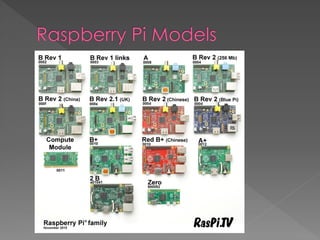
 Raspberry Pi, (aka Raspi or RPI) is a single
board computer developed in the UK.
 It’s around the size of a credit card, is
very low cost and requires little power.
 The compute power is relative to a
Pentium II pc and the graphics are similar
to a 2002 era game console.
 Beagle Bone
 Banana Pi
 Orange Pi
 PCDruino4
 NanoPC, ($65)
 CubieBoards, ($144!)
 MinnowBoard, ($145)
 Odroid, (varying models)
 Ardruino
› Ardruino “boards” are micro-controllers.
› Excellent for open source projects and at
collecting data.
› They shouldn’t be confused with a single
board computer.
› You can purchase a card, (i.e. hat) that
attaches to the RPI to simulate an ardruino.
 Leader of the single board computer
industry.
 Tons of online and printed resources.
 Parts are easily attainable, both name
brand and off market.
 Products are available online and in
many stores.
 Open architecture leads to myriad of
creative and functional projects.
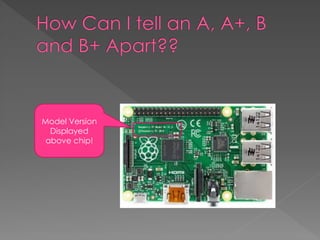
Model Version
Displayed
above chip!
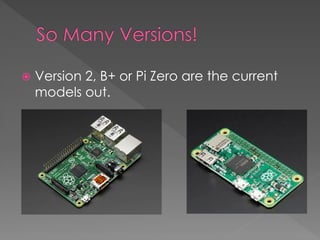
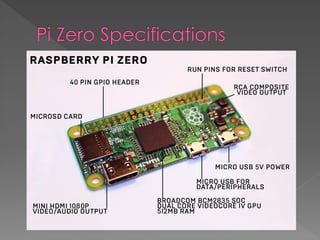
 Version 2, B+ or Pi Zero are the current
models out.
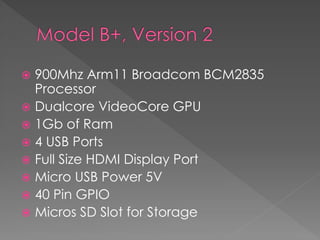
 900Mhz Arm11 Broadcom BCM2835
Processor
 Dualcore VideoCore GPU
 1Gb of Ram
 4 USB Ports
 Full Size HDMI Display Port
 Micro USB Power 5V
 40 Pin GPIO
 Micros SD Slot for Storage
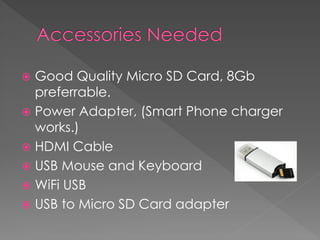
 Good Quality Micro SD Card, 8Gb
preferrable.
 Power Adapter, (Smart Phone charger
works.)
 HDMI Cable
 USB Mouse and Keyboard
 WiFi USB
 USB to Micro SD Card adapter
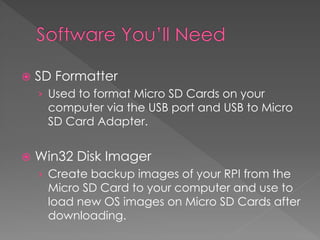
 SD Formatter
› Used to format Micro SD Cards on your
computer via the USB port and USB to Micro
SD Card Adapter.
 Win32 Disk Imager
› Create backup images of your RPI from the
Micro SD Card to your computer and use to
load new OS images on Micro SD Cards after
downloading.
Raspberry Pi B+, Ver. 2 Pi Zero
Unit Cost $20 $5
Main accessories* $70 $70
Adapter for Micro** $15-25
Touch Screen
Mountable?
Yes With Additional
mounting.
Case? Often cumbersome Good Idea
GPIO Pins Pre-soldered Manual Purchase and
Solder
Good for small
projects
Yes Exceptional
Best Choice for First
Time Purchase
Yes No
 MagPi Magazine
 Pibrella, ($20, and discontinued)
 RPI’s 7 inch touchscreen monitor
 Or a Small, (7-10 inch) HDMI monitor
 You want to just do experiments vs. have
a computer to program on and build out
other projects.
 The project at hand would be better
suited to a controller.
 Raspberry Pi Organization
 AdaFruit’s Raspberry Pi Page
 Hackaday
 Makezine
 My RPI page on DBAKevlar

Raspberry pi why and what to buy

  • 2.
     Raspberry Pi,(aka Raspi or RPI) is a single board computer developed in the UK.  It’s around the size of a credit card, is very low cost and requires little power.  The compute power is relative to a Pentium II pc and the graphics are similar to a 2002 era game console.
  • 3.
     Beagle Bone Banana Pi  Orange Pi  PCDruino4  NanoPC, ($65)  CubieBoards, ($144!)  MinnowBoard, ($145)  Odroid, (varying models)
  • 4.
     Ardruino › Ardruino“boards” are micro-controllers. › Excellent for open source projects and at collecting data. › They shouldn’t be confused with a single board computer. › You can purchase a card, (i.e. hat) that attaches to the RPI to simulate an ardruino.
  • 5.
     Leader ofthe single board computer industry.  Tons of online and printed resources.  Parts are easily attainable, both name brand and off market.  Products are available online and in many stores.  Open architecture leads to myriad of creative and functional projects.
  • 7.
  • 8.
     Version 2,B+ or Pi Zero are the current models out.
  • 9.
     900Mhz Arm11Broadcom BCM2835 Processor  Dualcore VideoCore GPU  1Gb of Ram  4 USB Ports  Full Size HDMI Display Port  Micro USB Power 5V  40 Pin GPIO  Micros SD Slot for Storage
  • 11.
     Good QualityMicro SD Card, 8Gb preferrable.  Power Adapter, (Smart Phone charger works.)  HDMI Cable  USB Mouse and Keyboard  WiFi USB  USB to Micro SD Card adapter
  • 12.
     SD Formatter ›Used to format Micro SD Cards on your computer via the USB port and USB to Micro SD Card Adapter.  Win32 Disk Imager › Create backup images of your RPI from the Micro SD Card to your computer and use to load new OS images on Micro SD Cards after downloading.
  • 13.
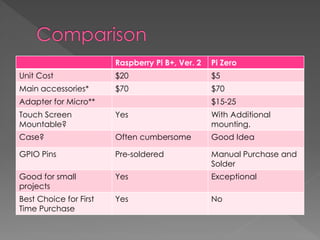
    Raspberry Pi B+,Ver. 2 Pi Zero Unit Cost $20 $5 Main accessories* $70 $70 Adapter for Micro** $15-25 Touch Screen Mountable? Yes With Additional mounting. Case? Often cumbersome Good Idea GPIO Pins Pre-soldered Manual Purchase and Solder Good for small projects Yes Exceptional Best Choice for First Time Purchase Yes No
  • 14.
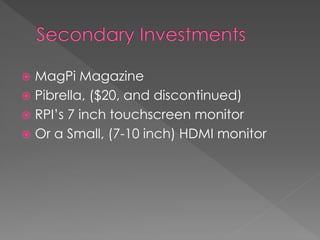
     MagPi Magazine Pibrella, ($20, and discontinued)  RPI’s 7 inch touchscreen monitor  Or a Small, (7-10 inch) HDMI monitor
  • 15.
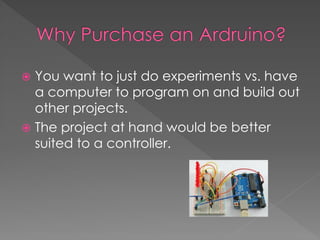
     You wantto just do experiments vs. have a computer to program on and build out other projects.  The project at hand would be better suited to a controller.
  • 18.
     Raspberry PiOrganization  AdaFruit’s Raspberry Pi Page  Hackaday  Makezine  My RPI page on DBAKevlar