
RASPBERRY PI CAR
BOGDAN CRACIUN
SIVECO ROMANIA
Build, Code, Deploy and Run
Agenda
 Introduction
 Requirements
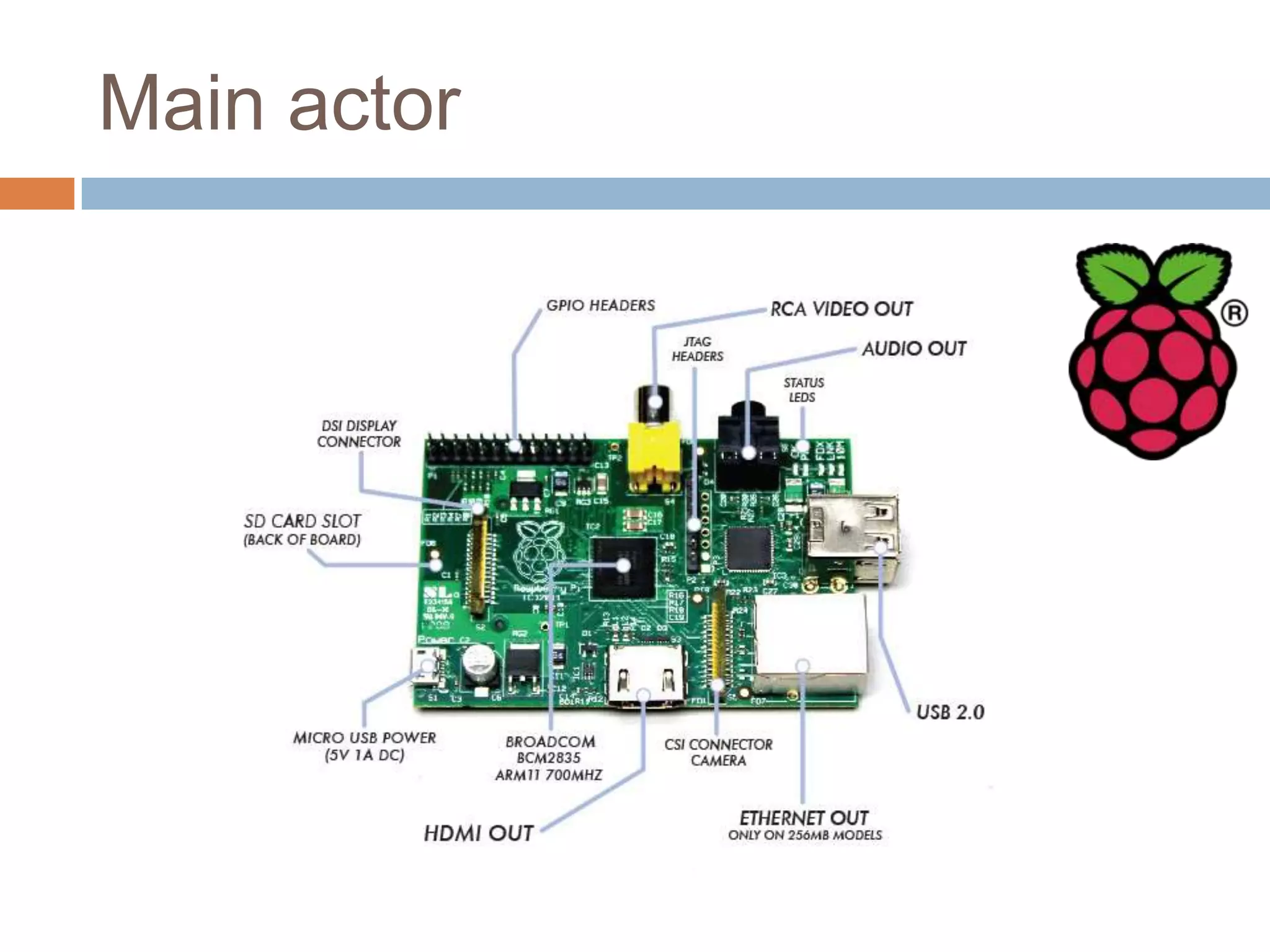
 Hardware platform
 Software platform & Application code
 Q&A
 Running Mode Demo
About me
 Software Architect @ SIVECO Romania from 2003
 Oracle Certified Master, Java EE Enterprise Architect
 Founding member of Oracle Architects Club – Romania chapter
Requirements
 Wireless control - no wires
 Wi-Fi based
 Smartphone and Car only setup
 No external Wi-Fi access point needed
 No additional administration system
 Automatic startup of services on power on
 Queue base control
 Automatic impact detection and reaction
 Front lights control
 Status lights for Impact Mode and Commands
Main actor
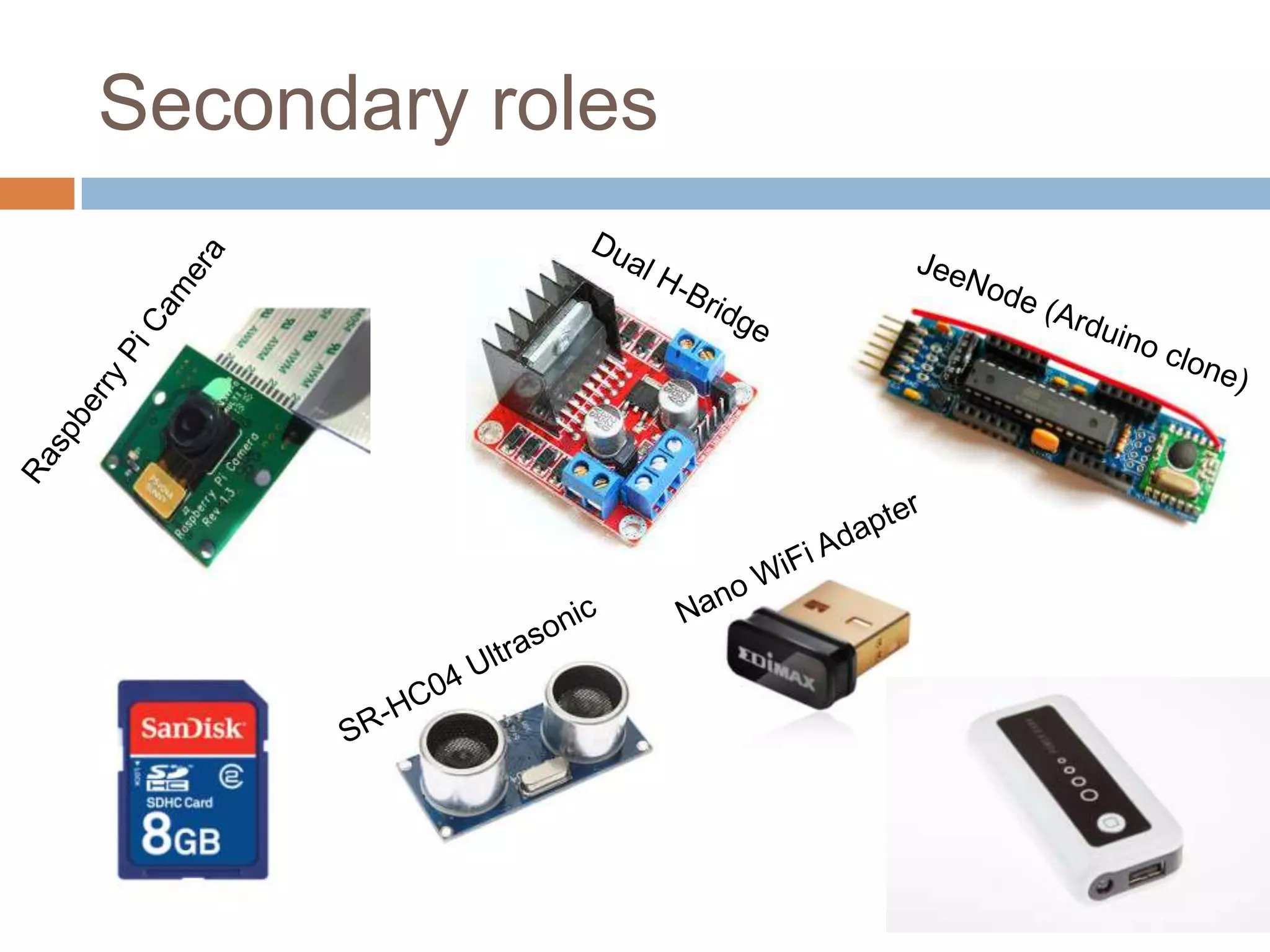
Secondary roles
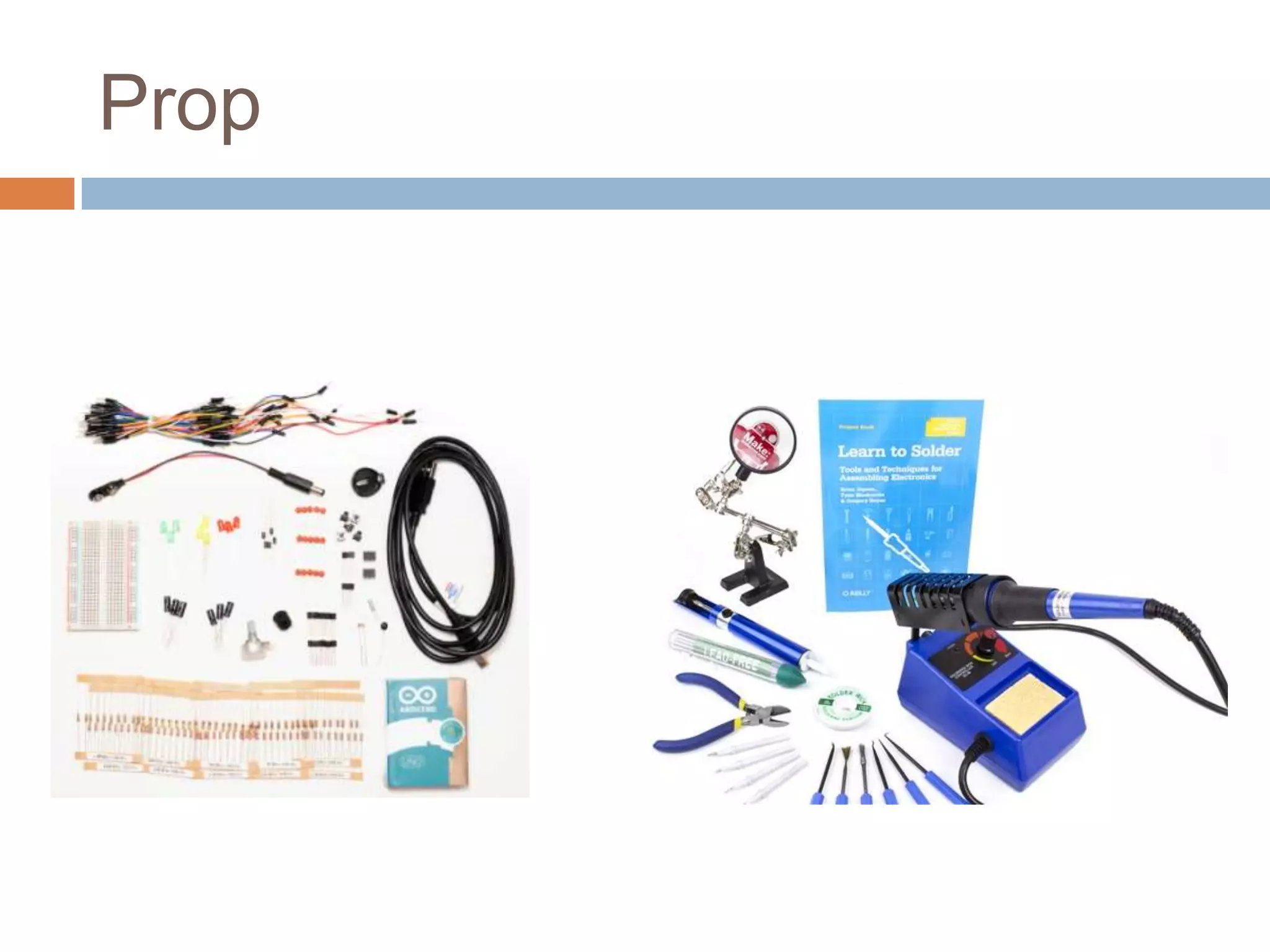
Prop
Victim
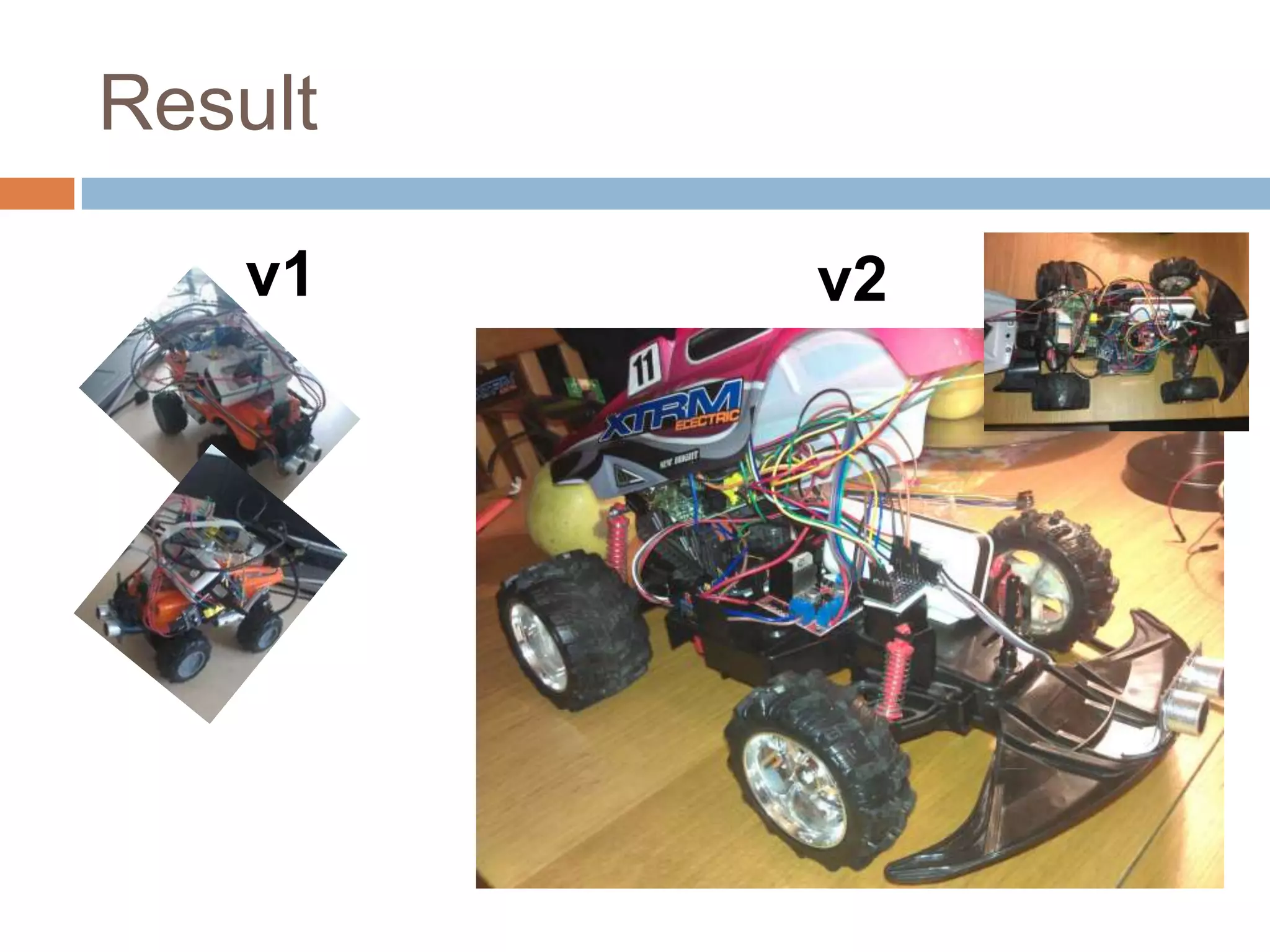
Result
v1 v2
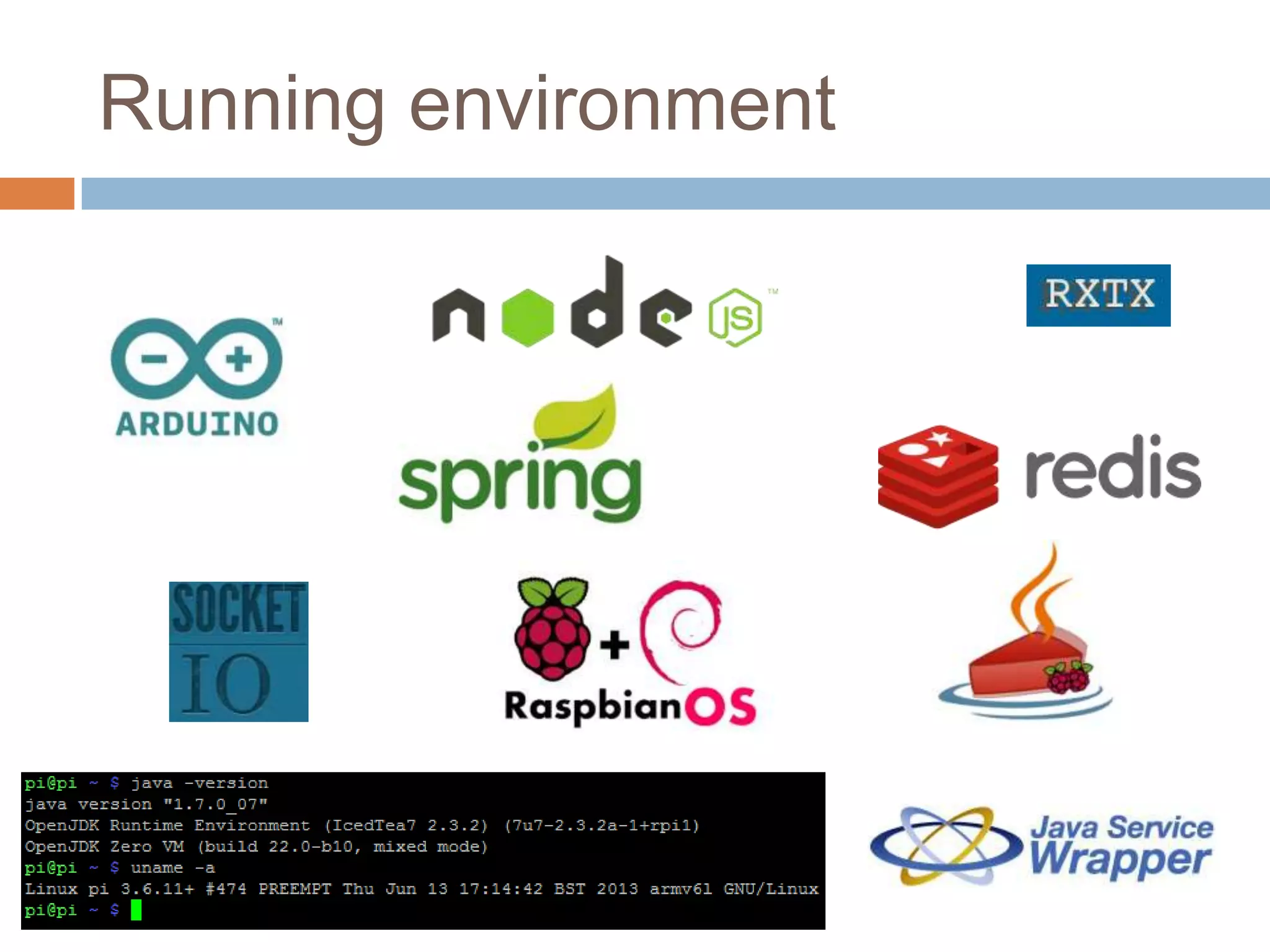
Running environment
Development environment
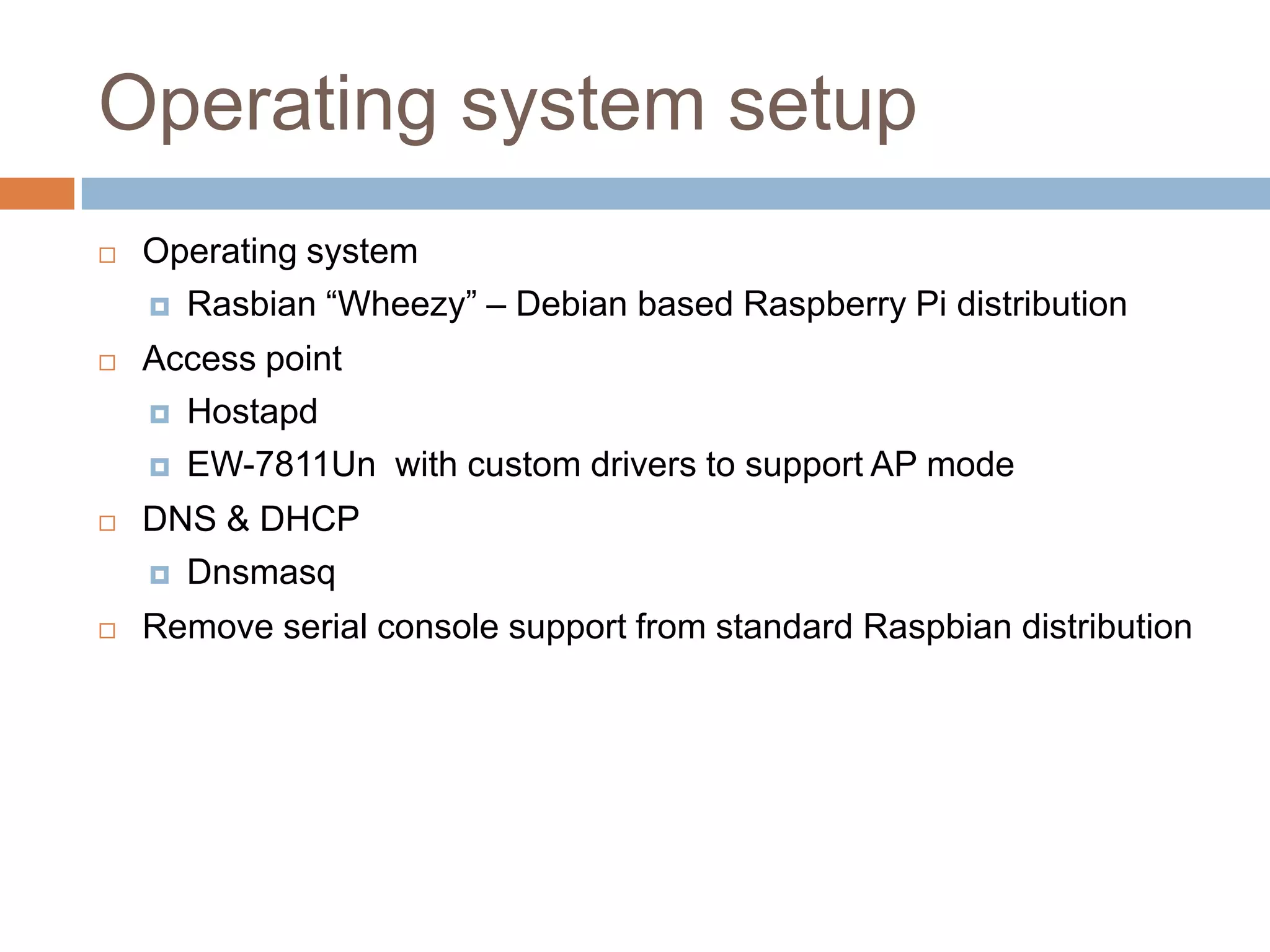
Operating system setup
 Operating system
 Rasbian “Wheezy” – Debian based Raspberry Pi distribution
 Access point
 Hostapd
 EW-7811Un with custom drivers to support AP mode
 DNS & DHCP
 Dnsmasq
 Remove serial console support from standard Raspbian distribution
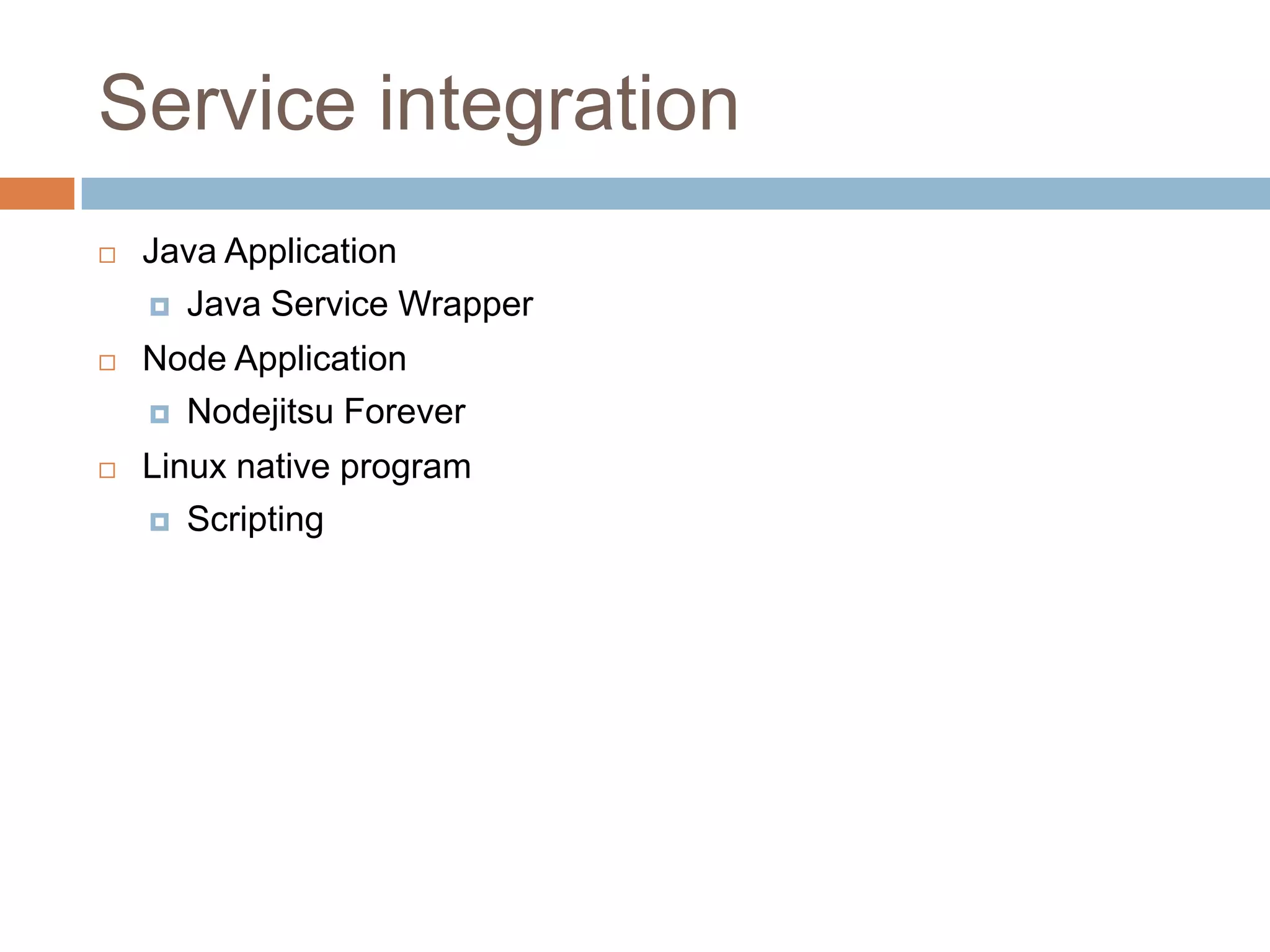
Service integration
 Java Application
 Java Service Wrapper
 Node Application
 Nodejitsu Forever
 Linux native program
 Scripting
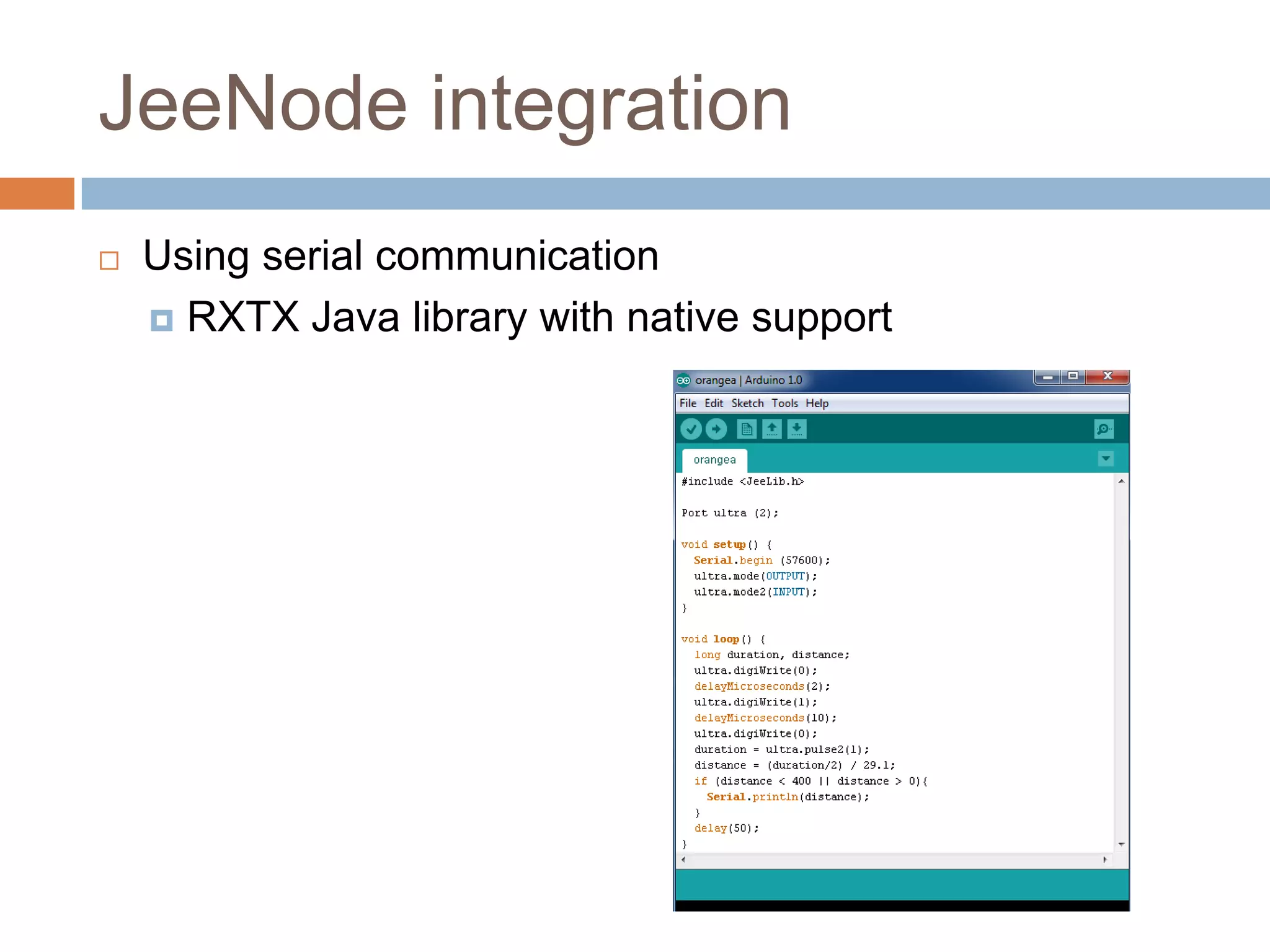
JeeNode integration
 Using serial communication
 RXTX Java library with native support
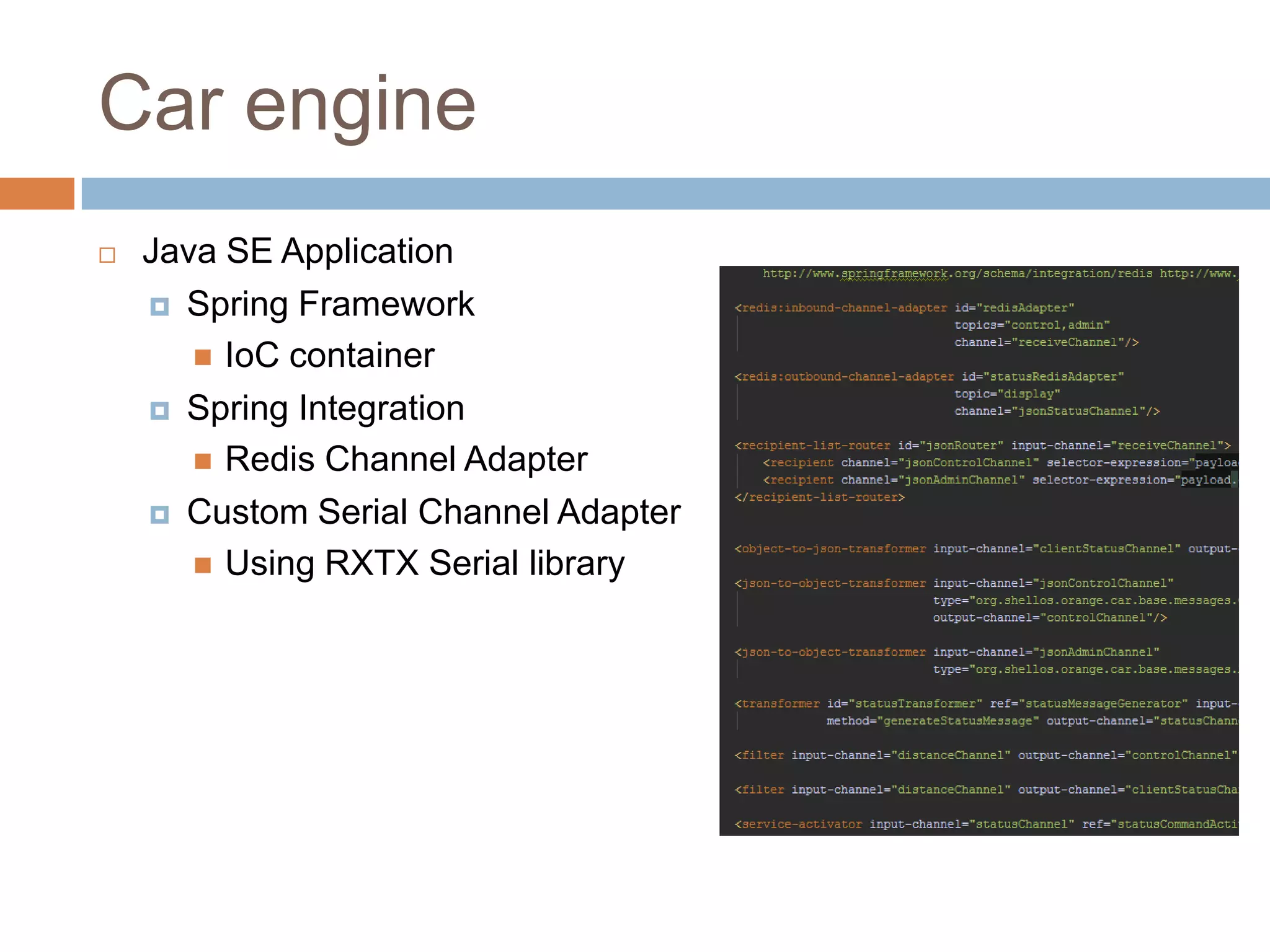
Car engine
 Java SE Application
 Spring Framework
 IoC container
 Spring Integration
 Redis Channel Adapter
 Custom Serial Channel Adapter
 Using RXTX Serial library
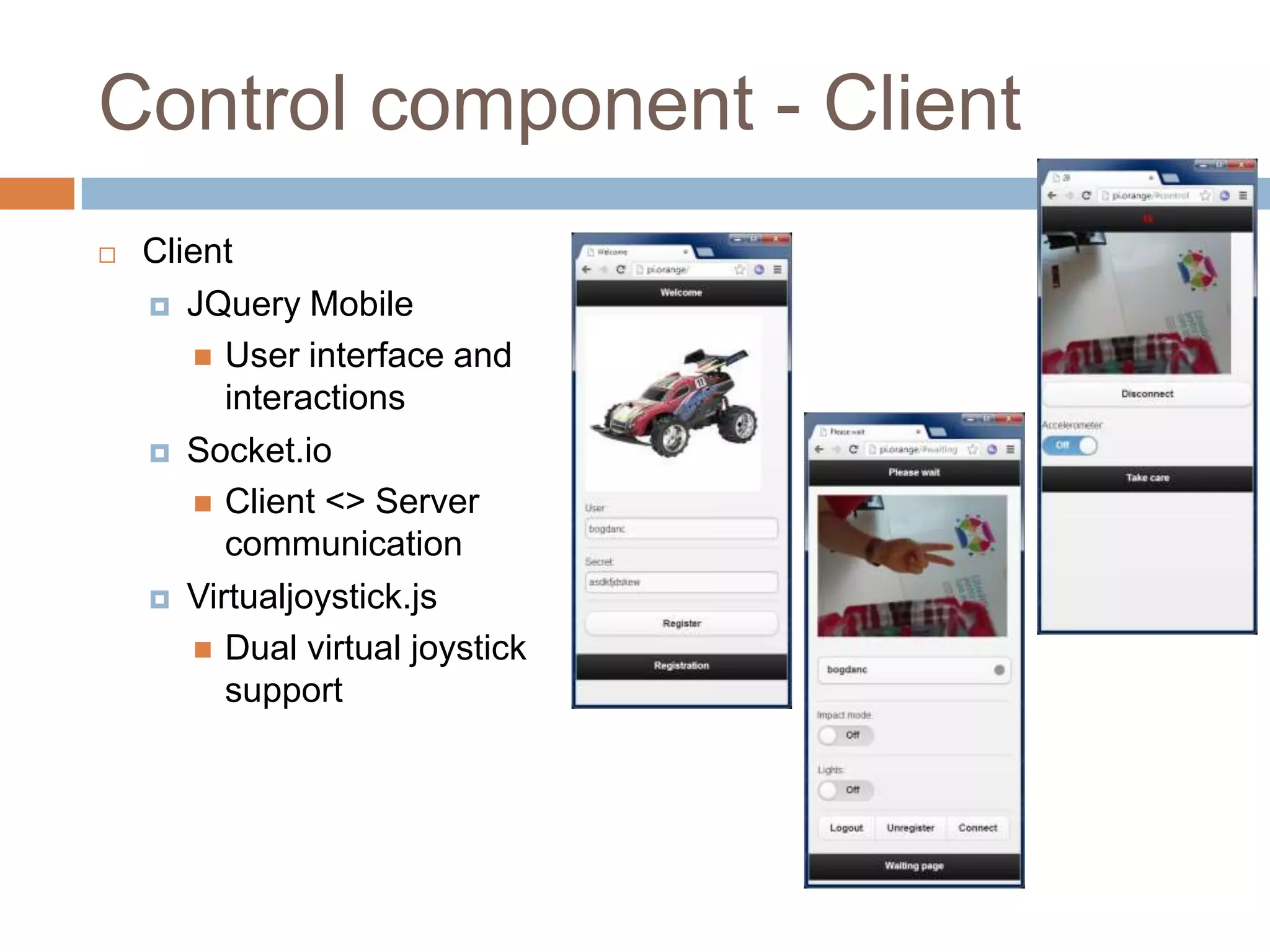
Control component - Client
 Client
 JQuery Mobile
 User interface and
interactions
 Socket.io
 Client <> Server
communication
 Virtualjoystick.js
 Dual virtual joystick
support
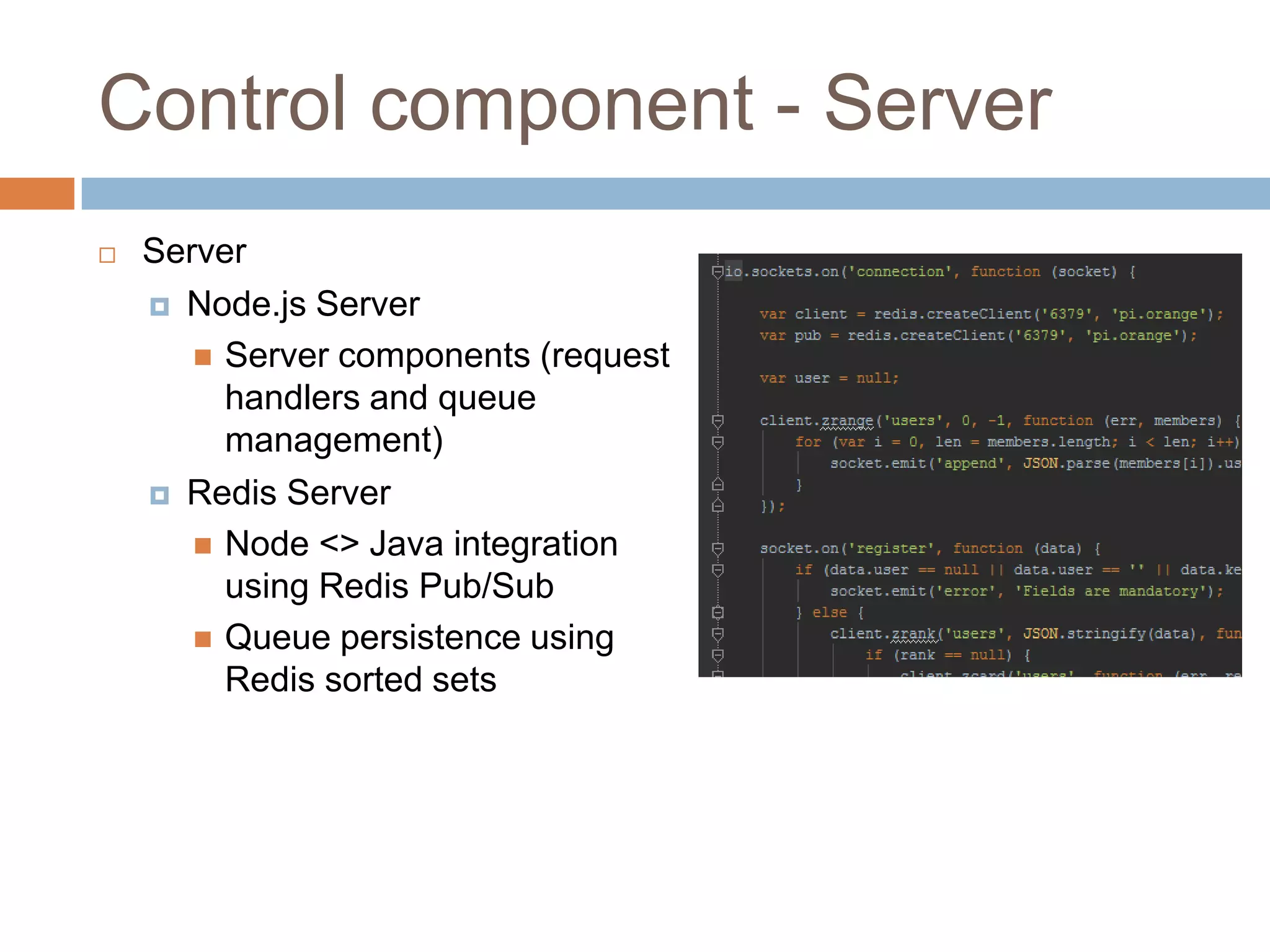
Control component - Server
 Server
 Node.js Server
 Server components (request
handlers and queue
management)
 Redis Server
 Node <> Java integration
using Redis Pub/Sub
 Queue persistence using
Redis sorted sets
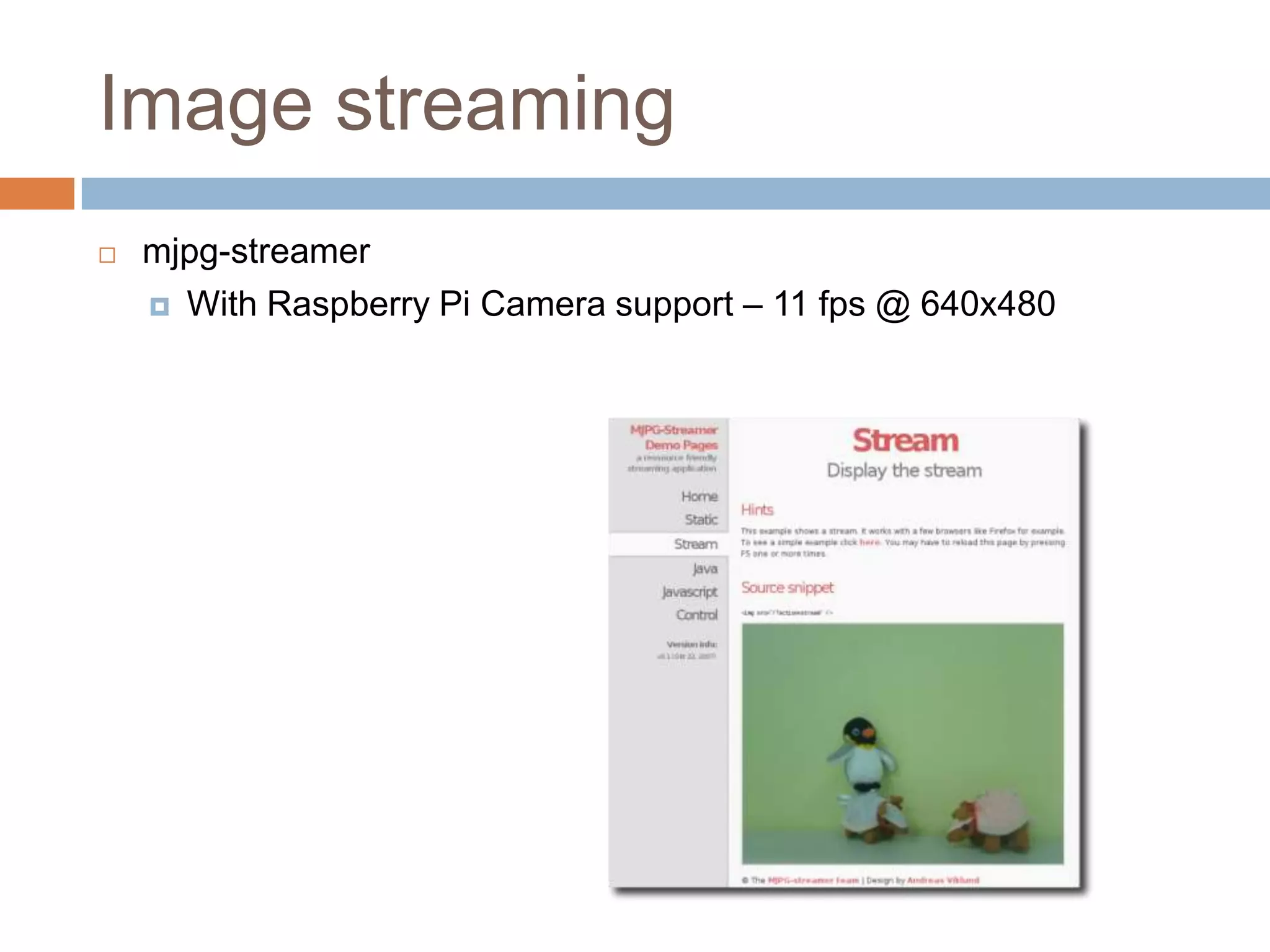
Image streaming
 mjpg-streamer
 With Raspberry Pi Camera support – 11 fps @ 640x480
Software challenges
 No AP mode support in EW-7811Un
 Action: Custom hostapd compatible RTL8188CUS was installed
 Reading HC-SR04 sensor data using Java
 Works fine if it is the only process on Raspberry Pi
 Bad choice to use the sensor with a non real-time SO
 Action: Added a Jeenode (Arduino Uno clone) to run the reading
loop and push data to a serial Raspberry Pi port
Software challenges – cont.
 Compiling the following on Raspberry Pi:
 redis server
 node.js
 RXTX native library
 mjpg-streamer – custom module to support image streaming
 Image streaming speed optimization
Hardware challenges
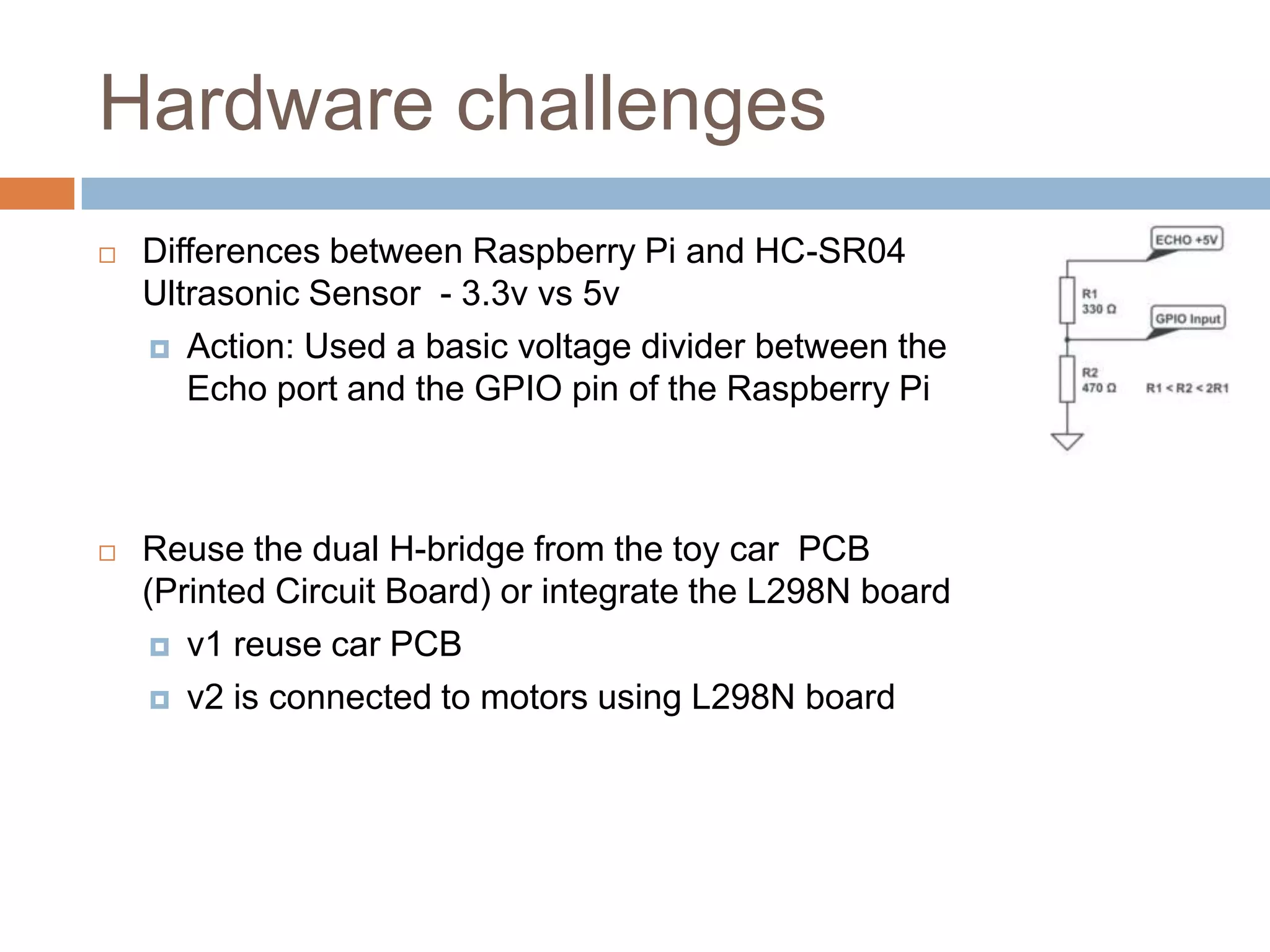
 Differences between Raspberry Pi and HC-SR04
Ultrasonic Sensor - 3.3v vs 5v
 Action: Used a basic voltage divider between the
Echo port and the GPIO pin of the Raspberry Pi
 Reuse the dual H-bridge from the toy car PCB
(Printed Circuit Board) or integrate the L298N board
 v1 reuse car PCB
 v2 is connected to motors using L298N board
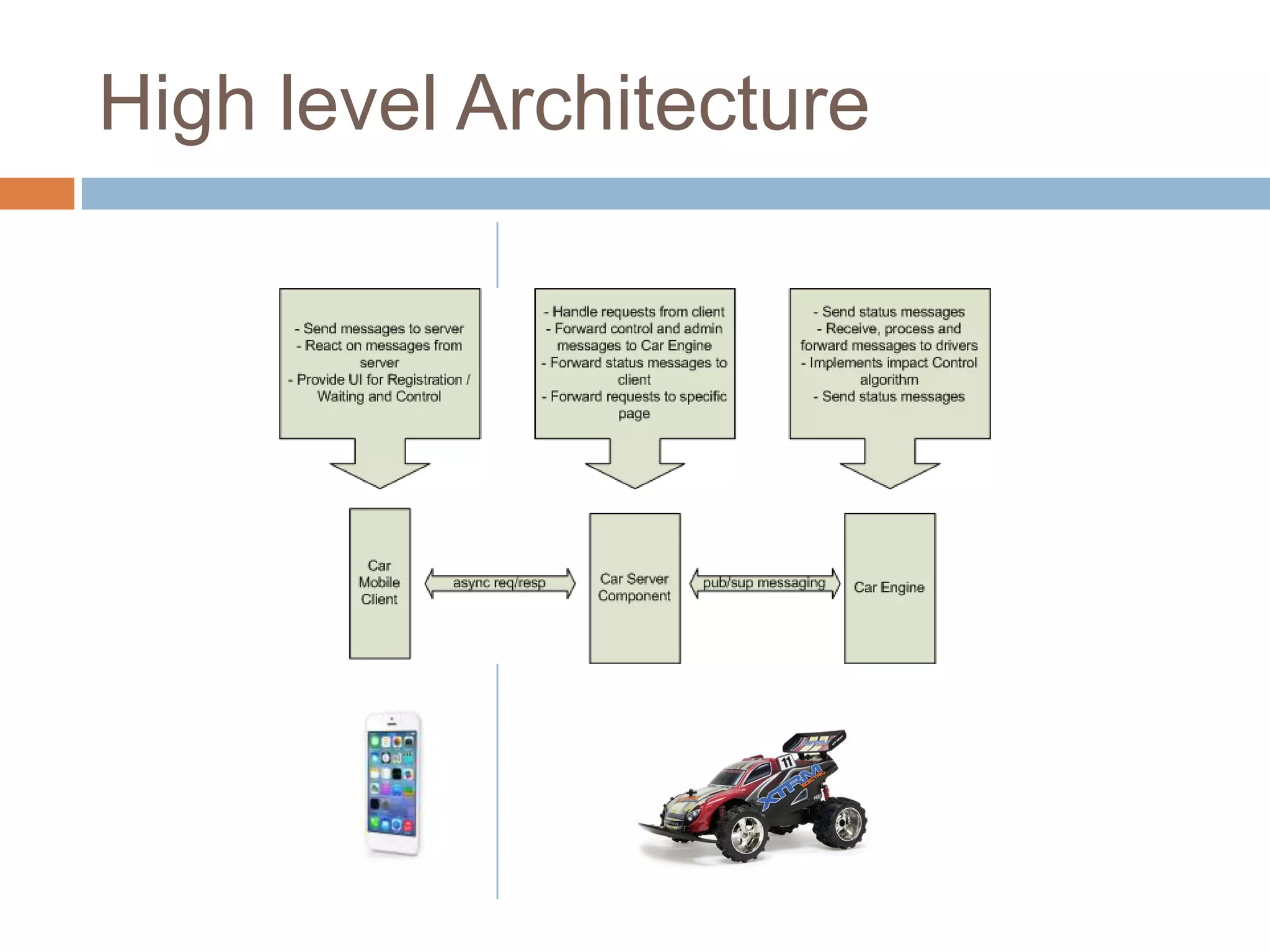
High level Architecture
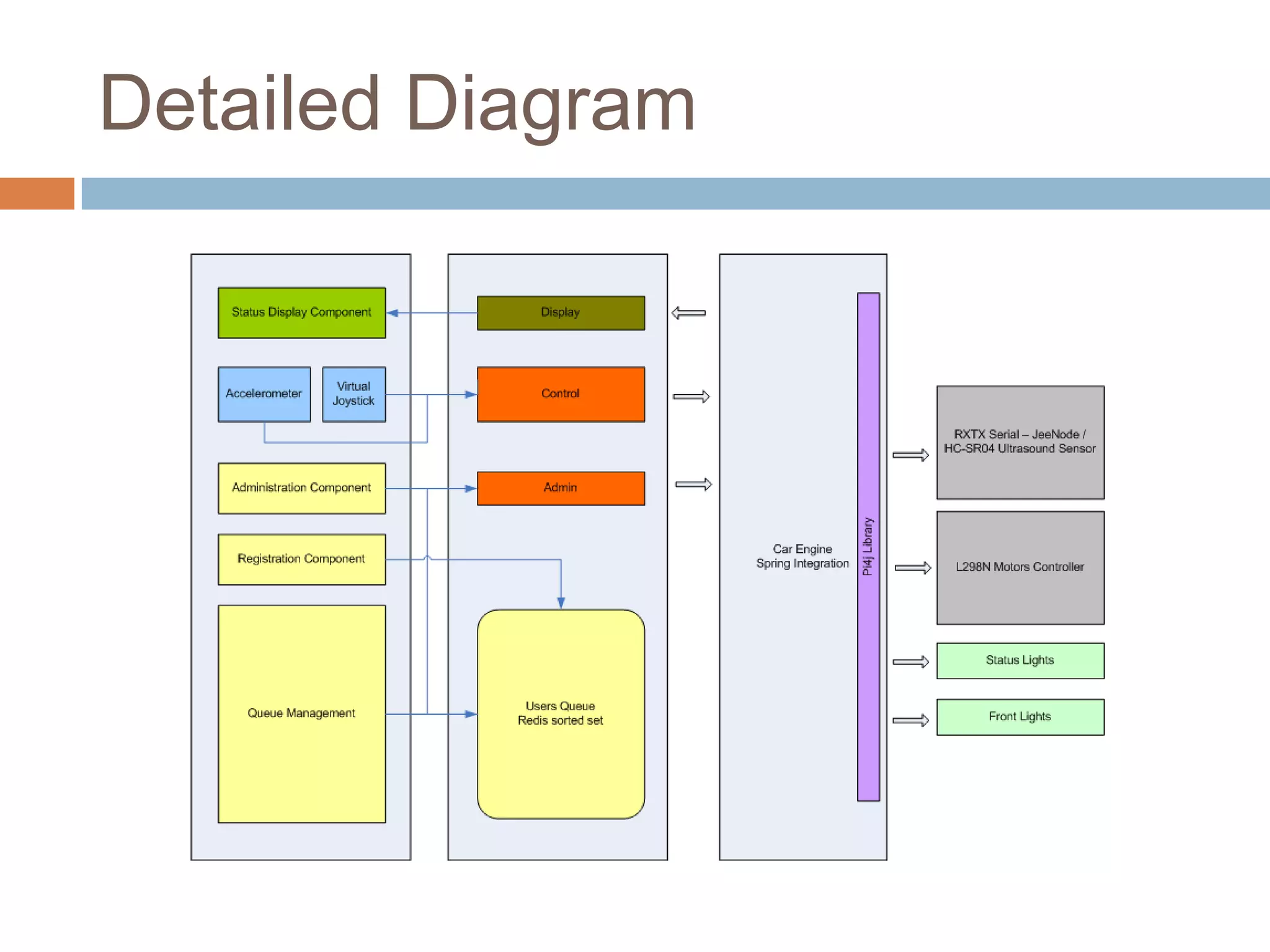
Detailed Diagram
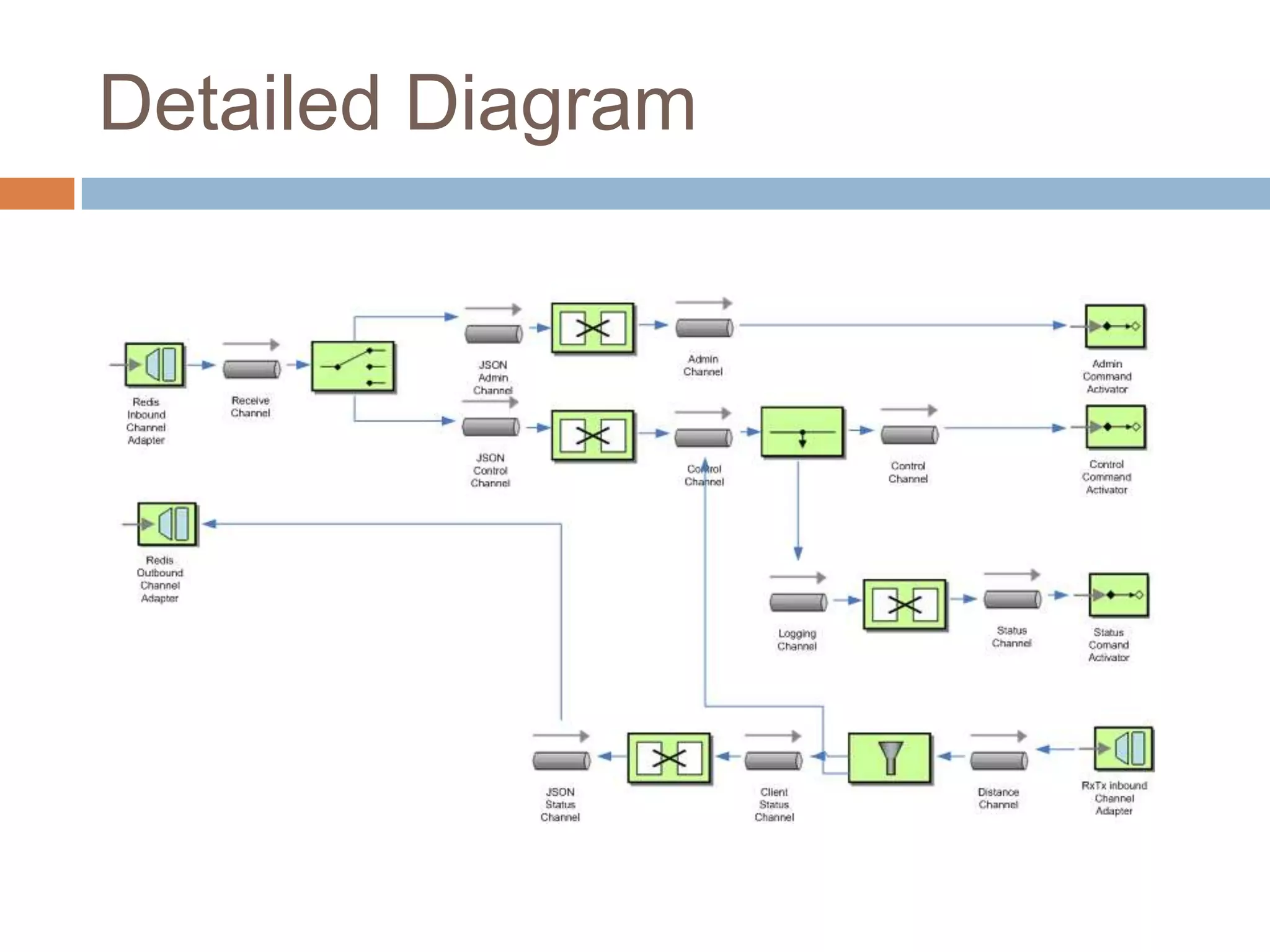
Detailed Diagram
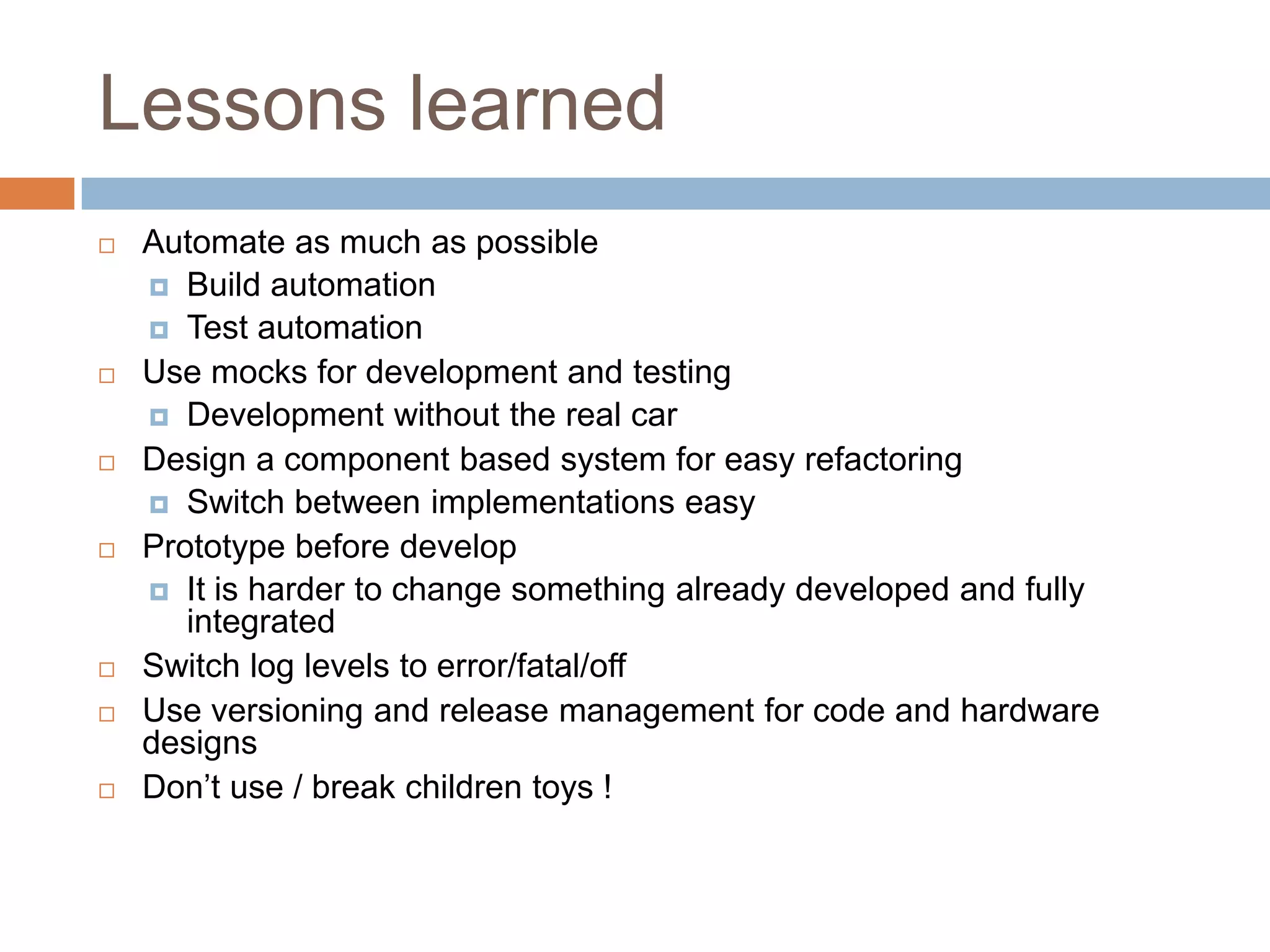
Lessons learned
 Automate as much as possible
 Build automation
 Test automation
 Use mocks for development and testing
 Development without the real car
 Design a component based system for easy refactoring
 Switch between implementations easy
 Prototype before develop
 It is harder to change something already developed and fully
integrated
 Switch log levels to error/fatal/off
 Use versioning and release management for code and hardware
designs
 Don’t use / break children toys !
Final thoughts
 Be a problem solver, not just a programmer.
 Use the best tool for the job
 Does the language really matter?
 Keep your mind open.
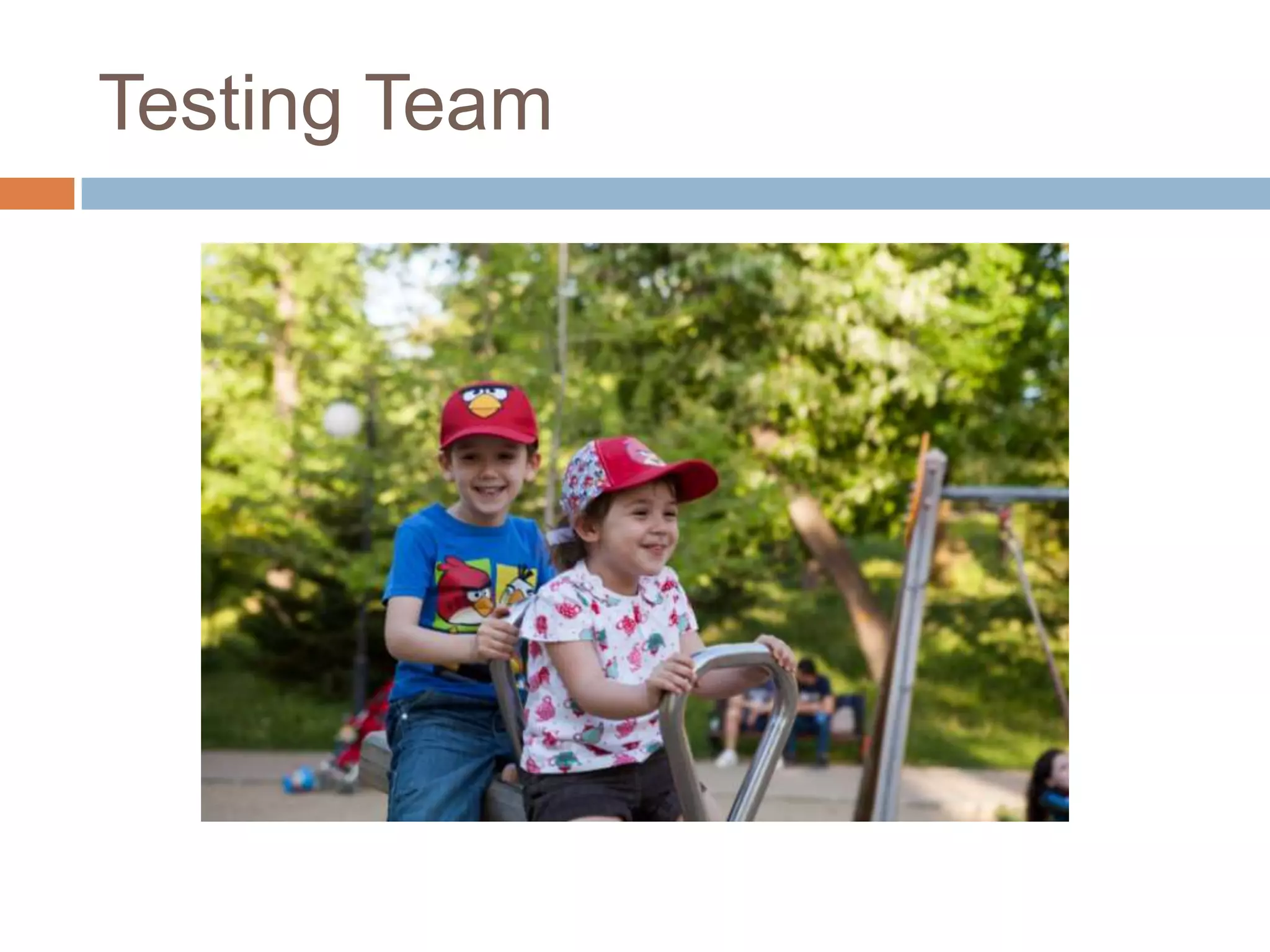
Testing Team
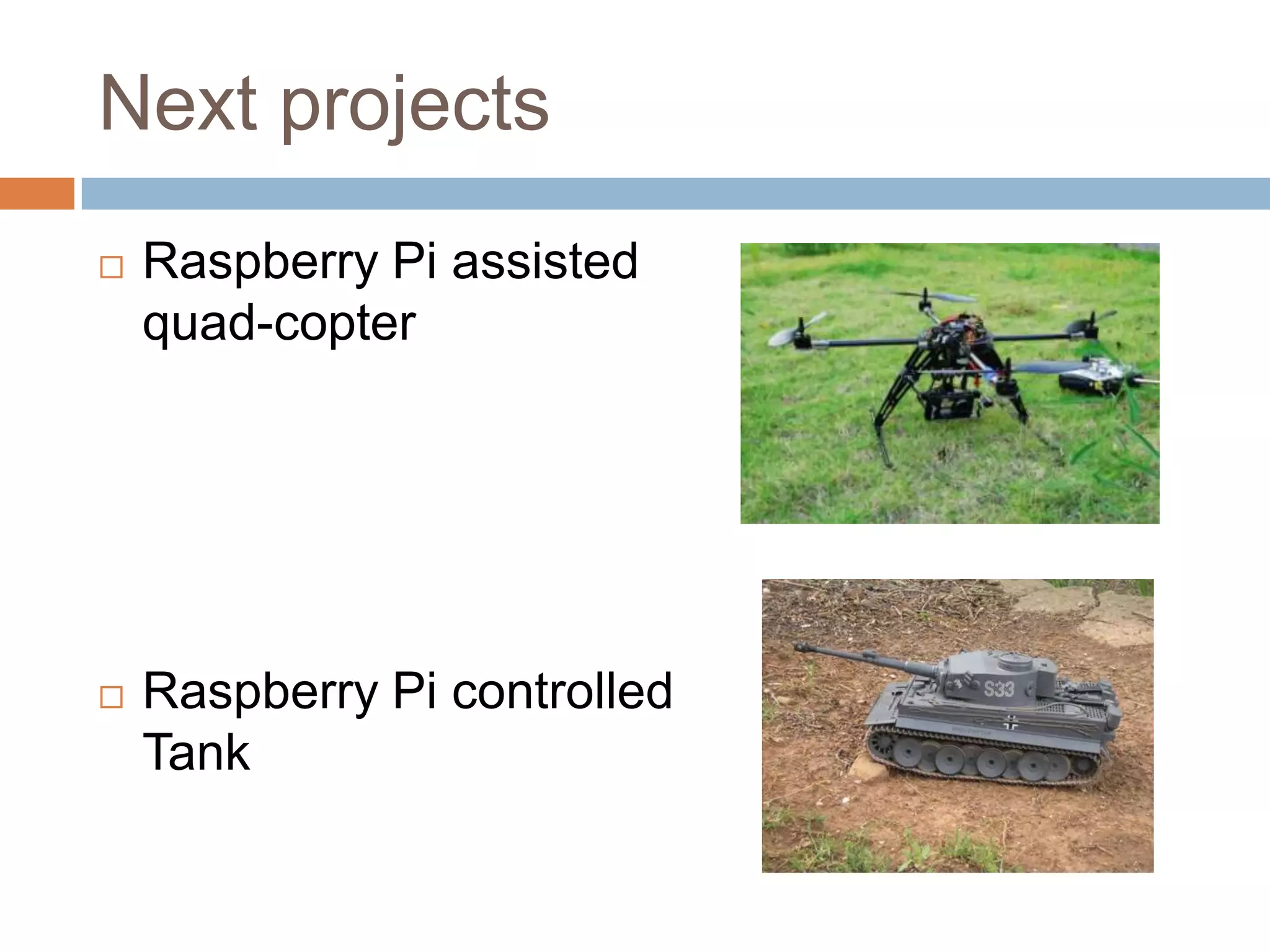
Next projects
 Raspberry Pi assisted
quad-copter
 Raspberry Pi controlled
Tank
Q&A
 Demo car connection data:
 SID: orange
 Password: 12345678

Raspberry Pi Car with Java

  • 1.
    RASPBERRY PI CAR BOGDANCRACIUN SIVECO ROMANIA Build, Code, Deploy and Run
  • 2.
    Agenda  Introduction  Requirements Hardware platform  Software platform & Application code  Q&A  Running Mode Demo
  • 3.
    About me  SoftwareArchitect @ SIVECO Romania from 2003  Oracle Certified Master, Java EE Enterprise Architect  Founding member of Oracle Architects Club – Romania chapter
  • 4.
    Requirements  Wireless control- no wires  Wi-Fi based  Smartphone and Car only setup  No external Wi-Fi access point needed  No additional administration system  Automatic startup of services on power on  Queue base control  Automatic impact detection and reaction  Front lights control  Status lights for Impact Mode and Commands
  • 5.
  • 6.
  • 7.
  • 8.
  • 9.
  • 10.
  • 11.
  • 12.
    Operating system setup Operating system  Rasbian “Wheezy” – Debian based Raspberry Pi distribution  Access point  Hostapd  EW-7811Un with custom drivers to support AP mode  DNS & DHCP  Dnsmasq  Remove serial console support from standard Raspbian distribution
  • 13.
    Service integration  JavaApplication  Java Service Wrapper  Node Application  Nodejitsu Forever  Linux native program  Scripting
  • 14.
    JeeNode integration  Usingserial communication  RXTX Java library with native support
  • 15.
    Car engine  JavaSE Application  Spring Framework  IoC container  Spring Integration  Redis Channel Adapter  Custom Serial Channel Adapter  Using RXTX Serial library
  • 16.
    Control component -Client  Client  JQuery Mobile  User interface and interactions  Socket.io  Client <> Server communication  Virtualjoystick.js  Dual virtual joystick support
  • 17.
    Control component -Server  Server  Node.js Server  Server components (request handlers and queue management)  Redis Server  Node <> Java integration using Redis Pub/Sub  Queue persistence using Redis sorted sets
  • 18.
    Image streaming  mjpg-streamer With Raspberry Pi Camera support – 11 fps @ 640x480
  • 19.
    Software challenges  NoAP mode support in EW-7811Un  Action: Custom hostapd compatible RTL8188CUS was installed  Reading HC-SR04 sensor data using Java  Works fine if it is the only process on Raspberry Pi  Bad choice to use the sensor with a non real-time SO  Action: Added a Jeenode (Arduino Uno clone) to run the reading loop and push data to a serial Raspberry Pi port
  • 20.
    Software challenges –cont.  Compiling the following on Raspberry Pi:  redis server  node.js  RXTX native library  mjpg-streamer – custom module to support image streaming  Image streaming speed optimization
  • 21.
    Hardware challenges  Differencesbetween Raspberry Pi and HC-SR04 Ultrasonic Sensor - 3.3v vs 5v  Action: Used a basic voltage divider between the Echo port and the GPIO pin of the Raspberry Pi  Reuse the dual H-bridge from the toy car PCB (Printed Circuit Board) or integrate the L298N board  v1 reuse car PCB  v2 is connected to motors using L298N board
  • 22.
  • 23.
  • 24.
  • 25.
    Lessons learned  Automateas much as possible  Build automation  Test automation  Use mocks for development and testing  Development without the real car  Design a component based system for easy refactoring  Switch between implementations easy  Prototype before develop  It is harder to change something already developed and fully integrated  Switch log levels to error/fatal/off  Use versioning and release management for code and hardware designs  Don’t use / break children toys !
  • 26.
    Final thoughts  Bea problem solver, not just a programmer.  Use the best tool for the job  Does the language really matter?  Keep your mind open.
  • 27.
  • 28.
    Next projects  RaspberryPi assisted quad-copter  Raspberry Pi controlled Tank
  • 29.
    Q&A  Demo carconnection data:  SID: orange  Password: 12345678