Rage Against the Framework
David Ortinau
@davidortinau
http://davidortinau.com

15 yrs web, interactive, mobile.

Flash, iPhone, Android, WP7

BA English,
Maryville University
Mental Models


Susan Carey (1986), Don Norman (1988), Alan Cooper (1995) and IBM (1992)
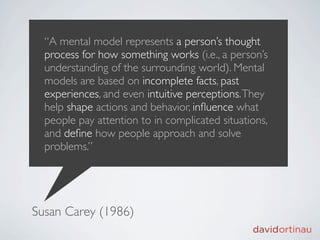
“A mental model represents a person’s thought
  process for how something works (i.e., a person’s
  understanding of the surrounding world). Mental
  models are based on incomplete facts, past
  experiences, and even intuitive perceptions. They
  help shape actions and behavior, influence what
  people pay attention to in complicated situations,
  and define how people approach and solve
  problems.”


Susan Carey (1986)
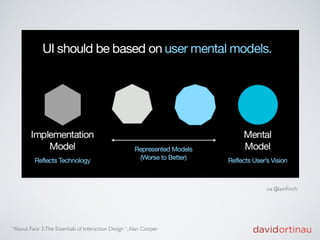
via @iamFinch


“About Face 3: The Essentials of Interaction Design “, Alan Cooper
Pragmatic Principles
DRY
Loose Coupling
Composition
    over
 Inheritance
DataBinding
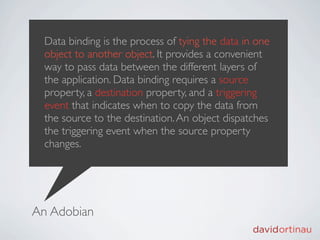
Data binding is the process of tying the data in one
  object to another object. It provides a convenient
  way to pass data between the different layers of
  the application. Data binding requires a source
  property, a destination property, and a triggering
  event that indicates when to copy the data from
  the source to the destination. An object dispatches
  the triggering event when the source property
  changes.


An Adobian
Basic Implementation
   [Bindable]
   public var arrayCollection:ArrayCollection;

   <s:List dataProvider=”{arrayCollection}” ... />
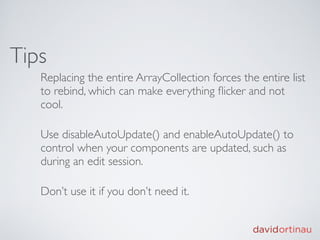
Tips
   Replacing the entire ArrayCollection forces the entire list
   to rebind, which can make everything flicker and not
   cool.

   Use disableAutoUpdate() and enableAutoUpdate() to
   control when your components are updated, such as
   during an edit session.

   Don’t use it if you don’t need it.
References
   Flex data binding pitfalls: common misuses and mistakes,
   Elad Elrom
   http://www.adobe.com/devnet/flex/articles/
   databinding_pitfalls.html

   About Data Binding in Flex 4.5
   http://help.adobe.com/en_US/flex/using/
   WS2db454920e96a9e51e63e3d11c0bf64c3d-7fff.html
Spark Skinning
Separation
   HostComponent
   - behavior, logic

   Skin or SparkSkin
   - visual representation and visual behavior
HostComponent
  Common Components
  - Button, ToggleButton, Label, TextInput, List, DataGroup,
  TitleWindow, etc.

  Custom Components
  - AccountPanel, PeopleFilterControl,
  PersonIconToggleButton
HostComponent
  override protected function partAdded(partName:String, instance:Object):void {
  
    super.partAdded(partName, instance);

  
   if (instance == nameInput) { ... add listeners, setup bindings }
  }


  override protected function partRemoved(partName:String, instance:Object):void {
  
    super.partRemoved(partName, instance);

  
   if (instance == nameInput) { ... remove listeners, release watchers }
  }
Applying a Skin
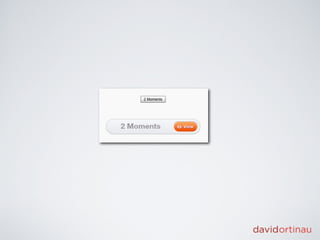
   <s:Button id="submitBtn" label="Submit"
      skinClass="skins.OrangeButtonSkin"/>

   <s:TitleWindow id="accountSettings"
      title="Account Settings"
      skinClass="skins.AccountSettingsTitleWindowSkin">
     <!-- content goes here -->
   </s:TitleWindow>
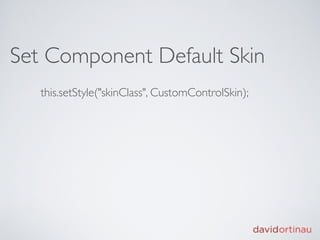
Set Component Default Skin
   this.setStyle("skinClass", CustomControlSkin);
References
   Introducing skinning in Flex 4, Ryan Frishberg
   http://www.adobe.com/devnet/flex/articles/
   flex4_skinning.html

   Creating a Custom Component and Skins in Flex 4,
   Christophe Coenraets
   http://coenraets.org/blog/2010/01/creating-a-custom-
   component-and-skins-in-flex-4/
States
Define States
  In the Skin:
  
     <s:states>
  
     
      <s:State name="disabled"/>
  
     
      <s:State name="down"/>
  
     
      <s:State name="over"/>
  
     
      <s:State name="up"/>
  
     </s:states>

  In the HostComponent:
        [SkinState("disabled")]
        [SkinState("down")]
        [SkinState("over")]
        [SkinState("up")]
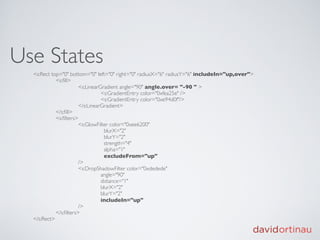
Use States
  <s:Rect top="0" bottom="0" left="0" right="0" radiusX="6" radiusY="6" includeIn="up,over">
  
         <s:fill>
  
         
          <s:LinearGradient angle="90" angle.over= "-90 " >


         <s:GradientEntry color="0xfea25e" />


         <s:GradientEntry color="0xe94d0f"/>
  
         
          </s:LinearGradient>
  
         </s:fill>
  
         <s:filters>
  
         
          <s:GlowFilter color="0xee6200"


           blurX="2"


           blurY="2"


           strength="4"


           alpha="1"


           excludeFrom="up"
  
         
          />
  
         
          <s:DropShadowFilter color="0xdedede"


         angle="90"


         distance="1"


         blurX="2"


         blurY="2"


         includeIn="up"
  
         
          /> 


         </s:filters>
  </s:Rect>
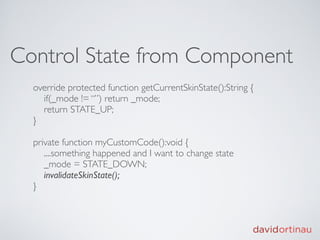
Control State from Component
  override protected function getCurrentSkinState():String {
    if(_mode != “”) return _mode;
    return STATE_UP;
  }

  private function myCustomCode():void {
     ....something happened and I want to change state
     _mode = STATE_DOWN;
     invalidateSkinState();
  }
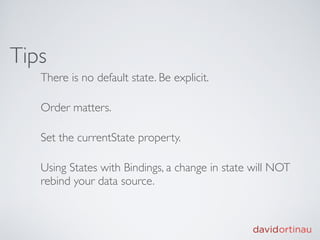
Tips
   There is no default state. Be explicit.

   Order matters.

   Set the currentState property.

   Using States with Bindings, a change in state will NOT
   rebind your data source.
References
  James Polanco and Aaron Pederson Flex 4 LifeCycle
  http://updates.developmentarc.com/flex_4_lifecycle.pdf

  Jonathan Campos, Flex 4 Spark Skinning
  http://www.unitedmindset.com/jonbcampos/2009/07/02/flex-4-spark-
  skinning/

  Flex 4 States: The Default State, David Ortinau
  http://www.davidortinau.com/blog/flex_4_states_the_default_state/
Transitions
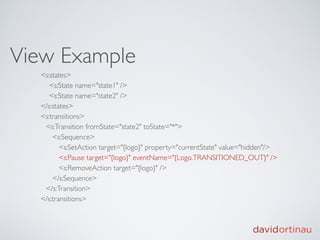
View Example
  <s:states>
     <s:State name="state1" />
     <s:State name="state2" />
  </s:states>
  <s:transitions>
   <s:Transition fromState="state2" toState="*">
      <s:Sequence>
         <s:SetAction target="{logo}" property="currentState" value="hidden"/>
         <s:Pause target="{logo}" eventName="{Logo.TRANSITIONED_OUT}" />
         <s:RemoveAction target="{logo}" />
      </s:Sequence>
   </s:Transition>
  </s:transitions>
Sub Component Example
  <s:Transition fromState="visible" toState="*" autoReverse="true">
     <s:Sequence>
        <s:Parallel id="outTransition" duration="500">
          <s:Fade target="{simplyProfoundLogo}" alphaFrom="1" alphaTo="0" />
          <s:Move target="{simplyProfoundLogo}" xTo="600" />
        </s:Parallel>
        <s:CallAction target="{this}" functionName="dispatchEvent" args="{[new
        Event(TRANSITIONED_OUT)]}" />
     </s:Sequence>
  </s:Transition>
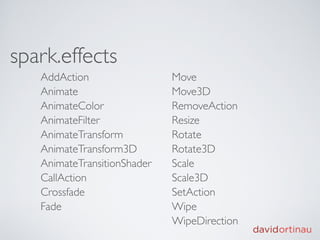
spark.effects
   AddAction                 Move
   Animate                   Move3D
   AnimateColor              RemoveAction
   AnimateFilter             Resize
   AnimateTransform          Rotate
   AnimateTransform3D        Rotate3D
   AnimateTransitionShader   Scale
   CallAction                Scale3D
   Crossfade                 SetAction
   Fade                      Wipe
                             WipeDirection
References
  Spark States and Transitions: Working in Concert, David Ortinau
  http://www.davidortinau.com/blog/
    spark_states_and_transitions_working_in_concert/

  Leonard Souza, Flexerific Effects
  http://www.leonardsouza.com/flex/flexerific/

  spark.effects
  http://help.adobe.com/en_US/FlashPlatform/reference/actionscript/3/
    spark/effects/package-detail.html

  mx.effects
  http://help.adobe.com/en_US/FlashPlatform/reference/actionscript/3/mx/
    effects/package-detail.html
Layouts
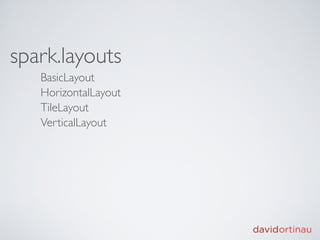
spark.layouts
   BasicLayout
   HorizontalLayout
   TileLayout
   VerticalLayout
Works With
  Groups
  Containers (includes Lists)
  Skins
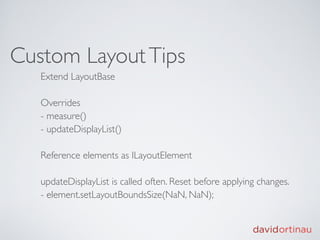
Custom Layout Tips
   Extend LayoutBase

   Overrides
   - measure()
   - updateDisplayList()

   Reference elements as ILayoutElement

   updateDisplayList is called often. Reset before applying changes.
   - element.setLayoutBoundsSize(NaN, NaN);
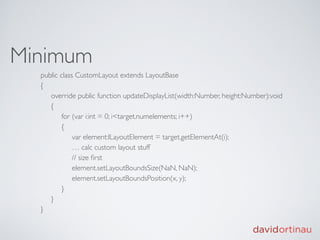
Minimum
  public class CustomLayout extends LayoutBase
  {
       override public function updateDisplayList(width:Number, height:Number):void
       {
            for (var i:int = 0; i<target.numelements; i++)
       {
                 var element:ILayoutElement = target.getElementAt(i);
                 … calc custom layout stuff
                 // size first
                 element.setLayoutBoundsSize(NaN, NaN); 
                 element.setLayoutBoundsPosition(x, y);
       }
       }
  }
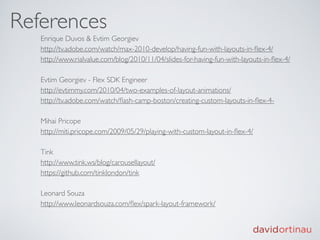
References
   Enrique Duvos & Evtim Georgiev
   http://tv.adobe.com/watch/max-2010-develop/having-fun-with-layouts-in-flex-4/
   http://www.rialvalue.com/blog/2010/11/04/slides-for-having-fun-with-layouts-in-flex-4/

   Evtim Georgiev - Flex SDK Engineer
   http://evtimmy.com/2010/04/two-examples-of-layout-animations/
   http://tv.adobe.com/watch/flash-camp-boston/creating-custom-layouts-in-flex-4-

   Mihai Pricope
   http://miti.pricope.com/2009/05/29/playing-with-custom-layout-in-flex-4/

   Tink
   http://www.tink.ws/blog/carousellayout/
   https://github.com/tinklondon/tink

   Leonard Souza
   http://www.leonardsouza.com/flex/spark-layout-framework/
Contact Me

@davidortinau
http://davidortinau.com
dave@davidortinau.com

Rage Against the Framework

  • 1.
  • 2.
    David Ortinau @davidortinau http://davidortinau.com 15 yrsweb, interactive, mobile. Flash, iPhone, Android, WP7 BA English, Maryville University
  • 4.
    Mental Models Susan Carey(1986), Don Norman (1988), Alan Cooper (1995) and IBM (1992)
  • 5.
    “A mental modelrepresents a person’s thought process for how something works (i.e., a person’s understanding of the surrounding world). Mental models are based on incomplete facts, past experiences, and even intuitive perceptions. They help shape actions and behavior, influence what people pay attention to in complicated situations, and define how people approach and solve problems.” Susan Carey (1986)
  • 9.
    via @iamFinch “About Face3: The Essentials of Interaction Design “, Alan Cooper
  • 10.
  • 11.
  • 12.
  • 13.
    Composition over Inheritance
  • 14.
  • 15.
    Data binding isthe process of tying the data in one object to another object. It provides a convenient way to pass data between the different layers of the application. Data binding requires a source property, a destination property, and a triggering event that indicates when to copy the data from the source to the destination. An object dispatches the triggering event when the source property changes. An Adobian
  • 16.
    Basic Implementation [Bindable] public var arrayCollection:ArrayCollection; <s:List dataProvider=”{arrayCollection}” ... />
  • 17.
    Tips Replacing the entire ArrayCollection forces the entire list to rebind, which can make everything flicker and not cool. Use disableAutoUpdate() and enableAutoUpdate() to control when your components are updated, such as during an edit session. Don’t use it if you don’t need it.
  • 18.
    References Flex data binding pitfalls: common misuses and mistakes, Elad Elrom http://www.adobe.com/devnet/flex/articles/ databinding_pitfalls.html About Data Binding in Flex 4.5 http://help.adobe.com/en_US/flex/using/ WS2db454920e96a9e51e63e3d11c0bf64c3d-7fff.html
  • 19.
  • 20.
    Separation HostComponent - behavior, logic Skin or SparkSkin - visual representation and visual behavior
  • 21.
    HostComponent CommonComponents - Button, ToggleButton, Label, TextInput, List, DataGroup, TitleWindow, etc. Custom Components - AccountPanel, PeopleFilterControl, PersonIconToggleButton
  • 22.
    HostComponent overrideprotected function partAdded(partName:String, instance:Object):void { super.partAdded(partName, instance); if (instance == nameInput) { ... add listeners, setup bindings } } override protected function partRemoved(partName:String, instance:Object):void { super.partRemoved(partName, instance); if (instance == nameInput) { ... remove listeners, release watchers } }
  • 23.
    Applying a Skin <s:Button id="submitBtn" label="Submit" skinClass="skins.OrangeButtonSkin"/> <s:TitleWindow id="accountSettings" title="Account Settings" skinClass="skins.AccountSettingsTitleWindowSkin"> <!-- content goes here --> </s:TitleWindow>
  • 25.
    Set Component DefaultSkin this.setStyle("skinClass", CustomControlSkin);
  • 26.
    References Introducing skinning in Flex 4, Ryan Frishberg http://www.adobe.com/devnet/flex/articles/ flex4_skinning.html Creating a Custom Component and Skins in Flex 4, Christophe Coenraets http://coenraets.org/blog/2010/01/creating-a-custom- component-and-skins-in-flex-4/
  • 27.
  • 28.
    Define States In the Skin: <s:states> <s:State name="disabled"/> <s:State name="down"/> <s:State name="over"/> <s:State name="up"/> </s:states> In the HostComponent: [SkinState("disabled")] [SkinState("down")] [SkinState("over")] [SkinState("up")]
  • 29.
    Use States <s:Rect top="0" bottom="0" left="0" right="0" radiusX="6" radiusY="6" includeIn="up,over"> <s:fill> <s:LinearGradient angle="90" angle.over= "-90 " > <s:GradientEntry color="0xfea25e" /> <s:GradientEntry color="0xe94d0f"/> </s:LinearGradient> </s:fill> <s:filters> <s:GlowFilter color="0xee6200" blurX="2" blurY="2" strength="4" alpha="1" excludeFrom="up" /> <s:DropShadowFilter color="0xdedede" angle="90" distance="1" blurX="2" blurY="2" includeIn="up" /> </s:filters> </s:Rect>
  • 30.
    Control State fromComponent override protected function getCurrentSkinState():String { if(_mode != “”) return _mode; return STATE_UP; } private function myCustomCode():void { ....something happened and I want to change state _mode = STATE_DOWN; invalidateSkinState(); }
  • 31.
    Tips There is no default state. Be explicit. Order matters. Set the currentState property. Using States with Bindings, a change in state will NOT rebind your data source.
  • 32.
    References JamesPolanco and Aaron Pederson Flex 4 LifeCycle http://updates.developmentarc.com/flex_4_lifecycle.pdf Jonathan Campos, Flex 4 Spark Skinning http://www.unitedmindset.com/jonbcampos/2009/07/02/flex-4-spark- skinning/ Flex 4 States: The Default State, David Ortinau http://www.davidortinau.com/blog/flex_4_states_the_default_state/
  • 33.
  • 34.
    View Example <s:states> <s:State name="state1" /> <s:State name="state2" /> </s:states> <s:transitions> <s:Transition fromState="state2" toState="*"> <s:Sequence> <s:SetAction target="{logo}" property="currentState" value="hidden"/> <s:Pause target="{logo}" eventName="{Logo.TRANSITIONED_OUT}" /> <s:RemoveAction target="{logo}" /> </s:Sequence> </s:Transition> </s:transitions>
  • 35.
    Sub Component Example <s:Transition fromState="visible" toState="*" autoReverse="true"> <s:Sequence> <s:Parallel id="outTransition" duration="500"> <s:Fade target="{simplyProfoundLogo}" alphaFrom="1" alphaTo="0" /> <s:Move target="{simplyProfoundLogo}" xTo="600" /> </s:Parallel> <s:CallAction target="{this}" functionName="dispatchEvent" args="{[new Event(TRANSITIONED_OUT)]}" /> </s:Sequence> </s:Transition>
  • 36.
    spark.effects AddAction Move Animate Move3D AnimateColor RemoveAction AnimateFilter Resize AnimateTransform Rotate AnimateTransform3D Rotate3D AnimateTransitionShader Scale CallAction Scale3D Crossfade SetAction Fade Wipe WipeDirection
  • 37.
    References SparkStates and Transitions: Working in Concert, David Ortinau http://www.davidortinau.com/blog/ spark_states_and_transitions_working_in_concert/ Leonard Souza, Flexerific Effects http://www.leonardsouza.com/flex/flexerific/ spark.effects http://help.adobe.com/en_US/FlashPlatform/reference/actionscript/3/ spark/effects/package-detail.html mx.effects http://help.adobe.com/en_US/FlashPlatform/reference/actionscript/3/mx/ effects/package-detail.html
  • 38.
  • 39.
    spark.layouts BasicLayout HorizontalLayout TileLayout VerticalLayout
  • 40.
    Works With Groups Containers (includes Lists) Skins
  • 41.
    Custom Layout Tips Extend LayoutBase Overrides - measure() - updateDisplayList() Reference elements as ILayoutElement updateDisplayList is called often. Reset before applying changes. - element.setLayoutBoundsSize(NaN, NaN);
  • 42.
    Minimum publicclass CustomLayout extends LayoutBase {      override public function updateDisplayList(width:Number, height:Number):void      {           for (var i:int = 0; i<target.numelements; i++)      {                var element:ILayoutElement = target.getElementAt(i);                … calc custom layout stuff                // size first                element.setLayoutBoundsSize(NaN, NaN);                 element.setLayoutBoundsPosition(x, y);      }      } }
  • 43.
    References Enrique Duvos & Evtim Georgiev http://tv.adobe.com/watch/max-2010-develop/having-fun-with-layouts-in-flex-4/ http://www.rialvalue.com/blog/2010/11/04/slides-for-having-fun-with-layouts-in-flex-4/ Evtim Georgiev - Flex SDK Engineer http://evtimmy.com/2010/04/two-examples-of-layout-animations/ http://tv.adobe.com/watch/flash-camp-boston/creating-custom-layouts-in-flex-4- Mihai Pricope http://miti.pricope.com/2009/05/29/playing-with-custom-layout-in-flex-4/ Tink http://www.tink.ws/blog/carousellayout/ https://github.com/tinklondon/tink Leonard Souza http://www.leonardsouza.com/flex/spark-layout-framework/
  • 44.

Editor's Notes

  • #2 Basically we are going to cover a lot of the things that frameworks, and specifically the Flex 4 Framework, provide for power and convenience. And tips to using them responsibly and effectively so they assist in creating awesome, fluid experiences instead of sabotaging them.\n\nYou will not walk away thinking I am a genius.\n
  • #3 \n
  • #4 This presentation is basically a brain dump of all the stuff I&amp;#x2019;ve learned doing ThisLife, going from pure AS, Flash dev with a little Flex 3 to full time, advanced Flex dev.\n
  • #5 \n
  • #6 Harvard, Cognitive Science and Science Education\n
  • #7 this is how the technology actually works\n
  • #8 how the user thinks the application will work\n
  • #9 design model\n\n
  • #10 \n
  • #11 We have a couple of principles that we as coders harp on. They are very good to keep in mind. BUT, they often present roadblocks to creating the smoothest experiences.\n
  • #12 To be DRY you have to organize your code in a way that all the components that need to do the same thing can access the same code. This can sometimes \n
  • #13 Minimize direct knowledge of other components.\nMessaging (events, signals).\nProgramming to Interfaces\nProgramming by Contract\n
  • #14 Rather than extending a class that contains behavior, we apply that behavior as a Class TO a Class.\n\nachieve polymorphic behavior\n
  • #15 What is it, and why use it.\nVery helpful, useful, but can cause a lot of problems if not managed properly\n\nSo many of my problems stem from a lack of understanding basic principles. When you hit a roadblock, stop and confirm you comprehend. Don&amp;#x2019;t just bang on it for hours until it works.\n
  • #16 \n
  • #17 \n
  • #18 \n
  • #19 \n
  • #20 Separation of component logic and view markup.\nHow to handle DataBinding without polluting skin markup\n\n[SkinPart]\n[SkinState]\npartAdded/partRemoved - make sure you do cleanup to prevent leaks\ninvalidateSkinState()\nInjects are NOT available in partAdded\nBindingUtils\n
  • #21 http://coenraets.org/blog/2010/01/creating-a-custom-component-and-skins-in-flex-4/\n
  • #22 http://coenraets.org/blog/2010/01/creating-a-custom-component-and-skins-in-flex-4/\n
  • #23 \n
  • #24 \n
  • #25 \n
  • #26 \n
  • #27 \n
  • #28 How to use States and State Groups\n
  • #29 \n
  • #30 \n
  • #31 \n
  • #32 \n
  • #33 \n
  • #34 How to handle show/hide for a component\nHow to perform transitions between States in a single component\nHow to perform transitions between States in a composite component\n
  • #35 \n
  • #36 \n
  • #37 \n
  • #38 \n
  • #39 Modifying Layouts for List components\nRemember DataGroup inside List\n
  • #40 \n
  • #41 \n
  • #42 \n
  • #43 \n
  • #44 \n
  • #45 \n