SQL JOINs in R - merge() 
- Wayne Tai Lee
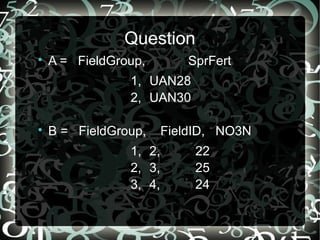
Question 
 A = FieldGroup, SprFert 
1, UAN28 
2, UAN30 
 B = FieldGroup, FieldID, NO3N 
1, 2, 22 
2, 3, 25 
3, 4, 24
Question 
Want: 
 FieldGroup, FieldID, NO3N, SprFert 
1, 2, 22, UAN28 
2, 3, 25, UAN30 
3, 4, 24, NA
In SQL 
 SELECT 
* 
FROM 
B 
LEFT JOIN 
A 
ON 
B.FieldGroup = A.FieldGroup
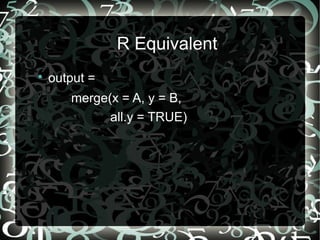
R Equivalent 
 output = 
merge(x = A, y = B, 
all.y = TRUE)
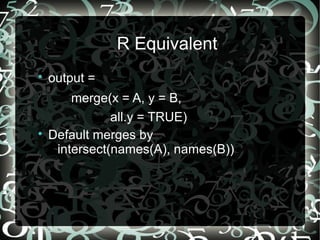
R Equivalent 
 output = 
merge(x = A, y = B, 
all.y = TRUE) 
 Default merges by 
intersect(names(A), names(B))
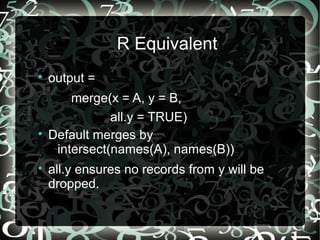
R Equivalent 
 output = 
merge(x = A, y = B, 
all.y = TRUE) 
 Default merges by 
intersect(names(A), names(B)) 
 all.y ensures no records from y will be 
dropped.
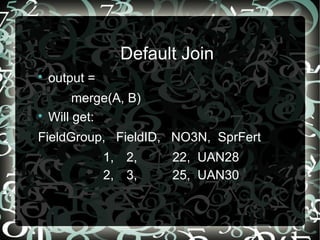
Default Join 
 output = 
merge(A, B) 
 Will get: 
FieldGroup, FieldID, NO3N, SprFert 
1, 2, 22, UAN28 
2, 3, 25, UAN30
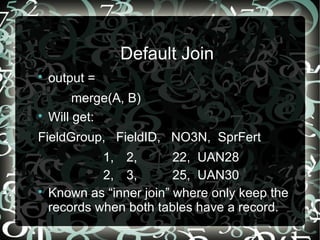
Default Join 
 output = 
merge(A, B) 
 Will get: 
FieldGroup, FieldID, NO3N, SprFert 
1, 2, 22, UAN28 
2, 3, 25, UAN30 
 Known as “inner join” where only keep the 
records when both tables have a record.
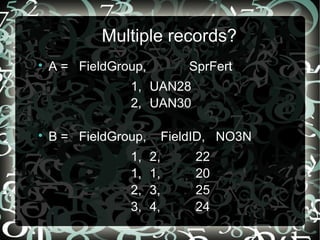
Multiple records? 
 A = FieldGroup, SprFert 
1, UAN28 
2, UAN30 
 B = FieldGroup, FieldID, NO3N 
1, 2, 22 
1, 1, 20 
2, 3, 25 
3, 4, 24
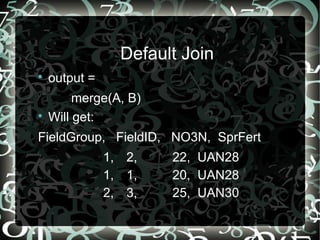
Default Join 
 output = 
merge(A, B) 
 Will get: 
FieldGroup, FieldID, NO3N, SprFert 
1, 2, 22, UAN28 
1, 1, 20, UAN28 
2, 3, 25, UAN30
Good Practices 
 Always check the dimensionality of your 
data and output 
- Your output can be larger than both A and 
B when there are duplicate keys. 
 Always check your output to make sure it's 
not empty 
- Merges may drop records so you should 
double check

R merge-tutorial

  • 1.
    SQL JOINs inR - merge() - Wayne Tai Lee
  • 2.
    Question  A= FieldGroup, SprFert 1, UAN28 2, UAN30  B = FieldGroup, FieldID, NO3N 1, 2, 22 2, 3, 25 3, 4, 24
  • 3.
    Question Want: FieldGroup, FieldID, NO3N, SprFert 1, 2, 22, UAN28 2, 3, 25, UAN30 3, 4, 24, NA
  • 4.
    In SQL SELECT * FROM B LEFT JOIN A ON B.FieldGroup = A.FieldGroup
  • 5.
    R Equivalent output = merge(x = A, y = B, all.y = TRUE)
  • 6.
    R Equivalent output = merge(x = A, y = B, all.y = TRUE)  Default merges by intersect(names(A), names(B))
  • 7.
    R Equivalent output = merge(x = A, y = B, all.y = TRUE)  Default merges by intersect(names(A), names(B))  all.y ensures no records from y will be dropped.
  • 8.
    Default Join output = merge(A, B)  Will get: FieldGroup, FieldID, NO3N, SprFert 1, 2, 22, UAN28 2, 3, 25, UAN30
  • 9.
    Default Join output = merge(A, B)  Will get: FieldGroup, FieldID, NO3N, SprFert 1, 2, 22, UAN28 2, 3, 25, UAN30  Known as “inner join” where only keep the records when both tables have a record.
  • 10.
    Multiple records? A = FieldGroup, SprFert 1, UAN28 2, UAN30  B = FieldGroup, FieldID, NO3N 1, 2, 22 1, 1, 20 2, 3, 25 3, 4, 24
  • 11.
    Default Join output = merge(A, B)  Will get: FieldGroup, FieldID, NO3N, SprFert 1, 2, 22, UAN28 1, 1, 20, UAN28 2, 3, 25, UAN30
  • 12.
    Good Practices Always check the dimensionality of your data and output - Your output can be larger than both A and B when there are duplicate keys.  Always check your output to make sure it's not empty - Merges may drop records so you should double check