The       environmentThe Dataminingtools.net Team
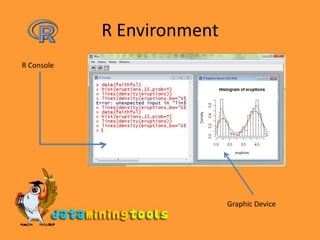
R EnvironmentR ConsoleGraphic Device
R EnvironmentR is an integrated suite of software facilities for data manipulation, calculation and graphical display. Some of it features are:an efficient data handling and storage systema set of operators for calculations on arraysa large collection of intermediate tools for data analysis,graphical facilities for data analysis and displaya well developed, simple and effective programming language S
Help To get more information on any specific named function, the command is:help(command name)or?command_nameThis would open the html help documentation in the default browser.
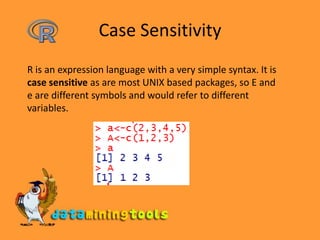
Case SensitivityR is an expression language with a very simple syntax. It is case sensitive as are most UNIX based packages, so E and e are different symbols and would refer to different variables.
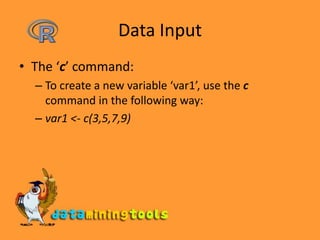
Data InputThe ‘c’ command:To create a new variable ‘var1’, use the c command in the following way:var1 <- c(3,5,7,9)
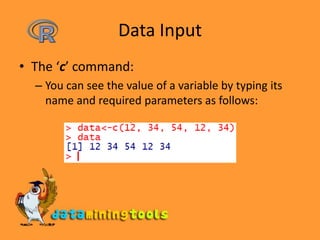
Data InputThe ‘c’ command:You can see the value of a variable by typing its name and required parameters as follows:
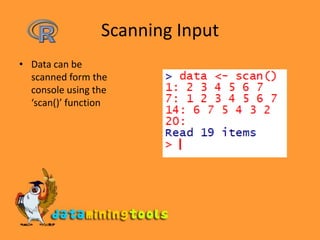
Scanning InputData can be scanned form the console using the ‘scan()’ function
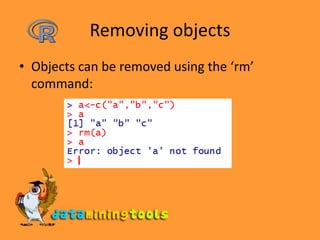
Removing objectsObjects can be removed using the ‘rm’ command:

R Environment

  • 1.
    The environmentThe Dataminingtools.net Team
  • 2.
  • 3.
    R EnvironmentR isan integrated suite of software facilities for data manipulation, calculation and graphical display. Some of it features are:an efficient data handling and storage systema set of operators for calculations on arraysa large collection of intermediate tools for data analysis,graphical facilities for data analysis and displaya well developed, simple and effective programming language S
  • 4.
    Help To getmore information on any specific named function, the command is:help(command name)or?command_nameThis would open the html help documentation in the default browser.
  • 5.
    Case SensitivityR isan expression language with a very simple syntax. It is case sensitive as are most UNIX based packages, so E and e are different symbols and would refer to different variables.
  • 6.
    Data InputThe ‘c’command:To create a new variable ‘var1’, use the c command in the following way:var1 <- c(3,5,7,9)
  • 7.
    Data InputThe ‘c’command:You can see the value of a variable by typing its name and required parameters as follows:
  • 8.
    Scanning InputData canbe scanned form the console using the ‘scan()’ function
  • 9.
    Removing objectsObjects canbe removed using the ‘rm’ command: