BRAIN DUMP
A PRODUCT FROM
INDUSTRIAL CODEBOX
QLIK TECHNOLOGY PARTNER OF THE YEAR 2014
The QVSource
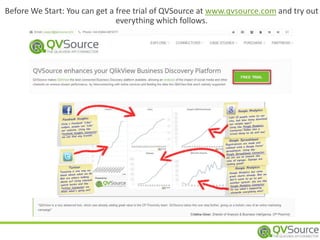
Before We Start: You can get a free trial of QVSource at www.qvsource.com and try out
everything which follows.
QVSOURCE - THE QLIKVIEW API CONNECTOR
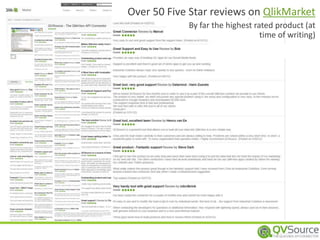
Over 50 Five Star reviews on QlikMarket
By far the highest rated product (at
time of writing)
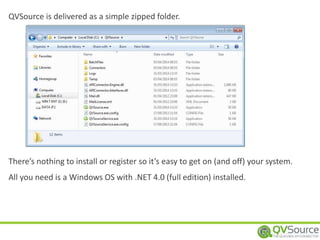
QVSource is delivered as a simple zipped folder.
There’s nothing to install or register so it’s easy to get on (and off) your system.
All you need is a Windows OS with .NET 4.0 (full edition) installed.
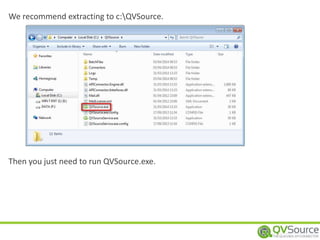
We recommend extracting to c:QVSource.
Then you just need to run QVSource.exe.
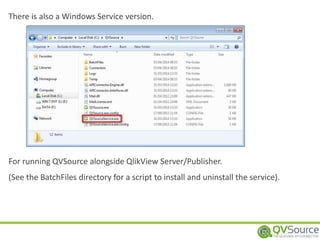
There is also a Windows Service version.
For running QVSource alongside QlikView Server/Publisher.
(See the BatchFiles directory for a script to install and uninstall the service).
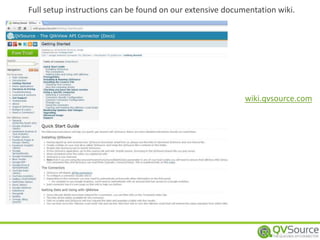
Full setup instructions can be found on our extensive documentation wiki.
wiki.qvsource.com
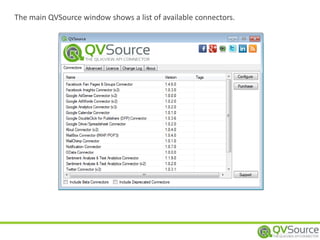
The main QVSource window shows a list of available connectors.
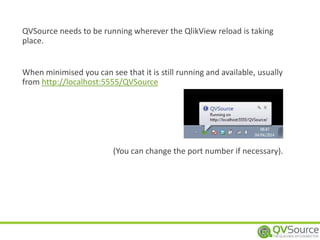
QVSource needs to be running wherever the QlikView reload is taking
place.
When minimised you can see that it is still running and available, usually
from http://localhost:5555/QVSource
(You can change the port number if necessary).
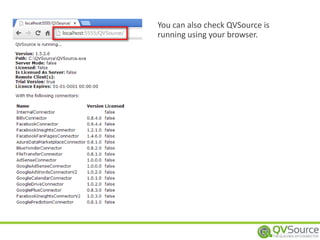
You can also check QVSource is
running using your browser.
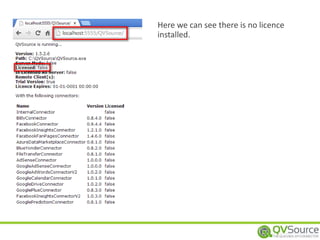
Here we can see there is no licence
installed.
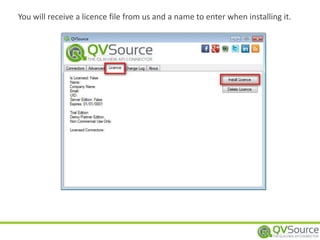
You will receive a licence file from us and a name to enter when installing it.
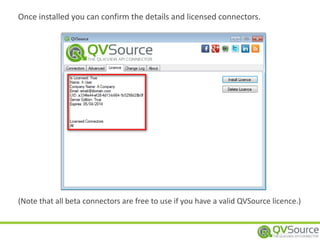
Once installed you can confirm the details and licensed connectors.
(Note that all beta connectors are free to use if you have a valid QVSource licence.)
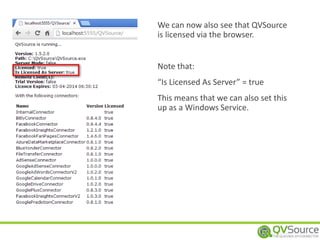
We can now also see that QVSource
is licensed via the browser.
Note that:
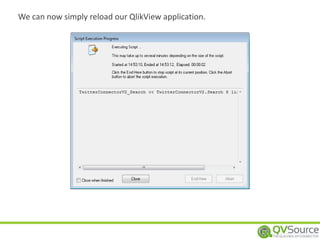
“Is Licensed As Server” = true
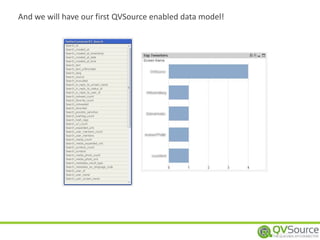
This means that we can also set this
up as a Windows Service.
o Facebook
o Fan Pages & Groups
o Facebook Insights
o Twitter
o YouTube
o Insights
o Data
o Mailbox (POP3/IMAP)
o Sentiment Analysis & Text
Analytics (multiple APIs Supported)
o OData
o File Transfer (FTP & SFTP)
+ More!
See www.qvsource.com/Connectors-For-QlikView/All for Full List
o Google
o AdSense/AdWords
o Analytics
o Double Click For Publishers (DFP)
o Drive & Spreadsheets
o Prediction
o SugarCRM
o MailChimp
o MongoDB
o Blue Yonder
o Klout
o + General XML/JSON/SOAP API Connector
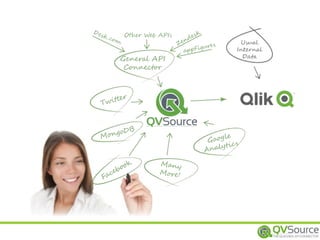
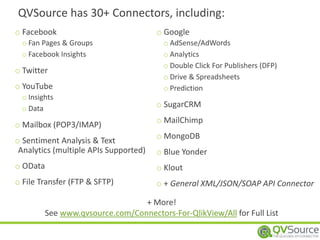
QVSource has 30+ Connectors, including:
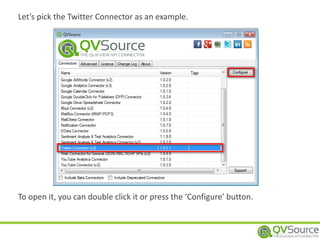
Let’s pick the Twitter Connector as an example.
To open it, you can double click it or press the ‘Configure’ button.
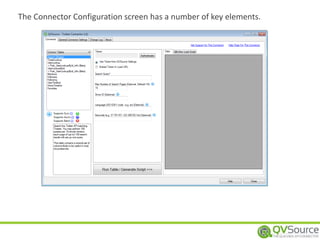
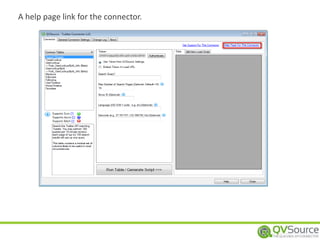
The Connector Configuration screen has a number of key elements.
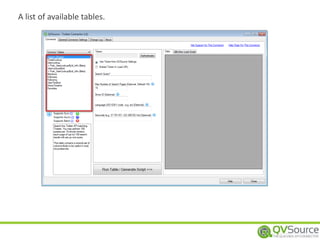
A list of available tables.
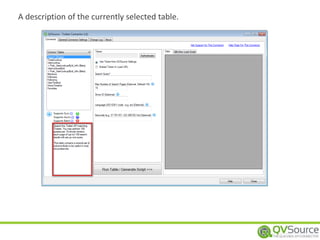
A description of the currently selected table.
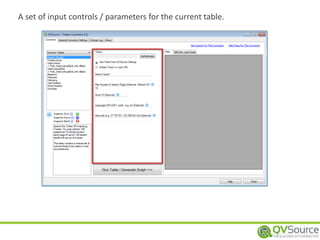
A set of input controls / parameters for the current table.
A help page link for the connector.
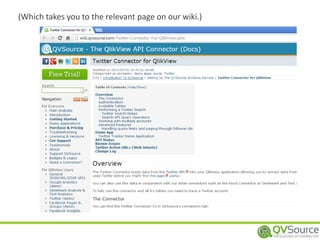
(Which takes you to the relevant page on our wiki.)
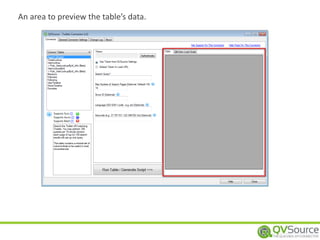
An area to preview the table’s data.
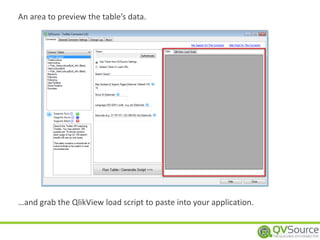
…and grab the QlikView load script to paste into your application.
An area to preview the table’s data.
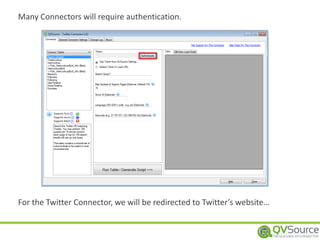
Many Connectors will require authentication.
For the Twitter Connector, we will be redirected to Twitter’s website…
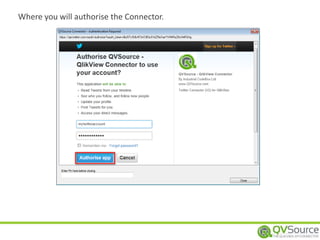
Where you will authorise the Connector.
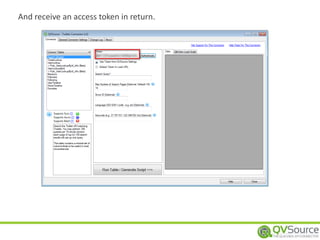
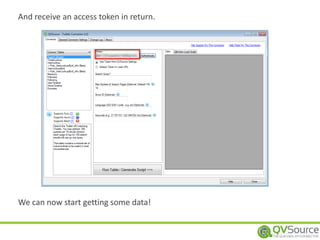
And receive an access token in return.
We can now start getting some data!
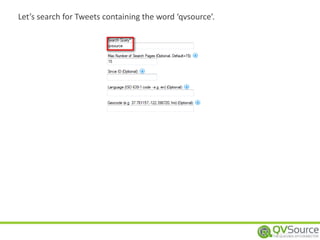
Let’s search for Tweets containing the word ‘qvsource’.
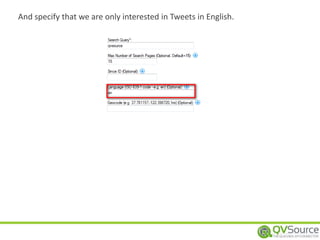
And specify that we are only interested in Tweets in English.
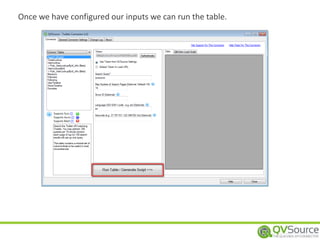
Once we have configured our inputs we can run the table.
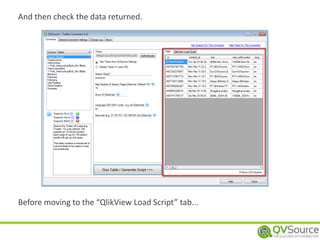
And then check the data returned.
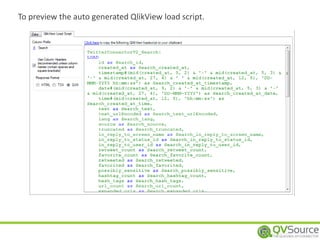
Before moving to the “QlikView Load Script” tab...
To preview the auto generated QlikView load script.
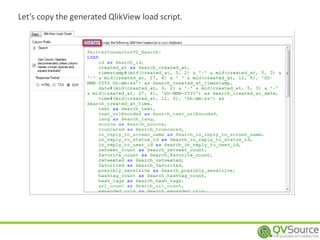
Let’s copy the generated QlikView load script.
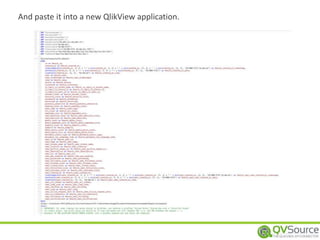
And paste it into a new QlikView application.
We can now simply reload our QlikView application.
And we will have our first QVSource enabled data model!
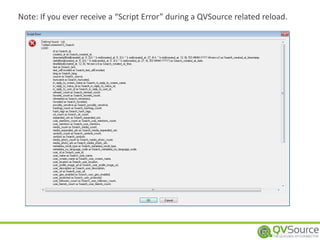
Note: If you ever receive a “Script Error” during a QVSource related reload.
The first step is always to copy the request URL (between the [ ] after the FROM
statement).
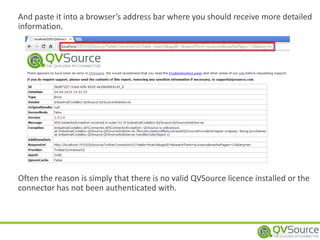
And paste it into a browser’s address bar where you should receive more detailed
information.
Often the reason is simply that there is no valid QVSource licence installed or the
connector has not been authenticated with.
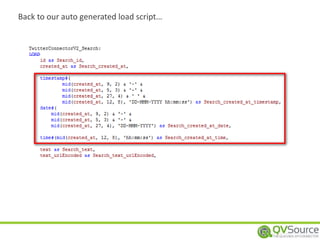
Back to our auto generated load script…
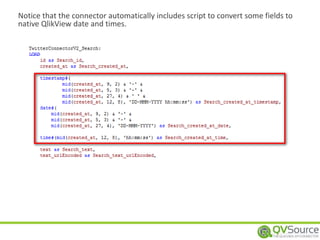
Notice that the connector automatically includes script to convert some fields to
native QlikView date and times.
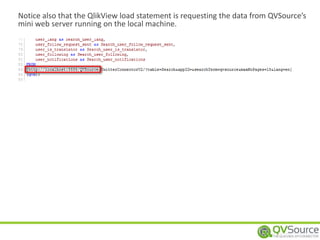
Notice also that the QlikView load statement is requesting the data from QVSource’s
mini web server running on the local machine.
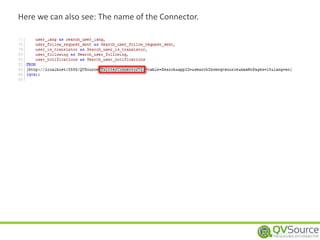
Here we can also see: The name of the Connector.
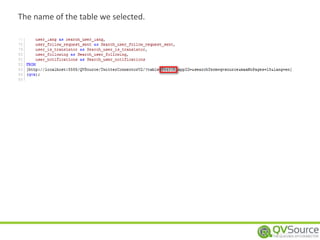
The name of the table we selected.
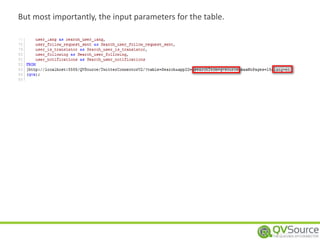
But most importantly, the input parameters for the table.
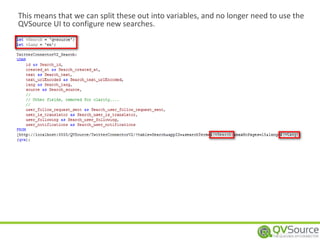
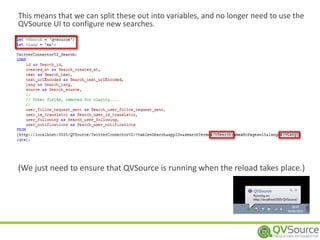
This means that we can split these out into variables, and no longer need to use the
QVSource UI to configure new searches.
This means that we can split these out into variables, and no longer need to use the
QVSource UI to configure new searches.
(We just need to ensure that QVSource is running when the reload takes place.)
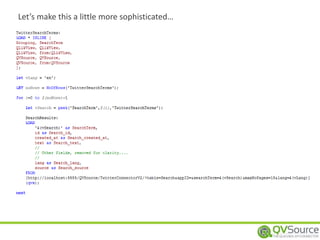
Let’s make this a little more sophisticated…
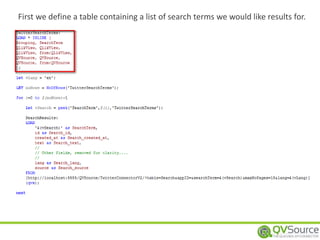
First we define a table containing a list of search terms we would like results for.
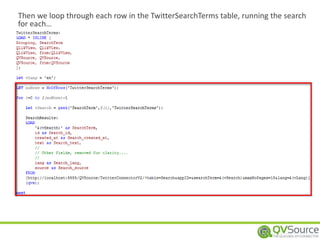
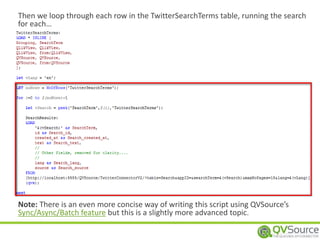
Then we loop through each row in the TwitterSearchTerms table, running the search
for each…
Then we loop through each row in the TwitterSearchTerms table, running the search
for each…
Note: There is an even more concise way of writing this script using QVSource’s
Sync/Async/Batch feature but this is a slightly more advanced topic.
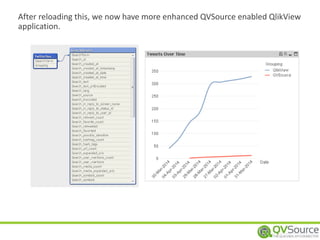
After reloading this, we now have more enhanced QVSource enabled QlikView
application.
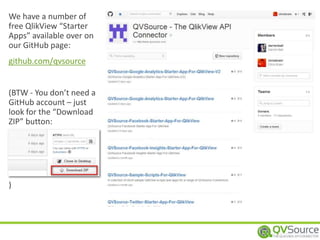
We have a number of
free QlikView “Starter
Apps” available over on
our GitHub page:
github.com/qvsource
(BTW - You don’t need a
GitHub account – just
look for the “Download
ZIP” button:
)
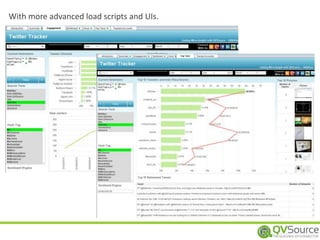
With more advanced load scripts and UIs.
You should now know 80% of what you will need to start using
QVSource effectively with QlikView.
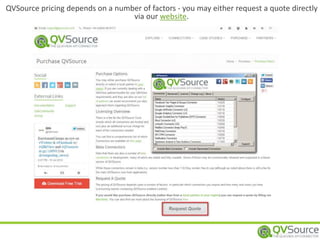
QVSource pricing depends on a number of factors - you may either request a quote directly
via our website.
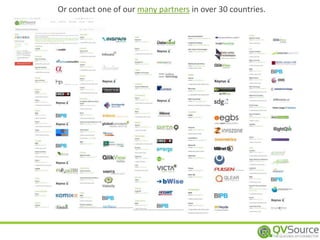
Or contact one of our many partners in over 30 countries.
Don’t Forget that you can download a fully functional trial version from
www.qvsource.com
You can also find further documentation on installing/upgrading
QVSource, working with connectors, server configuration etc. at:
wiki.qvsource.com
You can also follow us on:
Our Blog: blog.qvsource.com
Twitter: @qvsource
Facebook: www.facebook.com/qvsource
Any questions –> support@qvsource.com.
Thanks for checking out QVSource.

QVSource Brain Dump

  • 1.
    BRAIN DUMP A PRODUCTFROM INDUSTRIAL CODEBOX QLIK TECHNOLOGY PARTNER OF THE YEAR 2014 The QVSource
  • 2.
    Before We Start:You can get a free trial of QVSource at www.qvsource.com and try out everything which follows.
  • 3.
    QVSOURCE - THEQLIKVIEW API CONNECTOR
  • 4.
    Over 50 FiveStar reviews on QlikMarket By far the highest rated product (at time of writing)
  • 5.
    QVSource is deliveredas a simple zipped folder. There’s nothing to install or register so it’s easy to get on (and off) your system. All you need is a Windows OS with .NET 4.0 (full edition) installed.
  • 6.
    We recommend extractingto c:QVSource. Then you just need to run QVSource.exe.
  • 7.
    There is alsoa Windows Service version. For running QVSource alongside QlikView Server/Publisher. (See the BatchFiles directory for a script to install and uninstall the service).
  • 8.
    Full setup instructionscan be found on our extensive documentation wiki. wiki.qvsource.com
  • 9.
    The main QVSourcewindow shows a list of available connectors.
  • 10.
    QVSource needs tobe running wherever the QlikView reload is taking place. When minimised you can see that it is still running and available, usually from http://localhost:5555/QVSource (You can change the port number if necessary).
  • 11.
    You can alsocheck QVSource is running using your browser.
  • 12.
    Here we cansee there is no licence installed.
  • 13.
    You will receivea licence file from us and a name to enter when installing it.
  • 14.
    Once installed youcan confirm the details and licensed connectors. (Note that all beta connectors are free to use if you have a valid QVSource licence.)
  • 15.
    We can nowalso see that QVSource is licensed via the browser. Note that: “Is Licensed As Server” = true This means that we can also set this up as a Windows Service.
  • 16.
    o Facebook o FanPages & Groups o Facebook Insights o Twitter o YouTube o Insights o Data o Mailbox (POP3/IMAP) o Sentiment Analysis & Text Analytics (multiple APIs Supported) o OData o File Transfer (FTP & SFTP) + More! See www.qvsource.com/Connectors-For-QlikView/All for Full List o Google o AdSense/AdWords o Analytics o Double Click For Publishers (DFP) o Drive & Spreadsheets o Prediction o SugarCRM o MailChimp o MongoDB o Blue Yonder o Klout o + General XML/JSON/SOAP API Connector QVSource has 30+ Connectors, including:
  • 17.
    Let’s pick theTwitter Connector as an example. To open it, you can double click it or press the ‘Configure’ button.
  • 18.
    The Connector Configurationscreen has a number of key elements.
  • 19.
    A list ofavailable tables.
  • 20.
    A description ofthe currently selected table.
  • 21.
    A set ofinput controls / parameters for the current table.
  • 22.
    A help pagelink for the connector.
  • 23.
    (Which takes youto the relevant page on our wiki.)
  • 24.
    An area topreview the table’s data.
  • 25.
    …and grab theQlikView load script to paste into your application. An area to preview the table’s data.
  • 26.
    Many Connectors willrequire authentication. For the Twitter Connector, we will be redirected to Twitter’s website…
  • 27.
    Where you willauthorise the Connector.
  • 28.
    And receive anaccess token in return.
  • 29.
    And receive anaccess token in return. We can now start getting some data!
  • 30.
    Let’s search forTweets containing the word ‘qvsource’.
  • 31.
    And specify thatwe are only interested in Tweets in English.
  • 32.
    Once we haveconfigured our inputs we can run the table.
  • 33.
    And then checkthe data returned. Before moving to the “QlikView Load Script” tab...
  • 34.
    To preview theauto generated QlikView load script.
  • 35.
    Let’s copy thegenerated QlikView load script.
  • 36.
    And paste itinto a new QlikView application.
  • 37.
    We can nowsimply reload our QlikView application.
  • 38.
    And we willhave our first QVSource enabled data model!
  • 39.
    Note: If youever receive a “Script Error” during a QVSource related reload.
  • 40.
    The first stepis always to copy the request URL (between the [ ] after the FROM statement).
  • 41.
    And paste itinto a browser’s address bar where you should receive more detailed information. Often the reason is simply that there is no valid QVSource licence installed or the connector has not been authenticated with.
  • 42.
    Back to ourauto generated load script…
  • 43.
    Notice that theconnector automatically includes script to convert some fields to native QlikView date and times.
  • 44.
    Notice also thatthe QlikView load statement is requesting the data from QVSource’s mini web server running on the local machine.
  • 45.
    Here we canalso see: The name of the Connector.
  • 46.
    The name ofthe table we selected.
  • 47.
    But most importantly,the input parameters for the table.
  • 48.
    This means thatwe can split these out into variables, and no longer need to use the QVSource UI to configure new searches.
  • 49.
    This means thatwe can split these out into variables, and no longer need to use the QVSource UI to configure new searches. (We just need to ensure that QVSource is running when the reload takes place.)
  • 50.
    Let’s make thisa little more sophisticated…
  • 51.
    First we definea table containing a list of search terms we would like results for.
  • 52.
    Then we loopthrough each row in the TwitterSearchTerms table, running the search for each…
  • 53.
    Then we loopthrough each row in the TwitterSearchTerms table, running the search for each… Note: There is an even more concise way of writing this script using QVSource’s Sync/Async/Batch feature but this is a slightly more advanced topic.
  • 54.
    After reloading this,we now have more enhanced QVSource enabled QlikView application.
  • 55.
    We have anumber of free QlikView “Starter Apps” available over on our GitHub page: github.com/qvsource (BTW - You don’t need a GitHub account – just look for the “Download ZIP” button: )
  • 56.
    With more advancedload scripts and UIs.
  • 57.
    You should nowknow 80% of what you will need to start using QVSource effectively with QlikView.
  • 58.
    QVSource pricing dependson a number of factors - you may either request a quote directly via our website.
  • 59.
    Or contact oneof our many partners in over 30 countries.
  • 60.
    Don’t Forget thatyou can download a fully functional trial version from www.qvsource.com You can also find further documentation on installing/upgrading QVSource, working with connectors, server configuration etc. at: wiki.qvsource.com You can also follow us on: Our Blog: blog.qvsource.com Twitter: @qvsource Facebook: www.facebook.com/qvsource Any questions –> support@qvsource.com. Thanks for checking out QVSource.