VB Script 12/29/10 For more QTP Scripts, www.ramupalanki.com
VBScript is a scripting language  Scripting language is a lightweight programming language  VBScript is a light version of Microsoft's programming language Visual Basic VBScript can be used for both client-side and server-side programming.  12/29/10 For more QTP Scripts, www.ramupalanki.com
VBScript Variables A variable is a "container" for information you want to store.  Naming Rules : Must begin with an alphabetic character Cannot contain a period Cannot exceed 255 characters Must be unique within its scope 12/29/10 For more QTP Scripts, www.ramupalanki.com
Lifetime OF Variables Local Variables: When you declare a variable within a procedure, the variable can only be accessed within that procedure. When the procedure exits, the variable is destroyed. You can have local variables with the same name in different procedures, because each is recognized only by the procedure in which it is declared. Global Variables: If you declare a variable outside a procedure, all the procedures on your page can access it. The lifetime of these variables starts when they are declared, and ends when the script is closed.  12/29/10 For more QTP Scripts, www.ramupalanki.com
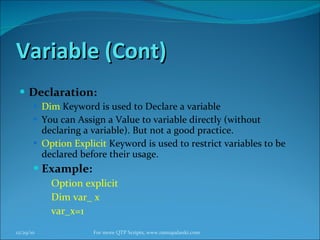
Variable (Cont) Declaration: Dim  Keyword is used to Declare a variable You can Assign a Value to variable directly (without declaring a variable). But not a good practice. Option Explicit  Keyword is used to restrict variables to be declared before their usage. Example: Option explicit Dim var_ x var_x=1 12/29/10 For more QTP Scripts, www.ramupalanki.com
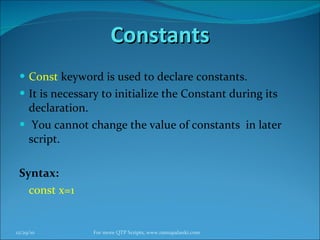
Constants Const  keyword is used to declare constants. It is necessary to initialize the Constant during its declaration. You cannot change the value of constants  in later script. Syntax: const x=1 12/29/10 For more QTP Scripts, www.ramupalanki.com
Practical Work ! 12/29/10 For more QTP Scripts, www.ramupalanki.com
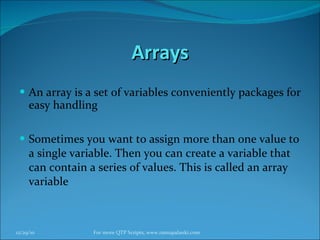
Arrays An array is a set of variables conveniently packages for easy handling   Sometimes you want to assign more than one value to a single variable. Then you can create a variable that can contain a series of values. This is called an array variable 12/29/10 For more QTP Scripts, www.ramupalanki.com
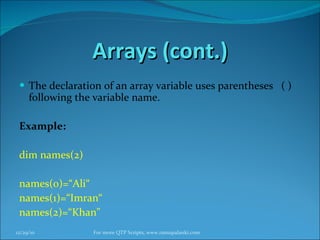
Arrays (cont.) The declaration of an array variable uses parentheses  ( ) following the variable name. Example: dim names(2) names(0)=“Ali“ names(1)=“Imran“ names(2)=“Khan" 12/29/10 For more QTP Scripts, www.ramupalanki.com
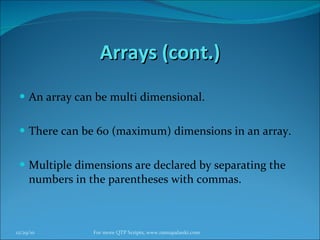
Arrays (cont.) An array can be multi dimensional. There can be 60 (maximum) dimensions in an array.  Multiple dimensions are declared by separating the numbers in the parentheses with commas. 12/29/10 For more QTP Scripts, www.ramupalanki.com
Practical Work ! 12/29/10 For more QTP Scripts, www.ramupalanki.com
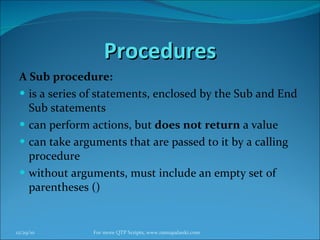
Procedures A Sub procedure: is a series of statements, enclosed by the Sub and End Sub statements  can perform actions, but  does not return  a value  can take arguments that are passed to it by a calling procedure  without arguments, must include an empty set of parentheses ()  12/29/10 For more QTP Scripts, www.ramupalanki.com
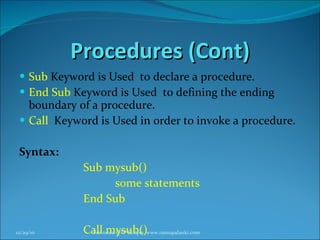
Procedures (Cont) Sub  Keyword is Used  to declare a procedure. End Sub  Keyword is Used  to defining the ending boundary of a procedure. Call  Keyword is Used in order to invoke a procedure. Syntax: Sub mysub()  some statements  End Sub Call mysub() 12/29/10 For more QTP Scripts, www.ramupalanki.com
Procedures (Cont) Procedure can take arguments that are passed to it by  calling that procedure . Syntax: Sub procedure name(arg1,arg2)  some statements  End Sub Call mysub(value1,value2) 12/29/10 For more QTP Scripts, www.ramupalanki.com
Practical Work ! 12/29/10 For more QTP Scripts, www.ramupalanki.com
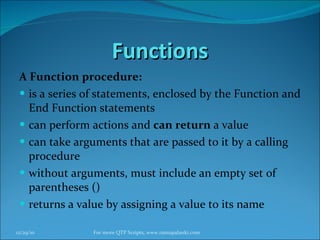
Functions A Function procedure: is a series of statements, enclosed by the Function and End Function statements  can perform actions and  can return  a value  can take arguments that are passed to it by a calling procedure  without arguments, must include an empty set of parentheses ()  returns a value by assigning a value to its name  12/29/10 For more QTP Scripts, www.ramupalanki.com
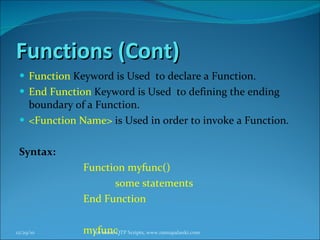
Functions (Cont) Function  Keyword is Used  to declare a Function. End Function  Keyword is Used  to defining the ending boundary of a Function. <Function Name>  is Used in order to invoke a Function. Syntax: Function myfunc()  some statements  End Function myfunc 12/29/10 For more QTP Scripts, www.ramupalanki.com
Practical Work ! 12/29/10 For more QTP Scripts, www.ramupalanki.com
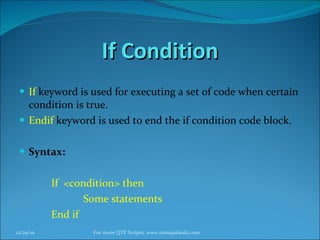
If Condition If   keyword is used for executing a set of code when certain condition is true. Endif   keyword is used to end the if condition code block. Syntax: If  <condition> then  Some statements End if 12/29/10 For more QTP Scripts, www.ramupalanki.com
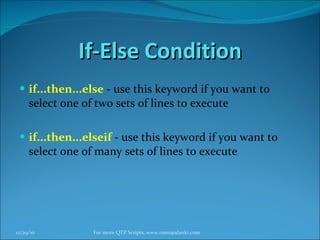
If-Else Condition if...then...else  - use this keyword if you want to select one of two sets of lines to execute  if...then...elseif  - use this keyword if you want to select one of many sets of lines to execute  12/29/10 For more QTP Scripts, www.ramupalanki.com
If-Else Condition (cont.) Syntax : if <condition> then  Some statements Else Some statements end If 12/29/10 For more QTP Scripts, www.ramupalanki.com
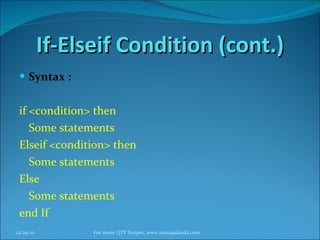
If-Elseif Condition (cont.) Syntax : if <condition> then  Some statements Elseif <condition> then Some statements Else Some statements end If 12/29/10 For more QTP Scripts, www.ramupalanki.com
Practical Work ! 12/29/10 For more QTP Scripts, www.ramupalanki.com
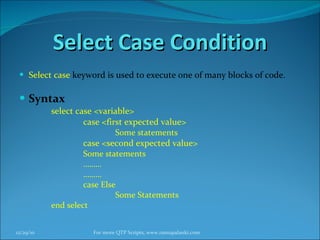
Select Case Condition Select   case   keyword is used to execute one of many blocks of code. Syntax select case <variable> case <first expected value> Some statements case <second expected value> Some statements ……… ……… case Else  Some Statements end select 12/29/10 For more QTP Scripts, www.ramupalanki.com
Practical Work ! 12/29/10 For more QTP Scripts, www.ramupalanki.com
For Loop For loop is used to execute set of statements , pre defined number of iterations. For … Next  keywords are used to implement the For Loop. Syntax: For <Loop initialization state> to <ending condition> Some Statements Next 12/29/10 For more QTP Scripts, www.ramupalanki.com
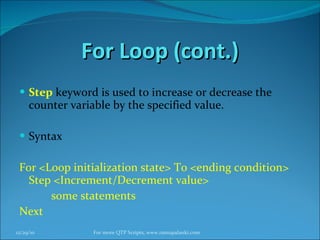
For Loop (cont.) Step   keyword is used to increase or decrease the counter variable by the specified value.  Syntax For <Loop initialization state> To <ending condition> Step <Increment/Decrement value> some statements Next 12/29/10 For more QTP Scripts, www.ramupalanki.com
For Loop (cont.) You can use for loop in order to repeat a block of code for each item in a collection, or for each element of an array. Syntax: For Each  <variable name >  in  <array Variable Name> <Some Statements> Next 12/29/10 For more QTP Scripts, www.ramupalanki.com
Practical Work ! 12/29/10 For more QTP Scripts, www.ramupalanki.com
Do-while loop Do-while   keywords are used to execute specified code for a set of times (until a condition remains true or a condition becomes false). Syntax Do While <Condition for loop> Some  Statements Loop 12/29/10 For more QTP Scripts, www.ramupalanki.com
Do-while loop (cont.) Do-While   can also used in following syntax: Do  some Statements  Loop While i>10 12/29/10 For more QTP Scripts, www.ramupalanki.com
Do-Until Loop  Do – Until  keyword is used for repeating some set of statements until a certain condition is true. Syntax: Do Until <Condition> some statmemts Loop 12/29/10 For more QTP Scripts, www.ramupalanki.com
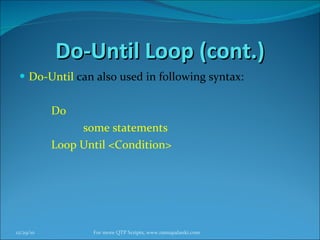
Do-Until Loop (cont.) Do-Until   can also used in following syntax: Do  some statements Loop Until <Condition> 12/29/10 For more QTP Scripts, www.ramupalanki.com
Practical Work ! 12/29/10 For more QTP Scripts, www.ramupalanki.com
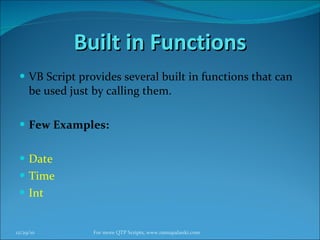
Built in Functions VB Script provides several built in functions that can be used just by calling them. Few Examples: Date Time Int 12/29/10 For more QTP Scripts, www.ramupalanki.com
Practical Work ! 12/29/10 For more QTP Scripts, www.ramupalanki.com
Thank You ! 12/29/10 For more QTP Scripts, www.ramupalanki.com

Qtpvbscripttrainings

  • 1.
    VB Script 12/29/10For more QTP Scripts, www.ramupalanki.com
  • 2.
    VBScript is ascripting language Scripting language is a lightweight programming language VBScript is a light version of Microsoft's programming language Visual Basic VBScript can be used for both client-side and server-side programming. 12/29/10 For more QTP Scripts, www.ramupalanki.com
  • 3.
    VBScript Variables Avariable is a &quot;container&quot; for information you want to store. Naming Rules : Must begin with an alphabetic character Cannot contain a period Cannot exceed 255 characters Must be unique within its scope 12/29/10 For more QTP Scripts, www.ramupalanki.com
  • 4.
    Lifetime OF VariablesLocal Variables: When you declare a variable within a procedure, the variable can only be accessed within that procedure. When the procedure exits, the variable is destroyed. You can have local variables with the same name in different procedures, because each is recognized only by the procedure in which it is declared. Global Variables: If you declare a variable outside a procedure, all the procedures on your page can access it. The lifetime of these variables starts when they are declared, and ends when the script is closed. 12/29/10 For more QTP Scripts, www.ramupalanki.com
  • 5.
    Variable (Cont) Declaration:Dim Keyword is used to Declare a variable You can Assign a Value to variable directly (without declaring a variable). But not a good practice. Option Explicit Keyword is used to restrict variables to be declared before their usage. Example: Option explicit Dim var_ x var_x=1 12/29/10 For more QTP Scripts, www.ramupalanki.com
  • 6.
    Constants Const keyword is used to declare constants. It is necessary to initialize the Constant during its declaration. You cannot change the value of constants in later script. Syntax: const x=1 12/29/10 For more QTP Scripts, www.ramupalanki.com
  • 7.
    Practical Work !12/29/10 For more QTP Scripts, www.ramupalanki.com
  • 8.
    Arrays An arrayis a set of variables conveniently packages for easy handling Sometimes you want to assign more than one value to a single variable. Then you can create a variable that can contain a series of values. This is called an array variable 12/29/10 For more QTP Scripts, www.ramupalanki.com
  • 9.
    Arrays (cont.) Thedeclaration of an array variable uses parentheses ( ) following the variable name. Example: dim names(2) names(0)=“Ali“ names(1)=“Imran“ names(2)=“Khan&quot; 12/29/10 For more QTP Scripts, www.ramupalanki.com
  • 10.
    Arrays (cont.) Anarray can be multi dimensional. There can be 60 (maximum) dimensions in an array. Multiple dimensions are declared by separating the numbers in the parentheses with commas. 12/29/10 For more QTP Scripts, www.ramupalanki.com
  • 11.
    Practical Work !12/29/10 For more QTP Scripts, www.ramupalanki.com
  • 12.
    Procedures A Subprocedure: is a series of statements, enclosed by the Sub and End Sub statements can perform actions, but does not return a value can take arguments that are passed to it by a calling procedure without arguments, must include an empty set of parentheses () 12/29/10 For more QTP Scripts, www.ramupalanki.com
  • 13.
    Procedures (Cont) Sub Keyword is Used to declare a procedure. End Sub Keyword is Used to defining the ending boundary of a procedure. Call Keyword is Used in order to invoke a procedure. Syntax: Sub mysub() some statements End Sub Call mysub() 12/29/10 For more QTP Scripts, www.ramupalanki.com
  • 14.
    Procedures (Cont) Procedurecan take arguments that are passed to it by calling that procedure . Syntax: Sub procedure name(arg1,arg2) some statements End Sub Call mysub(value1,value2) 12/29/10 For more QTP Scripts, www.ramupalanki.com
  • 15.
    Practical Work !12/29/10 For more QTP Scripts, www.ramupalanki.com
  • 16.
    Functions A Functionprocedure: is a series of statements, enclosed by the Function and End Function statements can perform actions and can return a value can take arguments that are passed to it by a calling procedure without arguments, must include an empty set of parentheses () returns a value by assigning a value to its name 12/29/10 For more QTP Scripts, www.ramupalanki.com
  • 17.
    Functions (Cont) Function Keyword is Used to declare a Function. End Function Keyword is Used to defining the ending boundary of a Function. <Function Name> is Used in order to invoke a Function. Syntax: Function myfunc() some statements End Function myfunc 12/29/10 For more QTP Scripts, www.ramupalanki.com
  • 18.
    Practical Work !12/29/10 For more QTP Scripts, www.ramupalanki.com
  • 19.
    If Condition If keyword is used for executing a set of code when certain condition is true. Endif keyword is used to end the if condition code block. Syntax: If <condition> then Some statements End if 12/29/10 For more QTP Scripts, www.ramupalanki.com
  • 20.
    If-Else Condition if...then...else - use this keyword if you want to select one of two sets of lines to execute if...then...elseif - use this keyword if you want to select one of many sets of lines to execute 12/29/10 For more QTP Scripts, www.ramupalanki.com
  • 21.
    If-Else Condition (cont.)Syntax : if <condition> then Some statements Else Some statements end If 12/29/10 For more QTP Scripts, www.ramupalanki.com
  • 22.
    If-Elseif Condition (cont.)Syntax : if <condition> then Some statements Elseif <condition> then Some statements Else Some statements end If 12/29/10 For more QTP Scripts, www.ramupalanki.com
  • 23.
    Practical Work !12/29/10 For more QTP Scripts, www.ramupalanki.com
  • 24.
    Select Case ConditionSelect case keyword is used to execute one of many blocks of code. Syntax select case <variable> case <first expected value> Some statements case <second expected value> Some statements ……… ……… case Else Some Statements end select 12/29/10 For more QTP Scripts, www.ramupalanki.com
  • 25.
    Practical Work !12/29/10 For more QTP Scripts, www.ramupalanki.com
  • 26.
    For Loop Forloop is used to execute set of statements , pre defined number of iterations. For … Next keywords are used to implement the For Loop. Syntax: For <Loop initialization state> to <ending condition> Some Statements Next 12/29/10 For more QTP Scripts, www.ramupalanki.com
  • 27.
    For Loop (cont.)Step keyword is used to increase or decrease the counter variable by the specified value. Syntax For <Loop initialization state> To <ending condition> Step <Increment/Decrement value> some statements Next 12/29/10 For more QTP Scripts, www.ramupalanki.com
  • 28.
    For Loop (cont.)You can use for loop in order to repeat a block of code for each item in a collection, or for each element of an array. Syntax: For Each <variable name > in <array Variable Name> <Some Statements> Next 12/29/10 For more QTP Scripts, www.ramupalanki.com
  • 29.
    Practical Work !12/29/10 For more QTP Scripts, www.ramupalanki.com
  • 30.
    Do-while loop Do-while keywords are used to execute specified code for a set of times (until a condition remains true or a condition becomes false). Syntax Do While <Condition for loop> Some Statements Loop 12/29/10 For more QTP Scripts, www.ramupalanki.com
  • 31.
    Do-while loop (cont.)Do-While can also used in following syntax: Do some Statements Loop While i>10 12/29/10 For more QTP Scripts, www.ramupalanki.com
  • 32.
    Do-Until Loop Do – Until keyword is used for repeating some set of statements until a certain condition is true. Syntax: Do Until <Condition> some statmemts Loop 12/29/10 For more QTP Scripts, www.ramupalanki.com
  • 33.
    Do-Until Loop (cont.)Do-Until can also used in following syntax: Do some statements Loop Until <Condition> 12/29/10 For more QTP Scripts, www.ramupalanki.com
  • 34.
    Practical Work !12/29/10 For more QTP Scripts, www.ramupalanki.com
  • 35.
    Built in FunctionsVB Script provides several built in functions that can be used just by calling them. Few Examples: Date Time Int 12/29/10 For more QTP Scripts, www.ramupalanki.com
  • 36.
    Practical Work !12/29/10 For more QTP Scripts, www.ramupalanki.com
  • 37.
    Thank You !12/29/10 For more QTP Scripts, www.ramupalanki.com

Editor's Notes

  • #4 A variable is a &amp;quot;container&amp;quot; for information you want to store. A variable&apos;s value can change during the script. You can refer to a variable by name to see its value or to change its value. In VBScript, all variables are of type variant , that can store different types of data. 
  • #8 ************** Code for Variable ************************** Option Explicit Dim var_x var_x=1 msgbox(&amp;quot;Value in X is:&amp;quot; &amp;var_x) ************** Code for Constant ************************ Const x=20 msgbox(&amp;quot;The Constant value is: &amp;quot; &amp; x)
  • #12 ******* Code of Single Dimensional Array ********************* Dim names(2) names(0)=&amp;quot;Mahboob&amp;quot; names(1)=&amp;quot;Adeel&amp;quot; names(2)=&amp;quot;Usman&amp;quot; msgbox(&amp;quot;Array 0 Index Value is:&amp;quot; &amp;names(0)) msgbox(&amp;quot;Array 1st Index Value is:&amp;quot; &amp;names(1)) msgbox(&amp;quot;Array 2nd Index Value is:&amp;quot; &amp;names(2)) ******* Code of Multi Dimensional Array ********************* Dim Two_Dim(1,1) Two_Dim(0,0) = &amp;quot;first row first column&amp;quot; Two_Dim(0,1) = &amp;quot;first row second column&amp;quot; Two_Dim(1,0) = &amp;quot;second row first column&amp;quot; Two_Dim(1,1) = &amp;quot;second row second column&amp;quot; msgbox(&amp;quot; Values in the row: &amp;quot; &amp; Two_Dim(0,0) &amp; &amp;quot; - &amp;quot; &amp; Two_Dim(0,1) &amp; &amp;quot; - &amp;quot; &amp; Two_Dim(1,0) &amp; &amp;quot; - &amp;quot; &amp; Two_Dim(1,1) )
  • #14 Dim num1,num2,result Sub add() num1= 10 num2 = 20 result=num1 + num2 msgbox (&amp;quot;The Result is:&amp;quot; &amp; result) End Sub Call add()
  • #16 ********** Code for Procedure without Arguments ******************** To be performed on QTP. Example is already created in QTP Dim num1,num2,result Sub add() num1= 10 num2 = 20 result=num1 + num2 msgbox (&amp;quot;The Result is:&amp;quot; &amp; result) End Sub Call add() *********** Code for Procedure With Arguments ********************** Dim arg1,arg2,result Sub add(arg1,arg2) result=arg1 + arg2 msgbox(&amp;quot;The Result for Passed Values in procedure is:&amp;quot; &amp; result) End Sub call add (30,20) *********** Code for Procedure With Arguments ( after user Input)********************** Dim input1,input2,result input1=inputbox(&amp;quot;Please Enter First Value&amp;quot;) input2=inputbox(&amp;quot;Please Enter Second Value&amp;quot;) Sub addition(input1,input2) result=int(input1)+int(input2) msgbox(&amp;quot;The Result is:&amp;quot; &amp; result) End Sub Call addition(input1,input2)
  • #18 &apos; *********************Creating a Function without Arguments********************************** Function addition() Dim val1,val2,result val1=50 val2=50 result=val1+val2 addition=result End Function msgbox(&amp;quot;The Result is:&amp;quot; &amp;addition)
  • #19 ********** Code for Function without Arguments ******************** Function addition() Dim val1,val2,result val1=50 val2=50 result=val1+val2 addition=result End Function msgbox(&amp;quot;The Result is:&amp;quot; &amp;addition) ********** Code for Function with Arguments ************************************** Function addition(val1, val2) Dim result result =val1 + val2 addition =result End Function Dim temp temp = addition(5,7) msgbox(&amp;quot;Result of addition: &amp;quot; &amp; temp) ********** Code for Function with Arguments by getting User Input ******************** Dim arg1,arg2 arg1=inputbox(&amp;quot;Please enter first value: &amp;quot;) arg2=inputbox(&amp;quot;Please enter second value: &amp;quot;) Function addition(val1, val2) Dim result result =int(val1) + int(val2) addition =result msgbox(&amp;quot;Result of addition: &amp;quot; &amp; addition) End Function addition arg1,arg2
  • #20 **********************Code for simple If condition******************* Dim user_input user_input = inputbox(&amp;quot;Enter any value less than 10 to execute If statement code &amp;quot;) If user_input &lt; 10 Then msgbox(&amp;quot;Code in if statement is executed......!&amp;quot;) End If
  • #24 ************************* Code for If - Else condition ******************************** Dim user_input user_input = inputbox(&amp;quot;Please enter value (if condition will execute incase entered value is less than 10) : &amp;quot; ) If user_input&lt;10 Then msgbox (&amp;quot;IF statement executed&amp;quot;) else msgbox (&amp;quot;Else statement executed&amp;quot;) End If ************************* Code for If - Else condition********************************** Dim user_input user_input = inputbox(&amp;quot;Please enter value (if condition will execute incase entered value is less than 10) : &amp;quot; ) If user_input&lt;10 Then msgbox (&amp;quot;IF statement executed&amp;quot;) else msgbox (&amp;quot;Else statement executed&amp;quot;) End If ************************* Code for If – Elseif-Else condition***************************** Dim user_input user_input = inputbox(&amp;quot;Please Enter Value to be comapred with 10 : &amp;quot; ) If user_input&lt;10 Then msgbox (&amp;quot;IF statement executed&amp;quot;) elseif user_input=10 then msgbox (&amp;quot;ElseIF statement executed&amp;quot;) else msgbox(&amp;quot;Else Statement is Executed&amp;quot;) end if
  • #26 ************************* Code for Select Case ******************************** Dim user_input user_input=inputbox(&amp;quot;Please Enter Payment Method i.e. Check/Cash/CC&amp;quot;) Select Case user_input case &amp;quot;Check&amp;quot; msgbox(&amp;quot;You Entered Check&amp;quot;) Case &amp;quot;Cash&amp;quot; msgbox(&amp;quot;You Entered cash&amp;quot;) Case &amp;quot;CC&amp;quot; msgbox(&amp;quot;you entered Credit Card&amp;quot;) Case Else msgbox(&amp;quot;Payment method not recognized&amp;quot;) End Select
  • #30 ************************* Code For Loop******************************** Dim i For i=0 to 10 msgbox (&amp;quot;Loop Iteration is:&amp;quot; &amp;i) Next ****************** Code for For Loop with step keyword******************************** Dim i For i=20 to 10 step -2 msgbox (&amp;quot;Loop Iteration is:&amp;quot; &amp;i) Next ****************** Code for For Loop with Each Keyword******************************** Dim var Dim arr(2) arr(0)=&amp;quot;Ali&amp;quot; arr(1)=&amp;quot;Naseer&amp;quot; arr(2)=&amp;quot;Adeel“ For each var in arr msgbox(&amp;quot;The Stored value in Array was:&amp;quot; &amp; var) Next
  • #35 ************************* Code Do-While Loop******************************** Dim x x=20 Do while x &gt;10 msgbox(&amp;quot;Value in X is Less Greater than: 10&amp;quot;) x=x-1 Loop /***************************Do –While (condition in end)*************************** Dim x x=20 Do msgbox(&amp;quot;Value in X is Less Greater than: &amp;quot;&amp;x) x=x-1 Loop while x &gt;10 /******************************** Do Until Loop**************************************** &apos; Code for do - until loop Dim x x= 30 Do until x &lt; 20 msgbox(&amp;quot;Value in X is:&amp;quot; &amp; x) x=x-1 Loop /************************* Code for do-until loop (condition in the end) ***************************** Dim x x= 30 Do msgbox(&amp;quot;Value in X is:&amp;quot; &amp; x) x=x-1 Loop until x &lt; 20
  • #37 ************************* Built In functions ******************************** **************** System date ********************************************* &apos;msgbox(&amp;quot;Today&apos;s date(mm/dd/yyyy): &amp;quot;&amp; date) **************** System time ********************************************* &apos;msgbox(&amp;quot;Today&apos;s date(mm/dd/yyyy): &amp;quot;&amp; time) *************** random number generated between 0 and 1 ******************** &apos;For i=0 to 10 &apos;msgbox(&amp;quot;Random Number: &amp;quot; &amp; rnd ) &apos;Next **************** Search occurrence of In String from the full string **************************** &apos;Dim full_string,search_string,result &apos;full_string = inputbox(&amp;quot;Enter the complete string: &amp;quot;) &apos;search_string = inputbox(&amp;quot;Search string value: &amp;quot;) &apos;result = InStr(full_string,search_string) &apos;msgbox(&amp;quot;Full String: &amp;quot;&amp;full_string&amp;chr(13)&amp;&amp;quot;Search string: &amp;quot;&amp;search_string&amp;chr(13)&amp; &amp;quot;Search string value: &amp;quot;&amp;result)