mobilio
QREncoder
mobilio
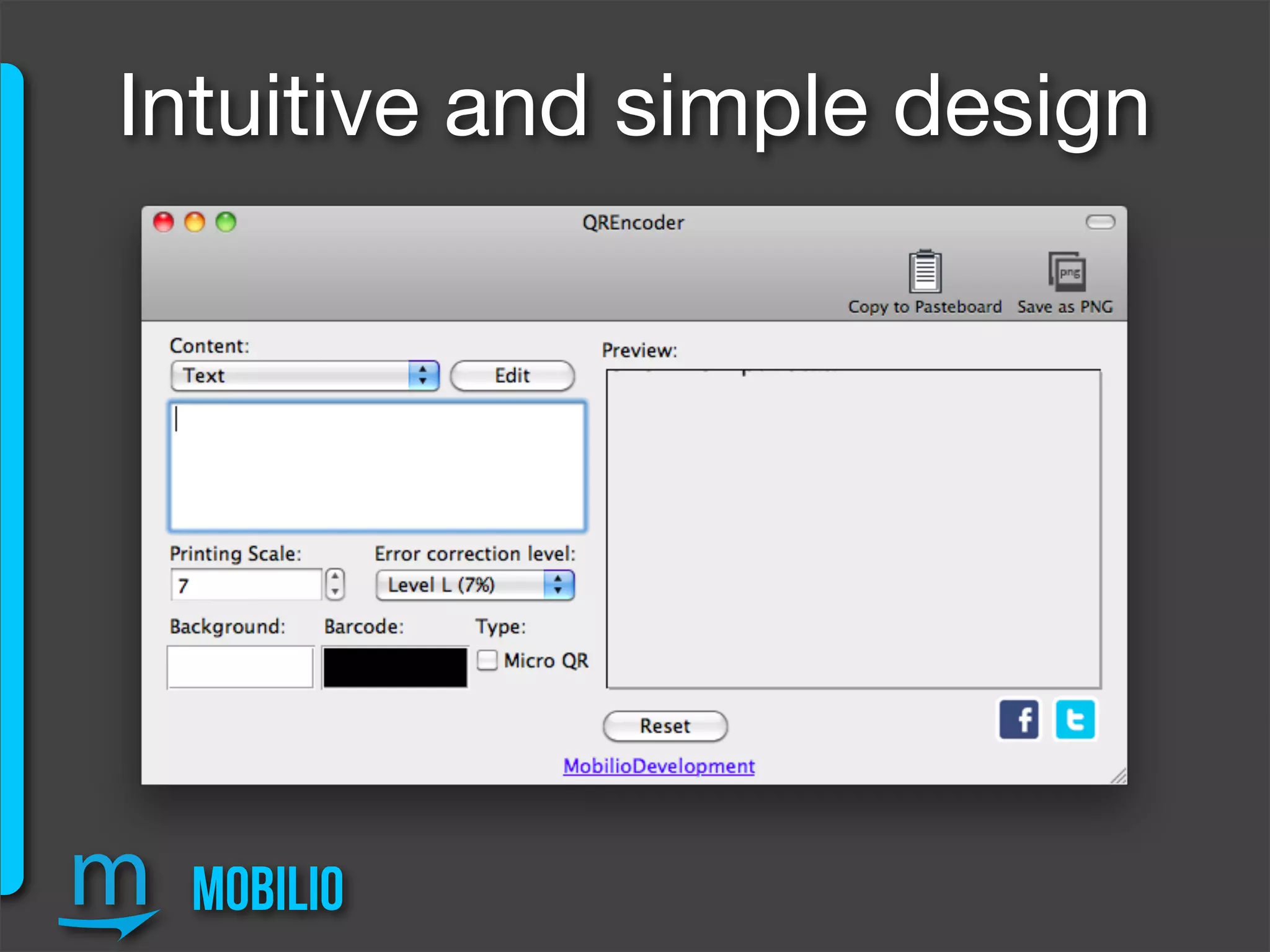
Intuitive and simple design
mobilio
Intuitive and simple design
Textbox for
the content
2 Colour gamuts for
background and
barcode
Export
options
Change
Printing Scale
or Error
Correction
level
Preview
window
Micro QR Standard, Reset button,
Social buttons
mobilio
17 different data types
varying from plain text
and URLs to Calendar
events, Geo location
and even Foursquare
Venue URL
mobilio
User-friendly entering
of complex data types
Not bothering with the
specific input format
mobilio
Printing Scale
If you change the printing scalar you won’t notice
any difference, until your QR code is exported...
mobilio
Printing Scale... the difference
mobilio
Error Correction Level
If you change the error correction level to higher, you will
be able to lose part of the code, while doing some design
customization (putting your brand logo in the center), but at
the same time the QR will become considerably denser
and harder to scan.
mobilio
Error Correction Level... the difference
mobilio
Colour customization
If you don’t like the result use the Reset button
mobilio
Micro QR Standard
Limited space for placing the code? Don’t worry,
QREncoder provides Micro QR encoding but...
mobilio
Micro QR Standard
... be careful because although Micro QR might save you
some space it has data capacity limits - up to 35 digits and
up to 15 alphabetical symbols. More information here:
http://www.qrcode.com/en/codes/microqr.html
mobilio
Further design customizations
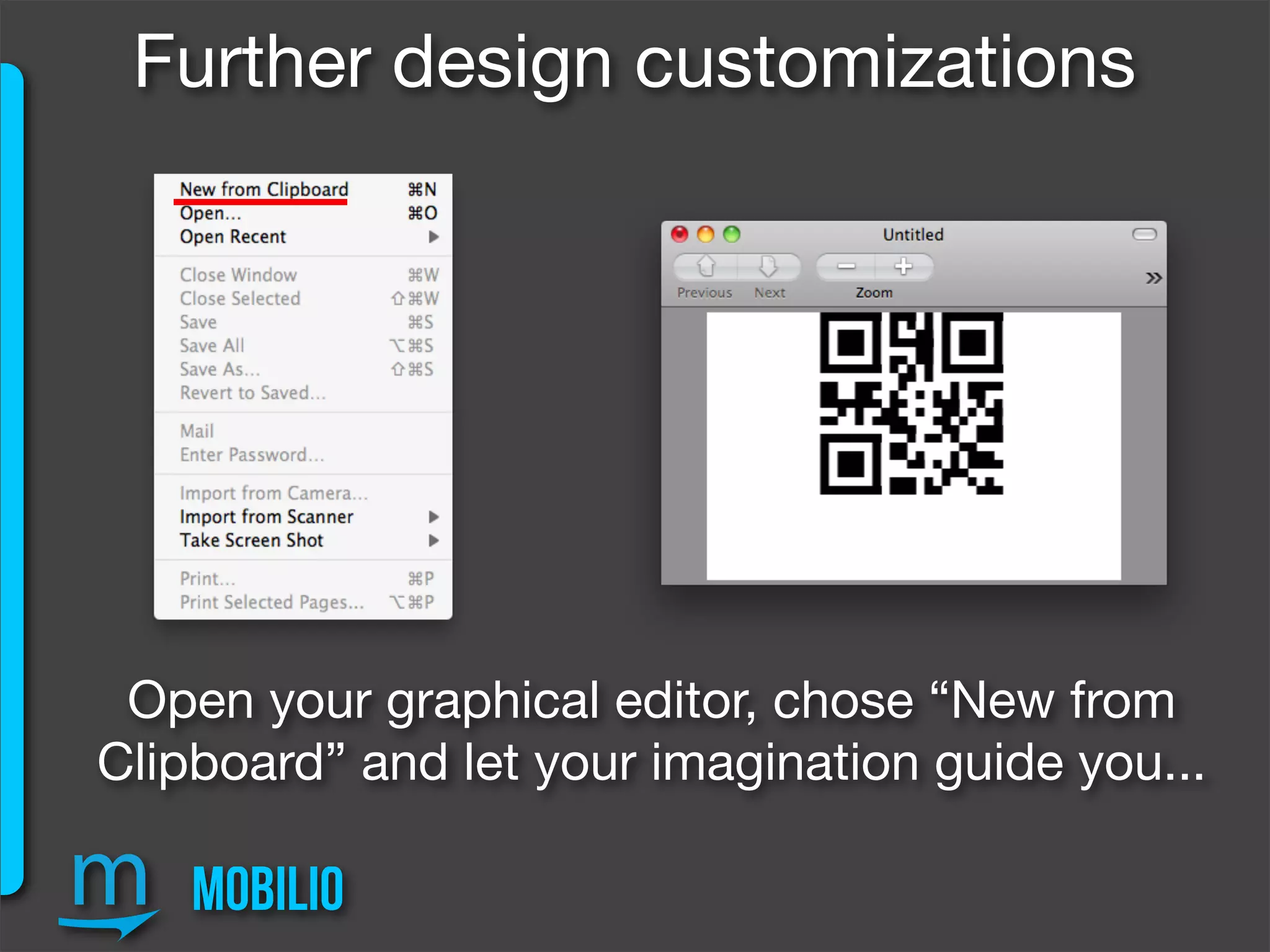
If you want to brand or beautify your QR then the
button “Copy to Pasteboard” is exactly for you
mobilio
Further design customizations
Open your graphical editor, chose “New from
Clipboard” and let your imagination guide you...
mobilio
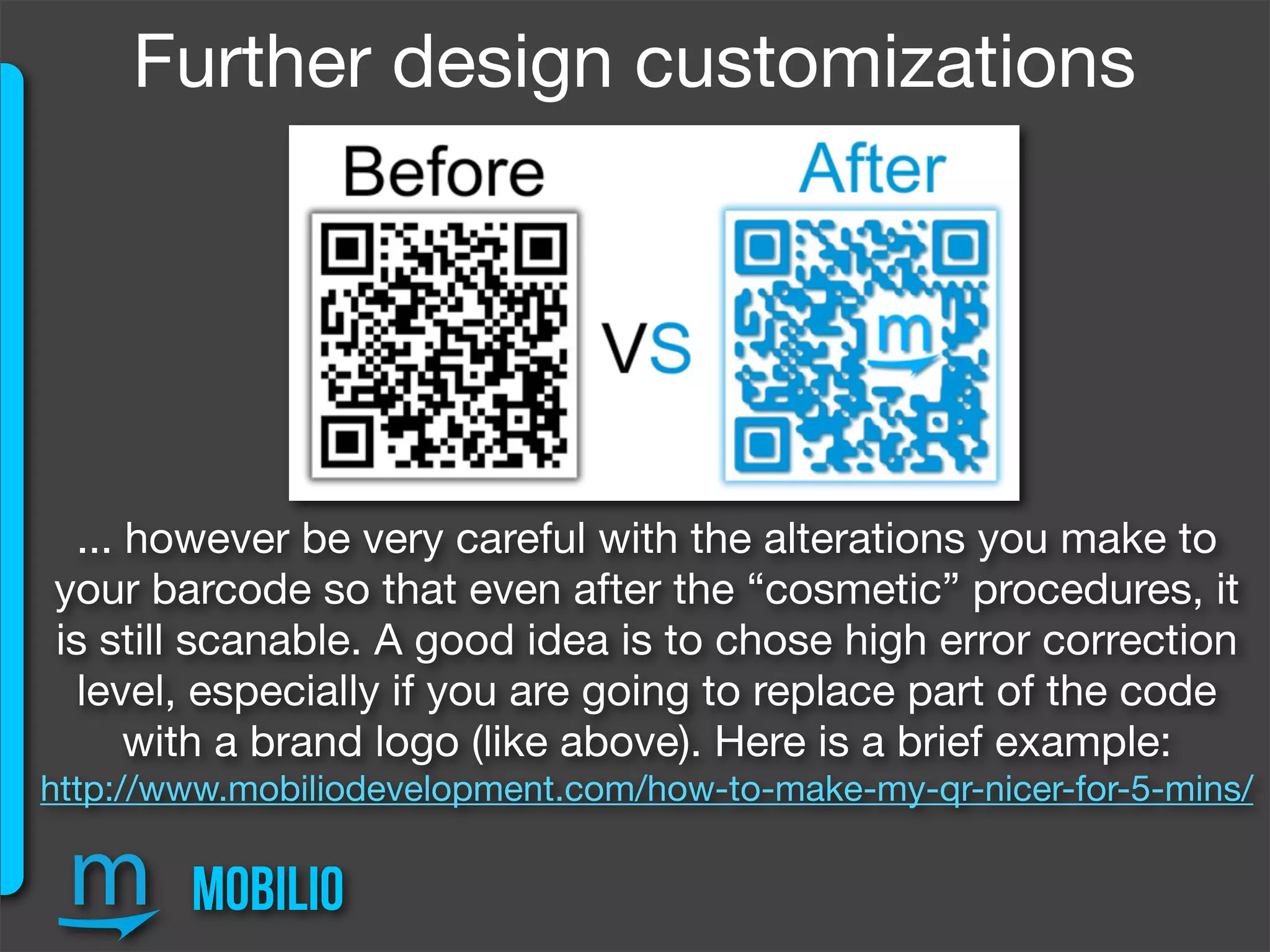
... however be very careful with the alterations you make to
your barcode so that even after the “cosmetic” procedures, it
is still scanable. A good idea is to chose high error correction
level, especially if you are going to replace part of the code
with a brand logo (like above). Here is a brief example:
http://www.mobiliodevelopment.com/how-to-make-my-qr-nicer-for-5-mins/
Further design customizations
mobilio
If the black-and-white edgy outlook of the QR satisfies you,
you can directly export it as PNG (raster image format) but...
Export
mobilio
... the Pro version is equipped with Vector image export (EPS
& SVG) which is a great advantage. More about raster and
vector images here:
http://www.mobiliodevelopment.com/raster-vs-vector-image-format/
QREncoder Pro
Thank you for watching.
http://www.mobiliodevelopment.com/

QREncoder - universal QR code generator