CONTENTS:
 Introduction
 Previous Work
 Methodology
 Design
 Types of QR Code
 Code
 Conclusion
 Future Work
 References
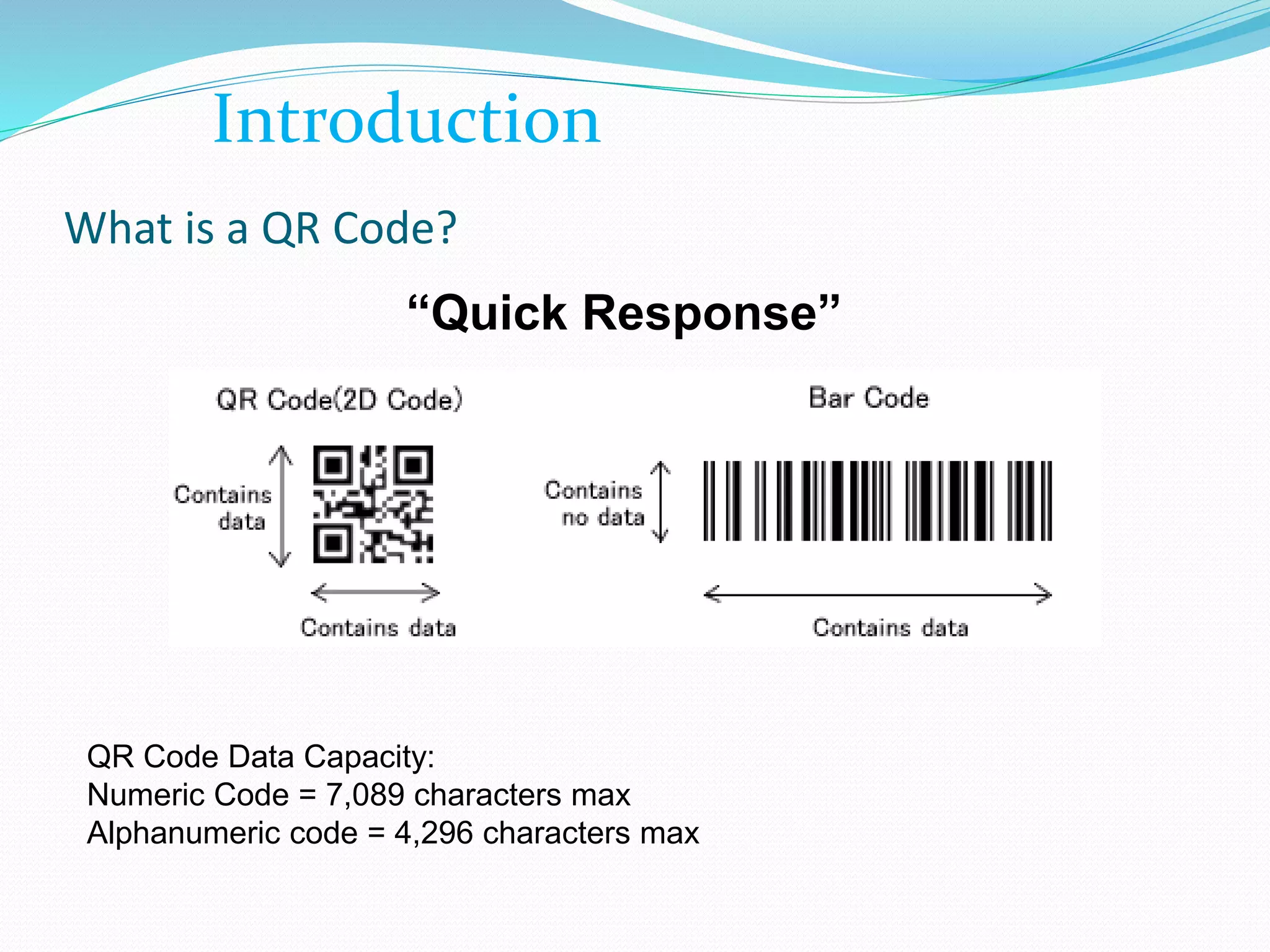
What is a QR Code?
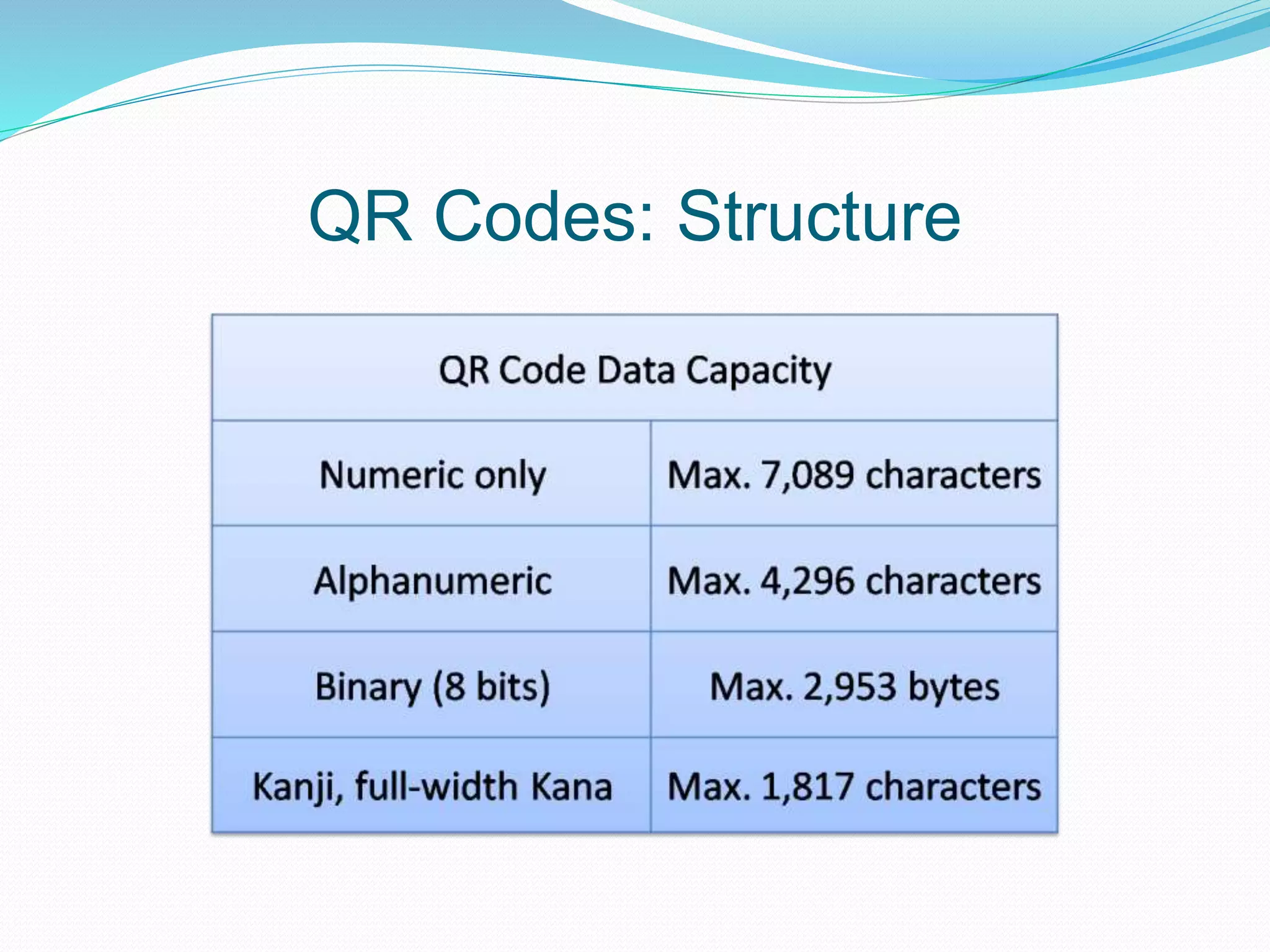
QR Code Data Capacity:
Numeric Code = 7,089 characters max
Alphanumeric code = 4,296 characters max
“Quick Response”
Introduction
Genesis of QR Code
QR codes were first created back in 1994.
A Toyota subsidiary named Denso Wave developed the
code in order to help in the manufacturing process,
they aided in tracking vehicles and parts.
It was designed to allow for fast decoding speeds,
hence the name Quick Response code.
QR Codes: Structure
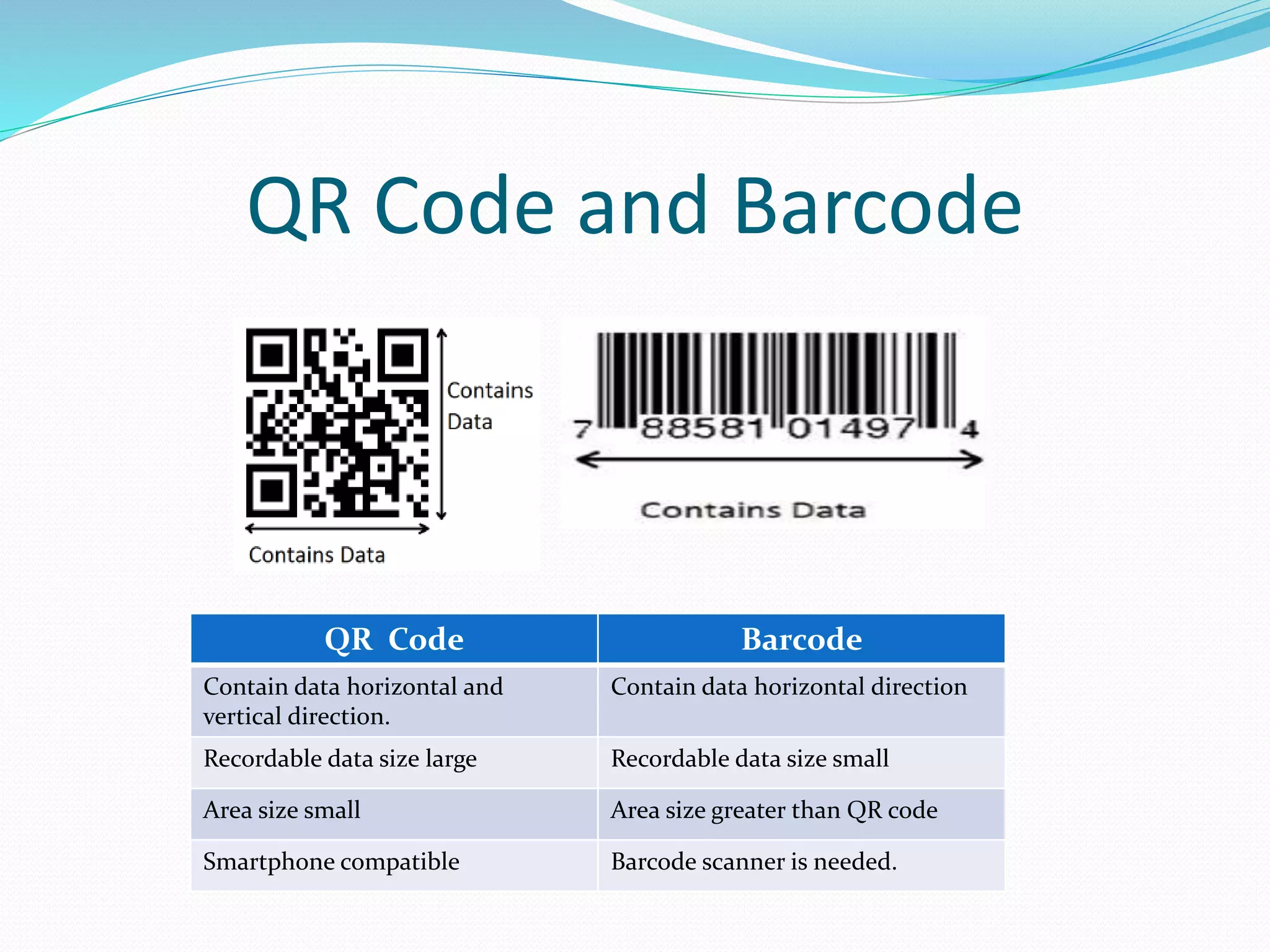
QR code is a type of barcode but it is two dimensional
(vertical and horizontal) code.
 A QR code encodes four types of data – (i) numeric (ii)
alphanumeric (iii) binary/bytes and (iv) Kanji (Chinese
characters used in Japan) or mixture of these.
 Ability of holding information is much more in a QR code
than a normal barcode.
QR Codes: Structure
QR Code and Barcode
QR Code Barcode
Contain data horizontal and
vertical direction.
Contain data horizontal direction
Recordable data size large Recordable data size small
Area size small Area size greater than QR code
Smartphone compatible Barcode scanner is needed.
Basic Requirements
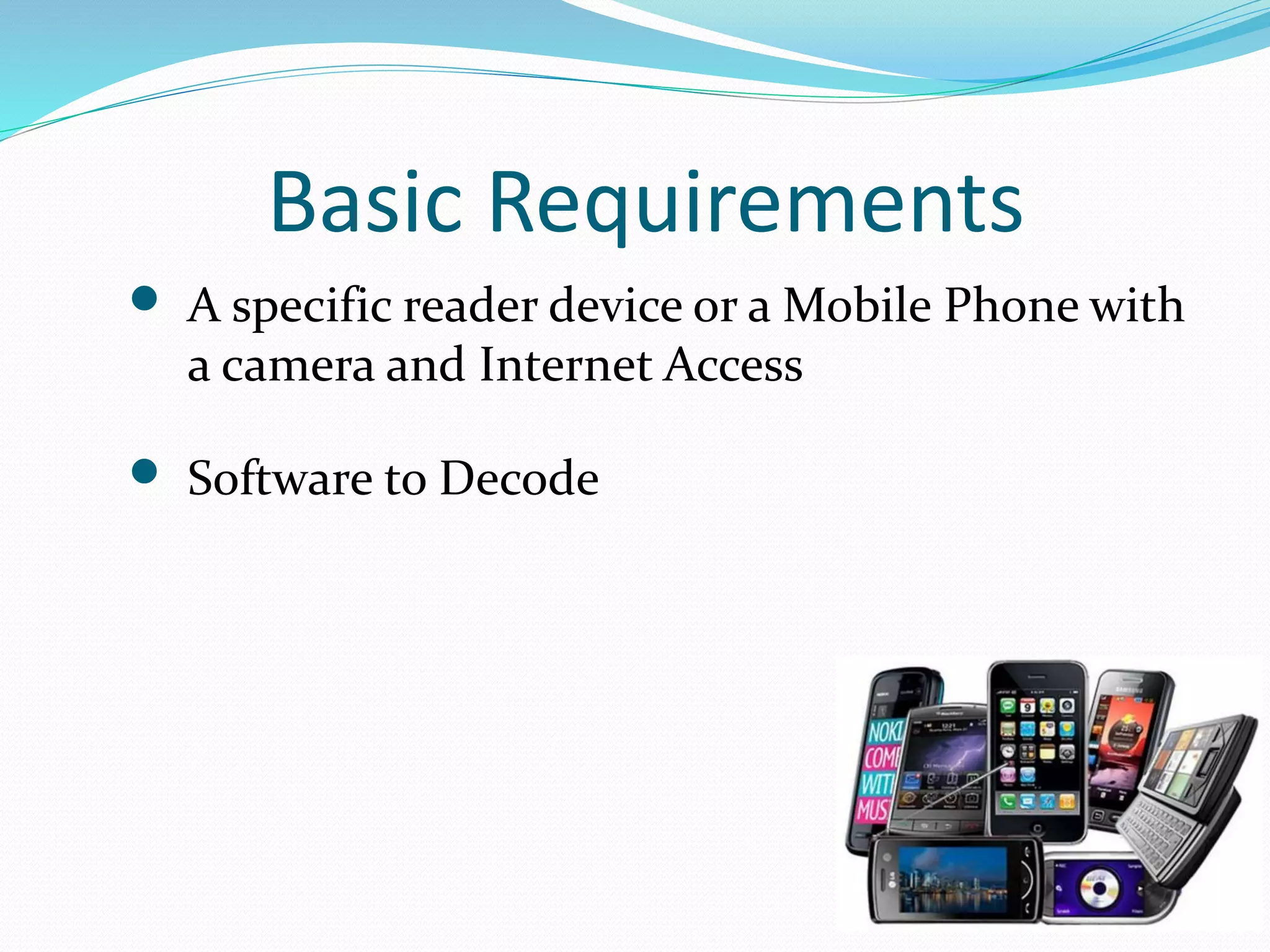
 A specific reader device or a Mobile Phone with
a camera and Internet Access
 Software to Decode
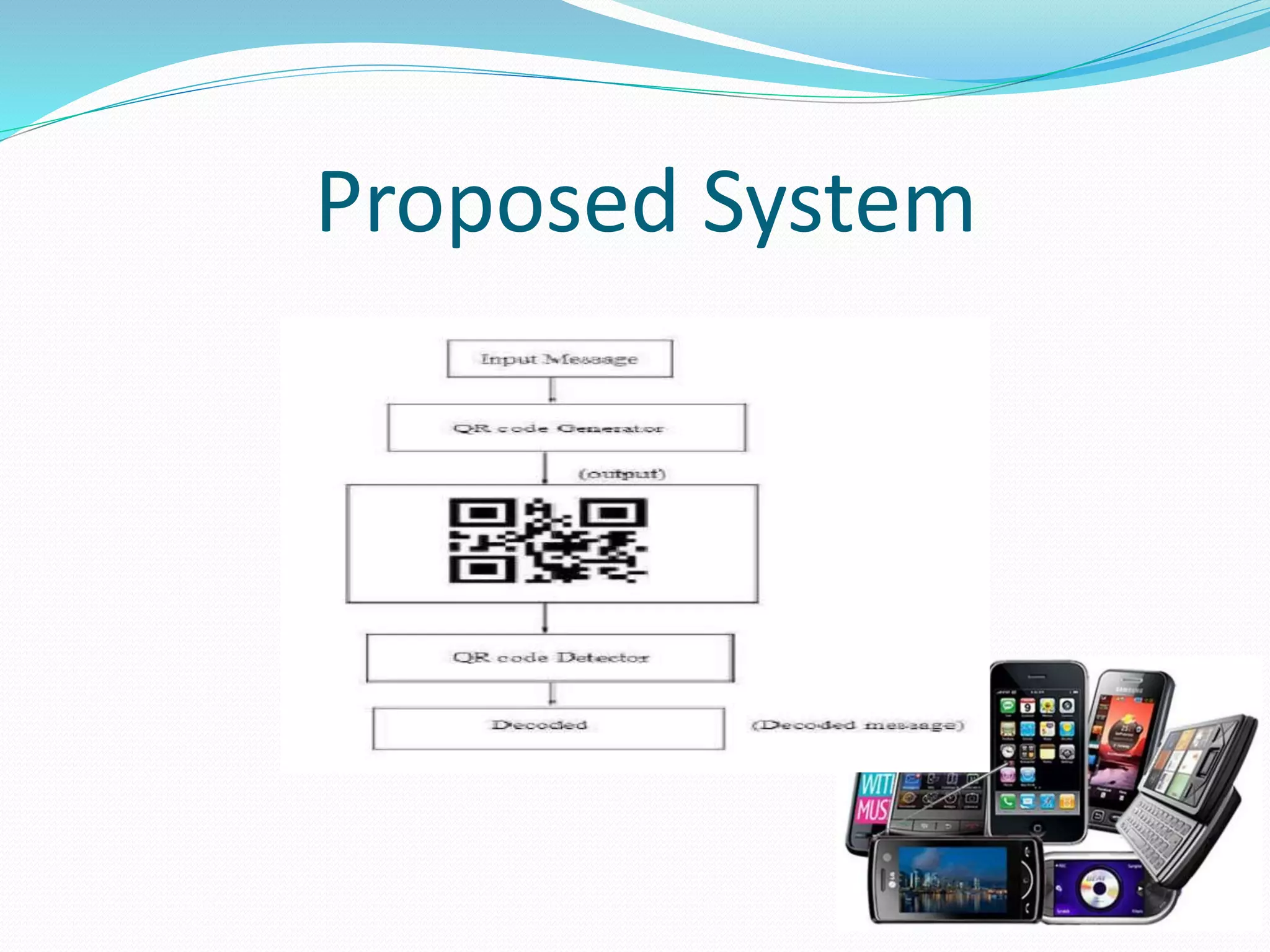
Proposed System
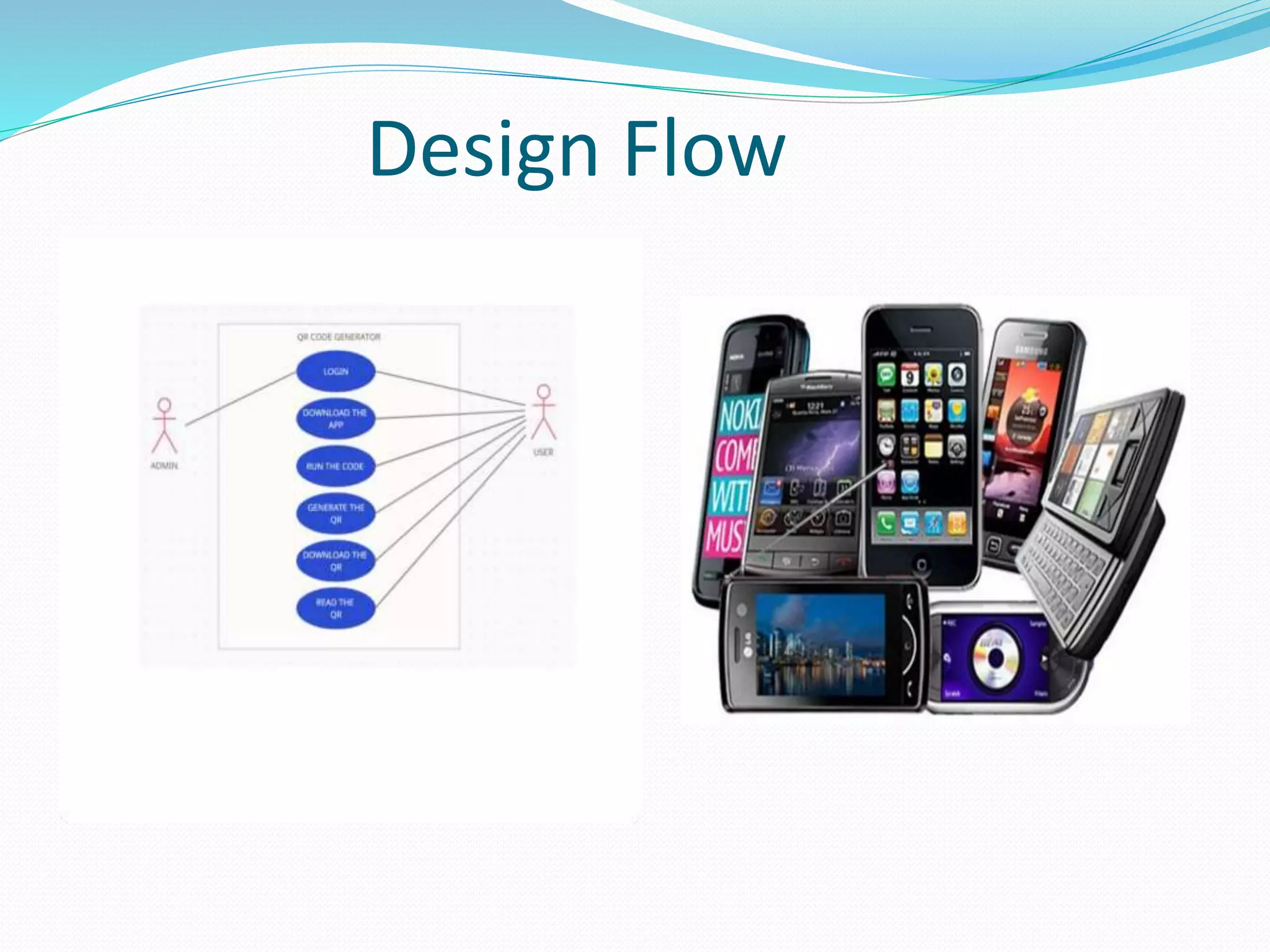
Design Flow
Steps to Build QR Code
1. Importing the Modules
2. Creating the main window
3. Taking the input of the text/URL, location to store
the QR code, name of the QR code and the size of
the QR code
4. Writing the function to generate and save the QR
Code
QR Codes: Advantages
 Recordable data size in QR codes is large;
 QR codes are smartphone compatible;
 Low cost and easy to implement;
 QR code has error correction capability upto 30%;
 Directly navigation to a website or phone number
without typing them;
 Small Printout Size;
 Readable from 360o
QR Codes: limitations
 Not everyone is aware of QR code;
 Not everyone owns a smartphone and many cell
phones do not include a QR code reader, the software
must be downloaded and tested;
 The small screens of a mobile or PDA limits the
amount and type of information that can be displayed
at a given time;
 Before scanning a code, users never really know where
the code is going to direct them.
QR Codes: Application
 Promotional landing pages and entry forms
 E-commerce shopping sites
 Product demos, videos and reviews
 Virtual business cards
Conclusion
 In general, we believe that QR codes have great potential in business
media.
 We examine outlined the dangers of possible malicious attacks
utilizing manipulated QR Codes.
 Since QR Codes gain increasing popularity through their use for
marketing purposes, we expect that this kind of attack will receive
more and more attention by the hacking community in the future.
 This project will present some security conscious of the mobile phones
users.
Future Work
 The main limitation of QR codes is that they are only being used to redirect
to a webpage or website but they are not collecting any information on their
own.
 If in this hugely data driven world, if these codes start to collect
information and start a two-way transaction then it will surely stabilize in
this technology market for future years.
 Another limitation regarding the application of QR codes is that one must
have a QR code reader or scanner installed in their mobile or tablet to be
able to scan and read the data held by the QR code.
 Instead of this, we can create and integrate the QR code scanners in our
smartphone’s camera itself so that we don’t need any other third party
application to scan the QR codes.
 QR codes have been scrutinized by many of the technology and security
pundits but still it has been loved and accepted by the normal people at a
high context.
References
 Aidong Sun, Yan Sun and Caixing Liu, “The QR-code reorganization in illegible
snapshots taken by mobile phones,” International Conference on Computational
Science and its Applications, 2007. ICCSA 2007, pp. 532-538, 26-29 Aug. 2007.
 "AVG Cautions: Beware of Malicious QR Codes". PC World. 28 June 2011. Archived
from the original on 7 September 2012. Retrieved 31 August 2011.
 "Barcode Scanner". 1 June 2011. Archived from the original on 15 September 2012.
Retrieved 31 August 2011.
 Chen, Rongjun; Yu, Yongxing; Xu, Xiansheng; Wang, Leijun; Zhao, Huimin; Tan,
Hong-Zhou (11 December 2019). "Adaptive Binarization of QR Code Images for Fast
Automatic Sorting in Warehouse Systems".Sensors.19(24):5466.
 Bibcode:2019Senso..19.5466C. doi:10.3390/s19245466. PMC6960674.PMID 31835866.
Thank You

CREATION AND DETECTION OF QR CODE.pptx

  • 1.
    CONTENTS:  Introduction  PreviousWork  Methodology  Design  Types of QR Code  Code  Conclusion  Future Work  References
  • 2.
    What is aQR Code? QR Code Data Capacity: Numeric Code = 7,089 characters max Alphanumeric code = 4,296 characters max “Quick Response” Introduction
  • 3.
    Genesis of QRCode QR codes were first created back in 1994. A Toyota subsidiary named Denso Wave developed the code in order to help in the manufacturing process, they aided in tracking vehicles and parts. It was designed to allow for fast decoding speeds, hence the name Quick Response code.
  • 4.
    QR Codes: Structure QRcode is a type of barcode but it is two dimensional (vertical and horizontal) code.  A QR code encodes four types of data – (i) numeric (ii) alphanumeric (iii) binary/bytes and (iv) Kanji (Chinese characters used in Japan) or mixture of these.  Ability of holding information is much more in a QR code than a normal barcode.
  • 5.
  • 6.
    QR Code andBarcode QR Code Barcode Contain data horizontal and vertical direction. Contain data horizontal direction Recordable data size large Recordable data size small Area size small Area size greater than QR code Smartphone compatible Barcode scanner is needed.
  • 7.
    Basic Requirements  Aspecific reader device or a Mobile Phone with a camera and Internet Access  Software to Decode
  • 8.
  • 9.
  • 10.
    Steps to BuildQR Code 1. Importing the Modules 2. Creating the main window 3. Taking the input of the text/URL, location to store the QR code, name of the QR code and the size of the QR code 4. Writing the function to generate and save the QR Code
  • 11.
    QR Codes: Advantages Recordable data size in QR codes is large;  QR codes are smartphone compatible;  Low cost and easy to implement;  QR code has error correction capability upto 30%;  Directly navigation to a website or phone number without typing them;  Small Printout Size;  Readable from 360o
  • 12.
    QR Codes: limitations Not everyone is aware of QR code;  Not everyone owns a smartphone and many cell phones do not include a QR code reader, the software must be downloaded and tested;  The small screens of a mobile or PDA limits the amount and type of information that can be displayed at a given time;  Before scanning a code, users never really know where the code is going to direct them.
  • 13.
    QR Codes: Application Promotional landing pages and entry forms  E-commerce shopping sites  Product demos, videos and reviews  Virtual business cards
  • 14.
    Conclusion  In general,we believe that QR codes have great potential in business media.  We examine outlined the dangers of possible malicious attacks utilizing manipulated QR Codes.  Since QR Codes gain increasing popularity through their use for marketing purposes, we expect that this kind of attack will receive more and more attention by the hacking community in the future.  This project will present some security conscious of the mobile phones users.
  • 15.
    Future Work  Themain limitation of QR codes is that they are only being used to redirect to a webpage or website but they are not collecting any information on their own.  If in this hugely data driven world, if these codes start to collect information and start a two-way transaction then it will surely stabilize in this technology market for future years.  Another limitation regarding the application of QR codes is that one must have a QR code reader or scanner installed in their mobile or tablet to be able to scan and read the data held by the QR code.  Instead of this, we can create and integrate the QR code scanners in our smartphone’s camera itself so that we don’t need any other third party application to scan the QR codes.  QR codes have been scrutinized by many of the technology and security pundits but still it has been loved and accepted by the normal people at a high context.
  • 16.
    References  Aidong Sun,Yan Sun and Caixing Liu, “The QR-code reorganization in illegible snapshots taken by mobile phones,” International Conference on Computational Science and its Applications, 2007. ICCSA 2007, pp. 532-538, 26-29 Aug. 2007.  "AVG Cautions: Beware of Malicious QR Codes". PC World. 28 June 2011. Archived from the original on 7 September 2012. Retrieved 31 August 2011.  "Barcode Scanner". 1 June 2011. Archived from the original on 15 September 2012. Retrieved 31 August 2011.  Chen, Rongjun; Yu, Yongxing; Xu, Xiansheng; Wang, Leijun; Zhao, Huimin; Tan, Hong-Zhou (11 December 2019). "Adaptive Binarization of QR Code Images for Fast Automatic Sorting in Warehouse Systems".Sensors.19(24):5466.  Bibcode:2019Senso..19.5466C. doi:10.3390/s19245466. PMC6960674.PMID 31835866.
  • 17.