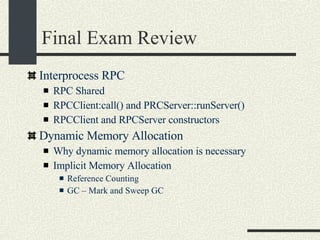
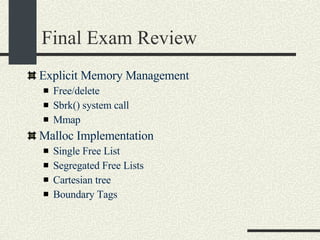
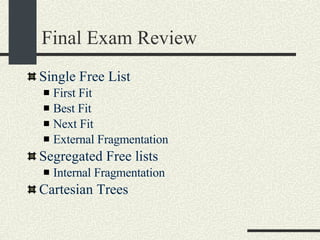
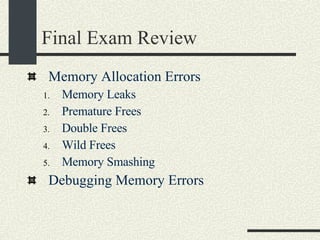
CS354: Operating Systems Gustavo Rodriguez-Rivera Computer Science Department Purdue University
General Information Web Page: http://www.cs.purdue.edu/homes/cs354 Office: LWSN1169  E-mail: grr@cs.purdue.edu Textbook: Silberschatz, Galvin and Gagne. Operating system concepts. Addison-Wesley.  (Good reading.)‏ Recommended: Advanced Programming in the UNIX Environment by W. Richard Stevens. (Useful for the shell. Good as a reference book.)‏
Mailing List All announcements will be sent via email. It is  important  that you add yourself to the cs354 mailing list. Login to a CS machine like “lore” and type:  " mailer add me to cs354-pso1" or   " mailer add me to cs354-pso2" or   " mailer add me to cs354-pso3" or   "mailer add me to cs354-pso4" or   "mailer add me to cs354-pso5“ If you do not have a CS account, ask me by e-mail to add you.  Include your PSO.
PSOs There is no PSO the first week. The projects will be explained in the PSOs. E-mail questions to  [email_address] TAs office hours will be posted in the web page.
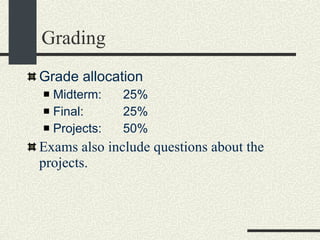
Grading Grade allocation Midterm: 25% Final: 25% Projects: 50% Exams also include questions about the projects.
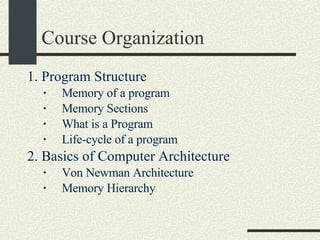
Course Organization 1. Program Structure  Memory of a program Memory Sections  What is a Program Life-cycle of a program 2. Basics of Computer Architecture  Von Newman Architecture Memory Hierarchy
Course Organization 3. Processes   Instance of a program that is running  Loading a program  Life-cycle of a program Scheduling  Programs run for only a "quantum" of time before a context switch where a quantum is typically 10 milliseconds (1/100secs).  How to execute new processes/programs exec() ,  fork() , pipes
Course Organization 4. Threads  Concurrency  Useful for server applications to process multiple clients concurrently. Also useful for user applications (one thread to update screen, another for input, etc.)  One can attain the same effect using multiple processes, but multiple threads is usually faster  Synchronization  Mutex locks  Semaphores
Course Organization 4. Threads (cont)‏ Condition variables  Producer/Consumer relationships in code (i.e. adding elements to a table in one thread, removing them from the table in another)  Deadlocks and prevention (Thread A waits for Thread B and Thread B waits for Thread A)  If it occurs, one usually has to "bounce the system" (kill the process and restart it) to fix it
Course Organization 5.Virtual Memory (VM)  DOS and the early versions of MacOS didn't have virtual memory, but modern operating systems do.  Can optimize the execution of programs  Uses of VM  Only reading what is needed (i.e. "This page of the executable is not there, so I must load it")  Extends memory requirements  Speeds up program loading  Speeds up process creation
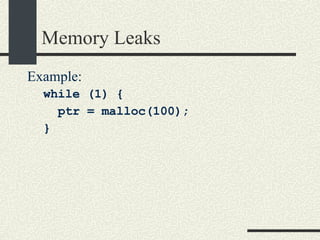
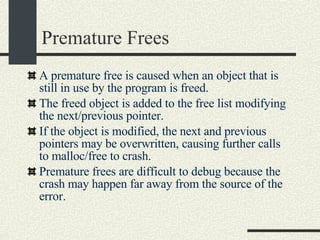
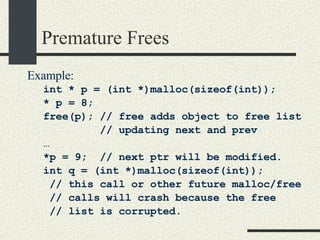
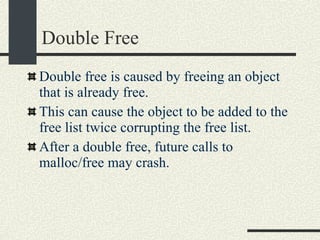
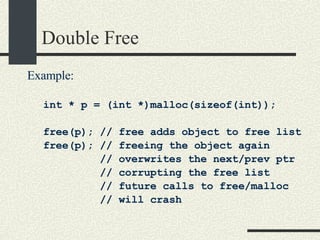
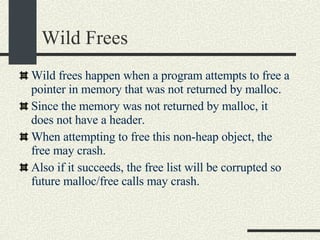
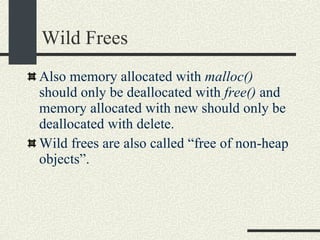
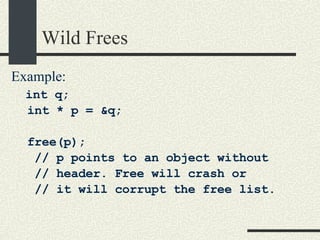
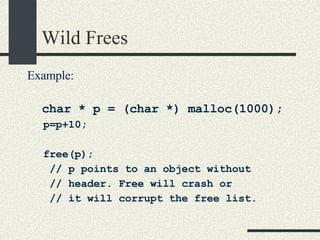
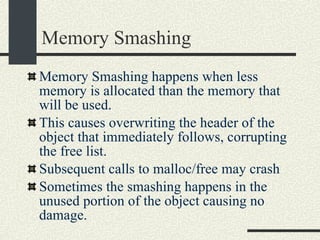
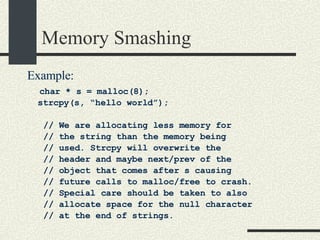
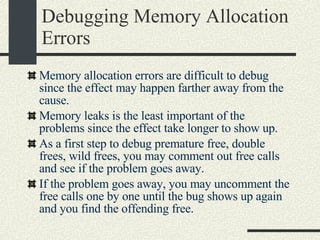
Course Organization 6. Memory Allocation  Explicit Memory Management (call malloc/free)‏ Garbage Collection (The runtime collects unused memory)‏ Data Structures used for memory allocators. Problems of calling  free()   Premature  free()   Memory leaks  Free ing non heap objects (can crash program)‏ Memory overwrites beyond the end of the object.
Course Organization Problems of calling  free()  (cont.)‏ Java  and  C#  provide garbage collection as well as running programs in a "Sandbox" environment to prevent out-of-bounds accesses or  free ing of memory that is in currently needed.  "Sometimes programs run for reasons you don't know"   7. I/O and File Systems
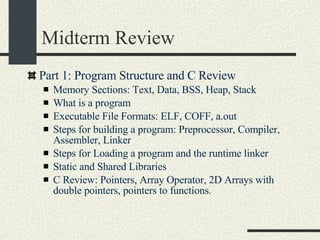
Part 1: Program Structure
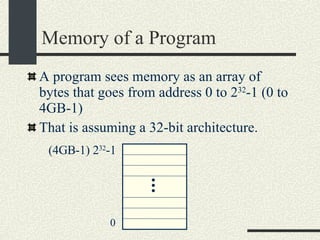
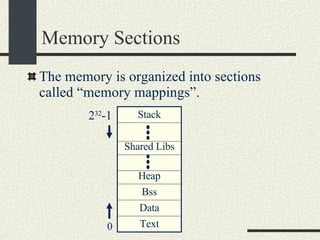
Memory of a Program A program sees memory as an array of bytes that goes from address 0 to 2 32 -1 (0 to 4GB-1)‏ That is assuming a 32-bit architecture. 0 (4GB-1) 2 32 -1
Memory Sections The memory is organized into sections called “memory mappings”. Stack Text Data Bss Heap Shared Libs 0 2 32 -1
Memory Sections Each section has different permissions: read/write/execute or a combination of them. Text- Instructions that the program runs Data – Initialized global variables.  Bss – Uninitialized global variables. They are initialized to zeroes. Heap – Memory returned when calling malloc/new. It grows upwards. Stack – It stores local variables and return addresses. It grows downwards.
Memory Sections Dynamic libraries – They are libraries shared with other processes.  Each dynamic library has its own text, data, and bss. Each program has its own view of the memory that is independent of each other.  This view is called the “Address Space” of the program. If a process modifies a byte in its own address space, it will not modify the address space of another process.
Example Program hello.c int a = 5;  // Stored in data section int b[20];  // Stored in bss int main() { // Stored in text int x;  // Stored in stack int *p =(int*)‏ malloc(sizeof(int)); //In heap }
Memory Gaps Between each memory section there may be gaps that do not have any memory mapping. If the program tries to access a memory gap, the OS will send a SEGV signal that by default kills the program and dumps a core file. The core file contains the value of the variables global and local at the time of the SEGV.  The core file can be used for “post mortem” debugging. gdb program-name core gdb> where
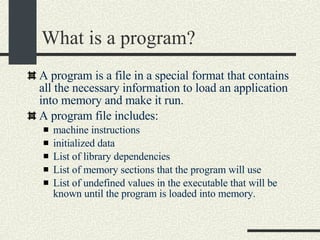
What is a program? A program is a file in a special format that contains all the necessary information to load an application into memory and make it run. A program file includes: machine instructions initialized data List of library dependencies List of memory sections that the program will use List of undefined values in the executable that will be known until the program is loaded into memory.
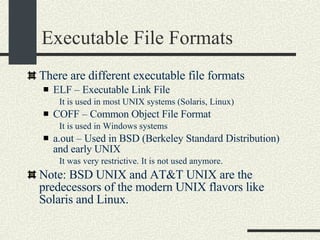
Executable File Formats There are different executable file formats ELF – Executable Link File It is used in most UNIX systems (Solaris, Linux)‏ COFF – Common Object File Format It is used in Windows systems a.out – Used in BSD (Berkeley Standard Distribution) and early UNIX It was very restrictive. It is not used anymore. Note: BSD UNIX and AT&T UNIX are the predecessors of the modern UNIX flavors like Solaris and Linux.
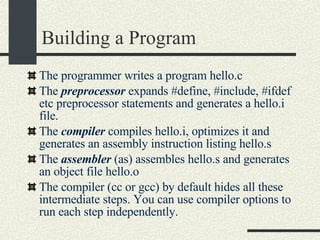
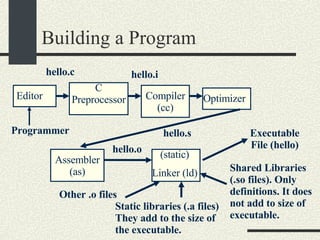
Building a Program The programmer writes a program hello.c The  preprocessor  expands #define, #include, #ifdef etc preprocessor statements and generates a hello.i file. The  compiler  compiles hello.i, optimizes it and generates an assembly instruction listing hello.s The  assembler  (as) assembles hello.s and generates an object file hello.o The compiler (cc or gcc) by default hides all these intermediate steps. You can use compiler options to run each step independently.
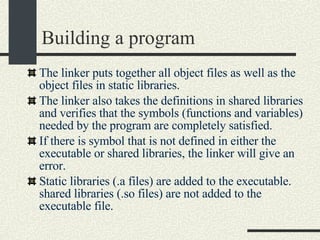
Building a program The linker puts together all object files as well as the object files in static libraries. The linker also takes the definitions in shared libraries and verifies that the symbols (functions and variables) needed by the program are completely satisfied. If there is symbol that is not defined in either the executable or shared libraries, the linker will give an error. Static libraries (.a files) are added to the executable. shared libraries (.so files) are not added to the executable file.
Building a Program Programmer C Preprocessor Compiler(cc)‏ Optimizer Assembler (as)‏ (static)‏ Linker (ld)‏ Editor hello.c hello.i hello.s hello.o Executable File (hello)‏ Other .o files Static libraries (.a files) They add to the size of the executable.  Shared Libraries (.so files). Only definitions. It does not add to size of executable.
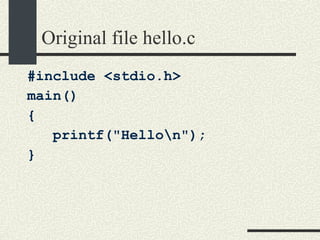
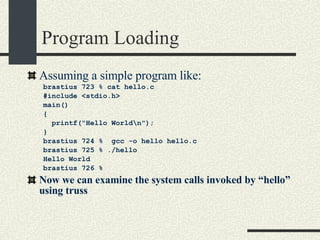
Original file hello.c #include <stdio.h> main()‏ { printf(&quot;Hello\n&quot;); }
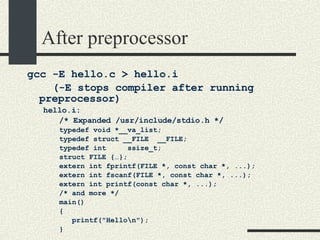
After preprocessor gcc -E hello.c > hello.i  (-E stops compiler after running preprocessor)‏ hello.i: /* Expanded /usr/include/stdio.h */ typedef void *__va_list; typedef struct __FILE  __FILE; typedef int  ssize_t; struct FILE {…}; extern int fprintf(FILE *, const char *, ...); extern int fscanf(FILE *, const char *, ...); extern int printf(const char *, ...); /* and more */ main()‏ { printf(&quot;Hello\n&quot;); }
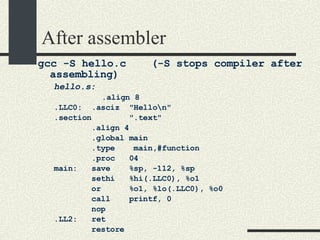
After assembler gcc -S hello.c  (-S stops compiler after assembling)‏ hello.s:   .align 8 .LLC0:  .asciz  &quot;Hello\n&quot; .section  &quot;.text&quot; .align 4 .global main .type  main,#function .proc  04 main:  save  %sp, -112, %sp sethi  %hi(.LLC0), %o1 or  %o1, %lo(.LLC0), %o0 call  printf, 0 nop .LL2:  ret restore .
After compiling “ gcc -c hello.c” generates hello.o hello.o has undefined symbols, like the  printf  function call that we don’t know where it is placed. The main function already has a value relative to the object file hello.o csh> nm -xv hello.o hello.o: [Index]  Value  Size  Type  Bind  Other Shndx  Name [1]  |0x00000000|0x00000000|FILE |LOCL |0  |ABS  |hello.c [2]  |0x00000000|0x00000000|NOTY |LOCL |0  |2  |gcc2_compiled [3]  |0x00000000|0x00000000|SECT |LOCL |0  |2  | [4]  |0x00000000|0x00000000|SECT |LOCL |0  |3  | [5]  |0x00000000|0x00000000|NOTY |GLOB |0  |UNDEF  |printf [6]  |0x00000000|0x0000001c|FUNC |GLOB |0  |2  |main
After linking “ gcc –o hello hello.c”  generates the hello executable Printf does not have a value yet until the program is loaded csh> nm hello [Index]  Value  Size  Type  Bind  Other Shndx  Name [29]  |0x00010000|0x00000000|OBJT |LOCL |0  |1  |_START_ [65]  |0x0001042c|0x00000074|FUNC |GLOB |0  |9  |_start [43]  |0x00010564|0x00000000|FUNC |LOCL |0  |9  |fini_dummy [60]  |0x000105c4|0x0000001c|FUNC |GLOB |0  |9  |main [71]  |0x000206d8|0x00000000|FUNC |GLOB |0  |UNDEF  |atexit [72]  |0x000206f0|0x00000000|FUNC |GLOB |0  |UNDEF  |_exit [67]  |0x00020714|0x00000000|FUNC |GLOB |0  |UNDEF  |printf
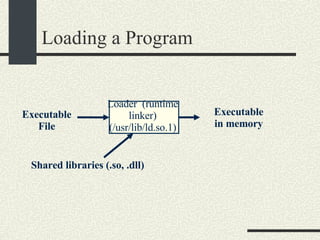
Loading a Program The loader is a program that is used to run an executable file in a process. Before the program starts running, the loader allocates space for all the sections of the executable file (text, data, bss etc)‏ It loads into memory the executable and shared libraries (if not loaded yet)‏
Loading a Program It also writes (resolves) any values in the executable to point to the functions/variables in the shared libraries.(E.g. calls to printf in hello.c)‏ Once memory image is ready, the loader jumps to the  _start  entry point that calls init() of all libraries and initializes static constructors. Then it calls  main()  and the program begins.  _start  also calls  exit()  when  main()  returns. The loader is also called “runtime linker”.
Loading a Program Loader  (runtime linker) (/usr/lib/ld.so.1)‏ Executable File Executable in memory Shared libraries (.so, .dll)‏
Static and Shared Libraries Shared libraries are shared across different processes.  There is only one instance of each shared library for the entire system. Static libraries are not shared.  There is an instance of an static library for each process.
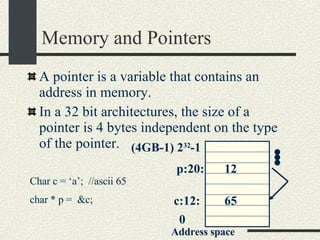
Memory and Pointers A pointer is a variable that contains an address in memory. In a 32 bit architectures, the size of a pointer is 4 bytes independent on the type of the pointer. 0 (4GB-1) 2 32 -1 Address space p:20: 12 Char c = ‘a’;  //ascii 65 char * p =  &c; c:12: 65
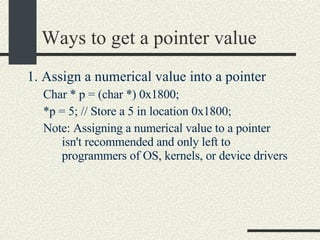
Ways to get a pointer value 1. Assign a numerical value into a pointer Char * p = (char *) 0x1800; *p = 5; // Store a 5 in location 0x1800; Note: Assigning a numerical value to a pointer isn't recommended and only left to programmers of OS, kernels, or device drivers
Ways to get a pointer value 2. Get memory address from another variable: int *p; int buff[ 30]; p = &buff[1]; *p =78; buff[0]:100: buff[1]:104: buff[29]:216: 220: P: 96: 104 78
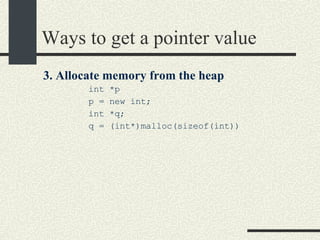
Ways to get a pointer value 3. Allocate memory from the heap   int *p  p = new int;  int *q;  q = (int*)malloc(sizeof(int))
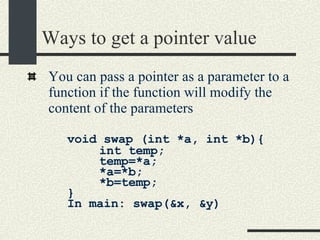
Ways to get a pointer value You can pass a pointer as a parameter to a function if the function will modify the content of the parameters void swap (int *a, int *b){ int temp;  temp=*a; *a=*b; *b=temp;  } In main: swap(&x, &y)
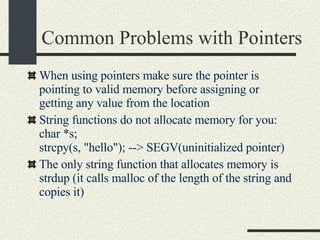
Common Problems with Pointers When using pointers make sure the pointer is pointing to valid memory before assigning or getting any value from the location String functions do not allocate memory for you:  char *s;  strcpy(s, &quot;hello&quot;); --> SEGV(uninitialized pointer)‏ The only string function that allocates memory is strdup (it calls malloc of the length of the string and copies it)
Printing Pointers It is useful to print pointers for debugging char*i;  char buff[10];  printf(&quot;ptr=%d\n&quot;, &buff[5])  Or In hexadecimal printf(&quot;ptr=0x%x\n&quot;, &buff[5])‏ Instead of using printf, I recommend to use  fprintf(stderr, …)  since stderr is unbuffered and it is guaranteed to be printed on the screen.
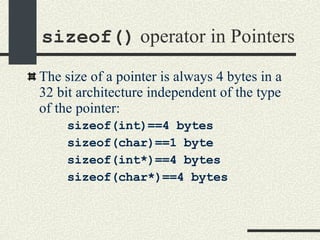
sizeof()  operator in Pointers The size of a pointer is always 4 bytes in a 32 bit architecture independent of the type of the pointer: sizeof(int)==4 bytes sizeof(char)==1 byte sizeof(int*)==4 bytes sizeof(char*)==4 bytes
Using Pointers to Optimize Execution Assume the following function that adds the sum of integers in an array using array indexing. int sum(int * array, int n)‏ { int s=0; for(int i=0; i<n; i++)‏ { s+=array[i]; // Equivalent to //*(int*)((char*)array+i*sizeof(int))‏ } return s; }
Using Pointers to Optimize Execution Now the equivalent code using pointers int sum(int* array, int n)‏ { int s=0;  int *p=&array[0]; int *pend=&array[n]; while (p < pend)‏ { s+=*p; p++; } return s; }
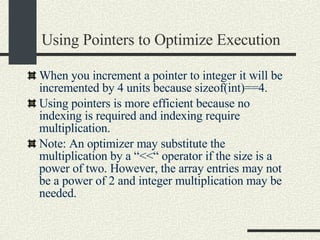
Using Pointers to Optimize Execution When you increment a pointer to integer it will be incremented by 4 units because sizeof(int)==4. Using pointers is more efficient because no indexing is required and indexing require multiplication. Note: An optimizer may substitute the multiplication by a “<<“ operator if the size is a power of two. However, the array entries may not be a power of 2 and integer multiplication may be needed.
Array Operator  Equivalence We have the following equivalences: int a[20]; a[i]  - is equivalent to  *(a+i)  - is equivalent to  *(&a[0]+i) – is equivalent to *((int*)((char*)&a[0]+i*sizeof(int)))‏ You may substitute array indexing  a[i]  by  *((int*)((char*)&a[0]+i*sizeof(int)))  and it will work! C was designed to be machine independent assembler
2D Array. 1 st  Implementation 1 st  approach Normal 2D array. int a[4][3]; a[0][0]:100: a[0][1]:104: a[0][2]:108: a[1][0]:112: a[1][1]:116: a[1][2]:120: a[2][0]:124: a[2][1]:128: a[2][2]:132: a[3][0]:136: a[3][1]:140: a[3][2]:144: a: a[i][j] == *(int*)((char*)a + i*3*sizeof(int) + j*sizeof(int))‏
2D Array 2 nd  Implementation 2 nd  approach Array of pointers to rows int*(a[4]);  for(int i=0; i<4; i++){    a[i]=(int*)malloc(sizeof(int)*3);    assert(a[i]!=NULL); }
2D Array 2 nd  Implementation 2 nd  approach Array of pointers to rows (cont)‏ a[0]:100: a[1]:104: a[2]:108: a[3]:112: a[1][0] a[0][0] a[3][1] a[2][0] a[3][0] a[2][1] a[0][1] a[1][1] a[3][2] a[2][2] a[0][2] a[1][2] int*(a[4]); a[3][2]=5 a:
2D Array 3 rd  Implementation 3 rd  approach. a is a pointer to an array of pointers to rows.  int **a; a=(int**)malloc(4*sizeof(int*)); assert( a!= NULL)‏ for(int i=0; i<4; i++)‏ { a[i]=(int*)malloc(3*sizeof(int)); assert(a[i] != NULL)‏ }
2D Array 3 rd  Implementation a is a pointer to an array of pointers to rows. (cont.)‏ a[0]:100: a[1]:104: a[2]:108: a[3]:112: a[1][0] a[0][0] a[3][1] a[2][0] a[3][0] a[2][1] a[0][1] a[1][1] a[3][2] a[2][2] a[0][2] a[1][2] int **a; a[3][2]=5 a:
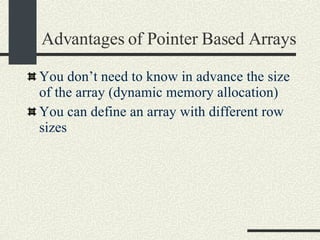
Advantages of Pointer Based Arrays You don’t need to know in advance the size of the array (dynamic memory allocation)‏ You can define an array with different row sizes
Advantages of Pointer Based Arrays Example: Triangular matrix a[0]:100: a[1]:104: a[2]:108: a[3]:112: a[1][0] a[0][0] a[2][0] a[3][0] a[2][1] a[0][1] a[1][1] a[0][2] a[1][2] a[0][3] int **a; a:
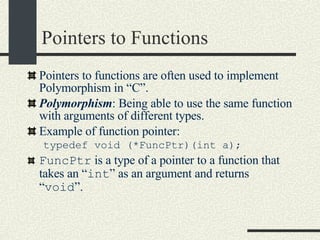
Pointers to Functions Pointers to functions are often used to implement Polymorphism in “C”. Polymorphism : Being able to use the same function with arguments of different types.  Example of function pointer: typedef void (*FuncPtr)(int a); FuncPtr  is a type of a pointer to a function that takes an “ int ” as an argument and returns “ void ”.
An Array Mapper typedef void (*FuncPtr)(int a); void intArrayMapper( int *array, int n, FuncPtr func ) { for( int = 0; i < n; i++ ) {  (*func)( array[ i ] );  } } int s = 0; void sumInt( int val ){  s += val; } void printInt( int val ) {  printf(&quot;val = %d \n&quot;, val); }
Using the Array Mapper int a[ ] = {3,4,7,8}; main( ){ // Print the values in the array intArrayMapper(a, sizeof(a)/sizeof(int), printInt); // Print the sum of the elements in the array s = 0; intArrayMapper(a, sizeof(a)/sizeof(int), sumInt); printf(“total=%d\”, s); }
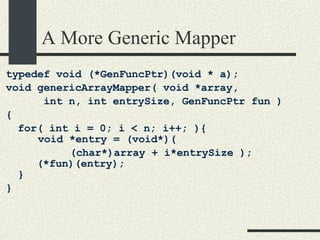
A More Generic Mapper typedef void (*GenFuncPtr)(void * a); void genericArrayMapper( void *array,  int n, int entrySize, GenFuncPtr fun )‏ { for( int i = 0; i < n; i++; ){ void *entry = (void*)(  (char*)array + i*entrySize );    (*fun)(entry); } }
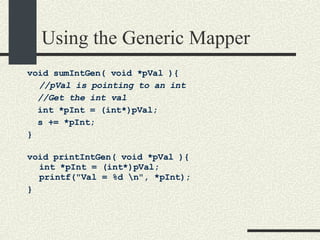
Using the Generic Mapper void sumIntGen( void *pVal ){ //pVal is pointing to an int //Get the int val int *pInt = (int*)pVal; s += *pInt; } void printIntGen( void *pVal ){ int *pInt = (int*)pVal; printf(&quot;Val = %d \n&quot;, *pInt); }
Using the Generic Mapper int a[ ] = {3,4,7,8};  main( ) { // Print integer values s = 0; genericArrayMapper( a, sizeof(a)/sizeof(int),   sizeof(int), printIntGen); // Compute sum the integer values genericArrayMapper( a, sizeof(a)/sizeof(int),  sizeof(int), sumIntGen); printf(“s=%d\n”, s); }
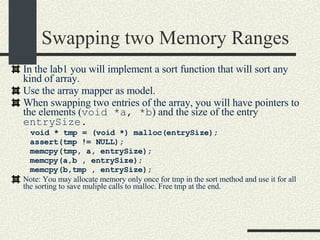
Swapping two Memory Ranges In the lab1 you will implement a sort function that will sort any kind of array.  Use the array mapper as model. When swapping two entries of the array, you will have pointers to the elements ( void *a, *b ) and the size of the entry  entrySize. void * tmp = (void *) malloc(entrySize); assert(tmp != NULL); memcpy(tmp, a, entrySize); memcpy(a,b , entrySize); memcpy(b,tmp , entrySize); Note: You may allocate memory only once for tmp in the sort method and use it for all the sorting to save muliple calls to malloc. Free tmp at the end.
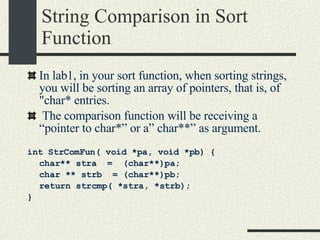
String Comparison in Sort Function In lab1, in your sort function, when sorting strings, you will be sorting an array of pointers, that is, of &quot;char* entries. The comparison function will be receiving a “pointer to char*” or a” char**” as argument. int StrComFun( void *pa, void *pb)   { char** stra  =  (char**)pa; char ** strb  = (char**)pb; return strcmp( *stra, *strb); }
Part 2: Introduction to Operating Systems
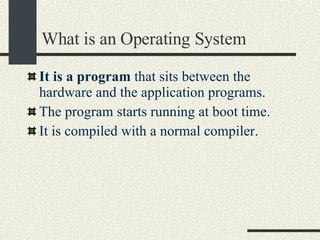
What is an Operating System It is a program  that sits between the hardware and the application programs. The program starts running at boot time. It is compiled with a normal compiler.
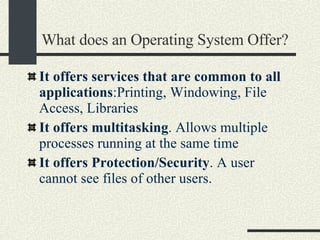
What does an Operating System Offer? It  offers services that are common to all applications :Printing, Windowing, File Access, Libraries It offers multitasking . Allows multiple processes running at the same time It offers Protection/Security . A user cannot see files of other users.
What does an Operating System Offer? It offers Reliability . Each program runs inside a “sandbox”.  If the process does something wrong like writing to an invalid memory, it will receive a notification. Processes will not get out of the sandbox. The OS continues running. It offers fairness . access to resources has to be fair across users with the same priority. It offers multi user .  It allows running multiple users in the same machine simultaneously.
Types of Computer Systems Batch Processing (Offline processing)‏ Put programs and input data in a queue of jobs (spooler). Let the computer process the jobs one by one. The output of the program is saved or printed so the user can access it at a later time. This was the approach used for punch cards by students in the 60s/70s. Write program by punching cards. Program and input data was represented by a lot of cards (E.g. 100s of cards)‏ The cards were taken to a card reader and students had to wait for about 24 hrs sometimes for the output that could be a compilation error.
Types of Computer Systems Time Sharing Multiple terminals are connected to a mainframe. This allows multiple to users to have interactive sessions with the computer simultaneously. The OS gives a small portion of the CPU to each user. It is possible to run interactive applications like editors.
Types of Computer Systems Personal Computers One computer one user This was possible at the end of the 70s thanks to the arrival of the microprocessor that allowed inexpensive computers. The first widely available PC was the Apple ][ with a 6502 CPU (16 bits) that typically had 48KB of RAM. The killer app was called Visicalc, a spreadsheet. The OS was practically null. Now PCs typically have at least 256MB and the CPU is 32 bit. They OS has the same complexity of a mainframe.
Types of Computer Systems Parallel Systems Have more than 1 CPU in the same computer SMP – Symmetric  Multiprocessing. Each CPU runs a copy of the Operating System A task that takes T seconds to complete may take ideally T/N seconds.  However, some tasks that have to be executed serially may not take full advantage of parallel computers. Some other tasks can be parallelized very effectively.  They are expensive. The cost is O(n 2 ) with the number of processors.  Due to communication hardware that allows interaction between processors.
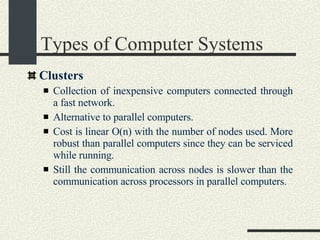
Types of Computer Systems Clusters Collection of inexpensive computers connected through a fast network.   Alternative to parallel computers.   Cost is linear O(n) with the number of nodes used.   More robust than parallel computers since they can be serviced while running.  Still the communication across nodes is slower than the communication across processors in parallel computers.
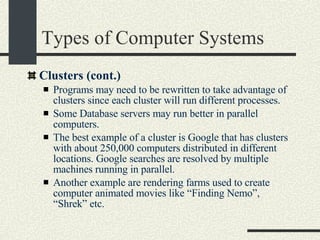
Types of Computer Systems Clusters (cont.)‏ Programs may need to be rewritten to take advantage of clusters since each cluster will run different processes.   Some Database servers may run better in parallel computers. The best example of a cluster is Google that has clusters with about 250,000 computers distributed in different locations. Google searches are resolved by multiple machines running in parallel. Another example are rendering farms used to create computer animated movies like “Finding Nemo”, “Shrek” etc.
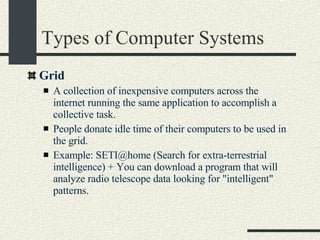
Types of Computer Systems Grid A collection of inexpensive computers across the internet running the same application to accomplish a collective task.  People donate idle time of their computers to be used in the grid.  Example: SETI@home (Search for extra-terrestrial intelligence) + You can download a program that will analyze radio telescope data looking for &quot;intelligent&quot; patterns.
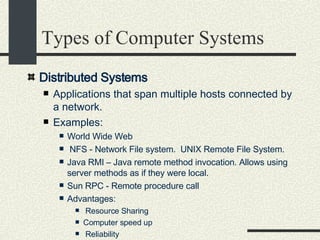
Types of Computer Systems Distributed Systems   Applications that span multiple hosts connected by a network.  Examples:  World Wide Web NFS - Network File system.  UNIX Remote File System.  Java RMI – Java remote method invocation. Allows using server methods as if they were local. Sun RPC - Remote procedure call  Advantages:  Resource Sharing  Computer speed up  Reliability  Communication among users & computers.
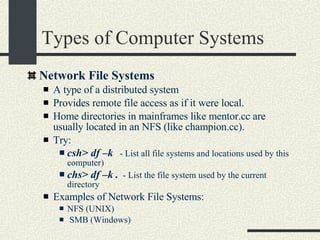
Types of Computer Systems Network File Systems A type of a distributed system Provides remote file access as if it were local. Home directories in mainframes like mentor.cc are usually located in an NFS (like champion.cc). Try: csh> df –k   - List all file systems and locations used by this computer)‏ chs> df –k .   - List the file system used by the current directory Examples of Network File Systems:  NFS (UNIX)‏ SMB (Windows)‏
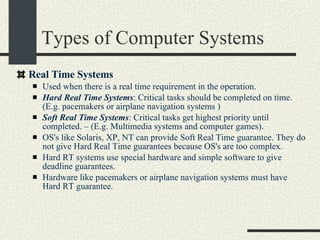
Types of Computer Systems Real Time Systems Used when there is a real time requirement in the operation.  Hard Real Time Systems : Critical tasks should be completed on time. (E.g. pacemakers or airplane navigation systems )‏ Soft Real Time Systems : Critical tasks get highest priority until completed. – (E.g. Multimedia systems and computer games). OS's like Solaris, XP, NT can provide Soft Real Time guarantee. They do not give Hard Real Time guarantees because OS's are too complex.  Hard RT systems use special hardware and simple software to give deadline guarantees.  Hardware like pacemakers or airplane navigation systems must have Hard RT guarantee.
Part 3.. User and Kernel Mode, Interrupts, and System Calls
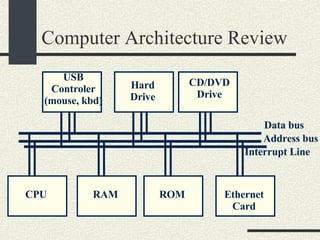
Computer Architecture Review Most modern computers use the  Von Newman Architecture  where both programs and data are stored in RAM. A computer has an  address bus  and a  data bus  that are used to transfer data from/to the CPU, RAM, ROM, and the devices. The CPU, RAM, ROM, and all devices are attached to this bus.
Computer Architecture Review CPU RAM ROM EthernetCard USB Controler (mouse, kbd)‏ Hard Drive CD/DVD Drive Address bus Data bus Interrupt Line
Kernel and User Mode Kernel Mode When the CPU runs in this mode: It can run any instruction in the CPU It can modify any location in memory It can access and modify any register in the CPU and any device. There is full control of the computer. The OS Services run in kernel mode.
Kernel and User Mode User Mode When the CPU runs in this mode: The CPU can use a limited set of instructions The CPU can only modify only the sections of memory assigned to the process running the program. The CPU can access only a subset of registers in the CPU and it cannot access registers in devices. There is a limited access to the resources of the computer. The user programs run in user mode
Kernel and User Mode When the OS boots, it starts in kernel mode. In kernel mode the OS sets up all the interrupt vectors and initializes all the devices. Then it starts the first process and switches to user mode. In user mode it runs all the background system processes (daemons or services).  Then it runs the user shell or windows manager.
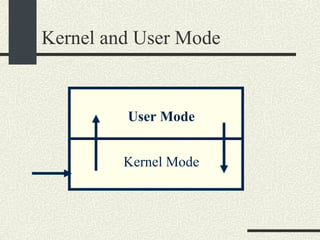
Kernel and User Mode User programs run in user mode. The programs switch to kernel mode to request OS  services (system calls)‏ Also user programs switch to kernel mode when an interrupt arrives.  They switch back to user mode when interrupt returns. The interrupts are executed in kernel mode. The interrupt vector can be modified only in kernel mode. Most of the CPU time is spent in User mode
Kernel and User Mode Kernel Mode User Mode
Kernel and User Mode Separation of user/kernel mode is used for:  Security: The OS calls in kernel mode make sure that the user has enough privileges to run that call.  Robustness: If a process that tries to write to an invalid memory location, the OS will kill the program, but the OS continues to run. A crash in the process will not crash the OS. > A bug in user mode causes program to crash, OS runs. A bug in kernel mode may cause OS and system to crash.  Fairness: OS calls in kernel mode to enforce fair access.
Interrupts An interrupt is an event that requires immediate attention. In hardware, a device sets the interrupt line to high. When an interrupt is received, the CPU will stop whatever it is doing and it will jump to to the 'interrupt handler' that handles that specific interrupt.  After executing the handler, it will return to the same place where the interrupt happened and the program continues. Examples:  move mouse  type key  ethernet packet
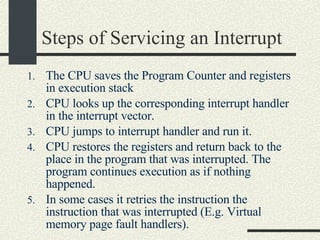
Steps of Servicing an Interrupt  The CPU saves the Program Counter and registers in execution stack  CPU looks up the corresponding interrupt handler in the interrupt vector.  CPU jumps to interrupt handler and run it. CPU restores the registers and return back to the place in the program that was interrupted. The program continues execution as if nothing happened. In some cases it retries the instruction the instruction that was interrupted (E.g. Virtual memory page fault handlers).
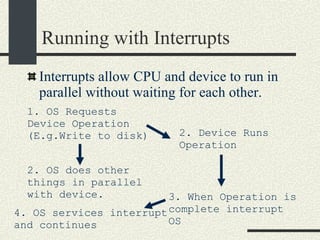
Running with Interrupts Interrupts allow CPU and device to run in parallel without waiting for each other. 1. OS Requests Device Operation (E.g.Write to disk)‏ 2. Device Runs Operation 2. OS does other things in parallel with device. 3. When Operation is complete interrupt OS 4. OS services interrupt and continues
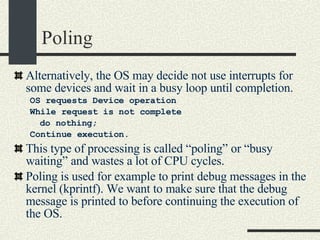
Poling Alternatively, the OS may decide not use interrupts for some devices and wait in a busy loop until completion. OS requests Device operation While request is not complete do nothing; Continue execution. This type of processing is called “poling” or “busy waiting” and wastes a lot of CPU cycles. Poling is used for example to print debug messages in the kernel (kprintf). We want to make sure that the debug message is printed to before continuing the execution of the OS.
Synchronous vs. Asynchronous Poling  is also called  Synchronous Processing  since the execution of the device is synchronized with the program. An interrupt is also called  Asynchronous Processing  because the execution of the device is not synchronized with the execution of the program. Both device and CPU run in parallel.
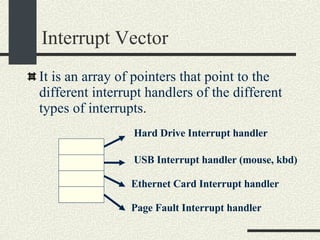
Interrupt Vector It is an array of pointers that point to the different interrupt handlers of the different types of interrupts. Hard Drive Interrupt handler USB Interrupt handler (mouse, kbd)‏ Ethernet Card Interrupt handler Page Fault Interrupt handler
Interrupts and Kernel Mode Interrupts run in kernel mode. Why?  An interrupt handler must read device/CPU registers and execute instructions only available in kernel mode. Interrupt vector can be modified only in kernel mode (security)  Interrupt vector initialized during boot time; modified when drivers added to system
Types of Interrupts 1.  Device Interrupts  generated by Devices when a request is complete or an event that requires CPU attention happens. The mouse is moved A key is typed An Ethernet packet arrives. The hard drive has completed a read/write operation. A CD has been inserted in the CD drive.
Types of Interrupts 2.  Math exceptions  generated by the CPU when there is a math error. Divide by zero 3.  Page Faults  generated by the MMU (Memory Management Unit) that converts Virtual memory addresses to physical memory addresses Invalid address: interrupt prompts a SEGV signal to the process Access to a valid address but there is not page in memory. This causes the CPU to load the page from disk Invalid permission (I.e. trying to write on a read only page) causes a SEGV signal to the process.
Types of Interrupts 4.  Software Interrupt  generated by software with a special assembly instruction.  This is how a program running in user mode requests operating systems services.
System Calls System Calls is the way user programs request services from the OS System calls  use  Software Interrupts Examples of system calls are: open(filename, mode)‏ read(file, buffer, size)‏ write(file, buffer, size)‏ fork()‏ execve(cmd, args); System calls is the API of the OS from the user program’s point of view. See /usr/include/sys/syscall.h
Why do we use Software Interrupts for syscalls instead of function calls? Software Interrupts will switch into kernel mode OS services need to run in kernel mode because: They need privileged instructions Accessing devices and kernel data structures They need to enforce the security in kernel mode.
System Calls Only operations that need to be executed by the OS in kernel mode are part of the system calls. Function like sin(x), cos(x) are not system calls. Some functions like printf(s) run mainly in user mode but eventually call  write()  when for example the buffer is full and needs to be flushed. Also  malloc(size)  will run mostly in user mode but eventually it will call  sbrk()  to extend the heap.
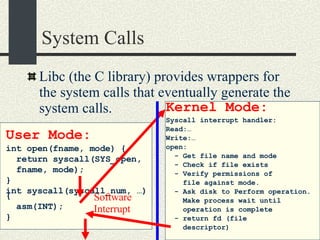
System Calls Libc (the C library) provides wrappers for the system calls that eventually generate the system calls. User Mode: int open(fname, mode) { return syscall(SYS_open,  fname, mode); } int syscall(syscall_num, …) { asm(INT); } Kernel Mode: Syscall interrupt handler: Read:… Write:… open: - Get file name and mode - Check if file exists - Verify permissions of file against mode. - Ask disk to Perform operation.  Make process wait until  operation is complete - return fd (file  descriptor)‏ Software Interrupt
System Calls The software interrupt handler for system calls has entries for all system calls. The handler checks that the arguments are valid and that the operation can be executed. The arguments of the syscall are checked to enforce the security and protections.
Syscall Security Enforcement For example, for the open syscall the following is checked in the syscall software interrupt handler: open(filename, mode)‏ If file does not exist return error If  permissions of file do not agree with the mode the file will be opened, return error. Consider also who the owner of the file is and the owner of the process calling open. If all checks pass, open file and return file handler.
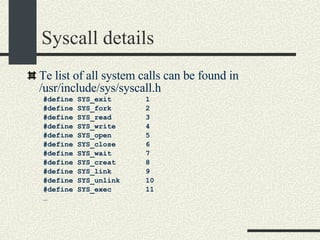
Syscall details Te list of all system calls can be found in /usr/include/sys/syscall.h #define SYS_exit  1 #define SYS_fork  2 #define SYS_read  3 #define SYS_write  4 #define SYS_open  5 #define SYS_close  6 #define SYS_wait  7 #define SYS_creat  8 #define SYS_link  9 #define SYS_unlink  10 #define SYS_exec  11 …
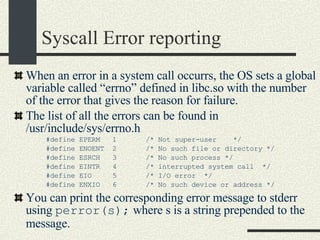
Syscall Error reporting When an error in a system call occurrs, the OS sets a global variable called “errno” defined in libc.so with the number of the error that gives the reason for failure. The list of all the errors can be found in /usr/include/sys/errno.h #define EPERM  1  /* Not super-user  */ #define ENOENT  2  /* No such file or directory */ #define ESRCH  3  /* No such process */ #define EINTR  4  /* interrupted system call  */ #define EIO  5  /* I/O error  */ #define ENXIO  6  /* No such device or address */ You can print the corresponding error message to stderr using  perror(s);  where s is a string prepended to the message.
System Calls and Interrupts Example The user program calls the  write(fd, buff, n)  system call to write to disk. The write wrapper in libc generates a software interrupt for the system call. The OS in the interrupt handler checks the arguments. It verifies that fd is a file descriptor for a file opened in write mode. And also that [buff, buff+n-1] is a valid memory range.  If any of the checks fail write return -1 and sets errno to the error value.
System Calls and Interrupts Example 4. The OS tells the hard drive to write the buffer in [buff, buff+n] to disk to the file specified by fd. 5. The OS puts the current process in wait state until the disk operation is complete. Meanwhile, the OS switches to another process. 6. The Disk completes the write operation and generates an interrupt. 7. The interrupt handler puts the process calling  write  into ready state so this process will be scheduled by the OS in the next chance.
Part 4. Processes and Process Schedulling
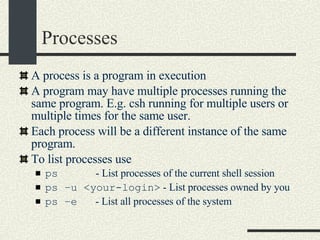
Processes A process is a program in execution  A program may have multiple processes running the same program. E.g. csh running for multiple users or multiple times for the same user. Each process will be a different instance of the same program.  To list processes use  ps  - List processes of the current shell session ps –u <your-login>  - List processes owned by you ps –e   - List all processes of the system
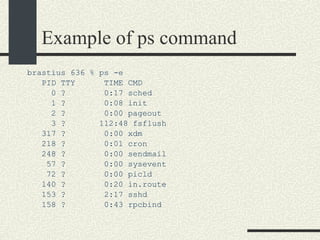
Example of ps command brastius 636 % ps -e PID TTY  TIME CMD 0 ?  0:17 sched 1 ?  0:08 init 2 ?  0:00 pageout 3 ?  112:48 fsflush 317 ?  0:00 xdm 218 ?  0:01 cron 248 ?  0:00 sendmail 57 ?  0:00 sysevent 72 ?  0:00 picld 140 ?  0:20 in.route 153 ?  2:17 sshd 158 ?  0:43 rpcbind
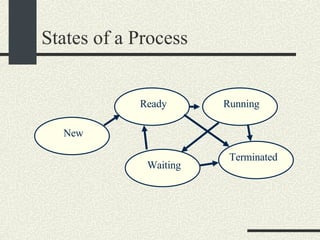
States of a Process New Ready Running Waiting Terminated
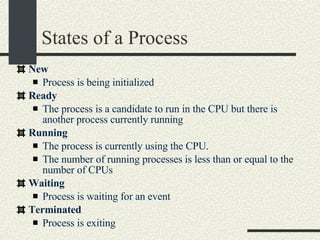
States of a Process New   Process is being initialized  Ready   The process is a candidate to run in the CPU but there is another process currently running  Running   The process is currently using the CPU.  The number of running processes is less than or equal to the number of CPUs Waiting   Process is waiting for an event  Terminated   Process is exiting
I/O and CPU Bound Process I/O bound processes   Processes that are most of the time waiting for an event: mouse event, keyboard, Ethernet packet arrives etc.  This type of processes are mostly in  waiting state . These processes are in ready/running state only for a short period of time: E.g. update mouse cursor after mouse movement, show a character on the screen etc. CPU bound process : These processes need the CPU for long periods of time: Scientific/Numerical  Applications, Compiler/Optimizer, Renderer, Image processing These processes are mostly in  ready or running state Most applications are I/O bound
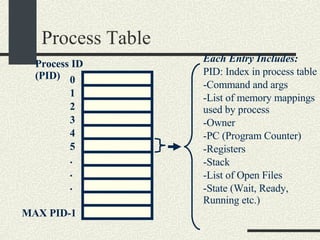
Process Table Each process will be represented with an entry in the process table. The Process Table is one of the most important data structures in the kernel. The maximum number of entries in the process table determines the maximum number of processes in the system and it is set at boot time.
Process Table Process ID (PID)‏ 0 1 2 3 4 5 MAX PID-1 . . . Each Entry Includes: PID: Index in process table Command and args List of memory mappings used by process Owner PC (Program Counter)‏ Registers Stack List of Open Files State (Wait, Ready, Running etc.)‏
Process Table Each process table entry contains enough information to restart (put in  running  state) a process that is  waiting  or in  ready  state. A process may have more than one thread.  There is a stack, pc and a set of registers in the process table entry for each thread that the process has.
Process Scheduling From the user’s point of view, an OS allows running multiple processes simultaneously. In reality, the OS runs  one process after another  to give the illusion that multiple processes run simultaneously. The  Process Scheduler  is the OS subsystem that runs one process after the other and decides what process to run next. A Context Switch  is the procedure used by the OS to switch from one process to another
Process Scheduling Steps of a Context Switch Save current running process in process table Load next ready process from process table and put registers and PC in the CPU. Context Switches may happen as a result of: A process needs to go to wait state, and therefore,  another process can be scheduled. A process yields (gives up) the CPU so another process can run. Timer interrupt ( Only for Preemptive Scheduling)‏
Types of Scheduling There are two types of scheduling: Non Preemptive Scheduling Preemptive Scheduling
Non Preemptive Scheduling In  Non Preemptive Scheduling  a  context switch  (switch from one process to another) happens only when the  running process goes to a waiting state  or when the process gives up the CPU voluntarily. This is a very primitive type of scheduling. It is also called  cooperative scheduling . It was used in Windows 3.1 and initial versions of MacOS. The main problem of Non Preemptive Scheduling is that a misbehaved process that loops forever may hold the CPU and prevent other processes from running.
Preemptive Scheduling In  Preemptive Scheduling  a context switch happens periodically ( every 1/100sec  or quantum time) as a result of a timer interrupt. A  timer interrupt  will cause a  context switch , that is, the running process to go to ready state and the process that has been the longest in ready state will go to running state. Preemptive scheduling is implemented in UNIX, and Windows 95 and above.
Advantages/Disadvantages of Non Preemptive Scheduling Advantages of Non Preemptive Scheduling : More control on how the CPU is used. Simple to implement. Advantages of Preemptive scheduling: More robust, one process cannot monopolize the CPU Fairness. The OS makes sure that CPU usage is the same by all running process.
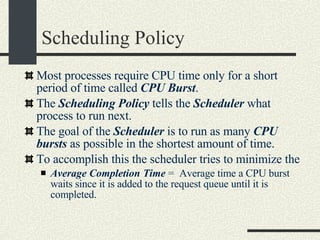
Scheduling Policy Most processes require CPU time only for a short period of time called  CPU Burst . The  Scheduling Policy  tells the  Scheduler  what process to run next. The goal of the  Scheduler  is to run as many  CPU bursts  as possible in the shortest amount of time. To accomplish this the scheduler tries to minimize the  Average Completion Time  =  Average time a CPU burst waits since it is added to the request queue until it is completed.
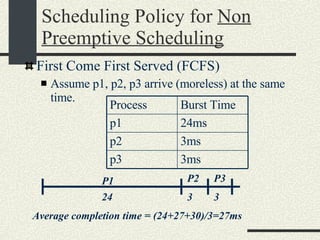
Scheduling Policy for  Non Preemptive Scheduling First Come First Served (FCFS)‏ Assume p1, p2, p3 arrive (moreless) at the same time. 24 3 3 P1 P2 P3 Average completion time = (24+27+30)/3=27ms Process Burst Time p1 24ms p2 3ms p3 3ms
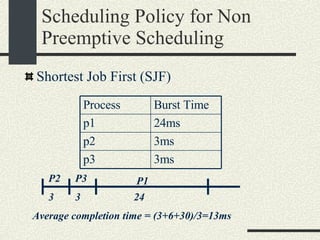
Scheduling Policy for Non Preemptive Scheduling Shortest Job First (SJF)‏ 24 3 3 P1 P2 P3 Average completion time = (3+6+30)/3=13ms Process Burst Time p1 24ms p2 3ms p3 3ms
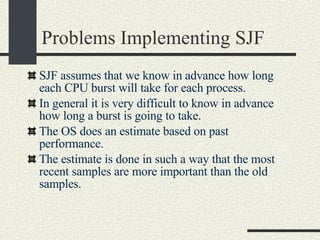
Problems Implementing SJF SJF assumes that we know in advance how long each CPU burst will take for each process. In general it is very difficult to know in advance how long a burst is going to take. The OS does an estimate based on past performance. The estimate is done in such a way that the most recent samples are more important than the old samples.
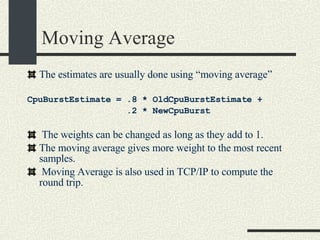
Moving Average The estimates are usually done using “moving average” CpuBurstEstimate = .8 * OldCpuBurstEstimate +  .2 * NewCpuBurst The weights can be changed as long as they add to 1. The moving average gives more weight to the most recent samples. Moving Average is also used in TCP/IP to compute the round trip.
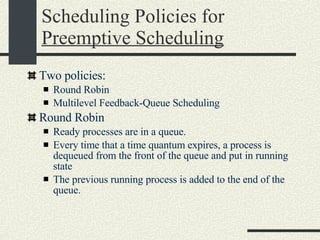
Scheduling Policies for  Preemptive Scheduling Two policies: Round Robin Multilevel Feedback-Queue Scheduling Round Robin Ready processes are in a queue. Every time that a time quantum expires, a process is dequeued from the front of the queue and put in running state The previous running process is added to the end of the queue.
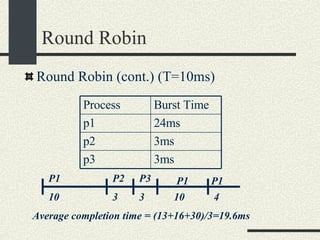
Round Robin Round Robin (cont.) (T=10ms)‏ 3 10 P3 P1 P2 Average completion time = (13+16+30)/3=19.6ms 3 P1 10 P1 4 Process Burst Time p1 24ms p2 3ms p3 3ms
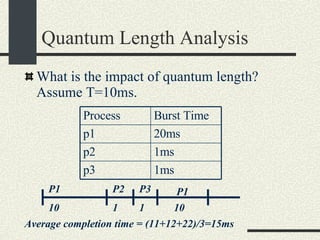
Quantum Length Analysis What is the impact of quantum length? Assume T=10ms. 1 10 P3 P1 P2 Average completion time = (11+12+22)/3=15ms 1 P1 10 Process Burst Time p1 20ms p2 1ms p3 1ms
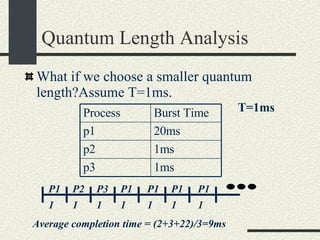
Quantum Length Analysis What if we choose a smaller quantum length?Assume T=1ms. 1 1 P3 P1 P2 Average completion time = (2+3+22)/3=9ms 1 P1 T=1ms P1 1 1 P1 P1 1 1 Process Burst Time p1 20ms p2 1ms p3 1ms
Quantum Length Analysis The shorter the quantum, the shorter the average completion time. Based on this we could make the quantum time very small to achieve faster response time. What is the catch? We are not considering that context switch takes time. We have to consider the context switch overhead.
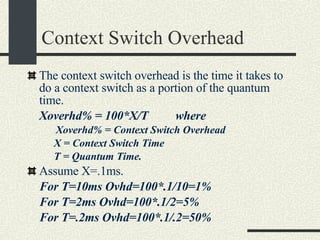
Context Switch Overhead The context switch overhead is the time it takes to do a context switch as a portion of the quantum time. Xoverhd% = 100*X/T  where   Xoverhd% = Context Switch Overhead X = Context Switch Time T = Quantum Time. Assume X=.1ms.  For T=10ms Ovhd=100*.1/10=1% For T=2ms Ovhd=100*.1/2=5% For T=.2ms Ovhd=100*.1/.2=50%
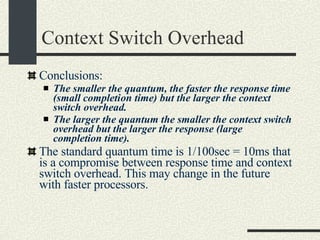
Context Switch Overhead Conclusions: The smaller the quantum, the faster the response time (small completion time) but the larger the context switch overhead. The larger the quantum the smaller the context switch overhead but the larger the response (large completion time). The standard quantum time is 1/100sec = 10ms that is a compromise between response time and context switch overhead. This may change in the future with faster processors.
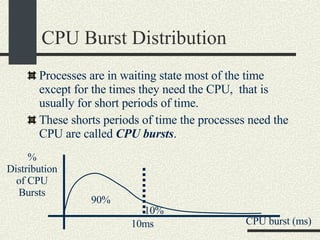
CPU Burst Distribution Processes are in waiting state most of the time except for the times they need the CPU,  that is usually for short periods of time. These shorts periods of time the processes need the CPU are called  CPU bursts . % Distribution of CPU Bursts 10ms 90% 10% CPU burst (ms)‏
CPU Burst Distribution 90% of CPU bursts are smaller than 10ms. By choosing 10ms to be the quantum length, we make sure that 90% of the CPU burst run until completion without being preempted. This reduces the context switch overhead and reduces the completion time and makes the response time faster.
How to Choose the Size of a Quantum Make the quantum small enough to make the response time smaller (faster). Make the quantum large enough to have an acceptable context switch overhead. Make the quantum large enough so most CPU bursts are able to finish without being preempted.
Scheduling Policies for  Preemptive Scheduling Multilevel Feedback-Queue Scheduling Instead of a having a single queue of ready processes, there are multiple queues of different priorities. The scheduler will schedule the ready processes with the highest priority first. Within processes of the same priority round robin is used.
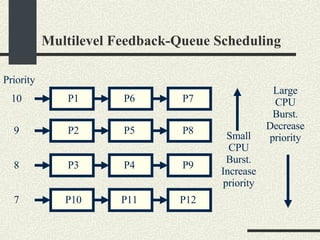
Multilevel Feedback-Queue Scheduling Problem : If you have processes of higher priority, low priority processes will never run. Solution :  Use Process Aging:  The longer a process stays in a queue, the priority is artificially increased. The process will be scheduled at some point. After that, the priority is reset to the initial priority. Also, the scheduler benefits  interactive processes  by increasing their priority if the CPU burst time is small.  The smaller the CPU burst estimate, the higher the priority. The larger the CPU burst estimate  the lower priority.
Multilevel Feedback-Queue Scheduling P1 P6 P7 P2 P5 P8 Priority 10 9 P3 P4 P9 8 P10 P11 P12 7 Small CPU Burst. Increase priority Large CPU Burst. Decrease priority
Part 5. Unix System Programming and The Shell Project
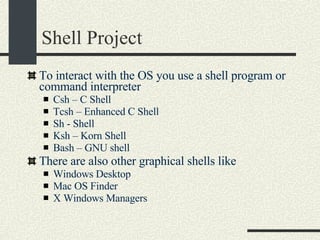
Shell Project To interact with the OS you use a shell program or command interpreter Csh – C Shell Tcsh – Enhanced C Shell Sh - Shell Ksh – Korn Shell Bash – GNU shell There are also other graphical shells like Windows Desktop Mac OS Finder X Windows Managers
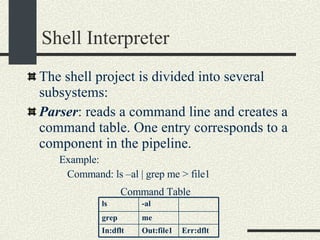
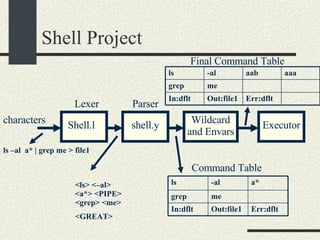
Shell Interpreter The shell project is divided into several subsystems: Parser : reads a command line and creates a command table. One entry corresponds to a component in the pipeline. Example:  Command: ls –al | grep me > file1 Command Table ls -al grep me In:dflt Out:file1 Err:dflt
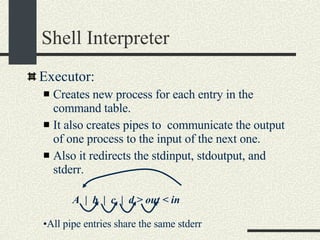
Shell Interpreter Executor:  Creates new process for each entry in the command table.  It also creates pipes to  communicate the output of one process to the input of the next one. Also it redirects the stdinput, stdoutput, and stderr. A  |  b  |  c  |  d > out < in All pipe entries share the same stderr
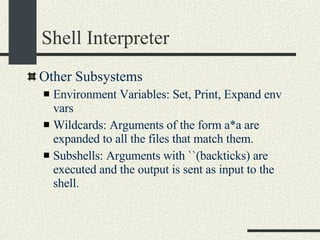
Shell Interpreter Other Subsystems Environment Variables: Set, Print, Expand env vars Wildcards: Arguments of the form a*a are expanded to all the files that match them. Subshells: Arguments with ``(backticks) are executed and the output is sent as input to the shell.
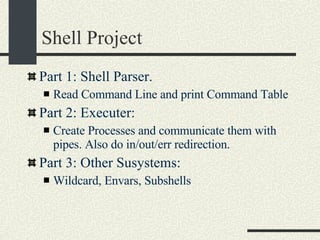
Shell Project Part 1: Shell Parser.  Read Command Line and print Command Table Part 2: Executer: Create Processes and communicate them with pipes. Also do in/out/err redirection. Part 3: Other Susystems: Wildcard, Envars, Subshells
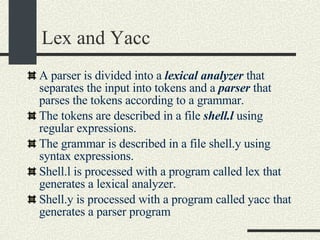
Lex and Yacc A parser is divided into a  lexical analyzer  that separates the input into tokens and a  parser  that parses the tokens according to a grammar. The tokens are described in a file  shell.l  using regular expressions. The grammar is described in a file shell.y using syntax expressions. Shell.l is processed with a program called lex that generates a lexical analyzer. Shell.y is processed with a program called yacc that generates a parser program
Shell Project Shell.l Parser characters Executor Command Table Wildcard and Envars ls –al  a* | grep me > file1 shell.y Lexer <ls> <–al>  <a*> <PIPE> <grep> <me> <GREAT> Final Command Table ls -al a* grep me In:dflt Out:file1 Err:dflt ls -al aab aaa grep me In:dflt Out:file1 Err:dflt
Shell Grammar You need to implement the following grammar in shell.l and shell.y cmd [arg]* [ | cmd [arg]* ]* [ [> filename] [< filename] [ >& filename] [>> filename] [>>& filename] ]* [&]   Currently, the grammar implemented is very simple Examples of commands accepted by the new grammar. ls –al ls –al > out ls –al | sort >& out awk –f x.awk | sort –u < infile > outfile &
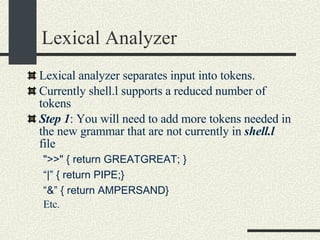
Lexical Analyzer Lexical analyzer separates input into tokens. Currently shell.l supports a reduced number of tokens Step 1 : You will need to add more tokens needed in the new grammar that are not currently in  shell.l  file &quot;>>&quot; { return GREATGREAT; }  “ |” { return PIPE;} “ &” { return AMPERSAND} Etc.
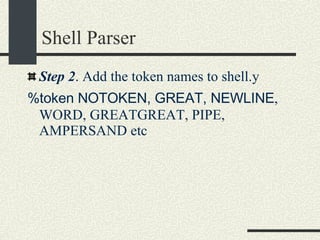
Shell Parser Step 2 . Add the token names to shell.y %token NOTOKEN, GREAT, NEWLINE , WORD, GREATGREAT, PIPE, AMPERSAND etc
Shell Parser Rules Step 3. You need to add more rules to shell.y  cmd [arg]* [ | cmd [arg]* ]* [ [> filename] [< filename] [ >& filename] [>> filename] [>>& filename] ]*  [&]   pipe_list cmd_and_args arg_list io_modifier io_modifier_list background_optional command_line
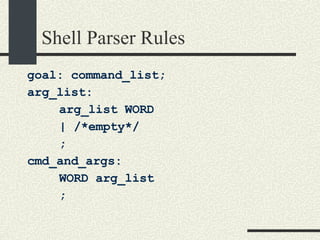
Shell Parser Rules goal: command_list; arg_list: arg_list WORD | /*empty*/ ; cmd_and_args: WORD arg_list ;
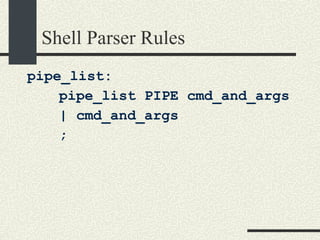
Shell Parser Rules pipe_list: pipe_list PIPE cmd_and_args | cmd_and_args ;
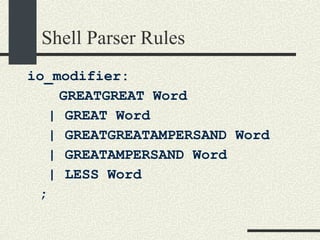
Shell Parser Rules io_modifier: GREATGREAT Word   | GREAT Word   | GREATGREATAMPERSAND Word   | GREATAMPERSAND Word   | LESS Word ;
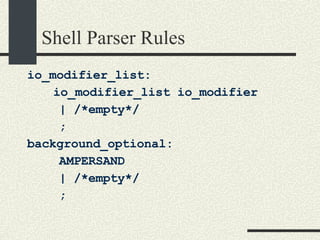
Shell Parser Rules io_modifier_list: io_modifier_list io_modifier | /*empty*/ ; background_optional:  AMPERSAND | /*empty*/ ;
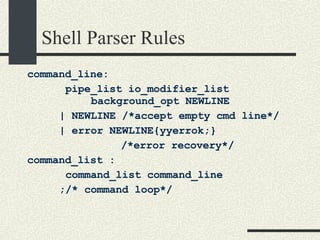
Shell Parser Rules command_line:   pipe_list io_modifier_list    background_opt NEWLINE    | NEWLINE /*accept empty cmd line*/    | error NEWLINE{yyerrok;}   /*error recovery*/ command_list :    command_list command_line ;/* command loop*/
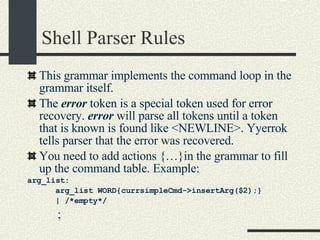
Shell Parser Rules This grammar implements the command loop in the grammar itself. The  error  token is a special token used for error recovery.  error  will parse all tokens until a token that is known is found like <NEWLINE>. Yyerrok tells parser that the error was recovered. You need to add actions {…}in the grammar to fill up the command table. Example: arg_list:        arg_list WORD{currsimpleCmd->insertArg($2);}        | /*empty*/            ;
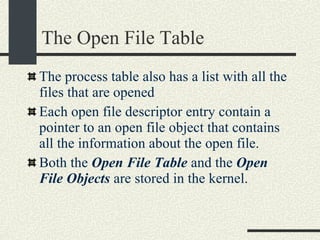
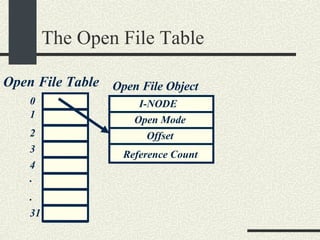
The Open File Table The process table also has a list with all the files that are opened Each open file descriptor entry contain a pointer to an open file object that contains all the information about the open file. Both the  Open File Table  and the  Open File Objects  are stored in the kernel.
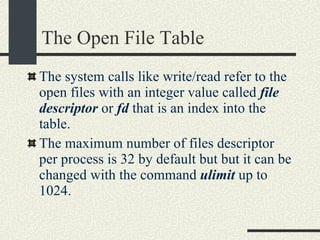
The Open File Table The system calls like write/read refer to the open files with an integer value called  file descriptor  or  fd  that is an index into the table. The maximum number of files descriptor per process is 32 by default but but it can be changed with the command  ulimit  up to 1024.
The Open File Table Open File Table 0 1 2 3 4 . . 31 Open File Object I-NODE Open Mode Offset Reference Count
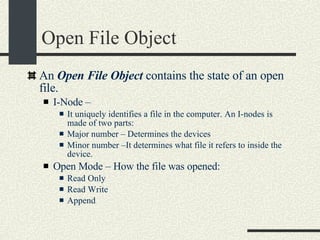
Open File Object An  Open File Object  contains the state of an open file. I-Node –  It uniquely identifies a file in the computer. An I-nodes is made of two parts: Major number – Determines the devices Minor number –It determines what file it refers to inside the device. Open Mode – How the file was opened: Read Only Read Write Append
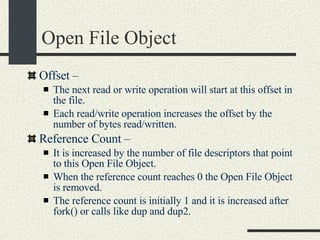
Open File Object Offset –  The next read or write operation will start at this offset in the file. Each read/write operation increases the offset by the number of bytes read/written. Reference Count – It is increased by the number of file descriptors that point to this Open File Object. When the reference count reaches 0 the Open File Object is removed. The reference count is initially 1 and it is increased after fork() or calls like dup and dup2.
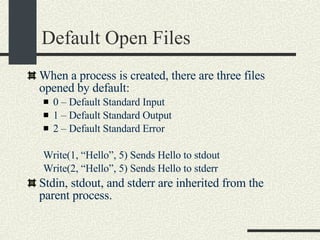
Default Open Files When a process is created, there are three files opened by default: 0 – Default Standard Input 1 – Default Standard Output 2 – Default Standard Error Write(1, “Hello”, 5) Sends Hello to stdout Write(2, “Hello”, 5) Sends Hello to stderr Stdin, stdout, and stderr are inherited from the parent process.
The  open()  system call int open(filename, mode, [permissions]),  It opens the file in  filename  using the permissions in  mode . Mode: O_RDONLY, O_WRONLY, O_RDWR, O_CREAT, O_APPEND, O_TRUNC O_CREAT If the file does not exist, the file is created.Use the permissions argument for initial permissions.  Bits:  rwx(user) rwx(group) rwx (others) Example: 0555 – Read and execute by user, group and others. (101B==5Octal)‏ O_APPEND. Append at the end of the file. O_TRUNC. Truncate file to length 0. See “man open”
The  close()  System call void close(int fd)‏ Decrements the count of the  open file object  pointed by fd If the reference count of the  open file object  reaches 0, the open file object is reclaimed.
The  fork()  system call int fork()‏ It is the only way to create a new process in UNIX The OS creates a new child process that is a copy of the parent. ret = fork() returns: ret == 0 in the child process ret == pid > 0 in the parent process. ret < 0 error The memory in the child process is a copy of the parent process’s memory. We will see later that this is optimized by using VM copy-on-write.
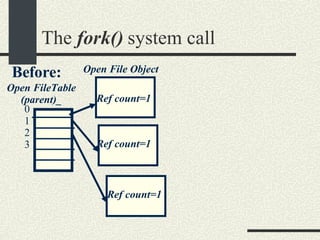
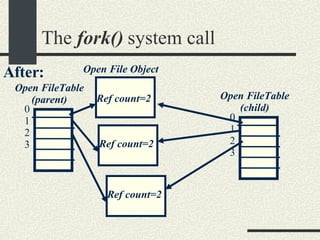
The  fork()  system call The Open File table of the parent is also copied in the child.  The Open File Objects of the parent are shared with the child. Only the reference counters of the Open File Objects are increased.
The  fork()  system call Open File Object Ref count=1 Open FileTable (parent)_ Ref count=1 Ref count=1 Before: 0 1 2 3
The  fork()  system call Open File Object Ref count=2 Open FileTable (parent)‏ Ref count=2 Ref count=2 After: 0 1 2 3 Open FileTable (child)‏ 0 1 2 3
The  fork()  system call Implication of parent and child sharing file objects: By sharing the same open file objects, parent and child or multiple children can communicate with each other. We will use this property to be able to make the commands in a pipe line communicate with each other.
The execvp() system call int execvp(progname, argv[])‏ Loads a program in the current process. The old program is overwritten. progname  is the name of the executable to load. argv  is the array with the arguments. Argv[0] is the progname itself. The entry after the last argument should be a NULL so  execvp()  can determine where the argument list ends. If successful, execvp() will not return.
The execvp() system call void main() { // Create a new process int ret = fork();  if (ret == 0) { // Child process.  // Execute “ls –al” const char *argv[3]; argv[0]=“ls”; argv[1]=“-al”; argv[2] = NULL; execvp(argv[0], argv); // There was an error perror(“execvp”); exit(1); } else if (ret < 0) {  // There was an error in fork perror(“fork”); exit(2); } else { // This is the parent process // ret is the pid of the child // Wait until the child exits waitpid(ret, NULL); } // end if }// end main Example: Run “ls –al” from a program.
The execvp() system call Command::execute()‏ { int ret; for ( int i = 0;  i < _numberOfSimpleCommands; i++ ) {  ret = fork(); if (ret == 0) { //child execvp(sCom[i]->_args[0],   sCom[i]->_args); perror(“execvp”); exit(1); } else if (ret < 0) { perror(“fork”); return; } // Parent shell continue } // for if (!background) { // wait for last process waitpid(ret, NULL); } }// execute For lab3 part2 start by creating a new process for each command in the pipeline and making the parent wait for the last command.
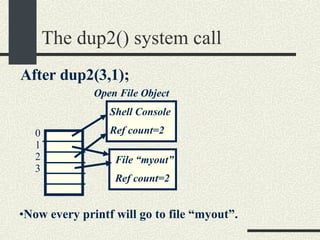
The dup2() system call int dup2(fd1, fd2)‏ After dup2(fd1, fd2), fd2 will refer to the same open file object that fd1 refers to. The open file object that fd2 refered to before is closed. The reference counter of the open file object that fd1 refers to is increased. dup2() will be useful to redirect stdin, stdout, and also stderr.
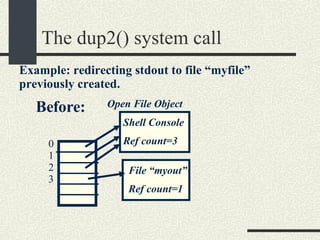
The dup2() system call Open File Object Shell Console Ref count=3 File “myout” Ref count=1 Before: 0 1 2 3 Example: redirecting stdout to file “myfile” previously created.
The dup2() system call Open File Object Shell Console Ref count=2 File “myout” Ref count=2 After dup2(3,1); 0 1 2 3 Now every printf will go to file “myout”.
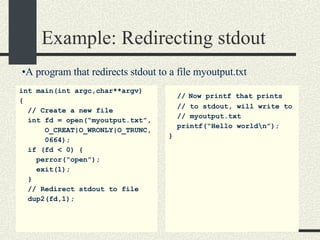
Example: Redirecting stdout int main(int argc,char**argv)  { // Create a new file int fd = open(“myoutput.txt”, O_CREAT|O_WRONLY|O_TRUNC, 0664); if (fd < 0) { perror(“open”); exit(1); } // Redirect stdout to file dup2(fd,1); //   Now printf that prints // to stdout, will write to // myoutput.txt printf(“Hello world\n”); } A program that redirects stdout to a file myoutput.txt
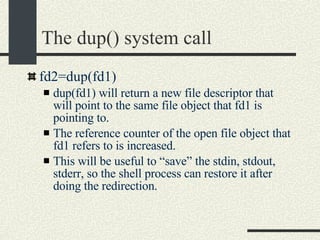
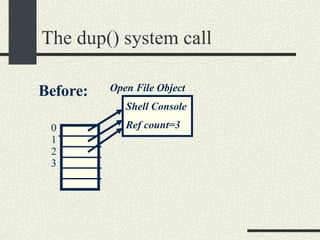
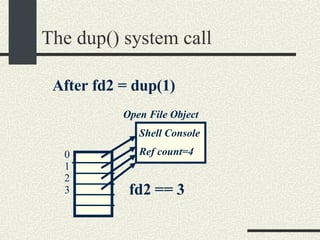
The dup() system call fd2=dup(fd1)‏ dup(fd1) will return a new file descriptor that will point to the same file object that fd1 is pointing to. The reference counter of the open file object that fd1 refers to is increased. This will be useful to “save” the stdin, stdout, stderr, so the shell process can restore it after doing the redirection.
The dup() system call Open File Object Shell Console Ref count=3 Before: 0 1 2 3
The dup() system call Open File Object Shell Console Ref count=4 After fd2 = dup(1)‏ 0 1 2 3 fd2 == 3
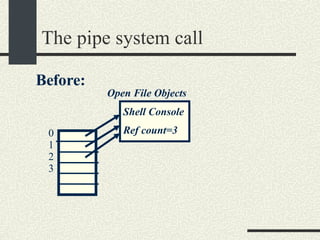
The pipe system call int pipe(fdpipe[2])‏ fdpipe[2] is an array of int with two elements. After calling pipe, fdpipe will contain two file descriptors that point to two open file objects that are interconnected. What is written into one of the file descriptors can be read from the other one and vice versa.
The pipe system call Open File Objects Shell Console Ref count=3 Before: 0 1 2 3
The pipe system call Open File Objects Shell Console Ref count=3 After running: int fdpipe[2]; pipe(fdpipe); 0 1 2 3 4 pipe0 Ref count=1 Pipe1 Ref count=1 fdpipe[0]==3 fdpipe[1]==4 What is written in fdpipe[0] can be read from fdpipe[1] and vice versa.
Example of pipes and redirection A program “lsgrep” that runs “ls –al | grep arg1 > arg2”.  Example: “lsgrep aa myout” lists all files that contain “aa” and puts output in file myout. int main(int argc,char**argv)  { if (argc < 3) { fprintf(stderr, &quot;usage:” “ lsgrep arg1 arg2\n&quot;); exit(1); } // Strategy: parent does the // redirection before fork()‏ //save stdin/stdout int tempin = dup(0); int tempout = dup(1); //create pipe int fdpipe[2]; pipe(fdpipe); //redirect stdout for &quot;ls“ dup2(fdpipe[0],1); close(fdpipe[0]);
Example of pipes and redirection //  fork for &quot;ls” int ret= fork(); if(ret==0) { // close file descriptors // as soon as are not // needed close(fdpipe[1]); char * args[3]; args[0]=&quot;ls&quot;; args[1]=“-al&quot;; args[2]=NULL; execvp(args[0], args);   // error in execvp perror(&quot;execvp&quot;); exit(1); } //redirection for &quot;grep“ //redirect stdin dup2(fdpipe[1], 0); close(fdpipe[1]); //create outfile int fd=open(argv[2], O_WRONLY|O_CREAT|O_TRUNC, 0600); if (fd < 0){ perror(&quot;open&quot;); exit(1); }   //redirect stdout dup2(fd,1); close(fd);
Example of pipes and redirection //  fork for “grep” ret= fork(); if(ret==0) { char * args[2]; args[0]=“grep&quot;; args[1]=argv[1]; args[2]=NULL; execvp(args[0], args);   // error in execvp perror(&quot;execvp&quot;); exit(1); } // Restore stdin/stdout dup2(tempin,0); dup2(tempout,1); // Parent waits for grep // process waitpid(ret,NULL); printf(“All done!!\n”); } // main
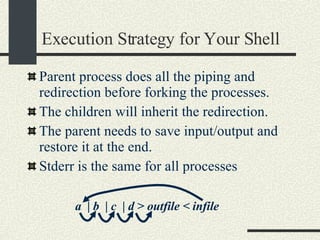
Execution Strategy for Your Shell Parent process does all the  piping and redirection before forking the processes . The children will inherit the redirection.  The parent needs to save input/output and restore it at the end. Stderr is the same for all processes a  | b  | c  | d > outfile < infile
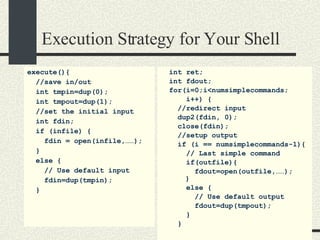
Execution Strategy for Your Shell execute(){ //save in/out int tmpin=dup(0); int tmpout=dup(1); //set the initial input   int fdin; if (infile) { fdin = open(infile,……); } else { // Use default input fdin=dup(tmpin); } int ret; int fdout; for(i=0;i<numsimplecommands; i++) { //redirect input dup2(fdin, 0); close(fdin); //setup output if (i == numsimplecommands-1){ // Last simple command if(outfile){ fdout=open(outfile,……);   } else { // Use default output fdout=dup(tmpout); } }
Execution Strategy for Your Shell else { // Not last  //simple command //create pipe   int fdpipe[2]; pipe(fdpipe); fdout=fdpipe[0]; fdin=fdpipe[1]; }// if/else // Redirect output dup2(fdout,1); close(fdout); // Create child process ret=fork();  if(ret==0) { execvp(scmd[i].args[0], scmd[i].args); perror(“execvp”); exit(1); } } //  for
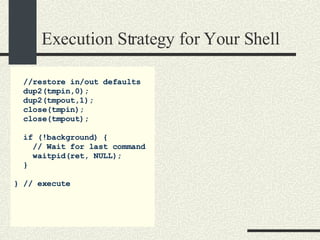
Execution Strategy for Your Shell //restore in/out defaults dup2(tmpin,0); dup2(tmpout,1); close(tmpin); close(tmpout); if (!background) { // Wait for last command waitpid(ret, NULL); } } // execute
Notes about Shell Strategy The key point is that  fdin  is set to be the input for the next command.  fdin  is a descriptor either of an input file if it is the first command or a  fdpipe[1]  if it is not the first command. This example only handles pipes and in/out redirection  You have to redirect stderr for all processes if necessary You will need to handle the “append” case
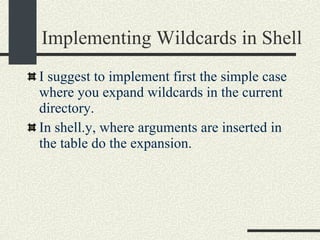
Implementing Wildcards in Shell I suggest to implement first the simple case where you expand wildcards in the current directory. In shell.y, where arguments are inserted in the table do the expansion.
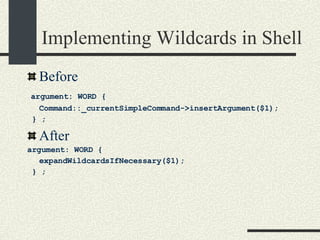
Implementing Wildcards in Shell Before argument: WORD {  Command::_currentSimpleCommand->insertArgument($1); } ; After  argument: WORD {  expandWildcardsIfNecessary($1); } ;
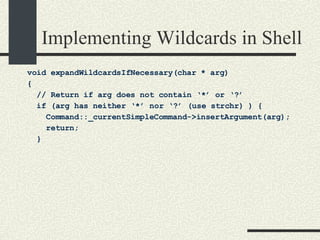
Implementing Wildcards in Shell void expandWildcardsIfNecessary(char * arg)  { // Return if arg does not contain ‘*’ or ‘?’ if (arg has neither ‘*’ nor ‘?’ (use strchr) ) { Command::_currentSimpleCommand->insertArgument(arg); return; }
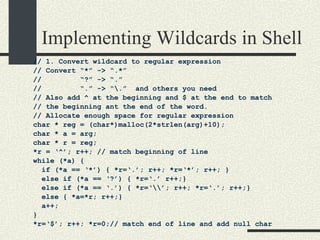
Implementing Wildcards in Shell // 1. Convert wildcard to regular expression // Convert “*” -> “.*” //  “?” -> “.” //  “.” -> “\.”  and others you need // Also add ^ at the beginning and $ at the end to match // the beginning ant the end of the word. // Allocate enough space for regular expression char * reg = (char*)malloc(2*strlen(arg)+10);  char * a = arg; char * r = reg; *r = ‘^’; r++; // match beginning of line while (*a) { if (*a == ‘*’) { *r=‘.’; r++; *r=‘*’; r++; } else if (*a == ‘?’) { *r=‘.’ r++;} else if (*a == ‘.’) { *r=‘\\’; r++; *r=‘.’; r++;} else { *a=*r; r++;} a++; } *r=‘$’; r++; *r=0;// match end of line and add null char
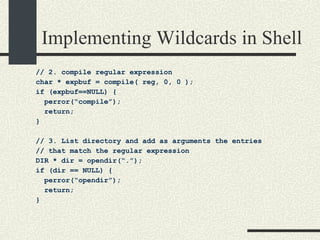
Implementing Wildcards in Shell // 2. compile regular expression char * expbuf = compile( reg, 0, 0 );  if (expbuf==NULL) { perror(“compile”); return; } // 3. List directory and add as arguments the entries  // that match the regular expression DIR * dir = opendir(“.”); if (dir == NULL) { perror(“opendir”); return; }
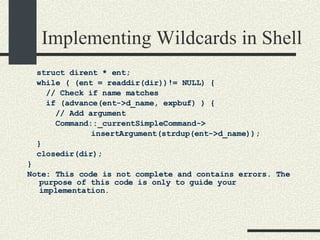
Implementing Wildcards in Shell struct dirent * ent;  while ( (ent = readdir(dir))!= NULL) { // Check if name matches if (advance(ent->d_name, expbuf) ) { // Add argument Command::_currentSimpleCommand-> insertArgument(strdup(ent->d_name)); } closedir(dir); } Note: This code is not complete and contains errors. The purpose of this code is only to guide your implementation.
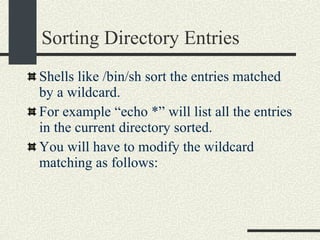
Sorting Directory Entries Shells like /bin/sh sort the entries matched by a wildcard. For example “echo *” will list all the entries in the current directory sorted. You will have to modify the wildcard matching as follows:
Sorting Directory Entries struct dirent * ent; int maxEntries = 20; int nEntries = 0; char ** array = (char**) malloc(maxEntries*sizeof(char*)); while ( (ent = readdir(dir))!= NULL) { // Check if name matches if (advance(ent->d_name, expbuf) ) { if (nEntries == maxEntries) { maxEntries *=2;  array = realloc(array, maxEntries*sizeof(char*)); assert(array!=NULL); } array[nEntries]= strdup(ent->d_name); nEntries++; } }
Sorting Directory Entries closedir(dir); sortArrayStrings(array, nEntries); // Add arguments for (int i = 0; i < nEntries; i++) {  Command::_currentSimpleCommand-> insertArgument(array[i])); } free(array);
Wildcards and Hidden Files In UNIX invisible files start with “.” like .login, .bashrc etc. In these files that start with “.”, the “.” should not be matched with a wildcard. For example “echo *” will not display “.” and “..”. To do this, you will add a filename that starts with “.” only if the wildcard has a “.” at the beginning.
Wildcards and Hidden Files if (advance (…) ) { if (ent->d_name[0] == ‘.’) { if (arg[0] == ‘.’)  add filename to arguments; } } else { add ent->d_name to arguments } }
Subdirectory Wildcards Wildcards also match directories inside a path:   Eg. echo /p*/*a/b*/aa* To match subdirectories you need to match component by component
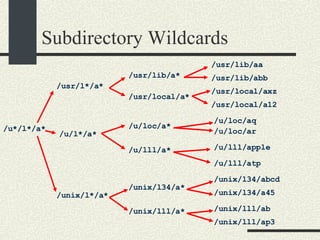
Subdirectory Wildcards /u*/l*/a* /usr/l*/a* /u/l*/a* /unix/l*/a* /usr/lib/a* /usr/local/a* /u/loc/a* /u/lll/a* /unix/lll/a* /usr/lib/aa /usr/lib/abb /usr/local/a12 /u/loc/ar /unix/lll/ap3 /u/lll/atp /unix/l34/a* /unix/lll/ab /unix/l34/a45 /unix/l34/abcd /u/lll/apple /u/loc/aq /usr/local/axz
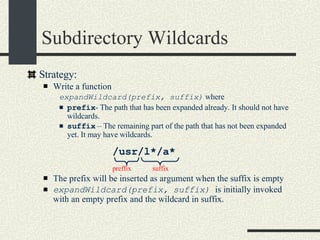
Subdirectory Wildcards Strategy: Write a function  expandWildcard(prefix, suffix)  where prefix - The path that has been expanded already. It should not have wildcards. suffix  – The remaining part of the path that has not been expanded yet. It may have wildcards. The prefix will be inserted as argument when the suffix is empty expandWildcard(prefix, suffix)  is initially invoked with an empty prefix and the wildcard in suffix. preffix suffix /usr/l*/a*
Subdirectory Wildcards #define MAXFILENAME 1024 void expandWildcard(char * prefix, char *suffix) { if (suffix[0]== 0) { // suffix is empty. Put prefix in argument.   … ->insertArgument(strdup(prefix)); return; } // Obtain the next component in the suffix // Also advance suffix. char * s = strchr(suffix, ‘/’); char component[MAXFILENAME]; if (s!=NULL){ // Copy up to the first “/” strncpy(component,suffix, s-suffix); suffix = s + 1; } else { // Last part of path. Copy whole thing. strcpy(component, suffix); suffix = suffix + strlen(suffix); }
Subdirectory Wildcards // Now we need to expand the component char newPrefix[MAXFILENAME]; if ( component does not have ‘*’ or ‘?’) { // component does not have wildcards sprintf(newPrefix,”%s/%s”, prefix, component); expandWildcard(newPrefix, suffix); return; } // Component has wildcards // Convert component to regular expression char * expbuf = compile(…)‏ char * dir; // If prefix is empty then list current directory if (prefix is empty) dir =“.”; else dir=prefix; DIR * d=opendir(dir); if (d==NULL) return;
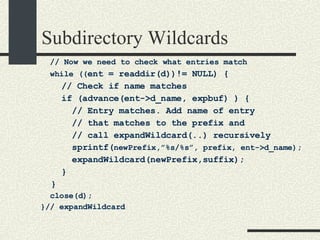
Subdirectory Wildcards // Now we need to check what entries match while (( ent = readdir(d))!= NULL) { // Check if name matches if (advance(ent->d_name, expbuf) ) { // Entry matches. Add name of entry  // that matches to the prefix and // call expandWildcard(..) recursively sprintf( newPrefix,”%s/%s”, prefix, ent->d_name); expandWildcard(newPrefix,suffix); } } close(d); }// expandWildcard
Executing built-in functions All built-in functions except printenv are executed by the parent process. Why? we want setenv, cd etc to modify the state of the parent. If they are executed by the child, the changes will go away when the child exits.
Executing printenv Execute printenv in the child process and exit. In this way the output of printenv could be redirected. ret = fork(); if (ret == 0) { if (!strcmp(argument[0],printenv)) { char **p=environ; while (*p!=NULL) { printf(“%s”,*p); p++; } exit(0); } … execvp(…); …
Signals and the Lex Scanner The scanner implemented by lex calls getc() to get the next char for stdin. getc() calls the system call read(). System calls that block will return if a signal is received. The errno will be EINTR. Ctrl-c generates the SIGINT signal. A child that exits will generate SIGCHLD. In any of these signals getc(), will return –1 (EOF) and it will exit.
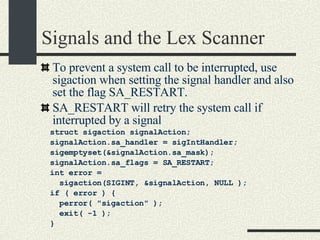
Signals and the Lex Scanner To prevent a system call to be interrupted, use sigaction when setting the signal handler and also set the flag SA_RESTART. SA_RESTART will retry the system call if interrupted by a signal struct sigaction signalAction;          signalAction.sa_handler = sigIntHandler;          sigemptyset(&signalAction.sa_mask);          signalAction.sa_flags = SA_RESTART;          int error =  sigaction(SIGINT, &signalAction, NULL );          if ( error ) {                  perror( &quot;sigaction&quot; );                  exit( -1 );          }
Part 6. Threads and Thread Synchronization
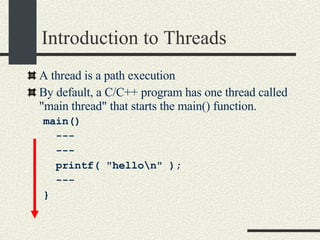
Introduction to Threads A thread is a path execution  By default, a C/C++ program has one thread called &quot;main thread&quot; that starts the main() function. main()  --- --- printf( &quot;hello\n&quot; ); --- }
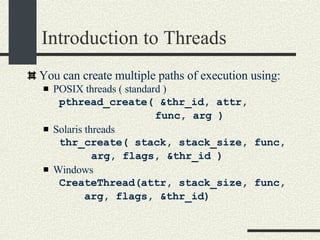
Introduction to Threads You can create multiple paths of execution using: POSIX threads ( standard ) pthread_create( &thr_id, attr,  func, arg )‏ Solaris threads thr_create( stack, stack_size, func, arg, flags, &thr_id )‏ Windows CreateThread(attr, stack_size, func,  arg, flags, &thr_id)‏
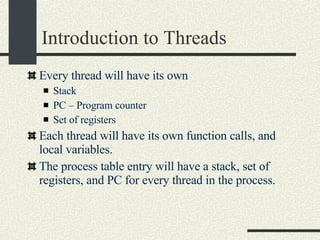
Introduction to Threads Every thread will have its own Stack PC – Program counter Set of registers Each thread will have its own function calls, and local variables. The process table entry will have a stack, set of registers, and PC for every thread in the process.
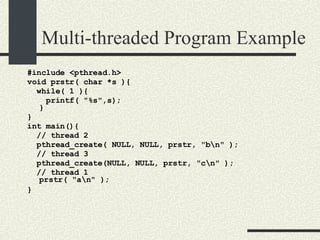
Multi-threaded Program Example #include <pthread.h> void prstr( char *s ){ while( 1 ){ printf( &quot;%s&quot;,s); } }  int main(){ // thread 2  pthread_create( NULL, NULL, prstr, &quot;b\n&quot; );  // thread 3  pthread_create(NULL, NULL, prstr, &quot;c\n&quot; );  // thread 1 prstr( &quot;a\n&quot; );  }
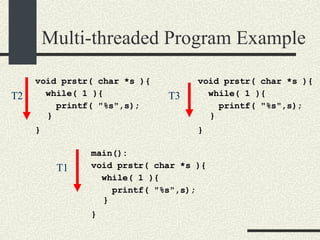
Multi-threaded Program Example void prstr( char *s ){ while( 1 ){ printf( &quot;%s&quot;,s); } }   void prstr( char *s ){ while( 1 ){ printf( &quot;%s&quot;,s); } }   main(): void prstr( char *s ){ while( 1 ){ printf( &quot;%s&quot;,s); } }   T1 T2 T3
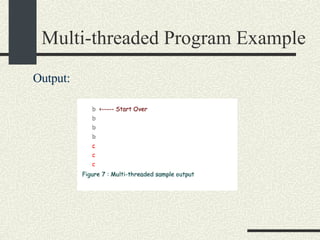
Output: Multi-threaded Program Example
Applications of Threads Concurrent Server applications Assume a web server that receives two requests:  First, one request from a computer connected through a modem that will take 2 minutes.  Then another request from a computer connected to a fast network that will take .01 secs. If the web server is single threaded, the second request will be processed only after 2 minutes. In a multi-threaded server, two threads will be created to process both requests simultaneously. The second request will be processed as soon as it arrives.
Applications of Threads Interactive Applications.  Threads simplify the implementation of interactive applications that require multiple simultaneous activities. Assume an Internet telephone application with the following threads: Player thread - receives packets from the internet and plays them. Capture Thread – captures sound and sends the voice packets Ringer Server – Receives incoming requests and tells other phones when the phone is busy. Having a single thread doing all this makes the code cumbersome and difficult to read.
Advantages and Disadvantages of Threads vs. Processes Advantages of Threads  Fast thread creation  - creating a new path of execution is faster than creating a new process with a new virtual memory address space and open file table. Fast context switch  - context switching across threads is faster than across processes. Fast communication across threads  – threads communicate using global variables that is faster and easier than processes communicating through pipes or files.  Use of multiple processors for the same application  – a multithreaded program can take advantage of multiple processors by having multiple threads run in separate processors.
Advantages and Disadvantages of Threads vs. Processes Disadvantages of Threads Threads are less robust than processes  – If one thread crashes due to a bug in the code, the entire application will go down. If an application is implemented with multiple processes, if one process goes down, the other ones remain running. Threads have more synchronization problems  – Since threads modify the same global variables at the same time, they may corrupt the data structures. Synchronization through mutex locks and semaphores is needed for that. Processes do not have that problem because each of them have their own copy of the variables.
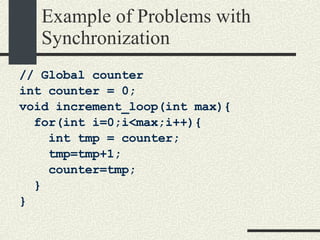
Synchronization Problems with Multiple Threads Threads share same global variables. Multiple threads can modify the same data structures at the same time This can corrupt the data structures of the program. Even the most simple operations, like increasing a counter, may have problems when running multiple threads.
Example of Problems with Synchronization // Global counter int counter = 0; void increment_loop(int max){ for(int i=0;i<max;i++){ int tmp = counter; tmp=tmp+1; counter=tmp; } }
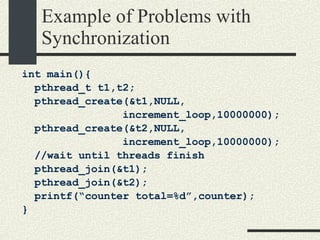
Example of Problems with Synchronization int main(){ pthread_t t1,t2; pthread_create(&t1,NULL, increment_loop,10000000); pthread_create(&t2,NULL, increment_loop,10000000); //wait until threads finish pthread_join(&t1); pthread_join(&t2); printf(“counter total=%d”,counter); }
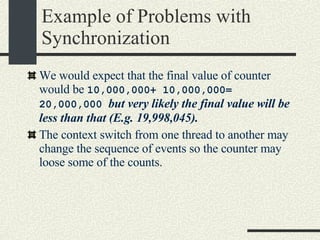
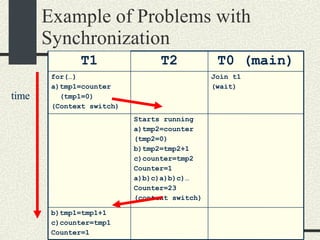
Example of Problems with Synchronization We would expect that the final value of counter would be  10,000,000+ 10,000,000= 20,000,000  but very likely the final value will be less than that (E.g. 19,998,045). The context switch from one thread to another may change the sequence of events so the counter may loose some of the counts.
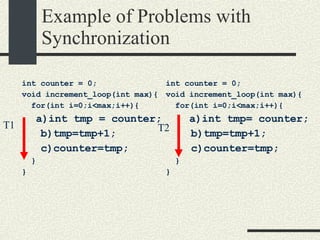
Example of Problems with Synchronization int counter = 0; void increment_loop(int max){ for(int i=0;i<max;i++){ a)int tmp= counter; b)tmp=tmp+1; c)counter=tmp; } } T2 int counter = 0; void increment_loop(int max){ for(int i=0;i<max;i++){ a)int tmp = counter; b)tmp=tmp+1; c)counter=tmp; } } T1
Example of Problems with Synchronization time T1 T2 T0 (main)‏ for(…)‏ a)tmp1=counter (tmp1=0)‏ (Context switch)‏ Join t1 (wait)‏ Starts running a)tmp2=counter (tmp2=0)‏ b)tmp2=tmp2+1 c)counter=tmp2 Counter=1 a)b)c)a)b)c)… Counter=23 (context switch)‏ b)tmp1=tmp1+1 c)counter=tmp1 Counter=1
Example of Problems with Synchronization As a result 23 of the increments will be lost. T1 will reset the counter variable to 1 after T2 increased it 23 times. If this happens to a simple increment variables, worst things will happen to lists, hash tables and other data structures in a multi-threaded program. The solution is to make certain pieces of the code Atomic. Even if we use counter++ instead of a)b) c) we still have the same problem because the compiler will generate separate instructions that will look like a)b)c).
Atomicity Atomic Section:  A portion of the code that only one thread should execute at a time while the other threads have to wait.  Otherwise corruption of the variables is possible.  An atomic section is also called sometimes a “Critical Section”
Mutex Locks Mutex Locks  are software mechanisms that enforce atomicity Declaration: #include <pthread.h> pthread_mutex_t mutex; Initialize pthread_mutex_init( &mutex, atttributes); Start Atomic Section pthread_mutex_lock(&mutex); End Atomic section pthread_mutex_unlock(&mutex);
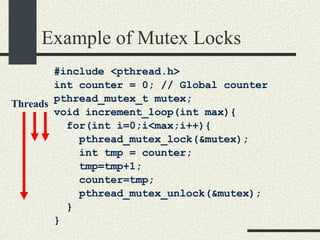
Example of Mutex Locks #include <pthread.h> int counter = 0; // Global counter pthread_mutex_t mutex; void increment_loop(int max){ for(int i=0;i<max;i++){ pthread_mutex_lock(&mutex); int tmp = counter; tmp=tmp+1; counter=tmp; pthread_mutex_unlock(&mutex); } } Threads
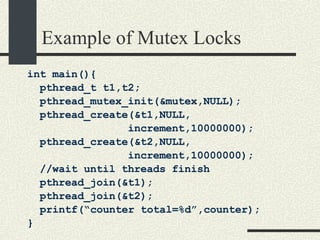
Example of Mutex Locks int main(){ pthread_t t1,t2; pthread_mutex_init(&mutex,NULL); pthread_create(&t1,NULL, increment,10000000); pthread_create(&t2,NULL, increment,10000000); //wait until threads finish pthread_join(&t1); pthread_join(&t2); printf(“counter total=%d”,counter); }
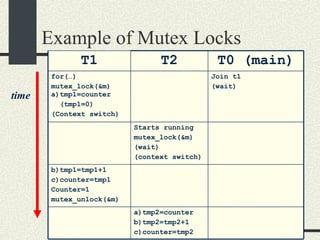
Example of Mutex Locks time T1 T2 T0 (main)‏ for(…)‏ mutex_lock(&m) a)tmp1=counter (tmp1=0)‏ (Context switch)‏ Join t1 (wait)‏ Starts running mutex_lock(&m)‏ (wait)‏ (context switch)‏ b)tmp1=tmp1+1 c)counter=tmp1 Counter=1 mutex_unlock(&m)‏ a)tmp2=counter b)tmp2=tmp2+1 c)counter=tmp2
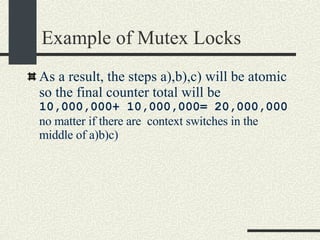
Example of Mutex Locks As a result, the steps a),b),c) will be atomic so the final counter total will be  10,000,000+ 10,000,000= 20,000,000  no matter if there are  context switches in the middle of a)b)c)‏
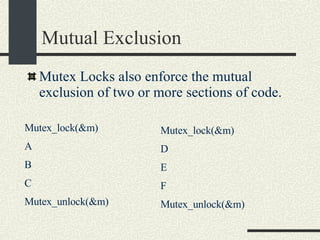
Mutual Exclusion Mutex Locks also enforce the mutual exclusion of two or more sections of code. Mutex_lock(&m)‏ A B C Mutex_unlock(&m)‏ Mutex_lock(&m)‏ D E F Mutex_unlock(&m)‏
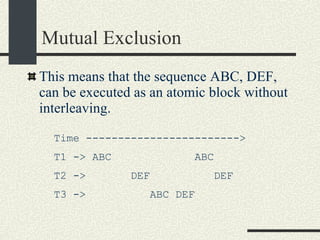
Mutual Exclusion This means that the sequence ABC, DEF, can be executed as an atomic block without interleaving. Time ------------------------> T1 -> ABC  ABC T2 ->  DEF  DEF T3 ->  ABC DEF
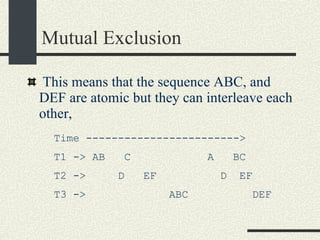
Mutual Exclusion If different mutex locks are used then the sections are still atomic but they are not mutually exclusive (m1!=m2)‏ Mutex_lock(&m1)‏ A B C Mutex_unlock(&m1)‏ Mutex_lock(&m2)‏ D E F Mutex_unlock(&m2)‏
Mutual Exclusion This means that the sequence ABC, and DEF are atomic but they can interleave each other,  Time ------------------------> T1 -> AB  C  A  BC T2 ->  D  EF  D  EF T3 ->  ABC  DEF
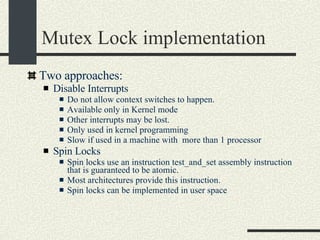
Mutex Lock implementation Two approaches: Disable Interrupts  Do not allow context switches to happen. Available only in Kernel mode Other interrupts may be lost. Only used in kernel programming Slow if used in a machine with  more than 1 processor Spin Locks Spin locks use an instruction test_and_set assembly instruction that is guaranteed to be atomic.  Most architectures provide this instruction. Spin locks can be implemented in user space
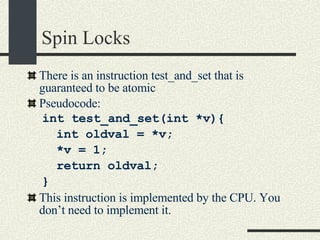
Spin Locks There is an instruction test_and_set that is guaranteed to be atomic Pseudocode: int test_and_set(int *v){ int oldval = *v; *v = 1; return oldval; } This instruction is implemented by the CPU. You don’t need to implement it.
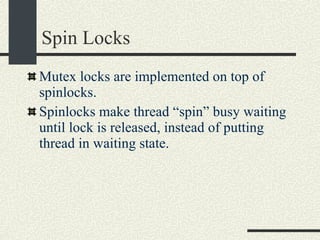
Spin Locks Mutex locks are implemented on top of spinlocks.  Spinlocks make thread “spin” busy waiting until lock is released, instead of putting thread in waiting state.
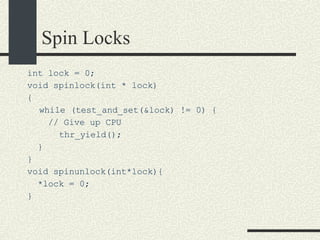
Spin Locks int lock = 0; void spinlock(int * lock)‏ { while (test_and_set(&lock) != 0) { // Give up CPU thr_yield(); } } void spinunlock(int*lock){ *lock = 0; }
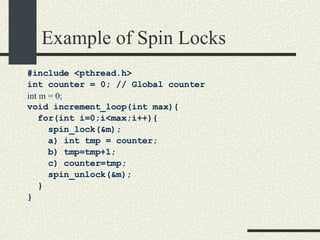
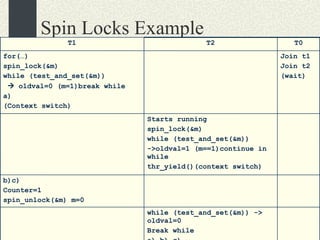
Example of Spin Locks #include <pthread.h> int counter = 0; // Global counter int m = 0; void increment_loop(int max){ for(int i=0;i<max;i++){ spin_lock(&m); a) int tmp = counter; b) tmp=tmp+1; c) counter=tmp; spin_unlock(&m); } }
Spin Locks Example T1 T2 T0 for(…)‏ spin_lock(&m)‏ while (test_and_set(&m))‏    oldval=0 (m=1)break while a)‏ (Context switch)‏ Join t1 Join t2 (wait)‏ Starts running spin_lock(&m)‏ while (test_and_set(&m))‏ ->oldval=1 (m==1)continue in while thr_yield()(context switch)‏ b)c)‏ Counter=1 spin_unlock(&m) m=0 while (test_and_set(&m)) -> oldval=0 Break while a) b) c)‏
Spin Locks You could use spinlocks as a mutex locks. However a spinlock has the disadvantage of wasting CPU cycles doing busy waiting. Mutex locks use Spin Locks but they put threads  in wait state instead of spinning. The overhead in spinlocks decreases by calling pthread_yield to give up the CPU. But not entirely. Spin Locks can be used as mutex locks as long as the critical sections are small and take very short time. Spinlocks are not fair but mutexes are fair.
Mutex Lock and Spin Locks mutex_lock(mutex) { spin_lock(); if (mutex.lock) { mutex.queue( currentThread)‏ spin_unlock(); currentHread. setWaitState();  GiveUpCPU(); } mutex.lock = true; spin_unlock(); } mutex_unlock() { spin_lock(); if (mutex.queue. nonEmpty) { t=mutex.dequeue(); t.setReadyState(); } else { mutex.lock=false; } spin_unlock(); }
Types of Threads There are two types of Threads Kernel Threads User Level Threads
Kernel Threads They use  Preemptive scheduling . Preemptive context switch may happen at any time  The OS has data structures that represent kernel threads. The OS has knowledge at these threads.  Context switch is slower since it has to cross kernel/user space boundary. kernel threads of the same process may run in different processors To create a kernel thread in POSIX threads, you need to set the attribute PTHREAD_SCOPE_SYSTEM in the attribute passed to pthread_create (see lab4)‏
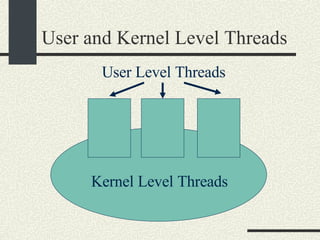
User Level Threads They use  Non-preemptive scheduling . Context switch will happen only when the thread has to wait on a call (example: read(), write(), etc)  Context switch will be faster, since all the context switch happens in the user mode  The OS does not keep a record of these kind of threads. the thread library implements data structures to keep track of these threads in user space. A user lever thread will have to run on top of a kernel level thread, you may have more than one user level thread on top of one kernel level thread.
User and Kernel Level Threads Kernel Level Threads User Level Threads
When to use User and Kernel Level Threads If you want to have more control of how threads are scheduled, then use user level threads  If you want to have a very large number of threads (1000) threads use user-level threads since they require less resources  For general case use kernel level threads. in this way you don’t need to worry about how threads are scheduled
User and Kernel Level Threads In Windows, user level threads are called &quot;fibers&quot; the application has complete control on the scheduling of fibers  In Posix threads on Solaris. pthread_create creates by default user level threads when attributes are NULL If you want to create a Kernel thread, you need to se the attribute PTHREAD_SCOPE_SYSTEM  In Solaris 2.9 and above , only one user level thread runs on top of a kernel level thread  kernel thread => lwp (light weight process)‏
User and Kernel Level Threads In Linux also only one user level threads runs on top of one kernel thread.  In Linux a thread is a sub process that shares the address space of another subprocess.  In old versions of Linux if you run &quot;ps -e&quot; you will see one process entry for every thread That is changed in the new kernels Example:  >counter &  // multi-threaded program ps –e PID APP 512 counter  513 counter 514 counter
Threads and Fork The behavior of fork() changes depending on the flavor of threads you use. When fork() is called,  threads created with pthread_create() are not duplicated except if it is the thread calling fork(). In Solaris threads created with thr_create() are duplicated in child too.
Threads and Fork Example: In Solaris one process creates 5 threads using thr_create and then calls fork() then the child will also have a copy of the 5 threads so we have a total of 10 threads  In Solaris (or other UNIX flavors) one process creates 5 threads using pthread create and then calls fork() therefore the child will only get one thread that is the thread that called fork so we have a total of 6 threads Solaris has a system call fork1() that only copies the calling thread in the child process. Modern UNIX use the pthread_create semantics that only copies the calling thread.
Thread Safe and Race Condition Data structures and functions that are able to  handle multiple threads are called  “Thread Safe” or “Thread Asynch” or “Reentrant” or “Multi-Threaded (MT). A bug related to having multiple threads modifying a data structure simultaneously is called a  “Race Condition”. Race Conditions  are difficult to debug because they are often difficult to reproduce.
A Thread Safe List Class #include <pthread.h> struct ListEntry {  int _val; ListEntry *_next;  }; class MTList{ ListEntry *_head; pthread_mutex_t _mutex; public: MTList(); void insert(int val); int remove(); }  MTList::MTList(){  _head = NULL; pthread_mutex_init(   &_mutex, NULL ); }  MTList::insert(int val){ ListEntry *e =  new ListEntry; e->_val = val; pthread_mutex_lock(&_mutex);  a) e->_next = _head; b)_head = e; pthread_mutex_unlock(&mutex); }
A Thread Safe List int MTList::remove(){  ListEntry *tmp; pthread_mutex_lock(&_mutex);  c) tmp = _head; if(tmp == NULL) { pthread_mutex_unlock(&_mutex);   return -1; } d) _head=tmp->_next; pthread_mutex_unlock(&mutex); int val=tmp->_val;  delete tmp; return val; }
Race Conditions in List Assume our list did not have mutex locks. We can have the following race condition: Assume T1 calls remove() and T2 calls insert(). Initially 1 _head 2 NULL
Race Conditions in List 2. T2 insert(5)‏ 1 _head 2 5 2. T2: a) e2->next=_head NULL 1. T1 remove()‏ 1 _head 2 tmp1 1. T1: c) tmp=_head NULL tmp1 3. T2 insert(5)‏ 1 _head 2 5 3. T2:  b) _head = e2 NULL tmp1 1. T1 remove()‏ 1 _head 2 5 4. T1:  d)_head=tmp->_next; Node 5 is lost!!!  tmp1 NULL ctxswitch ctxswitch E2
Drawbacks in the List Class The MT List  implementation described before does not behave well if the list is empty (returning –1).  We would like an implementation where remove waits if the List is empty. This behavior cannot be implemented with only mutex locks Semaphores are needed to implement this behavior.
Semaphores Semaphores  are a generalization of mutexes. A mutex allows only one thread to execute the code guarded by a mutex_lock / mutex_unlock pair.  A semaphore allows a maximum number of threads between a sema_wait, sema_post. A semaphore is initialized with an initial counter that is greater or equal to 0. You could implement a mutex using a semaphore with an initial counter of 1.
Semaphore Calls Declaration: #include <synch.h> sema_t sem; Initialization: sema_init( sema_t *sem, int counter, int type, void * arg)); Decrement Semaphore: sema_wait( sema_t *sem);  Increment Semaphore sema_post(sema_t *sem);  Man pages man 3thr sema_wait
Semaphore Calls Implementation Pseudocode: sema_init(sem_t *sem, counter){ sem -> count = counter; } sema_wait(sema_t *sem){ sem ->count--; if(sem ->count < 0){ wait(); } }
Semaphore Calls Implementation sema_post(sema_t *sem){ sem ->count++; if(there is a thread waiting){ wake up the thread that  has been waiting the longest. } } Note: The mutex lock calls are omitted in the pseudocode for simplicity.
Use of Semaphore Counter Mutex Lock Case :  initial counter == 1 Equivalent to a Mutex Lock N Resources Case : initial counter is n > 1 Control access to a fixed number n of resources. Example: Access to 5 printers. 5 computers can use them. 6 th  computer will need to wait. Wait for an Event Case : initial counter ==  0 Synchronization. Wait for an event. A thread calling sema_wait will block until another threads sends an event by calling sema_post.
Example Semaphore count=1 (Mutex Lock Case)‏ Assume  sema_t sem; sema_init(&sem, 1); T1  T2 sema_wait(&sem)‏ sem->count--(==0)‏ Does not wait .. ctxswitch  sema_wait(&sem)‏ sem->count--(==-1)‏ if (sem->count < 0)‏ wait (ctxswitch)‏ .. sema_post(&sem)‏ sem->count++(==0)‏ wakeup T2  continue
Example Semaphore count=3  (N Resources Case)‏ Assume  sema_t sem; sema_init(&sem, 3); (3 printers)‏ T1  T2  T3 sema_wait(&sem)‏ sem->count--(==2)‏ Does not wait print ..  sema_wait(&sem)‏ sem->count--(==1)‏ Does not wait print ..  sema_wait(&sem)‏ sem->count--(==0)‏ Does not wait print
Example Semaphore count=3  (N Resources Case)‏ T4  T5  T1 sema_wait(&sem)‏ sem->count--(==-1)‏ wait sema_wait(&sem)‏ sem->count--(==-2)‏ Wait Finished printing sema_post(&sem)‏ sem->count++(==-1)‏ Wakeup T4 print
Example Semaphore count=0  Wait for an Event Case Assume  sema_t sem; sema_init(&sem, 0);  T1  T2 // wait for event  sema_wait(&sem)‏ sem->count--(==-1)‏ wait //Send event to t1 sema_post(&sem)‏ sem->count++(==0)‏ Wakeup T1 ..  T1 continues
A Synchronized List Class We want to implement a List class where remove() will block if the list is empty. To implement this class, we will use a semaphore “_emptySem” that will be initialized with a counter of 0. Remove() will call sema_wait(&_emptySem) and it will block until insert() calls sema_post(&emptySem). The counter in semaphore will be equivalent to the number of items in the list.
A Synchronized List Class SyncList.h #include <pthread.h> struct ListEntry {  int _val; ListEntry *_next;  }; class SyncList{ ListEntry *_head; pthread_mutex_t _mutex; sema_t _emptySem; public: SyncList(); void insert(int val); int remove(); }; SynchList.cc SyncList:: SyncList(){ _ _head = NULL; pthread_mutex_init(   &_mutex, NULL ); sema_init(&_emptySem,0, USYNC_THREAD, NULL); }  SyncList ::insert(int val){  ListEntry *e =  new ListEntry; e->_val = val; pthread_mutex_lock(&_mutex);  a)e->_next = _head; b)_head = e; pthread_mutex_unlock(&_mutex); sema_post(&_emptySem); }
A Synchronized List int SyncList ::remove(){  ListEntry *tmp; // Wait until list is not empty sema_wait(&_emptySem); pthread_mutex_lock(&_mutex);  c)tmp = _head; d)head=tmp->_next; pthread_mutex_unlock(&mutex); int val=tmp->_val;  delete tmp; return val; }
Example: Removing Before Inserting T1  T2 remove()‏ sema_wait(&_emptySem)‏ (count==-1)‏ wait insert(5)‏ pthread_mutex_lock()  a) b)  pthread_mutex_unlock()‏ sema_post(&_emptySem)‏ wakeup T1 T1 continues pthread_mutex_lock()‏ c) d)‏ pthread_mutex_unlock()‏
Example: Inserting Before Removing T1  T2 insert(7)‏ pthread_mutex_lock()  a) b)  pthread_mutex_unlock()‏ sema_post(&_emptySem)(count==1)‏ Starts running remove()‏ sema_wait(_emptySem); continue (count==0)‏ pthread_mutex_lock()‏ c) d)‏ pthread_mutex_unlock()‏
Notes on Synchronized List Class We need the mutex lock to enforce atomicity in the critical sections a) b) and c) d). The semaphore is not enough to enforce atomicity.
Notes on Synchronized List Class int MTList::remove(){  ListEntry *tmp; sema_wait(&_emptySem); pthread_mutex_lock(&_mutex);  c)tmp = _head; d)head=tmp->_next; pthread_mutex_unlock(&mutex); int val=tmp->_val;  delete tmp; return val; }  N (N= items in list)‏ >N 1
Notes on Synchronized List Class Te sema_wait() call has to be done outside the mutex_lock/unlock section.  Otherwise we can get a deadlock. Example: pthread_mutex_lock(&_mutex); sema_wait(&_empty);  c)tmp = _head; d)head=tmp->_next; pthread_mutex_unlock(&mutex);
Notes on Synchronized List Class T1  T2 remove()‏ mutex_lock sema_wait(&_empty)‏ wait for sema_post  from T2 insert(5)‏ pthread_mutex_lock()  wait for mutex_unlock in T1 Deadlock!!!!
Bounded Buffer Assume we have a circular buffer of a maximum fixed size. We want multiple threads to communicate using this circular buffer. It is commonly used in device drivers and in pipes. _head _tail
Bounded Buffer The queue has two functions     enqueue() - adds one item into the queue. It blocks if queue if full     dequeue() - remove one item from the queue. It blocks if queue is empty Strategy: Use an _emptySem semaphore that dequeue() will use to wait until there are items in the queue Use a _fullSem semaphore that enqueue() will use to wait until there is space in the queue.
Bounded Buffer #include <pthread.h> enum {MaxSize = 10}; class BoundedBuffer{    int _queue[MaxSize];       int _head;       int _tail;      mutex_t _mutex;       sema_t _emptySem;         sema_t _fullSem;   public:       BoundedBuffer();       void enqueue(int val);    int dequeue(); }; BoundedBuffer:: BoundedBuffer() { _head = 0; _tail = 0; pthtread_mutex_init(&_mutex,  NULL, NULL); sema_init(&_emptySem, 0 USYNC_THREAD, NULL); sema_init(&_fullSem, MaxSize USYNC_THREAD, NULL); }
Bounded Buffer void BoundedBuffer:: enqueue(int val)‏ { sema_wait(&_fullSem); mutex_lock(_mutex); _queue[_tail]=val; _tail = (_tail+1)%MaxSize; mutex_unlock(_mutex); sema_post(_emptySem); } int BoundedBuffer:: dequeue()‏ { sema_wait(&_emptySem); mutex_lock(_mutex); int val = _queue[_head]; _head = (_head+1)%MaxSize; mutex_unlock(_mutex); sema_post(_fullSem); return val; }
Bounded Buffer Assume queue is empty T1  T2  T3 v=dequeue()‏ sema_wait(&_emptySem); _emptySem.count==-1 wait v=dequeue()‏ sema_wait(&_emptySem); _emptySem.count==-2 wait enqueue(6)‏ sema_wait(&_fullSem)‏ put item in queue sema_post(&emptySem)‏ _emptySem.count==-1 wakeup T1 T1 continues Get item from queue
Bounded Buffer Assume queue is empty T1  T2  ……   T10 enqueue(1)‏ sema_wait(&_fullSem); _fullSem.count==9 put item in queue enqueue(2)‏ sema_wait(&_fullSem); _fullSem.count==8 put item in queue enqueue(10)‏ sema_wait(&_fullSem); _fullSem.count==0 put item in queue
Bounded Buffer T11  T12 enqueue(11)‏ sema_wait(&_fullSem); _fullSem.count==-1 wait val=dequeue()‏ sema_wait(&_emptySem); _emptySem.count==9 get item from queue sema_post(&_fullSem)‏ _fullSem.count==0 wakeup T11
Bounded Buffer Notes The counter for _emptySem represents the number of items in the queue The counter for _fullSem represents the number of spaces in the queue. Mutex locks are necessary since sema_wait(_emptySem) or sema_wait(_fullSem) may allow more than one thread to execute the critical section.
Read/Write Locks They are locks for data structures that can be read by multiple threads simultaneously ( multiple readers ) but that can be modified by only one thread at a time. Example uses: Data Bases, lookup tables, dictionaries etc where lookups are more frequent than modifications.
Read/Write Locks Multiple readers  may read the data structure simultaneously Only one writer  may modify it and it needs to exclude the readers. Interface: ReadLock() – Lock for reading. Wait if there are writers holding the lock ReadUnlock() – Unlock for reading WriteLock()  -  Lock for writing. Wait if there are readers or writers holding the lock WriteUnlock() – Unlock for writing
Read/Write Locks Threads: R1  R2  R3  R4  W1  ---  ---  ---  ---  ---  RL RL  RL WL  wait RU RU RU  continue RL Wait  WU continue rl = readLock; ru = readUnlock; wl = writeLock; wu = writeUnlock;
Read/Write Locks Implementation class RWLock { int _nreaders; //Controls access  //to readers/writers sema_t _semAccess; mutex_t _mutex; public: RWLock(); void readLock(); void writeLock(); void readUnlock(); void writeUnlock(); }; RWLock::RWLock()‏ { _nreaders = 0; sema_init( &semAccess, 1 ); mutex_init( &_mutex ); }
Read/Write Locks Implementation void RWLock::readLock()‏ { mutex_Lock( &_mutex ); _nreaders++; if( _nreaders == 1 )‏ { //This is the // first reader //Get sem_Access sem_wait(&_semAccess); } mutex_unlock( &_mutex ); } void RWLock::readUnlock()‏ { mutex_lock( &_mutex ); _nreaders--; if( _nreaders == 0 )‏ { //This is the last reader //Allow one writer to //proceed if any sema_post( &_semAccess ); } mutex_unlock( &_mutex ); }
Read/Write Locks Implementation void RWLock::writeLock()‏ { sema_wait( &_semAccess ); } void RWLock::writeUnlock()‏ { sema_post( &_semAccess ); }
Read/Write Locks Example Threads: R1  R2  R3  W1  W2 -----------  ------------ --------  -------- -------- readLock nreaders++(1)‏ if (nreaders==1)‏ sema_wait continue readLock nreaders++(2)‏ readLock nreaders++(3)‏ writeLock sema_wait (block)‏
Read/Write Locks Example Threads: R1  R2  R3  W1  W2 -----------  ------------ --------  -------- -------- writeLock sema_wait (block)‏ readUnlock()‏ nreaders—(2)‏ readUnlock()‏ nreaders—(1)‏ readUnlock()‏ nreaders—(0)‏ if (nreaders==0)‏ sema_post W1 continues writeUnlock sema_post W2 continues
Read/Write Locks Example Threads: (W2 is holding lock in write mode)‏ R1  R2  R3  W1  W2 -----------  ------------ --------  -------- -------- readLock mutex_lock nreaders++(1)‏ if (nreaders==1)  sema_wait block  readLock mutex_lock block writeUnlock sema_post R1 continues mutex_unlock R2 continues
Notes on Read/Write Locks Mutexes and semaphores are fair.  The thread that has been waiting the longest is the first one to wake up. Spin locks are not fair, the first one that gets it will lock the spin lock. This implementation of read/write locks suffers from “starvation” of writers.  That is, a writer may never be able to write if the number of readers is always greater than 0.
Write Lock Starvation (Overlapping readers)‏ Threads: R1  R2  R3  R4  W1  ---  ---  ---  ---  ---  RL RL  RL WL  wait RU RL  RU RU  RL RU  RL  rl = readLock; ru = readUnlock; wl = writeLock; wu = writeUnlock;
Deadlock and Starvation Deadlock It happens when one or more threads will have to block  forever  ( or until process is terminated) because they have to wait for a resource that will  never  be available.  Once a deadlock happens, the process has to be killed. Therefore we have to prevent deadlocks in the first place.  Starvation This condition is not as serious as a deadlock. Starvation happens when a thread may need to wait for a  long time  before a resource becomes available.  Example: Read/Write Locks
Example of a Deadlock int balance1 = 100; int balance2 = 20; mutex_t m1, m2; Transfer1_to_2(int amount) { mutex_lock(&m1); mutex_lock(&m2); balance1 - = amount; balance2 += amount; mutex_unlock(&m1); mutex_unlock(&m2); } Assume two bank accounts protected with two mutexes Transfer2_to_1(int amount) { mutex_lock(&m2); mutex_lock(&m1); balance2 - = amount; balance1 += amount; mutex_unlock(&m2); mutex_unlock(&m1); }
Example of a Deadlock Thread 1  Thread 2 ----------------------------------------  ------------------------------------- Transfer1_to_2(int amount) { mutex_lock(&m1); context switch Transfer2_to_1(int amount) { mutex_lock(&m2); mutex_lock(&m1); block waiting for m1 mutex_lock(&m2); block waiting for m2
Example of a Deadlock Once a deadlock happens, the process becomes unresponsive. You have to kill it. Before killing get as much info as possible since this event usually is difficult to reproduce. the process attach the debugger to the processes to see where the deadlock happens. gdb progname <pid> gdb> threads  //Lists all threads gdb> thread <thread number>  //Switch to a thread gdb >where  // Prints stack trace Do this for every thread. Then you can kill the process.
Deadlock  A deadlock happens when there is a combination of instructions in time that causes resources and threads to wait for each other.  You may need to run your program for a long time and stress them in order to find possible deadlocks We need to prevent deadlocks to happen in the first place.
Graph Representation of Deadlocks Thread T1 is waiting for mutex M1 Thread T1 is holding mutex M1 T1 M1 T1 M1
Deadlock Representation T1 M2 M1 T2 Deadlock = Cycle in the graph.
Larger Deadlock T1 M2 M1 T4 M3 M4 T2 T3
Deadlock Prevention A deadlock is represented as a cycle in the graph. To prevent deadlocks we need to assign an order to the locks: m1, m2, m3 … Notice in the previous graph that a cycle follows the ordering of the mutexes except at one point.
Deadlock Prevention Deadlock Prevention: When calling mutex_lock, lock the mutexes with lower order before the ones with higher order. If m1 and m3 have to be locked, lock m1 before locking m3. This will prevent deadlocks because this will force not to lock a higher mutex before a lower mutex breaking the cycle.
Lock Ordering => Deadlock Prevention Claim: By following the lock ordering deadlocks are prevented. Proof by contradiction  Assume that the ordering was followed but we have a cycle. By following the cycle in the directed graph we will find m i  before m j . Most of the time i< j but due to the nature of the cycle, at some point we will find i > j . This means that a tread locked m i  before m j  where i>j so it did not follow the ordering. This is a contradiction to our assumptions. Therefore, lock ordering prevents deadlock.
Preventing a Deadlock int balance1 = 100; int balance2 = 20; mutex_t m1, m2; Transfer1_to_2(int amount) { mutex_lock(&m1); mutex_lock(&m2); balance1 -= amount; balance2 += amount; mutex_unlock(&m1); mutex_unlock(&m2); } Rearranging the Bank code to prevent the deadlock, we make sure that the mutex_locks are locked in order. Transfer2_to_1(int amount) { mutex_lock(&m1); mutex_lock(&m2); balance2 -= amount; balance1 += amount; mutex_unlock(&m2); mutex_unlock(&m1); }
Preventing a Deadlock int balance[MAXACOUNTS]; mutex_t mutex[MAXACOUNTS]; Transfer_i_to_j(int i, int j, int amount) { if ( i< j) { mutex_lock(&mutex[i]); mutex_lock(&mutex[j]); } else { mutex_lock(&mutex[j]); mutex_lock(&mutex[i]); } We can rewrite the Transfer function s more generically as: balance1 -= amount; balance2 += amount; mutex_unlock(&mutex[i]); mutex_unlock(&mutex[j]); }
Ordering of Unlocking Since mutex_unlock does not force threads to wait, then the ordering of unlocking does not matter.
Dining Philosophers Problem N Philosophers are in a round table.  There is a fork in each side of a plate that they will use to it spaghetti. They need two forks to eat the spaghetti. They will have to share the forks with their neighbors.
Dining Philosophers Problem Philosopher Spaghetti Fork
Dining Philosophers Problem Problem: They may all decide to grab the fork in their right at the same time and they will not be able to proceed. This is a deadlock
Dining Philosophers Problem Philosopher holds fork Philosopher waits for fork
Dining Philosophers Problem (Unfixed Version)‏ const int NPHILOSOPHERS=10; mutex_t fork_mutex[NPHILOSOPHERS]; pthread_t threadid[NPHILOSOPHERS]; void eat_spaghetti_thread(int i)‏ { while (i_am_hungry[i]) { mutex_lock(&fork_mutex[i]); mutex_lock(&fork_mutex[(i+1)%NPHILOSOPHERS); // Eat spaghetti  chomp_chomp(i); mutex_unlock(&fork_mutex[i]); mutex_unlock(&fork_mutex[(i+1)%NPHILOSOPHERS); } }
Dining Philosophers Problem (Unfixed Version)‏ main()‏ { for (int i = 0; i < NPHILOSOPHERS; i++) { mutex_init(&_fork_mutex[i]); } for (int i = 0; i < NPHILOSOPHERS; i++) { pthread_create(&threadid[i],eat_spaghetti_thread, i, NULL); } // Wait until they are done eating for (int i = 0; i < NPHILOSOPHERS; i++) { pthread_join(&threadid[i]); } }
Dining Philosophers Problem (Fixed Version)‏ The fork mutex have to be locked in order to prevent any deadlock.
Dining Philosophers Problem (Fixed Version)‏ void eat_spaghetti_thread(int philosopherNum)‏ { while (i_am_hungry[philosopherNum]) { int i = philosopherNum; int j = (philosopherNum+1)% NPHILOSOPHERS; if (i > j) { /*Swap i and j */ int tmp=i; i=j; j=tmp;   } // Lock lower order mutex first mutex_lock(&fork_mutex[i]); mutex_lock(&fork_mutex[j]); // Eat spaghetti  chomp_chomp(philosopherNum); mutex_unlock(&fork_mutex[i]); mutex_unlock(&fork_mutex[j]); } }
Applications of Semaphores: Remote Procedure Call RPC- Remote Procedure Call Assume we have two threads: A client and a server thread. A client thread  fills up some arguments and  wakes up a server thread.  The client waits until the results from the server are ready. The server  Wait until there is a cliet request wakes up,  calls the function (Addition in this case) and  it stores the results. T then it wakes up the client.
Remote Procedure Call Client  Server -----------------  ------------------------ while (1) {   // wait for incoming calls sema_wait(&_service_sem)‏ mutex_lock(&_mutex); //Copy arguments _A = 3 _B = 2; //Wake up server sema_post(&_service_sem); sema_wait(&_done_sem); // Server wakes up. Do function C = _A + _B; // Wake up client sema_post(&_done_sem); // Client continues  } Result = _C; mutex_unlock(&_mutex)‏ Print result;
Remote Procedure Call You will use this approach in Lab 5 to communicate two or more processes using semaphores in shared memory but you will allow multiple threads in the server instead of only one. Client and Server will be in separate processes.
Remote Procedure Call class RPC { int _A; int _B; int _C; mutex_t _mutex; sema_t _service_sem; sema_t _done_sem; public: RPC(); runServer(); int call(int a, int b); }; RPC::RPC() { mutex_init(&_mutex); sema_init(&_service_sem,0); sema_init(& _done_sem,0); }
Remote Procedure Call int RPC::call(int a, int b) { // Wait if there is  // another thread doing RPC mutex_lock(&_mutex); // Fill up arguments _A = a; _B = b;  sema_post(&_service_sem)‏ // Wait until results are ready sema_wait(&_done_sem,0); int result = _C; mutex_unlock(&_mutex); return result; } int RPC::runServer() { while (1) { // Wait until there is a // request sema_wait(&_service_sem); // Run function _C=_A+_B; // Wakeup client sema_post(&_done_sem); } }
Remote Procedure Call The previous example is a simplification of what you will do in lab5. Your solution will be more general since the server will allow registration of functions and their name. The client will specify what function to execute. The arguments and results will be generic buffers that can be used to pass any type of value. Also the server will allow multiple threads in the server.
Applications of Semaphores:  N- join Assume N threads will block when calling njoin() until n threads call njoin(). njoin()‏
N-Join Class NJoin { int _n; int _ncurrent; mutex_lock _mutex; sema_t _sem; public: NJoin(int n); void join(); }; NJoin::NJoin(int n) { _n = n; _ncurrent = 0; mutex_init(&mutex); sema_init(&_sem, 0); } Void Njoin::join() { mutex_lock(); _ncurrent++; if ( _ncurrent < _n)  {  // Need to wait mutex_unlock(&_mutex); sema_wait(&_sem); } else { // nth thread.    // Wakeup n-1 threads for (int i=0; i<_n-1; i++){ sema_post(&_sem); } _ncurrent=0; mutex_unlock(&_mutex); } }
Condition Variables Condition Variables is a mechanism used for synchronization like semaphores.  Condition variables and semaphores are equivalent in the sense that they can solve the same problems of synchronization Condition variables are more expressive than semaphores but using one vs. the other is a matter of taste.
Using Condition Variables Condtion variables are used together with a mutex. cond_t cond_var;   Condition variables are used in the following construction: mutex_lock(&mutex); while( condition_expression ){      cond_wait(&cond_var, &mutex); } // Do something. Mutex is being held. mutex_unlock(&mutex);
Using cond_wait()‏ Everytime you use cond_wait, you need to do it this way. The  condition_expression  is checked with the lock being held.  The mutex lock protects the variables used in the  condition_expression. Cond_wait is called when  condition_expression  is true . When  cond_wait(&cond_var, &mutex)   is called: cond_wait  releases the mutex  and then blocks
Using cond_wait()‏ When another thread calls cond_signal(&cond_var), the thread calling cond_wait(&cond_var) for the longest time will  wake up and then  it will lock the mutex again. After that, the mutex is locked, some action is done and then the mutex is unlocked.
Using cond_signal()‏ cond_signal is used in the following way: mutex_lock(&_mutex); // Make condition_expression false cond_signal(&cond_var)‏ mutex_unlock(&_mutex); This will wake up one thread calling  cond_wait(&_cond_var, &_mutex)‏ If there are no threads calling cond_wait, the cond_signal will be ignored.
Using cond_signal()‏ Cond_signal  wakes up only one thread. To wakeup all threads waiting on a condition variable use  cond_broadcast(&cond_var); Call cond_signal between mutex_lock and mutex_unlock to prevent race conditions
Bounded Buffer with Condition Variables #include <pthread.h> enum {MaxSize = 10}; class BoundedBuffer{    int _queue[MaxSize];       int _head;       int _tail; int _n;      mutex_t _mutex;       cond_t _emptyCond;         cond_t _fullCond;   public:       BoundedBuffer();       void enqueue(int val);    int dequeue(); }; BoundedBuffer:: BoundedBuffer() { _head = 0; _tail = 0; _n = 0; pthtread_mutex_init(&_mutex,  NULL, NULL); cond_init(&_emptyCond,  USYNC_THREAD, NULL); cond_init(&_fullCond,  USYNC_THREAD, NULL); }
Bounded Buffer  with Condition Variables void BoundedBuffer:: enqueue(int val)‏ { mutex_lock(_mutex); // Wait if queue is full while (_n == MaxSize) { // queue is full cond_wait(&_fullCond, &_mutex); } // There is space in queue  _queue[_tail]=val; _tail = (_tail+1)%MaxSize; _n++; // Wake up a thread waiting in // dequeue if any cond_signal(_emptyCond); mutex_unlock(_mutex); } int * BoundedBuffer:: dequeue()‏ { mutex_lock(_mutex); // Wait if queue is empty while (_n==0) { cond_wait(&_emptyCond, &_mutex); } // queue is not empty int val = _queue[_head]; _head = (_head+1)%MaxSize; _n--; // wake up a tread waiting in // enqueue if any _cond_signal(_fullCond)‏ mutex_unlock(_mutex); return val; }
Bounded Buffer  with Condition Variables Assume queue is empty T1  T2  T3 v=dequeue()‏ mutex_lock while (n==0) { cond_wait(&_emptyCond, &_mutex); wait v=dequeue()‏ mutex_lock while (n==0) { cond_wait(&_emptyCond, &_mutex); wait enqueue(6)‏ put item in queue cond_signal(_emptyCond); wakeup T1 T1 continues Get item from queue
Bounded Buffer  with Condition Variables Start again. Assume queue is empty T1  T2  ……  T10 enqueue(1)‏ while (_n == MaxSize) { .. put item in queue enqueue(2)‏ while (_n == MaxSize) { .. put item in queue  enqueue(10)‏ while (_n == MaxSize){ …  put item in queue
Bounded Buffer  with Condition Variables T11  T12 enqueue(11)‏ while (_n == MaxSize) { cond_wait(&_fullCond,  &_mutex); wait val=dequeue()‏ get item from queue _cond_signal(_fullCond)‏ wakeup T11
Bounded Buffer  with Condition Variables You can have only one condition variable “_cond” instead of the two condition variables “_fullCond” and “_emptyCond”. Also you will need to change the cond_signal() calls to cond_broadcast() for this to work. Why? Cond_signal may wake up the wrong thread and the cond_Signal wil be missed. Disadvantage: more overhead since some threads will wake up only to go back to sleep.
Read/Write Locks With Condition Variables class RWLock { int _nreaders; int _nwriters; cond_t _condAccess; mutex_t _mutex; public: RWLock(); void readLock(); void writeLock(); void readUnlock(); void writeUnlock(); }; RWLock::RWLock()‏ { _nreaders = 0; _nwriters = 0; cond_init( &_condAccess ); mutex_init( &_mutex ); } Multiple readers/one writer with condition variables
Read/Write Locks With Condition Variables void RWLock::readLock()‏ { mutex_lock( &_mutex ); while (_nwriters>0) { cond_wait(&_condAccess, &mutex); } _nreaders++; mutex_unlock( &_mutex ); } void RWLock::readUnlock()‏ { mutex_lock( &_mutex ); _nreaders--; if( _nreaders == 0 )‏ { //This is the last reader //Allow writers to //proceed if any cond_signal( &_condAccess ); } mutex_unlock( &_mutex ); }
Read/Write Locks With Condition Variables void RWLock::writeLock()‏ { mutex_lock( &_mutex ); while (_nwriters > 0 || _nreaders >0) { cond_wait(&_condAccess, &mutex); } _nwriters++; mutex_unlock( &_mutex ); } void RWLock::writeUnlock()‏ { mutex_lock( &_mutex ); _nwriters--; // wake up any readers or  // writers cond_broadcast( &_condAccess ); mutex_unlock( &_mutex ); }
Read/Write Locks With Condition Variables In writeUnlock, cond_broadcatst() is used instead of cond_signal because we may be more than one reader waiting for the condition. In readUnlock() the “if _nreaders ==0” statement is just an optimization. It can be eliminated but writer may wake up while readers are still holding the lock.
A Synchronized Hash Table Assume we want to build a synchronized hash table. A lookup for a key will proceed if the key exists.  Otherwise, if the key does not exist the lookup will have to wait until the key is inserted in the table. Strategy: If the lookup has to wait, the waiting thread will wait on a condition variable.  When a new key is inserted, it will broadcast to all the waiting threads to check if this the key they were waiting for.
A Synchronized Hash Table struct HashTableNode { char * _key; void * _data; HashTableNode * _next; }; class SyncHashTable { enum {TableSize=1043); HashTableNode *_table[TableSize]; mutex_t _mutex; cond_t _cond_new_key; int hash(char *key); public: SyncHashTable(); void insert(char * key, void * data); void * lookup(char *key); void remove(char *key); }; SyncHashTable::SyncHashTable() { for (int i=0; i<TableSize;i++){ _table[i]=NULL; } mutex_init(&_mutex,NULL,NULL); cond_init(&_cond_new_key,NULL); }; int SyncHashTable::hash(char *key) { char * p = key; int i = 0; int sum = 0; while (*p != ‘\0’) { sum += *p * i; i++;p++; } return sum % TableSize; }
A Synchronized Hash Table void  SyncHashTable::insert(char * key,  void * data) { mutex_lock(&_mutex); // Find key int h = hash(key); HashTableNode * node = _table[h]; while (node != NULL &&  strcmp(node->_key,key)!= 0) { node = node->_next; } if (node!=NULL) { // Key exists. Replace data // and return node->data = data; mutex_unlock(&_data); return; } // Key not found. Add new node node = new HashTableNode(); node->_key = strdup(key); node->_data = data; // Add node to the hash list node->_next = _table[h]; _table[h] = _node; // Wake up any thread  // waiting for this key cond_broadcast( & _cond_new_key); mutex_unlock(&_mutex);  }// insert
A Synchronized Hash Table void *  SyncHashTable::lookup(char *key)‏ { bool found = false; mutex_lock(&_mutex); while (!found) { // Find key int h = hash(key); HashTableNode * node = _table[h]; while (node != NULL &&  strcmp(node->_key,key)!= 0) { node = node->_next; } if (node!=NULL) { // Found key.  found = true; } else { // Key not found. Wait for // new insertions cond_wait(& _cond_new_key,  &_mutex); } } //while // Key found. Get data void * data = node->data; mutex_unlock(&_mutex); return data; } // lookup
A Synchronized Hash Table void  SyncHashTable::remove(char *key) { mutex_lock(&_mutex); // Find key int h = hash(key); HashTableNode *prev = NULL; HashTableNode * node = _table[h]; while (node != NULL &&  strcmp(node->_key,key)!= 0) { prev = node; node = node->_next; } if (node==NULL) { // key not found. return mutex_unlock(&_mutex); return; } } // Key found. Remove node if (prev == NULL) { // beginning of list _table[h] = node->_next; } else { prev->_next = node->_next; } // Recycle node and key free(node->_key); delete node; mutex_unlock(&_mutex);  }// remove
A Synchronized Hash Table void  SyncHashTable::insert(char * key,  void * data) { mutex_lock(&_mutex); // Find key int h = hash(key); HashTableNode * node = _table[h]; while (node != NULL &&  strcmp(node->_key,key)!= 0) { node = node->_next; } if (node!=NULL) { // Store data node->data = data; mutex_unlock(&_data); return; } } // Key not found. Add new node node = new HashTableNode(); node->_key = strdup(key); node->_data = data; // Add node to the hash list node->_next = _table[h]; _table[h] = _node; // Wake up any thread  // waiting for this key cond_signal( & _cond_new_key); mutex_unlock(&_mutex);  }// insert void * SyncHashTable ::lookup(char *key); void SyncHashTable ::remove(char *key);
Notes on Race Conditions Race conditions are events that occur infrequently and difficult to reproduce. During testing you may find these race conditions by Running the test repeated times (1000 times/sec). Running the tests in a parallel machine.
User and System Time in MT programs Command “time” gives User Time = Time spent in user mode System Time = Time spent in Kernel mode Real Time = wall clock time. In a single processor machine User time + system time < Real time Why? Overhead of other programs running in the same machine.
User and System Time in MT programs In a multi processor machine User time + system time < N* Real time Where N is the number of processors
Programming With Sockets Client Side int cs =socket(PF_INET, SOCK_STREAM, proto)‏ … Connect(cs, addr, sizeof(addr))‏ … Write(cs, buf, len)‏ Read(cs, buf, len); Close(cs)‏ See:    http://www.cs.purdue.edu/homes/cs354/lab5-http-server/client.cpp
Programming With Sockets Server Side … int masterSocket = socket(PF_INET, SOCK_STREAM, 0);  … int err = setsockopt(masterSocket, SOL_SOCKET, SO_REUSEADDR, (char *) &optval, sizeof( int ) );  … int error = bind( masterSocket, (struct sockaddr *)&serverIPAddress, sizeof(serverIPAddress) );  … error = listen( masterSocket, QueueLength);  … while ( 1 ) { …  int slaveSocket = accept( masterSocket, (struct sockaddr*)&clientIPAddress, (socklen_t*)&alen);  read(slaveSocket, buf, len); write(slaveSocket, buf, len); close(slaveSocket); } See: http://www.cs.purdue.edu/homes/cs354/lab5-http-server/lab5-src/daytime-server.cc
Types of Server Concurrency Iterative Server Fork Process After Request Create New Thread After Request Pool of Threads Pool of Processes
Iterative Server void iterativeServer( int masterSocket) { while (1) {   int slaveSocket =accept(masterSocket, &sockInfo, 0);    if (slaveSocket >= 0) {  dispatchHTTP(slaveSocket);    }  }  } Note: We assume that dispatchHTTP itself closes slaveSocket.
Fork Process After Request void forkServer( int masterSocket) { while (1) {  int slaveSocket = accept(masterSocket,    &sockInfo, 0);    if (slaveSocket >= 0) {    int ret = fork();  `   if (ret == 0) {  dispatchHTTP(slaveSocket);  exit(0); }  close(slaveSocket); }  }  }
Create Thread After Request void createThreadForEachRequest(int masterSocket)‏ { while (1) { int slaveSocket = accept(masterSocket,  &sockInfo, 0);  if (slaveSocket >= 0) {  pthread_create(&thread, NULL,  dispatchHTTP, slaveSocket);  }  } }
Pool of Threads void poolOfThreads( int masterSocket ) { for (int i=0; i<4; i++) {  pthread_create(&thread[i], NULL, loopthread,  masterSocket); } loopthread (masterSocket);  } void *loopthread (int masterSocket) {  while (1) { int slaveSocket = accept(masterSocket,  &sockInfo, 0);  if (slaveSocket >= 0) {  dispatchHTTP(slaveSocket);  }  }  }
Pool of Processes void poolOfThreads( int masterSocket ) { for (int i=0; i<4; i++) {  int pid = fork(); if (pid ==0) { loopthread (masterSocket); } } loopthread (masterSocket);  } void *loopthread (int masterSocket) {  while (1) { int slaveSocket = accept(masterSocket,  &sockInfo, 0);  if (slaveSocket >= 0) {  dispatchHTTP(slaveSocket);  }  }  }
Notes: In Pool of Threads and Pool of processes, sometimes the OS does not allow multiple threads/processes to call accept() on the same masterSocket. In other cases it allows it but with some overhead. To get around it, you can add a mutex_lock/mutex_unlock around the accept call. mutex_lock(&mutex); int slaveSocket = accept(masterSocket,  &sockInfo, 0); mutex_unlock(&mutex); In the pool of processes, the mutex will have to be created in shared memory.
Midterm Review Material: Class Slides. Everything up to here. (Synchronized List). Part 7 Virtual Memory is not included Study in this order: Slides Old Exams posted in the web site Projects Book About 40% of the questions will come from previous exams.
Midterm Review Part 1: Program Structure and C Review Memory Sections: Text, Data, BSS, Heap, Stack What is a program Executable File Formats: ELF, COFF, a.out Steps for building a program: Preprocessor, Compiler, Assembler, Linker Steps for Loading a program and the runtime linker Static and Shared Libraries C Review: Pointers, Array Operator, 2D Arrays with double pointers, pointers to functions.
Midterm Review Part 2: Introduction to Operating Systems What is an Operating System. What does an OS offer: Common Services, Multitasking, Protection and Security, Reliability, Fairness, Multiuser. Types of Computer Systems Batch Processing, Time Sharing, Personal Computers, Parallel Systems, Clusters, Distributed Systems, Remote File Systems,  Real Time Systems: (Hard real time systems and Soft real time systems)‏
Midterm Review Part 3: User and Kernel Mode, Interrupts, and System Calls Computer Architecture Review Kernel and User Mode and how it is used for security, robustness, and fairness. Interrupts  Steps to process an Interrupt. Polling or Synchronous Processing Interrupts or Asynchronous Processing Interrupt Vector Types of Interrupts: Division by zero, I/O interrupts, Page faults, Software Interrupts.
Midterm Review System Calls  Software Interrupts Syscall security enforcement. System call error reporting through errno. Interaction between system calls and interrupts.
Midterm Review Part 4: Processes and Process Scheduling What is a process States of a process: New, Ready, Running, Waiting, and Terminated I/O bound processes and CPU bound processes. Process Table and Process Table Entries Steps in a context switch Non-preemptive and preemptive scheduling, advantages and disadvantages.
Midterm Review Scheduling Policies for Non-Preemptive Scheduling: FCFS, SJF.  Computation of Average Completion Time Scheduling Policies for Preemptive Scheduling: Round Robin, and Multi-Level Feedback Scheduling. Quantum Length Analysis, context switch overhead and the factors used to choose the quantum length. Multi-Level Feedback Scheduling : Process Aging and increasing priority of processes with short bursts.
Midterm Review Part 5: Unix System Programming and the Shell Project Lexical Analyzer and Parser File descriptors,  Open File Table, and Open File Objects Using system calls: open, close, fork, execvp, dup2, dup, pipe Pipes and redirection Implementing the command execution, pipe and redirection in the shell. Implementing wildcards. Handling signals and interrupted system calls.
Midterm Review Part 6: Threads and Thread Synchronization What is a thread POSIX and Solaris Threads Applications of threads: Concurrent Applications, Interactive applications. Advantages and disadvantages of threads vs. processes. The multithreaded counter problem and Atomic Sections (Critical Sections).
Midterm Review Mutex locks  When they are needed Implementation of Mutexes with Spin Locks. Spin Locks How they work.  Test_and_set Kernel and User threads Examples of using mutex locks Thread Safe List
Midterm Review Semaphores Implementation Using semaphores for:  Mutex locks (initial counter =1)‏ N-resource case (initial counter >1)‏ Wait for an Event (initial counter=0)‏ Examples: Synchronized List Class Bounded Buffer Read/Write Locks Remote Procedure Call N-Join
Midterm Review Deadlock and Starvation Deadlock Prevention Dining Philosophers Problem Condition Variables How to use them Examples: Bounded Buffer Read/Write Locks Synchronized Hash Table
Part 7: Virtual Memory
Virtual Memory Introduction VM allows running processes that have memory requirements larger than available RAM to run in the computer.   f the following processes are running with the noted requirements:  IE (100MB),  MSWord (100MB),  Yahoo Messenger (30MB)‏ Operating System (200MB).   This would require 430MB of memory when there may only be 256MB of RAM available
Virtual Memory Introduction VM only keeps in RAM the memory that is currently in use.   The remaining memory is kept in disk in a special file called &quot;swap space&quot;   The VM idea was created by Peter Dening a former head of the CS Department at Purdue
Other Uses of Virtual Memory Another goal of VM is to speed up some of the tasks in the OS for example: Loading a program.  The VM will load pages of the program as they are needed, instead of loading the program all at once. During fork the child gets a copy of the memory of the parent.  However, parent and child will use the same memory as long as it is not modified, making the fork call faster. This is called “copy-on-write”. Shared Libraries across processes. Shared memory There are other examples that we will cover later.
VM Implementations Process Swapping: The entire memory of the process is swapped in and out of memory   Segment Swapping Entire parts of the program (process) are swapped in and out of memory (libraries, text, data, bss, etc. Problems of process swapping and segment swapping is that the granularity was too big and some pieces still in use could be swapped out together with the pieces that were not in use.   Paging Used by modern OSs. Covered in detail here.
Paging Implementation of VM used by modern operating systems. The unit of memory that is swapped in and out is a page Paging divides the memory in pages of fixed size.   Usually the size of a page is 4KB in the Pentium (x86) architecture and 8KB in the Sparc Ultra Architecture.
Paging Address in bytes 0 4096 8192 2 32 -1=4G-1 . . . VM Address in pages (page numbers)‏ 0 1 2 0x00000000 0x00001000 0x00002000 0xFFFFFFFF 2 32 /4KB-1 =2 20 -1=2M-1 RAM page 5 Swap page 456 RAM page 24 RAM page 10 RAM page 3 Swap page 500 Executable page 2  Not mapped(invalid)‏
Paging The Virtual Memory system will keep in memory the pages that are currently in use. It will leave in disk the memory that is not in use.
Backing Store Every page in the address space is backed by a file in disk, called  backing-store Memory Section Backing Store Text Executable File Data Executable File when page is not not modified.  Swap space when page is modified BSS Swap Space Stack Swap Space Heap Swap Space
Swap Space Swap space is a designated area in disk that is used by the VM system to store transient data. In general any section in memory that is not persistent and will go away when the process exits is stored in swap space. Examples: Stack, Heap, BSS, modified data etc.
Swap Space lore 208 $ df -k Filesystem  kbytes  used  avail capacity  Mounted on /dev/dsk/c0t0d0s0  1032130  275238  705286  29%  / /proc  0  0  0  0%  /proc mnttab  0  0  0  0%  /etc/mnttab fd  0  0  0  0%  /dev/fd /dev/dsk/c0t0d0s4  2064277 1402102  600247  71%  /var swap  204800  2544  202256  2%  /tmp /dev/dsk/c0t2d0s6  15493995 11682398 3656658  77%  /.lore/u92 /dev/dsk/c0t3d0s6  12386458 10850090 1412504  89%  /.lore/u96 /dev/dsk/c0t1d0s7  15483618 11855548 3473234  78%  /.lore/u97 bors-2:/p8  12387148 8149611 4113666  67%  /.bors-2/p8 bors-2:/p4  20647693 11001139 9440078  54%  /.bors-2/p4 xinuserver:/u3  8744805 7433481 1223876  86%  /.xinuserver/u3 galt:/home  5161990 2739404 2370967  54%  /.galt/home xinuserver:/u57  15481270 4581987 10775435  30%  /.xinuserver/u57 lucan:/p24  3024579 2317975  676359  78%  /.lucan/p24 ector:/pnews  8263373  359181 7821559  5%  /.ector/pnews
Swap Space lore 206 $ /usr/sbin/swap -s total: 971192k bytes allocated + 1851648k reserved = 2822840k used, 2063640k available lore 207 $ /usr/sbin/swap -l swapfile  dev  swaplo blocks  free /dev/dsk/c0t0d0s1  32,1025  16 2097392 1993280 /dev/dsk/c0t1d0s1  32,1033  16 2097392 2001792
Implementation of Paging Paging  adds an extra indirection to memory access. This indirection is implemented in hardware, so it does not have excessive execution overhead. The Memory Management Unit (MMU) translates Virtual Memory Addresses (vmaddr) to physical memory addresses (phaddr). The MMU uses a page table to do this translation.
Paging There are two types of addresses: Virtual Memory Addresses : the address that the CPU is using. Addresses used by programs are of this type. Physical Memory Addresses : The addresses of RAM pages. This is the  hardware address . The MMU translates the Virtual memory addresses to physical memory addresses
The Memory Management Unit CPU Memory Cache Memory Management Unit (MMU)‏ Translation Look-Aside Buffer (TLB)‏ Page Table Register Page Table RAM I/O Address Bus Data Bus VM Address Physical (hardware) Address
The Memory Management Unit The MMU has a Page Table Register that points to the current page table that will be used for the translation. Each process has a its own page table. The page table register is updated during a context switch from one process to the other.  The page table has the information of the memory ranges that are valid in a process
The Memory Management Unit The value of the  page table register  changes every time time there is a context switch from one process to another. Consecutive pages in Virtual memory may correspond to non-consecutive pages in physical memory.
The Memory Management Unit To prevent looking up the page table at every memory access, the most recent translations are stored in the Translation Look-Aside buffer (TLB). The TLB speeds up the translation from virtual to physical memory addresses. A page fault is an interrupt generated by the MMU
VM to Hardware Address Translation The VM address is divided into two parts: Page number (higher 20 bits)‏ Offset (Lower 12 bits: 0-4095) (Assuming page size=4096 or 2 12 )‏ Only the page number is translated. The offset remains the same Example: in 0x2345, the last 3 hex digits (12 bits) is the offset: 0x345. The remaining digits is the page number (20 bits): 0x2 31  12 11  0 Page number Offset
VM to Hardware Address Translation Page Number Offset VM Address Page Table Page Number Offset Hardware Address 0 1 2 … 2 32 /2 12-1  = 2 20 -1 789 625 367 429
VM to Hardware Address Translation (one-level page table)‏ 0x2 0x345 VM Address 0x2345 Page Table 0x345 Hardware Address 0 1 2 … 2 32 /2 12-1  = 2 20 -1 0x789 0x625 0x767 0x429 Page Number Page Number Offset Offset 0x767 VMaddr=0x2345 pagenum=0x2 offset=0x345 haddr=0x767345 pagenum=0x767 offset=0x345
Two-Level page tables Using a one-level page table requires too much space: 2 20  entries * 4 bytes/entry =~ 4MB. Since the virtual memory address has a lot of gaps, most of these entries will be unused. Modern architectures use a multi-level page table to reduce the space needed
Two-Level page tables The page number is divided into two parts: first-level page  number and the second-level page number Example: VM address:0x00402657 Offset=0x657 (last 3 hex digits)‏ 2 nd  level index (j)= 0x2, 1 st  level index (i) = 0x1 First-level index (i) (10 bits)‏ Second-level index (j) (10 bits)‏ Offset (12 bits)‏ First level Second level Offset 0000 0000 0100 0000 0010 0110 0101 0111
VM Address Translation VM address 1 st  level (i)‏ 2nd level (j)‏ offset 31  22 21  12 11  0 First Level Page Table  (one for each process). Second Level Page Tables (multiple tables for each process.)‏ i 0x45000 0x70000 0 2 10 -1 0x45000 0x45000 0x70000 0x45000 2 4 5 7 10 9 0 1 2 3 4 5 6 7 8 9 10 11 Page Number Physical Mem
VM Address Translation VM address:0x00402657 i=0x1 2nd level offset 31  22 21  12 11  0 First Level Page Table Second Level Page Tables 0x70000 0x45000 0 2 10 -1 0x65000 0x65000 0x70000 0x45000 2 4 5 7 9 0 1 2 3 4 5 6 7 8 9 … Page Number Physical Mem Page number in physical address=0x2 1 st  level j=0x2 0x657 1 1 2 i j 2 10 -1
Example VMaddress: 0x00402 657 Physical Memory Address: 0x2 657 1.From the VM address find i, j, offset 2. SecondLevelPageTable= FirstLevelPageTable[i] 3. PhysMemPageNumber = SecondLevelPageTable[j] 4. PhysMemAddr= PhysMemPageNum*Pagesize + offset Process always have a first-level page table Second level page tables are allocated as needed. Both the first level and second level page tables use 4KB.
Page Bits Each entry in the page table needs only 20 bits to store the page number. The remaining 12 bits are used to store characteristics of the page.  Resident Bit: Page is resident in RAM instead of swap space/file.  Modified Bit: Page has been modified since the last time the bit was cleared. Set by the MMU. Access Bit: Page has been read since the last time the bit was cleared. Set by MMU Permission: Read    page is readable Write    Page is writable Execute    Page can be executed (MMU enforces permissions)‏
Page Bits If a CPU operation exceeds the permissions of a page, the MMU will generate an interrupt (page fault). The interrupt may be translated into a signal (SEGV, SIGBUS) to the process.  If a page is accessed and the page is not resident in RAM, the MMU generates an interrupt to the kernel and the kernel loads that page from disk.
Types of Page Fault Page Fault  Page not Resident : Page not in Physical Memory, it is in disk  Protection Violation : Write or Access permission (as indicated by page bits) violated.
Processing a Page Fault A program tries to read/write a location in memory that is in a non-resident page. This could happen when: fetching the next instruction to execute or  trying to read/write memory not resident in RAM 2. The MMU tries to look up the VM address and finds that the page is not resident using the resident bit. Then the MMU generates a page fault, that is an interrupt from the MMU 3. Save return address and registers in the stack
Processing a Page Fault 4. The CPU looks up the interrupt handler that corresponds to the page fault in the interrupt vector and jumps to this interrupt handler 5. In the page fault handler If the VM address corresponds to a page that is not valid for this process, then generate a SEGV signal to the process. The default behavior for SEGV is to kill the process and dump core Otherwise, if VM address is in a valid page, then the page has to be loaded from disk.
Processing a Page Fault 6.  Find a free page in physical memory.  If there are no free pages, then use one that is in use and write to disk if modified   7. Load the page from disk and update the page table with the address of the page replaced. Also, clear the modified and access bits 8. Restore registers, return and retry the offending instruction
Processing a Page Fault The page fault handler retries the offending instruction at the end of the page fault The page fault is completely transparent to the program, that is, the program will have no knowledge that the page fault occurred.
Page Replacement Policies During a page fault for a non-resident page Find an empty page in physical memory If RAM is full, find a page that can be replaced. Load the non-resident page from disk into RAM What page to replace? Two policies: FIFO - First In First Out LRU - Least Recently Used
FIFO Page Replacement Policy First In First Out. Replace the page that has been in RAM the longest. Example. Assume 3 pages of RAM X X X 1 X X 1 5 X 1 5 3 1 5 3 1 5 3 1 6 5 3 6 1 3 6 1 3 6 1 5 6 1 6 5 VM Pages Referenced: miss miss miss miss miss hit miss hit 2 Hits 6 misses
LRU Page Replacement Policy Least recently Used. Replace the page that has not been used recently. This is a good predictor of what page will not be used in the short future. X X X 1 X X 1 5 X 1 5 3 1 5 3 1 5 3 1 1 6 3 1 6 3 1 6 3 1 6 5 6 1 6 5 VM Pages Loaded: miss miss miss miss miss hit hit hit 3 Hits 5 misses
LRU Page Replacement Policy LRU works because of the intrinsic “Spatial Locality” of a program. Spatial Locality: It is the tendency of a program to use a group of pages more frequently than others. Example: 10% of the code is executed 90% of the time. 10% of the variables are used 90% of the time
Working Set A working set is the set of pages that the program currently needs in RAM to run without having to swap in from disk other pages. It is important for the OS to keep the working set of a process in RAM to reduce the cost of swapping in and swapping out.
Implementation of LRU To implement LRU we would need to have a timestamp in each page to know when was the last time page was accessed. This timestamp is approximated using the accessed and modified bits.
Clock Algorithm  (Second Chance Algorithm)‏ Initially all the access bits are clear. All RAM pages are in a list. If a page needs to be replaced, start the search one page after the last page replaced (one after where the last search ended)‏ If the page has the access bit set, clear the bit and skip that page. If the page has the bit not set, use that page for replacement. When the end of the list is reached start from the top. In this algorithm, pages accessed since the last time they were visited get another chance.
Clock Algorithm  (Second Chance Algorithm)‏ 1 2 3 Page 4 5 1 1 0 1 0 Access Bit Start 0 0 0 1 0 Found Access Bit
Clock Algorithm  (Second Chance Algorithm)‏ 1 2 3 Page 4 5 0 0 1 1 0 Access Bit Start 0 0 1 0 0 Found Access Bit
Clock Algorithm  (Second Chance Algorithm)‏ 1 2 3 Page 4 5 1 0 1 1 1 Access Bit Start 0 0 1 1 1 Found Access Bit Assume page 1 is accessed so it will be skipped.
Improved Clock Algorithm In the simple second chance if a referenced page gets another chance. The access bit goes from  1 -> 0->Replacement . An improved second chance Also uses the modified bit.  Access Modified 0  0  Best candidate  0 chances 0  1  Not as bad candidate  2 chances 0  Better Candidate  1 chances 1  1  Worst Candidate  3 chances
Improved Clock Algorithm When visiting a page the  access  and  modified  bits are changed in this way correspondingly:  11 -> 01 -> 10-> 00->Replacement .  Modified bits are saved into OS data structures before updating In this way a page that has been accessed and modified will get  three chances before it is being replaced.
Using mmap The mmap() function  establishes  a  mapping  between  a  process's  address space and a file or shared memory object. #include <sys/mman.h> void *mmap(void *addr, size_t len, int prot,  int flags, int fildes, off_t off); Mmap returns the address of the memory mapping and it will be always aligned to a page size (addr%PageSize==0). The data in the file can be read/written as if it were memory.
Using mmap Memory 0x00000000 0xFFFFFFFF Disk File mmap ptr= 0x00020000 ptr = mmap(NULL, 8192, PROT_READ|PROT_WRITE, MAP_SHARED, fd, 0)‏
Mmap parameters void *mmap(void *addr, size_t len, int prot,  int flags, int fildes, off_t off); addr –   Suggested address. If NULL is passed the OS will choose the address of the mapping. len –  Length of the memory mapping. The mmaped file should have this length of larger or the program gets SEGV on access. prot –  Protections of the mapping: PROT_READ, PROT_WRITE, PROT_EXEC, PROT_NONE.
Mmap parameters flags: - Semantics of the mapping: MAP_SHARED – Changes in memory will be done in the file MAP_PRIVATE – Changes in memory will be kept private to the process and will not be reflected in the file. This is called “copy-on-write”  MAP_FIXED – Force to use “addr” as is without changing. You should know what you are doing since the memory may be already in use. Used by loaders MAP_NORESERVE– Do not reserve swap space in  advance. Allocate swap space as needed. MAP_ANON – Anonimous mapping. Do not use any fd (file).  Use swap as the backing store. This option is used to allocate memory Fd – The file descriptor of the file that will be memory mapped. Pass –1 if MAP_ANON is used. Offset –  Offset in the file where the mapping will start. It has to be a multiple of a page size. Mmap returns MAP_FAILED ((void*)-1) if there is a failure.
Notes on mmap Writing in memory of a memory-mapped file will also update the file in the disk. Updating the disk will not happen immediately.  The OS will cache the change until it is necessary to flush the changes. When the file is closed Periodically (every 30secs or so)‏ When the command “sync” is typed If you try to read the value from the file of a page that has not been flushed to disk, the OS will give you the most recent value from the memory instead of the disk.
Uses of VM The VM is not only to be able to run programs that use more memory than the RAM available. VM also speeds up the execution of programs: Mmap the text segment of an executable or shared library Mmap the data segment of a program Use of VM during fork to copy memory of the parent into the child Allocate zero-initialized memory.  it is used to allocate space for bss, stack and sbrk()‏ Shared Memory
1. Mmap the text segment of an executable or a shared library   initially mmap does not read any pages  any pages will be loaded on demand when they are accessed  startup time is fast because only the pages needed will be loaded instead of the entire program  It also saves RAM because only the portions of the program that are needed will be in RAM
1. Mmap the text segment of an executable or a shared library Physical pages where the text segment is stored is shared by multiple instances of the same program. Protections: PROT_READ|PROT_EXEC Flags: MAP_PRIVATE
1. Mmap the text segment of an executable or a shared library Virtual Memory 0x00000000 0xFFFFFFFF Disk text mmap 0x00020000 text Executable File
1. Mmap the text segment of an executable or a shared library Physical Memory text text Process 1 Virtual Memory Process 2 Virtual Memory text Physical Pages of the text section are shared across multiple processes running the same program/shared library.
2. Mmap the data segment of a program During the loading of a program, the OS mmaps the data segment of the program The data segment contains initialized global variables. Multiple instances of the same program will share the same physical memory pages where the data segment is mapped as long as the page is not modified  If a page is modified, the OS will create a copy of the page and make the change in the copy. This is called &quot;copy on write&quot;
2. Mmap the data segment of a program . Physical Memory Process 1 Virtual Memory Process 2 Virtual Memory Data page A Data page B Data page C Data page A Data page B Data page C Data page A Data page B Data page C Processes running the same program will share the same unmodified physical pages of the data segment
2. Mmap the data segment of a program . Physical Memory Process 1 Virtual Memory Process 2 Virtual Memory Data page A Data page B Data page C Data page A* Data page B Data page C Data page A Data page B Data page C When a process modifies a page, it creates a private copy (A*). This is called copy-on-write. Data page A*
3. Use of VM during fork to copy memory of the parent into the child After forking, the child gets a copy of the memory of the parent  Both parent and child share the same RAM pages (physical memory) as long as they are not modified  When a page is modified by either parent or child, the OS will create a copy of the page in RAM and will do the modifications on the copy
3. Use of VM during fork to copy memory of the parent into the child The copy on write in fork is accomplished by making the common pages read-only.  The OS will catch the modifications during the page fault and it will create a copy and update the page table of the writing process. Then it will retry the modify instruction.
3. Use of VM during fork to copy memory of the parent into the child . Physical Memory Parent’s Virtual Memory Child’s Virtual Memory page A page B page C page A page B page C page A page B page C After fork() both parent and child will use the same pages
3. Use of VM during fork to copy memory of the parent into the child . Physical Memory Parent’s Virtual Memory Child’s Virtual Memory page A page B page C page A* page B page C page A page B page C When the chhild or parent modifies a page, the OS creates a private copy (A*) for the process. This is called copy-on-write. page A*
4. Allocate zero-initialized memory. It is used to allocate space for bss, stack and sbrk()‏ When allocating memory using sbrk or map with the MMAP_ANON flag, all the VM pages in this mapping will map to a single page in RAM that has zeroes and that is read only. When a page is modified the OS creates a copy of the page (copy on write) and retries the modifying instruction This allows fast allocation. No RAM is initialized to O’s until the page is modified This also saves RAM. only modified pages use RAM.
4. Allocate zero-initialized memory. This is implemented by making the entries in the same page table point to a page with 0s and making the pages read only. An instruction that tries to modify the page will get a page fault. The page fault allocates another physical page with 0’s and updates the page table to point to it. The instruction is retried and the program continues as it never happened.
4. Allocate zero-initialized memory. . Physical Memory Parent’s Virtual Memory 0’s page A 0’s page B 0’s page C 0’s After allocating zero initialized memory with sbrk or mmap, all pages point to a single page with zeroes
4. Allocate zero-initialized memory. . Physical Memory Parent’s Virtual Memory 0’s page A 0’s page B X page C 0’s When a page is modified, the page creates a copy of the page and the modification is done in the copy. page B X
5. Shared Memory Processes may communicate using shared memory Both processes share the same physical pages A modification in one page by one process will be reflected by a change in the same page in the other process.
5. Shared Memory Physical Memory Process 1 page A page B page C page A page B page C page A page B page C Processes that communicate using shared memory will share the same physical pages. Process 2
5. Shared Memory Physical Memory Process 1 page A X page B page C page A X page B page C page A X page B page C When a page is modifed, the change will be reflected in the other process. Process 2
Part 8: Interprocess RPC
Lab5: Interprocess RPC RPC- Remote Procedure Call  Server exports procedures that a remote client can execute. Client sends to server the arguments and the name of the procedure to run remotely. Then it waits for a result The server gets the arguments, runs the indicated procedure and sends the results back to the client The client receives the results and resumes execution.
Lab5:  Interprocess RPC The client and the server will run in separate processes and they will communicate using shared memory. Shared memory needs to be backed by a file. The name of the file will be known be both client and server. Client Server Shared Memory (RPCShared)‏
Lab5:  Interprocess RPC The class RPCServer is used by the servers to export procedures. These classes are in the file RPC.h A server:  (See http://www.cs.purdue.edu/homes/cs354/lab5-rpc/lab5-src/server1.cc)‏ Instantiates an RPCServer object,  RPCServer * server = new RPCServer( &quot;server1.rpc&quot; ); Registers the procedures it will serve using  server->registerRPC( &quot;add&quot;, add, 0 );  It calls the server loop. It never returns. server->runServer();   The procedures registered needs to have the following type: int add( void * cookie, RPCArgument argument, RPCResult result )
Lab5:  Interprocess RPC A client  (see  http://www.cs.purdue.edu/homes/cs354/lab5-rpc/lab5-src/client1.cc )‏ Creates a RPCClient object RPCClient * client = new RPCClient( &quot;server1.rpc&quot; );  Fills up the argument buffer with the argument values arg = (Args *) argBuffer; arg->a = 5; arg->b = 6;  Calls the remote procedure int err = client->call( &quot;add&quot;, argBuffer, resultBuffer );  Prints the result res = (Res *) resultBuffer;  printf(&quot; ---> %d\n&quot;, res->c );
RPCShared The structure RPCShared is stored in shared memory It contains an array  _callBuffer  of type RPCCallBuffer that has the state of an RPC invocation. Each entry has: // Next RPCCallBuffer in the list of available service buffers  int _next;  // Return Status  int _retStatus;  // The client waits on this semaphore until  // the result is ready  sema_t _done;  // Name of the procedure that is being executed cha _rpcName[ RPCMaxName ];  // The arguments of the procedure are stored here RPCArgument _argument;  // The results are stored here  RPCResult _result;
RPCShared An RPCCallBuffer entry in the array is in one of the lists: int _available it is a list of the call buffers that are not currently in use Initially it has a list with all the callbuffers. int _service;  It is a list of the call buffers that are waiting for service. A callbuffer may not be in any list if it is currently being processed by the server.
RPCShared The _next field in the callbuffer is of type int and not a pointer. Why? The shared memory section may be in different addresses in both client and server. Instead of using pointers to implement the list we will use the index of the entry in the array.
RPCClient::call pseudocode int RPCClient::call( char * rpcName,  RPCArgument argument, RPCResult result ) { 1. block until there is a RPCCallBuffer available sema_wait( &_full)‏   2. remove one RPCCallBuffer cb from _available     3. copy rpcName and argument in RPCCallBuffer     4. insert RPCCallBuffer in _service     5. wake up server sema_post(&_empty);     6. wait until request is done sema_wait(&cb->_done);     7. copy result and retStatus     8. insert RPCCallBuffer in _available     9. wake up processes waiting for available  sema_post(&_full);     10.  return retStatus }
RPCServer::runServer Pseudocode int RPCServer::runServer() {     while (1) {       1. block until there is a RPCCallBuffer    in _service. sema_wait(&_empty)‏           2. remove RPCCallBuffer cb from _service           3. lookup cb->_rpcName in rpcTable and  get_rpcProcedure           4. invoke _rpcProcedure           5. copy retStatus           6. wake up client. sema_post(&cb->_done}   }   }
RPCServer::RPCServer RPCServer::RPCServer(char * filename) { 1. Create file or truncate it if it does not exist using open.Open it with R/W mode. Check errors 2. Write as many 0’s in the file as sizeof(RPCShared)‏ 3. Call mmap() to memory map a section of shared memory in the file. See “man mmap”. Check errors. 4. Cast the pointer returned by mmap and assign it to RPCShared *_shared. 5. Initialize the _available list. _available = 0; _shared-> _callBuffer [0]._next = 1; _shared-> _callBuffer [1]._next = 2; and so on until _shared-> _callBuffer [MaxCallBuffers-1].next = -1; 6. Initialize _service to -1. 7. Initialize semaphores _empty, _full, and _mutex. Use the USYNC_PROCESS flag since these semaphore will synchronize across process  boundaries. }
RPCClient::RPCClient RPCClient::RPCClient(char * filename) { 1. Open file with R/W mode. Check errors. 2. Call mmap() to memory map a section of shared memory in the file. See “man mmap”. Check errors. 4. Cast the pointer returned by mmap and assign it to RPCShared *_shared. 5. RPCShared has been initialized already by the server. You can verify the shared memory has been  correctly initialized by traversing the _shared->_available list and printing the c->_next values. } Struct A { int b, c; } p, *q; q = &p;  p.b == q->b == (*q).b here is a failure.
RPCServer Constructor RPCServer::RPCServer(char *filename) { int fd = open( filename,  O_RDWR| O_CREAT|O_TRUNC, 0660); if (fd < 0) { perror(“open”); exit(1); } // Write 0’s in file. // Seek at the end and write a 0. lseek(fd, sizeof(RPCShared), SEEK_SET); write(fd,1,””); // _shared = (RPCShared *)mmap(NULL, sizeof(RPCShared),  PROT_READ|PROT_WRITE, MAP_SHARED, fd, 0); if ((void*)_shared==MAP_FAILED) {    perror(“mmap”); exit(1); } }
RPCClient Constructor RPCClient:: RPCClient(char *filename) { int fd = open( filename, O_RDWR, 0660); if (fd < 0) { perror(“open”); exit(1); } _shared = (RPCShared *)mmap(NULL, sizeof(RPCShared), PROT_READ|PROT_WRITE,  MAP_SHARED, fd, 0); if ((void*)_shared==MAP_FAILED) {    perror(“mmap”); exit(1); } }
Interprocess RPC First Part: Single threaded Implementation I recommend to write first the RPCServer and RPCClient constructors and verify that the shared memory has been initialized correctly. Make sure that client1, server1 run correctly. Second Part: Multithreaded Implementation
Part 9: Memory Allocation
Dynamic Memory Allocation Why do we need dynamic memory allocation? We do not know how the program will be used and the memory requirements of the program until it is used. We could define variables statically  using a maximum limit but: If the use of the program exceeds limit we need to modify program. Also this wastes memory. With dynamic memory allocation the program calls malloc/new to allocate more memory. To free memory there are two approaches: Explicit Memory Management – call free/delete (C/C++/Pascal)‏ Implicit Memory Management – Use Garbage collection (Java, C#, Perl, Phyton, Smalltalk)‏
Implicit Memory Management The language runtime provides a Garbage Collector (GC) that determines what objects are no longer in use and frees them. Language runtime- Library that the provides common language functionality to a program. There are two approaches: Reference Counting Mark and Sweep
Reference Counting In reference counting every object has a counter with the number of reference pointing to the object, When the reference count reaches 0 the object is removed. This is the approach used by languages such as Perl and Phyton Advantage:  Easy to implement. Incremental (objects are freed while program is running)‏ Disadvantage:  Slow. Every pointer assignment needs to increase/decreased a reference count.  Unable to free cycles
Reference Counting Global Vars Stack Registers Ref=2 Ref=2 Ref=0 Ref=1 Ref=1 Ref=1 Ref=1 Ref=0
Mark and Sweep Garbage Collection The Garbage Collector determines what objects are reachable from the “roots”,  Roots: memory that is not dynamic such as stack, global variables, register etc.  and then frees the unreachable objects. Every object has a bit called the  “mark bit” Mark_and_sweep_gc Clear mark bits Push root addresses  to mark stack While the stack is not empty Pop an object from the mark stack and search for pointers. If the pointers point to an unmarked object push it to the stack and mark object. Free any unmarked objects
Mark and Sweep Garbage Collection Global Vars Stack Registers
Mark and Sweep Garbage Collection The program needs to stop all the threads while the GC is taking place.  This is done because if the pointers change while the GC is taking place, some reachable objects may be unmarked and can be erroneously collected. Stopping all the threads except the GC thread is called “Stop-the-word”.
Explicit Memory Management In explicit memory management a program frees objects by calling free/delete explicitly The program uses a “malloc library” usually provided by the C standard library libc. Memory is requested from the OS and added to a free list. Subsequent requests are satisfied from memory from the free list. Free/delete returns memory to the free list.
Explicit Memory Management This decreases the number of times that memory is requested from the OS Also, it is difficult to return memory to the OS since the OS handles memory in pages and memory allocator handle memory in bytes.
Explicit Memory Management OS Malloc Library Program malloc/new Free/delete sbrk(s),mmap sbrk(-s),munmap (not very common)‏
Explicit Memory Management When the memory allocator runs out of memory in the free list it calls sbrk(s). Sbrk(s) increases the size of the heap by s bytes. Sbrk retuns a pointer to the old heap limit. You can decrease the size of the heap by passing a negative size to sbrk. This will shrink the heap.
Explicit Memory Management Heap BSS Data Text sbrk(s)‏ s
Explicit Memory Management An alternative to sbrk() is to use mmap with an anonymous mapping. This will return a group of pages initialized with 0’s. You can return memory to the OS by using munmap.
Explicit Memory Management Returning memory back to the OS is defficult because: Sbrk only can return memory to the OS if it happens to be at the end of the heap. Munmap can return memory to the OS if  whole pages are unused.  Most memory allocators do not return memory to the OS. However this  has not been a problem.
Malloc Implementation There are several data structures that can be used for memory allocation: Single Free list Segregated Free Lists Cartesian Tree Boundary tags
Malloc Single Free List In this implementation of malloc all the free memory is stored in a single free list. Each chunk in the free list has a header with the size of the chunk and a pointer to the next chunk.
Malloc Single Free List 640 head 200 400 0x110 0x4000 0x8000
Malloc Single Free List During  allocation a chunk of the right size if searched, split if necessary and the remainder is returned to the free list.  When an object is freed, the free list is traversed to find the right place of insertion and the object is coalesced if possible. If the request cannot be satisfied with the existing free list, the allocator gets memory from the OS. The request for memory to the OS is larger (E.g. 4KB) thatn the size requested by malloc. This reduces the number of times memory is requested from the OS since this is slow. Chunks in the list are ordered by address Allocation: O(n)  where n = # of chunks Free: O(n)‏
Malloc Single Free List Two Allocation Policies: First Fit:  Use the first chunk in the free list that satisfies the request. BestFit Choose smallest chunk that satisfies the request.
Notes on malloc Malloc also allocates memory for a header. The header stores the size of the object. The header will be needed when the object is freed. Malloc will return a pointer after the header. The memory returned by malloc is aligned to 8 bytes, that is, the address of the object is a multiple of 8 bytes. This is because RISC architectures need certain types to be stored in aligned memory. Doubles have to be stored in 8 byte boundaries in memory. If you try to store an int value into a non-aligned address in SPARC you will get a SIGBUS error. In the x86 architecture you will not get an error but the execution will slow down.
First Fit 64 head 16 40 0x110 0x4000 0x8000 64 head 16 24 0x120 0x4000 0x8000 p = malloc(8);  8 bytes object + 8 bytes header = 16 bytes total 8 P=0x118 0x110 8
Best Fit 64 head 16 40 0x110 0x4000 0x8000 64 head 40 0x110 0x4000 0x8000 p = malloc(8);  8 bytes object + 8 bytes header = 16 bytes total P=0x8008 8 8
First Fit vs. Best Fit First Fit is faster Best Fit uses less space. In first fit if the search always starts at the beginning, it will create many small objects at the beginning of the list. Next fit: It is like first fit but the next search starts where the last ended. This speeds first fit and it will prevent the accumulations of small chunks at the beginning of the list.
External Fragmentation External Fragmentation is the waste of memory in the free list due to small non-contiguous blocks that cannot satisfy a large request. 64 16 40 0x110 0x4000 0x8000 p = malloc(100);  100 bytes object + 8 bytes header = 108 bytes total The allocation cannot be satisfied even though the free list has more than 108 bytes. The allocator will need to get more memory from the OS.
External Fragmentation The external fragmentation can be measured as: Ext. Fragmentation%=100*(1-size_largest_block/total_mem_in_free_list)‏ 64 16 40 0x110 0x4000 0x8000 Ext. Fragmentation%=100(1-64/120)=47% If there is only one block in the list ext fragmentation=0%
Segregated Free Lists It is another data structure for memory allocation. There are multiple free lists for different sizes. Size 8 16 32 64 128 256 >=512
Segregated Free Lists Very often the fixed sizes are powers of two. Objects are allocated from the free list of the nearest size. If a free list is empty, the allocator gets a page of memory from the OS and populates the corresponding fre list. Some implementations of free lists do not have coalescing. Once an object is created for a size it will be of that size for the entire execution of the program.
Segregated Free Lists Coalescing an object would require traversing all the blocks to find out if the neighboring blocks are free With segregated free lists: Allocation (smalll objects)= O(1)‏ Free (small objects) =O(1) no coalescing.  Segregated free list allocators are fast but they use more memory. The BSD UNIX allocator uses segregated free lists
External and Internal Fragmentation External Fragmentation: Waste of memory due to having non-contiguous blocks in the free list that cannot satisfy an allocation for a large object. Internal Fragmentation: Waste of memory due to the allocator returning a larger block than the memory requested. Internal Frag = 100*(1 – Size_requestedMem Allocated)‏
Cartesian Trees The free objects are organized as a tree The tree is organized by size in the Y axis and by address in the X axis.  This allows allocation and freeing in O(logn)‏ The SunOS allocator uses Cartesian Trees.
Boundary Tags Boundary Tags allow identifying the neighboring objects in O(1). This allows coalescing of objects in O(1)‏ Each object  allocated or free  has a header and a footer. The header and the footer contain the size of the object as well as a flag that tells if the object is allocated or not.  When freeing an object it is possible to check if the neighbors are free in constant time and coalesce them if possible.
Boundary Tags
Boundary Tags
Boundary Tags The memory allocator you will implement also stores the objects in segregated free lists. This allows memory allocation in O(1) for small objects. There are 65 lists. Lists 0 to 64 store objects of sizes 8 * i including header and footer where i is the number of the list. List 65 stores objects larger or equal than  512
Boundary Tags
Boundary Tags When the object is free, the header also contains a pointer to the next object in the list and a pointer to the previous object in the list. This allows removal of an object in the middle of a list from a list in constant time. That is needed after coalescing.
Allocation Algorithm Round up requested size to the next 8 byte boundary (if size ==0 assume 1 byte data)‏ Add the size of the header and the footer:   real_size = roundup8(requested size) + sizeof(header) + sizeof(footer)  Lookup the corresponding list  list = real_size ≥ 512? 64:((real_size)>>3)  If the list is non empty and list <64,  remove a block from that list and return it.
Allocation Algorithm If the list is empty, search for a list with objects of larger size. If there is one non-empty list with larger objects, remove one of the objects and split it. Use one portion of the object to satisfy the allocation request and return the remainder to the corresponding list.  If the remainder is smaller than the size of the header plus the footer plus next plus previous making the object unusable, then do not split the object and use the entire object to satisfy the allocation. 
Allocation Algorithm If there is not enough memory in the free lists to satisfy the allocation, then request memory from the OS using sbrk(). Round up the request of memory to the OS to a 16KB boundary.
Free Algorithm Check the footer of the left neighbor object (the object just before the object being freed) to see if it is also free. If that is the case, remove the left neighbor from its free list using the previous and next pointers and coalesce this object with the object being freed.
Free Algorithm Check the header of the right neighbor object (the object just after the object being freed) to see if it is also free. If that is the case, remove the right neighbor from its free list using the previous and next pointers and coalesce it with the object being  freed.  Place the freed object in the corresponding free list and update the header and footer.
Fence Posts If the object freed is at the beginning of the heap, it is likely that your allocator will try erroneously to coalesce memory beyond the beginning of the heap. Also other libraries may call sbrk() causing a hole in the heap.
Fence Posts To prevent coalescing with memory beyond the beginning or the end of the chunks that belong to the heap your allocator will: every time a chunk of memory is requested from the OS, your allocator has to add a dummy footer at the beginning of the chunk with the flag set to “allocated”. Also at the end of the chunk you will add a header with the flag set to “allocated”. If two chunks are consecutive, you should remove the fence posts between them.
Fence Posts Start of Heap Dummy footer (flag=allocated)‏ End of Heap Dummy Header (flag=allocated)‏
Fence Posts Start of Heap Dummy Header (flag=allocated)‏ Heap Hole (other library called sbrk)‏ Dummy Footer (flag=allocated)‏ End of Heap
DL Malloc The memory allocator you are building is based on Doug Lea’s malloc implementation that is public domain: http://g.oswego.edu/dl/html/malloc.html This allocator is the standard allocator in Linux
Memory Allocation Errors Explicit Memory Allocation (calling free) uses less memory and is faster than Implicit Memory Allocation (GC)‏ However, Explicit Memory Allocation is Error Prone Memory Leaks Premature Free Double Free Wild Frees Memory Smashing
Memory Leaks Memory leaks are objects in memory that are no longer in use by the program but that  are not freed . This causes the application to use excessive amount of heap until it runs out of physical memory and the application starts to swap slowing down the system. If the problem continues, the system may run out of swap space. Often server programs (24/7) need to be “rebounced” (shutdown and restarted) because they become so slow due to memory leaks.
Memory Leaks Memory leaks is a problem for long lived applications (24/7). Short lived applications may suffer memory leaks but that is not a problem since memory is freed when the program goes away. Memory leaks is a “slow but persistent disease”. There are other more serious problems in memory allocation like premature frees.
Memory Leaks Example: while (1) { ptr = malloc(100); }
Premature Frees A premature free is caused when an object that is still in use by the program is freed. The freed object is added to the free list modifying the next/previous pointer. If the object is modified, the next and previous pointers may be overwritten, causing further calls to malloc/free to crash. Premature frees are difficult to debug because the crash may happen far away from the source of the error.
Premature Frees Example: int * p = (int *)malloc(sizeof(int)); * p = 8; free(p); // free adds object to free list // updating next and prev … *p = 9;  // next ptr will be modified. int q = (int *)malloc(sizeof(int));  // this call or other future malloc/free  // calls will crash because the free // list is corrupted.
Double Free Double free is caused by freeing an object that is already free. This can cause the object to be added to the free list twice corrupting the free list. After a double free, future calls to malloc/free may crash.
Double Free Example: int * p = (int *)malloc(sizeof(int)); free(p); // free adds object to free list free(p); // freeing the object again  // overwrites the next/prev ptr // corrupting the free list // future calls to free/malloc // will crash
Wild Frees Wild frees happen when a program attempts to free a pointer in memory that was not returned by malloc. Since the memory was not returned by malloc, it does not have a header.  When attempting to free this non-heap object, the free may crash. Also if it succeeds, the free list will be corrupted so future malloc/free calls may crash.
Wild Frees Also memory allocated with  malloc()  should only be deallocated with  free()  and memory allocated with new should only be deallocated with delete. Wild frees are also called “free of non-heap objects”.
Wild Frees Example: int q; int * p = &q; free(p);  // p points to an object without // header. Free will crash or  // it will corrupt the free list.
Wild Frees Example: char * p = (char *) malloc(1000); p=p+10; free(p);  // p points to an object without // header. Free will crash or  // it will corrupt the free list.
Memory Smashing Memory Smashing happens when less memory is allocated than the memory that will be used. This causes overwriting the header of the object that immediately follows, corrupting the free list. Subsequent calls to malloc/free may crash  Sometimes the smashing happens in the unused portion of the object causing no damage.
Memory Smashing Example: char * s = malloc(8); strcpy(s, “hello world”); // We are allocating less memory for // the string than the memory being // used. Strcpy will overwrite the // header and maybe next/prev of the // object that comes after s causing  // future calls to malloc/free to crash. // Special care should be taken to also // allocate space for the null character // at the end of strings.
Debugging Memory Allocation Errors Memory allocation errors are difficult to debug since the effect may happen farther away from the cause. Memory leaks is the least important of the problems since the effect take longer to show up. As a first step to debug premature free, double frees, wild frees, you may comment out free calls and see if the problem goes away. If the problem goes away, you may uncomment the free calls one by one until the bug shows up again and you find the offending free.
Debugging Memory Allocation Errors There are tools that help you detect memory allocation errors. IBM Rational Purify Bounds Checker Insure++
Explicit Memory Allocation Advantages and Disadvantages Advantages: It is fast and  It is memory efficient. Disadvantages Error prone Requires more expertise Applications take longer to develop and debug. More insecure This is why managers prefer now to develop in Java/C#.  Still there is room for C/C++ for apps that need to be low-level and where speed is critical.
Some Improvements in Your Allocator You can add some checks to make your allocator more robust against memory errors. You can check if a block has been returned by malloc by storing a magic number in the header and checking it during free to prevent wild frees. Instead of only using one bit in the flags, you could use the entire 4 bytes to store a magic number to indicate if the object is free or not. Free –  0xF7EEF7EE Allocated – 0xAl0CA7ED When freeing an object check if in the header the flag contains the right magic number.
Heap Check You can implement also a heapCheck function that checks for the sanity of the heap and prints the free and allocated blocks. You can call it during debugging before and after suspicious free/malloc calls. Starting from the header at the beginning of the heap, and follow the headers. checkHeap iterates over all free and allocated blocks. To get around gaps in the heap, you can store the correct size of the gaps in the fence posts around the gaps.
Heap Check There is enough information in the headers to iterate over the end of the heap. Verify that the sizes and flags in header and footer match. Print also the blocks. Add an extra flag value to differentiate Gaps in the heap from allocated and free blocks.
Heap Check Start of Heap End of Heap Footer4/Hdr5 Footer3/Hdr4 Footer2/Hdr3 Footer1/Hdr2 Footer0/Hdr1 Gap
Malloc Implementation Notes class ObjectHeader {  public: int _flags; // flags == ObjFree or flags = ObjAllocated  size_t _objectSize; // Size of the object. Used both when allocated // and freed.  };  Class FreeObjectHeader { public: int _flags; // flags == ObjFree or flags = ObjAllocated  size_t _objectSize; // Size of the object. Used both when allocated // and freed.  FreeObjectHeader * next; FreeObjectHeader *prev; }; char * chunk -= ….; FreeObjectHeader  *fhdr = (FreeObjectHeader  *)chunk; // Get fhdr->_objectSize, fhdr->prev, fhdr->next, etc
Part 10. File Systems
File Systems The storage can be classified from fastest to slowest in the following Registers Cache RAM Flash Memory Disk CD/DVD Tape Network storage
Disk File Systems The disk is a an electromagnetic and mechanical device that is used to store information permanently. The disk is divided into sectors, tracks and blocks
Disk File Systems Sector Track
Disk File Systems Block A Block is the intersection between a sector and a track
Disk File Systems Disks when formatted are divided into sectors, tracks and blocks. Disks are logically divided into partitions. A partition is a group of blocks.  Each partition is a different file system.
Disk File System Partition 1 Partition 2 Partition 3 Inode List Data Blocks Boot Block Super Block
Disk File System Each partition is divided into: Boot Block  – Has a piece of code that jumps to the OS for loading. Superblock  – Contain information about the number of data blocks in the partition, number of inodes, bitmap for used/free inodes, and bitmap for used/free blocks, the inode for the root directory and other partition information. Inode-list  – It is a list of I-nodes. An inode has information about a file and what blocks make the file. There is one inode for each file in the disk. Data Blocks  – Store the file data.
I-node information An i-node represents a file in disk. Each i-node contains: Mode  Read, Write, Execute (for Owner/Group/All) RWX RWX RWX Owner  Userid, Groupid Time Stamps Creation time, Access Time, Modification Time. Size  Size of file in bytes Ref. Count –  Reference count with the number of times the i-node appears in a directory (hard links).  Increases every time file is added to a directory. The file the i-node represents will be removed when the reference count reaches 0.
I-node information The I-node also contains a block index with the blocks that form the file. To save space, the block index uses indices of different levels. This benefits small files since they form the largest percentage of files. Small files only uses the direct and single-indirect blocks. This saves in space spent in block indices.
I-node information Direct block –  Points directly to the block. There are 12 of them in the structure Single indirect –  Points to a block table that has 256 entry's. There are 3 of them. Double indirect –  Points to a page table of 256 entries which then points to another page table of 256 Triple Indirect Points to a page table of 256 entries which then points to another page table of 256 that points to another page of 256 bytes.
I-node Block Index … 12 direct blocks 3 single indirect blocks 1 double indirect 1 triple indirect … I-node
I-node information Assume 1KB block and 256 block numbers in each index block. Direct block = 12 * 1Kb = 12Kb Single indirect = 3 * 256 * 1Kb = 768 Kb Double indirect = 1 * 256 * 256 * 1Kb = 64 Mb Triple indirect = 1 * 256 * 256 * 256 * 1Kb = 16 Gb
I-node information Most of the files in a system are small. This also saves disk access time since small files need only direct blocks.      1 disk access for the I-Node      1 disk access for the datablock. An alternative to the multi-level block index is a  linked list . Every block will contain a pointer to the next block and so on.  Linked lists are slow for random access.
Directory Representation and Hard Links A directory is a file that contains a list of pairs (file name, I-node number)‏ Each pair is also called a hard-link An I-node may appear in multiple directories. The reference count in the I-node keeps track of the number of directories where the I-node appears. When the reference-count reaches 0, the file is removed.
Hard Links In some OSs, the reference count is incremented when the file is open. This prevents the file from being removed while it is in use. Hard Links cannot cross partitions, that is, a directory cannot list an I-node of a different partition. Example. Creating a hard link to a target-file in the current directory ln target-file name-link
Soft-Links Directories may also contain Soft-Links. A soft-link is a pair of the form (file name, i-node number-with-file-storing-path)‏ Where path may be an absolute or relative path in this or another partition. Soft-links can point to files in different partitions.  A soft-link does not keep track of the target file. If the target file is removed, the symbolic link becomes invalid (dangling symbolic link). Example: ln –s target-file name-link
V-Nodes V-Nodes or also called “Virtual Nodes” is the abstract data structure used to represent a device/files in the UNIX kernel A V-Node has the following methods: Open Close Read Write Ioctl (Any functionality that is not of the above)‏ The v-node is a struct that contains pointers to functions to the methods indicated above.
V-Nodes When a device is attached to the OS, a V-Node is constructed for the device. The device driver will fill-up the function pointers table Also files are abstracted using v-nodes.
/dev In UNIX the devices have also their own file system, in /dev. Example: /dev/tty0 (Terminal)‏ /dev/sda1 (Hard Drive)‏ You can do direct operations on the devices by opening this files directly.
/proc file system (procfs)‏ Some versions of UNIX such as Solaris and Linux have a special file system called /proc that exposes the different parameters and data structures of the OS /proc contains a directory for every process in the system. Inside each directory there is a file or directory with different characteristics about the process.
/proc file system (procfs)‏ Example bash-2.05a$ ps  PID TTY  TIME CMD 10086 pts/2  0:00 bash 10094 pts/2  1:36 xemacs-2 bash-2.05a$ ls /proc/10094 as  ctl  lpsinfo  lwp  pagedata  root  usage auxv  cwd  lstatus  map  psinfo  sigact  watch cred  fd  lusage  object  rmap  status  xmap bash-2.05a$ ls /proc/10094/
/proc file system (procfs)‏ In Linux these files can be accessed with standard test tools like “cat” In Solaris these files provide binary data and you need special tools from /usr/proc to read them bash-2.05a$ ls /usr/proc/bin pcred  pflags  pmap  psig  pstop  ptree  pwdx  sparcv9 pfiles  pldd  prun  pstack  ptime  pwait  sparcv7
/proc file system (procfs)‏ /usr/proc/bin/pmap  Lists the memory mappings of the process /usr/proc/bin/pfiles  Lists the open files of the process /usr/proc/bin/pstack Prints the current calling stack (stack-trace) of each thread in the process. /usr/proc/bin/pldd Prints the shared library dependencies of the process
/usr/proc/bin/pmaps bash-2.05a$ /usr/proc/bin/pmap 10086 10086:  -bash 00010000  488K read/exec  /usr/local/bin/bash 00098000  24K read/write/exec  /usr/local/bin/bash 0009E000  144K read/write/exec  [ heap ] FF180000  664K read/exec  /usr/lib/libc.so.1 FF234000  32K read/write/exec  /usr/lib/libc.so.1 FF23C000  8K read/write/exec  [ anon ] FF250000  16K read/exec  /usr/platform/sun4u/lib/libc_psr.so.1 FF270000  8K read/write/exec  [ anon ] FF280000  512K read/exec  /usr/lib/libnsl.so.1 FF30E000  40K read/write/exec  /usr/lib/libnsl.so.1 FF318000  32K read/write/exec  [ anon ] FF330000  32K read/exec  /usr/lib/libsocket.so.1 FF346000  16K read/write/exec  /usr/lib/libsocket.so.1 FF350000  168K read/exec  /usr/lib/libcurses.so.1 FF388000  40K read/write/exec  /usr/lib/libcurses.so.1 FF392000  8K read/write/exec  [ anon ] FF3B0000  136K read/exec  /usr/lib/ld.so.1 FF3E0000  16K read/write/exec  /usr/lib/ld.so.1 FFBEC000  16K read/write/exec  [ stack ] total  2432K
/usr/proc/bin/pfiles bash-2.05a$ /usr/proc/bin/pfiles 10086 10086:  -bash Current rlimit: 64 file descriptors 0: S_IFCHR mode:0620 dev:136,0 ino:178361 uid:1152 gid:7 rdev:24,2 O_RDWR 1: S_IFCHR mode:0620 dev:136,0 ino:178361 uid:1152 gid:7 rdev:24,2 O_RDWR 2: S_IFCHR mode:0620 dev:136,0 ino:178361 uid:1152 gid:7 rdev:24,2 O_RDWR 3: S_IFDOOR mode:0444 dev:174,0 ino:21141 uid:0 gid:0 size:0 O_RDONLY|O_LARGEFILE FD_CLOEXEC  door to nscd[186] 63: S_IFCHR mode:0620 dev:136,0 ino:178361 uid:1152 gid:7 rdev:24,2 O_RDWR FD_CLOEXEC bash-2.05a$
/usr/proc/bin/pstack bash-2.05a$ /usr/proc/bin/pstack 10086 10086:  -bash ff21730c _libc_fork (a7f08, 0, a7f08, 38360055, 3836, ff00) + 8 000234c8 execute_disk_command (b8808, 0, ac508, ffffffff, ffffffff, 0) + c0 00022a30 execute_simple_command (a5c88, ffffffff, ffffffff, 9f800, 0, ffffffff) + 8a8 0001f6d4 execute_command_internal (c02c8, 0, ffffffff, ffffffff, b8ca8, 98400) + 4a8 0001f0b4 execute_command (c02c8, 1, 98000, 9f800, 98000, 98000) + 48 00014938 reader_loop (98000, 1, a0000, 9d400, ff235ad4, ff21a134) + 1e4 00012b20 main  (1, ffbefd7c, ffbefd84, 9e2fc, 0, 0) + 880 00012168 _start  (0, 0, 0, 0, 0, 0) + 5c bash-2.05a$
/usr/proc/bin/pldd bash-2.05a$ /usr/proc/bin/pldd 10086 10086:  -bash /usr/lib/libcurses.so.1 /usr/lib/libsocket.so.1 /usr/lib/libnsl.so.1 /usr/lib/libdl.so.1 /usr/lib/libc.so.1 /usr/lib/libmp.so.2 /usr/platform/sun4u/lib/libc_psr.so.1 bash-2.05a$
Modular Kernel Modern Operating Systems have a modular  architecture The modern kernels only gives a small functionality such as scheduling and inter-process communication. Other functionality is added with modules loaded at boot time or later in the execution called “Loadable Modules”. Loadable modules allow experimenting with the kernel without the need to recompile the whole OS. In contrast, early OSs where monolithic, where all the features where compiled into a single executable.
Kernel Loadable Modules Kernel Loadable modules are shared libraries that are loaded into the kernel to run in kernel mode. You compile them like a shared library but you are limited in the library dependencies that it can have. Also you need to define some specific entry functions: _ini –Runs when the loadable module is loaded _fini – Runs when the loadable is unloaded _info – Gives information about the loadable module
Kernel Loadable Modules Example of Kernel Loadable modules are: New schedulers TCP/IP stacks or other network stacks Interprocess communication System Call Interception Device Drivers
Kernel Loadable Modules The commands to manage loadable modules in Solaris are: modload – Loads a loadable module modunload – Unloads a loadable module modinfo – Gives information about the currently loaded modules.
Kernel Modules in Solaris brastius 691 % modinfo Id Loadaddr  Size Info Rev Module Name 6 10156000  45cb  1  1  specfs (filesystem for specfs)‏ 8 1015beb0  333c  1  1  TS (time sharing sched class)‏ 9 1015eaa8  8d4  -  1  TS_DPTBL (Time sharing dispatch table)‏ 10 1015eb30  29c23  2  1  ufs (filesystem for ufs)‏ 11 101866db  1f7  -  1  fssnap_if (File System Snapshot Interface)‏ 12 1018682b  10ba8  1  1  rpcmod (rpc interface str mod)‏ 13 10194b13  67ac0  3  1  ip (IP Streams device)‏ 14 101f2a83  1982  1  1  rootnex (sun4u root nexus 1.91)‏ 15 101f4010  210  57  1  options (options driver)‏ 17 101f4704  18d8  12  1  sad (Streams Administrative driver's)‏ 18 101f5d64  67b  2  1  pseudo (nexus driver for 'pseudo')‏ 19 101f626d  7bf0 136  1  dad (DAD Disk Driver 1.71)‏ 20 101fd6ed  151f  -  1  dada ( ATA Bus Utility Routines)‏ 21 101fe874  b162 135  1  uata (ATA controller Driver 1.93)‏ 22 10208c5e  8b80  -  1  scsi (SCSI Bus Utility Routines)‏ 23 1020e9f2  15da 110  1  simba (SIMBA PCI to PCI bridge nexus d)‏ 24 1020fd04  dafd 111  1  pcipsy (PCI Bus nexus driver 1.203)‏ 25 1021c809  76e  -  1  todmostek (tod module for Mostek M48T59)‏
Kernel Modules in Solaris 26 1032adf8  72bf  -  1  ufs_log (Logging UFS Module)‏ 27 1021cef3  1b13a  5  1  procfs (filesystem for proc)‏ 28 10237541  c18 134  1  power (power button driver v1.8)‏ 29 10237fb1  fab 126  1  ebus (ebus nexus driver)‏ 31 1024771c  10638  8  1  sockfs (filesystem for sockfs)‏ 33 10239e5a  6be  11  1  clone (Clone Pseudodriver 'clone')‏ 34 1023a2c0  304  2  1  ip6 (IP Streams module)‏ 34 1023a2c0  304 143  1  ip6 (IP Streams device)‏ 35 102578c4  26198  3  1  tcp (TCP Streams module)‏ 35 102578c4  26198  42  1  tcp (TCP Streams device)‏ 36 1023a404  1059  -  1  md5 (MD5 Message-Digest Algorithm)‏ 37 1023b3a8  365  4  1  tcp6 (TCP Streams module)‏ 38 1023b54d  9b18  41  1  udp (UDP Streams device)‏ 39 1024360d  365  6  1  udp6 (UDP Streams module)‏ 39 1024360d  365 145  1  udp6 (UDP Streams device)‏ 40 10276970  7f10  5  1  icmp (ICMP Streams device)‏ 41 102437b2  30e  8  1  icmp6 (ICMP Streams module)‏ 42 1027cee8  651b  9  1  arp (ARP Streams module)‏
Kernel Modules in Linux -bash-2.05b$ uname -a Linux mrbill 2.4.20-8 #1 Thu Mar 13 17:54:28 EST 2003 i686 i686 i386 GNU/Linux -bash-2.05b$ /sbin/lsmod Module  Size  Used by  Not tainted parport_pc  19076  1 (autoclean)‏ lp  8996  0 (autoclean)‏ parport  37056  1 (autoclean) [parport_pc lp] autofs  13268  0 (autoclean) (unused)‏ nfs  81336  2 (autoclean)‏ lockd  58704  1 (autoclean) [nfs] sunrpc  81564  1 (autoclean) [nfs lockd] e100  60644  1 keybdev  2944  0 (unused)‏ mousedev  5492  0 (unused)‏ hid  22148  0 (unused)‏ input  5856  0 [keybdev mousedev hid] usb-uhci  26348  0 (unused)‏ usbcore  78784  1 [hid usb-uhci] ext3  70784  2 jbd  51892  2 [ext3]
Loadable Modules Implementation Implementing Loadable Modules in the Kernel is not easy. The loadable modules when loaded have to be linked with the existing modules already in the kernel so undefined symbols are resolved. This has to be done while the kernel is running. There is an equivalent functionality in user mode called “dlopen” where you can load a shared library from a running program. dlopen allows adding “plugins” to a program without having to recompile the program.
Kernel Symbols in Solaris The file /dev/ksyms in Solaris exports the kernel symbols so they can be listed bash-2.03$ nm /dev/ksyms | more [3372]  |  270331380|  184|FUNC |LOCL |0  |ABS  |ipif_renominate_bcast [14457] |  270353096|  420|FUNC |GLOB |0  |ABS  |ipif_select_source [14827] |  270266636|  296|FUNC |GLOB |0  |ABS  |ipif_select_source_v6 [3074]  |  273143500|  4|OBJT |LOCL |0  |ABS  |ipif_seqid [3264]  |  273143496|  4|OBJT |LOCL |0  |ABS  |ipif_seqid_wrap [3386]  |  270345640|  472|FUNC |LOCL |0  |ABS  |ipif_set_default [3321]  |  270262172|  180|FUNC |LOCL |0  |ABS  |ipif_set_tun_auto_addr [14725] |  270262352|  384|FUNC |GLOB |0  |ABS  |ipif_set_tun_llink [3079]  |  270357044|  1660|FUNC |LOCL |0  |ABS  |ipif_set_values [14342] |  270262736|  236|FUNC |GLOB |0  |ABS  |ipif_setlinklocal [14574] |  273188480|  4|OBJT |GLOB |0  |ABS  |ipif_src_random [14788] |  273191384|  4|OBJT |GLOB |0  |ABS  |ipif_src_random_v6 [14831] |  270379640|  164|FUNC |GLOB |0  |ABS  |ipif_to_ire [14818] |  270282548|  168|FUNC |GLOB |0  |ABS  |ipif_to_ire_v6 [14409] |  270346672|  372|FUNC |GLOB |0  |ABS  |ipif_up
Kernel Symbols in Linux Also in Linux you can list the Kernel symbols -bash-2.05b$ /sbin/ksyms Address  Symbol  Defined by d08fe330  parport_pc_probe_port_R2ee6fe7f  [parport_pc] d08fe940  parport_pc_unregister_port_R34f4c24e  [parport_pc] d08fd000  __insmod_parport_pc_O/lib/modules/2.4.20-8/kernel/drivers/parport/parport_pc.o_M3E710DD1_V132116  [parport_pc] d08fd060  __insmod_parport_pc_S.text_L9694  [parport_pc] d08ffd60  __insmod_parport_pc_S.rodata_L180  [parport_pc] d0900b80  __insmod_parport_pc_S.data_L3840  [parport_pc] d08f9000  __insmod_lp_O/lib/modules/2.4.20-8/kernel/drivers/char/lp.o_M3E710DCB_V132116  [lp] d08f9060  __insmod_lp_S.text_L5395  [lp] d08fa714  __insmod_lp_S.rodata_L60  [lp] d08fafa0  __insmod_lp_S.data_L276  [lp] d08eead0  parport_claim_R91004644  [parport] d08eec80  parport_claim_or_block_Rde072c31  [parport] d08eecf0  parport_release_Re630d383  [parport]
Kernel Modules Loaded at Boot Time In Solaris a lot of the functionality is given by loadable modules. This makes maintenance of the kernel easier since not all the kernel has to be compiled at once. If a patch has to be released for a module, only that module is included in the patch instead of the whole kernel.
Kernel Modules Loaded at Boot Time The default modules that are loaded at boot time in Solaris are stored in /kernel brastius 706 % ls /kernel/ drv/  exec/  fs/  genunix*  misc/  sched/  strmod/  sys/ brastius 707 % ls /kernel/sys c2audit*  kaio*  pipe*  semsys* doorfs*  msgsys*  pset*  shmsys* inst_sync*  nfs*  rpcmod*  sparcv9/ brastius 708 % ls /kernel/fs autofs*  hsfs*  nfs*  sparcv9/  udfs* cachefs*  lofs*  procfs*  specfs*  ufs* fifofs*  mntfs*  sockfs*  tmpfs* brastius 710 % ls /kernel/drv/
Kernel Modules Loaded at Boot Time brastius 711 % ls /kernel/drv/t* /kernel/drv/tcp*  /kernel/drv/tcp6.conf /kernel/drv/tcp.conf  /kernel/drv/tl* /kernel/drv/tcp6*  /kernel/drv/tl.conf brastius 712 % ls /kernel/drv/i* /kernel/drv/icmp*  /kernel/drv/ip6.conf /kernel/drv/icmp.conf  /kernel/drv/ipsecah* /kernel/drv/icmp6*  /kernel/drv/ipsecah.conf /kernel/drv/icmp6.conf  /kernel/drv/ipsecesp* /kernel/drv/ifp*  /kernel/drv/ipsecesp.conf /kernel/drv/ip*  /kernel/drv/isp* /kernel/drv/ip.conf  /kernel/drv/iwscn* /kernel/drv/ip6*  /kernel/drv/iwscn.conf brastius 713 %
Program Loading Assuming a simple program like: brastius 723 % cat hello.c #include <stdio.h> main()‏ { printf(&quot;Hello World\n&quot;); } brastius 724 %  gcc -o hello hello.c brastius 725 % ./hello Hello World brastius 726 %  Now we can examine the system calls invoked by “hello” using truss
Truss output of “hello” brastius 728 % truss -o t.out hello Hello World brastius 729 % cat t.out execve(&quot;hello&quot;, 0xFFBEF704, 0xFFBEF70C)  argc = 1 resolvepath(&quot;/usr/lib/ld.so.1&quot;, &quot;/usr/lib/ld.so.1&quot;, 1023) = 16 open(&quot;/var/ld/ld.config&quot;, O_RDONLY)  Err#2 ENOENT stat(&quot;/usr/lib/libc.so.1&quot;, 0xFFBEEFE8)  = 0 resolvepath(&quot;/usr/lib/libc.so.1&quot;, &quot;/usr/lib/libc.so.1&quot;, 1023) = 18 open(&quot;/usr/lib/libc.so.1&quot;, O_RDONLY)  = 3 mmap(0x00000000, 8192, PROT_READ|PROT_EXEC, MAP_PRIVATE, 3, 0) = 0xFF390000 mmap(0x00F4BC58, 802816, PROT_NONE, MAP_PRIVATE|MAP_NORESERVE|MAP_ANON, -1, 0) = 0xFF280000 mmap(0xFF280000, 704200, PROT_READ|PROT_EXEC, MAP_PRIVATE|MAP_FIXED, 3, 0) = 0xFF280000 mmap(0xFF33C000, 24772, PROT_READ|PROT_WRITE|PROT_EXEC, MAP_PRIVATE|MAP_FIXED, 3, 704512) = 0xFF33C000 munmap(0xFF32C000, 65536)  = 0 memcntl(0xFF280000, 113528, MC_ADVISE, MADV_WILLNEED, 0, 0) = 0 close(3)  = 0 stat(&quot;/usr/lib/libdl.so.1&quot;, 0xFFBEEFE8)  = 0
Truss output of “hello” resolvepath(&quot;/usr/lib/libdl.so.1&quot;, &quot;/usr/lib/libdl.so.1&quot;, 1023) = 19 open(&quot;/usr/lib/libdl.so.1&quot;, O_RDONLY)  = 3 mmap(0xFF390000, 8192, PROT_READ|PROT_EXEC, MAP_PRIVATE|MAP_FIXED, 3, 0) = 0xFF390000 mmap(0x00F4A4E8, 8192, PROT_NONE, MAP_PRIVATE|MAP_NORESERVE|MAP_ANON, -1, 0) = 0xFF380000 mmap(0xFF380000, 2302, PROT_READ|PROT_WRITE|PROT_EXEC, MAP_PRIVATE|MAP_FIXED, 3, 0) = 0xFF380000 close(3)  = 0 stat(&quot;/usr/platform/SUNW,Ultra-5_10/lib/libc_psr.so.1&quot;, 0xFFBEED00) = 0 resolvepath(&quot;/usr/platform/SUNW,Ultra-5_10/lib/libc_psr.so.1&quot;, &quot;/usr/platform/sun4u/lib/libc_psr.so.1&quot;, 1023) = 37 open(&quot;/usr/platform/SUNW,Ultra-5_10/lib/libc_psr.so.1&quot;, O_RDONLY) = 3 mmap(0xFF390000, 8192, PROT_READ|PROT_EXEC, MAP_PRIVATE|MAP_FIXED, 3, 0) = 0xFF390000 mmap(0x00000000, 16384, PROT_NONE, MAP_PRIVATE|MAP_NORESERVE|MAP_ANON, -1, 0) = 0xFF370000 mmap(0xFF370000, 13800, PROT_READ|PROT_EXEC, MAP_PRIVATE|MAP_FIXED, 3, 0) = 0xFF370000 close(3)  = 0
Truss output of “hello” mmap(0x00000000, 8192, PROT_READ|PROT_WRITE|PROT_EXEC, MAP_PRIVATE|MAP_ANON, -1, 0) = 0xFF360000 munmap(0xFF390000, 8192)  = 0 ioctl(1, TCGETA, 0xFFBEE89C)  = 0 write(1, &quot; H e l l o  W o r l d\n&quot;, 12)  = 12 llseek(0, 0, SEEK_CUR)  = 77 _exit(1)‏ brastius 730 %
Final Exam Review Virtual Memory Why VM was created Other uses of VM VM Implementation Process Swapping Segment Swapping Paging
Final Exam Review Paging Page Size Keep in memory pages in use. Leave in disk pages not in use. Backing Store Swap Space Virtual Memory Address/Physical Memory Address MMU – Memory Management Unit
Final Exam Review VM to Physical memory address translation Page Number and offset Two-level page tables and VM to physical address translation. Page Bits Resident, Modified, Access Permission Types of Page Fault:  Page not resident  Protection Violation Processing a Page fault
Final Exam Review Page Replacement Policies FIFO LRU Working Set Spatial Locality Implementation of LRU Clock Algorithm (Second Chance Algorithm)‏ Improved Clock Algorithm
Final Exam Review Using mmap void *mmap(void *addr, size_t len, int prot,  int flags, int fildes, off_t off); Other uses of VM 1. Mmap the text segment of an executable or a shared library 2. Mmap the data segment of a program 3. Use of VM during fork to copy memory of the parent into the child 4. Allocate zero-initialized memory. 5. Shared Memory
Final Exam Review Interprocess RPC RPC Shared RPCClient:call() and PRCServer::runServer()‏ RPCClient and RPCServer constructors Dynamic Memory Allocation Why dynamic memory allocation is necessary Implicit Memory Allocation Reference Counting GC – Mark and Sweep GC
Final Exam Review Explicit Memory Management Free/delete Sbrk() system call Mmap Malloc Implementation Single Free List Segregated Free Lists Cartesian tree Boundary Tags
Final Exam Review Single Free List First Fit Best Fit Next Fit External Fragmentation Segregated Free lists Internal Fragmentation Cartesian Trees
Final Exam Review Boundary Tags Header and Trailer Coalescing objects in O(1)‏ Implementation  Allocation Algorithm Free Algorithm Fence Posts
Final Exam Review Memory Allocation Errors Memory Leaks Premature Frees Double Frees Wild Frees Memory Smashing Debugging Memory Errors
Final Exam Review File Systems Sector, Tracks and Blocks Partitions Boot Block Super Node Inode List Block List
Final Exam Review Parts of an I-node Mode Owner Time Stamps Size Reference Count Block index Direct block index Single, Double, and triple indirection
Final Exam Review Hard Links and Soft Links V-nodes Procfs Kernel Loadable Modules Program Loading. Examining truss output.
Final Exam Review Study Material Slides Old Exams Projects Text Book

Purdue CS354 Operating Systems 2008

  • 1.
    CS354: Operating SystemsGustavo Rodriguez-Rivera Computer Science Department Purdue University
  • 2.
    General Information WebPage: http://www.cs.purdue.edu/homes/cs354 Office: LWSN1169 E-mail: grr@cs.purdue.edu Textbook: Silberschatz, Galvin and Gagne. Operating system concepts. Addison-Wesley. (Good reading.)‏ Recommended: Advanced Programming in the UNIX Environment by W. Richard Stevens. (Useful for the shell. Good as a reference book.)‏
  • 3.
    Mailing List Allannouncements will be sent via email. It is important that you add yourself to the cs354 mailing list. Login to a CS machine like “lore” and type: &quot; mailer add me to cs354-pso1&quot; or &quot; mailer add me to cs354-pso2&quot; or &quot; mailer add me to cs354-pso3&quot; or &quot;mailer add me to cs354-pso4&quot; or &quot;mailer add me to cs354-pso5“ If you do not have a CS account, ask me by e-mail to add you. Include your PSO.
  • 4.
    PSOs There isno PSO the first week. The projects will be explained in the PSOs. E-mail questions to [email_address] TAs office hours will be posted in the web page.
  • 5.
    Grading Grade allocationMidterm: 25% Final: 25% Projects: 50% Exams also include questions about the projects.
  • 6.
    Course Organization 1.Program Structure Memory of a program Memory Sections What is a Program Life-cycle of a program 2. Basics of Computer Architecture Von Newman Architecture Memory Hierarchy
  • 7.
    Course Organization 3.Processes Instance of a program that is running Loading a program Life-cycle of a program Scheduling Programs run for only a &quot;quantum&quot; of time before a context switch where a quantum is typically 10 milliseconds (1/100secs). How to execute new processes/programs exec() , fork() , pipes
  • 8.
    Course Organization 4.Threads Concurrency Useful for server applications to process multiple clients concurrently. Also useful for user applications (one thread to update screen, another for input, etc.) One can attain the same effect using multiple processes, but multiple threads is usually faster Synchronization Mutex locks Semaphores
  • 9.
    Course Organization 4.Threads (cont)‏ Condition variables Producer/Consumer relationships in code (i.e. adding elements to a table in one thread, removing them from the table in another) Deadlocks and prevention (Thread A waits for Thread B and Thread B waits for Thread A) If it occurs, one usually has to &quot;bounce the system&quot; (kill the process and restart it) to fix it
  • 10.
    Course Organization 5.VirtualMemory (VM) DOS and the early versions of MacOS didn't have virtual memory, but modern operating systems do. Can optimize the execution of programs Uses of VM Only reading what is needed (i.e. &quot;This page of the executable is not there, so I must load it&quot;) Extends memory requirements Speeds up program loading Speeds up process creation
  • 11.
    Course Organization 6.Memory Allocation Explicit Memory Management (call malloc/free)‏ Garbage Collection (The runtime collects unused memory)‏ Data Structures used for memory allocators. Problems of calling free() Premature free() Memory leaks Free ing non heap objects (can crash program)‏ Memory overwrites beyond the end of the object.
  • 12.
    Course Organization Problemsof calling free() (cont.)‏ Java and C# provide garbage collection as well as running programs in a &quot;Sandbox&quot; environment to prevent out-of-bounds accesses or free ing of memory that is in currently needed. &quot;Sometimes programs run for reasons you don't know&quot; 7. I/O and File Systems
  • 13.
    Part 1: ProgramStructure
  • 14.
    Memory of aProgram A program sees memory as an array of bytes that goes from address 0 to 2 32 -1 (0 to 4GB-1)‏ That is assuming a 32-bit architecture. 0 (4GB-1) 2 32 -1
  • 15.
    Memory Sections Thememory is organized into sections called “memory mappings”. Stack Text Data Bss Heap Shared Libs 0 2 32 -1
  • 16.
    Memory Sections Eachsection has different permissions: read/write/execute or a combination of them. Text- Instructions that the program runs Data – Initialized global variables. Bss – Uninitialized global variables. They are initialized to zeroes. Heap – Memory returned when calling malloc/new. It grows upwards. Stack – It stores local variables and return addresses. It grows downwards.
  • 17.
    Memory Sections Dynamiclibraries – They are libraries shared with other processes. Each dynamic library has its own text, data, and bss. Each program has its own view of the memory that is independent of each other. This view is called the “Address Space” of the program. If a process modifies a byte in its own address space, it will not modify the address space of another process.
  • 18.
    Example Program hello.cint a = 5; // Stored in data section int b[20]; // Stored in bss int main() { // Stored in text int x; // Stored in stack int *p =(int*)‏ malloc(sizeof(int)); //In heap }
  • 19.
    Memory Gaps Betweeneach memory section there may be gaps that do not have any memory mapping. If the program tries to access a memory gap, the OS will send a SEGV signal that by default kills the program and dumps a core file. The core file contains the value of the variables global and local at the time of the SEGV. The core file can be used for “post mortem” debugging. gdb program-name core gdb> where
  • 20.
    What is aprogram? A program is a file in a special format that contains all the necessary information to load an application into memory and make it run. A program file includes: machine instructions initialized data List of library dependencies List of memory sections that the program will use List of undefined values in the executable that will be known until the program is loaded into memory.
  • 21.
    Executable File FormatsThere are different executable file formats ELF – Executable Link File It is used in most UNIX systems (Solaris, Linux)‏ COFF – Common Object File Format It is used in Windows systems a.out – Used in BSD (Berkeley Standard Distribution) and early UNIX It was very restrictive. It is not used anymore. Note: BSD UNIX and AT&T UNIX are the predecessors of the modern UNIX flavors like Solaris and Linux.
  • 22.
    Building a ProgramThe programmer writes a program hello.c The preprocessor expands #define, #include, #ifdef etc preprocessor statements and generates a hello.i file. The compiler compiles hello.i, optimizes it and generates an assembly instruction listing hello.s The assembler (as) assembles hello.s and generates an object file hello.o The compiler (cc or gcc) by default hides all these intermediate steps. You can use compiler options to run each step independently.
  • 23.
    Building a programThe linker puts together all object files as well as the object files in static libraries. The linker also takes the definitions in shared libraries and verifies that the symbols (functions and variables) needed by the program are completely satisfied. If there is symbol that is not defined in either the executable or shared libraries, the linker will give an error. Static libraries (.a files) are added to the executable. shared libraries (.so files) are not added to the executable file.
  • 24.
    Building a ProgramProgrammer C Preprocessor Compiler(cc)‏ Optimizer Assembler (as)‏ (static)‏ Linker (ld)‏ Editor hello.c hello.i hello.s hello.o Executable File (hello)‏ Other .o files Static libraries (.a files) They add to the size of the executable. Shared Libraries (.so files). Only definitions. It does not add to size of executable.
  • 25.
    Original file hello.c#include <stdio.h> main()‏ { printf(&quot;Hello\n&quot;); }
  • 26.
    After preprocessor gcc-E hello.c > hello.i (-E stops compiler after running preprocessor)‏ hello.i: /* Expanded /usr/include/stdio.h */ typedef void *__va_list; typedef struct __FILE __FILE; typedef int ssize_t; struct FILE {…}; extern int fprintf(FILE *, const char *, ...); extern int fscanf(FILE *, const char *, ...); extern int printf(const char *, ...); /* and more */ main()‏ { printf(&quot;Hello\n&quot;); }
  • 27.
    After assembler gcc-S hello.c (-S stops compiler after assembling)‏ hello.s: .align 8 .LLC0: .asciz &quot;Hello\n&quot; .section &quot;.text&quot; .align 4 .global main .type main,#function .proc 04 main: save %sp, -112, %sp sethi %hi(.LLC0), %o1 or %o1, %lo(.LLC0), %o0 call printf, 0 nop .LL2: ret restore .
  • 28.
    After compiling “gcc -c hello.c” generates hello.o hello.o has undefined symbols, like the printf function call that we don’t know where it is placed. The main function already has a value relative to the object file hello.o csh> nm -xv hello.o hello.o: [Index] Value Size Type Bind Other Shndx Name [1] |0x00000000|0x00000000|FILE |LOCL |0 |ABS |hello.c [2] |0x00000000|0x00000000|NOTY |LOCL |0 |2 |gcc2_compiled [3] |0x00000000|0x00000000|SECT |LOCL |0 |2 | [4] |0x00000000|0x00000000|SECT |LOCL |0 |3 | [5] |0x00000000|0x00000000|NOTY |GLOB |0 |UNDEF |printf [6] |0x00000000|0x0000001c|FUNC |GLOB |0 |2 |main
  • 29.
    After linking “gcc –o hello hello.c” generates the hello executable Printf does not have a value yet until the program is loaded csh> nm hello [Index] Value Size Type Bind Other Shndx Name [29] |0x00010000|0x00000000|OBJT |LOCL |0 |1 |_START_ [65] |0x0001042c|0x00000074|FUNC |GLOB |0 |9 |_start [43] |0x00010564|0x00000000|FUNC |LOCL |0 |9 |fini_dummy [60] |0x000105c4|0x0000001c|FUNC |GLOB |0 |9 |main [71] |0x000206d8|0x00000000|FUNC |GLOB |0 |UNDEF |atexit [72] |0x000206f0|0x00000000|FUNC |GLOB |0 |UNDEF |_exit [67] |0x00020714|0x00000000|FUNC |GLOB |0 |UNDEF |printf
  • 30.
    Loading a ProgramThe loader is a program that is used to run an executable file in a process. Before the program starts running, the loader allocates space for all the sections of the executable file (text, data, bss etc)‏ It loads into memory the executable and shared libraries (if not loaded yet)‏
  • 31.
    Loading a ProgramIt also writes (resolves) any values in the executable to point to the functions/variables in the shared libraries.(E.g. calls to printf in hello.c)‏ Once memory image is ready, the loader jumps to the _start entry point that calls init() of all libraries and initializes static constructors. Then it calls main() and the program begins. _start also calls exit() when main() returns. The loader is also called “runtime linker”.
  • 32.
    Loading a ProgramLoader (runtime linker) (/usr/lib/ld.so.1)‏ Executable File Executable in memory Shared libraries (.so, .dll)‏
  • 33.
    Static and SharedLibraries Shared libraries are shared across different processes. There is only one instance of each shared library for the entire system. Static libraries are not shared. There is an instance of an static library for each process.
  • 34.
    Memory and PointersA pointer is a variable that contains an address in memory. In a 32 bit architectures, the size of a pointer is 4 bytes independent on the type of the pointer. 0 (4GB-1) 2 32 -1 Address space p:20: 12 Char c = ‘a’; //ascii 65 char * p = &c; c:12: 65
  • 35.
    Ways to geta pointer value 1. Assign a numerical value into a pointer Char * p = (char *) 0x1800; *p = 5; // Store a 5 in location 0x1800; Note: Assigning a numerical value to a pointer isn't recommended and only left to programmers of OS, kernels, or device drivers
  • 36.
    Ways to geta pointer value 2. Get memory address from another variable: int *p; int buff[ 30]; p = &buff[1]; *p =78; buff[0]:100: buff[1]:104: buff[29]:216: 220: P: 96: 104 78
  • 37.
    Ways to geta pointer value 3. Allocate memory from the heap int *p p = new int; int *q; q = (int*)malloc(sizeof(int))
  • 38.
    Ways to geta pointer value You can pass a pointer as a parameter to a function if the function will modify the content of the parameters void swap (int *a, int *b){ int temp; temp=*a; *a=*b; *b=temp; } In main: swap(&x, &y)
  • 39.
    Common Problems withPointers When using pointers make sure the pointer is pointing to valid memory before assigning or getting any value from the location String functions do not allocate memory for you: char *s; strcpy(s, &quot;hello&quot;); --> SEGV(uninitialized pointer)‏ The only string function that allocates memory is strdup (it calls malloc of the length of the string and copies it)
  • 40.
    Printing Pointers Itis useful to print pointers for debugging char*i; char buff[10]; printf(&quot;ptr=%d\n&quot;, &buff[5]) Or In hexadecimal printf(&quot;ptr=0x%x\n&quot;, &buff[5])‏ Instead of using printf, I recommend to use fprintf(stderr, …) since stderr is unbuffered and it is guaranteed to be printed on the screen.
  • 41.
    sizeof() operatorin Pointers The size of a pointer is always 4 bytes in a 32 bit architecture independent of the type of the pointer: sizeof(int)==4 bytes sizeof(char)==1 byte sizeof(int*)==4 bytes sizeof(char*)==4 bytes
  • 42.
    Using Pointers toOptimize Execution Assume the following function that adds the sum of integers in an array using array indexing. int sum(int * array, int n)‏ { int s=0; for(int i=0; i<n; i++)‏ { s+=array[i]; // Equivalent to //*(int*)((char*)array+i*sizeof(int))‏ } return s; }
  • 43.
    Using Pointers toOptimize Execution Now the equivalent code using pointers int sum(int* array, int n)‏ { int s=0; int *p=&array[0]; int *pend=&array[n]; while (p < pend)‏ { s+=*p; p++; } return s; }
  • 44.
    Using Pointers toOptimize Execution When you increment a pointer to integer it will be incremented by 4 units because sizeof(int)==4. Using pointers is more efficient because no indexing is required and indexing require multiplication. Note: An optimizer may substitute the multiplication by a “<<“ operator if the size is a power of two. However, the array entries may not be a power of 2 and integer multiplication may be needed.
  • 45.
    Array Operator Equivalence We have the following equivalences: int a[20]; a[i] - is equivalent to *(a+i) - is equivalent to *(&a[0]+i) – is equivalent to *((int*)((char*)&a[0]+i*sizeof(int)))‏ You may substitute array indexing a[i] by *((int*)((char*)&a[0]+i*sizeof(int))) and it will work! C was designed to be machine independent assembler
  • 46.
    2D Array. 1st Implementation 1 st approach Normal 2D array. int a[4][3]; a[0][0]:100: a[0][1]:104: a[0][2]:108: a[1][0]:112: a[1][1]:116: a[1][2]:120: a[2][0]:124: a[2][1]:128: a[2][2]:132: a[3][0]:136: a[3][1]:140: a[3][2]:144: a: a[i][j] == *(int*)((char*)a + i*3*sizeof(int) + j*sizeof(int))‏
  • 47.
    2D Array 2nd Implementation 2 nd approach Array of pointers to rows int*(a[4]); for(int i=0; i<4; i++){    a[i]=(int*)malloc(sizeof(int)*3);    assert(a[i]!=NULL); }
  • 48.
    2D Array 2nd Implementation 2 nd approach Array of pointers to rows (cont)‏ a[0]:100: a[1]:104: a[2]:108: a[3]:112: a[1][0] a[0][0] a[3][1] a[2][0] a[3][0] a[2][1] a[0][1] a[1][1] a[3][2] a[2][2] a[0][2] a[1][2] int*(a[4]); a[3][2]=5 a:
  • 49.
    2D Array 3rd Implementation 3 rd approach. a is a pointer to an array of pointers to rows. int **a; a=(int**)malloc(4*sizeof(int*)); assert( a!= NULL)‏ for(int i=0; i<4; i++)‏ { a[i]=(int*)malloc(3*sizeof(int)); assert(a[i] != NULL)‏ }
  • 50.
    2D Array 3rd Implementation a is a pointer to an array of pointers to rows. (cont.)‏ a[0]:100: a[1]:104: a[2]:108: a[3]:112: a[1][0] a[0][0] a[3][1] a[2][0] a[3][0] a[2][1] a[0][1] a[1][1] a[3][2] a[2][2] a[0][2] a[1][2] int **a; a[3][2]=5 a:
  • 51.
    Advantages of PointerBased Arrays You don’t need to know in advance the size of the array (dynamic memory allocation)‏ You can define an array with different row sizes
  • 52.
    Advantages of PointerBased Arrays Example: Triangular matrix a[0]:100: a[1]:104: a[2]:108: a[3]:112: a[1][0] a[0][0] a[2][0] a[3][0] a[2][1] a[0][1] a[1][1] a[0][2] a[1][2] a[0][3] int **a; a:
  • 53.
    Pointers to FunctionsPointers to functions are often used to implement Polymorphism in “C”. Polymorphism : Being able to use the same function with arguments of different types. Example of function pointer: typedef void (*FuncPtr)(int a); FuncPtr is a type of a pointer to a function that takes an “ int ” as an argument and returns “ void ”.
  • 54.
    An Array Mappertypedef void (*FuncPtr)(int a); void intArrayMapper( int *array, int n, FuncPtr func ) { for( int = 0; i < n; i++ ) { (*func)( array[ i ] ); } } int s = 0; void sumInt( int val ){ s += val; } void printInt( int val ) { printf(&quot;val = %d \n&quot;, val); }
  • 55.
    Using the ArrayMapper int a[ ] = {3,4,7,8}; main( ){ // Print the values in the array intArrayMapper(a, sizeof(a)/sizeof(int), printInt); // Print the sum of the elements in the array s = 0; intArrayMapper(a, sizeof(a)/sizeof(int), sumInt); printf(“total=%d\”, s); }
  • 56.
    A More GenericMapper typedef void (*GenFuncPtr)(void * a); void genericArrayMapper( void *array, int n, int entrySize, GenFuncPtr fun )‏ { for( int i = 0; i < n; i++; ){ void *entry = (void*)( (char*)array + i*entrySize );    (*fun)(entry); } }
  • 57.
    Using the GenericMapper void sumIntGen( void *pVal ){ //pVal is pointing to an int //Get the int val int *pInt = (int*)pVal; s += *pInt; } void printIntGen( void *pVal ){ int *pInt = (int*)pVal; printf(&quot;Val = %d \n&quot;, *pInt); }
  • 58.
    Using the GenericMapper int a[ ] = {3,4,7,8}; main( ) { // Print integer values s = 0; genericArrayMapper( a, sizeof(a)/sizeof(int), sizeof(int), printIntGen); // Compute sum the integer values genericArrayMapper( a, sizeof(a)/sizeof(int), sizeof(int), sumIntGen); printf(“s=%d\n”, s); }
  • 59.
    Swapping two MemoryRanges In the lab1 you will implement a sort function that will sort any kind of array. Use the array mapper as model. When swapping two entries of the array, you will have pointers to the elements ( void *a, *b ) and the size of the entry entrySize. void * tmp = (void *) malloc(entrySize); assert(tmp != NULL); memcpy(tmp, a, entrySize); memcpy(a,b , entrySize); memcpy(b,tmp , entrySize); Note: You may allocate memory only once for tmp in the sort method and use it for all the sorting to save muliple calls to malloc. Free tmp at the end.
  • 60.
    String Comparison inSort Function In lab1, in your sort function, when sorting strings, you will be sorting an array of pointers, that is, of &quot;char* entries. The comparison function will be receiving a “pointer to char*” or a” char**” as argument. int StrComFun( void *pa, void *pb) { char** stra = (char**)pa; char ** strb = (char**)pb; return strcmp( *stra, *strb); }
  • 61.
    Part 2: Introductionto Operating Systems
  • 62.
    What is anOperating System It is a program that sits between the hardware and the application programs. The program starts running at boot time. It is compiled with a normal compiler.
  • 63.
    What does anOperating System Offer? It offers services that are common to all applications :Printing, Windowing, File Access, Libraries It offers multitasking . Allows multiple processes running at the same time It offers Protection/Security . A user cannot see files of other users.
  • 64.
    What does anOperating System Offer? It offers Reliability . Each program runs inside a “sandbox”. If the process does something wrong like writing to an invalid memory, it will receive a notification. Processes will not get out of the sandbox. The OS continues running. It offers fairness . access to resources has to be fair across users with the same priority. It offers multi user . It allows running multiple users in the same machine simultaneously.
  • 65.
    Types of ComputerSystems Batch Processing (Offline processing)‏ Put programs and input data in a queue of jobs (spooler). Let the computer process the jobs one by one. The output of the program is saved or printed so the user can access it at a later time. This was the approach used for punch cards by students in the 60s/70s. Write program by punching cards. Program and input data was represented by a lot of cards (E.g. 100s of cards)‏ The cards were taken to a card reader and students had to wait for about 24 hrs sometimes for the output that could be a compilation error.
  • 66.
    Types of ComputerSystems Time Sharing Multiple terminals are connected to a mainframe. This allows multiple to users to have interactive sessions with the computer simultaneously. The OS gives a small portion of the CPU to each user. It is possible to run interactive applications like editors.
  • 67.
    Types of ComputerSystems Personal Computers One computer one user This was possible at the end of the 70s thanks to the arrival of the microprocessor that allowed inexpensive computers. The first widely available PC was the Apple ][ with a 6502 CPU (16 bits) that typically had 48KB of RAM. The killer app was called Visicalc, a spreadsheet. The OS was practically null. Now PCs typically have at least 256MB and the CPU is 32 bit. They OS has the same complexity of a mainframe.
  • 68.
    Types of ComputerSystems Parallel Systems Have more than 1 CPU in the same computer SMP – Symmetric Multiprocessing. Each CPU runs a copy of the Operating System A task that takes T seconds to complete may take ideally T/N seconds. However, some tasks that have to be executed serially may not take full advantage of parallel computers. Some other tasks can be parallelized very effectively. They are expensive. The cost is O(n 2 ) with the number of processors. Due to communication hardware that allows interaction between processors.
  • 69.
    Types of ComputerSystems Clusters Collection of inexpensive computers connected through a fast network. Alternative to parallel computers. Cost is linear O(n) with the number of nodes used. More robust than parallel computers since they can be serviced while running. Still the communication across nodes is slower than the communication across processors in parallel computers.
  • 70.
    Types of ComputerSystems Clusters (cont.)‏ Programs may need to be rewritten to take advantage of clusters since each cluster will run different processes. Some Database servers may run better in parallel computers. The best example of a cluster is Google that has clusters with about 250,000 computers distributed in different locations. Google searches are resolved by multiple machines running in parallel. Another example are rendering farms used to create computer animated movies like “Finding Nemo”, “Shrek” etc.
  • 71.
    Types of ComputerSystems Grid A collection of inexpensive computers across the internet running the same application to accomplish a collective task. People donate idle time of their computers to be used in the grid. Example: SETI@home (Search for extra-terrestrial intelligence) + You can download a program that will analyze radio telescope data looking for &quot;intelligent&quot; patterns.
  • 72.
    Types of ComputerSystems Distributed Systems Applications that span multiple hosts connected by a network. Examples: World Wide Web NFS - Network File system. UNIX Remote File System. Java RMI – Java remote method invocation. Allows using server methods as if they were local. Sun RPC - Remote procedure call Advantages: Resource Sharing Computer speed up Reliability Communication among users & computers.
  • 73.
    Types of ComputerSystems Network File Systems A type of a distributed system Provides remote file access as if it were local. Home directories in mainframes like mentor.cc are usually located in an NFS (like champion.cc). Try: csh> df –k - List all file systems and locations used by this computer)‏ chs> df –k . - List the file system used by the current directory Examples of Network File Systems: NFS (UNIX)‏ SMB (Windows)‏
  • 74.
    Types of ComputerSystems Real Time Systems Used when there is a real time requirement in the operation. Hard Real Time Systems : Critical tasks should be completed on time. (E.g. pacemakers or airplane navigation systems )‏ Soft Real Time Systems : Critical tasks get highest priority until completed. – (E.g. Multimedia systems and computer games). OS's like Solaris, XP, NT can provide Soft Real Time guarantee. They do not give Hard Real Time guarantees because OS's are too complex. Hard RT systems use special hardware and simple software to give deadline guarantees. Hardware like pacemakers or airplane navigation systems must have Hard RT guarantee.
  • 75.
    Part 3.. Userand Kernel Mode, Interrupts, and System Calls
  • 76.
    Computer Architecture ReviewMost modern computers use the Von Newman Architecture where both programs and data are stored in RAM. A computer has an address bus and a data bus that are used to transfer data from/to the CPU, RAM, ROM, and the devices. The CPU, RAM, ROM, and all devices are attached to this bus.
  • 77.
    Computer Architecture ReviewCPU RAM ROM EthernetCard USB Controler (mouse, kbd)‏ Hard Drive CD/DVD Drive Address bus Data bus Interrupt Line
  • 78.
    Kernel and UserMode Kernel Mode When the CPU runs in this mode: It can run any instruction in the CPU It can modify any location in memory It can access and modify any register in the CPU and any device. There is full control of the computer. The OS Services run in kernel mode.
  • 79.
    Kernel and UserMode User Mode When the CPU runs in this mode: The CPU can use a limited set of instructions The CPU can only modify only the sections of memory assigned to the process running the program. The CPU can access only a subset of registers in the CPU and it cannot access registers in devices. There is a limited access to the resources of the computer. The user programs run in user mode
  • 80.
    Kernel and UserMode When the OS boots, it starts in kernel mode. In kernel mode the OS sets up all the interrupt vectors and initializes all the devices. Then it starts the first process and switches to user mode. In user mode it runs all the background system processes (daemons or services). Then it runs the user shell or windows manager.
  • 81.
    Kernel and UserMode User programs run in user mode. The programs switch to kernel mode to request OS services (system calls)‏ Also user programs switch to kernel mode when an interrupt arrives. They switch back to user mode when interrupt returns. The interrupts are executed in kernel mode. The interrupt vector can be modified only in kernel mode. Most of the CPU time is spent in User mode
  • 82.
    Kernel and UserMode Kernel Mode User Mode
  • 83.
    Kernel and UserMode Separation of user/kernel mode is used for: Security: The OS calls in kernel mode make sure that the user has enough privileges to run that call. Robustness: If a process that tries to write to an invalid memory location, the OS will kill the program, but the OS continues to run. A crash in the process will not crash the OS. > A bug in user mode causes program to crash, OS runs. A bug in kernel mode may cause OS and system to crash. Fairness: OS calls in kernel mode to enforce fair access.
  • 84.
    Interrupts An interruptis an event that requires immediate attention. In hardware, a device sets the interrupt line to high. When an interrupt is received, the CPU will stop whatever it is doing and it will jump to to the 'interrupt handler' that handles that specific interrupt. After executing the handler, it will return to the same place where the interrupt happened and the program continues. Examples: move mouse type key ethernet packet
  • 85.
    Steps of Servicingan Interrupt The CPU saves the Program Counter and registers in execution stack CPU looks up the corresponding interrupt handler in the interrupt vector. CPU jumps to interrupt handler and run it. CPU restores the registers and return back to the place in the program that was interrupted. The program continues execution as if nothing happened. In some cases it retries the instruction the instruction that was interrupted (E.g. Virtual memory page fault handlers).
  • 86.
    Running with InterruptsInterrupts allow CPU and device to run in parallel without waiting for each other. 1. OS Requests Device Operation (E.g.Write to disk)‏ 2. Device Runs Operation 2. OS does other things in parallel with device. 3. When Operation is complete interrupt OS 4. OS services interrupt and continues
  • 87.
    Poling Alternatively, theOS may decide not use interrupts for some devices and wait in a busy loop until completion. OS requests Device operation While request is not complete do nothing; Continue execution. This type of processing is called “poling” or “busy waiting” and wastes a lot of CPU cycles. Poling is used for example to print debug messages in the kernel (kprintf). We want to make sure that the debug message is printed to before continuing the execution of the OS.
  • 88.
    Synchronous vs. AsynchronousPoling is also called Synchronous Processing since the execution of the device is synchronized with the program. An interrupt is also called Asynchronous Processing because the execution of the device is not synchronized with the execution of the program. Both device and CPU run in parallel.
  • 89.
    Interrupt Vector Itis an array of pointers that point to the different interrupt handlers of the different types of interrupts. Hard Drive Interrupt handler USB Interrupt handler (mouse, kbd)‏ Ethernet Card Interrupt handler Page Fault Interrupt handler
  • 90.
    Interrupts and KernelMode Interrupts run in kernel mode. Why? An interrupt handler must read device/CPU registers and execute instructions only available in kernel mode. Interrupt vector can be modified only in kernel mode (security) Interrupt vector initialized during boot time; modified when drivers added to system
  • 91.
    Types of Interrupts1. Device Interrupts generated by Devices when a request is complete or an event that requires CPU attention happens. The mouse is moved A key is typed An Ethernet packet arrives. The hard drive has completed a read/write operation. A CD has been inserted in the CD drive.
  • 92.
    Types of Interrupts2. Math exceptions generated by the CPU when there is a math error. Divide by zero 3. Page Faults generated by the MMU (Memory Management Unit) that converts Virtual memory addresses to physical memory addresses Invalid address: interrupt prompts a SEGV signal to the process Access to a valid address but there is not page in memory. This causes the CPU to load the page from disk Invalid permission (I.e. trying to write on a read only page) causes a SEGV signal to the process.
  • 93.
    Types of Interrupts4. Software Interrupt generated by software with a special assembly instruction. This is how a program running in user mode requests operating systems services.
  • 94.
    System Calls SystemCalls is the way user programs request services from the OS System calls use Software Interrupts Examples of system calls are: open(filename, mode)‏ read(file, buffer, size)‏ write(file, buffer, size)‏ fork()‏ execve(cmd, args); System calls is the API of the OS from the user program’s point of view. See /usr/include/sys/syscall.h
  • 95.
    Why do weuse Software Interrupts for syscalls instead of function calls? Software Interrupts will switch into kernel mode OS services need to run in kernel mode because: They need privileged instructions Accessing devices and kernel data structures They need to enforce the security in kernel mode.
  • 96.
    System Calls Onlyoperations that need to be executed by the OS in kernel mode are part of the system calls. Function like sin(x), cos(x) are not system calls. Some functions like printf(s) run mainly in user mode but eventually call write() when for example the buffer is full and needs to be flushed. Also malloc(size) will run mostly in user mode but eventually it will call sbrk() to extend the heap.
  • 97.
    System Calls Libc(the C library) provides wrappers for the system calls that eventually generate the system calls. User Mode: int open(fname, mode) { return syscall(SYS_open, fname, mode); } int syscall(syscall_num, …) { asm(INT); } Kernel Mode: Syscall interrupt handler: Read:… Write:… open: - Get file name and mode - Check if file exists - Verify permissions of file against mode. - Ask disk to Perform operation. Make process wait until operation is complete - return fd (file descriptor)‏ Software Interrupt
  • 98.
    System Calls Thesoftware interrupt handler for system calls has entries for all system calls. The handler checks that the arguments are valid and that the operation can be executed. The arguments of the syscall are checked to enforce the security and protections.
  • 99.
    Syscall Security EnforcementFor example, for the open syscall the following is checked in the syscall software interrupt handler: open(filename, mode)‏ If file does not exist return error If permissions of file do not agree with the mode the file will be opened, return error. Consider also who the owner of the file is and the owner of the process calling open. If all checks pass, open file and return file handler.
  • 100.
    Syscall details Telist of all system calls can be found in /usr/include/sys/syscall.h #define SYS_exit 1 #define SYS_fork 2 #define SYS_read 3 #define SYS_write 4 #define SYS_open 5 #define SYS_close 6 #define SYS_wait 7 #define SYS_creat 8 #define SYS_link 9 #define SYS_unlink 10 #define SYS_exec 11 …
  • 101.
    Syscall Error reportingWhen an error in a system call occurrs, the OS sets a global variable called “errno” defined in libc.so with the number of the error that gives the reason for failure. The list of all the errors can be found in /usr/include/sys/errno.h #define EPERM 1 /* Not super-user */ #define ENOENT 2 /* No such file or directory */ #define ESRCH 3 /* No such process */ #define EINTR 4 /* interrupted system call */ #define EIO 5 /* I/O error */ #define ENXIO 6 /* No such device or address */ You can print the corresponding error message to stderr using perror(s); where s is a string prepended to the message.
  • 102.
    System Calls andInterrupts Example The user program calls the write(fd, buff, n) system call to write to disk. The write wrapper in libc generates a software interrupt for the system call. The OS in the interrupt handler checks the arguments. It verifies that fd is a file descriptor for a file opened in write mode. And also that [buff, buff+n-1] is a valid memory range. If any of the checks fail write return -1 and sets errno to the error value.
  • 103.
    System Calls andInterrupts Example 4. The OS tells the hard drive to write the buffer in [buff, buff+n] to disk to the file specified by fd. 5. The OS puts the current process in wait state until the disk operation is complete. Meanwhile, the OS switches to another process. 6. The Disk completes the write operation and generates an interrupt. 7. The interrupt handler puts the process calling write into ready state so this process will be scheduled by the OS in the next chance.
  • 104.
    Part 4. Processesand Process Schedulling
  • 105.
    Processes A processis a program in execution A program may have multiple processes running the same program. E.g. csh running for multiple users or multiple times for the same user. Each process will be a different instance of the same program. To list processes use ps - List processes of the current shell session ps –u <your-login> - List processes owned by you ps –e - List all processes of the system
  • 106.
    Example of pscommand brastius 636 % ps -e PID TTY TIME CMD 0 ? 0:17 sched 1 ? 0:08 init 2 ? 0:00 pageout 3 ? 112:48 fsflush 317 ? 0:00 xdm 218 ? 0:01 cron 248 ? 0:00 sendmail 57 ? 0:00 sysevent 72 ? 0:00 picld 140 ? 0:20 in.route 153 ? 2:17 sshd 158 ? 0:43 rpcbind
  • 107.
    States of aProcess New Ready Running Waiting Terminated
  • 108.
    States of aProcess New Process is being initialized Ready The process is a candidate to run in the CPU but there is another process currently running Running The process is currently using the CPU. The number of running processes is less than or equal to the number of CPUs Waiting Process is waiting for an event Terminated Process is exiting
  • 109.
    I/O and CPUBound Process I/O bound processes Processes that are most of the time waiting for an event: mouse event, keyboard, Ethernet packet arrives etc. This type of processes are mostly in waiting state . These processes are in ready/running state only for a short period of time: E.g. update mouse cursor after mouse movement, show a character on the screen etc. CPU bound process : These processes need the CPU for long periods of time: Scientific/Numerical Applications, Compiler/Optimizer, Renderer, Image processing These processes are mostly in ready or running state Most applications are I/O bound
  • 110.
    Process Table Eachprocess will be represented with an entry in the process table. The Process Table is one of the most important data structures in the kernel. The maximum number of entries in the process table determines the maximum number of processes in the system and it is set at boot time.
  • 111.
    Process Table ProcessID (PID)‏ 0 1 2 3 4 5 MAX PID-1 . . . Each Entry Includes: PID: Index in process table Command and args List of memory mappings used by process Owner PC (Program Counter)‏ Registers Stack List of Open Files State (Wait, Ready, Running etc.)‏
  • 112.
    Process Table Eachprocess table entry contains enough information to restart (put in running state) a process that is waiting or in ready state. A process may have more than one thread. There is a stack, pc and a set of registers in the process table entry for each thread that the process has.
  • 113.
    Process Scheduling Fromthe user’s point of view, an OS allows running multiple processes simultaneously. In reality, the OS runs one process after another to give the illusion that multiple processes run simultaneously. The Process Scheduler is the OS subsystem that runs one process after the other and decides what process to run next. A Context Switch is the procedure used by the OS to switch from one process to another
  • 114.
    Process Scheduling Stepsof a Context Switch Save current running process in process table Load next ready process from process table and put registers and PC in the CPU. Context Switches may happen as a result of: A process needs to go to wait state, and therefore, another process can be scheduled. A process yields (gives up) the CPU so another process can run. Timer interrupt ( Only for Preemptive Scheduling)‏
  • 115.
    Types of SchedulingThere are two types of scheduling: Non Preemptive Scheduling Preemptive Scheduling
  • 116.
    Non Preemptive SchedulingIn Non Preemptive Scheduling a context switch (switch from one process to another) happens only when the running process goes to a waiting state or when the process gives up the CPU voluntarily. This is a very primitive type of scheduling. It is also called cooperative scheduling . It was used in Windows 3.1 and initial versions of MacOS. The main problem of Non Preemptive Scheduling is that a misbehaved process that loops forever may hold the CPU and prevent other processes from running.
  • 117.
    Preemptive Scheduling In Preemptive Scheduling a context switch happens periodically ( every 1/100sec or quantum time) as a result of a timer interrupt. A timer interrupt will cause a context switch , that is, the running process to go to ready state and the process that has been the longest in ready state will go to running state. Preemptive scheduling is implemented in UNIX, and Windows 95 and above.
  • 118.
    Advantages/Disadvantages of NonPreemptive Scheduling Advantages of Non Preemptive Scheduling : More control on how the CPU is used. Simple to implement. Advantages of Preemptive scheduling: More robust, one process cannot monopolize the CPU Fairness. The OS makes sure that CPU usage is the same by all running process.
  • 119.
    Scheduling Policy Mostprocesses require CPU time only for a short period of time called CPU Burst . The Scheduling Policy tells the Scheduler what process to run next. The goal of the Scheduler is to run as many CPU bursts as possible in the shortest amount of time. To accomplish this the scheduler tries to minimize the Average Completion Time = Average time a CPU burst waits since it is added to the request queue until it is completed.
  • 120.
    Scheduling Policy for Non Preemptive Scheduling First Come First Served (FCFS)‏ Assume p1, p2, p3 arrive (moreless) at the same time. 24 3 3 P1 P2 P3 Average completion time = (24+27+30)/3=27ms Process Burst Time p1 24ms p2 3ms p3 3ms
  • 121.
    Scheduling Policy forNon Preemptive Scheduling Shortest Job First (SJF)‏ 24 3 3 P1 P2 P3 Average completion time = (3+6+30)/3=13ms Process Burst Time p1 24ms p2 3ms p3 3ms
  • 122.
    Problems Implementing SJFSJF assumes that we know in advance how long each CPU burst will take for each process. In general it is very difficult to know in advance how long a burst is going to take. The OS does an estimate based on past performance. The estimate is done in such a way that the most recent samples are more important than the old samples.
  • 123.
    Moving Average Theestimates are usually done using “moving average” CpuBurstEstimate = .8 * OldCpuBurstEstimate + .2 * NewCpuBurst The weights can be changed as long as they add to 1. The moving average gives more weight to the most recent samples. Moving Average is also used in TCP/IP to compute the round trip.
  • 124.
    Scheduling Policies for Preemptive Scheduling Two policies: Round Robin Multilevel Feedback-Queue Scheduling Round Robin Ready processes are in a queue. Every time that a time quantum expires, a process is dequeued from the front of the queue and put in running state The previous running process is added to the end of the queue.
  • 125.
    Round Robin RoundRobin (cont.) (T=10ms)‏ 3 10 P3 P1 P2 Average completion time = (13+16+30)/3=19.6ms 3 P1 10 P1 4 Process Burst Time p1 24ms p2 3ms p3 3ms
  • 126.
    Quantum Length AnalysisWhat is the impact of quantum length? Assume T=10ms. 1 10 P3 P1 P2 Average completion time = (11+12+22)/3=15ms 1 P1 10 Process Burst Time p1 20ms p2 1ms p3 1ms
  • 127.
    Quantum Length AnalysisWhat if we choose a smaller quantum length?Assume T=1ms. 1 1 P3 P1 P2 Average completion time = (2+3+22)/3=9ms 1 P1 T=1ms P1 1 1 P1 P1 1 1 Process Burst Time p1 20ms p2 1ms p3 1ms
  • 128.
    Quantum Length AnalysisThe shorter the quantum, the shorter the average completion time. Based on this we could make the quantum time very small to achieve faster response time. What is the catch? We are not considering that context switch takes time. We have to consider the context switch overhead.
  • 129.
    Context Switch OverheadThe context switch overhead is the time it takes to do a context switch as a portion of the quantum time. Xoverhd% = 100*X/T where Xoverhd% = Context Switch Overhead X = Context Switch Time T = Quantum Time. Assume X=.1ms. For T=10ms Ovhd=100*.1/10=1% For T=2ms Ovhd=100*.1/2=5% For T=.2ms Ovhd=100*.1/.2=50%
  • 130.
    Context Switch OverheadConclusions: The smaller the quantum, the faster the response time (small completion time) but the larger the context switch overhead. The larger the quantum the smaller the context switch overhead but the larger the response (large completion time). The standard quantum time is 1/100sec = 10ms that is a compromise between response time and context switch overhead. This may change in the future with faster processors.
  • 131.
    CPU Burst DistributionProcesses are in waiting state most of the time except for the times they need the CPU, that is usually for short periods of time. These shorts periods of time the processes need the CPU are called CPU bursts . % Distribution of CPU Bursts 10ms 90% 10% CPU burst (ms)‏
  • 132.
    CPU Burst Distribution90% of CPU bursts are smaller than 10ms. By choosing 10ms to be the quantum length, we make sure that 90% of the CPU burst run until completion without being preempted. This reduces the context switch overhead and reduces the completion time and makes the response time faster.
  • 133.
    How to Choosethe Size of a Quantum Make the quantum small enough to make the response time smaller (faster). Make the quantum large enough to have an acceptable context switch overhead. Make the quantum large enough so most CPU bursts are able to finish without being preempted.
  • 134.
    Scheduling Policies for Preemptive Scheduling Multilevel Feedback-Queue Scheduling Instead of a having a single queue of ready processes, there are multiple queues of different priorities. The scheduler will schedule the ready processes with the highest priority first. Within processes of the same priority round robin is used.
  • 135.
    Multilevel Feedback-Queue SchedulingProblem : If you have processes of higher priority, low priority processes will never run. Solution : Use Process Aging: The longer a process stays in a queue, the priority is artificially increased. The process will be scheduled at some point. After that, the priority is reset to the initial priority. Also, the scheduler benefits interactive processes by increasing their priority if the CPU burst time is small. The smaller the CPU burst estimate, the higher the priority. The larger the CPU burst estimate the lower priority.
  • 136.
    Multilevel Feedback-Queue SchedulingP1 P6 P7 P2 P5 P8 Priority 10 9 P3 P4 P9 8 P10 P11 P12 7 Small CPU Burst. Increase priority Large CPU Burst. Decrease priority
  • 137.
    Part 5. UnixSystem Programming and The Shell Project
  • 138.
    Shell Project Tointeract with the OS you use a shell program or command interpreter Csh – C Shell Tcsh – Enhanced C Shell Sh - Shell Ksh – Korn Shell Bash – GNU shell There are also other graphical shells like Windows Desktop Mac OS Finder X Windows Managers
  • 139.
    Shell Interpreter Theshell project is divided into several subsystems: Parser : reads a command line and creates a command table. One entry corresponds to a component in the pipeline. Example: Command: ls –al | grep me > file1 Command Table ls -al grep me In:dflt Out:file1 Err:dflt
  • 140.
    Shell Interpreter Executor: Creates new process for each entry in the command table. It also creates pipes to communicate the output of one process to the input of the next one. Also it redirects the stdinput, stdoutput, and stderr. A | b | c | d > out < in All pipe entries share the same stderr
  • 141.
    Shell Interpreter OtherSubsystems Environment Variables: Set, Print, Expand env vars Wildcards: Arguments of the form a*a are expanded to all the files that match them. Subshells: Arguments with ``(backticks) are executed and the output is sent as input to the shell.
  • 142.
    Shell Project Part1: Shell Parser. Read Command Line and print Command Table Part 2: Executer: Create Processes and communicate them with pipes. Also do in/out/err redirection. Part 3: Other Susystems: Wildcard, Envars, Subshells
  • 143.
    Lex and YaccA parser is divided into a lexical analyzer that separates the input into tokens and a parser that parses the tokens according to a grammar. The tokens are described in a file shell.l using regular expressions. The grammar is described in a file shell.y using syntax expressions. Shell.l is processed with a program called lex that generates a lexical analyzer. Shell.y is processed with a program called yacc that generates a parser program
  • 144.
    Shell Project Shell.lParser characters Executor Command Table Wildcard and Envars ls –al a* | grep me > file1 shell.y Lexer <ls> <–al> <a*> <PIPE> <grep> <me> <GREAT> Final Command Table ls -al a* grep me In:dflt Out:file1 Err:dflt ls -al aab aaa grep me In:dflt Out:file1 Err:dflt
  • 145.
    Shell Grammar Youneed to implement the following grammar in shell.l and shell.y cmd [arg]* [ | cmd [arg]* ]* [ [> filename] [< filename] [ >& filename] [>> filename] [>>& filename] ]* [&] Currently, the grammar implemented is very simple Examples of commands accepted by the new grammar. ls –al ls –al > out ls –al | sort >& out awk –f x.awk | sort –u < infile > outfile &
  • 146.
    Lexical Analyzer Lexicalanalyzer separates input into tokens. Currently shell.l supports a reduced number of tokens Step 1 : You will need to add more tokens needed in the new grammar that are not currently in shell.l file &quot;>>&quot; { return GREATGREAT; } “ |” { return PIPE;} “ &” { return AMPERSAND} Etc.
  • 147.
    Shell Parser Step2 . Add the token names to shell.y %token NOTOKEN, GREAT, NEWLINE , WORD, GREATGREAT, PIPE, AMPERSAND etc
  • 148.
    Shell Parser RulesStep 3. You need to add more rules to shell.y cmd [arg]* [ | cmd [arg]* ]* [ [> filename] [< filename] [ >& filename] [>> filename] [>>& filename] ]* [&] pipe_list cmd_and_args arg_list io_modifier io_modifier_list background_optional command_line
  • 149.
    Shell Parser Rulesgoal: command_list; arg_list: arg_list WORD | /*empty*/ ; cmd_and_args: WORD arg_list ;
  • 150.
    Shell Parser Rulespipe_list: pipe_list PIPE cmd_and_args | cmd_and_args ;
  • 151.
    Shell Parser Rulesio_modifier: GREATGREAT Word | GREAT Word | GREATGREATAMPERSAND Word | GREATAMPERSAND Word | LESS Word ;
  • 152.
    Shell Parser Rulesio_modifier_list: io_modifier_list io_modifier | /*empty*/ ; background_optional: AMPERSAND | /*empty*/ ;
  • 153.
    Shell Parser Rulescommand_line: pipe_list io_modifier_list background_opt NEWLINE    | NEWLINE /*accept empty cmd line*/    | error NEWLINE{yyerrok;} /*error recovery*/ command_list : command_list command_line ;/* command loop*/
  • 154.
    Shell Parser RulesThis grammar implements the command loop in the grammar itself. The error token is a special token used for error recovery. error will parse all tokens until a token that is known is found like <NEWLINE>. Yyerrok tells parser that the error was recovered. You need to add actions {…}in the grammar to fill up the command table. Example: arg_list:        arg_list WORD{currsimpleCmd->insertArg($2);}        | /*empty*/            ;
  • 155.
    The Open FileTable The process table also has a list with all the files that are opened Each open file descriptor entry contain a pointer to an open file object that contains all the information about the open file. Both the Open File Table and the Open File Objects are stored in the kernel.
  • 156.
    The Open FileTable The system calls like write/read refer to the open files with an integer value called file descriptor or fd that is an index into the table. The maximum number of files descriptor per process is 32 by default but but it can be changed with the command ulimit up to 1024.
  • 157.
    The Open FileTable Open File Table 0 1 2 3 4 . . 31 Open File Object I-NODE Open Mode Offset Reference Count
  • 158.
    Open File ObjectAn Open File Object contains the state of an open file. I-Node – It uniquely identifies a file in the computer. An I-nodes is made of two parts: Major number – Determines the devices Minor number –It determines what file it refers to inside the device. Open Mode – How the file was opened: Read Only Read Write Append
  • 159.
    Open File ObjectOffset – The next read or write operation will start at this offset in the file. Each read/write operation increases the offset by the number of bytes read/written. Reference Count – It is increased by the number of file descriptors that point to this Open File Object. When the reference count reaches 0 the Open File Object is removed. The reference count is initially 1 and it is increased after fork() or calls like dup and dup2.
  • 160.
    Default Open FilesWhen a process is created, there are three files opened by default: 0 – Default Standard Input 1 – Default Standard Output 2 – Default Standard Error Write(1, “Hello”, 5) Sends Hello to stdout Write(2, “Hello”, 5) Sends Hello to stderr Stdin, stdout, and stderr are inherited from the parent process.
  • 161.
    The open() system call int open(filename, mode, [permissions]), It opens the file in filename using the permissions in mode . Mode: O_RDONLY, O_WRONLY, O_RDWR, O_CREAT, O_APPEND, O_TRUNC O_CREAT If the file does not exist, the file is created.Use the permissions argument for initial permissions. Bits: rwx(user) rwx(group) rwx (others) Example: 0555 – Read and execute by user, group and others. (101B==5Octal)‏ O_APPEND. Append at the end of the file. O_TRUNC. Truncate file to length 0. See “man open”
  • 162.
    The close() System call void close(int fd)‏ Decrements the count of the open file object pointed by fd If the reference count of the open file object reaches 0, the open file object is reclaimed.
  • 163.
    The fork() system call int fork()‏ It is the only way to create a new process in UNIX The OS creates a new child process that is a copy of the parent. ret = fork() returns: ret == 0 in the child process ret == pid > 0 in the parent process. ret < 0 error The memory in the child process is a copy of the parent process’s memory. We will see later that this is optimized by using VM copy-on-write.
  • 164.
    The fork() system call The Open File table of the parent is also copied in the child. The Open File Objects of the parent are shared with the child. Only the reference counters of the Open File Objects are increased.
  • 165.
    The fork() system call Open File Object Ref count=1 Open FileTable (parent)_ Ref count=1 Ref count=1 Before: 0 1 2 3
  • 166.
    The fork() system call Open File Object Ref count=2 Open FileTable (parent)‏ Ref count=2 Ref count=2 After: 0 1 2 3 Open FileTable (child)‏ 0 1 2 3
  • 167.
    The fork() system call Implication of parent and child sharing file objects: By sharing the same open file objects, parent and child or multiple children can communicate with each other. We will use this property to be able to make the commands in a pipe line communicate with each other.
  • 168.
    The execvp() systemcall int execvp(progname, argv[])‏ Loads a program in the current process. The old program is overwritten. progname is the name of the executable to load. argv is the array with the arguments. Argv[0] is the progname itself. The entry after the last argument should be a NULL so execvp() can determine where the argument list ends. If successful, execvp() will not return.
  • 169.
    The execvp() systemcall void main() { // Create a new process int ret = fork(); if (ret == 0) { // Child process. // Execute “ls –al” const char *argv[3]; argv[0]=“ls”; argv[1]=“-al”; argv[2] = NULL; execvp(argv[0], argv); // There was an error perror(“execvp”); exit(1); } else if (ret < 0) { // There was an error in fork perror(“fork”); exit(2); } else { // This is the parent process // ret is the pid of the child // Wait until the child exits waitpid(ret, NULL); } // end if }// end main Example: Run “ls –al” from a program.
  • 170.
    The execvp() systemcall Command::execute()‏ { int ret; for ( int i = 0; i < _numberOfSimpleCommands; i++ ) { ret = fork(); if (ret == 0) { //child execvp(sCom[i]->_args[0], sCom[i]->_args); perror(“execvp”); exit(1); } else if (ret < 0) { perror(“fork”); return; } // Parent shell continue } // for if (!background) { // wait for last process waitpid(ret, NULL); } }// execute For lab3 part2 start by creating a new process for each command in the pipeline and making the parent wait for the last command.
  • 171.
    The dup2() systemcall int dup2(fd1, fd2)‏ After dup2(fd1, fd2), fd2 will refer to the same open file object that fd1 refers to. The open file object that fd2 refered to before is closed. The reference counter of the open file object that fd1 refers to is increased. dup2() will be useful to redirect stdin, stdout, and also stderr.
  • 172.
    The dup2() systemcall Open File Object Shell Console Ref count=3 File “myout” Ref count=1 Before: 0 1 2 3 Example: redirecting stdout to file “myfile” previously created.
  • 173.
    The dup2() systemcall Open File Object Shell Console Ref count=2 File “myout” Ref count=2 After dup2(3,1); 0 1 2 3 Now every printf will go to file “myout”.
  • 174.
    Example: Redirecting stdoutint main(int argc,char**argv) { // Create a new file int fd = open(“myoutput.txt”, O_CREAT|O_WRONLY|O_TRUNC, 0664); if (fd < 0) { perror(“open”); exit(1); } // Redirect stdout to file dup2(fd,1); // Now printf that prints // to stdout, will write to // myoutput.txt printf(“Hello world\n”); } A program that redirects stdout to a file myoutput.txt
  • 175.
    The dup() systemcall fd2=dup(fd1)‏ dup(fd1) will return a new file descriptor that will point to the same file object that fd1 is pointing to. The reference counter of the open file object that fd1 refers to is increased. This will be useful to “save” the stdin, stdout, stderr, so the shell process can restore it after doing the redirection.
  • 176.
    The dup() systemcall Open File Object Shell Console Ref count=3 Before: 0 1 2 3
  • 177.
    The dup() systemcall Open File Object Shell Console Ref count=4 After fd2 = dup(1)‏ 0 1 2 3 fd2 == 3
  • 178.
    The pipe systemcall int pipe(fdpipe[2])‏ fdpipe[2] is an array of int with two elements. After calling pipe, fdpipe will contain two file descriptors that point to two open file objects that are interconnected. What is written into one of the file descriptors can be read from the other one and vice versa.
  • 179.
    The pipe systemcall Open File Objects Shell Console Ref count=3 Before: 0 1 2 3
  • 180.
    The pipe systemcall Open File Objects Shell Console Ref count=3 After running: int fdpipe[2]; pipe(fdpipe); 0 1 2 3 4 pipe0 Ref count=1 Pipe1 Ref count=1 fdpipe[0]==3 fdpipe[1]==4 What is written in fdpipe[0] can be read from fdpipe[1] and vice versa.
  • 181.
    Example of pipesand redirection A program “lsgrep” that runs “ls –al | grep arg1 > arg2”. Example: “lsgrep aa myout” lists all files that contain “aa” and puts output in file myout. int main(int argc,char**argv) { if (argc < 3) { fprintf(stderr, &quot;usage:” “ lsgrep arg1 arg2\n&quot;); exit(1); } // Strategy: parent does the // redirection before fork()‏ //save stdin/stdout int tempin = dup(0); int tempout = dup(1); //create pipe int fdpipe[2]; pipe(fdpipe); //redirect stdout for &quot;ls“ dup2(fdpipe[0],1); close(fdpipe[0]);
  • 182.
    Example of pipesand redirection // fork for &quot;ls” int ret= fork(); if(ret==0) { // close file descriptors // as soon as are not // needed close(fdpipe[1]); char * args[3]; args[0]=&quot;ls&quot;; args[1]=“-al&quot;; args[2]=NULL; execvp(args[0], args); // error in execvp perror(&quot;execvp&quot;); exit(1); } //redirection for &quot;grep“ //redirect stdin dup2(fdpipe[1], 0); close(fdpipe[1]); //create outfile int fd=open(argv[2], O_WRONLY|O_CREAT|O_TRUNC, 0600); if (fd < 0){ perror(&quot;open&quot;); exit(1); } //redirect stdout dup2(fd,1); close(fd);
  • 183.
    Example of pipesand redirection // fork for “grep” ret= fork(); if(ret==0) { char * args[2]; args[0]=“grep&quot;; args[1]=argv[1]; args[2]=NULL; execvp(args[0], args); // error in execvp perror(&quot;execvp&quot;); exit(1); } // Restore stdin/stdout dup2(tempin,0); dup2(tempout,1); // Parent waits for grep // process waitpid(ret,NULL); printf(“All done!!\n”); } // main
  • 184.
    Execution Strategy forYour Shell Parent process does all the piping and redirection before forking the processes . The children will inherit the redirection. The parent needs to save input/output and restore it at the end. Stderr is the same for all processes a | b | c | d > outfile < infile
  • 185.
    Execution Strategy forYour Shell execute(){ //save in/out int tmpin=dup(0); int tmpout=dup(1); //set the initial input int fdin; if (infile) { fdin = open(infile,……); } else { // Use default input fdin=dup(tmpin); } int ret; int fdout; for(i=0;i<numsimplecommands; i++) { //redirect input dup2(fdin, 0); close(fdin); //setup output if (i == numsimplecommands-1){ // Last simple command if(outfile){ fdout=open(outfile,……); } else { // Use default output fdout=dup(tmpout); } }
  • 186.
    Execution Strategy forYour Shell else { // Not last //simple command //create pipe int fdpipe[2]; pipe(fdpipe); fdout=fdpipe[0]; fdin=fdpipe[1]; }// if/else // Redirect output dup2(fdout,1); close(fdout); // Create child process ret=fork(); if(ret==0) { execvp(scmd[i].args[0], scmd[i].args); perror(“execvp”); exit(1); } } // for
  • 187.
    Execution Strategy forYour Shell //restore in/out defaults dup2(tmpin,0); dup2(tmpout,1); close(tmpin); close(tmpout); if (!background) { // Wait for last command waitpid(ret, NULL); } } // execute
  • 188.
    Notes about ShellStrategy The key point is that fdin is set to be the input for the next command. fdin is a descriptor either of an input file if it is the first command or a fdpipe[1] if it is not the first command. This example only handles pipes and in/out redirection You have to redirect stderr for all processes if necessary You will need to handle the “append” case
  • 189.
    Implementing Wildcards inShell I suggest to implement first the simple case where you expand wildcards in the current directory. In shell.y, where arguments are inserted in the table do the expansion.
  • 190.
    Implementing Wildcards inShell Before argument: WORD { Command::_currentSimpleCommand->insertArgument($1); } ; After argument: WORD { expandWildcardsIfNecessary($1); } ;
  • 191.
    Implementing Wildcards inShell void expandWildcardsIfNecessary(char * arg) { // Return if arg does not contain ‘*’ or ‘?’ if (arg has neither ‘*’ nor ‘?’ (use strchr) ) { Command::_currentSimpleCommand->insertArgument(arg); return; }
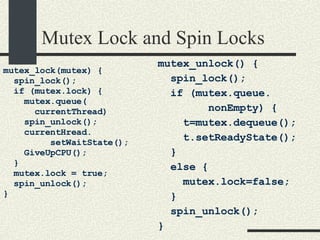
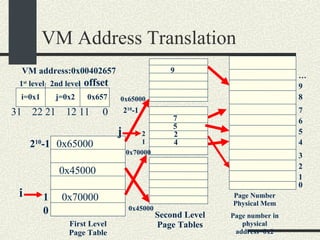
  • 192.
    Implementing Wildcards inShell // 1. Convert wildcard to regular expression // Convert “*” -> “.*” // “?” -> “.” // “.” -> “\.” and others you need // Also add ^ at the beginning and $ at the end to match // the beginning ant the end of the word. // Allocate enough space for regular expression char * reg = (char*)malloc(2*strlen(arg)+10); char * a = arg; char * r = reg; *r = ‘^’; r++; // match beginning of line while (*a) { if (*a == ‘*’) { *r=‘.’; r++; *r=‘*’; r++; } else if (*a == ‘?’) { *r=‘.’ r++;} else if (*a == ‘.’) { *r=‘\\’; r++; *r=‘.’; r++;} else { *a=*r; r++;} a++; } *r=‘$’; r++; *r=0;// match end of line and add null char
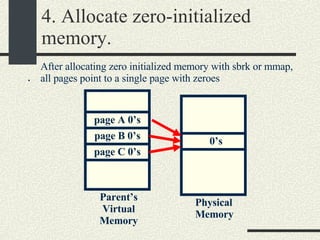
  • 193.
    Implementing Wildcards inShell // 2. compile regular expression char * expbuf = compile( reg, 0, 0 ); if (expbuf==NULL) { perror(“compile”); return; } // 3. List directory and add as arguments the entries // that match the regular expression DIR * dir = opendir(“.”); if (dir == NULL) { perror(“opendir”); return; }
  • 194.
    Implementing Wildcards inShell struct dirent * ent; while ( (ent = readdir(dir))!= NULL) { // Check if name matches if (advance(ent->d_name, expbuf) ) { // Add argument Command::_currentSimpleCommand-> insertArgument(strdup(ent->d_name)); } closedir(dir); } Note: This code is not complete and contains errors. The purpose of this code is only to guide your implementation.
  • 195.
    Sorting Directory EntriesShells like /bin/sh sort the entries matched by a wildcard. For example “echo *” will list all the entries in the current directory sorted. You will have to modify the wildcard matching as follows:
  • 196.
    Sorting Directory Entriesstruct dirent * ent; int maxEntries = 20; int nEntries = 0; char ** array = (char**) malloc(maxEntries*sizeof(char*)); while ( (ent = readdir(dir))!= NULL) { // Check if name matches if (advance(ent->d_name, expbuf) ) { if (nEntries == maxEntries) { maxEntries *=2; array = realloc(array, maxEntries*sizeof(char*)); assert(array!=NULL); } array[nEntries]= strdup(ent->d_name); nEntries++; } }
  • 197.
    Sorting Directory Entriesclosedir(dir); sortArrayStrings(array, nEntries); // Add arguments for (int i = 0; i < nEntries; i++) { Command::_currentSimpleCommand-> insertArgument(array[i])); } free(array);
  • 198.
    Wildcards and HiddenFiles In UNIX invisible files start with “.” like .login, .bashrc etc. In these files that start with “.”, the “.” should not be matched with a wildcard. For example “echo *” will not display “.” and “..”. To do this, you will add a filename that starts with “.” only if the wildcard has a “.” at the beginning.
  • 199.
    Wildcards and HiddenFiles if (advance (…) ) { if (ent->d_name[0] == ‘.’) { if (arg[0] == ‘.’) add filename to arguments; } } else { add ent->d_name to arguments } }
  • 200.
    Subdirectory Wildcards Wildcardsalso match directories inside a path: Eg. echo /p*/*a/b*/aa* To match subdirectories you need to match component by component
  • 201.
    Subdirectory Wildcards /u*/l*/a*/usr/l*/a* /u/l*/a* /unix/l*/a* /usr/lib/a* /usr/local/a* /u/loc/a* /u/lll/a* /unix/lll/a* /usr/lib/aa /usr/lib/abb /usr/local/a12 /u/loc/ar /unix/lll/ap3 /u/lll/atp /unix/l34/a* /unix/lll/ab /unix/l34/a45 /unix/l34/abcd /u/lll/apple /u/loc/aq /usr/local/axz
  • 202.
    Subdirectory Wildcards Strategy:Write a function expandWildcard(prefix, suffix) where prefix - The path that has been expanded already. It should not have wildcards. suffix – The remaining part of the path that has not been expanded yet. It may have wildcards. The prefix will be inserted as argument when the suffix is empty expandWildcard(prefix, suffix) is initially invoked with an empty prefix and the wildcard in suffix. preffix suffix /usr/l*/a*
  • 203.
    Subdirectory Wildcards #defineMAXFILENAME 1024 void expandWildcard(char * prefix, char *suffix) { if (suffix[0]== 0) { // suffix is empty. Put prefix in argument. … ->insertArgument(strdup(prefix)); return; } // Obtain the next component in the suffix // Also advance suffix. char * s = strchr(suffix, ‘/’); char component[MAXFILENAME]; if (s!=NULL){ // Copy up to the first “/” strncpy(component,suffix, s-suffix); suffix = s + 1; } else { // Last part of path. Copy whole thing. strcpy(component, suffix); suffix = suffix + strlen(suffix); }
  • 204.
    Subdirectory Wildcards //Now we need to expand the component char newPrefix[MAXFILENAME]; if ( component does not have ‘*’ or ‘?’) { // component does not have wildcards sprintf(newPrefix,”%s/%s”, prefix, component); expandWildcard(newPrefix, suffix); return; } // Component has wildcards // Convert component to regular expression char * expbuf = compile(…)‏ char * dir; // If prefix is empty then list current directory if (prefix is empty) dir =“.”; else dir=prefix; DIR * d=opendir(dir); if (d==NULL) return;
  • 205.
    Subdirectory Wildcards //Now we need to check what entries match while (( ent = readdir(d))!= NULL) { // Check if name matches if (advance(ent->d_name, expbuf) ) { // Entry matches. Add name of entry // that matches to the prefix and // call expandWildcard(..) recursively sprintf( newPrefix,”%s/%s”, prefix, ent->d_name); expandWildcard(newPrefix,suffix); } } close(d); }// expandWildcard
  • 206.
    Executing built-in functionsAll built-in functions except printenv are executed by the parent process. Why? we want setenv, cd etc to modify the state of the parent. If they are executed by the child, the changes will go away when the child exits.
  • 207.
    Executing printenv Executeprintenv in the child process and exit. In this way the output of printenv could be redirected. ret = fork(); if (ret == 0) { if (!strcmp(argument[0],printenv)) { char **p=environ; while (*p!=NULL) { printf(“%s”,*p); p++; } exit(0); } … execvp(…); …
  • 208.
    Signals and theLex Scanner The scanner implemented by lex calls getc() to get the next char for stdin. getc() calls the system call read(). System calls that block will return if a signal is received. The errno will be EINTR. Ctrl-c generates the SIGINT signal. A child that exits will generate SIGCHLD. In any of these signals getc(), will return –1 (EOF) and it will exit.
  • 209.
    Signals and theLex Scanner To prevent a system call to be interrupted, use sigaction when setting the signal handler and also set the flag SA_RESTART. SA_RESTART will retry the system call if interrupted by a signal struct sigaction signalAction;         signalAction.sa_handler = sigIntHandler;         sigemptyset(&signalAction.sa_mask);         signalAction.sa_flags = SA_RESTART;         int error = sigaction(SIGINT, &signalAction, NULL );         if ( error ) {                 perror( &quot;sigaction&quot; );                 exit( -1 );         }
  • 210.
    Part 6. Threadsand Thread Synchronization
  • 211.
    Introduction to ThreadsA thread is a path execution By default, a C/C++ program has one thread called &quot;main thread&quot; that starts the main() function. main() --- --- printf( &quot;hello\n&quot; ); --- }
  • 212.
    Introduction to ThreadsYou can create multiple paths of execution using: POSIX threads ( standard ) pthread_create( &thr_id, attr, func, arg )‏ Solaris threads thr_create( stack, stack_size, func, arg, flags, &thr_id )‏ Windows CreateThread(attr, stack_size, func, arg, flags, &thr_id)‏
  • 213.
    Introduction to ThreadsEvery thread will have its own Stack PC – Program counter Set of registers Each thread will have its own function calls, and local variables. The process table entry will have a stack, set of registers, and PC for every thread in the process.
  • 214.
    Multi-threaded Program Example#include <pthread.h> void prstr( char *s ){ while( 1 ){ printf( &quot;%s&quot;,s); } } int main(){ // thread 2 pthread_create( NULL, NULL, prstr, &quot;b\n&quot; ); // thread 3 pthread_create(NULL, NULL, prstr, &quot;c\n&quot; ); // thread 1 prstr( &quot;a\n&quot; ); }
  • 215.
    Multi-threaded Program Examplevoid prstr( char *s ){ while( 1 ){ printf( &quot;%s&quot;,s); } } void prstr( char *s ){ while( 1 ){ printf( &quot;%s&quot;,s); } } main(): void prstr( char *s ){ while( 1 ){ printf( &quot;%s&quot;,s); } } T1 T2 T3
  • 216.
  • 217.
    Applications of ThreadsConcurrent Server applications Assume a web server that receives two requests: First, one request from a computer connected through a modem that will take 2 minutes. Then another request from a computer connected to a fast network that will take .01 secs. If the web server is single threaded, the second request will be processed only after 2 minutes. In a multi-threaded server, two threads will be created to process both requests simultaneously. The second request will be processed as soon as it arrives.
  • 218.
    Applications of ThreadsInteractive Applications. Threads simplify the implementation of interactive applications that require multiple simultaneous activities. Assume an Internet telephone application with the following threads: Player thread - receives packets from the internet and plays them. Capture Thread – captures sound and sends the voice packets Ringer Server – Receives incoming requests and tells other phones when the phone is busy. Having a single thread doing all this makes the code cumbersome and difficult to read.
  • 219.
    Advantages and Disadvantagesof Threads vs. Processes Advantages of Threads Fast thread creation - creating a new path of execution is faster than creating a new process with a new virtual memory address space and open file table. Fast context switch - context switching across threads is faster than across processes. Fast communication across threads – threads communicate using global variables that is faster and easier than processes communicating through pipes or files. Use of multiple processors for the same application – a multithreaded program can take advantage of multiple processors by having multiple threads run in separate processors.
  • 220.
    Advantages and Disadvantagesof Threads vs. Processes Disadvantages of Threads Threads are less robust than processes – If one thread crashes due to a bug in the code, the entire application will go down. If an application is implemented with multiple processes, if one process goes down, the other ones remain running. Threads have more synchronization problems – Since threads modify the same global variables at the same time, they may corrupt the data structures. Synchronization through mutex locks and semaphores is needed for that. Processes do not have that problem because each of them have their own copy of the variables.
  • 221.
    Synchronization Problems withMultiple Threads Threads share same global variables. Multiple threads can modify the same data structures at the same time This can corrupt the data structures of the program. Even the most simple operations, like increasing a counter, may have problems when running multiple threads.
  • 222.
    Example of Problemswith Synchronization // Global counter int counter = 0; void increment_loop(int max){ for(int i=0;i<max;i++){ int tmp = counter; tmp=tmp+1; counter=tmp; } }
  • 223.
    Example of Problemswith Synchronization int main(){ pthread_t t1,t2; pthread_create(&t1,NULL, increment_loop,10000000); pthread_create(&t2,NULL, increment_loop,10000000); //wait until threads finish pthread_join(&t1); pthread_join(&t2); printf(“counter total=%d”,counter); }
  • 224.
    Example of Problemswith Synchronization We would expect that the final value of counter would be 10,000,000+ 10,000,000= 20,000,000 but very likely the final value will be less than that (E.g. 19,998,045). The context switch from one thread to another may change the sequence of events so the counter may loose some of the counts.
  • 225.
    Example of Problemswith Synchronization int counter = 0; void increment_loop(int max){ for(int i=0;i<max;i++){ a)int tmp= counter; b)tmp=tmp+1; c)counter=tmp; } } T2 int counter = 0; void increment_loop(int max){ for(int i=0;i<max;i++){ a)int tmp = counter; b)tmp=tmp+1; c)counter=tmp; } } T1
  • 226.
    Example of Problemswith Synchronization time T1 T2 T0 (main)‏ for(…)‏ a)tmp1=counter (tmp1=0)‏ (Context switch)‏ Join t1 (wait)‏ Starts running a)tmp2=counter (tmp2=0)‏ b)tmp2=tmp2+1 c)counter=tmp2 Counter=1 a)b)c)a)b)c)… Counter=23 (context switch)‏ b)tmp1=tmp1+1 c)counter=tmp1 Counter=1
  • 227.
    Example of Problemswith Synchronization As a result 23 of the increments will be lost. T1 will reset the counter variable to 1 after T2 increased it 23 times. If this happens to a simple increment variables, worst things will happen to lists, hash tables and other data structures in a multi-threaded program. The solution is to make certain pieces of the code Atomic. Even if we use counter++ instead of a)b) c) we still have the same problem because the compiler will generate separate instructions that will look like a)b)c).
  • 228.
    Atomicity Atomic Section: A portion of the code that only one thread should execute at a time while the other threads have to wait. Otherwise corruption of the variables is possible. An atomic section is also called sometimes a “Critical Section”
  • 229.
    Mutex Locks MutexLocks are software mechanisms that enforce atomicity Declaration: #include <pthread.h> pthread_mutex_t mutex; Initialize pthread_mutex_init( &mutex, atttributes); Start Atomic Section pthread_mutex_lock(&mutex); End Atomic section pthread_mutex_unlock(&mutex);
  • 230.
    Example of MutexLocks #include <pthread.h> int counter = 0; // Global counter pthread_mutex_t mutex; void increment_loop(int max){ for(int i=0;i<max;i++){ pthread_mutex_lock(&mutex); int tmp = counter; tmp=tmp+1; counter=tmp; pthread_mutex_unlock(&mutex); } } Threads
  • 231.
    Example of MutexLocks int main(){ pthread_t t1,t2; pthread_mutex_init(&mutex,NULL); pthread_create(&t1,NULL, increment,10000000); pthread_create(&t2,NULL, increment,10000000); //wait until threads finish pthread_join(&t1); pthread_join(&t2); printf(“counter total=%d”,counter); }
  • 232.
    Example of MutexLocks time T1 T2 T0 (main)‏ for(…)‏ mutex_lock(&m) a)tmp1=counter (tmp1=0)‏ (Context switch)‏ Join t1 (wait)‏ Starts running mutex_lock(&m)‏ (wait)‏ (context switch)‏ b)tmp1=tmp1+1 c)counter=tmp1 Counter=1 mutex_unlock(&m)‏ a)tmp2=counter b)tmp2=tmp2+1 c)counter=tmp2
  • 233.
    Example of MutexLocks As a result, the steps a),b),c) will be atomic so the final counter total will be 10,000,000+ 10,000,000= 20,000,000 no matter if there are context switches in the middle of a)b)c)‏
  • 234.
    Mutual Exclusion MutexLocks also enforce the mutual exclusion of two or more sections of code. Mutex_lock(&m)‏ A B C Mutex_unlock(&m)‏ Mutex_lock(&m)‏ D E F Mutex_unlock(&m)‏
  • 235.
    Mutual Exclusion Thismeans that the sequence ABC, DEF, can be executed as an atomic block without interleaving. Time ------------------------> T1 -> ABC ABC T2 -> DEF DEF T3 -> ABC DEF
  • 236.
    Mutual Exclusion Ifdifferent mutex locks are used then the sections are still atomic but they are not mutually exclusive (m1!=m2)‏ Mutex_lock(&m1)‏ A B C Mutex_unlock(&m1)‏ Mutex_lock(&m2)‏ D E F Mutex_unlock(&m2)‏
  • 237.
    Mutual Exclusion Thismeans that the sequence ABC, and DEF are atomic but they can interleave each other, Time ------------------------> T1 -> AB C A BC T2 -> D EF D EF T3 -> ABC DEF
  • 238.
    Mutex Lock implementationTwo approaches: Disable Interrupts Do not allow context switches to happen. Available only in Kernel mode Other interrupts may be lost. Only used in kernel programming Slow if used in a machine with more than 1 processor Spin Locks Spin locks use an instruction test_and_set assembly instruction that is guaranteed to be atomic. Most architectures provide this instruction. Spin locks can be implemented in user space
  • 239.
    Spin Locks Thereis an instruction test_and_set that is guaranteed to be atomic Pseudocode: int test_and_set(int *v){ int oldval = *v; *v = 1; return oldval; } This instruction is implemented by the CPU. You don’t need to implement it.
  • 240.
    Spin Locks Mutexlocks are implemented on top of spinlocks. Spinlocks make thread “spin” busy waiting until lock is released, instead of putting thread in waiting state.
  • 241.
    Spin Locks intlock = 0; void spinlock(int * lock)‏ { while (test_and_set(&lock) != 0) { // Give up CPU thr_yield(); } } void spinunlock(int*lock){ *lock = 0; }
  • 242.
    Example of SpinLocks #include <pthread.h> int counter = 0; // Global counter int m = 0; void increment_loop(int max){ for(int i=0;i<max;i++){ spin_lock(&m); a) int tmp = counter; b) tmp=tmp+1; c) counter=tmp; spin_unlock(&m); } }
  • 243.
    Spin Locks ExampleT1 T2 T0 for(…)‏ spin_lock(&m)‏ while (test_and_set(&m))‏  oldval=0 (m=1)break while a)‏ (Context switch)‏ Join t1 Join t2 (wait)‏ Starts running spin_lock(&m)‏ while (test_and_set(&m))‏ ->oldval=1 (m==1)continue in while thr_yield()(context switch)‏ b)c)‏ Counter=1 spin_unlock(&m) m=0 while (test_and_set(&m)) -> oldval=0 Break while a) b) c)‏
  • 244.
    Spin Locks Youcould use spinlocks as a mutex locks. However a spinlock has the disadvantage of wasting CPU cycles doing busy waiting. Mutex locks use Spin Locks but they put threads in wait state instead of spinning. The overhead in spinlocks decreases by calling pthread_yield to give up the CPU. But not entirely. Spin Locks can be used as mutex locks as long as the critical sections are small and take very short time. Spinlocks are not fair but mutexes are fair.
  • 245.
    Mutex Lock andSpin Locks mutex_lock(mutex) { spin_lock(); if (mutex.lock) { mutex.queue( currentThread)‏ spin_unlock(); currentHread. setWaitState(); GiveUpCPU(); } mutex.lock = true; spin_unlock(); } mutex_unlock() { spin_lock(); if (mutex.queue. nonEmpty) { t=mutex.dequeue(); t.setReadyState(); } else { mutex.lock=false; } spin_unlock(); }
  • 246.
    Types of ThreadsThere are two types of Threads Kernel Threads User Level Threads
  • 247.
    Kernel Threads Theyuse Preemptive scheduling . Preemptive context switch may happen at any time The OS has data structures that represent kernel threads. The OS has knowledge at these threads. Context switch is slower since it has to cross kernel/user space boundary. kernel threads of the same process may run in different processors To create a kernel thread in POSIX threads, you need to set the attribute PTHREAD_SCOPE_SYSTEM in the attribute passed to pthread_create (see lab4)‏
  • 248.
    User Level ThreadsThey use Non-preemptive scheduling . Context switch will happen only when the thread has to wait on a call (example: read(), write(), etc) Context switch will be faster, since all the context switch happens in the user mode The OS does not keep a record of these kind of threads. the thread library implements data structures to keep track of these threads in user space. A user lever thread will have to run on top of a kernel level thread, you may have more than one user level thread on top of one kernel level thread.
  • 249.
    User and KernelLevel Threads Kernel Level Threads User Level Threads
  • 250.
    When to useUser and Kernel Level Threads If you want to have more control of how threads are scheduled, then use user level threads If you want to have a very large number of threads (1000) threads use user-level threads since they require less resources For general case use kernel level threads. in this way you don’t need to worry about how threads are scheduled
  • 251.
    User and KernelLevel Threads In Windows, user level threads are called &quot;fibers&quot; the application has complete control on the scheduling of fibers In Posix threads on Solaris. pthread_create creates by default user level threads when attributes are NULL If you want to create a Kernel thread, you need to se the attribute PTHREAD_SCOPE_SYSTEM In Solaris 2.9 and above , only one user level thread runs on top of a kernel level thread kernel thread => lwp (light weight process)‏
  • 252.
    User and KernelLevel Threads In Linux also only one user level threads runs on top of one kernel thread. In Linux a thread is a sub process that shares the address space of another subprocess. In old versions of Linux if you run &quot;ps -e&quot; you will see one process entry for every thread That is changed in the new kernels Example: >counter & // multi-threaded program ps –e PID APP 512 counter 513 counter 514 counter
  • 253.
    Threads and ForkThe behavior of fork() changes depending on the flavor of threads you use. When fork() is called, threads created with pthread_create() are not duplicated except if it is the thread calling fork(). In Solaris threads created with thr_create() are duplicated in child too.
  • 254.
    Threads and ForkExample: In Solaris one process creates 5 threads using thr_create and then calls fork() then the child will also have a copy of the 5 threads so we have a total of 10 threads In Solaris (or other UNIX flavors) one process creates 5 threads using pthread create and then calls fork() therefore the child will only get one thread that is the thread that called fork so we have a total of 6 threads Solaris has a system call fork1() that only copies the calling thread in the child process. Modern UNIX use the pthread_create semantics that only copies the calling thread.
  • 255.
    Thread Safe andRace Condition Data structures and functions that are able to handle multiple threads are called “Thread Safe” or “Thread Asynch” or “Reentrant” or “Multi-Threaded (MT). A bug related to having multiple threads modifying a data structure simultaneously is called a “Race Condition”. Race Conditions are difficult to debug because they are often difficult to reproduce.
  • 256.
    A Thread SafeList Class #include <pthread.h> struct ListEntry { int _val; ListEntry *_next; }; class MTList{ ListEntry *_head; pthread_mutex_t _mutex; public: MTList(); void insert(int val); int remove(); } MTList::MTList(){ _head = NULL; pthread_mutex_init( &_mutex, NULL ); } MTList::insert(int val){ ListEntry *e = new ListEntry; e->_val = val; pthread_mutex_lock(&_mutex); a) e->_next = _head; b)_head = e; pthread_mutex_unlock(&mutex); }
  • 257.
    A Thread SafeList int MTList::remove(){ ListEntry *tmp; pthread_mutex_lock(&_mutex); c) tmp = _head; if(tmp == NULL) { pthread_mutex_unlock(&_mutex); return -1; } d) _head=tmp->_next; pthread_mutex_unlock(&mutex); int val=tmp->_val; delete tmp; return val; }
  • 258.
    Race Conditions inList Assume our list did not have mutex locks. We can have the following race condition: Assume T1 calls remove() and T2 calls insert(). Initially 1 _head 2 NULL
  • 259.
    Race Conditions inList 2. T2 insert(5)‏ 1 _head 2 5 2. T2: a) e2->next=_head NULL 1. T1 remove()‏ 1 _head 2 tmp1 1. T1: c) tmp=_head NULL tmp1 3. T2 insert(5)‏ 1 _head 2 5 3. T2: b) _head = e2 NULL tmp1 1. T1 remove()‏ 1 _head 2 5 4. T1: d)_head=tmp->_next; Node 5 is lost!!! tmp1 NULL ctxswitch ctxswitch E2
  • 260.
    Drawbacks in theList Class The MT List implementation described before does not behave well if the list is empty (returning –1). We would like an implementation where remove waits if the List is empty. This behavior cannot be implemented with only mutex locks Semaphores are needed to implement this behavior.
  • 261.
    Semaphores Semaphores are a generalization of mutexes. A mutex allows only one thread to execute the code guarded by a mutex_lock / mutex_unlock pair. A semaphore allows a maximum number of threads between a sema_wait, sema_post. A semaphore is initialized with an initial counter that is greater or equal to 0. You could implement a mutex using a semaphore with an initial counter of 1.
  • 262.
    Semaphore Calls Declaration:#include <synch.h> sema_t sem; Initialization: sema_init( sema_t *sem, int counter, int type, void * arg)); Decrement Semaphore: sema_wait( sema_t *sem); Increment Semaphore sema_post(sema_t *sem); Man pages man 3thr sema_wait
  • 263.
    Semaphore Calls ImplementationPseudocode: sema_init(sem_t *sem, counter){ sem -> count = counter; } sema_wait(sema_t *sem){ sem ->count--; if(sem ->count < 0){ wait(); } }
  • 264.
    Semaphore Calls Implementationsema_post(sema_t *sem){ sem ->count++; if(there is a thread waiting){ wake up the thread that has been waiting the longest. } } Note: The mutex lock calls are omitted in the pseudocode for simplicity.
  • 265.
    Use of SemaphoreCounter Mutex Lock Case : initial counter == 1 Equivalent to a Mutex Lock N Resources Case : initial counter is n > 1 Control access to a fixed number n of resources. Example: Access to 5 printers. 5 computers can use them. 6 th computer will need to wait. Wait for an Event Case : initial counter == 0 Synchronization. Wait for an event. A thread calling sema_wait will block until another threads sends an event by calling sema_post.
  • 266.
    Example Semaphore count=1(Mutex Lock Case)‏ Assume sema_t sem; sema_init(&sem, 1); T1 T2 sema_wait(&sem)‏ sem->count--(==0)‏ Does not wait .. ctxswitch sema_wait(&sem)‏ sem->count--(==-1)‏ if (sem->count < 0)‏ wait (ctxswitch)‏ .. sema_post(&sem)‏ sem->count++(==0)‏ wakeup T2 continue
  • 267.
    Example Semaphore count=3 (N Resources Case)‏ Assume sema_t sem; sema_init(&sem, 3); (3 printers)‏ T1 T2 T3 sema_wait(&sem)‏ sem->count--(==2)‏ Does not wait print .. sema_wait(&sem)‏ sem->count--(==1)‏ Does not wait print .. sema_wait(&sem)‏ sem->count--(==0)‏ Does not wait print
  • 268.
    Example Semaphore count=3 (N Resources Case)‏ T4 T5 T1 sema_wait(&sem)‏ sem->count--(==-1)‏ wait sema_wait(&sem)‏ sem->count--(==-2)‏ Wait Finished printing sema_post(&sem)‏ sem->count++(==-1)‏ Wakeup T4 print
  • 269.
    Example Semaphore count=0 Wait for an Event Case Assume sema_t sem; sema_init(&sem, 0); T1 T2 // wait for event sema_wait(&sem)‏ sem->count--(==-1)‏ wait //Send event to t1 sema_post(&sem)‏ sem->count++(==0)‏ Wakeup T1 .. T1 continues
  • 270.
    A Synchronized ListClass We want to implement a List class where remove() will block if the list is empty. To implement this class, we will use a semaphore “_emptySem” that will be initialized with a counter of 0. Remove() will call sema_wait(&_emptySem) and it will block until insert() calls sema_post(&emptySem). The counter in semaphore will be equivalent to the number of items in the list.
  • 271.
    A Synchronized ListClass SyncList.h #include <pthread.h> struct ListEntry { int _val; ListEntry *_next; }; class SyncList{ ListEntry *_head; pthread_mutex_t _mutex; sema_t _emptySem; public: SyncList(); void insert(int val); int remove(); }; SynchList.cc SyncList:: SyncList(){ _ _head = NULL; pthread_mutex_init( &_mutex, NULL ); sema_init(&_emptySem,0, USYNC_THREAD, NULL); } SyncList ::insert(int val){ ListEntry *e = new ListEntry; e->_val = val; pthread_mutex_lock(&_mutex); a)e->_next = _head; b)_head = e; pthread_mutex_unlock(&_mutex); sema_post(&_emptySem); }
  • 272.
    A Synchronized Listint SyncList ::remove(){ ListEntry *tmp; // Wait until list is not empty sema_wait(&_emptySem); pthread_mutex_lock(&_mutex); c)tmp = _head; d)head=tmp->_next; pthread_mutex_unlock(&mutex); int val=tmp->_val; delete tmp; return val; }
  • 273.
    Example: Removing BeforeInserting T1 T2 remove()‏ sema_wait(&_emptySem)‏ (count==-1)‏ wait insert(5)‏ pthread_mutex_lock() a) b) pthread_mutex_unlock()‏ sema_post(&_emptySem)‏ wakeup T1 T1 continues pthread_mutex_lock()‏ c) d)‏ pthread_mutex_unlock()‏
  • 274.
    Example: Inserting BeforeRemoving T1 T2 insert(7)‏ pthread_mutex_lock() a) b) pthread_mutex_unlock()‏ sema_post(&_emptySem)(count==1)‏ Starts running remove()‏ sema_wait(_emptySem); continue (count==0)‏ pthread_mutex_lock()‏ c) d)‏ pthread_mutex_unlock()‏
  • 275.
    Notes on SynchronizedList Class We need the mutex lock to enforce atomicity in the critical sections a) b) and c) d). The semaphore is not enough to enforce atomicity.
  • 276.
    Notes on SynchronizedList Class int MTList::remove(){ ListEntry *tmp; sema_wait(&_emptySem); pthread_mutex_lock(&_mutex); c)tmp = _head; d)head=tmp->_next; pthread_mutex_unlock(&mutex); int val=tmp->_val; delete tmp; return val; } N (N= items in list)‏ >N 1
  • 277.
    Notes on SynchronizedList Class Te sema_wait() call has to be done outside the mutex_lock/unlock section. Otherwise we can get a deadlock. Example: pthread_mutex_lock(&_mutex); sema_wait(&_empty); c)tmp = _head; d)head=tmp->_next; pthread_mutex_unlock(&mutex);
  • 278.
    Notes on SynchronizedList Class T1 T2 remove()‏ mutex_lock sema_wait(&_empty)‏ wait for sema_post from T2 insert(5)‏ pthread_mutex_lock() wait for mutex_unlock in T1 Deadlock!!!!
  • 279.
    Bounded Buffer Assumewe have a circular buffer of a maximum fixed size. We want multiple threads to communicate using this circular buffer. It is commonly used in device drivers and in pipes. _head _tail
  • 280.
    Bounded Buffer Thequeue has two functions    enqueue() - adds one item into the queue. It blocks if queue if full    dequeue() - remove one item from the queue. It blocks if queue is empty Strategy: Use an _emptySem semaphore that dequeue() will use to wait until there are items in the queue Use a _fullSem semaphore that enqueue() will use to wait until there is space in the queue.
  • 281.
    Bounded Buffer #include<pthread.h> enum {MaxSize = 10}; class BoundedBuffer{    int _queue[MaxSize];      int _head;      int _tail;     mutex_t _mutex;      sema_t _emptySem;        sema_t _fullSem;  public:      BoundedBuffer();      void enqueue(int val);   int dequeue(); }; BoundedBuffer:: BoundedBuffer() { _head = 0; _tail = 0; pthtread_mutex_init(&_mutex, NULL, NULL); sema_init(&_emptySem, 0 USYNC_THREAD, NULL); sema_init(&_fullSem, MaxSize USYNC_THREAD, NULL); }
  • 282.
    Bounded Buffer voidBoundedBuffer:: enqueue(int val)‏ { sema_wait(&_fullSem); mutex_lock(_mutex); _queue[_tail]=val; _tail = (_tail+1)%MaxSize; mutex_unlock(_mutex); sema_post(_emptySem); } int BoundedBuffer:: dequeue()‏ { sema_wait(&_emptySem); mutex_lock(_mutex); int val = _queue[_head]; _head = (_head+1)%MaxSize; mutex_unlock(_mutex); sema_post(_fullSem); return val; }
  • 283.
    Bounded Buffer Assumequeue is empty T1 T2 T3 v=dequeue()‏ sema_wait(&_emptySem); _emptySem.count==-1 wait v=dequeue()‏ sema_wait(&_emptySem); _emptySem.count==-2 wait enqueue(6)‏ sema_wait(&_fullSem)‏ put item in queue sema_post(&emptySem)‏ _emptySem.count==-1 wakeup T1 T1 continues Get item from queue
  • 284.
    Bounded Buffer Assumequeue is empty T1 T2 …… T10 enqueue(1)‏ sema_wait(&_fullSem); _fullSem.count==9 put item in queue enqueue(2)‏ sema_wait(&_fullSem); _fullSem.count==8 put item in queue enqueue(10)‏ sema_wait(&_fullSem); _fullSem.count==0 put item in queue
  • 285.
    Bounded Buffer T11 T12 enqueue(11)‏ sema_wait(&_fullSem); _fullSem.count==-1 wait val=dequeue()‏ sema_wait(&_emptySem); _emptySem.count==9 get item from queue sema_post(&_fullSem)‏ _fullSem.count==0 wakeup T11
  • 286.
    Bounded Buffer NotesThe counter for _emptySem represents the number of items in the queue The counter for _fullSem represents the number of spaces in the queue. Mutex locks are necessary since sema_wait(_emptySem) or sema_wait(_fullSem) may allow more than one thread to execute the critical section.
  • 287.
    Read/Write Locks Theyare locks for data structures that can be read by multiple threads simultaneously ( multiple readers ) but that can be modified by only one thread at a time. Example uses: Data Bases, lookup tables, dictionaries etc where lookups are more frequent than modifications.
  • 288.
    Read/Write Locks Multiplereaders may read the data structure simultaneously Only one writer may modify it and it needs to exclude the readers. Interface: ReadLock() – Lock for reading. Wait if there are writers holding the lock ReadUnlock() – Unlock for reading WriteLock() - Lock for writing. Wait if there are readers or writers holding the lock WriteUnlock() – Unlock for writing
  • 289.
    Read/Write Locks Threads:R1 R2 R3 R4 W1 --- --- --- --- --- RL RL RL WL wait RU RU RU continue RL Wait WU continue rl = readLock; ru = readUnlock; wl = writeLock; wu = writeUnlock;
  • 290.
    Read/Write Locks Implementationclass RWLock { int _nreaders; //Controls access //to readers/writers sema_t _semAccess; mutex_t _mutex; public: RWLock(); void readLock(); void writeLock(); void readUnlock(); void writeUnlock(); }; RWLock::RWLock()‏ { _nreaders = 0; sema_init( &semAccess, 1 ); mutex_init( &_mutex ); }
  • 291.
    Read/Write Locks Implementationvoid RWLock::readLock()‏ { mutex_Lock( &_mutex ); _nreaders++; if( _nreaders == 1 )‏ { //This is the // first reader //Get sem_Access sem_wait(&_semAccess); } mutex_unlock( &_mutex ); } void RWLock::readUnlock()‏ { mutex_lock( &_mutex ); _nreaders--; if( _nreaders == 0 )‏ { //This is the last reader //Allow one writer to //proceed if any sema_post( &_semAccess ); } mutex_unlock( &_mutex ); }
  • 292.
    Read/Write Locks Implementationvoid RWLock::writeLock()‏ { sema_wait( &_semAccess ); } void RWLock::writeUnlock()‏ { sema_post( &_semAccess ); }
  • 293.
    Read/Write Locks ExampleThreads: R1 R2 R3 W1 W2 ----------- ------------ -------- -------- -------- readLock nreaders++(1)‏ if (nreaders==1)‏ sema_wait continue readLock nreaders++(2)‏ readLock nreaders++(3)‏ writeLock sema_wait (block)‏
  • 294.
    Read/Write Locks ExampleThreads: R1 R2 R3 W1 W2 ----------- ------------ -------- -------- -------- writeLock sema_wait (block)‏ readUnlock()‏ nreaders—(2)‏ readUnlock()‏ nreaders—(1)‏ readUnlock()‏ nreaders—(0)‏ if (nreaders==0)‏ sema_post W1 continues writeUnlock sema_post W2 continues
  • 295.
    Read/Write Locks ExampleThreads: (W2 is holding lock in write mode)‏ R1 R2 R3 W1 W2 ----------- ------------ -------- -------- -------- readLock mutex_lock nreaders++(1)‏ if (nreaders==1) sema_wait block readLock mutex_lock block writeUnlock sema_post R1 continues mutex_unlock R2 continues
  • 296.
    Notes on Read/WriteLocks Mutexes and semaphores are fair. The thread that has been waiting the longest is the first one to wake up. Spin locks are not fair, the first one that gets it will lock the spin lock. This implementation of read/write locks suffers from “starvation” of writers. That is, a writer may never be able to write if the number of readers is always greater than 0.
  • 297.
    Write Lock Starvation(Overlapping readers)‏ Threads: R1 R2 R3 R4 W1 --- --- --- --- --- RL RL RL WL wait RU RL RU RU RL RU RL rl = readLock; ru = readUnlock; wl = writeLock; wu = writeUnlock;
  • 298.
    Deadlock and StarvationDeadlock It happens when one or more threads will have to block forever ( or until process is terminated) because they have to wait for a resource that will never be available. Once a deadlock happens, the process has to be killed. Therefore we have to prevent deadlocks in the first place. Starvation This condition is not as serious as a deadlock. Starvation happens when a thread may need to wait for a long time before a resource becomes available. Example: Read/Write Locks
  • 299.
    Example of aDeadlock int balance1 = 100; int balance2 = 20; mutex_t m1, m2; Transfer1_to_2(int amount) { mutex_lock(&m1); mutex_lock(&m2); balance1 - = amount; balance2 += amount; mutex_unlock(&m1); mutex_unlock(&m2); } Assume two bank accounts protected with two mutexes Transfer2_to_1(int amount) { mutex_lock(&m2); mutex_lock(&m1); balance2 - = amount; balance1 += amount; mutex_unlock(&m2); mutex_unlock(&m1); }
  • 300.
    Example of aDeadlock Thread 1 Thread 2 ---------------------------------------- ------------------------------------- Transfer1_to_2(int amount) { mutex_lock(&m1); context switch Transfer2_to_1(int amount) { mutex_lock(&m2); mutex_lock(&m1); block waiting for m1 mutex_lock(&m2); block waiting for m2
  • 301.
    Example of aDeadlock Once a deadlock happens, the process becomes unresponsive. You have to kill it. Before killing get as much info as possible since this event usually is difficult to reproduce. the process attach the debugger to the processes to see where the deadlock happens. gdb progname <pid> gdb> threads //Lists all threads gdb> thread <thread number> //Switch to a thread gdb >where // Prints stack trace Do this for every thread. Then you can kill the process.
  • 302.
    Deadlock Adeadlock happens when there is a combination of instructions in time that causes resources and threads to wait for each other. You may need to run your program for a long time and stress them in order to find possible deadlocks We need to prevent deadlocks to happen in the first place.
  • 303.
    Graph Representation ofDeadlocks Thread T1 is waiting for mutex M1 Thread T1 is holding mutex M1 T1 M1 T1 M1
  • 304.
    Deadlock Representation T1M2 M1 T2 Deadlock = Cycle in the graph.
  • 305.
    Larger Deadlock T1M2 M1 T4 M3 M4 T2 T3
  • 306.
    Deadlock Prevention Adeadlock is represented as a cycle in the graph. To prevent deadlocks we need to assign an order to the locks: m1, m2, m3 … Notice in the previous graph that a cycle follows the ordering of the mutexes except at one point.
  • 307.
    Deadlock Prevention DeadlockPrevention: When calling mutex_lock, lock the mutexes with lower order before the ones with higher order. If m1 and m3 have to be locked, lock m1 before locking m3. This will prevent deadlocks because this will force not to lock a higher mutex before a lower mutex breaking the cycle.
  • 308.
    Lock Ordering =>Deadlock Prevention Claim: By following the lock ordering deadlocks are prevented. Proof by contradiction Assume that the ordering was followed but we have a cycle. By following the cycle in the directed graph we will find m i before m j . Most of the time i< j but due to the nature of the cycle, at some point we will find i > j . This means that a tread locked m i before m j where i>j so it did not follow the ordering. This is a contradiction to our assumptions. Therefore, lock ordering prevents deadlock.
  • 309.
    Preventing a Deadlockint balance1 = 100; int balance2 = 20; mutex_t m1, m2; Transfer1_to_2(int amount) { mutex_lock(&m1); mutex_lock(&m2); balance1 -= amount; balance2 += amount; mutex_unlock(&m1); mutex_unlock(&m2); } Rearranging the Bank code to prevent the deadlock, we make sure that the mutex_locks are locked in order. Transfer2_to_1(int amount) { mutex_lock(&m1); mutex_lock(&m2); balance2 -= amount; balance1 += amount; mutex_unlock(&m2); mutex_unlock(&m1); }
  • 310.
    Preventing a Deadlockint balance[MAXACOUNTS]; mutex_t mutex[MAXACOUNTS]; Transfer_i_to_j(int i, int j, int amount) { if ( i< j) { mutex_lock(&mutex[i]); mutex_lock(&mutex[j]); } else { mutex_lock(&mutex[j]); mutex_lock(&mutex[i]); } We can rewrite the Transfer function s more generically as: balance1 -= amount; balance2 += amount; mutex_unlock(&mutex[i]); mutex_unlock(&mutex[j]); }
  • 311.
    Ordering of UnlockingSince mutex_unlock does not force threads to wait, then the ordering of unlocking does not matter.
  • 312.
    Dining Philosophers ProblemN Philosophers are in a round table. There is a fork in each side of a plate that they will use to it spaghetti. They need two forks to eat the spaghetti. They will have to share the forks with their neighbors.
  • 313.
    Dining Philosophers ProblemPhilosopher Spaghetti Fork
  • 314.
    Dining Philosophers ProblemProblem: They may all decide to grab the fork in their right at the same time and they will not be able to proceed. This is a deadlock
  • 315.
    Dining Philosophers ProblemPhilosopher holds fork Philosopher waits for fork
  • 316.
    Dining Philosophers Problem(Unfixed Version)‏ const int NPHILOSOPHERS=10; mutex_t fork_mutex[NPHILOSOPHERS]; pthread_t threadid[NPHILOSOPHERS]; void eat_spaghetti_thread(int i)‏ { while (i_am_hungry[i]) { mutex_lock(&fork_mutex[i]); mutex_lock(&fork_mutex[(i+1)%NPHILOSOPHERS); // Eat spaghetti chomp_chomp(i); mutex_unlock(&fork_mutex[i]); mutex_unlock(&fork_mutex[(i+1)%NPHILOSOPHERS); } }
  • 317.
    Dining Philosophers Problem(Unfixed Version)‏ main()‏ { for (int i = 0; i < NPHILOSOPHERS; i++) { mutex_init(&_fork_mutex[i]); } for (int i = 0; i < NPHILOSOPHERS; i++) { pthread_create(&threadid[i],eat_spaghetti_thread, i, NULL); } // Wait until they are done eating for (int i = 0; i < NPHILOSOPHERS; i++) { pthread_join(&threadid[i]); } }
  • 318.
    Dining Philosophers Problem(Fixed Version)‏ The fork mutex have to be locked in order to prevent any deadlock.
  • 319.
    Dining Philosophers Problem(Fixed Version)‏ void eat_spaghetti_thread(int philosopherNum)‏ { while (i_am_hungry[philosopherNum]) { int i = philosopherNum; int j = (philosopherNum+1)% NPHILOSOPHERS; if (i > j) { /*Swap i and j */ int tmp=i; i=j; j=tmp; } // Lock lower order mutex first mutex_lock(&fork_mutex[i]); mutex_lock(&fork_mutex[j]); // Eat spaghetti chomp_chomp(philosopherNum); mutex_unlock(&fork_mutex[i]); mutex_unlock(&fork_mutex[j]); } }
  • 320.
    Applications of Semaphores:Remote Procedure Call RPC- Remote Procedure Call Assume we have two threads: A client and a server thread. A client thread fills up some arguments and wakes up a server thread. The client waits until the results from the server are ready. The server Wait until there is a cliet request wakes up, calls the function (Addition in this case) and it stores the results. T then it wakes up the client.
  • 321.
    Remote Procedure CallClient Server ----------------- ------------------------ while (1) { // wait for incoming calls sema_wait(&_service_sem)‏ mutex_lock(&_mutex); //Copy arguments _A = 3 _B = 2; //Wake up server sema_post(&_service_sem); sema_wait(&_done_sem); // Server wakes up. Do function C = _A + _B; // Wake up client sema_post(&_done_sem); // Client continues } Result = _C; mutex_unlock(&_mutex)‏ Print result;
  • 322.
    Remote Procedure CallYou will use this approach in Lab 5 to communicate two or more processes using semaphores in shared memory but you will allow multiple threads in the server instead of only one. Client and Server will be in separate processes.
  • 323.
    Remote Procedure Callclass RPC { int _A; int _B; int _C; mutex_t _mutex; sema_t _service_sem; sema_t _done_sem; public: RPC(); runServer(); int call(int a, int b); }; RPC::RPC() { mutex_init(&_mutex); sema_init(&_service_sem,0); sema_init(& _done_sem,0); }
  • 324.
    Remote Procedure Callint RPC::call(int a, int b) { // Wait if there is // another thread doing RPC mutex_lock(&_mutex); // Fill up arguments _A = a; _B = b; sema_post(&_service_sem)‏ // Wait until results are ready sema_wait(&_done_sem,0); int result = _C; mutex_unlock(&_mutex); return result; } int RPC::runServer() { while (1) { // Wait until there is a // request sema_wait(&_service_sem); // Run function _C=_A+_B; // Wakeup client sema_post(&_done_sem); } }
  • 325.
    Remote Procedure CallThe previous example is a simplification of what you will do in lab5. Your solution will be more general since the server will allow registration of functions and their name. The client will specify what function to execute. The arguments and results will be generic buffers that can be used to pass any type of value. Also the server will allow multiple threads in the server.
  • 326.
    Applications of Semaphores: N- join Assume N threads will block when calling njoin() until n threads call njoin(). njoin()‏
  • 327.
    N-Join Class NJoin{ int _n; int _ncurrent; mutex_lock _mutex; sema_t _sem; public: NJoin(int n); void join(); }; NJoin::NJoin(int n) { _n = n; _ncurrent = 0; mutex_init(&mutex); sema_init(&_sem, 0); } Void Njoin::join() { mutex_lock(); _ncurrent++; if ( _ncurrent < _n) { // Need to wait mutex_unlock(&_mutex); sema_wait(&_sem); } else { // nth thread. // Wakeup n-1 threads for (int i=0; i<_n-1; i++){ sema_post(&_sem); } _ncurrent=0; mutex_unlock(&_mutex); } }
  • 328.
    Condition Variables ConditionVariables is a mechanism used for synchronization like semaphores. Condition variables and semaphores are equivalent in the sense that they can solve the same problems of synchronization Condition variables are more expressive than semaphores but using one vs. the other is a matter of taste.
  • 329.
    Using Condition VariablesCondtion variables are used together with a mutex. cond_t cond_var; Condition variables are used in the following construction: mutex_lock(&mutex); while( condition_expression ){      cond_wait(&cond_var, &mutex); } // Do something. Mutex is being held. mutex_unlock(&mutex);
  • 330.
    Using cond_wait()‏ Everytimeyou use cond_wait, you need to do it this way. The condition_expression is checked with the lock being held. The mutex lock protects the variables used in the condition_expression. Cond_wait is called when condition_expression is true . When cond_wait(&cond_var, &mutex) is called: cond_wait releases the mutex and then blocks
  • 331.
    Using cond_wait()‏ Whenanother thread calls cond_signal(&cond_var), the thread calling cond_wait(&cond_var) for the longest time will wake up and then it will lock the mutex again. After that, the mutex is locked, some action is done and then the mutex is unlocked.
  • 332.
    Using cond_signal()‏ cond_signalis used in the following way: mutex_lock(&_mutex); // Make condition_expression false cond_signal(&cond_var)‏ mutex_unlock(&_mutex); This will wake up one thread calling cond_wait(&_cond_var, &_mutex)‏ If there are no threads calling cond_wait, the cond_signal will be ignored.
  • 333.
    Using cond_signal()‏ Cond_signal wakes up only one thread. To wakeup all threads waiting on a condition variable use cond_broadcast(&cond_var); Call cond_signal between mutex_lock and mutex_unlock to prevent race conditions
  • 334.
    Bounded Buffer withCondition Variables #include <pthread.h> enum {MaxSize = 10}; class BoundedBuffer{    int _queue[MaxSize];      int _head;      int _tail; int _n;     mutex_t _mutex;      cond_t _emptyCond;        cond_t _fullCond;  public:      BoundedBuffer();      void enqueue(int val);   int dequeue(); }; BoundedBuffer:: BoundedBuffer() { _head = 0; _tail = 0; _n = 0; pthtread_mutex_init(&_mutex, NULL, NULL); cond_init(&_emptyCond, USYNC_THREAD, NULL); cond_init(&_fullCond, USYNC_THREAD, NULL); }
  • 335.
    Bounded Buffer with Condition Variables void BoundedBuffer:: enqueue(int val)‏ { mutex_lock(_mutex); // Wait if queue is full while (_n == MaxSize) { // queue is full cond_wait(&_fullCond, &_mutex); } // There is space in queue _queue[_tail]=val; _tail = (_tail+1)%MaxSize; _n++; // Wake up a thread waiting in // dequeue if any cond_signal(_emptyCond); mutex_unlock(_mutex); } int * BoundedBuffer:: dequeue()‏ { mutex_lock(_mutex); // Wait if queue is empty while (_n==0) { cond_wait(&_emptyCond, &_mutex); } // queue is not empty int val = _queue[_head]; _head = (_head+1)%MaxSize; _n--; // wake up a tread waiting in // enqueue if any _cond_signal(_fullCond)‏ mutex_unlock(_mutex); return val; }
  • 336.
    Bounded Buffer with Condition Variables Assume queue is empty T1 T2 T3 v=dequeue()‏ mutex_lock while (n==0) { cond_wait(&_emptyCond, &_mutex); wait v=dequeue()‏ mutex_lock while (n==0) { cond_wait(&_emptyCond, &_mutex); wait enqueue(6)‏ put item in queue cond_signal(_emptyCond); wakeup T1 T1 continues Get item from queue
  • 337.
    Bounded Buffer with Condition Variables Start again. Assume queue is empty T1 T2 …… T10 enqueue(1)‏ while (_n == MaxSize) { .. put item in queue enqueue(2)‏ while (_n == MaxSize) { .. put item in queue enqueue(10)‏ while (_n == MaxSize){ … put item in queue
  • 338.
    Bounded Buffer with Condition Variables T11 T12 enqueue(11)‏ while (_n == MaxSize) { cond_wait(&_fullCond, &_mutex); wait val=dequeue()‏ get item from queue _cond_signal(_fullCond)‏ wakeup T11
  • 339.
    Bounded Buffer with Condition Variables You can have only one condition variable “_cond” instead of the two condition variables “_fullCond” and “_emptyCond”. Also you will need to change the cond_signal() calls to cond_broadcast() for this to work. Why? Cond_signal may wake up the wrong thread and the cond_Signal wil be missed. Disadvantage: more overhead since some threads will wake up only to go back to sleep.
  • 340.
    Read/Write Locks WithCondition Variables class RWLock { int _nreaders; int _nwriters; cond_t _condAccess; mutex_t _mutex; public: RWLock(); void readLock(); void writeLock(); void readUnlock(); void writeUnlock(); }; RWLock::RWLock()‏ { _nreaders = 0; _nwriters = 0; cond_init( &_condAccess ); mutex_init( &_mutex ); } Multiple readers/one writer with condition variables
  • 341.
    Read/Write Locks WithCondition Variables void RWLock::readLock()‏ { mutex_lock( &_mutex ); while (_nwriters>0) { cond_wait(&_condAccess, &mutex); } _nreaders++; mutex_unlock( &_mutex ); } void RWLock::readUnlock()‏ { mutex_lock( &_mutex ); _nreaders--; if( _nreaders == 0 )‏ { //This is the last reader //Allow writers to //proceed if any cond_signal( &_condAccess ); } mutex_unlock( &_mutex ); }
  • 342.
    Read/Write Locks WithCondition Variables void RWLock::writeLock()‏ { mutex_lock( &_mutex ); while (_nwriters > 0 || _nreaders >0) { cond_wait(&_condAccess, &mutex); } _nwriters++; mutex_unlock( &_mutex ); } void RWLock::writeUnlock()‏ { mutex_lock( &_mutex ); _nwriters--; // wake up any readers or // writers cond_broadcast( &_condAccess ); mutex_unlock( &_mutex ); }
  • 343.
    Read/Write Locks WithCondition Variables In writeUnlock, cond_broadcatst() is used instead of cond_signal because we may be more than one reader waiting for the condition. In readUnlock() the “if _nreaders ==0” statement is just an optimization. It can be eliminated but writer may wake up while readers are still holding the lock.
  • 344.
    A Synchronized HashTable Assume we want to build a synchronized hash table. A lookup for a key will proceed if the key exists. Otherwise, if the key does not exist the lookup will have to wait until the key is inserted in the table. Strategy: If the lookup has to wait, the waiting thread will wait on a condition variable. When a new key is inserted, it will broadcast to all the waiting threads to check if this the key they were waiting for.
  • 345.
    A Synchronized HashTable struct HashTableNode { char * _key; void * _data; HashTableNode * _next; }; class SyncHashTable { enum {TableSize=1043); HashTableNode *_table[TableSize]; mutex_t _mutex; cond_t _cond_new_key; int hash(char *key); public: SyncHashTable(); void insert(char * key, void * data); void * lookup(char *key); void remove(char *key); }; SyncHashTable::SyncHashTable() { for (int i=0; i<TableSize;i++){ _table[i]=NULL; } mutex_init(&_mutex,NULL,NULL); cond_init(&_cond_new_key,NULL); }; int SyncHashTable::hash(char *key) { char * p = key; int i = 0; int sum = 0; while (*p != ‘\0’) { sum += *p * i; i++;p++; } return sum % TableSize; }
  • 346.
    A Synchronized HashTable void SyncHashTable::insert(char * key, void * data) { mutex_lock(&_mutex); // Find key int h = hash(key); HashTableNode * node = _table[h]; while (node != NULL && strcmp(node->_key,key)!= 0) { node = node->_next; } if (node!=NULL) { // Key exists. Replace data // and return node->data = data; mutex_unlock(&_data); return; } // Key not found. Add new node node = new HashTableNode(); node->_key = strdup(key); node->_data = data; // Add node to the hash list node->_next = _table[h]; _table[h] = _node; // Wake up any thread // waiting for this key cond_broadcast( & _cond_new_key); mutex_unlock(&_mutex); }// insert
  • 347.
    A Synchronized HashTable void * SyncHashTable::lookup(char *key)‏ { bool found = false; mutex_lock(&_mutex); while (!found) { // Find key int h = hash(key); HashTableNode * node = _table[h]; while (node != NULL && strcmp(node->_key,key)!= 0) { node = node->_next; } if (node!=NULL) { // Found key. found = true; } else { // Key not found. Wait for // new insertions cond_wait(& _cond_new_key, &_mutex); } } //while // Key found. Get data void * data = node->data; mutex_unlock(&_mutex); return data; } // lookup
  • 348.
    A Synchronized HashTable void SyncHashTable::remove(char *key) { mutex_lock(&_mutex); // Find key int h = hash(key); HashTableNode *prev = NULL; HashTableNode * node = _table[h]; while (node != NULL && strcmp(node->_key,key)!= 0) { prev = node; node = node->_next; } if (node==NULL) { // key not found. return mutex_unlock(&_mutex); return; } } // Key found. Remove node if (prev == NULL) { // beginning of list _table[h] = node->_next; } else { prev->_next = node->_next; } // Recycle node and key free(node->_key); delete node; mutex_unlock(&_mutex); }// remove
  • 349.
    A Synchronized HashTable void SyncHashTable::insert(char * key, void * data) { mutex_lock(&_mutex); // Find key int h = hash(key); HashTableNode * node = _table[h]; while (node != NULL && strcmp(node->_key,key)!= 0) { node = node->_next; } if (node!=NULL) { // Store data node->data = data; mutex_unlock(&_data); return; } } // Key not found. Add new node node = new HashTableNode(); node->_key = strdup(key); node->_data = data; // Add node to the hash list node->_next = _table[h]; _table[h] = _node; // Wake up any thread // waiting for this key cond_signal( & _cond_new_key); mutex_unlock(&_mutex); }// insert void * SyncHashTable ::lookup(char *key); void SyncHashTable ::remove(char *key);
  • 350.
    Notes on RaceConditions Race conditions are events that occur infrequently and difficult to reproduce. During testing you may find these race conditions by Running the test repeated times (1000 times/sec). Running the tests in a parallel machine.
  • 351.
    User and SystemTime in MT programs Command “time” gives User Time = Time spent in user mode System Time = Time spent in Kernel mode Real Time = wall clock time. In a single processor machine User time + system time < Real time Why? Overhead of other programs running in the same machine.
  • 352.
    User and SystemTime in MT programs In a multi processor machine User time + system time < N* Real time Where N is the number of processors
  • 353.
    Programming With SocketsClient Side int cs =socket(PF_INET, SOCK_STREAM, proto)‏ … Connect(cs, addr, sizeof(addr))‏ … Write(cs, buf, len)‏ Read(cs, buf, len); Close(cs)‏ See: http://www.cs.purdue.edu/homes/cs354/lab5-http-server/client.cpp
  • 354.
    Programming With SocketsServer Side … int masterSocket = socket(PF_INET, SOCK_STREAM, 0); … int err = setsockopt(masterSocket, SOL_SOCKET, SO_REUSEADDR, (char *) &optval, sizeof( int ) ); … int error = bind( masterSocket, (struct sockaddr *)&serverIPAddress, sizeof(serverIPAddress) ); … error = listen( masterSocket, QueueLength); … while ( 1 ) { … int slaveSocket = accept( masterSocket, (struct sockaddr*)&clientIPAddress, (socklen_t*)&alen); read(slaveSocket, buf, len); write(slaveSocket, buf, len); close(slaveSocket); } See: http://www.cs.purdue.edu/homes/cs354/lab5-http-server/lab5-src/daytime-server.cc
  • 355.
    Types of ServerConcurrency Iterative Server Fork Process After Request Create New Thread After Request Pool of Threads Pool of Processes
  • 356.
    Iterative Server voiditerativeServer( int masterSocket) { while (1) { int slaveSocket =accept(masterSocket, &sockInfo, 0); if (slaveSocket >= 0) { dispatchHTTP(slaveSocket); } } } Note: We assume that dispatchHTTP itself closes slaveSocket.
  • 357.
    Fork Process AfterRequest void forkServer( int masterSocket) { while (1) { int slaveSocket = accept(masterSocket, &sockInfo, 0); if (slaveSocket >= 0) { int ret = fork(); ` if (ret == 0) { dispatchHTTP(slaveSocket); exit(0); } close(slaveSocket); } } }
  • 358.
    Create Thread AfterRequest void createThreadForEachRequest(int masterSocket)‏ { while (1) { int slaveSocket = accept(masterSocket, &sockInfo, 0); if (slaveSocket >= 0) { pthread_create(&thread, NULL, dispatchHTTP, slaveSocket); } } }
  • 359.
    Pool of Threadsvoid poolOfThreads( int masterSocket ) { for (int i=0; i<4; i++) { pthread_create(&thread[i], NULL, loopthread, masterSocket); } loopthread (masterSocket); } void *loopthread (int masterSocket) { while (1) { int slaveSocket = accept(masterSocket, &sockInfo, 0); if (slaveSocket >= 0) { dispatchHTTP(slaveSocket); } } }
  • 360.
    Pool of Processesvoid poolOfThreads( int masterSocket ) { for (int i=0; i<4; i++) { int pid = fork(); if (pid ==0) { loopthread (masterSocket); } } loopthread (masterSocket); } void *loopthread (int masterSocket) { while (1) { int slaveSocket = accept(masterSocket, &sockInfo, 0); if (slaveSocket >= 0) { dispatchHTTP(slaveSocket); } } }
  • 361.
    Notes: In Poolof Threads and Pool of processes, sometimes the OS does not allow multiple threads/processes to call accept() on the same masterSocket. In other cases it allows it but with some overhead. To get around it, you can add a mutex_lock/mutex_unlock around the accept call. mutex_lock(&mutex); int slaveSocket = accept(masterSocket, &sockInfo, 0); mutex_unlock(&mutex); In the pool of processes, the mutex will have to be created in shared memory.
  • 362.
    Midterm Review Material:Class Slides. Everything up to here. (Synchronized List). Part 7 Virtual Memory is not included Study in this order: Slides Old Exams posted in the web site Projects Book About 40% of the questions will come from previous exams.
  • 363.
    Midterm Review Part1: Program Structure and C Review Memory Sections: Text, Data, BSS, Heap, Stack What is a program Executable File Formats: ELF, COFF, a.out Steps for building a program: Preprocessor, Compiler, Assembler, Linker Steps for Loading a program and the runtime linker Static and Shared Libraries C Review: Pointers, Array Operator, 2D Arrays with double pointers, pointers to functions.
  • 364.
    Midterm Review Part2: Introduction to Operating Systems What is an Operating System. What does an OS offer: Common Services, Multitasking, Protection and Security, Reliability, Fairness, Multiuser. Types of Computer Systems Batch Processing, Time Sharing, Personal Computers, Parallel Systems, Clusters, Distributed Systems, Remote File Systems, Real Time Systems: (Hard real time systems and Soft real time systems)‏
  • 365.
    Midterm Review Part3: User and Kernel Mode, Interrupts, and System Calls Computer Architecture Review Kernel and User Mode and how it is used for security, robustness, and fairness. Interrupts Steps to process an Interrupt. Polling or Synchronous Processing Interrupts or Asynchronous Processing Interrupt Vector Types of Interrupts: Division by zero, I/O interrupts, Page faults, Software Interrupts.
  • 366.
    Midterm Review SystemCalls Software Interrupts Syscall security enforcement. System call error reporting through errno. Interaction between system calls and interrupts.
  • 367.
    Midterm Review Part4: Processes and Process Scheduling What is a process States of a process: New, Ready, Running, Waiting, and Terminated I/O bound processes and CPU bound processes. Process Table and Process Table Entries Steps in a context switch Non-preemptive and preemptive scheduling, advantages and disadvantages.
  • 368.
    Midterm Review SchedulingPolicies for Non-Preemptive Scheduling: FCFS, SJF. Computation of Average Completion Time Scheduling Policies for Preemptive Scheduling: Round Robin, and Multi-Level Feedback Scheduling. Quantum Length Analysis, context switch overhead and the factors used to choose the quantum length. Multi-Level Feedback Scheduling : Process Aging and increasing priority of processes with short bursts.
  • 369.
    Midterm Review Part5: Unix System Programming and the Shell Project Lexical Analyzer and Parser File descriptors, Open File Table, and Open File Objects Using system calls: open, close, fork, execvp, dup2, dup, pipe Pipes and redirection Implementing the command execution, pipe and redirection in the shell. Implementing wildcards. Handling signals and interrupted system calls.
  • 370.
    Midterm Review Part6: Threads and Thread Synchronization What is a thread POSIX and Solaris Threads Applications of threads: Concurrent Applications, Interactive applications. Advantages and disadvantages of threads vs. processes. The multithreaded counter problem and Atomic Sections (Critical Sections).
  • 371.
    Midterm Review Mutexlocks When they are needed Implementation of Mutexes with Spin Locks. Spin Locks How they work. Test_and_set Kernel and User threads Examples of using mutex locks Thread Safe List
  • 372.
    Midterm Review SemaphoresImplementation Using semaphores for: Mutex locks (initial counter =1)‏ N-resource case (initial counter >1)‏ Wait for an Event (initial counter=0)‏ Examples: Synchronized List Class Bounded Buffer Read/Write Locks Remote Procedure Call N-Join
  • 373.
    Midterm Review Deadlockand Starvation Deadlock Prevention Dining Philosophers Problem Condition Variables How to use them Examples: Bounded Buffer Read/Write Locks Synchronized Hash Table
  • 374.
  • 375.
    Virtual Memory IntroductionVM allows running processes that have memory requirements larger than available RAM to run in the computer.  f the following processes are running with the noted requirements: IE (100MB), MSWord (100MB), Yahoo Messenger (30MB)‏ Operating System (200MB).  This would require 430MB of memory when there may only be 256MB of RAM available
  • 376.
    Virtual Memory IntroductionVM only keeps in RAM the memory that is currently in use.  The remaining memory is kept in disk in a special file called &quot;swap space&quot; The VM idea was created by Peter Dening a former head of the CS Department at Purdue
  • 377.
    Other Uses ofVirtual Memory Another goal of VM is to speed up some of the tasks in the OS for example: Loading a program.  The VM will load pages of the program as they are needed, instead of loading the program all at once. During fork the child gets a copy of the memory of the parent.  However, parent and child will use the same memory as long as it is not modified, making the fork call faster. This is called “copy-on-write”. Shared Libraries across processes. Shared memory There are other examples that we will cover later.
  • 378.
    VM Implementations ProcessSwapping: The entire memory of the process is swapped in and out of memory Segment Swapping Entire parts of the program (process) are swapped in and out of memory (libraries, text, data, bss, etc. Problems of process swapping and segment swapping is that the granularity was too big and some pieces still in use could be swapped out together with the pieces that were not in use. Paging Used by modern OSs. Covered in detail here.
  • 379.
    Paging Implementation ofVM used by modern operating systems. The unit of memory that is swapped in and out is a page Paging divides the memory in pages of fixed size.  Usually the size of a page is 4KB in the Pentium (x86) architecture and 8KB in the Sparc Ultra Architecture.
  • 380.
    Paging Address inbytes 0 4096 8192 2 32 -1=4G-1 . . . VM Address in pages (page numbers)‏ 0 1 2 0x00000000 0x00001000 0x00002000 0xFFFFFFFF 2 32 /4KB-1 =2 20 -1=2M-1 RAM page 5 Swap page 456 RAM page 24 RAM page 10 RAM page 3 Swap page 500 Executable page 2 Not mapped(invalid)‏
  • 381.
    Paging The VirtualMemory system will keep in memory the pages that are currently in use. It will leave in disk the memory that is not in use.
  • 382.
    Backing Store Everypage in the address space is backed by a file in disk, called backing-store Memory Section Backing Store Text Executable File Data Executable File when page is not not modified. Swap space when page is modified BSS Swap Space Stack Swap Space Heap Swap Space
  • 383.
    Swap Space Swapspace is a designated area in disk that is used by the VM system to store transient data. In general any section in memory that is not persistent and will go away when the process exits is stored in swap space. Examples: Stack, Heap, BSS, modified data etc.
  • 384.
    Swap Space lore208 $ df -k Filesystem kbytes used avail capacity Mounted on /dev/dsk/c0t0d0s0 1032130 275238 705286 29% / /proc 0 0 0 0% /proc mnttab 0 0 0 0% /etc/mnttab fd 0 0 0 0% /dev/fd /dev/dsk/c0t0d0s4 2064277 1402102 600247 71% /var swap 204800 2544 202256 2% /tmp /dev/dsk/c0t2d0s6 15493995 11682398 3656658 77% /.lore/u92 /dev/dsk/c0t3d0s6 12386458 10850090 1412504 89% /.lore/u96 /dev/dsk/c0t1d0s7 15483618 11855548 3473234 78% /.lore/u97 bors-2:/p8 12387148 8149611 4113666 67% /.bors-2/p8 bors-2:/p4 20647693 11001139 9440078 54% /.bors-2/p4 xinuserver:/u3 8744805 7433481 1223876 86% /.xinuserver/u3 galt:/home 5161990 2739404 2370967 54% /.galt/home xinuserver:/u57 15481270 4581987 10775435 30% /.xinuserver/u57 lucan:/p24 3024579 2317975 676359 78% /.lucan/p24 ector:/pnews 8263373 359181 7821559 5% /.ector/pnews
  • 385.
    Swap Space lore206 $ /usr/sbin/swap -s total: 971192k bytes allocated + 1851648k reserved = 2822840k used, 2063640k available lore 207 $ /usr/sbin/swap -l swapfile dev swaplo blocks free /dev/dsk/c0t0d0s1 32,1025 16 2097392 1993280 /dev/dsk/c0t1d0s1 32,1033 16 2097392 2001792
  • 386.
    Implementation of PagingPaging adds an extra indirection to memory access. This indirection is implemented in hardware, so it does not have excessive execution overhead. The Memory Management Unit (MMU) translates Virtual Memory Addresses (vmaddr) to physical memory addresses (phaddr). The MMU uses a page table to do this translation.
  • 387.
    Paging There aretwo types of addresses: Virtual Memory Addresses : the address that the CPU is using. Addresses used by programs are of this type. Physical Memory Addresses : The addresses of RAM pages. This is the hardware address . The MMU translates the Virtual memory addresses to physical memory addresses
  • 388.
    The Memory ManagementUnit CPU Memory Cache Memory Management Unit (MMU)‏ Translation Look-Aside Buffer (TLB)‏ Page Table Register Page Table RAM I/O Address Bus Data Bus VM Address Physical (hardware) Address
  • 389.
    The Memory ManagementUnit The MMU has a Page Table Register that points to the current page table that will be used for the translation. Each process has a its own page table. The page table register is updated during a context switch from one process to the other. The page table has the information of the memory ranges that are valid in a process
  • 390.
    The Memory ManagementUnit The value of the page table register changes every time time there is a context switch from one process to another. Consecutive pages in Virtual memory may correspond to non-consecutive pages in physical memory.
  • 391.
    The Memory ManagementUnit To prevent looking up the page table at every memory access, the most recent translations are stored in the Translation Look-Aside buffer (TLB). The TLB speeds up the translation from virtual to physical memory addresses. A page fault is an interrupt generated by the MMU
  • 392.
    VM to HardwareAddress Translation The VM address is divided into two parts: Page number (higher 20 bits)‏ Offset (Lower 12 bits: 0-4095) (Assuming page size=4096 or 2 12 )‏ Only the page number is translated. The offset remains the same Example: in 0x2345, the last 3 hex digits (12 bits) is the offset: 0x345. The remaining digits is the page number (20 bits): 0x2 31 12 11 0 Page number Offset
  • 393.
    VM to HardwareAddress Translation Page Number Offset VM Address Page Table Page Number Offset Hardware Address 0 1 2 … 2 32 /2 12-1 = 2 20 -1 789 625 367 429
  • 394.
    VM to HardwareAddress Translation (one-level page table)‏ 0x2 0x345 VM Address 0x2345 Page Table 0x345 Hardware Address 0 1 2 … 2 32 /2 12-1 = 2 20 -1 0x789 0x625 0x767 0x429 Page Number Page Number Offset Offset 0x767 VMaddr=0x2345 pagenum=0x2 offset=0x345 haddr=0x767345 pagenum=0x767 offset=0x345
  • 395.
    Two-Level page tablesUsing a one-level page table requires too much space: 2 20 entries * 4 bytes/entry =~ 4MB. Since the virtual memory address has a lot of gaps, most of these entries will be unused. Modern architectures use a multi-level page table to reduce the space needed
  • 396.
    Two-Level page tablesThe page number is divided into two parts: first-level page number and the second-level page number Example: VM address:0x00402657 Offset=0x657 (last 3 hex digits)‏ 2 nd level index (j)= 0x2, 1 st level index (i) = 0x1 First-level index (i) (10 bits)‏ Second-level index (j) (10 bits)‏ Offset (12 bits)‏ First level Second level Offset 0000 0000 0100 0000 0010 0110 0101 0111
  • 397.
    VM Address TranslationVM address 1 st level (i)‏ 2nd level (j)‏ offset 31 22 21 12 11 0 First Level Page Table (one for each process). Second Level Page Tables (multiple tables for each process.)‏ i 0x45000 0x70000 0 2 10 -1 0x45000 0x45000 0x70000 0x45000 2 4 5 7 10 9 0 1 2 3 4 5 6 7 8 9 10 11 Page Number Physical Mem
  • 398.
    VM Address TranslationVM address:0x00402657 i=0x1 2nd level offset 31 22 21 12 11 0 First Level Page Table Second Level Page Tables 0x70000 0x45000 0 2 10 -1 0x65000 0x65000 0x70000 0x45000 2 4 5 7 9 0 1 2 3 4 5 6 7 8 9 … Page Number Physical Mem Page number in physical address=0x2 1 st level j=0x2 0x657 1 1 2 i j 2 10 -1
  • 399.
    Example VMaddress: 0x00402657 Physical Memory Address: 0x2 657 1.From the VM address find i, j, offset 2. SecondLevelPageTable= FirstLevelPageTable[i] 3. PhysMemPageNumber = SecondLevelPageTable[j] 4. PhysMemAddr= PhysMemPageNum*Pagesize + offset Process always have a first-level page table Second level page tables are allocated as needed. Both the first level and second level page tables use 4KB.
  • 400.
    Page Bits Eachentry in the page table needs only 20 bits to store the page number. The remaining 12 bits are used to store characteristics of the page. Resident Bit: Page is resident in RAM instead of swap space/file. Modified Bit: Page has been modified since the last time the bit was cleared. Set by the MMU. Access Bit: Page has been read since the last time the bit was cleared. Set by MMU Permission: Read  page is readable Write  Page is writable Execute  Page can be executed (MMU enforces permissions)‏
  • 401.
    Page Bits Ifa CPU operation exceeds the permissions of a page, the MMU will generate an interrupt (page fault). The interrupt may be translated into a signal (SEGV, SIGBUS) to the process. If a page is accessed and the page is not resident in RAM, the MMU generates an interrupt to the kernel and the kernel loads that page from disk.
  • 402.
    Types of PageFault Page Fault Page not Resident : Page not in Physical Memory, it is in disk Protection Violation : Write or Access permission (as indicated by page bits) violated.
  • 403.
    Processing a PageFault A program tries to read/write a location in memory that is in a non-resident page. This could happen when: fetching the next instruction to execute or trying to read/write memory not resident in RAM 2. The MMU tries to look up the VM address and finds that the page is not resident using the resident bit. Then the MMU generates a page fault, that is an interrupt from the MMU 3. Save return address and registers in the stack
  • 404.
    Processing a PageFault 4. The CPU looks up the interrupt handler that corresponds to the page fault in the interrupt vector and jumps to this interrupt handler 5. In the page fault handler If the VM address corresponds to a page that is not valid for this process, then generate a SEGV signal to the process. The default behavior for SEGV is to kill the process and dump core Otherwise, if VM address is in a valid page, then the page has to be loaded from disk.
  • 405.
    Processing a PageFault 6. Find a free page in physical memory. If there are no free pages, then use one that is in use and write to disk if modified 7. Load the page from disk and update the page table with the address of the page replaced. Also, clear the modified and access bits 8. Restore registers, return and retry the offending instruction
  • 406.
    Processing a PageFault The page fault handler retries the offending instruction at the end of the page fault The page fault is completely transparent to the program, that is, the program will have no knowledge that the page fault occurred.
  • 407.
    Page Replacement PoliciesDuring a page fault for a non-resident page Find an empty page in physical memory If RAM is full, find a page that can be replaced. Load the non-resident page from disk into RAM What page to replace? Two policies: FIFO - First In First Out LRU - Least Recently Used
  • 408.
    FIFO Page ReplacementPolicy First In First Out. Replace the page that has been in RAM the longest. Example. Assume 3 pages of RAM X X X 1 X X 1 5 X 1 5 3 1 5 3 1 5 3 1 6 5 3 6 1 3 6 1 3 6 1 5 6 1 6 5 VM Pages Referenced: miss miss miss miss miss hit miss hit 2 Hits 6 misses
  • 409.
    LRU Page ReplacementPolicy Least recently Used. Replace the page that has not been used recently. This is a good predictor of what page will not be used in the short future. X X X 1 X X 1 5 X 1 5 3 1 5 3 1 5 3 1 1 6 3 1 6 3 1 6 3 1 6 5 6 1 6 5 VM Pages Loaded: miss miss miss miss miss hit hit hit 3 Hits 5 misses
  • 410.
    LRU Page ReplacementPolicy LRU works because of the intrinsic “Spatial Locality” of a program. Spatial Locality: It is the tendency of a program to use a group of pages more frequently than others. Example: 10% of the code is executed 90% of the time. 10% of the variables are used 90% of the time
  • 411.
    Working Set Aworking set is the set of pages that the program currently needs in RAM to run without having to swap in from disk other pages. It is important for the OS to keep the working set of a process in RAM to reduce the cost of swapping in and swapping out.
  • 412.
    Implementation of LRUTo implement LRU we would need to have a timestamp in each page to know when was the last time page was accessed. This timestamp is approximated using the accessed and modified bits.
  • 413.
    Clock Algorithm (Second Chance Algorithm)‏ Initially all the access bits are clear. All RAM pages are in a list. If a page needs to be replaced, start the search one page after the last page replaced (one after where the last search ended)‏ If the page has the access bit set, clear the bit and skip that page. If the page has the bit not set, use that page for replacement. When the end of the list is reached start from the top. In this algorithm, pages accessed since the last time they were visited get another chance.
  • 414.
    Clock Algorithm (Second Chance Algorithm)‏ 1 2 3 Page 4 5 1 1 0 1 0 Access Bit Start 0 0 0 1 0 Found Access Bit
  • 415.
    Clock Algorithm (Second Chance Algorithm)‏ 1 2 3 Page 4 5 0 0 1 1 0 Access Bit Start 0 0 1 0 0 Found Access Bit
  • 416.
    Clock Algorithm (Second Chance Algorithm)‏ 1 2 3 Page 4 5 1 0 1 1 1 Access Bit Start 0 0 1 1 1 Found Access Bit Assume page 1 is accessed so it will be skipped.
  • 417.
    Improved Clock AlgorithmIn the simple second chance if a referenced page gets another chance. The access bit goes from 1 -> 0->Replacement . An improved second chance Also uses the modified bit. Access Modified 0 0 Best candidate 0 chances 0 1 Not as bad candidate 2 chances 0 Better Candidate 1 chances 1 1 Worst Candidate 3 chances
  • 418.
    Improved Clock AlgorithmWhen visiting a page the access and modified bits are changed in this way correspondingly: 11 -> 01 -> 10-> 00->Replacement . Modified bits are saved into OS data structures before updating In this way a page that has been accessed and modified will get three chances before it is being replaced.
  • 419.
    Using mmap Themmap() function establishes a mapping between a process's address space and a file or shared memory object. #include <sys/mman.h> void *mmap(void *addr, size_t len, int prot, int flags, int fildes, off_t off); Mmap returns the address of the memory mapping and it will be always aligned to a page size (addr%PageSize==0). The data in the file can be read/written as if it were memory.
  • 420.
    Using mmap Memory0x00000000 0xFFFFFFFF Disk File mmap ptr= 0x00020000 ptr = mmap(NULL, 8192, PROT_READ|PROT_WRITE, MAP_SHARED, fd, 0)‏
  • 421.
    Mmap parameters void*mmap(void *addr, size_t len, int prot, int flags, int fildes, off_t off); addr – Suggested address. If NULL is passed the OS will choose the address of the mapping. len – Length of the memory mapping. The mmaped file should have this length of larger or the program gets SEGV on access. prot – Protections of the mapping: PROT_READ, PROT_WRITE, PROT_EXEC, PROT_NONE.
  • 422.
    Mmap parameters flags:- Semantics of the mapping: MAP_SHARED – Changes in memory will be done in the file MAP_PRIVATE – Changes in memory will be kept private to the process and will not be reflected in the file. This is called “copy-on-write” MAP_FIXED – Force to use “addr” as is without changing. You should know what you are doing since the memory may be already in use. Used by loaders MAP_NORESERVE– Do not reserve swap space in advance. Allocate swap space as needed. MAP_ANON – Anonimous mapping. Do not use any fd (file). Use swap as the backing store. This option is used to allocate memory Fd – The file descriptor of the file that will be memory mapped. Pass –1 if MAP_ANON is used. Offset – Offset in the file where the mapping will start. It has to be a multiple of a page size. Mmap returns MAP_FAILED ((void*)-1) if there is a failure.
  • 423.
    Notes on mmapWriting in memory of a memory-mapped file will also update the file in the disk. Updating the disk will not happen immediately. The OS will cache the change until it is necessary to flush the changes. When the file is closed Periodically (every 30secs or so)‏ When the command “sync” is typed If you try to read the value from the file of a page that has not been flushed to disk, the OS will give you the most recent value from the memory instead of the disk.
  • 424.
    Uses of VMThe VM is not only to be able to run programs that use more memory than the RAM available. VM also speeds up the execution of programs: Mmap the text segment of an executable or shared library Mmap the data segment of a program Use of VM during fork to copy memory of the parent into the child Allocate zero-initialized memory.  it is used to allocate space for bss, stack and sbrk()‏ Shared Memory
  • 425.
    1. Mmap thetext segment of an executable or a shared library initially mmap does not read any pages any pages will be loaded on demand when they are accessed startup time is fast because only the pages needed will be loaded instead of the entire program It also saves RAM because only the portions of the program that are needed will be in RAM
  • 426.
    1. Mmap thetext segment of an executable or a shared library Physical pages where the text segment is stored is shared by multiple instances of the same program. Protections: PROT_READ|PROT_EXEC Flags: MAP_PRIVATE
  • 427.
    1. Mmap thetext segment of an executable or a shared library Virtual Memory 0x00000000 0xFFFFFFFF Disk text mmap 0x00020000 text Executable File
  • 428.
    1. Mmap thetext segment of an executable or a shared library Physical Memory text text Process 1 Virtual Memory Process 2 Virtual Memory text Physical Pages of the text section are shared across multiple processes running the same program/shared library.
  • 429.
    2. Mmap thedata segment of a program During the loading of a program, the OS mmaps the data segment of the program The data segment contains initialized global variables. Multiple instances of the same program will share the same physical memory pages where the data segment is mapped as long as the page is not modified If a page is modified, the OS will create a copy of the page and make the change in the copy. This is called &quot;copy on write&quot;
  • 430.
    2. Mmap thedata segment of a program . Physical Memory Process 1 Virtual Memory Process 2 Virtual Memory Data page A Data page B Data page C Data page A Data page B Data page C Data page A Data page B Data page C Processes running the same program will share the same unmodified physical pages of the data segment
  • 431.
    2. Mmap thedata segment of a program . Physical Memory Process 1 Virtual Memory Process 2 Virtual Memory Data page A Data page B Data page C Data page A* Data page B Data page C Data page A Data page B Data page C When a process modifies a page, it creates a private copy (A*). This is called copy-on-write. Data page A*
  • 432.
    3. Use ofVM during fork to copy memory of the parent into the child After forking, the child gets a copy of the memory of the parent Both parent and child share the same RAM pages (physical memory) as long as they are not modified When a page is modified by either parent or child, the OS will create a copy of the page in RAM and will do the modifications on the copy
  • 433.
    3. Use ofVM during fork to copy memory of the parent into the child The copy on write in fork is accomplished by making the common pages read-only. The OS will catch the modifications during the page fault and it will create a copy and update the page table of the writing process. Then it will retry the modify instruction.
  • 434.
    3. Use ofVM during fork to copy memory of the parent into the child . Physical Memory Parent’s Virtual Memory Child’s Virtual Memory page A page B page C page A page B page C page A page B page C After fork() both parent and child will use the same pages
  • 435.
    3. Use ofVM during fork to copy memory of the parent into the child . Physical Memory Parent’s Virtual Memory Child’s Virtual Memory page A page B page C page A* page B page C page A page B page C When the chhild or parent modifies a page, the OS creates a private copy (A*) for the process. This is called copy-on-write. page A*
  • 436.
    4. Allocate zero-initializedmemory. It is used to allocate space for bss, stack and sbrk()‏ When allocating memory using sbrk or map with the MMAP_ANON flag, all the VM pages in this mapping will map to a single page in RAM that has zeroes and that is read only. When a page is modified the OS creates a copy of the page (copy on write) and retries the modifying instruction This allows fast allocation. No RAM is initialized to O’s until the page is modified This also saves RAM. only modified pages use RAM.
  • 437.
    4. Allocate zero-initializedmemory. This is implemented by making the entries in the same page table point to a page with 0s and making the pages read only. An instruction that tries to modify the page will get a page fault. The page fault allocates another physical page with 0’s and updates the page table to point to it. The instruction is retried and the program continues as it never happened.
  • 438.
    4. Allocate zero-initializedmemory. . Physical Memory Parent’s Virtual Memory 0’s page A 0’s page B 0’s page C 0’s After allocating zero initialized memory with sbrk or mmap, all pages point to a single page with zeroes
  • 439.
    4. Allocate zero-initializedmemory. . Physical Memory Parent’s Virtual Memory 0’s page A 0’s page B X page C 0’s When a page is modified, the page creates a copy of the page and the modification is done in the copy. page B X
  • 440.
    5. Shared MemoryProcesses may communicate using shared memory Both processes share the same physical pages A modification in one page by one process will be reflected by a change in the same page in the other process.
  • 441.
    5. Shared MemoryPhysical Memory Process 1 page A page B page C page A page B page C page A page B page C Processes that communicate using shared memory will share the same physical pages. Process 2
  • 442.
    5. Shared MemoryPhysical Memory Process 1 page A X page B page C page A X page B page C page A X page B page C When a page is modifed, the change will be reflected in the other process. Process 2
  • 443.
  • 444.
    Lab5: Interprocess RPCRPC- Remote Procedure Call Server exports procedures that a remote client can execute. Client sends to server the arguments and the name of the procedure to run remotely. Then it waits for a result The server gets the arguments, runs the indicated procedure and sends the results back to the client The client receives the results and resumes execution.
  • 445.
    Lab5: InterprocessRPC The client and the server will run in separate processes and they will communicate using shared memory. Shared memory needs to be backed by a file. The name of the file will be known be both client and server. Client Server Shared Memory (RPCShared)‏
  • 446.
    Lab5: InterprocessRPC The class RPCServer is used by the servers to export procedures. These classes are in the file RPC.h A server: (See http://www.cs.purdue.edu/homes/cs354/lab5-rpc/lab5-src/server1.cc)‏ Instantiates an RPCServer object, RPCServer * server = new RPCServer( &quot;server1.rpc&quot; ); Registers the procedures it will serve using server->registerRPC( &quot;add&quot;, add, 0 ); It calls the server loop. It never returns. server->runServer(); The procedures registered needs to have the following type: int add( void * cookie, RPCArgument argument, RPCResult result )
  • 447.
    Lab5: InterprocessRPC A client (see http://www.cs.purdue.edu/homes/cs354/lab5-rpc/lab5-src/client1.cc )‏ Creates a RPCClient object RPCClient * client = new RPCClient( &quot;server1.rpc&quot; ); Fills up the argument buffer with the argument values arg = (Args *) argBuffer; arg->a = 5; arg->b = 6; Calls the remote procedure int err = client->call( &quot;add&quot;, argBuffer, resultBuffer ); Prints the result res = (Res *) resultBuffer; printf(&quot; ---> %d\n&quot;, res->c );
  • 448.
    RPCShared The structureRPCShared is stored in shared memory It contains an array _callBuffer of type RPCCallBuffer that has the state of an RPC invocation. Each entry has: // Next RPCCallBuffer in the list of available service buffers int _next; // Return Status int _retStatus; // The client waits on this semaphore until // the result is ready sema_t _done; // Name of the procedure that is being executed cha _rpcName[ RPCMaxName ]; // The arguments of the procedure are stored here RPCArgument _argument; // The results are stored here RPCResult _result;
  • 449.
    RPCShared An RPCCallBufferentry in the array is in one of the lists: int _available it is a list of the call buffers that are not currently in use Initially it has a list with all the callbuffers. int _service; It is a list of the call buffers that are waiting for service. A callbuffer may not be in any list if it is currently being processed by the server.
  • 450.
    RPCShared The _nextfield in the callbuffer is of type int and not a pointer. Why? The shared memory section may be in different addresses in both client and server. Instead of using pointers to implement the list we will use the index of the entry in the array.
  • 451.
    RPCClient::call pseudocode intRPCClient::call( char * rpcName, RPCArgument argument, RPCResult result ) { 1. block until there is a RPCCallBuffer available sema_wait( &_full)‏   2. remove one RPCCallBuffer cb from _available    3. copy rpcName and argument in RPCCallBuffer    4. insert RPCCallBuffer in _service    5. wake up server sema_post(&_empty);    6. wait until request is done sema_wait(&cb->_done);    7. copy result and retStatus    8. insert RPCCallBuffer in _available    9. wake up processes waiting for available sema_post(&_full);    10.  return retStatus }
  • 452.
    RPCServer::runServer Pseudocode intRPCServer::runServer() {     while (1) {      1. block until there is a RPCCallBuffer in _service. sema_wait(&_empty)‏          2. remove RPCCallBuffer cb from _service           3. lookup cb->_rpcName in rpcTable and get_rpcProcedure           4. invoke _rpcProcedure           5. copy retStatus           6. wake up client. sema_post(&cb->_done} }   }
  • 453.
    RPCServer::RPCServer RPCServer::RPCServer(char *filename) { 1. Create file or truncate it if it does not exist using open.Open it with R/W mode. Check errors 2. Write as many 0’s in the file as sizeof(RPCShared)‏ 3. Call mmap() to memory map a section of shared memory in the file. See “man mmap”. Check errors. 4. Cast the pointer returned by mmap and assign it to RPCShared *_shared. 5. Initialize the _available list. _available = 0; _shared-> _callBuffer [0]._next = 1; _shared-> _callBuffer [1]._next = 2; and so on until _shared-> _callBuffer [MaxCallBuffers-1].next = -1; 6. Initialize _service to -1. 7. Initialize semaphores _empty, _full, and _mutex. Use the USYNC_PROCESS flag since these semaphore will synchronize across process boundaries. }
  • 454.
    RPCClient::RPCClient RPCClient::RPCClient(char *filename) { 1. Open file with R/W mode. Check errors. 2. Call mmap() to memory map a section of shared memory in the file. See “man mmap”. Check errors. 4. Cast the pointer returned by mmap and assign it to RPCShared *_shared. 5. RPCShared has been initialized already by the server. You can verify the shared memory has been correctly initialized by traversing the _shared->_available list and printing the c->_next values. } Struct A { int b, c; } p, *q; q = &p; p.b == q->b == (*q).b here is a failure.
  • 455.
    RPCServer Constructor RPCServer::RPCServer(char*filename) { int fd = open( filename, O_RDWR| O_CREAT|O_TRUNC, 0660); if (fd < 0) { perror(“open”); exit(1); } // Write 0’s in file. // Seek at the end and write a 0. lseek(fd, sizeof(RPCShared), SEEK_SET); write(fd,1,””); // _shared = (RPCShared *)mmap(NULL, sizeof(RPCShared), PROT_READ|PROT_WRITE, MAP_SHARED, fd, 0); if ((void*)_shared==MAP_FAILED) { perror(“mmap”); exit(1); } }
  • 456.
    RPCClient Constructor RPCClient::RPCClient(char *filename) { int fd = open( filename, O_RDWR, 0660); if (fd < 0) { perror(“open”); exit(1); } _shared = (RPCShared *)mmap(NULL, sizeof(RPCShared), PROT_READ|PROT_WRITE, MAP_SHARED, fd, 0); if ((void*)_shared==MAP_FAILED) { perror(“mmap”); exit(1); } }
  • 457.
    Interprocess RPC FirstPart: Single threaded Implementation I recommend to write first the RPCServer and RPCClient constructors and verify that the shared memory has been initialized correctly. Make sure that client1, server1 run correctly. Second Part: Multithreaded Implementation
  • 458.
    Part 9: MemoryAllocation
  • 459.
    Dynamic Memory AllocationWhy do we need dynamic memory allocation? We do not know how the program will be used and the memory requirements of the program until it is used. We could define variables statically using a maximum limit but: If the use of the program exceeds limit we need to modify program. Also this wastes memory. With dynamic memory allocation the program calls malloc/new to allocate more memory. To free memory there are two approaches: Explicit Memory Management – call free/delete (C/C++/Pascal)‏ Implicit Memory Management – Use Garbage collection (Java, C#, Perl, Phyton, Smalltalk)‏
  • 460.
    Implicit Memory ManagementThe language runtime provides a Garbage Collector (GC) that determines what objects are no longer in use and frees them. Language runtime- Library that the provides common language functionality to a program. There are two approaches: Reference Counting Mark and Sweep
  • 461.
    Reference Counting Inreference counting every object has a counter with the number of reference pointing to the object, When the reference count reaches 0 the object is removed. This is the approach used by languages such as Perl and Phyton Advantage: Easy to implement. Incremental (objects are freed while program is running)‏ Disadvantage: Slow. Every pointer assignment needs to increase/decreased a reference count. Unable to free cycles
  • 462.
    Reference Counting GlobalVars Stack Registers Ref=2 Ref=2 Ref=0 Ref=1 Ref=1 Ref=1 Ref=1 Ref=0
  • 463.
    Mark and SweepGarbage Collection The Garbage Collector determines what objects are reachable from the “roots”, Roots: memory that is not dynamic such as stack, global variables, register etc. and then frees the unreachable objects. Every object has a bit called the “mark bit” Mark_and_sweep_gc Clear mark bits Push root addresses to mark stack While the stack is not empty Pop an object from the mark stack and search for pointers. If the pointers point to an unmarked object push it to the stack and mark object. Free any unmarked objects
  • 464.
    Mark and SweepGarbage Collection Global Vars Stack Registers
  • 465.
    Mark and SweepGarbage Collection The program needs to stop all the threads while the GC is taking place. This is done because if the pointers change while the GC is taking place, some reachable objects may be unmarked and can be erroneously collected. Stopping all the threads except the GC thread is called “Stop-the-word”.
  • 466.
    Explicit Memory ManagementIn explicit memory management a program frees objects by calling free/delete explicitly The program uses a “malloc library” usually provided by the C standard library libc. Memory is requested from the OS and added to a free list. Subsequent requests are satisfied from memory from the free list. Free/delete returns memory to the free list.
  • 467.
    Explicit Memory ManagementThis decreases the number of times that memory is requested from the OS Also, it is difficult to return memory to the OS since the OS handles memory in pages and memory allocator handle memory in bytes.
  • 468.
    Explicit Memory ManagementOS Malloc Library Program malloc/new Free/delete sbrk(s),mmap sbrk(-s),munmap (not very common)‏
  • 469.
    Explicit Memory ManagementWhen the memory allocator runs out of memory in the free list it calls sbrk(s). Sbrk(s) increases the size of the heap by s bytes. Sbrk retuns a pointer to the old heap limit. You can decrease the size of the heap by passing a negative size to sbrk. This will shrink the heap.
  • 470.
    Explicit Memory ManagementHeap BSS Data Text sbrk(s)‏ s
  • 471.
    Explicit Memory ManagementAn alternative to sbrk() is to use mmap with an anonymous mapping. This will return a group of pages initialized with 0’s. You can return memory to the OS by using munmap.
  • 472.
    Explicit Memory ManagementReturning memory back to the OS is defficult because: Sbrk only can return memory to the OS if it happens to be at the end of the heap. Munmap can return memory to the OS if whole pages are unused. Most memory allocators do not return memory to the OS. However this has not been a problem.
  • 473.
    Malloc Implementation Thereare several data structures that can be used for memory allocation: Single Free list Segregated Free Lists Cartesian Tree Boundary tags
  • 474.
    Malloc Single FreeList In this implementation of malloc all the free memory is stored in a single free list. Each chunk in the free list has a header with the size of the chunk and a pointer to the next chunk.
  • 475.
    Malloc Single FreeList 640 head 200 400 0x110 0x4000 0x8000
  • 476.
    Malloc Single FreeList During allocation a chunk of the right size if searched, split if necessary and the remainder is returned to the free list. When an object is freed, the free list is traversed to find the right place of insertion and the object is coalesced if possible. If the request cannot be satisfied with the existing free list, the allocator gets memory from the OS. The request for memory to the OS is larger (E.g. 4KB) thatn the size requested by malloc. This reduces the number of times memory is requested from the OS since this is slow. Chunks in the list are ordered by address Allocation: O(n) where n = # of chunks Free: O(n)‏
  • 477.
    Malloc Single FreeList Two Allocation Policies: First Fit: Use the first chunk in the free list that satisfies the request. BestFit Choose smallest chunk that satisfies the request.
  • 478.
    Notes on mallocMalloc also allocates memory for a header. The header stores the size of the object. The header will be needed when the object is freed. Malloc will return a pointer after the header. The memory returned by malloc is aligned to 8 bytes, that is, the address of the object is a multiple of 8 bytes. This is because RISC architectures need certain types to be stored in aligned memory. Doubles have to be stored in 8 byte boundaries in memory. If you try to store an int value into a non-aligned address in SPARC you will get a SIGBUS error. In the x86 architecture you will not get an error but the execution will slow down.
  • 479.
    First Fit 64head 16 40 0x110 0x4000 0x8000 64 head 16 24 0x120 0x4000 0x8000 p = malloc(8); 8 bytes object + 8 bytes header = 16 bytes total 8 P=0x118 0x110 8
  • 480.
    Best Fit 64head 16 40 0x110 0x4000 0x8000 64 head 40 0x110 0x4000 0x8000 p = malloc(8); 8 bytes object + 8 bytes header = 16 bytes total P=0x8008 8 8
  • 481.
    First Fit vs.Best Fit First Fit is faster Best Fit uses less space. In first fit if the search always starts at the beginning, it will create many small objects at the beginning of the list. Next fit: It is like first fit but the next search starts where the last ended. This speeds first fit and it will prevent the accumulations of small chunks at the beginning of the list.
  • 482.
    External Fragmentation ExternalFragmentation is the waste of memory in the free list due to small non-contiguous blocks that cannot satisfy a large request. 64 16 40 0x110 0x4000 0x8000 p = malloc(100); 100 bytes object + 8 bytes header = 108 bytes total The allocation cannot be satisfied even though the free list has more than 108 bytes. The allocator will need to get more memory from the OS.
  • 483.
    External Fragmentation Theexternal fragmentation can be measured as: Ext. Fragmentation%=100*(1-size_largest_block/total_mem_in_free_list)‏ 64 16 40 0x110 0x4000 0x8000 Ext. Fragmentation%=100(1-64/120)=47% If there is only one block in the list ext fragmentation=0%
  • 484.
    Segregated Free ListsIt is another data structure for memory allocation. There are multiple free lists for different sizes. Size 8 16 32 64 128 256 >=512
  • 485.
    Segregated Free ListsVery often the fixed sizes are powers of two. Objects are allocated from the free list of the nearest size. If a free list is empty, the allocator gets a page of memory from the OS and populates the corresponding fre list. Some implementations of free lists do not have coalescing. Once an object is created for a size it will be of that size for the entire execution of the program.
  • 486.
    Segregated Free ListsCoalescing an object would require traversing all the blocks to find out if the neighboring blocks are free With segregated free lists: Allocation (smalll objects)= O(1)‏ Free (small objects) =O(1) no coalescing. Segregated free list allocators are fast but they use more memory. The BSD UNIX allocator uses segregated free lists
  • 487.
    External and InternalFragmentation External Fragmentation: Waste of memory due to having non-contiguous blocks in the free list that cannot satisfy an allocation for a large object. Internal Fragmentation: Waste of memory due to the allocator returning a larger block than the memory requested. Internal Frag = 100*(1 – Size_requestedMem Allocated)‏
  • 488.
    Cartesian Trees Thefree objects are organized as a tree The tree is organized by size in the Y axis and by address in the X axis. This allows allocation and freeing in O(logn)‏ The SunOS allocator uses Cartesian Trees.
  • 489.
    Boundary Tags BoundaryTags allow identifying the neighboring objects in O(1). This allows coalescing of objects in O(1)‏ Each object allocated or free has a header and a footer. The header and the footer contain the size of the object as well as a flag that tells if the object is allocated or not. When freeing an object it is possible to check if the neighbors are free in constant time and coalesce them if possible.
  • 490.
  • 491.
  • 492.
    Boundary Tags Thememory allocator you will implement also stores the objects in segregated free lists. This allows memory allocation in O(1) for small objects. There are 65 lists. Lists 0 to 64 store objects of sizes 8 * i including header and footer where i is the number of the list. List 65 stores objects larger or equal than 512
  • 493.
  • 494.
    Boundary Tags Whenthe object is free, the header also contains a pointer to the next object in the list and a pointer to the previous object in the list. This allows removal of an object in the middle of a list from a list in constant time. That is needed after coalescing.
  • 495.
    Allocation Algorithm Roundup requested size to the next 8 byte boundary (if size ==0 assume 1 byte data)‏ Add the size of the header and the footer:  real_size = roundup8(requested size) + sizeof(header) + sizeof(footer) Lookup the corresponding list list = real_size ≥ 512? 64:((real_size)>>3) If the list is non empty and list <64,  remove a block from that list and return it.
  • 496.
    Allocation Algorithm Ifthe list is empty, search for a list with objects of larger size. If there is one non-empty list with larger objects, remove one of the objects and split it. Use one portion of the object to satisfy the allocation request and return the remainder to the corresponding list. If the remainder is smaller than the size of the header plus the footer plus next plus previous making the object unusable, then do not split the object and use the entire object to satisfy the allocation. 
  • 497.
    Allocation Algorithm Ifthere is not enough memory in the free lists to satisfy the allocation, then request memory from the OS using sbrk(). Round up the request of memory to the OS to a 16KB boundary.
  • 498.
    Free Algorithm Checkthe footer of the left neighbor object (the object just before the object being freed) to see if it is also free. If that is the case, remove the left neighbor from its free list using the previous and next pointers and coalesce this object with the object being freed.
  • 499.
    Free Algorithm Checkthe header of the right neighbor object (the object just after the object being freed) to see if it is also free. If that is the case, remove the right neighbor from its free list using the previous and next pointers and coalesce it with the object being  freed. Place the freed object in the corresponding free list and update the header and footer.
  • 500.
    Fence Posts Ifthe object freed is at the beginning of the heap, it is likely that your allocator will try erroneously to coalesce memory beyond the beginning of the heap. Also other libraries may call sbrk() causing a hole in the heap.
  • 501.
    Fence Posts Toprevent coalescing with memory beyond the beginning or the end of the chunks that belong to the heap your allocator will: every time a chunk of memory is requested from the OS, your allocator has to add a dummy footer at the beginning of the chunk with the flag set to “allocated”. Also at the end of the chunk you will add a header with the flag set to “allocated”. If two chunks are consecutive, you should remove the fence posts between them.
  • 502.
    Fence Posts Startof Heap Dummy footer (flag=allocated)‏ End of Heap Dummy Header (flag=allocated)‏
  • 503.
    Fence Posts Startof Heap Dummy Header (flag=allocated)‏ Heap Hole (other library called sbrk)‏ Dummy Footer (flag=allocated)‏ End of Heap
  • 504.
    DL Malloc Thememory allocator you are building is based on Doug Lea’s malloc implementation that is public domain: http://g.oswego.edu/dl/html/malloc.html This allocator is the standard allocator in Linux
  • 505.
    Memory Allocation ErrorsExplicit Memory Allocation (calling free) uses less memory and is faster than Implicit Memory Allocation (GC)‏ However, Explicit Memory Allocation is Error Prone Memory Leaks Premature Free Double Free Wild Frees Memory Smashing
  • 506.
    Memory Leaks Memoryleaks are objects in memory that are no longer in use by the program but that are not freed . This causes the application to use excessive amount of heap until it runs out of physical memory and the application starts to swap slowing down the system. If the problem continues, the system may run out of swap space. Often server programs (24/7) need to be “rebounced” (shutdown and restarted) because they become so slow due to memory leaks.
  • 507.
    Memory Leaks Memoryleaks is a problem for long lived applications (24/7). Short lived applications may suffer memory leaks but that is not a problem since memory is freed when the program goes away. Memory leaks is a “slow but persistent disease”. There are other more serious problems in memory allocation like premature frees.
  • 508.
    Memory Leaks Example:while (1) { ptr = malloc(100); }
  • 509.
    Premature Frees Apremature free is caused when an object that is still in use by the program is freed. The freed object is added to the free list modifying the next/previous pointer. If the object is modified, the next and previous pointers may be overwritten, causing further calls to malloc/free to crash. Premature frees are difficult to debug because the crash may happen far away from the source of the error.
  • 510.
    Premature Frees Example:int * p = (int *)malloc(sizeof(int)); * p = 8; free(p); // free adds object to free list // updating next and prev … *p = 9; // next ptr will be modified. int q = (int *)malloc(sizeof(int)); // this call or other future malloc/free // calls will crash because the free // list is corrupted.
  • 511.
    Double Free Doublefree is caused by freeing an object that is already free. This can cause the object to be added to the free list twice corrupting the free list. After a double free, future calls to malloc/free may crash.
  • 512.
    Double Free Example:int * p = (int *)malloc(sizeof(int)); free(p); // free adds object to free list free(p); // freeing the object again // overwrites the next/prev ptr // corrupting the free list // future calls to free/malloc // will crash
  • 513.
    Wild Frees Wildfrees happen when a program attempts to free a pointer in memory that was not returned by malloc. Since the memory was not returned by malloc, it does not have a header. When attempting to free this non-heap object, the free may crash. Also if it succeeds, the free list will be corrupted so future malloc/free calls may crash.
  • 514.
    Wild Frees Alsomemory allocated with malloc() should only be deallocated with free() and memory allocated with new should only be deallocated with delete. Wild frees are also called “free of non-heap objects”.
  • 515.
    Wild Frees Example:int q; int * p = &q; free(p); // p points to an object without // header. Free will crash or // it will corrupt the free list.
  • 516.
    Wild Frees Example:char * p = (char *) malloc(1000); p=p+10; free(p); // p points to an object without // header. Free will crash or // it will corrupt the free list.
  • 517.
    Memory Smashing MemorySmashing happens when less memory is allocated than the memory that will be used. This causes overwriting the header of the object that immediately follows, corrupting the free list. Subsequent calls to malloc/free may crash Sometimes the smashing happens in the unused portion of the object causing no damage.
  • 518.
    Memory Smashing Example:char * s = malloc(8); strcpy(s, “hello world”); // We are allocating less memory for // the string than the memory being // used. Strcpy will overwrite the // header and maybe next/prev of the // object that comes after s causing // future calls to malloc/free to crash. // Special care should be taken to also // allocate space for the null character // at the end of strings.
  • 519.
    Debugging Memory AllocationErrors Memory allocation errors are difficult to debug since the effect may happen farther away from the cause. Memory leaks is the least important of the problems since the effect take longer to show up. As a first step to debug premature free, double frees, wild frees, you may comment out free calls and see if the problem goes away. If the problem goes away, you may uncomment the free calls one by one until the bug shows up again and you find the offending free.
  • 520.
    Debugging Memory AllocationErrors There are tools that help you detect memory allocation errors. IBM Rational Purify Bounds Checker Insure++
  • 521.
    Explicit Memory AllocationAdvantages and Disadvantages Advantages: It is fast and It is memory efficient. Disadvantages Error prone Requires more expertise Applications take longer to develop and debug. More insecure This is why managers prefer now to develop in Java/C#. Still there is room for C/C++ for apps that need to be low-level and where speed is critical.
  • 522.
    Some Improvements inYour Allocator You can add some checks to make your allocator more robust against memory errors. You can check if a block has been returned by malloc by storing a magic number in the header and checking it during free to prevent wild frees. Instead of only using one bit in the flags, you could use the entire 4 bytes to store a magic number to indicate if the object is free or not. Free – 0xF7EEF7EE Allocated – 0xAl0CA7ED When freeing an object check if in the header the flag contains the right magic number.
  • 523.
    Heap Check Youcan implement also a heapCheck function that checks for the sanity of the heap and prints the free and allocated blocks. You can call it during debugging before and after suspicious free/malloc calls. Starting from the header at the beginning of the heap, and follow the headers. checkHeap iterates over all free and allocated blocks. To get around gaps in the heap, you can store the correct size of the gaps in the fence posts around the gaps.
  • 524.
    Heap Check Thereis enough information in the headers to iterate over the end of the heap. Verify that the sizes and flags in header and footer match. Print also the blocks. Add an extra flag value to differentiate Gaps in the heap from allocated and free blocks.
  • 525.
    Heap Check Startof Heap End of Heap Footer4/Hdr5 Footer3/Hdr4 Footer2/Hdr3 Footer1/Hdr2 Footer0/Hdr1 Gap
  • 526.
    Malloc Implementation Notesclass ObjectHeader { public: int _flags; // flags == ObjFree or flags = ObjAllocated size_t _objectSize; // Size of the object. Used both when allocated // and freed. }; Class FreeObjectHeader { public: int _flags; // flags == ObjFree or flags = ObjAllocated size_t _objectSize; // Size of the object. Used both when allocated // and freed. FreeObjectHeader * next; FreeObjectHeader *prev; }; char * chunk -= ….; FreeObjectHeader *fhdr = (FreeObjectHeader *)chunk; // Get fhdr->_objectSize, fhdr->prev, fhdr->next, etc
  • 527.
  • 528.
    File Systems Thestorage can be classified from fastest to slowest in the following Registers Cache RAM Flash Memory Disk CD/DVD Tape Network storage
  • 529.
    Disk File SystemsThe disk is a an electromagnetic and mechanical device that is used to store information permanently. The disk is divided into sectors, tracks and blocks
  • 530.
    Disk File SystemsSector Track
  • 531.
    Disk File SystemsBlock A Block is the intersection between a sector and a track
  • 532.
    Disk File SystemsDisks when formatted are divided into sectors, tracks and blocks. Disks are logically divided into partitions. A partition is a group of blocks. Each partition is a different file system.
  • 533.
    Disk File SystemPartition 1 Partition 2 Partition 3 Inode List Data Blocks Boot Block Super Block
  • 534.
    Disk File SystemEach partition is divided into: Boot Block – Has a piece of code that jumps to the OS for loading. Superblock – Contain information about the number of data blocks in the partition, number of inodes, bitmap for used/free inodes, and bitmap for used/free blocks, the inode for the root directory and other partition information. Inode-list – It is a list of I-nodes. An inode has information about a file and what blocks make the file. There is one inode for each file in the disk. Data Blocks – Store the file data.
  • 535.
    I-node information Ani-node represents a file in disk. Each i-node contains: Mode Read, Write, Execute (for Owner/Group/All) RWX RWX RWX Owner Userid, Groupid Time Stamps Creation time, Access Time, Modification Time. Size Size of file in bytes Ref. Count – Reference count with the number of times the i-node appears in a directory (hard links). Increases every time file is added to a directory. The file the i-node represents will be removed when the reference count reaches 0.
  • 536.
    I-node information TheI-node also contains a block index with the blocks that form the file. To save space, the block index uses indices of different levels. This benefits small files since they form the largest percentage of files. Small files only uses the direct and single-indirect blocks. This saves in space spent in block indices.
  • 537.
    I-node information Directblock – Points directly to the block. There are 12 of them in the structure Single indirect – Points to a block table that has 256 entry's. There are 3 of them. Double indirect – Points to a page table of 256 entries which then points to another page table of 256 Triple Indirect Points to a page table of 256 entries which then points to another page table of 256 that points to another page of 256 bytes.
  • 538.
    I-node Block Index… 12 direct blocks 3 single indirect blocks 1 double indirect 1 triple indirect … I-node
  • 539.
    I-node information Assume1KB block and 256 block numbers in each index block. Direct block = 12 * 1Kb = 12Kb Single indirect = 3 * 256 * 1Kb = 768 Kb Double indirect = 1 * 256 * 256 * 1Kb = 64 Mb Triple indirect = 1 * 256 * 256 * 256 * 1Kb = 16 Gb
  • 540.
    I-node information Mostof the files in a system are small. This also saves disk access time since small files need only direct blocks.     1 disk access for the I-Node     1 disk access for the datablock. An alternative to the multi-level block index is a linked list . Every block will contain a pointer to the next block and so on. Linked lists are slow for random access.
  • 541.
    Directory Representation andHard Links A directory is a file that contains a list of pairs (file name, I-node number)‏ Each pair is also called a hard-link An I-node may appear in multiple directories. The reference count in the I-node keeps track of the number of directories where the I-node appears. When the reference-count reaches 0, the file is removed.
  • 542.
    Hard Links Insome OSs, the reference count is incremented when the file is open. This prevents the file from being removed while it is in use. Hard Links cannot cross partitions, that is, a directory cannot list an I-node of a different partition. Example. Creating a hard link to a target-file in the current directory ln target-file name-link
  • 543.
    Soft-Links Directories mayalso contain Soft-Links. A soft-link is a pair of the form (file name, i-node number-with-file-storing-path)‏ Where path may be an absolute or relative path in this or another partition. Soft-links can point to files in different partitions. A soft-link does not keep track of the target file. If the target file is removed, the symbolic link becomes invalid (dangling symbolic link). Example: ln –s target-file name-link
  • 544.
    V-Nodes V-Nodes oralso called “Virtual Nodes” is the abstract data structure used to represent a device/files in the UNIX kernel A V-Node has the following methods: Open Close Read Write Ioctl (Any functionality that is not of the above)‏ The v-node is a struct that contains pointers to functions to the methods indicated above.
  • 545.
    V-Nodes When adevice is attached to the OS, a V-Node is constructed for the device. The device driver will fill-up the function pointers table Also files are abstracted using v-nodes.
  • 546.
    /dev In UNIXthe devices have also their own file system, in /dev. Example: /dev/tty0 (Terminal)‏ /dev/sda1 (Hard Drive)‏ You can do direct operations on the devices by opening this files directly.
  • 547.
    /proc file system(procfs)‏ Some versions of UNIX such as Solaris and Linux have a special file system called /proc that exposes the different parameters and data structures of the OS /proc contains a directory for every process in the system. Inside each directory there is a file or directory with different characteristics about the process.
  • 548.
    /proc file system(procfs)‏ Example bash-2.05a$ ps PID TTY TIME CMD 10086 pts/2 0:00 bash 10094 pts/2 1:36 xemacs-2 bash-2.05a$ ls /proc/10094 as ctl lpsinfo lwp pagedata root usage auxv cwd lstatus map psinfo sigact watch cred fd lusage object rmap status xmap bash-2.05a$ ls /proc/10094/
  • 549.
    /proc file system(procfs)‏ In Linux these files can be accessed with standard test tools like “cat” In Solaris these files provide binary data and you need special tools from /usr/proc to read them bash-2.05a$ ls /usr/proc/bin pcred pflags pmap psig pstop ptree pwdx sparcv9 pfiles pldd prun pstack ptime pwait sparcv7
  • 550.
    /proc file system(procfs)‏ /usr/proc/bin/pmap Lists the memory mappings of the process /usr/proc/bin/pfiles Lists the open files of the process /usr/proc/bin/pstack Prints the current calling stack (stack-trace) of each thread in the process. /usr/proc/bin/pldd Prints the shared library dependencies of the process
  • 551.
    /usr/proc/bin/pmaps bash-2.05a$ /usr/proc/bin/pmap10086 10086: -bash 00010000 488K read/exec /usr/local/bin/bash 00098000 24K read/write/exec /usr/local/bin/bash 0009E000 144K read/write/exec [ heap ] FF180000 664K read/exec /usr/lib/libc.so.1 FF234000 32K read/write/exec /usr/lib/libc.so.1 FF23C000 8K read/write/exec [ anon ] FF250000 16K read/exec /usr/platform/sun4u/lib/libc_psr.so.1 FF270000 8K read/write/exec [ anon ] FF280000 512K read/exec /usr/lib/libnsl.so.1 FF30E000 40K read/write/exec /usr/lib/libnsl.so.1 FF318000 32K read/write/exec [ anon ] FF330000 32K read/exec /usr/lib/libsocket.so.1 FF346000 16K read/write/exec /usr/lib/libsocket.so.1 FF350000 168K read/exec /usr/lib/libcurses.so.1 FF388000 40K read/write/exec /usr/lib/libcurses.so.1 FF392000 8K read/write/exec [ anon ] FF3B0000 136K read/exec /usr/lib/ld.so.1 FF3E0000 16K read/write/exec /usr/lib/ld.so.1 FFBEC000 16K read/write/exec [ stack ] total 2432K
  • 552.
    /usr/proc/bin/pfiles bash-2.05a$ /usr/proc/bin/pfiles10086 10086: -bash Current rlimit: 64 file descriptors 0: S_IFCHR mode:0620 dev:136,0 ino:178361 uid:1152 gid:7 rdev:24,2 O_RDWR 1: S_IFCHR mode:0620 dev:136,0 ino:178361 uid:1152 gid:7 rdev:24,2 O_RDWR 2: S_IFCHR mode:0620 dev:136,0 ino:178361 uid:1152 gid:7 rdev:24,2 O_RDWR 3: S_IFDOOR mode:0444 dev:174,0 ino:21141 uid:0 gid:0 size:0 O_RDONLY|O_LARGEFILE FD_CLOEXEC door to nscd[186] 63: S_IFCHR mode:0620 dev:136,0 ino:178361 uid:1152 gid:7 rdev:24,2 O_RDWR FD_CLOEXEC bash-2.05a$
  • 553.
    /usr/proc/bin/pstack bash-2.05a$ /usr/proc/bin/pstack10086 10086: -bash ff21730c _libc_fork (a7f08, 0, a7f08, 38360055, 3836, ff00) + 8 000234c8 execute_disk_command (b8808, 0, ac508, ffffffff, ffffffff, 0) + c0 00022a30 execute_simple_command (a5c88, ffffffff, ffffffff, 9f800, 0, ffffffff) + 8a8 0001f6d4 execute_command_internal (c02c8, 0, ffffffff, ffffffff, b8ca8, 98400) + 4a8 0001f0b4 execute_command (c02c8, 1, 98000, 9f800, 98000, 98000) + 48 00014938 reader_loop (98000, 1, a0000, 9d400, ff235ad4, ff21a134) + 1e4 00012b20 main (1, ffbefd7c, ffbefd84, 9e2fc, 0, 0) + 880 00012168 _start (0, 0, 0, 0, 0, 0) + 5c bash-2.05a$
  • 554.
    /usr/proc/bin/pldd bash-2.05a$ /usr/proc/bin/pldd10086 10086: -bash /usr/lib/libcurses.so.1 /usr/lib/libsocket.so.1 /usr/lib/libnsl.so.1 /usr/lib/libdl.so.1 /usr/lib/libc.so.1 /usr/lib/libmp.so.2 /usr/platform/sun4u/lib/libc_psr.so.1 bash-2.05a$
  • 555.
    Modular Kernel ModernOperating Systems have a modular architecture The modern kernels only gives a small functionality such as scheduling and inter-process communication. Other functionality is added with modules loaded at boot time or later in the execution called “Loadable Modules”. Loadable modules allow experimenting with the kernel without the need to recompile the whole OS. In contrast, early OSs where monolithic, where all the features where compiled into a single executable.
  • 556.
    Kernel Loadable ModulesKernel Loadable modules are shared libraries that are loaded into the kernel to run in kernel mode. You compile them like a shared library but you are limited in the library dependencies that it can have. Also you need to define some specific entry functions: _ini –Runs when the loadable module is loaded _fini – Runs when the loadable is unloaded _info – Gives information about the loadable module
  • 557.
    Kernel Loadable ModulesExample of Kernel Loadable modules are: New schedulers TCP/IP stacks or other network stacks Interprocess communication System Call Interception Device Drivers
  • 558.
    Kernel Loadable ModulesThe commands to manage loadable modules in Solaris are: modload – Loads a loadable module modunload – Unloads a loadable module modinfo – Gives information about the currently loaded modules.
  • 559.
    Kernel Modules inSolaris brastius 691 % modinfo Id Loadaddr Size Info Rev Module Name 6 10156000 45cb 1 1 specfs (filesystem for specfs)‏ 8 1015beb0 333c 1 1 TS (time sharing sched class)‏ 9 1015eaa8 8d4 - 1 TS_DPTBL (Time sharing dispatch table)‏ 10 1015eb30 29c23 2 1 ufs (filesystem for ufs)‏ 11 101866db 1f7 - 1 fssnap_if (File System Snapshot Interface)‏ 12 1018682b 10ba8 1 1 rpcmod (rpc interface str mod)‏ 13 10194b13 67ac0 3 1 ip (IP Streams device)‏ 14 101f2a83 1982 1 1 rootnex (sun4u root nexus 1.91)‏ 15 101f4010 210 57 1 options (options driver)‏ 17 101f4704 18d8 12 1 sad (Streams Administrative driver's)‏ 18 101f5d64 67b 2 1 pseudo (nexus driver for 'pseudo')‏ 19 101f626d 7bf0 136 1 dad (DAD Disk Driver 1.71)‏ 20 101fd6ed 151f - 1 dada ( ATA Bus Utility Routines)‏ 21 101fe874 b162 135 1 uata (ATA controller Driver 1.93)‏ 22 10208c5e 8b80 - 1 scsi (SCSI Bus Utility Routines)‏ 23 1020e9f2 15da 110 1 simba (SIMBA PCI to PCI bridge nexus d)‏ 24 1020fd04 dafd 111 1 pcipsy (PCI Bus nexus driver 1.203)‏ 25 1021c809 76e - 1 todmostek (tod module for Mostek M48T59)‏
  • 560.
    Kernel Modules inSolaris 26 1032adf8 72bf - 1 ufs_log (Logging UFS Module)‏ 27 1021cef3 1b13a 5 1 procfs (filesystem for proc)‏ 28 10237541 c18 134 1 power (power button driver v1.8)‏ 29 10237fb1 fab 126 1 ebus (ebus nexus driver)‏ 31 1024771c 10638 8 1 sockfs (filesystem for sockfs)‏ 33 10239e5a 6be 11 1 clone (Clone Pseudodriver 'clone')‏ 34 1023a2c0 304 2 1 ip6 (IP Streams module)‏ 34 1023a2c0 304 143 1 ip6 (IP Streams device)‏ 35 102578c4 26198 3 1 tcp (TCP Streams module)‏ 35 102578c4 26198 42 1 tcp (TCP Streams device)‏ 36 1023a404 1059 - 1 md5 (MD5 Message-Digest Algorithm)‏ 37 1023b3a8 365 4 1 tcp6 (TCP Streams module)‏ 38 1023b54d 9b18 41 1 udp (UDP Streams device)‏ 39 1024360d 365 6 1 udp6 (UDP Streams module)‏ 39 1024360d 365 145 1 udp6 (UDP Streams device)‏ 40 10276970 7f10 5 1 icmp (ICMP Streams device)‏ 41 102437b2 30e 8 1 icmp6 (ICMP Streams module)‏ 42 1027cee8 651b 9 1 arp (ARP Streams module)‏
  • 561.
    Kernel Modules inLinux -bash-2.05b$ uname -a Linux mrbill 2.4.20-8 #1 Thu Mar 13 17:54:28 EST 2003 i686 i686 i386 GNU/Linux -bash-2.05b$ /sbin/lsmod Module Size Used by Not tainted parport_pc 19076 1 (autoclean)‏ lp 8996 0 (autoclean)‏ parport 37056 1 (autoclean) [parport_pc lp] autofs 13268 0 (autoclean) (unused)‏ nfs 81336 2 (autoclean)‏ lockd 58704 1 (autoclean) [nfs] sunrpc 81564 1 (autoclean) [nfs lockd] e100 60644 1 keybdev 2944 0 (unused)‏ mousedev 5492 0 (unused)‏ hid 22148 0 (unused)‏ input 5856 0 [keybdev mousedev hid] usb-uhci 26348 0 (unused)‏ usbcore 78784 1 [hid usb-uhci] ext3 70784 2 jbd 51892 2 [ext3]
  • 562.
    Loadable Modules ImplementationImplementing Loadable Modules in the Kernel is not easy. The loadable modules when loaded have to be linked with the existing modules already in the kernel so undefined symbols are resolved. This has to be done while the kernel is running. There is an equivalent functionality in user mode called “dlopen” where you can load a shared library from a running program. dlopen allows adding “plugins” to a program without having to recompile the program.
  • 563.
    Kernel Symbols inSolaris The file /dev/ksyms in Solaris exports the kernel symbols so they can be listed bash-2.03$ nm /dev/ksyms | more [3372] | 270331380| 184|FUNC |LOCL |0 |ABS |ipif_renominate_bcast [14457] | 270353096| 420|FUNC |GLOB |0 |ABS |ipif_select_source [14827] | 270266636| 296|FUNC |GLOB |0 |ABS |ipif_select_source_v6 [3074] | 273143500| 4|OBJT |LOCL |0 |ABS |ipif_seqid [3264] | 273143496| 4|OBJT |LOCL |0 |ABS |ipif_seqid_wrap [3386] | 270345640| 472|FUNC |LOCL |0 |ABS |ipif_set_default [3321] | 270262172| 180|FUNC |LOCL |0 |ABS |ipif_set_tun_auto_addr [14725] | 270262352| 384|FUNC |GLOB |0 |ABS |ipif_set_tun_llink [3079] | 270357044| 1660|FUNC |LOCL |0 |ABS |ipif_set_values [14342] | 270262736| 236|FUNC |GLOB |0 |ABS |ipif_setlinklocal [14574] | 273188480| 4|OBJT |GLOB |0 |ABS |ipif_src_random [14788] | 273191384| 4|OBJT |GLOB |0 |ABS |ipif_src_random_v6 [14831] | 270379640| 164|FUNC |GLOB |0 |ABS |ipif_to_ire [14818] | 270282548| 168|FUNC |GLOB |0 |ABS |ipif_to_ire_v6 [14409] | 270346672| 372|FUNC |GLOB |0 |ABS |ipif_up
  • 564.
    Kernel Symbols inLinux Also in Linux you can list the Kernel symbols -bash-2.05b$ /sbin/ksyms Address Symbol Defined by d08fe330 parport_pc_probe_port_R2ee6fe7f [parport_pc] d08fe940 parport_pc_unregister_port_R34f4c24e [parport_pc] d08fd000 __insmod_parport_pc_O/lib/modules/2.4.20-8/kernel/drivers/parport/parport_pc.o_M3E710DD1_V132116 [parport_pc] d08fd060 __insmod_parport_pc_S.text_L9694 [parport_pc] d08ffd60 __insmod_parport_pc_S.rodata_L180 [parport_pc] d0900b80 __insmod_parport_pc_S.data_L3840 [parport_pc] d08f9000 __insmod_lp_O/lib/modules/2.4.20-8/kernel/drivers/char/lp.o_M3E710DCB_V132116 [lp] d08f9060 __insmod_lp_S.text_L5395 [lp] d08fa714 __insmod_lp_S.rodata_L60 [lp] d08fafa0 __insmod_lp_S.data_L276 [lp] d08eead0 parport_claim_R91004644 [parport] d08eec80 parport_claim_or_block_Rde072c31 [parport] d08eecf0 parport_release_Re630d383 [parport]
  • 565.
    Kernel Modules Loadedat Boot Time In Solaris a lot of the functionality is given by loadable modules. This makes maintenance of the kernel easier since not all the kernel has to be compiled at once. If a patch has to be released for a module, only that module is included in the patch instead of the whole kernel.
  • 566.
    Kernel Modules Loadedat Boot Time The default modules that are loaded at boot time in Solaris are stored in /kernel brastius 706 % ls /kernel/ drv/ exec/ fs/ genunix* misc/ sched/ strmod/ sys/ brastius 707 % ls /kernel/sys c2audit* kaio* pipe* semsys* doorfs* msgsys* pset* shmsys* inst_sync* nfs* rpcmod* sparcv9/ brastius 708 % ls /kernel/fs autofs* hsfs* nfs* sparcv9/ udfs* cachefs* lofs* procfs* specfs* ufs* fifofs* mntfs* sockfs* tmpfs* brastius 710 % ls /kernel/drv/
  • 567.
    Kernel Modules Loadedat Boot Time brastius 711 % ls /kernel/drv/t* /kernel/drv/tcp* /kernel/drv/tcp6.conf /kernel/drv/tcp.conf /kernel/drv/tl* /kernel/drv/tcp6* /kernel/drv/tl.conf brastius 712 % ls /kernel/drv/i* /kernel/drv/icmp* /kernel/drv/ip6.conf /kernel/drv/icmp.conf /kernel/drv/ipsecah* /kernel/drv/icmp6* /kernel/drv/ipsecah.conf /kernel/drv/icmp6.conf /kernel/drv/ipsecesp* /kernel/drv/ifp* /kernel/drv/ipsecesp.conf /kernel/drv/ip* /kernel/drv/isp* /kernel/drv/ip.conf /kernel/drv/iwscn* /kernel/drv/ip6* /kernel/drv/iwscn.conf brastius 713 %
  • 568.
    Program Loading Assuminga simple program like: brastius 723 % cat hello.c #include <stdio.h> main()‏ { printf(&quot;Hello World\n&quot;); } brastius 724 % gcc -o hello hello.c brastius 725 % ./hello Hello World brastius 726 % Now we can examine the system calls invoked by “hello” using truss
  • 569.
    Truss output of“hello” brastius 728 % truss -o t.out hello Hello World brastius 729 % cat t.out execve(&quot;hello&quot;, 0xFFBEF704, 0xFFBEF70C) argc = 1 resolvepath(&quot;/usr/lib/ld.so.1&quot;, &quot;/usr/lib/ld.so.1&quot;, 1023) = 16 open(&quot;/var/ld/ld.config&quot;, O_RDONLY) Err#2 ENOENT stat(&quot;/usr/lib/libc.so.1&quot;, 0xFFBEEFE8) = 0 resolvepath(&quot;/usr/lib/libc.so.1&quot;, &quot;/usr/lib/libc.so.1&quot;, 1023) = 18 open(&quot;/usr/lib/libc.so.1&quot;, O_RDONLY) = 3 mmap(0x00000000, 8192, PROT_READ|PROT_EXEC, MAP_PRIVATE, 3, 0) = 0xFF390000 mmap(0x00F4BC58, 802816, PROT_NONE, MAP_PRIVATE|MAP_NORESERVE|MAP_ANON, -1, 0) = 0xFF280000 mmap(0xFF280000, 704200, PROT_READ|PROT_EXEC, MAP_PRIVATE|MAP_FIXED, 3, 0) = 0xFF280000 mmap(0xFF33C000, 24772, PROT_READ|PROT_WRITE|PROT_EXEC, MAP_PRIVATE|MAP_FIXED, 3, 704512) = 0xFF33C000 munmap(0xFF32C000, 65536) = 0 memcntl(0xFF280000, 113528, MC_ADVISE, MADV_WILLNEED, 0, 0) = 0 close(3) = 0 stat(&quot;/usr/lib/libdl.so.1&quot;, 0xFFBEEFE8) = 0
  • 570.
    Truss output of“hello” resolvepath(&quot;/usr/lib/libdl.so.1&quot;, &quot;/usr/lib/libdl.so.1&quot;, 1023) = 19 open(&quot;/usr/lib/libdl.so.1&quot;, O_RDONLY) = 3 mmap(0xFF390000, 8192, PROT_READ|PROT_EXEC, MAP_PRIVATE|MAP_FIXED, 3, 0) = 0xFF390000 mmap(0x00F4A4E8, 8192, PROT_NONE, MAP_PRIVATE|MAP_NORESERVE|MAP_ANON, -1, 0) = 0xFF380000 mmap(0xFF380000, 2302, PROT_READ|PROT_WRITE|PROT_EXEC, MAP_PRIVATE|MAP_FIXED, 3, 0) = 0xFF380000 close(3) = 0 stat(&quot;/usr/platform/SUNW,Ultra-5_10/lib/libc_psr.so.1&quot;, 0xFFBEED00) = 0 resolvepath(&quot;/usr/platform/SUNW,Ultra-5_10/lib/libc_psr.so.1&quot;, &quot;/usr/platform/sun4u/lib/libc_psr.so.1&quot;, 1023) = 37 open(&quot;/usr/platform/SUNW,Ultra-5_10/lib/libc_psr.so.1&quot;, O_RDONLY) = 3 mmap(0xFF390000, 8192, PROT_READ|PROT_EXEC, MAP_PRIVATE|MAP_FIXED, 3, 0) = 0xFF390000 mmap(0x00000000, 16384, PROT_NONE, MAP_PRIVATE|MAP_NORESERVE|MAP_ANON, -1, 0) = 0xFF370000 mmap(0xFF370000, 13800, PROT_READ|PROT_EXEC, MAP_PRIVATE|MAP_FIXED, 3, 0) = 0xFF370000 close(3) = 0
  • 571.
    Truss output of“hello” mmap(0x00000000, 8192, PROT_READ|PROT_WRITE|PROT_EXEC, MAP_PRIVATE|MAP_ANON, -1, 0) = 0xFF360000 munmap(0xFF390000, 8192) = 0 ioctl(1, TCGETA, 0xFFBEE89C) = 0 write(1, &quot; H e l l o W o r l d\n&quot;, 12) = 12 llseek(0, 0, SEEK_CUR) = 77 _exit(1)‏ brastius 730 %
  • 572.
    Final Exam ReviewVirtual Memory Why VM was created Other uses of VM VM Implementation Process Swapping Segment Swapping Paging
  • 573.
    Final Exam ReviewPaging Page Size Keep in memory pages in use. Leave in disk pages not in use. Backing Store Swap Space Virtual Memory Address/Physical Memory Address MMU – Memory Management Unit
  • 574.
    Final Exam ReviewVM to Physical memory address translation Page Number and offset Two-level page tables and VM to physical address translation. Page Bits Resident, Modified, Access Permission Types of Page Fault: Page not resident Protection Violation Processing a Page fault
  • 575.
    Final Exam ReviewPage Replacement Policies FIFO LRU Working Set Spatial Locality Implementation of LRU Clock Algorithm (Second Chance Algorithm)‏ Improved Clock Algorithm
  • 576.
    Final Exam ReviewUsing mmap void *mmap(void *addr, size_t len, int prot, int flags, int fildes, off_t off); Other uses of VM 1. Mmap the text segment of an executable or a shared library 2. Mmap the data segment of a program 3. Use of VM during fork to copy memory of the parent into the child 4. Allocate zero-initialized memory. 5. Shared Memory
  • 577.
    Final Exam ReviewInterprocess RPC RPC Shared RPCClient:call() and PRCServer::runServer()‏ RPCClient and RPCServer constructors Dynamic Memory Allocation Why dynamic memory allocation is necessary Implicit Memory Allocation Reference Counting GC – Mark and Sweep GC
  • 578.
    Final Exam ReviewExplicit Memory Management Free/delete Sbrk() system call Mmap Malloc Implementation Single Free List Segregated Free Lists Cartesian tree Boundary Tags
  • 579.
    Final Exam ReviewSingle Free List First Fit Best Fit Next Fit External Fragmentation Segregated Free lists Internal Fragmentation Cartesian Trees
  • 580.
    Final Exam ReviewBoundary Tags Header and Trailer Coalescing objects in O(1)‏ Implementation Allocation Algorithm Free Algorithm Fence Posts
  • 581.
    Final Exam ReviewMemory Allocation Errors Memory Leaks Premature Frees Double Frees Wild Frees Memory Smashing Debugging Memory Errors
  • 582.
    Final Exam ReviewFile Systems Sector, Tracks and Blocks Partitions Boot Block Super Node Inode List Block List
  • 583.
    Final Exam ReviewParts of an I-node Mode Owner Time Stamps Size Reference Count Block index Direct block index Single, Double, and triple indirection
  • 584.
    Final Exam ReviewHard Links and Soft Links V-nodes Procfs Kernel Loadable Modules Program Loading. Examining truss output.
  • 585.
    Final Exam ReviewStudy Material Slides Old Exams Projects Text Book