Puppet in the Pipeline
Anna Kennedy
● Basic workflow
● End-to-end workflows
● Example workflows
● Integration points
● Planning your workflow
Basic workflow:
deploy code from the master to a node
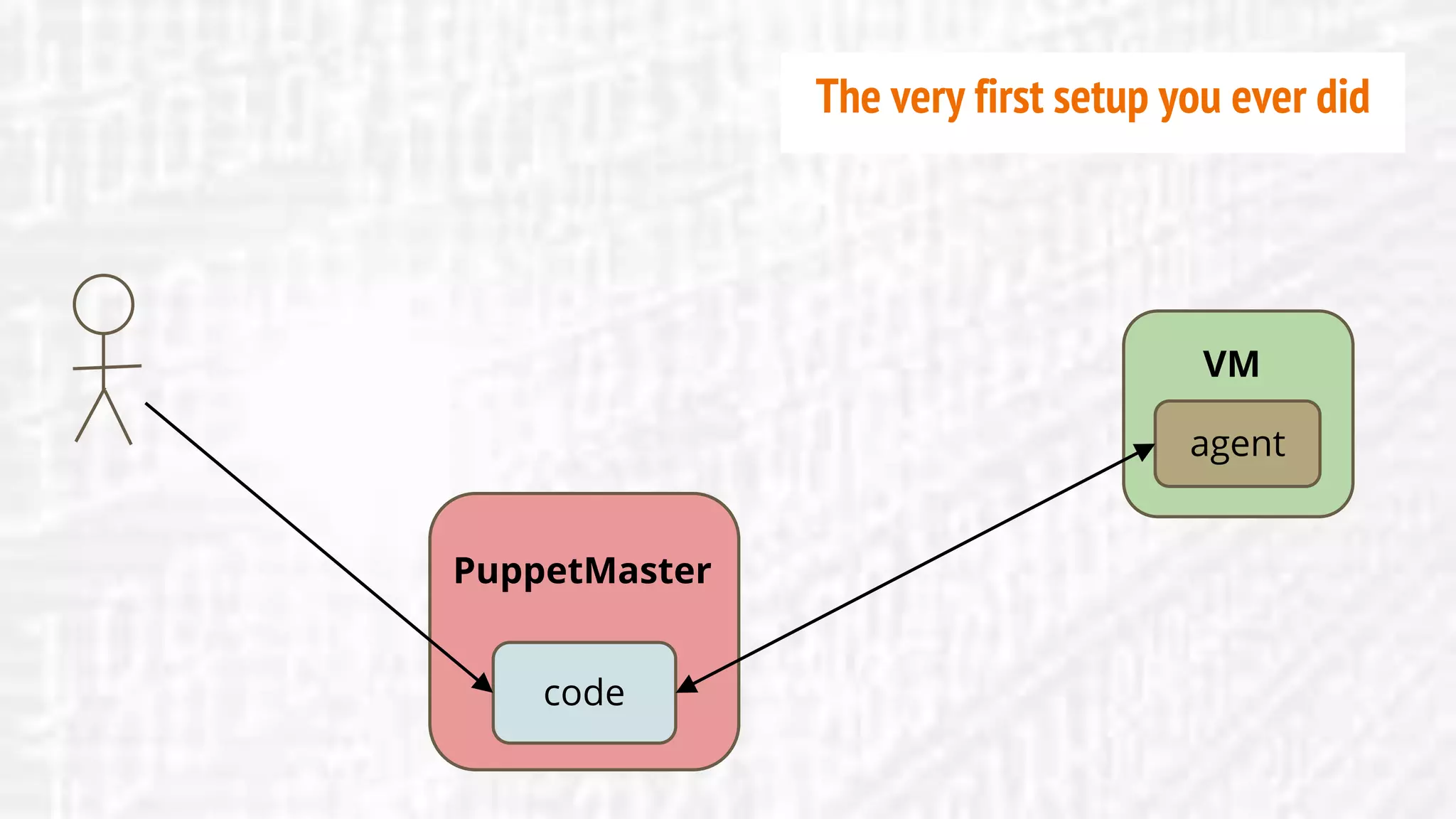
PuppetMaster
agent
VM
code
PuppetMaster
The very first setup you ever did
code
VC repo
PuppetMaster
agent
VM
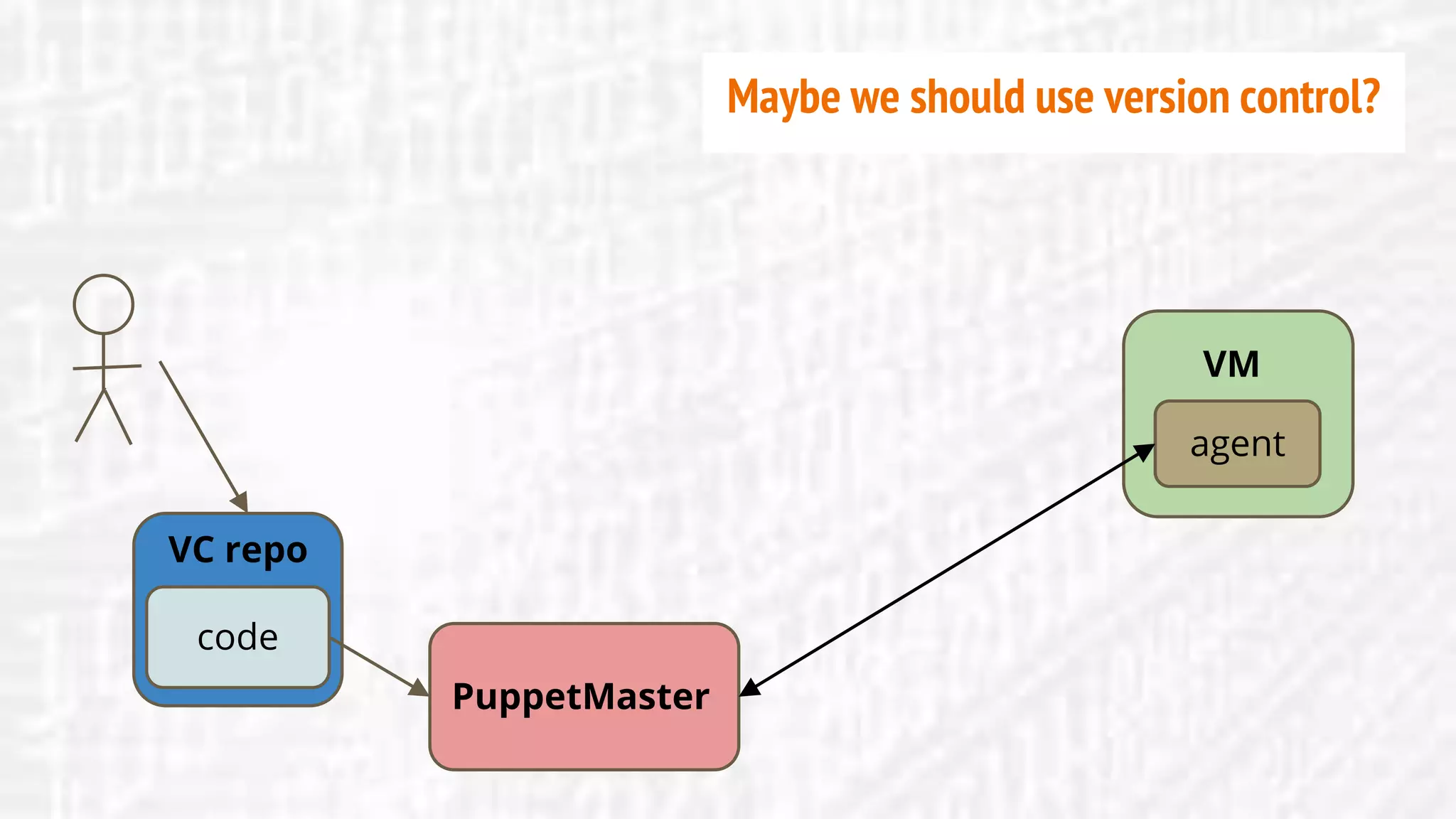
Maybe we should use version control?
code
VC repo
PuppetMaster
agent
VM
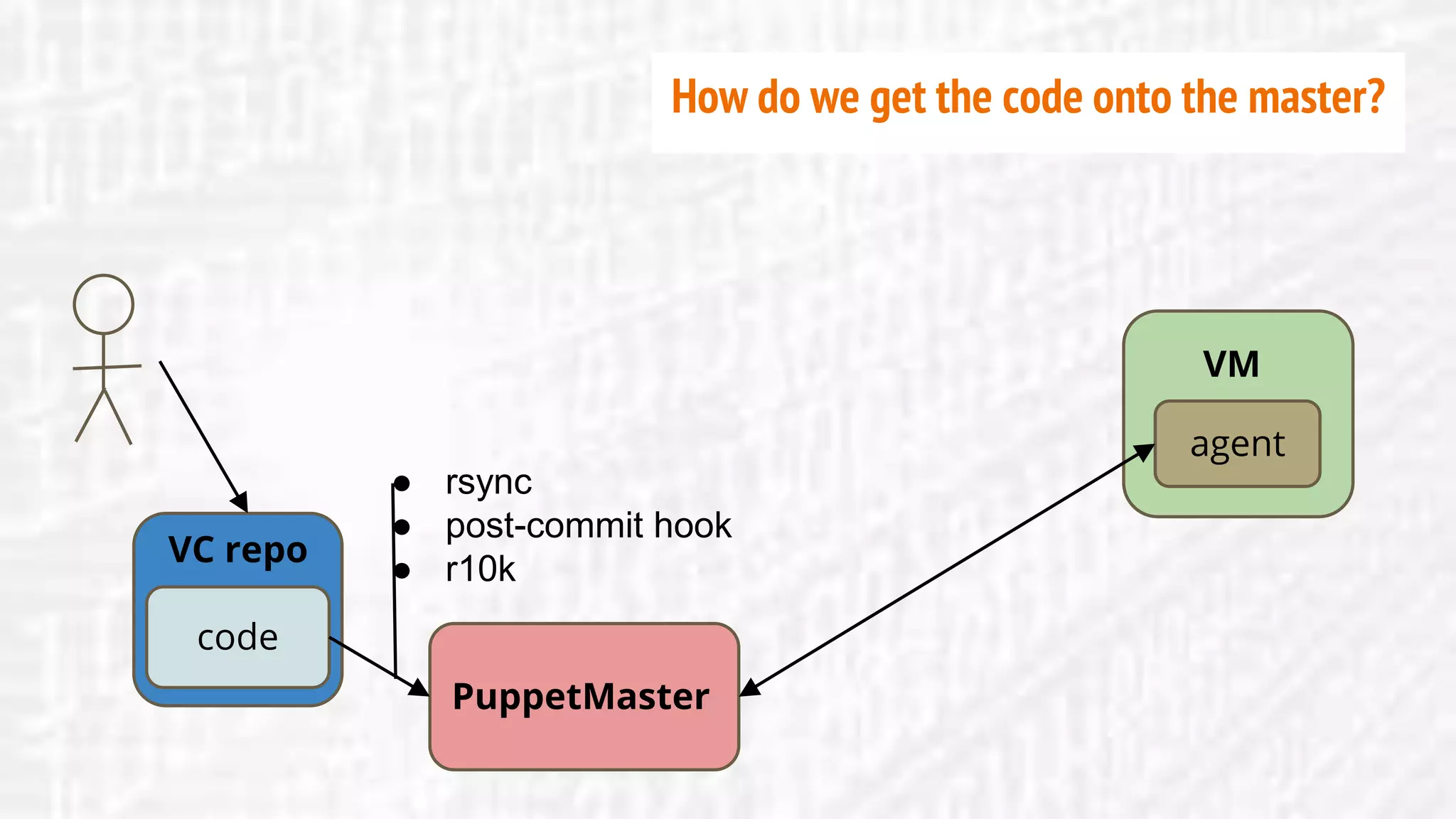
● rsync
● post-commit hook
● r10k
How do we get the code onto the master?
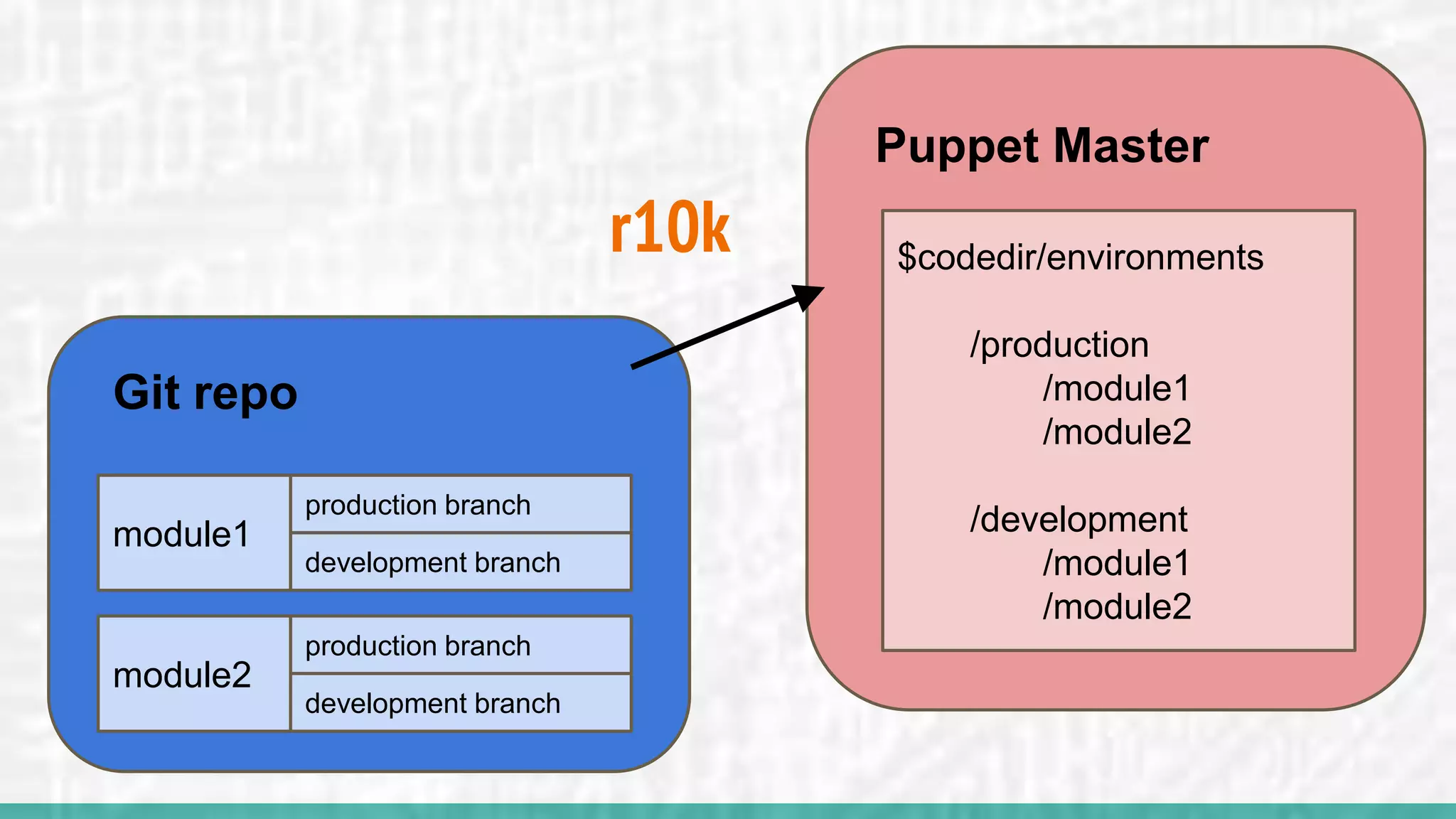
r10k
Git repo
module1
production branch
development branch
module2
production branch
development branch
Puppet Master
$codedir/environments
/production
/module1
/module2
/development
/module1
/module2
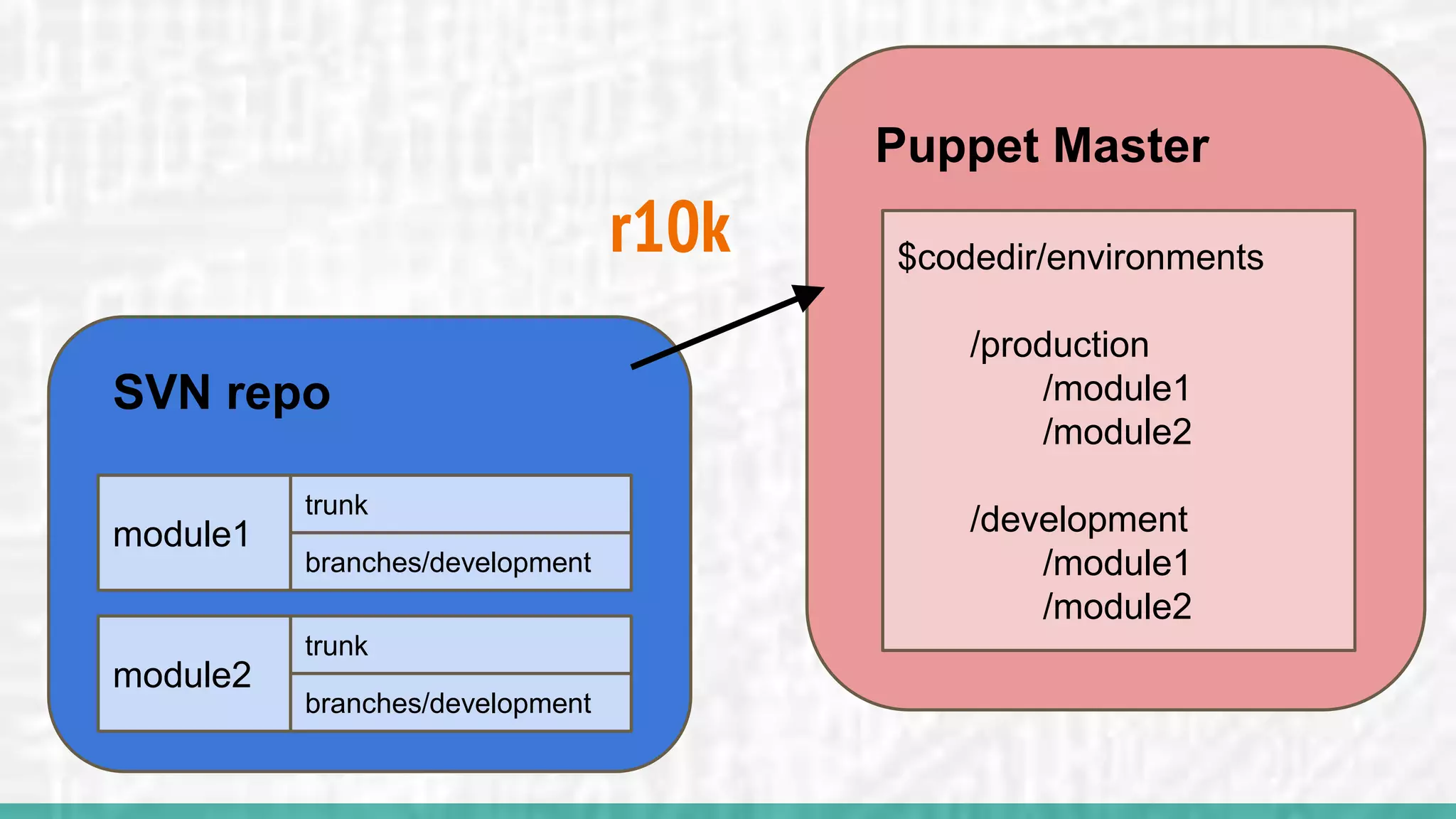
r10k
SVN repo
module1
trunk
branches/development
module2
trunk
branches/development
Puppet Master
$codedir/environments
/production
/module1
/module2
/development
/module1
/module2
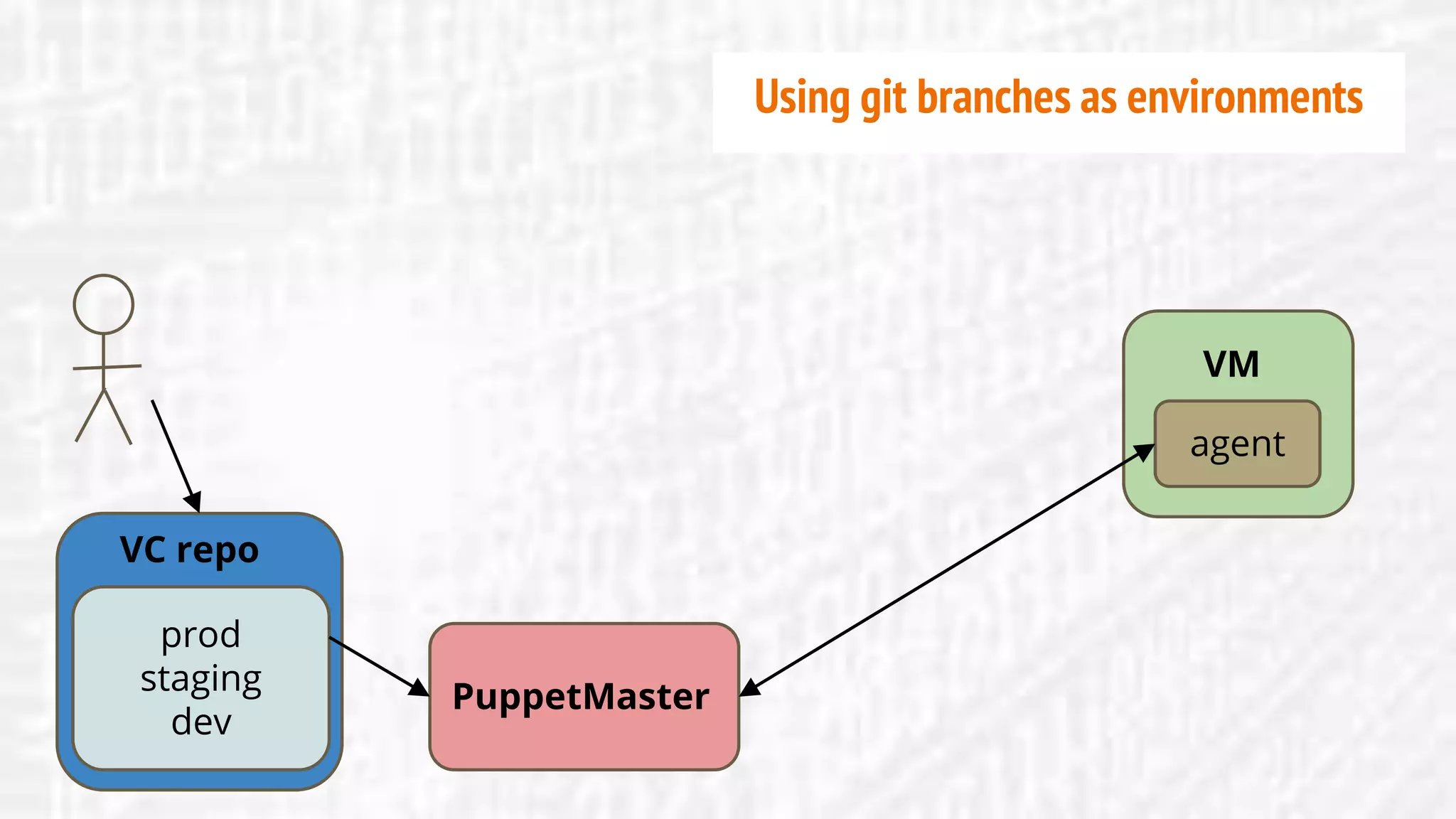
prod
staging
dev
VC repo
PuppetMaster
agent
VM
Using git branches as environments
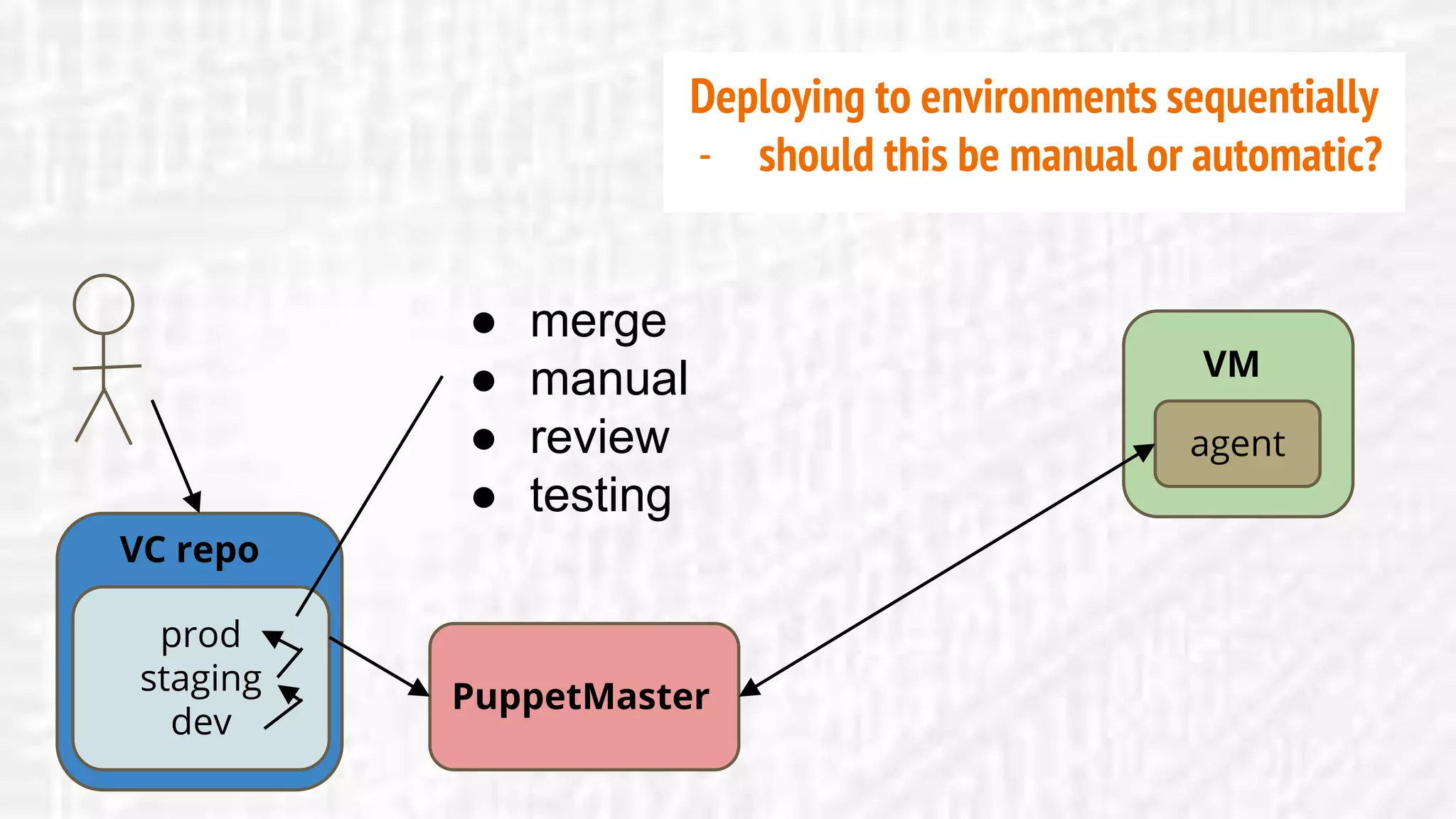
prod
staging
dev
VC repo
PuppetMaster
agent
VM
● merge
● manual
● review
● testing
Deploying to environments sequentially
- should this be manual or automatic?
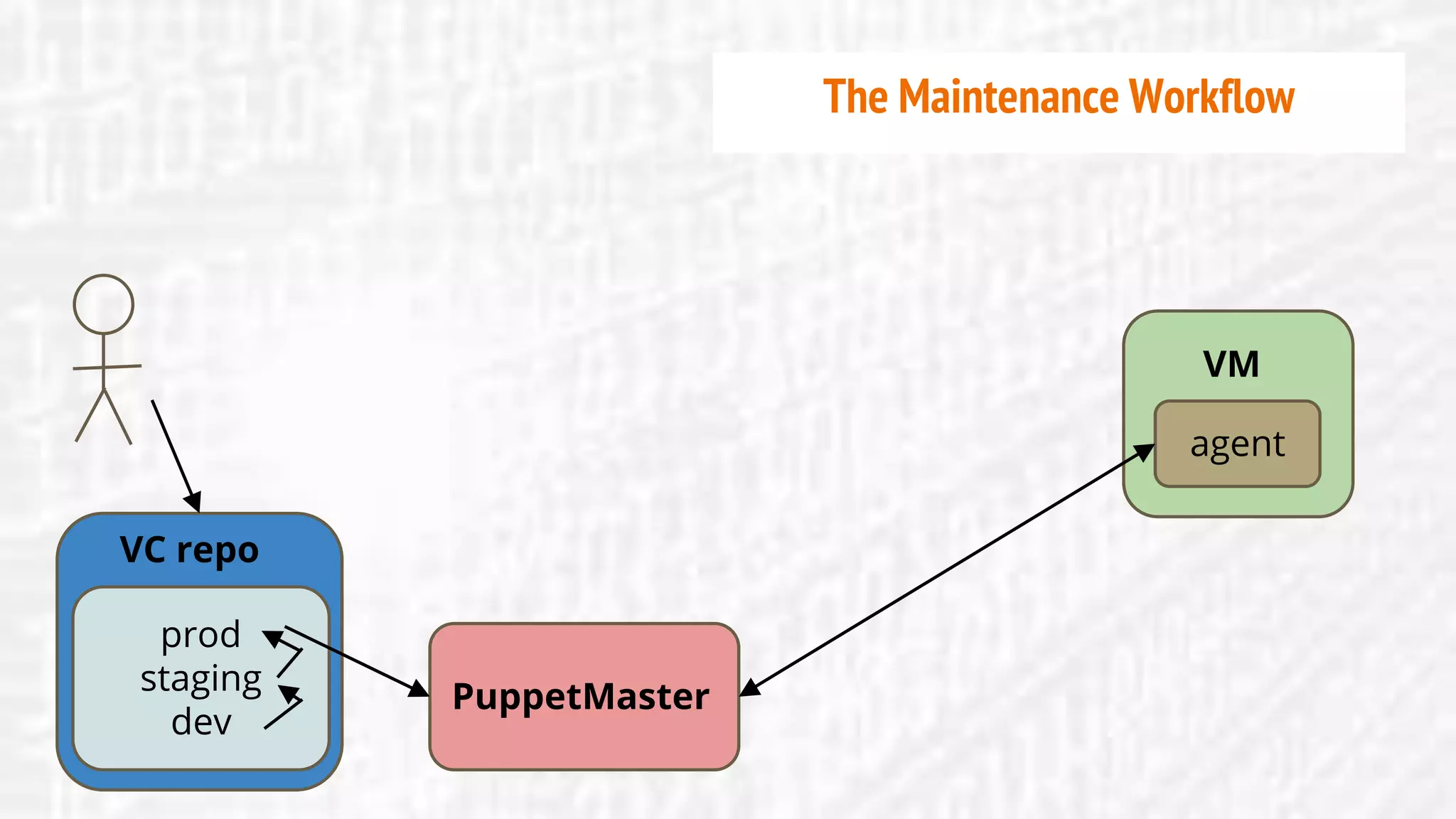
prod
staging
dev
VC repo
PuppetMaster
agent
VM
The Maintenance Workflow
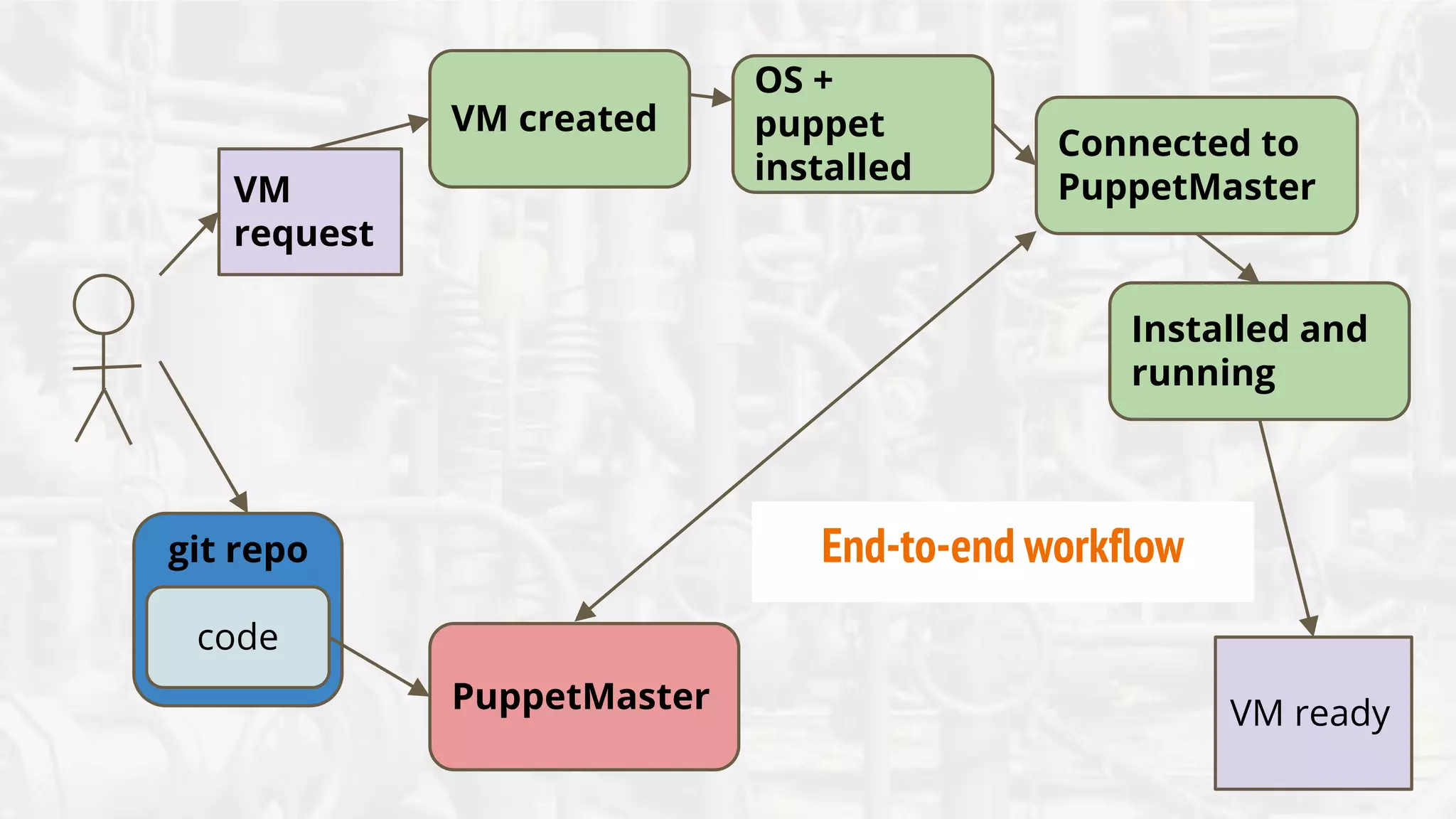
End-to-end workflow:
set up, install, and configure the node
code
git repo
VM
request
PuppetMaster
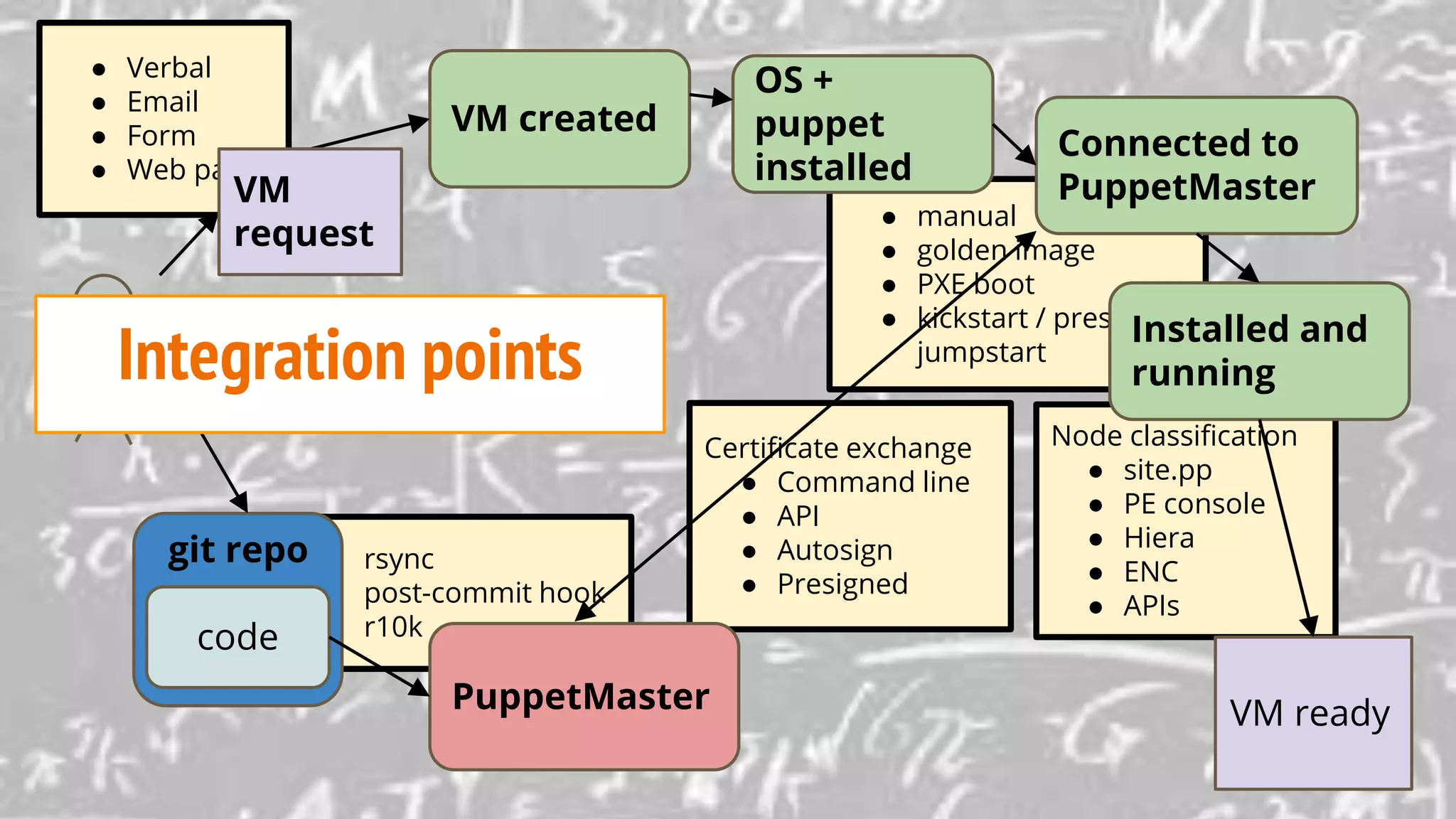
VM created
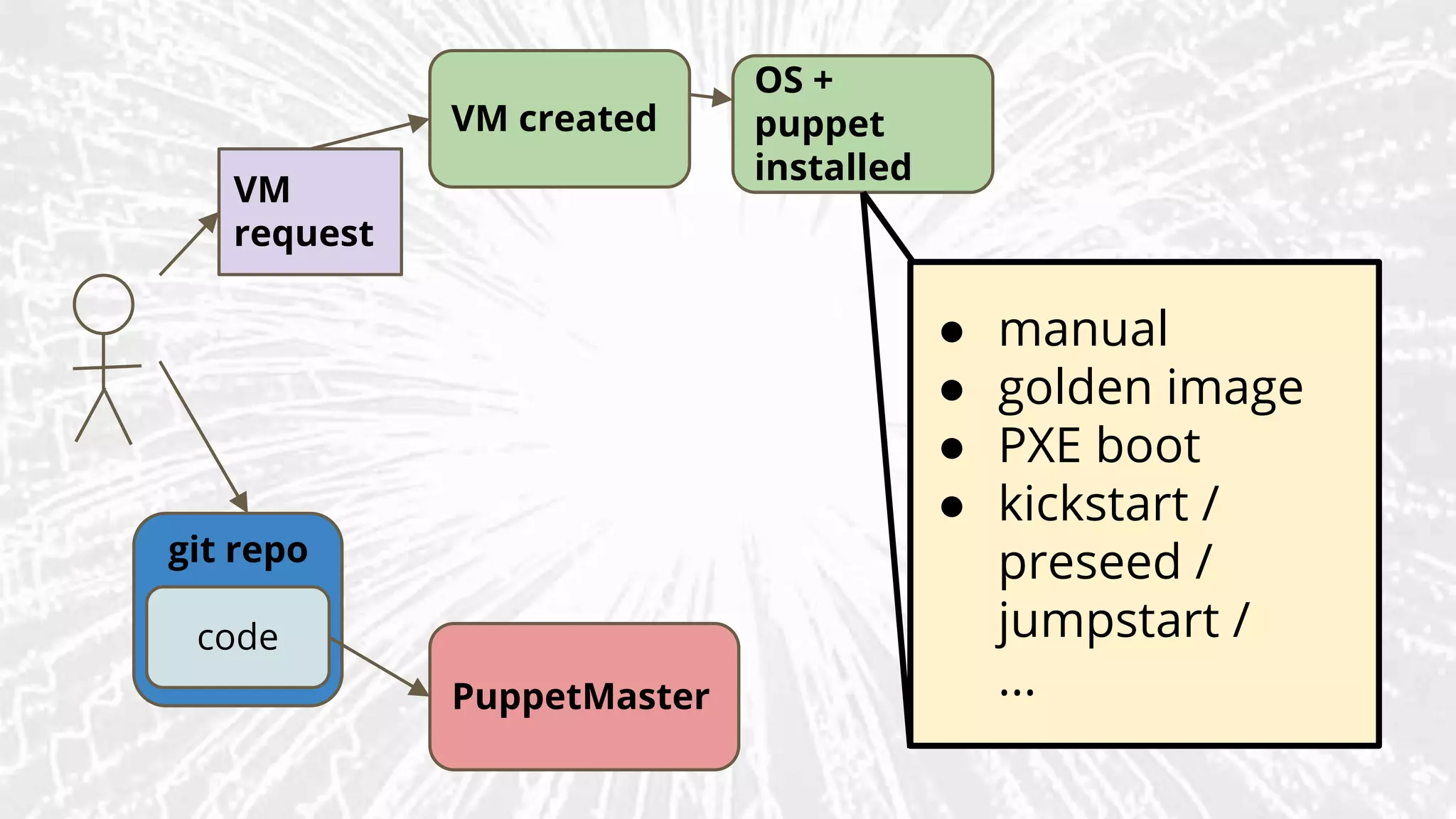
OS +
puppet
installed
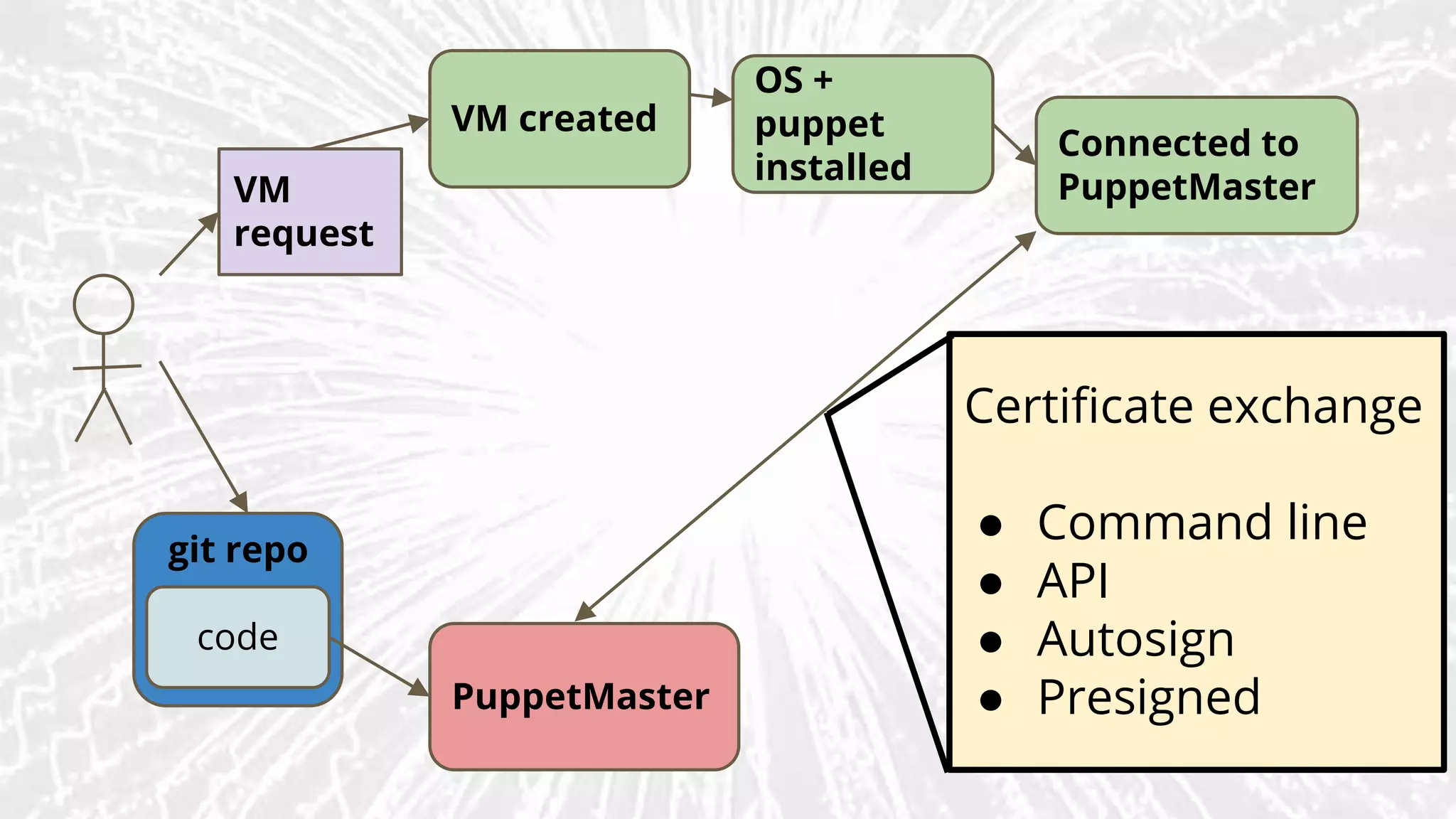
Connected to
PuppetMaster
Installed and
running
VM ready
End-to-end workflow
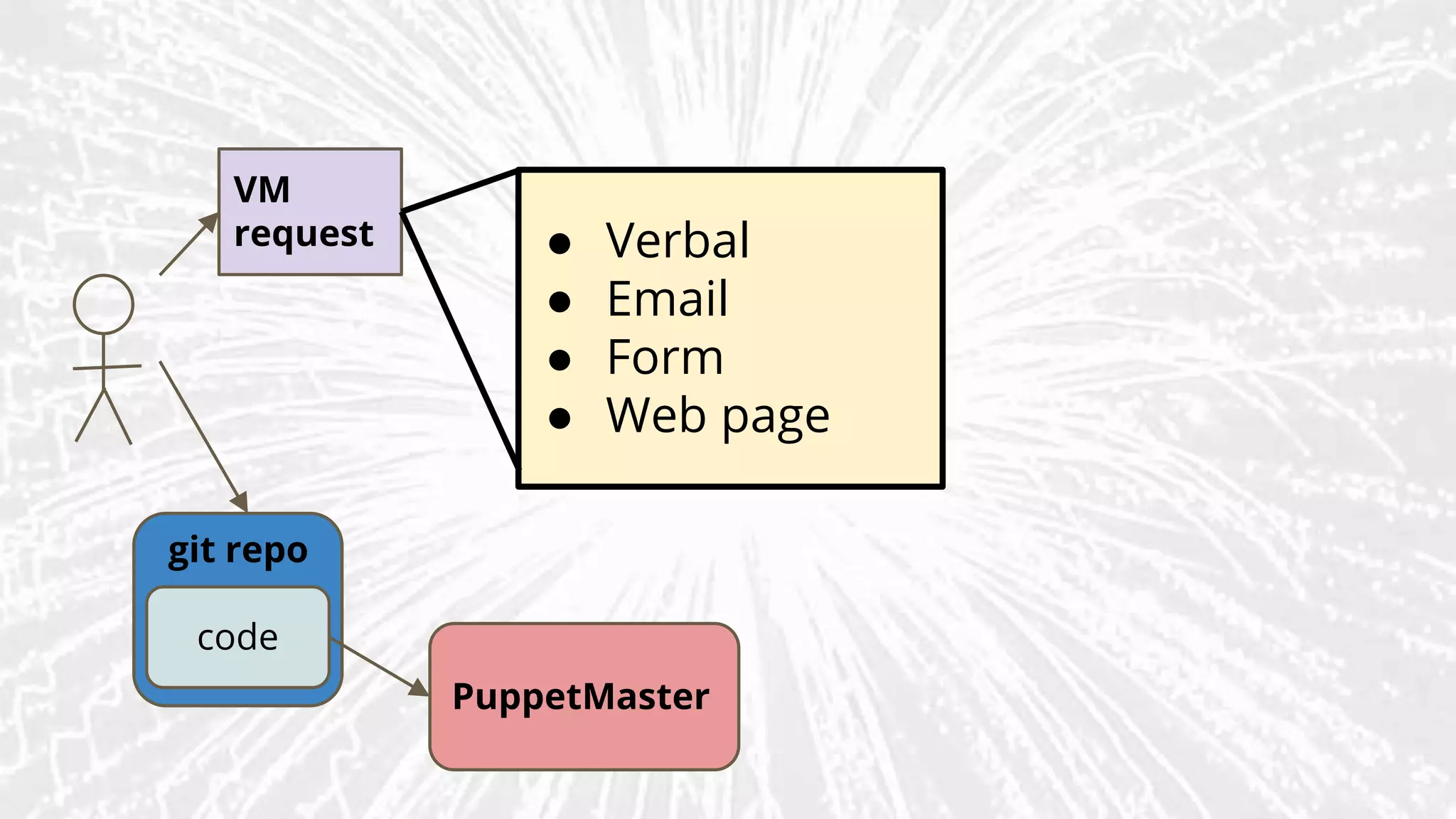
End-to-end workflow: technical options
VM
request
code
git repo
PuppetMaster
● Verbal
● Email
● Form
● Web page
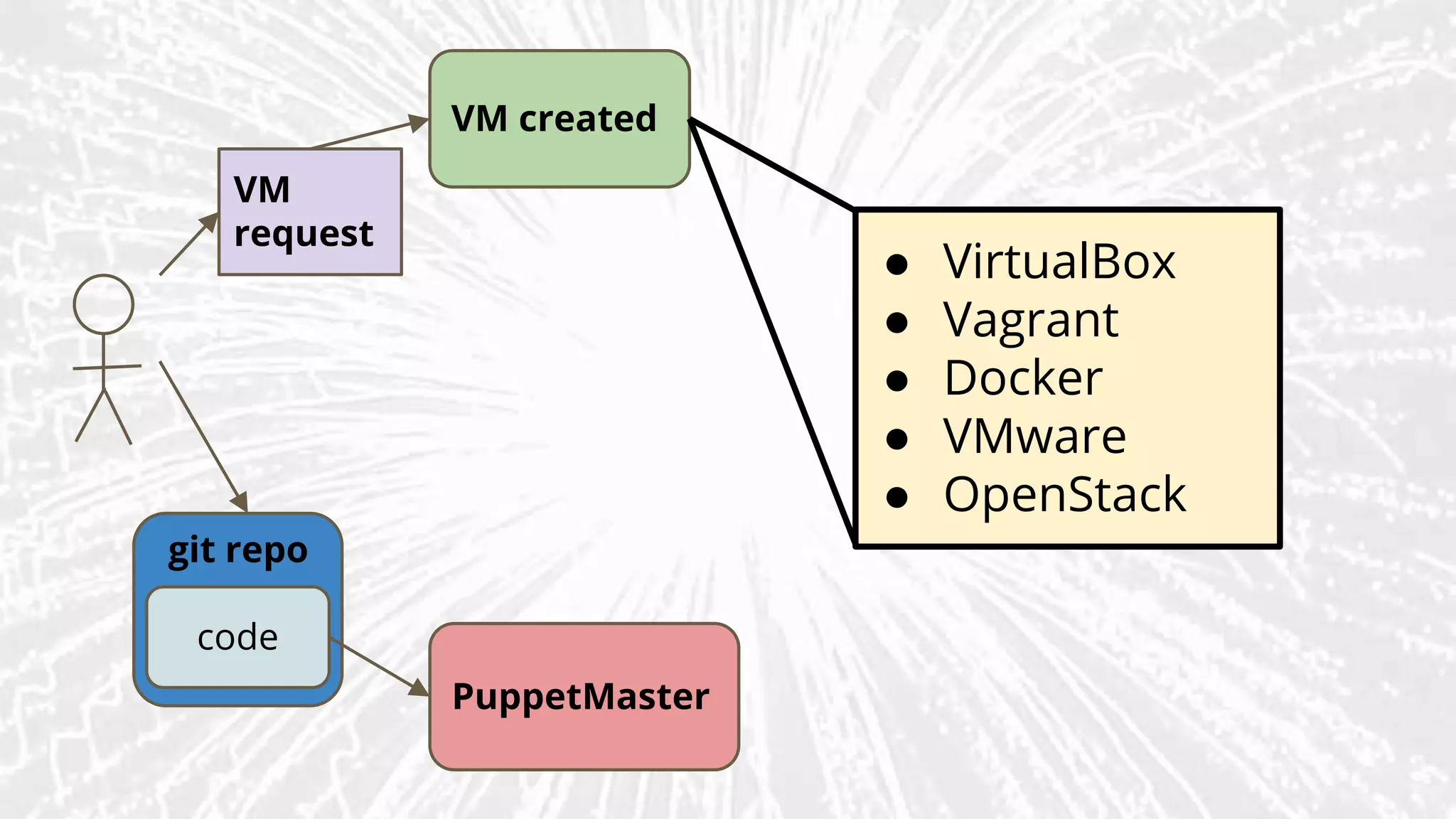
VM
request
VM created
code
git repo
PuppetMaster
● VirtualBox
● Vagrant
● Docker
● VMware
● OpenStack
VM
request
VM created
OS +
puppet
installed
code
git repo
PuppetMaster
● manual
● golden image
● PXE boot
● kickstart /
preseed /
jumpstart /
...
code
git repo
VM
request
PuppetMaster
VM created
OS +
puppet
installed
Connected to
PuppetMaster
Certificate exchange
● Command line
● API
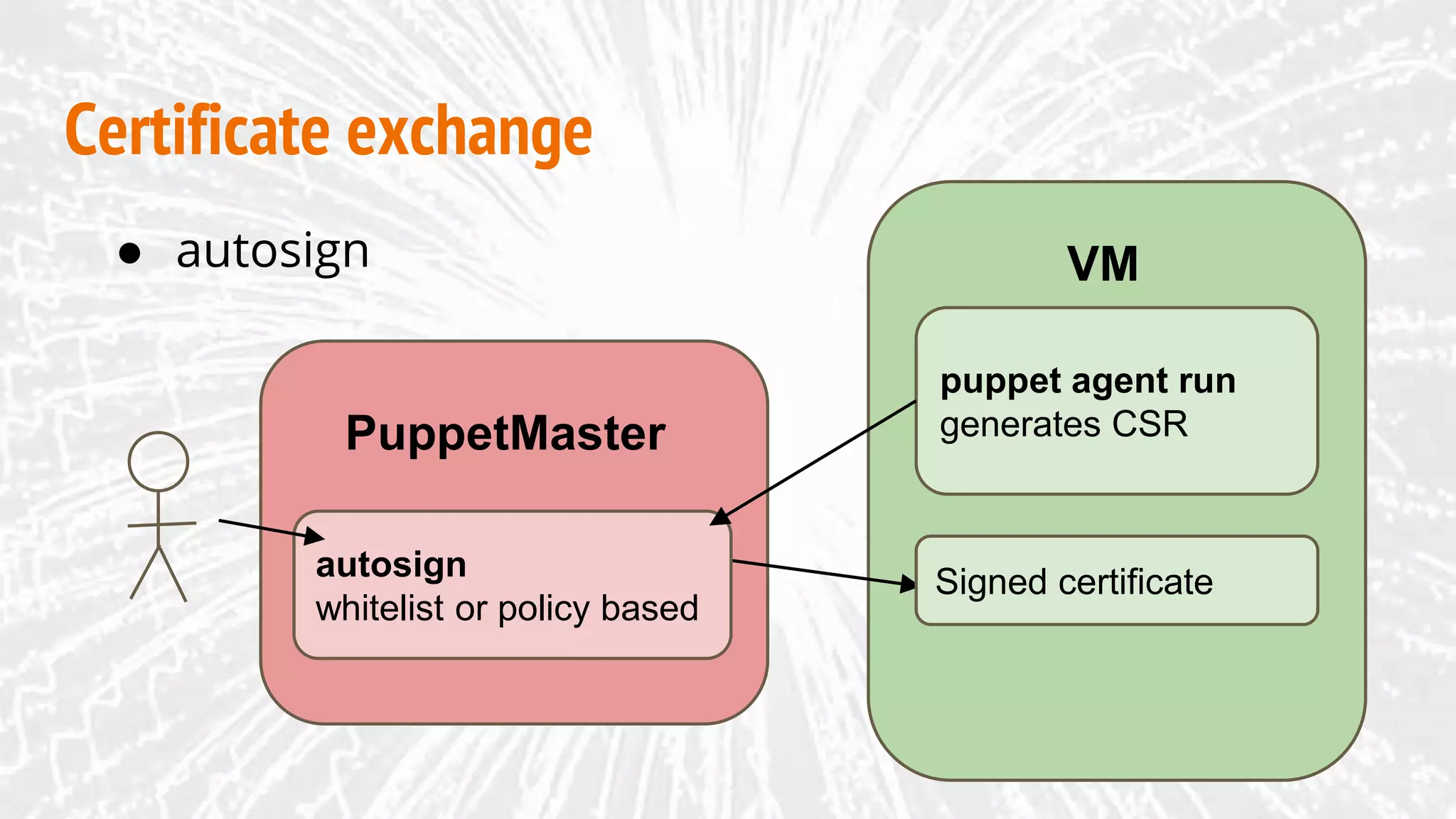
● Autosign
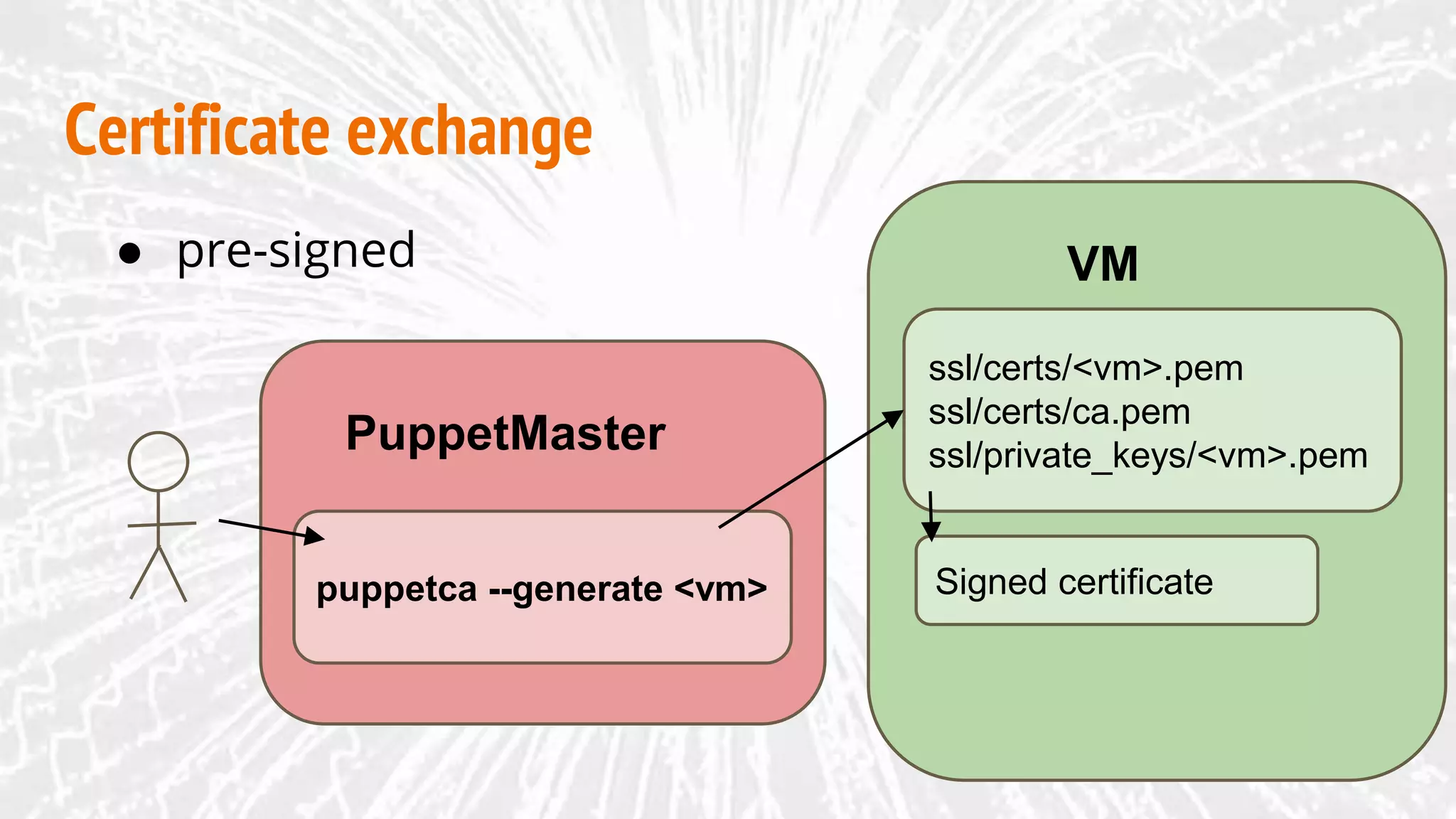
● Presigned
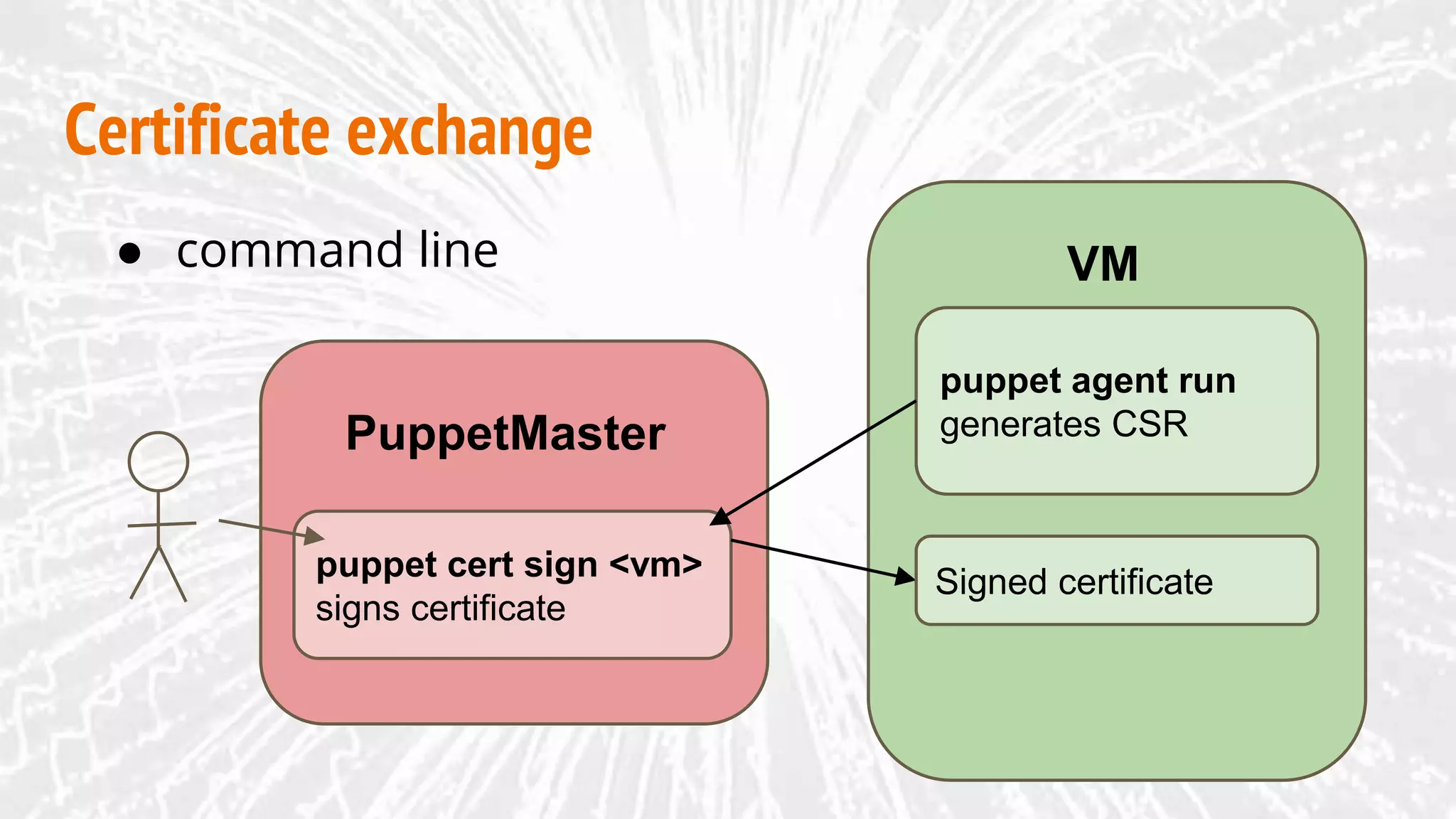
Certificate exchange
VM
PuppetMaster
puppet agent run
generates CSR
puppet cert sign <vm>
signs certificate
● command line
Signed certificate
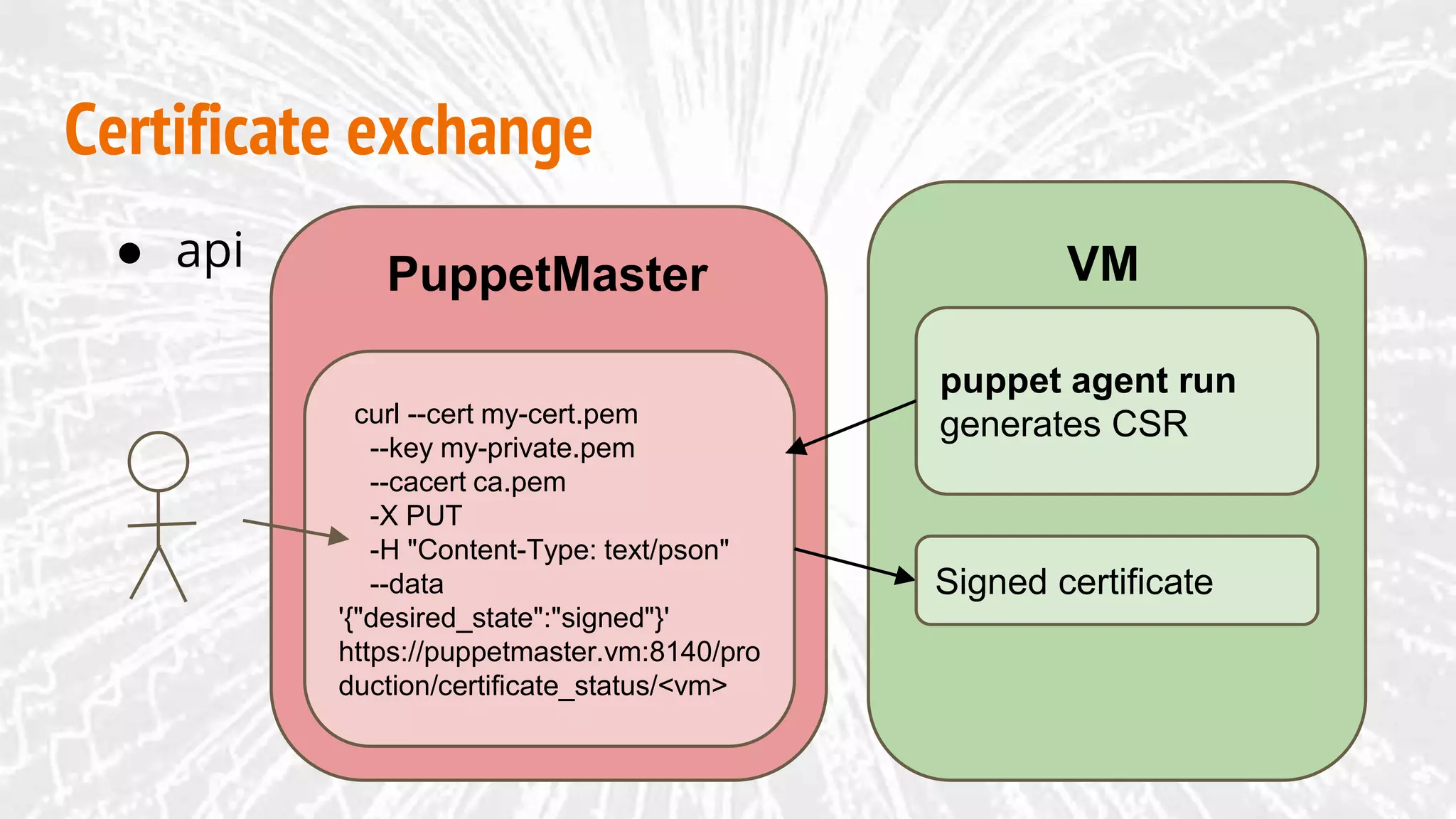
Certificate exchange
VMPuppetMaster
puppet agent run
generates CSRcurl --cert my-cert.pem
--key my-private.pem
--cacert ca.pem
-X PUT
-H "Content-Type: text/pson"
--data
'{"desired_state":"signed"}'
https://puppetmaster.vm:8140/pro
duction/certificate_status/<vm>
● api
Signed certificate
Certificate exchange
VM
PuppetMaster
puppet agent run
generates CSR
● autosign
autosign
whitelist or policy based
Signed certificate
Certificate exchange
VM
PuppetMaster
● pre-signed
puppetca --generate <vm>
ssl/certs/<vm>.pem
ssl/certs/ca.pem
ssl/private_keys/<vm>.pem
Signed certificate
code
git repo
VM
request
PuppetMaster
VM created
OS +
puppet
installed
Connected to
PuppetMaster
Installed and
running
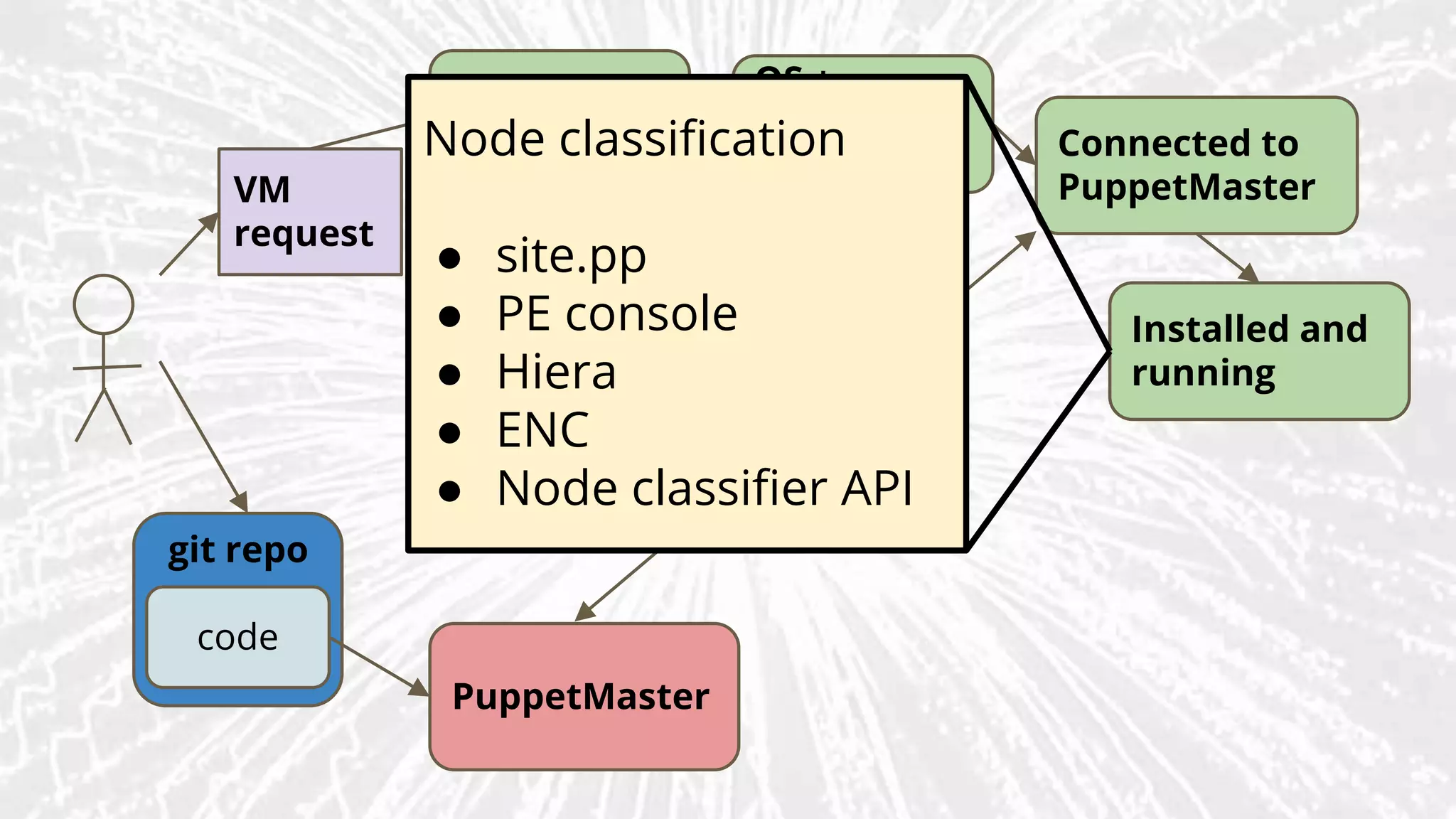
Node classification
● site.pp
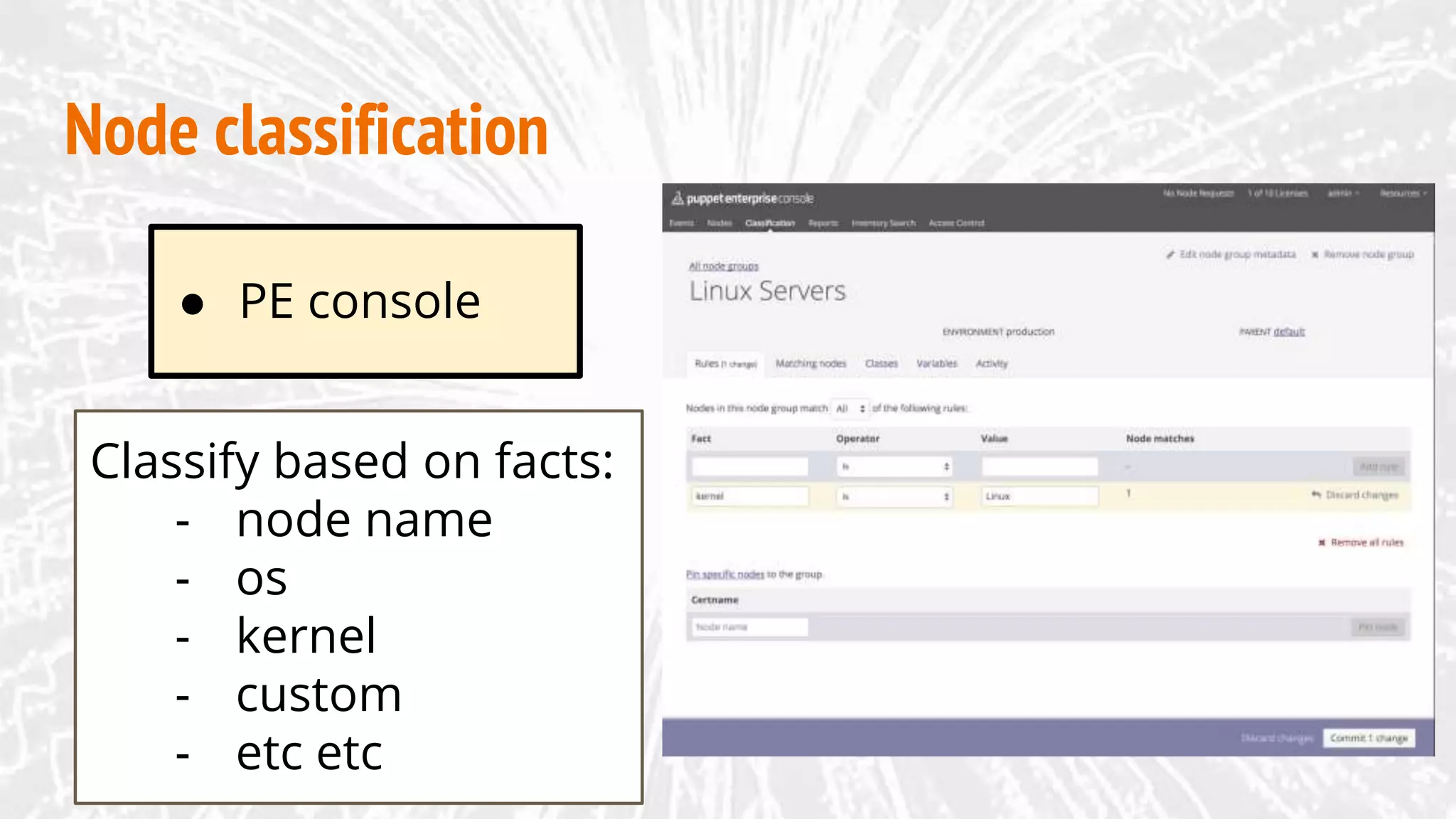
● PE console
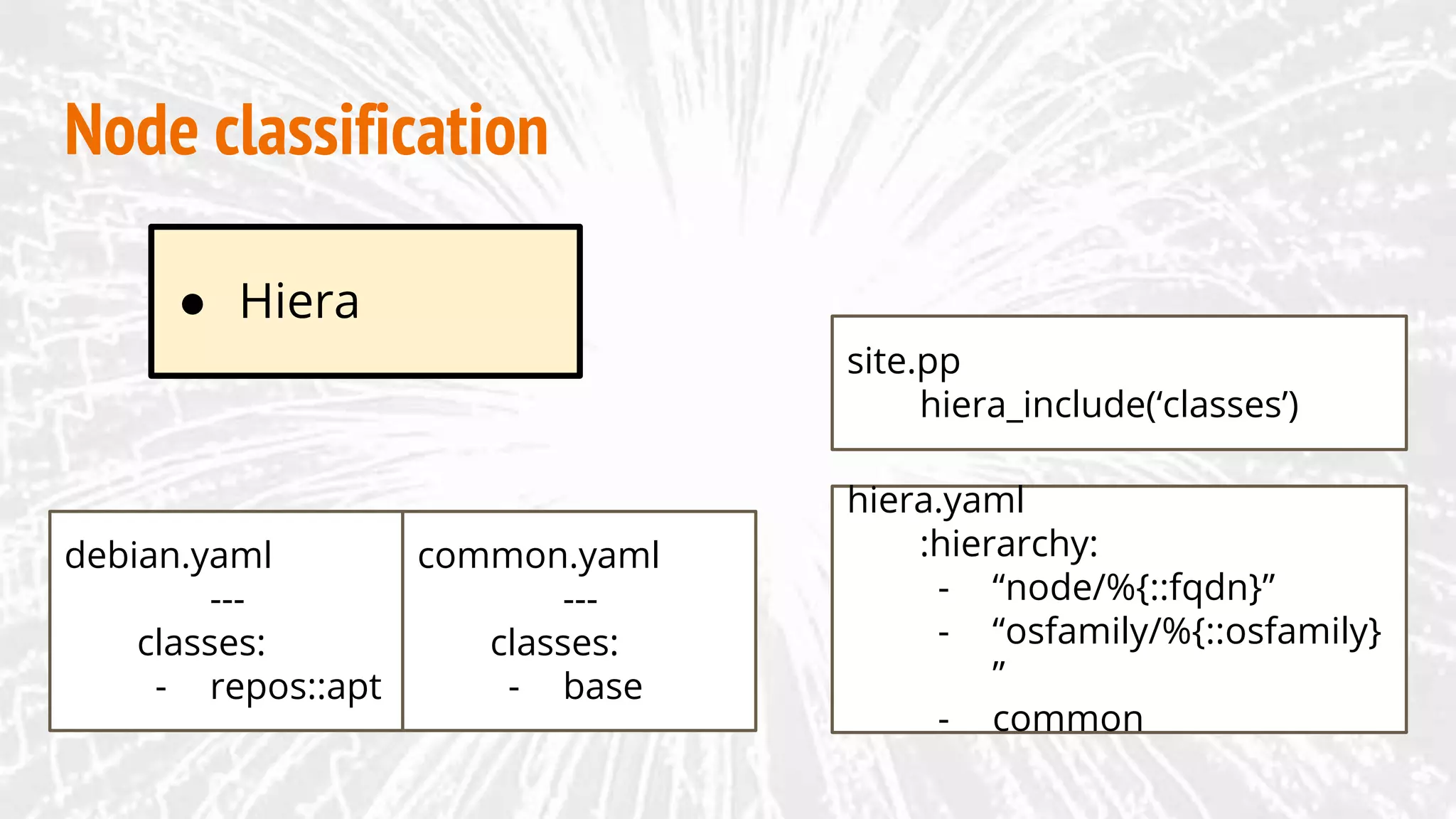
● Hiera
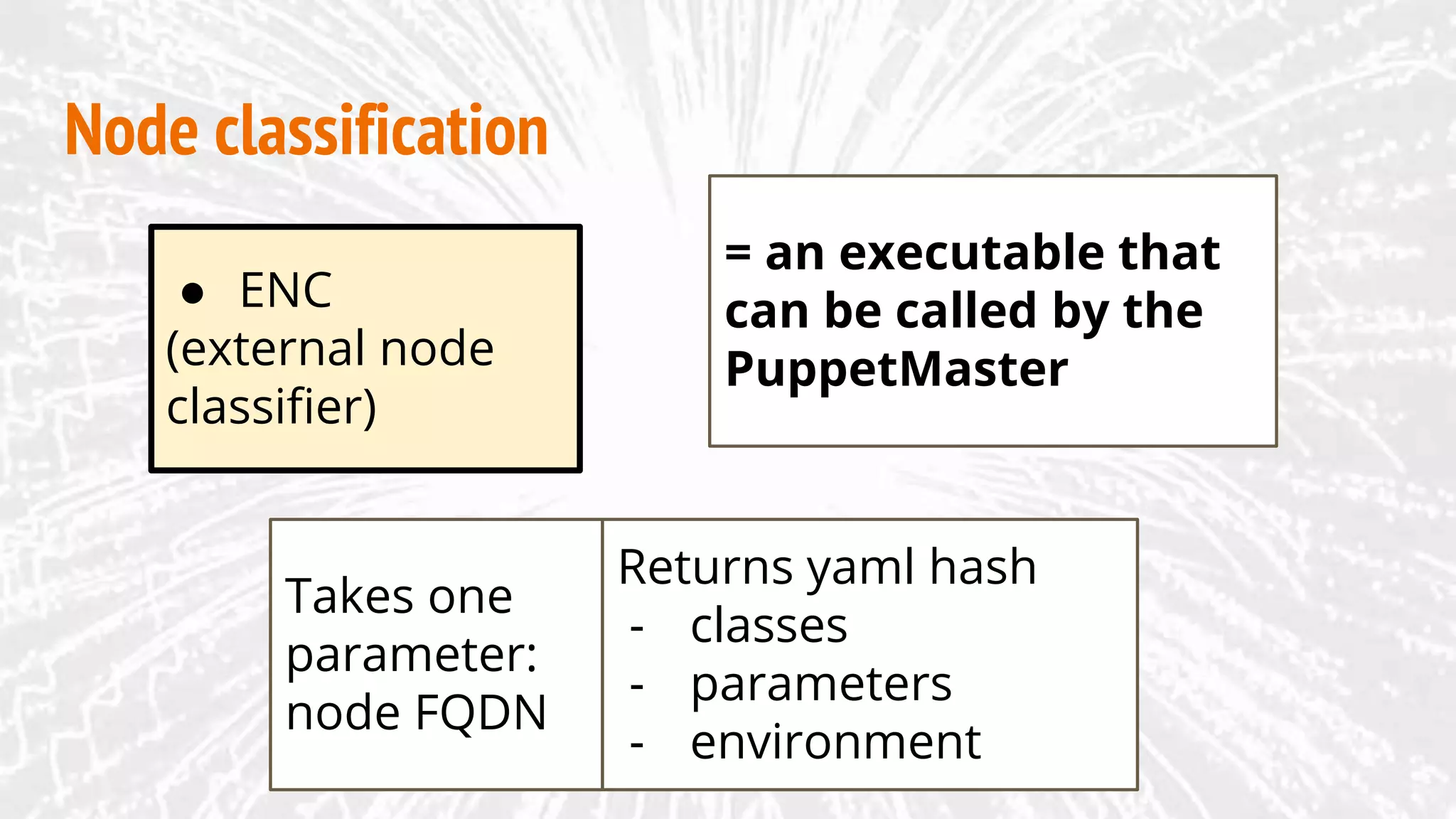
● ENC
● Node classifier API
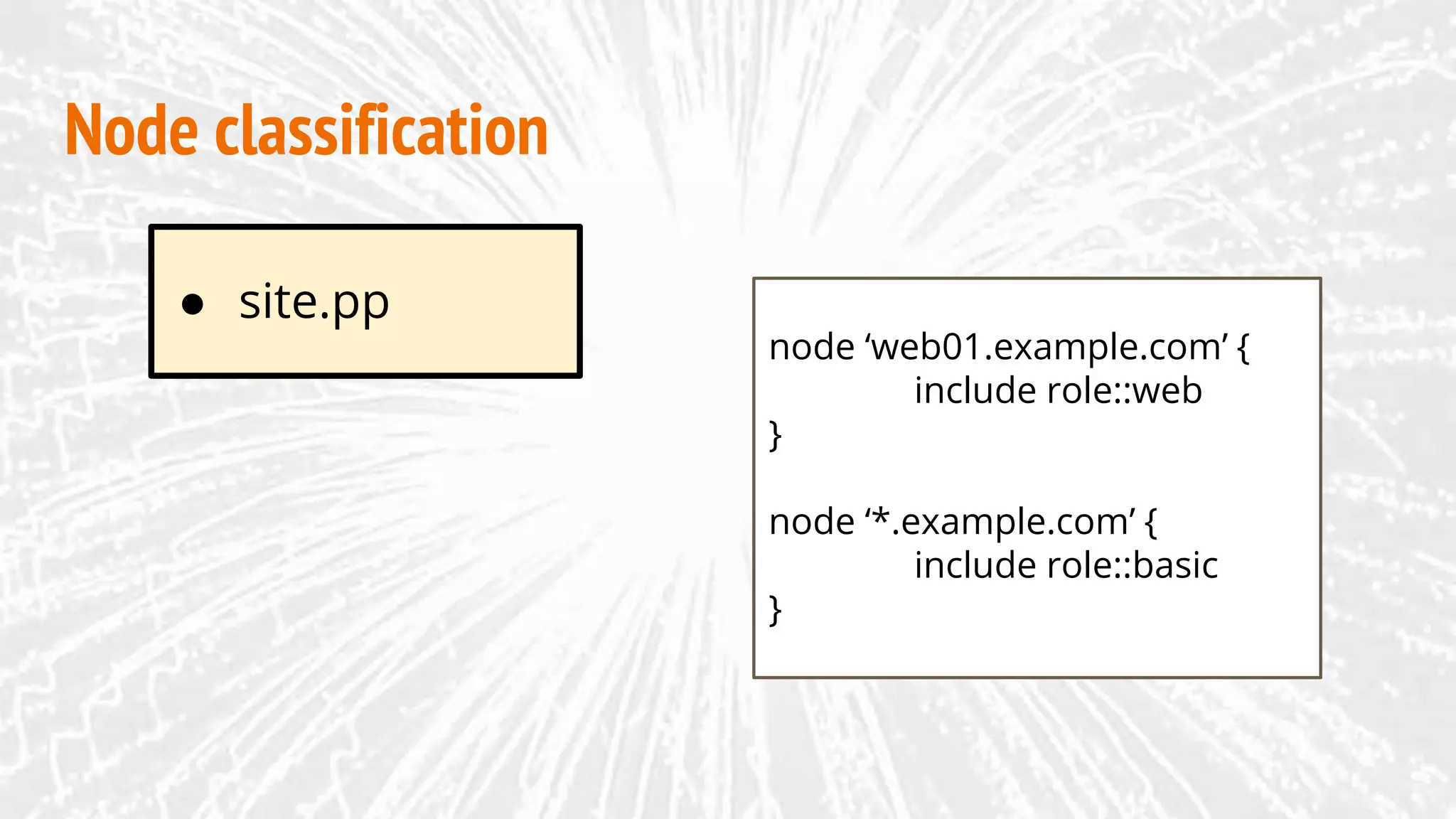
● site.pp
Node classification
node ‘web01.example.com’ {
include role::web
}
node ‘*.example.com’ {
include role::basic
}
Node classification
Classify based on facts:
- node name
- os
- kernel
- custom
- etc etc
● PE console
● Hiera
Node classification
site.pp
hiera_include(‘classes’)
hiera.yaml
:hierarchy:
- “node/%{::fqdn}”
- “osfamily/%{::osfamily}
”
- common
debian.yaml
---
classes:
- repos::apt
common.yaml
---
classes:
- base
● ENC
(external node
classifier)
Node classification
= an executable that
can be called by the
PuppetMaster
Returns yaml hash
- classes
- parameters
- environment
Takes one
parameter:
node FQDN
Node classification
curl --cert myserver-cert.pem 
--key myserver-private.pem 
--cacert ca.pem 
-H "Content-Type: application/json" 
https://puppetmaster.vm:4433/classifier-api/v1/groups -d
'
{
"name": "testnode.vm",
"environment": "testing",
"parent": "00000000-0000-4000-8000-000000000000",
"classes": {},
"rule": [
"or",
[
"=",
"name",
"testnode.vm"
]
]
}'
● Node
classifier API
An API interlude
APIs exist for:
● Puppet Master (Server)
● Certificate Authority
● PuppetDB
● Console
An API interlude
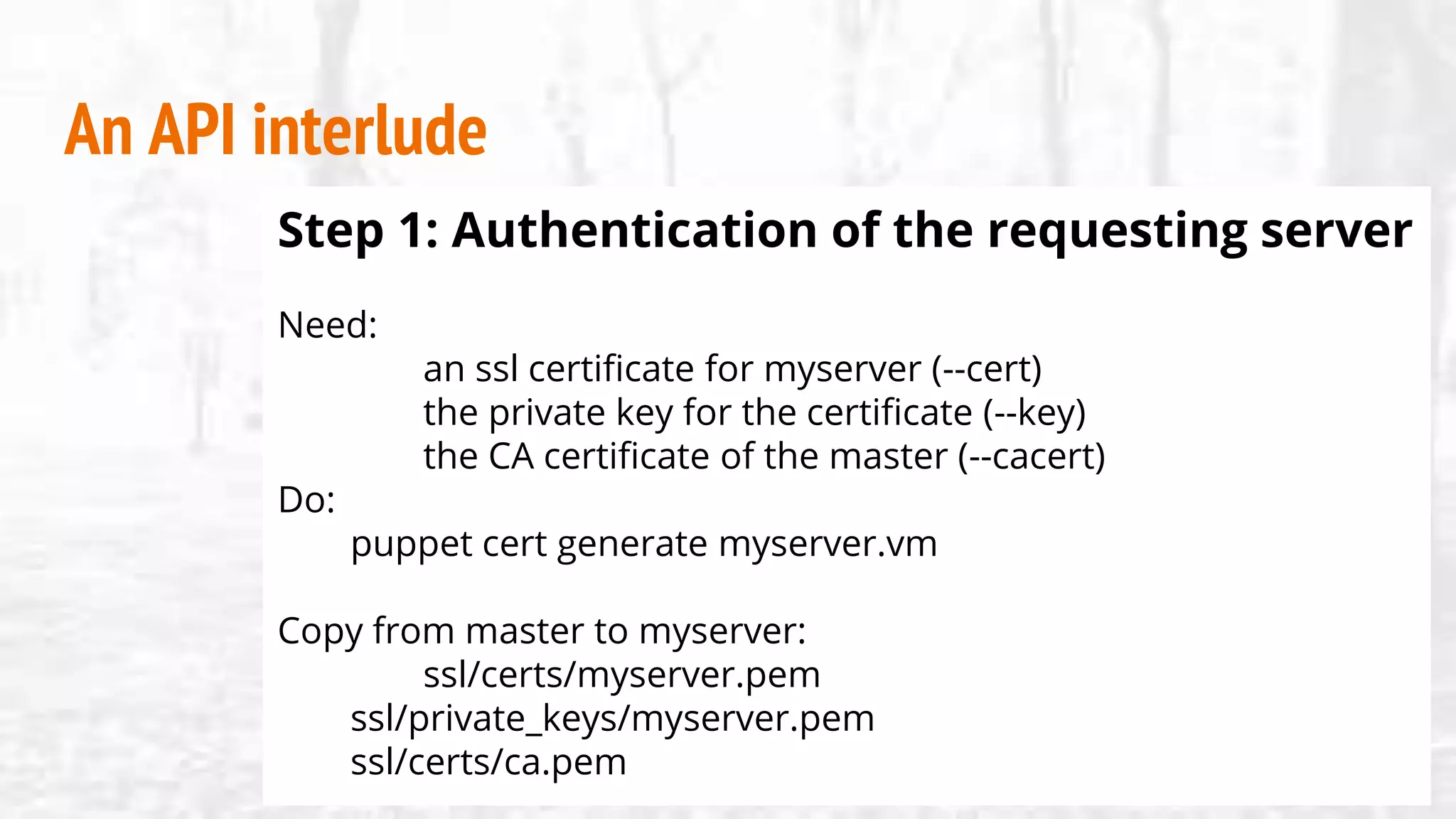
Step 1: Authentication of the requesting server
Need:
an ssl certificate for myserver (--cert)
the private key for the certificate (--key)
the CA certificate of the master (--cacert)
Do:
puppet cert generate myserver.vm
Copy from master to myserver:
ssl/certs/myserver.pem
ssl/private_keys/myserver.pem
ssl/certs/ca.pem
An API interlude
Step 2: Configuration of API service
● Puppet Master / Server / CA:
Edit auth.conf:
path /puppet/v3/status
method find
allow *
path /puppet-ca/v1/certificate_status
method find, save
auth any
allow myserver
Edit ca.conf:
certificate-authority: {
certificate-status: {
client-whitelist:
[myserver]
}
}
}
An API interlude
Step 2: Configuration of API service
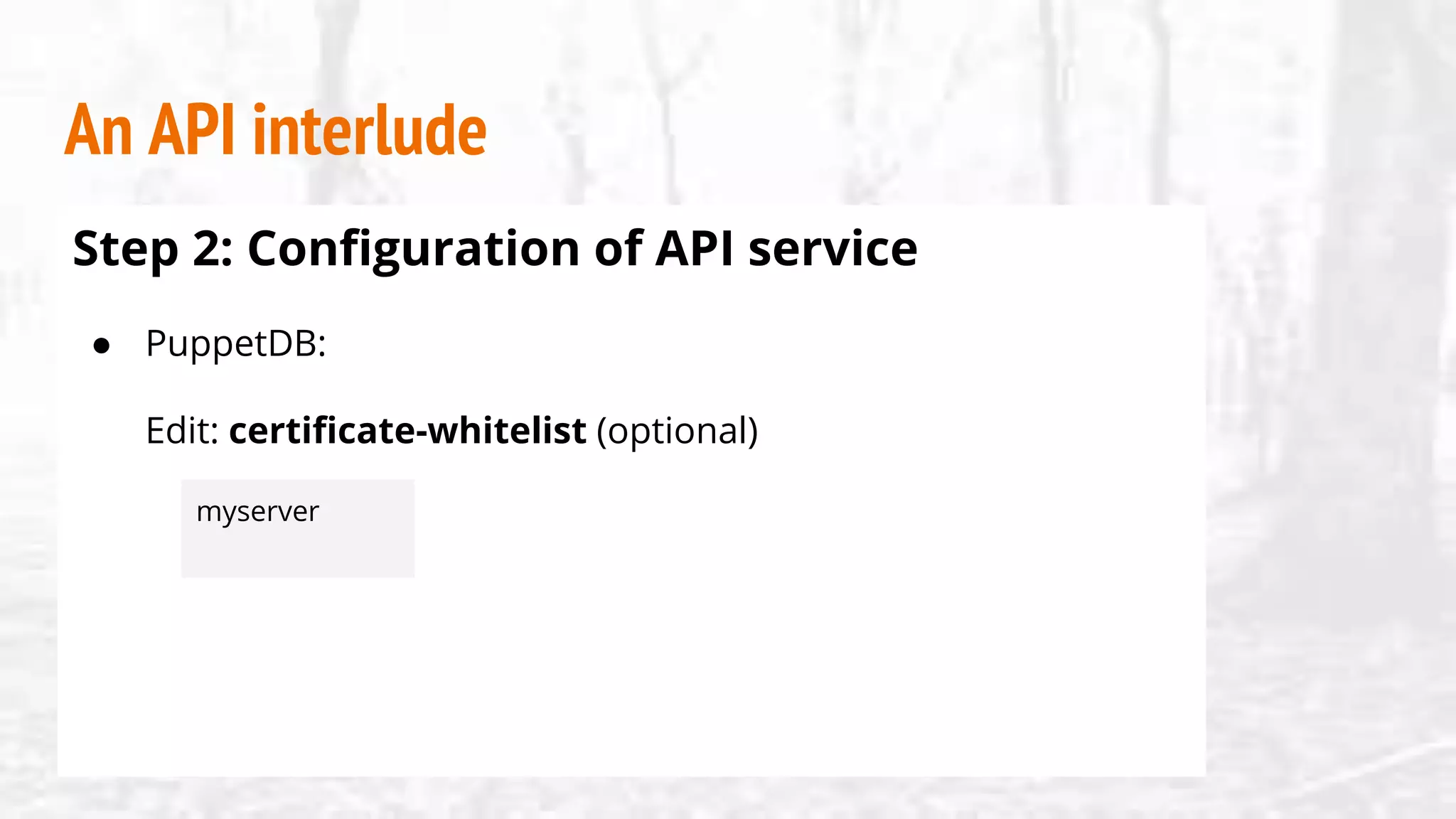
● PuppetDB:
Edit: certificate-whitelist (optional)
myserver
An API interlude
Step 2: Configuration of API service
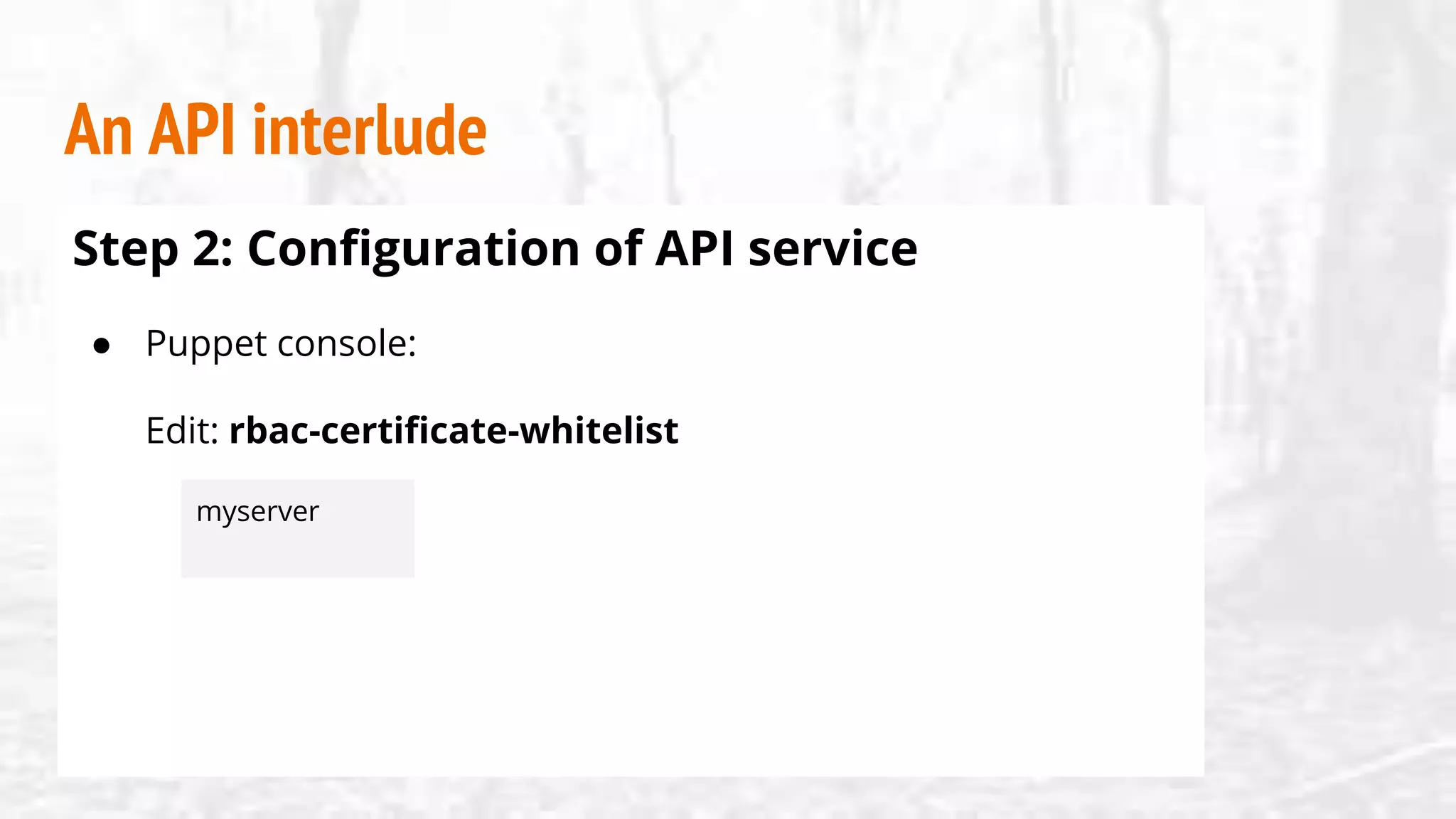
● Puppet console:
Edit: rbac-certificate-whitelist
myserver
An API interlude
Step 3:
Don’t mix classification types!
If you mix classification types
MAKE SURE YOU KNOW WHAT YOU’RE DOING
Example workflows
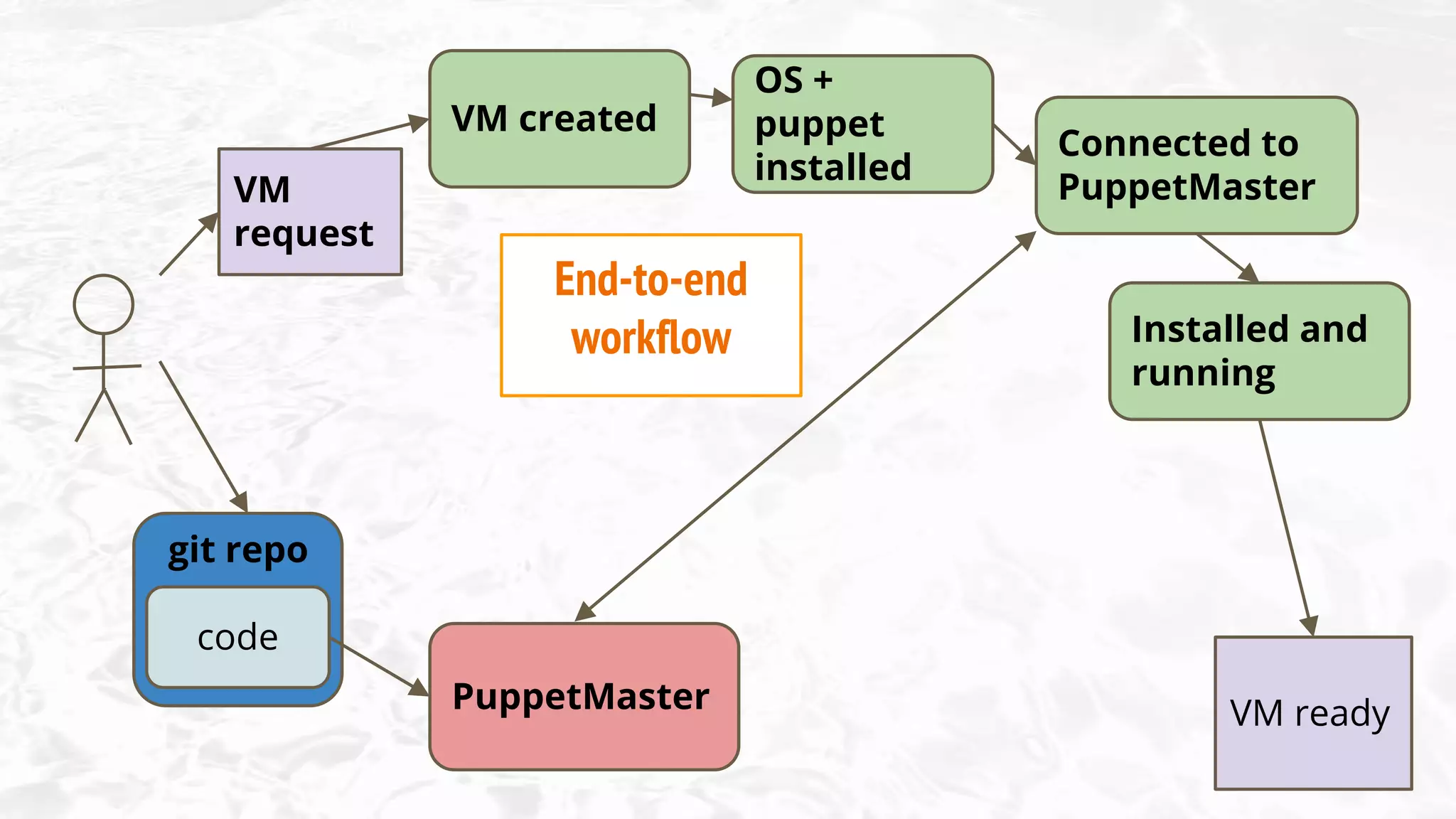
code
git repo
VM
request
PuppetMaster
VM created
OS +
puppet
installed
Connected to
PuppetMaster
Installed and
running
VM ready
End-to-end
workflow
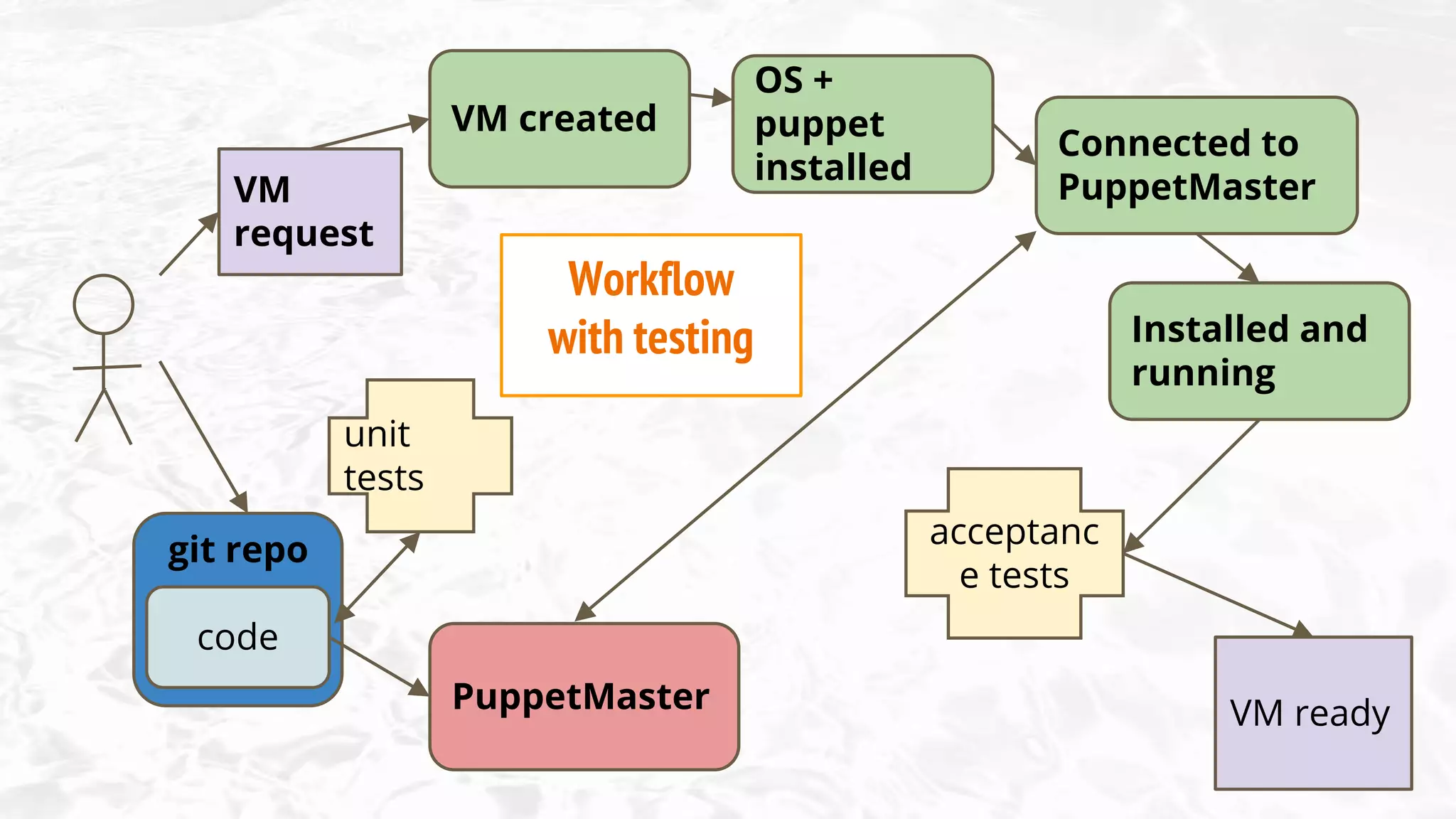
code
git repo
VM
request
PuppetMaster
VM created
OS +
puppet
installed
Connected to
PuppetMaster
Installed and
running
VM ready
unit
tests
acceptanc
e tests
Workflow
with testing
code
git repo
PuppetMaster
VM created
OS +
puppet
installed
Connected to
PuppetMaster
Installed and
running
Output
test
results
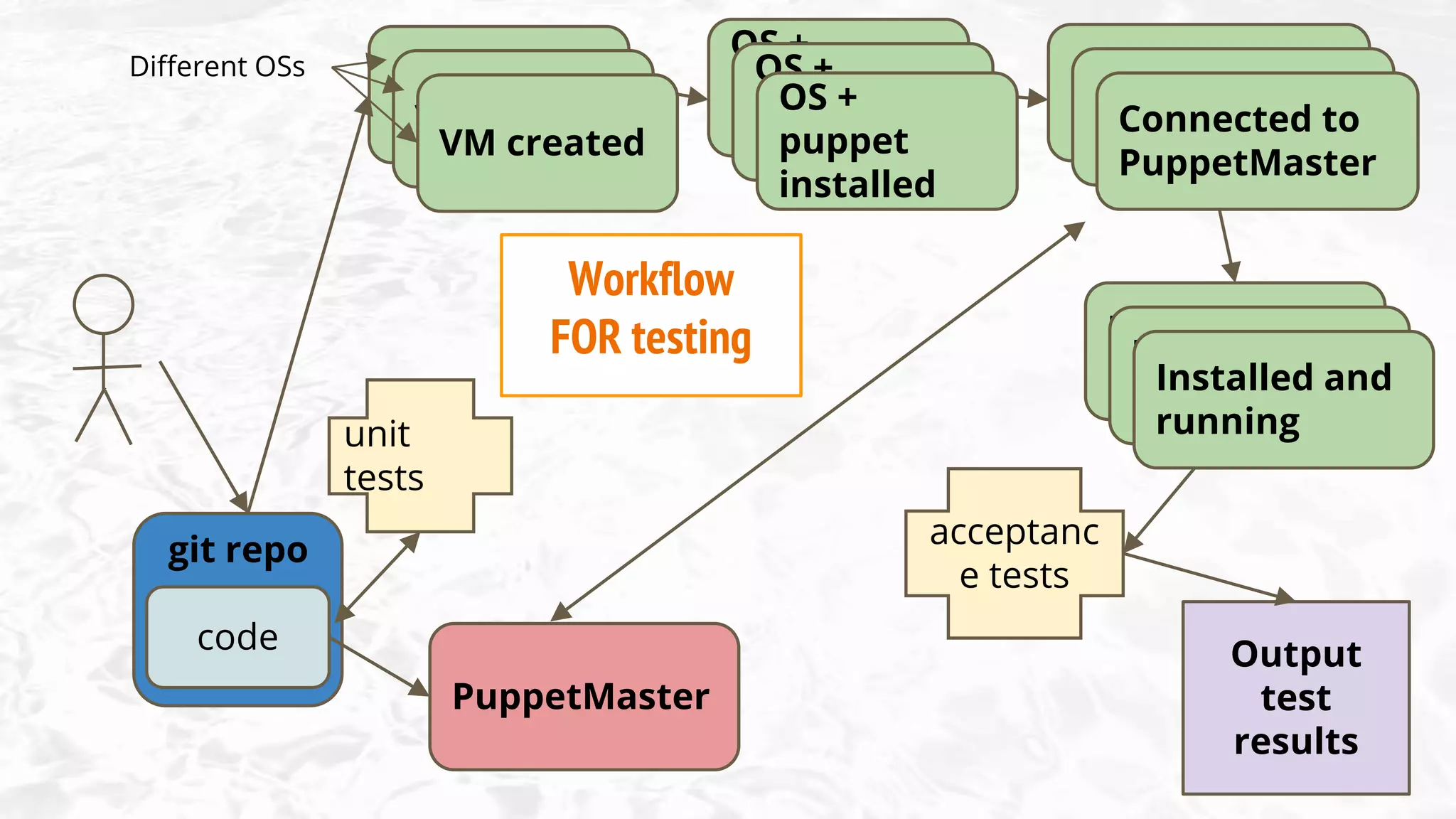
unit
tests
acceptanc
e tests
Workflow
for testing
VM created
VM created
OS +
puppet
installed
OS +
puppet
installed
Connected to
PuppetMaster
Connected to
PuppetMaster
Installed and
running
Installed and
running
Workflow
FOR testing
Different OSs
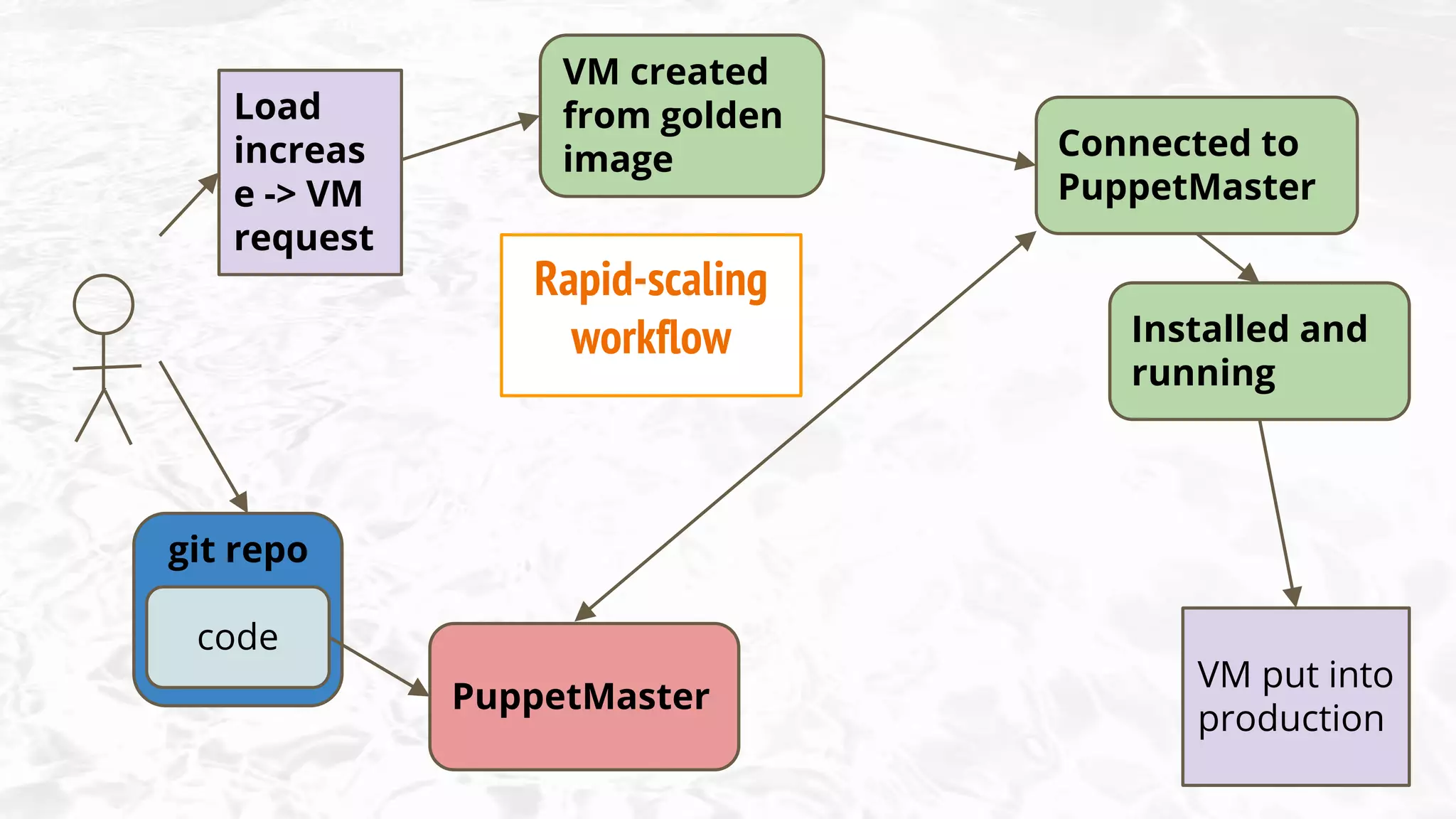
code
git repo
Load
increas
e -> VM
request
PuppetMaster
Connected to
PuppetMaster
Installed and
running
VM put into
production
VM created
from golden
image
Rapid-scaling
workflow
Planning your workflow
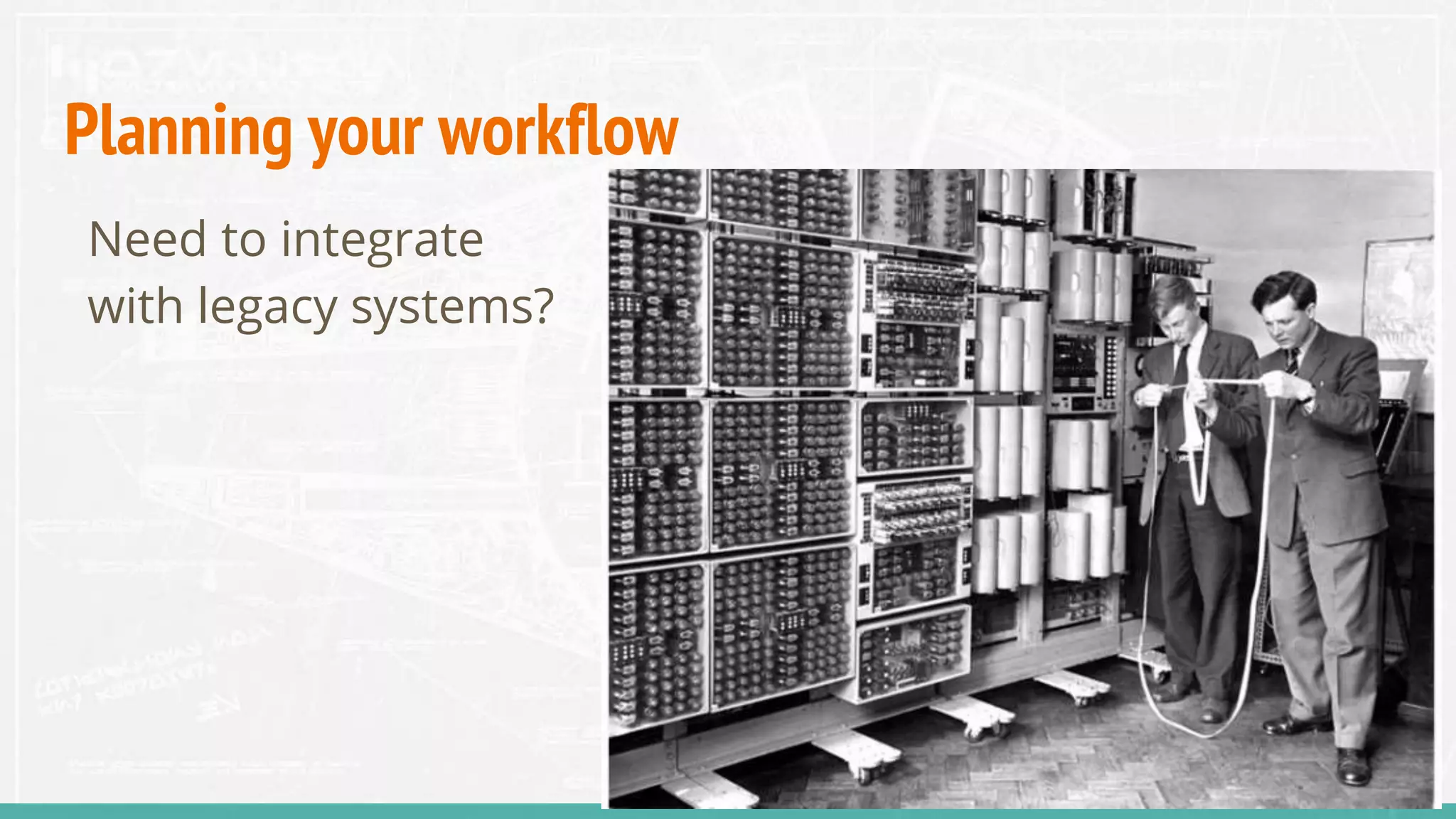
Need to integrate
with legacy systems?
Planning your workflow
What timescales are normal for you?
“ we need rapid
scalability
to cope with load - we
create and destroy
tens of VMs a day”
“ we spin up new
machines less than
once a month, and they
remain in service for
years “
Planning your workflow
What do your end users look like?
Planning your workflow
What do your internal users look like?
Planning your workflow
What does your development process look like?
Summing up
Node classification
● site.pp
● PE console
● Hiera
● ENC
● APIs
Certificate exchange
● Command line
● API
● Autosign
● Presigned
● manual
● golden image
● PXE boot
● kickstart / preseed /
jumpstart
● rsync
● post-commit hook
● r10kcode
git repo
PuppetMaster
VM created
OS +
puppet
installed
Connected to
PuppetMaster
Installed and
running
VM ready
● Verbal
● Email
● Form
● Web page
VM
request
Integration points
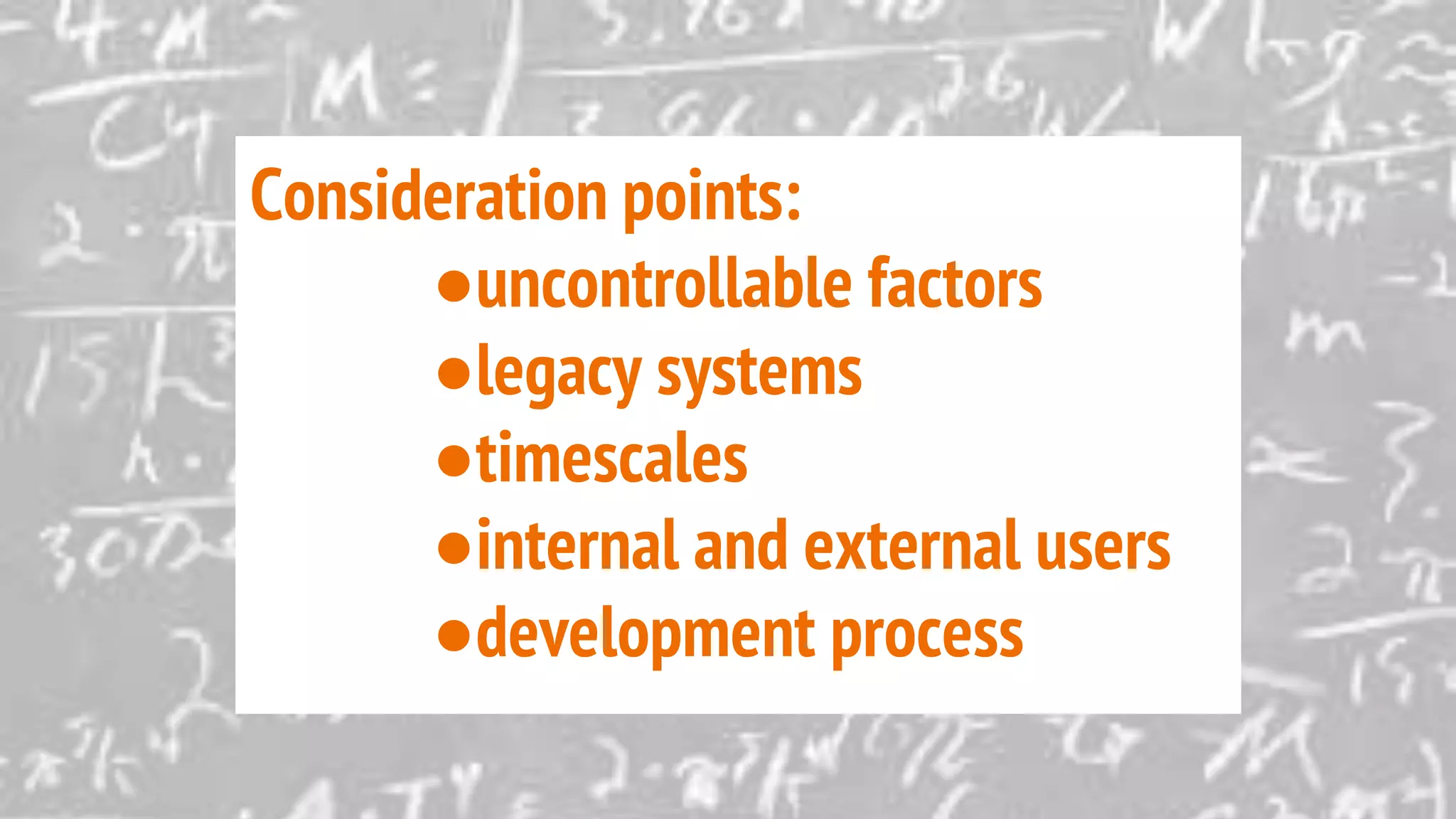
Consideration points:
●uncontrollable factors
●legacy systems
●timescales
●internal and external users
●development process

Puppet in the Pipeline

Editor's Notes

  • #5 Traditional workflow - bigger businesses
  • #6 Traditional workflow - bigger businesses
  • #7 Traditional workflow - bigger businesses
  • #10 Traditional workflow - bigger businesses
  • #11 Traditional workflow - bigger businesses
  • #14 Traditional workflow - bigger businesses
  • #16 Traditional workflow - bigger businesses
  • #17 Traditional workflow - bigger businesses
  • #18 Traditional workflow - bigger businesses
  • #19 Traditional workflow - bigger businesses
  • #39 Traditional workflow - bigger businesses
  • #40 Traditional workflow - bigger businesses
  • #41 Traditional workflow - bigger businesses
  • #42 Traditional workflow - bigger businesses